warning lights AUDI A4 2017 Owner's Manual
[x] Cancel search | Manufacturer: AUDI, Model Year: 2017, Model line: A4, Model: AUDI A4 2017Pages: 386, PDF Size: 96.32 MB
Page 96 of 386

Ass is t
The stored speed and the [ij;ji j~i4 (USA models)/
Ill (Canada mode ls) indicator light appear in the
instrument cluster disp lay . An add itiona l indica
tor appears in the Head -up display*.
The speed is maintained by modifying engine power or through an active brake intervention.
A WARNING
- Always pay attention to the traffic around
you when the cruise control system is in op
eration. You are always responsible for your
speed and the distance between your vehi
cle and other veh icles .
- For safety reasons, cruise control should not
be used in the city, in stop-and-go traffic, on
winding roads and when road condit ions are
poo r (such as ice, fog, gravel, heavy rain and
hydroplaning), because t his increases the
risk of an accident.
- Switch the cruise cont rol off temporar ily
when d riving i n turn ing lanes, h ighway exits
or in construction zones .
- Please note tha t unconsciously "resting"
yo ur foot on the accelerator pedal prevents
the cruise control from braking. This is be
cause pressing the acce lerato r pedal ove r
rides the cruise contro l system.
- If a brake system ma lf u nction such as over
heating occurs when the cruise control sys
tem is sw itched on, the braking function in
the system may be sw itched off. The rest of
the cruise control system functions remain
active as long as the
[ij;(l)~i4 (USA models) I
i:I (Canada models) indicator light is on.
(D Note
Before driving a long d istance on a steep
downward hill, decrease your speed and se
lect a lower driving gea r. This makes use of
the engine b raking effect and relieves the
brakes.
(0 Tips
The b rake lights turn on when the brakes are
app lied automatically .
94
· Changing the speed
Applies to: vehicles with cruise control system
.,. To increase/decrease the speed in 1 mph (1
km/h) incremen ts, briefly
tap the lever toward
0 10 c::> page 93, fig . 88 to the first level.
.. To increase/decrease the speed in
S mph (10
km/h) increments, briefly tap the lever toward
0 10 to the second leve l.
.. To increase or decrease the speed qu ickly,
hold
the lever toward 0 10 to the first or second
level unt il the desired speed is reached .
Overriding the speed
Applies to: vehicles with cruise control system
You can press the acce lerator pedal down to in
c rease yo ur speed, for example if you want to
pass someone. The speed yo u sto red earl ie r w ill
r esume as soon as yo u release the acceler ator
pedal.
Howeve r, if yo u are exceedi ng the stored speed
by a considerable amount fo r a long time, the
c ruise contro l system will temporarily switch off.
The m:iJm (U SA mode ls) ! Ill (Canada models) in
dicator light in the instrument cl uster turns off
and the stored speed is retained.
Preselecting a speed
App lies to: vehicles wit h cruise control system
You can pre -select your desired speed when the
vehicle is stationary.
.,. Switch o n the ignition.
.. Pull the lever into pos ition
(I) c::> page 93,
fig. 88 .
.. To increase or decrease the speed, tap the lever
in the
0 10 direction.
This function makes it possible, for example, to
save the speed you want before driving on the highway. Once on the expressway, act ivate the
cruise contro l by pull ing the lever into posit ion
(I) .
Page 101 of 386

Switching adaptive cruise control off
• Push the lever away from you into position @
unti l it clicks into place. The message
ACC: off
appears.
@ Indicato r lights
I'll -adaptive cru ise control is switched on. No
vehicles are detected ahead. The stored speed is
maintained.
• -A vehicle driving ahead was detected. The
adapt ive cr uise control system regulates the
speed and distance to the vehicle dr iv ing ahead
and accelerates/brakes automatically.
• -adaptive cru ise cont rol is switched on . Ave
h icle was detected ahead. Yo ur vehicle is stat ion
ary and will not star t driving automatically.
(-j -adaptive cru ise control is switched on . No
vehicles we re detected ahead . Your vehicle is sta
tionary and will not start dr iving automati cally.
• -T he automatic brak ing is not enough to
maintain a sufficient distance to a veh icle dr iving
ahead . You must intervene
¢ page 102, Request
for driver intervention.
© In strum ent cluster display
If Dr ive r assis t is not shown in the instrument
cluster display, you can open it using the multi
function steering wheel buttons
¢ page 12.
Based on the graphic display, you can determine
if the system is maintaining a distance to the ve
h icle dr iving ahead and what that distance is .
No vehicle -no vehicle was detected driving
ahead .
Silver vehicle -a vehicle was detected driv ing
ahead.
Red vehicle -request for the dr iver to take action
¢page 102.
The five distance bar s on the gauge© rep resent
the set d istance (refer to
~ page 101 for infor
mat io n on how to change the dis tance) . If you
fa ll below the se lected distance, the distance
bars become red from the bottom upward.
A ss ist
A WARNING
If you press the !SET ! button when driv ing at
speeds below 20 mph (30 km/h), the veh icle
accelerates automatically up to 20 mph (30
km/h), wh ich is the minim um speed that can
be set.
@ Tips
- If you switch the ignition or the adaptive
cruise cont rol sys tem off, the set speed is
erased for safety reasons.
- The e lectronic stabilization control (ESC)
and the an ti-slip-regula tion (ASR) are auto
matically switched on when the adap tive
cruise cont rol is swit ched on.
Changing the speed
Appl ies to: vehicles wit h Aud i ada ptive cru ise control
0
f
'
0
Fi g. 95 Operat ing lever: changing the speed
"'To increase/decrease the speed in 1 mph (1
km/h) increments, b riefly
t a p the lever toward
0 10 ¢ fig. 95 to the firs t level.
• To increase/dec rease the speed in 5 mph
(5 km/h or 10 km/h) increments, brief ly
tap
the lever toward 0 10 to the second level.
• To increase or decrease the speed quick ly,
hold
the lever toward 0 10 up to the first or second
level unt il the red LED@ reaches the desired
speed¢
page 98, fig . 94 .
You can also preselect the speed when adaptive
cruise contro l is not act ive by moving the lever in
the des ired direction
0 10 . Activate the previ
ously selected speed by pulling the lever into po
sition
(D ¢ page 98, fig . 93 .
After every adjustment, the new stored speed ap
pears briefly in the status line ¢
page 98, fig. 94 ..,.
99
Page 105 of 386
<( a, .... N ,....
N .... 0 0
3 a,
Indicator in the instrument cluster display
When the adaptive cruise control is switched on
for the first time, th e availability of predictive
control is displayed in the status line with the m essage
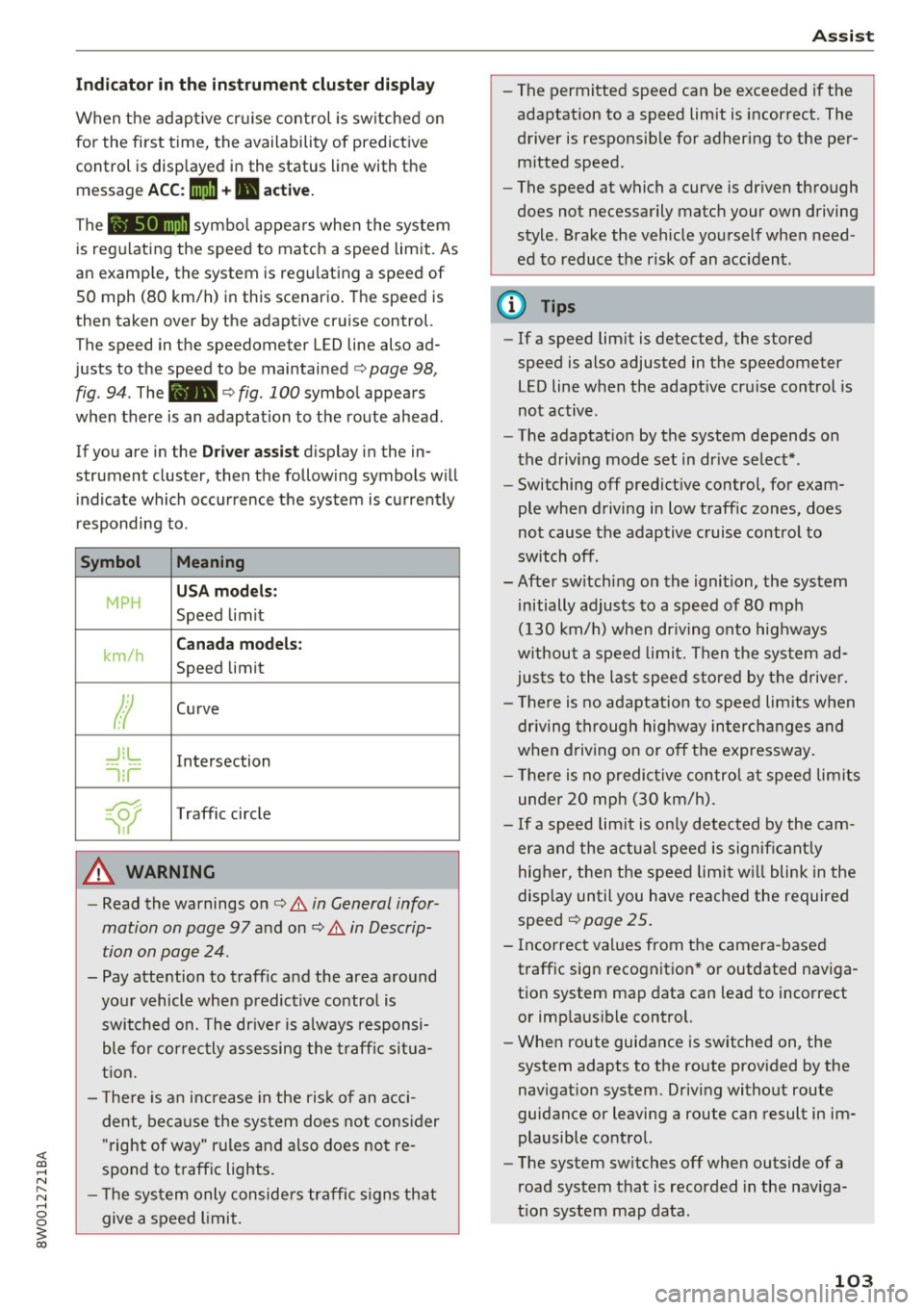
ACC: 1111 + B active.
The symbol appears when the system
is regulating the speed to match a speed limit. As
an example, the system is regulating a speed of
50 mph (80 km/h) in this scenario. The speed is
then taken over by the adaptive cruise control.
The speed in the speedometer LED line also ad
justs to the speed to be maintained
c::> page 98,
fig .
94. The 111B c::> fig . 100 symbol appears
when there is an adaptation to the route ahead .
If you are in the
Driver assist display in the in
strument cluster, then the following symbols will indicate which occurrence the system is currently
responding to .
Symbol Meaning
MPH
USA models:
Speed limit
km/h
Canada models:
Speed limit
Ir
Curve
_J!L
-1:r
Intersection
~
Traffic circle
A WARNING
- Read the warnings on c::> & in General infor
mation on page 97
and on c::> & in Descrip
tion on page 24 .
- Pay attention to traffic and the area around
your vehicle when predictive control is switched on. The driver is always responsi
ble for correctly assessing the traffic situa
tion.
- There is an increase in the risk of an acci
dent, because the system does not consider
"right of way" rules and also does not re
spond to traffic lights .
- The system only considers traffic signs that
give a speed limit.
Assist
- The permitted speed can be exceeded if the
adaptation to a speed limit is incorrect. The
driver is responsible for adhering to the per
mitted speed.
- The speed at which a curve is driven through
does not necessarily match your own driving
style . Brake the vehicle yourself when need
ed to reduce the risk of an accident.
(D Tips
-If a speed limit is detected, the stored
speed is also adjusted in the speedometer
LED line when the adaptive cruise control is
not active.
- The adaptation by the system depends on
the driving mode set in drive select* .
- Switching off predictive control, for exam
ple when driving in low traffic zones, does
not cause the adaptive cruise control to
switch off .
-After switching on the ignition, the system
initially adjusts to a speed of 80 mph
(130 km/h) when driving onto highways
without a speed limit. Then the system ad
justs to the last speed stored by the driver.
- There is no adaptation to speed limits when
driving through highway interchanges and
when driving on or off the expressway.
- There is no predictive control at speed limits
under 20 mph (30 km/h).
- If a speed limit is only detected by the cam
era and the actual speed is significantly
higher, then the speed limit will blink in the
display until you have reached the required
speed
c::> page 25.
- Incorrect values from the camera-based traffic sign recognition* or outdated naviga
tion system map data can lead to incorrect
or implausible control.
- When route guidance is switched on, the
system adapts to the route provided by the
navigation system. Driving without route
guidance or leaving a route can result in im
plausible control.
- The system switches
off when outside of a
road system that is recorded in the naviga
tion system map data.
103
Page 107 of 386
using the multifunction steering wheel buttons
¢
page 12. To activate congestion assist, you
must press the¢
fig. 101 button and switch on
the adaptive cruise control¢
page 98.
Indicator lights
11'1 and•-congestion assist is switched on .
Veh icles driving ahead were detected. Your vehi
cle adapts while driving
¢ fig. 102 .
•-Congestion ass ist switches off if the dr iver
does not take ove r stee ring after multip le driver
intervention requests . The system brakes the ve
hicle until it is stationary .
.&_ WARNING
Always keep your hands on the steering whee l
so you can be ready to steer at any time. The
driver is always responsib le for staying in a
lane and for assessing traffic situations cor
rectly . Read and follow the warnings on¢.&
in General information on page 97 . Never use
conge stion assist in the following si tuations
or yo u will increase t he ris k of an a cci den t.
- Drivi ng offroad or on unpaved roads. Con-
gestio n assist is only designed for use on
paved roads.
- In city dr ivi ng or in co nst ru ct ion zones.
- On curving stretches of road .
- In narrow lanes.
- In unclear traffic situations s uch as at inter-
sections or toll stations.
@ Tips
You are not necessarily g uided to the center
of yo ur lane.
A ss ist
Distance indicator and
distance warning
Description
Applies to: vehicles with Audi adaptive cruise control
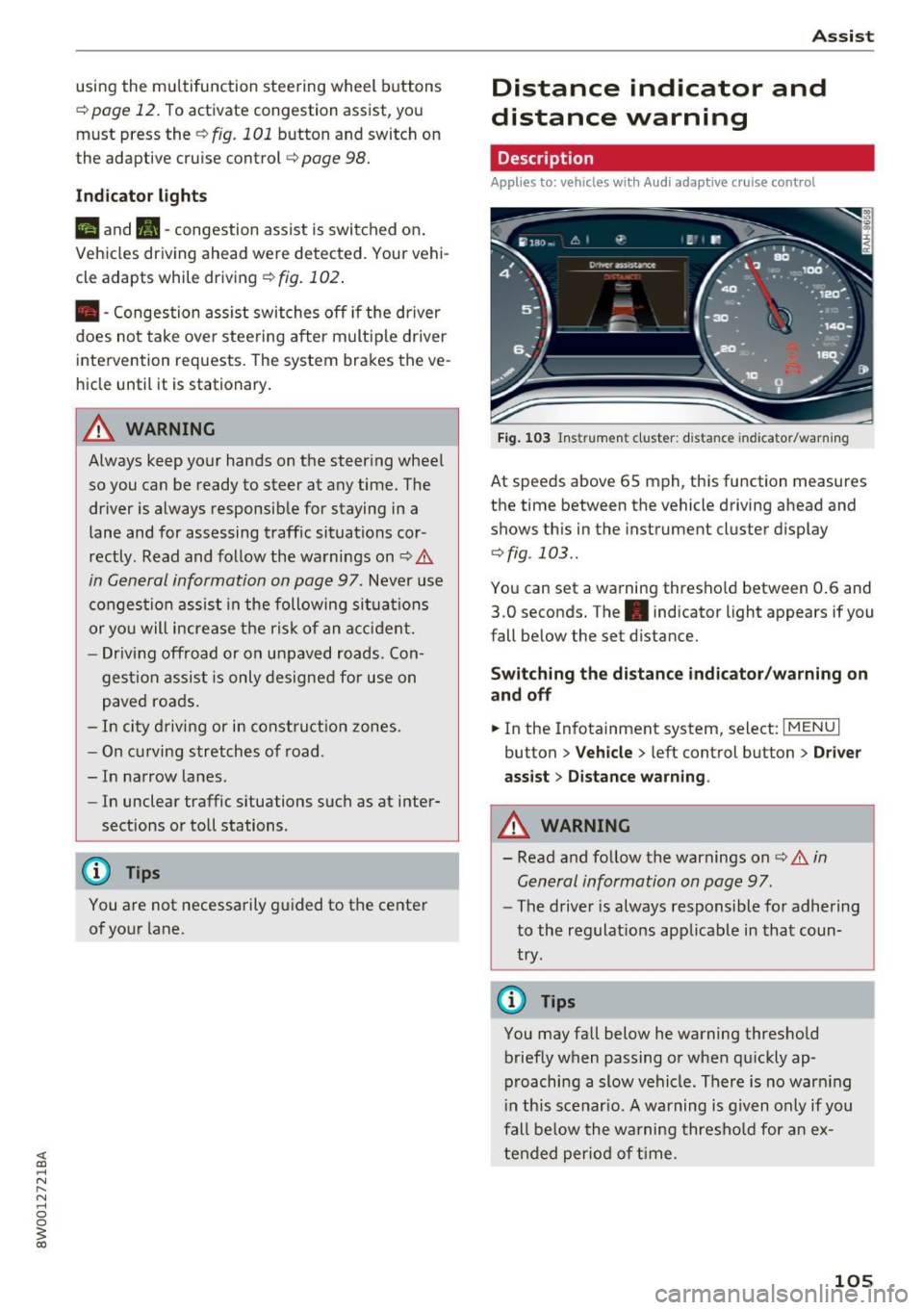
Fig . 1 03 Instrumen t cl uster: dist ance indicato r/warn ing
At speeds above 65 mph , this function measures
the time between the vehicle driving ahead and
shows th is in the instrument cluster display
¢ fig . 103 ..
You can set a wa rning thresho ld between 0 .6 and
3.0 seconds. The . indicator light appears if you
fall be low the set d istance.
Switching the distance indicator /warning on
and off
.. In the Infotainment system, select: I MENU I
button > Veh icle > left control button > Driver
ass ist> Distan ce warning .
.&_ WARNING
-
- Read and fo llow the warnings on¢.& in
General information on page
97.
-
- The drive r is always responsible fo r adhering
to the regulat ions app licab le in that coun
try .
@ Tips
You may fall below he warning thresho ld
briefly when passing or when q uickly ap
p roaching a slow vehicle. There is no war ning
i n this scenar io. A warning is g iven only if you
fall be low the warning thresho ld for a n ex
tended per io d of t ime.
105
Page 137 of 386

prevent collisions -there is still a risk of ac
cidents!
- Press the accelerator pedal carefully when
accelerating on smooth, slippery surfaces
such as ice and snow. The drive wheels can spin even when these control systems are
installed and this can affect driving stability
and increase the risk of a coll ision.
Switching on /off
Intelligent Technology
(D Tips
- The ABS and ASR only function correctly
when all four wheels have a sim ilar wear
condition. Different tire sizes can lead to a
reduction in engine power.
- You may hear noises when the systems de
scribed are working.
£SC turns on automatically when you start the engine.
--- --function of the ESC is limited or switched off . The
amount of stabilization control wi ll differ de
pending on the level.
--~
· :.__r" ,? .:'~~
,; ~ ... ,1
·· ----- ~
Fig. 138 Center co nso le w it h button ~ OFF
The following examples are unusua l situations
where it may make sense to switch sport mode on in order to allow the wheels to spin:
- Rocking the vehicle to free it when it is stuck
- Driving in deep snow or on loose ground
- Dr iving with snow chains
E SC is designed to function in levels. Depending
on the level that is selected, the stabilization
ESC levels
Sport mode on
Behavior
The ESC and ASR stabiliza-
tion funct ions are limited
~ .&. .
Operation Press the lfl OFFI button
briefly .
Indicator II turns on.
lights
Messages Stabilization control (ESC):
sport. Warning! Reduced
stability
A WARNING
You should only switch sport mode on or
switch ESC/ ASR off if your driving abilities and road conditions permit.
ESC/ASR off Sport mode off or
ESC/ASR on
The stabilization function is The full stabilization func-
no longer available ~.&. . tion of the ESC and ASR is
ESC and ASR are switched available again.
off.
Press and hold the
! fl O FFI Press the lfl OFFI button
button longer than 3 sec- again.
onds.
II and lf'tl•U~ turn on. fl turns off or fl and
lf'tl•l~~ turn off.
Stabilization control (ESC):
Stabilization control
off. Warning! Reduced sta- (ESC): on
bil ity
-The stabilization function is limited when
sport mode is switched on. The driving
wheels could spin and the vehicle could swerve, especially on slick or slippery road
surfaces.
135
Page 155 of 386

Voice recognition system Operating
A pp lies to: ve hicles with vo ice recognition system
You con operate many Infotainment functions
conveniently by speaking .
Fig . 157 Vo ice recognition system butto n on t he mult i·
function steering wheel
Requirements: the ignition and the MMI must be
switched on ¢
page 141, there must be no phone
call in progress and the parking system must not
be active .
.,. Switching on : briefly press the 12!] ¢ fig. 157
button on the multifunction steering wheel and
say the desired command after the
Beep .
.,. Switching off :
press and hold the 12!] button.
Or: press the [2] button.
.,. Pausing : say the comma nd Pau se . To res ume,
press the
1 0 .1 but ton .
.,. Correcting : say the command Correction .
Input assistance
The system guides you through the input with
visual and audio feedback .
-Vi sual input as sista nce : after switching on
vo ice recognit ion, a display with a selection of
poss ible commands appears . The comma nd
display can be sw itched on/off under
I MENU I >
Settings > left control bu tton > MMI settings >
Speech dialog system .
- Audio input a ssis tance :
to have the poss ible
commands read, turn the voice recognition sys
tem o n and say
Help .
For the system to understand you:
Speak clearly and distinct ly at a normal volume .
Speak louder w hen driv ing faster .
Voice re cogni tion system
Emphasize the words in the commands evenly
and do not leave long pauses.
Do no t spea k a command when the vo ice re cogni
tio n sys tem is making an announcemen t.
Close the doo rs , the w indows and the sun roof* to
r ed uce background no ise. Ma ke sure that passen
gers are not speaking w hen you are giv ing a voice
command.
Do not d irect the air vents toward the hands free
microp hone, which is on the roof headliner near
the fron t inte rior lights.
Only use the system from the dr iver's seat be
cause the hands free microphone is directed to
ward that seat.
Additional settings
Refer to¢ page 234.
A WARNING .
- Direct your full attention to dr iving . As the
d river, you have complete responsibility fo r
safety in t raff ic. Only use the functions in
s uch a way that you a lways m aintain com
p lete co ntro l over your vehicle in all tra ffi c
situa tions .
- Do not use t he voice recognition sys tem in
emergencies beca use your voice may ch ange
i n st ressfu l situations . It may take longe r to
d ia l the number o r the system may not be
ab le to dia l it at all. Dia l th e emergency
number manually.
@ Tips
- T he d ialog pauses w hen the re is an incom
ing phone call and will continue if yo u ig
nore the ca ll. The dia log ends if you answer
the ca ll.
- There are no Vo ice gu idance * prompts when
a dialog is active.
- You can select a n item in the list using ei
ther the voice recognit io n system or the
control knob .
153
Page 184 of 386

Audi connect vehicl e control
Select: !MENU ! button> Audi connect > right
control button >
Aud i connect u ser manage ment
> Key user > Reset ke y user.
Warning lev els
Req uirement: the pr imary use r mus t have set one
or more warning levels . Secondary users can only
see if a warning level is active or not.
Select:
! M ENU ! button> Audi conn ect> right
control b utton >
Alert s.
A WARNING
Also read and follow the instructions regard
ing traffic safety¢
page 141.
(D) Tips
-Store the vehicle code in a secure pla ce. It
may be necessary to re-ente r the veh icle
code .
- Pay at tention to upper- and lowe r-case le t
ters when enter ing the ve hicle code.
- The vehicle code loc ks after m ultip le fai led
ent ry attemp ts. Contact an author ized A udi
dealer or authorized Audi Service Fac ility to
request a new vehicle code .
@ Tips
-If a primary user was set fo r your vehicle,
the message
One or more Audi connect
s e rv ices currentl y act ive. Fo r mor e infor
mation, p lease refer to the owne r's manual
or the Audi con nect menu.
appears every
time after the ignition is switched off .
- If you do not know the primary user of the
vehicle, reset it in the Infotainment system
¢ page 181, Resetting the primary user.
You can reg ister and verify your identity as
the new primary user on
www .audi.com /
myaudi.
If you did not receive the code re
quired for this, co ntact your authorized Audi
dealer or authori zed Audi Servi ce Fac ility.
Locking/unlocking
Applies to vehicles with Audi connect vehicle control
You can lock and un lock your vehicle using this
servi ce.
182
Requir ement
- Thi s requires the 4 -d igi t PI N that you specified
during the verification on
www.audi.com /
myaudi.
- The vehicle m ust be stationa ry.
- The ignition must be switched off.
Vehicle status report
Applies to vehicles with Audi connect vehicle control
The Dr ive r Information System collects data un
der certai n conditions and sends it to a server.
When data is stored, you can access values such
as these using the service :
- Remaining range,
- Fuel tank leve l,
- If the veh icle doors are open/closed or locked/
un locked,
- Mi leage ,
- Next service,
- Warning messages,
- Park ing l ights on/off,
For additional information on the Driver Informa
tion System, refer to¢
page 16, Driver Informa
tion System .
A WARNING
Do not ignore messages and warning or ind i
cator lights that turn on in the vehicle be
cause of the info rmation in the status report.
This could lead to break downs in on the road, a ccidents and ser ious injuries.
Parking location
Applies to vehicles with Audi connect vehicle control
The veh icle collects data unde r ce rta in cond it io ns
and sends it to a serve r.
When data is stored, you ca n access values such
as these using the se rvice :
- Vehicle location display,
- Display of one's own location,
- Route to you r vehicle .
Page 189 of 386

Navigation
Accessing navigation
A pp lies to: ve hicles with naviga tion system
The navigation system directs you to your desti
nation, around traffic incidents and on alterna
tive routes, if desired.
Fig. 169 Example: Enter destination menu
.. Press the I NAV/MAPI button.
After opening the Navigation menu for the first
time, the
Enter dest inati on menu is displayed in
the Infotainment system display with the follow
ing information:
(D I nput field for free text search 187
@ Home address . . . . . . . . . . . . . . . . 189
@ Last dest inat ions . . . . . . . . . . . . . . 188
@ Stored favorites . . . . . . . . . . . . . . . 189
As soon as yo u select an entry from the list (de
pending on the vehicle equipment), the corre
sponding destination d isplays as a map preview*
@ r::!>fig .169.
If yo u have connec ted a ce ll phone to the MMI,
your di rectory contacts will also be listed if they
have navigation data assigned to them.
The
Fav orites @¢ fig. 169 menu item as well as
the directory/contacts are only shown in the
En
t er des tinati on
menu if you have ente red one or
more characters using the input field.
Swi tching betwe en d estinati on entr y and th e
m ap :
- Press the I NAV/MAPI button repeated ly until
the map is d isplayed .
Or: select the left contro l
button
> S wi tch to map . Na
vigat ion
A WARNING
--The demands of traffic require your full at-
tention. Always read the chapter
q page 236, Driving safety.
- Obey all traffic laws when driving.
- The route calculated by the navigation sys-
tem is a recommendation for reaching your
destination. Obey traffic lights, stopp ing re
strictions, one-way streets, lane change re
strictions, etc.
(D Note
- If the driving directions conflict with traffic
laws, obey the traffic laws.
- Adjust the volume of the navigation system
so signals from outside the vehicle, such as
police and fire sirens, can be heard clearly at
all times .
(j) Tips
-Snow and obstruct ions on the GPS antenna
or interference caused by trees and large
buildings can impair satell ite recept ion and
affect the system's ability to dete rm ine the
vehicle pos it ion. Several deactivated or mal
functioning satell ites can also inter rupt GPS
recept ion and affect the system 's abili ty to
determine the vehicle position.
- Because street names somet imes change,
the names stored in the MMI may in rare cases differ from the actual street name.
Entering a destination
Free text search for destinations
App lies to: vehicles wit h nav igat ion system
With the free text search you can enter the navi
gation destination data all at once in any order
using the MMI touch control pad* or the speller
(for example, 20 Elm Street Chicago). Likewise,
you can search for points of interest, contacts, previous destinations or favorites to navigate to
the desired address.
Press the I NAV/MAPI repeatedly unt il the En ter
d es tination
menu is displayed~ page 187,
fig. 169.
1 8 7
Page 238 of 386
Driving sa fe ty
Driving safety
General notes
Safe driving habits
Please remember -safety first!
This chapter contains important information,
tips, instruct ions and warn ings that you need to
read and observe for your own safety, the safety
of your passengers and others. We have summar
ized here what you need to know about safety
be lts, a irbags, child restra ints as well as child
safety. Your safety is for us
priority number 1 . Al
ways observe t he i nfo rmation and wa rn ings in
this section - for your own safety as well as tha t
of yo ur passengers.
The information i n this section applies to all
model ve rsions of your vehicle . Some of the fea
tures descr ibed in t his sec tions may be s tanda rd
eq uipment on some models, or may be optional
equipment on others. If yo u are not sure, ask
your author ized Audi dealer.
A WARNING
-Always make sure that you follow the in
structions and heed the WARNINGS in th is
manual. It is in your inte rest and in the in
te rest of your passengers .
- Always keep all of the Owner's Lite rature
manuals in your Audi when you lend o r sell
yo ur vehicle so that this important informa
t ion w ill always be availab le to the dr iver
and passenge rs.
- Always keep the Owner 's Lite rature handy
so that you can find i t easi ly if yo u have
ques tions.
Safety equipment
The safety features are part of the occupant re
straint system and work together to help reduce
the risk of injury in a wide variety of occident si t
uations.
Your safety and the safety of yo ur passenge rs
should not be left to chan ce. Advan ces in tech
nology have made a var iety of features av ail ab le
to help reduce t he risk of injury in an accident .
236
The following is a list of just a few of the sa fety
features in your Audi :
- sophis tic ated safety be lts fo r dr ive r and all pas-
senge r seat ing pos itions,
- safety belt p re tensioners,
- be lt height adjustment for the front seats,
- head restraints for each seating position,
- front airbags,
- knee airbags fo r the front seats,
- side airbags in the front seats and outboard
rear seats *,
- side curtain airbags,
- special LA TC H anchorages for the outboard rear
seats and top tether anchorages for chi ld re
straints for all of the rear seats,
- adjustab le steering col umn.
These ind iv idual safety features, can work to
gether as a system to he lp protect you and your
pa ssengers in a wide range of a cciden ts. These
fea tures canno t wo rk as a sys tem if they a re not
a lways cor rec tly ad juste d and cor rect ly used.
Safety is everybod y's responsibilit y!
Important things to do before driving
Safety is everybody's job! Vehicle and occupant
safety always depends on the informed and care
ful driver .
For your safety a nd the safety of your passen
gers,
before driving alway s:
.,. Make sure that all lights and signals are operat
ing correctly .
.,. Make sure that the tire pressure is correct .
.,. Make sure that a ll windows a re clean and afford
good v is ibility to the outs ide.
.,. Se cur e all luggage and othe r items ca refully
q page 242.
.,. Make sure that noth ing can i nter fere with the
peda ls .
.,. Adjust front seat, head restraint and mirrors
correctly for yo ur height.
.,. Instruct passengers to adjust the head re
straints according to their he ight .
.,. Make sure to use the rig ht child restraint co r
rectly to protect chi ldren
q page 2 77 , Child
safety. ..,.
Page 247 of 386
Safety belts
General information
Always wear safety belts!
Wearing safety belts correctly saves lives!
This chapter explains why safety belts are neces
sary, how they work and how to adjust and wear
them correctly. .. Read all the information that follows and heed
all of the instructions and WARNINGS.
A WARNING
Not wearing safety belts or wearing them im
properly increases the risk of serious personal
injury and death.
- Safety belts are the single most effective
means available to reduce the risk of serious
injury and death in automobile accidents.
For your protection and that of your passen
gers, always correctly wear safety belts
when the vehicle is moving.
- Pregnant women, injured, o r physically im
paired persons must also use safety belts.
Like all vehicle occupants, they are more
likely to be seriously injured if they do not
wear safety belts. The best way to protect a
fetus is to protect the mother -throughout
the entire pregnancy.
Number of seats
Your Audi has a total of five seating positions:
two in the front and three in the rear. Each seat ing position has a safety belt.
A WARNING
Not wearing safety belts or wearing them im
properly increases the risk of serious personal
injury and death.
- Never strap more than one person, includ
ing small children, into any belt.
It is espe
cially dangerous to place a safety belt over a
;;§ child sitting on your lap.
~ -Never let mo re people ride in the vehicle
:::l than there are safety belts available. 0 0
3
-Be sure everyone riding in the vehicle is
properly restrained with a separate safety
belt or child restraint.
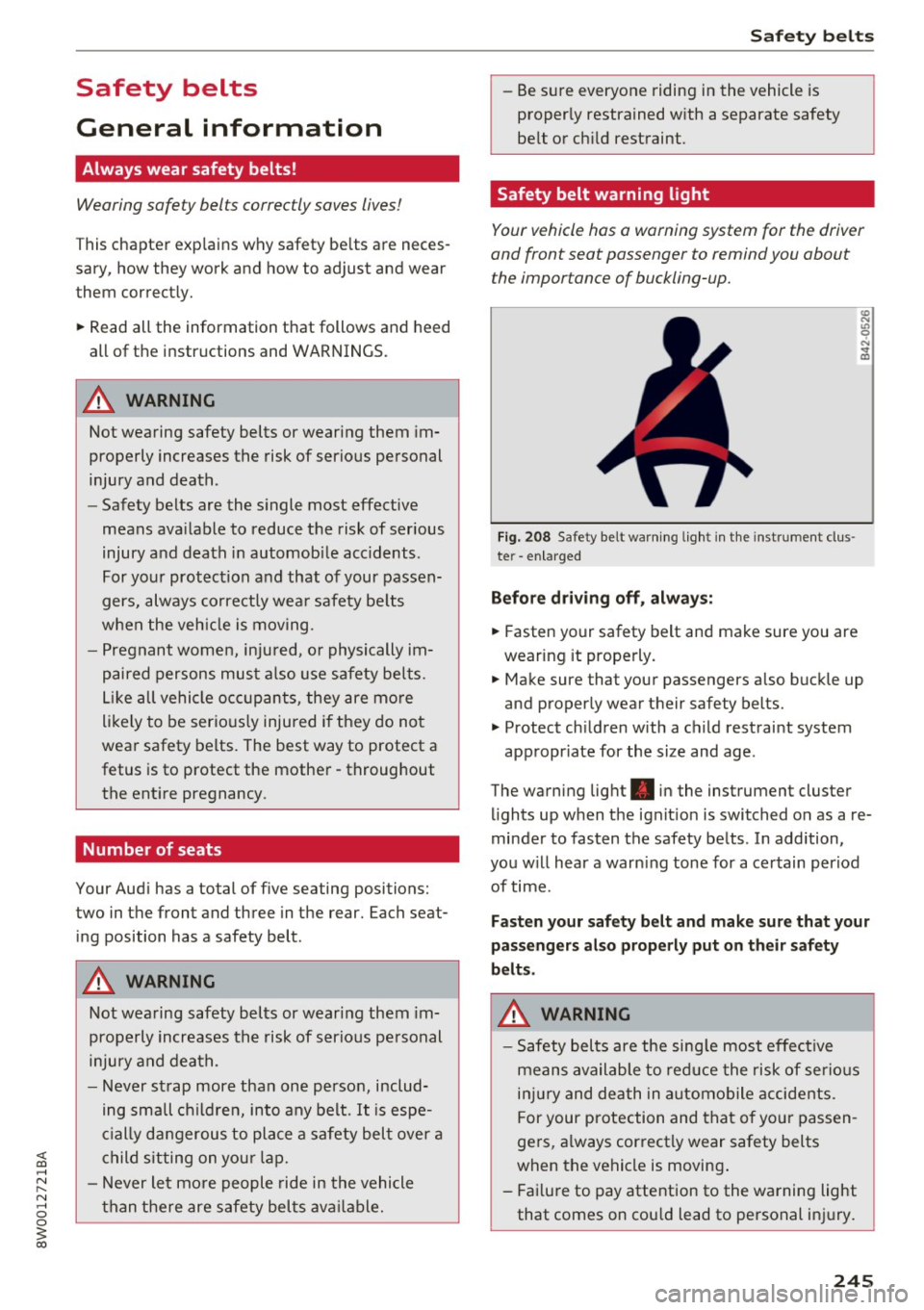
Safety belt warning light
Your vehicle has a warning system for the driver
and front seat passenger to remind you about the importance of buckling-up.
Fi g. 208 Safety belt warn ing light in the instrument clus ·
te r -en larged
Before driving off, always:
.. Fasten your safety belt and make sure you are
wearing it properly.
.,. Make sure that your passengers also buckle up
and properly wear their safety belts.
.,. Protect children with a child restraint system
appropr iate for the size and age.
The warning light . in the instrument cluster
lights up when the ignit ion is switched on as a re
minder to fasten the safety belts . In addition,
you w ill hear a warn ing tone for a certain period
of time.
Fasten your safety belt and make sure that your
passengers also properly put on their safety
belts.
A WARNING
-
- Safety belts are the sing le most effective
means available to reduce the risk of serious
injury and death in automobile accidents.
F or your protection and that of your passen
gers, a lways correctly wear safety belts
when the vehicle is moving .
- Failure to pay attention to the warning light
that comes on could lead to personal injury.
245