infotainment AUDI A4 2018 User Guide
[x] Cancel search | Manufacturer: AUDI, Model Year: 2018, Model line: A4, Model: AUDI A4 2018Pages: 403, PDF Size: 66.81 MB
Page 43 of 403

.. To lock the vehicle, close the door and touch
the sensor in the door handle
on ce c::> fig. 28 . Do
not hold the door handle while doing this .
You can u nlock/ lock the vehicle at every door.
The remote control key cannot be more than ap
proximately 4 feet (1.5 m) away from the door
handle. It makes no difference whether the mas
ter key is in your jacket pocket or in your brief
case, for example .
If you hold the door handle while locking, this
can impair the locking function.
The doo r cannot be opened for a br ief period di
rect ly after locking it. This way you have the op
portunity to check if the doors locked correctly.
The settings in the Infotainment system deter
mine if the entire vehicle or on ly one of the doors
is unlocked when unlocking the vehicle
c::> pag e 41.
A WARNING
Read and following all WARNINGS c::> &. in De
scription on page 3
7.
@ Tips
If your vehicle is left standing for a long peri
od of time, note the following:
-The energy management system grad ually
turns off unnecessary convenience functions
to prevent the vehicle battery from draining
and to mainta in the vehicle's ab ility to start
for as long as possible. You may not be able
to unlock your vehicle us ing the convenience
key .
Central locking switch
Fig. 29 Drive r's door : central loc king switch
Openin g an d clos ing
.. To lock the vehicle, press the l'.D button c::> &_ .
.. To unlock the vehicle, press the @ button.
When locki ng the vehicle with the central lock ing
switch, the following applies:
-Opening the door and the luggage compart
ment lid from the
outside is not poss ible (for
secur ity reaso ns, such as when stopped at a
light) .
-The LED in the centra l locking sw itch t urns on
when all doors are closed and locked .
- You ca n open the doors individua lly from the
inside by pu lling the doo r handle.
- In the event of a crash with a irbag deploymen t,
the doo rs unlock automat ica lly to allow access
t o the vehicle .
~~ WARNING
-
- The central locking switch a lso works when
the ignition is switched off and automatica l
ly locks the entire vehicle when the
l'.D but
ton is pressed.
-The central locking switch is inope rative
when the vehicle is locked from the outs ide.
-Locked doors make it more difficult for
emergency workers to get into the vehicle,
which puts lives at r isk. Do not leave anyone
behind in the vehicle, especially children.
-Read and fo llowing a ll WARNINGS c::> &. in
Description on page 3
7.
(D Tips
Your vehicle locks automatically when it reaches a speed of 9 mph (15 km/h) (Auto
Lock)
c::> page 37. You can unlock the vehicle
again using the
ca button in the central lock
i ng switch.
Setting the central locking system
In the Infotainment system, you can set which
doors the central locking system will unlock .
.. Select in the Infotainment system: I MENU! but
ton
> V ehicle > left control b utton > Vehicle
settings > Central lock ing .
Door unlo cking
-you can decide if All doors or
only the
Dri ver 's door shou ld unlock. The
41
Page 45 of 403

triggered. The anti-theft alarm system is activat
ed when the vehicle is locked as usua l.
It
switches off when the vehicle is unlocked.
If the a larm is trigge red, it w ill shu t off automat
ically a fter a ce rtain amount of time . Switch the
ignition on or press
the m button on the remote
control key to turn
off the alarm.
Luggage compartment
Lid
Opening /closing the luggage compartment
lid
Fig . 32 Driver 's door: opening the luggage compartment
lid
Applies to: vehicles with automatic transmission:
The luggage compartment lid can only open
when the selector lever is in P.
Applies to: vehicles with manual transmission:
The luggage compartment lid can only open
when the parking brake is set. Pull the
«el) sw itch
~ page 88 to set the parking brake.
Opening th e luggage compartment lid
.,. Press and hold the c:;; button on the remote
contro l key for at least one second . The luggage
compartment lid unlocks and opens slightly . Or
.,. Press the handle in the luggage compartment
l id. Or
.,. Pull the c:>* switch in the dr iver's door.
Cl osing the luggage compartment lid
.,. Use the inside gr ip to pull the luggage com
partment lid down and allow it to close using a
gentle p ush
~ ,&. .
Op enin g an d clos ing
A WARNING
--After closing the luggage compartment lid,
make sure that it is latched . Otherw ise the
luggage compartment lid could open sud
denly when dr iving, which increases the r isk
of an a cc ident.
- Never drive with the luggage compartment
lid ajar or open, because poisono us gases
can enter the vehicle interior and create the
risk of asphyx iat ion.
- Never leave your veh icle unattended when
the luggage compartment lid is open. A
child cou ld climb into the veh icle through
the luggage compartment. If the luggage compartment lid was then closed, the child
would be trapped in the vehicle and unable
to escape. To reduce the risk of injury, do
not allow children to play in or around the
veh icle . Always keep the luggage compart
ment lid and the doors closed when the ve h icle is not in use.
-Always make sure no one is in the luggage
compartment lid's range of motion when it
is closing, especially near the hinges. Fin
gers or hands could be pinched.
© Tips
- When the vehicle is locked, the luggage compartment lid can be unlocked separately
by pressing the
c:5 button on the remote
control key. The luggage compartment lid
locks automa tically when it is closed again.
- T he settings in the Infotainment system de
termine if the luggage compartment lid can be opened using the
hand le~ page 41 .
- In case of an emergency or a fau lty handle,
t he luggage compartment lid can be opened
manually from t he
ins ide ~ page 46.
43
Page 51 of 403

_& WARNING
-Always take the vehicle key with you when
leaving the vehicle, even for a short period
of time . This applies particularly when chil
dren remain in the vehicle . Otherwise chil
dren could start the engine or operate e lec
trical equipment (such as power windows),
which increases the risk of an accident . The
power windows continue to function until
the driver's door or front passenger's door
has been opened.
- Pay careful attent ion when closing the win
dows . Pinching could cause serious injuries .
- When locking the vehicle from outside, the vehicle must be unoccupied since the win
dows can no longer be opened in an emer
gency .
@ Tips
You can still open and close the w indows for
approximately 10 minutes after turning the
ignition
off . The power windows do not switch
off until the driver's door or front passenger's
door has been opened.
Convenience opening/closing
Applies to: vehicles with convenience key
All of the windows and the roof* con be opened/
closed at the some time .
Convenience opening feature
.. Press and hold the CD button on the remote con
trol key until all of the windows reach the de
sired position and the
roof* is tilted open.
Convenience closing feature
.. Press the @ button on the remote control key
until the roof* is closed
c::> .&,, or
.. Touch the sensor* on the door handle until a ll
of the windows and the roof* are closed. Do not
place your hand in the door handle when doing
this.
Setting convenience opening in the
Infotainment system
.. Select in the Infotainment system: !MENUI but
ton
> Vehicle > left control button > Vehicle
Open ing and closing
settings > Central locking > Long press to
open windows.
_& WARNING
- To reduce the r isk of injury, never close the
windows or the roof* carelessly or in an un
controlled manner .
- For secur ity reasons, the windows and the
roof* can only be opened and closed with
the remote control key at a maximum dis
tance of approx imately 6.5 feet (2 m) away
from the vehicle. Always pay attent ion when
using
the@ button to close the windows
and the roof* so that no one is pinched. The
closing process will stop immediately when
the@ button is released.
(D Tips
Applies to: vehicles with panorama glass roof:
the power sunshade also opens/closes when
opening/closing the roof.
Correcting power window malfunctions
You can reactivate the one-touch up/down func
tion if it malfunctions.
"' Pull the power window switch up until the win
dow is comple tely raised .
.. Release the switch and pull it up again for at
least one second.
Sliding/tilting sunroof
Operating
Applies to: vehicles with sliding/tilting sunroof
Fig. 43 Section of front head lin er: sliding/tilt ing sunroof
button
....
49
Page 55 of 403
a co .... N ,....
N .... 0 0
Programming/reprogramming buttons
Requirement: the vehicle must be in range of the
system, such as the garage door, that you would
like to program .
• Switch the ignition on.
• Press and hold the button in the headliner that
you wou ld like to program for at least two sec
onds. Or
• Se lect in the Infotainment syst em: !MENUI but
ton
> Vehicle > left contro l button > Vehicle
settings > Garage door opener > Program ga
rage door opener> Program button I/Program
button II /Program button
III (reprogram).
The yellow LED @ blin ks.
• Follow the instructions in the I nfota inment sys-
tem .
Synchronizing a button1
)
Requirement: the button must already be pro
grammed and must be synchronized with the
system that you would like to program .
• Switch the ign ition on.
• Press the button in the headliner that you
would like to synchronize .
• Follow the instructions in the Infota inment sys
tem .
Deleting button programming
The programmed buttons cannot be deleted ind i
vidually . They must be deleted all at once . Repro
gram the buttons if necessary .
• Switch the ignition on.
• Select in the Infotainmen t system: !M ENUI but
ton
> Vehicle > left control button > Vehicle
settings > Garage door opener > Delete button
programming > Yes, delete now.
Displaying the version/status/country code
• Select in the Infotainment system: ! MENUI but
ton
>Ve hicle > left contro l bu tton >Ve hicle set
tings > Garage door opener > Version informa
tion .
~ l) Only appl ies to rolling cod e sys tems
Opening and closing
{!) Tips
-The garage door opener may need to be
synchron ized with the system motor after
the programming. Follow the manufactur
er's instruct ions for doing this .
- The programming process can take up to 30
seconds. The hand transmitter may need to be operated again during the process .
- Make sure the batteries in the hand trans
m itter are charged before start ing the pro
gramming process .
- In some cases, the system must be pro
grammed using an alternative mode. Select
in the Infotainment system:
!MENU I > Vehi
cle
> left control button > Vehicle settings>
Garage door opener > Program garage door
opener >
right control button > UR-Mode /
D-Mode .
53
Page 58 of 403

Lights and Vision
Ir.a Head light a ssista nt: malf unction! See own
er' s manual
Drive to an a utho rized Aud i de aler or authorized
Aud i Serv ice Facility immediately to have the
malfunction corrected . You can still switch the
high beams on or off manually .
II Headlight assi stant : currently unavail able .
Camera view re stricted due to surroundings .
See owner's manual
The camera view is b lo cked , fo r example by a
s t icker o r debr is.
The sensor is located between the interior rear
view mir ror and the windshield . Do not p lace any
stickers in th is area on the windshield .
_& WARNING
High beam assistant is only i ntended to assist
t he driver. The dr iver is still res ponsible for
cont ro lling the headlights and may need to
switch them on and off manually depend ing
on light and visib ility co nditions . It may be
necessary to ope rate them manua lly in s itua
tions such as:
- In adve rse weathe r cond itions such as fog,
heavy ra in, b low ing snow or sp raying water .
- On roads where oncoming traffic may be
partia lly obscured, s uch as exp ressways .
- When there a re road users that do not have
s uf ficient lighting, s uch as bicyclers o r
vehicles with dirty ta il lamps.
- In tight curves and o n steep hills .
- In poorly lit areas .
- Wi th stro ng reflecto rs, such as s igns.
- If the area of the windsh ield near the senso r
is fogged ove r, dirty, i cy or covere d with a
st icker .
Adjusting the exterior lighting
The functions ar e adjust ed in the Infotainm ent
system.
• Se lect in the Infotainment system: I M ENU I but
ton
> Vehi cle > left contro l button > Vehicle
setting s
> Exterior lighting .
56
Automatic headlights
You can adjus t the following se ttings in the Au
to-dimming high beam s
menu:
Activation time -you can adjust if the headlights
swi tch on
Early , Medium or Late accor ding to t he
sens itivity of t he lig ht sen sor .
Headlight assistant * -you can switch the high
bea m assis tant* on and off.
Entry/exit lighting
When it is dark, the Ent ry /exit lighting ill umi
nates the area a round the vehicle when unlocking
the veh icle and after switch ing off the ig nition
and opening the dr ive r's door .
The
Entry /e xit lighting only works when it is
dark and the light sw itch is in the
AUTO posit ion.
Daytime running lights
USA models :
the daytime r unning lights can be
switch ed on/off . S elect
On or Off.
Canada models: this f unction canno t be sw itched
off. They activate automatically each time the ig
nit ion is switched on.
Emergency flashers
-- - ---
] -~ ~-
-------
Fig. SO Ce nter conso le: emerge ncy flashe r bu tt o n
The emergen cy fl ashe rs m akes ot her d rivers
aware of your veh icle in dangerous situations.
• Press the ~ b utton to switch the emergency
flashe rs on or off .
Yo u can indicate a la ne change or a turn when the
eme rgency flashers are switched o n by using the
turn s ignal leve r. T he eme rgency f lashe rs stop
tempor arily .
ll-
Page 62 of 403

Lights and Vision
-The automatic dimming mir rors do not dim
when the interior lighting is turned on or
the reverse gear is selected.
Sun visors
F ig. 55 Sun v isor
Sun visor
The sun v isors for the dr iver and front passenger
can be re leased from their mounts and turned to
ward the doors
¢ fig. 55 (!).
They can a lso be moved back a nd forth length
wise in this posit ion.
Vanity mirror
The mirror lighting* switches on when the cover
over the vanity mirror @opens .
Sunshade
Applies to: vehicles with sunshade
F ig. 56 Rear doo r: sunshade
Re ar door sunshade
• Pu ll the sunshade out and attach it to the re
ta iner on the upper door
frame¢ fig. 56.
60
Windshield wipers
Switching the wipers on
Fig. 57 Wind shi eld wiper lever
F ig. 58 allroad: rea r w in dow wiper operation
Move the windshie ld wiper lever to the corre
sponding posit ion:
@ -Windshield wipers off
(!)-Rain senso r mode. The w ind shield wipers
switch on once the vehicle speed exceeds approx
i mately 2 mph (4 km/h) and it is raining . The
higher the sensitivity of the rain sensor that is set
(switch ® to the right), the earlier the wind
shield wipers react to mo isture on the wind
shield. You can deact ivate the ra in sensor mode
i n the Infotainment system, wh ich sw itches the
i nte rmittent mode on . To do this, se lect:
I MENU I
button > Vehicle > left contro l bu tton > Driver
a ss istance > Rain sen sor .
In inte rm it tent mode,
you can adjus t the interval time using the switch
®·
@ -Slow w iping
@ -Fast wip ing
@ -Sing le wipe. If you ho ld the lever in this posi
tion longer, the wipers switch from slow wiping
to fast wiping.
.,.
Page 68 of 403
Sea ts and stor age
the possible seat settings @ are shown in the
Infotainment system
r::!;> fig . 65.
• To select a seat setting, turn the multifunction
button
(I) in the corresponding direction until
the desired seat setting is outlined in red.
• The arrows @ represent the possible adjust
ments. Fo r example, to lower the lumbar sup
port, press the multifunction button
(I) down.
The co rresponding ar row © lights up.
The follow ing seat sett ings @ are possible:
Massage function * -select the massage type
Wave, St ret ch , Knead or Off . You can adjust the
intens ity of each massage from 1 to 3. You ca n
sw itch the selected massage on/off using the
button @
r::!;> fig. 65.
Lumbar support -you can adjust the lumbar sup
port up/down and to be stronger/weaker.
Side bolsters* -you can increase/decrease the
side support in the seat using the side bolsters
on the seat backrest.
@ Tips
- The massage function switches off a uto
matically after approx imately 10 minutes.
- The air in the side bo lsters* is released as
soon as the driver's door opens. T his makes
i s possible to enter and exit the vehicle
more comfortably. As soon as you start driv
i ng the veh icle, the side bo lsters fill.
Center armrest
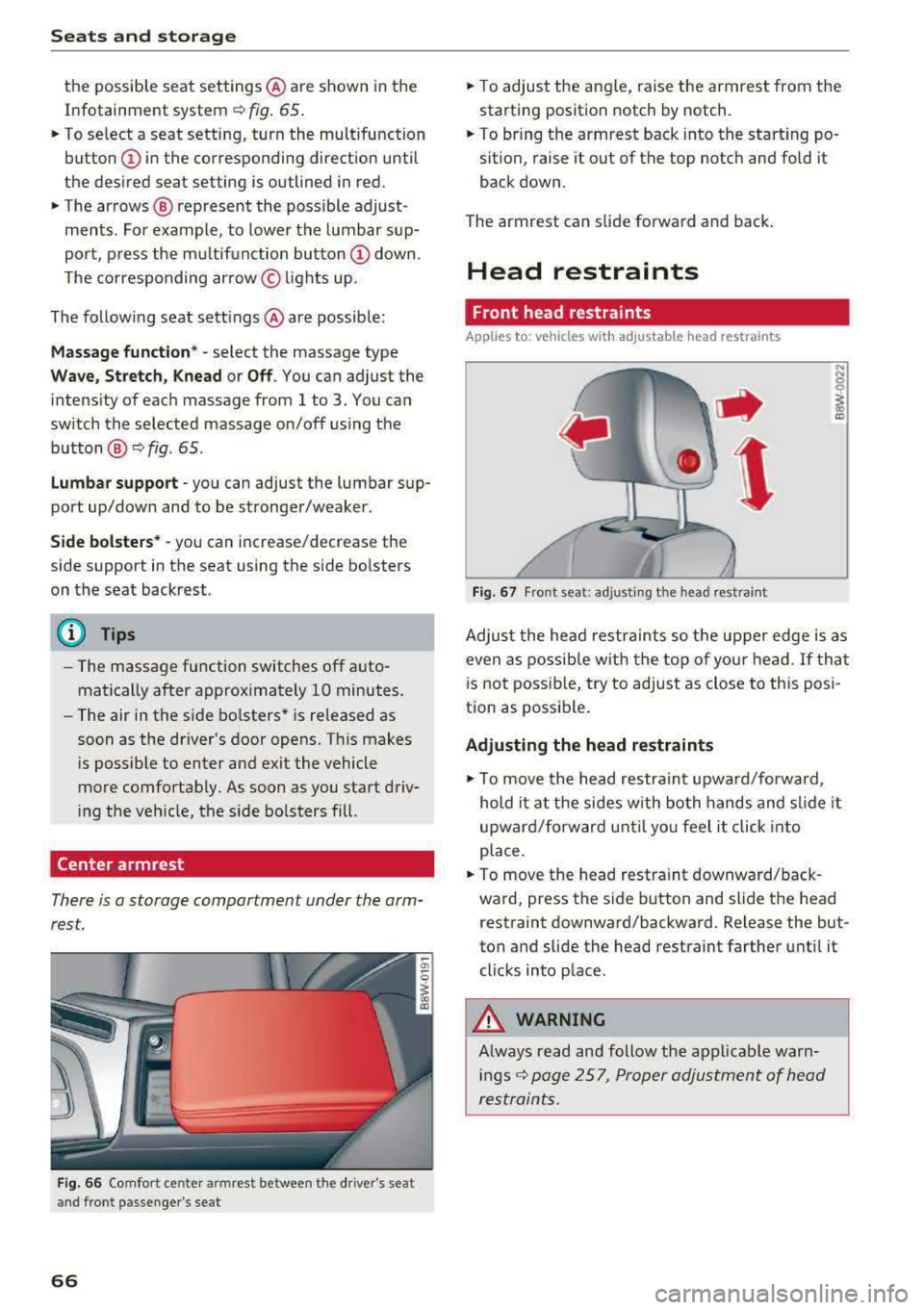
There is a storage comportment under the arm
rest.
F ig . 66 Comfort center armrest between the driver's seat
and front passenger's seat
66
• To adjust the ang le, raise the armrest from the
starting position notch by notch.
• To bring the armrest back into the sta rt ing po
sition, raise it out of the top notch and fold it
back down.
The armrest can slide forward and back .
Head restraints
Front head restraints
Applies to: vehicles with adjustable head restraints
Fig. 67 Fro nt seat: adjust ing the head restraint
Adjust the head restraints so the upper edge is as
even as possible w ith the top of your head . If that
i s not possib le, try to adjust as close to this pos i
tion as possib le .
Adjusting the head restraints
• To move the head restra int upward/forward,
hold it at the sides w ith both hands and sl ide it
upward/forward until yo u feel it click into
place.
• To move the head restra int downward/back
ward, press the s ide button and slide t he head
restraint downward/backward . Release the but
ton and slide the head restraint farther unti l it
clicks into place.
&_ WARNING
Always read and follow the applicable warn i n gs
r::!;> page 257, Proper adjustment of head
restraints.
-
Page 70 of 403
Seats and storage
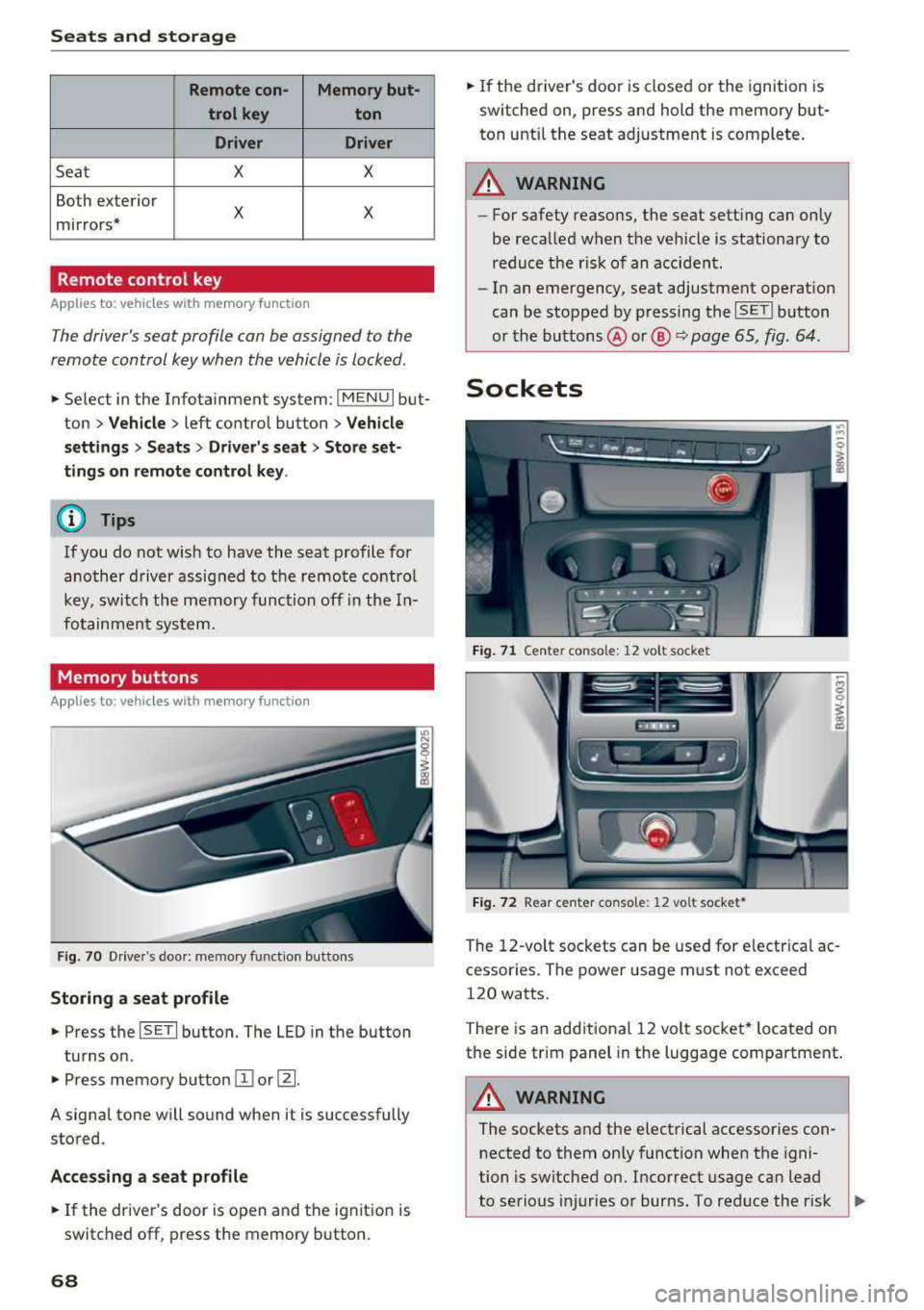
Remote con- Memory but-
trol key ton
Driver Driver
Seat X X
Both exterior
X X mirrors*
Remote control key
Applies to: vehicles with memory function
The driver's seat profile can be assigned to the
remote control key when the vehicle is locked .
.,. Select in the Infotainment system : IMENUI but
ton >
Vehicle > left control button > Vehicle
settings > Seats > Driver's seat > Store set
tings on remote control key .
(D Tips
If you do not wish to have the seat profile for
another driver assigned to the remote control
key, switch the memory function off in the In
fotainment system.
Memory buttons
Applies to: vehicles with memory function
Fig. 70 Drive r's doo r: me mory function butto ns
Storing a seat profile
.,. Press the ISETI button. The LED in the button
turns on .
.,. Press memory button II] or [Ii.
A signal tone will sound when it is successfully
stored.
Accessing a seat profile
... If the driver's door is open and the ignition is
switched off, press the memory button.
68
.,. If the driver's door is closed or the ignition is
switched on, press and hold the memory but
ton until the seat adjustment is complete .
A WARNING
-For safety reasons, the seat sett ing can only
be recalled when the vehicle is stationary to reduce the r isk of an accident.
- In an emergency, seat adjustment operat ion
can be stopped by p ressing the
ISETI button
or the buttons @or@
Q page 65, fig . 64 .
Sockets
Fig. 71 Cente r conso le: 12 vo lt socke t
Fig. 72 Rear center co nso le: 12 vo lt socket *
The 12-volt sockets can be used for electrical ac
cessor ies. The power usage must not exceed
120 watts.
There is an additional 12 volt socket* located on
the side trim panel in the luggage compartment.
A WARNING
The sockets and the electrical accessories con
nected to them only function when the igni
tion is switched on. Incorrect usage can lead
to serious i njuries or burns. To reduce the r isk
,..
Page 81 of 403

a co .... N ,....
N .... 0 0
3 co
20 minutes, depending on the outside
temperature.
To keep the rear window defogger on contin uous
l y, press and hold the
QWREAR button longer
than
3 seconds. This is stored unti l the ignition is
switched off .
SYNC Synchronization
Use the rocker switc h® to sele ct the funct ion.
When synch ronization is switched on, the set
tings for the driver's side are applied to the front
passenger's side and the rear (except for seat
heating/venti lation*) . When the settings on the
front passenger's side or in the rear are changed,
the synchron iz at ion is automatically sw itched off
and
3 -z one appears in the display .
SET REAR function
Use t he rocker switch ® to select the function .
When the function is switched on, you can adjust
all settings for the rear us ing the climate control
system controls in the cockpit. The rear climate
control system controls cannot be operated at
the same time . This function switches off auto
mat ically after a certain period of time or after
leaving the menu.
Vent s
You can open or close the center and rear vents in
the cockpit and the vents in the rear center con
sole us ing the r idged thumbwheels . The levers
adjust the d irection of the airflow from the vents.
The wide vent is opened and closed using the
r ocker switch
® ·
Residu al heat
You can activate the residual heat funct ion when
the ignition is switched off by pressing the knob
(D . The res idual heat from the coolant is used to
h eat the vehicle inte rior. The residual heat func
tion swi tches off automatically afte r abou t 15
minu tes .
A WARNING
- You should not use the recirculation mode for an exten ded period of time, because no
fresh a ir is drawn in and the w indows can
Warm and c old
fog when cooling mode is switched off. This
increases the r isk of an accident.
- Individuals with reduced sensitivity to pain
or temperature could develop burns when
using the seat heat ing* function. To reduce
the risk of injury, these individua ls should
not use seat heating*.
(D Note
To avoid damaging the seat heat ing* ele
ments, do not knee l on the seats or place
heavy pressure on one area of the seat.
Setup
The climate control system basic settings ore ac
cessed in the Infotainment system .
.,. Select in the Infotainment system : I MENU! but
ton
> Vehicle > l eft control button > Ai r co ndi
tioning
Auto recircu lation
When switched on, a utomat ic rec irculat ion con
trols the recircu lation mode automatically . You
must press the
®MAX button if fog forms on
the windows.
Automatic auxiliary heater*
T he aux iliary hea ter he lps to wa rm the vehicle in
terior more q uickly.
Steering wheel heating
Applies to: vehicles with steering wheel heating
The steering wheel rim con be heated.
.,. Press the bu tton on the m ultif unct ion steeri ng
wheel to switch the steering whee l heating on
and
off~ r=:> poge 15, fig . 11 . The message
Steering wheel heating : on /Steering wheel
heating: off
appears in the instrument cluster
disp lay.
The temperature is maintained at a constant lev el when steering wheel heating is switched on .
T he s teer ing whee l heating se tt ings a re stored
automat ica lly and assigned to the remo te control
key that is in use.
79
Page 104 of 403

Ass is tance sy stems
Assistance systems
Electronic speed Limiter
Your vehicle may be factory equipped with tires
that are rated for a maximum speed of 130 mph (210 km/h). This is less than the maximum speed
of your vehicle. To reduce the risk of sudden tire
failure and loss of control if the vehicle is operat
ed at excessive speeds, your vehicle also has an
electronic speed limiter. The electronic speed
lim iter prevents your vehicle from going faster
than the t ire speed rating. For mo re information
<=>page 334.
If the engine control unit receives faulty vehicle
road speed signals, the Malfunction Indicator
L amp (MIL)
¢..ffi will illumina te. If this occurs,
con tact the nearest au thorized A ud i dealer for
assistance.
_& WARNING
Always observe the posted speed limits and
adjust you r speed to suit prevailing road, traf
fic and weather conditions. Never drive your
vehicle faster than the maximum speed rating
of the tires installed.
Speed warning system
Introduction
Applies to: vehicles with speed warning system
The speed warning system helps you to stay be
low a specified maximum speed that can be set,
changed or deleted in the Infotainment system.
-
The speed warning system warns you if you are
exceeding the maximum speed that you have set .
A wa rning tone will sound as soon as you r speed
ex ceeds the s tored v alue s light ly. Th e indicato r
light also turns on in the instrument cluster dis
p lay
ct] (USA models)/ [SJ (Canada models) and
a message . The indicator light
(CJ / [SJ and the
message turn off if the speed falls back be low
the stored maximum speed.
Se tting a threshold is recommended if you would
like to be reminded when yo u reach a certain
maximum speed. Situations where you may want
to do so include driving in a country with a gener-
102
al speed limit or if there is a spec ified maximum
speed for winter tires.
Setting the warning threshold
Se lect in the Infotainment system: I ME NU I but
ton
> Vehicle > left co ntro l bu tton > Driver as sis
tance
> Speed warning > Manu al.
(D Tips
Regard less of the speed warning sys tem, you
shou ld alw ays mo nitor your speed using the
speedometer a nd make sure yo u are fo llow ing
the lega l speed limit.
Cruise control system
Switching on
Applies to: vehicles with cruise control system
The cruise control system makes it possible to
drive at a constant speed starting at
15 mph
(20kmlh).
0
f
~
0
Fig . 103 Operat ing lever: c ru ise control system
.,. To switch the system on, pu ll the lever into po -
sition@<=> fig. 103 .
.. Drive at the speed to be mai ntained.
.. To store the speed, press the button @.
The stored speed and the
ftji(l)~14 (USA models) I
l'I (Cana da models) indicator light appear in the
instrument cluster display. An additional indica
tor appears in the head-up display *.
The speed is maintained by modifying engine
power or through an active brake intervention.
A WARNING
-Always pay attention to the traffic around
you when the cruise control system is in
-