infotainment AUDI A4 2018 Owner's Manual
[x] Cancel search | Manufacturer: AUDI, Model Year: 2018, Model line: A4, Model: AUDI A4 2018Pages: 403, PDF Size: 66.81 MB
Page 107 of 403

-Under some circumstances, traffic sign rec
ognition may not detect traffic s igns cor
rectly or detect them at all. As a result, the
system may not display the correct speed
limit or any speed limit.
- Traffic sign recognition does not adapt your
vehicle's speed to match the speed
limit!
-The display in the instrument cluster is
based on the units of measurement used for
speed in that country. As a result, the d is
play
50 in the instrument cluster can mean
either km/h o r mph, depending on the coun
try .
Operation
Applies to: ve hicles with camera-based traffic sign recogni
tio n
Fig . 106 In strument cluste r: add it iona l display
Accessing traffic sign recognition
• Select: the first tab > Traffic signs.
Setting a speed warning
You can set a warn ing threshold down to 10 mph
(lS km/h). The traffic sign fo r the current detect
ed speed limit w ill blink in the display if you ex
ceed the set threshold .
• Select in the Infotainment system: !MENUI but
ton
> Vehicle > left control button > Driver as
sistance
> Speed warning > Traffic sign based
warning.
Additional display
If a v iew other than the traffic sign recognition is
selected in the ins trument cluster display, the
speed limit will be shown in another display
co fig. 106 . The current applicable speed limit will
Assistance systems
be shown there, if possible within the limits of
the system.
(D Tips
- An additional indicator appea rs in the head
up display* .
- Your speed warning settings are stored au
tomatically and assigned to the remote con
trol key in use.
Messages
Appl ies to: vehicles with camera-based traff ic sig n recog ni·
tio n
f!ji Traffic sign recognition : currently unavaila
ble . Camera view restricted due to surroundings
Function currently unavailable. Camera view re
stricted due to surroundings
This message appears if the camera's visual field
is covered
<:::>page 104, fig . 105. The system w ill
switch itself off.
f!ji Traffic sign recognition: currently restricted.
See owner's manual
This message appears if there is a malfunction in
the navigation system, for examp le. The speed
limit display is limited, which increases the risk
of an incorrect d isplay .
lj Traffic sign based speed warning: currently
unavailable. See owner's manual
There is no warning when the set th reshold is ex
ceeded.
No traffic sign information available
There is no valid navigation data and do speed
li mits were detected . Or there is a recommended
speed but the re is not a speed limit (for examp le
driv ing on and off the expressway).
Malfunction! See owner's manual
The system cannot guarantee correct function
and is switched
off. See an authorized Audi deal
er or authorized Audi Service Facility for assis
tance .
Function not available in this country
105
Page 110 of 403

Assistance systems
-No messages are displayed when at speeds
under
20 mph (30 km/h) .
Settings in the Infotainment system
Appl ies to: ve hicles w ith predi ctive e fficiency assis t
~ In the Infotainment system, select: IMENUI
button > Vehicle > left control button > Driver
ass istance
> Eff icie ncy assist .
Predictive messages are shown when this f unc
tion is sw itched on.
(D Tips
No predictive messages are shown on vehicles
w ithout a navigation system .
Audi adaptive cruise
control
Description
A ppl ie s to: ve hicles w ith Audi adaptive cruise co ntro l
Fig. 107 Detect ion range
The adaptive cruise control system is a combina
tion of speed and distance regulation.
It assists
the dr iver by both regulating the speed and
maintaining a distance to the vehicle driving
ahead, within the limits of the system . If the sys
tem detects a vehicle driving ahead, the adaptive
cru ise control can brake and acce lerate your vehi
cle. This increases driving comfort dur ing long
tr ips on highways and in stop-and -go traff ic (au
tomatic transmission*).
What can adaptive cruise control do?
The adaptive cruise contro l system uses video, ra
dar, ultrasound and navigation data. Veh icles
108
driving ahead can be recognized up to 650 feet
(200 m) away.
P red ictive functions offer the driver additional
comfort and contribute to the reduction in fue l
consumption and CO2 emiss ions
r:!> page 115.
On open roads with no traffic , it functions like a
c ruise control system. The stored speed is main
tained . When approaching a vehicle driving
ahead, the adaptive cruise contro l system auto
matically brakes to match that vehicle's speed
and then maintains the set distance . As soon as
the system does not detect a vehicle dr iving
ahead, adaptive cruise control accelerates up to
the stored speed.
App lies to: vehicles wit h auto matic transmissions
In stop-and-go traffic, adaptive cruise control can
brake until the veh icle is stationary and then can
also start driving again automat ically under cer
ta in cond itions
r:!> page 112 .
In traffic jams or s top-and-go traffic, traffic jam
ass ist can ass ist the driver
r:!> page 116.
Which functions can be controlled?
When you switch adapt ive cru ise control on, you
can set the current speed as the "contro l speed"
r:!> page 110, Switching on/off.
When dr iving, you can stop cruise control
c:>page 113 or change the speed c::;,page 112 at
any time .
You can also set the distance to the vehicle driv i ng ahead and set the driving mode of the adap
tive cru ise cont rol
c::;, page 113 .
Page 116 of 403
Ass is tance sy stems
That is equal to the general recommendation of
"half the speed shown on the speedometer" .
The distances provided are specified val ues. De
pending on the d riving si tuat ion and how the ve
hicle ahead is driving, the actual distance may be
mo re or less than these target distances.
If you change the time gaps, the new ly set value
appears br iefly in the instrument clus ter display
II for example, for Di stance 3. T his only occurs
if the
Dr iver a ssistance display is not current ly
shown in the display
r:!:> page 110, fig. 112.
Distance 1 : this setting corresponds to a d istance
of 92 feet (28 meters) when traveling at 62 mp h
(100 km/h), or a time distance of 1 second.
Distan ce 2 : this setting co rresponds to a d istance
of 118 feet (36 meters) when traveling at 62
mph (100 km/h), or a time distance of 1.3 sec
onds.
Distan ce 3 : this setting corresponds to a d istance
of 164 feet (SO meters) when traveling at 62
mph (100 km/h), or a time distance of 1.8 sec
onds.
Distan ce 4 : this setting co rresponds to a d istance
of 219 feet (67 meters) w hen t raveling a t 62
mph (100 km/h), or a time distance of 2 .4 sec
onds.
Distan ce 5 : this setting co rresponds to a d ista nce
of 328 feet (100 me ters) when traveling at 62
mph (100 km/h), or a time distance of 3 .6 sec
onds.
A WARNING
When setting the distance, the driver is re sponsible for adhering to any applicab le legal
regulat ions.
(D Tips
- Depending on the selected driving mode in
drive select* and the set distance , the driv
i ng behavior will vary from dynamic to com
fortable when accelerating
¢ page 134.
- Distance 3 is set automatically each time
you switch the ignit ion on. If you would like
to set another d istance as the default set
ting, you can have the
adaptiv e cruis e con-
114 trot
menu enabled by an authorized Aud
i
dea ler or authorized Audi Service Facility .
- Your settings are a utomat ica lly stored and
assigned to the remote control key being
used.
Setting the driving program
Applies to: vehicles with Aud i adaptive cru ise control
Depend ing on the selected driving program and
distance, driving behavior when accelerating will
vary from dynam ic to comfortable .
Setting the driv ing program on vehicle s
without drive select*
.,. Select in the Infotainment system: IMENU j but
ton
> Veh icle > left control button > Driver as
si stance
> Audi adapti ve crui se control > Dr iv
ing program > Comfort, Standard or Dynamic .
Setting the d riving mode on veh icles w ith
drive sel ect*
See r:!:> page 134.
@ Tips
Your settings are automatically stored and as
signed to the remote control key being used.
Driver intervention request
App lies to : vehicles with Aud i adapt ive cru ise control
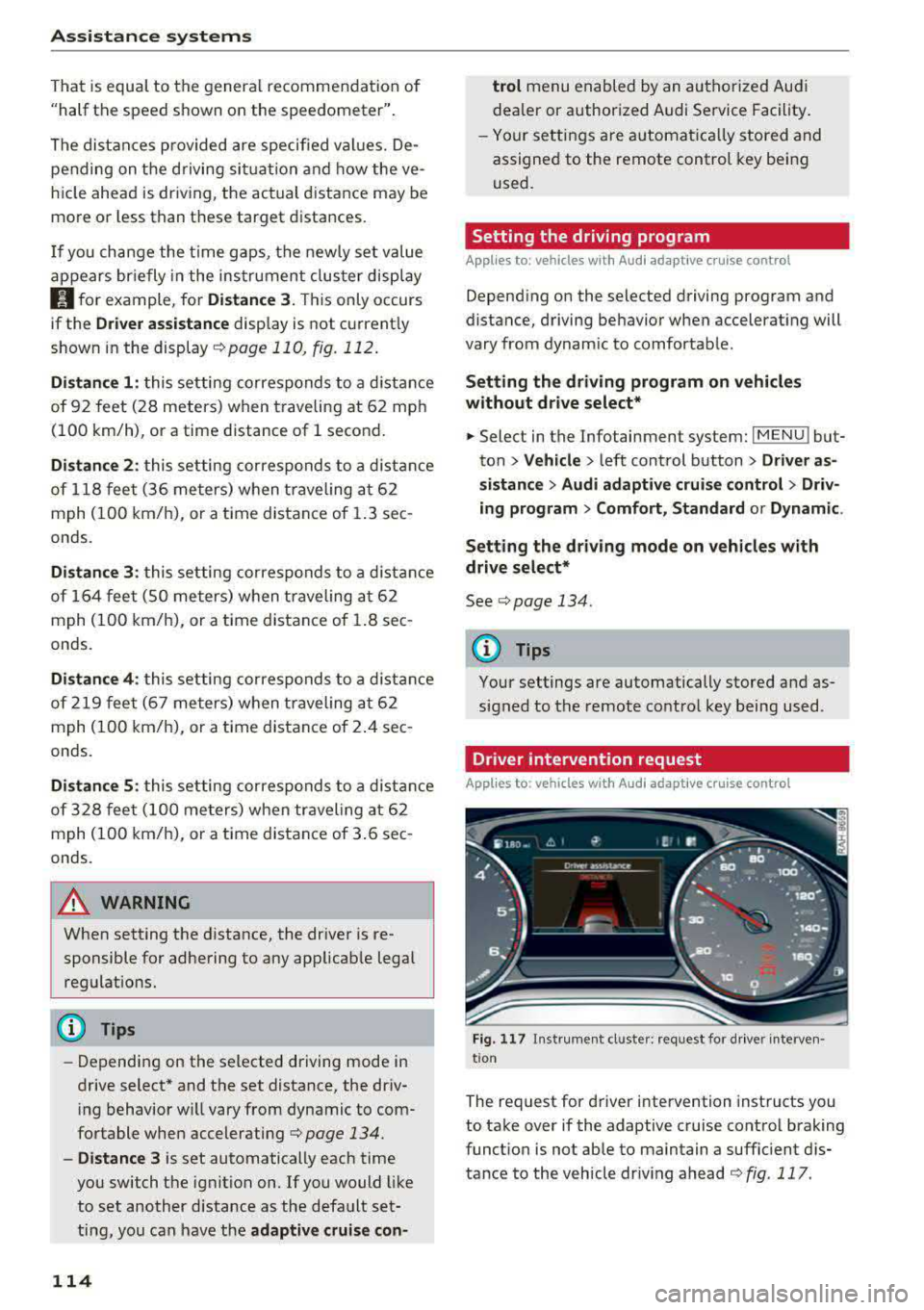
F ig . 117 In strument cl uster: request for d river interven·
t ion
The request for d river intervention instructs you
to take over if the adaptive cruise control braking
funct ion is not able to maintain a suffic ient d is
tance to the vehicle dr iv ing ahead
r:!:> fig. 117 .
Page 118 of 403

Ass is tance sy stems
-The system only considers traffic s igns that
give a speed limit.
-The permitted speed can be exceeded if the
adaptation to a speed limit is incorrect. The
driver is responsible for adhering to the per
mitted speed .
-The speed at which a curve is driven through
does not necessarily match your own dr iving
sty le . Brake the vehicle yourself when need
ed to reduce the risk of a n accident.
(D Tips
-If a speed limit is detected, the stored
speed is also adjusted in the speedometer
LED line when the adaptive cruise control is
not act ive.
-The adaptation by the system depends on
the driving mode set in drive select* .
-Switching off pred ictive control , for exam
ple when dr iv ing in low traffic zones, does
not ca use the adaptive cru ise control to
switc h off .
-After switching on the ignit ion, the system
i nit ially adj usts to a speed of 80 mph
(130 km/h) when driving onto highways
without a spee d limit . T he n the system ad
ju sts to the last speed stored by the driver.
- T here is no adapt ation to speed limits when
driv ing through highway inte rchanges an d
when d riving on o r off the ex pres sway.
- T here is no pre dic tive con trol at speed limits
u nder 20 mph (30 km/h).
- If a speed limit is only detected by the cam
e ra and the actual speed is s ignific antly
higher, the n the speed limit will bli nk i n t he
dis play u nti l you have reached the re qui red
speed
¢ page 105 .
-Incorrect v alues from the camera -based
traffic sign recognition* or outdated naviga
tion system map data can lead to incorrect
or implausible contro l.
- When route guidance is switched o n, the
system adapts to the route provided by the
navigation system. Driving without route
g uidance or leaving a route can resu lt in im
plaus ible control.
116
-T he system switches of f when ou tside of a
road system that is recorded in the naviga
t ion system map data .
Setting predictive control
Applies to: vehicles with Audi adapt ive cru ise control and p re
dictive efficiency ass ist
.. Select in the Infotainment system: IMENU ! but
ton
> Vehicle > l eft control button > Driver as
sistance
> Audi adaptive crui se control > Pre·
dictive control.
Set speed limit -
when this function is switched
on, the system adjusts to the sp eed limits. This
can a lso be done with at to lerance, if desired. In
th is scenario, you may fall below or exceed the
set speed in favor of increased efficiency .
Adaptation to route ahead -when this function
is sw itched on, the system adapts to the route
ahead (such as reducing the speed in curves).
Traffic jam assist
Description
Applies to: vehicles with traffic jam assist
Trofficjom assist supports the driver when driv
ing in traffic jams or in heavy traffic.
F ig . 119 Turn s ig na l leve r: tra ffic ja m ass ist button
Fig. 12 0 Instrument cl uste r: traff ic jam ass ist
Page 119 of 403

a co .... N ,....
N .... 0 0
3 co
In a speed range under 40 mph (65 km/h), traffic
jam assist can help to keep the vehicle within a lane calculated by the system. W ith in the lim its
of the system, the system controls the steering
automatically when adapt ive cruise control is
switched on . Since traffic jam assist is only an as
sist system, the driver must always keep his or
her hands on the steer ing whee l and be ready to
steer. The d rive r ca n override the control at any
time by actively steering.
The system is designed for driv ing on express
ways and highways.
Switching traffic jam ass ist on and off
... Press the button to switch the system on and
off<=> fig. 119.
... To turn the system off completely, select in the
Infotainment system:
I MENU ! button> Vehicle
> left contro l button > Driver a ssistance > Traf
fic jam a ssist .
If traff ic jam assist was deactivated through the
Infotainment system, you can cont inue operating
the act ive lane assist using
the<=> fig. 119 button
<=> page 126. The traffic jam ass ist functions are
no longer available.
Requirements for using traffic jam assist:
-Traffic jam assist must be switched on in the
Infota inment system .
-Adaptive cruise control must be switched on
and act ive
c;, page 110 .
Always switch off traffic jam assist in the
following situations:
-When increased attention is needed from the
driver .
-In poor weather conditions such as snow or
heavy rain .
-When driving on roads in poor condition .
-In construction zones.
-In city driving .
Traffic jam assist availability:
When you are in the Driver assistance view in the
in str ument cluster disp lay, the indicator light
turns
on ¥ and the message Traffic jam assist
available
appears if a traffic jam situation was
detected. You can open the
Driver assistance dis -
Assistance systems
play using the mu ltifunction steering wheel but
tons
c;, page 13 . To activate traffic jam assist, you
must press the
<=> fig. 119 button and switch on
the adaptive cruise control
c;, page 110.
Indicator lights
Ill and II-traff ic jam assist is switched on.
Vehicles driving ahead were detected. Your vehi
cle adapts whi le driving
c;, fig. 120.
•-Traffic jam ass ist switches off if the driver
does not take over steer ing after multiple driver
intervention requests . The system brakes the ve
hicle until it is stationary.
A WARNING
-A lways keep your hands on the steering wheel
so you can be ready to steer at any t ime . The
driver is always responsible for staying in a lane and for assessing traffic s ituations . Read
and follow the warnings
on<=>.& in General
information on page
109 . Never use traffic
jam ass ist in the following situations or you
will increase the risk of an accid ent.
-Driving offroad or on unpaved roads. Traffic
jam assist is only designed for use on paved
roads.
-I n city driv ing o r in construction zones.
-On curv ing stretches of road.
-In narrow lanes.
- In unclear traffic situat ions such as at inter-
sections or toll stat ions.
@ Tips
You are not necessarily guided to the center
of your lane.
117
Page 120 of 403

Assistance systems
Distance indicator and
distance warning
Description
Applies to: vehicles with Aud i adapt ive cruise control
F ig. 12 1 In stru ment cl uste r: dis tance indica tor/wa rning
At speeds above 40 mph (65 km/h), this funct ion
measures the time betwee n the vehicle driv ing
ahead and s hows th is in the instrument cl uster
d isp lay¢ fig. 121 .
You can set a warning t hreshold between 0 .6 and
3.0 seconds . The. indicator light t urns on if
you fall be low the set d is tance.
Switching the distance indicator/warning on
and off
.. In the Infotainment system, selec t: I MENU !
button > Vehicle > left contro l button > Driver
assistance > Distance warning.
A WARNING
-Read an d follow th e warn ings on ¢.&. in
Gen eral inf orma tion on page 1 09.
-The driv er is always r espons ib le for a dhering
to the regulations applicable in that co un
t ry .
{!) Tips
You may fall below he warn ing t hreshold
briefly whe n pass ing or when quickly ap
proac hing a s low veh icle . T h er e is no wa rning
in this scen ario . A warn ing is gi ve n only if you
f al l b elow the war ning thr eshold f or an ex
t en ded pe rio d o f tim e.
118
Messages
Appl ies to: vehicles with Audi adaptive cruise control
ii ACC with traffic jam assist: unavailable . See
owner's manual
The sy stem cannot gu aran tee t hat i t will dete ct
vehicle s cor re ctl y an d it h as sw itched
off . The ra
dar sensors have shifted or are fau lty . D rive to an
aut ho rize d Audi dea ler o r a uth orized Audi Service
Facility immed iate ly to have the malfunct ion cor
r ected .
ii ACC with traffic jam assist: currently un
available. See owner's manual
This mes sage ap pears if the ada ptive cruise con
t ro l canno t be activ ated, for example i f th e hood
is ope n.
ti ACC with traffic jam assist : currently un
available. Sensor vision restricted due to sur roundings. See owner 's manual
This message ap pears if the radar se nsor v iew is
obstr ucted, for e xamp le by leaves, snow, heavy
s p ra y or dirt . Cle an the
se nso rs ¢ pa ge 1 09,
fi g. 108 .
ill ACC with traffic jam assist: currently un
available. Grade too steep
T he road exceeds the maxim um poss ible g rade
for saf e operation . The systems cannot be sw itch
ed o n.
ill ACC with traffic jam assist: only available in
D, Sor M
Se lect t he D/S or M se lector lever position.
flJ ACC: available from 1st gear up
Manua l transmiss io n: ada ptive cr uise con trol
works in 1s t gear an d higher.
ti ACC: clutch pedal pressed
Manua l transmiss io n: pressing the clutc h pedal
l onger inte rrupts the cont rol.
IIJ ACC: note engine speed
Manu al transmissio n: this message appea rs if t he
d rive r ha s not shift ed up or down in t ime when
t he a dap tive cr uise co ntrol is b raking o r accele r-
at ing , ca usi ng the ve hicle to excee d or to not
.,.
Page 126 of 403

Assistance systems
-when there are visual obstr uctions, such as
glare, reflections or variations in light
- when it is dark
- if the camera window or the windshie ld is
dirty, iced over, damaged or covered
- when driving on snow, ice or loose ground
- in curves
- if the ESC was restricted or switched off
- when towing a tra iler
- when the driver's seat belt is unfastened
- up to ten seconds after switching on the ig-
nition
(D Note
Impacts or damage to the camera mount on
the windshield can disp lace the sensor . Pre
sense city can be impa ired by this. Have an au
thorized Audi dealer or authorized Aud i Serv
ice Facility check the ir funct ion.
{D) Tips
- You can cancel the system braking interven
tion if you accelerate considerably or swerve
away.
- Keep in mind that pre sense city can brake
unexpectedly. Always secure any cargo or
objects that you are transport ing to reduce
the r isk of damage or injury.
- Specific pre sense city funct ions sw itch off
when the ESC is limited or switched
off
¢ page 147 or the hill descent assist* is
switched on
¢page 148.
-When there is a malfunction in the camera,
the pre sense city funct ions also switch off.
Settings in the
Infotainment system
A pp lies to: ve hicles w ith Audi p re se nse
.,. Select in the Infotainment system: IMENU I but
ton
> Vehicle > left control button > Driver as
sistance
> Audi pre sense.
Turn on/off Audi pre sense
-the pre sense func
tions can be turned on and
off.
124
If the system is switched off, it switches on again
automatica lly once the ignition is switched on
again.
Early warning -the early warning can be switch
ed
off or the pre sense city/front warning point
can be set
( Early /Medium /Late ).
Set the warning time for the early warning to
Early at first . If this causes undesi red early warn
ings to appear, then set the warning time to
Me
dium .
The Late warning time should only be set
i n spec ial circumstances, for example, when driv
i ng with a very dynamic style.
(D Tips
Your settings are automatically stored and as
signed to the remote control key being used.
Messages
Applies to: vehicles wi th Audi pre sense
II Audi pre sense: malfunction! Please contact
Service
This message appears when the pre sense func
tion is affected . For example, th is could be
ca used by a faulty sensor. Drive to an authorized
Audi dealer or authorized Audi Service Facility im mediately to have the malfunction corrected.
II Audi pre sense currently restricted . Restrict
ed sensor vision due to surroundings. See own
er 's manual
This message appears if the radar sensor and
camera view is obstructed, for example by leaves,
snow, heavy spray or dirt. If necessary, clean the
sensors and the area around the camera
¢ page 109, fig . 108 or ¢page 129, fig. 130 .
II Audi pre sense: currently restricted. Towing
mode
For vehicles wi th a trailer hitch installed at the
factory, the pre sense rear functions switch
off
when the electrical connector at the socket is
plugged in. There is no guarantee the functions
will switch
off when using a retrofitted trailer
hitch.
II Audi pre sense: currently restricted
Page 127 of 403

a co .... N ,....
N .... 0 0
3 co
This message appears if the ESC is restricted or
switched off, for examp le .
Ill Aud i pre sen se : curren tly re stri cted . See
o wner 's manu al
This message appears when there is a temporary
fa ilu re in a subsystem, such as the ESC. If th is
message appea rs repeated ly, dr ive to an a uthor
ized A udi dealer or authorized Audi Service Fac ili
ty to have the malfunction corrected.
Ill Aud i pre sen se: e merg enc y braking syste m
off
This message appears if the pre sense functions
are switched off through the Infotainment sys
tem or if the system is not ready .
Audi active lane assist
Description
Applies to: ve hicles wit h Aud i act ive lane ass ist
Active lane assist (lane departure warning) de
tects lane marker lines within the limits of the
system using a camera in the windshield . If you
are approach ing a detected lane marker line and
it appears likely that you will leave the lane, the
system w ill wa rn you w it h corre ct ive steer ing .
You can overr ide th is steering at any time . If yo u
pass over a line, the steer ing whee l wi ll vibrate
lightly. In order for this warning vibration to oc
cur, it must first be switched on in the Infotain
ment system. Active lane assist is ready for oper
ation when the lane marker line is detected on at least one side of the vehicle.
The system is designed for driving on express
ways and highways and therefore only activates at speeds above approximately 40 mph (6S km/
h).
Applies to: vehicles with side assist: if you acti
vate a turn signal when active lane assist is ready
and it classif ies a lane change as critical because
of vehicles traveling alongside you or approach ing you, there w ill be not iceable correct ive steer
i ng shortly before you leave the lane . This will at
tempt to keep your veh icle in the la ne.
Applies to: vehicles w ithout s ide ass ist : the ready
system does not warn you if you activate a turn
A ss ista nce sys te m s
signal before crossing the lane marker line. In
t h is case, it assumes that you are changing lanes
intentionally .
Applies to: vehicles wi th adap tive c ruise contro l:
there is no corrective steering or warnings if the
system recognizes a distinct passing maneuver .
If the condit ions are met, traffic jam ass ist
switches on at speeds under approximately
40 mph (65 km/h)
qpage 116.
A WARNING
=
- The system warns the driver that the vehicle
is leaving the lane using corrective steering.
The driver is always responsible fo r keeping
the vehicle within the lane.
- The system can help you keep the vehicle in
the lane, but it does not drive by itself. Al
ways keep your hands on the stee ring
wheel.
- Cor rective stee ring may not occur in certain
situations, such as during heavy b raking.
- There may be cases whe re the camera does
not recognize all lane marker lines. Cor rec
tive steering can only take place on the s ide
of the vehicle where lane marker lines are
detected.
- Other road structu res or objects could poss i
b ly be identified unintentionally as lane
marker lines . As a result, corrective steering
may be unexpected or may not occur.
- The camera view can be restricted, for ex
ample by vehicles driving ahead or by rain,
snow, heavy spray or light shining into the
camera. Th is can result in active lane ass ist
not detecting the lane marker lines or de
tect ing them incorrectly .
- In certain s ituations where visibility is low,
the vehicle may switch from an "early" to
"late" steering correct ion.
- Under certain condit ions such as ruts in the
road, an inclined roadway or crosswinds, the
correct ive steer ing alo ne may not be enough
to keep the vehicle in the middle of the lane .
- For safety reasons, act ive lane assist must
not be used when there are poor road and/
or weather conditions such as slippery roads, fog, gravel, heavy rain, snow and the
125
Page 130 of 403

Assistance systems
There is a temporary malfunction that may pre
vent the active lane assist from switching on. Try
sw itch ing the active lane assist on again later.
rl! Audi active lane assist: Please take over
steering!
This message appears if you are not steering by
yourse lf. Ac tive lane assist is activated, but is not
ready to give wa rning
& WARNING
Note that messages may be delayed or not
displayed on vehicles with accessories mount
ed on the steering whee l, s uch as a steering
wheel spinner knob. Always keep your hands
on the steer ing wheel.
Adjusting the steering time and vibration
warning
Applies to: veh icles with Audi active lane assist
You con adjust individual active lone assist set
tings in the Infotainment system .
-
.,. Select in the Infotainment system: IMENUI but
ton
> Vehicle > left contro l button > Driver as
sistance > Audi active lane assist .
Steering time
Early :
in this setting, the corrective steer ing hap
pens continuously to help keep the vehicle in the
center of the lane.
late : in this setting, the system provides correc
tive steering just before a wheel goes over a de
tected lane marker line.
Vibration warning
You can switch the additional vibration warning
in the steering wheel on or off.
WARNING
With the vibration warning switched off,
there will also be no visual warning in the in
strument cluster display when crossing a lane
marker line.
128
@ Tips
In certain ma rkets: your settings are stored
automat ically and assigned to the remote
control key in use.
Audi side assist
Description
Applies to: vehicles with Audi side assist
Fig. 127 Sensor detection range
Fig . 128 D isplay on the exterior mirror
Side assist (lane change ass ist) helps you mon itor
your blind spot and traffic behind yo ur vehicle.
Within the limits of the system, i t warns you
about veh icles that are coming closer or that are
traveling with you within sensor range
(D
¢ fig. 12 7. If a lane change is classified as criti
ca l, the display @in the exterior mirror turns on
¢fig. 128.
The display in the left exterior mirror provides as
sistance when making a lane change to the left,
while the display in the right exterior mirror pro
vides assistance when making a lane change to
the right.
Information stage
As long as you do not activate the turn signal,
side assist
informs yo u about vehicles that are
Page 132 of 403

Ass is tan ce sys tems
-If the lanes are narrow or if your are driving on
the edge of your lane. If this is the case, the system may have detected a vehicle in another
lane that is
not adjacent to your current lane.
-If you are driving through a curve . Side assist
may react to a vehicle that is in the same lane
or one lane over from the adjacent lane.
-If side assist reacts to other objects (such as
roadside structures like guard rails).
- In poor weather condit ions . The side assist
funct ions are limited.
Do not cover the radar
sensors ¢ fig. 130 with
stickers, deposits, bicycle wheels or other ob
jects, because this will impair the function. Do
not use side assist when towing a trailer. For in
formation on cleaning,
see¢ page 354 .
A WARNING
-Always pay attention to traffic and to the
area around your vehicle. Side assist cannot
replace a dr iver's attention . The driver alone
is a lways responsible for lane changes and
similar d riving maneuvers.
-In some situat ions, the system may not
function or its funct ion may be limited. For
example :
-If vehicles are approach ing or being left
behind very quickly. The display may not
turn on in t ime .
-In poor weather conditions such as heavy
rain, snow or heavy mist.
-On very wide lanes, in tight curves, or if
there is a rise in the road surface. Vehicles in the adjacent lane may not be detected because they are outs ide of the sensor
range .
(D Note
The sensors can be displaced by impacts or
damage to the bumper, whee l housing and
underbody. Th is can impa ir the system. Have
an authorized A udi dealer or authorized Audi
Serv ice Facility check their function .
(i) Tips
-If the window glass in the driver's door or
front passenger's door has been tinted, the
130
-
display in the exterior mirror may be incor
rect.
-For an exp lanation on conform ity with the
FCC reg ulations in the United States and the
Industry Canada regulations, see
¢ page 386.
Switching on/off
App lies to: vehicles with A udi side ass ist
The system con be switched on/off in the Info
tainment system .
If the system is activated, the displays in the ex
terior mirrors wi ll turn on briefly when the igni
tion is switched on .
.,. Select in the Infotainment system: IMENU! but
ton
> V ehicl e > left control button > D riv er as·
s is tance
> Audi side a ssist. Off switches the
system off.
(D Tips
When yo u switch side assist on or off, the ex it
warning system activates or deact ivates
¢ page 131.
Setting the display brightness
App lies to: vehicles wit h Aud i side ass ist
The display brightness con be adjusted in the In
fotainment system.
.,. Select in the Infotainment system: IMENU ! but
ton
> Veh icle > left control button > Dri ver as
s ist ance
> Audi side a ssist.
The disp lay br igh tness adjusts au tomatically to
the brightness of the surroundings, both in the
information and in the warning stage. In very
dark or very bright surround ings, the automatic
adjustment will set the display to the minim um
or max imum level. In such cases, you may notice
no change when adjusting the br ightness, or the
c h ange may only be noticeable once the sur
r oundings change .
Adjust the br ightness to a leve l where the display
i n the information stage will not disrupt your
view ahead . If you change the br ightness, the dis-
play in the exterior mirror w ill briefly show the
.,.