Mmi AUDI A4 2018 Manual Online
[x] Cancel search | Manufacturer: AUDI, Model Year: 2018, Model line: A4, Model: AUDI A4 2018Pages: 403, PDF Size: 66.81 MB
Page 248 of 403
a co .... N ,....
N .... 0 0
3 co
Audi smartphone interface
Opening a menu item
Select and confi rm a menu item using the MMI
control panel.
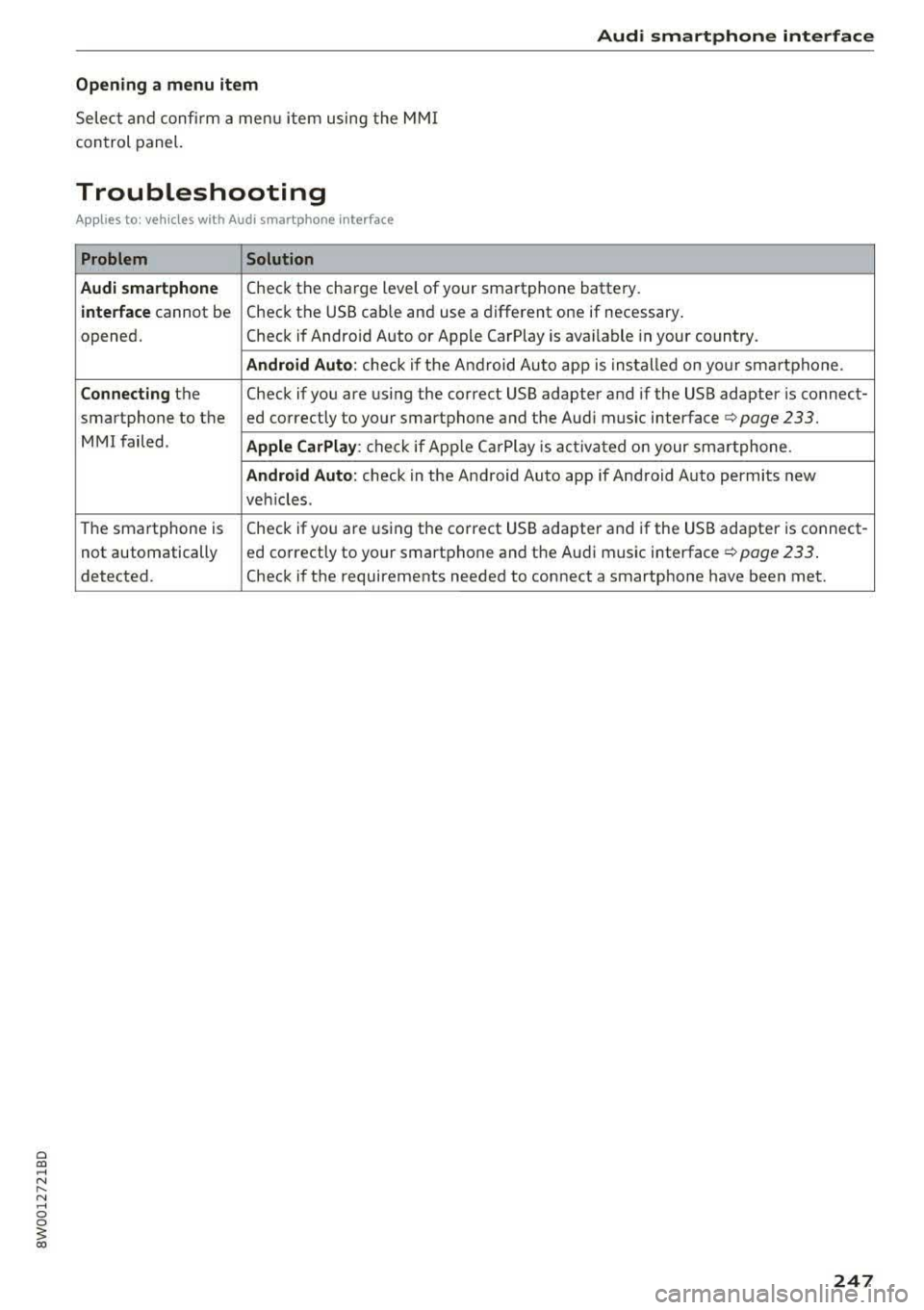
Troubleshooting
Applies to: vehicles with Audi smartphone interface
Problem Solution
Audi smartphone
Check the charge level of your smartphone battery.
interface cannot be Check the USB cable and use a different one if necessary.
opened. Check if Android Auto or Apple CarPlay is available in your country.
Android Auto : check if the Android Auto app is installed on your smartphone.
Connecting the Check if you are using the correct USB adapter and if the USB adapter is connect-
smartphone to the ed correctly to your smartphone and the Audi music interface
q page 233.
MMI failed . Apple CarPlay: check if AppLe Ca rPlay is activated on your smartphone.
Android Auto: check in the Android Auto app if Android Auto permits new
veh icles .
The smartphone is Check if you are using the correct USB adapter and if the USB adapter is connect-
not automatically ed correctly to your smartphone and the Audi music interface ¢
page 233.
detected. Check if the requirements needed to connect a smartphone have been met.
247
Page 249 of 403
System settings
System settings
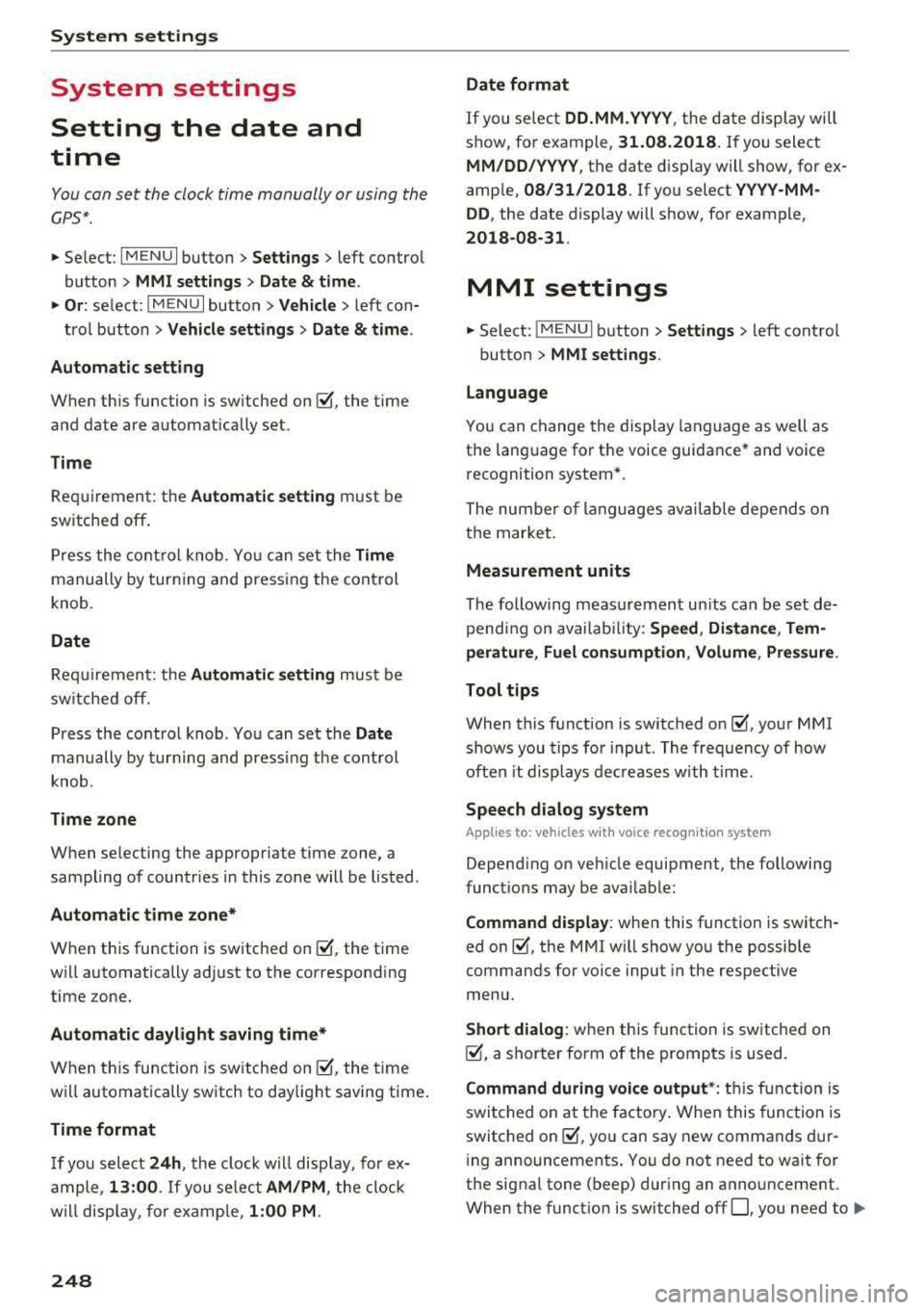
Setting the date and
time
You con set the cloc k time manually or using the
CPS*.
"' Se lect : I MENU I button> Settings > left contro l
button >
MMI settings > Date & time .
"'Or: select : I MENU I but ton> Vehicle > lef t con-
t ro l button >
Vehicle settings > Date & time .
Automatic setting
W hen th is function is sw itched on~. the time
a nd date are a utomatically set.
Time
R equi rement: the Automatic setting must be
sw itche d off .
Pr ess the cont ro l knob . Yo u can set t he
Time
manu ally by tur ning and press ing the co ntr ol
knob.
Date
R equir em en t: the Automatic setting mus t be
s w itche d off .
P ress th e cont rol knob . Yo u ca n set the
Date
manually by tur ning and pr ess ing the cont rol
knob .
Time zone
When se lecting the approp riate t ime zone, a
sampling of countr ies in this zo ne will be lis ted .
Automatic time zone*
Wh en th is function is sw itche d on~, the t ime
w ill automatically a djust to the correspon ding
time zone .
Automatic daylight saving time*
When th is function is sw itche d on~, the tim e
wi ll automatically sw itch to day light saving time .
Time format
If yo u se lec t 24h , th e cl ock w ill disp lay, for ex
am ple,
13:00 . If you s elec t AM/PM , the clock
w ill di sp la y, for examp le,
1:00 PM .
248
Date format
If you se le ct DD.MM.YYYY , the d ate di spl ay will
show, fo r exam ple ,
31.08.2018. If you select
MM/DD/YYYY , th e date displ ay wi ll show, for ex
amp le,
08/31/2018. If you s elect YYYY -MM
DD ,
the date display will show, fo r example,
2018-08 -31 .
MMI settings
"'Select: !ME NUI button> Settings > left cont rol
button >
MMI settings .
Language
Y o u c an chan ge the display langua ge as well as
t h e lan guage fo r th e voice guidance * and vo ice
r ecognition system *.
The num ber o f langu ages av a ila ble depe nds on
t h e mar ket.
Measurement units
The following meas uremen t uni ts can be set d e
pend ing on av a ilab ility:
Speed , Distance , Tem
perature , Fuel consumption , Volume , Pressure.
Tool tips
Whe n this f unction is switched on ~' you r MMI
shows you tips fo r inpu t. The fre quency of how
oft en it displays decr ease s w it h tim e.
Speech dialog system
App lies to : vehicles with voice recog nitio n syste m
Depend ing on veh icle equipment, the following
funct io ns may be ava ilable:
Command display : when this function is switch
ed
on ~. the MMI will show yo u the p ossible
commands for voice input in the respective
menu.
Short dialog : when this function is sw itche d on
~' a shorter form of the promp ts is used .
Command during voice output* : thi s f un ction is
swi tc h ed on at t he factory . When this func tion is
switc hed
on ~' you can say new command s dur-
i ng announcements . You do no t need to wait for
the signal tone (beep) dur ing an anno unceme nt.
When the funct io n is swi tched off
0, you need to .,,.
Page 250 of 403
wait for the signal tone (beep) to say a new
command.
Volum e: you can adjust t he volume of the
prompts by turning the control knob.
Indi vidual sp eech training (only when the vehi
cle is stationary): yo u can adapt the vo ice recog
ni tion system to yo ur vo ice or pronunc iation in
order to improve the system 's ability to recognize
your speech . Individua l train ing is comprised of
20 speech entries that consist of commands and
sequences of numbers. Yo u can delete the pro
grammed voice training w ith the
Reset indi vidu
al speech training
function.
Display brightnes s
You can adjust the brightness of the Infotain
m ent system disp lay by turning the control knob.
Factory s ettings
The fo llow ing funct ions can be reset to the facto
r y default settings :
-Sound setting s
- Rad io
- Media sett ings
- Jukebo x*
- Directory
-Tel ephone
- Bluetooth and Wi -Fi *
- Nav igat ion sett ings *
- Nav iga tion and onlin e mem ory *
- Voice recognition s ystem *
- Shortcut ke ys
- Me ssage se ttings *
-A pps*
- Tool tips
- Aud i conn ect *
- Aud i smartphone in terface *
You can se lect the desired functions individually
or all at once with the option
S ele ct all ent rie s.
Select and confirm Res tore factor y settings .
(D Tips
~ Make sure that not only the settings were de-....
~ leted but also the stored data, if applicable.
N .... 0 0
3
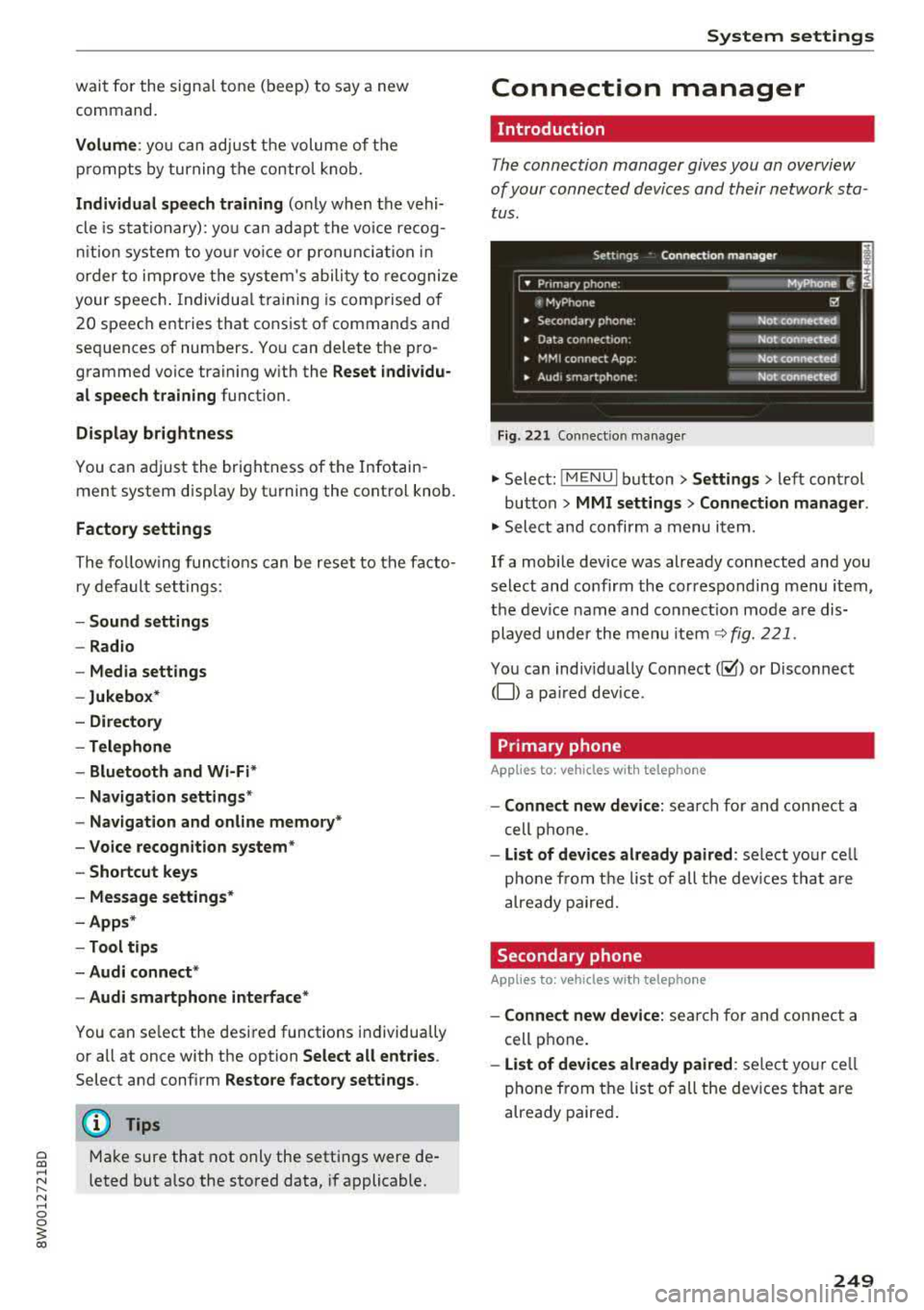
Connection manager
Introduction
The connection manager gives you an overview
of your connected devices and their network sta
tus .
Settings Connection mana ger I
====-... · • Prima hone: MyPhone ..
c M yPhone
• Secondary phone :
" Data connection:
• MM I connect App :
• Audi smartphone:
Fig. 221 Co nnect io n manager
@
Not connected
Not connected
Not connected
Not
connect"d
.,. Select: ! M EN UI button> Settings > left control
button >
MMI setting s> Connection manager .
.,. Select and confirm a menu item.
If a mobile device was already connected and you
select and confirm the corresponding menu item,
the device name and connect ion mode a re dis
played under the menu item
~ fig. 221.
You can indiv idually Connect(~ or Disconnect
(0) a pa ired dev ice .
Primary phone
Applies to : veh icles w ith telep hone
- Connect new de vice : search for and connect a
cell phone.
- List of d evic es alre ady pai red : select you r cell
phone from the list of all the dev ices that a re
already paired.
Secondary phone
Appl ies to: veh icles w ith telep hone
- Connect new device: sea rch fo r and connect a
cell phone .
-List of devi ces alre ad y paired : select yo ur ce ll
phone from the list of all the devices that a re
already paired .
249
Page 251 of 403
Sys te m setting s
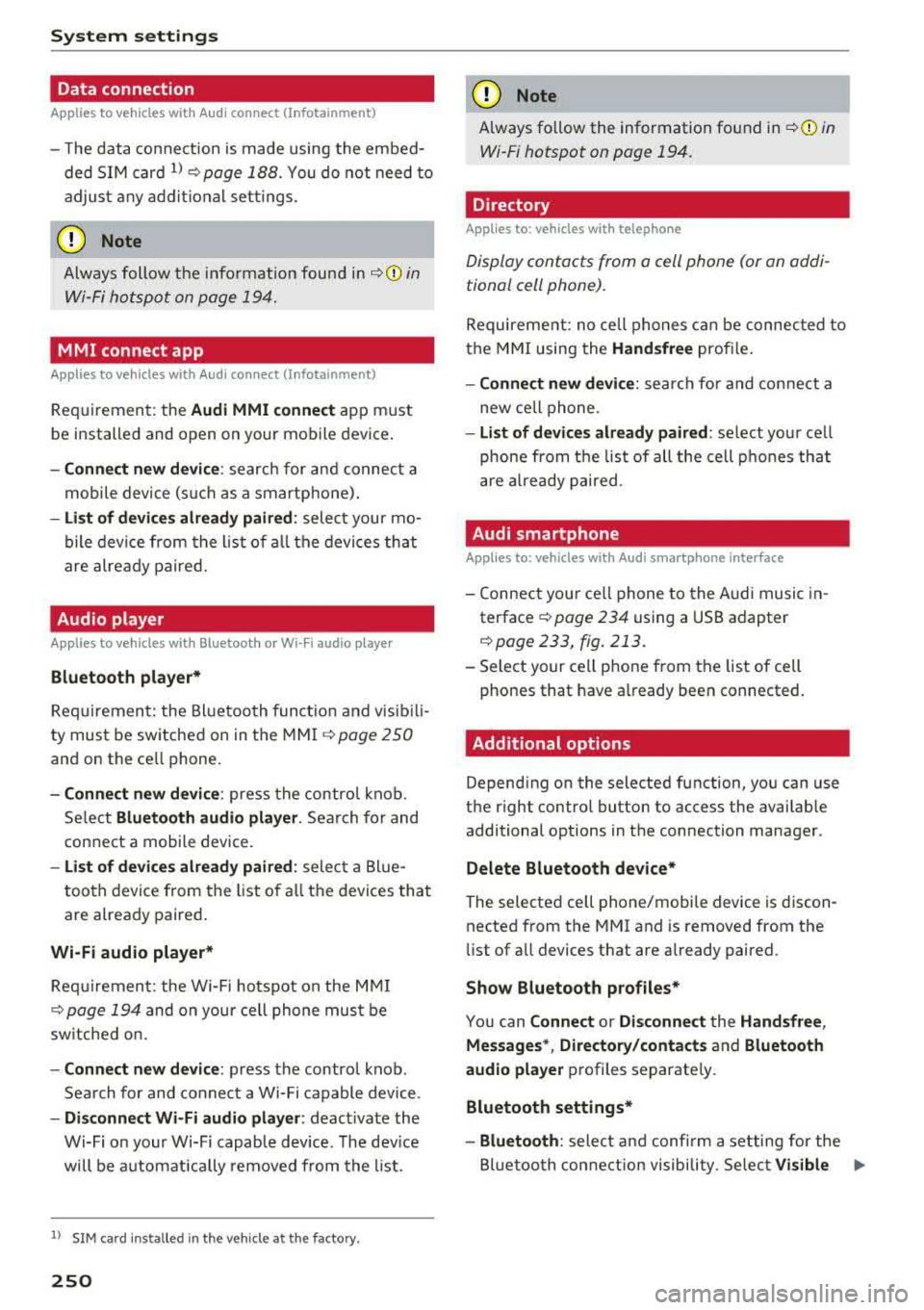
Data connection
Applies to vehicles with Audi connect (Infotainment)
- The data conne ction is made using the embed
ded SIM card
l) ¢page 188. You do not need to
adjust any additional se ttings.
(D Note
Always follow the info rmation found in ¢ (D in
Wi-Fi hotspot on page 194.
MMI connect app
Applies to vehicles with Audi connect (Infotainment)
Requirement: the Audi MMI conn ect app must
be installed and open on your mobile device .
-Co nnect n ew d evice: search for and connect a
mobile device (s uch as a smartphone).
- List of devic es already paired : select your mo
bile device from the l ist of a ll the devi ces that
are already paired.
Audio player
Applies to vehicles with Bluetooth or Wi- Fi audio player
Blueto oth play er*
Req uirement: the Bl uetooth funct ion and visib ili
ty must be switched on in the MMI
¢ page 250
and on the ce ll phone.
- Conn ect n ew devic e : press the contro l knob.
Se lect
Blue to oth audio pl ayer. Search for and
connect a mobile device.
- List of device s already pai red : select a Bl ue
tooth device from the list of a ll the devices that
are already paired .
Wi-Fi audio player *
Requirement: the Wi-Fi hotspot on the M MI
¢ page 194 and on you r cell phone must be
sw itched on.
- Connect new de vic e: press the contro l knob .
Search for and connect a Wi-Fi capable device .
-Di scon nect Wi -Fi audio pla yer : deact ivate the
Wi-Fi on your Wi-Fi capab le device . The dev ice
will be automat ically removed from the list .
l) SIM card in sta lled in t he veh icle at th e fact ory.
250
(D Note
Always fo llow the information found in ¢(!) in
Wi-Fi hotspot on page 194.
Directory
App lies to : vehicles wit h telepho ne
Display contacts from a cell phone (or an addi
tional cell phone).
Requirement: no cell phones ca n be connected to
the MMI using the
Hand sfr ee profi le .
- Connect new devic e: search for and connect a
new cell phone .
-Lis t of devi ces alre ad y paired : select your ce ll
phone from t he list of all the cell phones that
are a lready paired .
Audi smartphone
Applies to: vehicles with Aud i smartphone interface
- Connect you r ce ll phone to the A udi music in
terface ¢
page 234 using a USB adapter
¢page 233, fig . 213.
- Select your cell phone from the list of cell
phones that have a lready been connected.
· Additional options
Depend ing on the selected function, you can use
the righ t control button to access the availab le
additional options in the connection manager .
Delete Bluetooth de vic e*
The selected ce ll phone/mobile device is discon
nected from the MMI and is removed from the
li st of all devices that are already pai red.
Show Blu etooth profiles*
You can Connect or Disconne ct the H andsfr ee,
Me ssag es* , Di rector y/contact s
and Bluetooth
aud io pl ayer
p rofiles separately.
Bluetooth settings *
- Bluetooth :
select and confi rm a setting for the
Bl uetoo th connection visibility . Se lect
Vi sible Ill-
Page 252 of 403
a co .... N ,....
N .... 0 0
3 co
for the MMI to be visib le to o ther dev ices . Se
l ect
Invisible fo r the MMI to not be vis ible to
othe r devices. Howeve r, it is still possib le to es
tab lish a Bl uetooth connection w ith paired de
v ices when the v is ibility is switched off. Se lect
Off to tur n visib ility off . The n a B luetooth con
nect io n is no t possible .
-Bluetooth audio player : when this function is
switched
on~ , the Bluetooth aud io player is
available as a source in the
Media menu .
-Bluetooth name : the MMI Bluetooth name (for
example
,,AUDI MM I 2016") is displayed and
can be changed .
Online settings*
- Data usage counter :
the amount of data pack
ets that are sent a nd received through the MMI
is d is pl ayed . You can reset t he data usage infor
mation to zero using the
Reset data counter
opt io n.
- Network status : the mobile netwo rk provider
f o r da ta se rvice as well as t he network status
are disp laye d.
Wi-Fi settings*
See ¢ page 194, Wi-Fi hotspot.
Storing as a default telephone
Applies to: vehicles with telephone
Requ irement: a cell phone must be connec ted to
the M MI
¢ page 175 .
As soo n as the cell phone is i n range and the
B lue too th func tion on t he ce ll phone and in the
M MI is swi tched on, this ce ll phone is given pr io r
ity over the other Bluetoot h dev ices and is con
n ected direct ly to the MMI. The connected cell
p hone is displayed f irst in the device list.
Network settings*
- Login :
you ca n chose an Automatic lo gin to
yo ur cell phone serv ice p rov ider's ne twork, o r
yo u can choose a
Manual login from t he list of
available networ ks.
- Network selection : available networks in t he
p resent location can be se lected unde r networ k
se lection. Th is function is only available for the
Manual login sett ing.
System settings
Apple CarPlay sound settings/ Android Auto
sound settings
Applies to: vehicles with Aud i smartphone interface
See c::> page 2 52.
About Apple CarPlay/ About Android Auto
Applies to: vehicles wi th Audi smartphone interface
Here you w ill fin d leg al informa tio n r egarding
th e use of App le Car Pla y or Andro id A uto an d in
f o rmat io n a bou t devi ce-s peci fic data exc hange .
Delete CarPlay device/Delete Android Auto
device
A ppl ies to: vehicles with Audi smartphone interface
Req uireme nt: your c ell pho ne mu st n ot be con
ne cted to t he Au di music in terf ace wi th a US B
adapter .
Se le ct :
Audi smartphone > a d evice from t he list
> r igh t co ntrol button.
T o re mov e your cell p hon e from the list , se lect
and confir m
Delete CarPlay device or Delete An
droid Auto device .
System update
.. Select: !ME NUI bu tton> Settings > left con trol
bu tton >
System maintenance .
- System update :
slid e the s torage device with
t h e u pdate da ta into the appro priate driv e
¢ page 228 . Sele ct and co nfi rm t he dr ive>
Start update . The leng th o f the pro cess de
pe nd s o n th e siz e of the updat e.
- Reset driver installation: the sele cte d medi a
d river p ack age i s reset to t he se ttings at the
t ime o f delivery .
-Version information : info rm ation on t he M MI
so ftwar e ve rsi on and the navig ation datab ase *
so ftware version is displ ayed. The
Software in
formation
f u nction also prov ides informat ion
on t he softwa re co ntai ned in the M MI and t he
licensing agreement .
251
Page 253 of 403
System settings
Sound settings
The sound distribution and volume of the MMI
con be adjusted individually. The settings depend
on vehicle equipment.
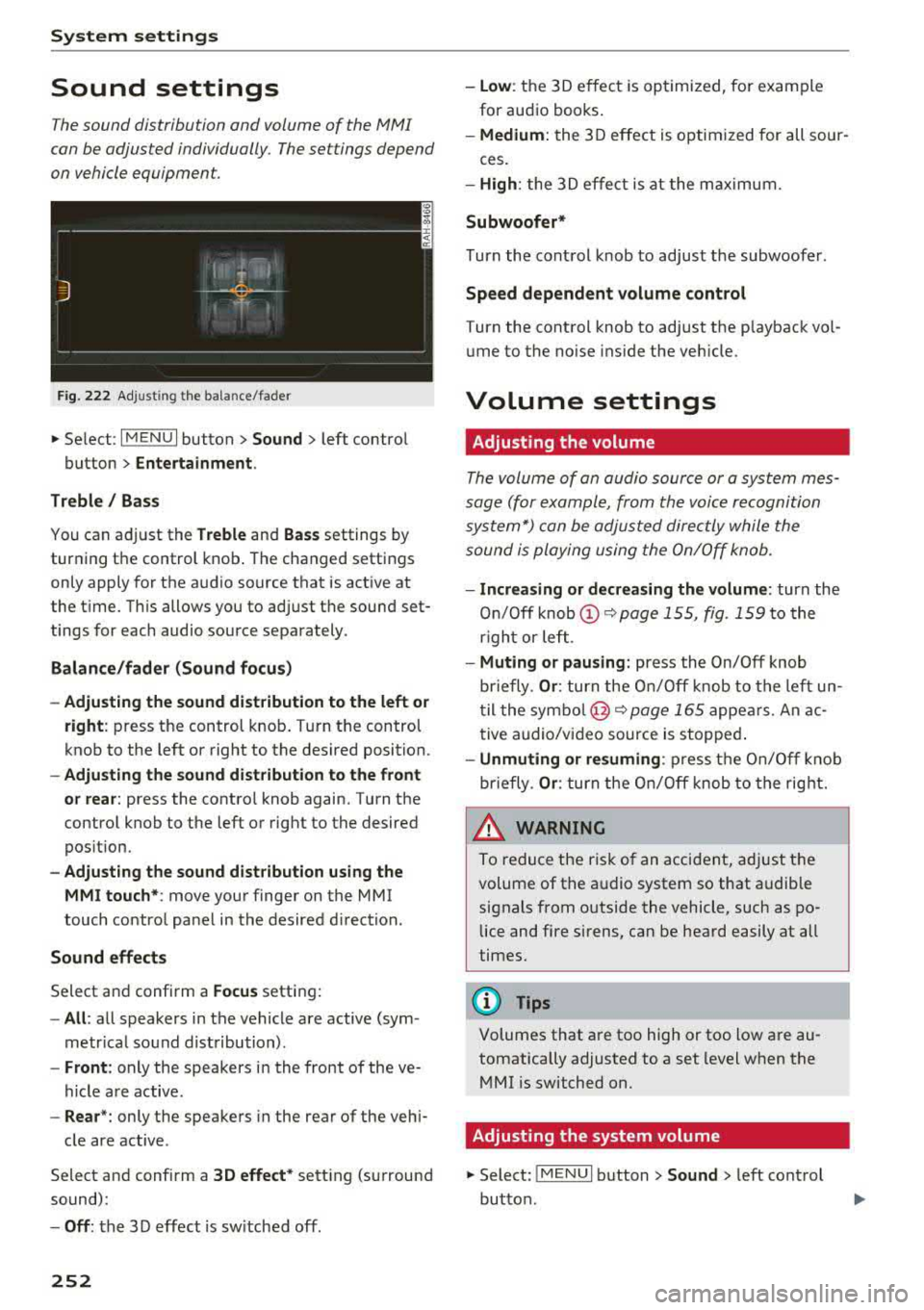
F ig . 222 Ad justing t he ba lance/fade r
.. Select : I MENU I button> Sound > left contro l
button >
Entertainment.
Treble/ Bass
You can a djust the Treble and Bass settings by
turning t he control knob . The changed settings
only apply for the a udio source that is act ive at
the t ime. Th is allows you to ad just t he sound set
tings for each audio source sepa rately .
Balance/fader (Sound focus)
- Adjusting the sound dist ribution to the left or
right :
press the control knob . T ur n the control
knob to the left or right to the des ired position.
- Adjusting the sound dist ribution to the front
or rear :
press the contro l knob again. Turn the
contro l knob to the left or right to the desired
pos ition.
- Adjust ing the sound distribution using the
MMI touch* :
move your finger on the MMI
touch contro l panel in the desired d irection.
Sound effects
Select and confirm a Focus setting:
- All : all speakers in the vehicle are active (sym
metr ica l sound dist ribution) .
-Front : only the speakers in the front of the ve
hicle a re active.
- Rear *: only the speakers in the rea r of the veh i-
cle are active .
Select and confirm a
3D effect * setting (surround
sound):
- Off : the 3 D effect is sw itched off.
252
- low : the 3D e ffec t is optimized, fo r exam ple
for aud io books .
-Medium: the 3D effect is optim ized for all sour-
ces.
- High : the 3 D effe ct is at the m aximum.
Subwoofer*
Turn the cont rol knob to adjust the subwoofer .
Speed dependent volume control
Turn the control knob to adjust the p layback vo l
ume to the no ise ins ide the veh icle.
Volume settings
· Adjusting the volume
The volume of an audio source or a system mes
sage (for exampl e, from the voice recognition
system*) con be adjusted direc tly while the
sound is ploying using the On/Off knob.
- Increasing or decreasing the volume : turn the
On /O ff
knob @<=:> page 155, fig. 159 to the
r igh t or left .
-Muting or pausing : press the On/Off knob
briefly .
Or: turn the O n/Off knob to the left un
til the symbo l@ <=:>
page 165 appe ars. An ac
t ive audio/vi deo source is stopped .
-Unmuting or resuming : press t he On/Off knob
briefly .
Or: turn the O n/O ff knob to the right.
& WARNING
-To redu ce the ris k of an accident, ad just t he
volume of the a udio system so that a udible
signals from o utside the vehicle, such as po
lice and fire sirens , can be hea rd easily at all
times.
(D Tips
Volumes that a re too high or too low are au
tomatically adjusted to a set level when the
M MI is switched on.
Adjusting the system volume
.. Select : !ME NUI button> Sound > left cont rol
button .
Page 254 of 403
a co .... N ,....
N .... 0 0
Telephone
Applies to: vehicles with telephone
Mute telephone : messages and ring tones are se t
to mute .
Ringtone : see¢ page 185, Ringtone and volume
se ttings .
Ringtone volume :
you can adjust the volume of
the selected ringtone by turning the co ntro l
knob.
Message volume : you can ad just the volume of
the no tifica tion for an i ncoming tex t message by
turn ing t he control knob .
Microphone input level : you can adjust the call
volume during a phone ca ll by tu rning the co ntro l
knob .
Navigation
Applies to: veh icles with navigation system
Voice guidance : see ¢page 213.
Voice guidance during phone call : see
¢page 213.
Voice guidanc e volume : you can adjust the voice
g ui dance vo lume by turn ing t he con trol knob. Or:
you can adj ust the vo ice gu idan ce vo lume durin g
active rou te gu idance by tu rning the On/Off
knob.
Entertainment fader: t he v olume of audi o play
ba ck can be tempo rarily lowe red when the p ark
in g system or voi ce g uidance is active.
Voice recognition system
App lies to: vehicles with voice recognition system
Command display : see¢ page 248 .
Short dialog : see¢ page 248.
Volume: see ¢ page 248.
Individual speech training : see ¢page 248 .
Parking aid*
You can ad just the vo lume of the signal tone by
turn ing t he control knob.
3 1) Not avai lab le in all ve hicle s. co
System settings
-Adjusting th e Front volume : select and con
fi rm
High , Medium or Low .
- Adjusting
the Rear volume : select and con firm
High , Medium or Low .
MMI touch volume*
Yo u can adjus t the vol ume of t he p romp ts fo r the
MM I touch* by turnin g the cont rol k nob.
Restarting the MMI
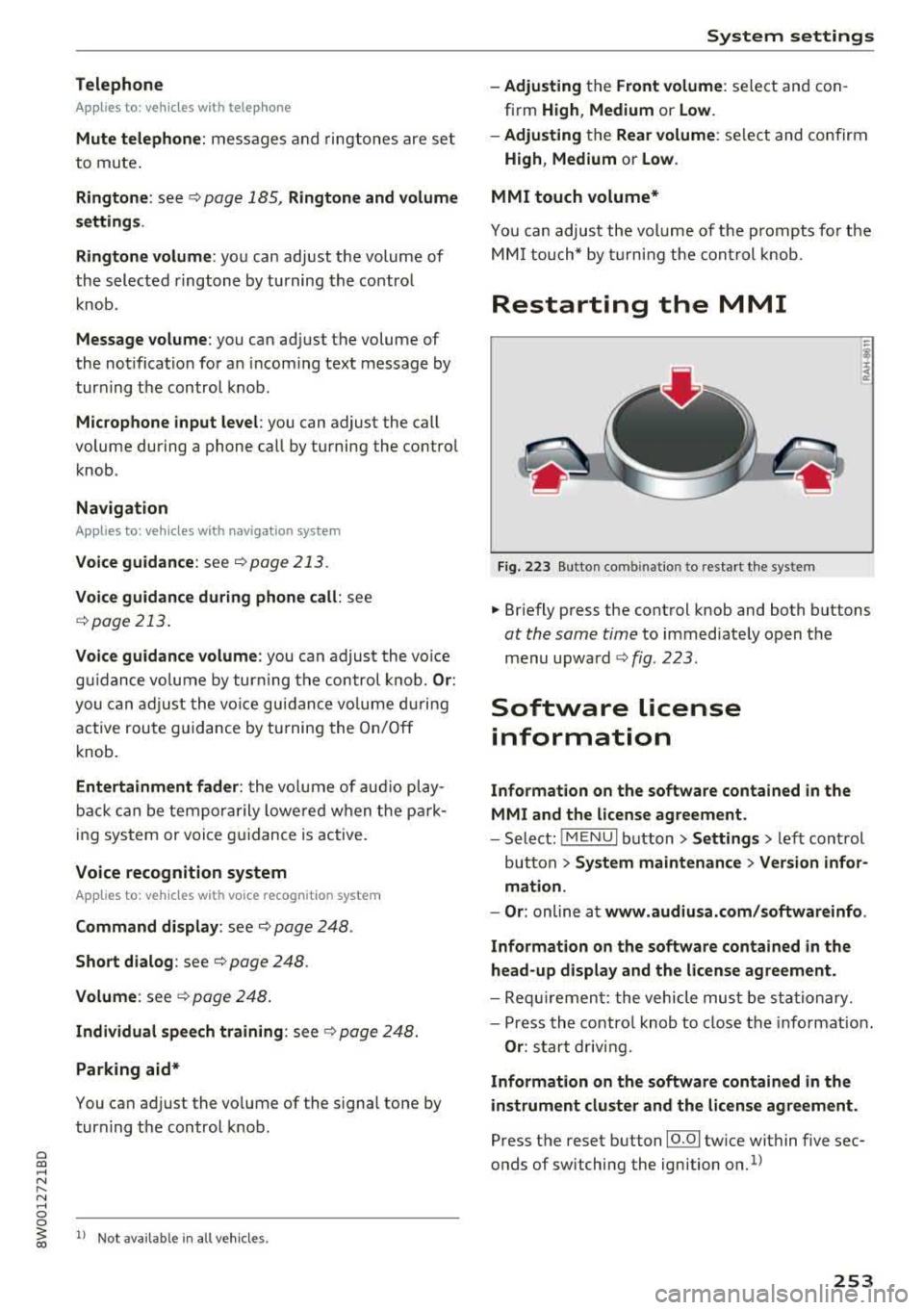
Fig . 223 Button co mbinatio n to res ta rt t he syste m
.,. Briefly p ress the cont rol knob and both buttons
at the same time to immediate ly open t he
menu upward
<:;> fig. 223 .
Software license
information
Information on the software contained in the
MMI and the license agreement.
- Select : !ME NUI bu tton> Settings > le ft con trol
button >
System maintenance > Version infor
mation.
- Or :
online a t www.audiusa.com /softwareinfo .
Information on the software contained in the
head-up display and the license agreement .
-Re quir emen t: the vehicle mus t be sta tion ary.
- Press th e co ntro l knob to close the info rmat ion .
Or : sta rt dr ivin g.
Information on the software contained in the
instrument cluster and the license agreement.
Press t he reset button 10.01 twice within five sec
onds of switching the ign ition
on.1>
253
Page 299 of 403
Child safet y
one o f the rear seating posit ions . If in exception
al circumstances you must use it on the front passenger seat, carefully read all of the informa
tion on child safety and Advanced Airbags and heed a ll of the app licab le WARNINGS. Make cer
tain that the child and child restraint are correct ly recogn ized by the capacit ive passenger detec
tion system i n the front passenge r seat, that the
fron t passenger airbag is turned off, and that the
a irbag status is always cor rectly sig naled by the
PASSENGER AIR BA G OFF~; light.
M any types and models of child rest raints have
been available ove r the yea rs , new models are in
troduced regularly incorporat ing new and im
p roved designs and older mode ls are taken o ut of
product ion . Chi ld restraints a re not standardized .
Ch ild rest raints of the same type typica lly have
d ifferent weights and s izes and d ifferent "foot
prints", the s ize and shape of the bottom of the
chi ld restraint that s its on the seat, when they
are installed on a vehicle seat . These differences
make it virtually impossible to ce rtify compliance
with the requ irements fo r advanced airbags with
each and eve ry ch ild rest raint that has ever been
sold in the past or will be sold ove r the co urse of
the useful life of your vehicle.
F or this reason, the Un ited States National High
way Traffi c Safety Administ ration has p ublished a
lis t of specific type, makes and models of child
restraints that must be used to cert ify comp li
ance of the Advanced Airbag System in your vehi
cle with the suppression requirements of Federal
Motor Vehicle Safety Standard 208. These child
restraints are:
Subpart A -Car bed child restraints
Model Manufactured on or
after
Ange l G uard Angel September 25, 2007
Ride AA2403FOF
298
Subpart B -Rear -facing child rest raints
Model Manufactured on or
after
Century SmartFit 4543 December 1, 1999
Cosco Arriva September 25, 2007
22-013PAW and base
22-999WHO
Evenflo Discovery Ad- December 1, 1999
just R ight 212
Evenflo First Choice December 1,
1999
204
Graco Infant 8457 December 1, 1999
Graco Snugr ide September 25, 2007
P eg Perego P rimo Viag- September 25, 2007
g io SI P IMU NOOUS
Subpart C -Forward-facing and convertible
child r estraints
Mod el Manufactured on or
after
Br itax Roundabout September 25, 2007
E9L02xx
Cosco Tou riva 025 19 December 1, 1999
Cosco Summit De luxe September 25, 2007
H igh Back Booster
22-262
Cosco High Back Boos -September 25, 2007
ter 22 -209
Evenflo Tribute V September 25, 2007
379xxxx
Evenflo Meda llion 254 December 1, 1999
E venflo Generat ions September 25, 200 7
35 2xxxx
Graco ComfortSport September 25, 2007
Graco Todd le r Safety September 25, 200 7
Seat Step 2
Graco Plat inum Cargo September 25, 2007
A WARNING
To redu ce the ris k of serious injury, ma ke sure
that the
PASSENGER AIR BAG OFF ,;; light
comes on and stays on whenever a c hild re
straint is installed on the front passenger seat
and the ignition is switched on .
~
Page 389 of 403
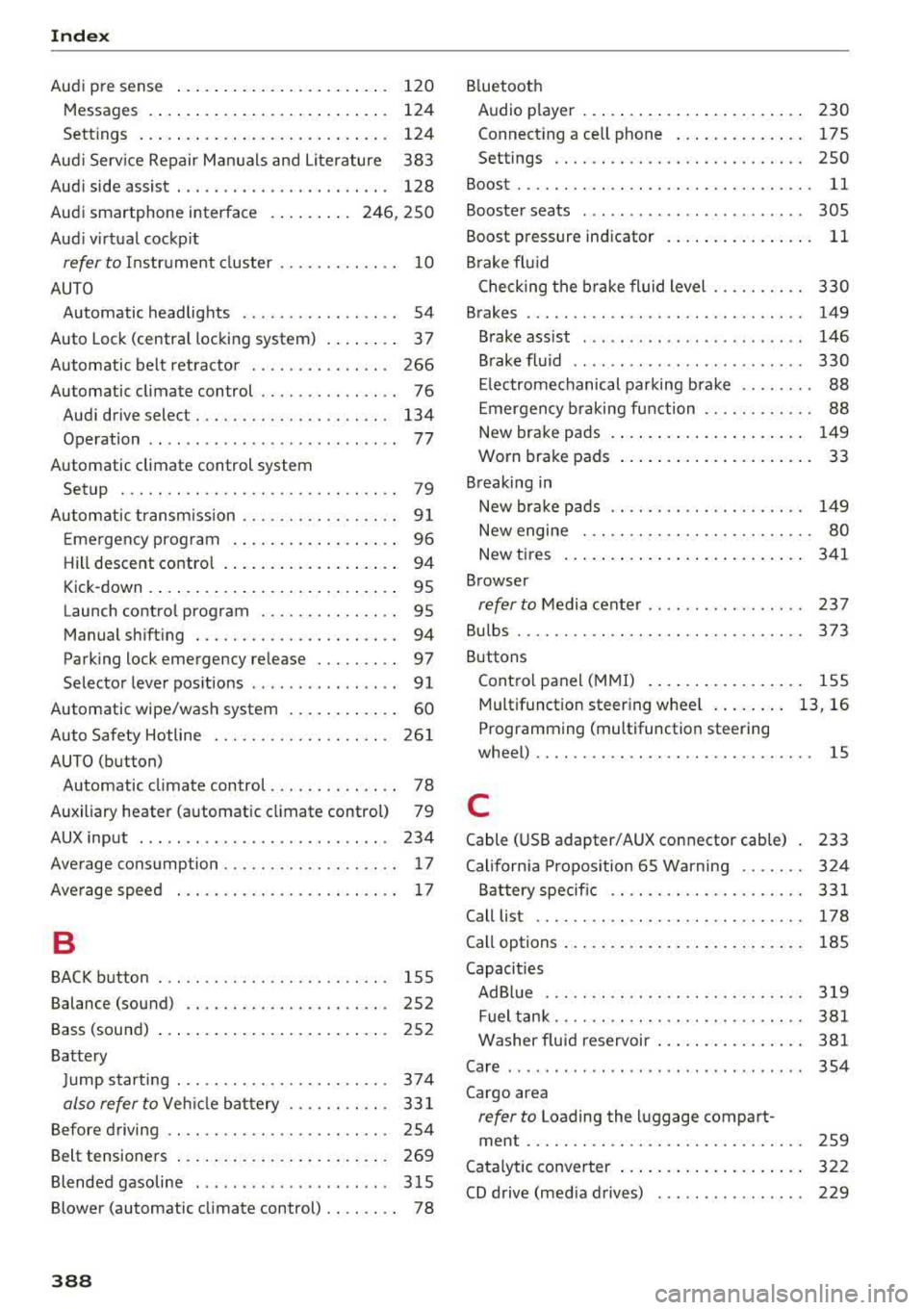
Index
Audi p re sense . . . . . . . . . . . . . . . . . . . . . . . 120
Messages . . . . . . . . . . . . . . . . . . . . . . . . . . 124
Sett ings . . . . . . . . . . . . . . . . . . . . . . . . . . . 124
Aud i Serv ice Repair Ma nuals and Literature 383
Aud i side assist . . . . . . . . . . . . . . . . . . . . . . . 128
Aud i smartphone interface . . . . . . . . . 246, 250
Aud i virt ua l cockp it
refer to Instr ume nt cl uster . . . . . . . . . . . . . 10
AUTO Automatic headlights . . . . . . . . . . . . . . . . . 54
Auto Lock (centra l locki ng system) . . . . . . . . 37
Automatic belt ret ractor . . . . . . . . . . . . . . . 266
Automatic climate control . . . . . . . . . . . . . . . 76
Aud i drive select. . . . . . . . . . . . . . . . . . . . . 134
Operation . . . . . . . . . . . . . . . . . . . . . . . . . . . 77
Automatic climate control system Setup . . . . . . . . . . . . . . . . . . . . . . . . . . . . . . 79
Automatic transm ission . . . . . . . . . . . . . . . . . 9 1
E me rgency prog ram . . . . . . . . . . . . . . . . . . 96
Hill descent contro l . . . . . . . . . . . . . . . . . . . 94
Kick -down . . . . . . . . . . . . . . . . . . . . . . . . . . . 95
Launch control program . . . . . . . . . . . . . . . 95
Manual sh ift ing . . . . . . . . . . . . . . . . . . . . . . 94
Parking lock emergency re lease . . . . . . . . . 97
Selector lever pos itions . . . . . . . . . . . . . . . . 91
Automatic wipe/wash system . . . . . . . . . . . . 60
Auto Safety Hotline . . . . . . . . . . . . . . . . . . . 26 1
AUTO (button) Automatic climate control . . . . . . . . . . . . . . 78
Auxiliary heater (automatic climate control) 79
AUX input . . . . . . . . . . . . . . . . . . . . . . . . . . . 234
Average consumption . . . . . . . . . . . . . . . . . . . 17
Ave rage spee d . . . . . . . . . . . . . . . . . . . . . . . . 17
B
BACK button . . . . . . . . . . . . . . . . . . . . . . . . . 155
Balance (sound) . . . . . . . . . . . . . . . . . . . . . . 252
Bass (sound) . . . . . . . . . . . . . . . . . . . . . . . . . 252
Ba tte ry
J u mp starting . . . . . . . . . . . . . . . . . . . . . . . 374
also refer to Veh icle bat tery . . . . . . . . . . . 33 1
Before driving . . . . . . . . . . . . . . . . . . . . . . . . 254
Belt tensione rs . . . . . . . . . . . . . . . . . . . . . . . 269
Blended gasoline . . . . . . . . . . . . . . . . . . . . . 315
Blower (automatic cl imate control) . . . . . . . . 78
388
B luetoot h
Audio player . . . . . . . . . . . . . . . . . . . . . . . . 230
Connect ing a cell phone . . . . . . . . . . . . . . 175
Settings . . . . . . . . . . . . . . . . . . . . . . . . . . . 2SO
Boost...... .. .. .. .. .. ............. ... 11
Booster seats . . . . . . . . . . . . . . . . . . . . . . . . 305
Boost pressure indicator . . . . . . . . . . . . . . . . 11
B rake fl uid
Check ing the b rake fluid level . . . . . . . . . . 330
Brakes . . . . . . . . . . . . . . . . . . . . . . . . . . . . . . 149
Brake ass ist . . . . . . . . . . . . . . . . . . . . . . . . 146
B rake fl uid . . . . . . . . . . . . . . . . . . . . . . . . . 330
El ec trome chanical parking b rake . . . . . . . . 88
E mergency b raking function . . . . . . . . . . . . 88
New brake pads . . . . . . . . . . . . . . . . . . . . . 149
Worn brake pads . . . . . . . . . . . . . . . . . . . . . 33
Breaking in New bra ke pads . . . . . . . . . . . . . . . . . . . . . 149
New engine . . . . . . . . . . . . . . . . . . . . . . . . . 80
New t ires . . . . . . . . . . . . . . . . . . . . . . . . . . 3 41
Browser
refer to M edia center . . . . . . . . . . . . . . . . . 237
Bu lbs ............................... 373
Buttons Cont ro l panel (M MI) . . . . . . . . . . . . . . . . . 155
Multifunctio n steering whee l . . . . . . . . 13, 16
P rogramming (multifunction steering
whee l) . . . . . . . . . . . . . . . . . . . . . . . . . . . . . . 15
C
Cable ( USB adapter/AUX connector cab le) 233
Californ ia Pr opos ition 65 Wa rning . . . . . . . 3 24
Battery specific . . . . . . . . . . . . . . . . . . . . . 331
Call list . . . . . . . . . . . . . . . . . . . . . . . . . . . . . 178
Call options . . . . . . . . . . . . . . . . . . . . . . . . . . 185
Capacities AdBl ue ... .. .. .. .. .. ... .......... .. 319
Fuel t ank . . . . . . . . . . . . . . . . . . . . . . . . . . . 381
Washer fluid reservoir . . . . . . . . . . . . . . . . 381
Care . . . . . . . . . . . . . . . . . . . . . . . . . . . . . . . . 354
Cargo area
refer to Loading the luggage compart-
ment .............................. 259
C atalytic converter . . . . . . . . . . . . . . . . . . . . 322
CD d rive (med ia d rives) . . . . . . . . . . . . . . . . 229
Page 390 of 403
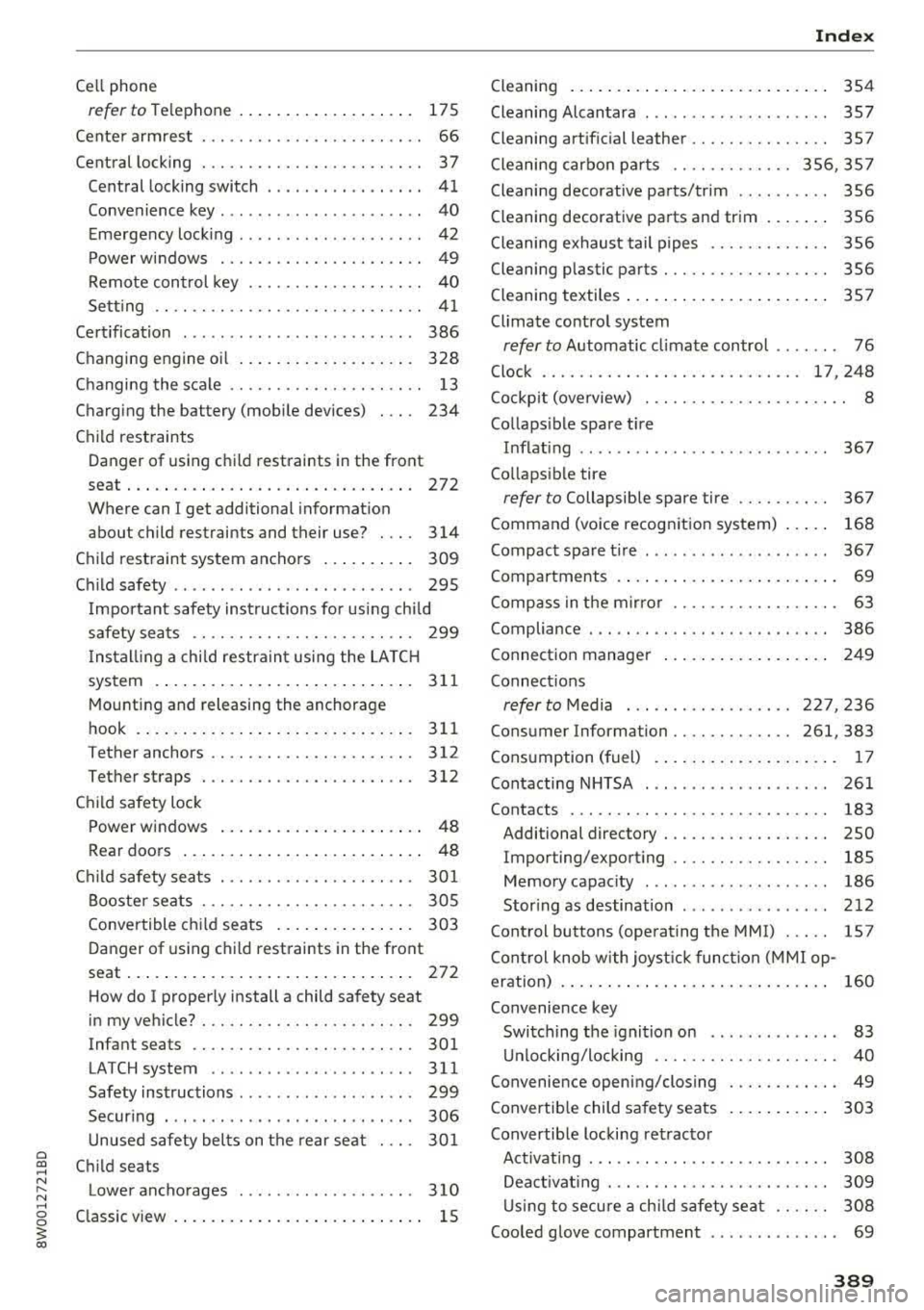
a co .... N ,....
N .... 0 0
3 co
Cell phone refertoTe le phone ...................
175
Center armrest . . . . . . . . . . . . . . . . . . . . . . . . 66
Central locking . . . . . . . . . . . . . . . . . . . . . . . . 3 7
Central locking switch . . . . . . . . . . . . . . . . .
41
Convenience key . . . . . . . . . . . . . . . . . . . . . . 40
Emergency locking . . . . . . . . . . . . . . . . . . . . 42
Power windows . . . . . . . . . . . . . . . . . . . . . . 49
Remote control key . . . . . . . . . . . . . . . . . . . 40
Setting . . . . . . . . . . . . . . . . . . . . . . . . . . . . . 41
Certificat ion . . . . . . . . . . . . . . . . . . . . . . . . . 386
Changing engine oi l . . . . . . . . . . . . . . . . . . . 328
Changing the scale . . . . . . . . . . . . . . . . . . . . . 13
Charging the battery (mobile devices) . . . . 234
Child restraints
Danger of using child restraints in the front
seat . . . . . . . . . . . . . . . . . . . . . . . . . . . . . . .
272
Where can I get additional information
about child restraints and their use? . . . .
314
Child restraint system anchors . . . . . . . . . . 309
Chi ld safety . . . . . . . . . . . . . . . . . . . . . . . . . . 295
Important safety instructions for using chi ld
safety seats . . . . . . . . . . . . . . . . . . . . . . . .
299
Install ing a child restraint using the LATCH
system . . . . . . . . . . . . . . . . . . . . . . . . . . . .
311
Mounting and releasing the anchorage
hook . ... .. .. ................ ..... .
311
Tether anchors . . . . . . . . . . . . . . . . . . . . . . 312
Tether straps . .. ........... .. .. .. .. . 312
Child safety lock
Power windows . . . . . . . . . . . . . . . . . . . . . .
48
Rear doors . . . . . . . . . . . . . . . . . . . . . . . . . . 48
Ch ild safety seats . . . . . . . . . . . . . . . . . . . . . 301
Booster seats . . . . . . . . . . . . . . . . . . . . . . . 305
Convertible child seats . . . . . . . . . . . . . . . 303
Danger of using child restraints in the front
seat . . . . . . . . . . . . . . . . . . . . . . . . . . . . . . .
272
How do I prope rly install a child safety seat
in my vehicle? . . . . . . . . . . . . . . . . . . . . . . .
299
Infant seats . . . . . . . . . . . . . . . . . . . . . . . . 301
LA TCH system . . . . . . . . . . . . . . . . . . . . . . 311
Safety instructions . . . . . . . . . . . . . . . . . . . 299
Securing . . . . . . . . . . . . . . . . . . . . . . . . . . . 306
Unused safety belts on the rear seat 301
Child seats
Lower anchorages . . . . . . . . . . . . . . . . . . .
310
C lassic view . . . . . . . . . . . . . . . . . . . . . . . . . . . 15
Index
Cleaning . . . . . . . . . . . . . . . . . . . . . . . . . . . . 354
Cleaning Alcantara . . . . . . . . . . . . . . . . . . . . 357
Cleaning artificial leather. . . . . . . . . . . . . . . 357
Cleaning carbon parts . . . . . . . . . . . . . 356, 357
Cleaning decorative parts/trim . . . . . . . . . . 356
Cleaning decorative parts and trim . . . . . . . 356
Cleaning exhaust tail pipes . . . . . . . . . . . . . 356
Cleaning plastic parts . . . . . . . . . . . . . . . . . . 356
Cleaning textiles . . . . . . . . . . . . . . . . . . . . . . 357
Climate control system
refer to Automatic climate control . . . . . . . 76
Clock . . . . . . . . . . . . . . . . . . . . . . . . . . . . 17, 248
Cockpit (overview) . . . . . . . . . . . . . . . . . . . . . . 8
Collapsible spare tire Inflating . . . . . . . . . . . . . . . . . . . . . . . . . . .
367
Collapsible ti re
refer to Collapsible spa re tire . . . . . . . . . . 367
Command (voice recognition system) . . . . . 168
Compact spare t ire . . . . . . . . . . . . . . . . . . . . 367
Compartments . . . . . . . . . . . . . . . . . . . . . . . . 69
Compass in the mirror . . . . . . . . . . . . . . . . . . 63
Compliance . . . . . . . . . . . . . . . . . . . . . . . . . . 386
Connection manager . . . . . . . . . . . . . . . . . . 249
Connect ions
refer to Media .. ... ....... ... ... 227, 236
Con sumer Information . . . . . . . . . . . . . 261, 383
Consumption (fuel) . . . . . . . . . . . . . . . . . . . . 17
Contacting NHTSA . . . . . . . . . . . . . . . . . . . . 261
Contacts . . . . . . . . . . . . . . . . . . . . . . . . . . . . 183
Addi tional directory . . . . . . . . . . . . . . . . . . 250
Importing/exporting . . . . . . . . . . . . . . . . . 185
Memory capacity . . . . . . . . . . . . . . . . . . . . 186
Stor ing as destination . . . . . . . . . . . . . . . . 212
Control buttons (operating the MMI) . . . . . 15 7
Control knob with joyst ick function (MMI op
eration) . . . . . . . . . . . . . . . . . . . . . . . . . . . . .
160
Convenience key
Switching the ignition on . . . . . . . . . . . . . .
83
Unlocking/locking . . . . . . . . . . . . . . . . . . . . 40
Convenience opening/closing . . . . . . . . . . . . 49
Convertib le child safety seats . . . . . . . . . . . 303
Convertible locking retractor
Activating . . . . . . . . . . . . . . . . . . . . . . . . . .
308
Deactivating . . . . . . . . . . . . . . . . . . . . . . . . 309
Using to secure a ch ild safety seat . . . . . . 308
Cooled glove compartment . . . . . . . . . . . . . . 69
389