Scr AUDI A4 2018 Owners Manual
[x] Cancel search | Manufacturer: AUDI, Model Year: 2018, Model line: A4, Model: AUDI A4 2018Pages: 403, PDF Size: 66.81 MB
Page 8 of 403
About this Owner's Manual
This Owne r's Man ual applies to a ll versions of
this mode l.
It contains important information,
tips, suggestions and warn ings for using your ve
h icle.
Keep this manual in your vehicle at all times . This
is especially important if you loan your vehicle to
others or sell it.
This owner's manua l describes the
equipment
range
specified for this mode l at the time of
printing. Individual equipment options described
may on ly be available at a later date or may only
be offered in certain countries .
Some sections in this manual do not apply to all
vehicles. When this is the case, the beginning of
the sect ion ind icates the
validity, for example
"Applies to vehicles : with cruise contro l system".
Optional or vehicle-specific equipment is also
ident ified with an asterisk
"*" .
The illustrations in this manual are a guide.
Some of the detai ls in your vehicle may differ
from the illustration .
All
directions , such as "left", "right", "front" and
"rear", are based on the vehicle's direct ion of
travel.
* Optional or vehicle
-specific equipment
.,._ The section continues on the next page .
c::> & Cross reference to a "WARNING" within a
section. If a page number is indicated, the
WARNING is located outs ide of the section.
&, WARNING
Text with this symbol contains information
about safety and how to reduce the risk of se
rious personal injury or death.
(D Note
Text with this symbol contains informat ion
about reducing the risk of damage to your ve
hicle.
@ For the sake of the environment
Text with this symbol contains informat ion on
protecting the environment.
6
-
(D Tips
Text with this symbol contains additional use
fu l information.
Page 19 of 403

a co .... N ,....
N .... 0 0
3 co
Third tab Rad io ¢page 18
Media ¢ page 18
Fourth tab Telephone ¢
page 19
a) This tab is only v isible when there is at least one ind icato r
l ight or mess age disp layed.
- Switching tabs : press the !MODE ! button
<=> fig. 12 on the mult ifunction steering wheel
repeatedly unti l the des ired tab is d isp layed .
-Se lect ing a function in the m enu /list : turn the
left thumbwheel on the mult ifunct ion steer ing
whee l to the desired funct ion.
- Confirming a sel ection : press the left thumb
wheel on the multifunction steer ing wheel to
confirm your se lec tion.
- Scrolling within th e lists: turn the left thumb
wheel on the mult if u nction steer ing wheel
quick ly to scroll wi thin the lists.
@ button @;]
- Switching the voice recogn it ion sy stem on :
briefly press the 51 button¢ fig. 13 . Say the
desired command after the
B eep .
- Switching th e vo ice recogn ition sy stem off :
press and hold the 51 button. Or: say the com
ma nd
Cancel.
For more information about the vo ice recognit ion
system, see
<=> page 168, Voice recognition sys
tem
or ¢ page 248.
@ Right thumbwheel
The volume of an audio source or a system mes
sage (such as traffic announcements) can be di
rectly adjusted dur ing the aud io output.
- Inc rea sin g o r decrea sing the volume : turn the
rig ht thumbwhee l
¢ fig. 13 up or down.
- Muting or pausing : turn the right thumbwheel
down.
Or : press the right thumbwhee l.
-Unmuting or resuming : turn the right thumb
whee l up.
Or : press the right thumbwhee l.
Cockpit o ve rv iew
Driver information
system
On-board computer
F ig. 14 Instrument cluster: fuel co nsumpt io n display
Resetting values to zero
Requirement: the Fue l consumption , Short -term
memory or Long-t erm mem ory
d isplay must be
selected.
.. To reset the value for the respective memory to
zero, press and hold the left thumbwheel
(i)
¢ page 13, fig. 7 or @ <=> page 16, fig. 12 on
the multifunction stee ring wheel for one sec
ond. Or
.,. On the multifunction stee ring wheel, select:
the right control button>
Re set value s*.
Ad justing additional displays (Audi virtual
c ockpit)*
.,. On the multifunction stee ring wheel, select the
right control button >
Additional di splay .
.. Select the desired additional display .
In the first tab (on -board comp ute r), you can c all
u p the following disp lays one after the other by
turning the left thumbwheel on the multifunc
tion steer ing wheel.
- Time and
da ter=> page 248
- Dig ita l speedomete r*
- Average consumption
- Remaining range*
- AdBlue range*
<=>page 319
- Short-term memory overview
- Long-term memory overview
- Energy consumers
r=> page 18
- Dr iver assistan ce* ¢ page 108
-Traff ic sign recog nition* ¢ page 104
17
Page 20 of 403
Cockpit over view
The short -term memory collects driving informa
tion from the time the ignition is switched on un
til it is switched off . If you cont inue driv ing with
in two hours after switching the ignition off, the
new values are included when calculat ing the cur
rent tr ip informat ion.
Unlike the short-term memory, the long-term
memory is not erased automat ically. You can se
lect the time period for evaluat ing trip informa
tion yourself .
Fuel con sumpti on
The current fue l consumption can be shown us
ing a bar graph
cc> fig. 14. The average cons ump
tion stored in the short-term memory is also dis
played. If the bars are green or the gray tone on
the bars changes (depending on the equipment),
your veh icle is sav ing fuel by the following func
tion:
- Recupe ration : electrical energy can be stored in
the ve hicle battery when the vehicle is coasting
o r driving downhi ll. The bar will move toward
0 /0.
(D Tips
The date, time of day and t ime and date for
mat can be set in the Infotainment system
cc>page248 .
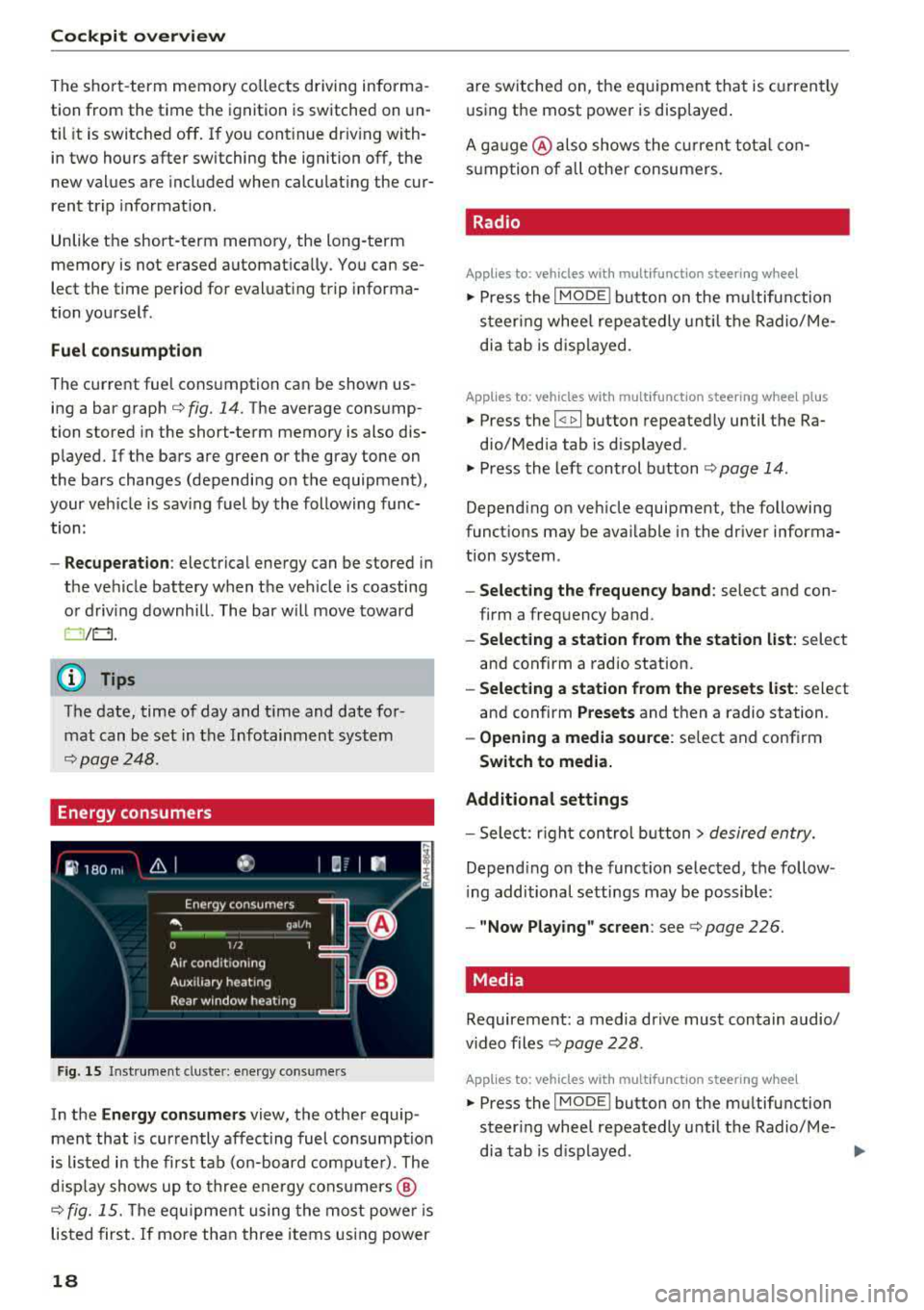
Energy consumers
Fig . 15 Inst rume nt cluste r: e nergy cons ume rs
In the En ergy con sumer s view, the othe r equip
ment that is currently affecting fuel consumption
is listed in the first tab (on-board comp ute r) . The
d isp lay shows up to three ene rgy consumers @
cc> fig. 15. The eq uipme nt using the most powe r is
listed first. If more than three items using power
18
are switched on, the eq uipment that is c urren tly
using the most power is disp layed .
A ga uge @ also shows the c urrent tota l con
s u mption of a ll othe r consumers .
. Radio
Applies to: vehicles with multifunction steering wheel
.,. Press the I MODE i button on the m ultif un ction
s teer ing whee l repeatedly u nti l the Radio/ Me
dia tab is d isp layed.
Applies to: vehicles with multifunction steering wheel plus
.,. Press the I <11>I button repeatedly until the Ra-
dio/Med ia tab is d isplayed.
.,. Press the left control b utton cc> page 14 .
Depending on veh icle equipment, the following
funct ions may be ava ilable i n the dr iver informa
tion system .
-Select ing the frequen cy band : select and con
firm a freq uency band .
-Selecting a station from the station list : select
and confirm a radio station.
- Select ing a station from the preset s list : select
and confirm
Presets and then a radio station .
-Opening a media sou rce: se lect and confirm
Swit ch to media.
Additional settings
- Sele ct: r ight cont rol b utton> desired entry.
Depend ing on the function se lected, the follow
i ng additional settings may be possible:
- "Now Playing" screen : see cc> page 226.
Media .
Requirement: a media drive must contain audio/
video files
cc> page 228 .
Applies to: vehicles with multifunction steering wheel
.,. Press the I MODE i button on the mu ltifunction
steer ing whee l repeatedly until the Radio/Me-
dia tab is d isplayed .
.,.
Page 21 of 403
Applies to: ve hicles with multifunction steering wheel plus
"Press th e l<1 1>I butto n repeated ly until the Ra -
dio/Media tab is disp layed .
" Press the left control button ¢ page 14 .
Depending on vehicle equipmen t, the following
functions may be availab le in the driver informa
tion system .
-Selecting a source : select and confi rm a source
s u ch as the SD card.
- Selecting a radio station from the source li st:
sele ct and confirm Switch to radio .
- Playing an audio /video file :
select and confi rm
a file.
- Pau sing/resuming playba ck : press the r ight
t hu mbwheel @
~page 15, fig. 11. To res ume
playb ack , p ress the r igh t thumbw heel again .
-Re starting playback of an audio file : select the
file that is curre ntly playing, if necessary. Press
the left th umbwheel.
- Opening additional track information: select:
r ig ht cont rol bu tton>
Show "Now Playing"
screen .
@ Tips
-The media drives do not play files that are
p ro te cte d by DRM and that a re identif ied
wi th the sym bol
1'.D.
- Please note t hat w ithin a media sou rce in
th e d river i nfo rm at ion s ystem, o nly pl aylis ts
tha t we re sele cted t hroug h the MMI cont rol
p anel c an be
playe d~ page 23 7.
-Pay attention to t he Infotai nmen t sys te m
display if ne cessary. Depen din g on these
l ected function, it may
be necess ary to use
t h e MM I cont rol panel.
Cockpit overview
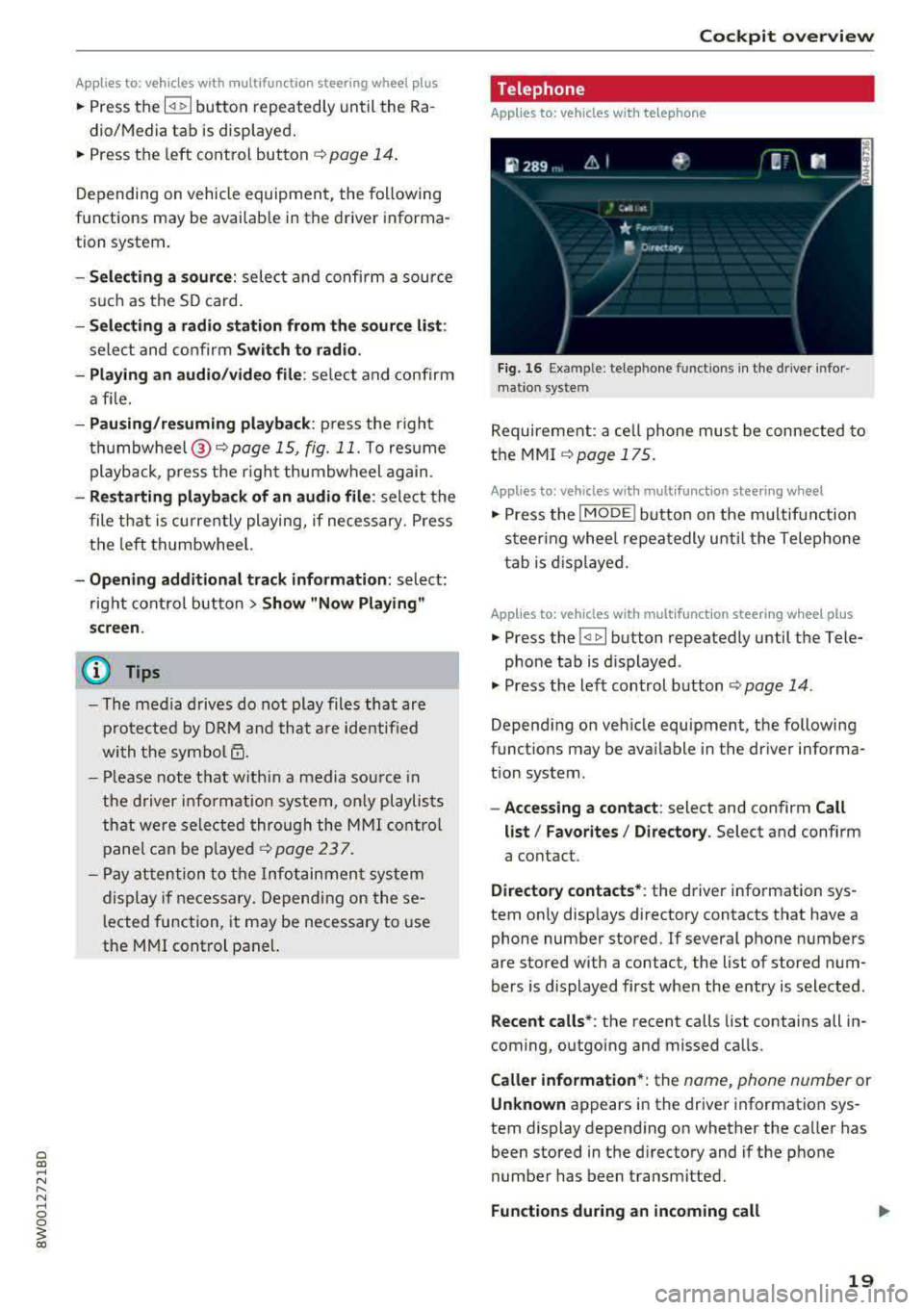
Telephone
Applies to: vehicles with te lephone
Fig . 1 6 Ex ampl e: telep hone functio ns in th e drive r info r
m ati on sys te m
Requireme nt: a ce ll phone must be connected to
the MMI
~ page 175.
Applies to: vehicles wit h mult ifunction stee ring wheel
" Press the IMODE ! button on the m ultifun ction
steer ing whee l re peat edly u ntil t he Telephone
t ab is d is pla yed .
Applies to: vehicles with mult ifunction steering wheel plus
" Press the l<1 1>I button repeatedly until the Tele-
p ho ne tab is d isplayed .
" Press the le ft con trol b utton ¢ page 14 .
Depending on veh icle equipment , the following
funct ions may be ava ilable i n the dr iver informa
t ion system .
-Accessing a contact : select and confirm Call
list / Favorites / Directory .
Select and confirm
a contact .
Directory contacts* : the driver info rmation sys
tem on ly disp lays directory contacts that have a
phone number stored .
If several phone numbers
are stored with a contact, the list of stored num
bers is d isplayed first when the entry is selected .
Recent calls*: the recent calls list contains all in
coming, o utgoing and missed ca lls.
Caller information *: the name, phone number or
Unknown ap pears in the drive r information sys
tem display depend ing on whether the ca ller has
been stored in the d irecto ry and if the phone
number has been transmitted.
Functions during an incoming call
19
Page 27 of 403
fast acceleration) and have the malfunction corrected. See an authorized Audi dealer or
authorized Audi Service Facility .
The electronic speed limiter may be faulty if the
indicator light turns on. For additional informa
tion, see
¢ page 102, Electronic speed limiter .
The MIL indicator light may also turn on if the
fuel filler cap is not closed correctly
¢page 317.
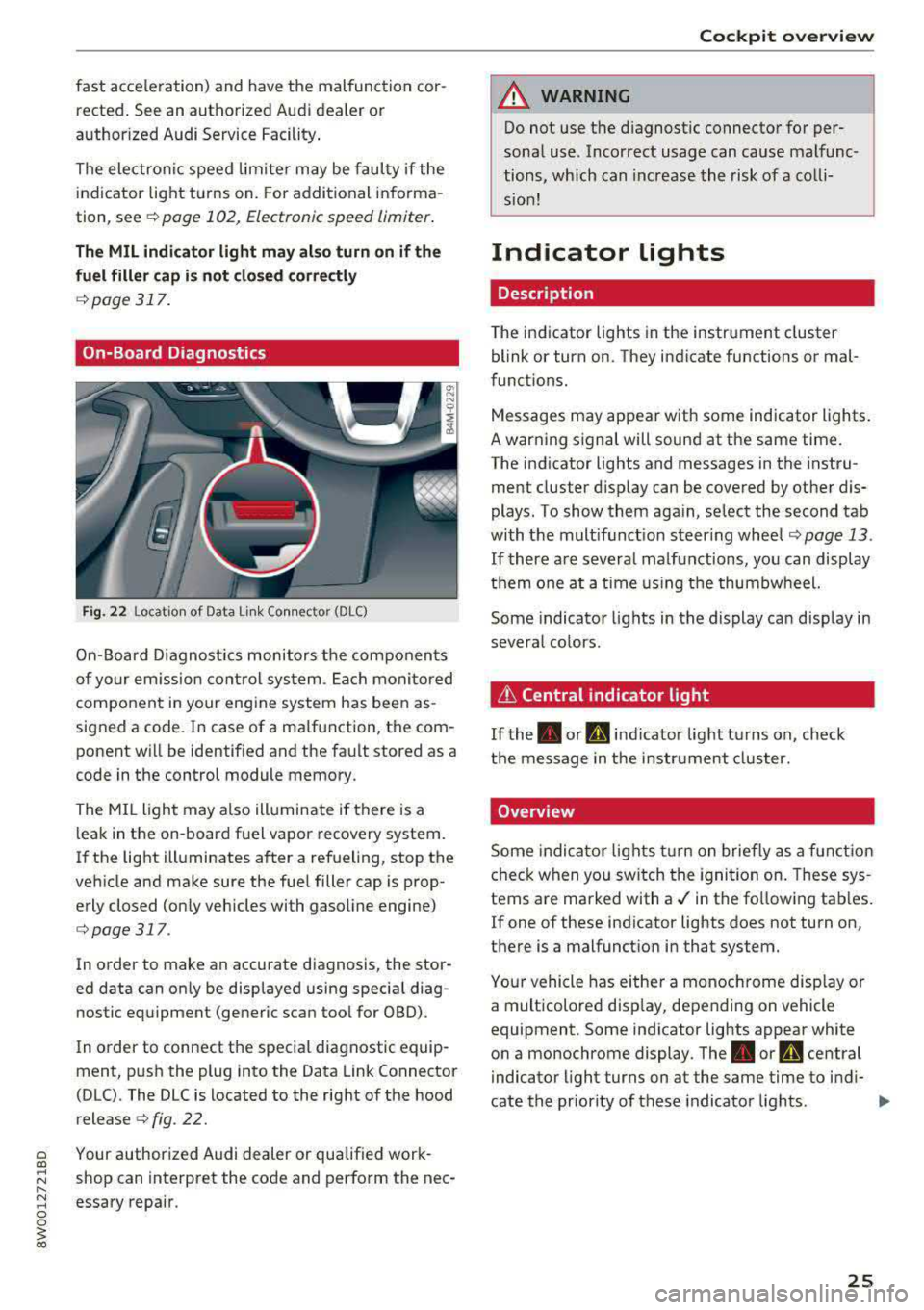
On-Board Diagnostics
Fig. 22 Location of Data Li nk Con nec tor (DLC )
On-Board Diagnostics monitors the components
of your em ission control system. Each monitored
component in your eng ine system has been as
signed a code. In case of a ma lfunction, the com
ponent will be identified and the fault stored as a
code in the control module memory.
The MI L light may also illuminate if there is a
leak in the on -board fuel vapor recovery system.
If the light illuminates after a refueling, stop the
vehicle and make sure the fuel filler cap is prop erly closed (only vehicles with gasoline engine)
¢ page 317 .
In order to make an accurate diagnosis, the stor
ed data can only be displayed using special diag nostic equipment (generic scan tool for OBD) .
In order to connect the specia l diagnostic equip
ment, push the plug into the Data Link Connector
(DLC). The DLC is located to the right of the hood
release¢ fig. 22.
a Your authorized Audi dealer or qualif ied work-al
;:::: shop can interpret the code and perform the nee-
" ~ essary repair . 0 0
~ al
Cockpit overview
A WARNING
--
Do not use the diagnostic connector for per
sonal use. Incorrect usage can cause malfunc
tions, which can increase the risk of a colli
sion!
Indicator lights
Description
The indicator lights in the instrument cluster
blink or turn on. They indicate functions or mal
functions.
Messages may appear with some indicator lights.
A warn ing s ignal will sound at the same time.
The indicator lights and messages in the instru
ment cluster display can be covered by other dis
plays. To show them again, select the second tab
with the mult ifunct ion steer ing
wheel ¢ page 13.
If there are several malfunctions, you can display
them one at a time using the thumbwheel.
Some indicator lights in the display can display in
several co lors.
it Central indicator light
If the. or d indicator light turns on, check
the message in the instr ument cluster.
Overview
Some indicator lights turn on briefly as a function
check when you sw itch the ignition on. These sys
tems are marked with
a./ in the fo llowing tab les.
If one of these indicator lights does not turn on,
there is a malfunction in that system.
Your vehicle has either a monochrome display or
a multicolored display, depending on vehicle
equipment. Some indicator lights appear white
on a monochrome display .
The. or Q central
indicator light turns on at the same time to indi-
cate the priority of these indicator lights.
..,.
25
Page 39 of 403
a co .... N ,....
N .... 0 0
3 co
Opening and closing
Central locking
Description
You can lock and unlock the veh icle centrally . You
have the following options:
-Remote control key¢ page 40,
-Sensors in the door handles* ¢ page 40,
-Lock cylinder on the driver's door c::> page 42,
or
-Interior central locking switch c::> page 41.
Turn signals
The turn s ignals flash twice when you unlock the
veh icle and flash once when you lock the veh icle.
If they do not flash, then one of the doors, the
rear lid or the hood is not closed.
Automatic locking (Auto Lock)
The Auto Lock funct ion locks all doors and the
luggage compartment lid once the speed has
ex
ceeded approximately 9 mph (15 km/h).
The vehicle can be unlocked if the opening func
tion in the central locking system sw itch is used
or one of the door handles is pulled.
In the event of a crash with airbag deployment,
the doors will a lso automat ically unlock to allow
access to the vehicle.
Selective door unlocking
The doors and luggage compartment lid will lock
when they close . You can set in the Infotainment
system whether
only the driver's door or the en
tire vehicle should be unlocked when unlocking
c::> page 41.
Unintentionally locking yourself out
Only lock your vehicle when all of the doors and
the luggage compartment lid are closed and the remote control key is not in the vehicle . This
helps to prevent you from locking yourse lf out
accidentally .
The follow ing cond it ions prevent you from lock
ing your remote control key in the vehicle:
Opening and closing
-If the driver's door is open, the vehicle cannot
be locked by pressing the
fi'.) button on the re
mote contro l key or by touching the locking
sensor* on a door.
-If the most recently used convenience key* is
detected in the luggage compartment, the lug
gage compartment lid automatically unlocks
again after closing it.
-If the convenience key* that was last used is de
tected inside the vehicle, then the vehicle will
not be able to lock from the outside .
_& WARNING
---
-When you lock your vehicle from outs ide,
nobody- espec ially children
-should rema in
inside the vehicle. Remember, when you
loc k the vehicle from the outside the win
dows cannot be opened from the inside .
- When you leave the vehicle, always take the
ignit ion key with yo u. This will prevent pas
sengers (children, for examp le) from acci
dentally being locked in the vehicle should
they accidentally press the power locking
switch in the doors.
- Do not leave children inside the vehicle
un
supervised. In an emergency it would be im
possible to open the doors from the outside
without the key.
(D Tips
-Do not leave valuables unattended in the ve
hicle. A locked vehicle is not a safe!
-The LED in the driver's door rail blinks when
you lock the vehicle. If the LED lights up for
approximately 30 seconds after locking,
there is a malfunction in the central locking
system. Have the problem corrected by an
authorized Audi dealer or authorized Audi
Service Facility.
37
Page 40 of 403
Opening and closing
Key set
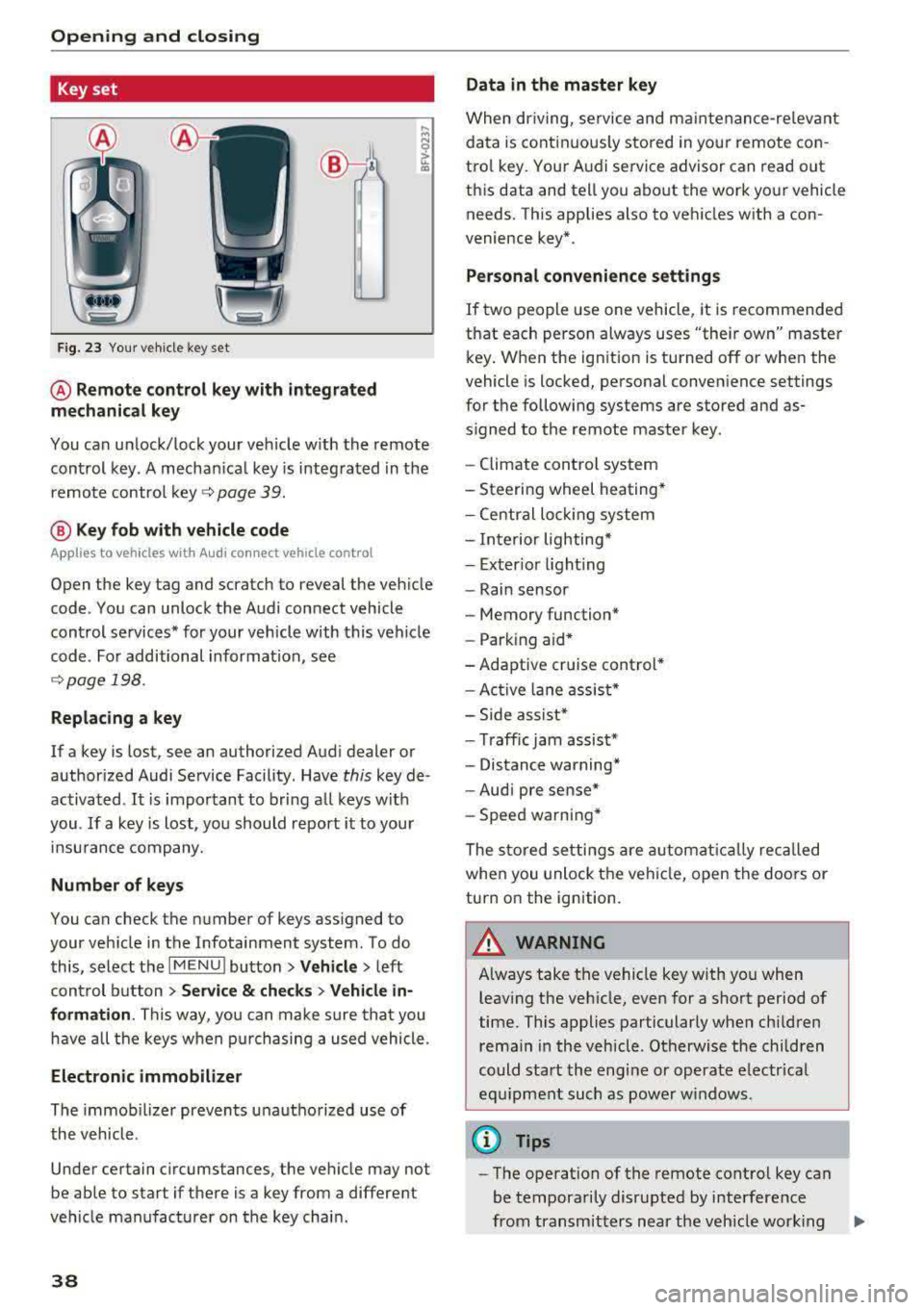
Fig. 23 Your veh icle key set
@ Remote control key with integrated
mechanical key
You can unlock/lock your veh icle w ith the remote
control key . A mechan ical key is integrated in the
remote control
key ~ page 39.
@ Key fob with vehicle code
Appl ies to veh icles with A udi co nnect vehicle con trol
Open the key tag and scratch to reveal the veh icle
code . You can unlock the Audi connect vehicle
control se rvices* for your vehicle with this vehicle
code . For additional information, see
~ page 198 .
Replacing a key
If a key is lost, see an authorized Audi dealer or
authorized Audi Service Facility. Have
this key de
activated .
It is important to bring all keys with
you .
If a key is lost, you should report it to your
insu rance company.
Number of keys
You can check the number of keys assigned to
your vehicle in the Infotainment system . To do
this, select the
IM ENU I button > Vehicle > left
control button
> Service & checks> Vehicle in·
formation . This way, you can make sure that you
have all the keys when purchasing a used vehicle.
Electronic immobilizer
The immob ilizer prevents unauthorized use of
the vehicle .
Under certain circumstances, the vehicle may not
be able to start if there is a key from a different
veh icle manufacturer on the key chain.
38
Data in the master key
When dr iving, service and maintenance-re levant
data is continuously stored in your remote con
trol key. Your A udi service advisor can read out
this data and tell you about the work your vehicle needs . This applies also to vehicles with a con
venience key*.
Personal convenience settings
If two people use one vehicle, it is recommended
that each person always uses "their own" master
key . When the ign ition is turned off or when the
vehicle is locked, personal convenience settings
for the following systems are stored and as
s igned to the remote master key.
- Climate control system
-Steering wheel heating*
-Central lockin g system
-Interior lighting*
-Exter ior lighting
- Rain sensor
- Memory function*
- Park ing a id *
-Adaptive cr uise control *
-Active lane assist*
-Side assist*
-Traff ic jam assist*
- Distance warning*
-Audi pre sense*
- Speed warning *
The stored settings are automatically recalled
when you unlock the vehicle, open the doors or
turn on the ignition .
~ WARNING
Always take the vehicle key with you when
leaving the vehicle, even for a short period of
time. This applies particularly when children
rema in in the vehicle . Otherwise the children
could start the engine or operate electrical
equipment such as power windows .
(© Tips
-
-The operation of the remote control key can
be temporarily disrupted by interference
from transmitters near the veh icle work ing
1J11,
Page 43 of 403

.. To lock the vehicle, close the door and touch
the sensor in the door handle
on ce c::> fig. 28 . Do
not hold the door handle while doing this .
You can u nlock/ lock the vehicle at every door.
The remote control key cannot be more than ap
proximately 4 feet (1.5 m) away from the door
handle. It makes no difference whether the mas
ter key is in your jacket pocket or in your brief
case, for example .
If you hold the door handle while locking, this
can impair the locking function.
The doo r cannot be opened for a br ief period di
rect ly after locking it. This way you have the op
portunity to check if the doors locked correctly.
The settings in the Infotainment system deter
mine if the entire vehicle or on ly one of the doors
is unlocked when unlocking the vehicle
c::> pag e 41.
A WARNING
Read and following all WARNINGS c::> &. in De
scription on page 3
7.
@ Tips
If your vehicle is left standing for a long peri
od of time, note the following:
-The energy management system grad ually
turns off unnecessary convenience functions
to prevent the vehicle battery from draining
and to mainta in the vehicle's ab ility to start
for as long as possible. You may not be able
to unlock your vehicle us ing the convenience
key .
Central locking switch
Fig. 29 Drive r's door : central loc king switch
Openin g an d clos ing
.. To lock the vehicle, press the l'.D button c::> &_ .
.. To unlock the vehicle, press the @ button.
When locki ng the vehicle with the central lock ing
switch, the following applies:
-Opening the door and the luggage compart
ment lid from the
outside is not poss ible (for
secur ity reaso ns, such as when stopped at a
light) .
-The LED in the centra l locking sw itch t urns on
when all doors are closed and locked .
- You ca n open the doors individua lly from the
inside by pu lling the doo r handle.
- In the event of a crash with a irbag deploymen t,
the doo rs unlock automat ica lly to allow access
t o the vehicle .
~~ WARNING
-
- The central locking switch a lso works when
the ignition is switched off and automatica l
ly locks the entire vehicle when the
l'.D but
ton is pressed.
-The central locking switch is inope rative
when the vehicle is locked from the outs ide.
-Locked doors make it more difficult for
emergency workers to get into the vehicle,
which puts lives at r isk. Do not leave anyone
behind in the vehicle, especially children.
-Read and fo llowing a ll WARNINGS c::> &. in
Description on page 3
7.
(D Tips
Your vehicle locks automatically when it reaches a speed of 9 mph (15 km/h) (Auto
Lock)
c::> page 37. You can unlock the vehicle
again using the
ca button in the central lock
i ng switch.
Setting the central locking system
In the Infotainment system, you can set which
doors the central locking system will unlock .
.. Select in the Infotainment system: I MENU! but
ton
> V ehicle > left control b utton > Vehicle
settings > Central lock ing .
Door unlo cking
-you can decide if All doors or
only the
Dri ver 's door shou ld unlock. The
41
Page 44 of 403

Opening and closing
luggage compartment lid also unlocks when All
is selected. If you select Driver 's door in a vehicle
with a convenience key*, only the door whose handle you pull will unlock.
If you select
Driver's door , all the doors and lug
gage compartment lid will unlock if you press the
m button on the remote control key twice .
Disable rear lid handle -If you select On, the
luggage compartment lid hand le is locked. In
this case, the l uggage compartment lid can be
opened with the
c::$ button on the remote con
trol key or w ith the
c::$ button in the driver's
door. In vehicles with a convenience key*, you can
still open the luggage compartment lid using the
handle if an author ized remote control key is
near the proximity sensor* .
Fold mirrors * -if you select On , the exterior rear
view mirrors fold in automatica lly when you press
the~ button on the remote control key or touch
the sensor* in the hand le .
Tone when locking1> -if you select On , a tone
will sound when you lock the vehicle.
Emergency locking /unlocking the doors
F ig. 30 Drive r's door : door lock cylinder
l) This function is not availab le in all countries.
42
Fig. 31 Door: emergency locking
If the central locking system malfunctions, you
mus t un loc k/lock the doo rs separately using the
mechanical key.
Unlocking/locking the driver's door with the
mechanical key
.,. Remove the mechanical key¢ page 39.
.,. To unlock the driver's door, turn the key to the
open position @¢
fig. 30.
.,. To lock the driver's door, se lect the P position
(automatic transmission) and t urn the key
once
to the closing position @¢&, .
Locking the front passenger's door/rear
doors with the mechanical key
The emergency lock is located on the rear side of
the front passenger's door and the rear doors. It
is only visible when the door is open .
.,. Remove the mechanical key ¢ page 39 .
.,. Remove the cap from the opening ¢ fig. 31 .
.,. Insert the key in the inside slot and turn it all
the way to the right {right door) or left (left
door).
A WARNING
Read and following all WARNINGS c:) A in De
scription on page 3
7.
Anti-theft alarm sy stem
Applies to: vehicles wit h anti -theft ala rm system
If the anti-theft alarm system detects a vehicle
break-in, audio and visual warning signals a re
..,.
Page 48 of 403

Opening and clo sin g
Applies to: all road
You can open and close the luggage compart
ment lid with foot motion activation .
Requirements: you must be carrying your vehicle
key with you. You must be standing at the center
behind the luggage compartment lid. You shou ld
be approximately 8 in (20 cm) from the rea r of
the vehicle . The ign ition must be switched off.
Make sure you have firm footing.
- Move your foot back and forth be low the bump
er ~ fig. 35 . Do not touch the bumper. The lug
gage compartment lid will open/close once the
system detects the movement.
The luggage compartment lid will only open/ close if you perfo rm the movement as described.
This prevents the luggage compartment lid from
ope ning o r closing due to simi lar movements,
such as when you walk between the rear of the
vehicle and your garage door.
The closing of the luggage compartment lid is in
d icated by a warning signal and can be cance led
by making the described movement again.
The foot movement does not loc k the vehicle.
General inform ation
In some situations, the function may be limited
or temporar ily unava ilable . This may happen if:
- the luggage compartment lid was closed imme
diately before
- you park close to a hedge and the branches
move back and forth under the vehicle for a
long period of time
-you clean your vehicle, for example with a pres sure washer or in a car wash
- there is heavy rain
-the bumper is very dirty, for example after driv-
ing on salt-covered roads
-there is interfe rence to the radio signa l from
the vehicle key, such as from cell phones or re
mote controls
A WARNING
-Pay careful attention when closing the lug
gage compartment lid. Otherw ise, you could
46
cause serious injury to yourse lf or others de
spite the pinch protection.
- To reduce the risk of pinching injuries, a l
ways make sure that no one is in the operat
ing area of the luggage compartment lid; in
cluding the hinge areas and the upper and
lower edge of the luggage compartment lid .
- Never drive with the luggage compartment
lid ajar or open, because poisono us gases
can enter the vehicle interior and create the
risk of asphyx iat ion.
- Ap plies to: allroa d: If there is a luggage rack
(such as a bicycle rack) on the luggage com
partment lid, the luggage compar tment lid
may not open completely under certain cir
cumstances, o r it co uld close by itself if
open due to the extra weight. To reduce t he
risk of injury, the open luggage compart
ment lid must therefore have additional
support or the cargo must f irst be removed
from the rack.
Trunk escape latch
Appl ies to : vehicles with trunk escape latc h
In case of on emergency, the rear lid con be
opened from the inside using the trunk escape
latch.
Fig. 36 Luggage compartment: Trunk escape latc h
11> Push the latch in the di rect ion of the arrow un
til the lock re leases.
The trunk escape latch inside the rear lid is made
of fluorescent material to glow in the dark.
A WARNING
The t runk escape latch is to be used only in an
emergency.