light AUDI A4 AVANT 2008 Repair Manual
[x] Cancel search | Manufacturer: AUDI, Model Year: 2008, Model line: A4 AVANT, Model: AUDI A4 AVANT 2008Pages: 368, PDF Size: 46.19 MB
Page 124 of 368
![AUDI A4 AVANT 2008 Repair Manual -
Seats and storage
----=---------------
0 Note
To avoid damaging the socket, only use plugs that fit properly.
[ i] Tips
When the engine is off and accessories are still plugg](/img/6/57552/w960_57552-123.png "AUDI A4 AVANT 2008 Repair Manual -
Seats and storage
----=---------------
0 Note
To avoid damaging the socket, only use plugs that fit properly.
[ i] Tips
When the engine is off and accessories are still plugg")
-
Seats and storage
----=---------------
0 Note
To avoid damaging the socket, only use plugs that fit properly.
[ i] Tips
When the engine is off and accessories are still plugged in and are
on , the vehicl e battery can still be drained .•
Storage
General overview
There are numerous places to store items in your vehicle.
Glove compartment
Center console
Owner's Literature
Compartments in the door trims
Coat hooks
Compartments in the door trims ::, page 122
=:> page 123
=:> page 123
------::, page 124
=:> page 124
=:> page 114
Some of the storage locations are only found on specific vehicle
models or are optional equipment.
& WARNING
• Always remove objects from the instrument panel. Any items
not put away could slide around inside the vehicle while driving or
when accelerating or when applying the brakes or when driving
around a corner.
• When you are driving make sure that anything you may have
placed in the center console or other storage locations cannot fall
& WARNING (continued)
out into the footwells. In case of sudden braking you would not be
able to brake, depress the clutch or accelerate.
• Any pieces of clothing that you have hung up must not interfere
with the driver's view. The coat hooks are designed only for light
weight clothing . Never hang any clothing with hard, pointed or
heavy objects in the pockets on the coat hooks. During sudden
braking or in an accident
-especially if the airbag is deployed -
these objects could injure any passengers inside the vehicle. •
Glove compartment
The glove compartment is illuminated and can be locked .
•
To open glove compartment
Fig. 132 Glove
compartment
- Pull the handle in the direction of the arrow ~ fig. 132
and swing the cover down to open.
_,,,
Page 125 of 368
Seats and storage -
-----------------=------'
To close glove compartment
-Push the glove compartment lid upward until the lock
engages.
The light will illuminate when the parking/headlights are turned on
and the glove compartment is open.
In the glove compartment lid, you will find a place to store a pen and
a pad of paper .
& WARNING
To reduce the risk of personal injury in an accident or sudden stop,
always keep the glove compartment closed while driving. •
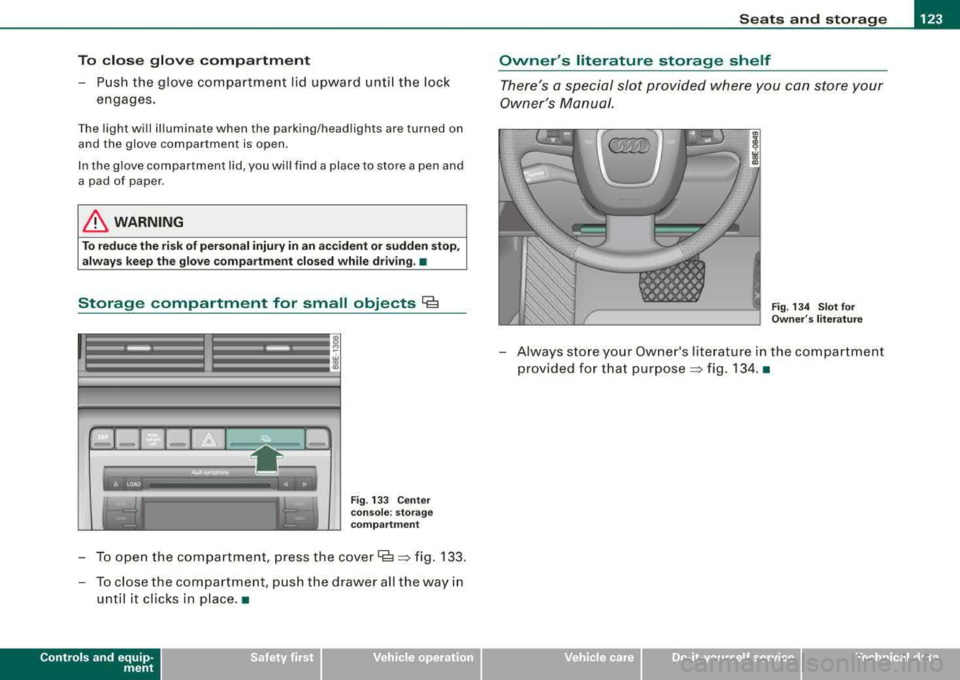
Storage compartment for small objects Ca
Fig. 133 Center
console: storage
compartment
To open the compartment, press the cover Cs => fig . 133.
- To close the compartment, push the drawer all the way in
until it clicks in place .•
Controls and equip
ment
Owner 's literature storage shelf
There's a special slot provided where you can store your
Owner 's Manual.
Fig. 134 Slot for
Owner 's literature
- Always store your Owner's literature in the compartment
provided for that purpose
=> fig. 134. •
irechnical data
Page 126 of 368
___ S_ e_ a_t _s _a_ n_d _ s_t _o _ r_ a...: g==-- e ______________________________________________ _
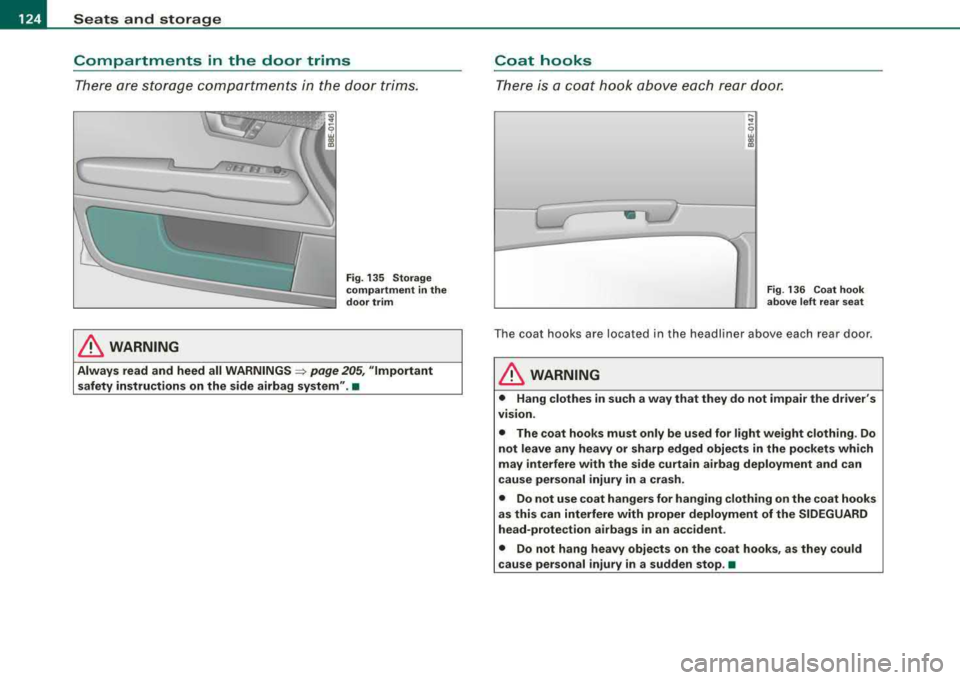
Compartments in the door trims
There are storage compar tments in the door trims.
& WARNING
Fig . 135 Storage
compartment in the
door trim
Always read and heed all WARNINGS => page 205 , "Important
safety instructions on the side airbag system ".•
Coat hooks
There is a coat hook above each rear door.
-~ -
---~ ----,-
-'
-
...
" ~ 9
13
-- ~
Fig . 136 Coat hook
above left rear seat
The coat hooks are locate d in the headlin er a bove each rear door .
& WARNING
• Hang clothes in such a way that they do not impair the driver 's
vision .
• The coat hooks must only be used for light weight clothing . Do
not leave any heavy or sharp edged objects in the pockets which
may interfere with the side curtain airbag deployment and can
cause personal injury in a crash .
• Do not use coat hangers for hanging clothing on the coat hooks
as this can interfere with proper deployment of the SIDEGUARD
head-protection airbags in an accident .
• Do not hang heavy objects on the coat hooks , as they could
cause personal injury in a sudden stop. •
Page 127 of 368
Warm and cold -
----------------
Warm and cold
Climate controls
Description
The air conditioner is fully automatic and is designed to
maintain a comfortable and uniform climate inside the
vehicle.
We recommend the fo llowing settings:
- Select and set a temperature between 71 °F (+22 °C) and
84 °F (+29 °C).
- Press the [AUTO
I button.
With this setting, you attain maximum comfort in the least amount
of time . C hange this sett ing, as des ired, to meet your personal
needs .
The climate contro ls are a combination of heating, ventilation and
cool ing systems, which automatica lly reduce humidity and coo l the
air inside your vehicle .
The air temperature, air flow and air distribution are automatically
regu lated to achieve and maintain the desired passenger compart
ment temperatu re as quickly as possible.
The system automatically compensates for changes in the outside
temperature and for the intensity of the sunlight entering the
veh ic le. We recommend you use the
Automati c mode=> page 127
for year-round comfort.
Please note the follow ing :
Turn on the air conditioner to reduce hum idity in the veh ic le. This
a lso prevent the windows from fogging up.
Controls and equip
ment
When the outside temperature is high and the air is very humid,
c o ndensat ion from the evaporator may drip under the vehicle. This
is normal and does not ind icate a leak.
If the outside temperature is low, the fan norma lly on ly switches to
a higher speed once the engine coolant has warmed up suff iciently .
The air conditioner temporarily switches off when you drive off from a standstill using ful l throttle to save engine power.
The compressor also switches off if the coolant temperature is too
high so that the engine can be adequate ly cooled under extreme
loads .
Air p ollut ants filt er
The air po llutants fi lter (a combined part ic le filter and activated
charcoal filter) reduces or e liminates outside air pol lution (dust, or
pollen) from enter ing the vehic le .
The air po llutants filter must be changed at the intervals specified
in you r Maintenance
& Wa rranty booklet, so that the air cond itioner
can proper ly work.
If you drive your vehic le in an area with high air pol lution, the filter
may need to be changed more frequently than speci fied in your
Audi Maintenance
& Warranty book let. If in doubt, ask your autho
ri zed Aud i Service Adv isor fo r advice .
& WARNING
Reduced vi sibility i s da ng erou s and can cause accident s.
• For safe driving it is very important that all windows be free of
ice , snow and cond ensa tion .
• Fully familiarize yourself with the proper us e and function of
the heating and ventilation sy stem and e speci ally how to defog
and defrost the window s.
...
Page 129 of 368
Warm and cold -
----------------
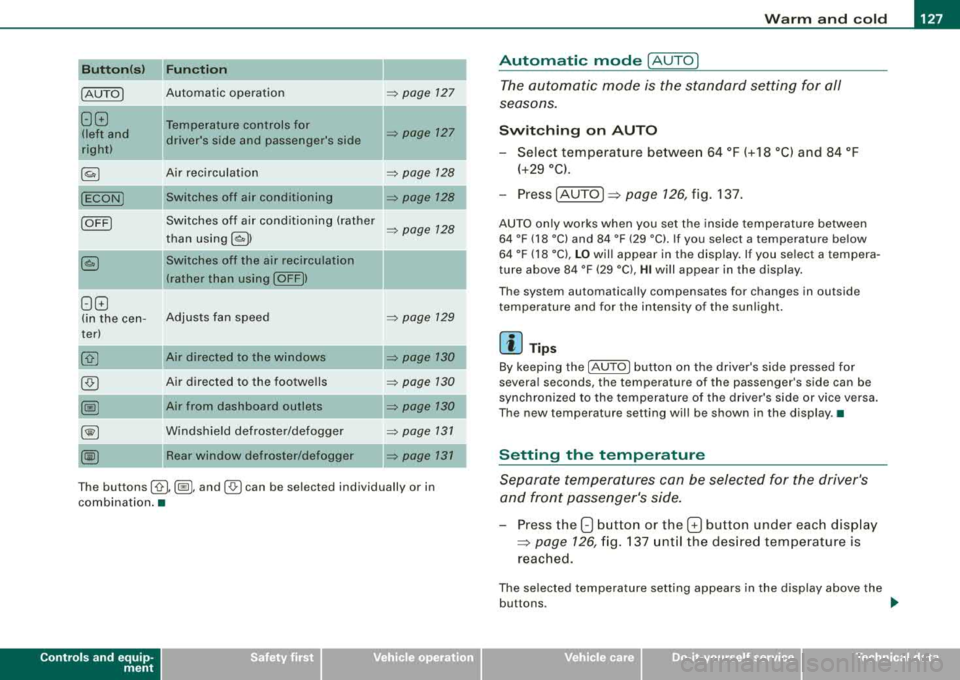
Button(s) Function L..:.:.:..:..::...:.:..:..:..:.... _______ ___. _____ _
IAUTOI Automatic operation => page 127
88 Temperature controls for
!left and driver's side and passenger's side => page 127
right)
~ Air recirculation => page 128
(ECON) Switches off air conditioning
Switches off air conditioning (rather
IOFFI => page 128
than using l ~I )
~ Switches off the air recirculation
(rather than using
I OFF))
88
(in the cen- Adjusts fan speed => page 129
ter)
Air directed to the windows
=> page 130
@) Air directed to the footwells => page 130
@ Air from dashboard outlets => page 130
00 Windshield defroster/defogger => page 131
~ Rear window defroster/defogger
The buttons I-0- 1, (@I, and (,o,) can be selected individually or in
combination. •
Controls and equip
ment
.
I
Automatic mode [AU TO]
The automatic mode is the standard setting for all
seasons .
Switching on AUTO
- Select temperature between 64 °F (+18 °C) and 84 °F
(+29 °C).
Press [AUTO ]
=> page 126, fig. 137.
AUTO only works when you set the inside temperature between
64 °F (18 °C) and 84 °F (29 °C). If you select a temperature below
64 °F (18 °C),
LO will appear in the display. If you select a tempera
ture above 84 °F (29 °C),
HI will appear in the display.
The system automatically compensates for changes in outside
temperature and for the intensity of the sunlight.
[ i] Tips
By keeping the (AUTO I button on the driver's side pressed for
severa l seconds, the temperature of the passenger's side can be
synchronized to the temperature of the driver's side or vice versa.
The new temperature setting will be shown in the display .•
Setting the temperature
Separate temperatures can be selected for the driver's
and front passenger's side.
- Press the 8 button or the G button under each display
=> page 126, fig. 137 until the desired temperature is
reached.
The selected temperature setting appears in the display above the
buttons . ..,
Page 130 of 368
_L_W:...:._: a::..:_: rm:....:...:..~ a::..: n~ d~ c~o :.:l.:::d :.._ _______________________________________________ _
By pressing both !AUTO l buttons for several seconds, the tempera
ture on the passenger's side can be set to the temperature of the
driver's side or vice versa . The new temperature set ting will be
shown in the display. The old temperature setting can be restored
by resetting the display as required. •
Switching between Fahrenheit and
Centigrade
You can change the temperature display from °F (Fahren
heit) to
°C (Centigrade) and vice versa.
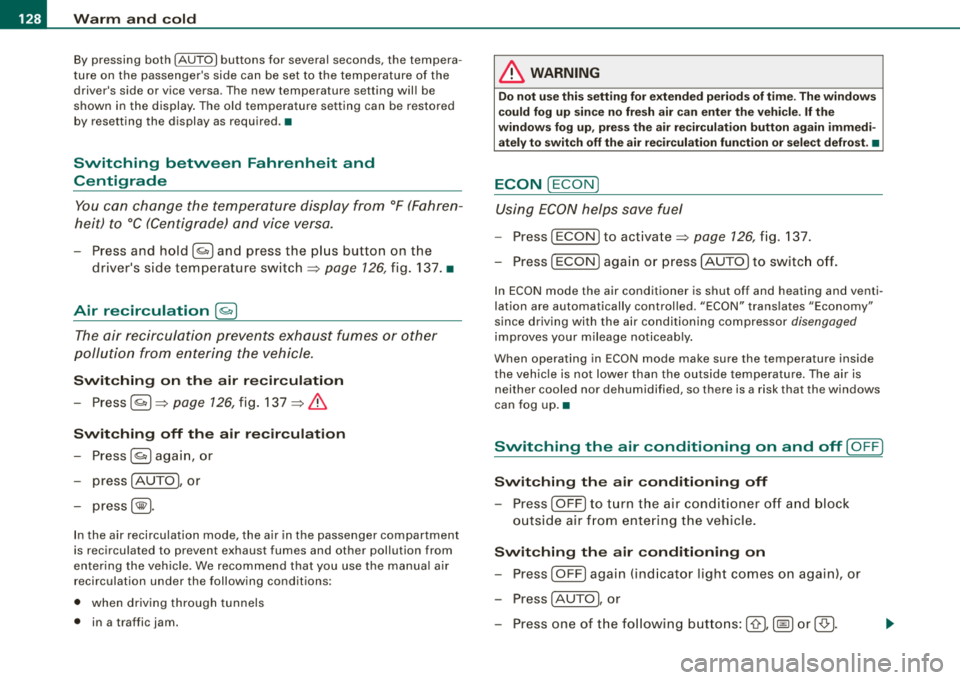
- Press and hold[ ~] and press the plus button on the
driver's side temperature
switch ~ page 126, fig. 137 . •
Air recircul ation [~]
The air recirculation prevents exhaust fumes or other
pollution from entering the vehicle.
Switching on the air recirculation
-Press[ ~]~ page 126, fig. 137 ~ &
Switching off the air recirculation
-Press~ again, or
- press [AUTO], or
press[ ®].
In the air recirculation mode , the air in the passenger compartment
is recirculated to prevent exhaust fumes and other pollution from
entering the vehicle. We recommend that you use the manual air recirculation under the following conditions:
• when driving through tunnels
• in a tra ffic jam.
& WARNING
Do not use this setting for extended periods of time . The windows
could fog up since no fresh air can enter the vehicle.
If the
windows fog up, press the air recirculation button again immedi ately to switch off the air recirculation function or select defrost. •
ECON [ECON]
Using ECON helps save fuel
- Press [ECON] to activate ~ page 126, fig. 137.
Press [ECON] again or press [AUTO] to switch off.
In ECON mode the air conditioner is shut off and heating and venti
lation are automatically controlled . "ECON" translates "Economy"
since driving with the air conditioning compressor disengaged
improves your mileage noticeably.
When operating in ECON mode make sure the temperature inside
the vehicle is not lower than the outside temperature. The air is
nei ther cooled nor dehumidified, so there is a risk that the windows
can fog up .•
Switching the air conditioning on and off [ OFF]
Switching the air conditioning off
-Press [ OFF] to turn the air conditioner off and block
outside air from entering the vehicle.
Switching the air conditioning on
-Press [ OFF] again (indicator light comes on again), or
- Press [AUTO], or
- Press one of the following buttons:
[O J,[@!] or [-0, ].
Page 134 of 368
-
Warm and cold
----------------
The rear window defogger works only when the ignition is switched
on. The light in the switch will illuminate when the defogger is on .
When the outside temperature is warmer than 32 °F (O °Cl , the rear
window defogger switches off automatically after about ten minutes.
'£> F o r the sake of the environment
Switch off the defogger when the rear window is clear . When you
save e lectricity, you save fuel. •
Using the climate controls economically
Using the climate controls prudently can help save fuel .
When you use the air conditioner, engine power is reduced
and fuel consumption increases . To save fuel, you should
use the air conditioner only when necessary . Also please
note the following points:
-If you want to save fuel, activate ECON.
-If you are goi ng to drive w ith the windows open, use
ECON.
'£> For th e sake of the environment
By reducing the amount of fue l you use , you also reduce the amount
of pollutants emitted into the air. •
Key coded settings
When the ignition is switched on, the air conditioner
settings are automatically assigned to the key being used.
The air conditioner settings selected are automatically stored and
assigned to the key being used. When the vehicle is started, the air
conditioner automatically selects the settings assigned to that key.
This way every dr iver will ma intain his/her own personal settings
and does not have to reset them manually .
[ i ] Tip s
If a different driver uses your key and changes the air conditioner
set tings, the latest adjustments will erase and replace the settings
you have stored. •
App lies to ve hicles: w ith e lec tric ally heat ed front seats
Electrically heated front seats
With the ignition on, the seat cushion and backrest of the
front seats can be heated.
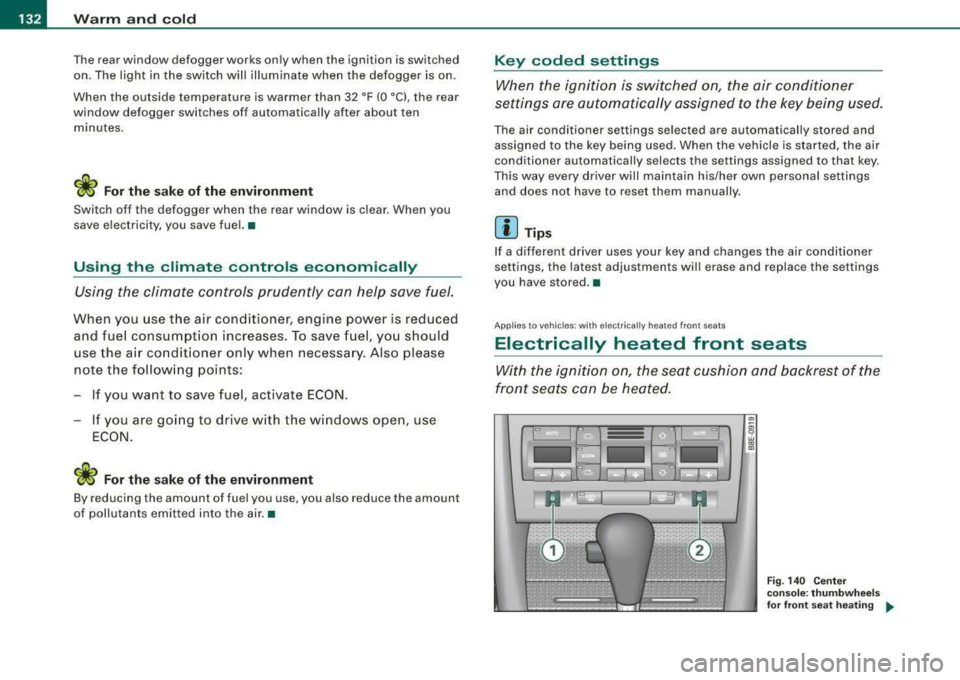
Fig . 140 Cente r
cons ole: thumb whe els
fo r fr ont seat heati ng
....
Page 137 of 368
On the road -
-----------------'
Power steering
Power steering makes it easier to steer the vehicle when
the engine is running.
If the engine is not running the power steering does not work and
you will find it more difficult to turn the steering wheel.
Whenever the steering wheel is turned all the way to the left or right
a lo t of stress is placed on the power steering pu mp. When this
happens you will hear a noise coming from the power steering
pump .
0 Note
Never hold the steering wheel turned all the way to the left or right
longer than 15 seconds when the en gine is running -damage to
the power steering system is likely! •
Controls and equip
ment
Ignition lock and ignition switch
Ignition lock
T he ignition key starts or stops the engine .
0
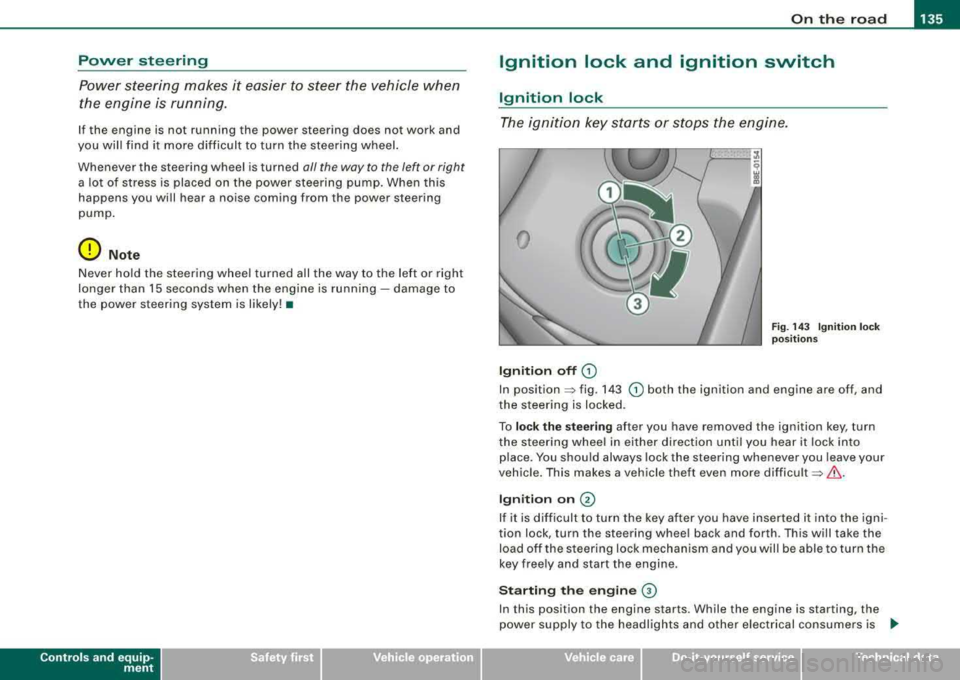
Ignition off G)
Fig . 14 3 Ignition lock
pos it io ns
In position => fig. 143 G) both the ignition and engine are off, and
the steering is locked.
To
lo ck the stee ring after you have removed the ignition key, turn
the steering wheel in either direction un til you hear it lock in to
place. You shou ld always lock the steering whenever you leave your
vehicle. This makes a vehicle theft even more
difficult =>& .
Ign iti on on @
If it is d iff icult to turn the key after you have inserte d it into the igni
tion lock, turn the steering whee l back and forth . This will take the
load off the s teering lock mechanism and you will be able to turn the
key free ly and start the engine.
Starting the engine ©
In this position the engine starts. While the engine is starting, the
power supply to the headlights and other e lectrical consumers is
.,
Technical data
Page 139 of 368
_________________________________________________ O_ n_ t_h _e _ ro_ a_d _ __._
0 Note
• Avo id high eng ine speeds, fast acceleration or heavy e ngine
loads while the engine is still cold . This could damage the engine!
• The engine cannot be started by pushing or towing the vehic le.
ffi For the sake of the environment
To avoid unnecessary e ngine wear and to reduce exhaust emis
sions, do not let your vehic le stand and warm up. Be ready to drive
o ff immediate ly aft er starting your vehicle. Mai ntain mode rate
speed until the engine is completely warm. R emember, the engine
per forms bes t at opera ting temperature .•
Stopping the engine
- Tur n t he ignitio n ke y t o posit io n G) => page 135 , fig. 14 3.
& WARNING
• Nev er turn off the engine until the vehicle has come to a
complete stop.
• The brake boo ster and servotronic only work when the engine
is running . With the ignition turned off , you have to app ly more
force when steering or braking . Since you cannot steer and stop
normally, th is can lead to accidents and seriou s injurie s.
• The radiator fan can continue to run for up to 10 minutes even
afte r you have turned off the engine and removed the ignition key .
The radiator fan can also turn on again if the engine coolant heats
up because of intense sunlight or heat build-up in the engine
c ompartment.
Controls and equip
ment
0 Note
Do not stop the e ng ine immed iately after hard or extended drivin g.
Keep the engine running for appro ximate ly two minutes to prevent
e xcessive heat build -up. •
Parking brake
Parking brake
When the parkin g brake is set , it prevents the vehicle from
rolling aw ay unin tentionally.
Setting the parking brake
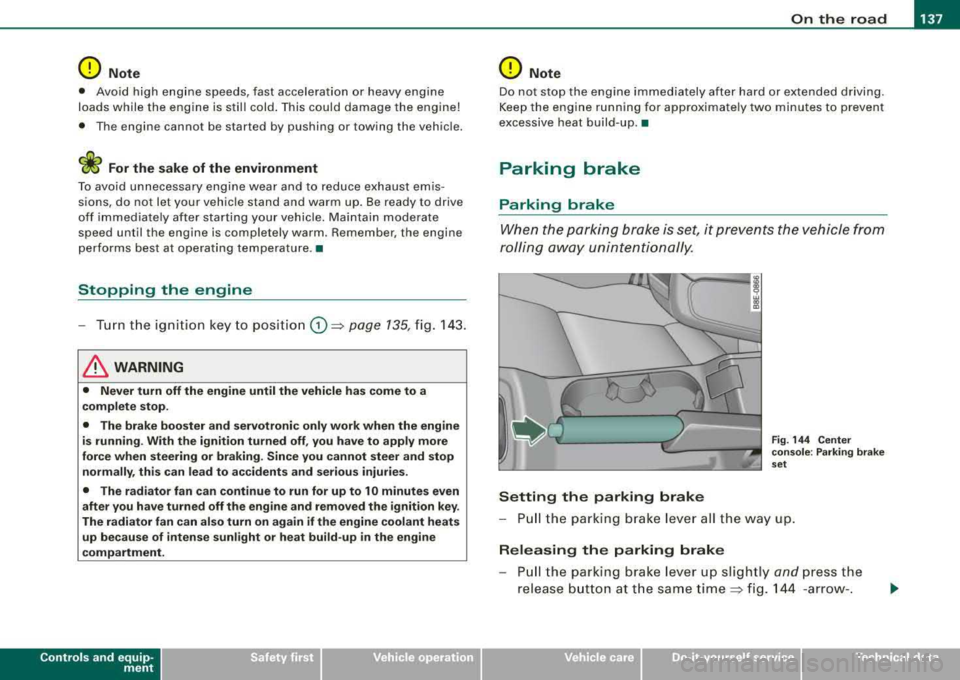
Fig . 144 Cent er
co nso le : P ark ing bra ke
set
- Pull the p arking brak e lever all the way up.
Releasing the parking brake
Pull t he pa rkin g brake lever up sligh tly and press the
release butto n at th e s ame tim e::::> fig . 144 -ar row- .
irechnical data
Page 140 of 368
___ o_ n_ t_h _e _ r_o _a_ d __________________________________________________ _
-Keep the release button pressed and lower the parking
brake~ &.
If you should drive off with the parking brake still set, a warning tone
will sound and the following will appear in the instrument cluster to
remind you to release the parking brake:
Parking brake set
The parking brake warning comes on only after you have driven for
longer than 3 seconds and faster than 5 mph (5 km/h).
The parking brake warning light Brake (USA)/
«Dl (CDN) illuminates
when the parking brake is set and you switch on the ignition.
& WARNING
Always release the parking brake completely. A partially engaged
brake will overheat the rear brakes, reduce their effectiveness and
cause excessive wear. This could lead to brake failure and an acci
dent.
0 Note
Only after the vehicle has come to complete stop, should you firmly
set the parking brake and either move the gearshift lever into 1st.
gear (manual transmission) or move the selector lever into
"P"
(Automatic transmission).•
Parking
To prevent a parked vehicle from rolling away, there are a
few things you should do.
When you park your vehicle, do the following:
-Stop the vehicle using the brake pedal.
-Set the parking brake firmly.
-Move the selector lever into the P position ~ &.
-Switch off the engine and remove the ignition key from
the ignition lock.
What else you should do when parking your vehicle on
an incline or decline
Turn the steering wheel so that if the vehicle should start to roll, it
will roll into the curb.
If you are parking on a
decline (the front of your vehicle facing
downhill), turn the front wheels to the right so that they point
toward the curb.
If you are parking on an incline (the front of your vehicle facing
uphill), turn the front wheels to the left so that they point
away from
the curb.
Move the selector lever into the P position.
& WARNING
This is how you can reduce the risk of injury when leaving your
vehicle.
• Never park the vehicle where it can come in contact with dry
grass, spilled fuel or any other flammable materials.
• Never allow anyone -especially small children -to remain in the
vehicle when it is locked. Locked doors make it more difficult for
rescuers to access the passenger compartment in the event of an
emergency. Danger to life!
• Never leave children unsupervised in the vehicle. Children
could release the parking brake or move the gearshift lever out of
gear. The vehicle could start to roll away and cause an accident.
• No matter what the season is, the temperature in a parked
vehicle can reach dangerous levels. •