light AUDI A4 AVANT 2008 Service Manual
[x] Cancel search | Manufacturer: AUDI, Model Year: 2008, Model line: A4 AVANT, Model: AUDI A4 AVANT 2008Pages: 368, PDF Size: 46.19 MB
Page 77 of 368
& WARNING
Never use daytime running lights to see where you are going . They
are not bright enough and will not let you see far enough ahead for
safety , espe cially at dusk or when it is dark . Be aware of changes
in outside light conditions when you are driving and respond by
switching on your lo w beams
io.
0 Note
• With the light switch at the O or :oo, position , only your front fog
lights remain turned on when it turns dark outside . Even though
your instruments appear well lit, the road ahead of you is not. The light pattern provided by fog lights alone is not sufficient for safe
driving in poor light or darkness. Therefore:
• Always be aware of changes in outside light conditions while
you are driving. Respond in time to fading daylight by turning the
light switch to position
io (or "AUTO" if your car is equipped with
th is featu re)
to turn on your headlights .•
Controls and equip
ment
Clear vision
App lies to veh ic les: w ith adaptive ligh t
Adaptive light
W he n driv ing around bends , the relevan t area of t he road
is bett er illumi nated .
Fig. 72 Ad aptiv e light
when driving
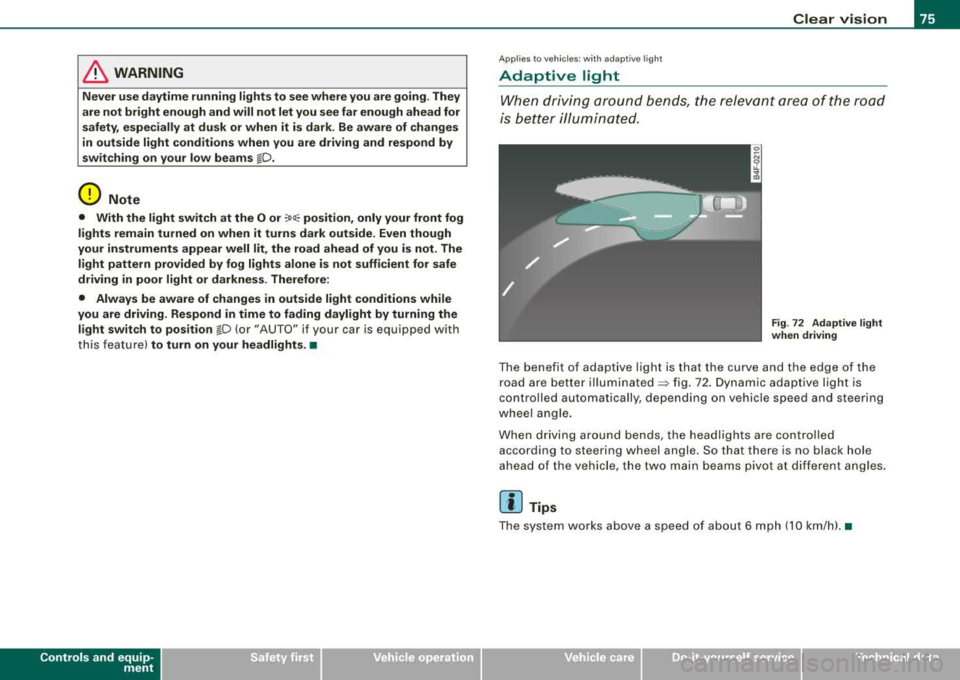
T he benefit of adapt ive light is that the curve and the edge of the
r oad a re be tter
il lu mina te d ~ fig. 72 . D yn ami c ada ptive ligh t is
controlled automatically, depending on vehicle speed and steering
whee l a ng le .
W hen driv ing arou nd bends, the headl ights a re co ntrolled
according to steering wheel angle. So that there is no black hole
a he ad of the vehi cle, the tw o main be ams pivot a t differ ent a ng le s.
[ i] Tips
Th e s ystem works abov e a sp eed o f about 6 mph (10 km /h ). •
Page 78 of 368
Clear vision
Front fog lights
tD
· O
Fi g. 73 Fo g li ght acti
vat ion: ligh t switc h
po siti on on vehi cles
WITHO UT se nsor ligh t
Fig. 74 Fog light acti
va tion . ligh t sw itch
p os it io n
on vehi cles
W ITH sen sor light
The lig ht s witc h must no t be overt urned pas t the stops in
either directio n.
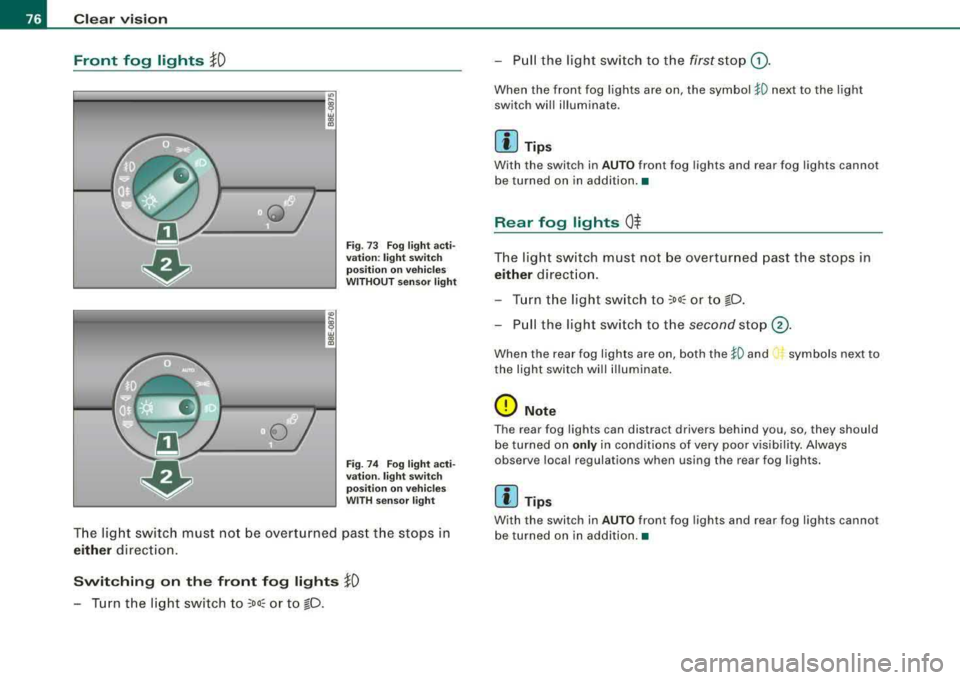
Switching on the front fog lights }0
-Tur n the lig ht switch to ;oo: or to !D.
- P ull th e light switch to the first sto p G).
When the front fog ligh ts are on, the symbol 1D next to the light
switch will illuminate .
[ i] Tip s
With the switch in AUTO front fog lights and rear fog lights cannot
be turned on in additi on.•
Rear fog lights 0$
The light switch must not be overtur ned past the stops in
either direction .
- Tur n t he light sw itch to
;oo; or to !D .
Pull the light swi tch to the second sto p@ .
When t he rear fog lights are on, both the 1D and i., symbols next to
the light switch will illuminate .
0 Note
The rear fog lights can distract drivers behind you, so, they should
be turned on
only in condit ions of very poor vis ibi lity. Always
observe local regulations when using the rear fog lights.
[ i ] Tips
With the switch in AUTO front fog lights and rear fog lights cannot
b e turned on in addition. •
Page 79 of 368
Applies to vehi cles: with Ligh ting p ackag e
Coming home/leaving home function
The coming home/leaving home function switches on the
external lights on a vehicle parked in the dark to illumi
nate the surroundings.
Activating the function
Fig. 75 Dashboard
detail : coming
home/leaving home
switch beside light
switch
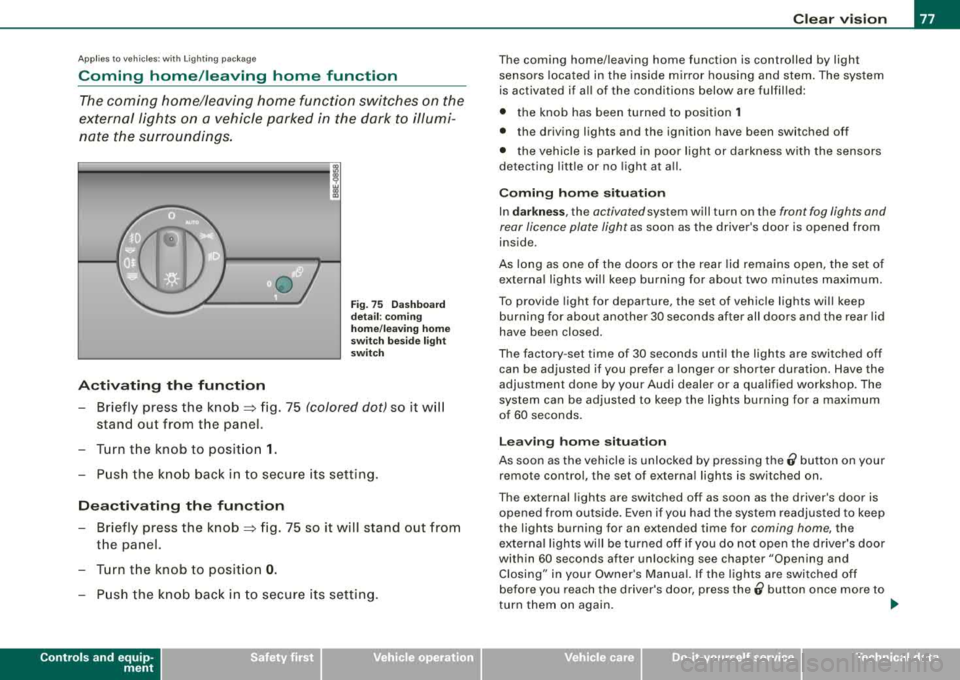
- Briefly press the knob => fig. 75 (colored dot) so it will
stand out from the panel.
- Turn the knob to position
1.
- Push the knob back in to secure its setting.
Deactivating the function
- Briefly press the knob => fig. 75 so it will stand out from
the panel.
- Turn the knob to position
0.
- Push the knob back in to secure its setting.
Controls and equip
ment
Clear vision
The coming home/leaving home function is controlled by light
sensors located in the inside mirror housing and stem. The system
is activated if all of the conditions below are fulfilled :
• the knob has been turned to position
1
• the driving lights and the ignition have been switched off
• the vehicle is parked in poor light or darkness with the sensors
detecting little or no light at all.
Coming home situation
In darkness, the activated system will turn on the front fog lights and
rear licence plate light as soon as the driver's door is opened from
inside .
As long as one of the doors or the rear lid remains open, the set of
external lights will keep burning for about two minutes maximum.
To provide light for departure, the set of vehicle lights will keep
burning for about another 30 seconds after all doors and the rear lid
have been closed.
The factory -set time of 30 seconds until the lights are switched off
can be adjusted if you prefer a longer or shorter duration. Have the
adjustment done by your Audi dealer or a qualified workshop. The
system can be adjusted to keep the lights burning for a maximum
of 60 seconds.
Leaving home situation
As soon as the vehicle is unlocked by pressing the ti button on your
remote control, the set of external lights is switched on.
The external lights are switched off as soon as the driver's door is
opened from outside. Even if you had the system readjusted to keep
the lights burning for an extended time for coming home, the
external lights will be turned off if you do not open the driver's door
within 60 seconds after unlocking see chapter "Opening and Closing" in your Owner's Manual. If the lights are switched off
before you reach the driver's door, press the
0 button once more to
turn them on again. _,,,
Page 80 of 368
![AUDI A4 AVANT 2008 Service Manual Clear vision
[ i] Tips
• Do not attach any stickers to the windshield in front of the two
light sensors, as this would interfere with both the automatic oper
ation of t](/img/6/57552/w960_57552-79.png "AUDI A4 AVANT 2008 Service Manual Clear vision
[ i] Tips
• Do not attach any stickers to the windshield in front of the two
light sensors, as this would interfere with both the automatic oper
ation of t")
Clear vision
[ i] Tips
• Do not attach any stickers to the windshield in front of the two
light sensors, as this would interfere with both the automatic oper
ation of the headlights and the automatic dimming of the inside
mirror(sl.
• If the vehicle is remotely unlocked and locked
three times in
succession,
leaving home will not turn on the lights a fourth time to
safeguard the battery and lights .
• If you wish to use the coming home/leaving home function regu
larly, you can leave it activated at all times without risking perma
nent strain on the electrical system. As the system is controlled by
light sensors, it wi ll only be energized in darkness.
• Frequent use of the coming home/leaving home function for
approaching and departing a vehicle parked in the dark wil l strain
the battery. This applies particularly if only short distances are
driven between stops . Occas ionally drive longer distances to make
sure the battery is recharged sufficiently.
• If the fog lights have been switched on by the coming
home/leaving home function, they will always be switched off when
you switch on the ignition .•
Instrument panel illumination
The glow of the instruments, displays and the center
console can be adjusted to increase or reduce brightness.
Fig. 76 Instrumen t
panel illumination
Press the"+" button to increase the brightness.
- Press the"-" button to reduce the brightness.
Ignition ON, light switch at @.
With the ignition switched ON, the glow of instrument needles can
be adjusted to appear brighter or dimmer.
Ignition ON, light switch at ;oo~ or io.
With the lights switched on, the brightness of instrument cluster
!i.e . needles, gauges and displays) and center console illumination
can be adjusted.
0 Note
The instrument cluster and center console illumination (gauges and needles) comes on when you switch on the ignition and the vehicle
headlights are off. Be aware of the following difference between
models built to US or Canadian specifications : ..,
Page 81 of 368

• USA models: illumin ation of the in strument clu ste r (gauge s and
needle s), dash and center con sole around the gear shift lever i s
c ontrolled by a light sen sor l oca ted in the in strument panel . The
instrument panel illum ination will automatic ally become dimmer
a s the d aylight f ade s aw ay a nd e ventuall y will go out completel y
wh en out side light is very low . Thi s is to remind you , the driver , to
s witch on the he adlight s before it get s too dark.
• Canada model s: instrument panel illum ination will sta y br ight
rega rdle ss of the inten sity of ambient light . Al ways be aw are of
changes in outside light conditions while you are driving . Respond
in time to fading daylight by tu rning the light switch to position
1[D
(or "AUTO" if your car is equipped with this feature) to turn on your
he adlight s.
•
App lies to veh icle s: w it h xe non head lig hts
Xenon headlights
After sta rting the engine, the xenon head lights are automatica lly
adjusted to the load and angle of the veh ic le ( for example, during
accel eration and braking) . This prevents oncoming traffic from
experienc ing unnecessary headlight glare from your xenon head
lights.
I f the system is not operating properly, a warning symbol in the
Auto-Check Control is
displayed=> page 34. •
Controls and equip
ment
Cl ea r vision
Emergency flasher ~
The emergency flasher ma kes other motorists aware that
you or your vehicle are in an emergency situation .
Fig. 77 Ce nter
co nso le: e merg en cy
fl as he r sw it ch
- Press the switch &1. ~ fig. 77, to switch t he eme rgency
flasher on or off.
When the emergency flasher is on, all four turn signal blink at the
same time. The turn signal indicator lights ¢
9 in the instrument
c luster, as we ll as the light in the emergency flasher
switch ~ blink
likewise.
The emergency flasher wi ll automatically switch on if you are in an
accident where the airbag has deployed .
[ i] Tip s
You shou ld switch on the emergency flasher when :
• you are the las t vehicle standing in a traffic jam so that any other
vehicles coming can see you, or when
• your vehicle has broken down or you are in an emergency situa -
tion, o r when _.,
Page 82 of 368
Clear vision
• your vehicle is being towed by a tow truck or if you a re towing
another vehicle behind you. •
Turn signals -¢ ¢ and high beam ~D lever
The lever on the left side of the steering column is used to
operate the turn signals and the high beam as well as the
headlight flasher.
Fig. 78 Turn signa l and
high beam lever
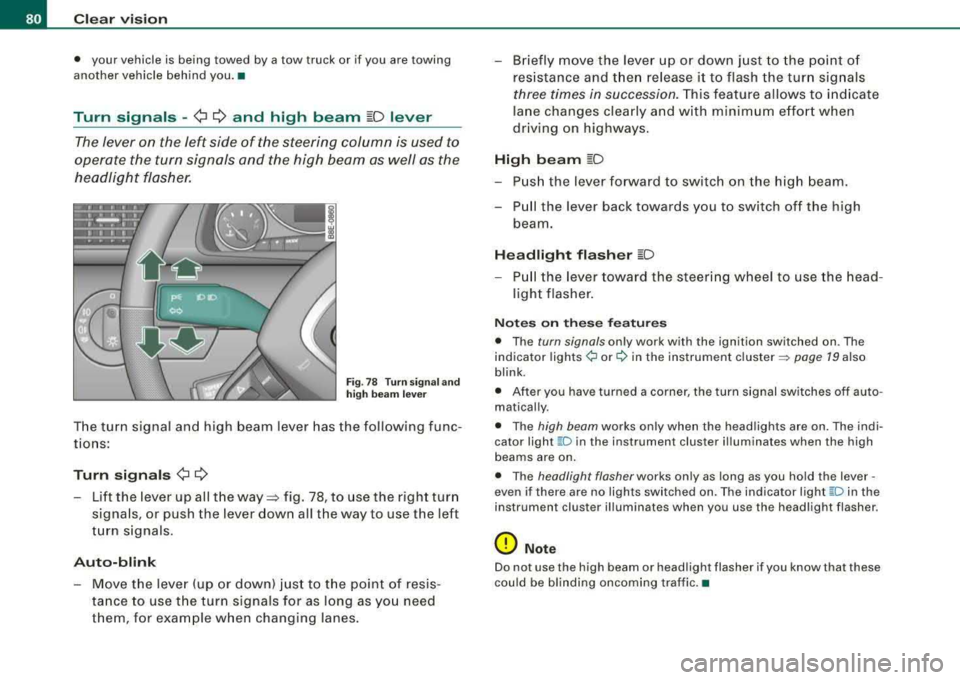
The turn signal and high beam lever has the following func
tions:
Turn signals ¢ ¢
-Lift the lever up all the way~ fig. 78, to use the right turn
signals, or push the lever down all the way to use the left
turn signals .
Auto-blink
-Move the lever (up or down) just to the point of resis
tance to use the turn signals for as long as you need
them , for example when changing lanes.
-Briefly move the lever up or down just to the point of
resistance and t hen release it to flash the turn signals
three times in succession. This feature allows to indicate
lane changes clearly and with minimum effort when
driving on highways.
High beam ~D
-Push the lever forward to switch on the high beam.
-Pull the lever back towards you to switch off the high
beam.
Headlight flasher ~D
-P ull the lever toward the steering wheel to use the head
light flasher .
Notes on these features
• The turn signals only work with the ignition switched on . The
indicator
lights ¢ or¢ in the instrument cluster => page 19 also
blink .
• After you have turned a corner, the turn signal switches off auto
matically .
• The high beam works only when the head lights are on . The indi
cator light
~ D in the instrument clus ter illuminates when the high
beams are on.
• The headlight flasher works only as long as you hold the lever -
even if there are no lights switched on. The indicator light
~Din the
instrument cluster illuminates when you use the headlight flasher .
0 Note
Do not use the high beam or headlight flasher if you know that these
could be blinding oncoming traffic. •
Page 83 of 368
Interior lights
Interior lights and glove compartment light The interior lights include the both reading lights for the
driver and the front passenger.
--
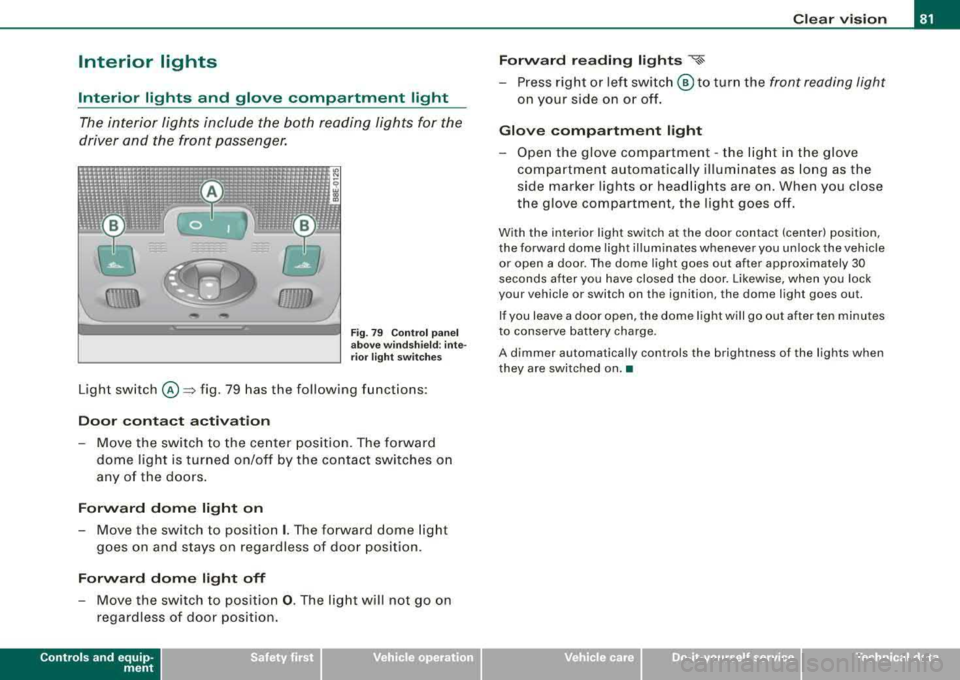
Fi g. 7 9 Control pan el
a bov e wind sh ie ld : int e
r ior ligh t sw itche s
Light sw itch @=> fig. 79 has the following funct ions :
Door contact activation
-Move the switch to the ce nter positi on. The forward
dome light is tur ned on/off by the contact switches o n
any of the doors.
Forward dome light on
- Move the switch to positio n I. The forward dome lig ht
g o es on an d stays on regardless of doo r position .
Forward dome light off
- Move the switch to positio n 0. The lig ht will not go on
regardless of door position.
Controls and equip
ment
Clear v ision
Forw ard reading lights
~
-Press right or left switch @ to turn the front reading light
on your side on or off.
Glove compartment light
-Open the glove com partment -the lig ht in the g love
compartment automatica lly il lum inates as lo ng as the
side marker lights or head lights are on. When you c lose
the glove compartment, the light goes off.
With the interior light switch at the door contact (center) position,
the forward dome light il luminates whenever you unlock the veh icle
or open a door . The dome light goes out after approximately 30
seconds after you have closed the door . Likewise, when you lock
your vehicle or switch on the ignition, the dome light goes out.
If you leave a door open, the d ome light wi ll go out after ten minutes
to conserve battery charge.
A dimmer automatically controls the brightness of the lights when
they are switched on .•
irechnical data
Page 84 of 368

Clear vision
Ambient lighting
The ambient lighting illuminate i mportant controls for
y o u.
0
(1\\\\\
D
fJJJJJJJ
Fig . 8 0 Contr ol p an el
a bo ve winds hield:
p os ition of amb ient
l ig ht bu lb s
When you swi tch on the ignition, the ligh ts in the d oor hand les illu
minate .
When the side marker lights or head lights are switched on, the
center console is i lluminated from the amb ient light located above
the windshield.
You cannot manually turn off these lights .•
Rear reading lights
Rear reading lights
F ig . 8 1 Rea r reading
lig hts
Press the side switch '½ to tu rn on and off the reading ligh ts .
Rear dom e light
Switch positions ~ page 81. •
Page 85 of 368
Luggage compartment light
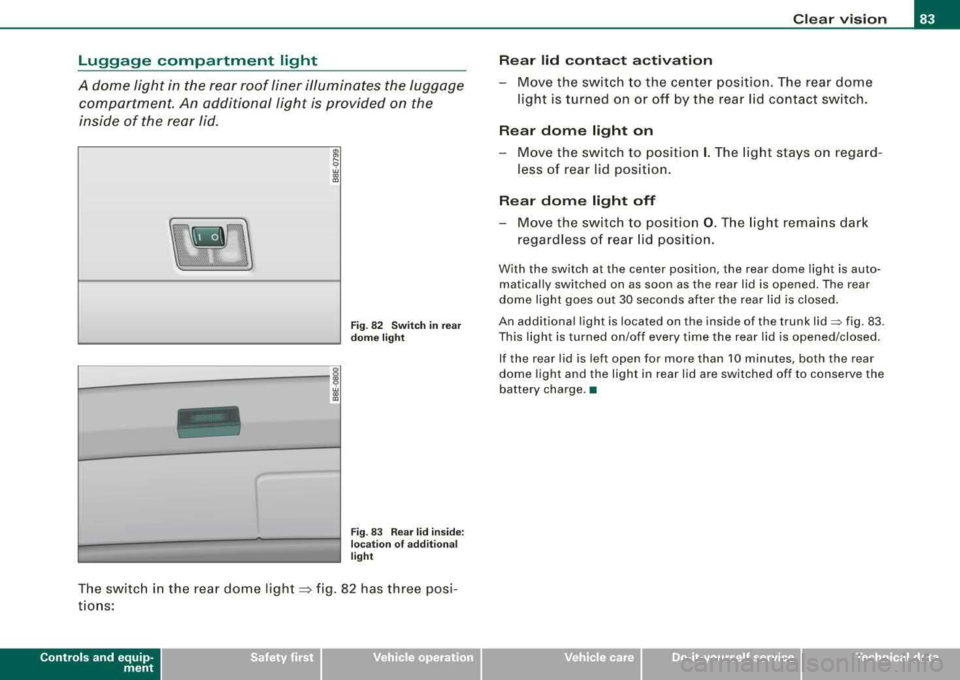
A dome light in the rear roof liner illuminates the luggage compartment. An additional light is provided on the
inside of the rear lid .
8l
9 w CD
"'
L--------,;
Fig . 8 2 Swi tc h in r ear
d om e light
Fi g. 83 Rear lid in sid e:
l oca tio n of add itio na l
li g ht
The switc h in the rea r dome light => fig. 82 has three posi
t io ns:
Controls and equip
ment
Clear v ision
Re ar lid conta ct ac tivation
-Move the switch to the center position. The rear dome
light is turned on or off by the rear lid contact switch.
Rear dome l ight on
Move the switch to position I. The light stays on regard
less of rear lid posit ion.
Re ar dome light off
-Move the switch to pos ition 0 . The light rema ins dark
regardless o f rear lid posi tion .
With the switch at the center pos ition , the rear dome light is auto
matical ly switched on as soon as the rear lid is opened. The rear
dome light goes out 30 seconds after the rear lid is closed .
An additional light is located on the inside of the trunk
lid=> fig. 83 .
This light is turned on/off every time the rea r lid is opened/closed .
If the rear lid is left open for more than 10 minutes, both the rear
dome light and the light in rear lid are switched off to conserve the
battery charge. •
irechnical data
Page 87 of 368

Wiper and washer system
r,··· ,
Windshield wiper ~
The windshield wipe r lever controls both the windshield
w ipers and the washer sys te m .
Fig. 8 6 Winds hiel d
w iper le ver
T he windshield wiper lever=> fig. 8 6 has t he following posi
t ions:
One-touch w iping
- Move the le ve r to p osit ion G) , when you want to wipe t he
windshield
briefly.
Intermittent wiping "V1 (activating rain sensor )*
-Move the lever up to pos ition 0 -
- Move switch © up or down, to adjust the sensitivity of
the rain sensor or to adjust the intermitte nt interval.
Low wiper speed
- Mov e the l ever u p to pos ition G) .
Controls and equip
ment
Clear v ision
High wiper speed
- Move the lever up to position @ .
Automatic wiper /washer
- Pull the lever to pos ition ® (towar d the steering w heel)
and ho ld.
Re lease the lever . The washer stops an d the wipers keep
going f or a bout fou r seconds.
Turning off the wipers
- Move the lever back to posit ion @ .
The windshie ld wipers and washer on ly work when the ignition is
turned on .
The rain sensor* is only activated w ith the wiper lever set to position
G). When it starts to rain, the rain sensor will automa tically activate
the intermittent wiping mode .
To reduce the sensitivity of the sensor, move switch @down . To
inc rease the sensitivity, move the switch up. The higher you adjust
the sensitivity, the faster the sensor will react when it senses mois
ture on the windshield. The pauses between wiper turns depend not only on the sensitivity setting, but on the vehicle speed as well.
The rain sensor wiper interva ls depend on the sensitivity setting as
we ll as vehic le speed. During brief stops, wiper motion will adjust to
the amount of rain on the w indshield.
When the ignit ion is turned on, the washer jets are heated .
With the low beam headlights switched on, pull the wiper lever
towards you only
briefly to c lean the windshield. Ho lding the wiper
lever would also engage the headlight washer system* each time
you clean the windshield and would drain the washer fluid reservoir
prematurely.
.,
irechnical data