light AUDI A5 CABRIOLET 2010 Owner's Manual
[x] Cancel search | Manufacturer: AUDI, Model Year: 2010, Model line: A5 CABRIOLET, Model: AUDI A5 CABRIOLET 2010Pages: 364, PDF Size: 86.51 MB
Page 35 of 364

This driver message and the symbol,;;:;,. appear when a system
malfunction occurs during travel. You can continue to drive carefully
at a reduced speed to a qualified workshop. Steering can be more
difficult or sensitive than usual. The steering whee l can also be at an
angle when driving straight .
Dynamic steering: initialization
If this driver message appears and the indicator lightl, is flash ing on
the instrument panel, dynamic steering is being reinitialized . Once
you start the engine after this is finished, the steering wheel wi ll be
easy to move. Re -initializat ion might be necessary if the steering
wheel was moved hard to the left and right while the vehicle was not
moving. The display goes out as soon as initial izat io n is complete.
& WARNING
Have the dynamic steering system malfunction repaired as soon
as possible by an authorized Audi dealer or any qualified workshop
- risk of accident!
[I) Tips
The dynamic steer ing stability systems are not ava ilab le in the event
of a system ma lfunct ion .•
Ap plies to ve hicles : w it h c onven ien ce key
Key not in vehicle
Key not in vehicle
This reminder appears along with the symbol if the master key is
removed from the vehicle with the engine running. It is int ended to
remind you (e.g. when chang ing drivers) not to continue the journey
without the master key.
If the master key is no longer in the veh icle, you cannot sw itch off the
ignition after stopping the engine and you a lso cannot start the
engine again. You also cannot lock the veh icle from the outs ide .•
Controls and equip
ment Safety first
Driver information display
Light/rain sensor defective
·)
Automatic headlights/automatic wipers defective
If the symbol ill um inates , the light sensor has failed. For safety
reasons the low beams are turned o n permanently with the switch in
AUTO . However, you can continue to turn the lights on and off using
the light switch . In the case of a defect in the ra in sensor, the wind
shield wiper lever functions are still avai lable . Have the light/rain
sensor checked as soon as possib le by an autho rized Audi dealer. •
Worn brake pads ~
Brake pads!
If the warning light illuminates, immediately contact your authorized
Audi dealer or qualified workshop to have all brake pads inspected .
On USA mode ls the warning light comes on together with the
war ning light BRAKE . Both sets of b rake pads on an axle must always
be replaced at the same time.
& WARNING
Driving with bad brakes can cause a collision and serious personal
injury .
• If the warning light and the warning light
BRAKE1> with the
message Brake pads! comes on in the instrument cluster display,
immediately contact your authorized Audi dealer or qualified
workshop to have all brake pads checked or replaced if necessary. •
ll BRAKE : USA mode ls on ly
Vehicle care Technical data
Page 36 of 364

Driver information display
Applies to veh icles : w ith defective lig ht bulb warning
Defective light bulb warning
The defective light bulb warning monitors the function of
the light bulbs in the vehicle.
T he defect ive light bulb war ning moni tors t he f unct io n of the light
bulbs. If a defective light b ulb is detected, or if a light bu lb has
burned o ut, a ye llow sym bol appe ars as we ll as a not ifica tion th at
shows which light bulb is defective .
Defective bulb~
If this symbol I") lights up, a t urn signa l (front or rear), a head lamp, a
bra ke light, t he b ack-up light, a fog l amp o r a rear fog lamp h as
fa iled.
& WARNING
• Light bulbs are unde r pre ssure and can explode when bulbs are
replaced - risk of injury.
• With gas-discharge lamp s* (xenon headlights ), the high
voltage component must be handled appropriately . Doing other
wise poses a risk of death!
[I] Tips
Have an aut horized Audi dealer or other q ualified workshop perform
t he rep lacement or the rep air .•
Windshield washer fluid level too low o
- Plea se refill washer fluid
If the symbo l illum inates, add w indshield washer f lu id to the washer
system and a lso to the headlight w asher system =>
page 295. •
Fuel supply too low )
When the symbol illum inates, this means t here are about 2.1
ga llons (8 l ite rs) of f ue l left in the f uel t ank. T ime to re fuel!
=>page 275.
If the symbol lights up, even when there is ample fue l in the tank, an d
the text
TANK SYSTEM MALFUNCTION! CONTACT WORKSHOP
appea rs in the disp lay, there is a fa ult in the system. Contact a quali
fied wo rkshop to have t he fa ult rectified. •
Applies to veh icles: with ba ttery voltage warn ing
Battery voltage 0
If battery powe r d rops into the range where it can lim it the ability of
the engine to start, t his the symbol ~ appears in the i nstr ument
cl uste r d isp lay with the following driver message
battery charge low:
Indicates charging by being driven .
While this driver not ification is displayed, you have to be prepa red for
limited sta rting ca pability.
Driver message appears and goes out again
If th is drive r mess age appears a fter the igni tion i s tur ned o n or whil e
dr iving and it goes o ut agai n after a while, the battery has been
a de qua tely rech arged.
Driver message appears and does not go out again
If th is dr iver no tifi cati on appears after the ign it ion is tu rned on o r
w hil e driving and does not go out again, the battery 's state of charge
is not in th e o ptim al r ange. Startin g cap abili ty is rest ric ted. H ave t he
battery c hecked at an a uth orized A udi dea ler or othe r qua lified work
shop as soon as possible. •
Page 37 of 364
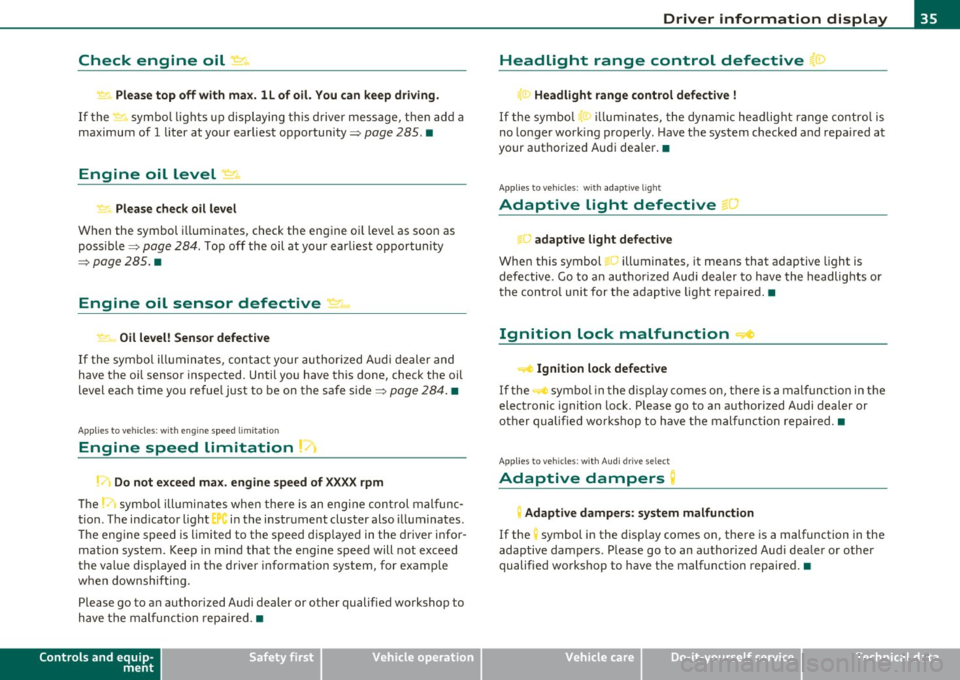
Check engine oil 1o
Please top off with ma x. ll of o il. You can keep dri ving.
If the ~ symbo l lights up displaying t his drive r message, t hen ad d a
maximum of
1 liter at your earliest opportunity~ page 285. •
Engine oil level i!:r..,
Please check oil level
When the symbol i lluminates, check the engine oi l level as soo n as
poss ible ~
page 284. Top off the oil at your earliest o pportunity
~ page 285. •
Engine oil sensor defective
" Oil level! Sensor defective
If the symbo l illumina tes, contact your author ized A udi dealer and
have the o il sensor inspected. Until you have this done, check the oil
level each tim e yo u refue l ju st to be on the s afe side ~
page 28 4. •
A pplies t o veh icl es: with eng ine s peed lim itat io n
Engine speed limitation 71
Do not e xceed ma x. engine speed of XXXX rpm
Th e ~ symbo l ill uminates whe n there is an engi ne con trol malfunc
t ion . The ind icator light
Er"" in the instr ument cluster also i llum inates .
Th e engine speed is limited to the s peed disp laye d in the driver info r
mation system . Keep in m ind that the engine speed will not exceed
the value disp layed in the driver information system, for examp le
w hen downshifti ng.
Please go to a n author ized Audi dealer or other qualified workshop to
h ave the mal func tion rep aired .•
Controls and equip
ment Safety first
Driver information display
• Headlight range control defective
)
Headlight range control defective !
If the sym bo l ~ ill um ina tes, the dynam ic he adl ight range con tro l is
no lo nger work ing properly . H ave t he system checked and repa ired at
your authorize d Aud i dea ler. •
App lies to ve hicle s: wit h ad apti ve light
Adaptive light defective f:.J
adaptive light defective
When this symbol Ji.., ill uminates, it means that adaptive light is
defective. Go to an author ized Audi dealer to h ave the headlig hts o r
the contro l unit for the adaptive lig ht repa ire d.•
Ignition lock malfunction ..c,
~ Ignit ion lock defective
If the sym bol i n the displ ay comes on, t here is a mal func tion in t he
elect ronic ignit ion lock . Please go to an authorized Audi dealer or
o th er qu alified w orkshop to have the mal func tio n re pa ir ed .•
A pp lies to ve hicl es: w it h Aud i d ri ve sele ct
Adaptive dampers~
Adaptive dampers: system malfunction
If the symbol in the dis pl ay comes on , there is a malfunction in the
adaptive dampers . P lease go to an au thorized Aud i dea le r or other
qualifie d wo rks hop to have t he malfunct io n repaire d.•
Vehicle care Technical data
Page 40 of 364

Opening and closing
(I) Tips
• The operation of the remote control key can be temporarily
disrupted by interference from transmitters in the vicinity of the
vehicle working in the same frequency range (e.g . a cell phone, radio
equipment).
• If you open the driver's door with the key left in the ignition lock,
a chime will sound. This is your reminder to remove the key and lock
the door .
• For security reasons, replacement keys are only available from
Audi dealers.
• For Declaration of Compliance to United States FCC and Industry
Canada regulations=>
page 346 . •
Check Light in the master key
The check light in the master key provides information
about different conditions.
Fig. 24 Check light in
t he master key
The check light comes on briefly once when a button is pressed, and
during an "inquiry" by the convenience key system. If the check
light does not come on, the battery is dead and has to be
replaced. In addition, when the battery is dead the symbo l appears
in the instrument cluster display as well as the message :
Please change key battery
Battery replacement => page 38. •
Master key battery replacement
•
Fig. 25 Remote
master key: Removing
the mechanical key
Fig. 26 Remote
master key: Removing
the battery holder
We recommend having the battery changed by an authorized
Audi dealer. However, if you wish to replace the dead battery
yourself, proceed as follows:
- Press the release button©~ fig. 25 . ..,.
Page 47 of 364
-Turn the m echanical key in th e lock of the driv er's door to
the lock position ®=> & in "Gen eral descri ptio n" on
page 41 .
If the power locking system f ails, there is eme rgency locki ng for the
passenger's door=>
page 46.
& WARNING
Read and follow all WARNINGS => & in "General de scription " on
page 41.
(I) Tips
• After the igni tion is swi tched on, t he power locking system swi tch
and the unlocking button for the rear lid
,c::$ i n the door are enabled. •
Locking and unlocking the vehicle from
inside
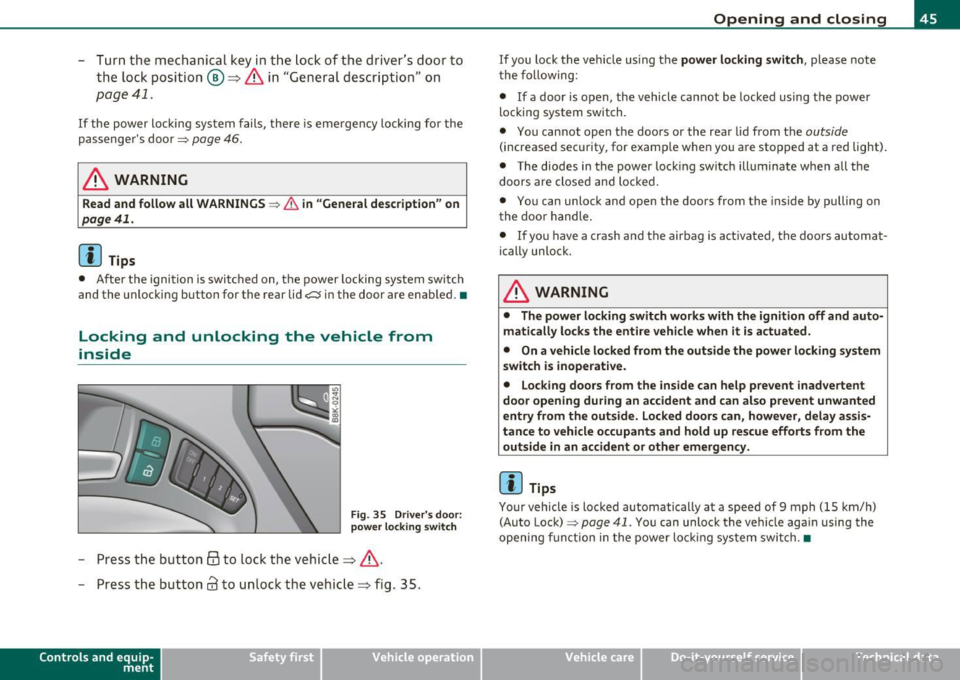
Fig . 35 Drive r's doo r:
power l ocking sw it c h
- Press the button @to lock the vehicle=> &.
- Press the button
63 to un lock the vehicle=> fig. 35.
Con tro ls a nd e quip
m en t Vehicle
OP-eration
Opening and closing
If you lock the ve hicle us ing the power locking switch , please note
t he follow ing :
• If a door is open, the vehicle ca nnot be locked using t he power
locking system switch.
• You cannot open the doors or the rea r lid from the
outside
(increased secu rity, for examp le whe n you are stopped at a red light).
• The diodes in the power lock ing switch illuminate when all the
doors are closed and lo cked .
• You can unlock and open the doors from the inside by pulling on
t he doo r handle.
• If yo u have a crash and the airbag is activated, the doors automat
ically unloc k.
& WARNING
• The power locking switch works with the ign ition off and auto
m atically loc ks the entire vehicle when it is actu ated.
• On a vehicle lo cked from the outside the power locking system
switch is inoperat ive.
• Locking doors from the inside can help p re vent inadvertent
door opening during an accident and can al so pre vent unwanted
e ntry from the outside. Locked door s can, however, delay assi s
tan ce to veh icle occupants and hold up rescue efforts fr om the
outside in an accident or other emergen cy .
(I) Tips
Your vehicle is loc ke d automatically at a speed of 9 mph (15 km/h)
(Auto Lock)=>
page 41. You can unlock the vehicle again using the
opening f unction in the power loc king sys tem switch. •
Vehicle care Do-it-yourselt service iTechnical data
Page 51 of 364

Convenience opening feature
-Use the emergency key or pull the mechanical key out of
the master key~
page 39.
- Insert the key into the lock of the driver's door.
- Turn the key to position~
page 48, fig. 41 @until all the
windows have reached the desired position.
Convenience closing feature
- Use the emergency key or pull the mechanical key out of
the master key~
page 39.
- Turn the key in the lock of the driver's door to the lock
position @ until the windows are closed~&.
& WARNING
• Never close the windows inattentively and without checking -
there is risk of injury.
• You must always watch when the windows are being raised so
that no one can be trapped. If you release the key, the closing
action is immediately canceled.
• Always read and heed WARNING~
& in "General description"
on
page 41. •
Correcting window regulator malfunction
After disconnecting the vehicle battery, the one-touch up
and down feature must be activated again.
- Pull and hold the power window switch until the window is
completely closed.
- Release the switch.
Con tro ls a nd e quip
m en t Vehicle
OP-eration
Opening and closing
-Pull the switch again for one second. The automatic
closing/opening is now reactivated. •
Valet parking
Through the "valet parking" feature the luggage
compartment of your vehicle is secured from unautho
rized access during the valet parking service .
Fig. 42 Valet parking
button
- Take the mechanical key out of the master key~ page 39.
- Open the glove box~
page 87 and activate~ fig. 42 the
"valet parking" feature by pressing the
[V ALET ) button.
The indicator light in the switch illuminates.
- Close the glove box and lock it with the mechanical key.
- Leave the master key with the service personnel for
parking and keep the mechanical key with you.
When the "valet parking" feature is activated:
• the button
~ on the master key is inactive
• the opening handle in the rear lid is inactive.
The vehicle can be driven and locked and unlocked with the master
key. Access to the luggage compartment is blocked .•
Vehicle care Do-it-yourselt service iTechnical data
Page 53 of 364

• A message in the instrument cluster display will alert you if a
protection function was activated or if there is a malfunction
~page 51.
• The power top can also be operated manuall y if there is a malfunc
tion~
page 56, "Power top emergency operation". Have you autho
r iz ed A udi dealer correct the cause of the malfunction as soon as
possible.
• If park ing the vehicle with the power top open, remember that the
vehicle interior will not be protected from the weather or from unau
thorized entry. Closing the power top before leaving the vehicle is
recommended. If you leave items in the vehicle, lock them in the
trunk. •
_ Power top operation
The indicator light monitors the power top.
The 4' indicator light illuminates for approximately 2 seconds when
the ignition switches on to check the function and then goes out
again . The indicator light also:
• illuminates when the powe r top opens or closes.
• blinks if the power top switch is operated but the conditions for
opening or clos ing the powe r top are not met . A wa rning message
also appears in the instrument cluster display~
page 51, "Error
message in the instrument cluster display ".
• if the power top did not open or close completely.
[ i ] Tips
The ind icator light stays on if the power top was opened manually. •
Controls and equip
ment Safety first
Power top
Error message in the instrument cluster
display
An error message appears if the power top cannot open
or close.
Several conditions must be met for the power top to open or close
automatically.
An error message in the instrument cluster display indicates if one of the conditions is not met or there is a malfunction.
Power top: please close rear lid
The luggage compartment l id must be closed when the power top is
opening or clos ing. This error message appears in the instrument
cluster display if the luggage compartment lid is not closed.
Storage bay not lowered. Please remove
obstruction
The power top storage bay must lower when the power top is
opening. Th is error message appears in the instrument cluster
display if the storage bay is not lowered.
If the storage bay does not
lower automatically because of objects in the lug gage compartment,
remove the objects that are in the way from the storage bay area.
Otherwise, you can operate the power top storage bay manually
~page 54.
Power top: cannot be used
This error message appears if the convertib le cannot open or close
automatically because of safety reasons or if there is a malfunction.
The follow ing causes are poss ible:
• Vehicle speed too high: Power top operat ion is deactivated and an
error message appears if the vehicle speed is too high . Reduce the
vehicle speed and operate the switch again to open or close the power
top.
• Battery voltage too low: The power top cannot be operated if the
battery voltage is too low . This ensures there w ill be enough battery .,,
Vehicle care Technical data
Page 54 of 364
Power top
voltage left to start the vehicle . The power top can be operated aga in
a fte r the eng ine is sta rted.
• Rollover protection active: If the powe r top is operated cont inu
ous ly fo r an exte nded p eriod of time, roll over prote ction w ill activ at e
to p reve nt damage to the hyd raulic un it . This protective funct io n
p reven ts the powe r top from o pen ing or close for appr oxim ately 1 5
to 30 m inutes. It w ill function again after that:=:;>&.
• Malfunction : Fail ure o f syst em com ponen ts is one pos sible cause
f or ma lf u nct io n. If this happens, you can a lso operate t he power top
by hand :=:;>
page 5 6.
Power top not secure
Thi s mes sage appear s with a w arni ng t one if the power top is no t
completely closed or open and the vehicle speed is above SO km/h.
Reduce the ve hicle s peed be low 50 km /h and use t he sw itch to o pen
or close the power top complete ly .
& WARNING
Never dr ive when the power top is not locked correctly. The wind
from driving could cau se the power top to open. This can result in
injuries and damage to the vehicle. •
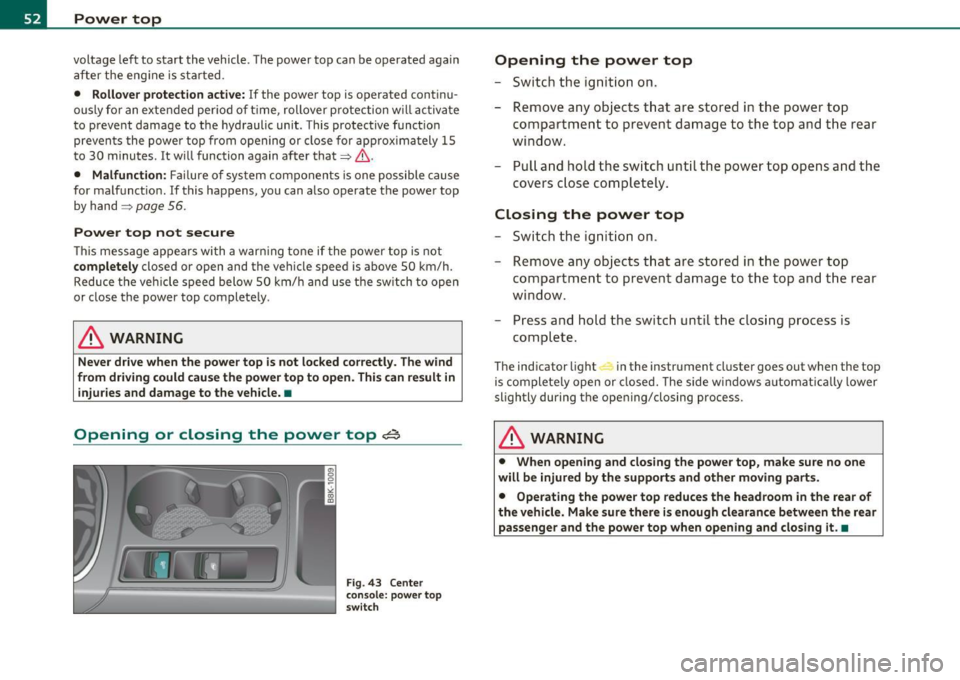
Opening or closing the power top~
Fig. 43 Cente r
console : p owe r top
s witch
Opening the power top
- Switc h th e ign itio n on.
- Re move any objects t hat are stored in the pow er to p
compartment to prevent damage to the top and th e rear
wi nd ow.
- Pull and hold t he sw itc h until t he powe r top opens a nd the
covers c lose co mpletely .
Closing the power top
- Sw it c h th e ig nition o n.
- R emove any objects t hat are stored in the power top
c o mpar tme nt to preve nt dama ge t o th e top and the rear
window.
- Pr ess and hold the switc h until t he clos ing process is
comple te.
The ind icator light in the instrument cl uster goes out when the top
is com plete ly open or closed. The side w indows a utomat ically lower
slightly during the open ing/closing process.
& WARNING
• When opening and closing the power top, make sure no one
will be injured by the supports and other moving parts.
• Operating the power top reduces the headroom in the rear of
the vehicle. Make sure there i s enough clearance between the rear
passenger and the power top when opening and closing it .•
Page 57 of 364

Fig. 49 Inser tin g th e
wi nd d eflec to r (2)
Retaining pins are located on the long ends of the wind
deflector . They secure the deflector in the mounts on the
vehicle's rear side trim . For safety reasons, inserting the wind
deflector from the side farthest from traffic.
Ins erting and positioning the wind deflector
- Open the rear side window on the side farthest from
traffic.
- Read the assembly instructions on the wind deflector storage bag.
- Remove the wind deflector from the storage bag and fold
it apart
once . The wind deflector is installed in the correct
position when the longest side is toward the front and the
wind deflector frame is at the top.
- Insert both retain ing pins in the mounts in the tr im above
the rear seat on the d river s ide =:,
page 54, fig. 48 (0 .
- Fold the handle @at the front and center of the w ind
deflector upward and lift the deflector slight ly in the
center ~ fig. 49
®·
Con tro ls a nd e quip
m en t Vehicle
OP-eration
Power top
-Now guide the wind deflector into the mounts in the side
trim o n the passenger side@ and press lightly in the
m iddle ® until the handle locks in place.
- Set the wind deflector up com ple tely .
Removing the wind deflector
- Fold the w ind deflector frame back .
- Fold the handle ~
page 54, fig. 48 ® at t he front and
center of the wind deflector upward and lift the deflector
slightly in the center .
- Remove the wi nd deflector from t he mo unts in the side
trim on the passenger side .
- Pull the wind deflector out of the mounts on the driver
side and lift it out.
- Fold it togethe r.
- Store the wind deflector in the storage bag.
& WARNING
• Do not use the w ind deflector t o secure cargo.
• Be ca reful when in stalling so you do no t pinch you r fi ngers.
• Pay attenti on to the traffic when installing the wind defle ctor ,
if necessar y.
0 Note
Do not lean against the veh icle when install ing the w ind deflector .
Ha rd objects and decorations o n clothing such as be lt buck les can
scratch the paint . Your clothing could also become dirty .
ti>
Vehicle care Do-it-yourselt service iTechnical data
Page 64 of 364

Clear vision
Clear vision
Lights
Switching the lights on and off ·'t/..·
Fig. 65 Instrument
panel: Headlight
control switch
Switching on AUTO -Automatic headlight
controls*
- Turn the light switch to AUTO=> fig. 65.
Turning on the side marker Lights
-Turn the head light control switch to ~oo~.
Switching on low beams
-Turn the headlight control switch to @:D .
Switching off the Lights
- Turn the headlight control switch to 0.
The low beams only illuminate with the ign it ion turned on.
With the side marker lights or headlights switched on, the symbol next to the light switch illuminates
;o o: .
AUTO -Automatic headlight control*
With the switch in the AUTO position, the low beams are switched on
automatically depending on the ambient light, for example in a
tunnel, at dusk and when it is raining or snowing . When the low
beams are switched on, the
;oo :: symbol comes on. The low beams
remain switched on regardless of the ambient light when you turn on
the fog lights.
When you turn off the ignition, the low beams are automatically
switched off .
On vehicles w ith a rain sensor the headl ights switch on automatically
after a few windshield wiper passes . However, the instrument
lighting will not be switched on.
With automat ic headlight control, you also have the high-beam func
tion available. However, if you have not switched high beams back to
low beams while driving with automatic headlight contro l, only the
low beams come on the next time you turn on automatic headlight
control. In order to return to high beams again, you first have to pull
the high beam lever back to the normal position and then push the lever forward.
Light sensor malfunction
In the event of a light sensor malfunction, the driver is notified in the
instrument cluster display:
Automatic driving lights/automatic wipers defective
For safety reasons, the low beams are turned on permanently w ith
the switch in
AUTO . However, you can continue to turn the lights on
and off using the light sw itch. Have the light sensor checked as soon
as possible at an authorized Audi dealer or other qualified workshop . .,_