warning AUDI A5 CABRIOLET 2010 Repair Manual
[x] Cancel search | Manufacturer: AUDI, Model Year: 2010, Model line: A5 CABRIOLET, Model: AUDI A5 CABRIOLET 2010Pages: 364, PDF Size: 86.51 MB
Page 83 of 364

only going to be used temporarily by a driver whose settings are not
going to be stored. •
Applies to vehicles : w ith seat memory
Storing and recalling settings
Before you can store or recall your settings, the [ ON/OFF]
switch on the seat memory must be engaged (not raised).
Storing settings
- Adjust the driver's seat.
- Adjust the two exterior mirrors .
- Press the
I SETI button and hold it down. In addition, press
one of the memory buttons for at least one second .
- Release the buttons. The settings are now stored under
the corr esponding memory button .
Recalling settings
- If the driver's door is open, tap the corresponding memory
button briefly .
- If the driver's door is closed , press the appropriate
memory button unt il the stored position is reached .
Successful storage is confirmed audibly and by the light in the [SET)
button illuminat ing=> page 80, fig . 83 .
When the vehicle is
loc ked , the current settings are stored and
ass igned to the remote contro l key. B ut the setti ngs sto red on
memory buttons 1 to 2 are not deleted. They can be reca lled at any
time. When the vehicle is
unlo ck ed , the settings stored on the
remote control key are restored.
If your vehicle is driven by other persons using your remote control
key , you should save your individua l seat position on one of the
Controls and equip
ment Safety first
S
eats and storage
memory buttons. You can recall your settings again simply and
conveniently by press ing the cor responding memory button. When
the vehicle is locked, these settings are automatically re-assigned to
the remote control key and stored.
& WARNING
• Fo r sa fe ty reaso ns, th e se at se tting can only b e recalled when
t h e ve hicl e is s tat ion ary -oth erwise yo u risk ha ving an acc ident .
• In an emer gency th e re ca ll pro ce du re can be cancelled b y
p ressing the [
ON/OFF) sw itch or by t appin g of the the memo ry
b utto ns. •
App lies to ve hicles: with seat memory
Activating remote control key memory
To be able to recall the stored settings with the remote
control key, the function has to be activated in the radio
or in the MM!*.
-Select : Function button I CAR]> Seat adjustment >
D river's se at > Key mem . profile > On .
(I) Tips
If you do not want another driver to store their settings on the
remote key, switch
off the Memory function using the radio or the
MMI* or the [OFF] button => page 80 . •
Vehicle care Technical data
Page 84 of 364

Seats and storage
Head restraints
Applies to vehicles: with adjustable head restra ints
Adjusting the front head restraints
Head restraints that are adjusted according to body size,
along with the seat bealt, offer effective protection.
Fig. 84 Front seat:
Adjusting head
restraint electrically
-Push the switch up or down=> fig. 84 to adjust the height
of the head restraint.
- Adjust the headrests so the upper edge is as even as
possible with the top of your head=>
page 181, "Proper
adjustment of head restraints".
Refer to~ page 181, "Proper adjustment of head restraints" for
guidelines on how to adjust the height of the front head restraints to
suit the occupant's body size.
& WARNING
• Driving without head restraints or with head restraints that are
not properly adjusted increases the risk of serious or fatal neck
injury dramatically.
• Read and heed all WARNINGS~
page 181.
[I] Tips
Correctly adjusted head restraints and safety belts are an extremely
effective combination of safety features. •
Applies to vehicles: with front armrest
Front armrest
The center armrest can be adjusted to several levels.
Adjusting the center armrest
Fig. 85 Armrest
between the
driver· s/front
passenger 's seats.
- To adjust the angle, raise the armrest from the starting
position detent by detent => fig. 85.
- To bring the armrest back into the starting position, raise
it out of the top detent and fold it back down.
The armrest can slide forward and back. •
Page 85 of 364

Luggage compartment
Loading Luggage compartment
Items of luggage must be stowed securely.
Fig. 86 Place heavy
objects as far forward
as possible.
Note the following to preserve the vehicle's good handling
characteristics.
- Distribute the load as evenly as possible.
- Place heavy objects as far forward as possible=> fig. 86.
- Secure the items of luggage with the non-elastic retaining
straps to the tie-down rings=>
page 83.
& WARNING
• Loose objects in the luggage compartment can slide about
suddenly and alter the vehicle's handling characteristics.
• Loose objects in the passenger compartment can fly forward
during abrupt maneuvers or accidents and injure occupants.
• Always store objects in the luggage compartment and use suit
able straps, particularly with heavy objects.
Con tro ls a nd e quip
m en t Vehicle
OP-eration
Seats and storage
& WARNING (continued)
• When you transport heavy objects, always remember that a
change in the center of gravity may result in a change in the
vehicle's handling characteristics.
• Follow all warnings=> page
176, "Driving Safely"
[I] Tips
The tire pressure must be adjusted to the load -see the tire pressure
sticker on the edge of the driver's door. •
Tie-down rings
The luggage compartment is equipped with four tie-down
rings to secure luggage and other items.
Fig. 87 Location of
the tie-down rings in
the luggage compart ment
- Secure the cargo to the tie-down rings=> fig. 87 -Arrows- .
- Observe the safety notes=>
page 185. •
Vehicle care Do-it-yourselt service iTechnical data
Page 86 of 364
Seats and storage
Increasing the size of the Luggage
compartment
The rear seat backrests can be folded forward either
separately or together.
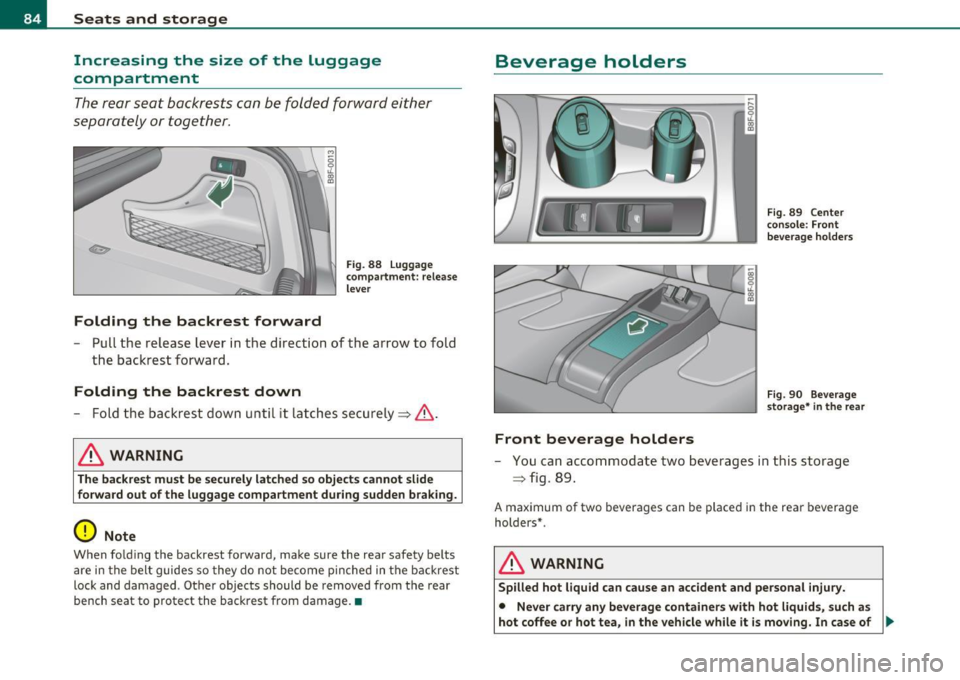
Folding the backrest forward
Fi g. 88 Lug gag e
compa rtment: releas e
l e ver
- Pull the release lever in the direction of the arrow to fold
the bac krest forward.
Folding the backrest down
- Fold the backrest down unti l it latches securely => & .
& WARNING
The backrest must be secure ly latched so obje ct s cannot slide
forward out o f the luggage compartment dur ing sudden braking.
0 Note
When fold ing t he backrest forward, make sure the rear safety be lts
are in the belt guides so they do not become pinched in the backrest
lock and damaged . Othe r objects should be removed from the rear
bench seat to protect the backrest from damage. •
Beverage holders
Front beverage holders
Fig. 8 9 Ce nter
c on sole: Front
b ev era g e ho lder s
Fi g. 90 Beve rag e
st or age* in the re ar
- You can accommodate two beverages in t his sto rage
=> fig. 89 .
A maximum of two beverages can be placed in the rear beverage
holders* .
& WARNING
Spilled hot liquid can c ause an accident and personal injury.
• Never carry any beverage container s with h ot liquid s, such a s
hot coffee or hot tea, in the vehicle while it i s moving. In case of .,_
Page 87 of 364

& WARNING (co ntinued )
an accident, sudden braking or other vehicle movement , hot liquid
c ould spill, cau sing scalding burn s. Spilled hot liquid can also
cause an accident and personal injury .
• Use only soft cups in the cupholder. Hard cups and glasses can
cause inju ry in an accident.
• Never use the cupholder or adapter as an ashtray -risk of fire .
0 Note
Only drink conta iners with lids shou ld be ca rr ied in the c upholder .
Liquid could spill out and damage your vehicle's e lectronic eq uipment
or s tain t he upho ls tery, e tc. •
Ashtray
Opening the ashtray
- Slide th e cover open.
Closing the ashtray
Fi g. 91 Ce nter
c onsol e: a shtray
- Tap the lid to close the as htray a utomatically.
Con tro ls a nd e quip
m en t Vehicle
OP-eration
Seats and storage
Removing ashtray insert
- Release the ash tray i nsert by sliding the switch@
=> fig. 91 to t he ri ght.
- Remove t he as htr ay insert ®=> fig. 9 1.
Reinstalling ashtray insert
-Press th e as htra y insert into i ts ho ld e r.
& WARNING
Never put waste paper in the ashtray. Hot ashes or other hot
objects in the ashtray could set waste paper on fire .•
Cigarette lighter
Fig. 92 Op en front
a shtray
Using the cigarette lighter
- Open t he lid of the front ash tray.
- Push t he knob on the c igarette lig hter i n.
- Wait unti l the knob po ps o ut sligh tly.
- Remov e the cigar ette lig ht er immediat ely.
Vehicle care Do-it-yourselt service iTechnical data
Page 88 of 364
Seats and storage
- Light your cigarette from the red-hot heating co il of the
cigare tte ligh ter .
- Return the cigarette lighter to its socket .
Using the socket
- Remove the cigarette lighter.
- Insert the plug of the electrical device into the cigarette
ligh ter socke t.
The socket o f the ciga re tte lighter may be used for 12-volt appliances
w ith maximum consumption of up to 100 watts, such as a flash light,
small vacuum cleane r, etc.
Before you purchase any accessor ies, always read and follow the
information in =>
page 345, "Additional accessor ies and parts
replacement" .
& WARNING
• Use care wh en u sing the cigar ette lighter . Inattentive or unsu
pervised u se of the cigarette lighter can cause burns -risk of
injury!
• The cigarette lighter work s when the ignition is swit ched off or
w ith the ignition key removed . Children should nev er be left unsu
pervised in the vehicle, or there could be risk of fire!
• The po wer outlets and therefore the electrical accesso ries
c onnected to them ope rate only with the ignition on . Improper
use of the outlet s or of electrical acce ssor ies can lead to serious
injurie s or cau se a fire. For this rea son , children should ne ver be
left unatt ended in the veh icle -they could be injured!
0 Note
• To avoid damag ing the socket, only use plugs that fit p roperly . •
Only use the cigarette lighter socket as a power source for elec
t rical accessories for short du rat ions. Use the socke ts * in the vehi cle
w hen a power sou rce is needed for longer durations .
(I] Tips
When the engine is off and accessories a re st ill p lugged in and are o n,
the vehicle battery can sti ll be drained .•
Storage
General overview
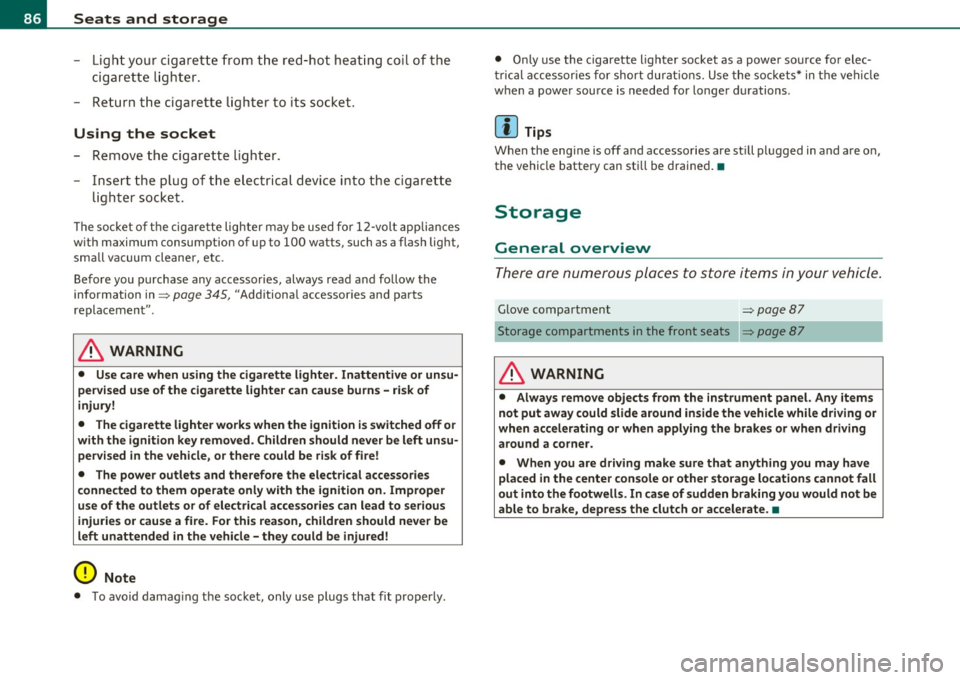
There are numerous places to store i tems in your vehicle.
Glove compartment => page 87
Storage compartments in the front seats
& WARNING
• Alway s re mo ve object s from the instrument panel. Any item s
not put away could slide ar ound in side the vehicle while d riving or
wh en accelerating or when apply ing the brake s or wh en driving
around a co rner .
• When you ar e driving make sure that anything you may have
pla ced in the center console o r othe r st orage lo cation s cannot fall
out into the footwell s. In case of sudden braking you would not be
able to brake, depress the clutch or accelerate. •
Page 89 of 364

Glove compartment
The glove compartment is illuminated and can be locked.
To open glove compartment
Fig. 93 G lo ve
c om partm ent
- Pull the handle in the direction of the arrow~ fig. 93 and
swing the cov er down to open .
To close glove compartment
-Push t he glove compartment lid upward until the lock
engages.
T here are holders for a pen and a pad of paper in the glove compart
ment lid .
On the right side in the glove compartment is a holder with the key
body into which the emergency key must be clipped to be able to start
the vehicle.
& WARNING
To reduce the risk o f personal injury in an accident o r sudden stop ,
always keep the glove compartment closed while driving. •
Con tro ls a nd e quip
m en t Vehicle
OP-eration
Seats and storage
Applies to vehicles : with storage in the fron t sea t
Storage compartment in the front seats
On the face of each of the front seats you will find an
opening storage compartment.
Opening
-Pull on the han dle to open t he com partment .
Closing
-Swing the lid upward until it clicks into place .
[I] Tips
The maxim um load is 1 kg .•
Vehicle care Do-it-yourselt service iTechnical data
Page 91 of 364

& WARNING
Tra ffic safety requires all windows to be clear of ice , snow , and
c ondensation. Only then can good visibilit y be ensured. Famil
iarize your self with the correct operation of the automatic climate
c ontrol system as well as the proper p ro cedure for defog
ging/defro sting the window s.
0 Note
• If you suspect that t he automatic climate cont rol system has bee n
damaged, switch the system off to avoid f urther damage and have it
i n spected by a qualified dealership.
• Repa irs to the Aud i automatic c limate contro l system require
speciali zed knowledg e and spec ial tools. Therefore, contact an autho
rized dealer in the event of malf unctio ns.
[I) Tips
• To avoid adversely affecting heating and cooling performance and
to preven t condensat ion on the w indows, the air intake in front of the
windshield must be free of ice, snow and leaves.
• Th e air flowing o ut of the ve nts and throug hout the vehicle's
entire interior is discharged at the rear of the vehicle. Make sure that
t he o utlet slo ts a re not covered by clothing, e tc.
• Th e automatic cl imate control system works most effectively if
the w indows are closed . However, if the interior of a pa rked vehicle is
extremely hot from the sun, briefly opening the windows can speed
up t he cooling process. •
Contro ls a nd e quip
m en t Vehicle
OP-eration
Warm and cold
App lies to ve hicl es: wit h delux e a utoma tic clim ate cont rol
Controls
This overview is to assist you in familiarizing yourself with
the controls of the automatic climate control system.
Fig . 94 Contro ls of the delu xe au tom atic clim ate c ont rol
Functions are set by ro tating the regu lator or are sw itched on and off
by tapping the buttons . The LE D in the b uttons illuminates when the
fu nction is active .
Button(s) Meaning Page
IOFFJ Switching on and off => page 90
jAUTOJ Automatic operation =>page 90
Regulatora) Tern perature select
ion =>page91
@ Fan => page 91
1~ 1 Re circula tion mod e => page 91
Vehicle care Do-it-yourselt service iTechnical data
Page 94 of 364
Warm and cold
In recirculat ion mode, air is drawn from the vehicle interior, filtered
and recirculated. We recommend selecting recirculation mode under
the following conditions:
When driving through a tunnel or in a traffic jam so that exhaust
fumes and odors cannot enter the vehicle interior .
& WARNING
You should not use the recirculation mode for an extended period
since no fresh air is drawn in. With the air-conditioning switched
off, the windows can fog up, which increases the risk of an
accident! •
Applies to veh icles : w ith deluxe automat ic cl imate contro l
Air distribution .JJ
The automatically preset air distribution can be changed.
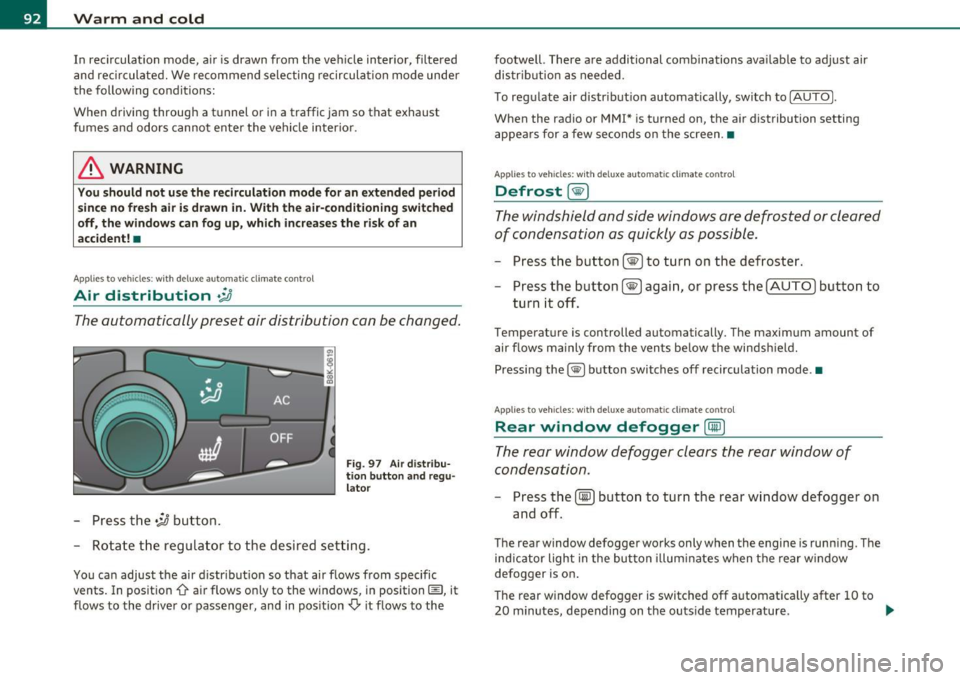
-Press the .;J button.
Fig. 97 Air distribu
tion button and regu
lator
- Rotate the regulator to the desired setting.
You can adjust the air distribution so that air flows from specific
vents. In position
0-air flows only to the windows, in position@, it
flows to the driver or passenger, and in position
,0. it flows to the footwell.
There are additional combinations available to adjust air
distribution as needed.
To regulate air distribution automatically, switch to
!AUTO).
When the radio or MMI* is turned on, the air distribution setting
appears for a few seconds on the screen .•
Applies to veh icles: wit h deluxe automat ic cl imate control
Defrost [@)
The windshield and side windows are defrosted or cleared
of condensation as quickly as possible.
- Press the button !@)to turn on the defroster.
- Press the button[@) again, or press the [
AUTO I button to
turn it off.
Temperature is controlled automatically. The maximum amount of
air flows mainly from the vents below the windshield.
Pressing the
I@ ) button switches off recirculation mode .•
Applies to veh icles: w ith d eluxe automat ic cl imate contro l
Rear window defogger [CiID)
The rear window defogger clears the rear window of
condensation.
- Press the (!iiPJ button to turn the rear window defogger on
and off.
The rear window defogger works only when the engine is running. The
ind icator light in the button illuminates when the rear window
defogger is on.
Th e rear window defogger is switched off automatically after 10 to
20 minutes, depending on the outside temperature . ...
Page 98 of 364

Warm and cold
systems are available aga in as soon as the energy ba la nce has been
restore d.
& WARNING
Reduced vi sibility is danger ous and can cause accident s.
• For safe d riv ing it i s very important that all windows be free of
ice, snow and condensation.
• Completely familiarize yourself with the proper use and func
tion of the heating and ventilation sy stem and especially how to
defog and defrost the windows .
• Never u se the wind shield wiper/wa sher system in free zing
weather until you have warmed the wind shield first , u sing the
heating and ventilat ion system . The washer solut ion may freeze
on the wind shield and reduce vi sibility.
0 Note
• If you suspect that the cl imate co ntro l system has been damaged,
switch the system off to avoid furt her damages, and have i t in spe cte d
by a qua lified dealersh ip.
• Repa irs to the A udi a ir condit ioner require special technica l know l
edge and special tools. Contact an authorized Audi dealer for assis
t ance.
(I) Tips
• T o avoid adverse ly affecti ng heati ng a nd cooling perform ance and
to prevent condensation on the windows, the air intake in front of the
w inds hield mu st be free of ice, snow and leave s.
• The air flowing out of the vents and througho ut the vehicle's
en tire in terior is di scharge d at the re ar of the vehicle. Ma ke sure tha t
the outlet slots are not covered by clothing, etc.
• Clim ate co ntrol wor ks most effectively if the windows are closed.
However, if the interior of a parked vehicle is extremely hot from the
sun, br iefly ope ning the windows can speed up the cooling p ro cess. •
Applie s to vehicl es: w it h d eluxe auto ma tic climate control plu s
Controls
Th is overview will help you to familiarize yourself with the
climate controls.
Fig . 99 C limate control s
The d isp lay shows the se lected temperat ure for the drive r's side on
the left and the selected temperature for the front passenger's side
on t he right.
Functions are set by rotating the contro l or are switched on and off by
t apping the bu tto ns. Th e L ED in the buttons ill umin ates when the
function is active. ..,_