service AUDI A5 CABRIOLET 2010 Owners Manual
[x] Cancel search | Manufacturer: AUDI, Model Year: 2010, Model line: A5 CABRIOLET, Model: AUDI A5 CABRIOLET 2010Pages: 364, PDF Size: 86.51 MB
Page 5 of 364
Reporting Safety Defects . . . . . . . 185
Active rollover protection system 187
Safety be lts ................... 190
General no tes ........ ......... 190
Why safety belts? ............. 191
Safety belts .................. 194
Safety belt pretensioners ....... 198
Airbag system ................ 200
Important things to know . . . . . . 200
Front airbags . . . . . . . . . . . . . . . . . 204
Mon ito ring the Advanced A irbag
System ..................... .
Knee ai rbags ................. .
Side airbags .. ............... .
Child Safety .. .. ....... ....... .
Important th ings to know ..... .
Child safety seats ............ .
Installing a child safety seat ... .
LATCH Lowe r ancho rages and
tethers for children ........... .
Add it ional Information 211
2
16
2 19
222
222
227
232
235
239
Vehicle operation ...... 240
Intelligent techno logy ........ 240
Notice abou t data recorded by
vehicle control modules . . . . . . . . 240
E lectronic S tab ili z ati on Program
(ESP) ........................ 240
Braking . . . . . . . . . . . . . . . . . . . . . . 243
Se rvo tron ic® -advanced power
steer ing system ....... ........ 246
Dr iving wi th your qua ttro® . . . . . . 246
Energy management ...... ... .. 247
Driving and environment . ..... 250
The firs t 1,000 miles (1,500 km)
and af terwards ............... 250
Avoid damaging the veh ic le ..... 251
Controls and equip
ment Safety first
Dr
ivi ng th rough w.ater on roads . 251
Ca talytic conve rter . . . . . . . . . . . . 251
Operate your vehicle economically
and minimize pollution . . . . . . . . 252
Trailer towing 255
Dr iving wi th a traile r . . . . . . . . . . . 255
T railer tow ing t ips ... .......... 257
Vehicle care .............. 260
Clean ing and protect ion ...... 260
General information . . . . . . . . . . . 260
Care of exterior . . . . . . . . . . . . . . . 260
Care of interior . . . . . . . . . . . . . . . 268
Fuel supply and filling your fuel
tank ... ... ............. .......
274
Gasoline . ............ ........ 274
Fuel tank ..................... 275
Checking and filling . . . . . . . . . . . 279
Engine hood . . . . . . . . . . . . . . . . . . 279
Engine o il . . . . . . . . . . . . . . . . . . . . 282
Engine cooling system . . . . . . . . . 286
Brake fluid . . . . . . . . . . . . . . . . . . . 290
Bat tery ......... .... ......... 291
W indshie ld/head ligh t washer
containe r . . . . . . . . . . . . . . . . . . . . 295
Tires and wheels .............. 296
Ti res
296
Ti re pressure monitor ing system 31 4
Do-it-yourself service . 318
What do I do now ? 318
T runk escape handle ........... 318
Vehicle tool kit ................ 318
Space-saving spare tire (compact
spare tire) . ................... 319
Changing a wheel . . . . . . . . . . . . . 320
Table of contents
Fuses and bulbs . ............ .
Fuses ...................... .
Bulbs ......... ......... .... .
Emergency situations ....... .
General ..................... .
S tarti ng by pushing or towi ng ..
Starting with jumper cables ... .
Use of jumper cables ......... .
Emergency tow ing w ith
commercial tow truck ........ .
Lifting vehicle .. ..... .. ...... .
Technical data
General information
Explanation of technical data .. .
Vehicle iden tificat ion ...... ... .
We ights .................... .
Dimensions ............... .. .
Data ......................... .
211 hp, 2.0 liter 4-cyl. engine .. .
Co nsumer Inform ati on ...... .
War ran ty coverages .......... .
Operating your vehicle outside the
U.S.A. or Canada ............. .
Audi Service Repair Manuals and
Li tera ture ................... .
Maintenance ............... . .
Additional accessories,
modif ications and parts
replacemen t ............... . .
Declaration of Compliance,
Telecommunica tions and
E lec tronic Systems ........... .
Alphabetical index ....
327
327
331
333
333
333
333
334
336
338
340
340
340
3 4 0
341
341
342
342
3 4 3
343
343
343
343
345
346
3 4 8
Vehicle operation Vehicle care Do-it-yourself service Technical data
Page 6 of 364
Vehicl e literatur e
Vehicle literature
In addition to th is Owner's Manual, your Audi comes w ith the
• MMI Operating Instructions
• Warranty
& Maintenance booklet .
If you are missing one of these publications, or if you believe that the
information is not complete, contact your autho rized A udi dea le r for
assistance.
MMI Operating Instructions
contain detailed description of the Audi Mu lti Media Interface (MMI)
including the nav igat ion system, the sound system and the hand held
phone.
The Warranty & Maintenance booklet
explains how you can keep your Audi in top driving condition by having
it serviced regularly and contains deta iled informat io n about the
warranties covering your Audi. Always have the booklet with you
when you take your veh icle to an authorized Aud i deale r for serv ice .
Your Audi Service Adviser will record each schedu led service and can
answer any quest ions you may have regard ing how to ma inta in your
vehicle .
In Canada,
the vehicle literature is also avai lable in French. To obtain a copy,
contact yo ur dealer or wri te to:
Au Canada, on peut se procurer un exemplaire en fran~ais de ce docu
ment aupres du concess ionnaire ou de:
Volkswagen Canada, Inc.
Client Ass istance
Assistance a la Clientele
777 Bay ly St reet, West,
Ajax, Ontario LlS 7G7
If you sell your Audi
all literature shou ld be left in the veh icle to make the Warranty terms
as well as all operating , safety and maintenance information avail
ab le to the next owner.
If you change your address or if you bought
this Audi used
be sure to send in a "Notice of Address Change"/ "Notice of Used Car
Purchase" post card. Th is card can be found in the Warranty
& Main
tenance book let or obta ined from your author ized A udi dealer.
It i s in your own int eres t th at we a re a ble to c ont act you should th e
need aris e.•
Page 7 of 364
About this Owner's Manual
This owner's manual contains important information, tips, sugges
tions, and warnings for the use of your vehicle.
Make sure that this owner's manual is always located in the vehicle .
This is especially important if you allow other people to drive the
vehicle, or if you sell it.
This owner's manual describes the
equipment range specified for
this model at the editorial deadline date. Some of the equipment
described here will only be available at a later date, or only in specific
markets .
Some sections in this owner's manual do not apply to all vehicles. In
that case, the
range of applicability is given at the beginning of the
section, e. g., "Applies to vehicles: with Advanced Parking System". In
addition, optional equipment is indicated by an asterisk"*".
The details in the
illustrations may be different from those in your
vehicle, and are intended to be viewed as a basic guide.
You will find a
table of contents at the beginning of this book, which
displays all topics described in this manua l in order of appearance.
You will find an alphabetical
index at the end of this book.
All
directions , such as "left", "right", "front", "back", are relative to
the direction of travel.
* optional equipment
.,. This section continues on the next page.
• Indicates the
end of a section .
® Registered trademarks are identified with a®. If this symbol is
missing, it is no guarantee that the terms can be used freely.
=> & Cross-reference to a "WARNING!" within a section. For indica
tion with a page number, the corresponding "WARNING!" can be
found outside of the section .
Controls and equip
ment Safety first Vehicle operation
About this Owner's Manual
& WARNING
Text with this symbol
contains important information on safety
and how to reduce the risk of personal injury or death .
0 Note
Text with this symbol draws your attention to potential sources of
damage to you r vehicle.
ci' For the sake of the environment
Text with th is symbol contains information about the environment
and how you can help protect it.
[I) Tips
Text with this symbol contains spec ia l tips and other information
about getting the most out of your vehicle and its feat ures. •
Vehicle care Do-it-yourself service Technical data
Page 11 of 364
Warning light in the instrument cluster display-1-
If the _L warning light in the i nstrument clus ter display flashes, this
can mean one of two things: either the coo lant
temperature is too
high, or the coolant
level is too low ~ page 29.
If the needle is well in the uppe r area of the gauge, the coo lant
temperature is too high.
Stop the vehicle, switch the engine off, and
allow it to cool.
If th e war ning light comes o n ag ain af ter driv ing a
short distance, contact an author ized Aud i dea ler or othe r qualified
wor ksh o p.
& WARNING
• Alway s observe the warn ing in :::} page 272, "Engine compart·
ment ", before opening the hood and checking the engine coolant
level.
• Never open the engine hood if you see or hear steam, or if you
s ee engin e coolant dripping from the engine compartment. You
could burn yourself . Let the engine cool off first so that you cannot
hear or see any steam or engine coolant .
0 Note
• Mounting add ition al lights o r accesso ries in fron t of the a ir inlets
reduces the cooling effect of the radiator . At high outside tempera
tur es o r high engine load, the eng ine could ove rhe at.
• The front spo iler has been designed to properly d istribute the
c oo lin g air when the vehicle is moving. If the sp oi ler is d amaged, this
co uld reduce the cooling eff ect and the eng ine could then overheat .
Ask your au thor ized A udi dealer for assis tance .•
Con tro ls a nd e quip
m en t Vehicle
OP-eration
Instruments and warning /indicator lights
Tachometer (engine rev counter)
The tachomete r in dic ates t he engine RPM (revoluti ons
pe r mi nutes) .
If engine RPM drops below 1,500, you shou ld downsh ift to the next
lower ge ar. T he red area at the end of the s cale i ndi cates max imum
permissible engine RPM after the brea k-in per iod. Before reaching
t his area, move t he selector lever to po sition "D (Dr ive)" or ease yo ur
foot off t he accelerator pedal.
0 Note
T he tachometer needle @~ page 8, fig. 2 should o nly br iefly be in
t he red zone: yo u co uld damage your eng ine! T he beg inning of the red
zone varies depe nd ing o n the eng ine.
~ For the sake of the environment
Upshifting early saves fuel and redu ces engine noise .•
[S ET] button
You c an per form d iffere nt fu nctions with t his but ton.
Fig . 3 SET butto n in
the instrume nt clu ste r
Th e !SE TI bu tto n performs the fo llow ing f unct io ns:
Vehicle care Do-it-yourselt service iTechnical data
Page 13 of 364
0 Note
Never run the tank completely d ry! An irregular supply of f uel can
cause engine misfiring and fuel could enter into the exhaust system .
T he ca talyt ic conver ter could then overhea t and be damaged .•
Odometer
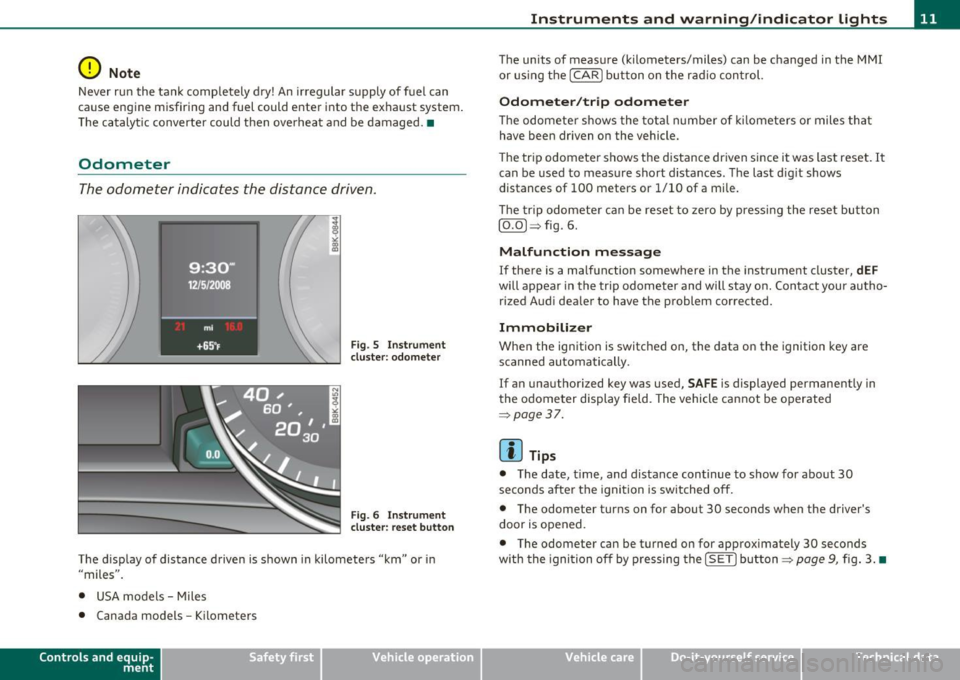
The odometer indicates the distance driven.
Fi g. 5 Ins tru m ent
cl uster : odome ter
Fig . 6 Instrume nt
cl uster : reset button
The d isp lay of distance driven is s hown in kilometers "km" or i n
"miles" .
• USA models - Miles
• Canada models -Kilomete rs
Con tro ls a nd e quip
m en t Vehicle
OP-eration
Instruments and warning /indicator lights
The un its of measure (k ilomete rs/miles) can be changed in the MMI
or us ing the [
CAR] button on the r adio con trol.
Odometer /trip odometer
T he odomete r sh ows the tot al number of kilomete rs or mile s tha t
have been driven on the vehicle.
Th e tr ip odomete r shows the distance dr iven si nce it was last reset.
It
can be used to measure short d istances . T he last d ig it shows
distances of 100 meters or 1/10 of a m ile.
Th e trip odome te r c an be reset to zero by pressi ng the reset bu tton
[O.O )~ fig. 6.
Malfunction message
If there is a ma lf u nction somewhere in the instrument cluster, dEF
will appear in th e trip odomet er and w ill stay on. Conta ct you r au tho
rized Aud i dea le r to have the p roblem corrected.
Immobilizer
Whe n the ign ition is switched o n, the data on the ignition key are
scanned automati cally.
If an unauthorized key was used,
SAFE is display ed pe rmanently in
t he o dome ter display field . The vehicle ca nnot be o per ated
~ page 37.
[ i ] Tips
• T he date, t ime, and distance continue to show for about 30
seconds after the igni tion is switched off .
• The odometer turns on for about 30 seconds w hen the driver 's
door is opened .
• The odometer can be turned on for approximately 30 seconds
with the igni tion of f by pres sing the [S ET] button ~
page 9, fig. 3 . •
Vehicle care Do-it-yourselt service iTechnical data
Page 20 of 364
Driver information display
Driver information display
Introduction
General notes
The driver information display inside the instrument
cluster provides you, the driver, with much useful infor
mation.
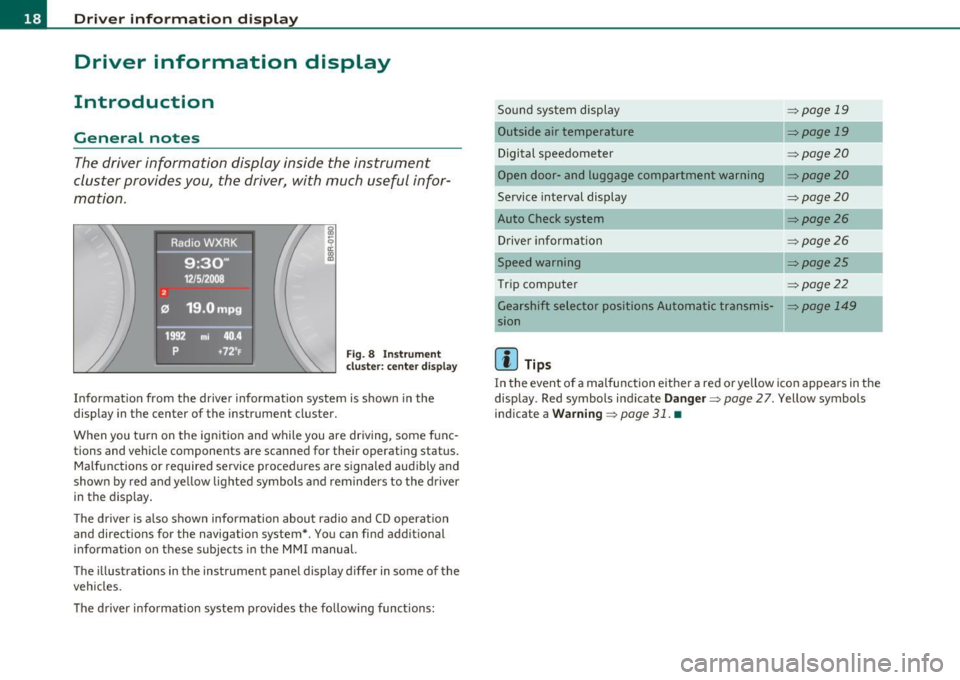
Fig. 8 Instrument
cluster: center display
Information from the driver information system is shown in the
display in the center of the instrument cluster.
When you turn on the ignition and while you are driving, some func
tions and vehicle components are scanned for their operating status. Malfunctions or required service procedures are signaled audibly and
shown by red and yellow lighted symbols and reminders to the driver
in the display.
The driver is also shown information about radio and CD operation
and directions for the navigation system*. You can find additional
information on these subjects in the MMI manual.
The illustrations in the instrument panel display differ in some of the
vehicles.
The driver information system provides the following functions: Sound system display
Outside air temperature
Digital speedometer
Open door- and luggage compartment warning
Service interval display
Auto Check system
Driver information
Speed warning
Trip computer
------- ---.,
::>page 19
=>page 19
=> page20
::> page20
=>page20
=> page26
=> page26
=>page25
=> page22
_ _.
Gearshift selector positions Automatic transmis-=> page 149
sion
[I] Tips
In the event of a malfunction either a red or yellow icon appears in the
display . Red symbols indicate
Danger=> page 27. Yellow symbols
indicate a
Warning => page 31. •
Page 21 of 364

Sound system display
Fig. 9 Di sp lay : sound
s ystem
If prior ity 1 or priority 2 fau lts a re not show n by the A uto Ch eck
Con trol, the name of the ra dio s tat ion you are tuned to or the
frequency and the recept io n range are s hown in the upper area of the
display.
When the C D is in use, the title of t he track be ing p layed is shown. The
CD changer * displays the number of the current CD (CDl to CD6). •
Outside temperature display
Fig . 10 D isplay :
ou tside temper ature
At temperatures below 41 °F ( +5 °C), a snowflake symbol appea rs in
front of the tempe ra tur e display.
It is intended to remi nd the dr ive r
to pay special attention to
ice on the road .
Con tro ls a nd e quip
m en t Vehicle
OP-eration
Driver information display
If your vehicle is stationary or if you are drivi ng at very low speeds, the
t empe ra tu re disp layed m ay be s light ly hig her t han the ac tual
temperature outside due to the heat rad iat ing from the engine .
T he unit of measurement for the temperature can be set in either ° F
or in °Con the MM I* or on the radio co ntrol unit. The ou ts ide tempe r
ature display automatically shows the unit o f measurement that has
been set. For ad ditio nal info rmation, see t he MM I* or the r adio
instruction manual.
& WARNING
• Never use the outside temperatu re display to determine if a
road surface i s ic y or not . Keep in mind that road surfaces, espe
cially bridges and o verpasses , could be ice covered and slippery
even at an out side temperature above 41 °F (+5 °C ).
• Always remember , even if the "snowflake " symbol (ice
warning ) does not appear in the di splay, black ice could be on the
road.
• Always reduce your speed and drive with special care in cold
weathe r conditions when the chance of encountering icy road
s urfaces increa se s.
[I) Tips
If the vehicle is s tat ionary, or if yo u are dr iv ing a t a very low speed, the
temperature shown in the d isplay m ight be slightly higher than the
act ua l ou tside tempe ra tur e. This is caused by the heat being radia ted
from the engine. •
Vehicle care Do-it-yourselt service iTechnical data
Page 22 of 364

Driver information displ ay
Digital speedometer
Fig. 11 Display:
Di gital speedomet er
Current speed appears in the display. Speed is shown in 1 mph incre
ments (USA models) or 1 km/h increments (Canada models).
You ca n sw itch the display from miles to kilometers and vice versa via
the MMI. •
Open door or trunk lid warning
The pictogram alerts you when doors or the trunk lid have
been left open.
Fig. 12 Disp lay : O pen
door- and tr unk li d
w arni ng
The Open Door/Trunk lid warning d isplays if even one door, the hood
or the trunk lid is open. This symbol also shows
which door or lid has
not been closed=> fig. 12.
As soon as the door, the hood and the trunk lid are closed properly, the door and trunk lid warn ing tu rns off and the selected dr iver info r
mation system functions are displayed again .•
Service interval display
The service interval display reminds you when your next
service is due.
Fig. 13 Display:
S ervic e in te rva l d isp lay
The schedule for the next oil change or inspection is calculated auto
matically and displayed accordingly . The disp lay works in two stages :
Service remind er
30 days before the next serv ice is due , a serv ice reminder appears in
the display when you turn on the ignition=> fig. 13.
After abo ut S seconds the d isp lay switches back to norma l. The
distance and time remaining are updated each t ime the ignition is
turned on until the date due for service is reached.
Ser vice due
When the due date for service is reached, the message Servic e due !
appears in the instrument cluster immediately after you turn on the ..,,
Page 23 of 364

ignition. Additionally, a warning tone sounds. After about S seconds
the display switches back to normal.
Calling up the service schedules
If or when an oil change or inspection is due, can be shown in the
radio or MMI* display by selecting the service interval display in the
car menu. Select
I CAR]> Service interval display .
Resetting the service interval display
Your authorized Audi dealer will reset the corresponding service
schedule after performing the appropriate service on your vehicle.
You also have the possibility to reset the oil change schedule after
having performed an oil change according to Audi specifications .
Select
I CAR]> Service interval display > Reset oil change interval.
0 Note
If you disconnect the battery termina ls, no calculat ions can be made
for the serv ice interval display dur ing this time and no service
reminder will appear. Remember that observing the proper service
intervals is vitally important to extending the life of your veh icle,
particularly the engine, and maintaining its value . Even if the mileage
dr iven is low, the maximum period of one year from one service to the
next must not be exceeded.
[ i J Tips
• Do not reset the display between oil changes, otherwise the
display will be incorrect.
• The information in the Service Reminder remains stored even
when the vehicle battery is disconnected .•
Con tro ls a nd e quip
m en t Vehicle
OP-eration
Driver information display
On-Board Diagnostic system (OBD)
Malfunction Indicator Lamp (MIL)
The Malfunct ion Indicator Lamp (MIL) in the instrument cluster
=>
page 12, fig. 7 is part of the On-Board Diagnostic (OBD II) system.
Th e warning/indicator light illuminates when the ignition is switched
on and goes out after the engine starts and the idle has stabilized.
This indicates that the MIL is working properly.
If the light does not go out after the engine is started, or illuminates
whi le you are driving, a malfunction may exist in the engine system.
If the light illuminates, the catalytic converter could be damaged.
Continue driving
with reduced power (avoiding sustained high
speeds and/or rapid accelerat ions) and have the condition corrected.
Contact your authorized Aud i dealer .
If the light illuminates, the electronic speed limiter may also be
malfunction ing. For more information=>
page 22, "Electronic speed
limiter".
An improperly closed fuel filler cap may also cause the MIL light to
illuminate
=> page 2 76. •
On-Board Diagnostics
Fig. 14 Location of
Data Link Connector
(DLC)
tJ,,,
Vehicle care Do-it-yourselt service iTechnical data
Page 27 of 364
Speed warning system
Overview
The speed warning system helps you to keep your driving
speed below a set speed limit.
The speed warning system warns if the driver exceeds a previously
stored maximum speed. A warning tone will sound as soon as the
vehicle speed exceeds the set speed by about 3 mph (3 km/h) . At the
same time, a warning symbol appears in the display. The symbol 's
appearance might be different in some models .
The speed warning system has
two warning thresholds that function
independently of each other and that have somewhat different
purposes:
Speed warning 1
You can use speed warning 1 to set the maximum speed while you are
driving. This setting w ill remain in effect until you turn off the igni
tion, assuming that you have not changed or reset the setting .
The speed warning symbo l
0 (USA models)/0 (Canada mode ls) in
the warning 1 display appears when you exceed the maximum speed .
It goes out when the speed falls be low the stored maximum speed.
The speed warning symbol will also go out if the speed
exceeds the
stored maximum speed by more than about 25 mph
(40 km/h) for at
least
10 seconds. The stored maximum speed is deleted.
Setting speed warning 1
=> page 25.
Speed warning 2
Storing warning 2 is recommended if you always want to be reminded
of a certain speed, for example when you are travel ing in a country
that has a general maximum speed limit, or if you do not want to
exceed a specified speed for winter tires.
The speed warning 2 symbol,
8, (USA models)/ 8, (Canada models)
appears in the display when you exceed the stored speed limit. Unlike
Contro ls a nd e quip
m en t Vehicle
OP-eration
Driver information display
warning 1, it will not go out until the vehicle speed drops below the
stored speed limit.
Setting speed warning 2
=> page 26 .
(I) Tips
Even though your veh icle is equipped with a speed warn ing system,
you should still watch the speedometer to make sure you are not
dr iv ing faster than the speed limit.•
Speed warning 1 : setting a speed limit
Warning threshold 1 is set by the [SET] button.
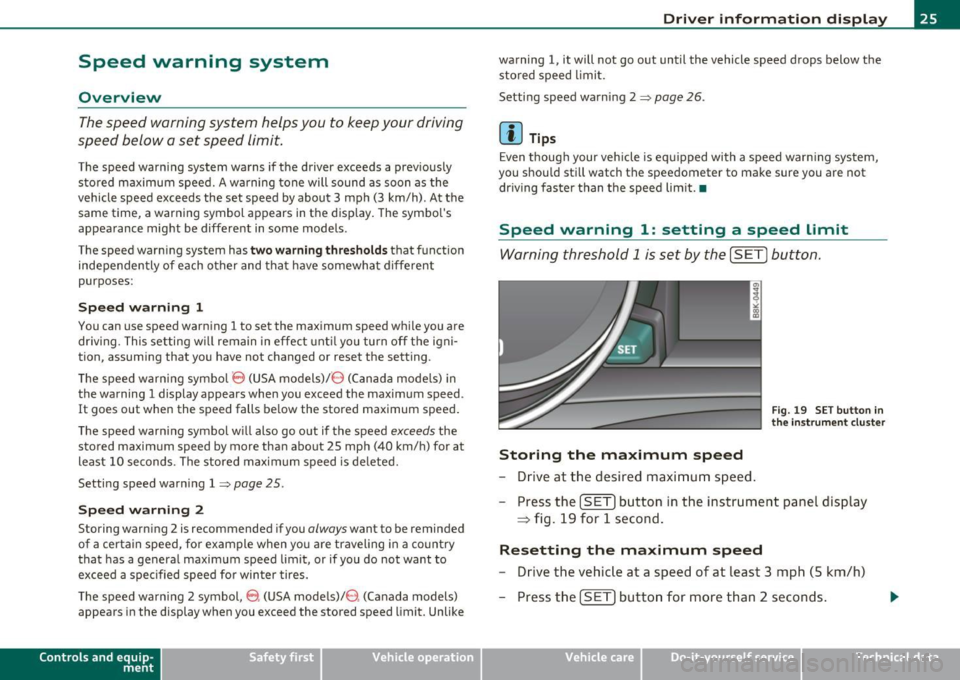
Fig. 19 SET button in
the instru men t cluster
Storing the maximum speed
- Drive at the desired maximum speed.
- Press the
[SETI button in the instrument panel display
~ fig. 19 for 1 second .
Resetting the maximum speed
-Drive the vehicle at a speed of at least 3 mph (5 km/h)
- Press the
[SET) button for more than 2 seconds .
Vehicle care Do-it-yourselt service iTechnical data