service AUDI A5 CABRIOLET 2010 User Guide
[x] Cancel search | Manufacturer: AUDI, Model Year: 2010, Model line: A5 CABRIOLET, Model: AUDI A5 CABRIOLET 2010Pages: 364, PDF Size: 86.51 MB
Page 32 of 364
Driver information display
in. WARNING
• If your vehicle should break down for mechanical or other
rea son s, park at a safe di stan ce from movin g traffic , turn off the
e ngine and turn on th e hazard warning lights =>
page 66, "Emer
gency fl ashe rs A ".
• Never open th e hood if you see or hear steam or coo lant
es caping from the engine compartment -you ri sk being scalded.
Wait until you can no longer see or hear steam or coo lant
escaping.
• The engine compartment of any vehicle is a dangerous area .
Before you perform any work in the engine compartment, turn of
the engine and allow it to cool. Follow the warning stickers
=> page 2 72 , "Engine compartment" .
(D Note
Do not continue d riving if the _f_ symbol illuminates . There is a
ma lf u nction in the e ngine cooling system -you co uld damage you r
engine .•
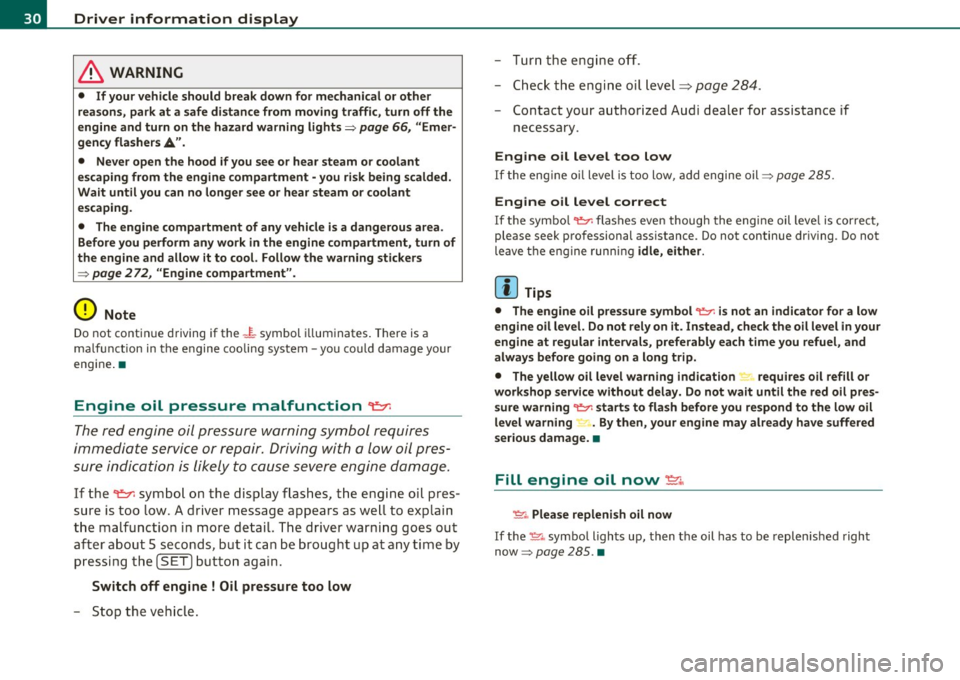
Engine oil pressure malfunction "t::7:
The red engine oil pressure warning symbol r equires
imm ediat e service or repair . Driving with a low oil pres
sure indication is likely to cause severe engine damage.
If the ~ symbo l on the display flashes , th e eng ine o il pres
sure is too low . A driver message appea rs as well to exp lain
t h e malfunc tion in more detail. The driver warning goes ou t
a ft er a bout 5 seco nds, but it can be b roug ht up at a ny time by
p ressin g th e
(SET ] butto n again .
Switch off engine ! Oil pressure too low
-Sto p the veh icl e. - Tur
n the eng ine off.
- Chec k the engi ne oil level=>
page 284 .
-Contact your a uthor ized Audi dealer for assistance if
necessary .
Engine o il level too low
If the eng ine o il level is too low, add engine oil=> page 285 .
Engine oil level correct
If the symbo l~ flashes ev en though the eng ine oil leve l is cor rect,
please seek pro fessional assistance . Do not continue dr iv ing. Do not
leave t he e ngine runn ing
idle, either .
(I] Tips
• The engine oil pre ssure symbol ~ is not an indi cator for a low
engine oil level. Do not rely on it. Instead , check the oil level in your
engine at regular intervals, preferably each time you refuel, and
always before going on a long trip.
• The yellow oil level warning indication "" requires oil refill or
workshop service without delay. Do not wait until the red oil pre s
sure warning ~ starts to flash before you respond to the low oil
level warning ~ . By then, your engine may already h ave suffered
serious damage. •
Fill engine oil now~
~-Please repleni sh oil now
If the ~-symbo l ligh ts up, then t he oil has to be replen is hed right
now =>
page 285. •
Page 33 of 364

Steering malfunction@-
If there is a malfunction in the electronic steering column
lock, the steering cannot be unlocked.
If the ~- symbol in the display blinks, there is a malfunction
in the electronic steering column lock . A driver message
appears as well to explain the malf unction in more detail.
The driver warning goes out after about 5 seconds, b ut it can
be brought up at any time by pressing the
[ SET] button
again.
Stop the vehicle and turn off the engine. Steering
defecti ve
- Obtain professional assistance .
- Do
not tow you r vehicle .
& WARNING
Your vehicle must not be towed in t he e vent of a malfun ctio n in
the e lec tronic ste ering column lo ck because it cannot b e steered
due t o the lo cked steering.
If it is t owed with the stee ring locked ,
t her e is th e risk of an ac cident.
(I) Tips
The symbo l's appearance m igh t be d ifferen t in some mode ls. •
Ignition lock malfunction@-
A malfunction in the ignition lock must be repaired imme
diately.
If the ©- symbol in the display blinks, there is a malfunct ion
in the electronic ignition lock . A driver message appears as
well to explain the malfunct ion in more deta il. The dr iver
Controls and equip
ment Safety first
Dri
ver information display
warning goes out after about 5 seconds, but it can be
brought up at any time by pressing the
(S ET] button aga in
Defective ignition switch Get it serviced!
- Do not turn the engine off.
- Drive immed iately to an author ized serv ice facility to have
the malfunct ion corrected.
If the re is a ma lf u nction in the e lectronic ignition lock , the ignit ion
cannot be tur ned off . Drive immediately to an authorized service
facility to have the cause of the ma lfunct ion corrected.
On vehicles with convenience key*, t he eng ine shou ld not be sw itched
off using the start/stop button because the engine cannot be started
again after the ignition has been swi tched o ff.
[ i ] Tips
Th e symbo l's appea ra nce m ight be different in some models. •
Yellow symbols
Ayellow symbol means WARNING.
-0)
9 a:
ill
Fig. 22 Displ ay:
Yello w warni ng
s ymb ol
Yellow symbols ind icate a prior ity 2 malfunction -Warning!
Vehicle care Technical data
Page 39 of 364

Opening and closing
Keys
Key set
Fig. 23 Key set
© Master key with remote control
You can centrally lock a nd u nlock your ve hicle and start the eng ine
with the master key with remote contro l.
® Emergency key
The emergency key is not intended for cons tant use. It should o nly be
used in an emergency . Keep it in a safe place and do not carry it on
your key ring.
Key replacement
If you lose a key , contact your a uthori zed Audi dea le r immedi ately to
have the
lost key disabled . Be sure to bring all your keys w ith you .
Data in the master key
During driving, service and maintenance-relevant data is cont inu
o usly s tore d on yo ur maste r key. Your Aud i service adviser can re ad
out this data and tell you about the work your veh icle needs . This
a pp lies a lso to ve hicles with convenience key* .
Controls and equip
ment Safety first
Opening and closing
Personal comfort
settings
If two peop le use one veh icle, it is recommended that eac h person
a lw ays uses "t heir own " mas ter key. When t he ig nitio n is tu rned off
or when the vehicle is locked, personal conven ience settings for the
following systems are sto red and assigned to the remo te maste r key .
• Climate co ntrol
• C entra l lo ck ing system
• Seat memory*
• Parking sys tem *
• Audi s ide assist*
• Audi dr ive select*
T he sto red sett ings a re a utomatica lly recalled w hen you unlock the
vehicle, when you open the doors o r when you tu rn o n the ignition .
& WARNING
• Do not leave your vehicle unattended w ith the key in the igni
tion lock. Entry by unauthorized per sons could endanger you or
result in theft or damage the vehicle. Alway s lock all doors and
take the key.
• Do not leave children unattended in the veh icle, especially with
access to vehicle key s. Unguarded acce ss to the ke ys pro vide s chil
dren the opportun ity to start the engine and /or activate vehicle
s y stem s such as the power windows etc . Unsupervi sed operation
of any vehicle system by children can result in serious injury.
• Do not remove the ke y from the ignition lock until the vehicle
ha s come to a complete stop. Otherwise the ste ering column lock
could suddenly engage -causing the ri sk of an accident. .,_
Vehicle care Technical data
Page 41 of 364

-Pull the mechanical key® out of the master key.
- Press the release button@=>
page 38, fig. 26 on the
batte ry holder and at the same time pull the battery
holder out of the master key in the direction of the arrow.
- Install the new battery CR 2032 with the"+" sign facing
down.
- Push the battery holder carefully into the master key.
- Install the mechanical key.
~ For the sake of the environment
Dispose of dead batteries properly so as not to pollute the environ
ment.
(I] Tips
T he replacement battery must be the same specification as the
original. •
Removing the mechanical key
-Press the release button@=> fig. 27.
Con tro ls a nd e quip
m en t
Fig. 27 Remote
master key: Removing
the mechanica l key
Vehicle OP-eration
Opening and closing
-Pull the mechanical key ® out of the master key.
Using the mechanical key, you can
• Lock and unlock" the storage compartment on the passenger's
side =>
page 87.
• Lock and unlock the vehicle manually => page 44 if this should not
be poss ible with the master key .•
Emergency unlocking of the ignition key
In the event of malfunctions in the electrical system, it
may happen that you cannot remove the ignition key.
Fig. 28 Ignition
switch with igni tio n
key
If you are unable to remove the ignition key, for example
because the vehicle battery is discharged, proceed as follows:
- Press the release button ©=> fig . 28 for example with a
ball point pen and pull the mechanical key® out of the
master key.
- Lock the vehicle using the mechanical key=>
page 44.
-Have the electrical system inspected by an authorized Audi
dealership. •
Vehicle care Do-it-yourselt service iTechnical data
Page 47 of 364
-Turn the m echanical key in th e lock of the driv er's door to
the lock position ®=> & in "Gen eral descri ptio n" on
page 41 .
If the power locking system f ails, there is eme rgency locki ng for the
passenger's door=>
page 46.
& WARNING
Read and follow all WARNINGS => & in "General de scription " on
page 41.
(I) Tips
• After the igni tion is swi tched on, t he power locking system swi tch
and the unlocking button for the rear lid
,c::$ i n the door are enabled. •
Locking and unlocking the vehicle from
inside
Fig . 35 Drive r's doo r:
power l ocking sw it c h
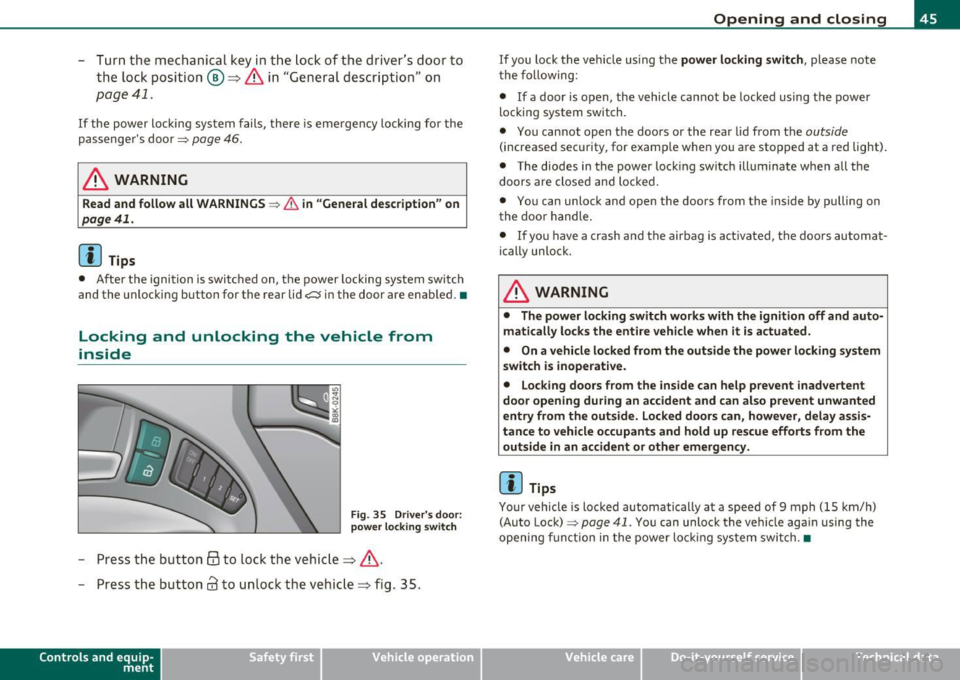
- Press the button @to lock the vehicle=> &.
- Press the button
63 to un lock the vehicle=> fig. 35.
Con tro ls a nd e quip
m en t Vehicle
OP-eration
Opening and closing
If you lock the ve hicle us ing the power locking switch , please note
t he follow ing :
• If a door is open, the vehicle ca nnot be locked using t he power
locking system switch.
• You cannot open the doors or the rea r lid from the
outside
(increased secu rity, for examp le whe n you are stopped at a red light).
• The diodes in the power lock ing switch illuminate when all the
doors are closed and lo cked .
• You can unlock and open the doors from the inside by pulling on
t he doo r handle.
• If yo u have a crash and the airbag is activated, the doors automat
ically unloc k.
& WARNING
• The power locking switch works with the ign ition off and auto
m atically loc ks the entire vehicle when it is actu ated.
• On a vehicle lo cked from the outside the power locking system
switch is inoperat ive.
• Locking doors from the inside can help p re vent inadvertent
door opening during an accident and can al so pre vent unwanted
e ntry from the outside. Locked door s can, however, delay assi s
tan ce to veh icle occupants and hold up rescue efforts fr om the
outside in an accident or other emergen cy .
(I) Tips
Your vehicle is loc ke d automatically at a speed of 9 mph (15 km/h)
(Auto Lock)=>
page 41. You can unlock the vehicle again using the
opening f unction in the power loc king sys tem switch. •
Vehicle care Do-it-yourselt service iTechnical data
Page 49 of 364

& WARNING (continued)
compartment and pull the lid shut, becoming trapped and unable
to get out. To reduce the risk of personal injury, never let children
play in or around your vehicle. Always keep the rear lid as well as
the vehicle doors closed when not in use.
• Always ensure that no one is within range of the rear lid when
it is moving, in particular close to the hinges· fingers or hands can
be pinched.
[ i ] Tips
• When the vehicle is locked, the rear lid can be opened separately
by pressing the button~ on the master key. When you close the rear
lid again, it locks automatically .
• If the rear l id is open or not properly closed when the ignition is
turned on, the door and rear lid warning:::::,
page 20 appears in the
instrument cluster display.•
Emergency unlocking of the
luggage compartment lid
There is an emergency release for the rear lid.
Con tro ls a nd e quip
m en t
Fig. 38 Rear lid: Lock
cylinder
Vehicle OP-eration
Opening and closing
-Remove the mechanical key from the master key
=;,page 39.
-Insert the key in the lock cylinder and turn it in the direc
tion of the arrow .•
Power windows
Controls
The driver can control all power windows.
Fig. 39 Section of the
driver's door: Controls
Fig. 40 Center
console: central power
window switch
All power window switches=> fig . 39 are provided with a two-
position function:
~
Vehicle care Do-it-yourselt service iTechnical data
Page 51 of 364

Convenience opening feature
-Use the emergency key or pull the mechanical key out of
the master key~
page 39.
- Insert the key into the lock of the driver's door.
- Turn the key to position~
page 48, fig. 41 @until all the
windows have reached the desired position.
Convenience closing feature
- Use the emergency key or pull the mechanical key out of
the master key~
page 39.
- Turn the key in the lock of the driver's door to the lock
position @ until the windows are closed~&.
& WARNING
• Never close the windows inattentively and without checking -
there is risk of injury.
• You must always watch when the windows are being raised so
that no one can be trapped. If you release the key, the closing
action is immediately canceled.
• Always read and heed WARNING~
& in "General description"
on
page 41. •
Correcting window regulator malfunction
After disconnecting the vehicle battery, the one-touch up
and down feature must be activated again.
- Pull and hold the power window switch until the window is
completely closed.
- Release the switch.
Con tro ls a nd e quip
m en t Vehicle
OP-eration
Opening and closing
-Pull the switch again for one second. The automatic
closing/opening is now reactivated. •
Valet parking
Through the "valet parking" feature the luggage
compartment of your vehicle is secured from unautho
rized access during the valet parking service .
Fig. 42 Valet parking
button
- Take the mechanical key out of the master key~ page 39.
- Open the glove box~
page 87 and activate~ fig. 42 the
"valet parking" feature by pressing the
[V ALET ) button.
The indicator light in the switch illuminates.
- Close the glove box and lock it with the mechanical key.
- Leave the master key with the service personnel for
parking and keep the mechanical key with you.
When the "valet parking" feature is activated:
• the button
~ on the master key is inactive
• the opening handle in the rear lid is inactive.
The vehicle can be driven and locked and unlocked with the master
key. Access to the luggage compartment is blocked .•
Vehicle care Do-it-yourselt service iTechnical data
Page 55 of 364

Power top convenience opening and
closing
Fig . 4 4 Remote
m aste r key: butt ons
Fig . 4 5 Turnin g the
k ey to o pen and clos e
Convenience opening with the driver door
lock
-Press the@ button on the remote master key to u nlock the
vehicle .
- Turn the key o nce in the dr iver door loc k to the opening
position @=> fig. 45 .
- Turn the key to the opening posit ion aga in
within two
seconds
and hold it there until the power top opens
completely .
Contro ls a nd e quip
m en t Vehicle
OP-eration
Power top
Convenience closing with the driver door Lock
- Turn t he key once in the dr iver door lock to the closing
position ®=> fig. 45.
- Turn the key to the closing position aga in
within two
seconds
and hold it there until the power top closes
completely .
Convenience opening with the convenience
key*
- Press the@ button on the conven ience key * to un lock the
vehicle.
Convenience closing with the convenience
key *
Press the (fJ button on the convenience key* to lock the
v e h icle.
Releasing the key stops the opening o r clos ing process immediatel y.
& WARNING
• When op enin g and closing th e power top , make sure no one
will be injured by the supports and othe r moving parts .
• Operat ing the power top redu ces the hea droom in the rear of
the vehicle. Make sure there is enough clearan ce be tween the rear
pas senger and th e pow er top wh en opening and closing it .•
Vehicle care Do-it-yourselt service iTechnical data
Page 57 of 364

Fig. 49 Inser tin g th e
wi nd d eflec to r (2)
Retaining pins are located on the long ends of the wind
deflector . They secure the deflector in the mounts on the
vehicle's rear side trim . For safety reasons, inserting the wind
deflector from the side farthest from traffic.
Ins erting and positioning the wind deflector
- Open the rear side window on the side farthest from
traffic.
- Read the assembly instructions on the wind deflector storage bag.
- Remove the wind deflector from the storage bag and fold
it apart
once . The wind deflector is installed in the correct
position when the longest side is toward the front and the
wind deflector frame is at the top.
- Insert both retain ing pins in the mounts in the tr im above
the rear seat on the d river s ide =:,
page 54, fig. 48 (0 .
- Fold the handle @at the front and center of the w ind
deflector upward and lift the deflector slight ly in the
center ~ fig. 49
®·
Con tro ls a nd e quip
m en t Vehicle
OP-eration
Power top
-Now guide the wind deflector into the mounts in the side
trim o n the passenger side@ and press lightly in the
m iddle ® until the handle locks in place.
- Set the wind deflector up com ple tely .
Removing the wind deflector
- Fold the w ind deflector frame back .
- Fold the handle ~
page 54, fig. 48 ® at t he front and
center of the wind deflector upward and lift the deflector
slightly in the center .
- Remove the wi nd deflector from t he mo unts in the side
trim on the passenger side .
- Pull the wind deflector out of the mounts on the driver
side and lift it out.
- Fold it togethe r.
- Store the wind deflector in the storage bag.
& WARNING
• Do not use the w ind deflector t o secure cargo.
• Be ca reful when in stalling so you do no t pinch you r fi ngers.
• Pay attenti on to the traffic when installing the wind defle ctor ,
if necessar y.
0 Note
Do not lean against the veh icle when install ing the w ind deflector .
Ha rd objects and decorations o n clothing such as be lt buck les can
scratch the paint . Your clothing could also become dirty .
ti>
Vehicle care Do-it-yourselt service iTechnical data
Page 59 of 364

Fig. 51 Luggage
compartment: side
trim
- Open the luggage compartment lid. The emergency
release can be used if the luggage compartment lid will
not open =>
page 47.
-Reach your finger into the gap behind the trim near the
center of the vehicle.
- Pull the release lever down to release the power top
compartment cover=>
page 56, fig. SO.
-Open the left side trim and press the yellow lever in the
direction of the arrow=>
page 57, fig. 5 l.
- Remove the emergency key from the compartment on the
left side =>
page 57, fig. 51 @ .
Open the right side trim and press the yellow lever in the
direction of the arrow . •
Con tro ls a nd e quip
m en t Vehicle
OP-eration
Power top
Step 2: Lifting the power top compartment
cover out
Fig. 52 Luggage
compartment lid
completely open
Fig. 53 Storage bay
cover partially open
-Press the luggage compartment lid in the direction of the
arrow => fig. 52.
- Raise the power top compartment cover out of the power
top tray and hold it in place=> fig. 53 =>
&.
Have a second person assist when raising the power top compart
ment cover. That person should stand on the opposite side of the
vehicle and perform the same steps.
Vehicle care Do-it-yourselt service iTechnical data