instrument cluster AUDI A5 COUPE 2010 User Guide
[x] Cancel search | Manufacturer: AUDI, Model Year: 2010, Model line: A5 COUPE, Model: AUDI A5 COUPE 2010Pages: 360, PDF Size: 84.39 MB
Page 27 of 360
tion. If the trip is interrupted for more than 2 hours the memory is
reset automatica lly.
Total-trip memory (Trip computer 2)
Unlike the single-trip memory, the total-tr ip memory is not reset
automatically. This permits you to evaluate your driving data for the
entire period between manual resets. •
Operation
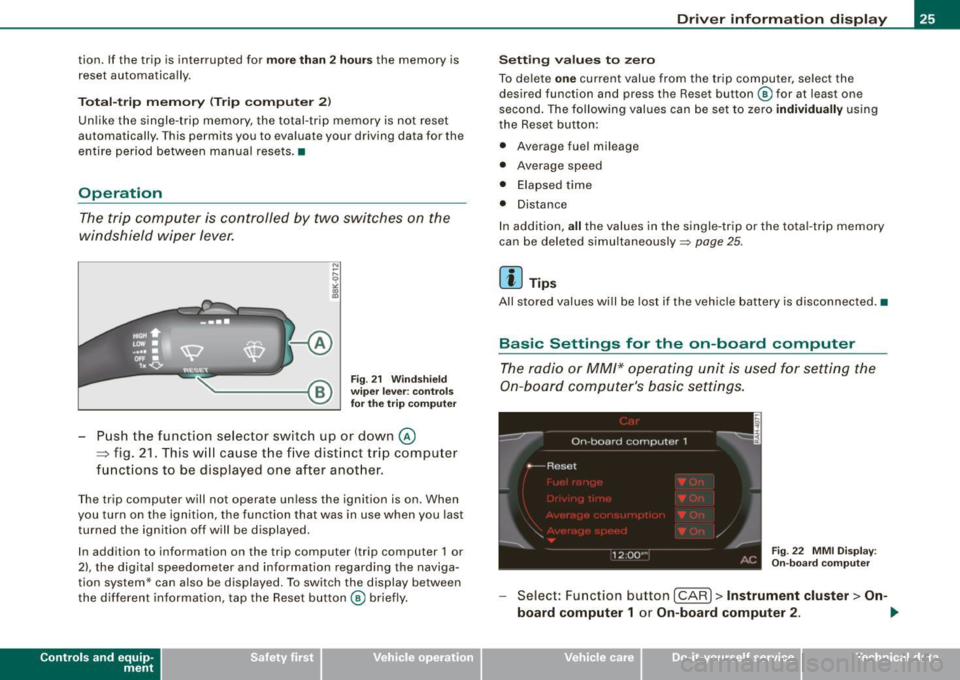
The trip computer is controlled by two switches on the
windshield wiper lever.
Fig. 21 Windshield
wiper lever: controls
for the trip computer
Push the function selector switch up or down@
~ fig. 21. This will cause the five distinct trip computer
functions to be displayed one after another.
The trip computer will not operate unless the ignition is on. When
you turn on the ignition, the function that was in use when you last
turned the ignition off will be displayed.
In addition to information on the trip computer (trip computer 1 or
2), the digital speedometer and information regarding the naviga
tion system* can also be displayed. To switch the display between
the different information, tap the Reset button@ briefly.
Con tro ls and eq uip
ment
Driver information display
Setting values to zero
To delete one current value from the trip computer, select the
desired function and press the Reset button @ for at least one
second . The following values can be set to zero
individually using
the Reset button:
• Average fuel mileage
• Average speed
• Elapsed time
• Distance
In addition,
all the values in the single-trip or the tota l-trip memory
can be deleted simultaneously::::,
page 25.
[ i ] Tips
All stored values will be lost if the vehicle battery is disconnected. •
Basic Settings for the on-board computer
The radio or MM/* operating unit is used for setting the
On-board computer's basic settings.
Fig. 22 MMI Display :
On-board computer
Select: Function button [CAR]> Instrument cluster > On -
board computer 1
or On-board computer 2 . 1iJ,,
Vehicle care I I irechnical data
Page 28 of 360
Driver informati on displ ay
The values in the single-trip or the total-trip memory can all be reset
to zero at the same time under
Re set in the menu.
In addition , you can determine what information from the trip
computer should be shown in the instrument cluster display. If one
of the pieces of driver informa tion is turned
O ff , that driver informa
tion wi ll not be shown in the display. The information will continue
to be calculated by the trip computer and can be turned back
O n at
any tim e.•
Speed warning system
Overview
The speed warning system helps you to keep your driving
speed below a set speed limit.
The speed warning system warns if the driver exceeds a previously stored maximum speed . A warning tone wi ll sound as soon as the
vehicle speed exceeds the set speed by about 3 mph (3 km/h) . At the
same time, a warning symbol appea rs in the display. The symbol's
appearance might be different in some models.
The speed warning system has
t w o wa rning thr esholds that func
tion independent ly o f each other and that have somewha t di fferent
purposes:
S p eed war ning 1
You can use speed warning 1 to set the maximum speed while you
are driving. This setting will remain in effect un til you turn off the
ignition, assuming that you have not changed or res et the setting.
The speed warning symbol
8 (USA mode ls)/ 8 (Canada models) in
the warning 1 disp lay appears when you exceed the maximum
speed. It goes out when the speed falls be low the stored maximum
speed . T
he speed warning symbol wi ll also go out if the speed
exceeds the
stored maximum speed by more than about 25 mph
(40 km/h) for at
least
10 seconds . The stored maximum speed is deleted.
Setting speed warning 1
::;> page 26 .
S peed w arning 2
Storing warning 2 is recommended if you always want to be
reminded of a certain speed, for example when you are traveling in
a country that has a general maximum speed limit, or if you do not
want to exceed a specified speed for winter tires.
T he speed warning 2 symbol,
8 , (USA models)/ 0 (Canada models)
appears in the display when you exceed the stored speed limit .
Un like warning 1, it wi ll not go out until the vehic le speed drops
b el ow the stored speed limi t.
Setting speed warning 2
::;> page 27.
[ i ] Tips
Even though your vehicle is equipped with a speed warning system,
you shou ld still watch the speedometer to make sure you are not
driving faster than the speed l im it . •
Speed warning 1: setting a speed limit
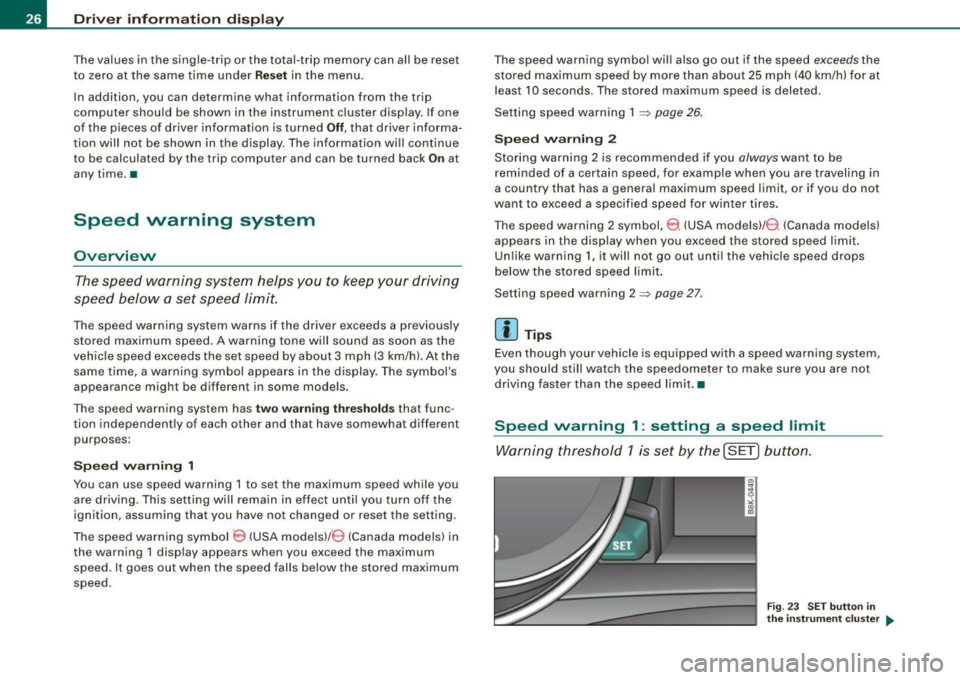
Warning threshold 1 is se t by the ( SET) button.
Fig. 23 S ET butt on in
th e inst ru me nt c lu ster ....
Page 29 of 360
Storing th e maximum sp ee d
- Drive at the desired max imum speed.
- Press the
(SET) button in the instrument pane l d isp lay
~ page 26, fig. 23 for 1 second.
R ese ttin g th e m ax imum sp eed
- Drive the vehicle a t a speed of at least 3 mph (5 km/h)
- Press the
(SETI button for more than 2 seconds.
The speed warning symbol 8 (USA modelsl/ e) (Canada mode ls) will
appear briefly in the display when you release the
[SE T) button to
indicate that the maximum speed has been stored successfully.
The maximum speed remains stored until it is changed by pressing
the
I S ET) button again briefly or unt il it is deleted by a lengthy push
on the button. •
Speed warning 2: setting a speed limit
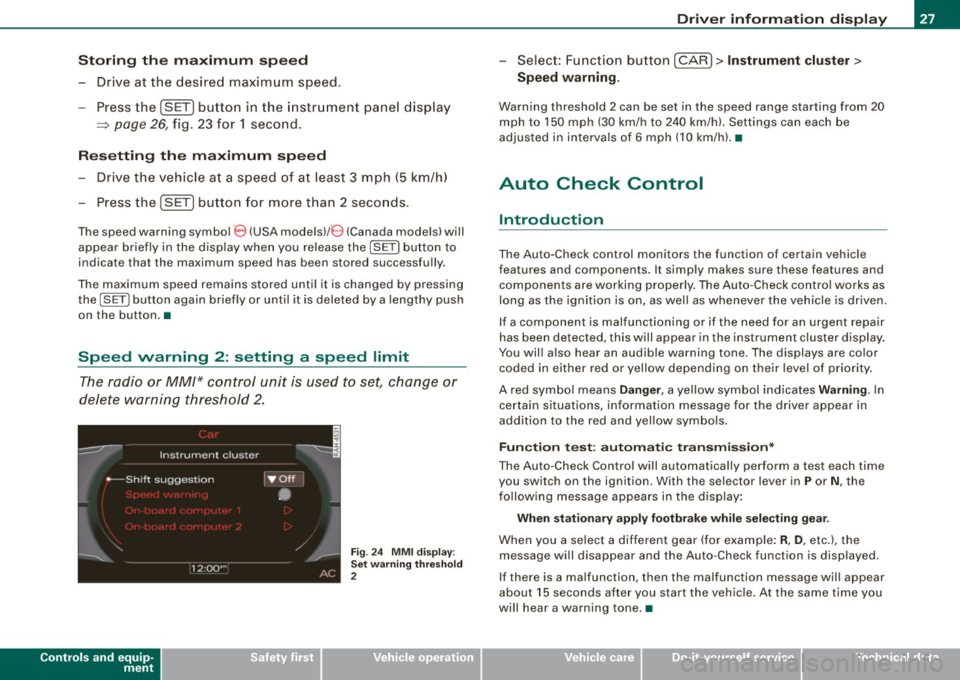
The radio or MM/* control unit is used to set, change or
delete warning threshold 2.
Controls and equip
ment
Fig . 24 M MI d is pl ay :
Set warnin g thresho ld
2
Dr ive r informat ion di spl ay
- Select : Function button [ CAR l > In strument clu ster >
Spe ed warning.
Warning thresho ld 2 can be set in the speed range starting from 20
mph to 150 mph (30 km/h to 240 km/h). Settings can each be
adjusted in in tervals of 6 mph (10 km/h). •
Auto Check Control
Introduction
The Auto-Check control monitors the function of certain vehicle
features and components . It simply makes sure these features and
components are working properly. The Auto -Check contro l works as
long as the ignition is on, as well as whenever the vehic le is driven.
If a component is malfunctioning or if the need for an urgent repair
has been detected, this will appear in the instrument cluster d isplay .
You will also hear an audible warning tone . The displays are color
coded in either red or yellow depending on their level of priority.
A red symbo l means
D ang er, a yellow symbol ind icates W arning . In
certain situations, information message for the driver appear in
addition to the red and yel low symbo ls.
Fun ctio n t est: a uto matic t ransm iss ion *
The Auto -Check Control will automatical ly perform a test each time
you switch on the ignition . With the selector lever in
P or N , the
fo llowing message appears in the display :
When statio nar y a ppl y fo otb rake whil e se lecting g ear.
When you a se lect a different gear (for example: R , D , etc.), the
message will disappear and the Auto-Check function is displayed.
If there is a ma lfunction, th en th e malfunction message will appear
about 15 seconds after you start the vehic le. At the same t ime you
wi ll hear a warning tone. •
I • •
Page 30 of 360

Driver informati on displ ay
Driver information messages
Driver information messages are shown in the instrument
cluster display in addition to symbols .
Fig. 25 I nstrum ent
c lu ste r: SET button
Fo r example, if the transmission selec to r lever is not in the P posi
t ion when the engine is turned off, the following message appears:
Shift to P, o ther wise vehicle can roll a way. Doors do not lock if
le ver is not in
P.
The igni tion key can only be removed w ith the selector in this posi
tion. This and other m essages ar e brought up if a function cannot
be carried out .
Driver m ess age s and red sy mbols
If a red symbol appears in the display , a driver message is also
displayed au tomatica lly.
For example, the symbol for a problem with engine oi l pressure
°1:::71
appears in the display . The message :
Sw itch off engi ne and check oil level
The driver message in the disp lay goes out after about 5 seconds .
Th e driver messag e can be display ed again by briefly pressing the
!SET) button ~ fig. 25 .
Dri ver m essa ges a nd yello w sym bols
If a yellow symbo l appears in the display, a driver message is also
displayed au tomatica lly .
For example, the symbol appea rs in the display, indicat ing low
windshield washer flu id level. The following message also appears:
Plea se t op up w asher fluid
The dr iver message disappears after a few seconds . The driver
message can be displayed aga in by briefly pressing the
!S ET]
button .•
Red symbols
A red symbol means DANG ER .
Fig. 26 Disp lay:
D an ger symbol
P ull o ff the road.
- Stop t he vehicle.
T u rn off the engine .
Check the malfu nctioning system . Co ntact you r autho
rized Aud i dealer or a qua lified workshop for assistance.
Red symbols indicate a priority 1 malfunction -Danger!
Page 31 of 360
With a priority 1 malfunction, a red symbol appears in the upper
center area of the display=:>
page 28, fig. 26. A driver message
appears as well to explain the ma lfunction in more detail. When this
symbo l appears,
three warning tones sound in succession. The
symbol continues to flash until the fault has been corrected.
If
several priority 1 malfunctions are present, the symbols appear in
succession and remain for about 2 seconds .
T he driver warning goes out after about 5 seconds, but it can be
brought up again at any time by pressing the
I SE T]
button.=:>
page 28
LJ Alternator failure =:> page 29
BRAKE
USA model s: =:> page 29
Brake system malfunctio n
--
Ca nad a mod els: =:> page 29
Brake system malfunction
- F-Engine coolant level too =:> page 30
-low/engine coolant temperature
too high
~ Engine oil pressure too low =:> page 31
~,. Refill engin e oil now =:> page 31
~-e Steering ma lfunction =:> page 32
--
©-e Ignition lock malfunction
=:> page 32
Alternator malfunction 0
If the O symbol in the instrument pane l disp lay flashes, then there
is a malfunction in the alternator or the vehicle electronics. A
warning to the driver will appear, too . The driver warning goes out
Controls and equip
ment
•
Dr ive r informat ion di spl ay
after about 5 seconds, but it can be brought up at any time by
pressing the
ISETj button again .
Usually, you can still drive to the next dea lership . Turn off all but the
most necessary electrical consumers, since these drain the vehicle's
battery .
0 Note
If the the .JL warning symbol (coolant system ma lfunction) also
lights up on the instrument pane l during the trip=:>
page 30, then
you have to stop immediately and turn off the engine . The coolan t
pump is not working anymore --danger of damage to the engine! •
Brake system malfunction
A malfunction in the brake system must be repaired as
soon as possible.
If the warning /indi cator light BRAKE (USA models)/ (©)
(Canada models) in the i nstrument cluster flashes, there is
a brake sys tem mal funct ion . A driver message appears as
well to explain the malfunction i n more detail. T he driver
warning goes o ut after about 5 seco nds, but it ca n be
br ought up a t any time by p ressing the !SET] button aga in .
S top th e Vehi cle and Che ck the Brak e Fluid
- Stop the vehicle.
- Check the brake fluid level=> page
280 .
-Seek professional assistance if necessary .
Cauti on! Brake m alfun ction (ABS ) G et it s ervi ced
- Drive carefully to the nearest authorized Aud i dealer or
other qualified workshop and have the malfunction
corrected =>
&. .,_
I • •
Page 36 of 360
Driver information display
more difficult or sensitive than usual. The steering wheel can also
be at an angle when driving straight.
Dynamic steering: initialization
If this driver message appears and the indicator light is flashing
on the instrument panel, dynamic steering is being reinitialized.
Once you start the engine after this is finished, the steering wheel
wi ll be easy to move. Re-initialization might be necessary if the
steering whee l was moved hard to the left and right while the
vehicle was not moving. The display goes out as soon as initializa
tion is complete .
& WARNING
Have the dynamic steering system malfunction repaired as soon
as possible by an authorized Audi dealer or any qualified work
shop -risk of accident!
[ i ] Tips
The dynamic steering stability systems are not available in the event
of a system malfunction. •
Applies to vehi cles: wit h conven ienc e key
Key not in vehicle
Key not in vehicle
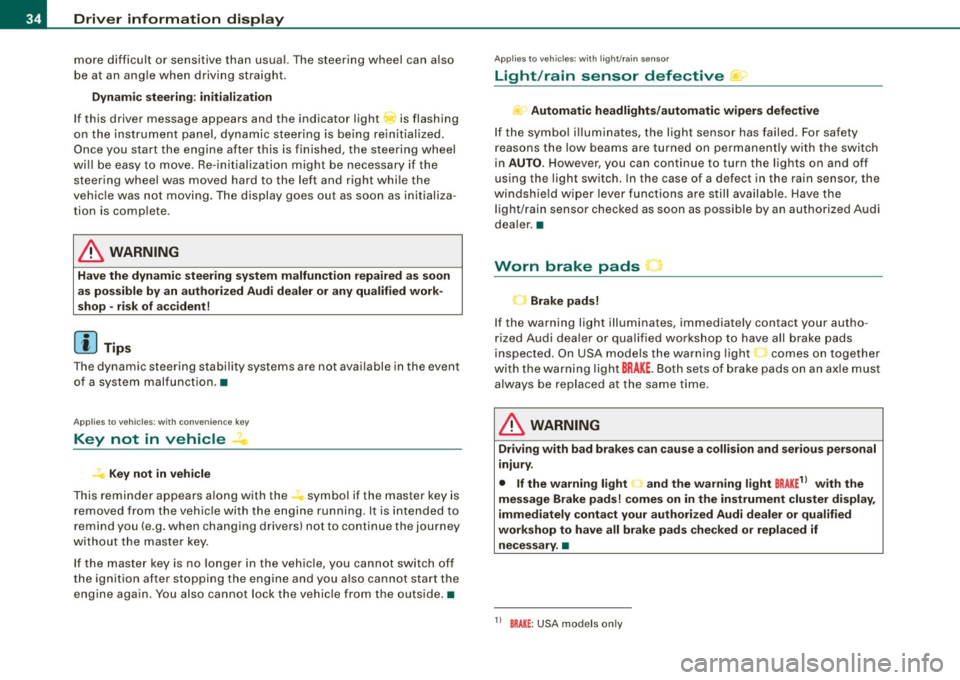
This reminder appears along with the symbol if the master key is
removed from the vehicle with the engine running. It is intended to
remind you (e .g. when changing drivers) not to continue the journey
without the master key.
If the master key is no longer in the vehicle, you cannot switch off
the ignition after stopping the engine and you also cannot start the
engine again . You also cannot lock the vehicle from the outside .•
Ap plies to vehi cles : w it h li ght/ ra in sensor
Light /rain sensor defective C../1
...i-Automatic headlights /automatic wipers defective
If the symbo l il luminates, the light sensor has failed . For safety
reasons the low beams are turned on permanently with the switch
in
AUTO . However, you can continue to turn the lights on and off
using the light switch. In the case of a defect in the rain sensor, the
windshie ld wiper lever functions are still available. Have the
light/rain sensor checked as soon as possible by an authorized Audi
dea ler. •
Worn brake pads
Brake pads!
If the warning light illuminates, immediately contact your autho
rized Audi dealer or qualified workshop to have all brake pads
inspected . On USA models the warning light 't comes on together
with the warning light
BRAKE . Both sets of brake pads on an axle must
a lways be replaced at the same time .
& WARNING
Driving with bad brakes can cause a collision and serious personal
injury.
• If the warning light and the warning lig ht
BRAKE1
l with the
message Brake pads! comes on in the instrument cluster display ,
immediately contact your authorized Audi dealer or qualified
workshop to have all brake pads checked or replaced if
necessary .•
1 1 BRAK£ : USA models only
Page 37 of 360
Applies to vehic les: with defective light bulb warn ing
Defective light bulb warning
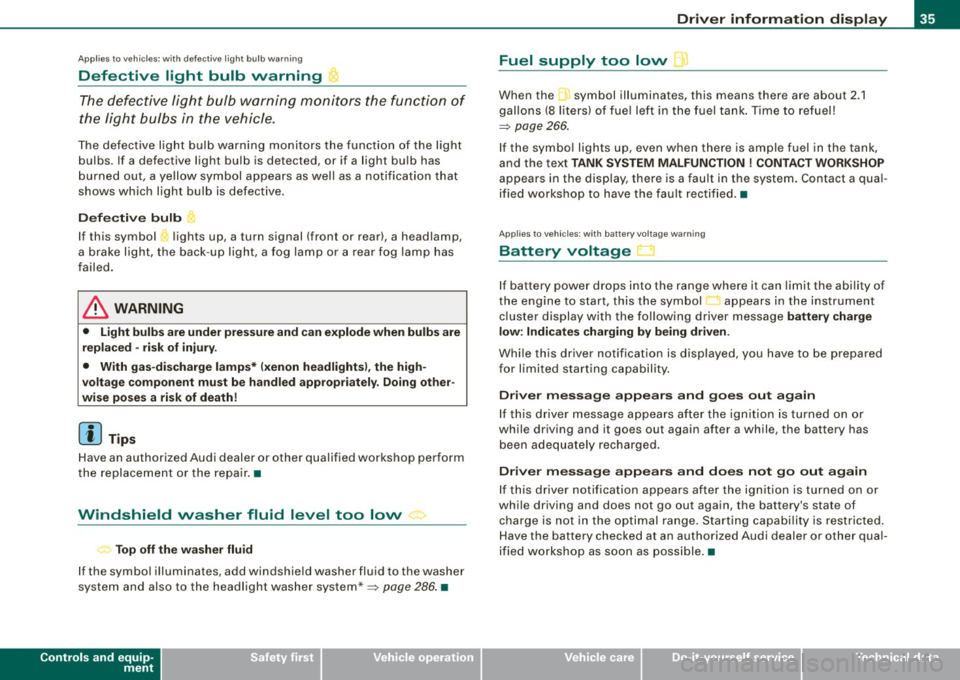
The defective light bulb warning monitors the function of
the light bulbs in the vehicle.
The defective light bulb warning monitors the function of the light
bulbs. If a defective light bulb is detected, or if a light bulb has
burned out, a yellow symbol appears as well as a notification that
shows which light bulb is defective.
Defective bulb
If this symbol lights up, a turn signal (front or rear), a headlamp,
a brake light, the back-up light, a fog lamp or a rear fog lamp has
failed.
& WARNING
• Light bulbs are under pressure and can explode when bulbs are
replaced -risk of injury.
• With gas-discharge lamps* (xenon headlights), the high
voltage component must be handled appropriately. Doing other
wise poses a risk of death!
[ i] Tips
Have an authorized Audi dealer or other qualified workshop perform
the replacement or the repair. •
Windshield washer fluid level too low ->
Top off the washer fluid
If the symbol illuminates, add windshield washer fluid to the washer
system and also to the headlight washer system* =>
page 286. •
Controls and equip
ment
Driver information display
Fuel supply too low \l
When the symbol illuminates, this means there are about 2.1
gallons
(8 liters) of fuel left in the fuel tank. Time to refuel!
=>
page 266.
If the symbol lights up, even when there is ample fuel in the tank,
and the text
TANK SYSTEM MALFUNCTION ! CONTACT WORKSHOP
appears in the display, there is a fault in the system. Contact a qual
ified workshop to have the fault rectified. •
Applies to veh icles: with battery voltage warning
Battery voltage ..:J
If battery power drops into the range where it can limit the ability of
the engine to start, this the symbol appears in the instrument
cluster display with the following driver message
battery charge
low: Indicates charging by being driven .
While this driver notification is displayed, you have to be prepared
for limited starting capability.
Driver message appears and goes out again
If this driver message appears after the ignition is turned on or
while driving and it goes out again after a while, the battery has
been adequately recharged.
Driver message appears and does not go out again
If this driver notification appears after the ignition is turned on or
while driving and does not go out again, the battery's state of
charge is not in the optimal range. Starting capability is restricted.
Have the battery checked at an authorized Audi dealer or other qual
ified workshop as soon as possible. •
I • •
Page 38 of 360

Driver information display
Check engine oil ~
:... Please top off with max. 1 L of oil . You can keep driving.
If the .._. symbol lights up displaying this driver message, then add
a maximum of 1 liter at your earliest opportunity=>
page 275. •
Engine oil level 'I..!.
Please check oil level
When the symbol illuminates, check the engine oil level as soon as
possible =>
page 275. Top off the oil at your earliest opportunity
=>
page 275. •
Engine oil sensor defective --
,. Oil level! Sensor defective
If the symbol illuminates, contact your authorized Audi dealer and
have the oil sensor inspected . Until you have this done, check the oil
level each time you refuel just to be on the safe side=>
page 275. •
Applies to vehi cles: with engine spee d lim itation
Engine speed limitation
~ Engine speed maximum XXXX RPM
The / symbol illuminates when there is an engine control malfunc
tion . The indicator light • in the instrument cluster also illumi
nates. The engine speed is limited to the speed displayed in the
driver information system. Keep in mind that the engine speed will not exceed the value displayed in the driver information system, for
example when downshifting.
Please go to an authorized Audi dealer or other qualified workshop
to have the malfunction repaired. •
• Headlight range control defective )
, > Headlight range control defective !
If the symbol "', illuminates, the dynamic headlight range control is
no longer working properly. Have the system checked and repaired
at your authorized Audi dealer. •
Applies t o vehicl es: with a dapt iv e ligh t
Adaptive light defective .CJ
Adaptive Light defective
When this symbol illuminates, it means that adaptive light is
defective. Go to an authorized Audi dealer to have the headlights or
the control unit for the adaptive light repaired. •
Ignition lock malfunction ~
Ignition lock defective
If the symbol in the display comes on, there is a malfunction in
the electronic ignition lock. Please go to an authorized Audi dealer
or other qualified workshop to have the malfunction repaired. •
Applies to vehi cles : with Audi drive se lec t
Adaptive dampers
11
Adaptive dampers: system malfunction
If the symbol in the display comes on, there is a malfunction in the
adaptive dampers . Please go to an authorized Audi dealer or other
qualified workshop to have the malfunction repaired. •
Page 41 of 360

[ i J Tips
• The operation of the remote control key can be temporarily
disrupted by interference from transmitters in the vicinity of the
vehicle working in the same frequency range {e .g . a cell phone,
radio equipment).
• If you open the driver's door with the key left in the ignition lock,
a chime will sound. This is your reminder to remove the key and lock
the door.
• For security reasons, replacement keys are only available from
Audi dealers.
• For Declaration of Compliance to United States FCC and Industry
Canada regulations~
page 342. •
Check light in the master key
The check light in the master key provides information
about different conditions.
!
lJl
Fig. 29 Check light in
the master key
The check light comes on briefly once when a button is pressed, and
during an "inquiry" by the convenience key system.
Con tro ls and eq uip
ment
Opening and closing
If the check light does not come on, the battery is dead and has to
be replaced. In addition, when the battery is dead the symbol
appears in the instrument cluster display as well as the message :
Please change key battery
Battery replacement ~ page 39. •
Master key battery replacement
..
Fig. 30 Remote master
key: Removing the
mechanical key
Fig . 31 Remote master
key: Removing the
battery holder
We recommend having the battery changed by an autho
rized Audi dealer. However, if you wish to replace the dead
battery yourself, proceed as follows:
- Press the release button @=>fig. 30.
Vehicle care I I Technical data
Page 50 of 360
Opening and closing
& WARNING
• After closing the rear lid, always pull up on it to make sure that
it is properly closed. Otherwise it could open suddenly when the
vehicle is moving .
• To help prevent poisonous exhaust gas from being drawn into
the vehicle, always keep the rear lid closed while driving . Never
transport objects larger than those which fit completely into the
luggage area, because then the rear lid cannot be fully closed.
• Never leave your vehicle unattended especially with the rear lid
left open. A child could crawl into the car through the luggage
compartment and pull the lid shut, becoming trapped and unable
to get out. To reduce the risk of personal injury, never let children
play in or around your vehicle. Always keep the rear lid as well as
the vehicle doors closed when not in use.
• Always ensure that no one is within range of the rear lid when
it is moving, in particular close to the hinges -fingers or hands can
be pinched .
[ i J Tips
• When the vehicle is locked, the rear lid can be opened separately
by pressing the button
cs on the master key. When you close the
rear lid again, it locks automatically.
• If the rear lid is open or not properly closed when the ignition is
turned on, the door and rear lid warning=>
page 21 appears in the
instrument cluster display. •
Power windows
Controls
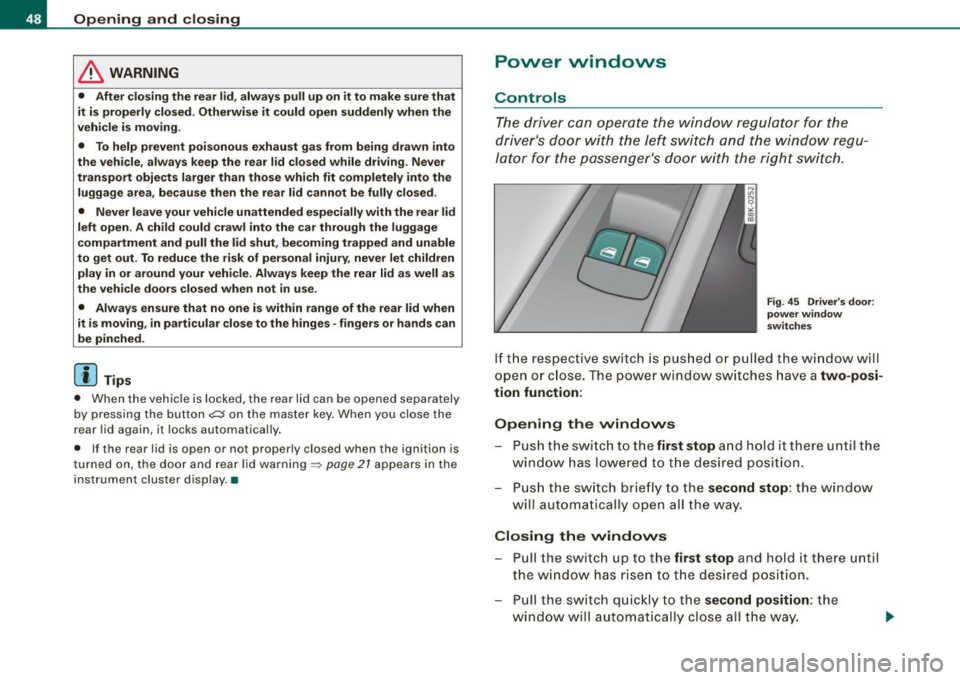
The driver can operate the window regulator for the
driver's door with the left switch and the window regu
lator for the passenger's door with the right switch.
Fig. 45 Driver's door:
power window
switches
If the respective switch is pushed or pulled the window will
open or close. The power window switches have a
two-posi
tion function:
Opening the windows
- Push the switch to the first stop and hold it there until the
window has lowered to the desired position.
- Push the switch briefly to the
second stop: the window
will automatically open all the way.
Closing the windows
- Pull the switch up to the first stop and hold it there until
the window has risen to the desired position.
- Pull the switch quickly to the
second position: the
w indow will automatically close all the way. .,