reset AUDI A5 COUPE 2012 User Guide
[x] Cancel search | Manufacturer: AUDI, Model Year: 2012, Model line: A5 COUPE, Model: AUDI A5 COUPE 2012Pages: 316, PDF Size: 78.59 MB
Page 83 of 316
Button(s )
AC
----·
Meaning
Turn cooling system on/off
<=> page 83
Seat heating
<=>page 91
aJ The reg ulato r is a lso used to set the fan speed, ai r di s
tributio n an d seat h eat ing.
(D Tips
The grille on the controls <=> fig. 94 must
remain unobstructed and must not be tap
ed over. Measuring sensors are located be
hind it.
Turning the climate control system on and off
Applies to vehicles: with deluxe automatic climate co ntrol
.. Briefly press the IOFFI button, or press the
IAUTOI button to turn the climate control
system
on .
.. Press the ~ ,o~ F=F ~I button to turn the climate
control system off and to block the a ir sup
ply from the outside.
The climate control system switches back on
when a control button is operated.
Automatic mode~
Applies to vehicles: with deluxe automatic cl imate control
The standard operating mode for all times of
the year.
Tu rning on au tomatic mode
.. Set the temperature between 60° F (+16°()
and 84°F (+28°() .
.. Press the
!AUTO l button.
Automatic mode ensures constant tempe ra
tures in the interior and dehumidifies the air
ins ide the veh icle. Air temperat ure, volume
and d istribution are controlled automatically
to reach or maintain the desired inter ior tem
perature as quickly as possible . Fluctuations
i n exte rior temperature and the effects of
temperature from the pos ition of the sun are
compensated fo r automat ically.
W arm and cold 81
This operating mode wo rks on ly in an adjusta
ble temperature range of 60°F (+16°() to
84°F (+28°(). If a temperature be low 60°F
( + 16°() is selected,
LO appears in the disp lay.
At temperatures above 84°F (+28°(),
HI is
displayed . At both extreme settings, climate
control runs co ntinuously at maximum cool
ing o r heating powe r. The re is no temperature
r egulation.
Setting the temperature
Applies to vehicles: with deluxe automatic climate control
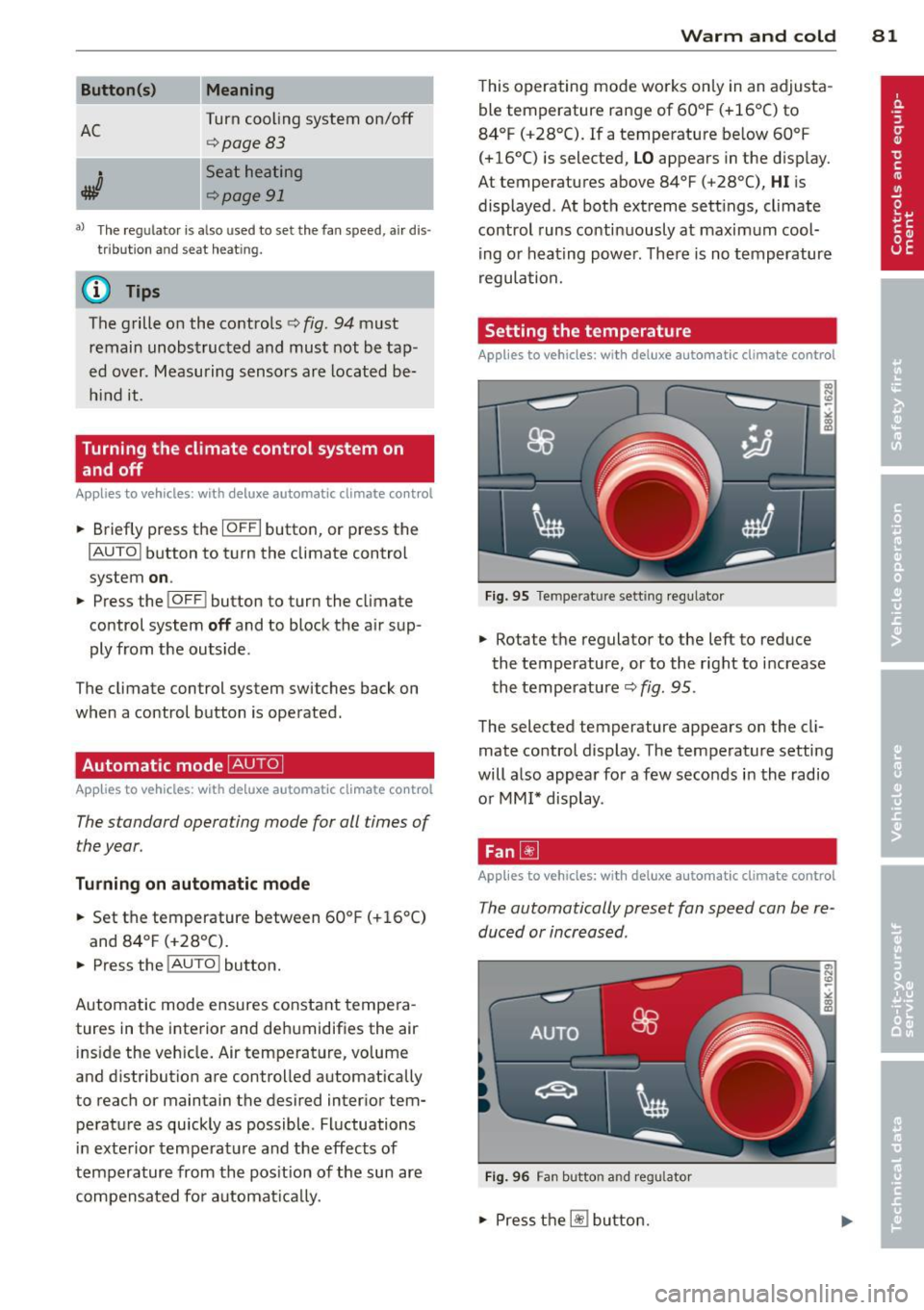
Fig. 95 Tempe rat ure sett ing regula tor
.. Rotate the regulator to the left to reduce
the temperature, or to the right to i ncrease
the temperature<=>
fig. 95 .
The selected temperature appears on the cl i
mate control display. The temperature setting
will also appear for a few seconds in the radio
or MM I* display .
Fan[!]
Applies to vehicles: with deluxe a utomatic clima te control
The automatically preset fan speed can be re
duced or increased .
Fig . 9 6 Fan button a nd regu lato r
.. Press the~ button.
Page 84 of 316
82 Warm and cold
• Rotate the regulator to set the desired fan
speed (air volume) .
We re commend a lways running the fan at a
l ow speed when driv ing s low ly .
To prevent polluted outside air (smell) from
entering the in terior of the vehicle, sw itch to
recircul ation mode by press ing the button 1- 1.
When the radio or MMI* is turned on, the fan
speed setting appears for a few seconds on
the s creen .
@ Tips
-It is possible that the fan speed may
change automati cally. This occurs to en
su re that the desired temperature set
ting is re ached as quickly as poss ible.
- The fan speed cannot be regulated sepa
r ately for the dr iver and front passenge r.
Recirculation mode I:;;]
Appli es to vehicles: with deluxe automa tic climate control
The recirculation mode prevents polluted out
side air from entering the vehicle interior .
Activating
• Press the bu tton 1.,,,,1 q _&. .
Deact ivating
• Press the button 1-1 aga in, or
• press the
IAU TO I button .
I n recirculation mode, air is drawn from the
vehicle interior, f iltered and recirculated. We
recommend selecting recirculation mode un
der the following conditions :
When driv ing through a tunnel or in a traffic
jam so that exhaust fumes and odors cannot
ente r the veh icle inter ior .
.&_ WARNING
You should not use the recirculation mode
for an extended per iod since no fresh air is
drawn in. With the ai r-conditioning switch
ed off, the windows can fog up, which in
creases the risk of an acc ident!
Air distribution ~
Applies to vehicles: with del uxe automatic climate control
The automatically preset air distribution can
be changed .
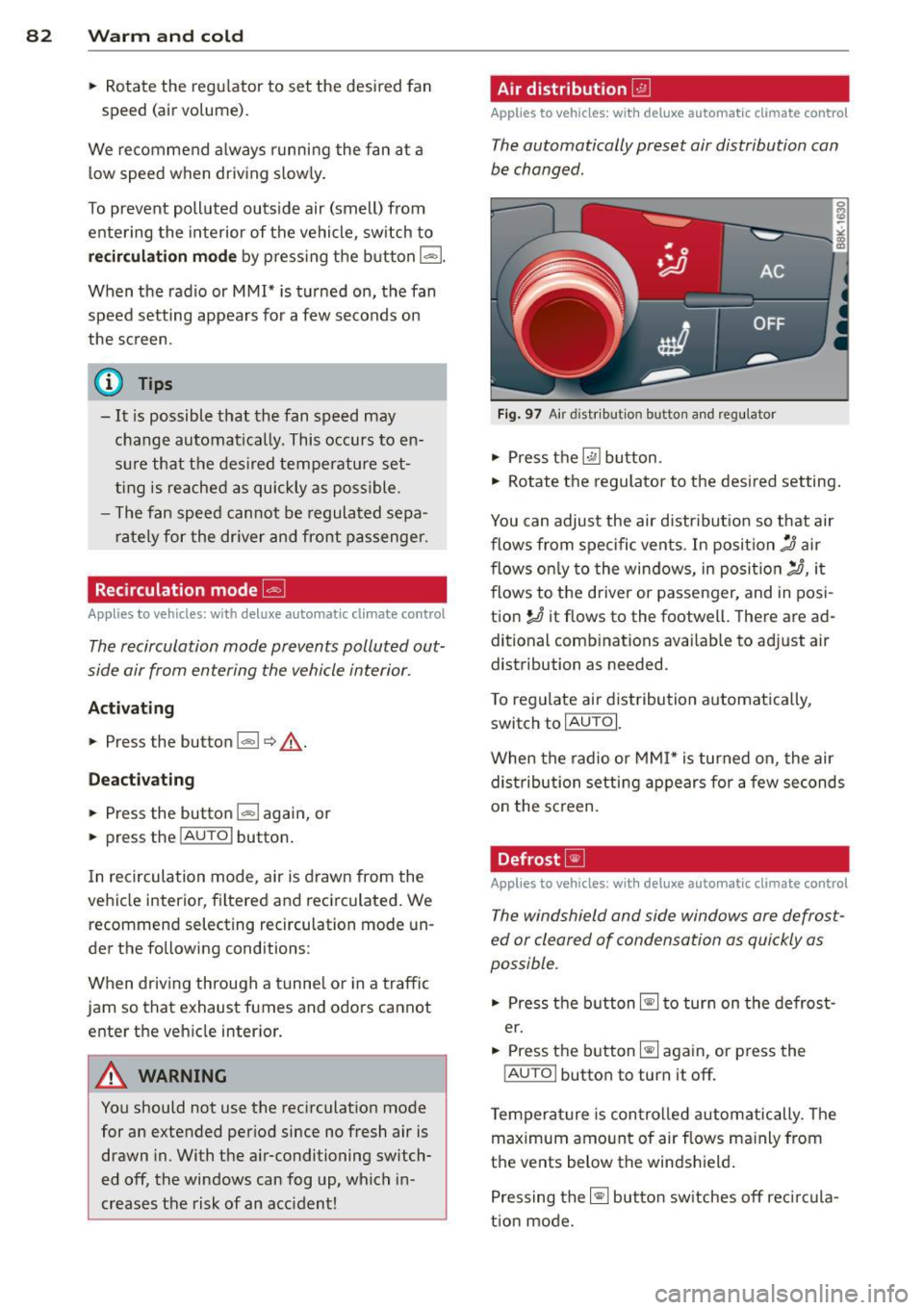
Fig . 97 A ir di str ib ut io n b utton and reg ulator
• Press th e ~ button.
,.. Rotate the regulator to the desi red setting .
You can adjust the air d istr ibut ion so that air
flows from specific vents . In positio n
:0 air
flows on ly to the windows, in posit io n
;n, it
flows to the d river or passenger, and in pos i
tion
!,!) it flows to the footwell . The re a re ad
ditional combinations availab le to adj ust air
distribution as needed .
T o reg ulate air d istribution a utomat ically,
switch to
IAU TOI.
When the radio or MMI* is turned on, the air
dist ribution setti ng appears for a few seconds
o n the sc reen .
Defrost ~
Applies to vehicles: with deluxe automat ic climate control
The windshield and side windows ore defrost
ed or cleared of condensation as quickly os
possible .
• Press t he button~ to tur n on the defrost
er.
• Press the button ~ again, or press the
IAUTO I button to turn it off .
T empera ture is con tro lled autom atically . T he
maximum amo unt of air flows ma inly from
the vents below the winds hield .
Pressing the~ button sw itches off reci rcula
t io n mode.
Page 89 of 316
Fan~
Applies to vehicles: with Deluxe automatic climate con
trol plus
The automatically preset fan speed con be re
duced or increased.
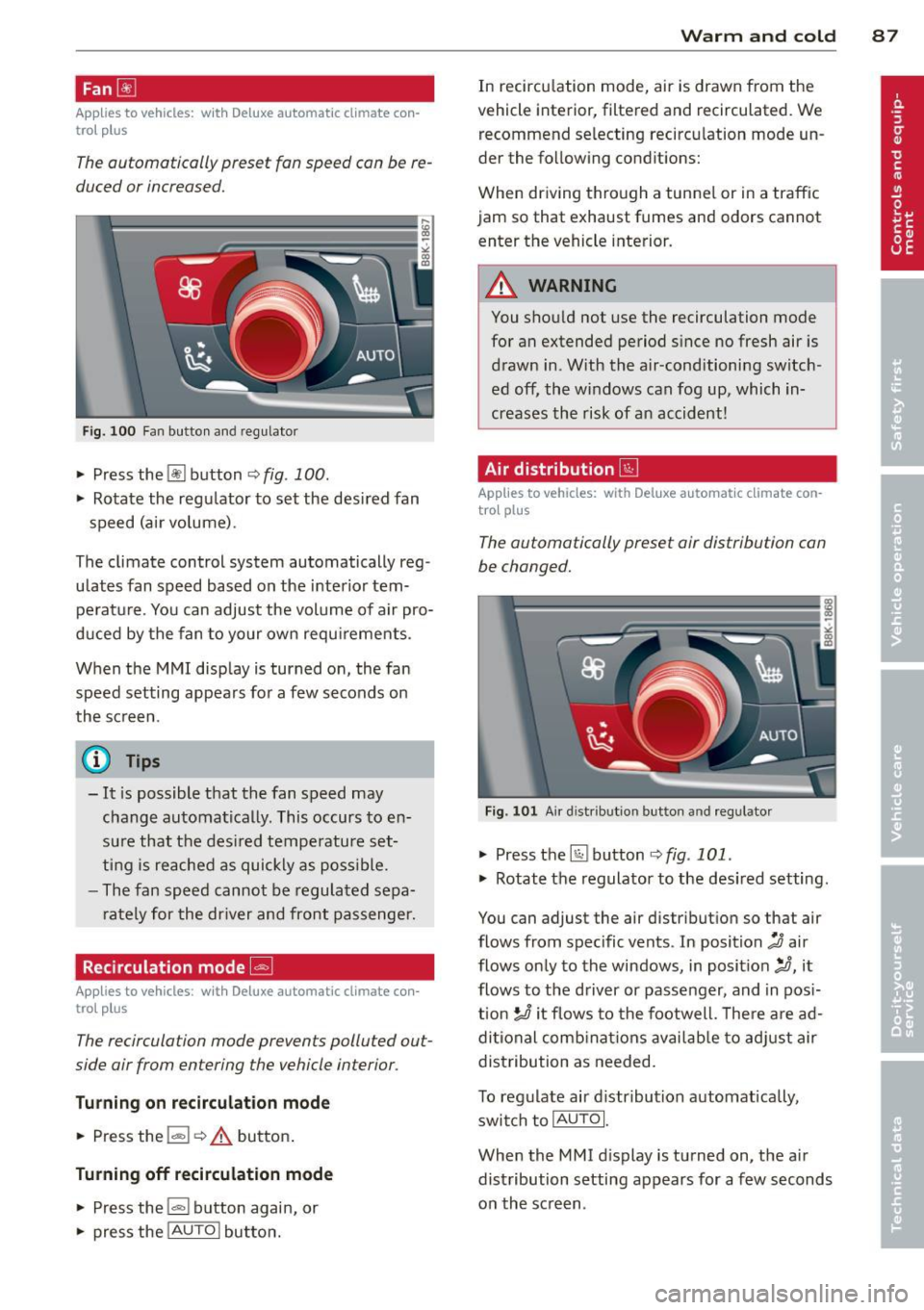
Fig. 100 Fan butto n and regulator
.. Press the~ button <=> fig. 100 .
.. Rotate the regu lator to set the desi red fan
speed (air volume).
The climate control system automatically reg
ulates fan speed based on the interior tem peratu re . You can adjust the volume of air pro
duced by the fan to your own requ irements.
When the MMI disp lay is turned on, the fan
speed setting appears for a few seconds on
the sc reen .
@ Tips
-It is possible that the fan speed may
change automatically . This occurs to en
su re that the des ired temperatu re set
ting is reached as quickly as poss ible.
- The fan speed cannot be regulated sepa
r ately for the dr iver and front passenger.
Recirculation mode G;l
Appl ies to vehicles: with Deluxe automatic climate con
trol p lus
The recirculation mode prevents polluted out
side air from entering the vehicle interior .
Turning on r ecirculation mode
.. Press the l""" I ¢ A button .
Turnin g off recirculation mode
.. Press the~ button again, or
.. press the
!AU TO I butto n.
W arm and cold 8 7
In recirculation mode, air is drawn from the
vehicle interior, filtered and recirculated . We
recommend selecting recirculation mode un
der the fo llowing conditions:
When driving through a tunne l or in a traffic
jam so that exhaust fumes and odors cannot
enter the vehicle interior.
_& WARNING
You shou ld not use the recirculation mode
for an extended period since no fresh air is
drawn in . With the air-conditioning switch
ed off, the w indows can fog up, which in
creases the risk of an accident!
Air distribution @J
Applies to vehicles: with Deluxe automatic clima te con
trol plus
The automatically preset air distribution con
be changed.
Fig . 1 01 A ir distribution button and regu lator
.. Press the~ button r:>fig . 101 .
.,. Rotate the regulator to the desired setting.
You can adjust the air distribution so that air
flows from specific vents. In position
:0 air
flows only to the windows, in posit ion
:,J, it
flows to the d river or passenger, and in pos i
tion
!J it flows to the footwell. There are ad
di tional comb inat ions avai lab le to adjust air
distribution as needed.
To regulate air d istribution automatically,
swi tch to
IAU TOI.
When the MMI d isplay is turned on, the a ir
distribution setting appears for a few seconds
on the screen .
Page 109 of 316

your vehicle's acceleration and braking can range from dynamic (1) to comfortab le (5) .
I Driving dynamic
standard comfort
program
Distance 1 1 2 3
Distance 2 2 3 4
Distance 3 2 3 4
3 4 5
_& WARNING
-
When setting the dista nce, the dr ive r is re
sponsible for adhering to the respective
national and country-specific regulations .
- F ollowing other vehicles too closely in-
creases the risk of collisions and serious
persona l injury .
- Setting short distances to the traffic ahead red uces the t ime and distance
available to br ing your vehicle to a safe
stop and makes it even more necessary
to pay close attention to traffic.
- Always use good judgment and se lect a
safe following distance for the traffic, road and weather cond itions .
(j) Tips
The d istance setting is reset to the factory
default
DISTANC E 3 the next time the ig
nition is turned on.
Ad apti ve crui se control 10 7
Driver information
Displays in the instrument cluster
Applies to vehicles: with adaptive cruise control
Depending on the driving situation, driver in
formation is displayed in the instrument clus
ter .
Fig. 1 17 Ove rv iew inst ru me nt cl uster
@ Speedometer and indicator light display
@ Display in the instrument cluster
© Message in the inst rument cl uster display
@ Speedometer and indicator light
display
Important information concerning vehicle op
eration with adaptive c ruise control is shown
i n display area @. The desired speed you set is
indicated in the speedometer (LED lights
around the edge) .
T he indicator lights s how whether the system
has detected a vehicle traveling ahead.
@ Display in the instrument cluster
In disp lay area @ in format io n from the navi
ga tion system" and the tr ip comp ute r is d is
played in addition to in format ion about adap
tive cr uise contro l.
Page 110 of 316

108 Adapti ve crui se control
You can select among the different in forma
tion by repeated brief taps on the
I RESET I but
ton on the windshield wiper lever¢
page 23,
Operation.
© S tatus in dicator
The information in area © is not displayed
permanently. Information is disp layed only if
you set or change the speed setting, change
the time interval, when messages are dis
played or if the adaptive cruise control is
turned off for safety reasons.
Speedometer and indicator light display
App lies to vehicles: with adaptive cruise control
~
- ---
~
® @ ©
Fig . 118 Instrument clus ter: Indicator light
Desired spe ed
The desired speed set by the driver is dis
p layed by a red LED in the LED display in the
speedometer.
N
?3
" 00 a,
I f the des ired speed was set between two
lines on the speedometer using the
ISETI b ut
ton, the two closest light diodes wi ll come on
¢ page 107, fig. 117.
The system a llows only speeds from 20 to 95
mph (30 to 150 km/h) to be set. This speed
range is faint ly illuminated in the speedome
ter (LED lights) .
Indicator lights (symbols )
- @ Open r oad :
The ind icator light shows
that adapt ive cru ise contro l is active a nd
that no object is ahead of the veh icle. Astor
ed speed requested is maintai ned .
-@ Driving in traff ic: The ind icator light indi
cates that an object has been detected trav
eling in front. Your speed is adjusted accord- ing to the speed of the vehicle in front.
The
adaptive cruise contro l accelerates and
brakes automatica lly w ithin the system's op
eration parameters.
- ©
Dri ver i nte rvention prompt : The red
flashing warning light means
Reque st for
driver to as sume con trol.
You as the dr iver
must slow the vehicle with the foot brake.
The symbol tells you that the adaptive
cruise control is not able to slow the veh icle
down enough to keep a enough distance to
the vehicle in front of you. An warning tone
w ill also sound when the symbo l appears.
For more information about the driver inter
vention prompt
¢ page 111.
CJ) Tips
-If you use the accelera tor to go faste r
t han the speed of the object ahead of
you, the
d riv e r intervent ion p rompt wi ll
not be accompanied by a warning s ignal.
- If the speed you previously set is exceed
ed, the indicator light in the speedome
ter wi ll switch off.
Display in the instrument cluster
Applies to vehicles: wit h adaptive cruise control
F ig . 119 Display in the inst rume nt cluster
Scroll th roug h the available informa tion d is
plays by briefly tapping the
I RESET ! button at
the end of the windshield wiper lever. You can
se lect information from the tr ip computer,
navigation system* or adaptive cruise control.
@ Vehicle symbol
@ Distance
© Status
Page 273 of 316

wheels on your vehicle to ensure that the re
p lacement or a lternate tires and wheels allow
the TPMS to continue to function properly .
Tire pressure indicator appears
Appl ies to vehicles: w ith t ire pressure monitoring sys te m
The tire pressure indicator in the instrument
cluster informs you if the tire pressure is too
low or if there is a system malfunction.
Fig . 2 15 Display: underin flati on wa rning
Fig. 216 Disp lay: System malfunction
Using the ABS sensors, the tire pressure moni
tor ing system compares the t ire tread circum
fe rence and vibration characteristics of the in
d iv idual tires.
If t he pressure decreases in one
or mo re tires, th is is indica ted in the instru
men t clus ter with a
[I] warning symbo l and a
message ¢
fig. 215. The driver message in the
disp lay goes out after 5 seconds . The drive r
message can be d isplayed again by pressing
the
! SET ! button. If only one tire is affected,
the display will indicate its pos ition.
The tire press ure monitoring system must be
reset via radio o r MM! * each time the p res
sures are adjusted (e.g . when sw itching be
tween partial and full load pressure) or after
changing or replacing a t ire on your vehicle
<::> page 2 72 . You can find the recommended
Tires and wheels 2 71
tire p ressu res for your vehicle on the label on
drive r's side B-pillar
c!;> page 256 .
Tire tread circumference and vibrat ion charac
teris tics can change and cause a tire pressure
warning if:
- t he t ire p ress ure in one or mo re tires is too
low,
- t he tir e has s tructural damage,
- the t ire pressu re was changed, w heels rotat-
ed or rep laced but the TPMS was not reset
c::>page272 .
Warning symbols
[I] Loss of pressure in at least one tire c::> .&. .
Check the tire or tires and replace or repa ir if
necessary . T he
[I] indicator l ight in the instru
ment cluster also illum inates
<::> page 13.
Check/cor rect the p ress ures of all fou r tir es
and reset TPMS via radio o r M MI*.
11@1@1 (Ti re Pressure Monito ring System) Tire
pre ssure! Sy stem ma lfunction .
Ifll@lf:1 appears after switching the ignition
on or while driving
c::> fig . 216 and the [I] indi
cator light in the instr ument cluster blinks for
approximately one m inute and then stays on,
there is a system malfunction. See your au
thorized Aud i de aler as soon as possible .
& WARNING ~
- If the tire pressure ind icator appears in
the instrument cluster display, one or more of your tires is significant ly unde r
inflated. Reduce your speed immediately
and avoid any hard steering or b raking
maneuvers. Stop as soon as possib le and
check the tires and their pressures . In
flate the tire pressure to the prope r pres
sure as indica ted o n the v ehicl e's tire
p ressu re labe l
c::>page 256. Driving on a
sig nifican tly un der- infla te d tire causes
the t ire to ove rheat and can lead to ti re
fa ilu re . Unde r-inflation also is l ikely to
impair the vehicle's hand ling and stop
ping ability .
Page 274 of 316
272 T ire s and wheel s
- The driver is responsible for maintaining
the correct tire pressures. You must
check the tire pressures regularly.
- Under certain conditions (such as a spor
ty driving style, winter condit ions or un
paved roads), the pressure monitor ind i
cator may be delayed .
- Ask your author ized Audi dealer if run
flat tires may be used on your veh icle.
Your vehicle regist rat ion becomes invalid
if you use these tires when not permit
ted. Damage to your veh icle or acc idents
cou ld also resu lt.
(D Tips
- The tire pressure monitoring system
stops working when there is an ESP/ABS malfunction.
- Using snow chains may result in a system
malfunction.
- To ensure a proper TPMS function use AUDI O riginal Tires wh ich are marked
with "AO" or "RO" on the tire sidewall.
¢page 263.
-The tire pressure monitoring system on
you r A udi was ca lib rated us ing tires w ith
the "AO" or "RO" identification. We rec
ommend using these tires .
Reset tire pressure monitoring system
Applies to vehicles: with tire pressure monito ring system
If the tire pressure is adjusted, wheels are ro
tated or changed, the TPMS must be reset via
radio or MM!*.
• Turn on the ignition.
• Se lect : the
ICARI function bu tton> Tire
pre ssure monitoring
> Store now .
@ Tips
Before resetting the TPMS, the current
pressu res of all four tires must correspond
to the specified values. Adjust the t ire
pressure and reset the pressure in the tire
pressu re monitoring system according to
the load you are carrying
¢ page 256 .
Page 309 of 316

Index 307
-----------------------------------.......
R
Radiator fan ... .... .. .... ... .. .. ... 246
Ra in sensor .. .. ........ ... .. .. .. .. .. 55
Rain sensor defective ....... .... .. .. .. 34
Reading lights
Fr ont .. .. .. ............. .. .. .. .. .. 53
Rear . ..... .. .. ... . .... ... .. .. .... 54
Rear fog lights . . . . . . . . . . . . . . . . . . . . . . SO
Rear lid
refer to Luggage compartment 44, 68, 150
Rear light Defective . . . . . . . . . . . . . . . . . . . . . . . . . 3 5
Rear view camera Park ing mode 1
P ark ing mode 2 137
138
Rear view mirror . . . . . . . . . . . . . . . . . . . . . 58
Rear window defogger . . . . . . . . . . . . 83, 88
Rear window sun shade . . . . . . . . . . . . . . . 54
Recirculation mode De luxe automatic climate control . . . . . . 82
De luxe automatic climate control plus . . 87
Red symbols ... .... .. .... ... .. .. .... 29
Refill engine oil ............ .... .. .. .. 3 2
Refuelling . .. .... ......... .... .. .. . 234
Release lever for hood ... ... .. .. .. .. . 23 7
Remote control garage door opene r
( H ome link ®) . . . . . . . . . . . . . . . . . . . . . . . 140
Remote control key Unlock ing and locking ..... .. .. .. .. .. 41
Remote rear lid release .. ... .. .. .. .. .. 44
R epa ir manua ls ......... ...... .... .. 293
Repairs Airbag system ........... .. .. .. .. . 175
Replacing bulbs . .. ..... ... .. .. .. .. . 283
Replacing t ires and wheels ... .. .. .. .. . 264
Replacing w indshield wiper blades .. .. .. 56
Report ing Safety Defects .... .. .. .. .. . 152
Reset button ... ........ ... .. .. .. .. .. 12
Retractor . . . . . . . . . . . . . . . . . . . . . . . . . . 15 7
R ims
Cast alloy .. .... ......... .. .. .. .. . 22 5
Roof luggage rack
Mounting po ints .......... ... ... ... 74 Roo
f rack . . . . . . . . . . . . . . . . . . . . . . . . . . . 73
Roof load ... .. .... . ... ...... ... .. . 74
also refer to Roof luggage rack . . . . . . . . 73
s
Safe driving habits ... . .. .. ..... ... .. 144
Safety Wa rning/ind icator lights ............ . 15
Safety be lt pos ition . . . . . . . . . . . . . . . . . 158
Safety be lts worn by pregnant women . 159
Safety be lt pretensioner .. ..... ... .. .. 160
Serv ice and disposa l .... .... ... .. .. 161
Safe ty be lts . . . . . . . . . . . . . . . . . . . . . . . . 15 7
Cleaning .. .. .. .. ... .. .......... .. 230
Danger to passengers who do not wear a
safety belt . ....... . .. .. ..... ... .. 155
F astening ....... .. . .. .. ..... ... .. 157
Improper ly worn . ................. 160
Not worn ... .. ...... ............. 155
Safety be lt pos ition . ... ... ... .. .. .. 158
Safety instructions ................. 157
Securing child safety seats ......... . 195
Spec ial considerations for pregnant
women ... .. .. .. .... ............. 159
Unf astening . .. .. ............... .. 159
Warning/ind icator light . ..... ... .. .. 154
Why YOU MUST wear them ... ... .. .. 154
Worn properly ... .. .. ... ..... ... .. 156
Safety be lt warning ligh t . . . . . . . . . 16, 15 4
Safety compliance sticker ............ 290
Safety eq uipment .... . .. .. ..... ... .. 144
Safety featu res for occ upant rest raint and
prote ction . . . . . . . . . . . . . . . . . . . . . . . . . 144
Safety gu idelines
Seat adjustment .. .. . .. .... .... .. .. . 61
Safety instr uctions
Engine compartment . ... .... ... .. .. 237
for side curtain airbags ......... .... 184
for using ch ild safety seats ........ .. 189
for using safety belts .......... .... . 157
Moni to ring the Advanced Airbag Sys -
tem .. .. .. .. .. .. .. . .. .... .... .... 175
Seat adjustment Driver's seat . . . . . . . . . . . . . . . . . . . . . . . 61
Easy entry funct io n . . . . . . . . . . . . . . . . . 64
Easy entry manua l function ......... .. 63
Fo r-and-aft manua lly ... .. .. ... ... .. . 62
•
•