ECO mode AUDI A5 COUPE 2013 Owner's Manual
[x] Cancel search | Manufacturer: AUDI, Model Year: 2013, Model line: A5 COUPE, Model: AUDI A5 COUPE 2013Pages: 294, PDF Size: 73.84 MB
Page 116 of 294
114 Park assist
Vehicles with the parking system are equipped
with a rear view camera in addition to the
acoustic parking system.
You can choose between two modes to assist
you with parking. For example, you can use
"parking mode 1" when parking in a parking
space or garage
c:> fig . 115. When you want to
park parallel to the edge of the street, select
"parking mode 2"
c:>fig . 116.
The rear acoustic park assist system is inte
grated in the rear of the vehicle and the rear
view camera is integrated in the rear lid
c:>page 115.
A WARNING
- T he rear view camera has blind spots, in
wh ich objects cannot be detected . Be es
pecially careful to check for small chil
dren and animals before backing up.
Small children and anima ls w ill not al
ways be detected by the sensors.
General Information
Appl ies to vehicles: w it h parking system (rear, wit h rear
v iew camera)
~--
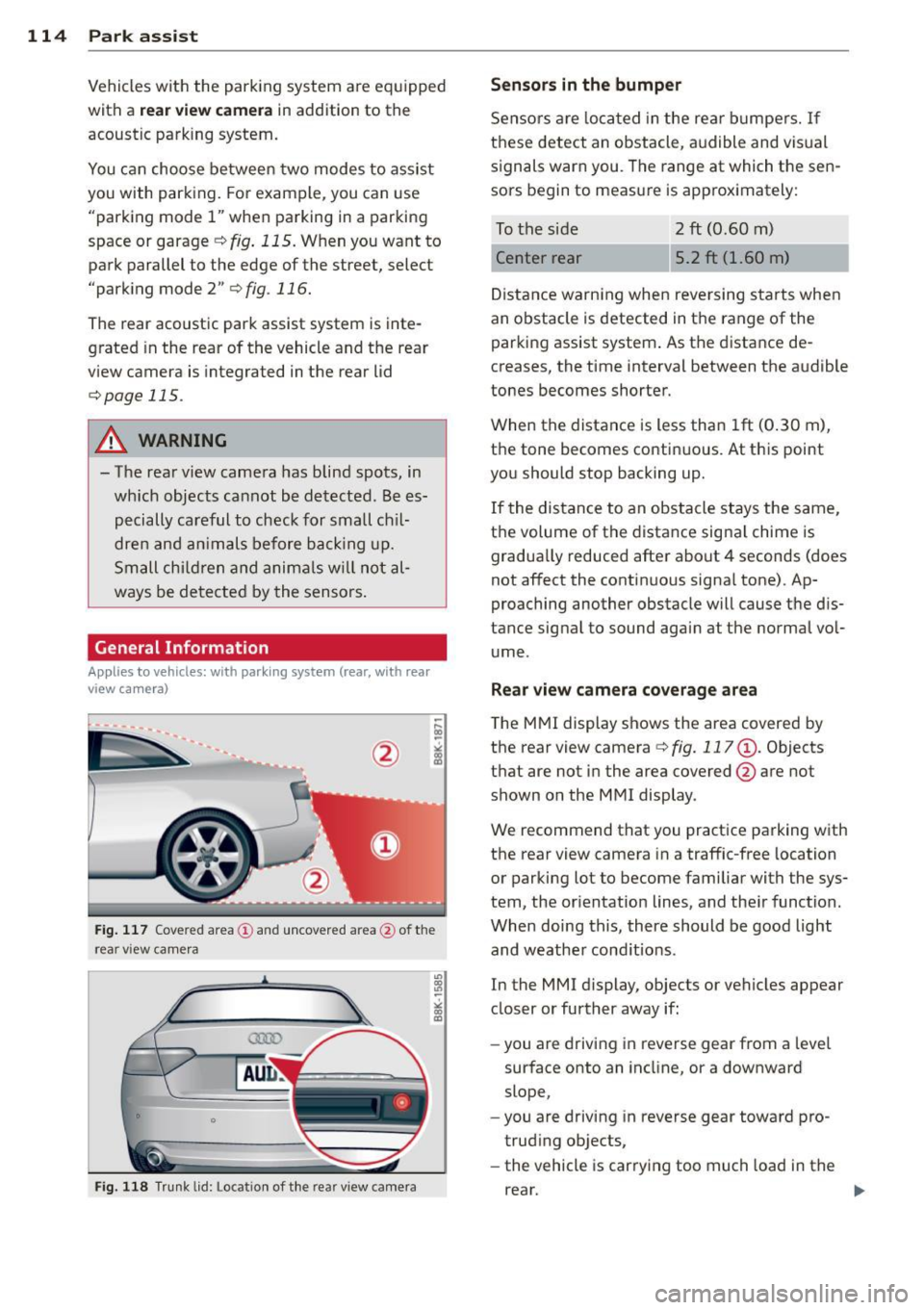
Fig. 117 Cove red area (!) and uncovered area @ of the
rea r view came ra
• 0
F ig. 118 Trun k lid : Location of the rear view camera
"'
"' "'
~
Sensors are loca ted in the rear bumpers. If
these detect an obstacle, audible and visual
signals warn you. The range at which the sen
sors begin to measure is approx imately:
To the side
2 ft (0 .60 m)
Center rear 5.2 ft (1.60 m)
Distance warning when reversing starts when
an obstacle is detected in the range of the parking assist system . As the distance de
creases, the time interval between the audible
tones becomes shorter.
When the distance is less than 1ft
(0.30 m),
the tone becomes continuous. At this point
you should stop backing up.
If the distance to an obstacle stays the same,
the volume of the distance signal chime is
gradually reduced after about 4 seconds (does
not affect the contin uous signa l tone) . Ap
proaching another obstacle will cause the dis
tance signal to sound again at the normal vol
ume.
Rear view camera coverage area
The MMI display shows the area covered by
the rear view camera
c:> fig. 117 (D . Objects
that are not in the area covered @are not
shown on the MMI display .
We recommend that you practice parking with
the rear view camera in a traffic-free location
or parking lot to become familiar with the sys
tem, the orientation lines, and the ir function.
When doing this, there should be good light
and weathe r cond itions.
In the MMI display, objects or vehicles appear
closer or further away if:
- you are driving in reverse gear from a level
surface onto an incline, or a downward
slope,
- you are driving in reverse gear toward pro
trud ing objects,
- the vehicle is carrying too much load in the
rear.
Page 122 of 294
120 Homelink® Programming the transmitter (version
A)
Applies to vehicles: with Homelink
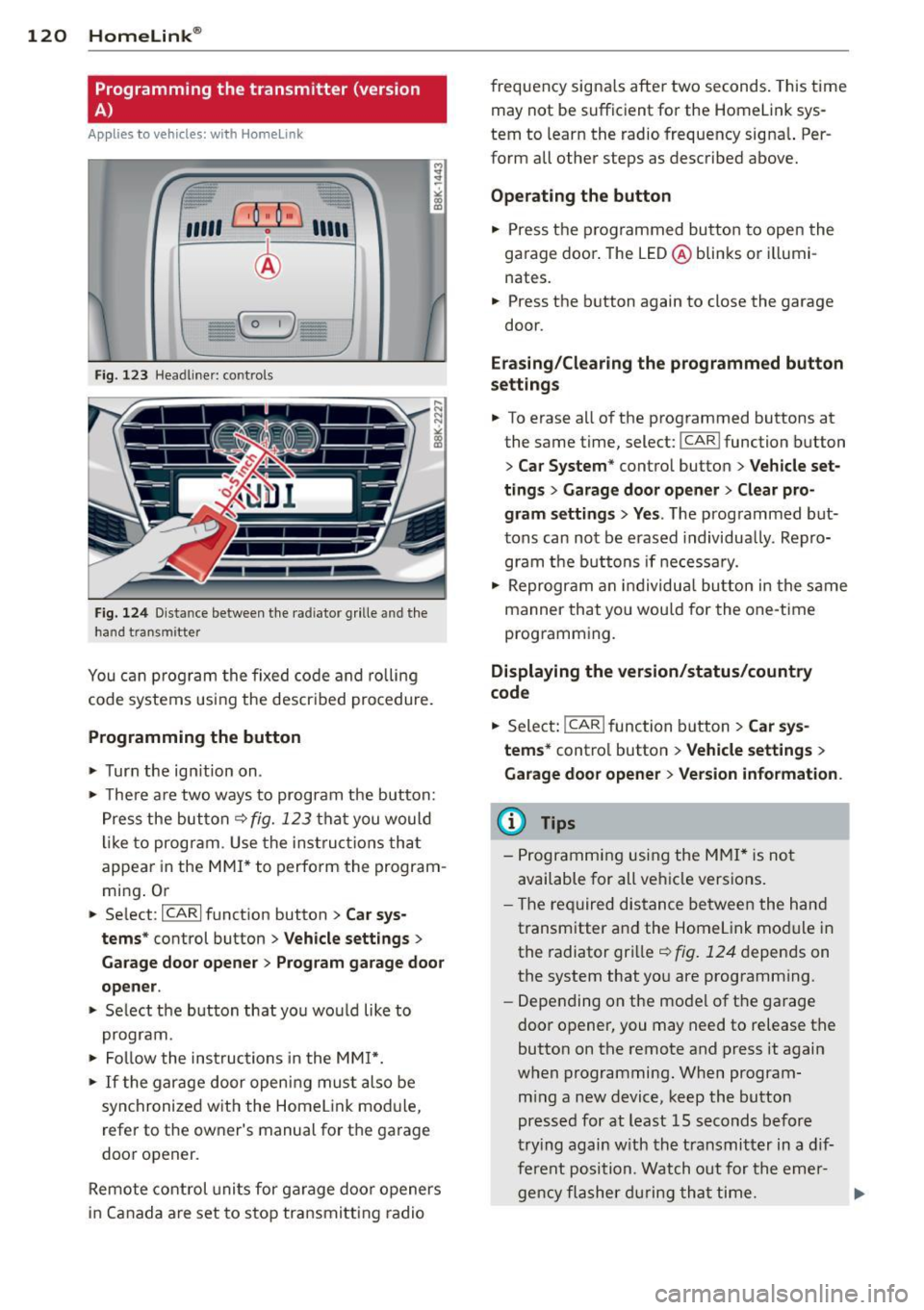
Fig. 123 Head line r: controls
Fig. 124 Dista nce between the radiator grille and the
hand transm itter
You can program the fixed code and rolling
code systems using the described procedure.
Programming the button
.,. Turn the ignition on .
.,. There are two ways to program the button:
Press the button
q fig. 123 that you would
like to program . Use the instructions that
appear in the MMI* to perform the program
ming. Or
.,. Select :
~IC~A~R~I function button > Car sys
tems*
control button > Vehicle settings>
Garage door opener> Program garage door
opener .
.,. Select the button that you would like to
program.
.,. Follow the instructions in the
MMI*.
.,. If the garage door opening must also be
synchronized with the Homelink module,
refer to the owner's manual for the garage
door opener.
Remote control units for garage door openers
in Canada are set to stop transmitting radio frequency
signals after two seconds. This time
may not be sufficient for the Homelink sys
tem to learn the radio frequency signal. Per
form all other steps as described above.
Operating the button
.,. Press the programmed button to open the
garage door. The LED@blinks or illumi
nates .
.,. Press the button again to close the garage
door.
Erasing/Clearing the programmed button
settings
.,. To erase all of the programmed buttons at
the same time, select:
I CAR ! function button
> Car System* control button > Vehicle set·
tings
> Garage door opener> Clear pro
gram settings> Yes .
The programmed but
tons can not be erased individually. Repro
gram the buttons if necessary .
.,. Reprogram an individual button in the same
manner that you would for the one-time
programming .
Displaying the version/status/country
code
.,. Select: !CAR ! function button> Car sys
tems*
control button > Vehicle settings >
Garage door opener > Version information .
@ Tips
- Programming using the MMI* is not
available for all vehicle versions.
- The required distance between the hand
transmitter and the Homelink module in
the radiator grille
q fig. 124 depends on
the system that you are programming .
- Depending on the model of the garage
door opener, you may need to release the
button on the remote and press it again
when programming. When program
ming a new device, keep the button
pressed for at least 15 seconds before
trying again with the transmitter in a dif
ferent position . Watch out for the emer-
gency flasher during that time. .,..
Page 123 of 294
-For security reasons, we recommend that
you clear the programmed buttons be
fore se lling the vehicle .
Programming the transmitter (version
B)
Applies to vehicles: with Home Link
,,,,, r ,o :O·,) ,,;;~
®
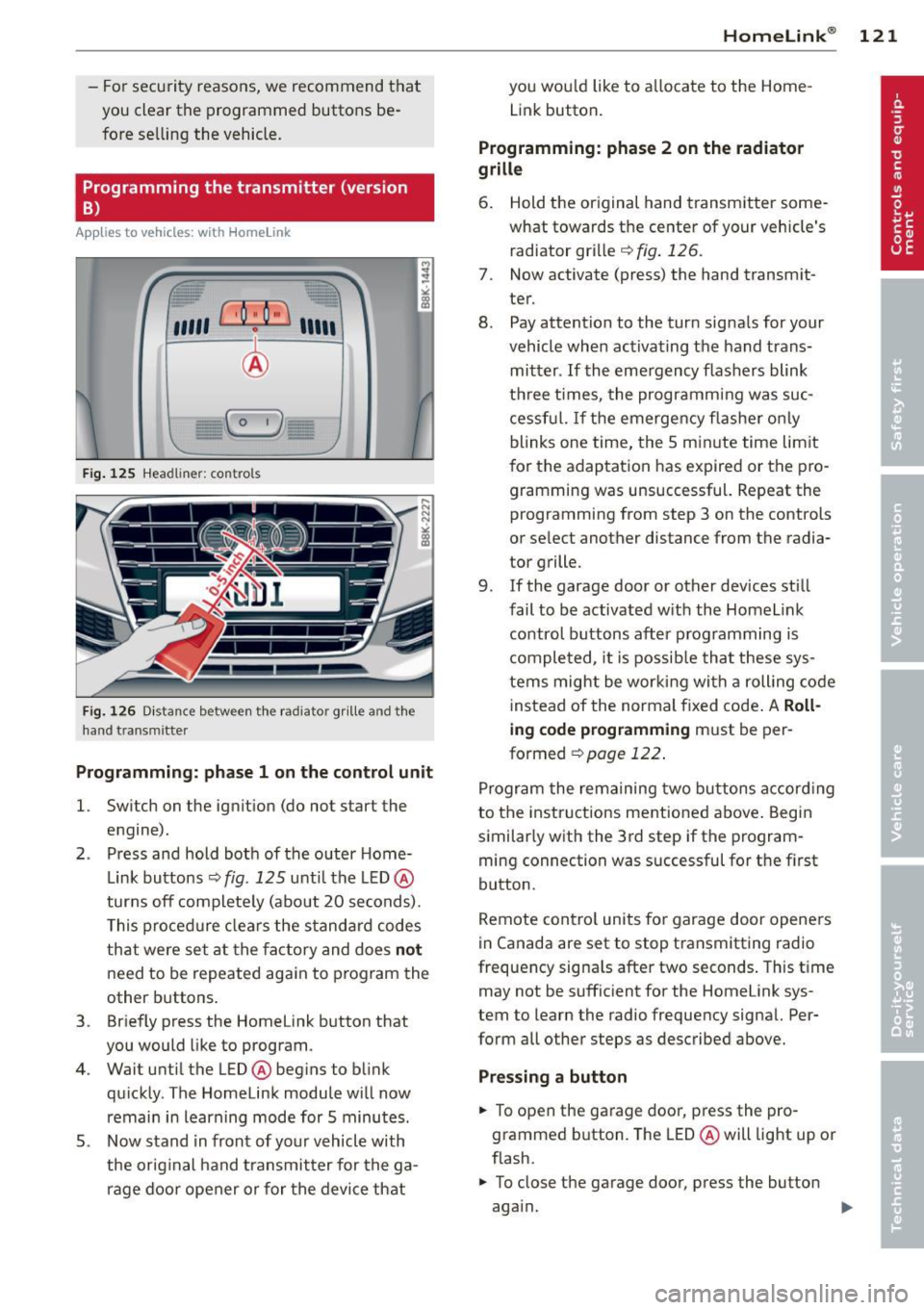
Fig. 125 Hea dli ner: c o n tro ls
Fig. 126 Dis ta n ce betw een th e radiato r gri lle a nd the
hand t rans mitte r
Programming: phase 1 on the control unit
l. Switch on the ignition (do not start the
engine) .
2 . Press and hold both of the outer Home
Link buttons ¢
fig. 125 unti l the LED @
turns off completely (about 20 seconds).
This procedure clears the standard codes
that were set at the factory and does
not
need to be repeated again to program the
other buttons .
3 . Briefly press the Homelink button that
you would like to program .
4. Wait until the LED @beg ins to blink
quickly . The Homelink module will now
remain in learning mode for 5 minutes.
5 . Now stand in front of your vehicle with
the original hand transmitter for the ga
rage door opener or for the device that
Homelink ® 121
you wou ld like to allocate to the Home
Link button .
Programming: phase 2 on the radiator
grille
6. Hold the or iginal hand transmitter some
what towards the center of your vehicle's radiator grille ¢
fig. 126.
7. Now activate (press) the hand transm it
ter.
8. Pay attention to the turn sig nals for your
vehicle when activating the hand trans
mitter .
If the emergency flashers blink
three times, the programm ing was suc
cessful. If the emergency flasher only
blinks one time, the 5 minute time lim it
for the adaptation has expired or the pro
gramming was unsuccessful. Repeat the
programming from step 3 on the controls
or se lect another distance from the radia
tor grille.
9. If the garage door or other devices still
fail to be activated with the Homelink control buttons after programming is
completed, it is possible that these sys
tems might be working with a roll ing code
instead of the normal fixed code . A
Roll
ing code programming must be per
formed
¢ page 122 .
Program the remaining two buttons according
to the instructions ment ioned above . Begin
similarly with the 3rd step if the program
ming connection was successful for the f irst
button .
Remote contro l units for garage door openers
in Canada are set to stop transmitting radio
frequency signa ls after two seconds . This time
may not be sufficient for the Homelink sys
tem to learn the radio frequency sign al. Per
form all other steps as described above.
Pressing a button
.,. To open the garage door, press the pro
grammed b utton. The LED @ will light up or
flash .
.,. To close the garage door, press the button
aga in.
Page 124 of 294
122 Homelink®
Erasing the button s
.. Switch on the igni tion (do not start the en
gine) .
.. Press and ho ld both of the o uter buttons
until the LED @ turns off complete ly (about
20 seconds) to erase all of the buttons si
multaneously .
.. Programmed buttons cannot be erased indi
vidually . Reprogram the buttons if necessa
ry.
Reprog ramming the button s
.. Switch on the ignition (do not start the en
gine).
.. To reprogram an ind ividual button, press
and hold the des ired button unt il the L ED @
begins to blink (about 10 seconds) . Re lease
the button .
.. Wait until the L ED@ begins to blink quic k
ly . T he Homelink module will now remain in
l earning mode for 5 minutes .
.. Cont in u e with step 5 .
(D Tips
-The requ ired distance between the hand
transmitter and the Homelin k module in
the radiator grille¢
fig. 126 depends on
the system that you are programming.
- Depending on the mode l of the garage
door opener, you may need to release the
button on the remote and press it again
when programming. When program ming a new dev ice, keep the button
pressed for at least 15 seco nds befo re
trying again with the transmitte r in a dif
ferent pos it ion. Watch out fo r the emer
gency flasher duri ng t hat time.
- Fo r secu rity reaso ns, we recommend that
you clear the programmed but tons be
fore se lling the vehicle.
Programming the rolling code
Applies to veh icles: w ith Homelink
Additionally, a rolling code programming for
the Homelink universal remote control is re
quired for some systems .
Identifying the rolling code
.. Press the previously programmed HomeLink
button again and hold it down .
.. Look at the LED@¢
page 121, fig . 125 . If
the L ED blinks q uickly, the feat ures, such as
the garage door opene r, a re eq uipped w ith
t he rol ling code.
.. Program the rolling code as follows:
Activating the garage door opener motor
unit
.. Locate the setting but ton on the garage
door opene r motor un it. The exac t loca tion
and colo r of the bu tton may vary depending
on the garage door opener manufacturer .
.. Press the setting button on the garage door
opener motor unit ( usua lly this will activate
a "setting light display" on the motor unit).
Now you will have about
3 0 seconds time to
pe rform the Homelink button programm ing
on the controls .
Programming on the controls
.. Quickly press the p rev iously programmed
Homelink b utton .
.. Press the Home link button once more to
end the roll ing code programm ing .
After the controls have been programmed, the garage door opener s hou ld recognize the
Homelink signa l and operate when the Home
Li nk button is pressed. Now you may program
the other buttons as needed .
(D Tips
-Programming the rolling code can be
performed quicke r and more easily with
th e help of a second person. The Home
Li nk button may need to be pressed a
t hird t ime to en d the adjus tment pro ce
dure for some garage door openers.
Page 158 of 294
156 Airbag system
There are some important things you have to
know to make sure that the effectiveness of
the system will not be impaired and that dis
carded components do not cause injury or pol
lute the environment.
A WARNING
Improper care, servicing and repair proce
dures can increase the risk of personal in
jury and death by preventing an airbag
from deploying when needed or deploying an airbag unexpectedly:
- Never cover, obstruct, or change the
steering wheel horn pad or airbag cover
or the instrument panel or modify them
in any way.
- Never attach any objects such as cu
pholders or telephone mountings to the
surfaces covering the airbag units.
- For cleaning the horn pad or instrument
panel, use only a soft, dry cloth or one
moistened with plain water. Solvents or
cleaners could damage the airbag cover
or change the stiffness or strength of the
material so that the airbag cannot de
ploy and protect properly.
- Never repair, adjust, or change any parts
of the airbag system .
- All work on the steering wheel, instru
ment panel, front seats or electrical sys
tem (including the installation of audio
equipment, cellular telephones and CB
radios, etc .) must be performed by a
qualified technician who has the training
and special equipment necessary.
- For any work on the airbag system, we
strongly recommend that you see your
authorized Audi dealer or qualified work shop.
- Never modify the front bumper or parts
of the vehicle body.
- Always make sure that the side airbag
can inflate without interference:
- Never install seat covers or replace
ment upholstery over the front seat
backs that have not been specifically
approved by Audi . -
Never use additional seat cushions that
cover the areas where the side airbags
inflate.
- Damage to the original seat covers or
to the seam in the area of the side air
bag module must always be repaired
immediately by an authorized Audi
dealer .
- The airbag system can be activated only
once. After an airbag has inflated, it
must be replaced by an authorized Audi
dealer or qualified technician who has
the technical information, training and
special equipment necessary.
- The airbag system can be deployed only
once . After an airbag has been deployed,
it must be replaced with new replace
ment parts designed and approved espe
cially for your Audi model version. Re
placement of complete airbag systems
or airbag components must be per
formed by qualified workshops only.
Make sure that any airbag service action
is entered in your Audi Warranty
& Main
tenance booklet under
AIRBAG REPLACE
MENT RECORD .
-In accidents when an airbag is deployed,
the vehicle battery separates the alterna
tor and the starter from the vehicle elec
trical system for safety reasons with a pyrotechnic circuit interrupter.
- Work on the pyrotechnic circuit inter
rupter must only be performed by a
qualified dealer -risk of an accident!
- If the vehicle or the circuit interrupter
is scrapped, all applicable safety pre
cautions must be followed.
@ For the sake of the environment
Undeployed airbag modules and preten
sioners might be classified as Perchlorate Material -special handling may apply, see
www.dtsc.ca.gov/hazardouswaste/per
chlorate. When the vehicle or parts of the restraint system including airbag modules
safety belts with pretensioners are scrap
ped, all applicable laws and regulations
must be observed. Your authorized Audi
1J1-
Page 170 of 294
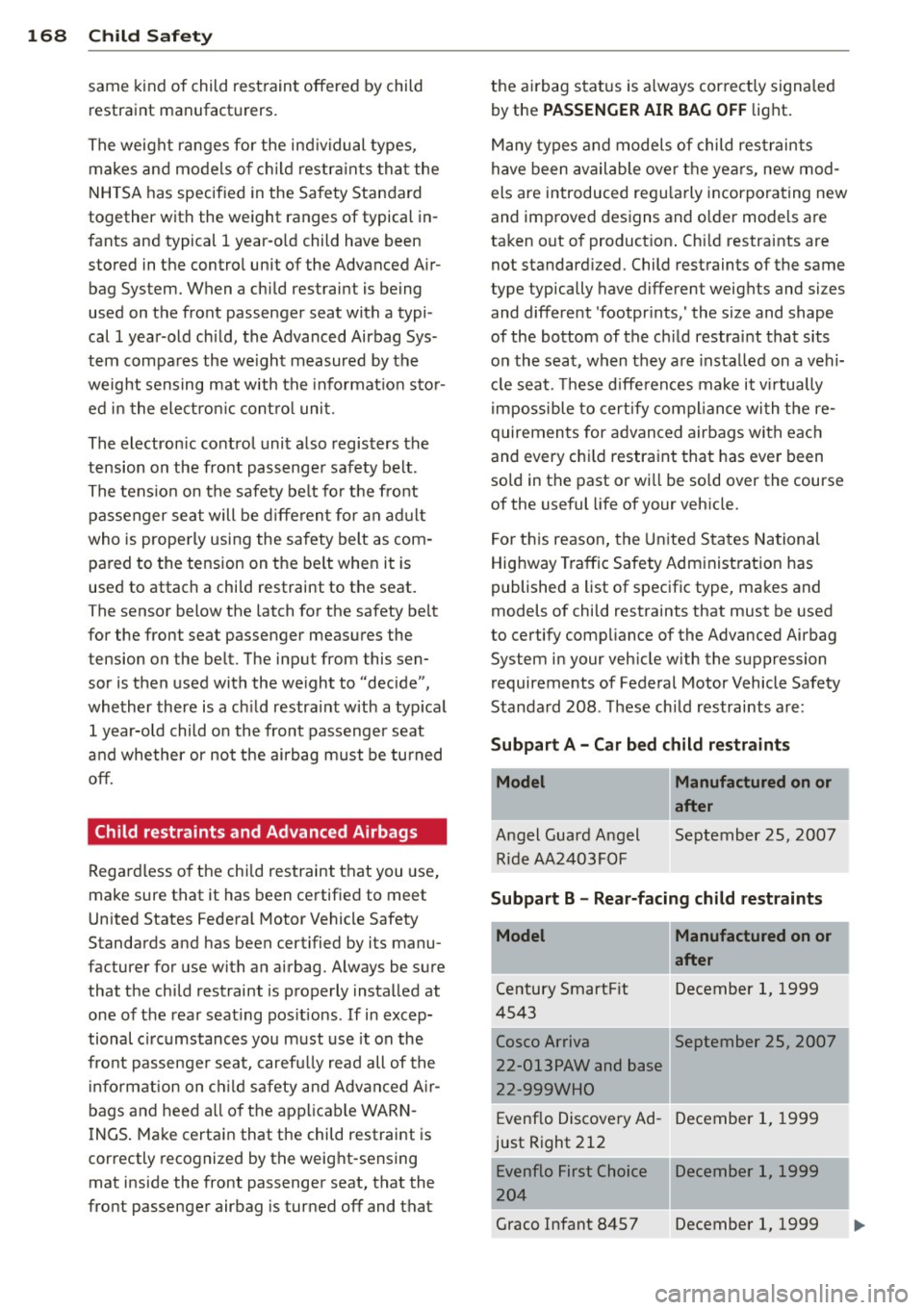
168 Child Saf ety
same kind of child rest raint offered by child
restraint manufact urers.
The weight ranges fo r the ind ividual types,
makes and mode ls o f chi ld restra ints that the
NHTSA has specified in the Safety Standard
together with the weight ranges of typical in
fants and typical 1 year-o ld child have been
stored in the control unit of the Advanced A ir
bag System. When a child restraint is being
used on the front passenger seat with a typi
cal 1 year-old ch ild, the Advanced Airbag Sys
tem compa res the we ight measured by the
weight sensing mat with the informat io n sto r
ed i n the ele ct ron ic cont ro l uni t.
The electron ic control unit also registers the
tension on the front passenge r safety belt .
The tens io n on the safety be lt fo r the front
passenger seat will be d iffe ren t for an ad ult
who is prope rly using the safety belt as com
pared to the tension on the be lt whe n it is
used to attach a chi ld restraint to the seat.
The sensor below the latch for the safety be lt
for the front seat passenger meas ures the
tension on the be lt. The input from this sen
sor is then used with the we ight to "decide",
whether there is a ch ild restraint w ith a typ ical
1 year-o ld child o n the front passenger seat
and whe ther or not the ai rbag must be tu rned
off.
Child restraints and Advanced Airbags
Regardless o f the child restraint t hat you use,
make sure that it has been ce rtified to meet
United States Federal Motor Vehicle Safety
Standards and has been certified by its manu
facturer for use with a n airbag. Always be sure
that the child restraint is properly instal led at
one of the rear seat ing pos itions .
If in excep
tional c ircumstances you must use it on the
fro nt passenger sea t, caref ully read all of the
i n format ion on c hild safety and Advanced A ir
bags and heed a ll of the app licab le WAR N
I NGS . Ma ke certain that the child restraint is
correctly recognized by the weig ht-sensing
mat inside the front passenger seat, that the
fro nt passenger airbag is turned off and that the a
irbag sta tus is always cor rect ly signa led
by the
PASSENGER AIR BAG OFF light .
Many types and models of child res traints
h ave been available over the yea rs, new mod
els are introduced regu larly incorporating new
and improved designs and o lde r mode ls are
ta ken out o f product ion . Ch ild restra ints are
not standard ized . Child restraints of the same
type typically have different weights and sizes
and different 'footpr ints,' the size and shape
of the bottom of the ch ild restra int that sits
on the seat, when they are insta lled on a vehi
cl e seat. These d iffe rences make it v irtually
i mpossible to certify compl ian ce wi th t he re
quiremen ts for advanced airbags with eac h
and every chi ld restraint that has eve r been
sold in the past or wi ll be sold over the course
of the useful life of your veh icle.
F or t his reason, the United S tates National
Highway T raffic Safety Adm inist ration has
published a list of specific type, ma kes and
models of child restraints that must be used
to certify comp liance of the Advanced Airbag
System i n your veh icle with the suppression
requirements of Federal Motor Vehicle Safety
Standa rd 208. These ch ild restraints a re:
Subpart A -Car bed child re straints
Model
A ngel Guard Angel
Ride AA2403FOF
Manufactured on or
after
September 25, 2007
Subpart B -Rear-facing child restraints
Model Manufactured on or
after
Ce ntury 5martFit December 1, 19 99
4 543
Cosco Arriva September 25, 2007
I
22-013PAW and base
22-999WHO
I
Evenflo Discove ry Ad- December 1, 1999
just Right 212
Evenflo First Choice December 1, 1999
20 4
Graco Infant 8457 December 1, 1999
Page 189 of 294
-Always acce lerate with specia l care on
even, smooth surfaces s uch as those that
are wet or covered with ice and snow.
The drive wheels can spin even with
these assistance systems that cannot al
ways help to reduce the risk of loss of ve hicle control.
(0 Tips
- ABS and ASR on ly work correctly when
all four wheels are equ ipped w ith ident i
ca l tires. Different tire s izes can lead to a
reduct ion i n eng ine power.
- You may hear noises when the systems
described are wo rking .
- If the indicator light D] or m!S (USA
models) ;tiJ (Canada models) appears,
the re may be a malfunct ion
c::> page 19,
~ page 19.
Switching on/off
ESC turns on automatically when you start
the engine .
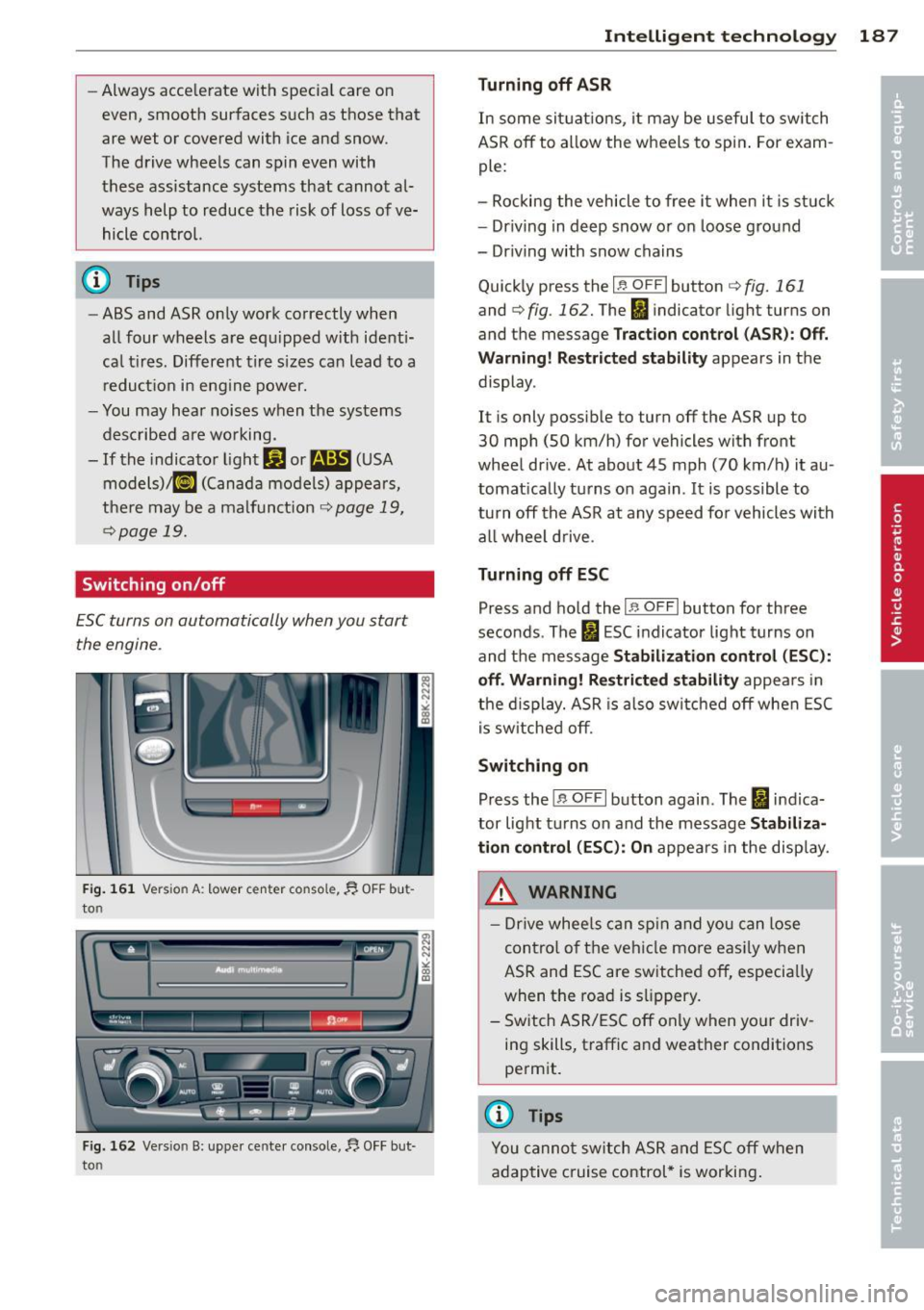
Fig . 161 Vers ion A: low er c en ter co nsol e, fj. OFF bu t
to n
Fig. 162 Ve rsio n B: upper ce nte r console,~ OFF bu t
to n
Intelligen t technolog y 187
Turning off ASR
In some sit uatio ns, it may be useful to switch
ASR
off to a llow the wheels to spin . For exam
ple:
- Rocking the vehicle to free it when i t is st uck
- Dr iving in deep snow or on loose ground
- Dr iving with snow chains
Qu ick ly press the
I~ O FF I button c::> fig. 161
and c::> fig . 162. The Ii indicator light turns on
and the message
Trac tion control (A SR) : Off.
War ning! R estrict ed stability
appears in the
display .
It i s only possible to turn
off the ASR up to
30 mph (SO km/h) for vehicles wi th front
wheel drive . At about 45 mph (70 km/h) it au
tomat ically turns on again .
It is possible to
turn
off the ASR at any speed fo r vehicles with
all wheel drive .
Turning off ESC
Press and hold the I;; OFFI button for three
seconds . The
fl ESC indicator light turns on
and the message
Stabil ization cont rol (ESC ):
o ff . Warni ng ! Re str icted stab ilit y
appea rs in
the d isplay. ASR is also sw itched
off when ESC
i s sw itched off.
Switching on
Press the j ;; O FFI button again . The fi indica
tor light t urns on and the message
St abi liz a
t ion control (ESC ): On
appears in the disp lay.
_&. WARNING
- Drive whee ls can sp in and you can lose
contro l of the vehicle more eas ily when
ASR and ESC are switched off, especia lly
when the road is s lippery .
- Switch ASR/ESC
off only when yo ur driv
ing skills, traffic and weather conditions
permit.
@ Tips
You cannot sw itch ASR and ESC off when
adaptive cruise control* is working .
-
Page 197 of 294
@ For the sake of the environment
Even when the Emission Control System is
operating properly, the exhaust gas can
have a sulfur-like exhaust gas smell under
some operating states. This depends on
the sulfur content of the fuel being used.
Using a different brand of fuel may help,
or filling the tank w ith lead-free super
grade gasoline.
Operate your vehicle
economically and minimize pollution
General
Your personal style of driving will determine
the economy of your vehicle, as well as ex
haust and noise levels.
Fuel economy, environmental impact, and
wear on you r engine, bra kes and t ires largely
depend on th ree factors:
= your persona l dr iving style
- operating conditions
- technica l lim itations
I f you anticipate what yo u need to do next and
drive economically, you can easi ly cut your
fuel consumption by 10-15 percent. This sec
tion will give you some t ips on how you can
he lp the environment and your pocketbook.
@ Tips
The consumpt ion estimates as published
by ENVIRONMENTAL PROTECTION AGENCY
(EPA) and Transport Canada may not corre
spond to your actual consumption on the
road, wh ich will vary depending upon vehi
cle load and speed, road and weather con
ditions, tr ip length, etc.
Drive smoothly and keep a lookout
ahead
Vehicles use the most fuel when they are ac
celerating.
" Avoid unnecessary accele rat ing and braking.
Dri vin g and en vironm ent 195
Vehicles use the most fue l when they a re ac
ce lerating. If you anticipate what is going to
happen next, you will need to brake less and,
th us, acce lerate less. Let the vehicle coast
whenever possible -for example when you see
that the next traff ic light is red.
Avoid full throttle
Driving at moderate speeds saves fuel and
improves your mileage.
" Try and keep well below your car's maxi-
mum speed.
Acce lerating gently red uces fue l cons ump
tion, engine wear, and does not disturb the environment.
Fuel consumpt ion, exhaust emiss ions and en
gine noise increase disproportionately at high
speeds . If you drive at approximately th ree
quarters of top speed, fuel consumption w ill
be reduced by one half. Never drive faster
than the posted speed limit and weather con
ditions perm it.
Reducing unnecessary idling
Even when your car is just idling it burns up
fuel .
" Shut the eng ine off when you are not driv
ing the vehicle.
" Do not warm up the ve hicle by letting the
eng ine run at idle .
It makes sense to shut off the engine in traffic
jams, when wa it ing for tra ins to pass at rail
road crossings, or at traffic lig hts t hat have
long waits on red . T ur ning the eng ine off for
just 30-40 seconds saves mo re fuel than is
bur ned star ting the e ngine again.
It takes a long t ime for the engine to warm up
fully when it is run ning at idle . However, wea r
and noxious emissions are espec ia lly high
whe n the eng ine is wa rm ing up. So yo u shou ld
drive away as soon a s you start the e ngine and
avo id r unning at high rpms whi le the engine is
still warming up.
Ill-
•
•
Page 221 of 294
Modern eng ine lubrication has taken a quan
tum leap in the last few years . Many synt hetic
oils ava ilable today provide better engine lu
brication that can outlast traditional pet role
um-based o ils, making them a smart choice
for use throughout the life o f your Audi .
W hether you use synthetic or petroleum
based engine oil, the oil that you use must
c o nform to Audi's oil quality standard
VW 502 00 to help keep your vehicle's engine running smoothly and help prevent the for
mat ion of harmfu l deposits, sometimes called
"sludge", that ove r time can lead to expensive
r epairs .
At the time of pri nting, engine o ils available in
the U .S . and Canada that meet the exacting
specifications of Audi oi l standard VW 502 00
are synthetic engine oils. This does not mean, h owever, that every synthetic engine oil w ill
meet Audi oil standard VW 502 00. So always
be sure that you use an approved oi l.
To help prevent the format ion of harmful de
posits use only oi l with the fo llowing spec ifi
cations printed on the oil container:
Audi oil standard VW 502 00
O il conta iner labels may carry the specif ica
tion s ingly or in comb inat ion w ith other des ig
nations and oil qua lity standards .
Viscosity
Engine oi ls are graded according to their vis
cosity. The proper v iscosity grade oi l for your
engine depends on cl imactic or seasonal con
d itions where you dr ive. You can use oil with a
viscosity grade of SAE SW40 across all tem
pe rature ranges for normal d riving conditions .
However, if eng ine oi l viscosity grade SAE
SW40 is not avai lab le, you can also use viscos
ity grade SAE SW-30 or SAE OW-40 as long as
it meets Audi o il quality standard VW 502 00
specifications.
Because engine oil that meets the Audi oil
standard may not be available everywhere
when you need it, we st rongly recomme nd
that you always carry with you a n ext ra quart
Checkin g and fillin g 219
(li ter) of oil that exp ress ly con forms to the
VW 502 00 specification, in case you have to
top
off the o il while on the road.
Only if the level of the o il is at or be low the
minimum mark -and no oi l that expressly
confo rms to Audi oil standard VW 502 00
spec ifications is available -may you top
off
with a h igh quality engine o il, preferab ly syn
thet ic-based, that meets ACEA A3 or API SM
specifications, but even then, only in v iscosity
grades SAE SW-40, SA E SW-30, o r SAE
OW-40. However, dur ing the entire time be
tween o il cha nge inte rva ls, never top
off with
more than a tota l of 0. 5 q t/liter engine o il
that does not con form to A udi oil specification
vw 502 00.
Fo r more information about eng ine oi l tha t
has been approved for your veh icle, ple ase
contac t either yo ur a uthorized Aud i dea le r or
Audi C ustomer Re lations at 1 (800) 822 -2834
or visit our web site at www .audiusa.com or
www.aud icanada .ca. Here you w ill also find a
current list of oils (manufacturers, brand
names etc.) that conform to Audi oil standard
vw 502 00.
Changing the engine oil
T he eng ine oi l and o il f ilter m ust be changed
according to the mileage (kilometers) and
time intervals specified i n your vehicle's War
ranty
& Maintenance booklet. Do not exceed
these interva ls - harmful deposits from old
engine oil can reduce engine performance and
can lead to expensive engine repairs.
Changi ng the oil at the recommended inter
vals is so very important beca use the lubricat
ing propert ies of oil decrease gradually during
norma l veh icle use . If you a re not sure when
you have your o il cha nged, ask your author
ized Audi Se rv ice Adv isor.
Under some circumstances the engine oil
shou ld eve n be changed more frequent ly.
Change oil more often if you dr ive most ly
sho rt distances, operate the veh icle in dusty
areas o r most ly under stop-and-go traff ic con-
di tions, o r when you use your vehi cle where .,..
•
•
Page 225 of 294
Engine cooling system
Coolant
The engine coolant performs two functions: it
keeps the engine from overheating and it pro
tects the engine from freezing in the winter .
The cooling system is sealed and generally re
quires little attention .
The cooling system has been filled at the fac
tory with a permanent coolant which does not
need to be changed. The coolant consists of a
mixture of water and the manufacturer's gly
col-based coolant additive G13 antifreeze with
anticorrosion additives (50% for USA models;
60% for Canadian models). This mixture both
assures the necessary frost protection and
protects metal components in the engine's
cooling system from corrosion and scaling. It
also raises the boiling point of the coolant.
Do not reduce the concentration of the cool
ant in the summer by adding plain water.
The
proportion of coolant additive must be at least 50% but not more than 60%
to main
tain antifreeze protection and cooling efficien
cy. If the coolant frost protection is too low,
the coolant could freeze and damage the vehi
cle heating and engine cooling system .
For year-round driving, antifreeze is added at
the factory for temperatures down to:
- -31°F(-35 °C)USA
- -40 °F ( - 40 °C) Canada.
A WARNING
Before you check anything in the engine
compartment, always read and heed all
WARNINGS
¢ .&. in Working in the engine
compartment on page 216.
(D Note
- Before winter sets in, have the coolant
checked to see if the coolant additive in
your vehicle is sufficient to meet the cli
mate conditions . This is especially impor
tant if you live in a region where the win
ter is extremely cold. If necessary, in-
Checking and filling 223
crease the proportion of coolant additive
to 60%.
- When adding coolant additive to your
cooling system, remember:
- We recommend using only coolant ad
ditive G12++ or G13 for your vehicle .
This coolant additive is available at au
thorized Audi dealers. Other types of
antifreeze can significantly reduce cor
rosion protection. The resulting corro
sion can cause a loss of coolant and se
rious engine damage.
- Do not add any type of radiator leak seal
ant to your vehicle's engine coolant.
Adding radiator repair fluid may adverse
ly affect the function and performance of
your cooling system and could result in
damage not covered by your New Vehicle
Limited Warranty.
Checking the engine coolant level
The engine coolant level can be checked with
a quick glance.
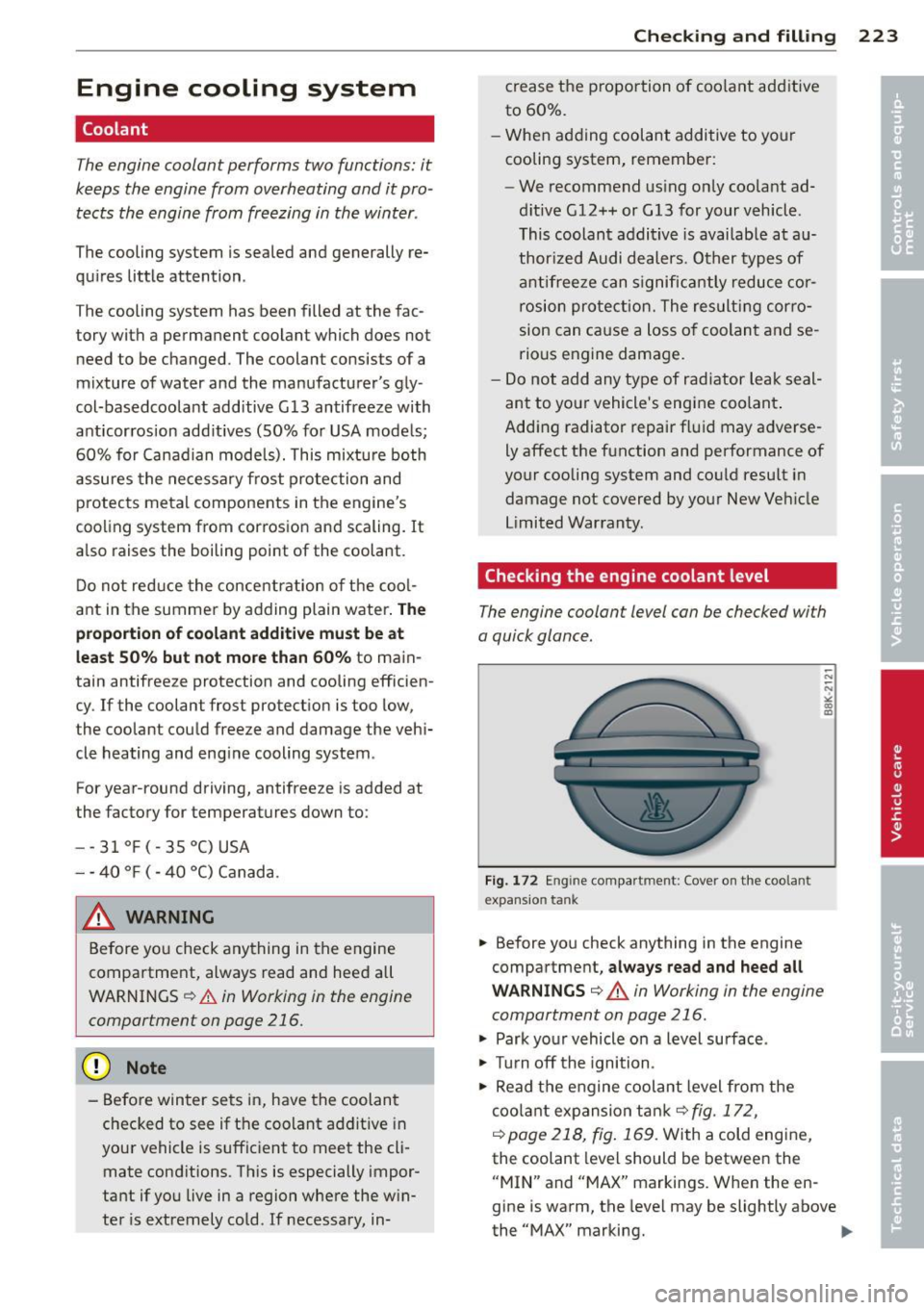
Fig. 172 Engine compar tment: Cover on the coola nt
expansio n tank
-... ;;; ,; a, m
.. Before you check anything in the engine
compartment,
always read and heed all
WARNINGS ¢ & in Working in the engine
compartment on page 216.
"' Park your vehicle on a level surface .
"' Turn off the ignition .
"' Read the engine coolant level from the
coolant expansion tank¢
fig. 172 ,
¢ page 218, fig. 169 .
With a cold engine,
the coolant level should be between the
"MIN" and "MAX" markings . When the en
gine is warm, the level may be slightly above
the "MAX" marking.
Iii>