light AUDI A5 COUPE 2014 Workshop Manual
[x] Cancel search | Manufacturer: AUDI, Model Year: 2014, Model line: A5 COUPE, Model: AUDI A5 COUPE 2014Pages: 286, PDF Size: 70.99 MB
Page 98 of 286
96 Audi adaptive cruise control and braking guard
Setting the driving mode for vehicles with
Audi drive select*
Refer to¢ page 105 .
@ Tips
Your settings are automatically stored and
assig ned to the remote contro l key being
used .
Request for driver intervention
Appl ies to vehicles : with Audi adaptive cruise co ntrol
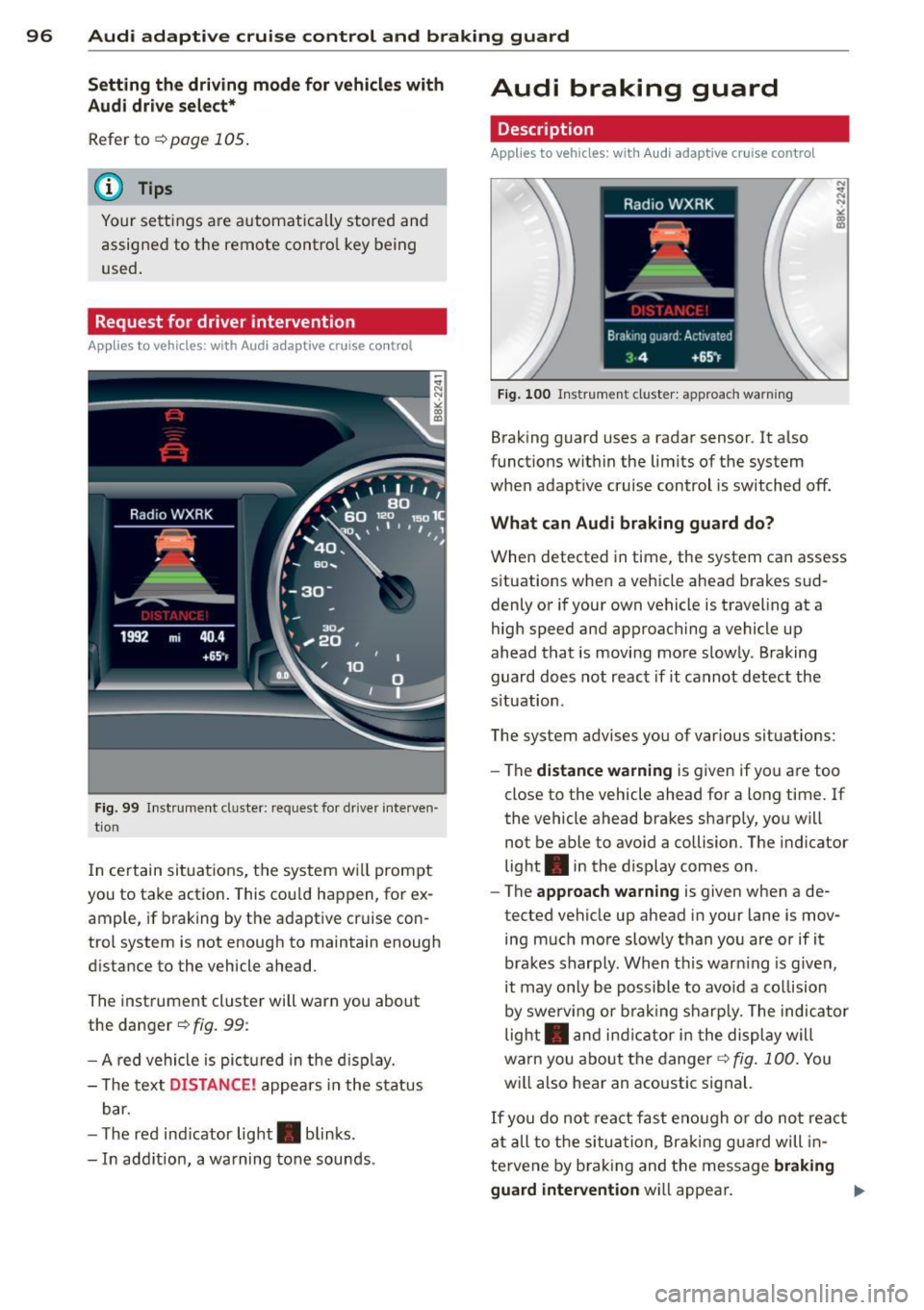
F ig . 99 In st ru m ent cl uster: request for drive r in te rven
t io n
In ce rtain situ ations, t he system w il l prompt
you to take action . This cou ld happen, for ex
ample, if braking by the adaptive cr uise con
trol system is not enough to maintain enough
d ista nce to the vehicle ahead.
The inst rument cluste r will warn you about
the danger ¢
fig. 99:
- A red vehicle is pic tured in t he d is pla y.
- T he text
DISTANCE! appea rs in the st atus
b ar.
- T he red ind icator light . blinks.
- In add itio n, a warning tone sounds .
Audi braking guard
Description
Applies to vehicles: wi th Audi ada ptive cr uise contro l
Fig. 100 In str ume nt clus ter: approach wa rning
Braking guard uses a radar sensor. It a lso
funct ions wit hin the lim its of the system
when adapt ive cruise control is switched off.
What can Audi braking guard do?
When detected in time, the system can assess
s ituations when a vehicle ahea d brakes s ud
denly o r if your own vehicle is traveling at a
high speed and approach ing a vehicle up
ahead that is moving mo re slowly . Braking
guard does not react if it cannot detec t the
s ituation .
The system advises you of var ious situations:
- The
distance warning is given if yo u are too
close to the vehicle ahead for a long time. If
the vehicle ahead brakes sharp ly , yo u will
not be ab le to avoid a collision . The indicator
light . in the display comes on .
- The
approach warning is given when a de
tected vehicle up ahead in your lane is mov
ing m uch more slowly than yo u are or if it
brakes s harply . When t his war ning is given,
it may o nly be poss ibl e to avo id a co llision
by swe rv in g or b ra ki ng s harp ly. The indica tor
light . and indicator i n the di spl ay will
warn yo u about the danger ¢
fig. 100. You
w ill also hea r an acoustic signal.
If you do not rea ct fas t eno ugh o r do not r eact
at all t o the si tu at ion, B raki ng g uard will in
tervene by b raking and the message
braking
guard intervention
wi ll appea r.
Page 112 of 286
110 Park assis t
not affect the continuous signal tone) . Ap
proaching another obstacle wi ll cause the dis
tance signa l to so und again at the normal
volume.
R ear vie w camera co verag e ar ea
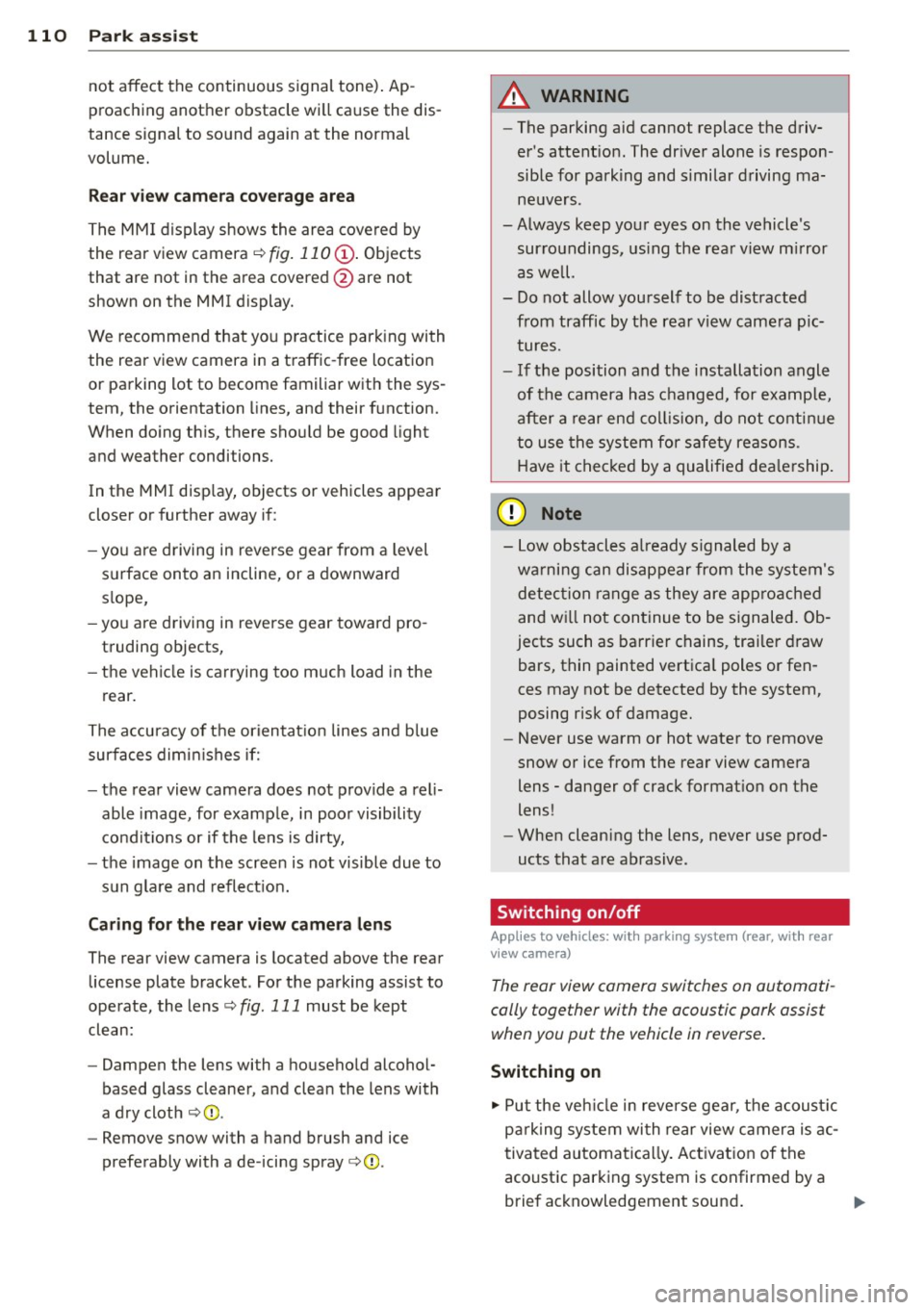
The MM I d isplay shows the area covered by
the rear view camera ¢
fig. 11 O (D. Objects
that are not in the area covered @are not
shown on the MMI display.
We recommend that you p ractice park ing with
the rear view camera in a traffic -free location
or parking lot to become familiar with the sys
tem, the orientation lines, and their function.
When doing th is, there shou ld be good light
and weather conditions.
In the MMI disp lay, objects or vehicles appear
closer or further away if:
- you are d riving in reverse gear from a level
surface onto an incline, or a downward
s lope,
- you are driving in reverse gear toward pro
truding objects,
- the vehicle is carrying too much load in the
rear .
The accu racy of the orienta tion lines and b lue
surfaces dimin ishes if:
- the rear view camera does not provide a rel i
able image, for examp le, in poor visibility
condit ions or if the lens is dirty,
- the image on the screen is not visible due to
sun glare and reflect ion.
Cari ng for the rear view came ra len s
The rear view camera is located above the rear
license plate bracket . For the parking assist to
operate, the lens¢
fig. 111 must be kept
clean:
- Dampen the lens with a househo ld alcohol
based glass cleaner, and clean the lens with
a dry cloth ¢(D .
- Remove snow with a hand brush and ice
preferably with a de -icing spray ¢(D .
A WARNING
-The parking aid cannot replace the driv
er's attent ion. The dr iver alone is respon
sible for parking and s imilar driving ma
neuvers.
-Always keep your eyes on the vehicle 's
sur roundings, us ing the rea r view m irror
as we ll.
- Do not allow yourself to be distracted
from traffic by the rea r view came ra p ic
tures.
- If the position and t he installation angle
of the camera has c hanged, for e xample,
after a rear end co llision, do not conti nue
to use the system for safety reasons .
H ave it chec ked by a qualified dea le rship.
(D Note
- Low obstacles a lready s ignaled by a
wa rni ng can disappear from the system's
detec tion range as they are app roached
and w ill not con tinue to be signaled. Ob
jects such as ba rrier chains, trailer draw
bars, thin painted vertica l poles or fen
ces may not be detected by the system,
posing risk of damage.
- Never use warm or hot water to remove
snow or ice from the rear view came ra
lens -danger of crack format io n on the
lens !
- When cleaning the lens, never use prod
ucts that are abrasive .
Switching on/off
Applies to vehicles: wit h parking system (rear, wit h rear
v iew camera)
The rear view camera switches on automati
cally together with the acoustic pork assist when you put the vehicle in reverse .
Switching on
"'Put the veh icle in reverse gear, the acoust ic
pa rk ing system wi th rear view camera is ac
tivated automatica lly. Act ivat io n of the
acoust ic park ing system is confirmed by a
brief acknowledgement sound . ..,.
Page 117 of 286
Homelink
Universal remote
control
Description
Applies to vehicles: with Home link
The HomeLink universal remote control can
be programmed with the remote control for
devices that are already present.
With Home Link, you can control devices such
as the garage door, security systems, house
lights , etc. comfortably from the inside of you
vehicle.
Homelink makes it possible for you to rep lace
three different remote controls from dev ices
in your home with one universal remote. This
feature works for most garage door and exte
rior door motor signals. Programming the in
dividual remote control for your remote con
trol takes place near the center of the radiator
grille. There is a control module attached at
this location .
A one-time programming of the sensor must be performed before you are able to use sys
tems with Homelink. If the system does not activate after performing the one-time pro
gramming, check whether the system uses a rolling coder:!.>
page 118 for vehicles without
the
MMI*.
,& WARNING
-
- Never use the Homelink transmitter
with any garage door opener that does
have not the safety stop and reverse fea
ture as requ ired by federa l safety stand
ards. This includes any garage door open
er model manufactured before April 1,
1982.
-A garage door opener which cannot de
tect an object, signaling the door to stop
and reverse does not meet current feder
al safety standards . Using a garage door
opener without these features increases
risk of serious injury or death.
Homelink 115
- For safety reasons never release the
parking brake or start the engine while
anyone is standing in front of the vehicle .
- A garage door or an estate gate may
sometimes be set in motion when the
Homelink remote control is being pro
grammed. If the device is repeatedly ac
tivated, th is can overstrain motor and
damage its electrical components - an
overheated mo tor is a fire hazard!
- To avoid possib le injuries or property
damage, please always make abso lutely
certa in that no persons or objects are lo
cated in the range of motion of any
equipment being operated.
(0 Tips
- If you would like more information on
Homelink, where to purchase the Home
Link compat ible products, or would like
to purchase the Home Link Home Light
ing Package, please call toll-free :
1-800-355-3515.
-For Declaration of Compliance to United
States FCC and Industry Canada regula
tions
¢ page 267.
-For security reasons, we recommend that
you clear the programmed buttons be
fore selling the vehicle.
Operation
App lies to vehicles : with Homeli nk
,~
1~
1 r ·O : O ·) 1111 ~
®
Fig.
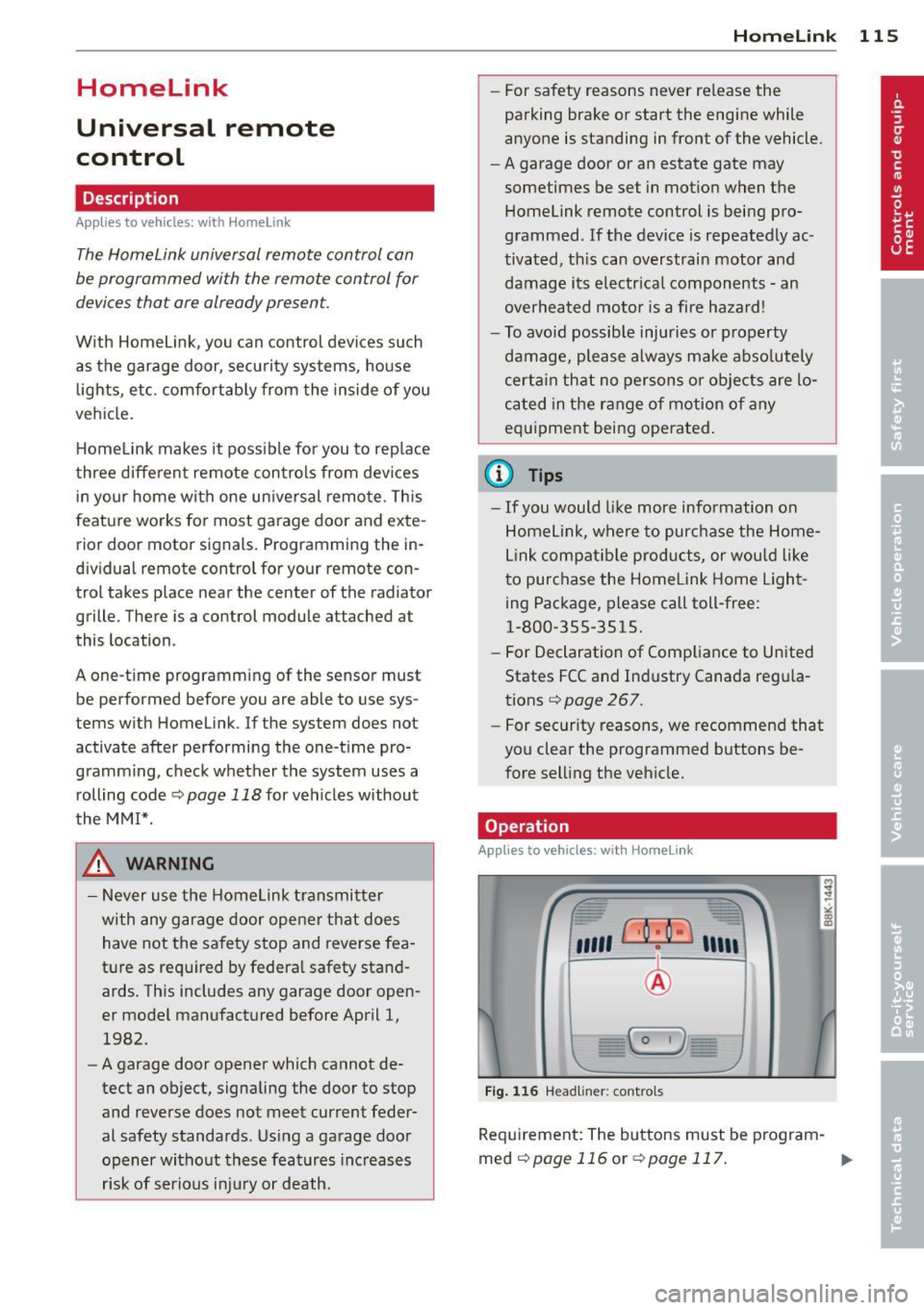
116 Headl iner: controls
Req uirement: The buttons must be program-
med
¢page 116 or ¢page 117. ..,_
Page 118 of 286
116 Homelink
• To open the garage door, press the p rogram
med button . The LED @will light up or
flash.
• To close the garage door, pre ss the button
again.
@ Tips
To open the garage door, press the button, but do not press it for longer ten seconds
or the Homelink module will switch to
programming mode.
Programming the transmitter (version A)
Appl ies to vehicles: with Home link and MMI
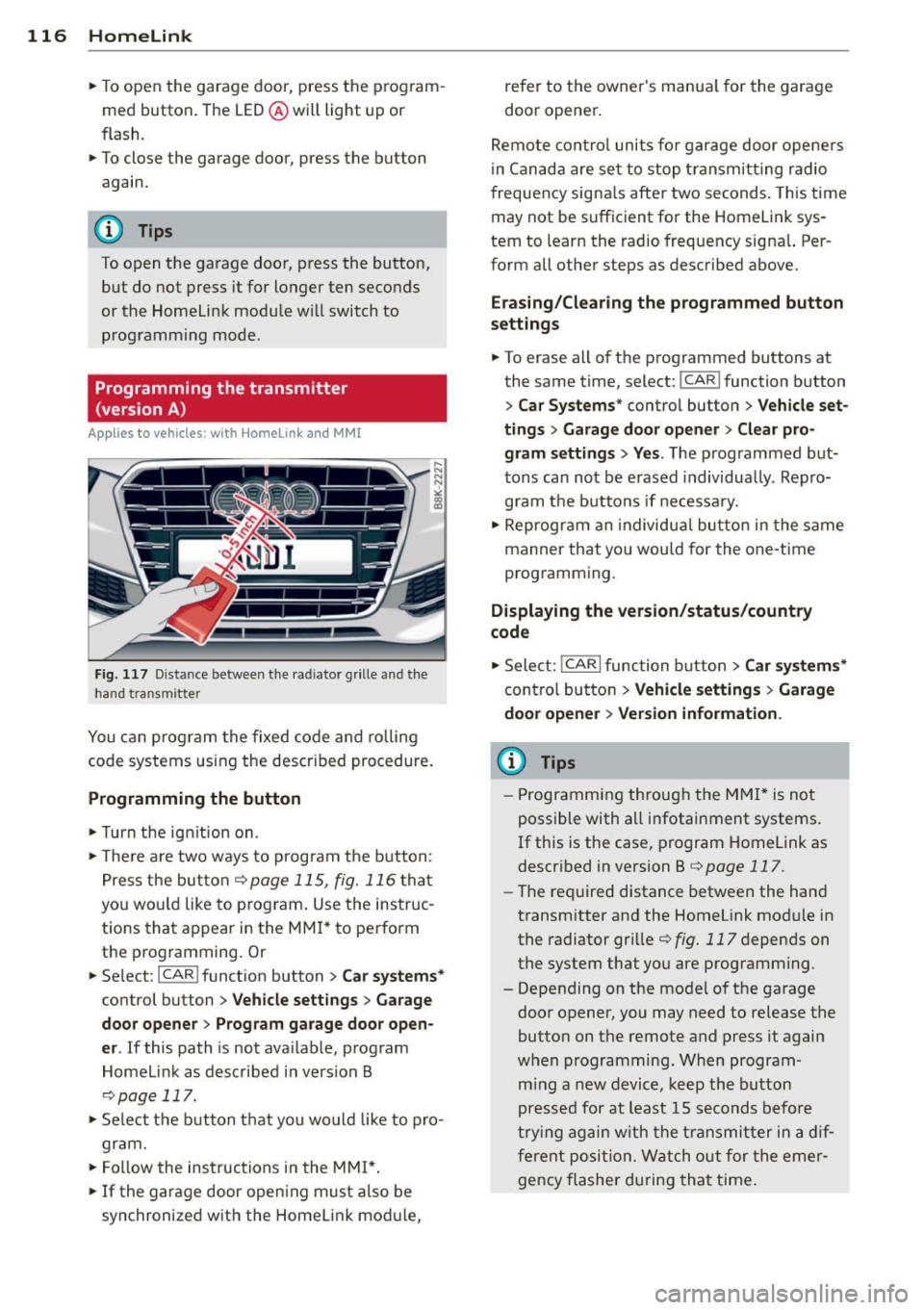
Fig. 1 17 D ista nce between t he ra d iato r grille and t he
hand tran sm itter
You can p rogram the fixed code and ro lling
code systems using the descr ibed procedure.
Programming the button
• Turn the ign ition on .
• The re a re two ways to program the button :
P res s the but ton
¢ page 115, fig. 116 tha t
you wou ld like to p rogram. Use the instruc
tions that appear in the MM I* to pe rform
the p rogramming. Or
• Se lect : ICAR ifunct ion button>
Car sy stems*
con trol but ton > Vehicle sett ing s> Garage
door opener
> Program garage door open·
er .
If this path is not ava ilable, program
Homelink as desc ribed in vers ion B
~ page 117.
• Se lect t he button t hat yo u wo uld like to p ro
gram.
• Fo llow the ins tructions in the MMI* .
• If the garage door open ing must also be
synchronized w it h the Homel ink modu le, refer to the owner
's manua l for the garage
door opener .
Remote con tro l unit s fo r garage door ope ne rs
in Canada are se t to stop t ransmi tting radio
frequency signa ls afte r two seconds . This time
may not be sufficient for the Homelink sys
tem to learn the radio frequency signa l. Per
form all other steps as described above.
Erasing /Clearing the programmed button
s etting s
• To erase all of the programmed buttons at
the same time, select : ICAR !function b utton
> Car Systems * control butto n > Vehicle set·
tings
> Garag e door opener > Clear pro·
gram setting s> Yes .
The prog rammed but
tons can not be erased individua lly. Repro
gram the buttons if ne cess ary.
• Reprogr am an individua l bu tton in the same
manner that you wou ld for the one-time
programming .
Displaying the version /status /country
code
• Sele ct: !CAR I function bu tton > Car sy stem s*
contro l but to n > Vehicle settings > Garage
door opener
> Version information .
(D Tips
- Programming throug h the MMI* is not
possible with all infotainment systems.
If this is the case , program Homelink as
descr ibed in version B
c:) page 117.
-The required distance betwee n the hand
transm itter and the Homelink module in
the radiator gr ille
¢ fig. 117 depends on
the system that you are prog ramming .
- Depending on the mode l of the garage
door opener, you may need to release the
butto n on the remote and press it again
w hen programming. When program ·
m ing a new device, keep the butto n
presse d for at least 15 seconds before
t ry ing ag ain w ith the transmit ter in a dif
fere nt posi tion. W atch o ut for the emer
gency flasher during tha t time.
Page 121 of 286
Driving Safely
General notes
Safe driving habits
Please remember -safety first!
This chapter contains important information,
tips, instructions and warnings that you need
to read and observe for your own safety, the
safety of your passengers and others . We have
summarized here what you need to know
about safety belts, airbags, child restraints as
well as child safety. Your safety is for us
priori
ty number 1.
Always observe the information
and warnings in this section - for your own
safety as well as that of your passengers.
The information in this section applies to all
model versions of your vehicle . Some of the
features described in this sections may be
standard equipment on some models, or may
be optional equipment on others. If you are
not sure, ask your authorized Audi dealer.
A WARNING
- Always make sure that you follow the in
structions and heed the WARNINGS in
this Manual. It is in your interest and in
the interest of your passengers.
- Always keep the complete Owner's Liter
ature in your Audi when you lend or sell
your vehicle so that this important infor
mation will always be available to the
driver and passengers.
- Always keep the Owner's literature handy
so that you can find it easily if you have
questions.
Safety equipment
The safety features are part of the occupant
restraint system and work together to help
reduce the risk of injury in a wide variety of
accident situations .
Your safety and the safety of your passengers
should not be left to chance. Advances in
technology have made a variety of features
available to help reduce the risk of injury in an
Driving Safely 119
accident. The following is a list of just a few of
the safety features in your Audi :
- sophisticated safety belts for driver and all
passenger seating positions,
- belt force limiters for the front seats,
- belt pretensioners for the seats,
- head restraints for each seating position,
- front airbags,
- side airbags in the front seats,
- side curtain airbags ,
- special LATCH anchorages for child re-
straints,
- adjustable steering column.
These individual safety features, can work to
gether as a system to help protect you and
your passengers in a wide range of accidents.
These features cannot work as a system if
they are not always correctly adjusted and cor
rectly used.
Safety is everybody's responsibility!
Important things to do before driving
Safety is everybody's job! Vehicle and occu
pant safety always depends on the informed and careful driver.
For your safety and the safety of your passen
gers,
before driving always:
"'Make sure that all lights and signals are op
erating correctly .
"' Make sure that the tire pressure is correct.
"'Make sure that all windows are clean and af
ford good visibility to the outside.
"'Secure all luggage and other items carefully
qpage59.
"'Make sure that nothing can interfere with
the pedals.
"'Adjust front seat, head restraint and mirrors
correctly for your height .
"'Instruct rear seat passengers to adjust the
head restraints according to their height.
"' Make sure to use the right child restraint
correctly to protect children
q page 161,
and~~fy. ~
•
•
Page 122 of 286
120 Driving Safel y
• Sit properly in your seat and make sure that
yo ur passengers do the same¢
page 53,
Seats and storage.
• Fasten your safety belt and wear it properly.
Also instruct your passenge rs to fasten their
safety belts properly¢
page 129 .
What impairs driving safety?
Safe driving is directly related to the condi
tion of the vehicle, the driver as well as the
driver's ability to concentrate on the road
without being distracted .
The driver is responsible for the safety of the
vehicle and all of its occupants . If your ability
to drive is impa ired, safety r isks for everybody
in the vehicle increase and you also become a
hazard to everyone else on the road
9 .&,.
Therefore:
• Do not let yourself be distracted by passen
gers or by us ing a cellular telephone.
• NEV ER dr ive when your dr iv in g ability is im
paired (by medicat ions, alcohol, drugs, etc.).
• Observe all traffic laws, rules of the road
and speed limits and plain common sense.
• ALWAYS adjust your speed to road, traffic
and weather conditions .
• Take frequent breaks on long trips. Do not
drive for more than two hours at a stretch.
> Do NOT drive when you are t ired, under
pressure or when you are stressed .
A WARNING
Impaired driving safety increases the risk
of serious personal injury and death when
ever a veh icle is being used.
Proper occupant
seating positions
Proper seating position for the driver
The proper driver seating position is impor
tant for safe, relaxed driving.
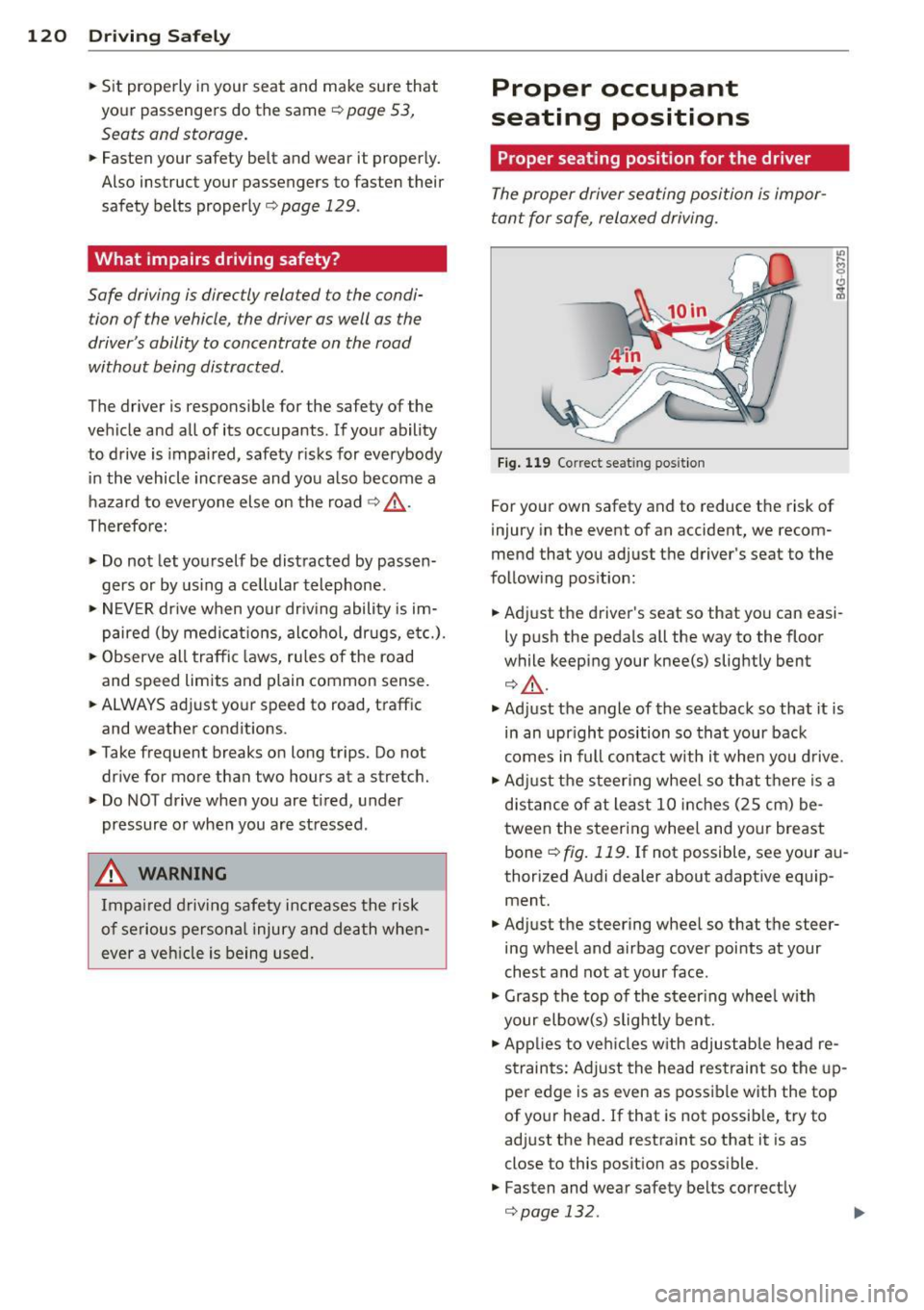
Fig. 119 Correc t seat ing posit ion
For your own safety and to reduce the risk of
injury in the event of an accident, we recom
mend that you adjust the driver's seat to the
following position:
• Adjust the driver's seat so that you can easi
ly push the pedals all the way to the floor
while keeping your knee(s) slightly bent
¢.&_ .
• Adjust the angle of the seatback so that it is
in an upr ight position so that your back
comes in full contact with it when you drive.
• Adj ust the steering wheel so that there is a
distance of at least 10 inches (25 cm) be
tween the steering wheel and your breast
bone ¢
fig. 119. If not possible, see your au
thorized Audi dealer about adaptive equip ment.
• Adjust the steering wheel so that the steer
ing wheel and airbag cover points at your
chest and not at your face .
• Grasp the top of the steer ing wheel with
your elbow(s) slightly bent.
• Applies to veh icles w ith adjustab le head re
straints: Adjust the head restraint so the up
per edge is as even as possible with the top
of your head. If that is not possible, try to
adjust the head restraint so that it is as
close to this posit ion as possible.
• Fasten and wear safety belts correctly
¢page 132.
Page 131 of 286
Safety belts
General notes
Always wear safety belts!
Wearing safety belts correctly saves lives!
This chapter exp lains why safety be lts are nec
essary, how they work and how to adjust and
wear them correctly.
~ Read a ll the informat ion that fo llows and
heed all of the inst ruct ions and WARNINGS.
A WARNING
Not wearing safety belts or wearing them
improperly increases the risk of ser ious
personal inj ury and death .
- Safety belts are the sing le most effective
means availab le to red uce the r isk of se
rious injury and death in a utomob ile acci
dents . For your prot ecti on and that of
yo ur passenge rs, always co rrec tly wear
sa fe ty bel ts when the ve hicle is mov ing.
- P re g nant women, injured, or physically
impai red perso ns must also use safe ty
belts. L ike a ll vehicle occup ants, they are
more like ly to be ser ious ly injure d if they
do not wea r safety be lts . The best way to
protect a fet us is to protect the mother -
thro ughout the entire pregnancy.
Number of seats
Your Audi has a total of four seating positions:
two in the front and two in the rear. Each seat
i n g position has a safety belt.
A WARNING
N ot wea ring safety belts or wea ring them
improperly increases the risk of ser ious
personal i njury an d deat h.
- Never st rap more than one pe rson, in
cl ud ing small ch ild ren, into a ny belt . It is
e speci ally dangerous t o pl ac e a safety
bel t over a child s itting on yo ur la p.
- N ever le t mo re people ride in t he ve hicle
th an there are s afe ty be lts availab le.
Safety belts 12 9
- Be s ure everyone riding in the vehicle is
properly restrained w ith a separate safe
ty belt or child restra int.
Safety belt warning light
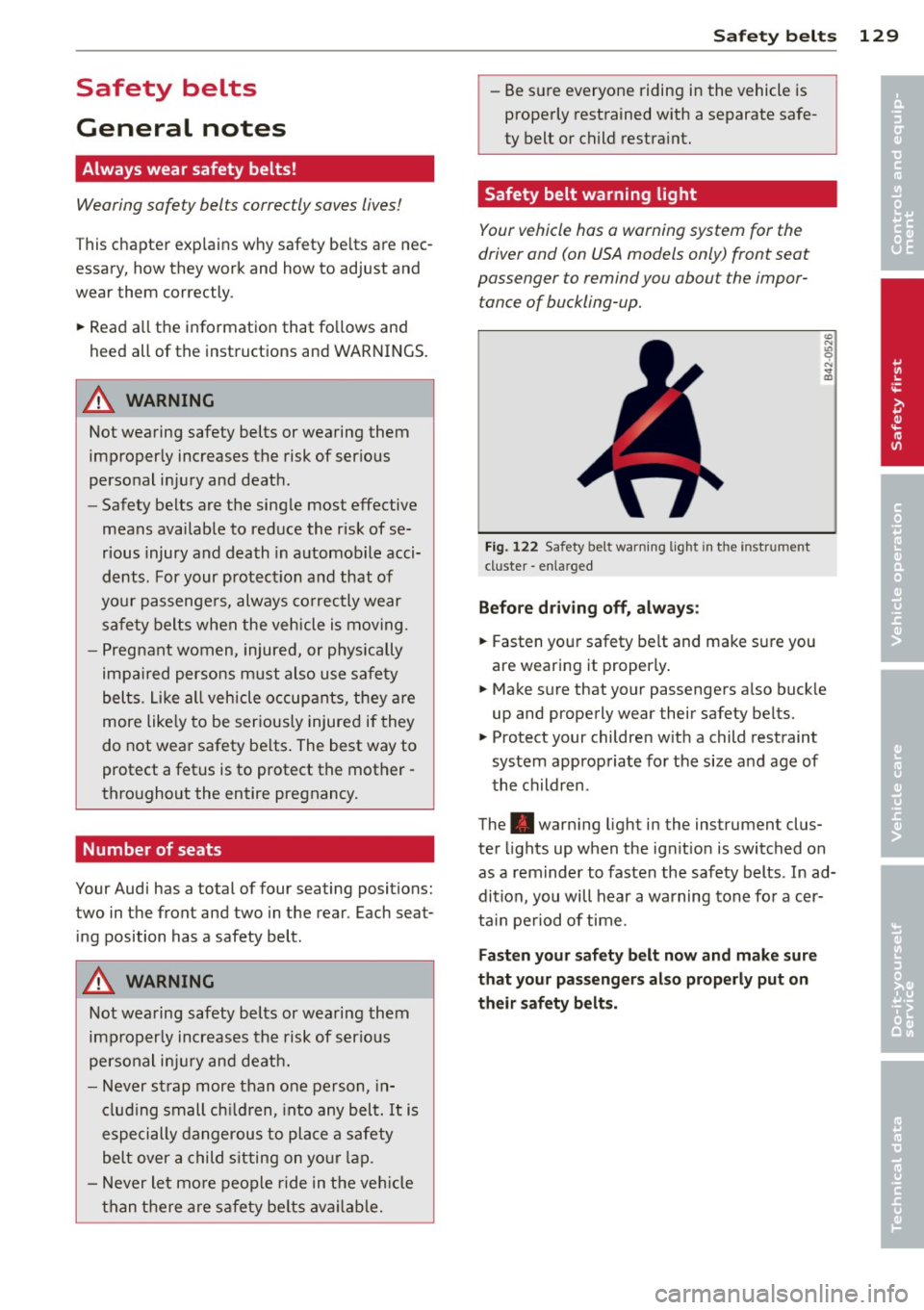
Your vehicle has a warning system for the
driver and (on USA models only) front seat
passenger to remind you about the impor
tance of buckling-up.
Fig . 122 Safety belt warning lig ht in the instr ument
cl uster -enla rged
Before driving off, alway s:
~ Fasten your safety be lt and ma ke su re you
are wearing it properly .
~ Make sure that yo ur passengers a lso buck le
up and properly wear their safety be lts.
~ Protect your children w ith a child restraint
sys tem app ropriate fo r the size a nd age of
t h e children.
The . war ning light i n the instrument clus
te r li ghts up when the ig nition is switched on
as a reminder to fasten the safety belts . In ad
dition, you will hear a warning tone fo r a cer
ta in period of time.
Fasten your safety belt now and make sure
that your passengers al so properly put on
their safety belt s.
•
•
Page 135 of 286
To provide maximum protection, safety belts
must always be positio ned cor rectly on the
wearer's body .
... Adjus t the front seat and head restraint
properly
r::!:> page 53, Seats and storage.
• Make sure the seatback of the rear seat
bench is in an upright pos ition and securely
latched in p lace before using the belt¢,&. .
... Hold the belt by the tongue and pull it even
ly across the chest and pelvis
r::!:> ,&. .
"" Inse rt the tongue into the co rrect buckle of
you r seat until you hea r it latch securely
r::!:> fig. 128.
•Pullon the be lt to make su re that it is se-
c u rely la tched in the buckle.
Automatic safety belt retractors
Every safety belt is equipped with an automat
ic belt retractor on the shoulder be lt . T his fea
ture locks the belt whe n the belt is pulled out
fast, dur ing hard braking and in an accident .
The belt may also lock when you drive up or
down a steep hill or through a sharp curve. During normal driving the belt lets you move
freely.
Safety belt pretensioner s
The safety belts are equipped with a be lt pre
tensioner that helps to t ighten t he safety belt
and remove s lack when the pretensioner is ac
tivated. The function of the pretensioner is monitored by a warning light¢
page 20 .
Switchable locking feature
Every safe ty belt excep t the one on the driver
seat is eq uipped with a switchable locking fea
ture that
must be used when the safety belt is
used to attach a child safety seat . Be sure to
read the important information about this
feature¢
page 171.
A WARNING
Improperly positioned safety belts can
cause se rious injury in an accident
r::!:> page 133, Safety belt position .
- Safety belts offer optimum protection
only when the seatback is upright and
Safety belts 133
be lts are proper ly positioned on the
body.
- Never attach the safety belt to the buck
le for another seat. Attaching the belt to
the wrong buckle will reduce safety be lt
effectiveness and can cause serious per
sonal injury .
- A passenger who is not properly restrain
ed can be seriously injured by t he safety
belt itself when it moves from the stron
ger parts of the body into cr itical areas
like the abdomen.
- Always lock the conve rtible locking re
tractor when you are secu ring a child
safety seat in the vehicle
r::!:> page 173.
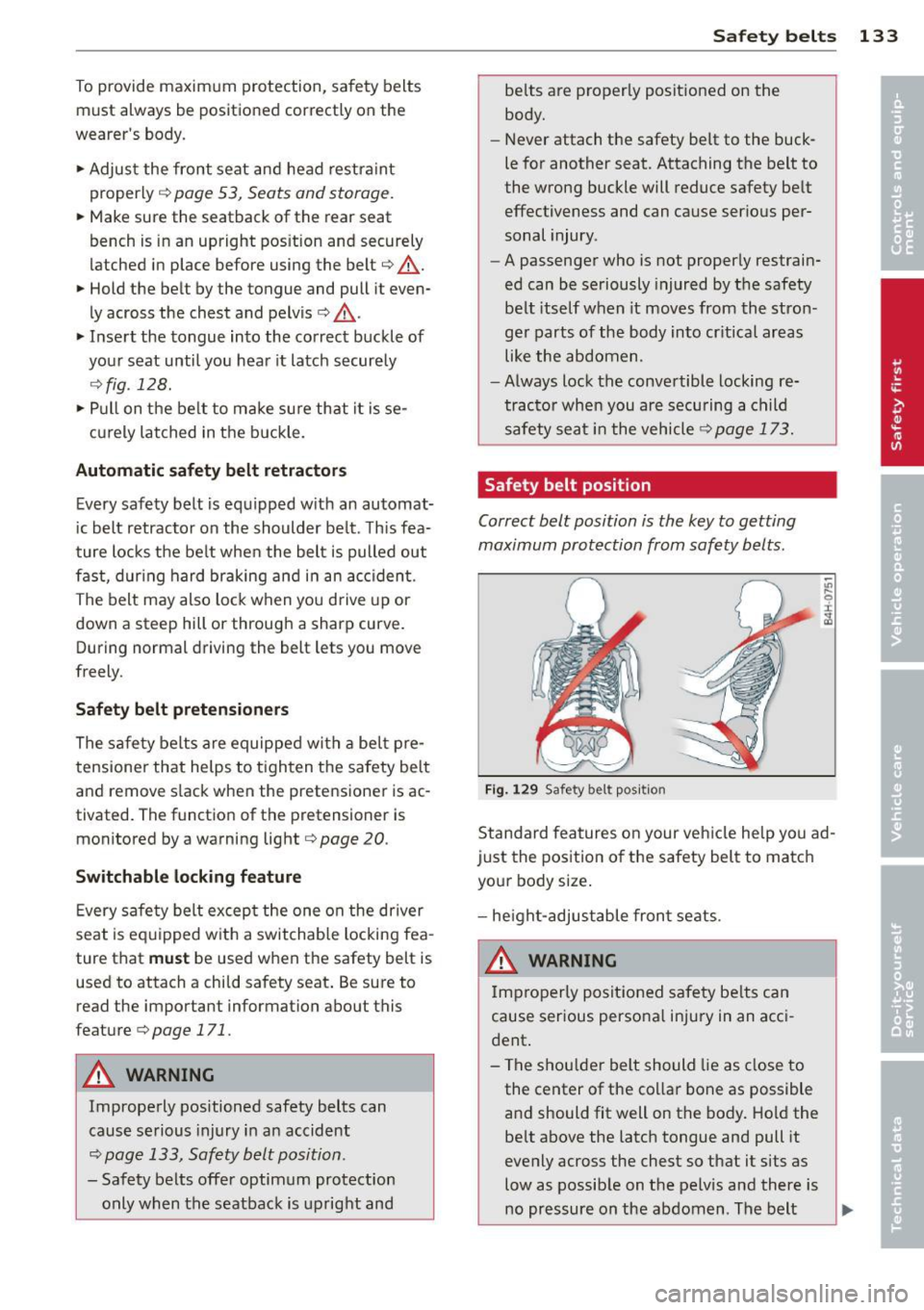
Safety belt position
Correct belt position is the key to getting
maximum protection from safety belts .
Fig . 1 29 Safety belt pos ition
-Ill
9 :c
~
Standard features on your veh icle he lp yo u ad
just the pos ition o f the safety belt to matc h
you r body size .
- he ight-adjustable front seats.
A WARNING
Improperly positioned safety be lts can
cause serious perso na l inju ry in an acci
dent .
-
- The shou lder belt should lie as close to
the center of the co llar bone as possible
and should fit well on the body. Hold the be lt above the latc h tongue and pull it
eve nly across the chest so that it sits as
low as possib le on the pelv is and there is
no pressure on the abdomen . The belt ..,_
Page 141 of 286
Even though your vehicle is equipped with an
Advanced Airbag System, make certain that
all ch ildren, especially those 12 years and
younger, a lways ride in the back seat properly
restrained for their age and size. The airbag
on the passenger side makes the front seat a
potentially dangerous place for a child to ride.
The front seat is not the safest place for a
child in a forward-facing child safety seat.
It
can be a very dangerous place for an infant or
a child in a rearward-facing seat.
The Advanced Airbag System in your veh icle
has been certified to comply w ith the Requ ire
ments of United States Federa l Motor Vehicle
Safety Standard 208 as applicable at the time
your vehicle was manufactured.
The Standard requires the front ai rbag on the
passenger side to be turned off ("sup
p ressed") if a ch ild up to about one year of
age restrained in one of the rear-facing or for
ward -facing infant restraints listed in Federal
Motor Vehicle Safety Standard 208 with wh ich
the Advanced Airbag System in your vehicle
was certified has been installed on the front passenger seat . For a listing of the child re
straints that were used to certify compliance
with the US Safety Standard
Q page 163.
The PASSENGER AIR BAG OFF light in the in
strument panel tells you when the front Ad
vanced A irbag on the passenger side has bee n
turned off by the electronic control unit.
Each t ime you turn on the ignition, the
PAS
SENGER AIR BAG OFF
light will come on for a
few seconds and :
- will stay on if the front passenger seat is not
occupied,
- will stay on if there is a small child or child restraint on the front passenger seat,
- will go off if the front passenger seat is oc
cupied by an adult as registered by the
weight-sensing mat
Q page 147, Monitor
ing the Advanced Airbag System .
The PASSENGER AIR BAG OFF light comes on
when the control un it detects a total weight
on the front passenger seat that requires the
front airbag to be turned off.
Airbag system 139
If the total weight on the front passenger
seat is more than that of a typical 1 year-o ld
c hild but less than the weight of a small
adult, the front airbag on the passenger side
can deploy (the
PASSENGER AIR BAG OFF
light does not come on). If the PASSENGER
AIR BAG OFF
light does not come on, the
front a irbag on the passenger side has not
been turned off by the electronic con trol unit
and can deploy if the contr ol unit senses an
impact that meets the cond itions stored in its
memory .
For example, the airbag may deploy if:
-a small ch ild that is heav ie r than a typical 1
year-old ch ild is o n the front passenger seat
(regard less of whether the child is in one of
the child safety seats listed
Q page 163), or
- a child who has outgrown child restraints is
on the front passenger seat.
If the front passenger airbag is turned off, the
PASSENGER AIR BAG OFF light comes on in
the instrument cluster and stays on.
The front airbag on the passenger side may
not deploy (the PASSENGER AIR BAG OFF
light does not illum inate and stay lit) even if a
small adult or teenager, or a passenger who is
not sitting uprig ht with their back against a
non-reclined backrest w ith their feet on the
vehicle floor in front of the seat is on the front
passenger seat
~ page 120, Proper seating
position for the driver.
If the front passenger airbag deploys, the
Federal Standard requires the airbag to meet
the "low risk" deployment criteria to reduce
the risk of injury thro ugh interaction with the
airbag . "Low risk" deployment occ urs in those
crashes that take place at lower dece lerat ions
as defined in the electronic control unit
Q page 148, PASSENGER AIR BAG OFF light .
Always remember, a child safety seat or infant
carr ier installed on the front seat may be
struck and knocked out of posit ion by the rap
idly inflating passenger's airbag in a frontal
collision . The airbag could greatly reduce the
effectiveness of the child restraint and even
seriously injure the child during inflation. •
•
Page 142 of 286
140 Airbag sys tem
For this reason, and because t he bac k seat is
the safest place for children - when prop erly
restra ined according to their age and size - we
strongly recommend that children always sit in the back seat
Q page 161, Child Safety.
A WARNING
-
A child in a rearward-facing child safety
seat installed on the front passenger seat
w ill be seriously injured and can be k illed if
t he front a irbag inflates - even wit h an Ad
v a nced Airb ag System.
- T he inflating a irbag will hit the child
safety seat or infant carrier with g reat
force and w ill smash the ch ild safety sea t
and child against the backrest, center
armrest, door or roof .
- Always install rear-facing child safety
seats on the rear seat .
-If you mus t inst all a rearwar d fa cing
child safety seat on the front passenger
seat because of exceptional circ umstan
ces and the
PASSENGER AIR BAG OFF
light does not come on and stay on , im
med iately install the rear-facing child
safety seat in a rear seating position and
have the a irbag system inspected by you r
au thorized Audi dealer .
- Forward-fac ing ch ild safety seats instal
led on the front passenger's seat may in
terfer e wi th the deployment of the air
bag and cause se rious personal injury to
the ch ild.
A WARNING
If, in exceptional c ircumstances, you mus t
install a forwa rd-facing child restra int on
the front passenger's seat:
- Always m ake su re the forw ard-fa cing
sea t has been des igned and certified by
its manufact urer for use on a front seat
with a passenger front and side airbag.
- Never put the forward -facing child re
st raint up aga inst or very near the inst ru
ment pane l.
- Always move the passenger seat into its
rearmost position in the seat's fore and aft ad
justment range, as fa r away from
the airbag as possible before installing
the forward-fac ing ch ild restra int. The
backrest must be ad justed to an upright
position .
- Make sure that the
PASSENGER AIR BAG
OFF
li ght comes on and stays on all the
time wheneve r the ignit ion is switched
on.
A WARNING
To reduce the risk of serious inju ry, ma ke
sure that the
PASSENGER AIR BAG OFF
lig ht w ill be displayed whenever a child re
straint is insta lled on the front passenger
seat and the ignition is switched on .
- If the
PASSENGER AIR BAG OFF light
does not stay on, per form the checks de
scribed
Q page 147, Monitoring the Ad
vanced Airbag System.
- Take the chi ld restraint off the front pas
senger seat and install it properly at one
of the rear seat positions if the
PASSEN
GER AIR BAG OFF light does not stay on.
-Have the airbag system inspected by
your author ized Audi dealer immed iate
ly.
- Always carefully follow instr uctions from
child restraint manufacture rs when in
stalling ch ild restra ints.
A WARNING
-If, in except iona l circumstances, you must
i nstall a forward or rearwa rd -facing child
r estra int on t he front passenger's seat :
- Improper installation of ch ild restra ints
can reduce their effectiveness o r even
p revent them from providing any protec
tion.
- An improperly installed ch il d restra int
can inter fere with the airbag as it de
p loys and seriously injure o r even kill the
child -even with an Advance d Airbag
System.
- Always caref ully follow the m anu factur
er 's ins truc tio ns p rov ided with the ch ild
safety sea t or carrier .