ESP AUDI A5 COUPE 2018 Owner's Manual
[x] Cancel search | Manufacturer: AUDI, Model Year: 2018, Model line: A5 COUPE, Model: AUDI A5 COUPE 2018Pages: 409, PDF Size: 67.63 MB
Page 89 of 409
engaged, for example when you notice that the next traffic light is red . This produces an engine
braking effect, which helps to protect the brakes
and tires and reduces the emissions and fuel con
sumpt ion to zero (fuel shut-off dur ing decelera
tion) .
Shift efficiently
Upshifting earlier is an effective way to save fuel.
Staying in a gear too long uses fuel unnecessari
ly.
Applies to: vehicles with manual transmission
Shift as soon as possible from first to second
gear. S hifting to the next highest gear at approxi
mately 2,000 RPMs if poss ible is recommended.
Applies to: vehicles with automatic transmissions
Press down on the acce le rator peda l slowly and
avoid "kick -down".
Avoid full acceleration
You should rarely travel at the maximum vehicle
speed. High speeds cause a disproportionately
high increase in fuel consumption, emissions and
traffic noise. Driving more slowly saves fuel.
Reduce idling time
The Start/Stop system* he lps to reduce the idling
time automatically. In vehicles without the Start/
Stop system*, it is efficient to switch the engine
off when stopped at railroad cross ings and long
r ed lights. Stopping the engine for 30-40 sec
onds already saves more fuel than the amount of
extra fuel needed to restart the eng ine.
It takes a very long time in idle to warm the en
g ine up to operating temperature. Wear and
emissions are especially h igh in the wa rm-up
phase . Therefore, you should begi n driving im
mediately a fter starting the engine . Avoid high
RPMs while do ing this .
Have maintenance performed regularly
By having maintenance performed regu larly on
your veh icle, yo u ca n he lp to reduce f uel con-
<(
~ sumption before yo u even start to drive. The
N ~ maintenance condition of your vehicle not only
8 affects traffic safety and long-term value but a l
'° 3
so impacts fuel consumption . A poorly main
tained engine can lead to fuel consumption that is 10% higher than norma l.
Avoid short trips
The eng ine and exhaust cleaning system must
reach their optimal operat ing temperatu re to ef
f ectively reduce consumption and emissions.
A cold engine uses a disproportionately high
amount of fue l. The engine reaches operating
temperat ure and consumption normalizes on ly
after approximate ly 2.5 miles (4 km).
Check the tire pressure
To save fuel, make sure the tires are always in
flated to the correct press ure
~page 351. The
fuel consumption can increase by 5% if the pres
s u re is only 0.5 bar too low. Due to the increased
rolling resistance, low tire pressures wi ll also
l ead to greater tire wear and will affect driving
behavior.
Do not drive on winter tires year-round, as this
will consume up to 10% more fuel.
Eliminate unnecessary weight
S in ce eve ry po und of ext ra weight increases f uel
consumption, a quick inspection of the luggage
compartment may be worth it to avoid unneces
sary weight .
When not be ing used, a roof rack should be re
moved to decrease the wind resistance of the ve
hicle. This will save you approximately 12% fuel
at speeds from 62 -75 mph (100 - 120 km/h) .
Save energy
The eng ine drives the generator, which generates
electric ity; the fuel consumpt io n also incr eases
with the demand for electr icity. The refore, switch
electrical eq uipment off when you no longer
need it . Examples of equipment that uses a lo t of
energy are air blowers at a high setting, the rear
window defogger and seat heating* .
@ Note
Do not leave engine idling unattended after
starting. If warning lights shou ld come on to
indicate improper operation, they would go
87
Page 97 of 409
<( a, .... N ,....
N .... 0 \0
3 a,
sounds when the C®> switch is pulled . Emergency
braking stops as soon as
the(®) switch is released
or the accelerator peda l is pressed.
Parking
.,. Press t he b rake peda l to stop the vehicle .
.,. Pull the(®) switc h to set the parking brake .
.,. Applies to: automatic transmission: Select the
P selector lever position .
.,. Turn the eng ine off c> & .
.,. Applies to: manual transmission: Engage 1st
gear .
.,. Turn the steer ing wheel when parking on in
clines so that the wheels will roll into the curb
i f the veh icle starts moving.
_& WARNING
- Never ac celer ate o r release the clutch pedal
carelessly when a gear or a selector lever
posit ion (automatic transm ission) is engag
ed wh ile the vehicle is stationary and the
en
gine is runn ing. Otherwise, the vehicle will
start to move immediately and this cou ld
re
sult in an accident.
- Emergency braking should only be used in an emergency, when the normal brake peda l
has failed or the brake pedal is obstructed.
During emergency braking, your veh icle will
bra ke sim ila r to heavy brak ing . ESC and the
associated components (ABS, ASR, EDL)
c annot overcome the laws of physics.
Around curves and when road or weather conditions are bad, a fu ll brake application
can cause the vehicle to skid or the rear end
to swerve, which increases the risk of an
ac
c ident.
- If the power supply fails, you cannot set the
park ing brake if it is released. If th is is the
case, stop the veh icle on leve l ground and
secure it by engaging 1st gear (manual
transmiss ion) or select ing the P selector lev
er position (automatic t ransm iss ion). See an
authorized Aud i dealer o r autho rized Aud i
Service Facility for assistance.
- Always take the vehicle key with you when
leaving your vehicle, even if for a short pe ri
od of time. Th is app lies p articu larly when
children rema in in the vehicle. Otherwise,
D riv ing
children could start the engine, release the
parking brake or operate e lectrical equip
ment such as power w indows, which
in
creases the risk of an accident.
- No one, especially children, should remain
in the vehicle when it is locked. Locked
doors make it more difficu lt for emergency
wo rkers to get into the vehicle, which puts
lives at risk .
(D Tips
Applies to: vehicles with automatic transmissions
When stopp ing at a t raff ic signa l or stopp ing
i n city traffic, yo u can set the park ing bra ke
manually. The vehicle does not have to be
held with the brake pedal. The park ing brake
eliminates the tendency to creep when a
se
l ector lever position is engaged. As soon as
you press the accelerator peda l, the parking
brake re leases automatically and your vehicle
starts to move
c>page 95.
(D Tips
- Occasional noises when the parking brake is
set and released are normal and are not a
cause for concern.
- The parking brake goes through a self-test cycle at regu lar intervals when the vehicle is
stopped. Any no ises assoc iated with th is are
normal.
- If there is a power failure, the parking brake
w ill not set if it is released, and it will not
release if it is set
c> A . See an a uthorized
Audi dealer or author ized Audi Service
Fa
cility for assis tance.
Starting to drive
Various convenience and safety funct ions may be
available when the vehicle begins driving,
de
pend ing on vehicle equipment.
Starting on hills w ith the pa rking brake set
Requirement: the driver's door must be closed .
.,. To start driving comfortably when on a hi ll, set
the parking brake and begin driving as usual.
The braking force of the parking brake does not
..,.
95
Page 102 of 409
Driving
"'T o switch tiptronic mode off, push the se lector
lever back into the D/S position.
Shifting with th e shift paddle s
You can operate the shift padd les in the D/S or M
selector lever posit ions.
"' To sh ift up a gear, tap the sh ift paddle 0
~ fig . 104.
"'T o shift down a gea r, tap the 0 sh ift paddle.
"'T o engage the lowest gear, ho ld the 0 shift
padd le.
"' If you do not press a shift button within a short
time whi le in the D/S position, the transmission
will return to automatic mode. To keep shifting
us ing the shift paddles, move the selector lever
to the right out of the D/S position.
"' When you want to shift out of tiptronic mode,
press and hold the
0 shift paddle for a longer
per iod of t i me or move the se lector lever back
and release it.
The transm ission automatically shifts up or down
before critical engine speed is reached .
The transm ission only allows manual shifting
when the engine speed is within the permitted
range.
@ Tips
- If you shift to the next lowest gear, the
transmission will only shift if the engine w ill
not be over-rewed .
- With kick-down, the transmission shifts to a
lower gear, depending on vehicle speed and
engine speed.
- tiptronic does not work if the transmiss ion
i s running in emergency mode.
Kick-down
A pp lies to: ve hicles w ith a utomat ic tra nsmi ssio ns
Kick-down enables maximum acceleration.
When you press the accele rator peda l down be
yond the resistance point, the automatic trans
miss ion downshifts into a lower gear and the en
g ine utilizes its full power, depending on vehicle
speed and engine RPM. It shifts up into the next
100
higher gear once the maximum specified engine
RPM is reached.
A WARNING
P lease note that the whee ls cou ld spin on
slick or slippery roads when kick-down is ac
tive.
Launch control program
App lies to : vehicles wi th S tron ic transmiss ion
-
The launch control program provides the best
possible acceleration when starting from a stop .
Requirement: the engine must be at operating
temperature and the steering wheel must not be
turned.
"' Deactivate the Star t/Stop system* ~ page 93.
T he LED in the l(A) "'I button turns on .
"'With the engine running, press the ,...
I .I' -
, O ..,...,,. F=F I but
ton
brief ly ~ page 152. The . indicator light
turns on and the message
Stabil ization cont rol
( E SC) : sport. Warning ! Re st ri ct ed stab ility
ap
pears in the instrument cluster display .
"' Pull the selector lever back out of the D/S pos i
tion briefly to select the S position or se lect the
D ynamic driving mode i n drive se lect*
~ page 139 .
"'Press the brake pedal firm ly with yo ur left foot
and hold it all the way down for at least one
second.
"' At the same time, press the gas peda l all the
way down with your right foot until the eng ine
reaches and stays at a high RPM level.
"' Remove your foot from the brake pedal w ith in
five
seconds ~,& .
A WARNING
-Always adapt your driving to the t raff ic flow.
- Only use the Launch cont rol program when
road and traffic condit ions allow it and oth
er d rivers will not be endange red or both
ered by your driving and the veh icle's accel
erat ion .
- Please note that the d rive wheels can spin
and the vehicle can b reak away when spo rt
mode is switched on, especially when the
road is slippery .
Page 107 of 409
<( a, .... N ,....
N .... 0 \0
3 a,
tires to trailer and tire manufacturers' specifica
tions.
Lights
The headlight settings should be checked with
the trailer attached before driving off. Check to
make sure both vehicle and trailer lights are
working properly.
Safety chains
Be sure trailer safety chains are properly connect
ed from the trailer to the hitch on the vehicle.
L eave enough slack in the chains to permit turn
ing corners . When you install safety chains, make
sure they will not drag on the road when you are
driving .
The cha ins shou ld cross under the trailer tongue
to prevent it from dropping in case of separat ion
from the hitch.
Driver messages
Driving with a trailer requires extra caution.
Weight distribution
Towing a loaded trailer with an empty car results
in a high ly unstable distribution of weight .
If this
cannot be avo ided, drive at very low speeds only
to avoid the risk of losing steering control.
A "balanced" rig is easier to operate and control.
This means that the tow vehicle should be loaded to the extent possible and permissible, whi le
keep ing the trailer as light as possible under the
circumstances . Whenever possible, transfer
some cargo to the luggage compartment of the
tow vehicle whi le observ ing tongue load require
ments and vehicle loading considerations.
Speed
The highe r the speed, the more difficult it be
comes for the driver to control the rig. Do not
drive at the maximum permissible speed. Reduce
your speed even more if load, weather or wind conditions are unfavorable
-particularly when
going downhill.
Tra iler towing
Reduce vehicle speed immediately if the trailer
shows the slightest sign of swaying.
Do not try
to stop the swaying by accelerating.
Observe speed limits. In some areas, speeds for
vehicles towing trailers are lower than for regular
vehicles .
Always apply brakes early. When driving down
hill, shift into a lower gear to use the engine
braking effect to slow the vehicle . Use of the
brakes alone can cause them to overheat and fail.
Coolant temperature
T he coo lant temperature gauge ~ page 11 must
be observed carefully. The coolant temperature
can increase if you drive on long inclines in a low
gear at high engine speeds . Reduce your speed
immediately if the LEDs in the top part of the dis
play turn on.
For more information about indicator lights, re
fer
to . ~page 30 .
A WARNING
=
Anyone not properly restrained in a moving
vehicle is at a much greater risk in an acci
dent. Never let anyone ride in your car who is
not properly wearing the restraints provided
by Aud i.
Trailer towing
information
Important to know
-
Your vehicle handles differently when towing a
trailer because of the addit ional weight and dif
ferent weight distribution . Safety, performance
and economy will greatly depend on how careful
ly you load your trailer and operate you r rig.
Before you actually tow your trailer, pract ice
turning, stopping and backing up in an area away
from traffic . Keep pract ic ing until you have be
come complete ly familiar w ith the way your vehi
cle-trailer combination behaves and responds.
105
Page 108 of 409
Trailer towing
Backing up is difficult and requires practice .
Backing up with a trailer generally requires steer
ing action oppos ite to that when backing up your
veh icle w ithout a trailer.
Maintain a greater distance between your vehicle
and the one in front of you. You w ill need more
room to stop. To compensate for the tra iler, you
will need a larger than normal turn ing radius.
When passing, remember that you cannot accel
erate as fast as you norma lly would because of
the added load. Make sure you have enough room
to pass. After passing, allow plenty of room for
your tra iler before chang ing lanes again.
Avoid jerky starts, sharp turns or rapid lane
changes .
@ Tips
- Do not tow a trailer during the break -in per i
od of your vehicle.
- If you tow a trailer, your Audi may require
more frequent maintenance d ue to the ex
tra load
~ page 389.
Parking on a slope
Do not pork on a slope with a trailer. If it cannot
be avoided, do so only
o~er doing the following:
When parking:
.,. Apply t he foo t brake .
.,. Have someone place chocks under both t he ve
hicle and the tra ile r whee ls .
.. With chocks in p lace, slowly release t he brakes
u ntil the whee l chocks absorb the load .
.. Turn the wheels towards the curb .
.. Apply the parking brake .
.. Move the selector lever to P (automat ic trans
mission) respectively select first gear (manual
transm iss ion).
When restarting after parking:
.. Apply the foot brake .
.. Start the engine .
.. Applies to: vehicles with automatic transmis
sion: Move the selector lever to D/S .
.,. Release the parking brake a nd slowly pull out
and away from the wheel chocks.
106
.. Stop and have someone retrieve the whee l
chocks.
Page 110 of 409
Ass is tan ce sys tems
operation. You are always responsible for
your speed and the distance between your
vehicle and other vehicles.
- For safety reasons, cruise control should not
be used in the city, in stop-and-go traffic, on
winding roads and when road condit ions are
poor (such as ice, fog, gravel, heavy rain and
hydroplaning), because th is increases the
risk of an accide nt.
- Switch the cru ise control off temporar ily
when driving in turn ing lanes, h ighway exits
o r in construction zones.
- Please note that u nconsciously "resting"
your foot on the accelerator pedal prevents
the cruise control from braking. This is be
ca use p ressing the acce le rato r pedal
over
rides the cruise contro l system.
- If a brake system ma lf u nction such as over
heating occu rs when the c ruise control sys
tem is switched on, the braking function in
the system may be switched off . The rest of
the cruise control system functions remain
act ive as long as the
tij;jl)~i# (USA models) /
ii (Canada models) indicator light is on.
(D Note
Before driving downhill a long distance on a
steep hill, decrease your speed and select a
lower gear. Th is makes use of the eng ine
braking effect and relieves the brakes.
(D Tips
- Applies to: vehicles with manual transmis
sion: The set speed can on ly be reached if
the engaged gear permits it so that the en
gine is not over-rewed and will run smooth ly. Therefore, sh ift into the higher or lower
gear in a timely manner .
- The brake lights turn on when the brakes are applied automatically.
Changing the speed
Applies to: vehicle s with cruise control system
.. To inc rease/decrease the speed in 1 mph (1
km/ h) increments, br iefly
t ap the leve r toward
0 10 q page 107, fig. 107 t o the first level.
108
.. To increase/decrease the speed in 5 mph (10
km/h) increments, briefly
tap the lever toward
0 10 to the second level.
.. To increase or decrease the speed qu ickly, hold
the lever toward 0 10 to the first or second
level unt il the desired speed is reached .
· Overriding the speed
Applies to: vehicles with cruise control system
You can press the acce lerator pedal to increase
you r speed, fo r example if you want to pass
someone . The speed you set earl ie r will resume
as soon as you release the acce lerato r pedal.
However, if you are exceeding the stored speed
by a considerable amount fo r a long time, the
cruise contro l system will tempo rar ily switch off.
The
(ij;ji)~i# (USA mode ls) !ill (Canada mode ls) in
dicator light in the inst rument cluste r turns
off
and the stored speed is maintained.
Preselecting a speed
Applies to: vehicles with cruise control system
You can pre-select your desired speed when the
vehicle is stationary.
.. Switch the ignit io n on.
.. Pull the lever i nto pos ition @ q page 10 7,
fig. 107 .
.. To increase or decrease the speed, tap the lever
toward
0 10 .
This function makes it possible, fo r example, to
save the speed you want before driving on the
highway. Once you are on the expressway, acti
vate the cruise contro l system by pulling the lev
er into
position @.
Switching off
Applies to: vehicles with cruise control system
Deactiva ting temporarily
.. Press the brake pedal, or
.. Press the lever toward @ (not locked into
place)
q page 107, fig . 107 .
Page 111 of 409
Switching off completely
• Press the lever into position @(clicked into
place), or
• Switch the ignition off .
The speed yo u stored w ill be mainta ined if the
cru ise control has been switched off tempora rily .
To resume the stored speed, release the brake or
clutch pedal and p ull the lever into
position (!).
Sw itching the ig nition off will erase the stored
speed .
A WARNING
You should only resume the stored speed if it
is not too high for existing traffic conditions .
Otherwise you can increase the r isk of an acci
dent.
Camera-based traffic
sign recognition
Description
A pp lies to: ve hicles with camera-based t raffic sign recogni
tion
~ 180 m, & I ~ IPFl '1 iJ
I I /I
:I)' mmml ll : I tm ,, '
) ' ' ' ,,' :
Fig. 108 Inst ru ment cluste r: traffic s ig n recognit ion
F ig. 109 Windshield : came ra window for traffic sign recog
n it io n
Assistance systems
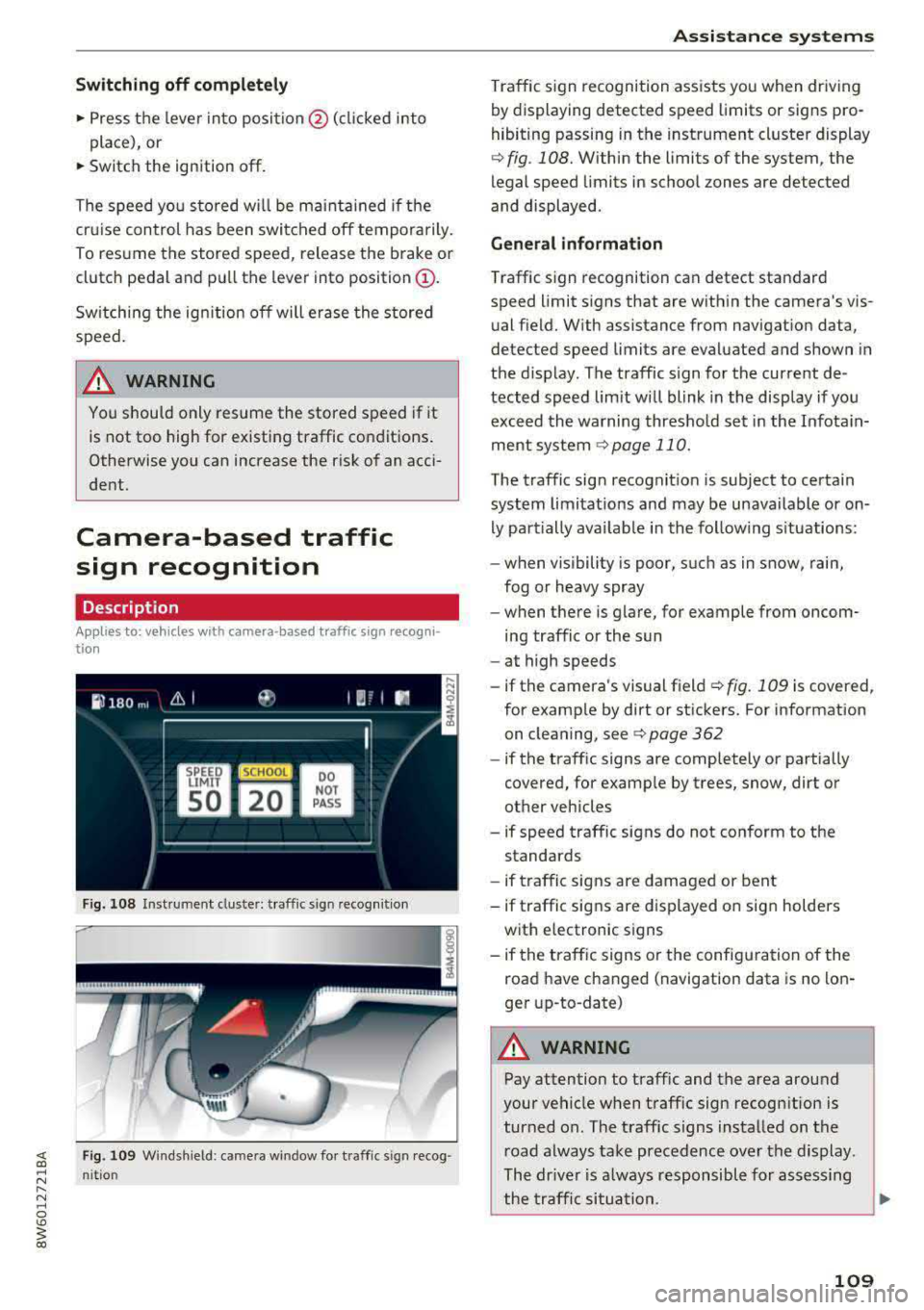
Traffic sign recognition assists you when driving
by displaying detected speed limits or signs pro
hibiting passing in the instrument cluster display
¢ fig . 108. Within the limits of the system , the
legal speed limits in school zones are detected
and displayed.
General information
Traffic sign recognition can detect standard
speed limit signs that are within the camera's vis
ual field. With assistance from navigation data,
detected speed limits are evaluated and shown in
the display. The traffic s ign for the current de
tected speed lim it w ill blink in the disp lay if you
exceed the warning threshold set in the Infotain
ment
system ¢ page 110.
The traffic sign recognition is subject to certain
system limitat ions and may be unavailable or on
ly part ially ava ilable in the follow ing s ituations:
- when visibility is poor, such as in snow, rain,
fog or heavy spray
- when there is glare, for example from oncom
ing traffic or the sun
- at high speeds
- if the camera's visual
field ¢ fig. 109 is covered ,
for examp le by dirt or stickers. For information
on cleaning, see
¢ page 362
- if the traffic signs are completely or partially
covered, for examp le by trees, snow, dirt or
other vehicles
- if speed traffic signs do not conform to the standards
- if traffic signs are damaged or bent
- if traffic signs are displayed on sign holders
with electronic signs
- if the traffic signs or the configuration of the
road have changed (navigation data is no lon
ger up-to-date)
A WARNING
-Pay attention to traffic and the area around
your vehicle when traff ic sign recognition is
turned on. The traff ic signs installed on the
road always take precedence over the display.
The drive r is a lways responsible for assessing
the traffic situation .
-
109
Page 113 of 409
<( a, .... N ,....
N .... 0 \0
3 a,
The vehicle is in a country where the function is
n ot available.
Lap timer
Introduction
Appl ies to: vehicles with lap timer
You can measure and analyze lap times with the
lap timer in the display.
Opening the lap timer
• Open the first Vehicle tab (trip computer) using
the
l <1 t> I button on the mult ifunct ion steer ing
wheel.
• Se lect o n the multifunction steering wheel: left
contro l button
> Lap times .
Operating the lap t imer
• On t he multifunction steer ing whee l, tu rn the
left thumbwheel
(J) c> page 13 unt il the desired
menu item is displayed in the instrument cl us
te r.
• Press the left thumbwhee l to confirm t he selec
t io n.
_& WARNING
Your focus s hould always be on driving your
vehicle sa fely. A s the dr iver, y ou have com
ple te responsib ility for safety in tra ffic. Only
use the f unctions s uch as t he la p timer in s uch
a way that you always mainta in comp lete co n
trol over your vehicle in all traffic s ituations.
(D Tips
You c an ret rieve information from the trip
computer while the lap time r stopwatch is
r u nning .
Lap times and timing
Applies to: vehicles with lap timer
Req uirement: the lap t imer must be open
c>page 111.
Timing laps
• T o start timing manually, se lect Start lap 1 in
the menu.
Assistance systems
• To star t timing automatica lly as soon as you
beg in to drive, select
Start lap 1 by driving off
or Start b y driving off in the menu.
• To meas ure the lap time, select New lap in the
menu. This starts timing the next lap at the
same time.
A fter completing a lap, the difference between
the last lap and the previo us best lap time will be
indicated with a" -" or" +".
Pausing timing and displaying a split time
• To insert a pause m , select Pause in the menu .
• To resume timing, select Resume in the menu.
• To display a sp lit t ime, select Split time in the
menu. The split
time [~] appears for app rox i
mate ly 10 seconds in the instr ument cluster.
The tim ing of the cur rent lap con tinues .
Resetting timing
• Using the mult ifunct io n steer ing whee l, select
Reset times i n the menu.
(!) Tips
- A maximum of 99 lap t imes can be meas
ured.
- If tim ing is pa used, you can continue it later
even if you switch the ignition off.
- Saved lap times cannot be indivi dually de
leted from the total results .
- The s ave d la p time r va lues w ill rem ain after
switchin g the ignition off.
Lap statistics
Applies to: vehicles with lap timer
Displaying lap statistics
You can display t he n umbe r of laps driven, the
f astest lap" +", the slowest lap" -", an d the aver
age t ime
"0" in the instrument cluster.
• On t he mul tif unc tion stee ring w heel, selec t th e
left contro l button
> Lap statistics or Statis
tics .
• Turn the thumbwheel down o r up to display the
ind ividual lap times .
• To return to t he lap timing that was begun,
press the left thumbwheel.
111
Page 114 of 409
Assistance systems
Resetting lap statistics
.,. On the multif unction steering whee l, select:
the right control button
> Reset statistics.
@ Tips
The lap stat istics l ist the lap times for the last
30 laps. The fastest and slowest lap time out
o f up to 99 measured laps are also displayed .
Predictive efficiency
assist
Description
Applies to: vehicles with predictive efficiency assist
General information
The predictive efficiency assist helps the driver to
d rive with anticipation and therefore helps to
save fuel. The system accesses predict ive trip da
ta (including speed limits, inclines and the radius
of curves) from the navigation system*. Informa
tion from the camera-based traffic sign recogni
tion* is also applied to recogni ze traffic signs
r::;i page 109 .
The messages displayed depend on the naviga
tion data * being up-to-date and the correct iden
tification by the traffic sign recognition*.
When adaptive cruise contro l* is switched off,
the predict ive efficiency assist only provides noti
fications without controlled interventions. When
adaptive cruise control* is switched on, the sys
tem responds to upcoming situations automati
cally .
Vehicles with adaptive cruise control*
Refer to predictive control c> page 120.
Indicator in the instrument cluster display
Predictive messages appear in the instrument
cluster display to show the driver the appropriate
time to coast when a situation ahead requires
you to drive at a lower speed.
The messages are only shown if the cr uise control
system* or adaptive cruise control* is switched
off.
112
An additional indicator appears in the head-up
display* .
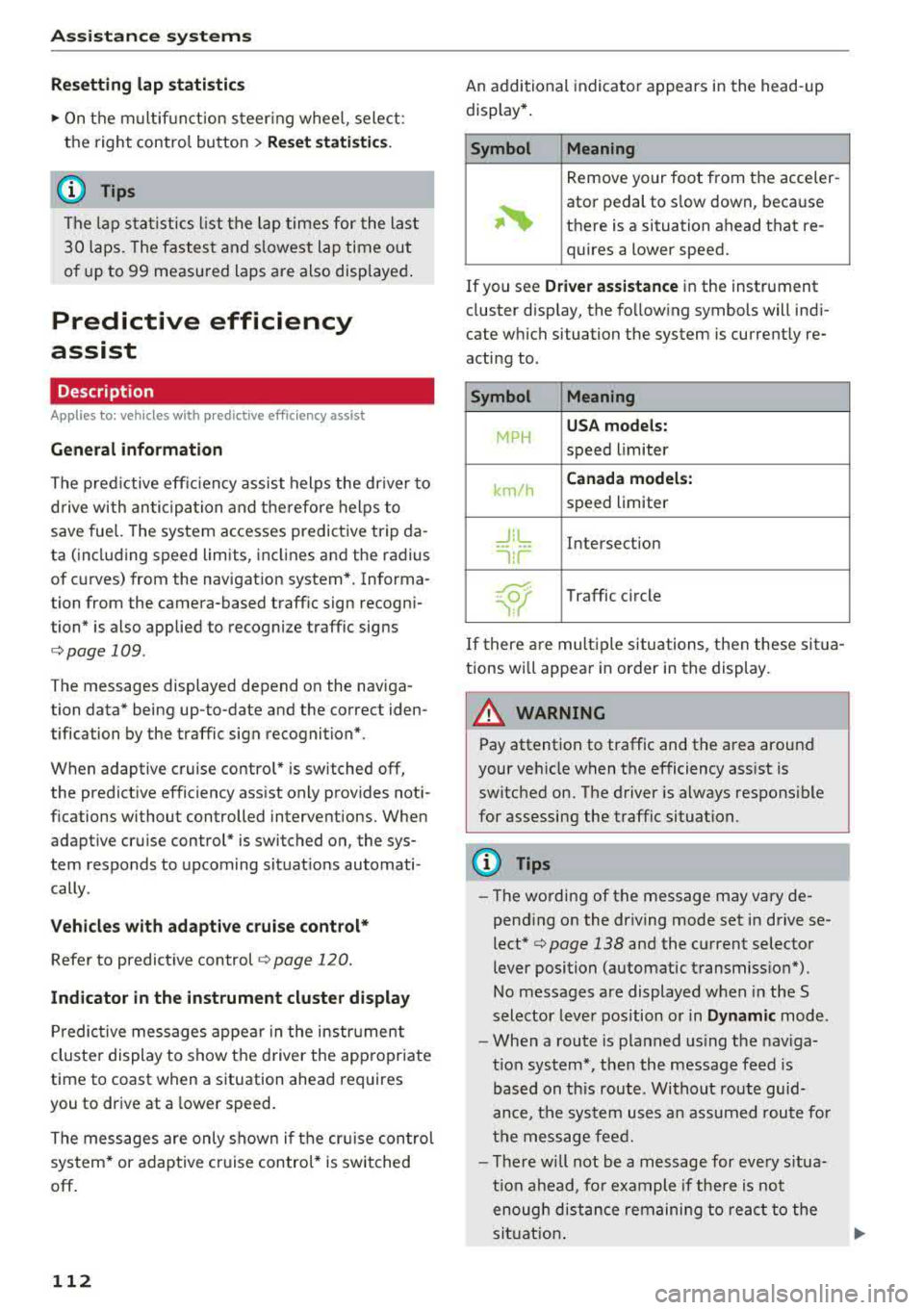
Symbol Meaning
Remove your foot from the acceler-
~
ator pedal to slow down, because
there is a situation ahead that re- quires a lower speed.
If you see
Driver assistance in the instrument
cluster display, the following symbols will indi
cate which situation the system is currently re
acting to .
Symbol Meaning
MPH
USA models:
speed limiter
km/h
Canada models:
speed limiter
_J!L Intersection
'"l i r
w
Traffic c ircle
If there are mult iple situations, then these situa
tions wi ll appear in order in the display.
_&. WARNING
Pay attention to traffic and the area around
your vehicle when the efficiency assist is
switched on. The driver is always respons ible
for assessing the traffic situation.
(D Tips
- The wording of the message may vary de
pending on the dr iving mode set in drive se
lect* c> page 138 and the current selector
lever position (automatic transmiss ion*) .
No messages are displayed when in the S
selector lever position or in
Dynamic mode.
- When a route is planned using the nav iga
t ion system*, then the message feed is
based on this route . Without route guid
ance, the system uses an assumed route fo r
the message feed.
- There will not be a message for every situa
tion ahead, fo r example if there is not
enough distance remaining to react to the
situation.
Page 116 of 409
Assistance systems
General information
Applies to: ve hicles w ith Aud i adapt ive cruise co ntro l
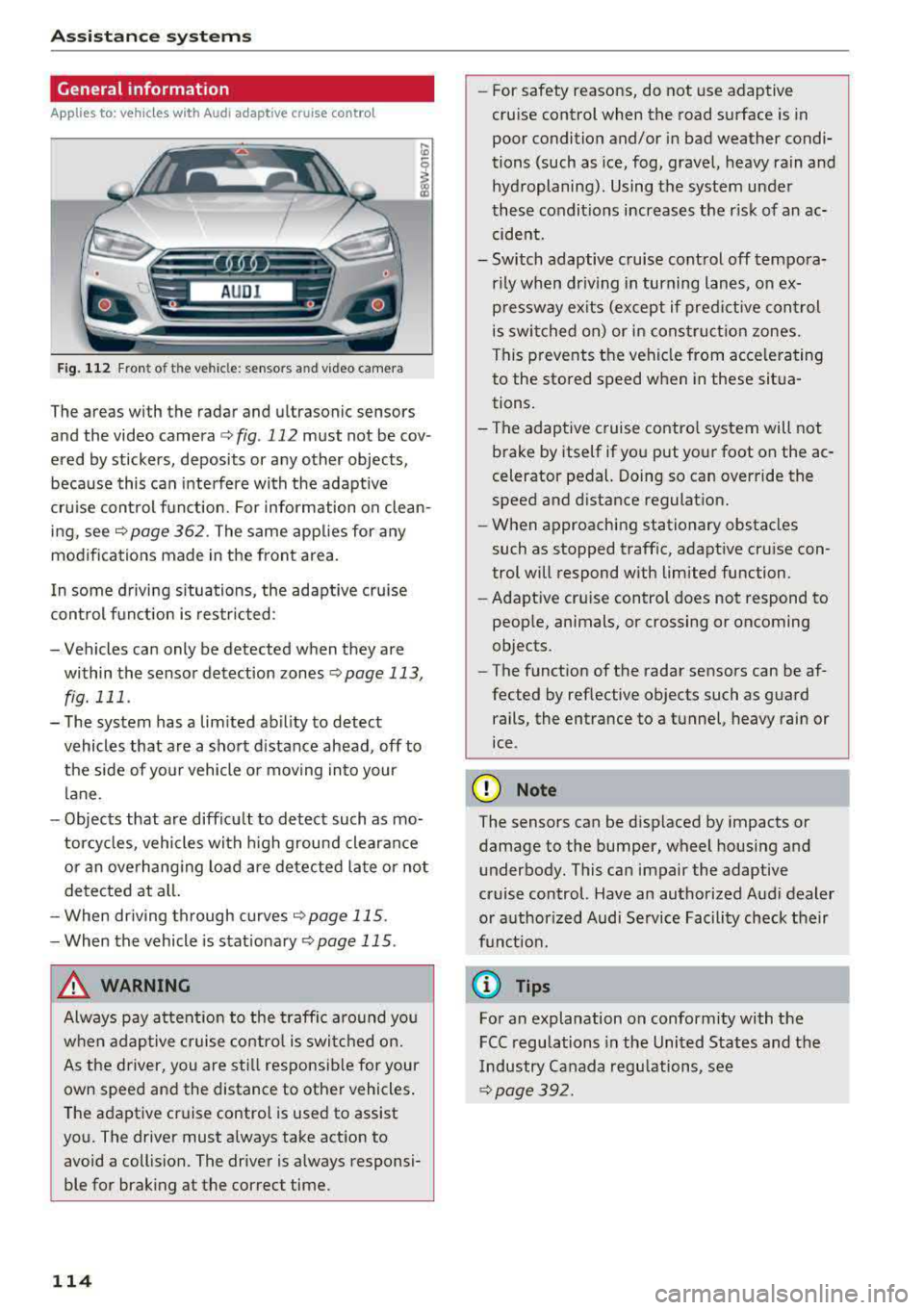
Fig. 112 Fro nt of th e ve hicle: senso rs an d video camera
The areas with the radar and ultrasonic sensors
and the video camera ¢
fig. 112 must not be cov
ered by stickers, deposits or any other objects ,
because this can interfere with the adaptive
cruise control function. For information on clean
ing, see
c::> page 362 . The same applies for any
modifications made in the front area .
In some driving situations , the adaptive cruise
control function is restricted :
-Vehicles can only be detected when they are
within the sensor detection zones
<:;> page 113,
fig. 111 .
-The system has a limited ability to detect
vehicles that are a short distance ahead, off to
the side of your vehicle or moving into your
lane.
-Objects that are difficu lt to detect such as mo
torcycles, vehicles with high ground clearance
or an overhanging load are detected late or not
detected at all.
-When driving through curves
c::>page 115 .
-When the vehicle is stationary <:;> page 115.
_& WARNING
Always pay attention to the traffic around you
when adaptive cruise control is switched on.
As the driver, you are still responsible for your
own speed and the distance to other vehicles.
The adaptive cruise control is used to assist
you. The driver must always take action to
avoid a collision. The driver is always responsi
ble for braking at the correct time.
114
-For safety reasons, do not use adaptive
cruise control when the road surface is in
poor condition and/or in bad weather condi
tions (such as ice, fog, gravel, heavy rain and
hydroplaning) . Using the system under
these conditions increases the risk of an ac
cident.
- Switch adaptive cruise control off tempora
rily when driving in turning lanes, on ex
pressway exits (except if predictive control
is switched on) or in construction zones.
This prevents the vehicle from accelerating
to the stored speed when in these situa
tions.
-The adaptive cruise control system will not
brake by itself if you put your foot on the ac
celerator pedal. Doing so can override the
speed and distance regulation.
-When approaching stationary obstacles
such as stopped traffic, adaptive cruise con
trol will respond with limited function .
- Adaptive cruise control does not respond to
people, animals, or crossing or oncoming
objects.
-The function of the radar sensors can be af
fected by reflective objects such as guard rails, the entrance to a tunnel, heavy rain or
ice .
(D Note
The sensors can be displaced by impacts or damage to the bumper, wheel housing and underbody. This can impair the adaptive
cruise control. Have an authorized Audi dealer
or authorized Audi Service Facility check their
funct ion.
@ Tips
For an explanation on conformity with the
FCC regulations in the United States and the
Industry Canada regulations, see
c::> page 392.