lock AUDI A6 2011 User Guide
[x] Cancel search | Manufacturer: AUDI, Model Year: 2011, Model line: A6, Model: AUDI A6 2011Pages: 370, PDF Size: 87.15 MB
Page 30 of 370
Driver information display
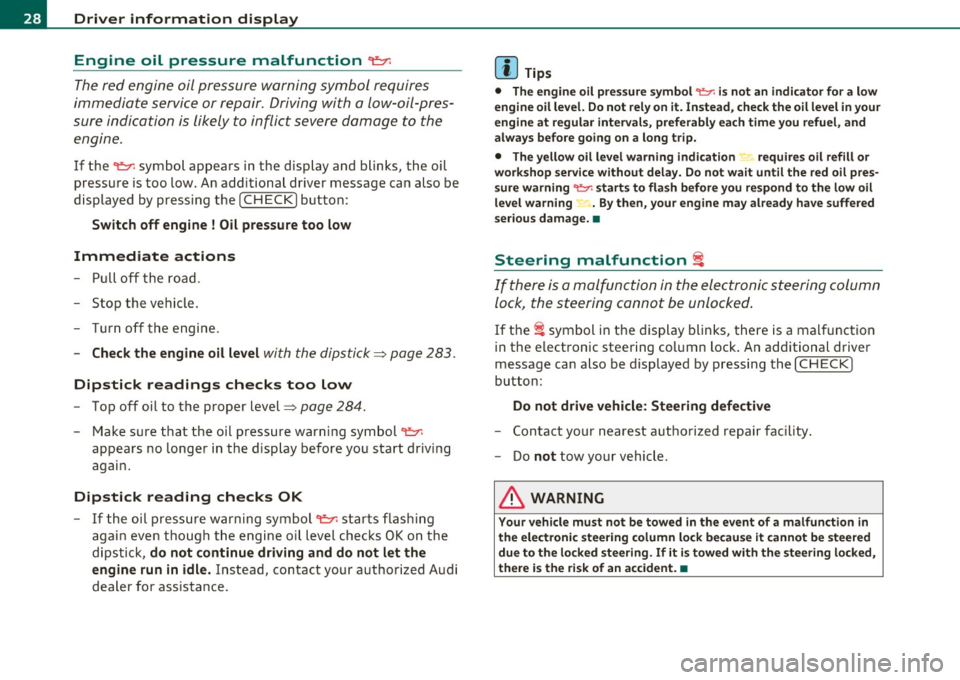
Engine oil pressure malfunction
~
The red engine oil pressure warning symbol requires
immediate service or repair. Driving with a low-oil-pres
sure indication is likely to inflict severe damage to the
engine .
If the "t=:;r: symbol appears in the display and blinks, the oil
pressure is too low. An additional driver message can also be
displayed by pressing the
[CHECK] button :
Switch off engine ! Oil pressure too low
Immediate actions
-Pull off the road .
- Stop the vehicle.
- Turn off the engine.
- Check the engine oil level with the dipstick=> page 283.
Dipstick readings checks too low
- Top off oil to the proper level=> page 284 .
Make sure that the oil pressure warning symbol "t=:;r:
appears no longer in the display before you start driving
again.
Dipstick reading checks OK
- If the oil pressure warning symbol "t=:;r: starts flashing
again even though the engine oil level checks OK on the
dipstick,
do not continue driving and do not let the
engine run in idle.
Instead, contact your authorized Audi
dealer for assistance.
W Tips
• The engine oil pressure symbol 't=1: is not an indicator for a low
engine oil level. Do not rely on it. Instead, check the oil level in your
engine at regular intervals, preferably each time you refuel, and
always before going on a long trip.
• The yellow oil level warning indication "" requires oil refill or
workshop service without delay. Do not wait until the red oil pres
sure warning
't=1: starts to flash before you respond to the low oil
level warning -. By then, your engine may already have suffered
serious damage. •
Steering malfunction i
If there is a malfunction in the electronic steering column
lock, the steering cannot be unlocked.
If the i symbol in the display blinks, there is a malfunction
in the electronic steering column lock . An additional driver
message can also be displayed by pressing the [
CHECK ]
button:
Do not drive vehicle: Steering defective
-Contact your nearest authorized repair facility.
- Do
not tow your vehicle .
& WARNING
Your vehicle must not be towed in the event of a malfunction in
the electronic steering column lock because it cannot be steered due to the locked steering. If it is towed with the steering locked,
there is the risk of an accident. •
Page 31 of 370
Ignition Lock malfunction ~
A malfunction in the ignition lock must be repaired immediately .
If the .Pe symbol in the display blinks, there is a malfunction
in the electronic ignition lock. An additional driver message
can also be displayed by pressing the
[CHECK ] button:
Ignition lock defecti ve . Contact wor kshop!
- Do not turn the engine off.
- Drive immediately to an authorized Audi dealer to have
the malfunct ion correc ted.
If the re is a malfunction in the e lectronic ignition lock, the ignit ion
cannot be turned
off . Drive immediately to an authori zed Audi dealer
to have the cause of the mal function corrected.
On vehicles with Convenience key* , the eng ine should not be switched
off using the [STOP] button because the engine cannot be started
again afte r the ign ition is switched off .•
Yellow symbols
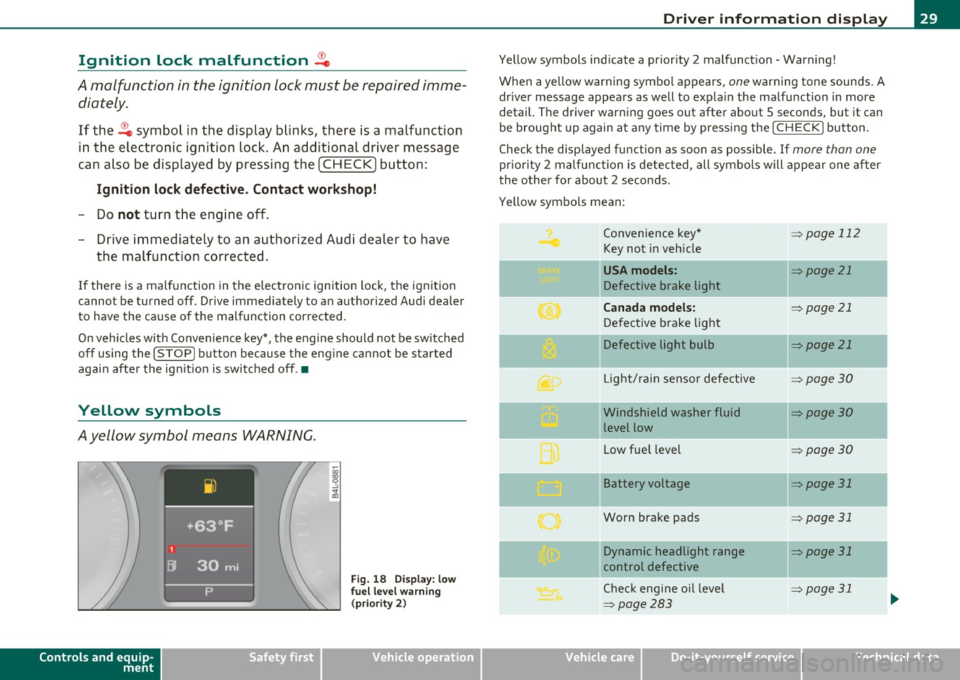
Ayellow symbol means WARNING.
Controls and equip
ment Safety first
Fig.
18 Disp la y : lo w
f u el l evel warning
(p rio ri ty 2)
Dri ver information display
Yellow symbols ind icate a prior ity 2 malfunct ion - Warning!
When a yellow warning symbo l appears,
one warning tone sounds. A
dr iver message appears as well to expla in the malfunction in more
detail. The driver warning goes out after about 5 seconds, but it can
be brought up again a t any time by pressing the
I CHECK] button .
Check the displayed function as soon as possible . If
more than one
pr iori ty 2 malfunction is detected, all symbo ls will appear one after
the other for about 2 seconds.
Yellow symbols mean:
Convenience key*
=> page 112
Key not in vehicle
-
USA models : => page 21
Defective brake light
Canada models : => page 21
Defective brake light
Defective light bulb
=> page 21
L ig ht/rai n sensor defective :::>page 30
Windshield washer fluid =:>page 30
level low
Low fue l level
=:> page30
II Battery voltage => page 31
-
Worn brake pads => page 31
II Dynamic headlight range => page 31
control defective
-
Check engine oil leve l => page 31
=>page 283
...
Vehicle care Technical data
Page 32 of 370
Driver information display
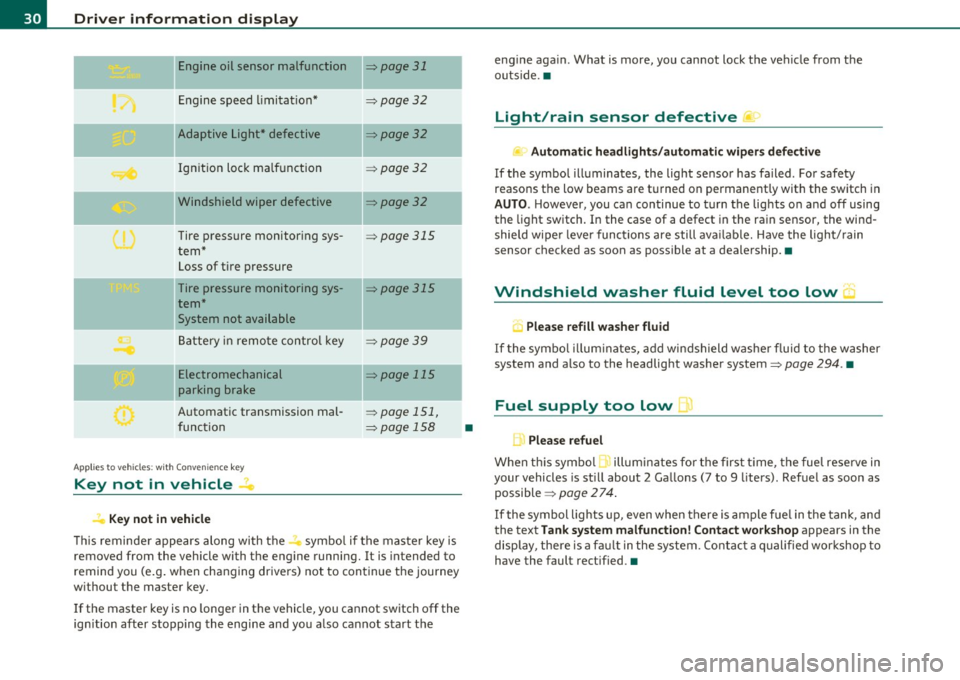
Engine oil sensor malfunction => page 31
._ --
Engine speed limitation* :::>page 32
-- -Adaptive Light* defective => page 32
Ignition lock malfunction =>page 32
--Windshield wiper defective => page 32
Tire pressure monitoring sys
tem*
Loss of tire pressure
Tire pressure monitoring sys
tem*
System not available
Battery in remote control key
--
=> page 315
=> page 315
:::>page 39
Electromechanical => page 115
parking brake
Automatic transmission mal
function
Ap plies to vehicles: w ith Conven ience key
Key not in vehicle
Key not in vehicle
=> page 151,
=> page 158
-
-
This reminder appears along with the...., symbol if the master key is
removed from the vehicle with the engine running. It is intended to
remind you (e.g. when changing drivers) not to continue the journey
without the master key.
If the master key is no longer in the vehicle, you cannot switch off the
ignition after stopping the engine and you also cannot start the
•
engine again . What is more, you cannot lock the vehicle from the
outside. •
Light/rain sensor defective )
Automatic headlights/automatic wipers defective
If the symbol illuminates, the light sensor has failed . For safety
reaso ns the low beams are turned on permanently with the switch in
AUTO. However, you can continue to turn the lights on and off using
the light switch. In the case of a defect in the rain sensor, the wind
shield wiper lever functions are still available. Have the light/rain
sensor checked as soon as possible at a dealership. •
Windshield washer fluid level too low 5
, Please refill washer fluid
If the symbol illuminates, add windshield washer fluid to the washer
system and also to the headlight washer system=>
page 294. •
Fuel supply too low )
L Please refuel
When this symbol 1. illuminates for the first time, the fuel reserve in
your vehicles is still about 2 Gallons (7 to 9 liters). Refuel as soon as
possible =>
page 274.
If the symbol lights up, even when there is ample fuel in the tank, and
the text
Tank system malfunction! Contact workshop appears in the
display, there is a fault in the system . Contact a qualified workshop to
have the fault rectified.•
Page 34 of 370
Driver information display
Applies to veh icles : w ith eng ine s peed limitat ion
Engine speed limitation .?i
11'1 Do not exceed max. engine speed of XXXX rpm
The -symbol illuminates when there is an engine control malfunc
tion. The indicator light in the instrument cluster also illuminates.
The engine speed is limited to the speed displayed in the driver infor
mation system. Keep in mind that the engine speed will not exceed
the value d isp layed in the drive r informat ion system, for example
when downshifting.
Please go to an authorized Audi dealer or other qualified workshop to
have the malfunction repaired.•
Applies to vehicles: wi th Adap tive Light
Adaptive Light defective
adaptive light defective • r
When this symbol illuminates, it means that Adaptive Light is
defective. Go to an authorized dealership to have the headlights or
the control unit for the Adaptive Light repaired. •
Ignition lock malfunction ..e
If the symbol in the display comes on, there is a malfunc-
t ion in the electronic ignition lock. An additional driver
message can be displayed by pressing the [CHECK] button:
Defective ignition switch
-Drive to an aut horized service facility at your earliest
convenience to have the malfunction corrected.•
Windshield wipers faulty , . .>
.... Windshield wiper malfunction
When this symbol . illuminates, it means that the electronics for
the windshield wipers are defective . Please go to an authorized deal
ership to have the windshield wiper system repaired. •
Speed warning system
Overview
The speed warning system helps you to keep your driving
speed below a set speed limit.
Th e speed warning system warns the driver if he exceeds a previously
stored maximum speed. A warning tone will sound as soon as the
vehicle speed exceeds the set speed by about 3 mph (3 km/h). At the
same time, a warning symbol appears in the display.
The speed warning system has
two warning thresholds that function
independently of each other and that have somewhat different
purposes :
Speed warning 1
You can use speed warning 1 to set the maximum speed while you are
driving. This setting w ill remain in effect until you turn off the igni
tion, assum ing that you have not changed or reset the setting .
Th e speed warning symbo l
'8 (USA models)/ 8 (Canada mode ls) in
the warning 1 display appears when you exceed the maximum speed.
It goes out when the speed falls be low the stored maximum speed.
Th e speed warning symbol will also go out if the speed
exceeds the
stored maximum speed by more than about 25 mph (40 km/h) for at
least 10 seconds. The stored maximum speed is deleted.
Sett ing speed warn ing 1
=> page 33. ~
Page 39 of 370
Opening and closing
Keys
Key set
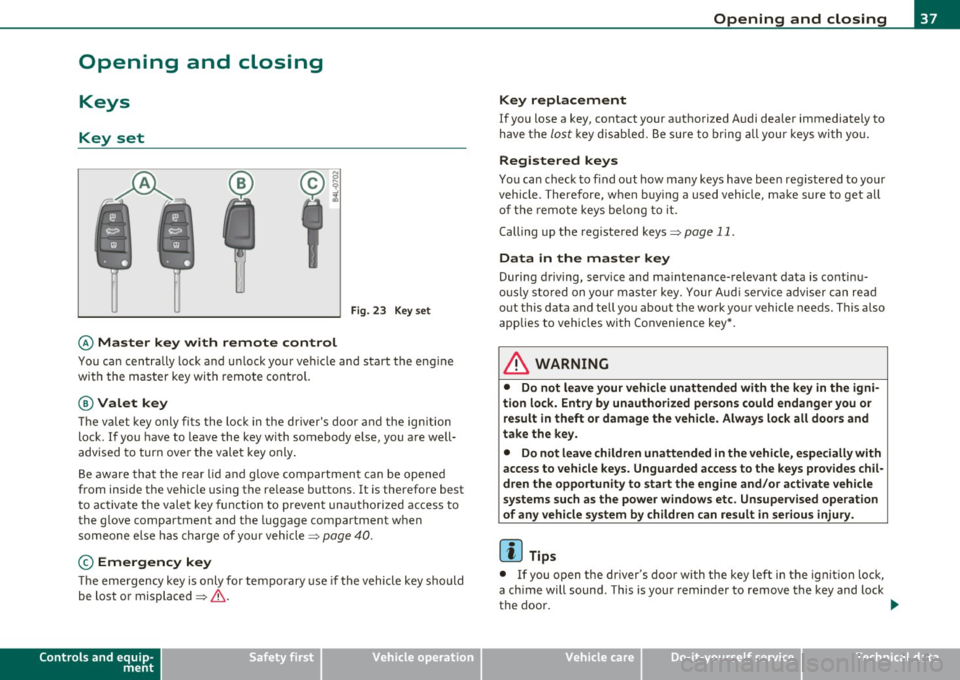
Fig. 23 Key set
© Ma ster key with remote control
You can centrally lock a nd u nlock your ve hicle and start the eng ine
with the master key with remote contro l.
@Valet key
The va let key only fi ts the lock in the d river's door and the ig nition
lock . If you have to leave the key with somebody e lse, you are well
advised to turn over the vale t key only .
Be aware tha t the rear lid a nd g love compartment can be opened
from inside the vehicle using the re lease buttons. It is therefore best
t o activa te the vale t key function to preven t una uth o rized access to
the glove compartment and the luggage compartment when
someone else h as charge of your vehicle::::>
page 40.
© Emergency key
The emergency key is only for tempo rary use if the vehicle key should
be lost or misplaced =>
&.
Controls and equip
ment Safety first
Opening and closing
Key replacement
If you lose a key, contact your a
uthorized A udi dea ler immediately to
have t he
lost key d isab led. Be sure to bring all you r keys wi th yo u.
Registered keys
You can chec k to f ind out how many keys have been reg iste red to yo ur
vehicle . Therefore, w hen b uy ing a used vehicle, make sure to get all
of the remote keys be long to it .
Calling up the registered keys=>
page 11.
Da ta in the master key
During driving, serv ice and ma intenance- relevant data is continu
o u sly sto red on yo ur maste r key. Your Aud i serv ice adviser c an re ad
out this data and tell you about the work your vehicle needs. This a lso
applies to vehicles wi th Co nvenience key *.
& WARNING
• Do not leave your vehicle unattended with the key in the igni
tion lock. Entry by unauthorized persons could endange r you or
re sult in theft or dam age the vehicle. Alway s lock all doors and
take the key.
• Do not leave children unattended in the vehicle, especially with
access to vehicle keys. Unguarded access to the keys p rovides chil
dr en the opportunity to start the engine and /or activate vehicle
systems such as the power windows etc . Unsupervised operation
of any vehicle system by children can result
in serious injury.
[ i ] Tips
• If you open t he dr iver 's door wi th the key left in the ignit ion lo ck,
a ch ime will sound . This is your reminde r to remove the key and lock
the doo r.
IJ),,,
Vehicle care Technical data
Page 40 of 370
Opening and closing
• For security reasons, replacement keys are only available from
Audi dealers. •
Master key with remote control
The remote control allows you to lock or unlock the
vehicle electronically.
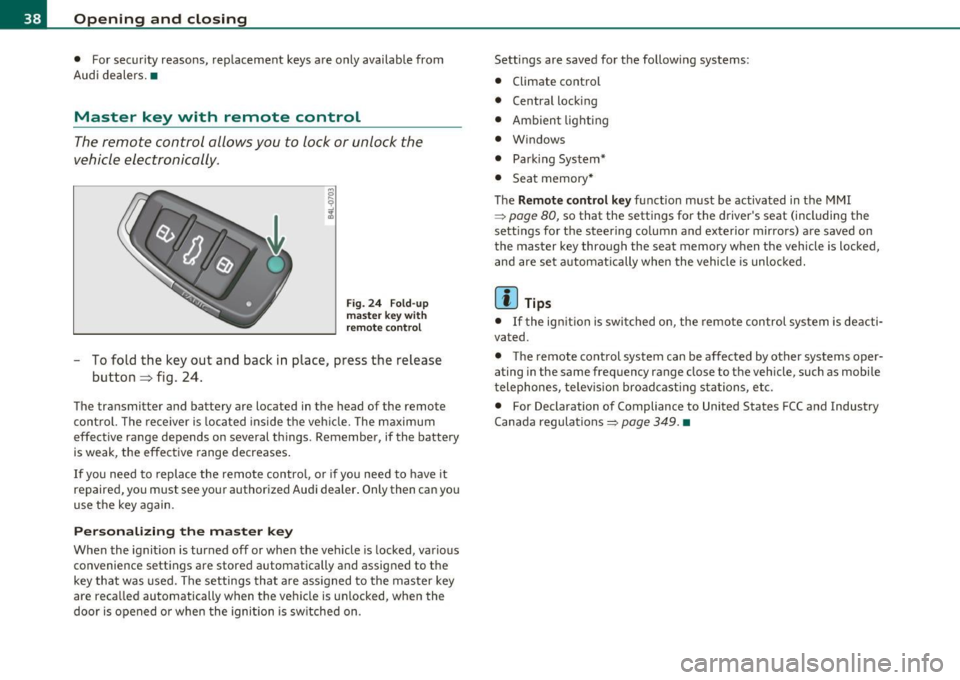
Fig. 24 Fold-up
master key with
remote control
-To fold the key out and back in place, press the release
button~ fig. 24.
The transmitter and battery are located in the head of the remote
control. The receiver is located inside the vehicle. The maximum
effective range depends on several things . Remember, if the battery
is weak, the effective range decreases.
If you need to replace the remote contro l, or if you need to have it
repaired, you must see your authorized Audi dealer. Only then can you
use the key again.
Personalizing the master key
When the ignition is turned off or when the veh icle is locked, various
convenience settings are stored automatically and assigned to the
key that was used. The settings that are ass igned to the master key
are recalled automatically when the vehicle is un locked, when the
door is opened o r when the ignition is sw itched on. Settings are saved for the following systems:
•
Climate control
• Central locking
• Ambient lighting
• Windows
• Park ing System*
• Seat memory*
The
Remote control key function must be activated in the MMI
=> page 80, so that the settings for the driver's seat (including the
sett ings for the steering column and exterior mirrors) a re saved on
the master key through the seat memory when the vehicle is locked,
and are set automat ically when the vehicle is unlocked.
[ i ] Tips
• If the ignit ion is switched on, the remote control system is deacti
vated.
• The remote control system can be affected by other systems oper
ating in the same frequency range close to the vehicle, such as mobile
telephones, telev isio n broadcasting s tations, etc.
• For Declaration of Compliance to United States FCC and Industry
Canada regulations:=>
page 349. •
Page 41 of 370
Check Light in the master key
The check light in the master key provides information
about different conditions.
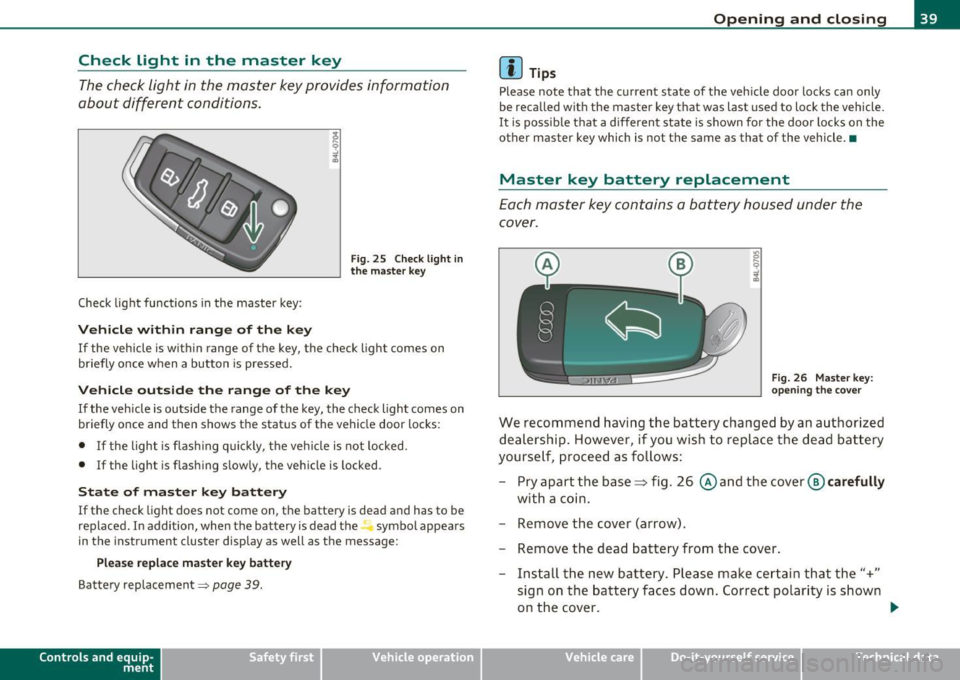
Check light functions in the master key :
Vehicle within range of the key
Fig . 25 C heck lig ht in
the m aster k ey
If the vehicle is w ith in range of the key, the check light comes on
briefly once w hen a button is pressed.
Vehicle outside the range of the key
If the veh icle is outside t he range of the key, the c hec k light comes on
briefly once and then shows the status of the vehicle door locks:
• If the light is fl as hi ng q uickly, the veh icle is not locked.
• If the light is f lashing slow ly, the vehicle is locked .
State of master key battery
If the check light does not come on, the battery is dea d and has to be
replaced . I n addition, when the battery is dead the symbol appea rs
i n the instrument cluste r display as well as the message :
Please replace ma ster ke y battery
Battery replacement~ page 39.
Con tro ls a nd e quip
m en t Vehicle
OP-eration
Opening and closing
(I) Tips
Please note that the c urrent state of the vehicle doo r locks can only
be recalled wit h the master key t hat was last used to lock the vehicle.
It is poss ib le tha t a d ifferen t state is shown fo r the door lo cks on the
other master key which is not the same as that of the vehicle .•
Master key battery replacement
Each mas ter key contains a battery hous ed under th e
cover.
Fi g. 26 Master key:
o pe ning the c ove r
We reco mmend having the ba ttery chang ed by an au thori zed
dealer ship . However , if you wi sh to replace th e dead b atte ry
yourse lf, proc eed as follows :
- Pry apart the base~ fig. 26 @and the
cover @carefully
with a c oin.
- Remove the cover (arrow).
- Remove the dead battery from the cover .
- Install th e new ba ttery . Please make c ertain that the"+"
sign on t he ba ttery faces down . Correct po lar ity is shown
o n the cover. .,,.
Vehicle care Do-it-yourselt service iTechnical data
Page 42 of 370
Open ing and closing
- Place the cover w ith th e new battery on the key base and
press both parts together.
c£> For the s ake of the environment
Dispose of dead batteries proper ly so as not to po llute the envi ron
me nt.
00 Tips
The replacement battery must be the same specification as the
orig inal. •
Electronic immobilizer
The immobilizer helps to prevent unauthorized use of
your vehicle.
A compu ter chip inside you r key au tomatically deactivates the e lec
tron ic immob ilizer when you insert the key in the ignition lock, or on
vehicles with Convenience key*, when the key is inside the vehicle.
When you remove the key from the ign ition lock, or on veh icles with
Conven ience key, when you remove the key from the vehicle, the elec
tron ic immobil izer is a utomat ica lly activated once again.
& WARNING
A lway s ta ke the ke y w ith you when you l eav e the vehicle . Th e key
can di sa rm the e lect roni c engine immobilizer and pe rmit an un au
thori zed p erso n t o start the eng ine a nd enable operation of the
v ehi cle sy stems su ch a s pow er w indo w or p ow er sunroof* l eading
to seriou s per sonal injur y.
00 Tips
• The veh icle cannot be started if an unauthori zed key is used. The
vehicle may not start if another radio device su ch as a key for another
vehicle o r a transponder is located on the key ring .
• For Declaration of Compliance to United S tat es FCC and Industry
Canada regulations =>
page 349. •
Valet key function
The valet key function prevents unauthorized persons
from opening the glove compartment or rear lid.
,~ • F ig. 27 Ce nter
co nsole: button for
valet key functio n
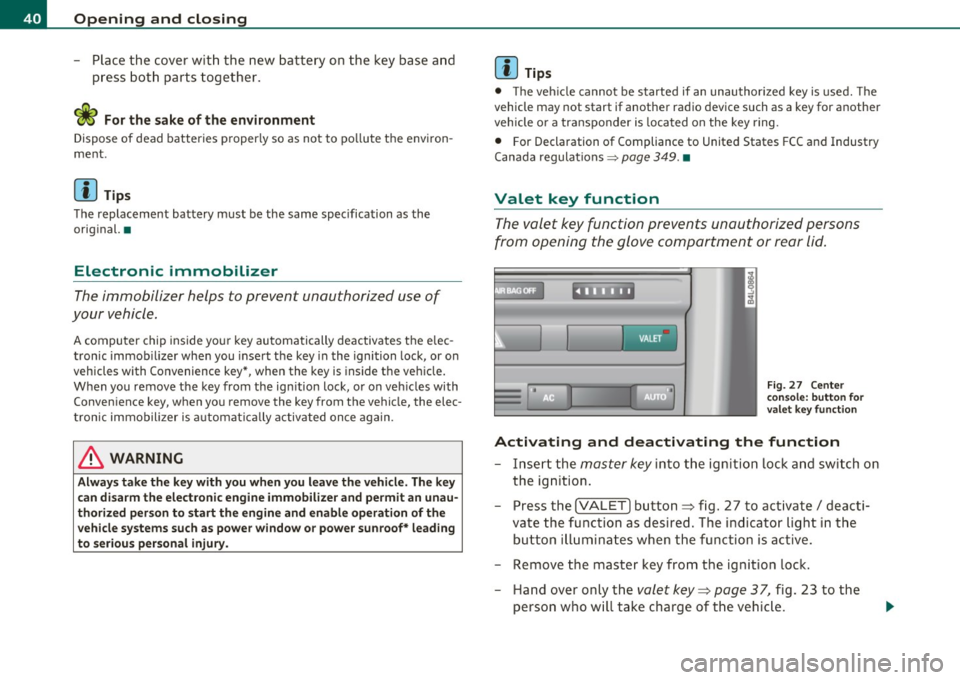
Activating and deactivating th e function
- Insert the master key into the igni tion lock and switch on
the ignition.
- Press the
!VALET] button ~ fig. 27 to activate/ deacti
vate the function as desired. The in dicator light in the
button il luminates whe n the funct ion is ac tive.
- Remove the master key from the ignition lock. - Hand over only the
valet key~ page 37, fig. 23 to the
person who will take charge of the vehicle .
Page 43 of 370

When the function is switched on, the buttons for opening the rear lid
and glove compartment have no function. However, please note the
following except ions:
Exceptions
If the ignition has been switched on using the master key, you can
st ill open the g love compartment.
As long as the ign it ion is switched off, you can st ill open the rear lid
using the rear lid button on the
master key c:s . The same holds true
for using the rear lid release handle in co njunction w ith the Conve
nience key*.
For this reason, be sure to only hand over the
valet key to the person
who will take charge of your vehicle .
[ i ] Tips
Be sure to activate the function before handing over the valet key to
someone e lse. The va let key on ly fits the lock in the driver's door and
the ignition lock.•
Power locking system
General description
The power locking system locks or unlocks all doors and
the rear lid simultaneously .
The power locking system in your vehicle incorporates the following
functions :
• Centra l locking function
• Selective unlock feature:::::;,
page 44
• Remote control feature:::::;,
page 38
• Convenience key*:::::;, page 47
• Anti-theft alarm system:::::;, page 49
Controls and equip
ment Safety first
Opening and closing
All the doors and the rear lid are
locked by the central locking system
when you lock the veh icle. Yo u can set whether generally only the
dr iver's door or all doors and the rear lid should be unlocked when you
open the vehicle in the MMI menu
Central locking to suit your indi
vidual desires:::::;,
page 44 .
Unlocking the vehicle
You can unlock the vehicle from outside either by using the remote
control
or by inserting and turning the key in the driver's door lock.
When you
unlock your vehicle:
• The anti-theft alarm system is deactivated briefly .
• Th e vehicle interior lights illuminate for approximately 30
seconds .
• All turn signal lights will flash twice when the car is unlocked .
• After un locking the veh icle, you have 60 seconds to open a door or
the rear lid. After 60 seconds, the vehicle automatically locks and the
anti-theft alarm system activates again.
The rear lid can be locked or unlocked e ither by using the remote
control
or by inserting and turning the key in the driver's door lock.
Unlocking the vehicle with the remote control will only
unlock the
rear lid, to
open it, the lid handle needs to be pressed.
Locking the vehicle
You can lock the vehicle from outside either by using the remote
cont rol
or by inserting and turning the key in the drivers's door lock .
When you
lock the vehicle:
• All doors and the rear lid are locked .
• All turn signal lights will flash once when the car is locked.
• Th e anti-theft alarm system is activated. The horn of the anti
theft a larm system wi ll sound and the anti-theft a larm system readi
ness light, located in the upper part of the driver's door panel, w ill
start to blink.
• T he vehicle interior lights turn off.
Vehicle care Technical data
Page 44 of 370

Opening and closing
Unlocking and locking with Convenien ce key *
On vehicles wh ich a re equipped with the Con venience key* a uthoriza
t ion system, the doo rs a re unlocked
without a key by means of a prox
im ity sensor in the door handle . The doors are s imilarly locked
without a key us ing the locking button . Eac h door has a prox imity
sensor and a locking button.
Automat ic locking
T he a utomatic locking feature locks all t he vehicle doo rs and the rea r
lid when you d rive faste r than 9 mph (15 km/h). This funct ion can be
t u rned on and off in the MMI
Central locking Men u:::) page 44 .
You ca n unlo ck the vehi cle from the ins ide by:
• removing the key from the ignit ion sw itch (the ve hicle w ill auto
matically un lock itself) or
• pressing the unlock part of the power lock switch
!i::il or
pulling the door handle (twice to open the rear doo rs) .
& WARNING
• When you lock your vehi cle from outside, nobody · especially
children -should remain inside the vehicle . Remember, when you
lock the vehicle from the out side the windows cannot be opened
from the inside .
• When you leave the vehicle, always remove the ignition key
and take it with you. This w ill prevent passengers (children, for
example ) from accidentally being locked in the vehicle should
they accidentally press the power locking switch in the front doors.
• Do not leave children ins ide the vehicle unsuperv ised . In an
emergency it would be impossible to open the doo rs from the
outside without the key .
[I] Tips
• In the event of a cras h w it h ai rbag deploy ment all locked doo rs
w ill be automatically u nlocked to give access to t he vehicle occupants
from t he outside .
• If the power lock ing system should malfunction, you ca n lock each
door ind iv id u ally using the ve hicl e key :::)
page 45.
• If the power locking system sho uld fail, yo u can still open t he fuel
t ank flap in a n emergency:::)
page 277 .
• You a re we ll a dvised not to keep v aluables ins ide an unatten ded
veh icle, v isib le or not. Even a properly locked veh icle cannot provide
the security of a safe. •
Unlocking and locking the vehicle with the
remote control
How the remote control works.
Fig. 28 R emote
control : fu nctio n
bu ttons
Whether on ly the d river's door or the entire vehicle is
u nlocked w hen t he open ing but ton @ is pressed once,
depe nds o n the s ettings in the MM I
Central locking menu
~ page
44.