wheel AUDI A6 2011 User Guide
[x] Cancel search | Manufacturer: AUDI, Model Year: 2011, Model line: A6, Model: AUDI A6 2011Pages: 370, PDF Size: 87.15 MB
Page 104 of 370
1111....__w __ a _r_ m __ a_n_ d_ c_ o _ l_d _______________________________________________ _
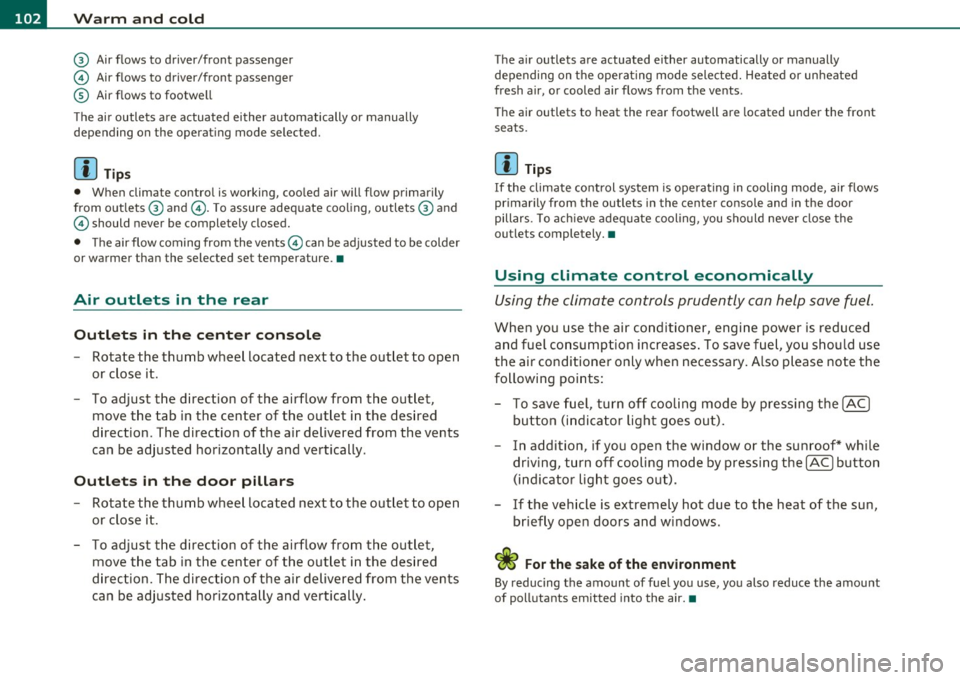
@ Air flows to driver/front passenger
© Air flows to driver/front passenger
© Air flows to footwell
T he ai r outlets are actuated either automatically or manually
depending on the operating mode selected.
[I] Tips
• When climate control is working, cooled air will flow primarily
from out lets @ and @. To assure adequate cooling, outlets @ and
© should never be completely closed.
• T he air flow coming from the vents © can be adjusted to be colder
or warmer than the selected set temperature. •
Air outlets in the rear
Outlets in the center console
- Rotate the thumb wheel located next to the outlet to open
or close it.
- To adjust the direction of the airflow from the outlet, move the tab in the center of the outlet in the desired
direction . T he direction of the air delivered from the vents
can be adjusted horizontally and vertically.
Outlets in the door pillars
- Rotate the thumb wheel located next to the outlet to open
or close it .
- To adjust the direction of the airflow from the outlet,
mov e the tab in the center of the o utlet in the desired
direction. The direction of the air delivered from the vents
can be adjusted horizontally and vertically.
The air outlets are actuated either automatically or manually
depending on the operating mode selected. Heated or unheated
fresh air, or cooled air flows from the vents.
T he air outlets to heat the rear footwell are located under the front
seats.
[I] Tips
If the climate control sys tem is operating in cooling mode, air flows
primarily from the outlets in the center console and in the door
pillars. To ach ieve adequate cooling, you sho uld never close the
outlets completely. •
Using climate control economically
Using the climate controls prudently can help save fuel.
When you use the air conditioner, engine power is reduced
and fuel consumption increases . To save fuel, you should use
the air conditioner only when necessary . Also please note the
following points:
To save fuel, turn off cooling mode by pressing the
[AC)
butto n (indicator ligh t goes out).
- In addit ion, if you open the window or the sunroof* while
driving, turn
off cooling mode by pressing the [AC] button
(indicator light goes out).
If the vehicle is extremely hot due to the heat of the sun,
briefly ope n doors and windows.
ffi For the sake of the environment
By reducing the amount of fue l you use, you also reduce the amount
of pollutants emitted into the air.•
Page 105 of 370

_________________________________________________ W_ a_ r_m _ a_ n_d_ c_ o_ ld _ ___.lfll
A pp lies to vehicl es: wi th ele ctr ically heated s eats
Heated front seats Q)
The seat cushion and the seat back of the front seats can
be heated electrically.
- Press the~ button.
- Rotate the regulator to the desired setting.
In position O the heating for the seats is turned off. The range of
adjustment is between
1 and 6.
The setting will appear for a few seconds in the MMI display.
(D Note
To avoid damage to the heating elements in the seats, do not kneel
on the seats or place heavy loads on a small area of the seat .•
Ap plies to vehicl es: with he ated r ea r se ats
Heated rear seats
The seat cushions and seat backs of the two outer rear
seats can be heated electrically .
Contro ls a nd e quip
m en t
Fig . 96 Center console
rear: Heated seats
Vehicle OP-eration
-Rotate the thumb wheel @to turn on and adjust the
heating for the left rear seat .
- Rotate the thumb wheel@ to turn on and adjust the
heating for the right rear seat.
In position O the heating for the seats is turned off . The range of
adjustment is between
1 and 6 .
Th e rear seat heating opera tes only when the seats are occupied. If
the rear seat is not occupied, you should turn the heating for the
seats off to prevent unintended heating of the seating surfaces .
(D Note
To avoid damage to the heating elements in the seats, do not kneel
on the seats or place heavy loads on a small area of the seat .
[I) Tips
Please note that the weight of objects placed on the seat will also be
detected. This weight may be enough to cause the seat h eater to turn
on .•
Vehicle care Do-it-yourselt service iTechnical data
Page 106 of 370

llll..__w __ a _r _m __ a_n _ d_ c_ o_ ld ________________________________________________ _
Applie s to veh icles : wi th s teering w heel he atin g
Steering wheel heating~
The steering wheel can be heated electrically.
Fig. 97 Stee ring
wheel : button for
st eeri ng wheel heat ing
- Press the(~] button to turn the steering wheel heating on
and off =>fig. 97. The message
Steering whee l heat ing on ! or
S teer ing whee l heat ing off! appears in the instrument
cluster display .
A nearly constant temperature is maintained when the steer ing
wheel heating is switched on.
T he last setting selected for the steering wheel heating (on or off) is
automatically saved when the vehicle is shut off and is assigned to the
remote key.•
Basic settings
General
The basic climate control settings can be adjusted in the
MMI.
- Select: Function button (CAR]> Control button AC.
The following functions can be selected:
• Auto recirculat .
~ page 104
• Synchronizat ion~ page 105
• Center vents~ page 105 •
Automatic recirculation mode
An air quality sensor detects increased concentrations of
pollutants in the outside air and automatically switches
to recirculation mode.
We recommend that you always keep automatic air recirculation ON
to prevent polluted outside air from entering the vehicle interior.
If the air qu alit y sen sor located in the air conditioning system detects
polluted outside air, the sensor decides whether the air pollution can
be reduced by the factory -installed pollutant filter or whethe r it is
necessary to switch to air recirculation. With heavy concentrations of
poll utants, the a ir condit ion ing system is switched automatically to
recirculation mode and the supply of outside air is blocked . As soon
as the concen tration of pollutants in the o utside air drops, fresh air is
supplied to the vehicle in terior again .
In the event that the windows fog up during automatic air recircula
tion, you must press the® button immed iately.
Under certain operating conditions, automatic a ir recirculation is
switched off automatically. With o utside temperatures below about
SO °F ( +10 °(), automatic air recirculation is limited to 30 seconds .
With outside temperatures below about 30 °F (-1 °C) and the cooling
system is switched off, the automatic air recirculation is limited to 15
seconds. •
Page 108 of 370
1111....__0_ n_ t_h_ e_ r_ o_ a _ d _________________________________________________ _
On the road
Steering
Applies to vehicles : w ith manua lly ad justab le stee ring whee l
Manually adjustable steering wheel
The height and reach o f the steering wheel can be
adjusted.
First, adjust t he driv er's seat correctly.
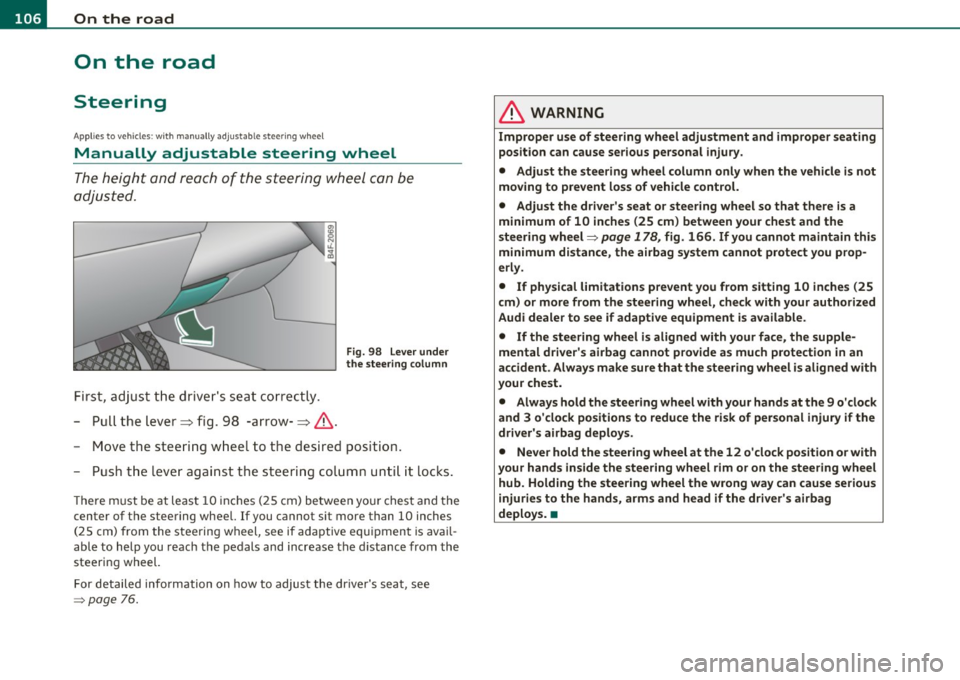
- Pull the lever~ fig. 98 -arrow-~ &.
Fig. 98 L ever under
the stee ring colum n
-Move the steering w heel to t he desired position.
- Push t he leve r against the s teering colum n unti l it locks .
The re m ust be at leas t 10 inc hes (25 cm) be tween yo ur chest and the
center of the steering wheel. If you cannot sit more than 10 inches
(25 cm) from the steering wheel, see if adaptive equ ipment is avail
able to help you reach the pedals and increase the d istance from the
steering wheel.
For detailed info rmation on how to adjust the dr ive r's seat, see
=> page 76.
& WARNING
Improp er use of steering wh eel adjustment and improper seating
position can cause serious personal injury .
• Adjust th e steering wheel column only when the v ehicle i s not
moving to p revent loss of vehicle control.
• Adjust the driver's seat or steering wheel so that th ere is a
minimum of 10 inches (25 cm ) between your chest and the
steering wheel=>
page 178 , fig. 166 . If you cannot maintain this
minimum distance , the airbag sy stem cannot protect you prop
erl y.
• If physical limitat ions p revent you from sitting 10 in ches (25
cm ) or more from the steering wheel, check with your authorized
Audi dealer to see if adaptive equipment is available.
• If the steering wheel is aligned with your face , the supple
mental driver' s airbag cannot provide a s much p rote ction in an
accident . Always make sure that the steer ing wheel i s aligned with
your che st.
• Always hold the ste ering wheel with your hands at th e 9 o'clock
and 3 o 'clock positions to reduce the risk of per sonal injury if the
driver' s airbag deploy s.
• Never hold the steering wheel at the 12 o 'clock position o r w ith
your hands inside the steering wh eel rim or on the steering wh eel
hub. Holding the stee ring wheel the wrong way can cause seriou s
injuries to the hands, arms and head if the driver' s airbag
deploy s. •
Page 109 of 370
_________________________________________________ O_ n_ t_ h_ e_ r _o_ a_d _ __.fflll
App lies to veh icles : w ith electrically adju stab le steer ing wheel
Electrically adjustable steering wheel
The height and reach of the stee ring wheel ca n be ele ctri
c ally adj usted to sui t th e d river.
Firs t, a djust t he dr iver's se at correct ly.
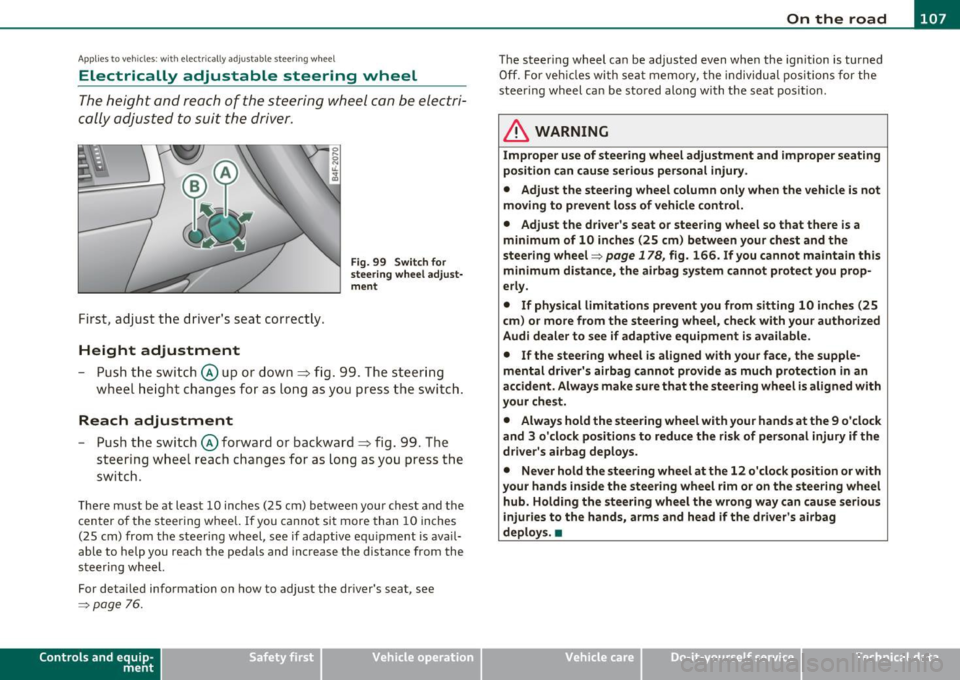
Height adjustment
Fig . 99 Switch for
s teering whee l ad ju st
ment
- Push t he s witch © up or down=> fig. 99 . T he st ee rin g
w he el heig ht chang es f or as long as you press t he swi tch .
Reach adjustment
- Push t he switc h© forward or backward=> fig. 99 . T he
ste ering w hee l reac h changes for as long as yo u press the
swi tch .
The re m ust be at leas t 10 inches (25 cm) between you r chest and the
cen ter of the steering whee l. If you cannot sit more than 10 inches
(25 cm) from the steer ing wheel, see if adapt ive equ ipment is ava il
able to h elp you reach the pedals and increase the distance from the
steeri ng wheel.
For detailed information on how to adjust the dr iver 's seat , see
~ page 76.
Cont rols a nd e quip
m en t Vehicle
OP-eration
The steering wheel ca n be adjusted even when the ign ition is turned
O ff. For veh icles with sea t memory, the individu al pos it io ns for the
steer ing wheel can be sto red along with t he seat pos it ion.
& WARNING
Improper use of steering wheel adjustment and imprope r seating
position can cau se seriou s per sonal injury.
• Adjust the steering wheel column only when the vehicle i s not
moving to prevent loss of vehicle control.
• Adjust the driver 's seat or steering wheel so that there is a
minimum of 10 in ches (25 cm) between your chest and the
steering wheel~
page 178, fig. 166. If you cannot maintain this
minimum distance , the airbag system cannot prote ct you prop
erly.
• If phy sical limitations prevent you from sitting 10 inches (25
cm ) or more from the steering wheel, check with you r authorized
Audi dealer to see if adaptive equipment is available .
• If the steering wheel is aligned with your face , the supple·
mental driver 's airbag cannot provide as much protection in an
accident. Always make sure that the steering wheel is aligned with
your che st.
• Always hold the steering wheel with your hands at the 9 o'clock
and 3 o'clock po sition s to reduce the risk of personal injury if the
drive r's airbag deploys.
• Never hold the steering wheel at the 12 o'clock po sition or with
your hands inside the steering wheel rim or on the steering wheel
hub. Holding the steering wheel the wrong way can cause serious
injuries to the hands, arms and head if the driver's airbag
deploy s.•
Vehicle care Do-it-yourselt service iTechnical data
Page 110 of 370
ffl..__O_ n_ t_h _e_ r_o _ a_ d _________________________________________________ _
Easy entry feature
The easy entry feature makes it easier to enter and e xit
the vehicle by automatically adjusting the steering
wheel.
Press the button®~ page 107, fig. 99 to turn the easy
entry feature on or off .
When the easy entry feature is turned on (button depressed), the
steering wheel moves up to the parked position when the ignition is
t urned off . After you enter the vehicle, the steer ing wheel moves to
the stored pos ition as soon as you t urn on the ig nition .
Easy entry feature on vehi cles with memory seat *
For the stored steering whee l position to be recalled, t he driver's seat
memory must be switched on
( I ON O FF] sw itch in depressed posi
tion) .
If the easy e ntry feature i s sw itched off, the s teer ing wheel mov es to
the stored pos ition as soon as you press the seat memory button. •
Ignition Lock and ignition switch
Ignition key positions
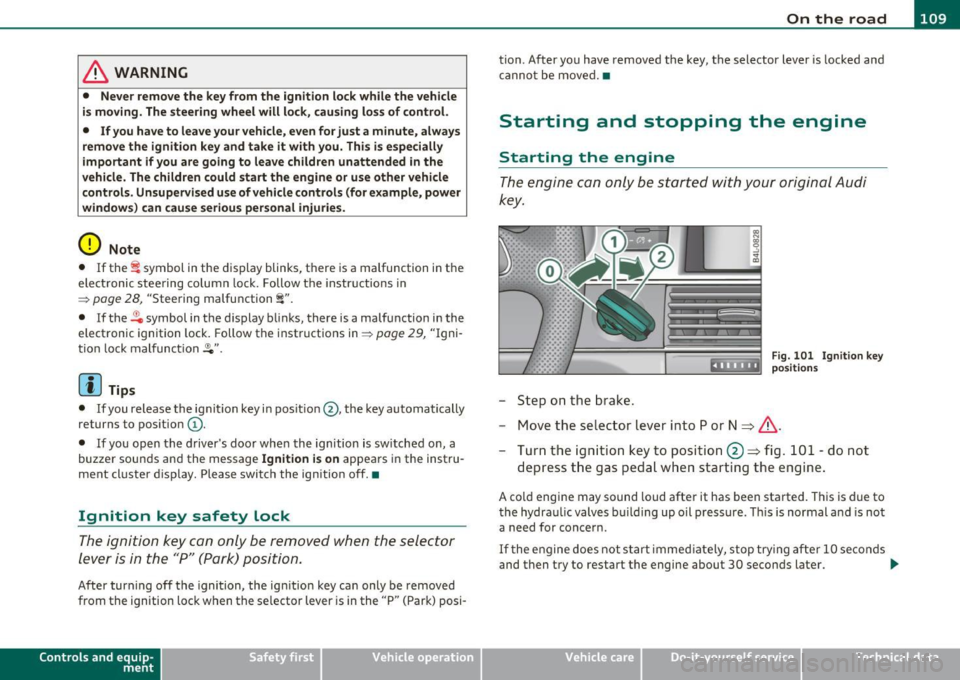
The engine can be st arted or turned off with the ign ition
key .
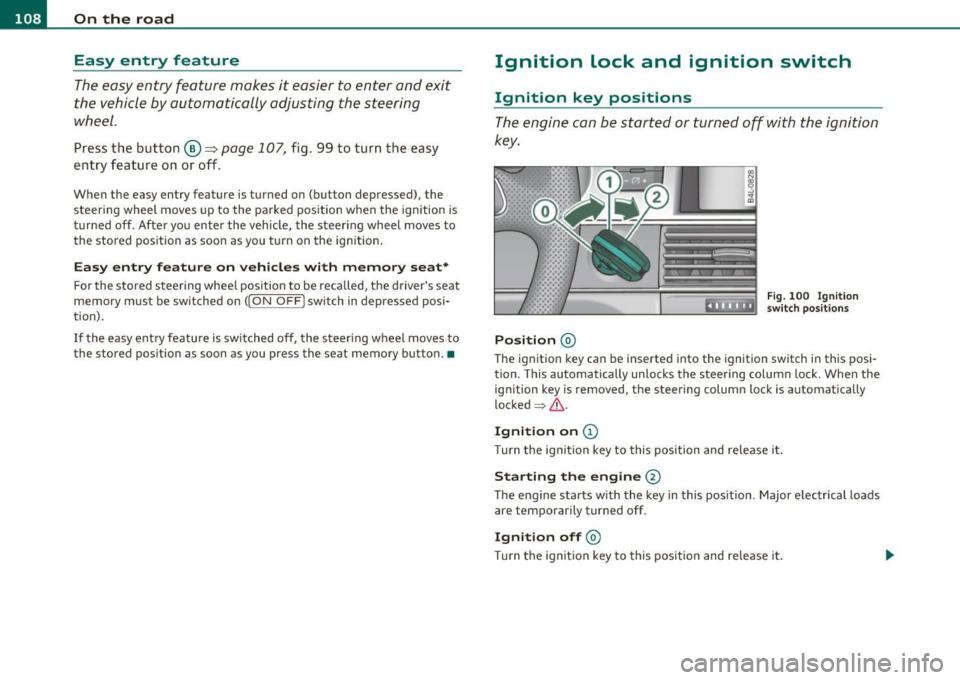
Position @
Fig. 100 Ig n ition
sw itch position s
The ig nition key can be inserted into the ignition switch i n this posi
tion. This automatically unlo cks the steering co lumn lo ck. When the
ign ition key is removed, the steer ing colum n lock is automat ically
lo ck ed
~ & .
Ignition on (D
Tu rn the ignit ion key to this position and re lease i t.
Starting the engine@
The engine starts w ith the key in this position . Major electrical loads
are temporarily tur ned off.
Ignit ion off @
Turn t he ignit ion key to thi s position and re le ase i t.
Page 111 of 370
_________________________________________________ O_ n_ t_ h_ e_ r _o_ a_d _ __._
& WARNING
• Never remove the key from the ignition lock while the vehicle
is moving. The steering wheel will lock , cau sing loss of control.
• If you ha ve to leave your vehicle, even for ju st a minute, alw ays
remove the ignition key and take it with you. This i s especially
important if you are going to leave children unattended in the
vehicle. The children could start the engine or use other vehicle c ontrols . Unsupervised us e of vehicle controls (for example, power
windows) can cause serious personal inju ries.
0 Note
• If the ~ symbol in the display blinks, there is a malfunction in the
electronic stee ring column lock. Follow the instr uctions in
~ page 28, "Steering malfu nction i" .
• If the ~ symbol in the display blinks, there is a malfunction in the
electronic ignition lock . Follow the instr uctions in~
page 29, "Igni
t ion lock malfunct ion ~" .
(I] Tips
• If you release the ignit ion key i n pos it io n @ , the key automati cally
returns to pos ition
(D .
• If you open the driver 's doo r whe n the ignition is sw itched on, a
buzze r sounds and the message
Ignition is on appears in the instru
ment cl uster d isplay. Please swi tch the ignition off. •
Ignition key safety lock
The ignition key con on ly be removed when the selector
lever is in the "P" (Pork) positi on.
After turning off the ignition, the ign ition key can only be removed
from the ignition lock when the se lector lever is in the "P " (Park) posi-
Con tro ls a nd e quip
m en t Vehicle
OP-eration
tion . After you have removed the key, the selector lever is locked and
canno t be move d.•
Starting and stopping the engine
Starting the engine
The engine can only be started with your original A udi
key.
.... _:::::•:
- Step on the b rak e.
Fig . 10 1 Ig nitio n key
positio ns
- Move the se lector lever into P or N ~ &,.
- Turn the ig ni tion key to position @~ fig. 101 -do not
depress t he gas pedal when start ing t he engine .
A cold engine may sound loud after it has been started . T his is due to
the hydra ulic valves bu ilding up oil p ressu re . Thi s is normal and is not
a need for concern.
If t he e ngine does no t s tart immed iate ly, stop try ing af te r 10 seco nds
and then try to restart the engine about 30 seconds later . _.,
Vehicle care Do-it-yourselt service iTechnical data
Page 116 of 370
![AUDI A6 2011 User Guide 1111....__0_ n_ t_h_ e_ r_ o_ a _ d _________________________________________________ _
(I] Tips
• You can apply the parking brake at any time -even with the igni
tion turned off. T](/img/6/57593/w960_57593-115.png "AUDI A6 2011 User Guide 1111....__0_ n_ t_h_ e_ r_ o_ a _ d _________________________________________________ _
(I] Tips
• You can apply the parking brake at any time -even with the igni
tion turned off. T")
1111....__0_ n_ t_h_ e_ r_ o_ a _ d _________________________________________________ _
(I] Tips
• You can apply the parking brake at any time -even with the igni
tion turned off. The ignition must be turned on in order to release the
parking brake.
• Occasional noises when the parking brake is applied and released
are normal and are not a cause for concern.
• Th e parking brake goes through a se lf-test cycle at regular inter
vals -when the vehicle is parked. Any associated noises are normal. •
Parking
To prevent a parked vehicle from rolling away, there are
a few things you should do.
When you park your vehicle, do the following
- Stop the vehicle using the brake pedal.
- Pull the switch to apply the electromechanical parking
brake.
- Move the selector lever into the
P position==> &.
- Switch off the engine and remove the ignition key from
the ignition lock .
When you park your vehicle on hills, do the
following
- Stop the vehicle using the brake pedal.
- Pull the switch to apply the electromechanical parking
brake.
- If you are parking headed
downhill, turn the front wheels
toward the curb. -
If you are parking headed
uphill, turn the front wheels
away from the curb.
- Move the selector lever into the
P position.
- Switch off the engine and remove the ignition key from
the ignition lock.
& WARNING
This is how you can reduce the risk of injury when leaving your
vehicle.
• Never park the vehicle where it can come in contact with dry
grass, spilled fuel or any other flammable materials.
• When parking on hills, always turn the wheels so that the front
wheels will first roll into the curb, if the vehicle should start to
roll.
• Never allow anyone -especially small children -to remain in
the vehicle when it is locked. Locked doors make it more difficult
for rescuers to access the passenger compartment in the event of
an emergency. Danger to life!
• Never leave children unsupervised in the vehicle. Children
could release the parking brake or move the gearshift lever out of
gear. The vehicle could start to roll away and cause an accident.
• No matter what the season is, the temperature in a parked
vehicle can reach dangerous levels.
0 Note
• Please exercise care when you park your vehicle in parking areas
with parking barriers or curbs. Parking barriers and curbs vary in
height and could damage your bumper and related components as
the front of your vehicle moves over a barrier or curb that is too high,
as you park or as you back out of a parking spot. In order to be sure
that no such damage can occur, you may wish to stop short of having
the front tires of your car touch the parking barrier or curb. .._
Page 117 of 370

On the road Ill
----------------
• Please also exercise exceptional care when you drive up or down
steep ramps or drive over cu rbs or other obstacles, for which the
vehicle is not designed, because components of the vehicle close to
the ground, such as bumper covers, spoilers and suspension and
exhaust system components , may become damaged. •
Starting off with a trailer
To prevent rolling back unintentionally on an incline, do
the following:
- Keep the switch pulled and depress the accelerator . The
parking brake stays applied and prevents the vehicle from
rolling bac kward .
- You can re lease the switch once you are sure tha t you are
deve loping enoug h forward momentum at the wheels as
you depress the accelerator.
Depend ing on the we ight of the rig (vehicle and trailer) and the
sever ity of the incline, you may roll backwards as you start. You can
prevent ro llin g backwards by holding the park ing bra ke sw itch pulled
out and accelera ting - just as you would when starting on a hill with a
conventional hand brake. •
Emergency braking
In the event that the conventional brake system fails or
locks.
- Pull the switch and cont inue to pull it to slow your ve hicle
w ith the parking brake in an emerge ncy.
- As soon as you re lease the sw itch or acce lerate, the
braking process stops .
Controls and equip
ment Safety first
If you pull the switch and hold it above a speed of about 5 mph (8
km/h),
the eme rgency brak ing f unct io n is ini tia ted. The vehicle is
braked at all four wheels by activat ing the hydraulic brake system .
Brake performance is similar to making an emergency stop=>& .
So that emergency b raking is not act ivated by mistake, an aud ible
warning tone (buzzer) sounds when the switch is pulled. As soon as
the swi tch is released, or the accelerator pedal is depressed, eme r
gency braking stops.
& WARNING
Emergency braking should only be u sed in an emergen cy, when
the normal foot brake ha s failed or th e brake pedal i s ob structed.
Us ing the park ing b rake to perf orm emergency braking will slow
your v ehicl e as if you had made a full brak e app lic ation . Th e law s
of physics cannot be suspen ded even w ith ESP and it s associated
c omponent s (AB S, ASR , EDS ). In corn ers and when road or
weather condit ion s are bad , a full brake application can cause the
v eh icle t o skid or the rear end to bre ak awa y- r isking an a ccident. •
Driver messages in the instrument cluster
Caution : V ehi cle park ed too steep
Th is message appears whe n the parking brake is applied on an incline
that exceeds abo ut 30%.
I n this case the b raking power of the parking brake may
not be
adequate
to prevent the vehicle from rolling unintentionally.
Plea se re leas e park ing brak e
This message appears , when a gear is se lected and the accelerator
peda l is dep ressed - release the parking brake . .,
Vehicle care Technical data
Page 121 of 370
__________________________________________ A_ d_a""" p:....- t_iv _ e_ C_ r_ u _is _ e_C_ o_n_ t_ r_ o_ L_....J_
Adaptive Cruise Control
Speed and distance control system
App lies to veh icles: wi th Ad aptive Cruise Cont ro l
Descr iption
Th e Adaptive Cruis e Control driv er assistance pro gram is
a c omb in ed spe ed an d dista nce contr ol syst em .
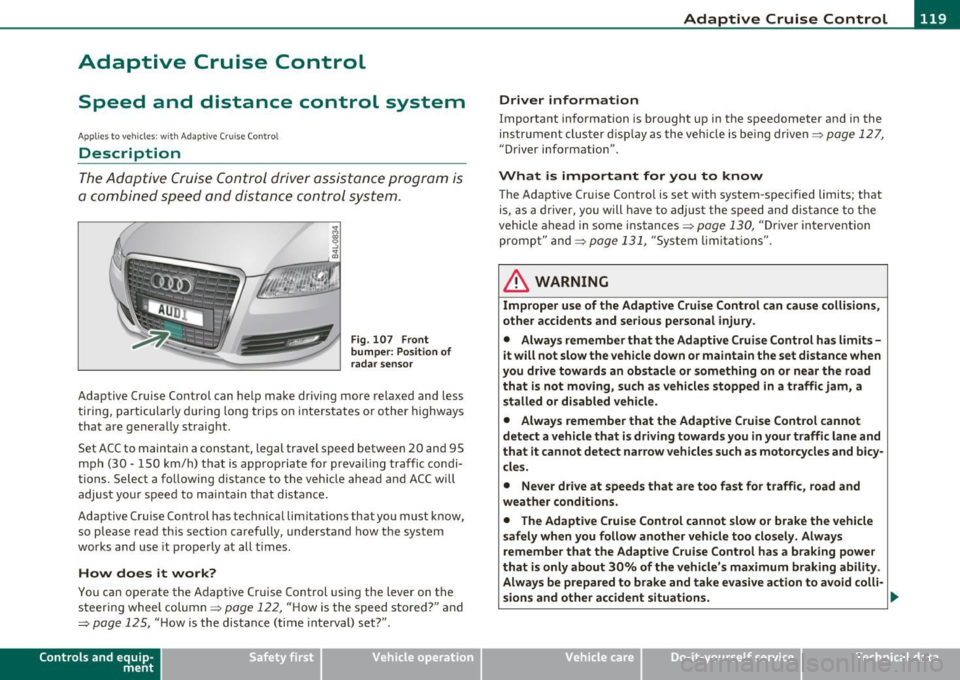
Fig . 107 Front
bumper: Po sition of
radar sensor
Adaptive Cruise Control can help make driving more relaxed and less
t irin g, particular ly d uring long trips on inters tates or o ther highways
that are genera lly straight.
S et ACC to maintain a constant, legal travel speed between 20 and 95
mp h (3 0 -150 km/h) t hat is a pprop riate for prev ailing traffic co ndi
tions. Select a following distance to the vehicle ahead and ACC w ill
adjus t you r speed t o mai ntain that dist an ce.
Adaptive Cruise Control has technical limitations that you must k now,
so p lease read this sectio n carefully, un de rstand how t he sys tem
wor ks and use it pro perly at all times.
How does it work?
You ca n operate the Adaptive Cruise Control using the lever on the
st eerin g wheel column=>
page 122, "H ow is the s peed stored ?" and
=>
page 125, " H ow is the distance (time inte rval) set?" .
Contro ls a nd e quip
m en t Vehicle
OP-eration
Driver information
Important information is bro ught up in the speedometer and in the
ins trumen t clus ter d is pla y as the ve hicle is be ing dr ive n=>
page 127,
"D river information" .
What is important for you to know
The Adaptive Cru ise Contro l is set with system-spec ified limits; that
is, as a driver, you will have to a djus t the s pee d and dis tan ce to t he
vehicle ahead in some in stances =>
page 130, "Driver intervention
promp t" and =>
page 131, "System lim itat ions".
ln. WARNING
Improper use of the Adaptive Cruise Control can cau se collisions,
other accidents and serious personal injury .
• Always remember that the Adaptive Cruise Contro l has limits -
it will not slow the vehicle down or maintain the set distance when
you drive towards an obstacle or something on or near the road
that is not mo ving, such as vehicles stopped in a traffic jam, a
stalled or disabled vehicle .
• Always remember that the Adaptive C rui se Control cannot
detect a vehicle that is driving towards you in your traffic lane and
that it cannot detect narrow vehicles such as motorcycles and bicy
cles .
• Never drive at speeds that are too fast for traffic , road and
weather conditions .
• The Adaptive Cruise Control cannot slow or brake the vehicle
safely when you follow another vehicle too closely . Always
remember that the Adaptive Cruise Control has a braking powe r
that is only about 30% of the vehicle 's maximum braking ability .
Always be prepared to b rake and ta ke e vasive action to a void colli-
sions and other accident situations . .,
Vehicle care Do-it-yourselt service iTechnical data