light AUDI A6 2017 User Guide
[x] Cancel search | Manufacturer: AUDI, Model Year: 2017, Model line: A6, Model: AUDI A6 2017Pages: 280, PDF Size: 70.24 MB
Page 17 of 280
co
co
..... N
" N ..... 0 0 <..:l -
vehicle battery charged enough while driving.
If the message does not turn off , have an author
ized Audi dealer or authorized Audi Service Facili
ty repair the malfunction.
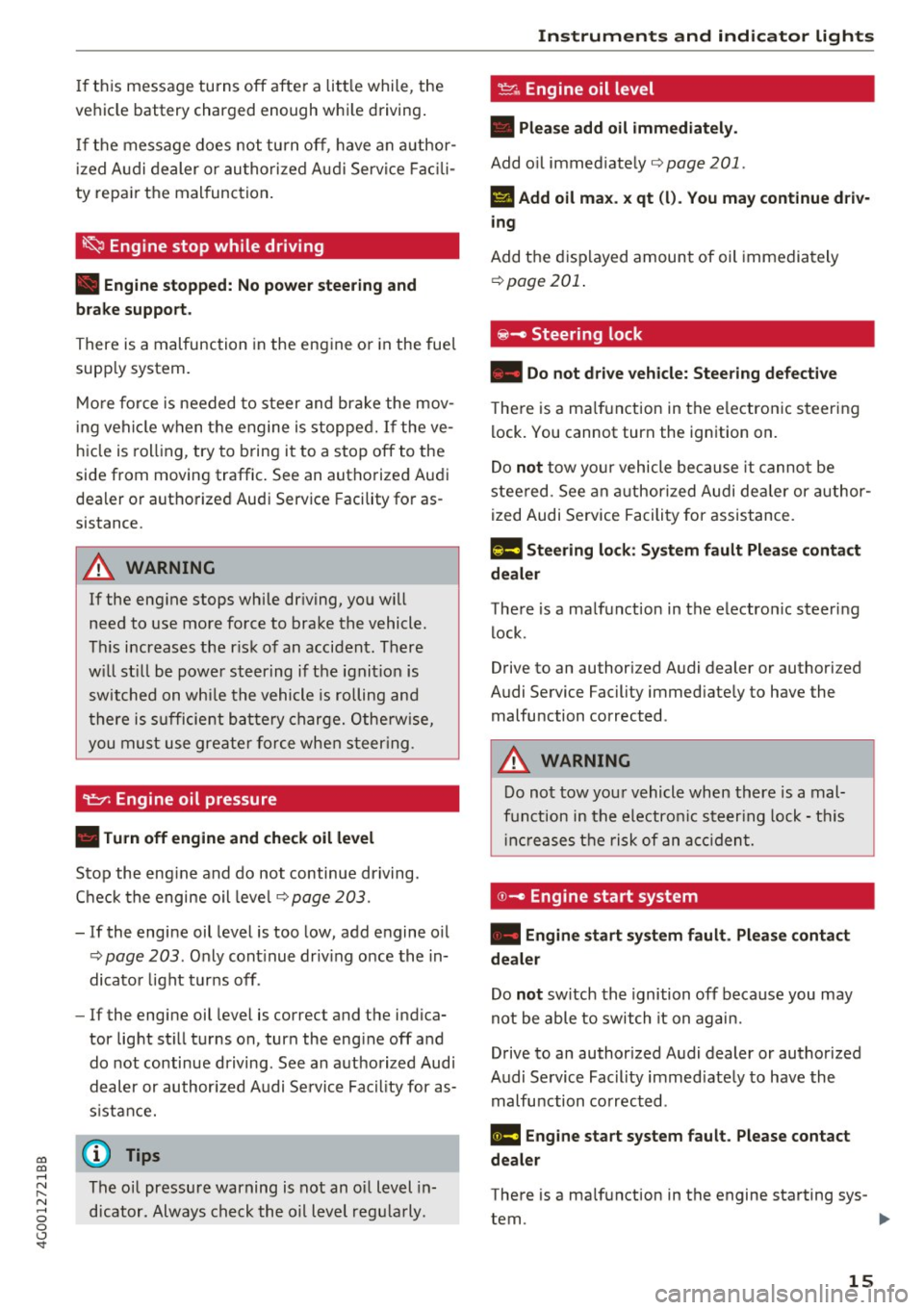
~ Engine stop while driving
• Engine stopped: No power steering and
brake support.
There is a malfunction in the engine or in the fuel
supply system.
More force is needed to steer and brake the mov
ing vehicle when the engine is stopped. If the ve
hicle is rolling , try to bring it to a stop off to the
side from moving traffic. See an authorized Audi
dealer or authorized Audi Service Facility for as
sistance .
A WARNING
If the engine stops while driving, you will
need to use more force to brake the vehicle.
This increases the risk of an accident . There
will still be power steering if the ignition is
switched on while the vehicle is rolling and
there is sufficient battery charge. Otherwise,
you must use greater force when steering .
~ Engine oil pressure
• Turn off engine and check oil level
Stop the engine and do not continue driving .
Check the engine oil level
Q page 203.
-If the engine oil level is too low, add engine oil
¢page 203 . Only continue driving once the in
dicator light turns off.
- If the engine oil level is correct and the indica
tor light still turns on, turn the engine off and
do not continue driving. See an authorized Audi
dealer or authorized Audi Service Facility for as
sistance.
@ Tips
The oil pressure warning is not an oil level in
dicator. Always check the oil level regularly .
Instruments and indicator lights
~ Engine oil level
• Please add oil immediately.
Add oil immediately qpage 201 .
II Add oil max. x qt (l). You may continue driv·
ing
Add the displayed amount of oil immediately
¢page 201.
@ -Steering lock
• Do not drive vehicle: Steering defective
There is a malfunction in the electronic steering
lock. You cannot turn the ignition on.
Do
not tow your vehicle because it cannot be
steered. See an authorized Audi dealer or author
ized Audi Service Facility for assistance.
Em Steering lock: System fault Please contact
dealer
There is a malfunction in the electronic steering
lock.
Drive to an authorized Audi dealer or authorized
Audi Service Facility immediately to have the
malfunction corrected .
A WARNING
-
Do not tow your vehicle when there is a mal-
function in the electronic steering lock -this
increases the risk of an accident.
©-Engine start system
• Engine start system fault. Please contact
dealer
Do not switch the ignition off because you may
not be able to switch it on again.
Drive to an authorized Audi dealer or authorized
Audi Service Facility immediately to have the
malfunction corrected .
1111 Engine start system fault. Please contact
dealer
-
There is a malfunction in the engine starting sys-
tem.
~
15
Page 18 of 280
Instruments and indicator lights
Drive to an autho rized Aud i dea ler or a uth orized
Aud i Service Facility immediately to have t he
malfunct ion corrected .
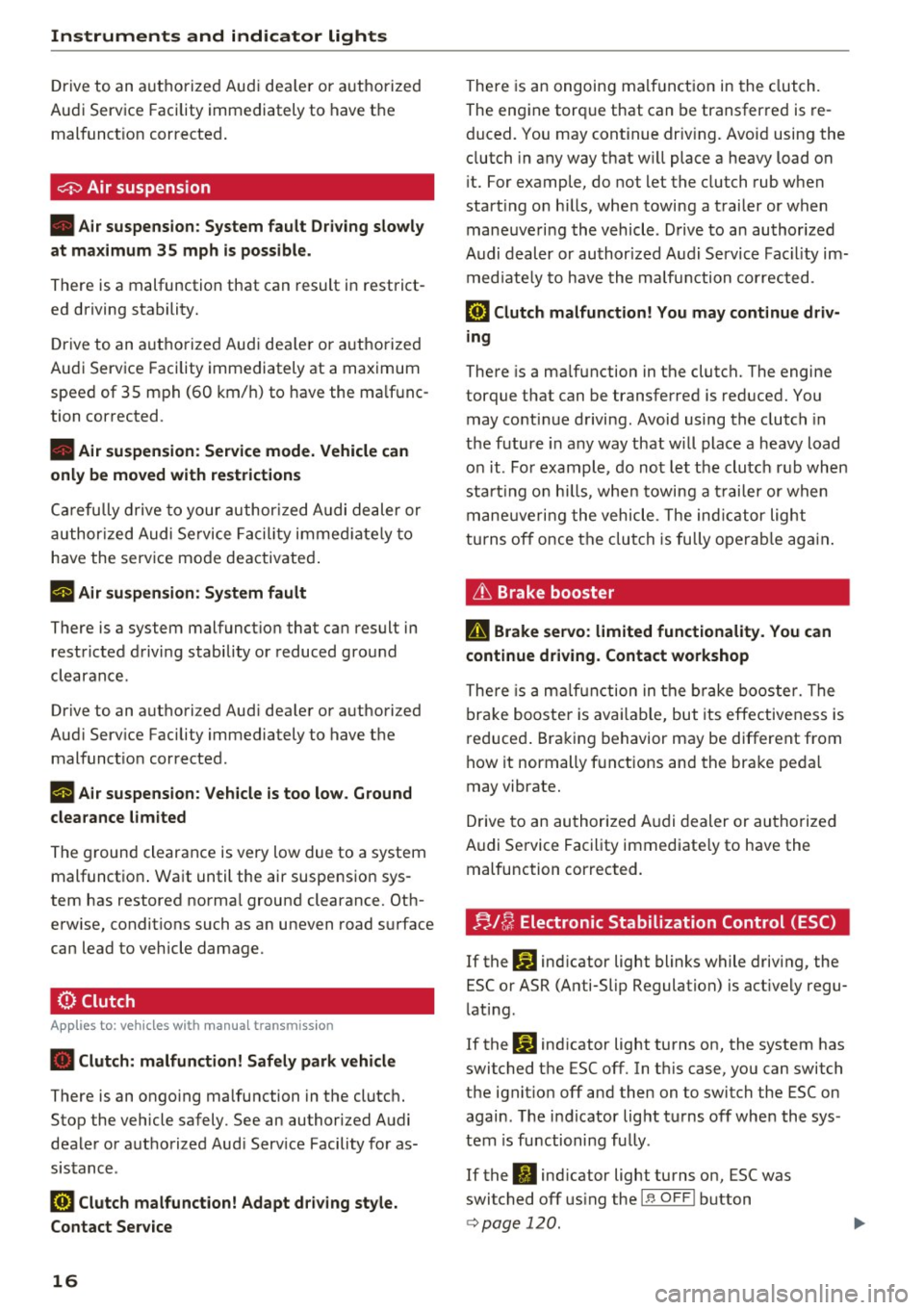
0 Air suspension
• Air suspension : System fault Driving slowly
at ma ximum 35 mph is possible.
There is a malfunction that can result in restrict
ed driving stability.
Drive to an a utho rized Audi dea ler or authorized
Audi Serv ice Facility immediately at a maximum
speed of 35 mph (60 km/ h) to have the ma lf u nc
tion corrected .
• Air sus pension : Service mode. Vehicle can
onl y be mo ved with restriction s
Carefully drive to your author ized A udi dealer or
author ized Audi Se rvice Facility immed iate ly to
have the serv ice mode deactivated .
II Air su spen sion : Sy stem fault
There is a system malfunct ion that ca n result in
restricted driving stability or reduced gro und
clearance.
Drive to an authori zed Aud i dea ler or authori zed
Aud i Serv ice Facility immediately to have the
malfunct ion corrected.
II Air sus pension : Vehicle is too low . Ground
clearance limited
The ground clearance is very low due to a system malfunctio n. Wait until the air suspension sys
tem has restored norma l ground clearance. Oth
erwise, conditions such as an uneven road surface
can lead to vehicle damage.
0 Clutch
A pp lies to: ve hicles w ith manu al transmiss ion
• Clutch: malfunction! Safely park vehicle
There is an ongoing ma lfunction in the clutch.
Stop the vehicle safely . See an authorized Audi
dealer or a uthorized Aud i Serv ice Facility fo r as
sistance .
[O] Clutch malfunction! Adapt d riving sty le.
Contact Ser vice
16
There is an ongoing ma lf u nct ion in the clutch.
The engine torq ue that can be transfer red is re
duced. You may continue driv ing. Avo id using the
clutch in any way that w ill place a heavy load on
i t. For example, do not let the clutch rub when
start ing o n hills, whe n towing a trai ler or when
maneuveri ng the vehicle . Drive to an author ized
Audi dealer or authorized Audi Service Fac ility im
med iate ly to have the malfu nction corrected.
fiB Clut ch malfunction! You may continue driv
ing
There is a ma lfunction in the clutch. The engine
torque that can be transferred is reduced. You
may contin ue driving . Avoid using the clutch in
t h e future in any way that w ill place a heavy load
o n it. Fo r example , do no t let the clutc h ru b when
starting o n hill s, when towing a trailer or when
mane uve rin g the vehicle . The ind ic a tor light
turns off once the clutch is fully operab le ag ain.
Lt Brake booster
D Brake servo : limited functionality. You can
conti nue d riving. Conta ct w ork shop
There is a m alfu nction in the brake booster. The
bra ke booste r is ava ilable, but its effectiveness is
reduced . Braking behavior may be different from
how it normally f unctions and the bra ke pedal
may vibrate.
Drive to an au thorized A udi dealer or au thorized
Audi Se rvice Facility immediate ly to have the
malfunction corrected.
n/ u Electronic Stabilization Control (ESC)
If the G1 ind icator light blinks while driving, the
ESC or ASR (Anti-Slip Regulation) is act ively regu
lating .
If the
GJ ind icator light turns on, the system has
switched the ESC off. In t his case, yo u can switch
the ignit io n off and then on to switch the ESC on
again . T he i ndicator light t urns off when the sys
tem is functioning fully .
If the
II ind icator light turns on, ESC was
switched off us ing the
I~ OFFI button
<=> page 120 .
Page 19 of 280
co
co
.... N
" N .... 0 0 <..:l '
See owne r's manual
I f the
G1 indicato r light and the ABS indicator
l ight ~ (USA models)
I (c a (C anada models)
turn on and this message appears, the re is a ma l
function in the ABS system or electronic differen
tial lock. This also causes the ESC to malfunct ion .
The brakes st ill function with their normal power,
but ABS is not act ive.
Drive to an authorized Audi dea ler or authorized
Aud i Service Facility immediately to have the
malfunction corrected.
_&. WARNING
If the 1111 (USA models)/ . (Canada mod
els) brake system indicator light turns on to
gether with the ABS and ESC indicator lights,
the ABS and ESC regulating function may
have malf uncti oned. Functions that stabilize
the vehicle are no longer available . This could
cause the vehicle to swerve, which increases
the risk that the vehicle will slide. Drive care
fully to the nearest authorized Audi dealer or
authorized Audi Service Facility and have the
ma lfunction corrected.
@ Tips
For additional information on ESC and ABS,
see
~page 120.
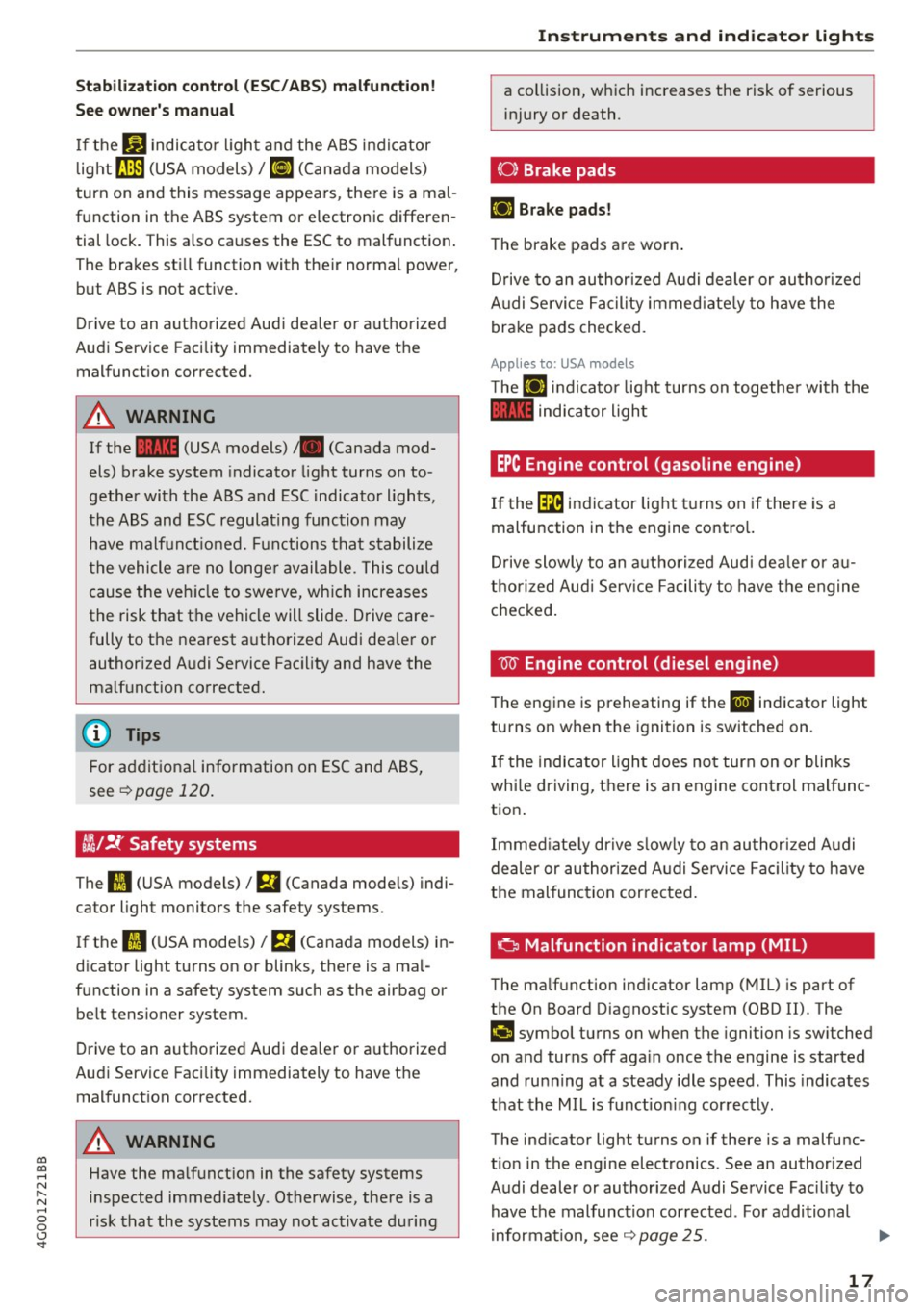
~/ !f Safety systems
The
II (USA models) / m (Canada mode ls) indi
cator light monitors the safety systems.
If the
II (USA mode ls)/ m (Canada models) in
dicator light turns on or blinks, there is a mal
function in a safety system such as the airbag or be lt tensioner system .
Drive to an authorized Audi dea ler or authorized
Audi Service Facility immediately to have the
malfunction corrected.
_&. WARNING
Have the malfunction in the safety systems
inspected immediately . Otherwise, there is a
r isk that the systems may not activate during
-
Instruments and indicator lights
a collision, which increases the risk of serious
injury or death.
(0) Brake pads
EiJ Brake pads!
The brake pads are worn .
Drive to an authorized Audi dealer or authorized
A udi Service Facility immediate ly to have the
brake pads checked.
Applies to: USA models
T he EiJ ind icator light turns on together with the
1111 indicator light
EPC Engine control (gasoline engine)
If the~ indicator light turns on if there is a
malfunction in the engine contro l.
Drive slowly to an authorized Audi dealer or au
thorized Aud i Serv ice Facility to have the engine
checked.
W Engine control (die sel engine )
T he engine is preheating if the
II indicator light
turns on when the ignition is switched on .
If the indicator light does not turn on or blinks
whi le driving, there is an engine control malfunc
tion .
Immediately drive slow ly to an authorized Audi
dealer or authorized Audi Service Facility to have
the malfunction cor rected.
a Malfunction indicato r lamp (MIL)
The malfunction indicator lamp (MIL) is part of
the On Board Diagnostic system (080 II) . The
('4 c;ymbol turns on when the ignition is switched
on and turns off aga in once the engine is started
and running at a steady idle speed . This indicates
that the MIL is function ing correctly.
The ind icator light turns on if there is a malfunc
t ion in the engine electronics . See an authorized
Audi dealer or authorized Audi Service Fac ility to
have the malfunction corrected. For additional
information, see~
page 25.
17
Page 20 of 280
Instruments and indicator lights
The indicator light can also turn on if t he fuel fill
er cap is not closed correct ly ¢
page 192.
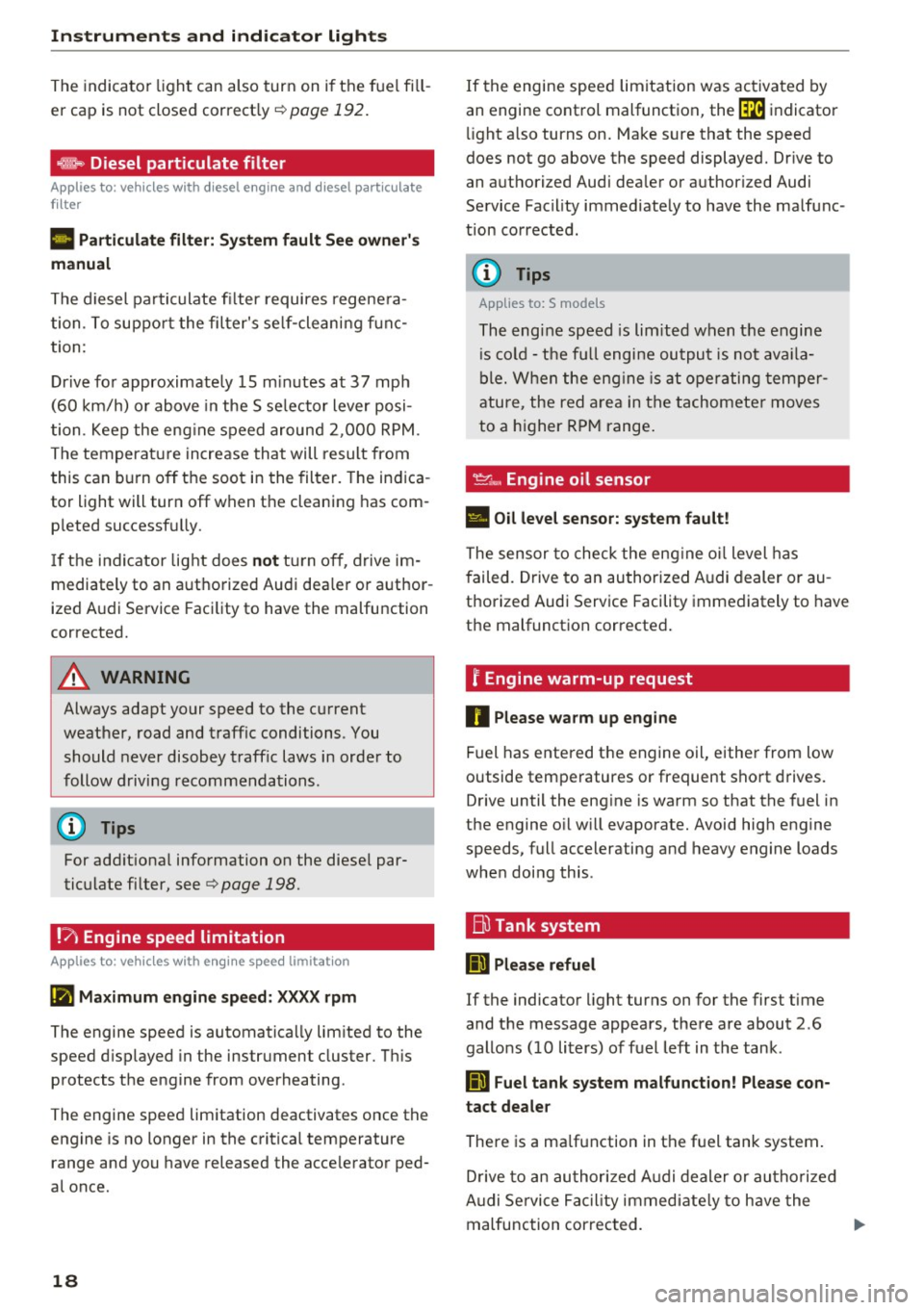
~ Diesel particulate filter
App lies to: veh icles w ith diesel engine and diesel particulate
filter
II Particul ate filter: System fault See owner' s
manual
The diesel pa rticulate fi lter requires regene ra
tion . To suppo rt the fil ter's se lf-cleaning f un c
tion :
D rive fo r approximate ly 15 m in utes at 37 mph
(60 km/h) o r above in the S se lector lever posi
tion . Keep the eng ine s peed around 2 ,00 0 RPM .
The temperature increase tha t will result from
this can b urn o ff the soot in the filter. The indica
tor light will turn off when the cleaning has com
p leted successf ully.
I f t he i ndicator lig ht does
not tur n o ff, drive im
mediately to an a utho rized Audi dea ler or a uth or
ized A udi Service Faci lity to have the malfunction
corrected.
A WARNING
Always adapt your speed to the cu rrent
weather, road and traffic conditions . You
should never disobey traffic laws in order to
follow driving recommenda tions.
(D Tips
For add it iona l information on the diese l par
tic ulate fi lter, see
¢ page 198.
!'7 Engine speed limitation
Applies to: veh icles with engine speed limitation
Ill Maximum engine speed: XXXX rpm
The engine speed is automatica lly lim ited to the
speed d isplayed in the instrument cluster. T his
protects the eng ine from overheating .
The engine speed limitation deactivates once the
engine is no longer in the critica l temperature
range and you have released the acce lerato r ped
a l once .
18
If the engine spee d limitation was activa ted by
an engine cont rol malfunct ion, the ~ indicator
li ght a lso turns on. Ma ke sure that the speed
does not go above the speed displayed. Dr ive to
an a uthorized Audi dea ler or authori zed Audi
Service Facility immed iate ly to have the ma lfunc
t ion corrected .
(D Tips
Applies to: S models
The engine speed is lim ite d w hen t he engine
i s cold -the fu ll engine ou tput is no t av aila
b le . When the eng ine is at o perating tem per
ature, the red area in the tachometer moves
to a h igher R PM range .
~c, Engine oil sensor
• Oil level sensor: system fault!
The sensor to check the eng ine o il level has
f ailed. Drive to an au thori zed A udi dealer or au
thorized Audi Serv ice Facility immediately to have
the malfunct ion corrected .
f Engine warm -up request
0 Please warm up engine
Fuel has entered the engine oil, eithe r from low
outside temperatures or frequent short d rives.
D rive until the eng ine is warm so that the fuel in
the engine o il w ill evaporate. Avoid hig h engine
speeds, full accelerating a nd heavy engine loads
whe n doing this .
rn Tank system
II) Please refuel
If the indicato r light turns on for the first time
and t he message appears , there are about 2 .6
gallons ( 10 li ters) of f uel left in t he tank .
II) Fuel tank system malfunct ion! Please con
tact dealer
There is a ma lf u nction in the f uel tank system .
D rive to an au thor ized A udi dealer or au thoriz ed
A udi Se rvice Fac ility immed iate ly to h ave the
malfunction cor rec ted.
Page 21 of 280
co
co
.... N ,..._
N .... 0 0 <..:l '
For additiona l information on refueling, see
¢page 192.
~ Washer fluid level
~ Please add washer flu id
Fill the washer flui d for the w indshield was her
system and the headlight washer system * when
the ignition is switched off
c::> page 208.
• Windshield wipers
m Windshield w iper: system fault!
There is a malfunction with the windsh ie ld wip
ers.
Dr ive to an aut ho rize d Aud i de aler o r a uth orize d
Aud i Service Faci lity immediately to have the
malfunct ion corrected.
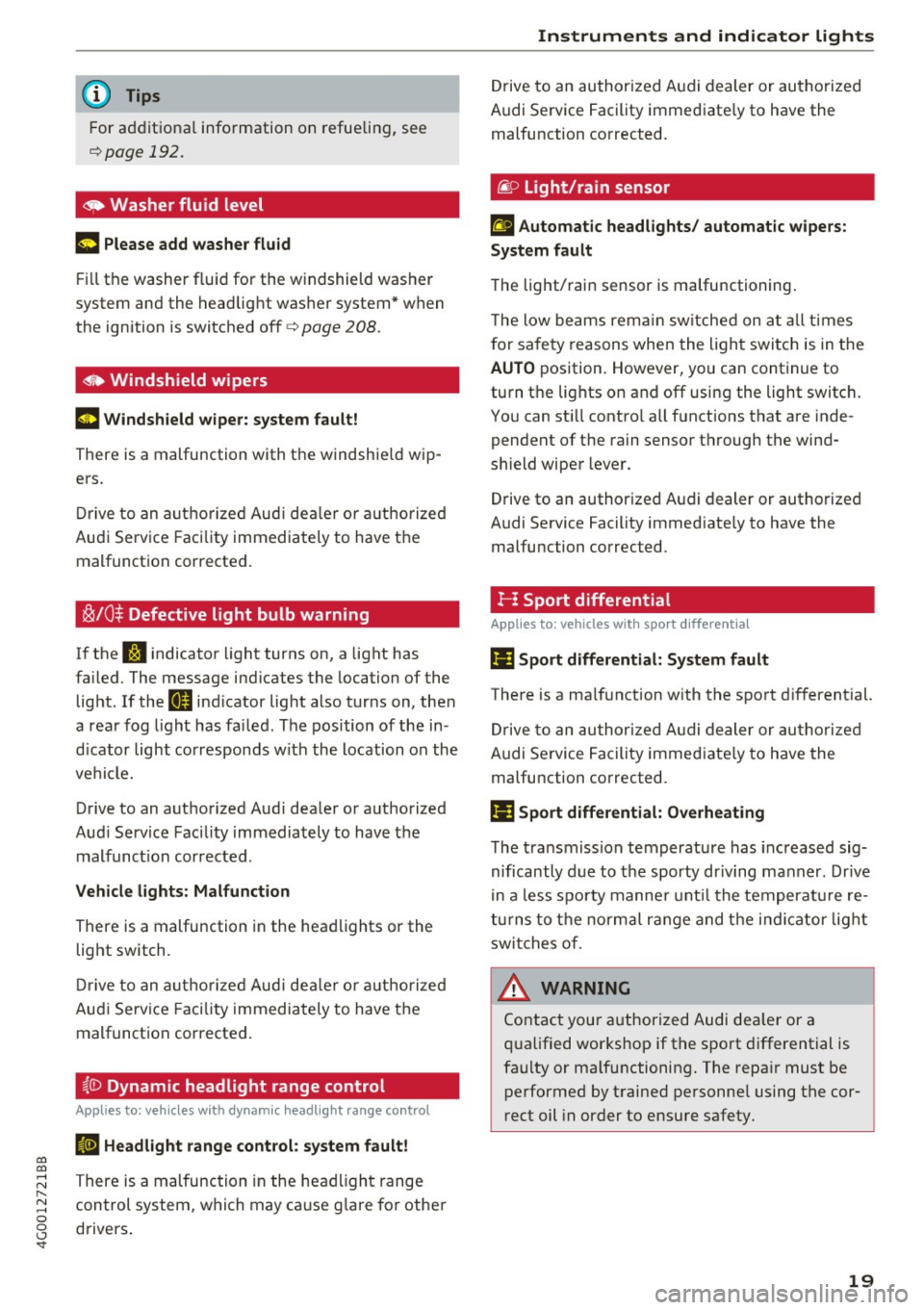
~/0$ Defective light bulb warning
I f the RI indicato r light turns on, a light has
fa iled. The message ind icates the location of the
light. If the
I) ind icator lig ht also tur ns on, then
a rea r fog light has fai led. The pos ition of the in
d icator light cor responds w it h the location on the
ve hicl e.
Drive to an aut ho rized Aud i dea le r or a uthorized
Aud i Service Facility immediately to have t he
m alfunct ion cor rected.
Vehicle lights: Malfunction
There is a malfunction in the hea dlights or the
light switch.
Dr ive t o an aut ho riz e d Aud i de aler o r auth oriz ed
Au di Service Faci lity immedia tely to have the
malfunct ion corrected .
{[) Dynamic headlight range control
Applies to: vehicles with dynamic headlight range control
El Headlight range cont rol: system fault!
There is a malfunction in the he adlight range
con trol system, w hich may ca use g lare fo r othe r
d rivers .
Instruments and ind icator lights
Drive to an authori zed A udi dealer or au tho rized
Audi Se rvice Facility immediate ly to have the
malfunction corrected.
tiP Light/rain sensor
El Automatic headlights/ automat ic wipers:
System fault
T he light/ rain sensor is malfunctioning .
T he low beams re main sw itche d on a t all times
f or sa fe ty re asons when the ligh t switc h is in t he
AUTO pos ition. However, yo u can cont inue to
tu rn t he lig hts on and off using the light switch .
You can st ill contro l all f unctions that are inde
pendent of the rain senso r th rough the wind
s h ield wipe r leve r.
Drive to an authorized A udi dealer or autho rized
Audi Se rvice Facility immed iate ly to have the
malfu nction corrected.
!- I Sport differential
Applies to: vehicles with sport differential
Iii Sport differential: System fault
There is a ma lf u nction w ith the spo rt d ifferential.
D rive to an au thori zed A udi dealer or au th oriz e d
A udi Se rvice Facility immed iate ly to have the
malfunction corrected.
Ill Sport differential: Overheating
The tra nsmission temperature has inc reased s ig
nificantly due to t he sporty dr iving ma nner. Drive
i n a le ss s por ty manne r until the te mperature re
tu rns to t he norm al ran ge and t he i ndic ator lig ht
swi tches of.
A WARNING
-
Co nta ct you r aut hori zed Au di d eal er or a
qu alified wor ks hop if t he s port di fferential is
fa ulty or ma lf un ctioning. The repa ir mus t be
performed by t rained pe rsonne l using the cor
r ect oil in order to ensure safety .
19
Page 22 of 280
Instruments and indicator lights
¢ Q Turn signals
I f the . or
B indicator light bl inks, the tu rn
signals are activated .
If both indica to r ligh ts a re
blinking, the emergency flashers are act ivate d.
I f an indicator light blinks twice as fast as usua l,
a tu rn signa l bulb has failed . Caref ully dr ive to an
author ized Audi dealer or au thor ized Audi Se rvice
F acility immediately to have the mal func tion cor
rected .
@ Tips
Add ition al information about the t urn signals
can be found under
q page 42 .
20
Page 23 of 280
co
co
.... N
" N .... 0 0 <.,;) 'SI"
Driver information
system
Overview
Fig . 4 Dr iver informa tion system in t he inst rum ent clus ter
Fig . S Ins trum ent cl uster: examp le in formation line
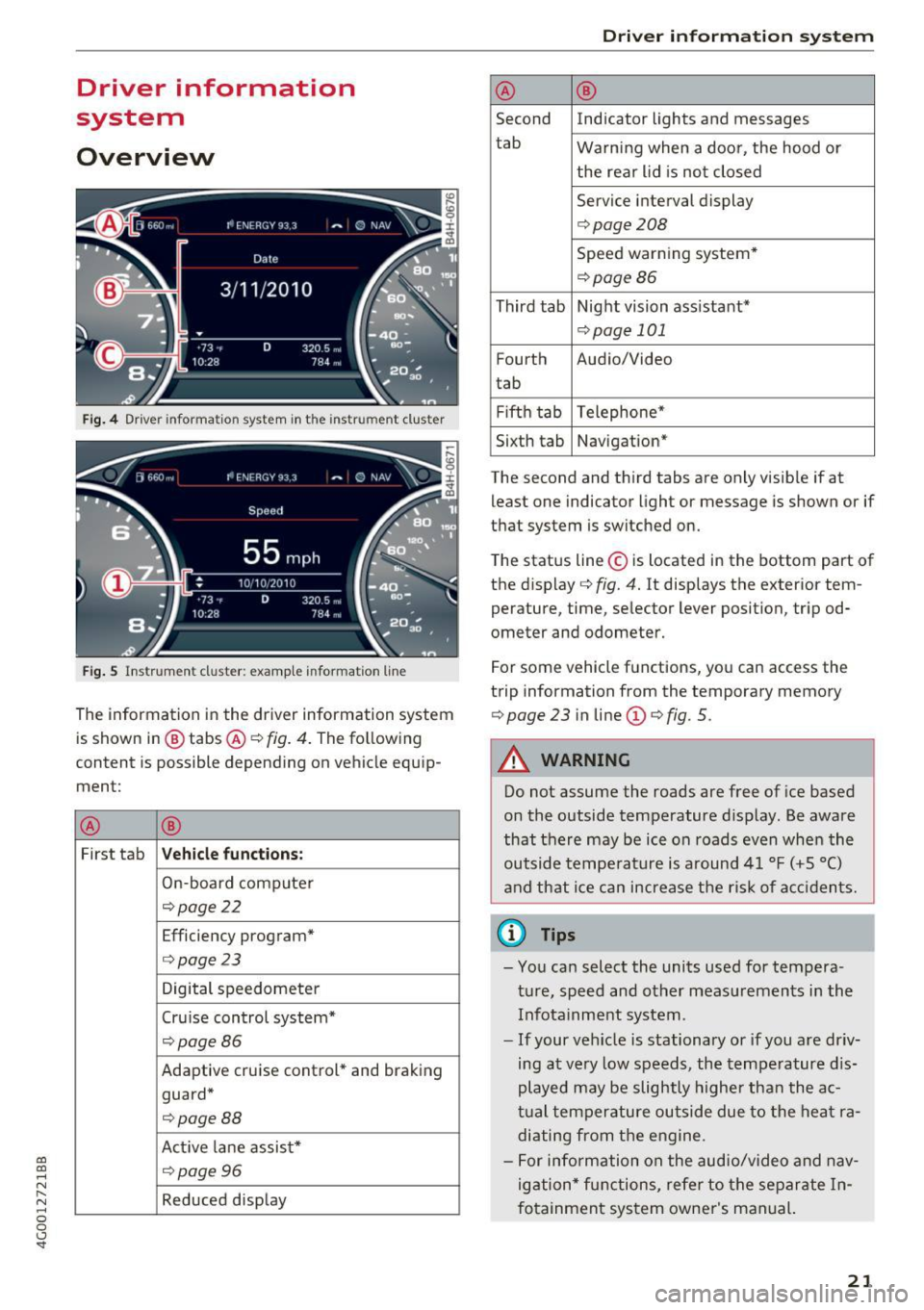
The information in the driver information system
is shown in @ tabs @¢
fig. 4. The following
content is possible depending on vehicle equip
ment:
® ®
First tab Vehicle functions :
On-board computer
¢page22
Efficiency program*
¢page 23
Digital speedometer
Cru ise control system*
¢ page86
Adaptive cruise control* and braking
guard*
¢ page88
Act ive lane assist*
¢page96
Reduced display
Driver in forma tion system
® ®
Second Indicator lights and messages
tab Warning when a door, the hood or
the rear lid is not closed
Service interval display
¢ page208
Speed warning system*
¢page86
Third tab Night vision assistant*
¢page 101
Fourth Audio/Video
t ab
Fifth tab Telephone*
Sixth tab Navigation*
The second and third tabs are only visible if at least one indicator light or message is shown or if
that system is switched on.
The status line © is located in the bottom part of
the display ¢
fig. 4. It displays the exterior tem
perature, time, selector lever position, tripod
ometer and odometer.
For some vehicle functions, you can access the
trip information from the temporary memory
¢
page 23 in line @¢ fig. 5 .
A WARNING
Do not assume the roads are free of ice based
on the outside temperature display. Be aware
that there may be ice on roads even when the
outside temperature is around 41 °F ( +5 °C)
and that ice can increase the risk of accidents.
(i} Tips
-You can select the units used for tempera
ture, speed and other measurements in the
Infotainment system .
- If your vehicle is stationary or if you are driv
ing at very low speeds , the temperature dis
played may be slightly higher than the ac
tual temperature outside due to the heat ra
diating from the eng ine.
- For info rmation on the audio/video and nav
igation* functions, refer to the separate In
fotainment system owner's manual.
21
Page 27 of 280
Hea d-u p di spl ay> Head- up di spla y conten ts or
Displ ay brigh tn ess.
Di spla y content
In the Infotainment system, you can specify
which information should be displayed: For ex
ample, th is can include navigation informat ion *,
Adaptive cruise control* or night vision assist*.
The display of certa in info rmation and some of
the red indicator lights cannot be h idden in the
I nfotainment system.
Displ ay brightness
You can adjust the display br ightness in the Info
tainment system. The display brightness decreas
es automatically as the amount of light decreas
es. The backgro und brightness is adjusted with
the instrument il lumination
c::> page 44 .
(D Note
To prevent scratches on the g lass cove ring the
head- up d isplay, do not place any objects in
the projection opening.
(D Tips
- Sunglasses w ith polar izat ion fi lters and u n
favorab le lighting conditions can have a
negative effect on the display.
- An optim um display depends on the seat
pos ition and the height adjustment of the
head -up display.
- A specia l windshield is needed for the head
up display function.
- Fo r information on cleaning, refer to
c::> ta
ble on page 233.
On Board Diagnostic
System (OBD)
Malfunction Indicator Lamp (MIL)
The Malfunction Ind icator Lamp (MIL) a in the
instr ument cluster is part of the On-Board Diag
nostic (OBD II) system.
~ The warning/indicator light i lluminates when the ....
~ ign it ion is switched on and goes ou t after the en-N .... 0 0 <.,;) 'SI"
Driver info rm atio n sys tem
gine starts and the idle has stab ilized. This indi
cates that the MIL is working properly.
If th e light does not go ou t after the eng ine is
sta rted, or i llum inates while you are driving, a
malfunction may exist in the engine system. If
the light illuminates, the catalytic converter
could be damaged.
Cont inue driving
with redu ced p ower (avoiding
sustained high speeds and/or rapid accelera
tions) and have the condition corrected. Contact
your authorized Audi dealer.
If the ligh t illum ina tes, the electronic speed lim
iter may also be malfunctioning. For more infor
mation
c::> page 26, Electronic speed limiter.
An impro perl y close d fuel fi ller cap may al so
ca use the
MIL li g ht to illuminate c::> page 192.
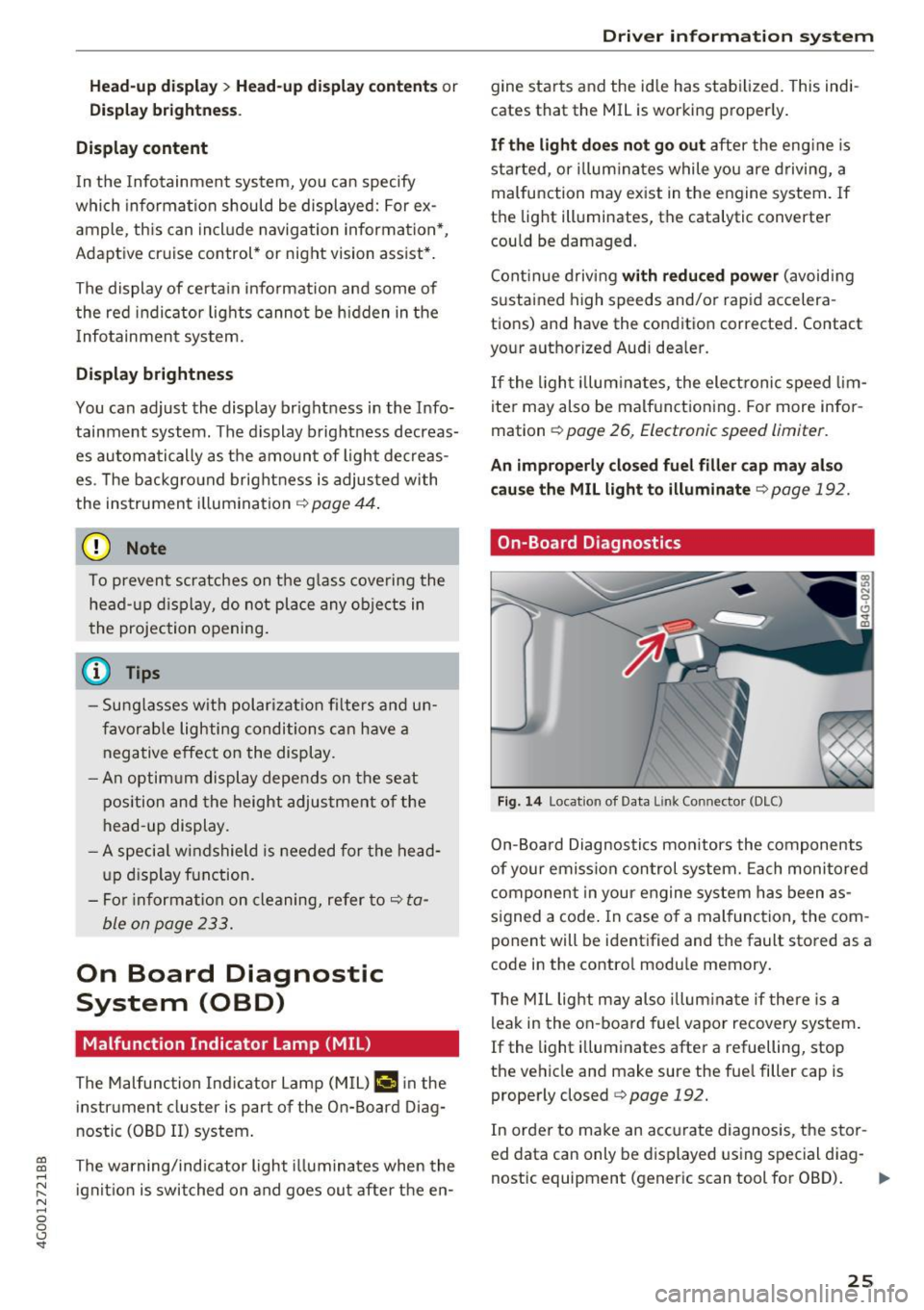
On-Board Diagnostics
Fig. 14 Locat ion of Data L ink Connector (DLC)
On-Board Diagnostics monitors the components
of your emission control system. Each monitored
component in your engine system has been as
s igned a code . In case of a malfunction, the com
ponent will be identified and the fault stored as a
code in the contro l module memory.
T he M IL light may also illum inate if there is a
leak in the on-board fuel vapor recovery system.
If the light i lluminates after a refuelling, stop
the vehicle and make sure the fue l filler cap is
properly closed
c::> page 192.
In order to make an accurate diagnosis, the stor
ed data can only be displayed using special diag-
nostic equipment (generic scan tool for OBD).
IJI,-
25
Page 29 of 280
Opening and closing
Central locking
Description
You can lock and unlock the veh icle centrally . You
have the following options:
- Remote control key¢
page 30,
-Sensors in the door handles* ¢ page 30,
-Lock cylinder on the driver's door c::> page 32,
or
- Interior central locking switch
c::> page 31.
Turn signals
The turn s ignals flash twice when you unlock the
veh icle and flash once when you lock the veh icle.
If the blinking continues, one of the doors or the
luggage compartment lid/hood is not closed or
the ignition is still switched on.
Auto Lock
The Auto Lock function locks all doors and the
l uggage compartment lid once the speed has ex
ceeded approximately 9 mph (15 km/h).
The vehicle can be unlocked if the opening func
tion in the central locking system sw itch is used
or one of the door handles is pulled.
I n the event of a crash with airbag deployment,
the doors will also automatically unlock to allow
access to the vehicle.
Selective door unlocking
The doors and luggage compartment lid will lock
when they close . You can set in the Infotainment
system whether
only the driver's door or the en
tire vehicle should be unlocked when unlocking
c::> page 32.
Unintentionally locking yourself out
The follow ing cond it ions prevent you from lock
ing your remote control key in the vehicle :
-If the driver's door is open, the vehicle cannot
be locked by pressing the
lil button on the re-
~ mote control key or touching the locking sen-,...,
~ sor* on a door. N .... 0 0 <..:l '
-When locking using the lil button in the central
locking switch, the vehicle will not lock if a door
is open
¢ page 31.
-On vehicles with a convenience key*, the lug
gage compartment lid unlocks again after clos
ing if the most recent ly used key is in the lug
gage compartment. The emergency flashers
blink four times.
Do not lock your vehicle with the remote control
key or convenience key* until all doors and the
luggage compartment lid are closed. This helps
to prevent you from locking yourself out acciden
tally .
Closing aid on the doors*
The vehicle doors are equipped with closing aids.
When closing a door, you only have to let it fall
lightly into the latch. It then closes automatically
c::> &..
A WARNING "----When you lock your vehicle from outs ide,
nobody -especially children -should rema in
inside the vehicle. Remember, when you
lock the vehicle from the outside the win
dows cannot be opened from the inside.
- When you leave the vehicle, always take the
ignit ion key with yo u. This will prevent pas
sengers (children, for examp le) from acci
dentally being locked in the vehicle should
they accidentally press the power locking
switch in the doors.
- Do not leave children inside the vehicle un
supervised. In an emergency it would be im
possible to open the doors from the outside
without the key.
- Applies to vehicles with power side door
closer*:
- When closing a door, make sure nothing
can interfere with the door. Th is could
cause serious personal inj ury.
- You can stop the door from closing at any
time by pulling on the inside or outside
doo r handle.
27
Page 30 of 280
Opening and clo sin g
@ Tips
- Do not leave valuables unattended in the ve
hicle . A locked vehicle is not a safe!
- The LED in the driver 's door rail blinks when
you lock the vehicle . If the LED lights up for
approximately 30 seconds after locking,
there is a ma lfunction in the central locking
system. Have the problem corrected by an
authorized Audi dealer or authorized Audi Service Fac ility.
Key set
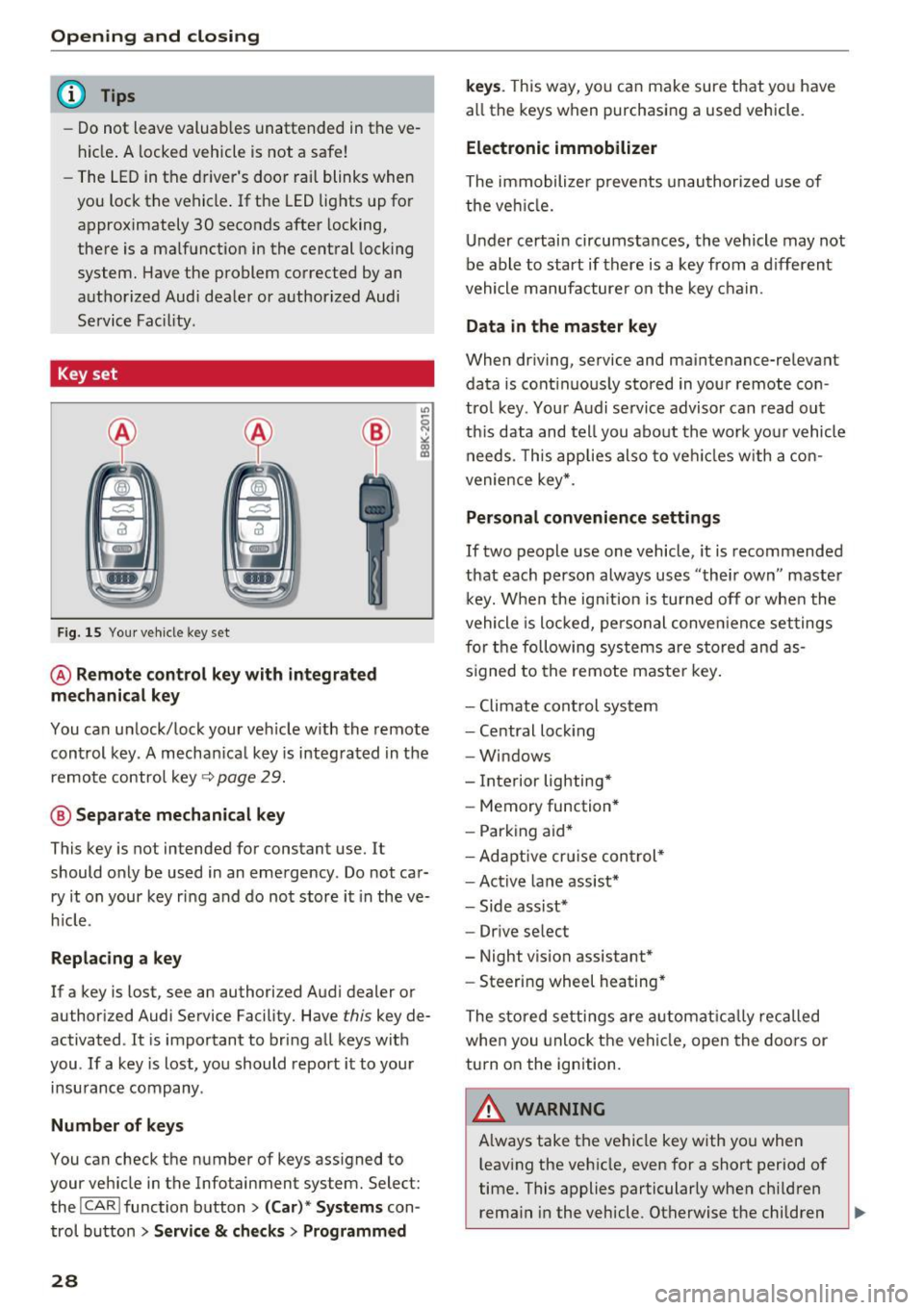
Fig. 15 You r veh icle key set
@ Remote control ke y with integr ated
mechanica l key
You can unlock/lock your veh icle w ith the remote
control key . A mechan ical key is integrated in the
remote control key~
page 29.
@ Separate mechanical ke y
This key is not intended for constant use. It
should only be used in an emergency . Do not car
ry it on your key ring and do not store it in the ve
h icle.
Replacing a ke y
If a key is lost, see an authorized Audi dealer or
authorized Audi Service Facility. Have
this key de
activated . It is important to bring all keys with
you . If a key is lost, you should report it to your
insurance company.
Number of key s
You can check the number of keys ass igned to
your veh icle in the Infotainment system. Select:
the !CAR !function button>
(C ar )* S yst e m s con
trol button
> Service & che cks > Programmed
28
k ey s. T his way, you can make sure that you have
all the keys when purchasing a used vehicle.
El ectronic immobiliz er
The immobilizer p revents unauthorized use of
the ve hicle.
Under certain circumstances, the vehicle may not
be able to start if there is a key from a d ifferent
vehicle manufacturer on the key chain.
Da ta in th e master key
When dr iving, service and maintenance-relevant
data is cont inuous ly stored in your remote con
trol key. Your A udi se rvice advisor can read out
th is data and tell you about the work yo ur vehicle
needs . This applies also to veh icles with a con
venience key *.
Personal convenience sett ings
If two people use one vehicle, it is recommended
that each person always uses "their own" master k ey. When the ign ition is turned off o r whe n the
vehicle is locked, personal conve nience set tings
for the following systems are stored and as
s igned to the remote maste r key .
- Climate cont rol system
- Central lock ing
- Windows
- Interior lighting*
- Memory function*
- Park ing aid*
- Ad aptive cru ise con trol *
- Ac tive lane assist*
- Side ass ist*
- Drive select
- Night vision assistant*
- Steering wheel heating *
The stored settings a re a utomat ica lly recalled
whe n you unlock t he vehi cle, open the doors or
turn on the ignition.
A WARNING
A lways take the vehicle key with you when
leaving the vehicle, even for a short period of
time. This applies particularly when child ren
rema in in the vehicle . Otherwise the children
-