light AUDI A6 2017 Owner's Manual
[x] Cancel search | Manufacturer: AUDI, Model Year: 2017, Model line: A6, Model: AUDI A6 2017Pages: 280, PDF Size: 70.24 MB
Page 31 of 280
co
co
.... N
" N .... 0 0 <..:l 'SI'
could start the engine or operate electrical
equipment such as power windows.
(D Tips
- The operation of the remote control key can
be temporarily disrupted by interference
from transmitters near the vehicle working
i n the same frequency range (such as a cell
phone or radio equipment).
- Using the mechanical key, you can:
- Lock/unlock the glove compartment.
- Manually lock/unlock the vehicle
¢ page 32 .
-Mechanically lock the doors¢ page 32.
-For an explanation on conformity with the
FCC regulations in the United States and the
Industry Canada regulations, see
¢ page 262.
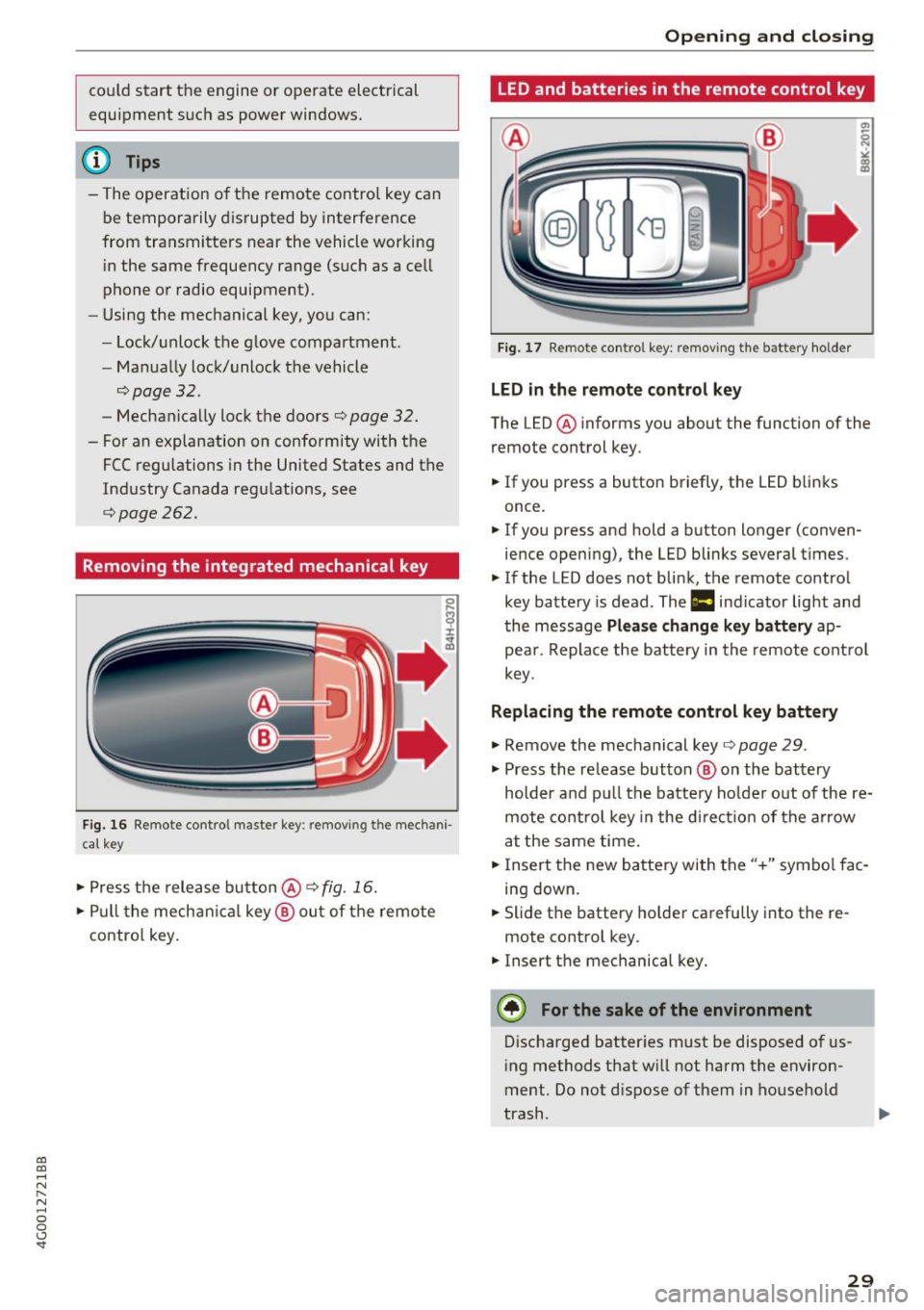
Removing the integrated mechanical key
Fig. 16 Remote contro l maste r key : remov ing t he mech ani
cal key
• Press the release button@¢ fig. 16.
• Pull the mechanica l key @ out of the remote
contro l key.
Open ing and closing
LED and batteries in the remote control key
Fig. 17 Remote control key: removing the battery holder
LED in the remote control key
The LED @ informs you about the function of the
remote control key.
• If you press a button briefly, the LED b links
once .
• If you press and hold a button longer (conven
ience opening), the LED blinks several times.
"' If the LED does not blink, the remote control
key battery is dead . The
1:1 indicator light and
the message
Please change key battery ap
pear . Replace the battery in the remote control
key.
Replacing the remote control key battery
"'Remove the mechanical key ¢page 29 .
"' Press the release button @ on the battery
holder and pull the battery ho lder out of the re
mote control key in the di rect io n of the arrow
at the same time.
• Insert the new battery with the"+" symbol fac
ing down.
• Slide the battery holder carefully into the re
mote control key.
"' Insert the mechanical key.
@) For the sake of the environment
Discharged batter ies must be disposed of us
ing methods that w ill not harm the environ
ment . Do not dispose of them in household
trash.
29
Page 33 of 280
co
co
.... N
" N .... 0 0 <.,;) 'SI"
key is in your jacket pocket or in your briefcase,
for example .
The door ca nnot be opened for a br ief period di
rect ly after loc king it. This way you have the op
portunity to check if the doors locked correctly.
The settings in the Infotainment system deter mine if the entire vehicle or only one of the doors
is unlocked when unlocking the vehicle
¢page 32.
WARNING .1!!!!!!!!!. !!..-
Read and heed a ll WARNINGS ~.& in Descrip
tion on page
2 7.
@ Tips
If your vehicle is left stand ing for a long peri
od of time, note the following:
- The proximity senso r switches off after a
few days to save energy. You then have to
pull once on the door handle to unlock the
vehicle and a second time to open it .
- The energy management system gradually
turns off unnecessary convenience functions
to prevent the vehicle battery from draining
and to maintain the vehicle 's abi lity to start
for as long as possible. You may not be able to unlock your vehicle using the convenience
key.
- For an explanation on conformity with the
FCC regulations in the United States and the
Industry Canada regulations, see
¢page 262.
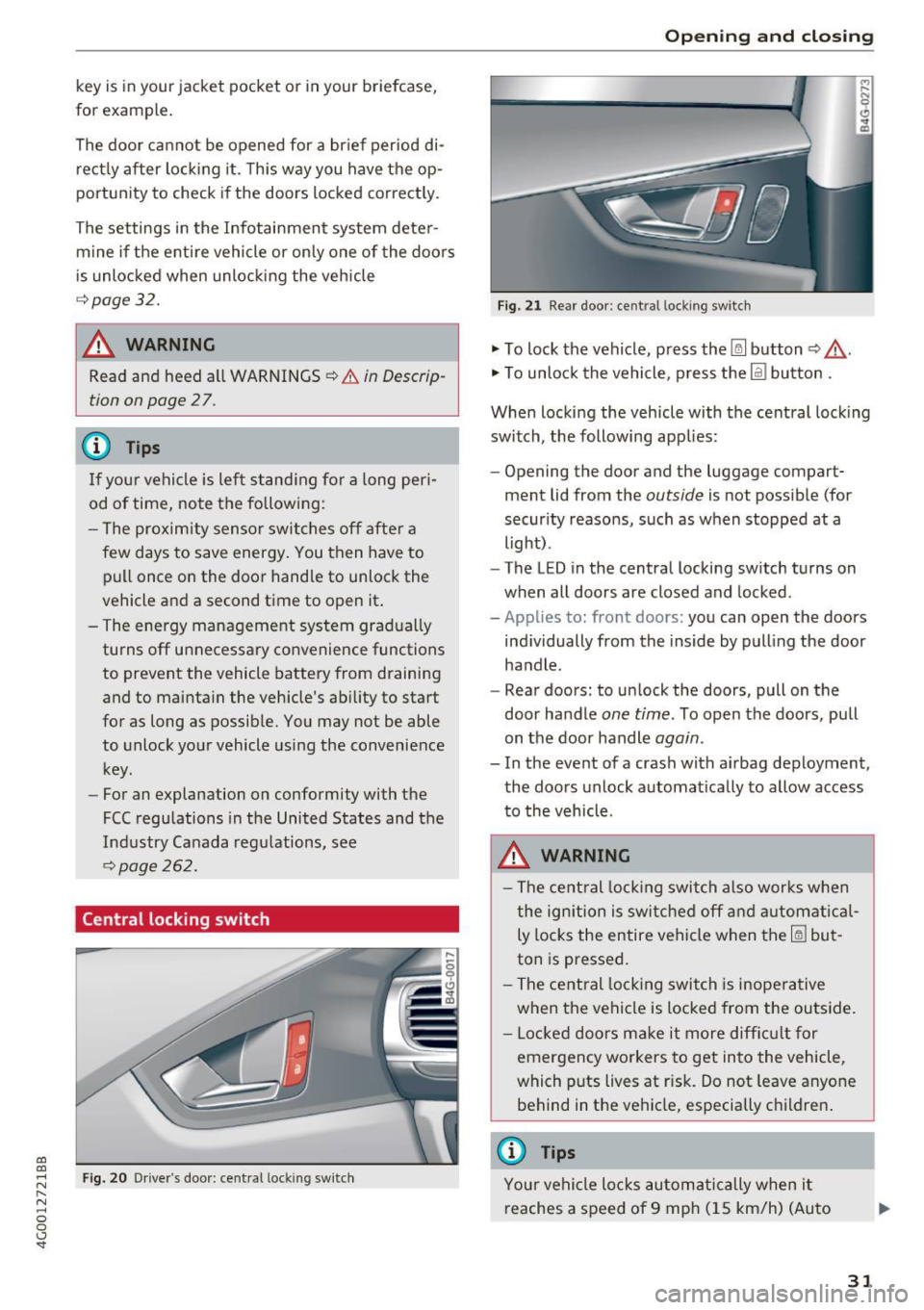
Central locking switch
Fig. 20 Drive r's door: central loc king switch
Open ing and closing
Fig. 21 Rear doo r: ce ntra l locking sw it c h
"' To lock the vehicle, press the~ button ~,&. .
"' To unlock the vehicle, p ress the @l button .
When locking the vehicle with the central locking
switch, the following app lies:
- Opening the door and the luggage compart
ment lid from the
outside is not possible (for
security reasons, such as when stopped at a
light) .
- The L ED in the central locking switch turns on
when all doors are closed and locked.
-Applies to: front doors: you can open the doors
ind ividually from the inside by pulling the door
handle .
- Rear doors: to unlock the doors, pull on the
door ha ndle
one time . To open the doors, pull
on the door handle
again .
- In the event of a crash with a irbag deployment,
the doors unlock automat ically to allow access
to the vehicle.
A WARNING
-The central locking switch also works when
the ignition is switched off and automatical
ly locks the entire vehicle when the~ but
ton is pressed.
- The central locking switch is inoperative
when the vehicle is locked from the outside.
- Locked doors make it more difficult for
emergency workers to get into the vehicle,
which puts lives at r isk. Do not leave anyone
behind in the vehicle, especially c hildren .
@ Tips
Your vehicle locks automatically when it
reaches a speed of 9 mph (15 km/h) (Auto
31
Page 38 of 280
Opening and clo sin g
due to similar movements, such as when you
walk between the rear of th e vehicle and your ga
rage door.
General inform ation
I n some situations, the function may be lim ited
or tempo rar ily unava ilable . This may happen if :
- the luggage compartment lid was closed imme diately before .
-you park close to a hedge and the branches move back and forth under the vehicle for a
long period of time.
- you clean your vehicle , fo r example with a pres
sure washe r or i n a car wash.
- there is heavy rain.
- the bumper is very dirty , for example after driv-
ing on salt-covered roads .
- there is interference to the radio signal from
the ve hicle key, such as from cell phones or re
mote controls .
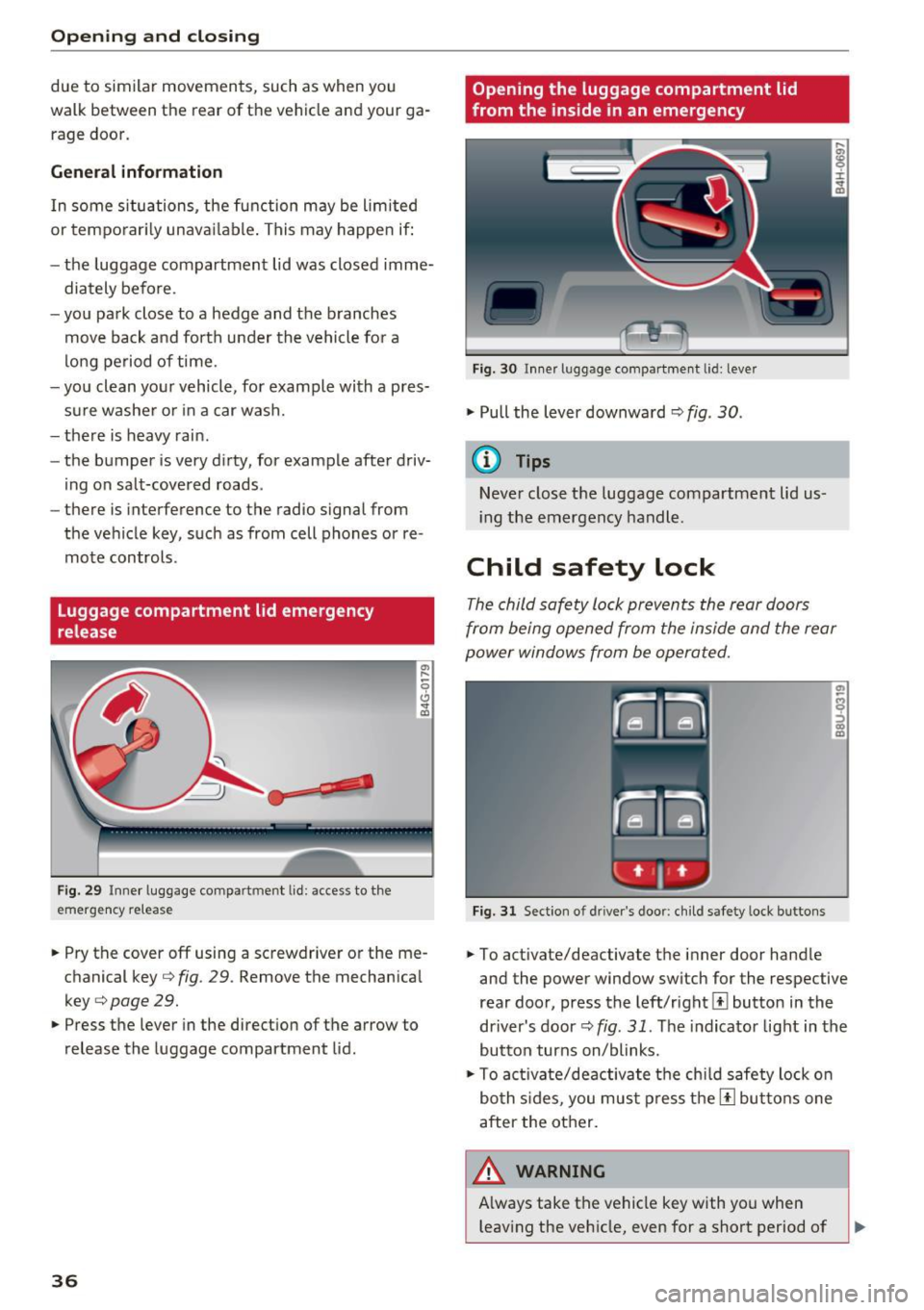
Luggage compartment lid emergency
release
F ig . 29 Inner luggage compart men t lid : access to the
emergen cy re le ase
.,. Pry the cover off using a screwdriver or the me
chan ical key ¢
fig. 29 . Remove the mechan ica l
key ¢
page 29 .
.,. Press the lever in the direct ion of the arrow to
release the luggage compartment lid .
36
Opening the luggage compartment lid
from the ins ide in an emergency
Fig. 30 I nne r luggage compart ment l id : leve r
.,. Pull the lever downward¢ fig. 30 .
(D Tips
Never close t he luggage compartment lid us
i ng the emergency handle .
Child safety lock
The child safety lock prevents the rear doors
from being opened from the inside and the rear
power windows from be operated.
Fig. 31 Sect ion o f dri ver's doo r: ch ild safety loc k bu ttons
.,. To activate/deactivate the inner door hand le
and the power window switch for the respective
rear doo r, press the left/rightl±l button in the
driver's door¢
fig. 31 . The indicator light in the
button turns on/blinks .
.,. To act ivate/deactivate the chi ld safety lock o n
bo th s ides, you mus t press the [!l but tons one
after the other.
A WARNING , ~
A lways take the vehicle key with you when
leaving the veh icle, even for a short period of
Page 41 of 280
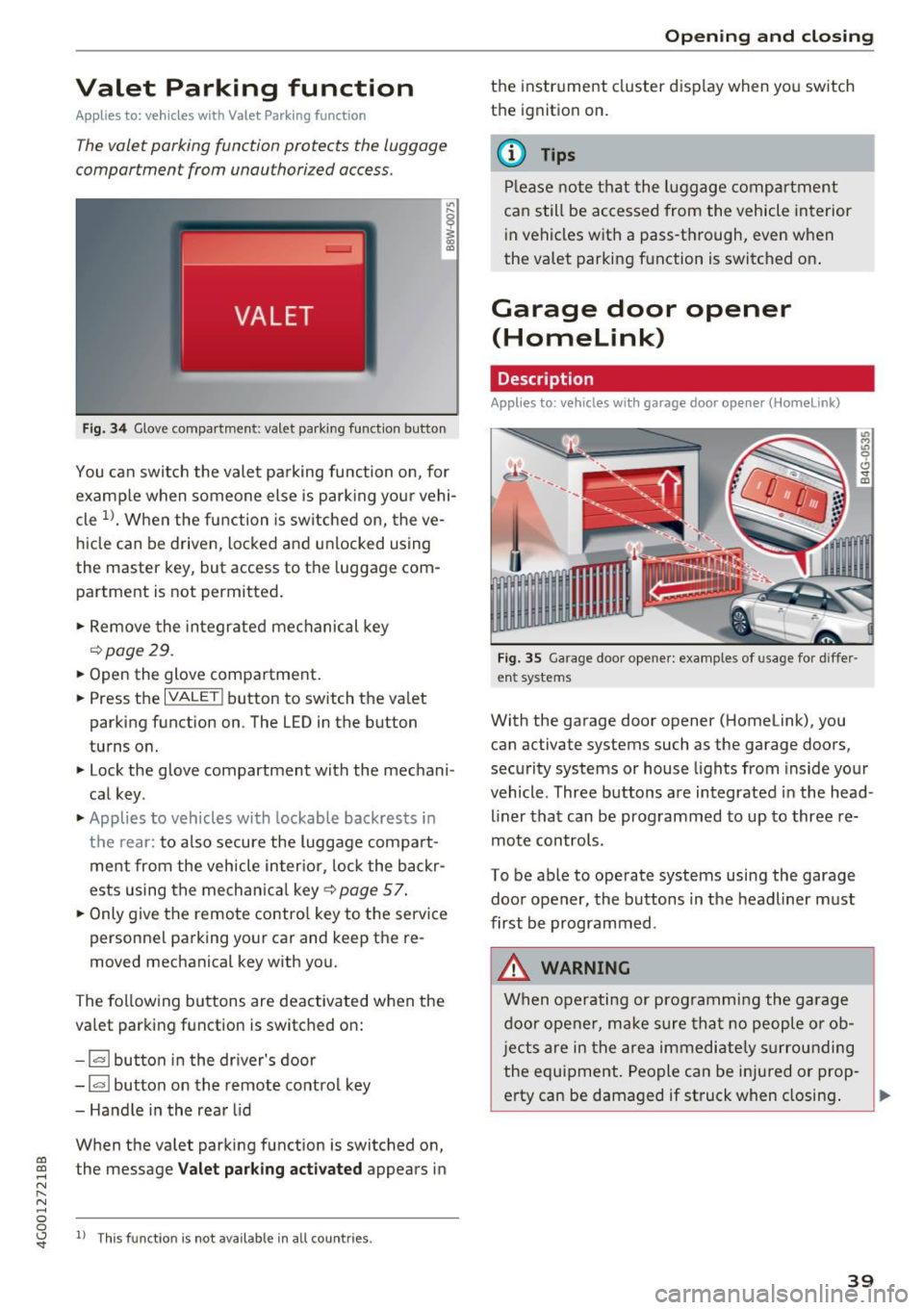
Valet Parking function
Applies to: veh icles wit h Valet Parking function
The valet parking function protects the luggage
comportment from unauthorized access .
Fig. 34 Glove compartment: valet park ing function button
You can switch the valet parking function on, for
example when someone else is parking your vehi
cle
l)_ When the function is switched on, the ve
hicle can be driven, locked and unlocked using
the master key, but access to the luggage com
partment is not permitted .
.,. Remove the integrated mechanical key
r::!:>poge 29.
.,. Open the glove compartment.
.,. Press the
IVALET I button to switch the valet
parking function on. The LED in the button
turns on.
.,. Lock the glove compartment with the mechani
cal key .
.,. Applies to vehicles with lockable backrests in
t h e rear: to also secure the luggage compart
ment from the vehicle inter ior, lock the backr
ests using the mechanica l key ¢
page 57.
.,. Only giv e the remote control key to the service
personnel parking your car and keep the re
moved mechanical key with you.
The following buttons are deactivated when the
va let parking function is switched on:
- 1""' 1 button in the driver's door
-la l button on the remote control key
- Handle in the rear lid
When the valet parking function is switched on,
co ~ the message Valet parking activated appears in
N
" N .... 0 0
~ ll This func tion is not available in all co untries .
Open ing and closing
the instrument cluster display when you switch
the ignition on.
(D Tips
Please note that the luggage compartment
can still be accessed from the vehicle interior
in vehicles with a pass-through, even when
the valet parking function is switched on .
Garage door opener
(Homelink)
Description
Applies to: veh icles with garage door opener (Home link)
Fig . 35 Garage door opene r: examples of usage for diffe r
ent systems
With the garage door opener (Homelink), you
can activate systems such as the garage doors ,
security systems or house lights from inside your
vehicle. Three buttons a re integrated in the head
liner that can be programmed to up to three re
mote controls.
To be able to operate systems using the garage
door opener, the buttons in the headliner must
first be programmed .
_&. WARNING
When operating or programming the garage
door opener, make sure that no people or ob
j ects are in the area immediate ly surrounding
the equipment. People can be injured or prop-
erty can be damaged if struck when closing. .,.
39
Page 43 of 280
co
co
.... N
" N .... 0 0 <.,;) 'SI"
Lights and Vision
Exterior Lighting
Switching lights on and off
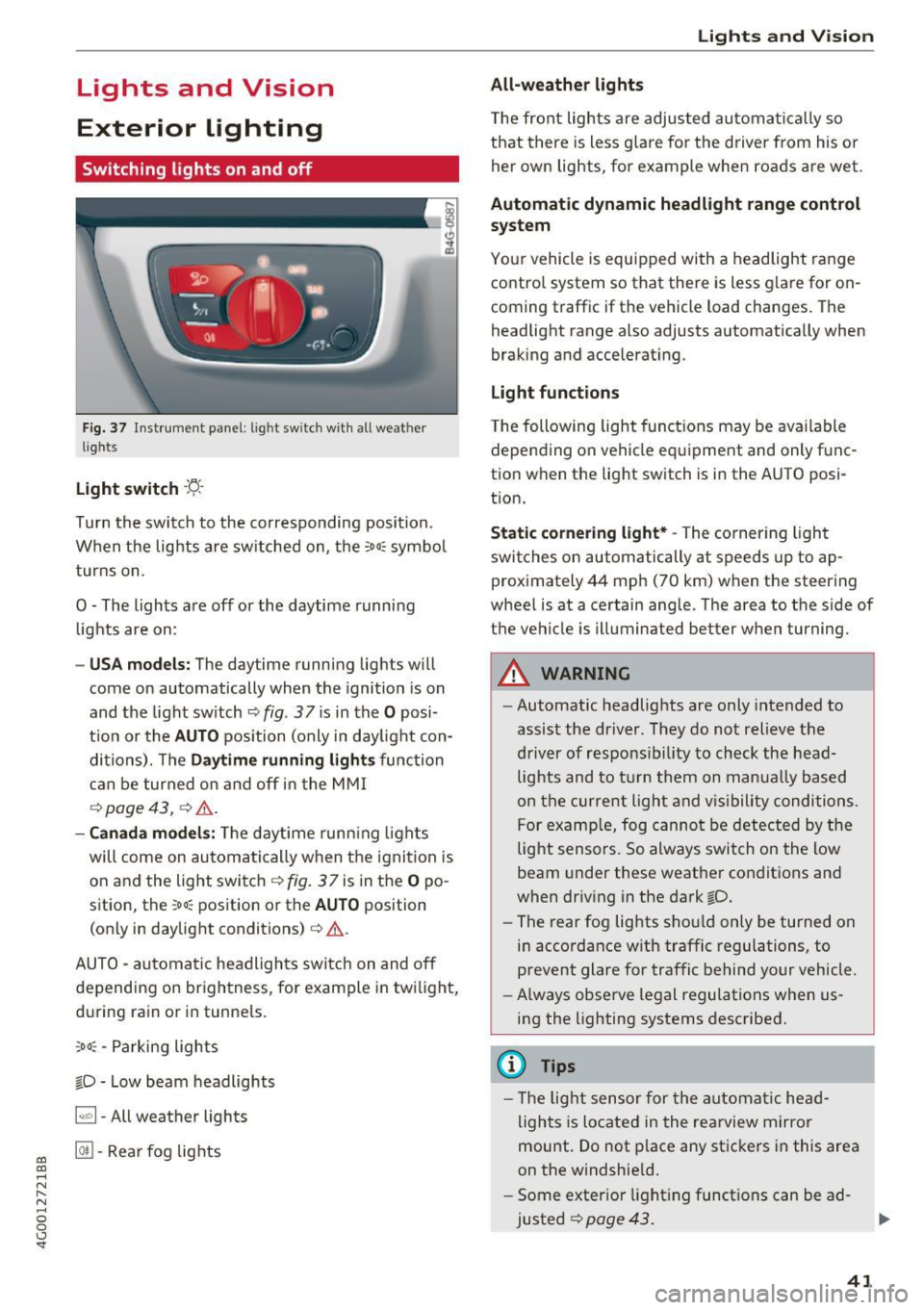
Fig. 37 In strument pane l: l ig ht sw itc h w ith all weather
lights
Light switch -r;..-
T u r n the switch to the co rresponding posi tion.
When the lights are sw itched on, the
:oo: symbo l
turns on.
0 · The lights are off or the daytime running
l ights are on:
- USA models: The daytime running lig hts will
come on automatically when the ignition is on
and the light sw itch
c::> fig . 37 is in the O posi
t io n or the
AUTO pos ition (only i n day light con
di tions). The
Daytime running lights func tion
c an be turned o n and off in the MM I
c::> page 43, ¢ ,&. .
-Canada models : The daytime runn ing ligh ts
will come on au toma tically when t he ig nit ion is
on a nd the light swi tch <=?
fig . 37 is in the O po
sition, the
: oo: position or the AUTO position
(only in daylig ht conditions)
c:> ,&. .
AUTO -au toma tic headligh ts sw itc h on and off
depending on br igh tness, for example in tw ilight,
d ur ing ra in or in tunne ls.
,oo : -Parking lights
io · Low beam headlights
~ -All weather lights
@II -Rea r fo g lig hts
Lights and V ision
All-weather lights
T he front lights a re adju sted au toma tic a lly so
t h at there is less glare for the driver from his o r
her own lights, fo r example whe n roads a re wet.
Automatic dynamic headlight range control
system
Yo ur vehicle is equip ped with a headlight r ange
contro l system so that there is less g lare for on
coming traff ic if the vehicle load changes . The
headlight range also adjusts automatically when
braking and accelerat ing.
Light functions
T he following light funct ions may be ava ilable
depending on vehicle eq uipme nt and only f unc
tion when the lig ht switch is in the AUTO posi
t ion.
Static cornering light* -The corner ing ligh t
switches on automatically at speeds up to ap
prox imately 44 mph (70 km) when the steering
whee l is at a certain ang le. The area to t he side of
the vehicle is illuminated better when turning.
A WARNING
-
- Automatic headlights are only intended to
assist the driver. They do no t relieve t he
d river of respons ibi lity to check the head
light s and to t urn them on manua lly based
o n t he curre nt light and v is ib ility conditi ons .
Fo r examp le, fog canno t be de tec ted by the
light sensors. So always switch o n the low
beam under these weat her co nditions a nd
when driving in the dark
io.
- The rear fog lights s ho ul d only be turned on
i n acco rdance w ith traffic regulations, to
prevent glare for traffic behind your vehicle.
- Always observe le g al regulations when us
i n g the lighting systems desc ribed.
(D Tips
- T he lig ht sensor for the automa tic head
lights is located in the rea rview mirror
mount. Do not p lace a ny st icke rs i n this are a
on the windshie ld .
- Some exter io r l ight ing funct io ns can be ad
justed
c::> page 43 .
41
Page 44 of 280
Lights and Vi sion
- If you turn off the ignition whi le the exterior
lights are on and open the door, a warning
tone sounds.
- In cool or damp weather, the inside of the
headlights, turn signals and tail lights can
fog over due to the temperature d ifference
between the inside and outside. They will
clear shortly after sw itch ing them on. This
does not affect the serv ice life of the light
ing .
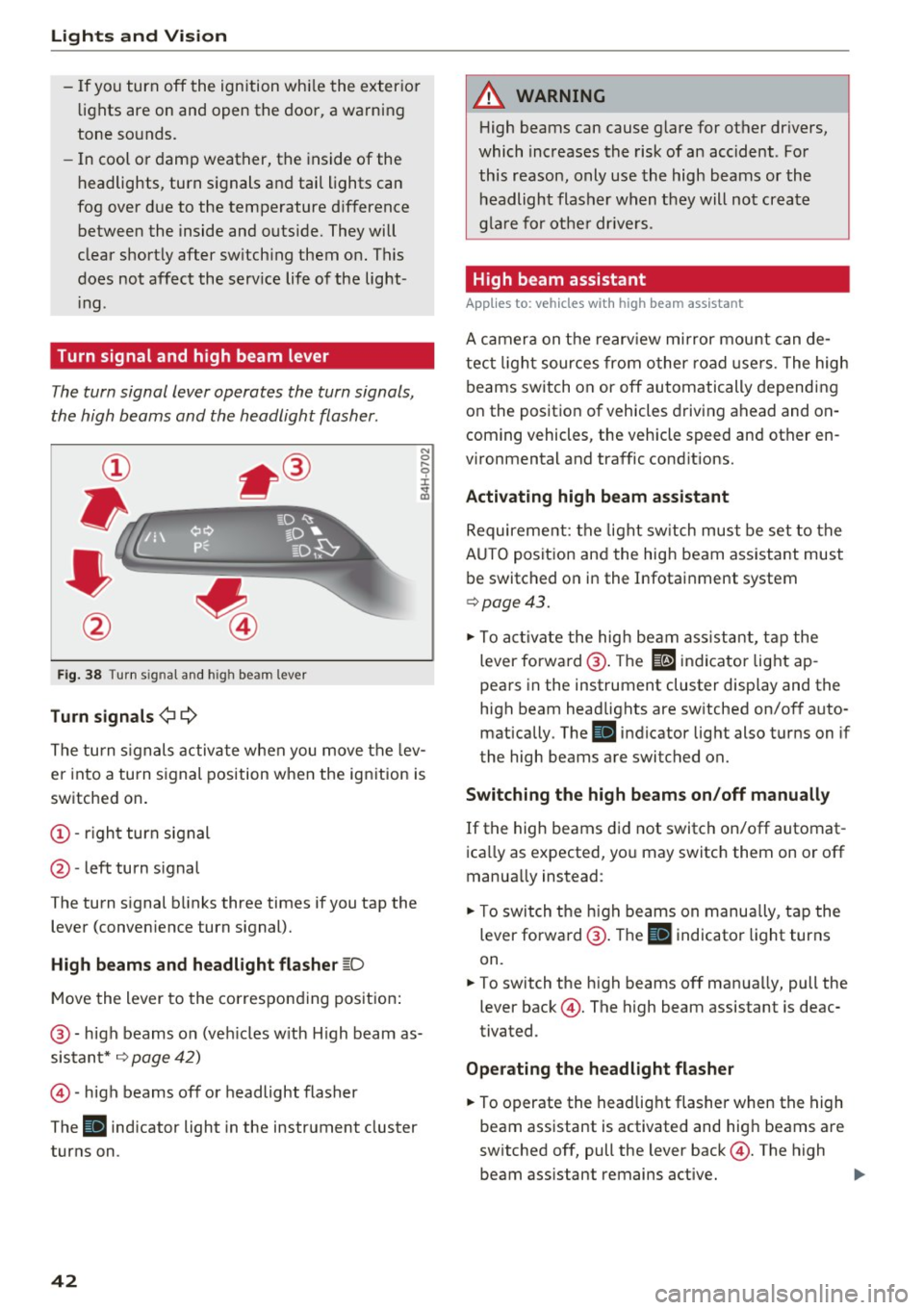
Turn signal and h igh beam lever
The turn signal lever operates the turn signals,
the high beams and the headlight flasher.
F ig . 38 Turn sig nal and high beam lever
Tu rn signals ¢ Q
N
0 ,.._
9 J:
;;!;
The turn s ignals activate when you move the lev
er into a turn signal position when the ignition is
switched on.
@ -right turn signal
@ -left turn s ignal
The turn signal blinks three times if you tap the lever (conven ience turn signal).
High b eams and h eadlight flasher ~D
Move the lever to the corresponding position :
@ -high beams on (veh icles w ith H igh beam as
sistant*
¢ page 42)
© -high beams off or headlight flasher
The
II indicator light in the instrument cluster
turns on.
42
A WARNING , _
H igh beams can cause glare for other drivers,
which increases the risk of an accident . For
this reason, only use the high beams or the headlight flasher when they will not create
g la re fo r othe r drive rs .
High beam assistant
App lies to: vehicles wi th high beam ass istan t
A camera on the rearv iew mirror mou nt can de
tect light sources from other road use rs. The high
beams switch on or off automatically depending
on the position of vehicles driving ahead and on
coming vehicles, the vehicle speed and other en
vironmental and traffic cond itions.
Activating high beam ass istant
Requirement: the light sw itch must be set to the
A UTO posit ion and the hig h beam ass istant must
be switched on in the Infotai nment system
¢ page 43 .
.,. To act ivate the high beam ass istant, tap the
lever forward @. The
El indicator light ap
pears in the instrument cluster display and the
high beam headlights are sw itched on/off auto
matically . The
II indicator light also turns on if
the high beams are switched on.
Switching the high b eam s on /off manually
If the high beams did not switch on/off automat
ica lly as expected, yo u may switch them on or off
manually instead:
.,. To switch t he h igh beams on manually, tap the
lever forward @. The
II indicator light turns
on.
.,. To switch the h igh beams off manua lly, pull the
lever back@. The high beam assistant is deac
tivated .
Operating the headlight flasher
.,. To operate the headlig ht flasher when the high
beam assistant is activated and hig h beams are
sw itched off, pull the lever back@. The high
beam ass istant remains active.
Page 45 of 280
Messages in the instrument cluster display
Headlight a ssist: System fault !
Drive to an authorized Aud i dealer or a uthorized
Aud i Service Facility immediately to have the
malfunct ion cor rected. You can still switc h the
hi gh beams on or off manually.
Headlight as sis t: Unavailable No camera view
The camera view is blocked, for example by a
sticker or debris.
The sensor is located between the interior rear
v iew mirror and the windshield . Do not p lace any
stickers in this area on the windshield.
A WARNING
H igh beam assistant is only intended to assist
the drive r. The dr iver is still responsible for
con troll ing the headlights a nd sw itch ing
them manually depend ing on light and v is ibil
i t y cond itions .
It may be neces sary to operate
t hem manually in situ at ions such as:
- In adverse weathe r co nd itions s uch as fog,
heavy r ain, b low ing snow o r sp raying wate r.
- On roads whe re oncoming traffic may be
partia lly obs cured, su ch as exp ressways .
- Whe n there are road users that do not have
s ufficient lighting, s uch as bi cycler s or
vehicles wi th dirty ta il lamps .
- In tight cu rv es and on steep hills.
- In poor ly l it areas.
- With strong reflectors, such as s igns.
- If the area of the windsh ield near the sensor
is fogged over, dirty, icy or covered w ith a
st icker.
Adjusting the exterior lighting
The functions ore adjusted in the Infotainment
system.
.,. Se lect : I CARI fu nction button> (Car )* Systems
contro l button > Vehicle setting s> Exterior
lighting .
co Automatic headlights co ....
~ You can adjust the fo llowing settings in the Au-N
8 tomatic headlight s menu: 0 <.,;) 'SI"
Lights and Vision
A cti vation sensitivity -you can adjust if the
headlights switch on
Early , Medium or Late ac
cording to the sensitivity of the light sensor .
Auto-dimming high beams* -yo u can sw itch the
high beam assistant*
On and Off .
Daytime running lights*
USA mode ls:
the daytime running lights can be
swit ched on/off. Select
On or Off .
Canada models:
this function cannot be switched
off . They act ivate automatically each time the ig
ni tion is switched on.
Coming home , Leaving home
The coming home function illuminates the area
outside the vehicle when you turn the ignit ion off
and open the driver 's doo r. To turn the function
o n, select
Light s when leaving car > On .
The leaving home illum inates the area outside
the vehicle when you unlock the vehicle . To turn
the function on, se lect
Li ghts when unlocking
car > On .
The coming home and leav ing home functions
only operate when it is dark and the light switc h
is in the
AUTO pos ition .
Emergency flashers
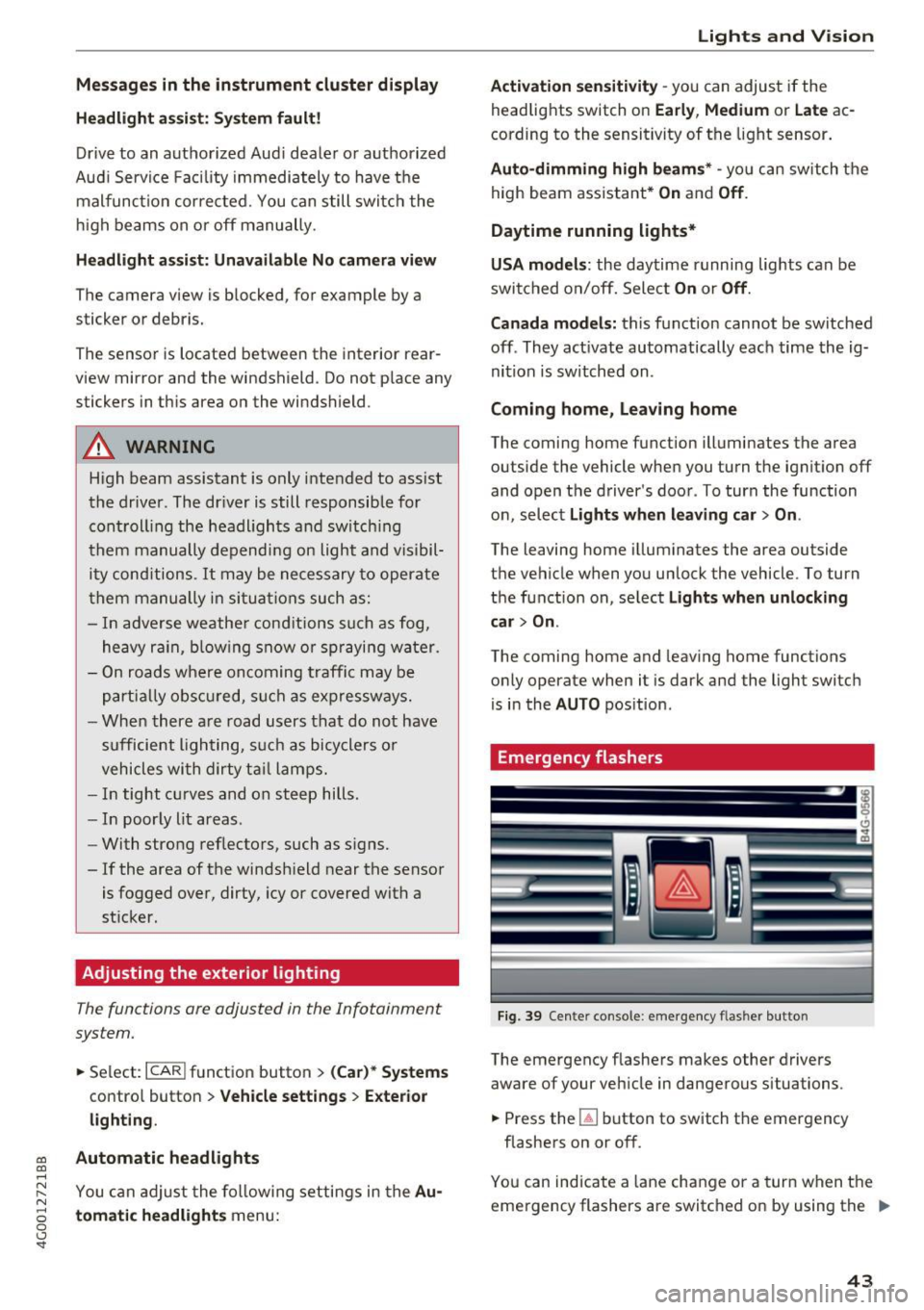
Fi9. 39 Cente r console : emergency f las her button
The emergency flashe rs makes other drivers
aware of your vehicle in dangerous situations .
.,. Press the~ button to switch the emergency
flashe rs on or off.
You can indicate a lane change or a turn w hen the
eme rgency flashers are switched on by using the .,.
43
Page 46 of 280
Lights and Vision
turn signal lever . The emergency flashers stop
temporarily .
The emergency flashers also wo rk when the igni
tion is turned off.
Interior lighting
Front and rear interior lighting
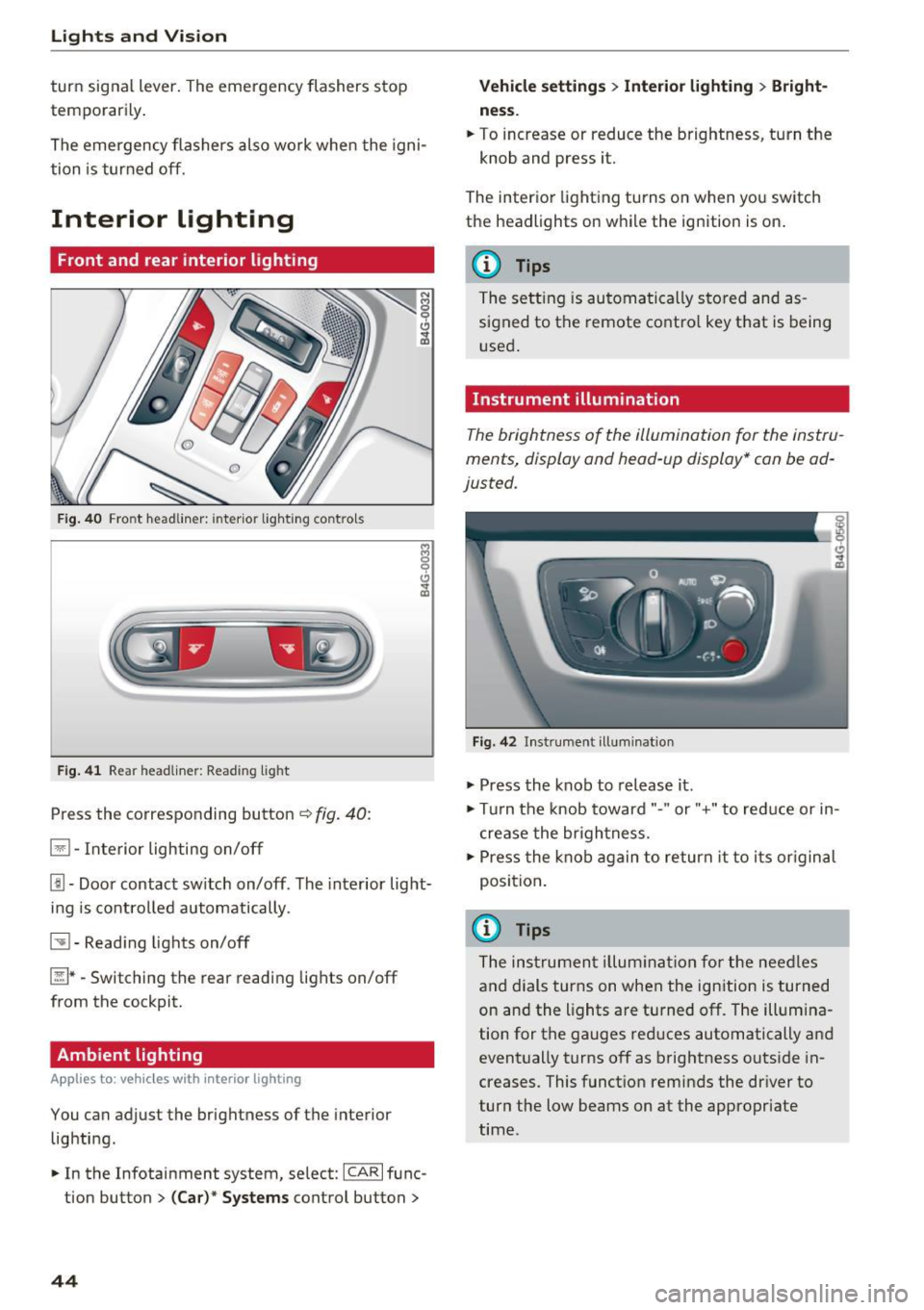
Fig . 4 0 Fro nt headli ner: inter io r lig hting co ntro ls
F ig . 4 1 Rea r headliner: Read ing light
Press the corresponding button ~ fig. 40:
El -Interior lighting on/off
Jjj -Door contact sw itch on/off. The interior light
ing is contro lled automatically.
~ - Read ing lights on/off
~ *·Switching the rear reading lights on/off
from the cockpit.
Ambient lighting
Ap plies to: vehicl es w ith i nterio r lighting
You can adjust the brightness of the interior
lighting .
.. In the Infotainment system , select:
ICAR I func
tion button
> ( Ca r)* Sy stems control button >
44
Vehicle setting s> Interior lighting > Bright
ne ss .
.. To increase or reduce the brightness, turn the
knob and press it.
The inter ior lighting turns on when yo u switch
the headlights on w hile the ignition is on .
(D Tips
The setting is automa tically stored and as
s igned to the remote contro l key that is being
u sed .
Instrument illumination
The brightness of the illumination for the instru
ments, display and head -up display* can be ad
justed.
F ig. 42 In strument illuminat ion
.,. Press the knob to release it .
.,. Tur n the knob toward"." or"+" to reduce or in
c rease the br ightness.
.,. Press the knob again to return it to i ts or iginal
position .
(i} Tips
The ins trumen t illum ina tion for the nee dles
and dials turns on when the ign ition is turned
on and the lights are turned off. The illum ina
tion for the gauges red uces automatically and
event ually turns off as brightness outside in
creases. This funct ion reminds the dr iver to
turn the low beams on at the appropriate
time.
Page 47 of 280
co
co
.... N
" N .... 0 0 <.,;) 'SI"
Vision
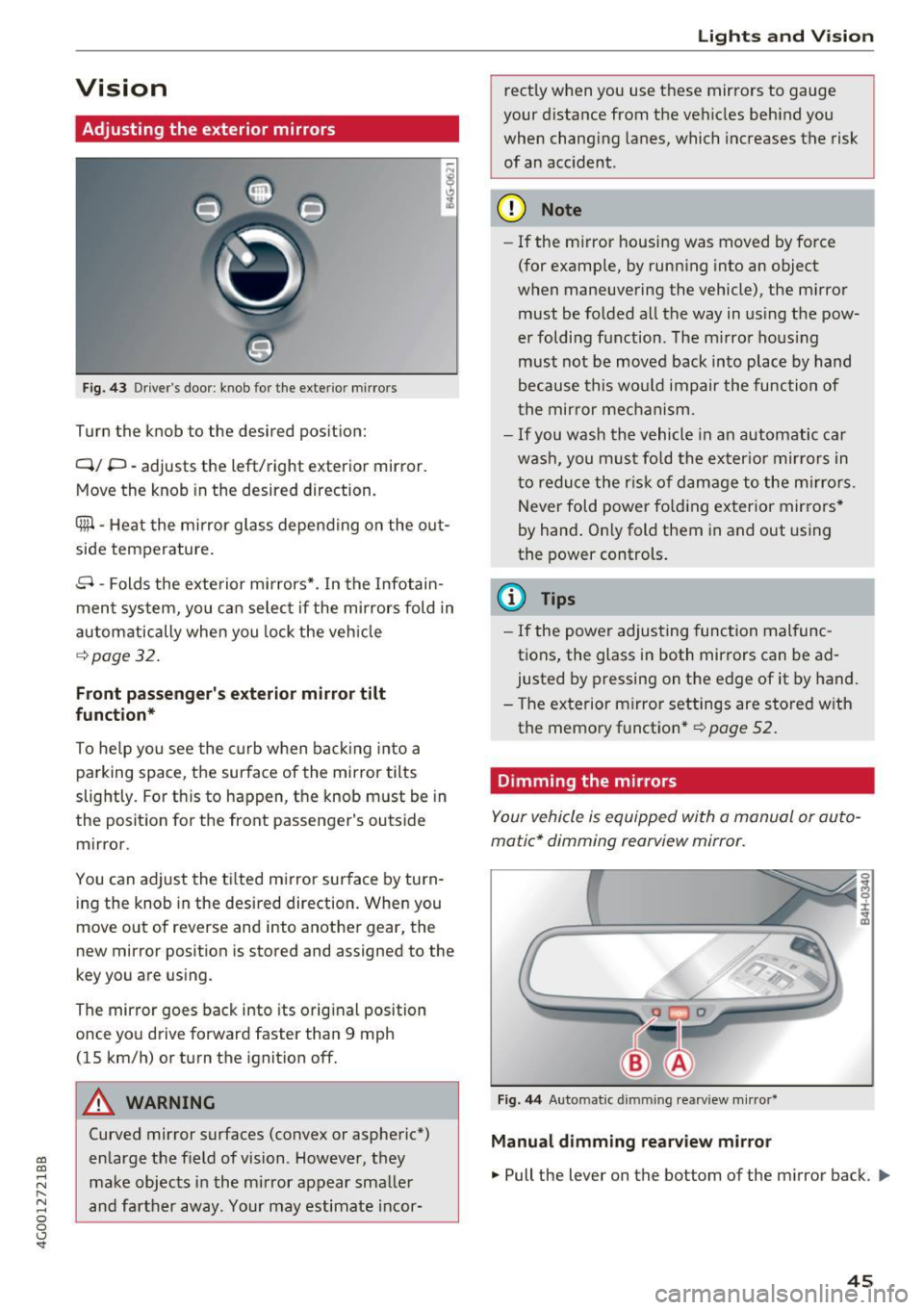
Adjusting the exterior mirrors
Fig. 43 Driver's door: knob for the exterior mir rors
Turn the knob to the desired pos ition:
Q/ P -adjusts the left/right exterior mirror.
Move the knob in the desired direction.
Cfill -Heat the mirror g lass depen ding on the o ut
side temperature .
8 -Folds the exte rior mi rrors*. In the Infotain
men t system, you ca n selec t if the mirrors fold in
automatically when you lock the veh icle
¢page 32.
Front passenger's exterior mirror tilt
function*
To he lp you see the curb w hen back ing in to a
parking space, the surface of the mirror tilts
slightly . For th is to happen, t he knob must be in
the posit ion for the front passenger's outside
mirror.
You can adjust the t ilted mi rror sur face by turn
i ng the knob in the desired direction. Whe n you
move out of reverse and into anot her gear, the
new mirror position is stored and assigned to the
key you a re using.
The mirror goes back into its orig inal position
once yo u drive forward faster than 9 mph
(15 km/h) or turn the ignition off.
A WARNING
Curved mirror surfaces (convex or aspheric*)
en large the f ield of vision. However, they
make obj ects in the mi rror appear smalle r
and fa rther away. Your may estimate i ncor-
Lights and V ision
rect ly when you use t hese mirrors to gauge
your d istance from the ve hicles beh ind you
when chang ing lanes, which increases the risk
of an acc ident.
(D Note
- If the m irror housing was moved by fo rce
(for example, by runn ing into an object
w hen maneuvering the vehicle) , the m irro r
must be fo lded all the way in us ing t he pow
er foldi ng f unction. The m irro r ho us ing
must not be moved back into plac e by hand
because this wo uld impair the func tion of
t he mir ror mec hanism.
- If you wash the vehicle in an automa tic ca r
w ash , you mus t fo ld the ex ter ior mir ror s in
t o reduce the r isk of d am age to the m irro rs.
N ever fold p ower fo ld ing ex ter ior mir rors *
by hand . On ly fold them in and out using
the power controls .
(D Tips
-If the power adjus ting func tion mal func
tions, the glass in both mirrors can be ad
justed by p ressing on the e dge of it by hand.
- T he exterior m irror settings are store d with
the memo ry functio n*
r=;, page 52.
Dimming the mirrors
Your vehicle is equipped with a manual or au to
matic* dimming rearview mirror.
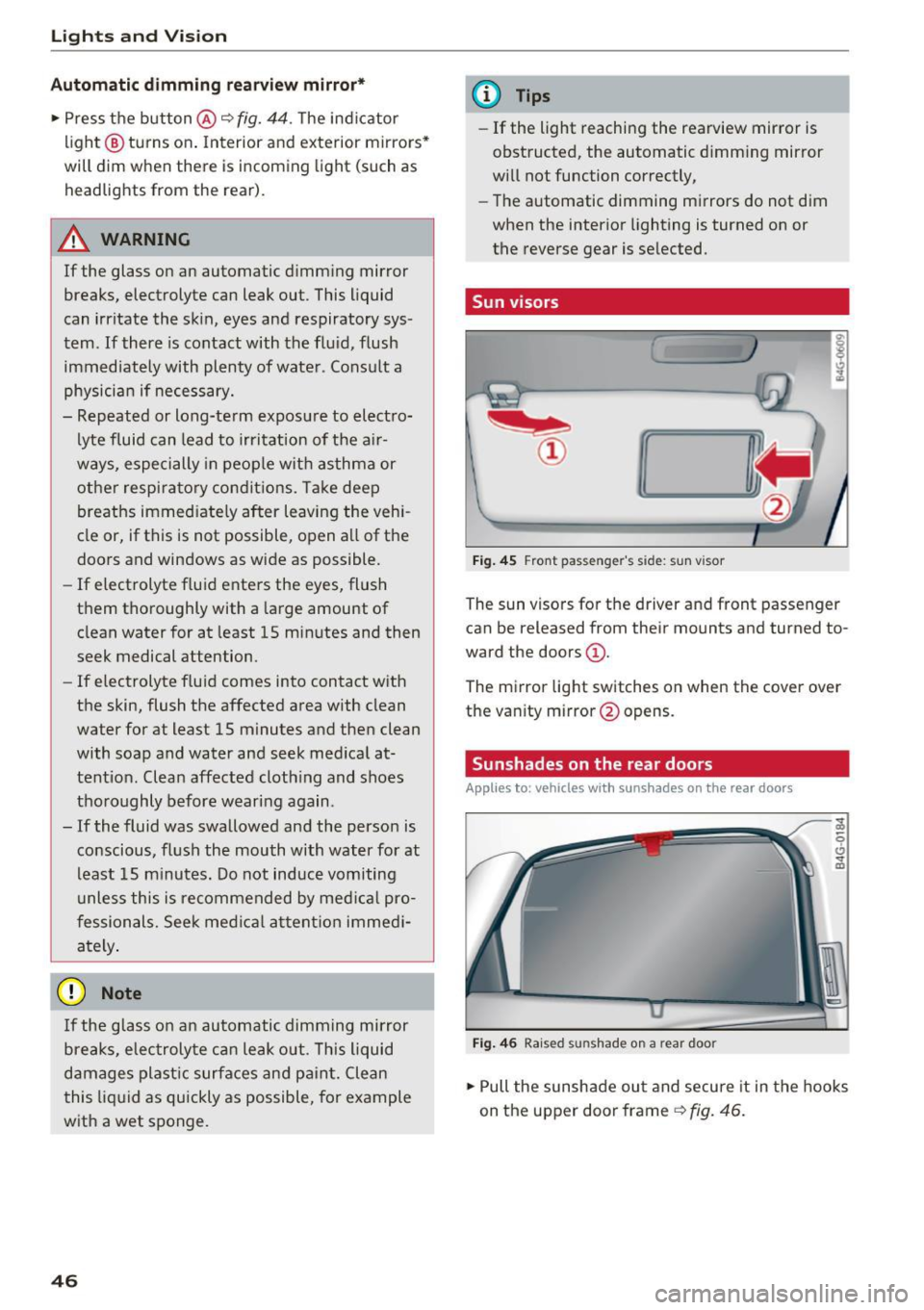
Fi g. 44 Automatic dimming rearview mirror*
Manual dimming rearview mirror
.,. Pull the lever on the bottom of the mirror back. ll>
45
Page 48 of 280
Lights and Vision
Automatic dimming rearview mirror*
.. Press the button@~ fig. 44. The indicator
light @ turns on. Interior and exterior mirrors*
will dim when there is incoming light (such as h eadlights from the rear).
A WARNING
If the glass on an automatic dimming mirror
breaks, electrolyte can leak out . This liquid
can irritate the skin, eyes and respiratory sys
tem .
If there is contact with the fluid, flush
immediately with plenty of water . Consult a
physician if necessary.
- Repeated or long-term exposure to electro
lyte fluid can lead to irritation of the air
ways, especially in people with asthma or
other respiratory conditions. Take deep
breaths immediately after leaving the vehi
cle or, if this is not possible, open all of the doors and windows as wide as possible.
- If electrolyte fluid enters the eyes, flush
them thoroughly with a large amount of
clean water for at least 15 minutes and then
seek medical attention.
- If electrolyte fluid comes into contact with
the skin, flush the affected area with clean
water for at least 15 minutes and then clean
with soap and water and seek medical at
tention. Clean affected clothing and shoes
thoroughly before wearing again .
- If the fluid was swallowed and the person is conscious, flush the mouth with water for at
least 15 minutes. Do not induce vomiting
unless this is recommended by medical pro
fessionals. Seek medical attention immedi
ately.
(D Note
If the glass on an automatic dimming mirror
breaks, electrolyte can leak out. This liquid
damages plastic surfaces and paint. Clean
this liquid as quickly as possible, for example
with a wet sponge.
46
@ Tips
- If the light reaching the rearview mirror is
obstructed, the automatic dimming mirror
will not function correctly,
- The automatic dimming mirrors do not dim
when the interior lighting is turned on or
the reverse gear is selected.
Sun visors
[ __ ____,}
Fig. 45 Front pas seng er's side: sun vis or
The sun visors for the driv er and front passenger
can be released from their mounts and tu rned to
ward the doors
(D .
The mirror light switches on when the cover over
the vanity mirror @opens .
Sunshades on the rear doors
Applies to : vehicles with sunshades on the rear doors
Fig. 46 Rai sed sunshade on a rear doo r
.. Pull the sunshade out and secure it in the hooks
on the upper door frame
~ fig. 46.