service AUDI A7 2016 User Guide
[x] Cancel search | Manufacturer: AUDI, Model Year: 2016, Model line: A7, Model: AUDI A7 2016Pages: 294, PDF Size: 73.82 MB
Page 29 of 294
M N <( I.J "". rl I.O
"' N I.O rl
-Inspection or oil change reminder: After a cer
tain distance driven, a message appears in the
instrument cluster display each time the igni
tion is switched on or off
c> fig. 13. The remain
ing distance or time is displayed briefly .
-Inspection or oil change due : If your vehicle is
due for an inspection or oil change or both, a
message appears br iefly in the instrument clus
ter display when switching the ignition on or
off:
Inspection due! or Oil change due! or Oil
change and inspection due! .
Checking service intervals
You can check the remaining distance or time un
til the next oil change or next inspection n the
Car menu. To do th is, select: the ICAR !function
button
> (Car) * Systems control button > Service
& control
> Servi ce intervals .
Resetting the indicator
Your authorized Audi dealer or authorized Audi
Service Facility will reset the service interval dis
play after performing service .
If you have changed the oil yourself, you must re
set the oil change interval.
To reset the indicator, select: the ICARI fu nct ion
button
> (Car)* System control button > Service
& control > Service intervals. Turn the control
knob downward to
Reset oil change interval and
press the control knob.
(D Note
- Only reset the oil change indicator if the o il
was changed.
- Fo llowing the service intervals is critical to
maintain ing the service life and value of
your vehicle, especially the engine. Even if
the mileage on the vehicle is low, do not ex
ceed the time for the next service.
- Calculating the time to the next oil change
i s interrupted when the vehicle battery is
disconnected. If the vehicle is not driven for
a long period of time, check the mainte
nance schedule so that you can follow the
maintenance interva ls.
Instruments and indicator lights
Head-up display
Applies to vehicles: wit h Head-up disp lay
Fig. 14 Examp le : Indicato rs i n th e Head -up dis play
Fig . 15 Instrument panel: head-up display knob
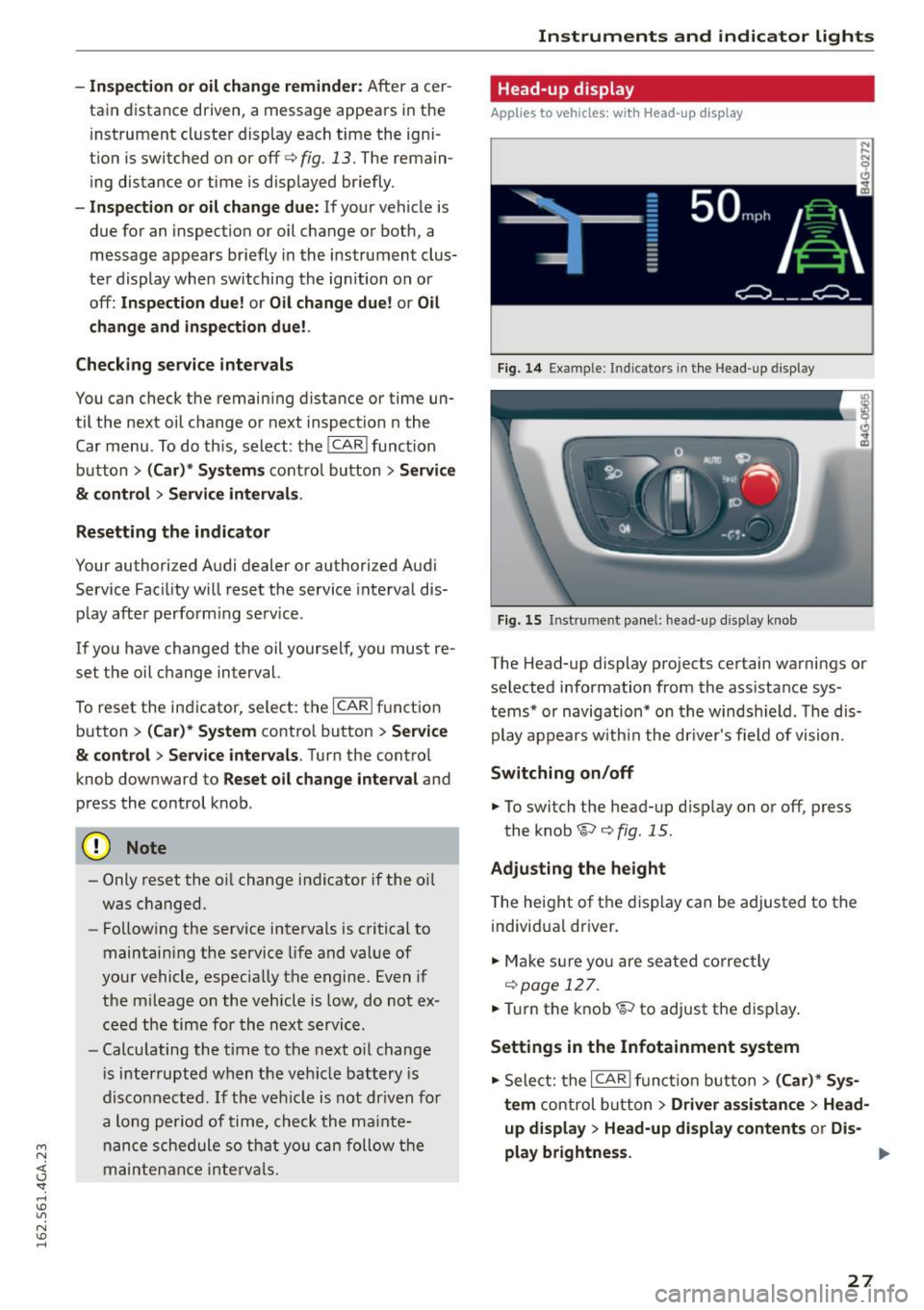
The Head-up display projects certain warnings or
selected information from the assistance sys
tems* or navigation* on the windsh ield . T he dis
play appears w ith in the dr iver's field of vision.
Switching on/off
... To switch the head-up d isplay on or off, press
the knob~
c> fig. 15.
Adjusting the height
The height of the display can be adjusted to the
individual driver.
... Make sur e you are seated correctly
r=!)page 127 .
... Tur n the knob~ to adjust the disp lay .
Settings in the Infotainment system
... Sele ct: the I CARI function button > (Car)* Sys
tem
control button > Driver assistance > Head
up display > Head-up display contents or Dis-
play brightness. ..,
27
Page 31 of 294

M N <( (.J
'SI: ,...., \!) 1.1'1
N \!) ,....,
Your authorized Audi dealer or a qualified service
station can interpret the code and perform the
necessary repair.
A WARNING
Do not use the diagnostic connector for per
sonal use. Incorrect usage can cause malfunc tions, wh ich can increase the risk of a colli
sion!
-
Electronic speed limiter
Your veh icle may be factory equipped with tires
that are rated for a maximum speed of 130 mph
(210 km/h). This is less than the maximum speed
of your vehicle. To reduce the risk of sudden tire
failure and loss of contro l if the vehicle is operat
ed at excessive speeds, your vehicle also has an
e lectronic speed limiter. The electronic speed
limiter prevents your vehicle from going faster
tha n the tire speed rating. For more information
c>page240.
If the engine control unit receives fau lty vehicle
road speed signals, the Malfunction Indicator
Lamp (MIL)
¢4 will illumina te. If this occurs,
contact the nearest authorized Aud i dealer for as
sistance.
S models
Your vehicle's top speed is e lectronically limited
to 155 mph (250 km/h).
If the engine control unit receives faulty vehicle
roadspeed s ignals, the Malfunction Indicator
Lamp (MIL)
¢4 will illuminate . If this occurs,
contact the nearest authorized Audi dealer for as
sistance.
A WARNING
Always observe the posted speed limits and adjust your speed to suit prevailing road, traf
fic and weather conditions. Never drive your
vehicle faster than the maximum speed rating
of the tires installed.
-
Instruments and indicator lights
29
Page 46 of 294
Lights and Vi sion
- In cool or damp weather, the ins ide of the
headlights, turn signals and tail lights can
fog over due to the temperat ure difference
between the inside and outs ide. They w ill
clear shortly after switching them on. This
does not affect the service li fe of the light
i ng.
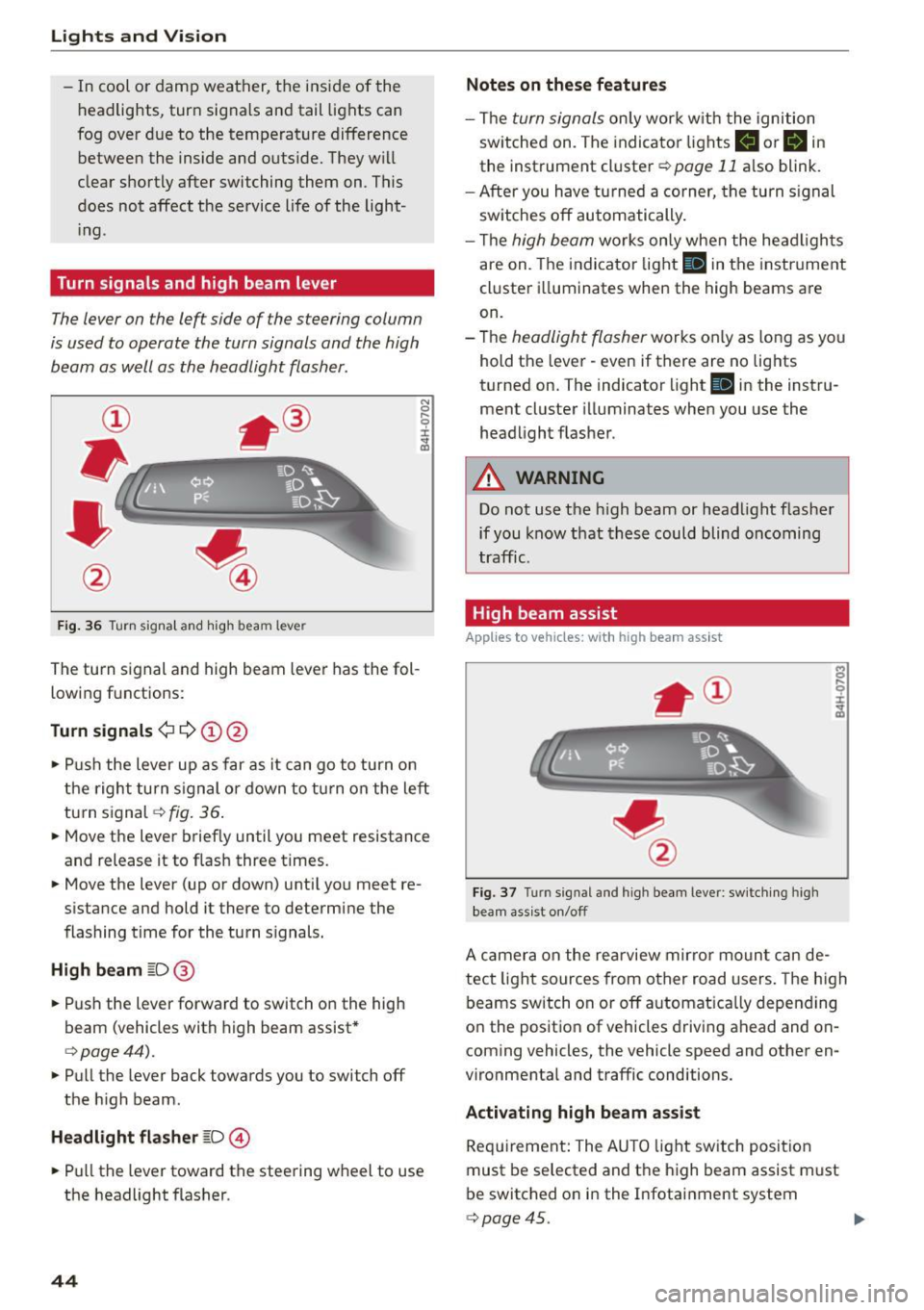
Turn signals and high beam lev er
The lever on the left side of the steering column
is used to operate the turn signals and the high
beam as well as the headlight flasher.
F ig . 36 Tu rn signa l and hig h beam lever
The turn s ignal and high beam leve r has the fol
lowing f unctions:
Turn signals ¢¢@@
N
0 ,.._ 0 ±
~
• Pu sh the lever up as far as it can go t o turn on
t he righ t turn s ignal or down to tu rn on the left
tu rn s ignal
c:> fig. 36 .
• Move the lever brief ly until you meet resistance
and release it to flas h three times.
• Move the lever (up or down) unti l you meet re
s istance and hold it there to determine the
flashing time for the tu rn s ignals.
High beam ~D @
• Push the lever forward to switch on the high
beam (vehicles with h igh beam assist *
c:>page44).
• Pull the lever back towards you to switch off
the h igh beam.
Headlight flasher ~D ©
• Pull the lever toward the steering wheel to use
the headlight f lasher.
44
Notes on these features
- The turn signals on ly work w it h the ignition
sw itche d on. The indicato r lights
II or Bin
the instrument cl uster c:> page 11 also blink.
- After you have tu rned a corner, the turn s ignal
sw itches off automatically .
- Th e
high beam works on ly when the he ad ligh ts
are on. The indi cator light
II in the instr ume nt
cl uste r ill uminates when the high beams a re
on.
- The
headligh t flasher works o nly as long as yo u
hold t he leve r - even if there are no lig hts
turned on. The indicator light
II in the instru
ment cluster i lluminates when you use the
headlight f lasher .
A WARNING
Do not use the high beam or head light flasher
if you know that th ese could blind oncoming
traffic .
High beam assist
Applies to veh icles: with high beam assist
Fig . 3 7 Turn signal and high beam lever: sw itc hing high
bea m ass ist o n/off
A camer a on the rea rview mirror moun t ca n de
tec t light sources from other road users . The high
beams switch on or off a utomat ica lly depen ding
o n the position of vehicles driving ahead and on
coming vehicles, the vehicle speed and othe r en
vironme nta l and traffic conditions.
Activating high beam assist
Req uirement: The AU TO light sw itch posit ion
must be selected and t he h igh beam assist m ust
be switched o n in the I nfotai nment system
c:> page45.
Page 47 of 294
M N <( (.J
'SI: ,...., \!) ..,.,
N \!) ,....,
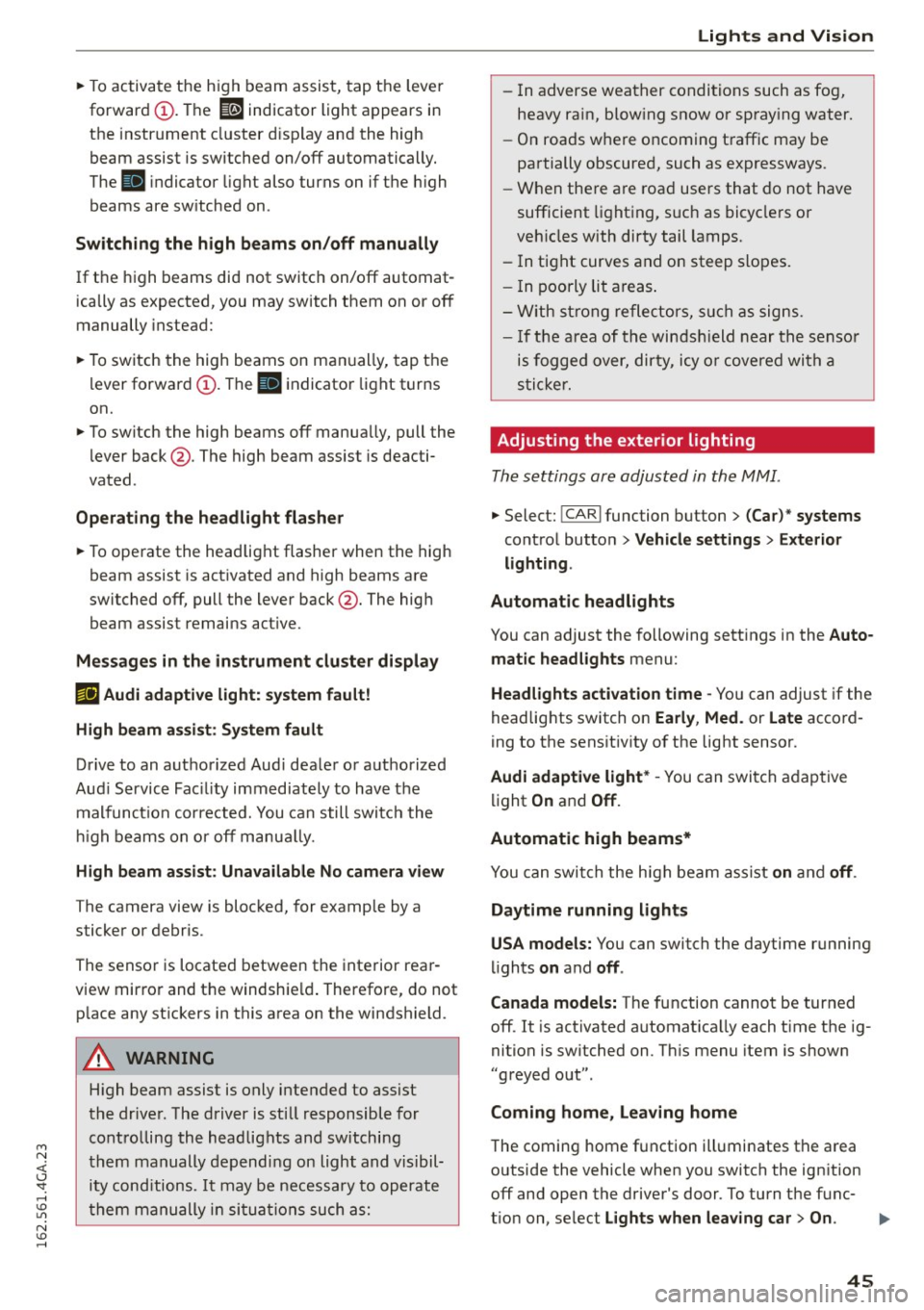
~ To activate the h igh beam assist, tap the lever
forward
(D . The ID indicator light appears in
the instrument cluster disp lay and the high
beam assist is switched on/off automatically.
The
El indicator ligh t also turns on if the high
beams are switched on .
Switching the high beam s on/off manually
If the high beams did not switch on/off automat
ically as expected, you may switch them on or off
manually instead:
~ T o switch the high beams on man ually, tap the
lever forward
(D. The El indica tor light turns
on.
~ To switch the high beams off manua lly, pull the
lever back@. The high beam assist is deacti
vated.
Operating the headlight flasher
~ To operate the headlight flasher when the high
beam assist is activated and high beams are
switched off, pull the lever back@. The high
beam assist remains act ive.
Messages in the instrument cluster display
r!IJ Audi adaptive light: system fault!
High beam assist: System fault
Drive to an authorized Aud i dealer or authorized
Aud i Service Fac ility immediately to have the
malfunct ion corrected. You can still switch the
hi gh beams on or off manually.
High beam assist : Unavailable No camera view
The camera view is blocked, for example by a
sticker or debr is.
The sensor is located between the interior rear
view mirror and the windshie ld. Therefore, do not
p lace any st ickers in this area on the windshield.
A WARNING
-
High beam assist is only intended to assist
the driver. The driver is still responsible for
controlling the headlights and switching
them manually depending on light and visibil
i t y cond itions. It may be necessary to operate
them manually in situations such as:
Lights and Vision
-In adverse weather conditions such as fog,
heavy ra in, blow ing snow or spray ing water.
- On roads where oncoming traffic may be
partially obscured, such as expressways.
- When there a re road users that do not have
sufficient lighting, such as bicyclers or
veh icles with dirty tail lamps.
- In tight curves and on steep slopes.
- I n poorly lit areas.
- With strong reflectors, such as signs.
-If the area of the windsh ield near the sensor
is fogged over, dirty, icy or covered with a
sticker.
Adjusting the exterior lighting
The settings are adjusted in the MMI.
~ Select: !CARI function button> (Car)* systems
control button > Vehicle settings > Exterior
lighting .
Automatic headlights
You can adjust the following sett ings in the Auto
matic headlights
menu:
Headlights activation time -You can adjust if the
headlights switch on
Early , Med. or Late accord
ing to the sensit ivity of the light sensor.
Audi adaptive light* -You can switch adaptive
light
On and Off.
Automatic high beams*
You can switch the high beam assist on and off.
Daytime running lights
USA models:
You can switch the daytime running
lights
on and off .
Canada models:
The function cannot be turned
off. It is activated automat ica lly each t ime the ig
nition is switched on. Th is menu item is show n
"greyed out".
Coming home, Leaving home
The coming home function illuminates the area
outside the vehicle when you switch the ignition off and open the driver's door. To turn the func-
t ion on, select
Lights when leaving car > On . ..,.
45
Page 52 of 294
Ligh ts a nd Vi sion
by moving the lever to position ® within 10 sec
onds after the afterwipe. The afterwipe function
is reactivated the next time you switch the ign i
tion on.
Cleaning the headlights *. The headlight washer
system* operates only when the low beam head lights are on. If you move the lever to position
® , the headlights and the night vision assist
camera* are washed in intervals.
A WARNING
-The rain sensor is only intended to assist the
dr iver . The driver is st ill responsible for
manually switching the wipers on according
to the v is ibility conditions.
- The w indshield may not be treated w ith wa
te r-repell ing windsh ield coating agents. Un
favorable conditions, such as wetness, dark ness or low sun, can resu lt in increased
glare, which increases the risk of an acci
dent. Wiper blade chatter is also possible.
- Properly functioning w indshield w iper
blades are required for a clear view and safe
driving ~
page 50, Replacing windshield
wiper blades.
(Jd) Note
- If there is frost, make sure the windshield
wiper blades are not frozen to the wind
s h ield. Switching on the winds hield wipers
when the blades are frozen to the wind
sh ield can damage the wiper blades.
- Prior to using a car wash, the winds hield
wiper system must be switched off (lever in
position 0). This prevents unintentional
switching on and damage to the w indshield
wiper system.
(Di Tips
- The windshield wipers switch off when the
i gnition is turned off. You can act ivate the
windsh ield wipers after the ignition is
switched back on by moving the windsh ield
wiper lever to any pos it ion.
- Worn or dirty windshield w iper blades result
i n streaking. This can affect the rain sensor
so
f unction. Check your w indshield wiper
blades regu larly .
- T he washer fluid nozz les o f the windshie ld
washer system are heated at low tempera
t ur es when the ignition is on.
- When stopping temporarily, such as at a traffic light, the speed of the windshield
wipers automatica lly reduces by one leve l.
Cleaning windshield wiper blades
Clean the wiper blades when you see wiper
streaks. Use a soft cloth and a glass cleaner.
.,. Place the windshie ld wiper arms in the service
position
c:> page 50.
.,. Fold the windshie ld w iper arms away from the
w indshield.
A WARNING
Dirty windsh ield wiper b lades can impair vi
sion, wh ich increases the risk of an accident .
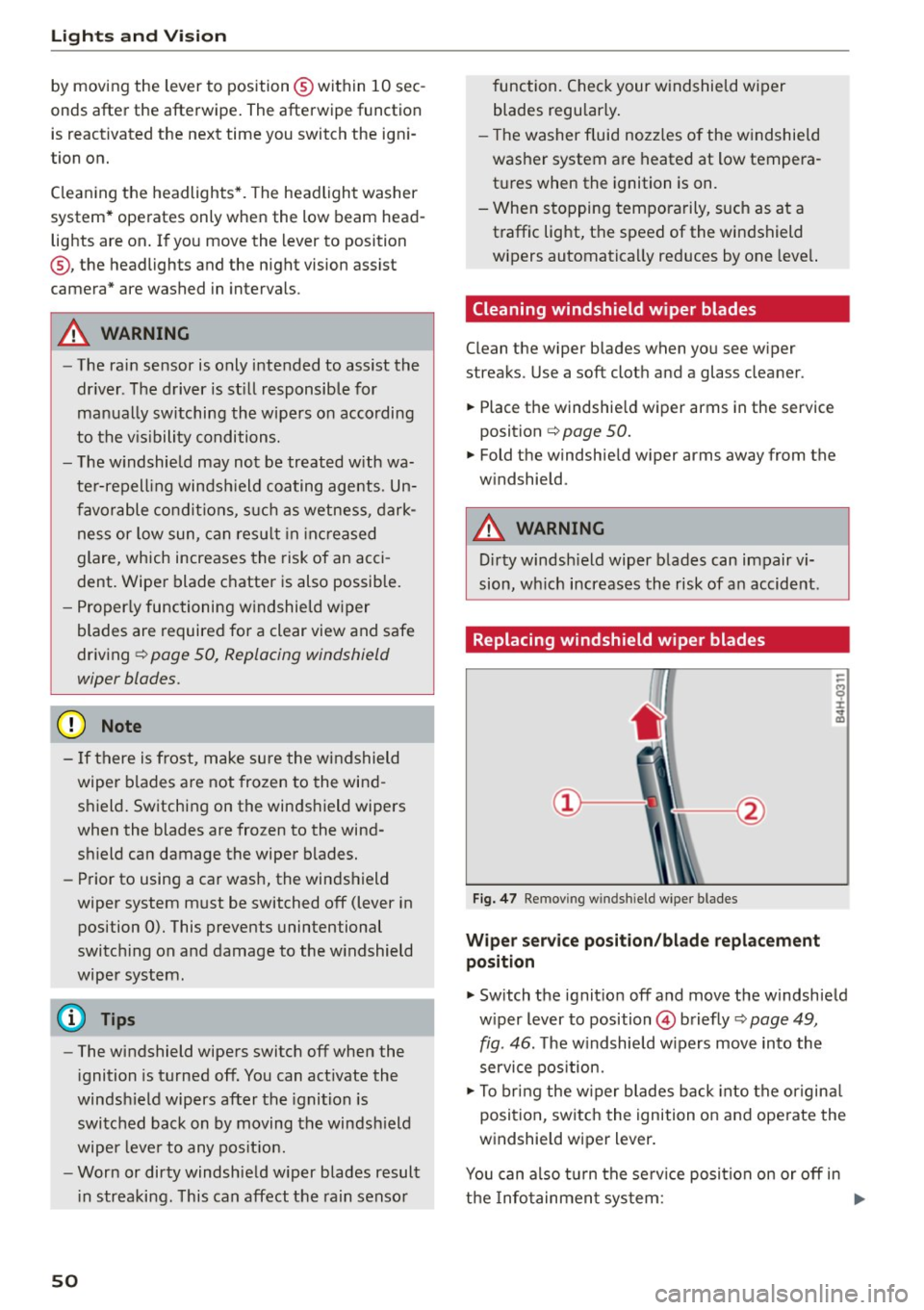
Replacing windshield wiper blades
Fig. 47 Remov ing windshield wiper blades
Wiper serv ice position /bla de repl acement
posit ion
.,. Switch the ignit io n off and move the windshield
w iper lever to position @briefly
c:> page 49,
fig. 46. The w indshie ld w ipers move into the
service pos ition.
.,. To bring the w iper blades back into the or igina l
position, switch the ignition on and ope rate the
windshield wiper lever.
You can also tu rn the se rv ice position on or off in
t h e Info tainment sys tem: .,..
Page 53 of 294
M N <( (.J
'SI: ,...., \!) ..,.,
N \!) ,....,
~ Switch the windshield wipers off (position@
c:>poge49, fig. 46).
~ Select: the ICARI function button > (Car)* Sys
tems
control button > Servi ce & cont rol > W ip
er cha nge posit ion
> On /O ff.
R emoving the wip er blade
~ Fold the windshield wiper arm away from the
windshield.
~ Press the locking knob@c:> fig. 47 on the wiper
blade. Hold the wiper blade firm ly.
~ Remove the wiper blade in the direction of the
arrow.
In sta ll in g t he w ip er bl ade
~ Insert the new wiper blade into the mount on
the wiper arm@ unti l you hear it latch into
place.
~ Place the wiper arm back on the windshield.
~ Turn the service pos ition off.
A WARNING
For safety reasons, the windshield wiper
blades should be replaced once or twice each
yea r.
0 Note
- Only fold the windshield wipe rs away when
i t is in the service pos ition. Otherw ise, you
r isk damag ing the pa int on the hood or the
windsh ield wiper motor.
- You should not move you r vehicle or ope rate
the windshie ld w iper lever when the wiper
arms are folded away from the windshield.
The windshield wipers would move back in
to t heir original position and could damage
the hood and windshield.
(D Tips
- You can also use the service pos ition, for ex
ample, if you want to protect the windshield
from icing by using a cover.
- You cannot activate the service position when the hood is open.
Light s and Vis ion
5 1
Page 80 of 294
Driving
"' Drive to an authorized Audi dealer or author
i z ed Audi Service Facility immediately to have
the malfunction corrected .
@ Tips
You can view the message again by pressing
the
I START ENGINE ST OPI button .
Electromechanical
parking brake
Operation
The electromechanical parking brake replaces
the hand brake.
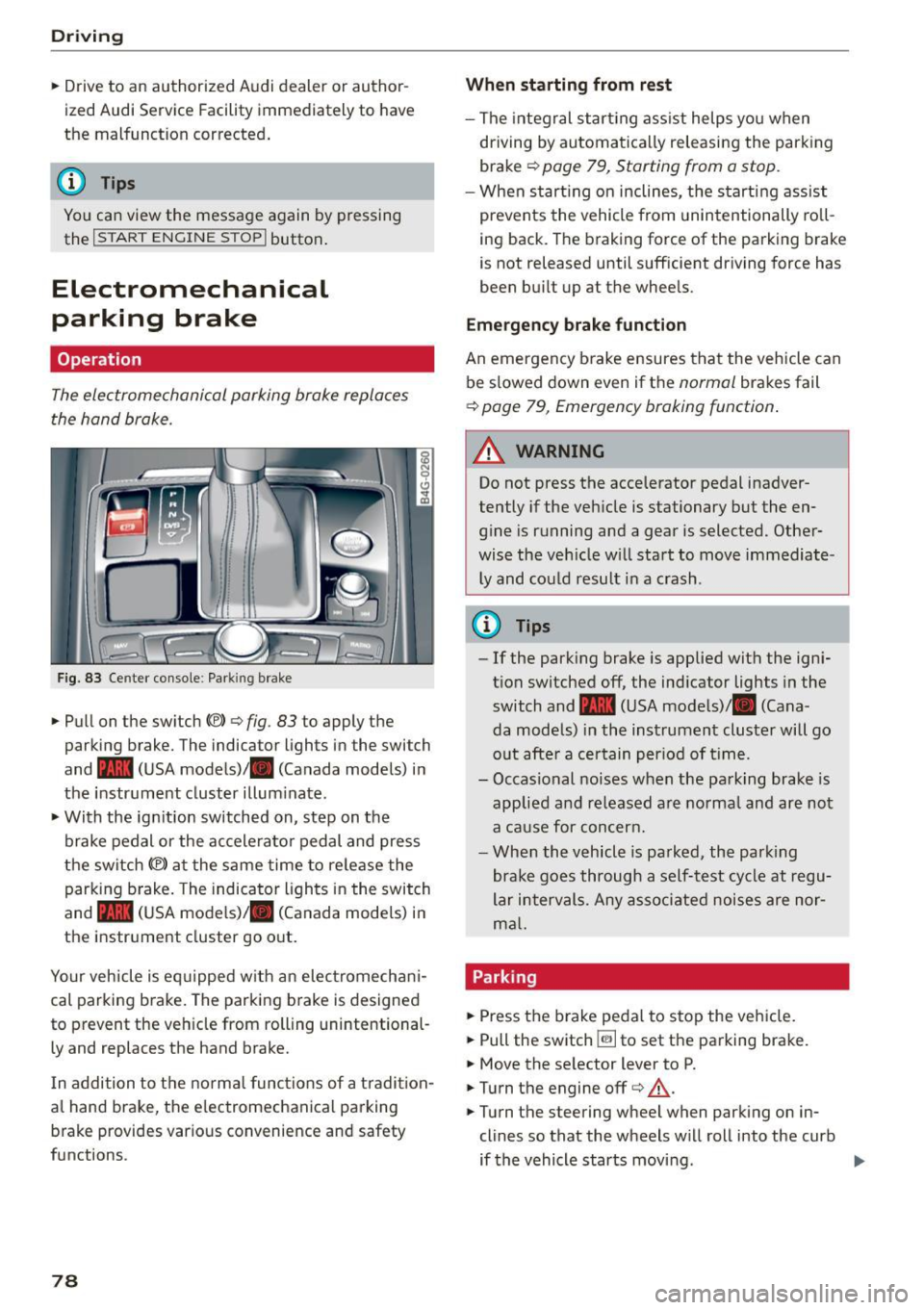
Fig. 83 Ce nter co nso le : Park ing brake
• Pull on the switch{®) ¢ fig. 83 to apply the
parking brake. The indica tor lights in the swi tch
and - (USA mode ls)/ . (Canada models) i n
the instr ument cluster illum inate .
• With the ig nition switched on, step on the
brake pedal or the ac celera to r pedal and press
the switch {®) at the same time to re lease the
parking b rake . The indicator ligh ts in the switch
and - (USA mode ls)/ . (Canada models) i n
the inst rument cluster go o ut.
Your veh icle is eq uipped w ith an elec tromechan i
cal parking b rake. The parking b rake is designed
to prevent the veh icle from rolling unintentional
ly and replaces the hand brake.
I n addition to t he normal func tions of a tradi tion
al hand brake, the e lectromechanica l parking
b rake provides var ious convenience and safety
functions.
78
When starting from rest
- The integral star ting ass ist helps you when
dr iving by automa tica lly releasing the park ing
brake ¢
page 79, Starting from a stop .
-When st art ing on inclines, the s tart ing assist
prevents the vehicle from unintentionally ro ll
i ng back. The braking force of the parking brake
is not released until sufficient dr iving force has
been bu ilt up at the whee ls .
Emergency brake function
An emergency b rake ensures tha t the vehicle can
be s lowed down even if the
normal brakes fail
¢ page 79, Emergency braking function .
_&. WARNING
-
Do not press the accelerator pedal inadver
tently if the veh icle is stationary but the en
g in e is running and a gear is selected. Other
wise the ve hicle w ill sta rt to move immediate
ly and could result i n a crash .
@ Tips
-If the park ing brake is applied with the ign i
t ion switched off, the ind icator lights in the
switch and -(USA mode ls)/ . (Cana
da models) in the instrument cluster will go
o ut afte r a ce rtain per iod of t ime.
- Occasional noises when the pa rking brake- is
applied a nd re leased a re norma l and are not
a ca use for concer n.
- Whe n the v ehicle is pa rked, the par king
brake goes through a self -test cycle at r egu
lar i nterval s. Any asso ciated noises are nor
m al.
Parking
• Press the brake peda l to stop the ve hicle.
"' Pull the switch ~ to set the pa rking brake.
• Move the se lector lever to P.
• Turn the engine off¢&_ .
• Turn the steering wheel when parking on in
clines so that the wheels w ill roll into the curb
if the vehicle starts movi ng .
Page 88 of 294

Audi adapt ive cru ise control and brak ing gu ard
- For safety reasons, do not use adaptive
cruise control when driving on roads with
many curves, when the road surface is in
poor condition and/or in bad weather (such
as ice, fog, gravel, heavy rain and hydrop lan
ing). Using the system under these condi
t ions could resu lt in a col lision.
- Switch adaptive cruise control off tempora
rily when driving in turn ing lanes, on ex
pressway exits or in construction zones. This
prevents the vehicle from accelerating to
the set speed when in these situat ions.
- The adapt ive cr uise control sys tem wi ll not
brake by itself if yo u put you r foot on the ac
celerator pedal. Doing so can ove rride the
speed and distance regulation.
- When approach ing stationary objects such
as stopped traffic, adaptive cruise control
will not respond and braking g uard will have
limited function.
- The adapt ive cr uise control system and brak
ing guard do not react to people, animals,
objects cross ing the road or oncoming ob
jects .
- The function of the radar sensors can be af
fected by reflective objects such as guard
rails, the entrance to a tunnel , heavy rain or
ice.
- Never follow a veh icle so closely that you
cannot stop your vehicle safe ly . The adap
t ive cru ise control cannot s low or brake the
vehicle safely when you fo llow another veh i
cl e too close ly. Always remembe r that the
automa tic brak ing funct ion c annot bring the
vehicle to a sud den or emergency stop un
der these conditions.
- To prevent unin tended operation, always
switch ACC off when it is not be ing use d.
(D Note
The sensors can be displac ed by impacts or
damage to the bum per, whee l hou sing and
unde rbody. That could affe ct the adap tive
cruise contro l system and braking guard . Have
your authorized A udi dealer or authorized
Audi Service Facility c heck their function.
86
In curves
App lies to vehicles: wi th Aud i adapt ive cru ise contro l
Fig. 90 Examp le: dr iv in g in to a curve
When dr iving into a curve c:::> fig. 90 and out of a
curve , the adaptive cruise control may react to an
object in the neighboring lane and apply the brakes . You ca n prevent that by pressing the ac
ce lerator pedal b riefly.
Stationary objects
App lies to vehicles: wi th Aud i adap tive cr uise con tro l
Fig .
91 Exa mple: object chang ing la nes a nd stat ion ary ob ·
j e ct
The adaptive cruise contro l system only reacts to
ob jects that are moving or that the system has
already detected as moving. For example, it can
react when a vehicle that has already been de
t ec ted @ turns or changes lanes, but adapt ive
cruise control does not react to a stationary vehi
cle @.
Page 94 of 294

Audi adaptive cru ise control and b ra king guard
detection and range limits that may prevent
the proper detect ion of other vehicles.
- The radar sensor's function and range can
be reduced by rain, snow and heavy spray .
Moving vehicles up ahead may not be
promptly detected or may not be detected
at all.
- Reflective surfaces includ ing crash barr iers
or tunnel entrances may impair the function
of the radar senso r.
@ Tips
- You can cance l the braking with increasing
force that is initiated by the system by brak
i ng yourself, by accelerating noticeably or by
swervrng .
- Braking guard error messages
c> page 92.
- Keep in mind that braking guard can brake
unexpectedly. Always secure any cargo or
objects that you are transporting to reduce
the r isk of damage or injury.
Settings in the Infotainment system
Applies to vehicles: with Audi adaptive cruise control
~ Se lect : the ICARI function button > (Car )* Sys
t e m s
control button > Dr iver a ssistan ce > Audi
bra king gua rd.
S yste m -
Sw itch the braking guard On/ Off. When
you switch the ign ition on, the message
Br akin g
g uard : Off
appea rs if the system is switched off.
Pr ew arni ng -The distance and approach warn
i n gs in the display can be sw itched
On/ Off.
(D Tips
-Your settings are automat ically stored and
assigned to the remote control key being
used.
- If you restrict or switch off the ESC, the braking guard also switches itself off
c>page 189.
- Switch brak ing guard off when you are load
i ng the veh icle onto a vehicle carr ier, tra in,
sh ip or other type of transportation. This
can prevent undesired wa rnings from the
braking guard system.
92
Messages
Applies to vehicles: with Audi adaptive c ru ise control
B ra king gu ard : off
This dr iver message appears if the system is
tu rned off via the infotainment. Otherw ise, if the
system is t urned off, the information appears ev
ery time short ly after the start of the trip.
The driver message a lso appea rs if the system is
not available due to a malfunction or if the ESC is
not sw itched on
c> page 189 . If th is is the case,
the system wi ll not provide warnings about a
possible collision .
Braking guard : ac tiv ated
This dr ive r message appears if sharp brake pres
sure was applied due to an acute warn ing .
ACC : Un available !
A CC and Audi b raking gua rd: not av ailable
The system cannot detec t mov ing vehicles up
ahead correc tly and is sw itched off. The sensors
have been displaced or are not working proper ly .
T he Audi pre sense functions may a lso be affect
ed. Drive to your authorized Audi dealer or au
thorized Audi service facility immediately to have
the malfunction corrected.
A CC: currentl y unav ailable. No sen so r v ision
A CC and b rakin g g uid e: currentl y un available .
No s ensor vis ion
This message appears if the sensor v iew is ob
structed, for examp le by leaves, snow, heavy
spray or d irt . Clean the sensors
c> page 85,
fig. 89.
AC C: C urrentl y un availabl e. Gradi ent t oo ste ep
The road exceeds the max imum possible angle
for proper adapt ive cruise control operation.
Adaptive c ruise control is sw itched off .
ACC: Onl y ava ilable in D , Sor M
Select t he D/S or M selector leve r position.
ACC: curr entl y unavailable . Parking brake ap
plied
Page 98 of 294

Audi active lane assist
White line(s)
Active lane assist is activated
and ready to provide warn ings.
Red line(s) Active lane assist warns you
(left or right) before leav ing a lane
¢fig . 102 . In addit ion, the
steering wheel vibrates lightly .
Gray line(s) Active lane assist is activated, but not ready to give warning
¢fig. 103.
Messages in the instrument cluster display
If the active lane assist switches off automatical
ly, the indicator light in the display turns off and
one of the following messages appears:
Audi active lane a ssist: Currently unavailable .
No camera view
This message appea rs if the came ra is unab le to
detect the lines . Thi s co uld happen if:
- The camera field of view ¢
page 95, fig. 101 is
dirty or covered in ice. Clean this area o n the
winds hield.
- The camera field of view is fogged over. Wait
until the fog has cleared before switching the
active lane assist on again.
- T he system has been unable to detect the lanes
for an extended period of time due to road con
ditions. Switch the active lane assist back on
when the lines are more visible.
Audi active lane assist : currently unavailable
There is a temporary active lane ass ist malfunc
tion . Try switching the active lane assist on again
later .
Audi active lane assist : system fault!
Drive to an a uthorized Aud i dea ler or authorized
Audi Service Faci lity immediately to have the
malfunct ion corrected.
Audi active lane assist: Please take over steering
This message appears if you are not steering by
yourse lf. If this is the case, active lane assist does
not swi tch off, but it is "not ready" to provide a
warn ing. The system can help you keep the vehi
cle in the lane. However, yo u are responsible for
driving the vehicle and must steer it yourself.
96
· Adjusting the vibration warning
Applies to veh icles: with Audi active lane assist
.,. Select: the I CARI function button > (Car) * Sys
tems
control button > Driver assistan ce > Audi
ac tive lane assist .
You can switch the add itiona l vibrating war ning
in the steering wheel on or off.
(D Tips
Your settings are automat ical ly stored and as
signed to the remote control key being used.