ESP AUDI A7 2016 Owner's Manual
[x] Cancel search | Manufacturer: AUDI, Model Year: 2016, Model line: A7, Model: AUDI A7 2016Pages: 294, PDF Size: 73.82 MB
Page 63 of 294
M N <( I.J "". rl I.O
"' N I.O rl
The coat hooks are designed only for light
weight clothing . Never hang any clothing
with hard, pointed or heavy objects in the
pockets on the coat hooks. During sudden
braking or in an accident -especially if the
airbag is deployed -these objects could in
jure any passengers inside the vehicle.
- To reduce the risk of personal injury in an ac
cident or sudden stop, always keep the
glove compartment closed while dr iv ing.
- Read and follow all WARNINGS
¢ page 163, Important safety instructions
on the side airbag system.
-Hang clothes in such a way that they do not
impair the driver's vision.
- The coat hooks must only be used for light
we ight clothing . Do not leave any heavy or
sharp edged objects in the pockets which
may in terfere with the sid e curtain airbag
deployment and can cause personal injury in
a crash .
- Do not use coat hangers for hanging cloth
ing on the coat hooks as this can interfere
with proper deployment of the side curtain
airbags in an accident.
- Do not hang heavy objects on the coat
hooks, as they could cause personal injury in
a sudden stop.
0 Note
Objects located on the rear shelf that rub
against the rear window could damage the
heating wires for the rear window defogger.
Seats and storage
Roof rack
Description and mounting locations
Additional cargo can be carried with a roof lug
gage rack.
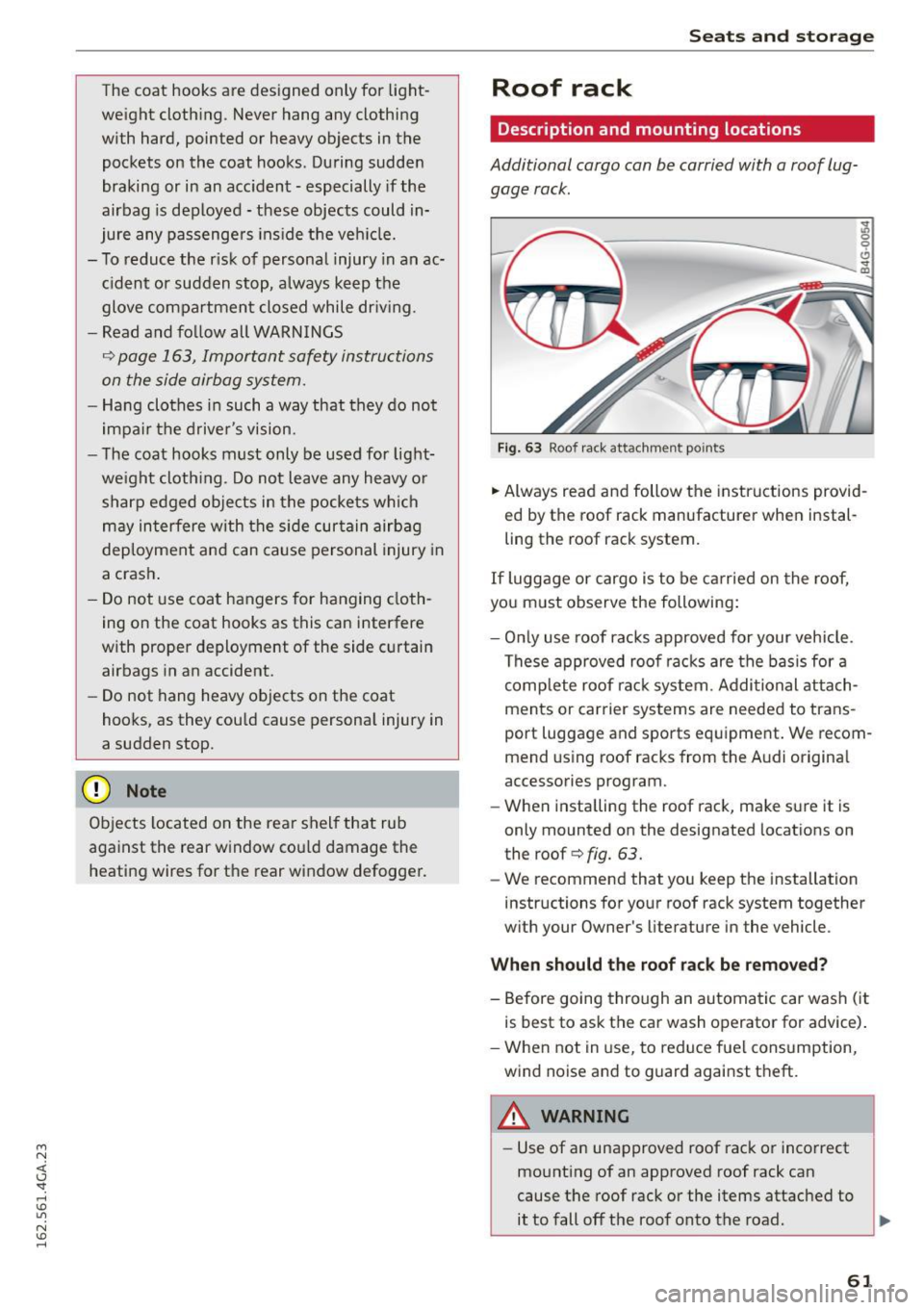
Fig. 63 Roof rack attachm en t po ints
~ 0
0 ., m
.,. Always read and follow the instructions provid
ed by the roof rack manufacturer when instal
ling the roof rack system.
If luggage or cargo is to be carried on the roof,
you must observe the following:
- Only use roof racks approved for your vehicle .
These approved roof racks are the basis for a
complete roof rack system . Additional attach
ments or carrier systems are needed to trans
port luggage and sports equipment. We recom
mend using roof racks from the Audi original
accessories program.
- When installing the roof rack, make sure it is
only mounted on the designated locations on
the roof
c> fig. 63.
- We recommend that you keep the installation
instructions for your roof rack system together
with your Owner's literature in the vehicle.
When should the roof rack be removed?
- Before going through an automatic car wash (it
is best to ask the car wash operator for adv ice).
- When not in use, to reduce fuel consumption,
wind noise and to guard against theft.
A WARNING ,...___
- Use of an unapproved roof rack or incorrect
mounting of an approved roof rack can
cause the roof rack or the items attached to
it to fall off the roof onto the road.
~
61
Page 70 of 294
Warm and cold
Warm and cold
Climate control system
Description
Applies to veh icles: w ith three -zone cl imate cont ro l or fo ur
zo ne automat ic climate co ntrol
The climate control system warms, cools and
adds humidity to the a ir in the veh icle interior . It
is the most effect ive when the windows a nd sun
roof* are closed . If the temperature inside the
pa rked vehicle becomes ve ry wa rm, opening the
w indow briefly will speed up the coo lin g p rocess.
In all heating mode functions except
defrost, the
b lowe r only sw itches to a highe r speed once the
engine coolant has reached a cer tain tempera
t ure.
Condensation from the cooling system can dr ip
and form a puddl e of water unde r the veh icle .
T his is normal and does no t mean there is a leak .
Pollutant filter
The pollutant filter removes pollutants s uc h as
dust and pol len from the a ir .
The air pollutants filter must be changed at the
interva ls specified in your Warranty
& Mainte
nance booklet, so that the a ir cond it io ne r can
p roperly work.
I f you drive your vehicle in an area with h igh air
pollut ion, the filter may need to be changed
more frequently than spec ified in you r Audi War
ranty
& Maintenance booklet . If i n doubt , ask
your author ized Audi Se rv ice Advisor for advice .
Key coded setting s
Three-zone climate control: T he b lowe r setting
a nd a ir dist ribution are stored automatically and
assigned to the remote contro l key that is i n use.
Four -zone automatic climate con trol: Th e cli
ma te con tro l sett ings a re a utomat ic all y stored
and assigned to the remote con trol key that is in
use.
68
A WARNING
-
Reduced visibility is dangerous and can cause
accide nts .
- For safe driving it is very important that a ll
w indows be free o f ice, snow and condensa
tion .
- Comp letely fam iliarize yourse lf wit h the
prope r use and f unction of the heat ing and
ve ntilation system and espec ially how to de
fog and defrost t he windows .
- Never use the winds hield wiper/washer sys
tem in free zing weathe r until you have
wa rmed t he w indshie ld fi rst, using the heat
ing a nd venti lation system. The washer sol u
tio n m ay free ze on t he windsh ie ld and re
duce visibility.
W Note
- I f you s uspect that the air conditioner has
bee n damage d, sw itch the syste m off to
a void furthe r dam age and have it inspec ted
by a q ualified dea lership .
- Repairs to the Audi air conditioner re quire
speci al techn ic al know ledge and spec ia l
tools . Con ta ct an au thori zed A udi dea ler for
assistance .
@ For the sake of the environment
By reducing the amou nt of f uel you use, you
a lso reduce the amo unt of poll utants emitted
i nto the a ir.
@ Tips
- Keep the air i nta ke s lo ts (i n front o f the
windshield) free from ice, snow and debris
in o rder to maintain the proper function of
the climate contro l system.
- Th e energy manageme nt system may switch
t h e seat heating * or r ear w indow defroster
off temporarily. These systems are availab le
again as soon as t he energy balance has
been restored.
- Air escapes t hrough vents under the rear
w indow. When plac ing items of cloth ing on
t h e luggage compartment cove r, ensure
t h at the openi ngs are not covered.
Page 81 of 294
M N <( (.J
'SI: ,...., \!) ..,.,
N \!) ,....,
A WARNING ,~
- Always take the vehicle key with you when
leaving the vehicle, eve n for a short period
of time. Th is applies partic ula rly whe n chil
dren remain in the vehicle. Otherw ise chi l
dren co uld start the engine, re lease the
p arki ng brake or oper ate elec trical eq uip
ment such as power windows, which in
creases the r is k of an accident .
- No one sho uld remain in the vehicle when i t
is locked, especia lly children . Locked doors
make it more difficult for emergency wo rk
ers to get into the vehicle, which puts lives
at risk.
Starting from a stop
The start assist function ensures that the park
ing broke is released automatically upon start
ing .
Stopping and setting the parking brake
,.. Pu ll the swi tch~ to se t the p ark ing b rake.
Starting and automatically releasing the
parking brake
-
,.. When you press the ac cele ra to r pedal, the park
ing brake is au tom atically re lease d and you r ve
hicle begins to move.
The par kin g b rake can be set if yo u must stop the
ve hicl e at a stop light or in traffic. The vehicle
does not h ave to be he ld wit h t he brake pedal.
The parking b rake elim inates the tendency to
creep when a se lector lever position is engaged.
The parking brake re leases automatically and the
vehicle beg ins to move as soon as you press the
accelerator peda l as usual.
Starting on slopes
When starting on in clin es, the hill start assist
p revents the vehicle from uni ntentiona lly ro lling
back. The braking force o f the parking brake is
not released until sufficient driving force has
been built up at the whee ls .
Dri ving
{!) Tips
Fo r safety reasons, the pa rking bra ke is re
l eased automatically only when the d river 's
safety be lt is engaged in the b uckle.
Starting to drive with a trailer
To prevent rolling bock unintentionally on on in
cline, do the following:
,.. Keep the sw itch pulled ~ and p ress the acce l
erator peda l. The parking brake stays applied
and prevents the vehicle from roll ing backward .
,.. You can re lease the switch
[21 once you are s ure
that you are transferring enough drivi ng force
to the wheels by pressing the accele rato r pedal.
Depend ing on the we ight of the rig (vehicle and
trailer) and the severity of the incline, you may
ro ll backwards as you start.
Emergency braking function
This is used if the conventional broke system
fails or locks up.
,.. To brake your ve hicle in an eme rgency, pull the
[21 switc h and hold it p ulled.
,.. As soon as you release the
[21 switch or acce ler-
ate, the b rak ing stops.
If you pu ll the switch «el) and hold it above a
speed of about 5 mph (8 km/h), the emergency
braking fu nction is i nitiated. The vehicle is braked
at all four whee ls by activati ng the hydrau lic
brake system. The brake perfo rmance is s imi lar
to maki ng an emergency stop~.&. .
In order not to act ivate the emergency braking by
mistake, an aud ib le warn ing tone (buzze r)
sounds when the~ switch is pulled . As soon as
the~ switch is released, or the acce le rator pedal
is depressed, eme rgency b raking stops .
A WARNING
Emergency br aking should only be used in an
emergen cy, when t he norma l brake ped al has
failed or the bra ke peda l is obstructed . Us ing
the parking brake to perfo rm emergency brak-
-
ing will slow yo ur vehicle down as if you had ~
79
Page 85 of 294
M N <( \,J
"". rl I.O
"' N I.O rl
Cruise control system
Switching on
Applies to vehicles: with cr uise contro l system
The cruise control system makes it possible to
drive a constant speed that is 30 km/h or higher.
0
f
®t
0
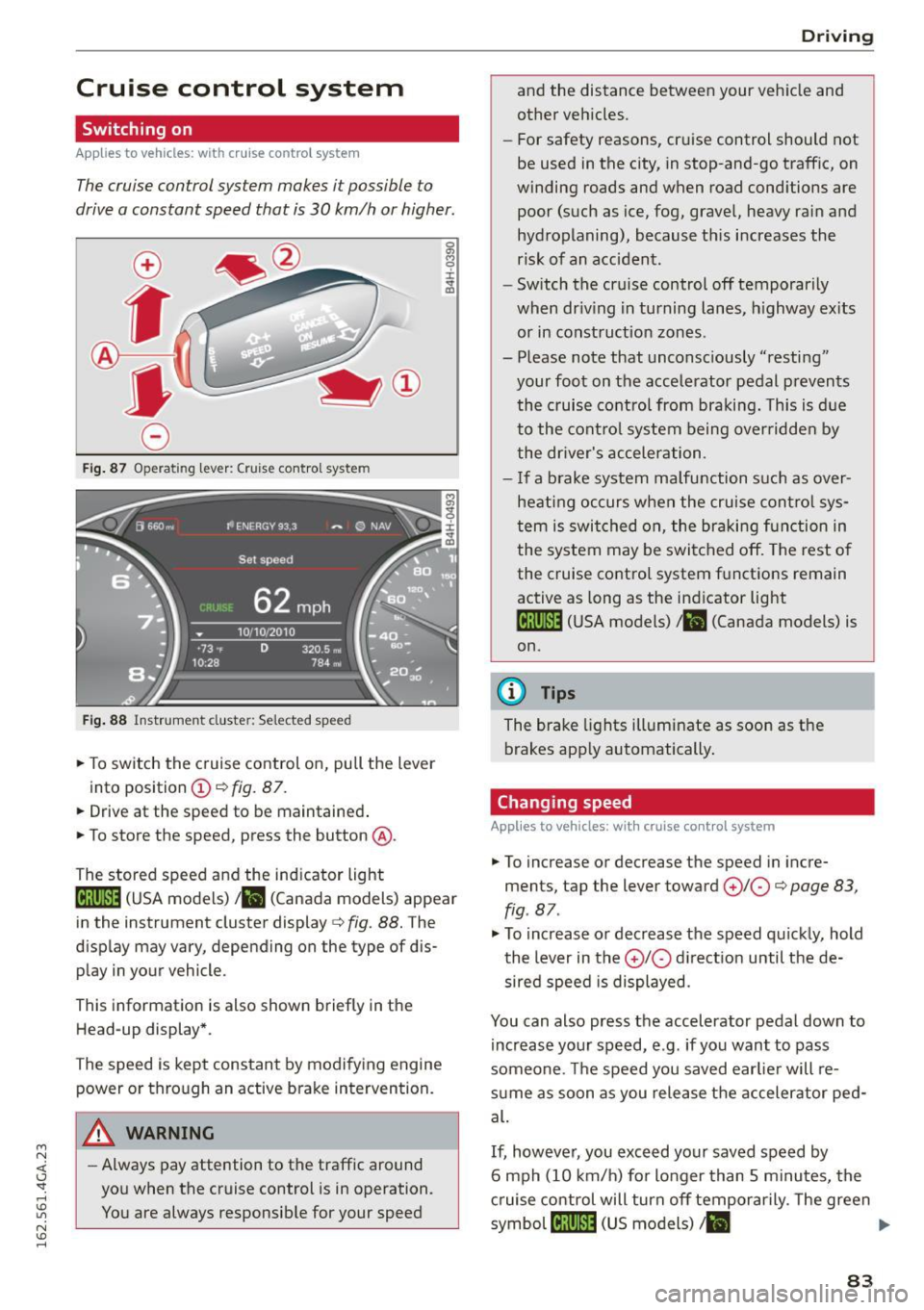
Fig. 87 Operating lever: Cruise control system
Fig. 88 Instrument cluster: Selected speed
.,. To switch the c ruise control on, pull the lever
into position
(D c:> fig. 87 .
.,. Drive at the speed to be maintained .
.,. To store the speed, press the button @.
The stored speed and the indicator light
lij;(l )~i~ (USA models) ,ii (Canada models) appear
in the instrument cluster display
c:> fig. 88. The
display may vary, depending on the type of dis
play in your vehicle.
This informat ion is also shown briefly in the
Head-up display*.
The speed is kept constant by modifying engine power or through an active brake intervention.
A WARNING
- Always pay attention to the traffic around
you when the cruise control is in operation.
You are always responsib le for your speed
-
Dr ivi ng
and the distance between your vehicle and
other vehicles.
- For safety reasons, cruise control should not
be used in the city, in stop-and-go traffic, on
winding roads and when road cond itions are
poor (such as ice, fog, gravel, heavy rain and
hydroplaning), because this increases the
risk of an accident.
- Switch the cruise control off temporarily
when dr iv ing in turning lanes, h ighway ex its
or in construction zones.
- Please note that unconsciously "resting" your foot on the accele rator pedal p revents
the cruise control from braki ng. This is d ue
to the contro l system being over ridden by
the dr iver's acceler ation.
- I f a brake system malfunction such as over
hea ting occurs when the cruise cont ro l sys
tem is swit ched on, the braking f unction in
the system may be switched off. The rest o f
the cruise co ntrol system f unctions remain
active as long as the indicator light
1ff;(i )~i~ (USA models) ,ii (Canada models) is
on.
{!) Tips
The brake lights illuminate as soon as the
brakes app ly automatically .
Changing speed
Applies to vehicles: wit h cruise co ntro l system
.,. To increase or decrease th e speed in incre
ments, tap the lever toward
(£)10 c:> page 83,
fig . 87 .
.,. To increase or decrease the speed quic kly, hold
the lever in the
0 10 d irect ion until the de
sired speed is displayed.
You can also press the accelerator pedal down to increase yo ur speed, e.g. if you want to pass
someone. The speed you saved earlie r will re
s u me as soon as you release the accelerator ped
al.
If, however, you exceed your saved speed by
6 mph (10 km/h) for longer than 5 m inutes, the
c ruise control will turn off temporarily. The green
symbol
cij;(l)~i~ (US models) I ii
83
Page 87 of 294

M N <( I.J "". rl I.O
"' N I.O rl
Audi adapt ive crui se cont rol and bra king gu ard
Audi adaptive cruise
control and braking
guard
Introduction
App lies to vehicles: with Audi adaptive cruise control
The adaptive cruise control system assists the
driver by regu lating vehi cle speed and helping to
maintain a set distance to the vehicle ahead,
within the limits of the system.
If the system de
tects a moving vehicle up ahead, adaptive cruise
control can brake and then accelerate your vehi
cle. This helps to make driving more comfortable
both on long highway stretches and in stop-and
go traffic.
The braking guard system can warn you about an impending collision and initiate braking maneu
vers¢
page 91.
Adaptive cruise control and braking guard have
technica l limitations that you m ust know, so
p lease read this section carefu lly, understand
how the system works and use them properly at
all times.
General information
General information
Applies to vehicles: with Audi adaptive cruise control
Fig. 89 Front of th e veh icle: sensors and video camera
The areas that contain the radar and ultrason ic
sensors and the video camera ¢
fig. 89 must nev
e r be covered by stickers or other objects or ob
structed with dirt, insects, snow or ice that will
interfere with the adaptive cruise contro l system
and braking guard . For information on cleaning, refer to
¢
page 205. The same applies for any
modif ications made in the front area.
T he function of the adaptive cru ise contro l sys
tem and braking guard is limited unde r some
conditions:
- Objects can only be de tected when they are
w ith in sensor range
¢page 87, fig. 92.
- The system has a limited ability to detect ob
jec ts that are a shor t distance ahead, off to the
side of yo ur vehicle or mov ing into your lane .
- Some kinds of veh icles are hard to detect; for
examp le motorcycles, vehicles with high
ground clear ance or overhanging loads may be
detected when it is too late o r they may not be
detected at all.
-When driving through curves
¢page 86 .
- Stat iona ry objec ts ¢ page 86.
_& WARNING
Always pay a ttent ion to traffic when adap tive
cr uise control is switched on and braking
guard is active. As the driver, you are sti ll re
sponsib le for starting and for maintaining
speed and distance to other objects. Braking
guard is used to assist you. The driver must
a lways take action to avo id a col lision . The
d river is always responsible for brak ing at the
correct t ime.
- Improper use of adaptive cruise control can cause collisions, other accidents and serious
pe rsonal inj ury.
- Never let the comfort and conve nience that
adapt ive cr uise control and b rak ing guard
offer distrac t you from the need to be alert
to traffic condit io ns and the need to remain
in full control of your veh icle at all times,
- Always remember tha t the adaptive cruise
con trol and bra king guard have limits -they
will no t slow the vehicle down or maintain
the set distance when you dr ive towards an
obstacle or something on or near the road
that is not moving, s uch as vehicles stopped
in a traffic jam, a stalled or disabled vehicle.
If registered by the radar sensors, vehicles
or obstacles that a re not moving can trigger
a collision wa rning and if confirmed by the
video came ra, an acute collision warning.
~
85
Page 88 of 294

Audi adapt ive cru ise control and brak ing gu ard
- For safety reasons, do not use adaptive
cruise control when driving on roads with
many curves, when the road surface is in
poor condition and/or in bad weather (such
as ice, fog, gravel, heavy rain and hydrop lan
ing). Using the system under these condi
t ions could resu lt in a col lision.
- Switch adaptive cruise control off tempora
rily when driving in turn ing lanes, on ex
pressway exits or in construction zones. This
prevents the vehicle from accelerating to
the set speed when in these situat ions.
- The adapt ive cr uise control sys tem wi ll not
brake by itself if yo u put you r foot on the ac
celerator pedal. Doing so can ove rride the
speed and distance regulation.
- When approach ing stationary objects such
as stopped traffic, adaptive cruise control
will not respond and braking g uard will have
limited function.
- The adapt ive cr uise control system and brak
ing guard do not react to people, animals,
objects cross ing the road or oncoming ob
jects .
- The function of the radar sensors can be af
fected by reflective objects such as guard
rails, the entrance to a tunnel , heavy rain or
ice.
- Never follow a veh icle so closely that you
cannot stop your vehicle safe ly . The adap
t ive cru ise control cannot s low or brake the
vehicle safely when you fo llow another veh i
cl e too close ly. Always remembe r that the
automa tic brak ing funct ion c annot bring the
vehicle to a sud den or emergency stop un
der these conditions.
- To prevent unin tended operation, always
switch ACC off when it is not be ing use d.
(D Note
The sensors can be displac ed by impacts or
damage to the bum per, whee l hou sing and
unde rbody. That could affe ct the adap tive
cruise contro l system and braking guard . Have
your authorized A udi dealer or authorized
Audi Service Facility c heck their function.
86
In curves
App lies to vehicles: wi th Aud i adapt ive cru ise contro l
Fig. 90 Examp le: dr iv in g in to a curve
When dr iving into a curve c:::> fig. 90 and out of a
curve , the adaptive cruise control may react to an
object in the neighboring lane and apply the brakes . You ca n prevent that by pressing the ac
ce lerator pedal b riefly.
Stationary objects
App lies to vehicles: wi th Aud i adap tive cr uise con tro l
Fig .
91 Exa mple: object chang ing la nes a nd stat ion ary ob ·
j e ct
The adaptive cruise contro l system only reacts to
ob jects that are moving or that the system has
already detected as moving. For example, it can
react when a vehicle that has already been de
t ec ted @ turns or changes lanes, but adapt ive
cruise control does not react to a stationary vehi
cle @.
Page 92 of 294
Audi adapt ive cru ise control and brak ing gu ard
The higher the speed, the greater the distance in
yards (meters)
c::;, .,& . The Dista n ce 3 setting is
recommended.
The distances provided are specified values. De
pending on the d riving situat ion and the how the
vehicle ahead is driving, the actual distance may
be more or less than these target distances.
The various symbols for the time increments ap
pear briefly in the information line@q
page 87,
fig. 94 when you c hange the settings.
c::::,_c::::, ___ Distan ce 1 : This set ting co rresponds
to a distance o f 92 feet/28 meters when trave l
ing at 62 mph (100 km/h), or a time interval of 1
second.
c::::, __ c::::, __ Distan ce 2: T his sett ing corresponds
to a distance o f 118 feet/36 meters when travel
ing at 62 mph (100 km/h), or a time interval of
1.3 seconds.
c::::, ___ c::::,_ Distanc e 3: This setting corresponds
to a distance o f 164 feet/SO me ters when travel
ing at 62 mph (100 km/h), or a time interval of
1.8 seconds.
c::::, ____ c::::, Distanc e 4: This setting corresponds
to a distance o f 210 feet/64 me ters when travel
ing at 62 mph (100 km/h), or a time interval of
2.3 seconds.
A WARNING
Following other vehicles too closely increases
the risk of collisions and ser ious personal in
jury.
- Setting short distances to the traffic ahead
reduces the time and d istance availab le to
br ing your vehicle to a safe stop and makes
i t even more necessary to pay close atten
t ion to traffic.
- Always obey applicable traffic laws, use
good judgme nt, and select a safe following
distance for the traffic, road and weather
condit ions.
(0 Tips
- Distanc e 3 is set automatically each time
you sw itch the ignit ion on.
90
- Your standard settings are automatically
stored and assigned to the remote control
key be ing used .
Selecting the driving mode
Applies to vehicles: wit h Aud i adapt ive c ruise contro l
.,. Select the desired driving mode in drive select
c::;,page 101.
@ Tips
Your settings are automatica lly stored and as
signed to the remote control key being used.
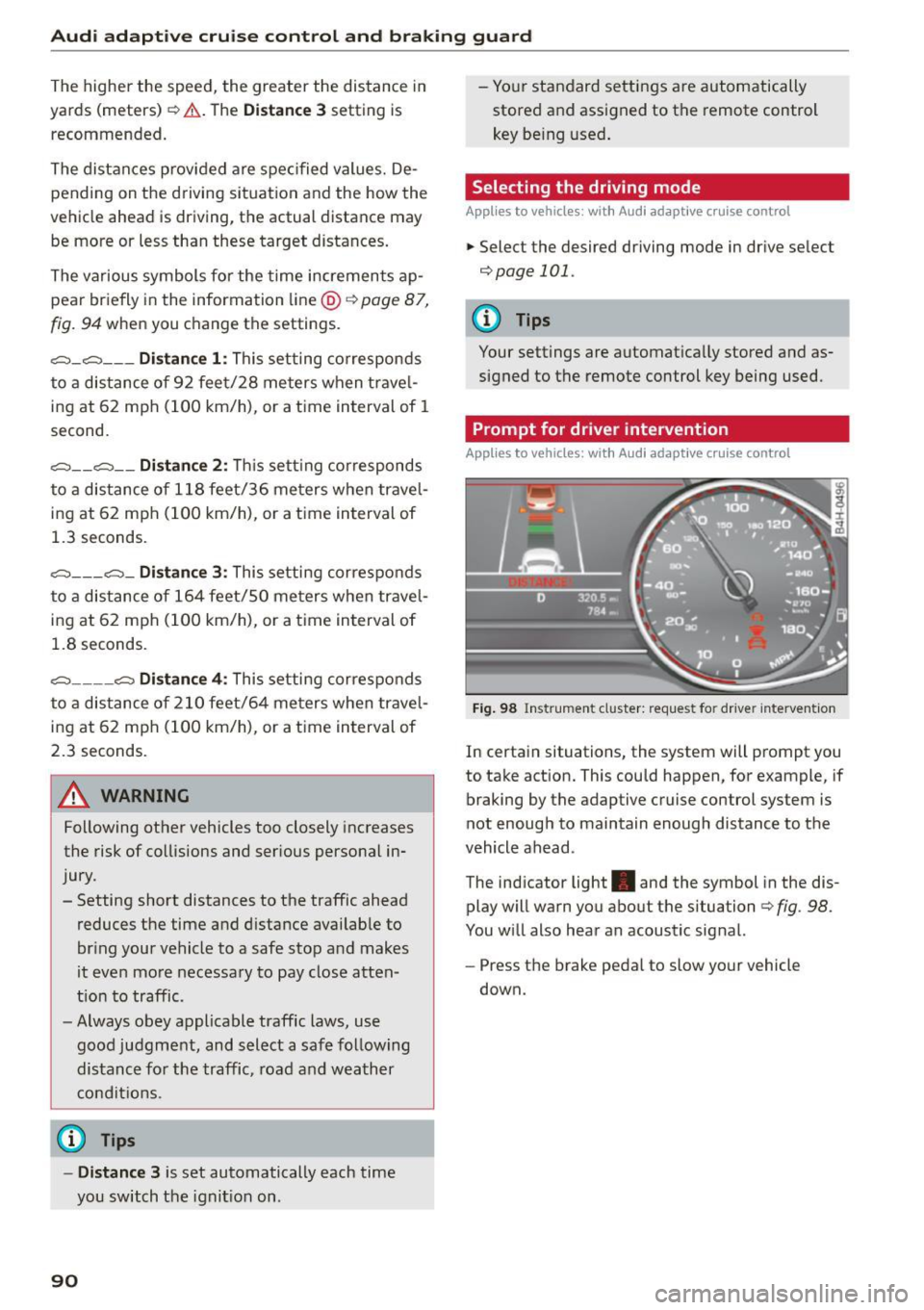
Prompt for driver intervention
Applies to vehicles: with A udi adapt ive c ru ise contro l
Fig . 98 Instrument cluster: req uest fo r dr ive r interve ntion
In certain situations, the system will prompt you
to take action. This could happen, for example, if
braking by the adaptive cruise control system is
not enough to maintain enough distance to the
vehicle ahead .
The indicator light. and the symbol in the dis
play will warn you about the situation
c::;, fig . 98.
You w ill also hear an acoustic sig nal.
- Press the brake peda l to slow your vehicle
down.
Page 93 of 294

Audi adaptive cruise control and braking guard
Audi braking guard
Description
Applies to vehicles: with Audi adaptive cruise co ntrol
F ig. 99 Instrument cluster : approach warning
Braking guard uses radar sensors and a video
camera. It also functions within the lim its of the
system when adaptive cruise control is sw itched
off.
What can braking guard do?
When detected in time, the system can assess
situations when a vehicle ahead brakes suddenly
or if your own veh icle is traveling at a high speed
and approaching a vehicle up ahead that is mov
ing more slow ly . Braking guard does not react if it
cannot de te ct the situation .
The system advises you of various situations:
- The
distance warning is given if you are too
close to the vehicle ahead for a long time. If the
vehicle ahead brakes sharply, you will not be
able to avo id a collision. The indicator light.
in the d isplay comes on .
- The
approach warning is g iven when a detected
vehicle up ahead in your lane is moving much
more slowly than you are or if it brakes sharply .
When this warning is g iven, it may only be pos
sible to
avoid a co llis ion by swerving or braking
sharp ly. The indicator light. and indica tor in
the display will warn yo u about the danger
¢
fig. 99. You will also hear an acoustic signal.
If you do not react fast enough or do not react at
all to the situation, braking guard will intervene
M N by braking. <( I.J "". rl I.O
"' N <.0 ll This is not a vailable in some coun tri es. rl
- If a collision is imminent, the system wi ll first
provide an
acute warning by briefly and sharply
app ly ing the brakes.
- If you do not react to the acute warning, brak
ing guard can brake with increasing force within
the limits of the system. This reduces the vehi
cle speed in the event of a collision.
- The system can initiate maximum braking
short ly before a collision
1l . Full dece leration at
high speeds occurs only in vehicles with adap
tive cruise control and s ide ass ist (pre sense
plus).
- If the braking guard senses that you are not
braking hard enough when a collis ion is imm i
nent, it can increase the braking force .
- The pre sense functions also engage when a
collision is imm inent ¢
page 185 .
Which functions can be controlled?
You can switch braking guard and the distance/
approach warning on or off in the MMI
¢ page 92, Settings in the Infotainment sys
tem .
A WARNING
--
Lack of attention can cause collisions, other
accidents and ser ious personal injuri es. The
braking guard is an ass ist system and cannot
prevent a collision by itself. The driver must
always intervene . The driver is always respon
sib le for braking at the correct time.
- Always pay close attent ion to traffic,
even
when the braking guard is switched on . Be
ready to intervene and be ready to take com
p lete control whenever necessary. Always
keep the safe and legal distance between
your veh icle and vehicles up ahead.
- Braking guard works within limits and will
not respond outside the system limits, for
example when approaching a stopped vehi
cle or stationary obstacle (end of a traffic
jam or vehicle that has broken down in traf
fic).
-Always remember that the radar sensor for
the braking gua rd works on ly w ithin defined
liJ,,
91
Page 96 of 294
Audi active lane assist
Audi active lane assist Lane assist
Description
A pp lies to veh icles: w ith Audi active lane assist
Active lane assist detects lane marker lines with
in the limits of the system using a camera in the
windshield. If you are approaching a detected lane marker line and it appears likely that you
will leave the lane, the system will warn you with
corrective steering. You can override this steering
at any time. If you pass over a line, the steering
wheel will vibrate lightly. In order for this warn
ing vibration to occur, it must first be switched
on in the Infotainment system. Active lane assist is operable when the lane marker line is detected
on at least one side of the vehicle.
The system is designed for driving on freeways
and expanded highways and thus works only at
speeds of 40 mph (65 km/h) or more .
Applies to vehicles with side assist*: If you acti
vate a turn s ignal when active lane assist is ready
and it classifies a lane change as critical because
of vehicles traveling alongside you or approach ing you, there will be noticeable corrective steer
ing shortly before you leave the lane. This will at
tempt to keep your vehicle in the lane.
Applies to vehicles without side assist*: the sys
tem does not warn when it is ready if you activate
the turn signal before crossing the lane marker line. In this case, it assumes that you are chang
ing lanes intentionally.
Applies to vehicles with adaptive cruise control*
or parking aid*: The corrective steering is target
ed based on the driving situation. In addition to
the lane marker lines, the system can also take
into account other objects such as guard rails. If
they are detected in close proximity to the vehi
cle, active lane assist helps prevent the vehicle
from driving too close to them. There is also
passing assistance . The system does not provide
any corrective steering if it detects that you are
passing another vehicle.
94
A WARNING
-
- The system warns the driver that the vehicle
is leaving the lane using corrective steering.
The driver is always responsible for keeping
the vehicle within the lane.
- The system can help you keep the vehicle in the lane, but it does not drive by itself. Al
ways keep your hands on the steering
wheel.
- Corrective steering may not occur in certain
situations, such as during heavy braking.
- There may be cases where the camera does
not recognize all lane marker lines. Correc
tive steering can only take place on the side
of the vehicle where lane marker lines are
detected.
- Other road structures or objects could possi
bly be identified unintentionally as lane marker lines. As a result, corrective steering
may be unexpected or may not occur.
- The camera view can be restricted, for ex
ample by vehicles driving ahead or by rain,
snow, heavy spray or light shining into the
camera. This can result in active lane assist
not detecting the lane marker lines or de
tecting them incorrectly.
- Under certain conditions such as ruts in the
road, a banked roadway or crosswinds, the
corrective steering alone may not be enough
to keep the vehicle in the middle of the lane.
- For safety reasons, active lane assist must
not be used when there are poor road and/
or weather conditions such as slippery roads, fog, gravel, heavy rain, snow and the
potential for hydroplaning. Using active lane
assist under these conditions may increase
the risk of a crash.
Page 98 of 294

Audi active lane assist
White line(s)
Active lane assist is activated
and ready to provide warn ings.
Red line(s) Active lane assist warns you
(left or right) before leav ing a lane
¢fig . 102 . In addit ion, the
steering wheel vibrates lightly .
Gray line(s) Active lane assist is activated, but not ready to give warning
¢fig. 103.
Messages in the instrument cluster display
If the active lane assist switches off automatical
ly, the indicator light in the display turns off and
one of the following messages appears:
Audi active lane a ssist: Currently unavailable .
No camera view
This message appea rs if the came ra is unab le to
detect the lines . Thi s co uld happen if:
- The camera field of view ¢
page 95, fig. 101 is
dirty or covered in ice. Clean this area o n the
winds hield.
- The camera field of view is fogged over. Wait
until the fog has cleared before switching the
active lane assist on again.
- T he system has been unable to detect the lanes
for an extended period of time due to road con
ditions. Switch the active lane assist back on
when the lines are more visible.
Audi active lane assist : currently unavailable
There is a temporary active lane ass ist malfunc
tion . Try switching the active lane assist on again
later .
Audi active lane assist : system fault!
Drive to an a uthorized Aud i dea ler or authorized
Audi Service Faci lity immediately to have the
malfunct ion corrected.
Audi active lane assist: Please take over steering
This message appears if you are not steering by
yourse lf. If this is the case, active lane assist does
not swi tch off, but it is "not ready" to provide a
warn ing. The system can help you keep the vehi
cle in the lane. However, yo u are responsible for
driving the vehicle and must steer it yourself.
96
· Adjusting the vibration warning
Applies to veh icles: with Audi active lane assist
.,. Select: the I CARI function button > (Car) * Sys
tems
control button > Driver assistan ce > Audi
ac tive lane assist .
You can switch the add itiona l vibrating war ning
in the steering wheel on or off.
(D Tips
Your settings are automat ical ly stored and as
signed to the remote control key being used.