brake light AUDI ALLROAD 2000 User Guide
[x] Cancel search | Manufacturer: AUDI, Model Year: 2000, Model line: ALLROAD, Model: AUDI ALLROAD 2000Pages: 306, PDF Size: 9.95 MB
Page 128 of 306
f4
WARNING continued
• If the brake warning light does
not go out with the engine running
and the parking brake released, or
lights up while you ere driving, the
fluid level in the brake fluid reser
voir is too low.
• If you believe that it Is safe to do
so, proceed immediately at low
speed to the nearest authorized
Audi Dealer or qualified workshop
and have the brake system in
spected.
• Please be very careful and be
sure to remember that after sev
eral brake applications, you will
need greater pressure on the brake
pedal to stop your vehicle. Conse
quently, you must allow for in
creased braking distances. Trying
to brake as quickly as usual could
lead to an accident.
For details see "Brakes.. on page
201. Generator
This
light comes on when the ignition is
turned on and goes out after the engine is
started. If the light does not go out after
star ting and rewing up the engine momen
tarily or lights up while driving, there may be
a malfunc tion in the electrical system, or the
V- belt driving the gener ator may be broken. A If the warning light comes on
V while driving, stop the vehicle
and turn oft the engine. Inspect the
belts.
If the V-belt is not torn, you can still continue
driving to the nearestAudi Dealer. However,
since the battery is no longer being charged,
switch off all unne cessary electrical equip
ment.
If the V- belt is tom, the power steering and
the radiator fan will also not work.
Obtain expert assistance.
g Always heed all WA RNINGS
r!!l on page 232, chapter "En
gine compartment '". CONT
ROLS AND EQ UIPMENT
Safety belts
Yo ur vehicle has a warning light to remind
you to wear your safety belt and to make
sure that others do too.
After switching on the ignition, the warning
light in the instrument cluster will come on
for about 6 seconds along with a war ning
tone. As soon as you fasten your safety belt,
the warning tone will stop.
The warning light, however, will be on for
the entire 6 seconds.
Fasten your safety belt now and ma
ke sure that your passengers also
properly put on their safety belts.
Please be sure to read the chapter
"Safety belts" page 14.
127
Page 140 of 306

--------------------CONTROLS AND
EQUIPMEN T
When the red blinking symbols appear,
three warning tones will sound at the same
time. These symbols represent Danger.
• Do not continue to operate the
vehicle. The problem muat be lo
cated and corrected immediately.
Pull off the road to a safe area, well away
from traffic, stop the engine and operate the
emergency flasher. Use other warning de
vices to alert motorists. Contact your autho
rized Audi Dealer or a qualified workshop.
In the event of multiple malfunctions, the
symbols will blink successively in two-sec
ond interva ls. The symbols will continue to
blink until the malfunction is corrected.
Note If a malfunction is detected while you are
using the Navigation System, the Naviga
tion System display will be switched off for
a few seconds and the Priority 1 Warning
symbol will appear. After that, the symbol
will change into the Priority 2 display, and
the Navigation System will be visible once
again.
As long there is a Priority 1 malfunction
present, Priority 2 malfunctions will not be
displayed. Ye
llow Symbols (priority 2)
Brake light is defective
Headlight and/or taillight is defective
B rake pads worn
Windshield wiper fluid reserv oir
level is too low (moving symbol)
Fuel level is low (@)
�
0 Battery
voltage is too low/too high 0
Check engine oil level
Engine oil sensor defective �ENSOR
Speed warning (USA Models)
Speed warning (Canada Models)
Dynamic headlight dimmer
control not functioning 9
8
When the yellow symbols appear, only one
warning tone will sound at the same time.
These symbols represent a Warn ing.
Have the malfunction displayed corrected
as soon as possible. In the event of mul tiple
malfunctions, the symbols will appear suc
cessively in two-second intervals.
139
Page 141 of 306
CONT
ROLS AND
EQUIPMENT--------------------
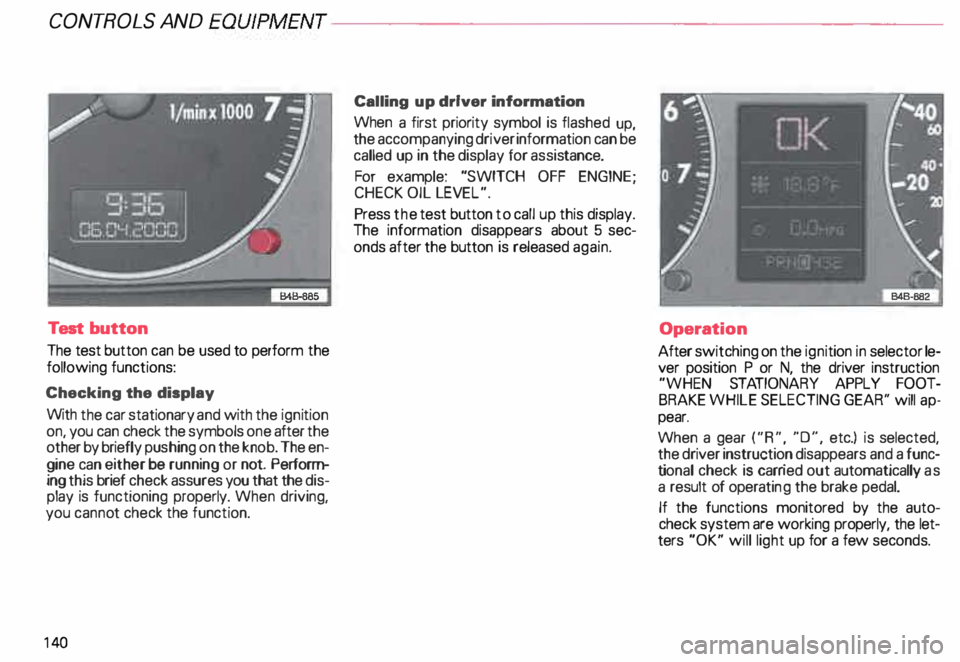
Test button
The test button can be used to perform the
following functions:
Checking the display
With the car stationary and with the ignition
on, you can check the symbols one after the
other by briefly push ing on the knob. The en
gine can either be running or not. Perform
ing this brief check assures you that the dis
play is functioning properly. When driving,
you canno t check the function.
14 0 Calling
up driver information
When a first priority symbol is flashed up,
the accompanying driver information can be
called up in the display for assis tance.
For example: "SWITCH OFF ENGINE ;
CHECK OIL LEVEL".
Press the test button to call up this display.
The information disappears about 5 sec
onds after the button is released again.
Operation
After switching on the ignition in selector le
ver position P or N, the driver instruction
"WHEN STATIONARY APPLY FOOT
BRAKE WHILE SELECTING GEAR'' will ap
pear.
When a gear ("R", "0", etc.) is selected,
the driver instruction disappears and a func
ti onal check is carr ied out automatically as
a result of operati ng the brake pedal.
If the functions monitored by the auto
check system are working properly, the let
ters "OK" will light up for a few seconds.
Page 142 of 306
--------------------CONTROLS AND
EQUIPMEN T
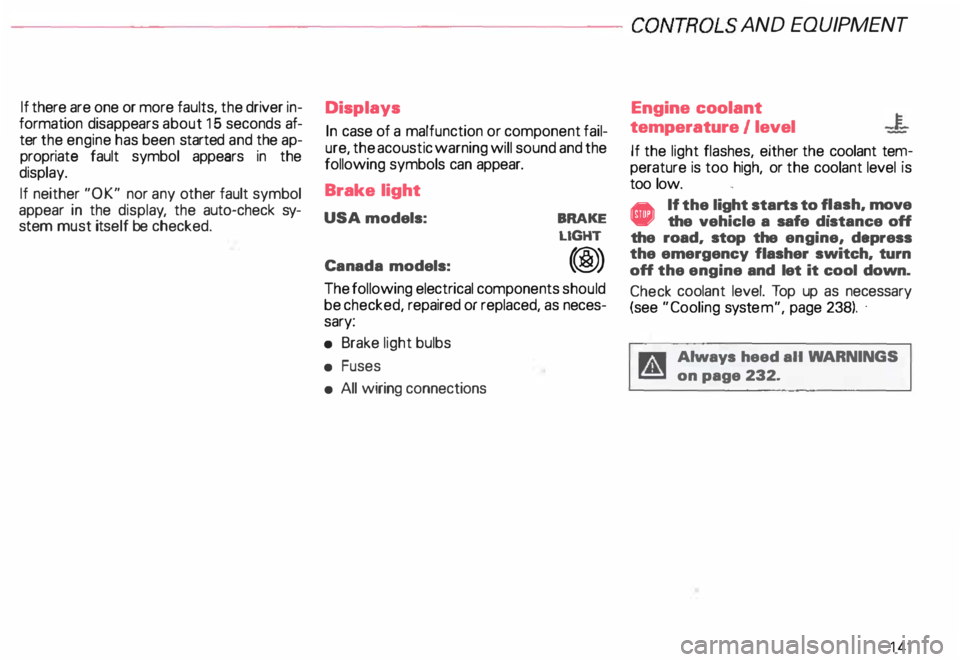
If there are one or more faults, the driver in
formation disappears about 15 seconds af
ter the engine has been started and the ap
propriate fault symbol appears in the
display.
If neither "OK" nor any other fault symbol
appear in the displa y, the auto-check sy
stem must itself be checked. Displays
In case of a malfunction or component fail
ure, the acoustic warning will sound and the
following symbols can appear.
Brake light
USA models:
Canada models: BRAKE
LIGHT
(@)
The following electrical components should
be checked, repaired or replaced, as neces
sary:
• Brake light bulbs
• Fuses
• All wiring connections Engine
coolant
temperature /level
If the light flashes, either the coolant ten:
perature is too high, or the coolant level1s
too low.
• If the light starts to f_lash, move
the vehicle a safe d1stance off
the road, stop the engine, depress
the emergency flasher switch, turn
off the engine and let it cool down.
Check coolant level. Top up as necessary
(see "Cooling system", page 238). ·
g Always heed all WA RNINGS
� on page 232.
141
Page 144 of 306
---------------------CONTROLS AND EQUIPMENT
Engine oil pressure
If this warning light comes on, 1t Indi cates
that the engine oil pressure is too low.
• Stop the engine immediately,
check the engine oil level and
add oil if necessary.
If engine oil level is normal but the
light comes on again, do not con
tinua to operate the vehicle. This
could damage the engine.
Tu rn the engine off and contact the nearest
Audi Dealer for assistance.
The oil pressure warning light is not
an indicator for low engine oil level.
To check the oil level, always use
dipstick (sea page 235).
Make it a habit to have the engine oil
level checked with every fuel filling.
A Always heed all WA RNINGS
� on page 232. Brake
pads worn
0
See your Audi Dealer promptly to have front
and rear brake pads checked and replaced
as necessary.
Headlights I tail lights
�
Check, repair or replace:
• Light bulbs
• Fuses
• Electrical connections.
Washer fluid
Replenish the windshield washer
fluid in the container (see page 250).
Fuel Pull into the next filling station and
fill up. Battery
voltage too high
t::::1
or too low
See your Audi Dealer promptly to locate and
correct the problem. The battery may be run
down, the generator may be overcharging,
or the V-belt tension may need adjustment.
The voltage in the electrical system is dis
played on the voltmeter. See page 120 for
additional details.
143
Page 195 of 306
VEHICLE OPERA
TION-----------------------
Operate your vehicle safely
The condition of the vehicle is es
sential for driving safety.
Therefore, always be sure to observe the
following points before you drive off:
• Check lights and turn signals.
• Check fuel level.
• Adjust the mirrors.
• Make sure that all lights and all
windows are clean.
• Make sure the air Intake slot be
tween the engine hood and the
windshield is free of leaves, snow
and ice.
• Check warning and indicator
lights when starting the engine.
For driving safety, always follow the speci
fied maintenance intervals in your Mainte
nance booklet -especially for changing
the brake fluid, see page 242.
Yo ur personal driving style and your
attitude affect driving safety to a
very great extent.
19 4 Therefore,
for your own safety:
• Wear your safety belts and wear
them properly, even if you're just
driving in the city or to the corner
store -see page 14.
• Make sure that all passengers are
wearing their safety belts properly,
even those sitting in the rear -
see page 14.
Passengers not wearing safety belts endan
ger not only themselves in case of an acci
dent, but also the driver and other passen
gers.
• Make sure that children always sit
on the rear seat properly restrained
by a res traint system appropriate
for their size and age.
• Never transport a child in a rear
facing child or infant seat on the
front passenger seat.
• Adjust your seat so that you can
easily reach all controls as far away
from the airbag as possible but no
closer than 10 in. (25 em) -
see page 76. •
The seating position is very im
portant for the airbag performance
- see page 29.
• Always adjust the head restra ints
to the correct height.
For maximum protection, the upper edge of
the head restraints should be at least at
eye level, or higher .
• Always make sure that the move
ment of the pedals is not restricted
In any way-see page 102.
• Store luggage and light items
properly
in the luggage compartment
see page 88.
of the roof - see page 191.
• If you drink, do not drive.
The use of alcohol, drugs and certain medi
cations will seriously impair perception,
reactions and driving ability, and substan
tially increase the risk of an accident and
personal injury.
Page 200 of 306
-----------------------VEHICLE OPERATION
Driving on rough roads or rugged terrain
For off road use, your Audi allroad is
equipped with a 4-level air suspension ride
height adjustment system, in addition to all
wheel drive.
Yo ur vehicle's ground clearance (ride height)
can be adjusted to changing terrain condi
tions with the push of a butt on.
At the highe st level setting (maximum clear
ing level), ground clearance is 8.2 inches
(20.8 em).
Some general tips
Navar drive on terra in that is too de
manding for the design of your ve
hicle or for your driving abilities.
Navar t�;�ke any unnecessary
chances!
• Before you take your vehicle off-roa d,
make certain that you know how to operate
the ride height adjustment system-see pa
ge 153. •
Make sure that you adjust the ride height
just before you travel on any rough sections
of terra in.
• Always adjust the vehicle's speed
to the trail and terrain conditions.
• Stow any luggage or other items in the
luggage compartment and make certain
that they are properly secured so that they
do not shift.
• Never travel on any roads, trails or terrain
on which motor vehicle travel is prohibited.
r.:Cib Always protect the environW ment. Respect our natural su�
roundings.
• After traveling off-road, remember to re
move any branches or other foreign objects
caught in the grille, underbody or wheels. In
particular, look for foreign objects (stones)
caught in the tire treads.
Check the vehicle for possible damage.
• Clean dirty windows, headlight and tail
light lenses and license plates. •
Check your brakes after traveling off-road
especially after driving through water.
• If need be, clean the underbody, suspen
sion parts, etc. (for example, in an under
body wash).
Some driving tips
Unpaved roads and off-road
• Drive slowly on unfamiliar roads and ter
rain, and stay alert for unexpected hazards
(for example, potholes, rocks and stumps).
• To avoid hanging up the vehicle and dam
aging the undercarriage on extremely un
even terrain, drive over large humps with
the hump in the center of the vehicle.
Instead, always drive over the hump with
the vehicle wheels on one side of the ve
hicle positioned over the crown of the
hump.
199
Page 203 of 306
VE
HICL E OPER ATION------------------------
Functioning of Anti-Lock Brake
System (ABS)
The ABS contributes effectively to vehicle
control since it prevents the wheels from
locking when the brakes are applied. This
means that the vehicle remains steerable
and is less likely to skid.
Nota
Yo u don't have to "pump" the brake.
Just hold the brake pedal down.
However, do not expect that the ABS short
ens braking distance under all circum
stances. When driving on gravel or on newly
fallen snow on top of icy surfaces, braking
distance may be even longer , therefore, un
der these circumstances, it is especially im
portant that you drive slowly and with great
care.
202 How the
ABS system works
An automatic check is made when a speed
of about 4 mph (6 km/h) is reached.
When this happens a pumping noise can be
heard.
If an individual wheel begins to rotate too
slowly in relation to vehicle speed and tends
to lock, the ABS automatically reduces
brake pressure to prevent that wheel from
locking.
This automatic adjustment process
will cause a slight vibration of the
brake pedal and soma noises to alert
you that vehicle speed must be
adapted to existing road and traffic
conditions. Enhanced
ABS function {Offroad
Mode)
To improve braking on loose terrain (for ex
ample: gravel, scree, mud, slush, snow),
turn off the ESP (see page 205), which will
switch the ABS to a special mode designed
for off-road requirements.
In this mode, the ABS control system is
changed to allow a "wedge" of loose rock
or soil to form in the front of the wheels.
This improves braking performance.
The ESP indicator light in the instrument
cluster will come on when you have
switched to this special ABS mode (see
page 124).
This special ABS mode will remain active up
to about 40 mph (60 km/h). ABS operation
is not affected at speeds over 40 mph
(60 km/h).
To turn his special ABS mode off, press the
ESP button (To activate ESP, see page 152).
The ABS off-road mode will also be deacti
vated when vou turn off the engine.
Page 204 of 306
�W
ARNING
Although the ABS is very effec
tive, always remember that brak
ing capability is lim ited by tire
tracti on.
Always adjust your driving speed
accor ding to the road and traffic
conditions. Do not let the extra
safety afforded by the ABS tempt
you into taking extra risks. The
ABS cannot overcome the laws of
physics.
If ABS is not functioning properly, a warning
light will come on. See page 125 for addi
tional details. Conditions
affecting
braking efficiency
Moisture or road salt
�W ARNING
• Under certain climatic and oper
ating conditions such as passing
through water, driving in heavy
rain or after washing the vehicle,
the effectiveness of the brakes
can be reduced. In winter, ice can
accumulate on the brake pads, lin
ings, discs and drums. Cautiously
apply brakes for a test. Brakes will
dry and ice coatings will be
cleaned off after a few cautious
brake applications. VE
HICLE OPERATION
� WARNING continued
• Driving for an extended period
of time on salt-covered roads with
out using your brakes can also af
fect braking efficiency. Clean off
accumulated salt coating from
brake discs and pads with a few
cautious brake applications.
Overhea ting the brakes
�W ARNIN G
• Do not "ride the brakes" by rest
ing your foot on the pedal when
you do not intend to brake. This
may cause the brakes to overheat,
premature wear and Increased
stopping distance.
Always heed all WAR NINGS
on next page.
203
Page 205 of 306

VE
HICL E OPERA TION-----------------------
'4 WARN ING continued
• Before descending a steep
grade, reduce speed and shift
transmission into a lower gear or
lower driving position. Do not ride
the brakes or hold the pedal down
too long or too often. This could
cause the brakes to get hot and di
minish braking efficiency.
• If you damage the front spoiler,
or if you install a different spoiler,
be sure the air flow to the front
brakes is not obstructed. Other
wise the brake system could over
heat reducing the effective ness of
the entire brake system.
• Failure of one brake circuit will
impair the braking capability re
sulting in an increased stopping
distance.
Avoid driving the vehicle and have
it towed to the nearest Audi Dealer
or qualified workshop.
204 Electronic differential lock
(EDL)
The EDL operates in conjunction with the
ABS. The EDL acts automatically, i.e. with
out the driver's intervention.
With the aid of the ABS sensors, this sy
stem monitors the speed of the driven
wheels up to about 50 mph, 80 km/h .
Within the speed range at which this sy
stem operates, if the wheels spin (e.g. on
slippery surfaces) they are braked in a con
trolled manner , and more of the engine's
power is directed to whiche ver wheels
achieve greater traction.
Please note:
• When driving off, always be sure to keep
road conditions in mind as you accelerate.
If a drive wheel spins because it's on a slip
perier surface, gradually increase the pres
sure on the accelerator pedal until the car
starts to move. •
When accelerating on slippery surfaces,
such as on ice or snow, always be careful
when depressing the accelerator pedal.
Even with the EDL working, the drive
wheels can spin and reduce your ability to
control your car.
• To prevent the disc brake of the braked
wheel from overheating, if subjected to ex
cessive loads the EDL cuts out temporarily.
The vehicle remains operational and be
haves in the same way as a vehicle without
EDL
If a fault occurs in the ABS the EDL is also
not functioning. This is ind icated by the ABS
warning light-see page 125.
ftl WARNING
The increased safety afforded by
EDL does not mean that you can
take safety risks. Always adapt
your driving style to the road con
ditions and traffic situation.