engine AUDI ALLROAD 2000 User Guide
[x] Cancel search | Manufacturer: AUDI, Model Year: 2000, Model line: ALLROAD, Model: AUDI ALLROAD 2000Pages: 306, PDF Size: 9.95 MB
Page 58 of 306
D-
Tag
This tag gives the key num ber.
For your protection against theft:
• Record the key number and keep it in a
safe place, such as your wallet. Do not
keep it in the vehicle.
• If you �houlo IOSfl A key, rrovilie your AU
thorized Audi Dealer with the key number to
obtain a duplicate key.
Note If you open the driver's door with the key left
in the ignition lock, a chime will sound.
This is your reminder to remove the key and
lock the door. Electronic
immobilizer
Yo ur vehicle is equipped with an electronic
immobili zer.
With the help of an electronic component in
the key head, the imm obilizer prevents your
vehicle from being started by una uthorized
persons. See page 124.
Therefore, the engine can only be started
using the factory -equipped key.
If you lose a key, contact your authorized
Audi dealer immediately to have the lost key
disabled.
Note
In some cases, you may not be able to start
your vehicle if an ignition key of a different
vehicle make is also located on your set of
keys. CONT
ROLS AND EQUIPMEN T
Changing batteries master key
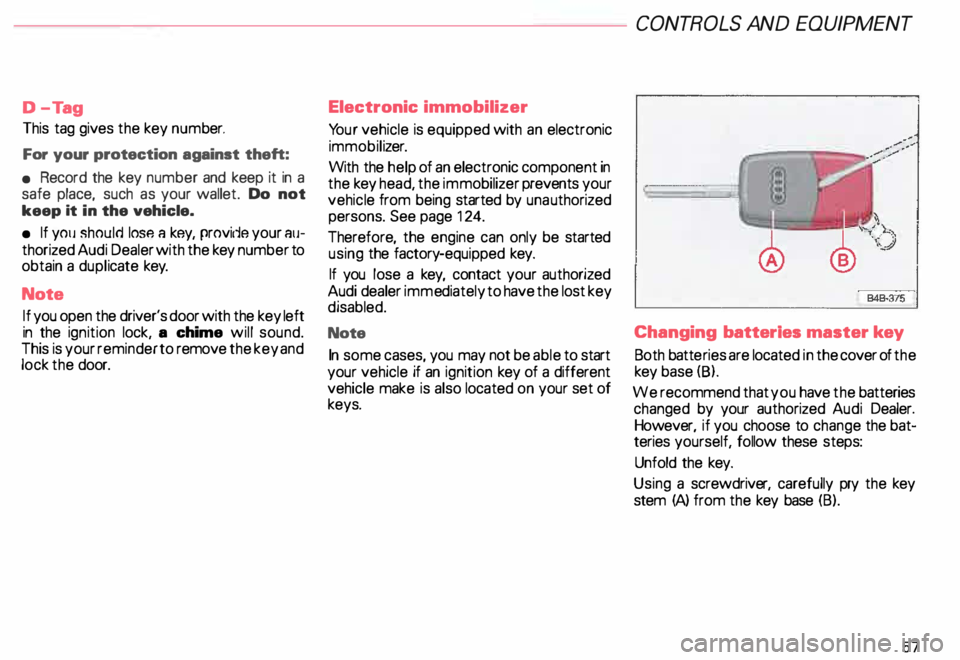
Both batte ries are located in the cover of the
key base (8).
We recommend that you have the batteries
changed by your authorized Audi Dealer.
However, if you choose to change the bat
teries yourself, follow these steps:
Unfold the key.
Using a screwdriv er, carefully pry the key
stem (A) from the key base (B).
57
Page 67 of 306
CONT
ROLS AND EQUIPMENT---------------------
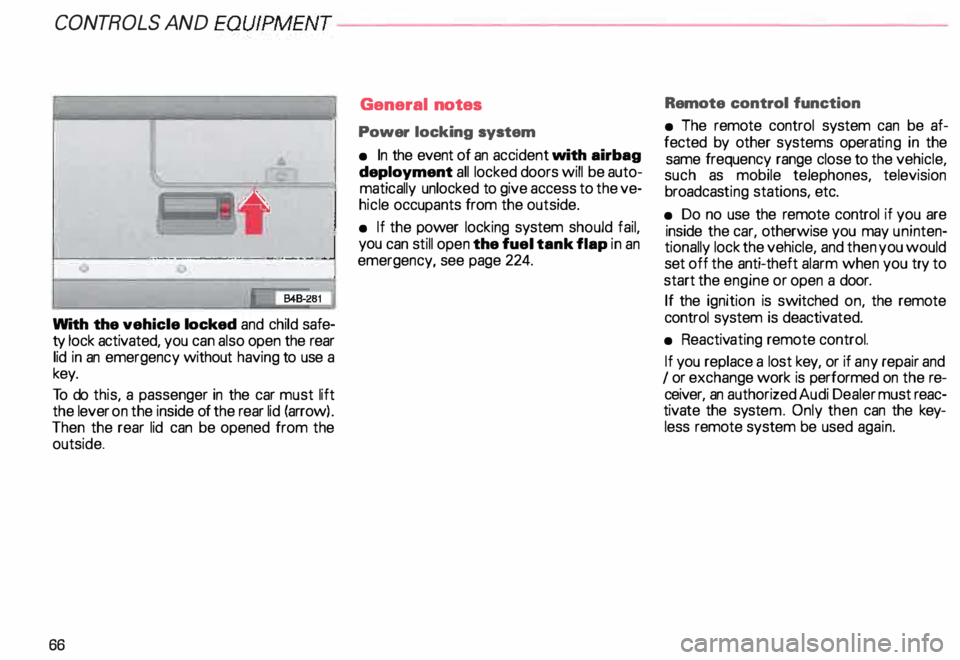
With the vehicle locked and child safe
ty lock activated, you can also open the rear
lid in an emergency without having to use a
key.
To do this, a passenger in the car must lift
the lever on the inside of the rear lid (arrow) .
Then the rear lid can be opened from the
outside.
66 General
notes
Power locking system
• In the event of an accident with airbag
deployment all locked doors will be auto
matically unlocked to give access to the ve
hicle occupants from the outside.
• If the power locking system should fail,
you can still open the fuel tank flap in an
emergency, see page 224. Remote
control function
• The remote control system can be af
fected by other systems operating in the
same frequency range close to the vehicle,
such as mobile telephones, television
broadcas ting stations, etc.
• Do no use the remote control if you are
inside the car, otherwise you may uninten
tionally lock the vehicle, and then you would
set off the anti-theft alarm when you try to
start the engine or open a door.
If the ignition is switched on, the remote
control system is deactiv ated.
• Reactiv ating remote control.
If you replace a lost key, or if any repair and
I or exchange work is performed on the re
ceiver, an authorized Audi Dealer must reac
tivate the syste m. Only then can the key
less remote system be used again.
Page 68 of 306
---------------------CONTROLS
AND EQUIPMENT
• Certification
The remote control device complies with
Part 15 of the FCC Rules. Operation is sub
ject to the following conditions:
1 - this device may not cause harmful in
terfere nce, and
2 - this device must accept any interfer
ence received, including interference
that may cause undesir ed operation.
The manufacturer is not responsible for
ANY RADIO OR TV Interference caused by
una uthorized modifications to this equip
ment. Such modifications could void the
user's authority to operate the equipment. Anti-theft
alarm system
The anti-theft alarm system triggers an
acoustic alarm and switches on the emer
genc y flasher if it senses unauthorized inter
ference with the vehicle.
When the vehicle is locked the alarm sy
stem monitors and protects the following
parts of the vehicle:
• engine compartment
• luggage compartment
• doors
• factory installed radio
• passenger compartment
• ignition.
The alarm system is switched on or off
whenever you lock or unlock the vehicle.
Simply tum the key to the lock or unlock
position or use the remote control.
The system is activated about 30 seconds
after the vehicle is locked, and the indicator
lights on the front door window sills start
flashing. The
horn sounds briefly when the car is
locked to confirm that the alarm system is
operative and that all doors, hood and rear
lid are properly closed. If the hom does not
sound, or the indicator lights do not flash,
check all doors, rear lid and hood and close
them properly. The horn will also sound if
the door, lid and hood are closed when the
system is already switched on.
The rear lid can be opened separately even
when the system is active. When the rear
lid is closed the luggage compartment will
again be included in the alarm circuit.
When the system is switched on the alarm
will be triggered if one of the doors, the en
gine hood or the rear lid are opened, or if the
ign ition is switched on or the radio re
moved.
When the alarm is triggered the hom
sounds and all four turn signals flash simul
taneously. The engine cannot be started un
til the system is switched off with the key
or the remote control.
67
Page 70 of 306
·--------------------CONT
ROLS AND EQUIPMENT
Power windows
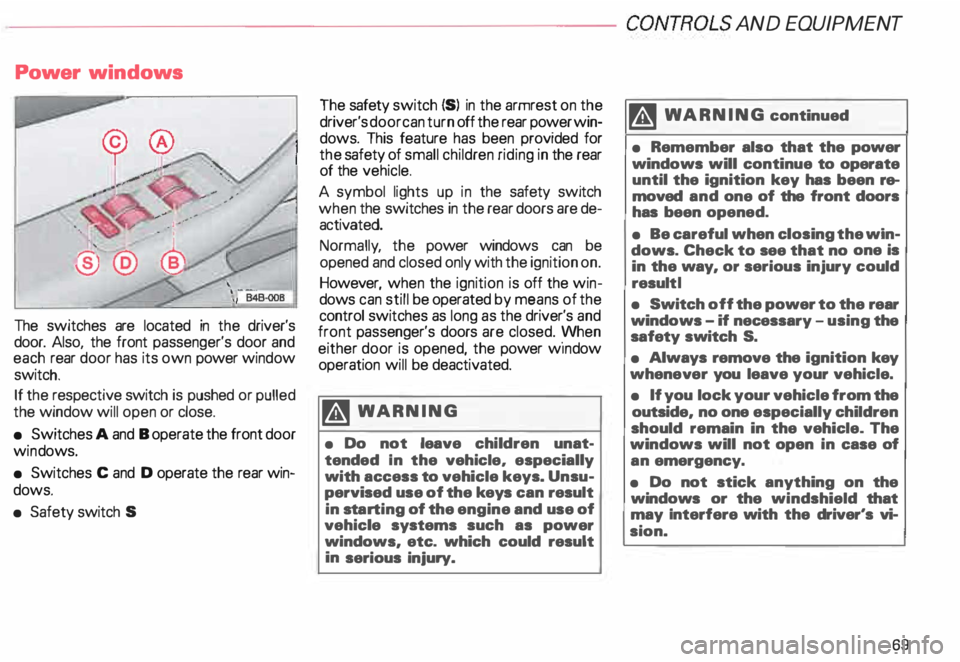
The switches are located in the driver's
door. Also, the front passenger's door and
each rear door has its own power window
switch.
If the respective switch is pushed or pulled
the window will open or close.
• Switches A and B operate the front door
win dows.
• Switches C and D operate the rear win
dows.
• Safety switch S The
safety switch {S) in the armrest on the
driver's door can turn off the rear power win
dows. This feature has been provided for
the safety of small children riding in the rear
of the vehicle.
A symbol lights up in the safety switch
when the switches in the rear doors are de
activated.
Normally , the power windows can be
opened and closed only with the ignition on.
However, when the ignition is off the win
dows can still be operated by means of the
control switches as long as the driver's and
front passenger's doors are closed. yvhen
either door is opened, the power w1ndow
operation will be deactivated.
�W ARNING
• Do not leave children unat
tended In the vehicle, especially
with access to vehicle keys. Unsu
pervised use of the keys can result
in sta rting of the engine and use of
vehicle systems such as power
windows, etc. which could result
in serious injury. m
WARNING continued
• Remember also that the power
windows will continue to operate
until the ignition key has been re
moved and one of the front doors
has been opened.
• Be careful when closing the win
dows. Check to see that no one is
in the way, or serious injury could
result I
• Switch off the power to the rear
windows -if necessary -using the
safety switch S.
• Always remove the ignition key
whenever you leave your vehicle.
• If you lock your vehicle from the
outside, no one especially children
should remain in the vehicle. The
windows will not open in case of
an emergency.
• Do not stick anything on the
windows or the windshield that
may Interfere with the driver's vi
sion.
69
Page 105 of 306
CONT
ROLS AND EQUIPMENT--------------------
5-spaad automatic transmission (Tiptronic®)*
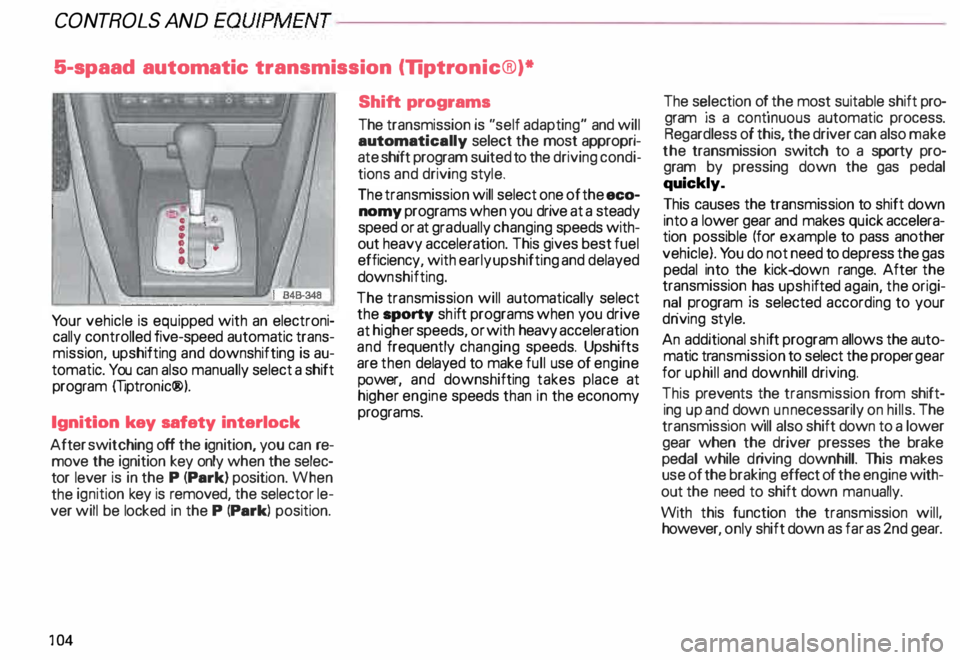
Yo ur vehicle is equip ped with an electroni
cally controlled five-speed automatic trans
missi �n, upshifting and downshifting is au
tomatiC. You can also manually select a shift
program mptronic®).
Ignition key safety interlock
After switching off the ignition, you can re
move the ignition key only when the selec
tor lever is in the P (Park) position. When
the ignition key is removed, the selector le
ver will be locked in the P (Park) position.
10 4 Shift
programs
The transmission is "self adapting" and will
automa tically select the most appropri
ate sh1ft program suited to the driving condi
tions and driving style.
The transmission will select one of the eco
nomy programs when you drive at a steady
speed or at gradually changing speeds with
out heavy acceleration. This gives best fuel
efficiency, with early upshifting and delayed
down shifting.
The transmission will automatically select
the _sporty shift programs when you drive
at h1 gh er speeds, or with heavy acceleration
and frequently changing speeds. Upshifts
are then delayed to make full use of engine
P ?Wer, an9 downshifting takes place at
higher eng1ne speeds than in the economy
programs. The s
�lection o � the most suitable shift pro
gram JS a contmuous automatic process.
Regardless of this, the driver can also make
the transmission switch to a sporty pro
gram by pressing down the gas pedal
quickly.
This causes the transmission to shift down
into a lower gear and makes quick accelera
tion possible (for example to pass another
vehicle). You do not need to depress the gas
pedal into the kick-down range. After the
transmission _has upsh ifted again, the origi
n� ! program IS selected according to your
dnv1ng style.
An additional shift program allows the auto
matic t�ansmission to select the proper gear
for uphill and downhill driving.
This prevents the transmission from shift
ing up �n� dow � un necessarily on hills. The
transmiSSion w1ll also shift down to a lower
gear when the driver presses the brake
pedal while driving downhill. This makes
use of the braking effect of the engine with
out the need to shift down manually.
With this function the transmission will
however, only shift down as far as 2nd gear :
Page 106 of 306
Tiptronic®
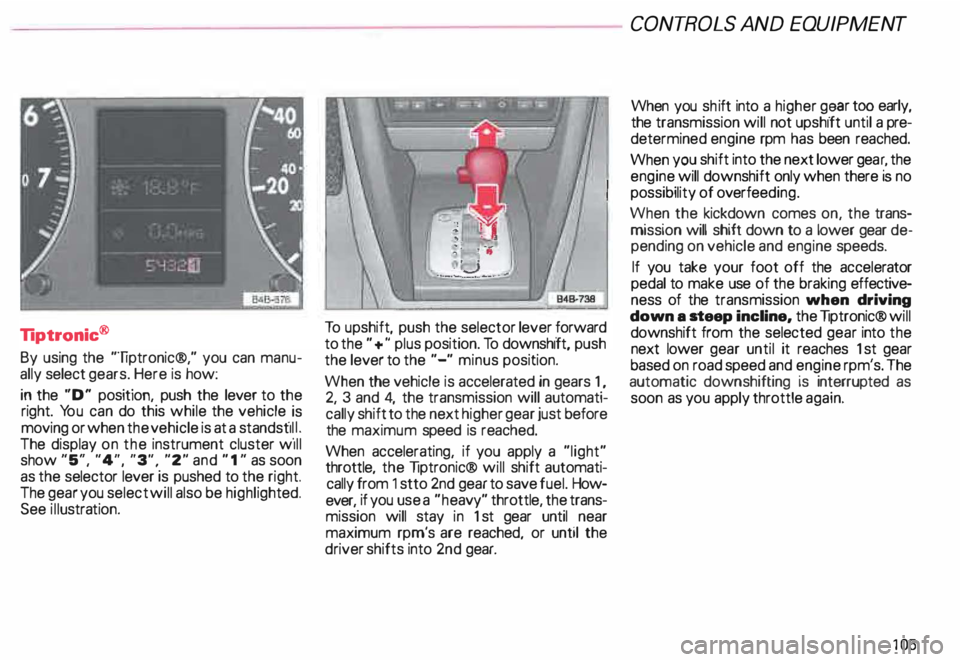
By using the "liptronic®," you can manu
ally select gears. Here is how:
in the "D" position, push the lever to the
right. You can do this while the vehicle _is
moving or when the vehicle is at a standst11 _1.
The display on the instrument cluster w1ll
show "5", "4", "3", "2" and " 1" as soon
as the selector lever is pushed to the right.
The gear you select will also be highli ghted.
See illustra tion. To
upshift, push the selector lever forward
to the "+" plus position. To downshift, push
the lever to the "-" minus position.
When the vehicle is accelerated in gears 1,
2, 3 and 4, the transmission will automati
cally shift to the next higher gear just before
the maximum speed is reached.
When accelerating, if you apply a "light"
throttle, the liptronic® will shift automati
cally from 1 stto 2nd gear to save fuel. How
ever, if you use a "he avy" throttle, the trans
mission will stay in 1st gear until near
maximum rpm's are reached, or until the
driver shifts into 2nd gear. CONT
ROLS AND EQUIPMENT
When you shift into a higher g� ar tO? early,
the transmission will not upshift until a pre
determined engine rpm has been reached.
When you shift into the next lower gea �. the
engine will downshift only when there IS no
possibility of overfee ding.
When the kickdown comes on, the trans
mission will shift down to a lower gear de
pending on vehicle and engine speeds.
If you take your foot off the accelerator
pedal to make use of the braking effective
ness of the transmission when driving
down a .teep incline, the liptronic® will
downshift from the selected gear into the
next lower gear until it reaches 1st gear
based on road speed and engine rpm's. The
automatic downshifting is interrupted as
soon as you apply throttle again.
105
Page 109 of 306
CONT
ROLS AND EQUIPMENT---------------------
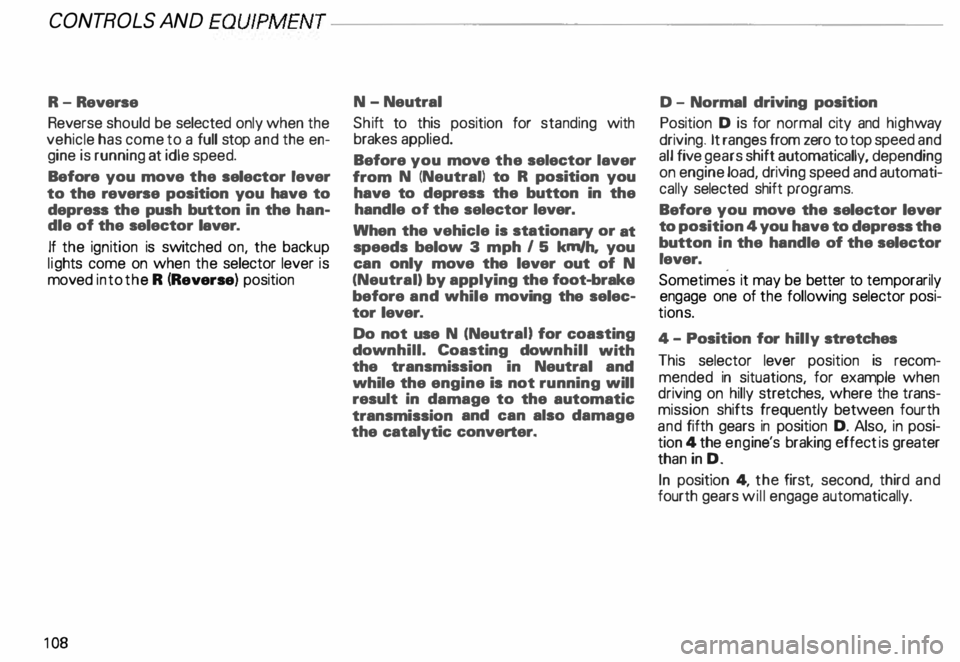
R-Reverse
Reverse should be selected only when the
vehicle has come to a full stop and the en
gine is running at idle speed.
Before you move the selector lever
to the reverse position you have to
depress the push button in the han
dle of the selector laver.
If the ignition is switc hed on, the backup
lig hts come on when the selector lever is
moved into the R (Reverse) position
10 8 N-Neutral
Shi ft to this position for standing with
brakes applied.
Before you move the selector laver
from N (Neutral) to R position you
have to depress the button in the
handle of the selector lever.
When the vehicle is stationary or at
speeds below 3 mph I 5 km/h, you
can only move the lever out of N
(Neutral) by applying the foot-brake
before and while moving the selec
tor lever.
Do not use N (NeutraU for coasting
down hill. Coasting downhill with
the transmission in Neutral and
while the engine is not running will
result in damage to the automatic
transmission and can also damage
the catalytic converter. D -
Normal driving position
Position D is for normal city and highway
driving. It ranges from zero to top speed and
all five gears shift automatically, depending
on engine load, driving speed and automati
cally selected shift programs.
Before you move the selector lever
to position 4 you have to depress the
button in the handle of the selector
lever.
Sometimes it may be better to temporarily
engage one of the following selector posi
tions.
4- Position for hilly stretches
This selector lever position is recom
mended in situations, for example when
driving on hilly stretches, where the trans
mission shifts frequently between fourth
and fifth gears in position D. Also, in posi
tion 4 the engi ne's braking effect is greater
than in D.
In position 4, the first, second, third and
fourth gears will engage automatically.
Page 110 of 306
3
-Position for mountainous
regions
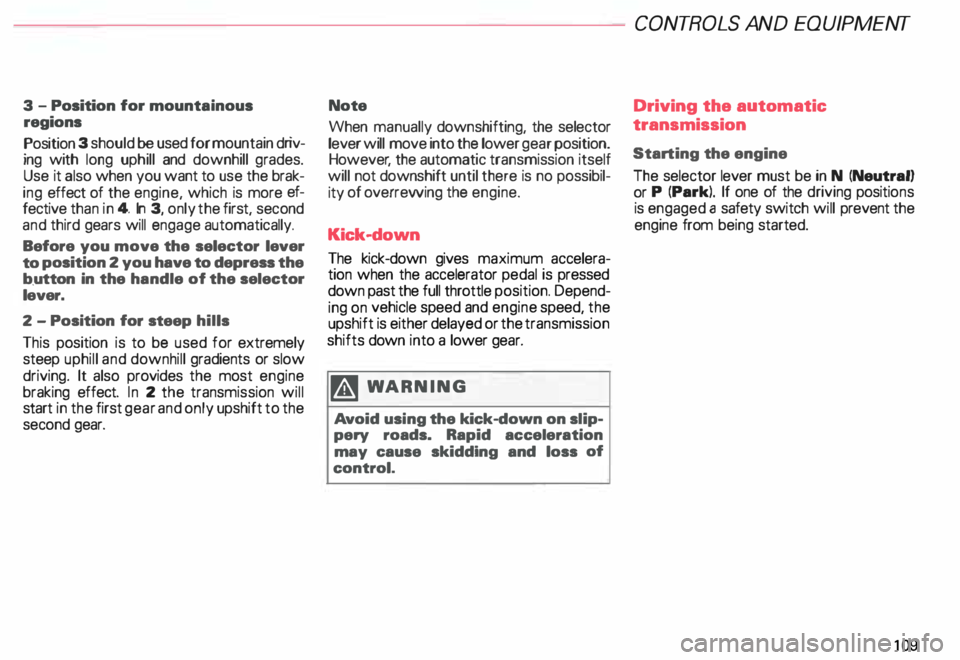
Position 3 should be used for mountain driv
ing with long uphill and downhill grades.
Use it also when you want to use the brak
ing effect of the engine, which is more ef
fective than in 4. In 3, only the first, second
and third gears will engage automatically.
Before you move the selector lever
to position 2 you have to depress the
b.utton in the handle of the selector
lever.
2 -Position for steep hills
This position is to be used for extremely
steep uphill and downhill gradients or slow
driving. It also provides the most engine
braking effect. In 2 the transmission will
start in the first gear and only upshift to the
second gear. Note
When manually downshifting, the selector
lever will move into the lower gear position.
However , the automatic transmission itself
will not downshift until there is no possibil
ity of overrewing the engine.
Kick-down The kick-down gives maximum accelera
tion when the accelerator pedal is pressed
down past the full throttle position. Depend
ing on vehicle speed and engine speed, the
upshift is either delayed or the transmission
shifts down into a lower gear.
�W ARNING
Av oid using the kick-down on slip
pery roads. Rapid acceleration
may cause skidding and loss of
control. CONT
ROLS AND EQUIPMENT
Driving the automatic
transmission
Starting the engine
The selector lever must be in N (Neutral)
or P (Park). If one of the driving positions
is engaged a safety switch will prevent the
engine from being started.
109
Page 111 of 306
CONTROLS AND
EQUIPMEN T--------------------
Selecting a driving position
�W ARNING
• Power is transmitted to the
wheels as soon as a driving posi
tion Is engaged. Therefore, when
the selector lever is in a driving
position, the vehicle may creep
even at idle speed. Do not release
the parking brake or foot brake un
til you are ready to move.
• If you must check under the
hood with the engine running,
never have any driving position en
gaged. Make sure the selector le
ver is securely locked into the P
(Park) position with the parking
brake firmly set. Otherwise, any
increase in engine speed may set
the vehicle in motion, even with
the parking brake applied.
• Do not accelerate while select
ing a driving position. At this time
the engine must run at idle speed
so that no undue stress will be
placed on the automatic clutches
in the transmission.
110 rA'J
WARNING continued
o If the selector lever is uninten
tionally moved into N (Neutral}
while you are driving, take your
foot off the accelerator pedal and
wait to idle speed before selecting
a driving position.
• Never shift into R (Reverse) or P
(Park) when the vehicle is in mov
ing. You will damage the transmis
sion.
Sta rting off
Select a gear. Wait for the transmis·
sion to engage the gaar (the vehicle
may move slightly). Then press the gas
pedal.
Maneuvering
When alternating between forward (D) and
reverse (R)-for instance, while maneuver
ing the vehicle into a tight parking space -
shift only when the vehicle has come to a
full stop and the engine is running at idle
speed. Stopping
• When stopping briefly, at a traffic light for
example, it is not necessary to move these
lector lever to N (Neutra l). Simply apply
the foot brake.
• The driving positions must never be used
for holding the vehicle on a hill. Always use
the foot brake when stopped on inclines.
mi WARNING
It is best never to get out of the
driver's seat when the engine is
running. However, if you must get
out of the vehicle, do this: Move
the selector lever securely into the
P (Park) position and apply the
parking brake firmly. If you are not
securely in P (Park), your vehicle
could move, possibly causing a se
rious accident.
Page 112 of 306
---------------------CONTROLS AND EQUIPMENT
Parking On flat terrain, it is enough to simply set the
selector lever to position P (Park). On an
incline, however, first depress the brake
pedal. engage the parking brake and then
move the selector lever completely to posi
tion P. If you do this. the locking mechanism
will not be overloaded and it will be easier to
release the parking brake.
Always heed all WA RNINGS
on page 103. Emergency
starting
Yo ur Audi with automatic transmission
cannot be started by pushing or tow
ing. If the engine does not start because of
a discharged battery, the vehicle can be
start edwithjumper cables. Referto "Emer
genc y starting with jumper cables." Should
the engine fail to start, consult your nearest
Audi Dealer.
To wing
To tow the vehicle. see instructions "Emer
gency towing" on page 281. Auxiliar
y modes
Yo u can recognize a failure in the electronic
system if the selector lever position display
letters appear bright ·aga in st a dark back
ground. You can still drive because the
transmission will continue to work in an aux
iliary mode. Take your vehicle to your near
est Audi Dealer as soon as possible.
Note
• The electronic lock that protects
the reverse gear while driving is in
operative when the transmission is
in an auxiliary mode. Shifting into R
(Reverse) while driving will cause
serious damage to the vehicle.
• The liptronic® is inoperative when the
transmission is in the fail-safe mode.
111