fuel AUDI ALLROAD 2000 User Guide
[x] Cancel search | Manufacturer: AUDI, Model Year: 2000, Model line: ALLROAD, Model: AUDI ALLROAD 2000Pages: 306, PDF Size: 9.95 MB
Page 120 of 306
--------------------CONTROLS AND EQUIPMENT
Warning light
If the coolant warning light m the Auto
Check System (see page 141) flashes when
driving, the engine may be overheated be
cause of low coolant level.
Note
Do not install accessories (addi
tional lights or Insect screens. for
example) on top of the front bumper.
They may restrict engine cooling
and cause engine damage.
Always heed all WA RNINGS
on page 142 and 232. 5
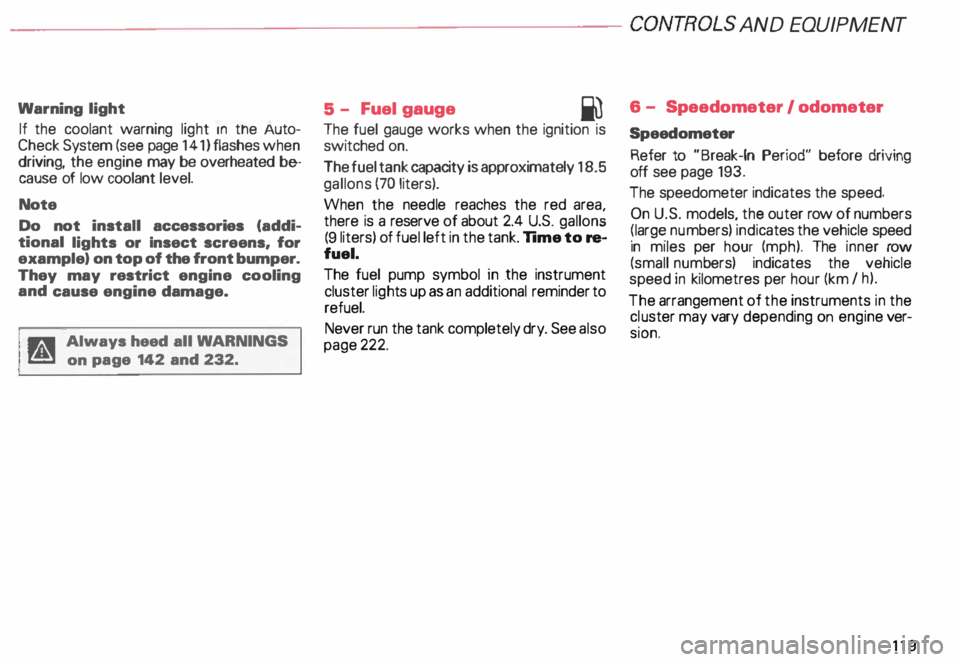
- Fuel gauge
iU
The fuel gauge works when the ignition is
switched on.
The fuel tank capacity is approximately 18.5
gallons (70 liters).
When the needle reaches the red area
there is a reserve of about 2.4 U.S. gallon �
(9 liters) of fuel left in the tank. lime to re
fuel.
The fuel pump symbol in the instrument
cluster lights up as an additional reminder to
refuel.
Never run the tank completely dry. See also
page 222. 6
- Speedometer I odometer
Speedometer Refer to "Break-In Period" before driving
off see page 193.
The speedometer indicates the speed.
On U.S. models, the outer row of numbers
� larg ": numbers) indicates the vehicle speed
1n m1les per hour (mph). The inner row
(small numbers) indicates the vehicle
speed in kilometres per hour (km I h).
The arrangement of the instruments in the
c !uster may vary depending on engine ver
SIOn.
119
Page 130 of 306
Electronic
speed limiter
Yo ur Audi may be factory equipped with
tires which are rated for a maximum speed
of 130 mph (21 0 km/h). This is less than the
maximum speed of your vehicle. To reduce
the risk of sudden tire failure and loss of
control should the vehicle be operated at ex
cessive speeds, your Audi also has an elec
tronic speed limiterwhi ch prevents your ve
hicle from going faster than the tire speed
rating. See page 257.
If the vehicle approaches the tire speed rat
ing, the engine control unit will shut off the
fuel injectors and you will notice an instant
Joss of engine power and drop in road
speed. The engine performance will return
to normal as soon as the speed has dropped
below approximately 125 mph (200 km/h).
If the vehicle road speed signal to
the engine control unit should fail,
the Malfunction Indicator Lamp will
come on.
If this occurs, see your authorized Audi
Dealer and have the cause located and cor
rected. �W
ARNING
Always observe the posted speed
limits and adjust your speed to suit
preva iling road, traffic and
weather conditions. Never drive
your vehicle faster than the maxi
mum speed rating of the tires
installed. CONT
ROLS AND EQUIPMENT
129
Page 140 of 306

--------------------CONTROLS AND
EQUIPMEN T
When the red blinking symbols appear,
three warning tones will sound at the same
time. These symbols represent Danger.
• Do not continue to operate the
vehicle. The problem muat be lo
cated and corrected immediately.
Pull off the road to a safe area, well away
from traffic, stop the engine and operate the
emergency flasher. Use other warning de
vices to alert motorists. Contact your autho
rized Audi Dealer or a qualified workshop.
In the event of multiple malfunctions, the
symbols will blink successively in two-sec
ond interva ls. The symbols will continue to
blink until the malfunction is corrected.
Note If a malfunction is detected while you are
using the Navigation System, the Naviga
tion System display will be switched off for
a few seconds and the Priority 1 Warning
symbol will appear. After that, the symbol
will change into the Priority 2 display, and
the Navigation System will be visible once
again.
As long there is a Priority 1 malfunction
present, Priority 2 malfunctions will not be
displayed. Ye
llow Symbols (priority 2)
Brake light is defective
Headlight and/or taillight is defective
B rake pads worn
Windshield wiper fluid reserv oir
level is too low (moving symbol)
Fuel level is low (@)
�
0 Battery
voltage is too low/too high 0
Check engine oil level
Engine oil sensor defective �ENSOR
Speed warning (USA Models)
Speed warning (Canada Models)
Dynamic headlight dimmer
control not functioning 9
8
When the yellow symbols appear, only one
warning tone will sound at the same time.
These symbols represent a Warn ing.
Have the malfunction displayed corrected
as soon as possible. In the event of mul tiple
malfunctions, the symbols will appear suc
cessively in two-second intervals.
139
Page 144 of 306
---------------------CONTROLS AND EQUIPMENT
Engine oil pressure
If this warning light comes on, 1t Indi cates
that the engine oil pressure is too low.
• Stop the engine immediately,
check the engine oil level and
add oil if necessary.
If engine oil level is normal but the
light comes on again, do not con
tinua to operate the vehicle. This
could damage the engine.
Tu rn the engine off and contact the nearest
Audi Dealer for assistance.
The oil pressure warning light is not
an indicator for low engine oil level.
To check the oil level, always use
dipstick (sea page 235).
Make it a habit to have the engine oil
level checked with every fuel filling.
A Always heed all WA RNINGS
� on page 232. Brake
pads worn
0
See your Audi Dealer promptly to have front
and rear brake pads checked and replaced
as necessary.
Headlights I tail lights
�
Check, repair or replace:
• Light bulbs
• Fuses
• Electrical connections.
Washer fluid
Replenish the windshield washer
fluid in the container (see page 250).
Fuel Pull into the next filling station and
fill up. Battery
voltage too high
t::::1
or too low
See your Audi Dealer promptly to locate and
correct the problem. The battery may be run
down, the generator may be overcharging,
or the V-belt tension may need adjustment.
The voltage in the electrical system is dis
played on the voltmeter. See page 120 for
additional details.
143
Page 147 of 306
CONT
ROLS AND EQUIPMENT---------------------
Trip computer
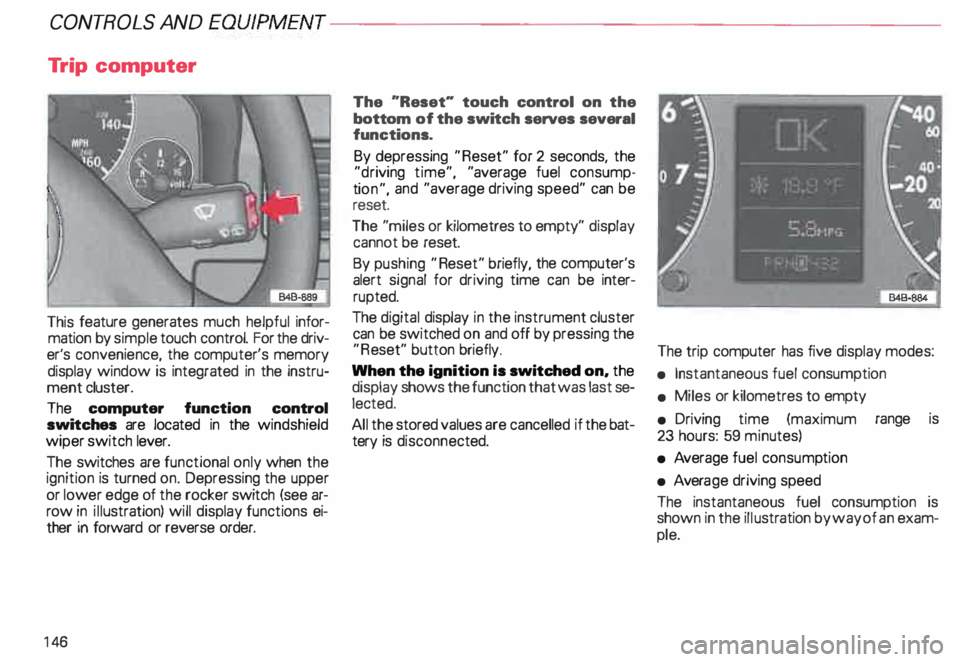
This feature generates much helpful infor
mation by simple touch control. For the driv
er's convenience, the computer's memory
display window is integrated in the instru
ment cluster.
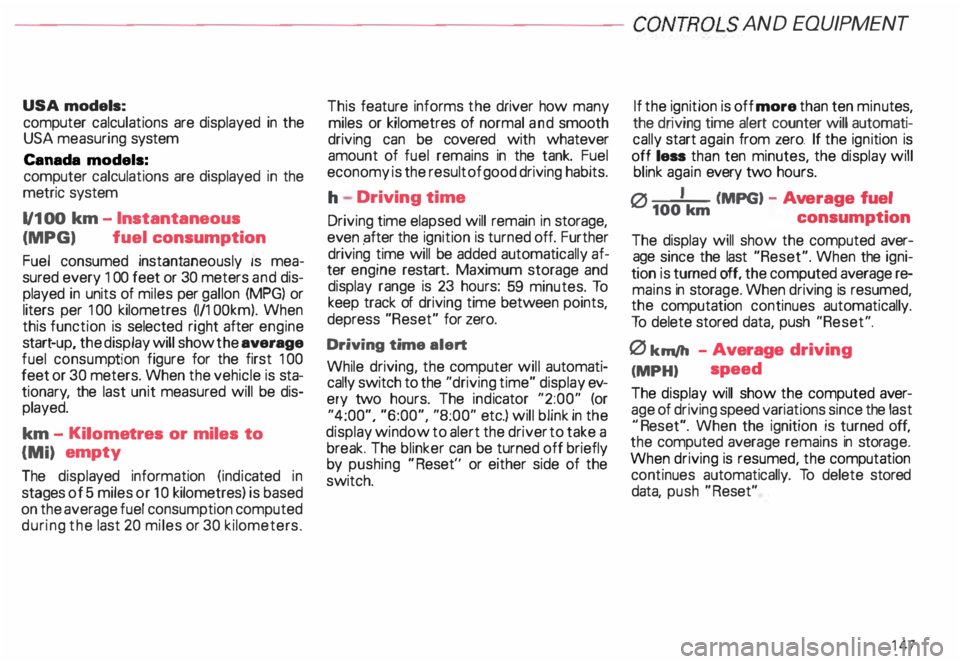
The computer function control
switches are located in the windshield
wiper switch lever.
The switches are functional only when the
ignition is turned on. Depressing the upper
or lower edge of the rocker switch (see ar
row in illustration) will display functions ei
ther in forward or reverse order.
14 6 The
"Reset" touch control on the
bottom of the switch serves several
functions.
By depressing "Reset" for 2 seconds, the
"d riving time", "average fuel consump
ti on", and "average driving speed" can be
reset.
The "miles or kilometres to empty" display
cannot be reset.
By pushing "Reset" briefly, the computer's
alert signal for driving time can be inter
rupted.
The digital display in the instrument cluster
can be switched on and off by pressing the
"R eset" button briefly.
When the ignition is switched on, the
display shows the function that was last se
lected.
All the stored values are cancelled if the bat
tery is disconne cted. The
trip computer has five display modes:
• Instantaneous fuel consumption
• Miles or kilometres to empty
• Driving time (maximum range is
23 hours: 59 minutes)
• Average fuel consump tion
• Avera ge driving speed
The instantaneous fuel consumption is
shown in the illustration by way of an exam
ple.
Page 148 of 306
---------------------CONTROLS AND
EQUIPMEN T
USA models:
computer calculations are displayed in the
USA measuring system
Canada models:
computer calculations are displayed in the
metric system
1/1 00 km -Instantaneous
(MPG) fuel
consumption
Fuel consumed instantaneously IS mea
sured every 1 00 feet or 30 meters and dis
played in units of miles per gallon (MPG) or
liters per 100 kilometres (1/1 OOkm). When
this function is selected right after engine
start -up, the display will show the average
fuel consump tion figure for the first 100
feet or 30 meters. When the vehicle is sta
tionar y, the last unit measured will be dis
played.
km -Kilome tres or miles to
{Mi) empty
The displa yed information (indicated in
stages of 5 miles or 1 0 kilometres) is based
on the average fuel consumption computed
during the last 20 miles or 30 kilometers. This
feature informs the driver how many
miles or kilometres of normal and smooth
driving can be covered with whatever
amount of fuel remains in the tank. Fuel
economy is the result of good driving habits.
h Driving time
Driving time elapsed will remain in storage,
even pfter the ignition is turned off. Further
driving time will be added automat ically af
ter engine restart. Maximum storage and
display range is 23 hours: 59 minutes. To
keep track of driving time between points,
depress "Reset" for zero.
Driving time alert
While driving, the computer will automati
cally switch to the "driving time" display ev
ery two hours. The indicator "2:00" (or
"4:00", "6:00", "8:00" etc.) will blink in the
display window to alert the driver to take a
break. The blinker can be turned off briefly
by pushing "Reset'' or either side of the
switch. If the
ignition is off more than ten minu tes,
the driving time alert counter will automati
cally start again from zero. If the ignition is
off less than ten minutes, the display will
blink again every two hours.
0 I (MPG) -Ave rage fuel
100 km
consumption
The display will show the computed aver
age since the last "Reset". When the igni
tion is turned off, the computed average re
mains in storage. When driving is resumed,
the computation continues automatically.
To delete stored data, push "Reset".
0 km/h -Average driving
(MPH) speed
The display will show the computed aver
age of driving speed variations since the last
"R eset". When the ignition is turned off,
the computed average remains in stora ge.
When driving is resumed, the computation
continues automatically. To delete stored
data, push "Reset"
147
Page 152 of 306
---------------------CONTROLS
AND EQUIPMENT
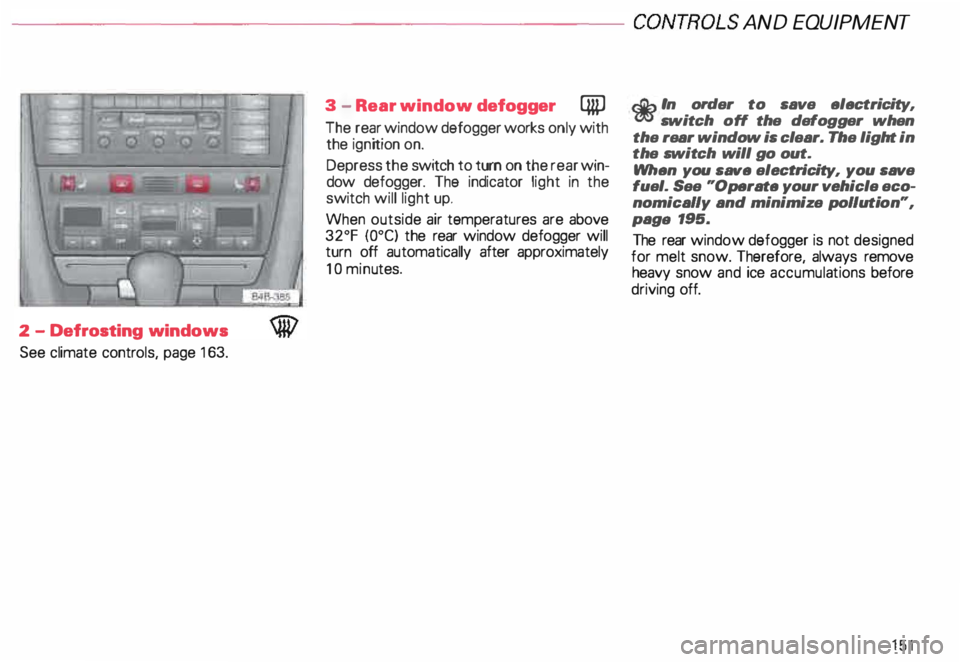
2 -Defrosting windows
See climate controls, page 163. 3
-Rear window defogger QiP
The rear window defogger works only with
the ignition on.
Depress the switch to turn on the rear win
dow defogger. The indicator light in the
switch will light up.
When outside air temperatures are above
32°F {0°C) the rear window defogger will
turn off automatically after approximately
10 minu tes.
r.Gb In order to save electricity, m switch off the defogger when
the rear window is clear. The light in
the switch will go out.
When you save electri city, you save
fuel. See "Operate your vehicle eco
nomically and minimize pollution",
paga 195.
The rear window defogger is not designed
for melt snow. Therefore, always remove
heavy snow and ice accumula tions before
driving off.
151
Page 153 of 306
CONTROLS AND EQUIPMENT---------------------
1
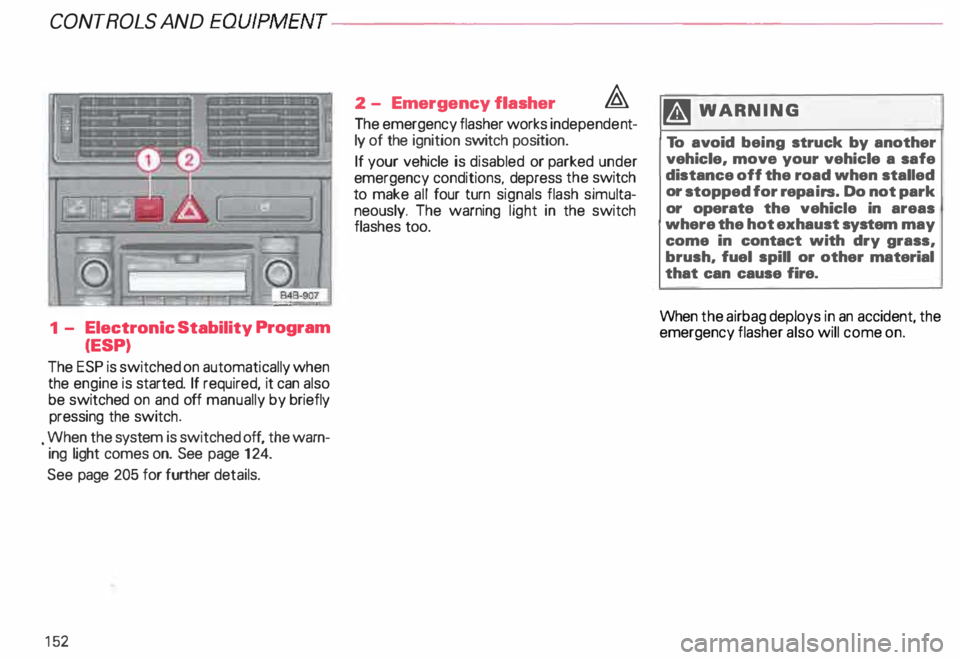
- Electronic Stability Program
(ESP)
The ESP is switched on automatically when
the engine is started. If required, it can also
be switched on and off manually by briefly
pressing the switch .
. When the system is switched off, the warn
ing light comes on. See page 124.
See page 205 for further details.
15 2 2
- Emergency flasher �
The emergency flasher works independe nt
ly of the ignition switch position.
If your vehicle is disabled or parked under
emergency conditions, depress the switch
to make all four turn signals flash simulta
neously. The warning light in the switch
flashes too. ftl
WARN ING
To avoid being struck by another
vehicle, move your vehicle a safe
distance off the road when stalled
or stopped for repairs. Do not park
or operate the vehicle in areas
where the hot exhaust system may
come in contact with dry grass,
brush, fuel spill or other material
that can cause fire.
When the airbag deploys in an accident, the
emergency flasher also will come on.
Page 162 of 306
---------------------CONTROLS AND
EQUIPMENT
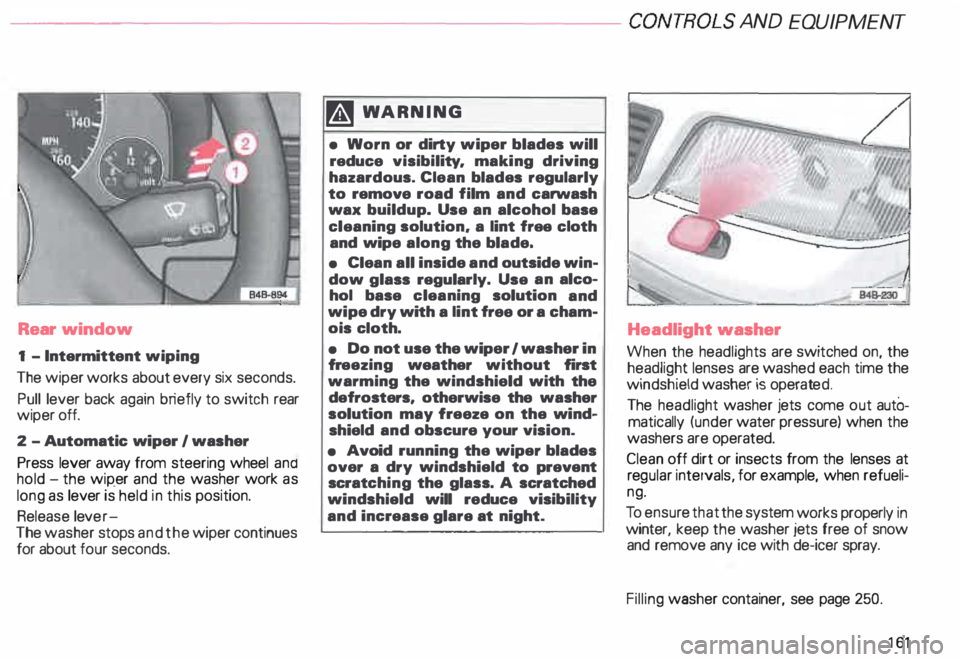
Rear window
1 - Intermittent wiping
The wiper works about every six seconds.
Pull lever back again briefly to switch rear
wiper off.
2 -Automatic wiper I washer
Press lever away from steering wheel and
hold -the wip_er and the washer work as
long as lever is held in this position.
Release lever-
The washer stops and the wiper continues
for about four seconds. �W
ARNING
• Worn or dirty wiper blades will
reduce visibility. making driving
hazardous. Clean blades regularly
to remove road film and carwash
wax buildup. Use an alcohol base
cleaning solution. a lint free cloth
and wipe along the blade.
• Clean all inside and outside win
dow glass regularly. Use an alco
hol base cleaning solution and
wipe dry with a lint free or a cham
ois cloth.
• Do not use the wiper 1 washer in
fr eezing weather without first
warming the windshield with the
defrosters, otherwise the washer
solution may freeze on the wind
shield and obscure your vision.
• Avoid running the wiper blades
over a dry windshield to prevent
scratc hing the glass. A scratched
windshield will reduce visibility
and increase glare at night. Headlight
washer
When the headlights are switched on, the
headlight lenses are washed each time the
windshield washer is operated.
The headlight washer jets come out autO
matically (under water pressure) when the
washers are operated.
Clean off dirt or insects from the lenses at
reg ular intervals, for example, when refueli
ng.
To ensur e that the system works properly in
winter, keep the washer jets free of snow
and remove any ice with de-icer spray.
Filling washer container, see page 250.
161
Page 165 of 306
CONTROLS AND
EQUIPMENT---------------------
C... -Air recirculation
In the air recirculation mode, the supply of
outside air is blocked and the air in the pas
senger compartment is recirculated. This
helps to prevent pollutant-conta ining out
side air from entering the passenger
compartment. It is best not to use this set
ting for exte nded periods of time.
If the windows begin to fog or ice
up, select the ® program setting as
soon as possible.
�W ARNING
• You will not receive any fresh
outside air when air recirculation
is on. Do not use this setting over
long periods of time because stale
air contributes to fatigue and re
duced driver alertness.
• If the windows fog up, press the
air recirculation button again im
mediately to switch off the air re
circulation function or select de
frost.
16 4 ECON -
Economy
The air conditioner compressor can be
turned off to save fuel. However, the com
fort level that the system can achieve in this
mode limited.
If the interior of the vehicle gets too hot, or
if the windows begin to fog or ice up, press
the ECON button again to tum the compres
sor on again and switch back to AUTO .
OFF -Switching air conditioner oft
The air conditioner can be switched off by
pressing the button briefly. This cuts off the
supply of air from the outside.
To reactivate the air conditioner,
press the AUTO button or one of the blower,
temperature or air distribution selector but
tons, or press OFF again.
It is not normally necessary to switch off the
air condition er.
- + Fan speed
The automatically selected fan speed (vol
ume of air delivery) can be reduced or in
creased manually by operati ng these but
tons. The selected fan speed is shown by a
segment display above the buttons. 4iiJ
-Rear window defogger
See page 151.
Air distribution selector
buttons
The automatically programmed air distribu
tion can be altered manually with the but
tons {},� . and {).. The buttons can be op
erated singly or in combination.
To return to the automatically programmed
air distribution, switch off the selected
manual functions separately or by pressing
the "AUTO" or ® butto ns.
iJ -Air directed to windows
Unlike setting ®, this setting directs all
the air to outlets 1 and 2.
1 :s::
1 -
Air
from dashboard outlets
-
and rear of center console
All the air comes from outlets 3 and 4.
0 -Air to footwall&
All the air comes from outlets 5 and from
the outlets under the front seats.