warning AUDI ALLROAD 2000 Repair Manual
[x] Cancel search | Manufacturer: AUDI, Model Year: 2000, Model line: ALLROAD, Model: AUDI ALLROAD 2000Pages: 306, PDF Size: 9.95 MB
Page 145 of 306

CONTROLS AND EQUIPMENT---------------------
Check
engine oil level �N
Check the engine oil level as soon as pos
sible by using the dip stick. Add engine oil
accordingly. See page 236.
Engine oil sensor
defective �ENOOR
Contact an authorized Audi dealer and have
the engine oil sensor inspected.
Speed warning 8 or 8
The stored speed h·as been exceeded. Slow
down or set new speed.
Dynamic headlight dimmer �(D
control• not functioning =1.
•
Have your authorized Audi dealer repair the
headlight dimmer control.
Refer to "Xenon lights" on page 157 for de
tails.
14 4 Speed
warning
You can store a road speed which is not to
be exceeded. As soon as you exceed that
speed by approximately 6 miles (1 0 kilome
ters), a warning tone sounds and "MPH"
("k m/h ") appears in the disp lay.
Nota Always monitor the vehicle speed by
means of the speedometer. The speed
warning device may only be used as a re
minder not to exceed the posted speed
limit. The
following describes how to store or de
lete speed warnings 1 and 2.
Speed warning 1
The ''MPH" ("km/h ") disappears when you
reduce the speed below the stored speed.
Also, the ''MPH" goes out when the driving
speed increases approximately 25 mph
(40 km/h) over the set speed for at least
1 0 seconds. The stored speed is not de
leted.
Selec ting speed limit
Press the test button for the Auto-Check
control briefly when the desired speed is in
dicated on the speedometer. The speed
warning symbol lights up when the button
is released to confirm that the selected
speed has been stored.
The set speed limit remains stored until
another speed is selected by pressing the
button again or until the memory is cleared.
Page 146 of 306
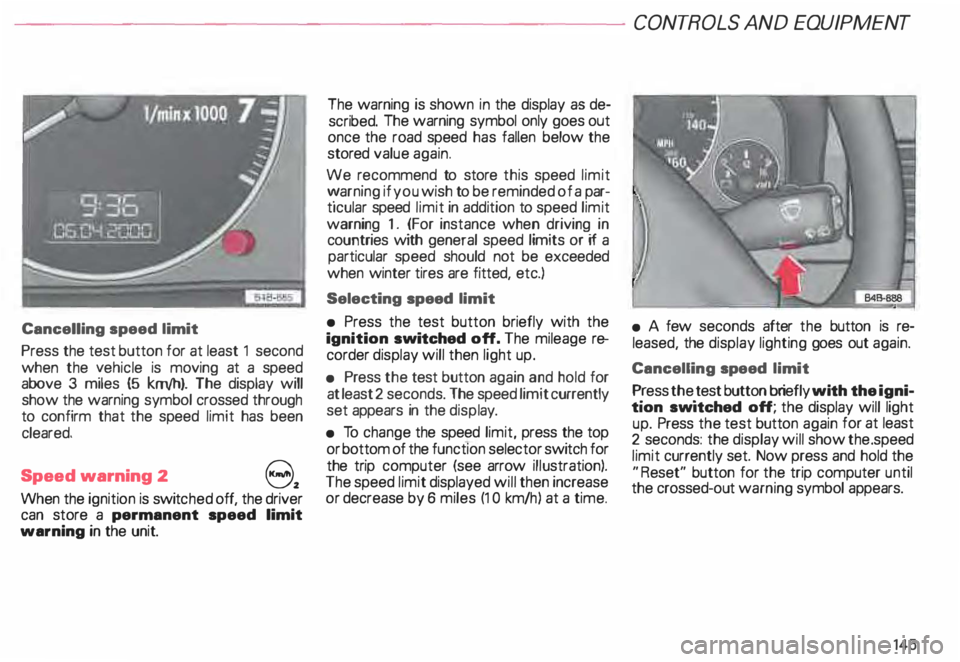
Cancelling speed limit
Press the test button for at least 1 second
when the yehicle is moving at a speed
above 3 miles (5 km/h). The display will
show the warning symbol crossed through
to confirm that the speed limit has been
cleared.
Speed warning 2
82
When the ignition is switc hed off, the driver
can store a permanent speed limit
warning in the unit. The
warning is shown in the display as de
scribed. The warning symbol only goes out
once the road speed has fallen below the
stored value again.
We recommend to store this speed limit
v:' arning if you wish to be reminded of a par
ticular speed limit in addition to speed limit
warning 1. (For instance when driving in
countries with general speed limits or if a
particular speed should not be exceeded
when winter tires are fitted, etc.)
Selecting speed limit
• Press the test button briefly with the
ignition switched off. The mileage re
corder display will then light up.
• Press the test button again and hold for
at least 2 seconds. The speed limit currently
set appears in the disp lay.
• To change the speed limit, press the top
or bottom of the function selector switch for
the trip computer (see arrow illustration).
The speed limit displayed will then increase
or decrease by 6 miles (1 0 km/h ) at a time. CONT
ROLS AND EQUIPMENT
• A few seconds after the button is re
leased, the display lighting goes out again.
Cancelling speed limit
P _ress the .test button briefly with the igni
tion sw1tched off; the display will light
up. Press the test button again for at least
2 seconds: the display will show the .speed
limit currently set. Now press and hold the
"R eset" button for the trip computer until
the crossed-out warning symbol appears.
145
Page 149 of 306
CONTROLS ANDEO�PMENT-----------------------------------------
Switches
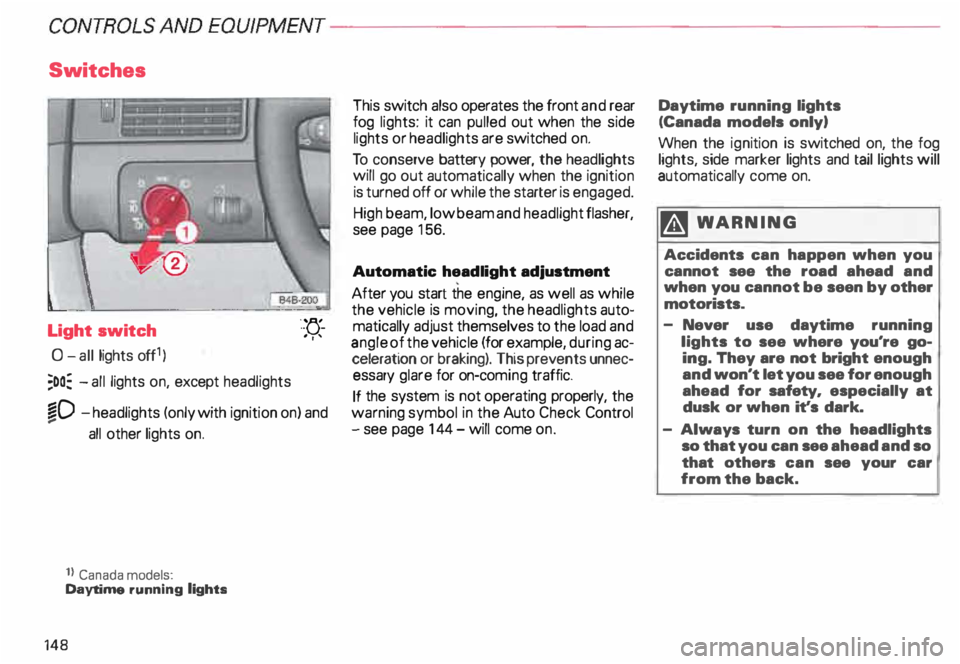
Light switch
0- all lights off1)
;oo: -all lights on, except headlights "-
YJ.-
. ''
�D -headlights (only with ignition on) and
...
all other lights on.
1} Canada models:
Daytime running lights
148 This
switch also operates the front and rear
fog lights: it can pulled out when the side
lights or headlights are switched on.
To conserve battery power, the headlights
will go out automatically when the ignition
is turned off or while the starter is engaged.
High beam, low beam and headlight flasher,
see page 156.
Automatic headlight adjustment
After you start the engine, as well as while
the vehicle is moving, the headlights auto
matically adjust themselves to the load and
angle of the vehicle (for example, during ac
celeration or braking). This prevents unnec
essary glare for on-com ing traffic.
If the system is not operating properly, the
warning symbol in the Auto Check Control
- see page 144- will come on. Daytime
running lights
(Canada models only)
When the ignition is switched on, the fog
lights, side marker lights and taillights will
automatically come on.
�W ARNING
Accidents can happen when you
cannot see the road ahead and
when you cannot be seen by other
motorists.
- Never use daytime running
lights to see where you're go
ing. They are not bright enough
and won't let you see for enough
ahead for safety, especially at
dusk or when it's dark.
- Always turn on the headlights
so that you can see ahead and so
that others can see your car
from the back.
Page 153 of 306
CONTROLS AND EQUIPMENT---------------------
1
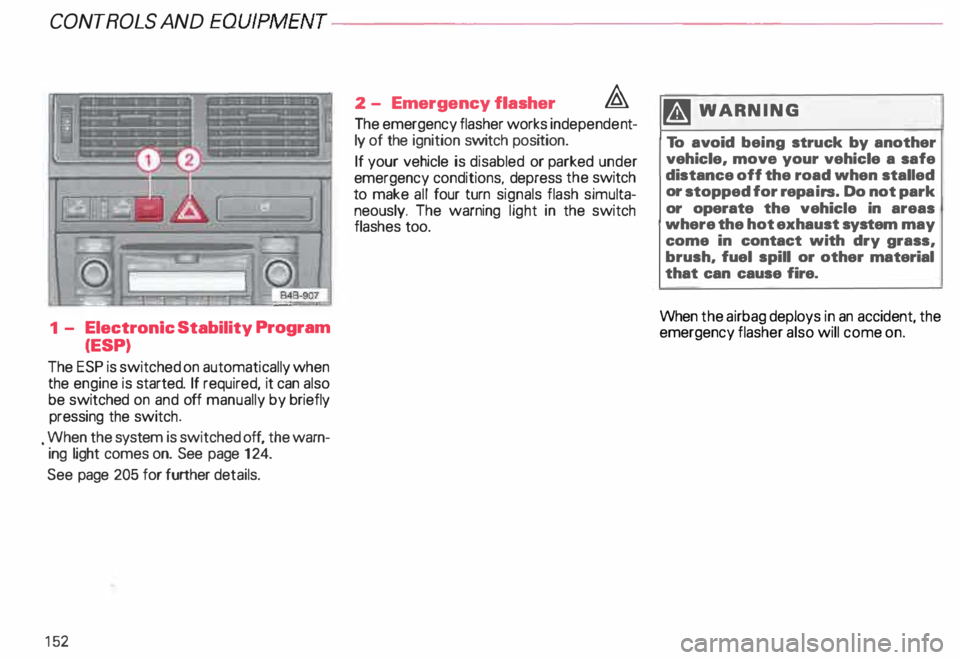
- Electronic Stability Program
(ESP)
The ESP is switched on automatically when
the engine is started. If required, it can also
be switched on and off manually by briefly
pressing the switch .
. When the system is switched off, the warn
ing light comes on. See page 124.
See page 205 for further details.
15 2 2
- Emergency flasher �
The emergency flasher works independe nt
ly of the ignition switch position.
If your vehicle is disabled or parked under
emergency conditions, depress the switch
to make all four turn signals flash simulta
neously. The warning light in the switch
flashes too. ftl
WARN ING
To avoid being struck by another
vehicle, move your vehicle a safe
distance off the road when stalled
or stopped for repairs. Do not park
or operate the vehicle in areas
where the hot exhaust system may
come in contact with dry grass,
brush, fuel spill or other material
that can cause fire.
When the airbag deploys in an accident, the
emergency flasher also will come on.
Page 156 of 306
---------------------CONTROLS AND EQUIPMEN T
Notes continued
• At excessive loads (for example, over
heating caused by frequent changes in the
ride height when the vehicle is stationary),
the system is temporarily deactivated for
safety reasons. The system will return to
full operation once it has cooled down.
• The system automatically switches to
the normal level if the ESP automatically
shuts off (see page 205). If this happens,
switch the ignition off, and then on again.
Now you can select the desired level once
again.
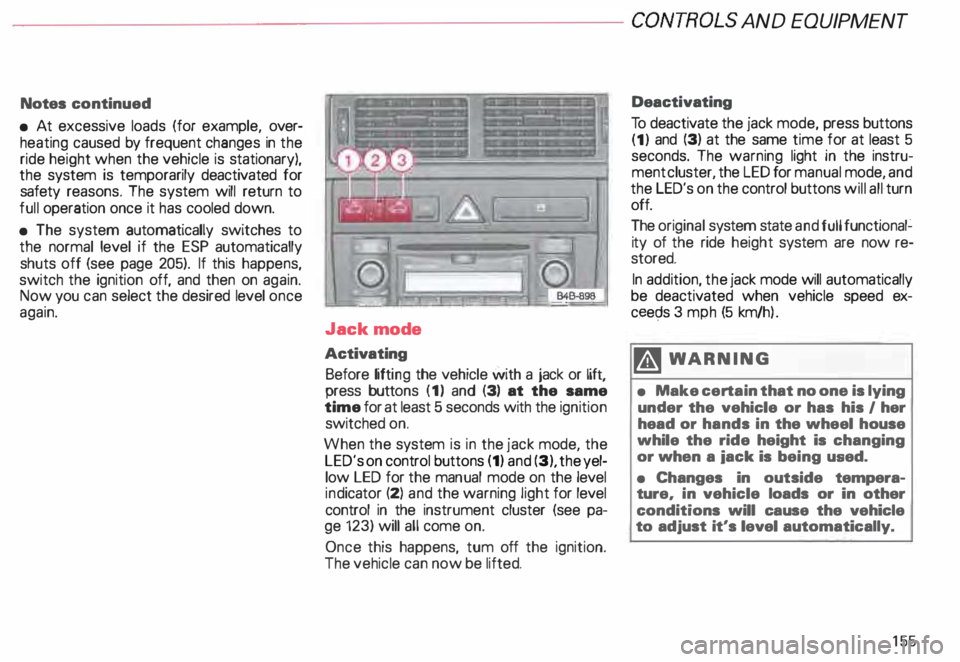
Jack mode
Activating Before lifting the vehicle with a jack or lift,
press buttons (1) and (3) at the same
time for at least 5 seconds with the ignition
switched on.
When the system is in the jack mode, the
LED's on control buttons (1) and (3), the yel
low LED for the manual mode on the level
ind icator (2) and the warning light for level
control in the instrument cluster (see pa
ge 123) will all come on.
Once this happens, tum off the ignition.
The vehicle can now be lifted. Deactivating
To deactivate the jack mode, press buttons
(1) and (3) at the same time for at least 5
seconds. The warning light in the instru
ment cluster, the LED for manual mode, and
the LED's on the control buttons will all turn
off.
The original system state and full functional�
ity of the ride height system are now re
stored.
In addition, the jack mode will automatically
be deactivated when vehicle speed ex
ceec;ls 3 mph (5 km/h ).
�W ARNING
• Make certain that no one is lying
under the vehicle or has his I her
head or hands in the wheel house
while the ride height is changing
or when a iack is being used.
• Changes in outside tempera
ture, in vehicle loads or in other
conditions will cause the vehicle
to adjust it's level automatically.
155
Page 158 of 306
Headlight flasher
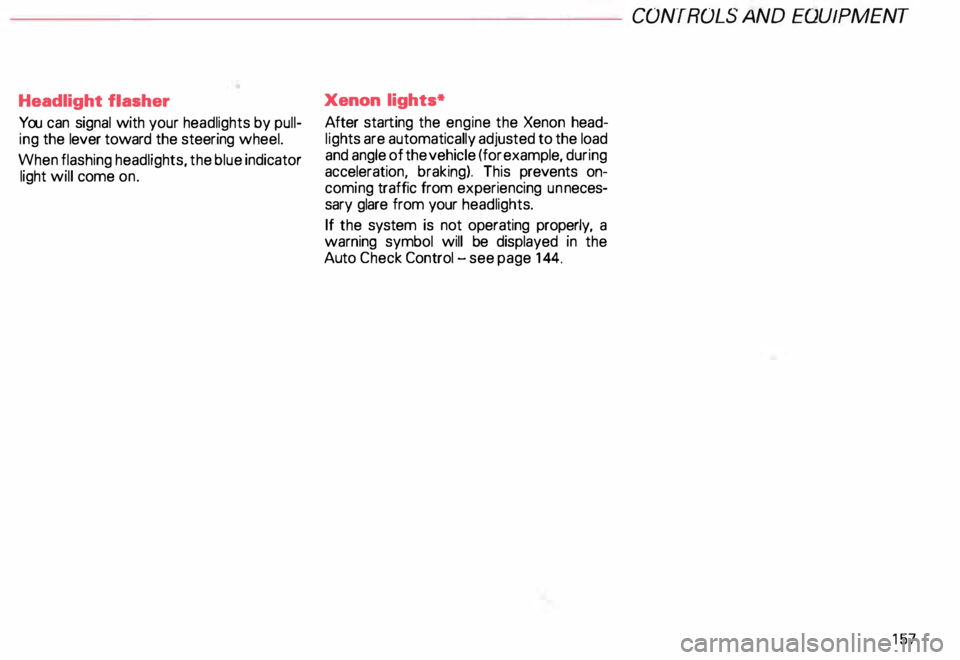
You can signal with your headlights by pull
ing the lever toward the steering wheel.
When flashing headlights, the blue indicator
light will come on. Xenon
lights*
After starting the engine the Xenon head
ligh ts are automatically adjusted to the load
and angle of the vehicle (for example, during
acceleration, braking). This prevents on
coming traffic from experiencing unneces
sary glare from your headlights.
If the system is not operating properly, a
warning symbol will be displayed in the
Auto Check Control -see page 144. CONTROLS
AND EQUIPMENT
157
Page 160 of 306
---------------------CONTROLS
AND EQUIPMENT
Changing the speed
Decelerate I Set
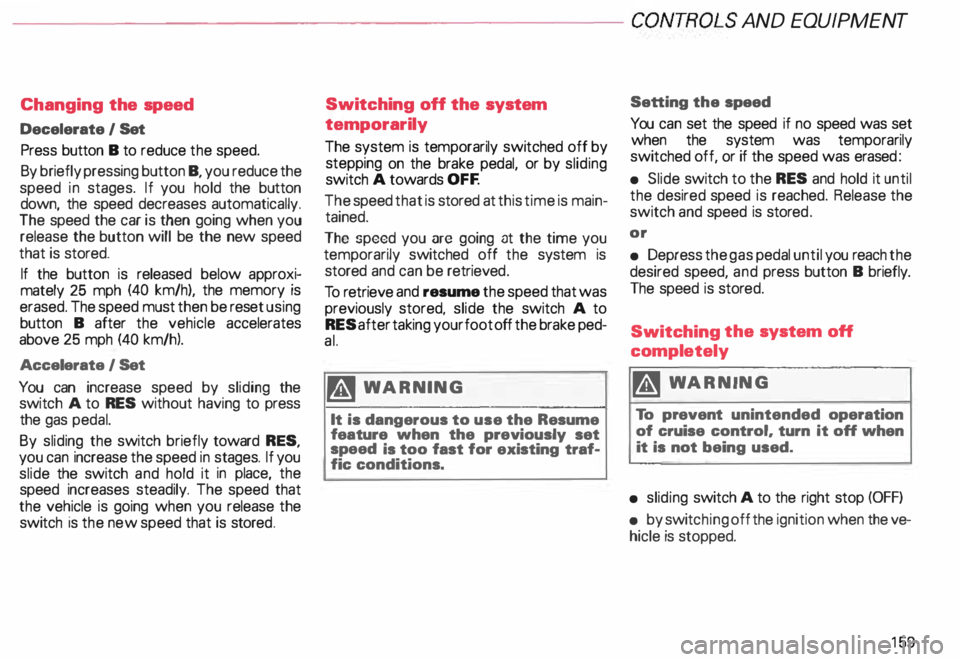
Press button B to reduce the speed.
By briefly pressing button B, you reduce the
speed in stages. If you hold the button
down, the speed decreases automatically.
The speed the car is then going when you
release the button will be the new speed
that is stored.
If the button is released below approxi
mately 25 mph (40 km/h), the memory is
erased. The speed must then be reset using
button B after the vehicle accelerates
above 25 mph (40 km/hl.
Accelerate I Set
You can increase speed by sliding the
switch A to RES without having to press
the gas pedal.
By sliding the switch briefly toward RES,
you can increase the speed in stages. If you
slide the switch and hold it in place, the
speed increases steadily. The speed that
the vehicle is going when you release the
switch is the new speed that is store d. Switching
off the system
temporarily
The system is temporarily switched off by
stepping on the brake pedal, or by sliding
switch A towards OFF.
The speed that is stored at this time is main
tained.
The speed you Dre going Dt the time you
temporarily switched off the system is
stored and can be retrieved.
To retrieve and resume the speed that was
previously stored, slide the switch A to
RES after taking your foot off the brake ped
al.
,4 WARNING
It is dangerous to use the Resume
feature when the previously set
speed is too fast for existing traf
fic conditions. Setting
the speed
You can set the speed if no speed was set
when the system was temporarily
switched off, or if the speed was erased:
• Slide switch to the RES and hold it until
the desired speed is reached. Release the
switch and speed is store d.
or
• Depress the gas pedal until you reach the
desired speed, and press button B briefly.
The speed is stor ed.
Switching the system off
completely
�W ARNING
To prevent unintended operation
of cruise control, turn it off when
it is not being used.
• sliding switch A to the right stop (OFF)
• by swit ching off the ignition when the ve
hicle is stopped.
159
Page 161 of 306
CONT
ROLS AND EQUIPMENT---------------------
Wiper and washer system
The wiper and washer system only works
when the ignition is on.
The heated washer jets do not have a
separate switch. Depending on the outside
temperature, the heated washer jets will
operate when the ignition is on.
To prevent damage to the w1pmg
system. always loosen blades frozen
to glass before operating wipers.
Notes
• Filling washer container, see page 250.
• Replacing wiper blades, see page 251.
� WARNING
Always heed WARNINGS on
page 161.
16 0 Windshield
•
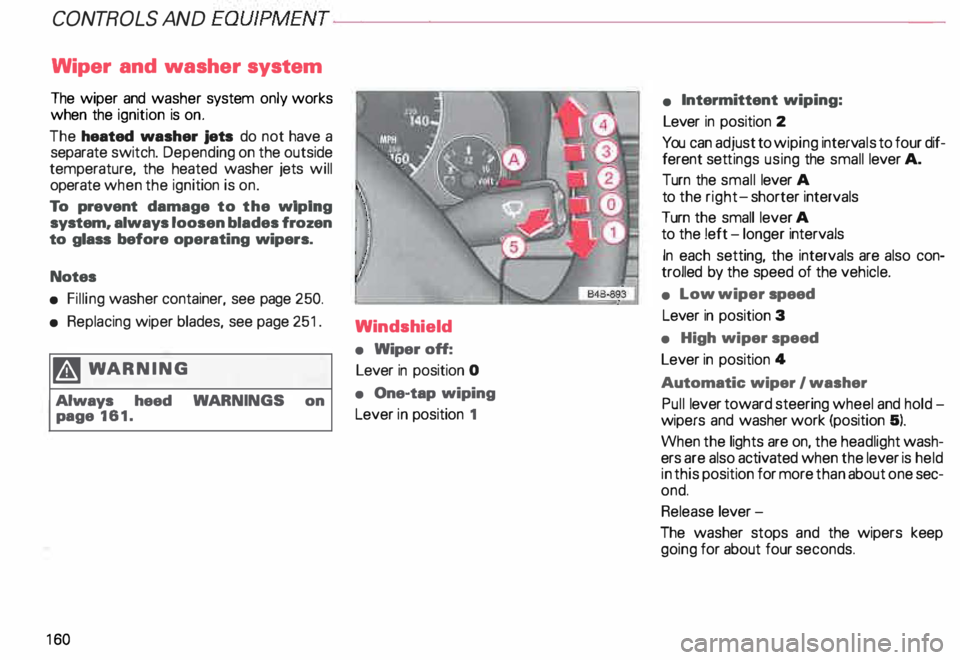
Wiper off:
Lever in position 0
• One-tap wiping
Lever in position 1 •
Intermittent wiping:
Lever in position 2
You can adjust to wiping intervals to four dif
ferent settings using the small lever A.
Turn the small lever A
to the right- shorter intervals
Turn the small lever A
to the !eft -longer intervals
In each setting, the intervals are also con
trolled by the speed of the vehicle.
• Low wiper speed
Lever in position 3
• High wiper speed
Lever in position 4
Automatic wiper I washer
Pull lever toward steering wheel and hold
wipers and washer work (position 5).
When the lights are on, the headlight wash
ers are also activated when the lever is held
in this position for more than about one sec
ond.
Release lever-
The washer stops and the wipers keep
going for about four seconds.
Page 177 of 306
CONT
ROLS AND EQ
UIPMEN T---------------------
Reprogramming a Single Audi
HomeLink ® Universal Transmit
ter Channel
If a Homelink ® channel has been pro
grammed to activate a device, and it has
been decided to program another device us
ing the same Homelink® channel, follow
these steps:
Press and hold the desired Homelink ®
button for approximately 20 seconds.
Do not release until step 3 has been
completed.
2 - When the indicator light begins to flash
slowly, position the hand-held transmit
ter approximately 2 inches away from
the Homelink ® surface. Press and
hold the hand-held transmitter button.
3- The indicator light will flash, first slowly,
and then rapidly. When the indicator
light begins to flash rapidly, release
both the button and channel.
The previous device has now been erased
and the new device has been progra mmed
into Homelink ®. This procedure will not af
fect any other programmed Homelink®
channels.
17 6 Accessories
Accessories for the Audi Homelink ® Uni
versal Transmitter are available through vari
ous sources.
If you would like additional information on
Homelink ®. where to purchase the
Homelink ® compatible products, or would
like to purchase the Homelink ® Home
Lighting Package, please call toll-free:
1- 800-355- 3515. Notes
This device complies with FCC rules
part 15. Operation is subject to following
conditi ons:
1 - This device may not cause any harmful
interference and
2 - This device must accept any interfer
ence that may be received including in
terference that may cause undesired
operation.
� WARNING
The transmitter has been tested
and complies with FCC and DOC/
MDC rules. Changes or modifica
tions not expressly approved by
the party responsible for com
pliance could void the user's au
thority to operate the device.
DOC: ISTC 1763 102 264
Prince MODEUFCC ID: CB2 V94800
Page 179 of 306
CONTROLS AND
EQUIPMENT--------------------
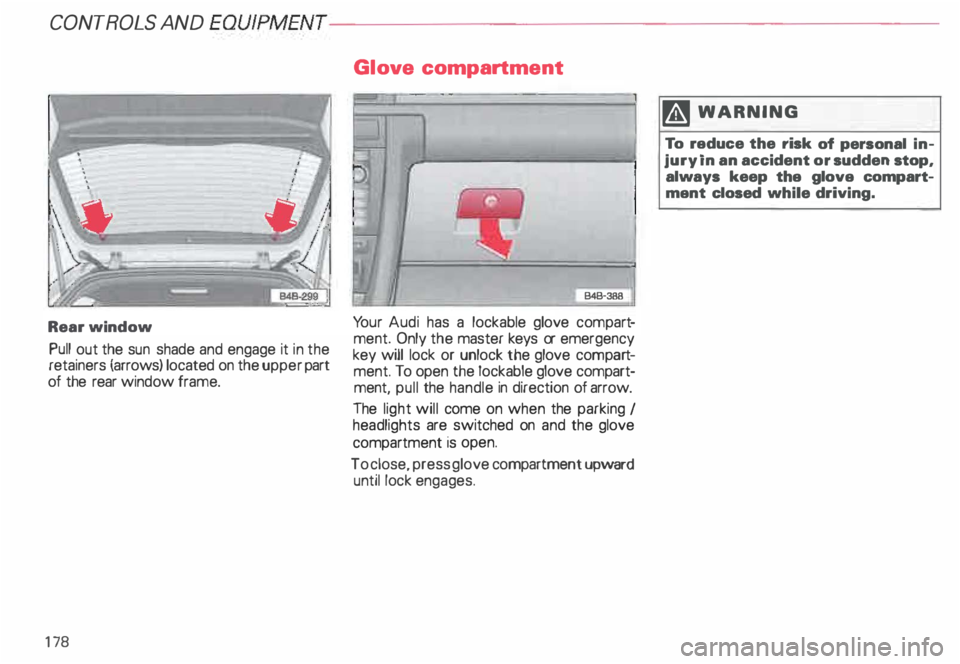
Rear window
Pull out the sun shade and engage it in the
retainers (arrows) located on the upper part
of the rear window frame.
17 8 Glo
ve compartment
B4B-388
Yo ur Audi has a lockable glove compar t
ment. Only the master keys or emergency
key will lock or unlock the glove compa rt
ment. To open the lockable glove compart
ment, pull the handle in direction of arrow.
The light will come on when the parking I
headlights are switched on and the glove
compartment is open.
To close, press glove compartment upward
until lock engages. 1ft
WARNING
To reduce the risk of personal in
jury in an accident or sudden stop,
always keep the glove compart
ment closed while driving.