Message AUDI Q2 2021 Owner´s Manual
[x] Cancel search | Manufacturer: AUDI, Model Year: 2021, Model line: Q2, Model: AUDI Q2 2021Pages: 364, PDF Size: 87.77 MB
Page 31 of 364
Instruments and controls
^^
CQ
<
O
rN
iv
rN
•-i
00
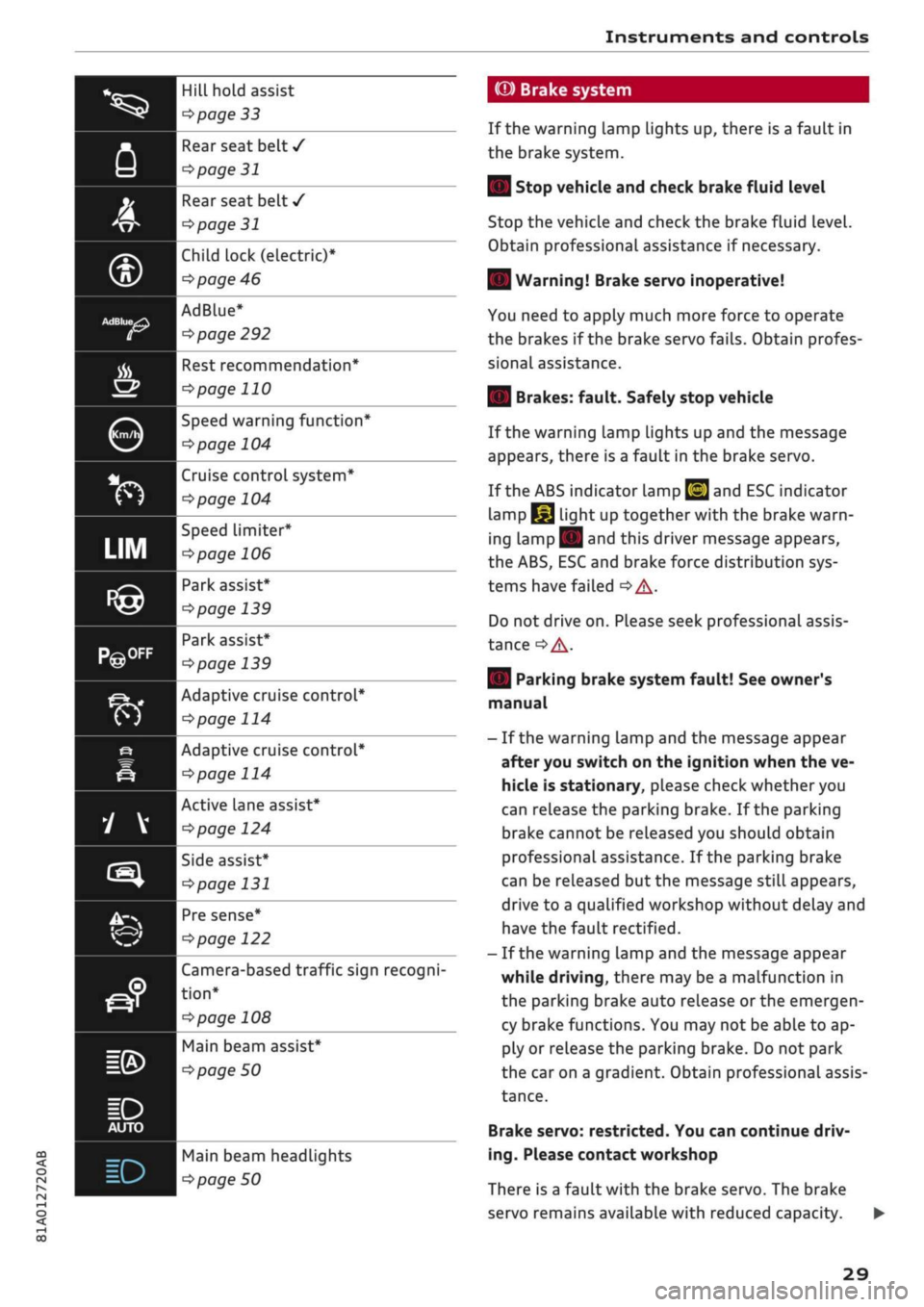
Hill hold assist
^>page
33
Rear seat belt
/
^>page
31
Rear seat belt
/
^>page
31
Child lock
(electric)*
cépage
46
AdBlue*
^page
292
Kfl I ^
page 122
Rest recommendation*
^>page
110
Speed warning function*
cépage
104
Cruise control system*
^>page
104
Speed limiter*
^>page
106
Park assist*
^>page
139
Park assist*
^>page
139
Adaptive cruise control*
^>page
114
Adaptive cruise control*
tapage
114
Active Lane assist*
tapage
124
Side assist*
tapage
131
Pre sense*
Camera-based traffic sign recogni
tion*
^>
page 108
Main beam assist*
^>
page 50
Main beam headLights
Pipage
50
(©) Brake system
If the warning Lamp Lights up, there is a fault in
the brake system.
| Stop vehicle and check brake fluid level
Stop the vehicle and check the brake fluid level.
Obtain professional assistance if necessary.
| Warning! Brake servo inoperative!
You need to apply much more force to operate
the brakes if the brake servo fails. Obtain profes
sional assistance.
| Brakes: fault. Safely stop vehicle
If the warning lamp lights up and the message
appears, there is a fault in the brake servo.
If the ABS indicator lamp
[g]
and ESC indicator
lamp
I^J
light up together with the brake warn
ing
Lamp||
and this driver message appears,
the ABS, ESC and brake force distribution sys
tems have failed
•=> A-
Do not drive on. Please seek professional assis
tance
^A-
| Parking brake system fault! See owner's
manual
- If the warning lamp and the message appear
after you switch on the ignition when the ve
hicle is stationary, please check whether you
can release the parking brake. If the parking
brake cannot be released you should obtain
professional assistance. If the parking brake
can be released but the message
stilL
appears,
drive to a qualified workshop without delay and
have the fault rectified.
- If the warning lamp and the message appear
while driving, there may be a malfunction in
the parking brake auto release or the emergen
cy brake functions. You may not be able to ap
ply or release the parking brake. Do not park
the car on a gradient. Obtain professional assis
tance.
Brake servo: restricted. You can continue driv
ing.
Please contact workshop
There is a fault with the brake servo. The brake
servo remains available with reduced capacity.
29
Page 32 of 364
Instruments
and
controls
The brakes
may
perform differently than usual
and
the
brake pedal may vibrate.
Drive
to
a qualified workshop without delay
and
have
the
fault rectified.
A WARNING
- Before opening
the
bonnet and checking
the
brake fluid level, observe
the
warning infor
mation
on
*$page
295,
Working
on
compo
nents
in the
engine compartment.
-
If
the brake warning lamp does
not go out,
or
if it
lights up when driving,
the
brake
flu
id level in
the
reservoir
is too low -
this
may
cause an increased accident risk. Stop
the
vehicle and
do not
drive on. Obtain profes
sional assistance.
-
If
the brake warning lamp lights
up
togeth
er with
the
ABS indicator lamp and
the
ESC
indicator lamp, this can mean that
the
con
trol function
of
the ESC/ABS
is not
working.
Input from
the
functions that stabilise
the
vehicle
is no
longer available. This could
cause
the
tail of
the vehicle
to
skid
side
ways.
Do not
drive on. Obtain professional
assistance.
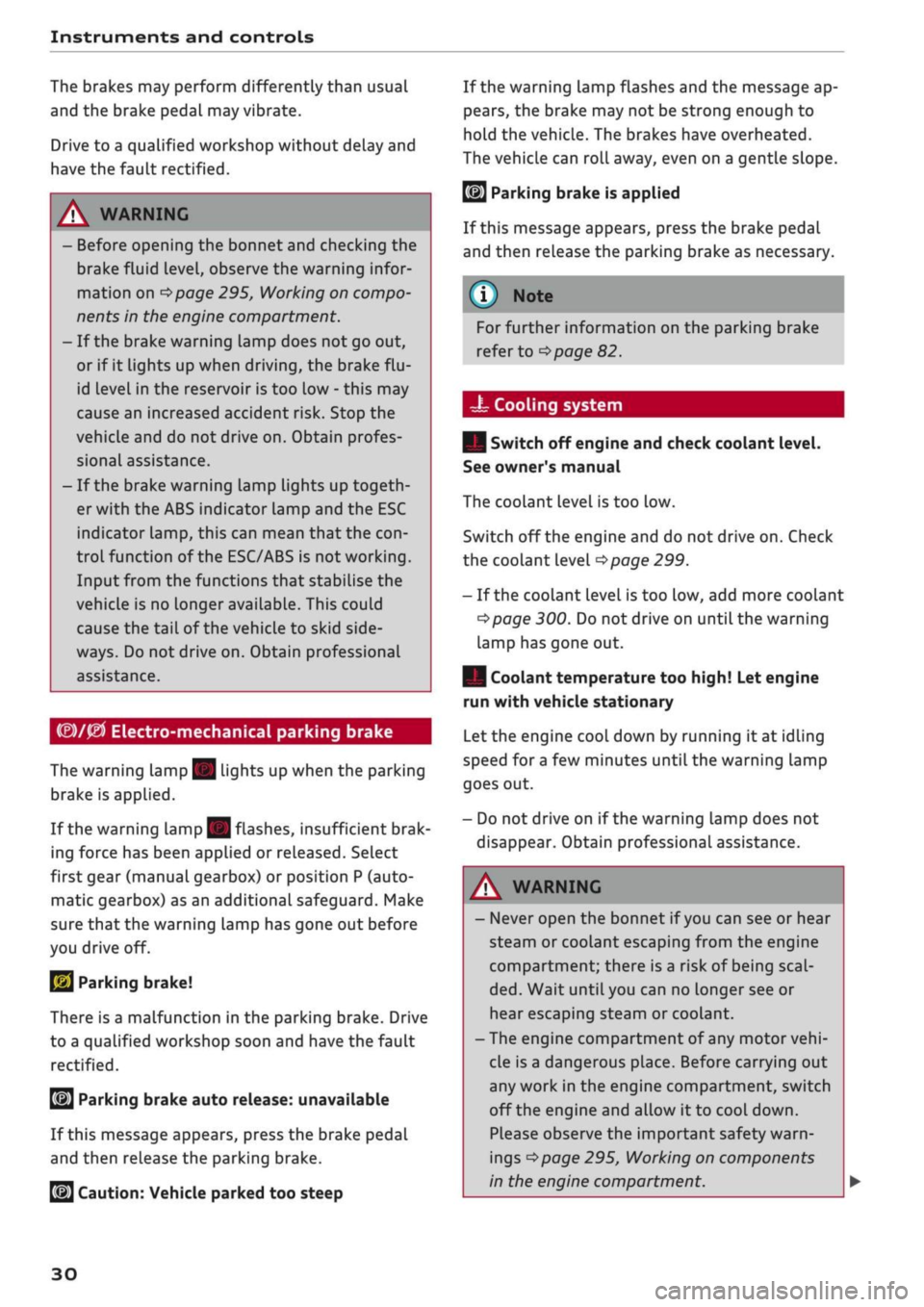
(®)/0
Electro-mechanical parking brake
The warning lamp
||
lights
up
when
the
parking
brake
is
applied.
If the warning lamp
||
flashes, insufficient brak
ing force
has
been applied
or
released. Select
first gear (manual gearbox)
or
position
P
(auto
matic gearbox)
as an
additional safeguard. Make
sure that
the
warning lamp has gone
out
before
you drive
off.
2J
Parking brake!
There
is
a malfunction
in the
parking brake. Drive
to a qualified workshop soon
and
have
the
fault
rectified.
[ft]
Parking brake auto release: unavailable
If this message appears, press
the
brake pedal
and then release
the
parking brake.
If the warning lamp flashes and
the
message
ap
pears,
the
brake
may not be
strong enough
to
hold
the
vehicle. The brakes have overheated.
The vehicle can roll away, even
on a
gentle slope.
©J Parking brake is applied
If this message appears, press
the
brake pedal
and then reLease
the
parking brake
as
necessary.
For further information
on the
parking brake
refer
to
^>page
82.
•as
Cooling system
| Switch
off
engine and check coolant level.
See owner's manual
The coolant level
is too low.
Switch
off
the engine and
do not
drive on. Check
the coolant level
^>page
299.
-
If
the coolant level
is too
low, add more coolant
^>page
300. Do not
drive
on
until
the
warning
lamp has gone
out.
| Coolant temperature too high! Let engine
run with vehicle stationary
Let
the
engine cool down
by
running
it at
idling
speed
for
a
few
minutes until
the
warning lamp
goes
out.
-
Do not
drive
on if
the warning lamp does
not
disappear. Obtain professional assistance.
JgJ
Caution:
Vehicle parked
too
steep
A WARNING
- Never open
the
bonnet
if
you
can see
or
hear
steam
or
coolant escaping from
the
engine
compartment; there
is
a risk
of
being
scal
ded.
Wait until you
can no
longer see
or
hear escaping steam
or
coolant.
-The engine compartment
of
any motor
vehi
cle
is
a dangerous place. Before carrying
out
any work
in the
engine compartment, switch
off the engine and allow
it to
cool down.
Please observe
the
important safety warn
ings
^>page
295,
Working
on
components
in
the
engine compartment.
30
Page 33 of 364
Instruments and controls
© CAUTION
CO
<
O
rN
iv
rN
•-i
00
Do not drive on if the warning lamp || lights
up;
otherwise there is a risk of engine dam
age.
t^
Engine oil pressure
| Switch off engine! Oil pressure too low
Switch off the engine and do not drive on. Check
the engine oil level
^>page
298.
- If the engine oil level is too low, add more oil
tapage
297. Do not drive on until the warning
lamp has gone out.
-If the engine oil level is OK
but
the warning
lamp still lights up, switch off the engine and
do not drive on. Obtain professional assistance.
© Note
The oil pressure warning lamp is not an
indi
cator for the oil level. The oil level should
therefore be checked regularly.
C3
Alternator/vehicle battery
| Electrical system: fault. Battery is not being
charged
There is an alternator fault or a fault in the
vehi
cle's electrical system.
Drive to a qualified workshop without delay.
However, you should avoid using electrical equip
ment that is not absolutely necessary because
this will drain the battery. If the battery charge is
insufficient, obtain professional assistance.
S
Electrical system: fault. Please contact
workshop
Drive to a qualified workshop without delay.
Avoid using electrical equipment that is not abso
lutely necessary (such as the radio) because this
will drain the battery. If the battery charge is in
sufficient, obtain professional assistance.
y
Electrical system: low battery charge. Bat
tery will be charged while driving
Starting reliability may be impaired.
If this message disappears after a while, the ve
hicle battery will have been sufficiently charged
while driving.
If the message does not disappear again, drive to
a qualified workshop without delay and have the
fault rectified.
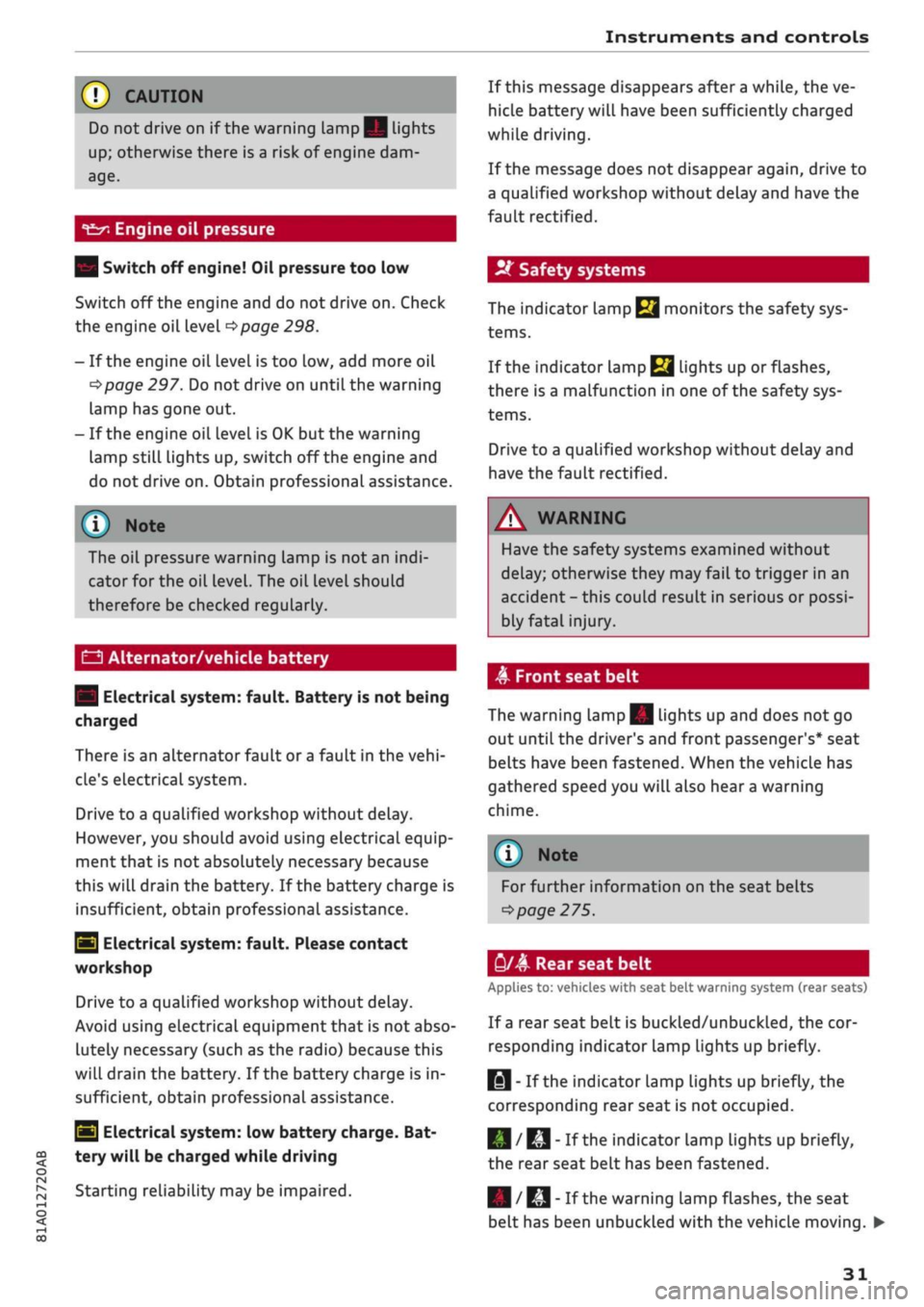
2f
Safety systems
The indicator lamp
terns.
monitors the safety sys-
If
the indicator lamp
Ej
lights up or flashes,
there is a malfunction in one of the safety sys
tems.
Drive to a qualified workshop without delay and
have the fault rectified.
A
WARNING
Have the safety systems examined without
delay; otherwise they may fail to trigger in an
accident - this could result in serious or possi
bly fatal injury.
A
Front seat belt
The warning lamp|| lights up and does not go
out until the driver's and front passenger's* seat
belts have been fastened. When the vehicle has
gathered speed you will also hear a warning
chime.
Note
For further information on the seat belts
•=>
page 275.
y/4
Rear seat belt
Applies to: vehicles with seat belt warning system (rear seats)
If a rear seat belt is buckled/unbuckled, the cor
responding indicator Lamp Lights up briefly.
||
- If the indicator lamp lights up briefly, the
corresponding rear seat is not occupied.
|/RI|-
If the indicator lamp lights up briefly,
the rear seat belt has been fastened.
| /
KJ
"
Ifthe
warning lamp flashes, the seat
belt has been unbuckled with the vehicle moving.
31
Page 35 of 364
Instruments and controls
CO
< o rN
iv
rN
•-i
00
£=s
Bonnet
| Warning! Bonnet not locked. Stop vehicle
and check bonnet lock
If the warning lamp lights up and the message
appears, the bonnet lock is not correctly engag
ed.
Stop your vehicle without delay and close the
bonnet
^page
296.
f*lu
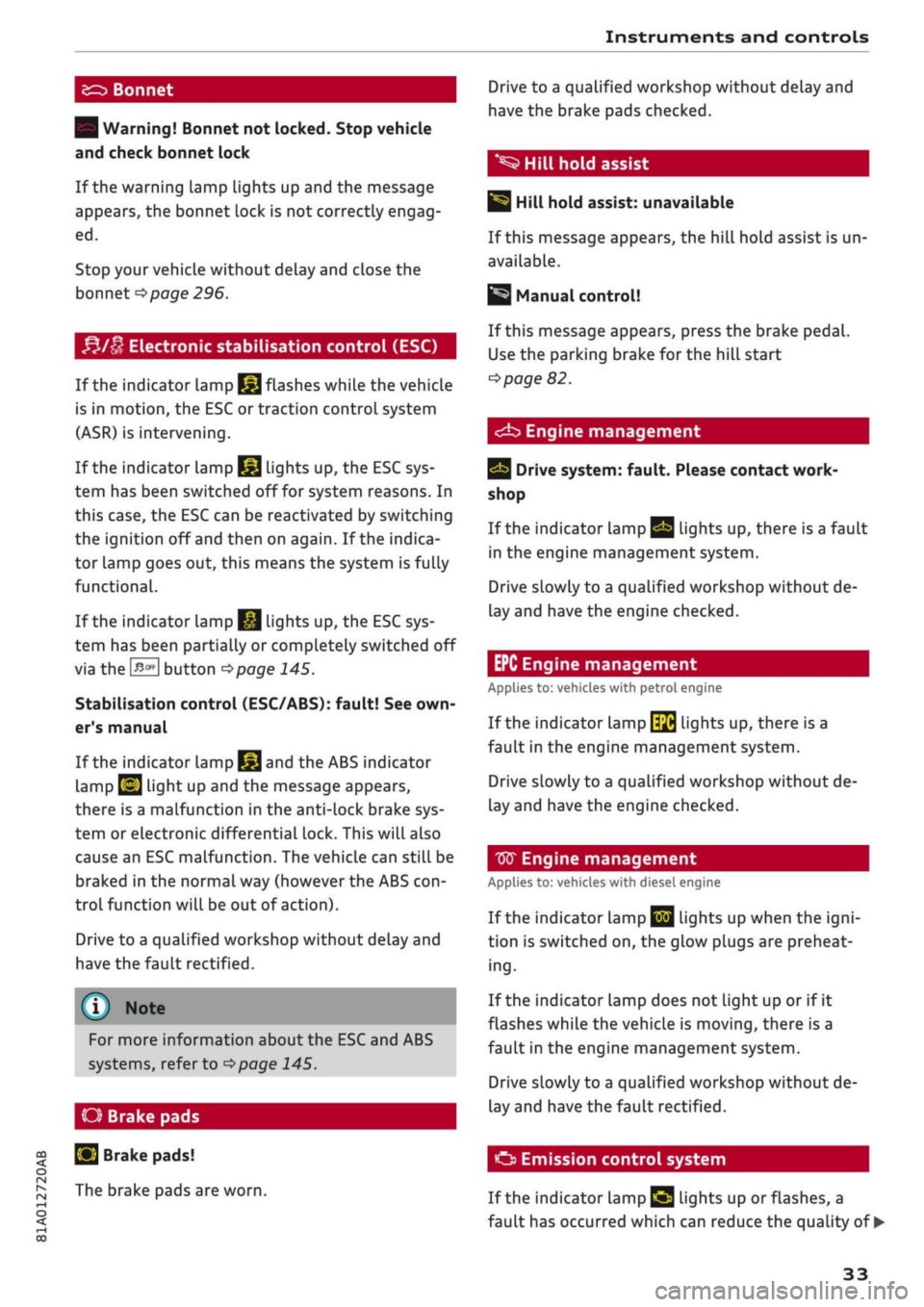
Electronic stabilisation control (ESC)
If the indicator lamp
§jj
flashes while the vehicle
is in motion, the ESC or traction control system
(ASR) is intervening.
If the indicator lamp
§|j
lights up, the ESC sys
tem has been switched off for system reasons. In
this case, the ESC can be reactivated by switching
the ignition off and then on again. If the indica
tor lamp goes out, this means the system is fully
functional.
If the indicator lamp
|g
lights up, the ESC sys
tem has been partially or completely switched off
via the
J^OFF
button
^>page
145.
Stabilisation control (ESC/ABS): fault! See
own
er's manual
If the indicator lamp
§§J
and the ABS indicator
lamp
EJ
light up and the message appears,
there is a malfunction in the anti-lock brake sys
tem or electronic differential lock. This will also
cause an ESC malfunction. The vehicle can still be
braked in the normal way (however the ABS
con
trol function will be out of action).
Drive to a qualified workshop without delay and
have the fault rectified.
(T)
Note
For more information about the ESC and ABS
systems, refer to
^>page
145.
O Brake
pads
S
Brake pads!
The brake pads are worn.
Drive to a qualified workshop without delay and
have the brake pads checked.
*S
Hill hold assist
|§i
Hill hold assist: unavailable
If this message appears, the hill hold assist is un
available.
Manual control!
If this message appears, press the brake pedal.
Use the parking brake for the hill start
^>page
82.
<^b
Engine management
Drive system: fault. Please contact work
shop
If the indicator lamp
Qg
lights up, there is a fault
in the engine management system.
Drive slowly to a qualified workshop without de
lay and have the engine checked.
EPC Engine management
Applies to: vehicles with petrol engine
If the indicator lamp
\$fi
lights up, there is a
fault in the engine management system.
Drive slowly to a qualified workshop without de
lay and have the engine checked.
W
Engine management
Applies to: vehicles with diesel engine
If the
indicator
Lamp
|jjj
Lights up when the
igni
tion is switched on, the glow plugs are preheat
ing.
If the indicator lamp does not light up or if it
flashes while the vehicle is moving, there is a
fault in the engine management system.
Drive slowly to a qualified workshop without de
lay and have the fault rectified.
O
Emission control system
If the indicator Lamp
£3 Lights
up or flashes, a
fault has occurred which can reduce the quality of •
33
Page 37 of 364
Instruments and controls
CO
s
rN rN
•-i
00
Fuel has entered the engine oil due to low out
side temperatures or frequent short trips. Drive
until the engine is warm to allow the fuel to
evaporate out of the engine oil. When doing so,
avoid high engine speeds, full acceleration and
heavy engine loads.
m
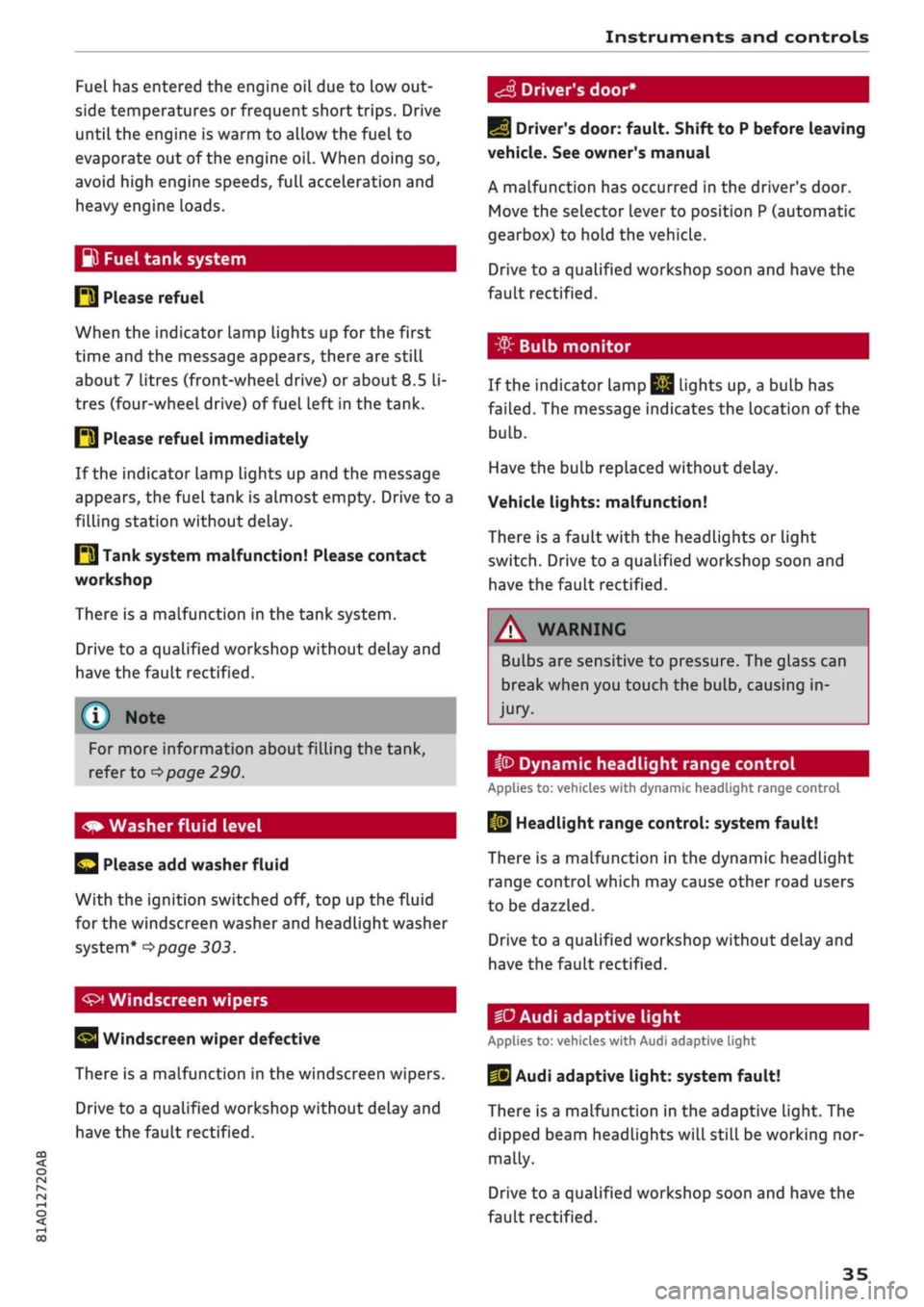
Fuel tank system
P3 Please refuel
When the indicator lamp lights up for the first
time and the message appears, there are still
about 7 litres (front-wheeL drive) or about
8.5
li
tres (four-wheel drive) of fuel left in the tank.
IM
Please refuel immediately
If the indicator lamp lights up and the message
appears, the fuel tank is almost empty. Drive to a
filling station without delay.
E3
Tank system malfunction! Please contact
workshop
There is a malfunction in the tank system.
Drive to a qualified workshop without delay and
have the fault rectified.
S
Driver's door*
For more information about filling the tank,
refer to
=>page
290.
Please add washer fluid
With the ignition switched off, top up the fluid
for the windscreen washer and headlight washer
system*
^>page
303.
Windscreen wipers
Windscreen wiper defective
There is a malfunction in the windscreen wipers.
Drive to a qualified workshop without delay and
have the fault rectified.
E]
Driver's door: fault. Shift to P before leaving
vehicle. See owner's manual
A malfunction has occurred in the driver's door.
Move the selector lever to position P (automatic
gearbox) to hold the vehicle.
Drive to a qualified workshop soon and have the
fault rectified.
-
If the indicator Lamp
jjjj
Lights up, a bulb has
failed.
The message indicates the location of the
bulb.
Have the bulb replaced without delay.
Vehicle lights: malfunction!
There is a fault with the headlights or light
switch.
Drive to a qualified workshop soon and
have the fault rectified.
/\
WARNING
Bulbs are sensitive to pressure. The glass can
break when you touch the bulb, causing in
jury.
ip
Dynamic headlight range control
Applies to: vehicles with dynamic headlight range control
13
Headlight range control: system fault!
There is a malfunction in the dynamic headlight
range control which may cause other road users
to be dazzled.
Drive to a qualified workshop without delay and
have the fault rectified.
•D
Audi adaptive light
Applies to: vehicles with Audi adaptive light
US
Audi adaptive light: system fault!
There is a malfunction in the adaptive light. The
dipped beam headlights will still be working nor
mally.
Drive to a qualified workshop soon and have the
fault rectified.
35
Page 40 of 364
Doors and windows
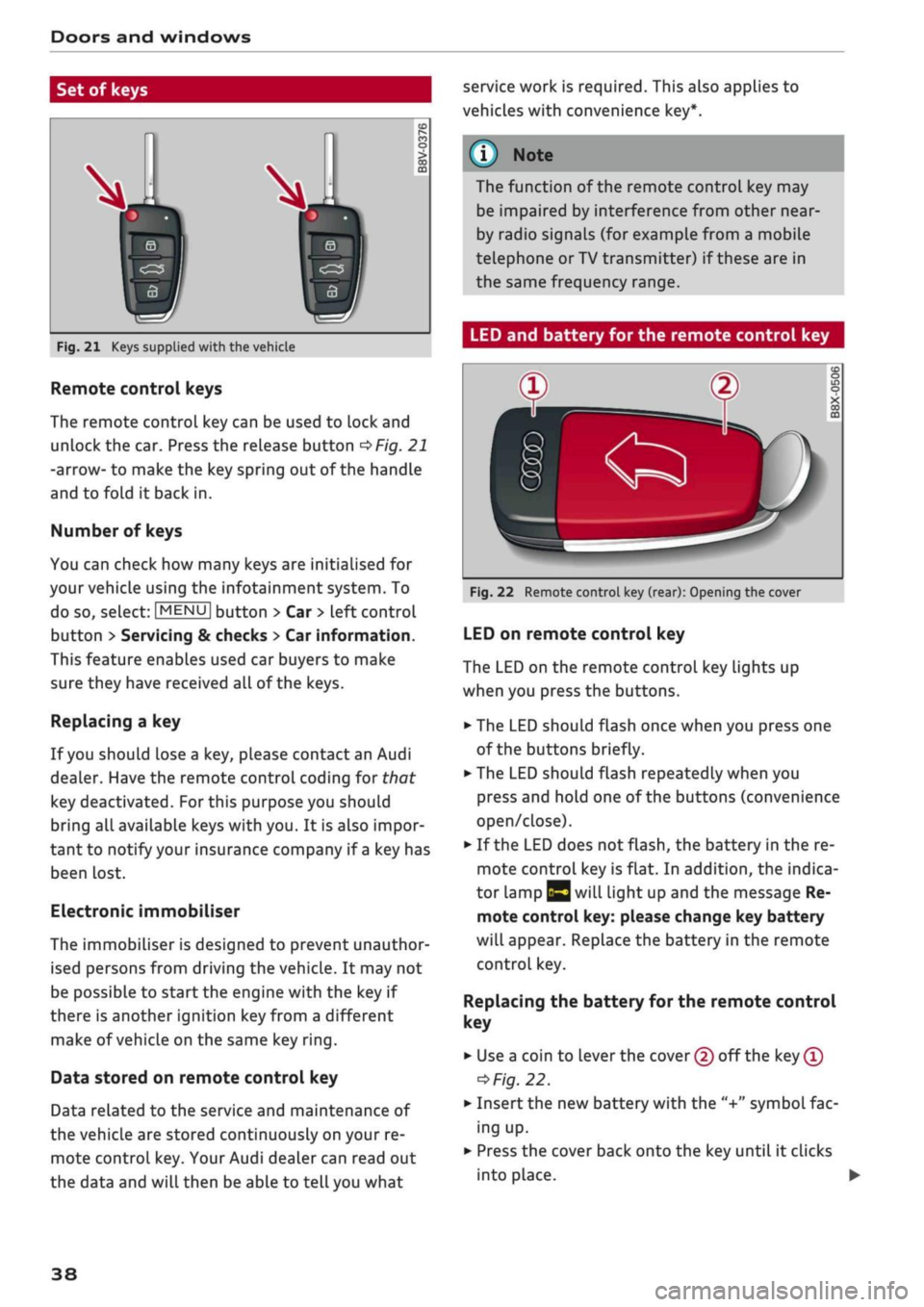
Set of keys
service work is required. This also applies to
vehicles with convenience key*.
Fig.
21 Keys supplied with the vehicle
Remote control keys
The remote control key can be used to lock and
unlock the car. Press the release button
OFig.
21
-arrow- to make the key spring out of the handle
and to fold it back in.
Number of keys
You can check how many keys are initialised for
your vehicle using the infotainment system. To
do so, select:
|MENU|
button > Car
>
left control
button
>
Servicing & checks
>
Car information.
This feature enables used car buyers to make
sure they have received all of the keys.
Replacing a key
If
you
should lose a key, please contact an Audi
dealer. Have the remote control coding for that
key deactivated.
For
this purpose you should
bring all available keys with you. It is also impor
tant to notify your insurance company if
a
key has
been lost.
Electronic immobiliser
The immobiliser is designed to prevent unauthor
ised persons from driving the vehicle. It may not
be possible to start the engine with the key if
there is another ignition
key
from a different
make of vehicle on the same key
ring.
Data stored on remote control key
Data related to the service and maintenance of
the vehicle are stored continuously on your re
mote control key. Your Audi dealer can read out
the data and will then be able to tell you what
The function of the remote control key may
be impaired by interference from other
near
by radio signals (for example from a mobile
telephone or TV transmitter) if these are in
the same frequency range.
LED and battery for the remote control key
Fig.
22 Remote control key (rear): Opening the cover
LED on remote control key
The LED on the remote control key lights up
when you press the buttons.
•
The LED should flash once when you press one
of the buttons briefly.
•
The LED should flash repeatedly when you
press and hold one of the buttons (convenience
open/close).
•
If the LED does not flash, the battery in the re
mote control key is flat. In addition, the indica
tor lamp |y will light up and the message Re
mote control key: please change key battery
will appear. Replace the battery in the remote
control key.
Replacing
the battery for the remote control
key
• Use a coin to lever the cover (2) off the key
®
=>
Fig.
22.
•
Insert the new battery with the "+"
symbol
fac
ing up.
•
Press the cover back onto the key until it clicks
into place. •
38
Page 44 of 364

Doors and windows
Locking the passenger's door/rear doors
The mechanical Locking device is located on the
end face of the front passenger's door and the
rear doors. It is only visible when the door is
open.
•
Pull the cap out of the opening
^>Fig.
27.
•
Insert the key in the slot inside and turn it as
far as the stop to the right (if the door is on the
right side) or to the Left (if the door is on the
leftside).
A WARNING
- Read and follow all the warnings
=>
A in De
scription on page 37.
- Applies to vehicles with anti-theft alarm
system:
Do not leave anyone (especially
chil
dren) in the car if it is locked from the out
side and the
safelock
mechanism* is activa
ted:
the doors and windows cannot then be
opened from the inside
^>page
42. Locked
doors could delay assistance in an emergen
cy, potentially putting Lives at risk.
© CAUTION
Ensure that you only insert the the key in the
lock in the direction illustrated to avoid dam
aging the key and the lock
^>Fig.
26. On right-
hand drive vehicles, the key should be inser
ted the other way around correspondingly.
Anti-theft alarm system
Applies to: vehicles with anti-theft alarm system
Fig.
28 End face of (open) driver's door: Button for interior
monitor/tow-away protection
If the anti-theft alarm system senses interfer
ence with the vehicle it triggers an audible and
visible alarm. The anti-theft alarm system is
acti
vated when you lock the vehicle in the usual way
and is switched off again when you unlock the ve
hicle.
The anti-theft alarm system comprises the
fol
lowing components:
Anti-theft alarm
The alarm is triggered if the bonnet, the boot Lid
or any of the doors are forced open. The alarm
system is armed whenever the vehicle is locked.
If
you
unlock the vehicle by turning the key in the
driver's door lock, you should switch on the
igni
tion within 15 seconds to prevent the alarm from
being triggered. On some export versions, the
alarm is triggered immediately when you open a
door.
To deactivate the alarm, switch on the ignition or
press the
\M
button on the remote control key.
Interior monitor and tow-away protection
When the vehicle is locked, the alarm will be
trig
gered if movements are detected in the interior
(e.g.
by animals) or if the vehicle's inclination is
changed (e.g. during transport). You can prevent
the alarm from being triggered accidentally by
switching off the interior monitor and/or tow-
away protection. To do so, proceed as follows:
•
Press the
B
button
oF/g.
28. The LED in the
button will light up.
•
If
you
now lock the vehicle, the interior monitor
and tow-away protection will remain deactiva
ted until the vehicle is unlocked again.
Safelock1)
The doors can no Longer be opened from the in
side.
This makes it more difficult to break into
the vehicle
,=>^.
The message Be aware of door
safelock. See owner's manual appears on the in
strument cluster display when you switch off the
ignition as a reminder that the safelock mecha
nism*
will be activated. You can switch off the
11
This function is not available on all export versions/equip
ment versions.
42
Page 48 of 364
Doors
and
windows
Child Locks
Applies to: vehicles with electric/mechanical child lock
The
child locks disable
the
rear windows and pre
vent the rear doors from being opened from
the
inside.
Driver message
in the
instrument cluster
display
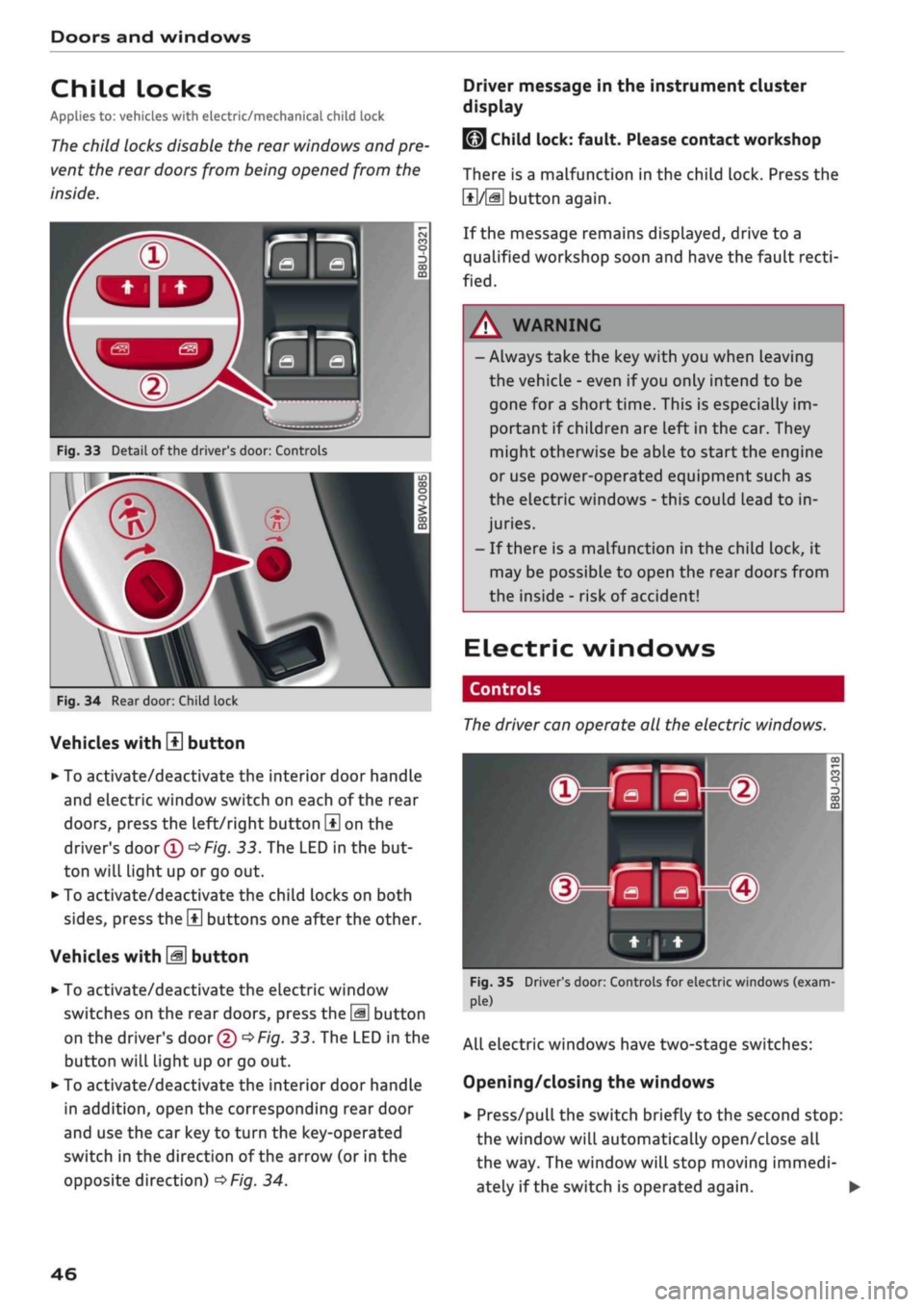
Fig.
33
Detail
of
the driver's door: Controls
Fig.
34
Rear door: Child lock
Vehicles with
H
button
• To activate/deactivate the interior door handle
and electric window switch on each
of
the rear
doors,
press the left/right button
\±\
on
the
driver's
door
(T)^Fig.
33.
The LED
in
the but
ton will light up
or
go out.
• To activate/deactivate the child locks on both
sides,
press the
B
buttons one after the other.
Vehicles with
M
button
•
To activate/deactivate the electric window
switches on the rear doors, press the
\M
button
on the driver's door
© •=>
Fig.
33.
The LED in
the
button will light up
or
go
out.
•
To activate/deactivate the interior door handle
in addition, open the corresponding rear door
and use the car key
to
turn the key-operated
switch
in
the direction
of
the arrow
(or
in
the
opposite direction)
^>Fig.
34.
LMJ
Child lock: fault. Please contact workshop
There
is
a malfunction
in
the child lock. Press
the
1*1/51
button again.
If the message remains displayed, drive
to a
qualified workshop soon and have the fault
recti
fied.
A WARNING
- Always take the key with you when Leaving
the vehicle
-
even
if
you
only intend
to be
gone
for
a short time. This
is
especially im
portant
if
children are left in the car. They
might otherwise be able
to
start the engine
or use power-operated equipment such
as
the electric windows
-
this could lead
to
in
juries.
-
If
there
is
a malfunction
in
the child lock,
it
may be possible
to
open
the
rear doors from
the inside
-
risk
of
accident!
Electric windows
Controls
The
driver can operate
all the
electric windows.
^^S
MB-®
hjHi)
Fig.
35 Driver's door: Controls for electric windows (exam
ple)
All electric windows have two-stage switches:
Opening/closing the windows
•
Press/pull the switch briefly
to
the second stop:
the window will automatically open/close
all
the way. The window will stop moving immedi
ately
if
the switch
is
operated again.
•
46
Page 53 of 364
Lights and vision
CO
<
O
rN rN
•-i
00
• Press the lever forwards (3)
^>page
50,
Fig. 38
to activate the main beam assist. The indicator
lamp
^/fi8
will light up in the instrument
cluster display and the main beams will be
switched on/off automatically. An indicator
lampBS
lights up when the main beams are
switched on.
Switching the main beams on/off manually
If the main beams are not switched on or if the
headlights are not dipped as expected, you can
control the dip function manually:
• To switch on the main beams manually, push
the lever forwards
(3).
The indicator Lamp
g
will
Light
up. To dip the headlights again, pull
the lever towards you 0.
• To dip the headlights manually, pull the lever
towards you
@.
The main beam assist will be
deactivated.
Flashing the headlights
• Pull the lever towards you
@
to flash the
head
lights when the main beam assist is activated
and the main beams are dipped. The main
beam assist will remain activated.
Driver messages in the instrument cluster
display
13
Main beam assist: system fault!
1H
Main beam assist: fault. See owner's manual
Drive to a qualified workshop soon and have the
fault rectified. You can still switch the main
beam headlights on and off manually.
13
Main beam assist: currently unavailable. No
camera view
HI
Main beam assist: currently unavailable.
Camera view restricted due to surroundings.
See owner's manual
The camera vision is impaired, e.g. by stickers or
dirt. Please clean the windscreen.
The sensor is located in the mounting for the in
terior mirror. Do not affix any stickers on this sec
tion of the windscreen.
A WARNING
The main beam assist is only intended to as
sist the driver. The driver must always ensure
that the headlights are used when required,
and may have to switch them on or off
man
ually, e.g. when the Light conditions or visibili
ty are poor. In the following situations
man
ual intervention may be necessary:
- Hazardous weather conditions such as fog,
heavy rain and snow or water splashes
- Roads on which oncoming traffic is partially
concealed (e.g. on motorways)
- Indiscernible road users (e.g. cyclists with
poor lighting)
- Tight corners, steep hill crests or valleys
- Poorly lit towns
- Highly reflective objects, such as road signs
-Windscreen misted up, dirty, frosted or cov
ered by stickers in front of the sensor
Adjusting the settings for the exterior
lighting
You
can change the settings for these functions
on the infotainment system.
• Select the following on the infotainment sys
tem:
IMENUI
button > Car
>
left control button
> Vehicle settings > Exterior lighting.
Automatic headlights*
The following settings are available in the Auto
matic headlights menu:
Activation time* - You can determine how soon
the lights are switched on by using the settings
early*, medium* or late* to adjust the sensitivity
of the light sensor.
Main beam assist* - You can switch the main
beam assist* on/off.
Entry/exit
lights*
You can switch the entry/exit lights* on and off.
They illuminate the area around the vehicle after
dark when you unlock the vehicle or when the ig
nition has been switched off and the driver's door
opened.
•
51
Page 78 of 364
Driving
©
y
Note
After the engine is stopped, the radiator fan
may remain on or turn itself back on for up to
10 minutes, even if the ignition is switched
off. This may occur for the following reasons:
- Residual heat has raised the coolant
tem
perature.
- Direct sunlight has additionally heated up
the engine compartment while the engine is
warm.
- Applies to vehicles with diesel particulate
filter: The emission control system is hot
because of the regeneration process, even
though the engine has
not
yet reached oper
ating temperature.
Starting and stopping
the engine (vehicles with
convenience key)
Starting the engine
Applies to: vehicles with convenience key
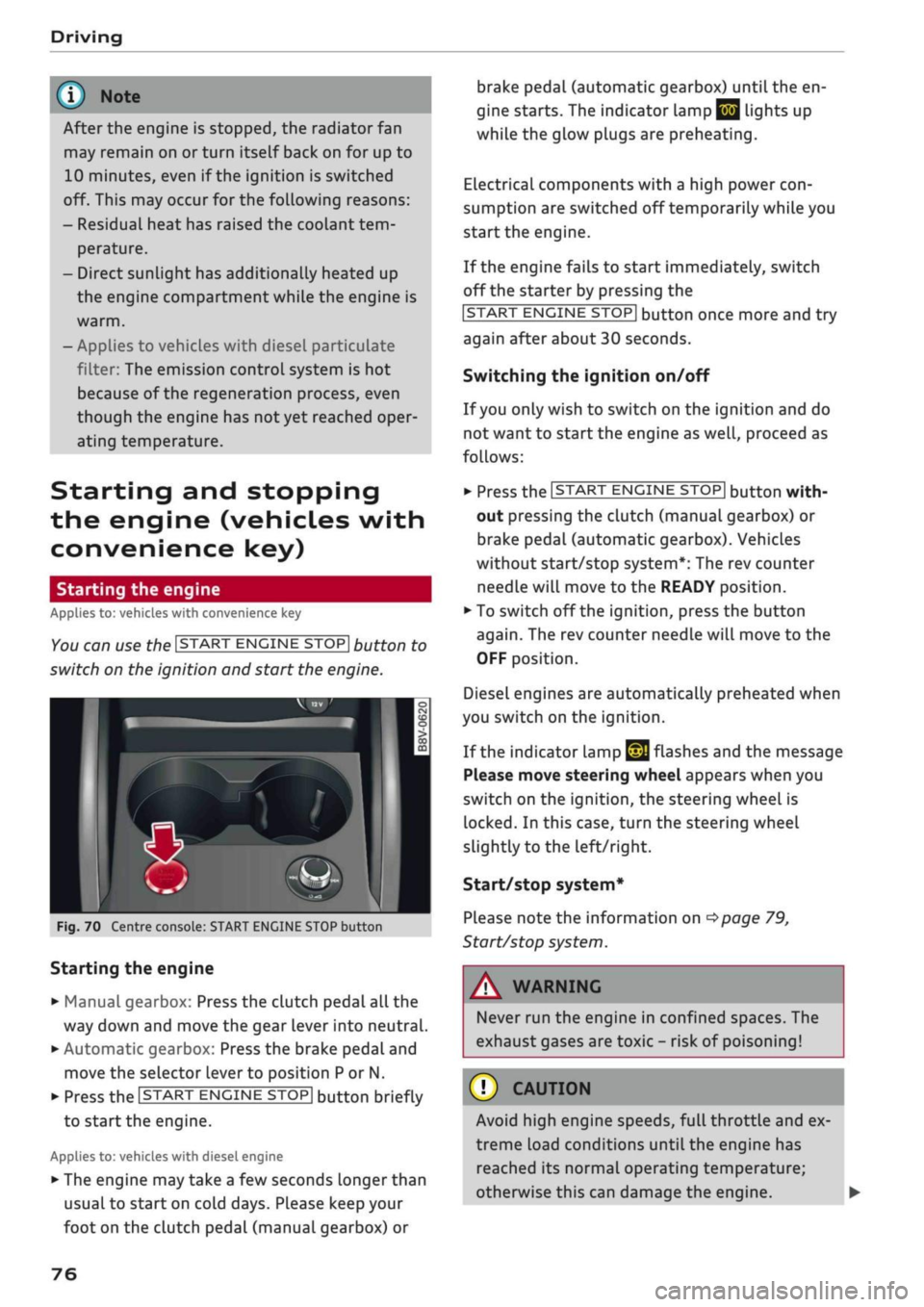
You can use the ISTART ENGINE STOP| button to
switch on the ignition and start the engine.
Fig.
70 Centre console: START ENGINE STOP button
Starting the engine
•
Manual gearbox: Press the clutch pedal all the
way down and move the gear lever into neutral.
•
Automatic gearbox: Press the brake pedal and
move the selector lever to position P or N.
•
Press the ISTART ENGINE
STOP!
button briefly
to start the engine.
Applies to: vehicles with diesel engine
•
The engine may take a few seconds longer than
usual to start on cold days. Please keep your
foot on the clutch pedal (manual gearbox) or
brake pedal (automatic gearbox) until the en
gine starts. The indicator Lamp
E 3
lights up
while the glow plugs are preheating.
Electrical components with a high power
con
sumption are switched off temporarily while you
start the engine.
If the engine fails to start immediately, switch
off the starter by pressing the
ISTART
ENGINE
STOPI
button once more and try
again after about 30 seconds.
Switching the ignition on/off
If you only wish to switch on the ignition and do
not want to start the engine as
well,
proceed as
follows:
•
Press the ISTART ENGINE STOP| button with
out pressing the clutch (manual gearbox) or
brake pedal (automatic gearbox). Vehicles
without start/stop system*: The rev counter
needle will move to the READY position.
•
To switch off the ignition, press the button
again.
The rev counter needle will move to the
OFF position.
Diesel engines are automatically preheated when
you switch on the ignition.
If the indicator lamp
£21
flashes and the message
Please move steering wheel appears when you
switch on the ignition, the steering wheel is
locked.
In this case, turn the steering wheel
slightly
to
the left/right.
Start/stop system*
Please note the information on
<^>page
79,
Start/stop system.
WARNING
Never run the engine in confined spaces. The
exhaust gases are toxic - risk of poisoning!
© CAUTION
Avoid high engine speeds, full throttle and ex
treme load conditions until the engine has
reached its normal operating temperature;
otherwise this can damage the engine. •
76