Gear AUDI Q2 2021 Owner´s Manual
[x] Cancel search | Manufacturer: AUDI, Model Year: 2021, Model line: Q2, Model: AUDI Q2 2021Pages: 364, PDF Size: 87.77 MB
Page 101 of 364

Towing
a
trailer
CO
< o rN
iv
rN
t-H
o < 00
have friction linings at the sides to prevent exces
sive wear. Degrease and clean the ball joint be
fore using a stabiLiser. The stabiliser can be pur
chased and installed
at
a qualified workshop.
Electronic stabilisation control
The
ESC
-
in particular in conjunction with the
trailer stabilisation system
o^page
97 - makes
it
easier to stabilise a trailer
if it
starts to skid
or
sway. You should therefore keep the
ESC
switch
ed on
at
all times.
Overheating
In hot weather, keep an eye on the coolant
tem
perature gauge
^page
13. When climbing long
hills with the engine running fast in low gear, the
coolant temperature can increase. Reduce speed
immediately
if
the needle moves to the right end
of the scale. For information on the warning
lamp
||
refer to
opage
30.
Rear carrier systems
When using rear carrier systems (e.g. bicycle
racks) on the towing bracket,
it
is important not
to exceed the maximum load.
The total weight
of
the rear carrier system and
its
load must not exceed
75
kg for this vehicle. How
ever,
it
is also important to observe the maxi
mum permissible load for the rear carrier sys
tem.
The greater the distance from the towing brack
et, the smaller the maximum permissible Load
on
the rear carrier system. For this reason, you
should secure heavy objects as near as possible
to the towing bracket.
Note the instructions provided by the manufac
turer of the rear carrier system.
Please make sure that the rear carrier system
is
approved for use on your vehicle.
l
Note
A WARNING
The use of an unsuitable rear carrier system
could cause severe damage
to
the towing
bracket. The towing bracket could then break
and cause an accident.
Degrease and clean the ball joint before using
a rear carrier system.
Removable towing
bracket
Introduction
Applies to: vehicles with removable towing bracket
Special care is required when fitting and remov
ing the towing bracket.
Fig.
84 Luggage compartment:
Ball
joint for towing brack
et (stowage example)
The removable ball joint attachment for the tow
ing bracket is stored under the floor panel or in a
separate bag on the floor of the luggage com
partment.
The ball joint can be fitted and removed by hand.
WARNING
Never use tools of any kind when fitting and
removing the ball joint. This could damage
the mechanism which locks the
ball
joint
in
place and impair its safety
-
risk of accident!
© Note
- Do not attempt to modify or repair the ball
joint or other towing bracket components.
- Should you have any difficulties when using
the towing bracket, or suspect that
it
is not
fitted properly, contact
a
qualified work
shop.
- Before setting off, always check that the
ball
joint is secured properly
Opage
101.
99
Page 107 of 364
Driver assist systems
CO
< o rN
iv
rN
•-i
00
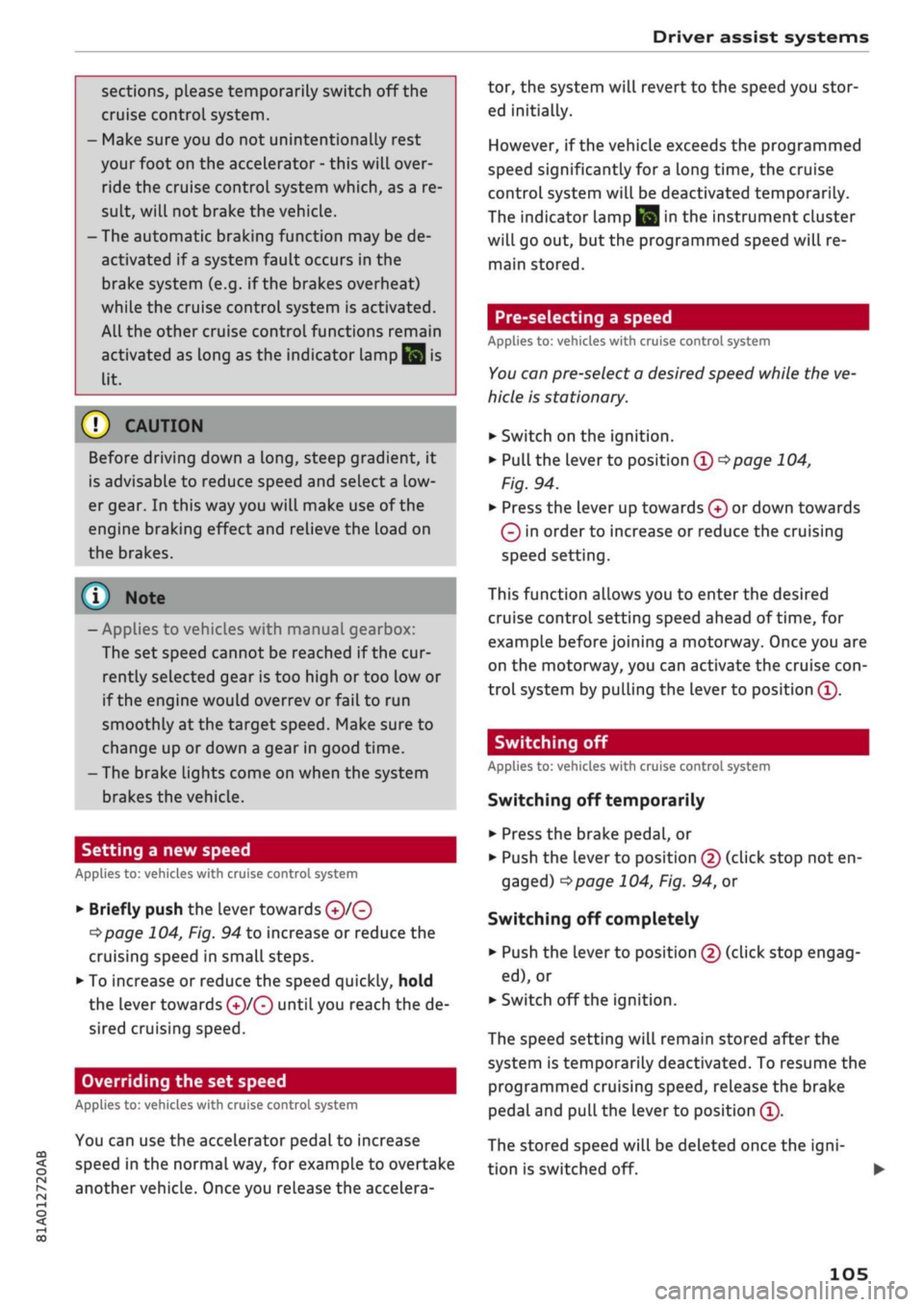
sections, please temporarily switch off the
cruise control system.
- Make sure you do not unintentionally rest
your foot on the accelerator - this will over
ride the cruise control system which, as a re
sult, will not brake the vehicLe.
-The automatic braking function may be de
activated if
a
system fault occurs in the
brake system (e.g. if the brakes overheat)
while the cruise control system is activated.
All the other cruise control functions remain
activated as long as the indicator lamp
^
is
lit.
Before driving down a
long,
steep gradient, it
is advisable to reduce speed and select a low
er gear. In this way you will make use of the
engine braking effect and relieve the Load on
the brakes.
© Note
- Applies to vehicles with manual gearbox:
The set speed cannot be reached if the cur
rently selected gear is too high or too low or
if the engine would
overrevorfailto
run
smoothly at the target speed. Make sure to
change up or down a gear in good time.
- The brake lights come on when the system
brakes the vehicle.
Setting a new speed
Applies to: vehicles with cruise control system
• Briefly push the Lever towards
©/®
^>page
104, Fig. 94 to increase or reduce the
cruising speed in small steps.
•
To increase or reduce the speed quickly, hold
the lever towards
©/®
until you reach the de
sired cruising speed.
Overriding the set speed
Applies to: vehicles with cruise control system
You can use the accelerator pedal to increase
speed in the normal way, for example to overtake
another vehicle. Once you release the accelera
tor, the system will revert to the speed you stor
ed initially.
However, if the vehicLe exceeds the programmed
speed significantly for
a
long time, the cruise
control system will be deactivated temporarily.
The indicator lamp
El
in the instrument cluster
will go out, but the programmed speed will re
main stored.
Pre-selecting
a speed
Applies to: vehicles with cruise control system
You
can preselect a desired speed while the ve
hicle is stationary.
•
Switch on the ignition.
•
Pull the lever to position
® ^>page
104,
Fig. 94.
• Press the lever up towards © or down towards
0
in order to increase or reduce the cruising
speed setting.
This function allows you to enter the desired
cruise control setting speed ahead of
time,
for
example before joining a motorway.
Once
you are
on the motorway, you can activate the cruise
con
trol system by pulling the lever to position ®.
Switching off
Applies to: vehicles with cruise control system
Switching off temporarily
•
Press the brake pedal, or
•
Push the lever to position @ (click stop not en
gaged)
^>page
104, Fig. 94, or
Switching off completely
*•
Push the lever to position
©
(click stop engag
ed),
or
•
Switch off the ignition.
The speed setting will remain stored after the
system is temporarily deactivated. To resume the
programmed cruising speed, release the brake
pedal and pull the lever to position ®.
The stored speed will be deleted once the
igni
tion is switched off. •
105
Page 108 of 364
Driver assist systems
Automatic deactivation
Cruise control system: currently unavailable.
See owner's manual
The cruise control system has been automatically
deactivated because the system has detected a
fault which could impair its function. Try switch
ing the cruise control system on again later.
A WARNING
Do not resume the programmed cruising
speed if this is too high
for
the traffic condi
tions - this can cause accidents.
Speed Limiter
Description
Applies to: vehicles with speed limiter
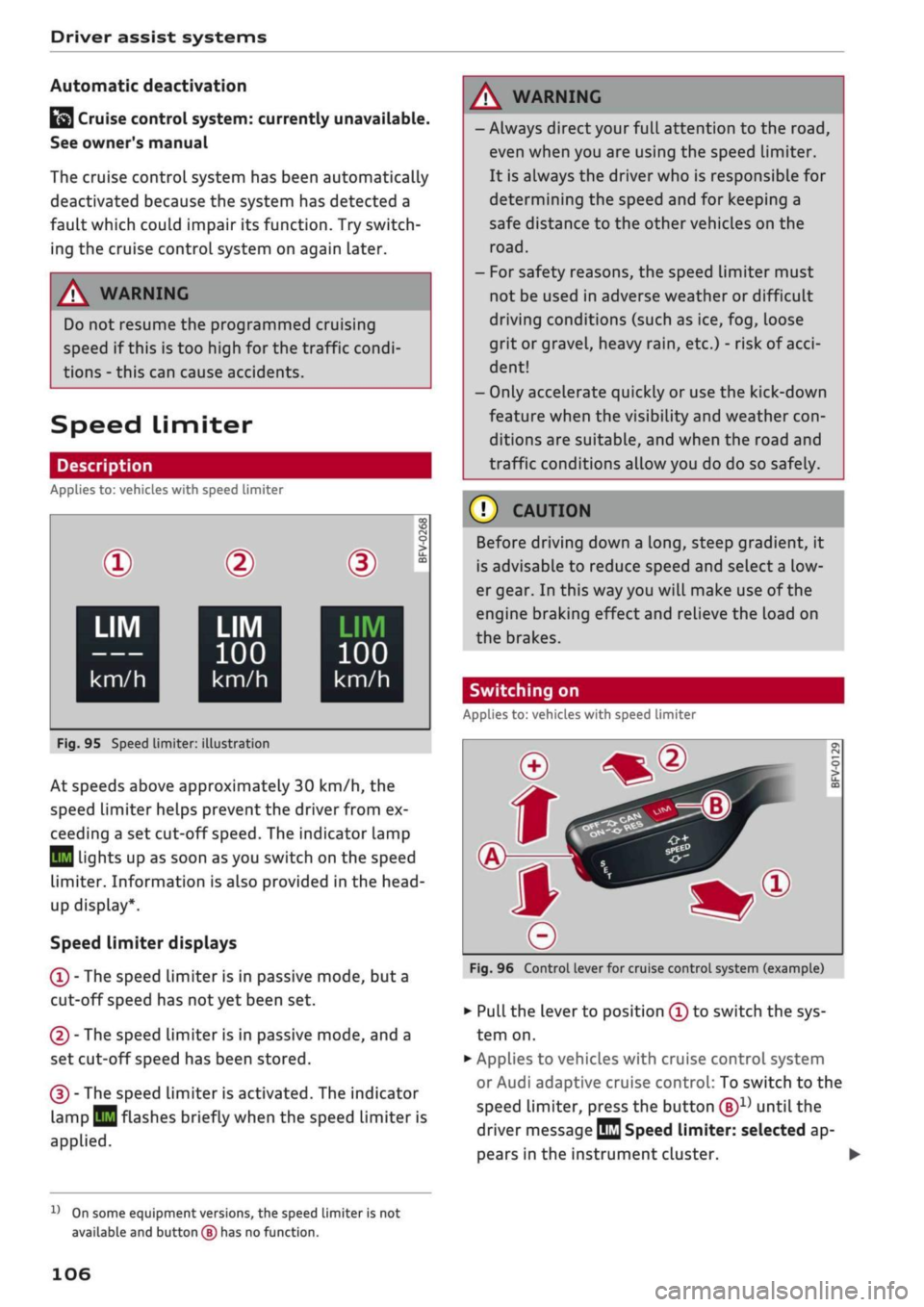
®
LIM
•
km/h
|
Fig.
95 Speed limiter:
©
LIM
100
km/h
illustration
BFV-0268
LIM
100
km/h
At speeds above approximately 30 km/h, the
speed limiter helps prevent the driver from ex
ceeding a set cut-off
speed.
The indicator lamp
Q
Lights up as soon as you switch on the speed
limiter. Information is also provided in the head-
up display*.
Speed limiter displays
© - The speed limiter is in passive mode, but a
cut-off speed has
not
yet been set.
®
- The speed limiter is in passive mode, and a
set cut-off speed has been stored.
® - The speed limiter is activated. The indicator
lamp
BH
flashes briefly when the speed limiter is
applied.
A WARNING
- Always direct your full attention to the
road,
even when you are using the speed limiter.
It is always the driver who is responsible for
determining the speed and for keeping a
safe distance to the other vehicles on the
road.
- For safety reasons, the speed limiter must
not be used in adverse weather or difficult
driving conditions (such as ice, fog, loose
grit or gravel, heavy
rain,
etc.) - risk of
acci
dent!
- Only accelerate quickly or use the kick-down
feature when the visibility and weather
con
ditions are suitable, and when the road and
traffic conditions allow you do do so safely.
Before driving down a
long,
steep gradient, it
is advisable to reduce speed and select a low
er gear. In this way you will make use of the
engine braking effect and relieve the Load on
the brakes.
Switching on
Applies to: vehicles with speed limiter
Fig.
96 Control lever for cruise control system (example)
•
Pull the lever to position © to switch the sys
tem on.
•
Applies to vehicles with cruise control system
or Audi adaptive cruise control: To switch to the
speed limiter, press the button
®1)
until the
driver message
QQ
Speed limiter: selected ap
pears in the instrument cluster. •
l)
On some equipment versions, the speed limiter is not
available and button
(B)
has no function.
106
Page 113 of 364
Driver assist systems
CO
< o rN
iv
rN
•-i
00
- In certain situations, the system may misin
terpret driving manoeuvres and inappropri
ately recommend a break.
- No acute warning is given if the driver falls
into a microsleep.
Instrument cluster display
Applies to: vehicles with rest recommendation
H
Rest recommended
If the warning lamp lights up and the message
appears, the evaluation of the steering input has
resulted in a rest recommendation. This is also
indicated by a warning tone. Take a break as soon
as possible.
The message may be displayed again once if nec
essary.
Switching on/off
Applies to: vehicles with rest recommendation
Select the following on the infotainment system:
|MENU|
button > Car > left control button > Driv
er assist > Rest recommendation.
© Note
If you switch off the system,
it
will remain
switched off the next time you switch on the
ignition.
Audi adaptive cruise
control
Description
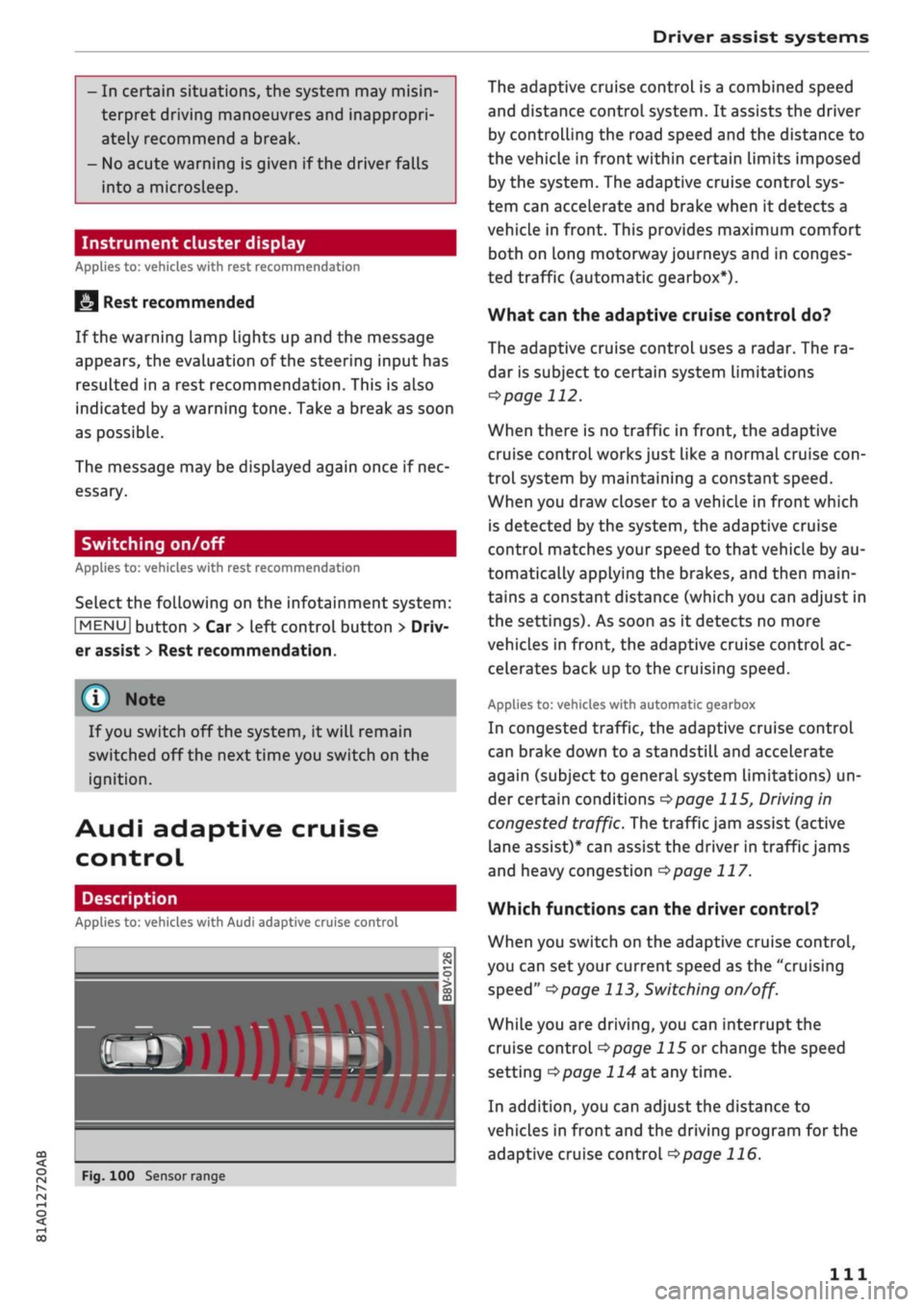
Applies to: vehicles with Audi adaptive cruise control
»
Fig.
100 Sensor range
The adaptive cruise control is a combined speed
and distance control system. It assists the driver
by controlling the road speed and the distance to
the vehicle in front within certain limits imposed
by the system. The adaptive cruise control sys
tem can accelerate and brake when it detects a
vehicle in front. This provides maximum comfort
both on long motorway journeys and in conges
ted traffic (automatic gearbox*).
What can the adaptive cruise control do?
The adaptive cruise control uses a radar. The ra
dar is subject to certain system limitations
opage
112.
When there is no traffic in front, the adaptive
cruise control works just like a normal cruise
con
trol system by maintaining a constant speed.
When you draw closer to a vehicLe in front which
is detected by the system, the adaptive cruise
control matches your speed to that vehicle by au
tomatically applying the brakes, and then main
tains a constant distance (which you can adjust in
the settings). As soon as it detects no more
vehicles in front, the adaptive cruise control ac
celerates back up to the cruising speed.
Applies to: vehicles with automatic gearbox
In congested traffic, the adaptive cruise control
can brake down to a standstill and accelerate
again (subject to general system limitations) un
der certain conditions
*$page
115, Driving in
congested traffic. The traffic jam assist (active
lane assist)* can assist the driver in traffic jams
and heavy congestion
<=>page
117.
Which functions can the driver control?
When you switch on the adaptive cruise control,
you can set your current speed as the "cruising
speed"
^>page
113, Switching
on/off.
While you are driving, you can interrupt the
cruise control
opage
115 or change the speed
setting
Opage
114 at any time.
In addition, you can adjust the distance to
vehicles in front and the driving program for the
adaptive cruise control
^>page
116.
Ill
Page 115 of 364
Driver assist systems
CO
<
O
rN rN
t-H
o <
When driving into a bend
OF/'g.
102 and driving
out of
a
bend, the system may react to a vehicle
travelling in the next lane and therefore brake
the vehicle. You can prevent this from happening
by accelerating briefly.
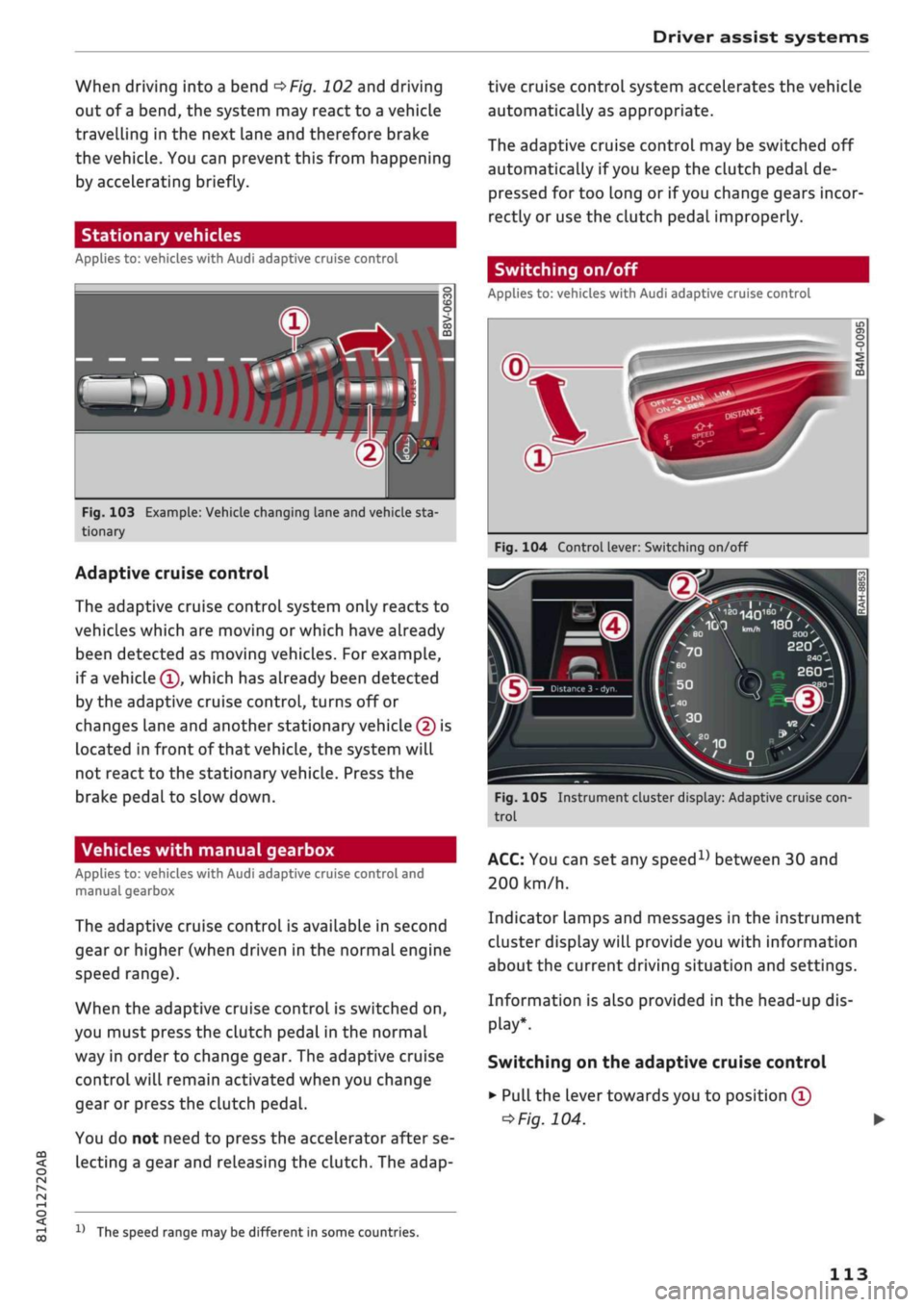
Stationary vehicles
Applies to: vehicles with Audi adaptive cruise control
»)
Fig.
103 Example: Vehicle changing lane and vehicle sta
tionary
Adaptive cruise control
The adaptive cruise control system only reacts to
vehicles which are moving or which have already
been detected as moving vehicles. For example,
if
a
vehicle ©, which has already been detected
by the adaptive cruise control, turns off or
changes lane and another stationary vehicle © is
located in front of that
vehicLe,
the system will
not react to the stationary vehicle. Press the
brake pedal to slow down.
Vehicles with manual gearbox
Applies to: vehicles with Audi adaptive cruise control and
manual gearbox
The adaptive cruise control is available in second
gear or higher (when driven in the normal engine
speed range).
When the adaptive cruise control is switched on,
you must press the clutch pedal in the normal
way in order to change gear. The adaptive cruise
control will remain activated when you change
gear or press the clutch pedal.
You do not need to press the accelerator after se
lecting a gear and releasing the clutch. The adap-
15
The speed range may be different in some countries.
tive cruise control system accelerates the vehicle
automatically as appropriate.
The adaptive cruise control may be switched off
automatically if
you
keep the clutch pedal de
pressed for too long or if
you
change gears incor
rectly or use the clutch pedal improperly.
Switching on/off
Applies to: vehicles with Audi adaptive cruise control
Fig.
104 Control lever: Switching on/off
Distance 3 -
dyr
}
Fig.
105 Instrument cluster display: Adaptive cruise
con
trol
ACC:
You can set any
speed1)
between 30 and
200 km/h.
Indicator Lamps and messages in the instrument
cluster display will provide you with information
about the current driving situation and settings.
Information is also provided in the head-up dis
play*.
Switching on the adaptive cruise control
•
Pull the lever towards you to position ©
*>Fig.
104.
113
Page 116 of 364
Driver assist systems
Setting the speed and activating the cruise
control
•
To set the current speed as the cruising speed
and activate the cruise control, press the
|SET|
button
<=>Fig.
104
"=>^.
The speed setting is in
dicated by the LEDs © in the speedometer and
is also shown briefly in the system status
indi
cator©
OF/g.
J
05.
•
Vehicles with automatic gearbox: To activate
the cruise control when the vehicle is station
ary, the hold assist* function must have been
activated
or
you must press the brake pedal.
Switching off the adaptive cruise control
•
Push the Lever away from you to position © un
til it engages. The message
ACC:
off will ap
pear.
The LEDs indicating the stored speed in the
speedometer dial will go out.
(3) Warning and indicator lamps
I
- The adaptive cruise control is switched on.
No vehicle has been detected in front. A constant
cruising speed is being maintained.
] - A vehicle in front has been detected. The
adaptive cruise control is regulating the speed to
maintain a constant distance to the vehicle in
front, and will accelerate and brake the vehicle
automatically.
I
- Automatic gearbox: The adaptive cruise
con
trol is switched on. A vehicle in front has been de
tected.
Your vehicLe is stationary and will not be
set in motion again automatically.
I
- The adaptive cruise control alone is not able
to brake the vehicle sufficiently to maintain a
safe distance to the vehicLe in front. You must in
tervene
ipage
117,
Driver intervention prompt.
©
Graphical display in instrument cluster
If the adaptive cruise control is not shown on the
instrument cluster display, you can call up the
display using the controls on the multi-function
steering wheel
^>page
15.
The graphical display shows you when a vehicLe in
front is detected and indicates how far away you
are from that vehicle:
No vehicle - No vehicLe has been detected in
front.
Vehicle in silver - A vehicle has been detected in
front.
Vehicle in red - Driver intervention prompt
<5page
117.
The five distance bars on the scale © represent
the distance setting (for information on how to
change the distance setting, refer to
^>page
116). The distance bars are coloured in
red from the bottom up if the actual distance is
shorter than the distance selected.
A
WARNING
Applies to: vehicles with automatic gearbox
If
you
press the
|SET|
button at
a
speed of less
than 30 km/h, the vehicLe will automatically
accelerate up to the minimum speed setting
of 30 km/h.
Note
- The speed setting is cleared for safety rea
sons when you switch off the ignition or the
adaptive cruise control system.
- Applies to vehicles with front-wheel drive:
The electronic stabilisation control (ESC)
and traction control system (ASR) are auto
matically activated when the adaptive cruise
control is switched on.
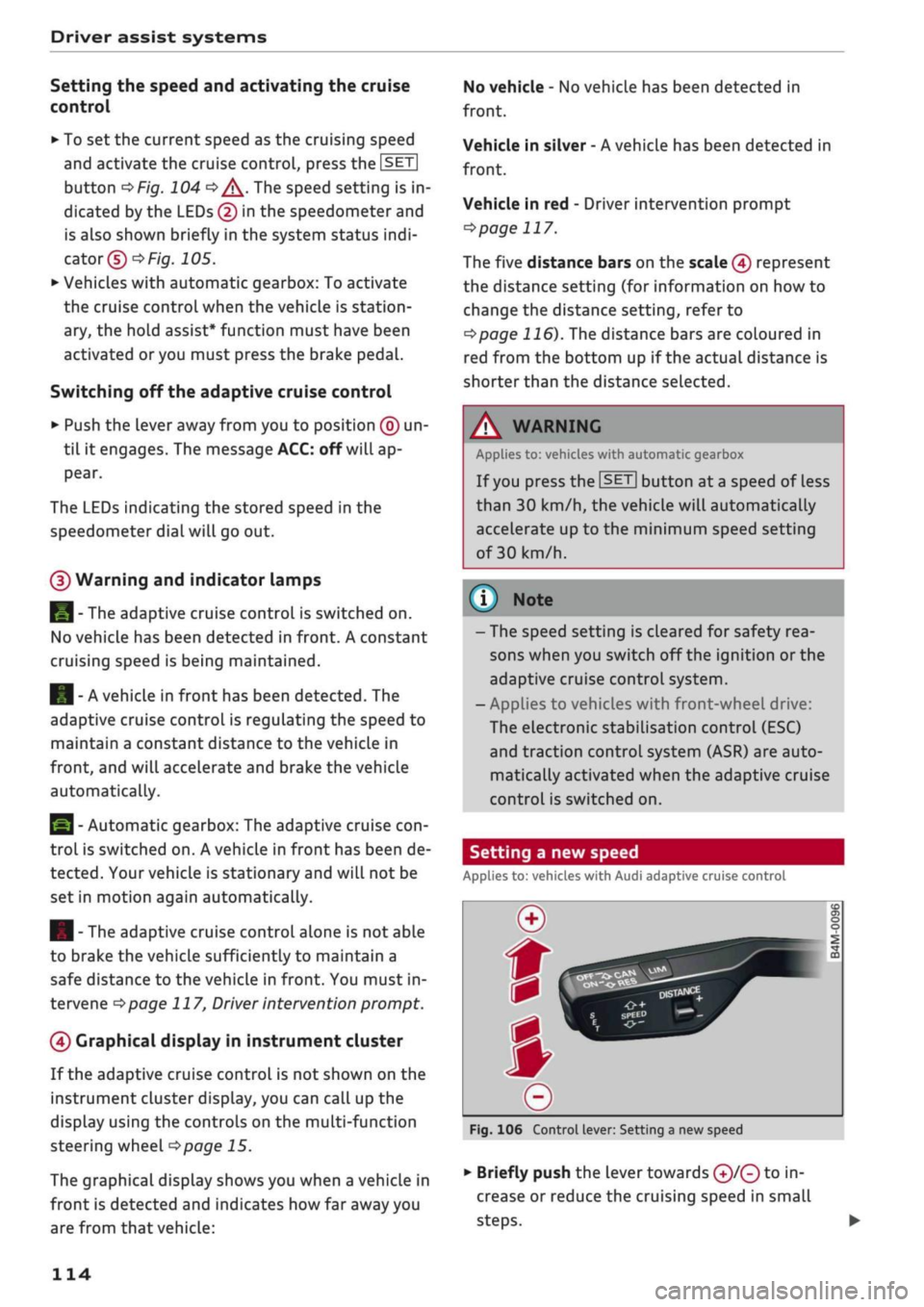
Setting a new speed
Applies to: vehicles with Audi adaptive cruise control
Fig.
106 Control lever: Setting a new speed
•
Briefly push the lever towards ©/© to in
crease or reduce the cruising speed in small
steps.
•
114
Page 117 of 364
Driver assist systems
CO
<
O
rN rN
t-H
o <
•
To increase or reduce the speed quickly, hold
the lever towards
©/©
until the
LED ©
opage
113, Fig. 105 reaches the de
sired cruising speed.
You can preselect the speed, even when the
adaptive cruise control is inactive, by moving the
lever in the appropriate direction ©/©. To
acti
vate the preselected speed, pull the lever to
posi
tion ©
^>page
113, Fig. 104.
Following any changes, the new stored speed will
be displayed briefly in the status line
opage
113, Fig. 105 ©. The indicator lamp
E53
KOI
is also lit when the adaptive cruise control is
active,
and the indicator Lamp
B3 iS Lit
when the
adaptive cruise control is inactive. The indicator
lamp El
will Light up instead in the Audi virtual
cockpit*.
Driving in congested traffic
Applies to: vehicles with Audi adaptive cruise control and au
tomatic gearbox
The adaptive cruise control assists you when driv
ing in congested traffic. If
a
vehicLe which has
been detected in front stops, the adaptive cruise
control applies the brakes (within the limits im
posed by the system) and holds the vehicle at a
standstill.
•
To set the vehicle in motion again with the
adaptive cruise control, tap the accelerator
with
your foot, or
•
Pull the lever towards you to position ©
•=>
page 115, Fig. 107.
Using the adaptive cruise control to set the
vehicle in
motion1'
If the message ACC: ready to drive off is on the
display and the vehicle in front drives off, your
vehicle will automatically start moving
•=>
A. You
can reactivate the ACC: ready to drive off mes
sage briefly by pulling the lever to position ©.
For safety reasons, your vehicle will start moving
only if
- the driver's seat belt is
buckled.
x)
Not available on vehicles for some markets.
- all the doors and the bonnet are closed,
- your vehicle has been stationary for Less than
3 minutes.
A
WARNING
If the ACC: ready to drive
offx)
message ap
pears,
your vehicle will start moving even if
there is an obstacle between your car and the
vehicle in front - risk of accident!
© Note
If your vehicle does not start moving as ex
pected with the adaptive cruise control, even
though the ACC: ready to drive
off1)
message
is displayed, you can set the vehicle in motion
by tapping the accelerator with your foot.
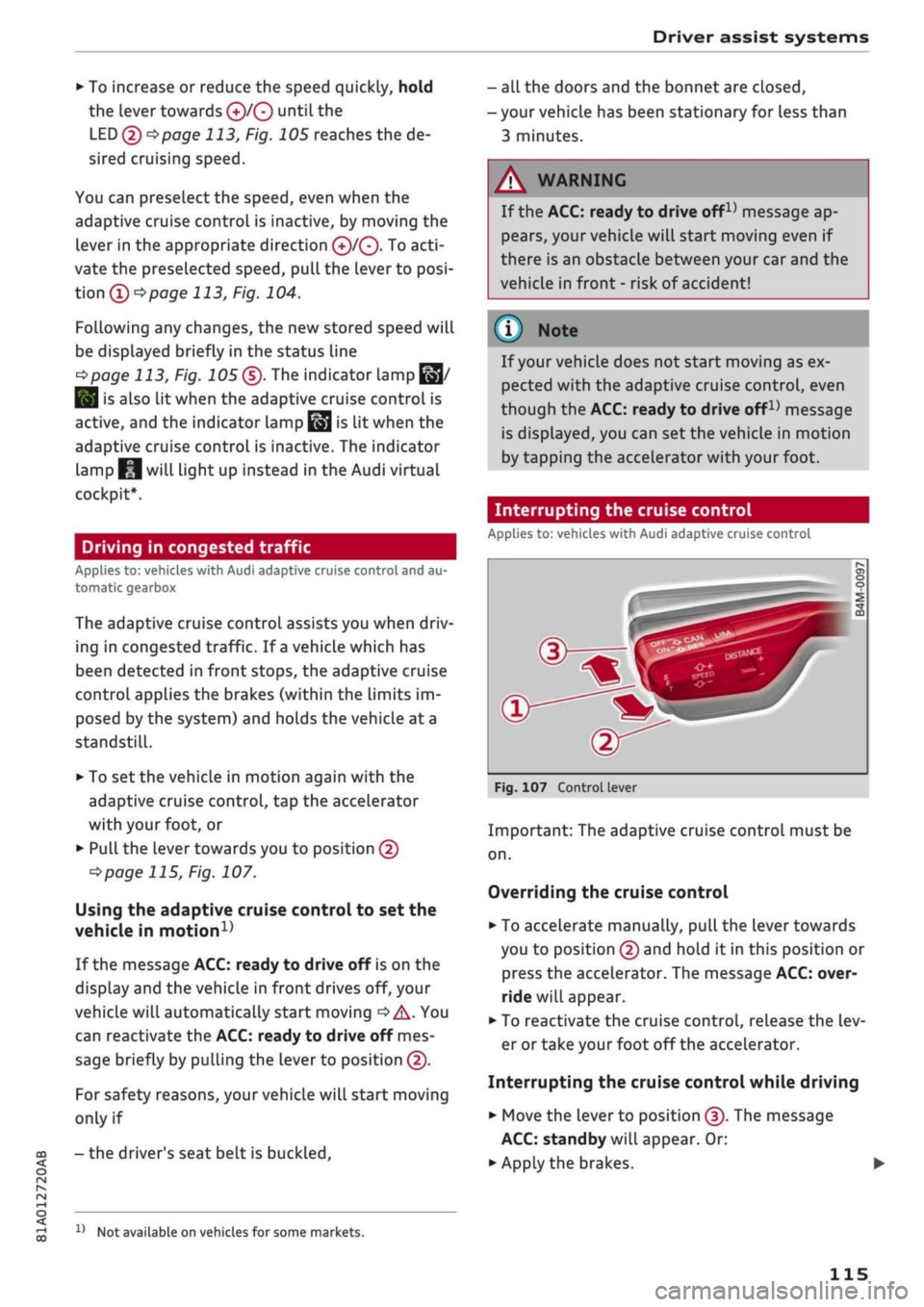
Interrupting the cruise control
Applies to: vehicles with Audi adaptive cruise control
Fig.
107 Control lever
Important: The adaptive cruise control must be
on.
Overriding the cruise control
•
To accelerate manually, pull the lever towards
you to position © and hold it in this position or
press the accelerator. The message ACC: over
ride will appear.
• To reactivate the cruise control, release the Lev
er or take your foot off the accelerator.
Interrupting the cruise control while driving
•
Move the lever to position ©. The message
ACC:
standby will appear. Or:
• Apply the brakes.
115
Page 118 of 364
Driver assist systems
• To reactivate the cruise control and accelerate
back up to the target speed, move the lever to
position©.
Interrupting the cruise control while
stationary
Applies to: vehicles with automatic gearbox
•
Push the Lever away from you to position ©.
The message ACC: standby will appear.
•
To reactivate the cruise control, press the brake
pedal and pull the Lever towards you to position
©•
A WARNING
It is dangerous to activate the cruise control
and accelerate back up to a target speed
which is too high for the current
road,
traffic
or weather conditions - risk of accident!
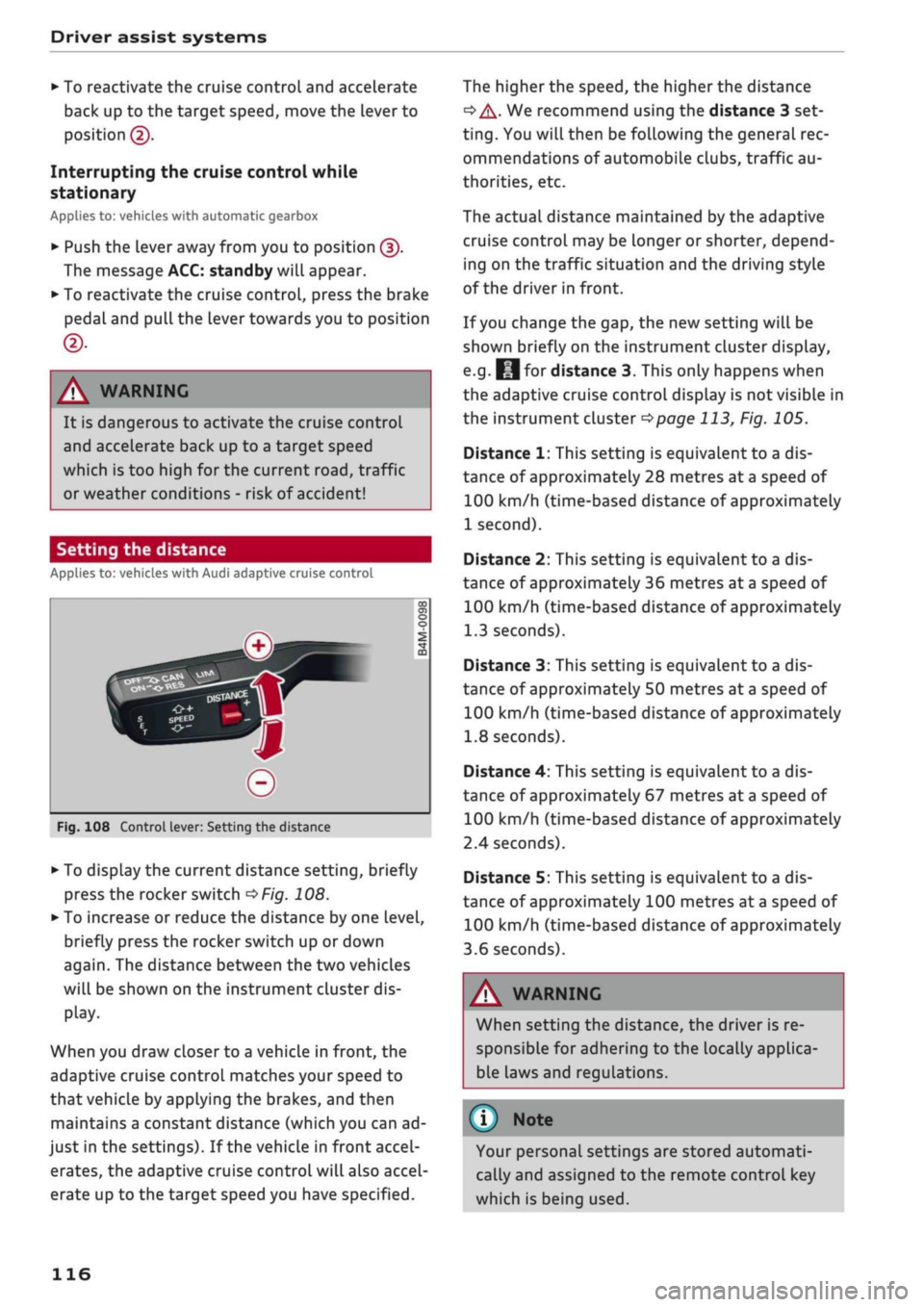
Setting the distance
Applies to: vehicles with Audi adaptive cruise control
DISTAN»
Fig.
108 Control lever: Setting the distance
*•
To display the current distance setting, briefly
press the rocker switch
OFig.
108.
>
To increase or reduce the distance by one level,
briefly press the rocker switch up or down
again.
The distance between the two vehicles
will be shown on the instrument cluster dis
play.
When you draw closer to a vehicle in front, the
adaptive cruise control matches your speed to
that vehicle by applying the brakes, and then
maintains a constant distance (which you can ad
just in the settings). If the vehicle in front accel
erates, the adaptive cruise control will also accel
erate up to the target speed you have specified.
The higher the speed, the higher the distance
•=> A-
We recommend using the distance 3 set
ting.
You will then be following the general rec
ommendations of automobile clubs, traffic au
thorities, etc.
The actual distance maintained by the adaptive
cruise control may be longer or shorter, depend
ing on the traffic situation and the driving style
of the driver in front.
If you change the gap, the new setting will be
shown briefly on the instrument cluster display,
e.g.
fcjfor distance 3. This only happens when
the adaptive cruise control display is not visible in
the instrument cluster
^>page
113, Fig. 105.
Distance 1: This setting is equivalent to a dis
tance of approximately 28 metres at a speed of
100 km/h (time-based distance of approximately
1 second).
Distance 2: This setting is equivalent to a dis
tance of approximately 36 metres at a speed of
100 km/h (time-based distance of approximately
1.3 seconds).
Distance 3: This setting is equivalent to a dis
tance of approximately
50
metres at a speed of
100 km/h (time-based distance of approximately
1.8 seconds).
Distance 4: This setting is equivalent to a dis
tance of approximately 67 metres at a speed of
100 km/h (time-based distance of approximately
2.4 seconds).
Distance 5: This setting is equivalent to a dis
tance of approximately 100 metres at a speed of
100 km/h (time-based distance of approximately
3.6 seconds).
A WARNING
When setting the distance, the driver is re
sponsible for adhering to the locally applica
ble laws and regulations.
©
Your personal settings are stored automati
cally and assigned to the remote control key
which is being used.
116
Page 121 of 364
Driver assist systems
© Note
The distance may be below the warning
threshold for a short time when overtaking or
approaching a slower vehicle quickly from be
hind.
In this case, no warning will be given. A
warning is only given if the distance is consis
tently below the threshold.
Driver messages
Applies to: vehicles with Audi adaptive cruise control
El
ACC:
not available
The system cannot detect vehicles reliably and
will be deactivated. The sensor is out of align
ment or defective. Drive to a qualified workshop
and have the fault rectified.
EH
ACC:
currently unavailable. No sensor vision
Eo3
ACC:
currently unavailable. Sensor view re
stricted due to surroundings. See owner's
man
ual
These messages appear if the radar sensor vision
is impaired, e.g. by leaves, snow, heavy road
spray or dirt. Clean the sensor
^>page
112,
Fig. 101.
E3
ACC:
currently unavailable. Speed too low
Manual gearbox: This message appears if the cur
rent speed is too low for
ACC
mode. You cannot
store speed settings below 30 km/h. The cruise
control system switches off if the speed falls
be
low 20 km/h.
Esi
ACC:
available from 2nd gear up
Manual gearbox: The adaptive cruise control only
operates in 2nd gear or higher.
B
ACC:
currently unavailable. Gradient too
steep
The maximum possible road gradient for safe op
eration of the adaptive cruise control has been
exceeded.
The adaptive cruise control cannot be
switched on.
ffl
Ea3
ACC:
only
available in D, S or M < o
PI
Automatic gearbox: Move the selector lever to
g
position D/S or M. <
00
Eol
ACC:
clutch pedal pressed
Automatic gearbox: Cruise control mode is deac
tivated if the clutch pedal is pressed for
a
rela
tively long period.
Bf
ACC:
engine speed
Manual gearbox: This message appears if the
driver does not change gear in time when the
adaptive cruise control accelerates or brakes the
vehicle and the engine speed is too high or low as
a result. The adaptive cruise control is switched
off.
EJACC:
parking brake applied
The adaptive cruise control system is deactivated
if the parking brake is applied. The adaptive
cruise control will be available again when the
parking brake is released.
Eo3
ACC:
currently unavailable. Stabilisation
control input
This message appears if the electronic stabilisa
tion control (ESC) intervenes. In this case, the
adaptive cruise control will automatically be
switched off.
Eo3 ACC
off: manual control!
This message appears if the vehicLe rolls back
wards when driving away on a slight gradient,
even though the adaptive cruise control is active.
Press the brake pedal to prevent the vehicle from
rolling back or colliding with an object behind.
EM
ACC:
currently unavailable. Park assist ac
tive
The systems are switched off when the park as
sist* is active. The systems will be available again
when the parking manoeuvre is finished.
Distance warning: fault. Please contact work
shop
The system cannot detect vehicles reliably and
will be deactivated. The radar sensor is out of
alignment or defective. Drive to a qualified work
shop and have the fault rectified.
Distance warning: currently unavailable. Sensor
view restricted due to surroundings •
119
Page 132 of 364
Driver assist systems
Rear cross-traffic assist
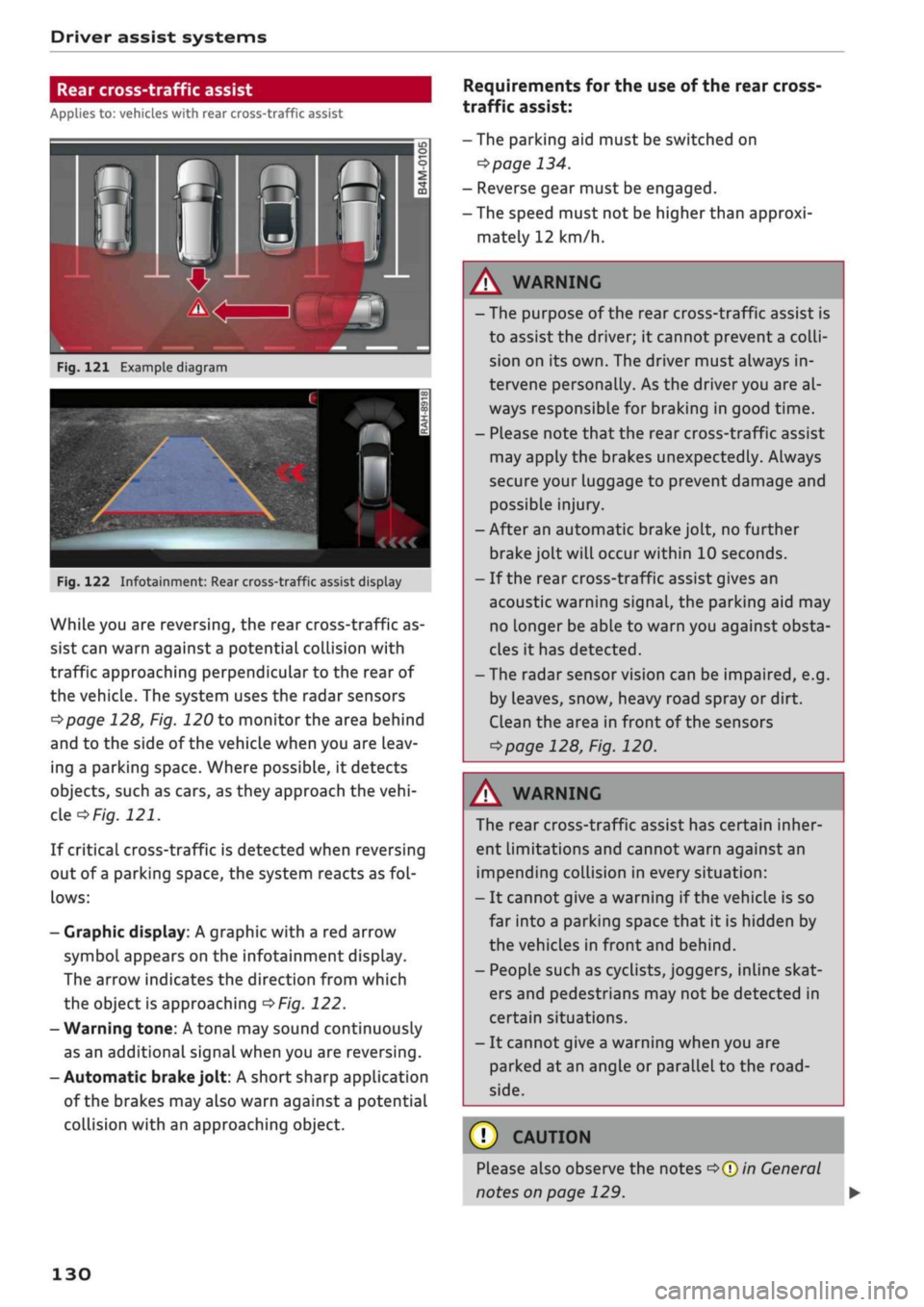
Applies to: vehicles with rear cross-traffic assist
Fig.
121 Example diagram
Fig.
122 Infotainment: Rear cross-traffic assist display
While you are reversing, the rear cross-traffic as
sist can warn against a potential collision with
traffic approaching perpendicular to the rear of
the vehicle. The system uses the radar sensors
^page
128, Fig. 120 to monitor the area behind
and to the side of the vehicle when you are leav
ing a parking space. Where possible, it detects
objects, such as cars, as they approach the
vehi
cle
of/g.
121.
If critical cross-traffic is detected when reversing
out of a parking space, the system reacts as
fol
lows:
- Graphic display: A graphic with a red arrow
symbol appears on the infotainment display.
The arrow indicates the direction from which
the object is approaching
^>Fig.
122.
- Warning tone: A tone may sound continuously
as an additional signal when you are reversing.
-Automatic
brake
jolt: A short sharp application
of the brakes may also warn against a potential
collision with an approaching object.
Requirements for the use of the rear cross-
traffic assist:
-The parking aid must be switched on
^>page
134.
- Reverse gear must be engaged.
- The speed must not be higher than approxi
mately 12 km/h.
A
WARNING
- The purpose of the rear cross-traffic assist is
to assist the driver; it cannot prevent a
colli
sion on its own. The driver must always in
tervene personally. As the driver you are al
ways responsible for braking in good time.
- Please note that the rear cross-traffic assist
may apply the brakes unexpectedly. Always
secure your luggage to prevent damage and
possible injury.
-After an automatic brake jolt, no further
brake jolt will occur within 10 seconds.
- If the rear cross-traffic assist gives an
acoustic warning signal, the parking aid may
no Longer be able to warn you against obsta
cles it has detected.
- The radar sensor vision can be impaired, e.g.
by leaves, snow, heavy road spray or dirt.
Clean the area in front of the sensors
*>page
128, Fig. 120.
A
WARNING
The rear cross-traffic assist has certain inher
ent limitations and cannot warn against an
impending collision in every situation:
- It cannot give a warning if the vehicle is so
far into a parking space that it is hidden by
the vehicles in front and behind.
- People such as cyclists, joggers, inline skat
ers and pedestrians may not be detected in
certain situations.
- It cannot give a warning when you are
parked at an angle or parallel to the
road
side.
(T)
CAUTION
Please also observe the notes
^>©in
General
notes on page 129.
130