warning light AUDI Q3 2016 Owner's Manual
[x] Cancel search | Manufacturer: AUDI, Model Year: 2016, Model line: Q3, Model: AUDI Q3 2016Pages: 252, PDF Size: 62.81 MB
Page 49 of 252
.... N
c:i ::J CX)
.... I.Cl U"I
N I.Cl ......
@ Tips
-Commercial hot waxes applied by automatic
car washes affect the how easi ly the glass
surface can be cleaned.
- You can also use the service position, for ex
ample, if you want to protect the windshield
from icing by using a cover.
- You cannot activate the service position
when the front lid is open.
Replacing rear windshield wiper blade
F ig . 48 Rear window wiper: remov ing the wiper blade
Removing the wiper blade
.. Fold the w indshield wiper arm away from the
rea r window .
.. Pull the wiper blade and holder out of the
mount .
Installing the wiper blade
.. Press the wiper blade retainer in the direction
of the arrow into the mount .
.. Fold the rear window wiper arm back onto the
windshield.
A WARNING
~ 9 a::
"' a,
-
For safety reasons, the windshield wiper
blades should be replaced once or tw ice each
year .
Lights and V ision
Digital compass
Switching the compass on and off
Applies to veh icles: w it h dig ita l compass
Fig . 49 Rearview mirror: digi tal compass is sw itched on
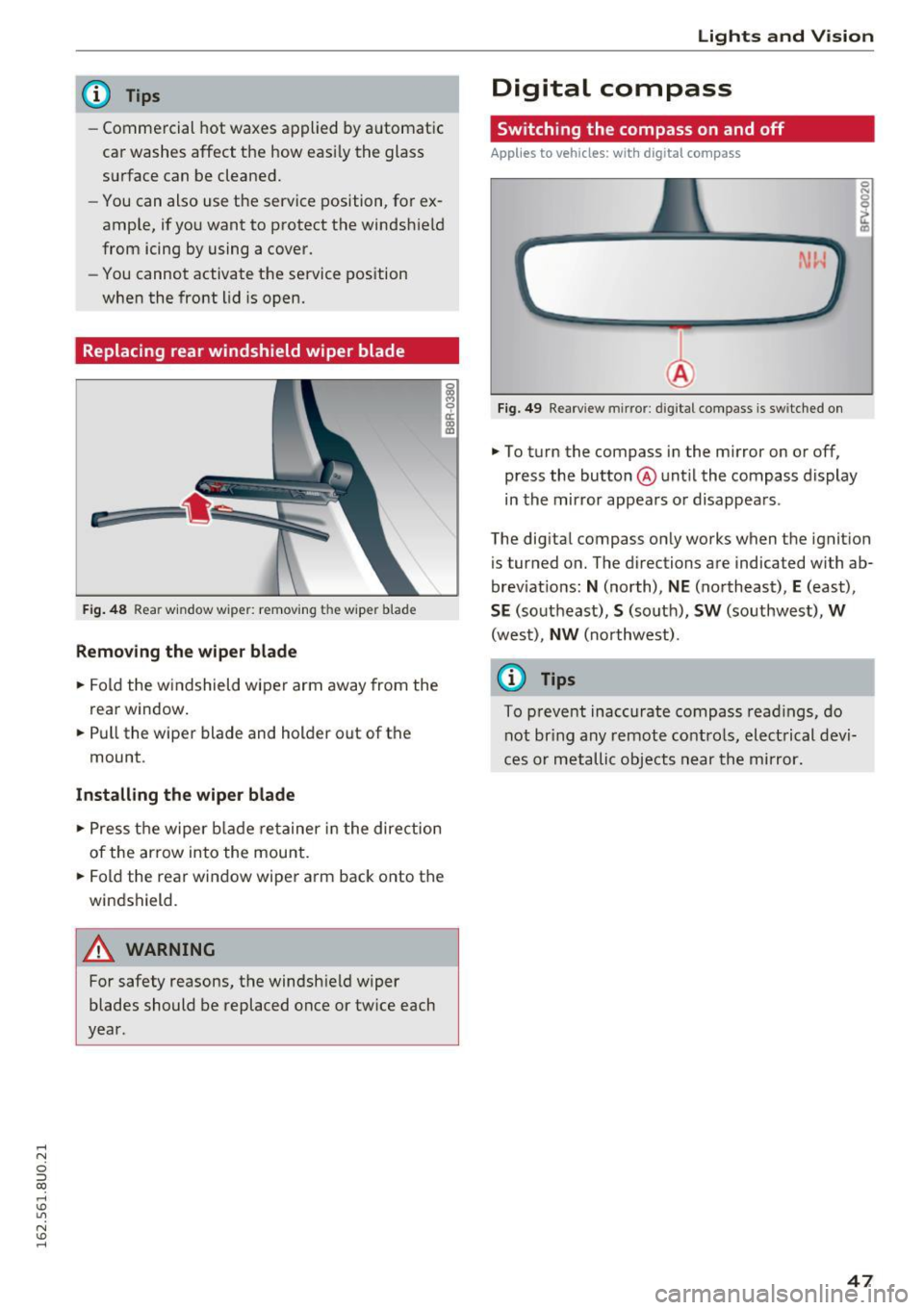
.. To turn the compass in the mirror on or off,
press the button @until the compass display
in the mirror appears or disappears .
The digital compass on ly works when the ignition
is tur ned on. The directions are indicated with ab
brev iat ions:
N (north), NE (northeast), E (east),
SE (southeast), S (so uth), SW (southwest), W
(west), NW (northwest).
(0 Tips
To prevent inaccurate compass readings, do
not br ing any remote controls, electrical devi
ces or metallic objects near the mirror.
47
Page 50 of 252
Lights and Vision
Adjusting the magnetic zone
Applies to vehicles: with digital compass
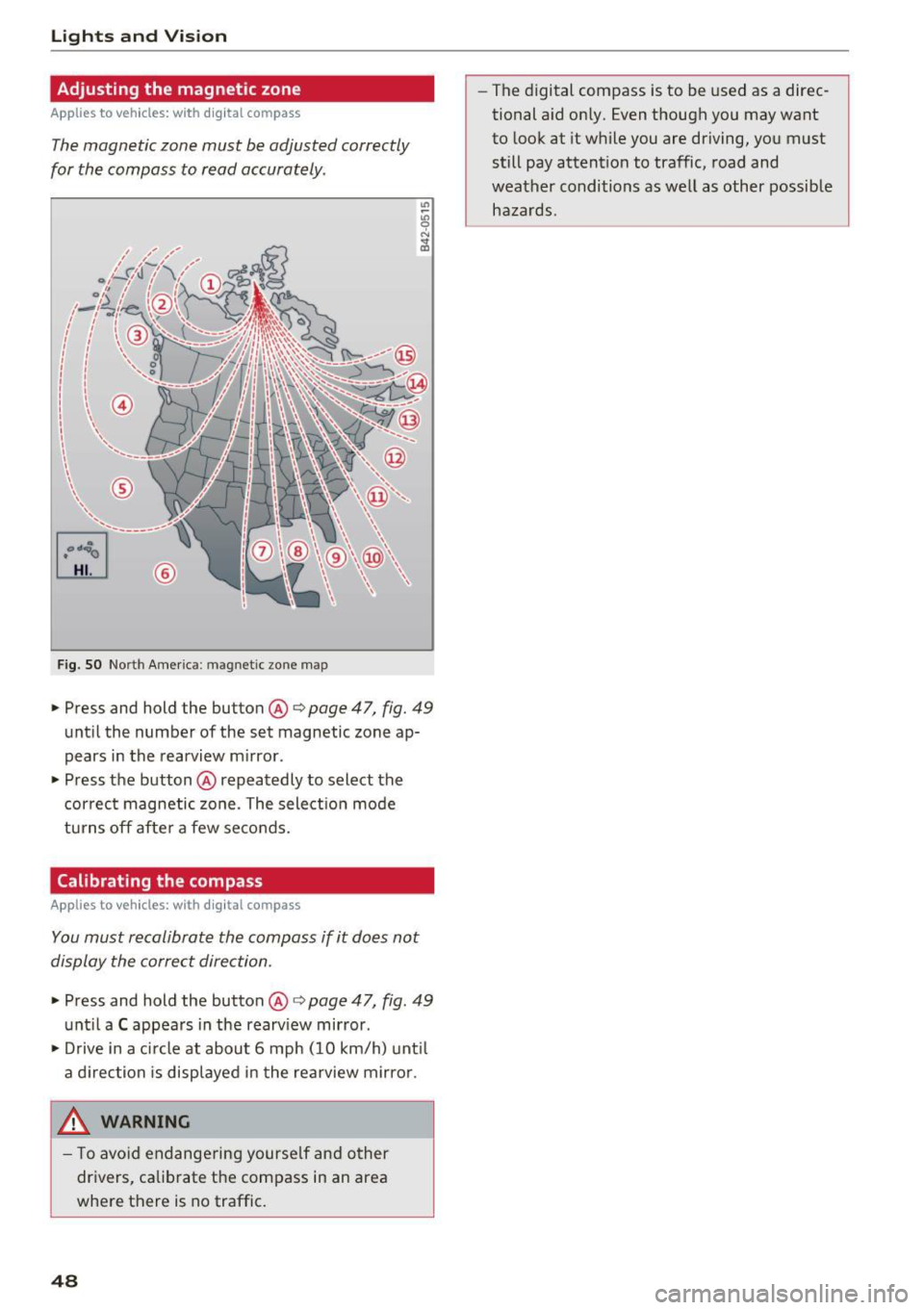
The magnetic zone must be adjusted correctly
for the compass to read accurately .
~
LIU ®
Fig . SO No rt h Amer ica : ma gnetic zo ne m ap
.. Press and hold the button @ q page 47, fig. 49
until the number of the set magnetic zone ap
pears in the rearview m irror .
.. Press the button @ repeatedly to select the
cor rec t magnetic zone . The select ion mode
turns off afte r a few seco nds.
Calibrating the compass
Applies to vehicles: with digital compass
You must recalibrate the compass if it does not
display the correct direction .
.. Press and hold the button @ q page 47, fig. 49
unt il a C appea rs in the rearv iew mirror .
.. Drive in a c ircle at about 6 mph ( 10 km/h) unt il
a d irection is displ ayed in the rea rview mirro r.
,8. WARNING
- T o avo id end ange ring yourse lf an d other
dr ivers, ca librate t he compass in an area
whe re there is no traffic.
48
- The digital compass is to be used as a direc
tional a id on ly. Even though you may want
to look at it while you are driving, you must
still pay attent ion to traffic, road and
weather conditions as well
as other possible
hazards .
Page 51 of 252
Seats and storage
General information
Important information
A WARNING
-
Refer to ¢ page 95, Driving safety for i m
portant information, tips, suggestions and
warnings that you should read and follow for
your own safety and the safety of your pas
sengers.
Why is your seat adjustment so important?
The safety belts and the airbag system can only
provide maximum protection if the front seats
are correctly adjusted.
There are various ways of adjusting the front
seats to provide safe and comfortable support
for the driver and the front passenger. Adjust
your seat properly so that:
- you can easily and quick ly reach all the switches
and controls in the instrument pane l
- your body is properly supported thus reducing
physical stress and fatigue
- the safety belts and airbag system can offer
maximum protection
¢ page 112.
In the following sections, you will see exact ly
how you can best adjust your seats.
There are special regulations and instructions for in stalling a ch ild safety seat on the front pas
senger's seat . Always follow the information re
garding child safety provided in
¢ page 132,
Child safety .
A WARNING
Incorrect seating position of the driver and all
other passengers can result in serious person
al injury.
- Always keep yo ur feet on the floor when the
vehicle is in motion -never put your feet on
top of the instrument pane l, out of the win
dow or on top of the seat cushion. Th is ap
plies especially to the passengers. If your
seating pos it ion is inco rrect, you increase
Seat s and sto rage
the risk of injury in the case of sudden brak
ing or an accident. If the airbag inflates and
the seating posit ion is incorrect, th is could
result in persona l injury or even death.
- It is important for both the driver and front
passenger to keep a distance of at least
10 inches (25 cm) between themselves and
the steering wheel and/or instrument pan
el. If you're sitt ing any closer than this, the
ai rbag system cannot protect you properly.
I n addition, the front seats and head re
stra ints must be adjusted to you r body
height so that they can give you maximum
protection.
- Always try to keep as much dis tance as pos
sible between yourself and the steering
wheel or instrument pane l.
- Do not adjust the driver's o r front passeng
er's seat while the vehicle is moving . Your
seat may move unexpectedly, causing sud
den loss of vehicle contro l and personal in
jury. If you ad just your seat while the veh icle
is moving, you are o ut of pos ition.
Driver's seat
The correct seat position is important for safe
and relaxed driving.
We recommend that you adjust the driver's seat
in the following manner:
.. Adjust the seat in fore and aft direction so that
you can easi ly push the pedals to the f loor
while keeping yo ur knees slight ly bent ¢
A in
Why is your seat adjustment so important? on
page 49.
.. Adjust the seatback so that when you sit with
your back against the seatback, you can still
grasp the top of the stee ring wheel.
.. Adj ust the head restra int so the uppe r edge is
as
even as possib le w it h the top of yo ur head. If
tha t is no t possible, t ry to adjus t the hea d re
st raint so tha t it is as close to this pos it ion as
possible
¢ page 51. .,.
49
Page 55 of 252
.... N
c:i ::J CX)
.... I.Cl U"I
N I.Cl ......
Ashtray
Applies to vehicles: with ashtray
Fig. 57 Front center console: as htray
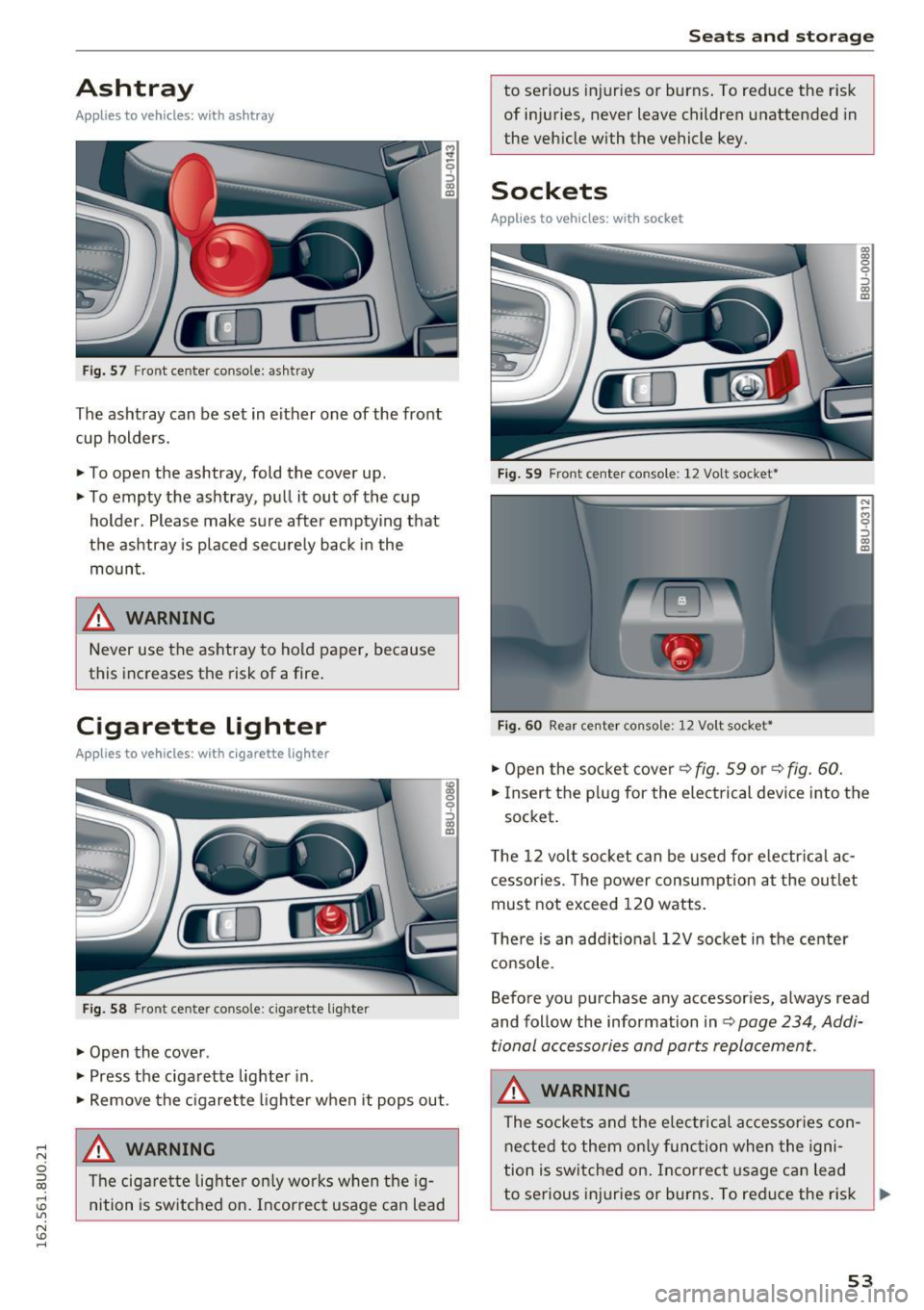
The ashtray can be set in either one of the front
cup holders.
~ To open the ashtray, fold the cover up.
~ To empty the ashtray, pu ll it out of the c up
holder . Please make sure after emptying that
the ashtray is placed securely back in the
moun t.
& WARNING
Never use the as htray to hold paper, because
this increases the risk of a fire .
Cigarette lighter
Applies to vehicles: with cigarette lighter
Fig. 58 Fr ont ce nter console: ciga rette lig hter
~ Open the cove r.
~ Press the ciga rette lighter in.
~ 9 ::::,
"' a,
~ Remove the c igarette lighter when it pops out .
& WARNING
The cig arette lig hter o nly wor ks w hen the ig
nition is sw itched on. Incorrec t usage can lead
Seats and storag e
to serious injuries or burns . To reduce the r is k
of injuries, never leave children unattended in
the veh icle with the vehicle key.
Sockets
Applies to vehicles: with socket
F ig . 59 Fro nt cente r conso le: 12 Vo lt socket•
Fi g. 60 Rea r ce nte r conso le: 12 Vo lt socket•
~ O pen the so cket cover~ fig . 59 or~ fig. 6 0.
~ 0
::> (10 m
~ Insert the p lug for the elect rical devi ce i nto the
socket.
T he 12 volt soc ket can be used fo r electr ical ac
cessories. The power consump tion at the ou tlet
mus t not exceed 120 watts.
T he re is a n add it iona l 12V soc ket in the center
c onsole .
Before you pu rchase any accessor ies, always read
and follow the information in
Q page 234, Addi
tional accessories and parts replacemen t.
& WARNING
The socke ts an d the e lec trical a ccessor ies con
ne cte d to them on ly func tion when the igni
tion i s switched on . Incorrect usage can lead
to se rious inj uries or burns . To reduce the risk ..,.
53
Page 56 of 252
Sea ts and stor age
of injuries, never leave ch ildren unattended in
the vehicle with the veh icle key.
(D Note
- To reduce the risk of damage to the vehicle
electrica l system, never attempt to charge
the vehicle battery by connecting accesso
ries that prov ide power , such as solar panels
or battery chargers, to the 12 Volt sockets
or the cigarette lighter .
- To reduce the risk of damage to the sockets,
only use plugs that fit correct ly.
{!) Tips
The vehicle battery drains when accessories
are turned on but the engine is off.
Storage
General overview
A WARNING
- Always remove objects from the instrument panel. Any items not put away could slide
around inside the vehicle wh ile driving or
when accelerat ing or when applying the
brakes or when drivi ng a round a corner .
- When you are dr iving make sure that any
thing you may have placed in the center con
so le or othe r storage locations cannot fall
o ut into the footwells. In case of sudden
br ak in g you would not be able to brake or
acce lerate .
- Any pieces of cloth ing that you have hung
up mus t not in te rfe re with the driver 's view.
The coat hooks a re designed only fo r light
weight clothing. Never hang any clothing
with hard, pointed or heavy objects in the
pockets on the coat hooks. Dur ing sudden
braking or in an accident- especially if the
airbag is deployed -these objects could in
jure any passengers inside the vehicle .
54
Beverage holders
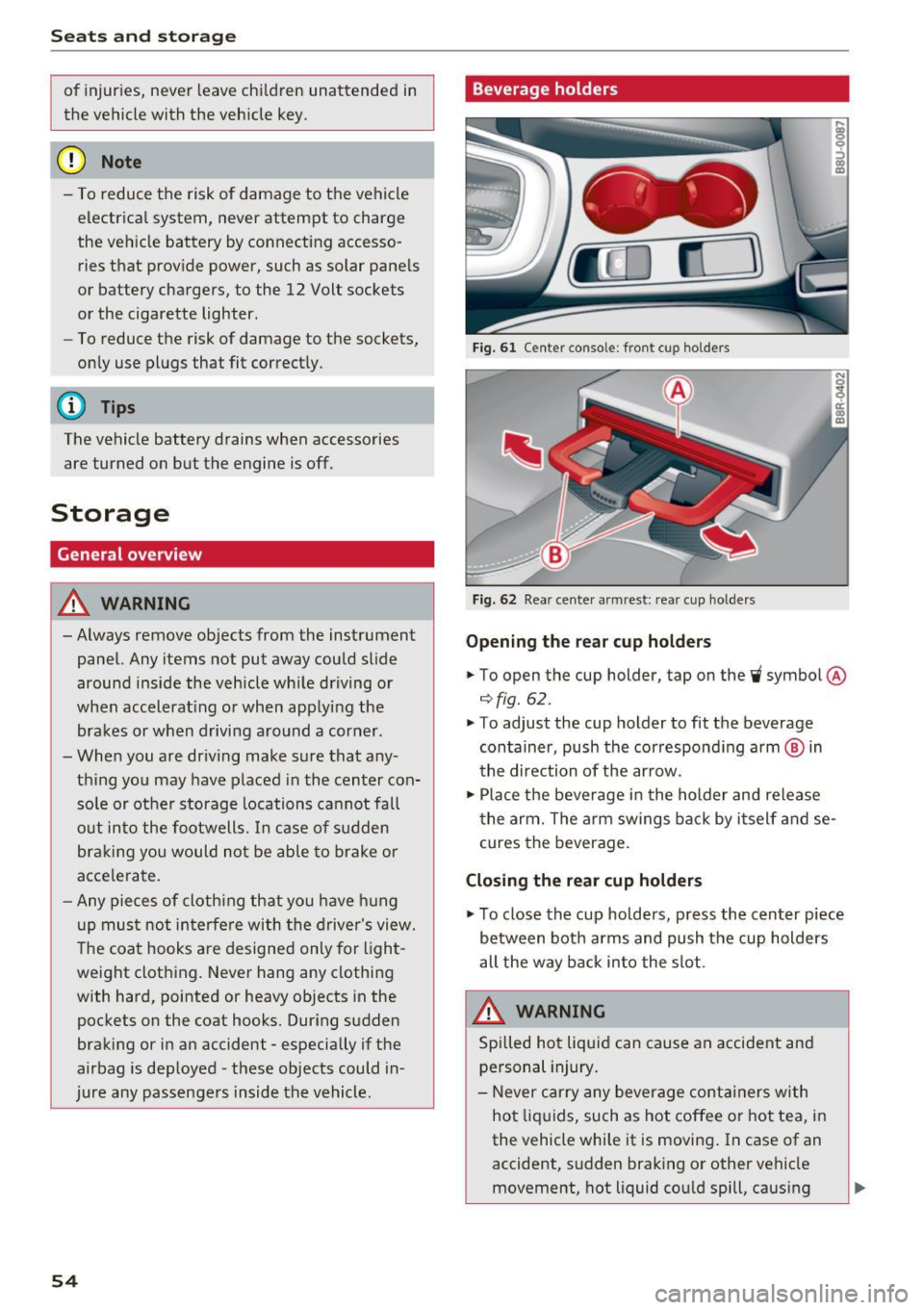
Fig. 61 Center consol e: fr ont cup holders
Fi g. 62 Rea r cen te r armrest : rea r cup ho lde rs
Opening the re a r cup ho lder s
.. To open the cup holder , tap on the~ symbol @
¢fig. 62.
.. To adjust the cup holder to fit the beverage
container, push the correspond ing arm ® in
the direction of the ar row .
.,. Place the beverage in the holder and release
t he arm. The a rm swings ba ck by i tself and se
cures the beverage .
Closing the rear cup holders
.,. To close the cup holders , press the center piece
between both arms and push the cup holders
all the way back into the slot.
A WARNING
Spilled ho t liqui d can cause a n accident and
personal injury .
- Never carry any beverage containers with
ho t liquids, such as hot coffee or hot tea, i n
the vehicle while it is moving . In case of an
accident, s udden braking or other vehicle
movement, hot liquid cou ld spill , causing
-
Page 58 of 252
Seats and storage
To switch the cooling off
.,. Turn the rotary switch @clockwise to switch
the cooling off.
The cooling box works only in the cooling mode.
If the climate control is in the heating mode, we
recommend switching the cooling box off.
& WARNING
To reduce the risk of personal injury in an acci
dent or sudden stop, always keep the glove
compartment closed while driving.
Additional storage
There are a variety of storage compartments and
fasteners in various places in the vehicle.
- In the front center console.
- At the front end of the front seats*. You can
store objects weighing up to 3.3 lbs (1.5 kg) in
the drawer and objects weighing up to 2.2 lbs (1 kg) in the hinged compartment.
- In the door trim.
- Coat hooks next to and above the rear doors.
- Nets* on the backrests of the front seats.
- Coat hooks/retaining hooks in the luggage
compartment.
& WARNING
- When driving, do not leave any hard objects
on the rear window shelf or allow your pet
to sit on the shelf. They could become a haz
ard for vehicle occupants in the event of
sudden braking or a crash.
- Always remove objects from the instrument
panel. Any items not stored could slide
around inside the vehicle while driving or
when accelerating or when applying the
brakes or when driving around a corner.
- When you are driving make sure that any
thing you may have placed in the center con
sole or other storage locations cannot fall
out into the footwells. In case of sudden
braking you would not be able to brake or
accelerate.
- Any articles of clothing that you have hung
up must not interfere with the driver's view.
56
The coat hooks are designed only for light
weight clothing. Never hang any clothing
with hard, pointed or heavy objects in the pockets on the coat hooks. During sudden
braking or in an accident - especially if the
airbag is deployed - these objects could in
jure any passengers inside the vehicle.
- To reduce the risk of personal injury in an
accident or sudden stop, always keep the
glove compartment closed while driving.
- Read and follow all WARNINGS
~ page 128, Important safety instructions
on the side airbag system.
-Hang clothes in such a way that they do not
impair the driver's vision.
- The coat hooks must only be used for light
weight clothing. Do not leave any heavy or
sharp edged objects in the pockets which
may interfere with the side curtain airbag
deployment and can cause personal injury in
a crash.
- Do not use coat hangers for hanging cloth
ing on the coat hooks as this can interfere
with proper deployment of the side curtain airbags in an accident.
- Do not hang heavy objects on the coat
hooks, as they could cause personal injury in
a sudden stop.
- Always keep the compartment above the
rearview mirror closed while driving to re
duce the risk of injury in the event of sudden
braking maneuvers or a collision.
(D Note
Objects located on the rear shelf that rub
against the rear window could damage the heating wires for the rear window defogger.
(D Tips
-A vent slot is located between the shelf and
the rear window. Do not block the vent with
any items you may place on the rear window
shelf.
- Do not place bulky items on the rear window shelf as they could restrict or block the driv
er's vision in the rear view mirror.
Page 63 of 252
.... N
c:i :::J CX)
.... I.Cl U"I
N I.Cl ......
Loading
• Press the release button in the luggage com
partment
c:> fig. 72 and fold the pass-through
toward the front.
• Push the ski sack through the opening from the
luggage compartment . T he zipper must face
toward the rear
c:> ,& .
Securing
• Stick the strap @on th e bag in the center safe
ty belt @c:> fig. 73.
• Tighten and secure the strap©
A WARNING
-The ski sack is intended only for the trans
portation of skis and other light objects. To
reduce the risk of serious personal injury,
never transport heavy or pointed objects in
the ski sack.
- When braking rapidly or during an accident ,
the load could be displaced and cause injury
to occupants.
- Sharp edges on the load must be covered
for protection. Always fasten the belt tight
ly around the sack and its contents
c:>fig . 73.
- For safety reasons, do not transport more
than two pairs of skis in the ski sack .
- You must secure the ski sack with the strap
after loading.
- Make sure all objects that you are transport
ing in the pass-through are secured. Other
wise they could slide around during sudden
braking maneuvers and cause injury .
(D Tips
-Only fold the bag up if it is dry.
- When transporting skis or snowboards, tighten the securing strap between the
bindings.
- Lay skis in the bag with the points facing
forward and snowboards and ski pole points
facing the rear.
-
Seats and storage
Reversible cargo area floor
Applies to vehicles: with reversible cargo area floor
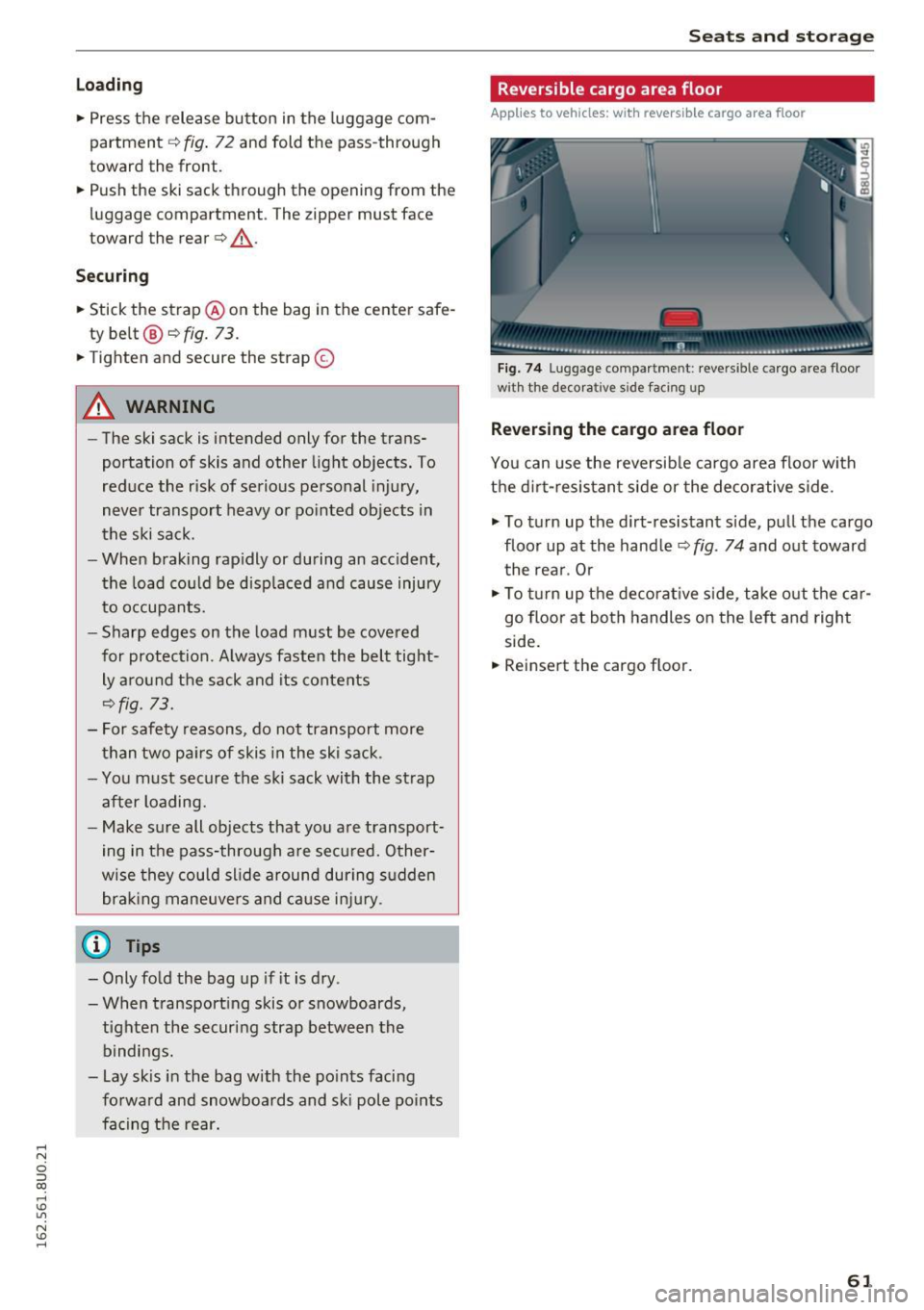
Fig. 74 Lug gag e compar tmen t: reve rs ibl e ca rgo area floor
w ith the decora tive s ide faci ng up
Reversing the cargo area floor
You can use the reversible cargo area floor with
the dirt-resistant side or the decorative side .
.,. To turn up the dirt-resistant side, pull the cargo
floor up at the handle c:>
fig. 74 and out toward
the rear . Or
.,. To turn up the decorative side , take out the car
go floor at both handles on the left and right
side.
• Reinsert the cargo floor.
61
Page 70 of 252
Driving
"'T o switch the ignition off, turn the ignition key
to position @.
Starting the engine
"' Press the b rake pedal and put the selector leve r
in to P or N.
"'T urn the key to pos it ion @. The ignition key au
tomatica lly returns to position
(I) . Do not press
the accelerator pedal when doing this.
If the engine does not sta rt immed iate ly, stop
the starting procedure and repeat after 30 sec
onds. To restart the engine, turn the ignition key
back to position @.
A WARNING
- Never allow the engine to run in confined
spaces -danger of asp hyxiation .
-
-Never remove the ignit ion key from the ign i
t ion look while the vehicle is moving . Other
wise , the steering lock cou ld sudden ly en
gage and you would not be able to stee r the
vehicle .
- Always take the key with you whenever you
leave your vehicle . Otherw ise, the engi ne
cou ld be sta rted o r electrical equ ipment
s uch as the power w indows co uld be operat
ed . This can lead to se rious i nju ry.
- Never leave children or pe rsons requiring as
sistance unattended i n the vehicle . The
doo rs c an be lo cked usi ng the remote trans
mit ter, preven ting people from escapin g
from the vehicle on thei r own in the event of
an emergency. Depending on the time of
year, people inside the vehicle can be ex
posed to very hig h or very low tempera
tures.
(D Note
Avoid high engine speed, full throttle, and heavy engine load as long as the engine has
not reached operat ing temperature yet. You
could damage the engi ne.
@ For the sake of the environment
Do not let the engine run while parked to
warm up. Begin dr iving immediately . This re
duces unnecessary emiss ions.
68
(D Tips
- Some noise after start ing the engine is nor
ma l and is no cause for concern.
- If you leave the ve hicle w ith the ignition
switched on, the ign ition wi ll switch off af
ter a certain amount of time. Make sure that
electrical equipment such as the exterior
lights are switched off.
- If it is d ifficult to turn the key to pos ition
(D , turn the steering wheel back and forth
slightly to release the steering wheel lock.
Stopping the engine
App lies to vehicles: with ignition lock
Stopping the engine
"' Bring the vehicle to a full stop .
"'T urn the key to posi tion @.
Engag ing the steering lock
Requi rement: the se lector lever must be in P.
"' Remove the ignition key in position @
c::> page 67, fig. 78 c::> &_ .
"'Tur n the steering whee l until you hear the
steer ing whee l lock .
The locke d steer ing helps prevent vehicle the ft.
A WARNING
-Never turn off the engine before the vehicle
has come to a complete stop. The full func
tion of the brake booster and the power
steer ing is not guaranteed. You must use
more force to turn or brake if necessary. Be
cause you cannot stee r and brake as you
usually would, this cou ld lead to crashes
a nd se rio us in juries.
- For safety reasons, yo u sh ould always park
your veh icle w ith the se lector lever i n P.
Othe rwise, the vehicle could inadve rten tly
roll aw ay.
- The rad iator fa n can cont in u e to run for up
t o 10 minutes even af ter yo u have turned
off the engine an d remove d the igni tion key.
The rad iator fan can also turn on again if the
eng ine coolant heats up because of intense .,._
Page 71 of 252
.... N
c:i ::J CX)
.... I.Cl U"I
N I.Cl ....
sunlight or heat build-up in the engine
compartment.
- Always take the key with you whenever you
leave your vehicle. Otherwise, the engine
could be started or electrical equipment
such as the power windows could be operat
ed . This can lead to serious injury.
- Never leave children or persons requiring as
sistance unattended in the vehicle. The
doors can be locked using the remote trans
mitter, preventing people from escaping
from the vehicle on the ir own in the event of
an emergency. Depend ing on the time of
year, people inside the vehicle can be ex
posed to very high or very low tempera
tures.
CD Note
If the engine has been under heavy load for
an extended per iod of t ime, heat builds up in
the engine compartment after the engine is
switched off -there is a risk of damaging the
engine. For this reason, let the engine run at
idle for approximately two minutes before
shutting it off.
Starting and stopping
the engine (vehicles with
a convenience key)
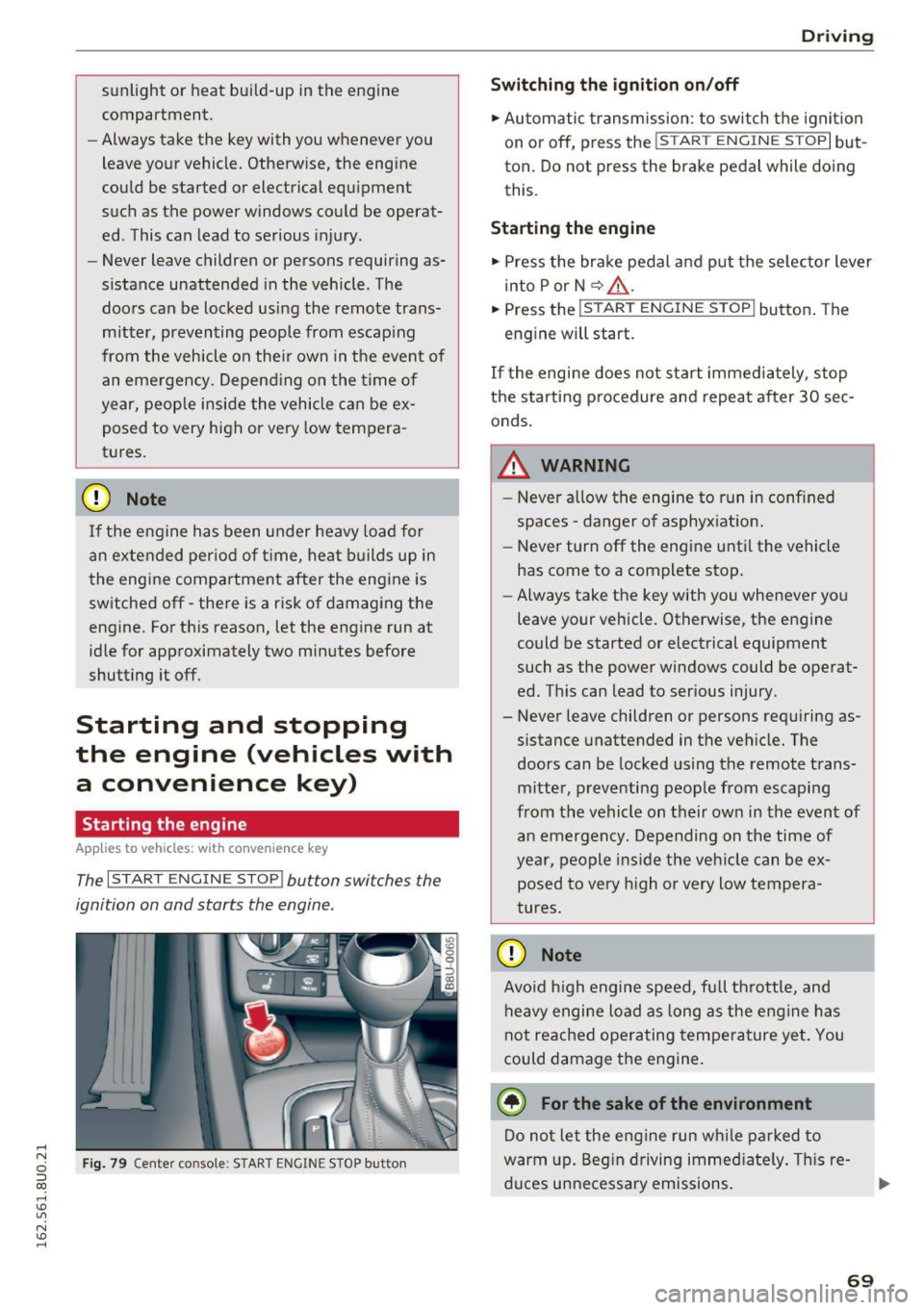
Starting the engine
A ppl ies to vehicles: with c onve nien ce key
The I START ENGINE STOP! button switches the
ignition on and starts the engine.
Fig. 79 Center console : START ENGINE STOP button
Driving
Swi tching the ign ition on/o ff
.,. Automatic transmission: to switch the ignit ion
on or off, press the
I S T AR T ENGINE S TOPI but
ton. Do not press the brake pedal while doing
this.
Starting the engine
.,. Press the brake pedal and put the se lector lever
into P or N
~ A -
.,. Press the ~, s-T ~A - R- T~ E-N -G =r -N =E - S~ T= o- P-j button . The
engine will start.
If the engi ne does not start immediately , stop
the starting procedure and repeat after 30 sec
onds.
A WARNING
- Never allow the engine to run in confined
spaces -danger of asphyxiation.
- Never turn off the engine unti l the vehicle
has come to a complete stop.
- Always take the key with you whenever you
leave your vehicle. Otherwise, the engine
could be started or electrical equipment
such as the power windows could be operat
ed. This can lead to serious injury.
- Never leave children or persons requiring as
sistance unattended in the vehicle. The
doors can be locked using the remote trans
mitter, preventing people from escaping
from the vehicle on their own in the event of an emergency. Depending on the time of
year, people ins ide the veh icle can be ex
posed to very h igh or very low tempera
tures.
CD Note
Avo id high engine speed, full throttle, and
heavy engine load as long as the eng ine has
not reached operating temperature yet. You
could damage the engine.
@ For the sake of the environment
Do not let the engine run wh ile parked to
warm up. Beg in driving immed iate ly . T hi s re
duces unnecessa ry emissions.
-
69
Page 72 of 252
Driving
@ Tips
-Some noise after starting the engine is nor
mal and is no cause for concern.
- If you leave the vehicle with t he ignit ion
switched on, the ignition will switc h off af
ter a certain amount of time . Make sure that
electr ica l equipment suc h as the exterior
lights are switched off.
Stopping the engine
Appl ies to veh icles: w ith conve nien ce key
• Bring the vehicle to a full stop.
• Select the P or N selector lever position .
• Press the
I S TAR T ENGIN E STO PI button
¢ page 69, fig. 79.
Engaging the steering lock
The steering locks when you turn the engine off
using the
I START ENGINE STOP! button a nd
open the driver's door . The locked steering helps
p revent vehicle theft.
Emergency off function
If it is absolutely necessary, the engine can also
be turned off while driving at speeds lower than
6 mph (10 km/h) . To switch the engine off, press
the
I START ENGINE STOPI button twice in a row
briefly o r press and hold for longer than two sec
onds.
_& WARNING
- Never turn off the engine before the veh icle
has come to a comp lete stop . The full func
tion of the brake booster and the power
steering is not guaranteed. You must use more force to turn or brake if necessary. Be
cause you cannot steer and brake as you
usually would, this could lead to crashes
and serious injuries.
- For safety reasons, you should always park
yo ur vehicle with the selecto r lever in P .
Otherwise, the vehicle could inadvertently
roll away .
- The radiator fan can continue to r un for up
to 10 minutes even after you have turned
off the engine and removed the ignit ion key.
70
The radiator fan can also turn on again if the
engine coolant heats up because of intense
sunlight or heat build-up in the engine com
partment .
- Always take the key with you whenever you
leave your vehicle . Otherwise, the engine
could be started or electrical equipment
such as the power windows could be operat
ed. This can lead to serious injury.
(D Note
If the engine has been under heavy load for
an extended period of time, heat builds up in
the eng ine compartment after the engine is
switched off -there is a risk of damaging the
engine. For this reason, let the engine r un at
idle for approxi mately two minutes before
shutting it off.
Starting the engine when there is a
malfunction
App lies to vehicles: wit h co nvenience key
Other circumstances can cause the engine not to
start, such as the battery in the remote control
key has drained , there is interference with the
key or there is a system malfunction .
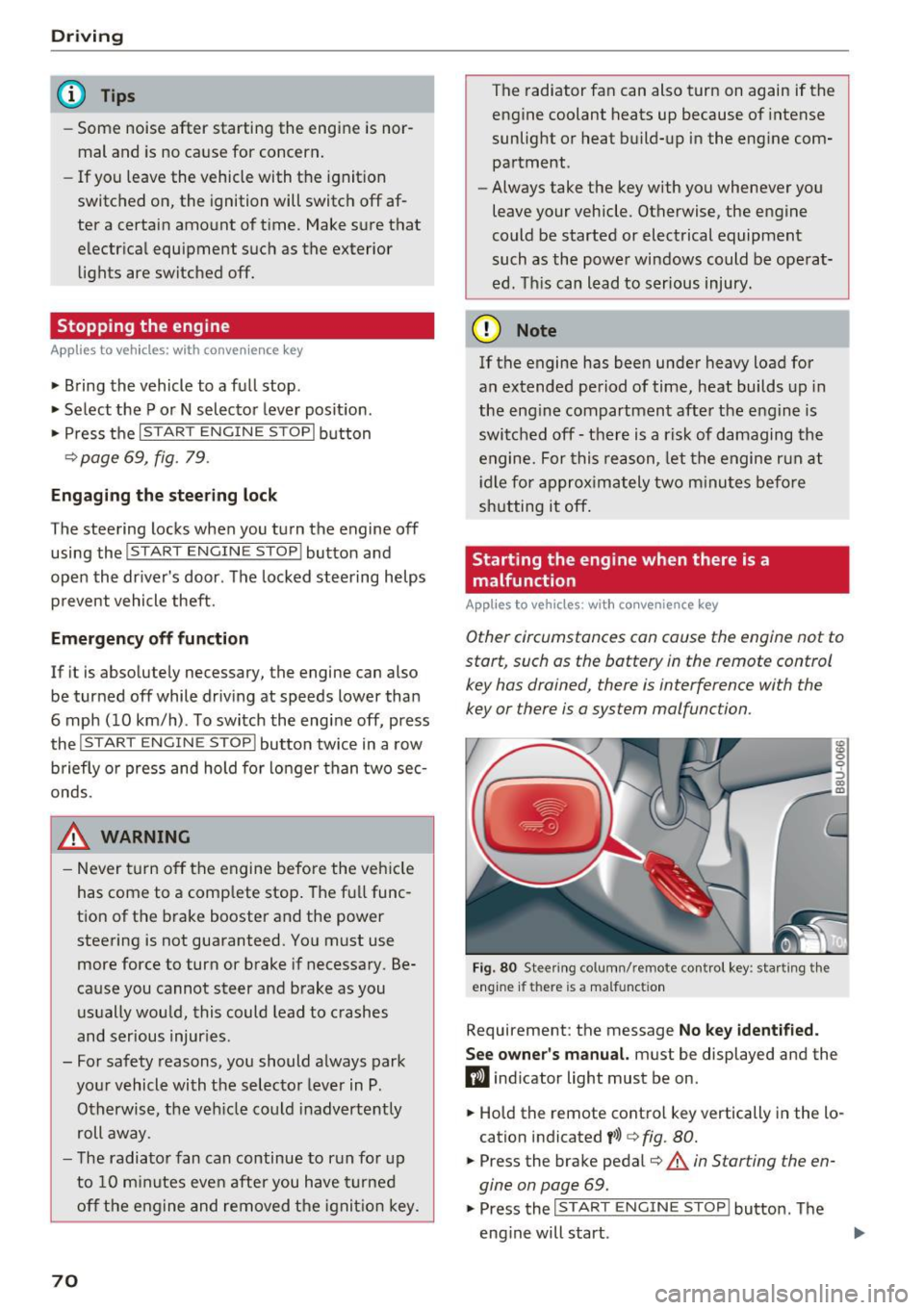
Fig. 80 Stee ring co lumn/ remo te cont rol key : sta rting t he
engine if th ere is a malfunct ion
Requirement: the message No key identified.
See owner's
manual. must be displayed and the
fl ind icator light must be on .
• Hold the remote control key vertically in the lo
cation indicated
t>>) ¢ fig. 80.
• Press the brake pedal¢.&. in Starting the en
gine on page
69.
• Press the ~IS_T_A_R_T_ E_N_ G_ I_ N_ E ~ s=T ~O ~ P~ I button. The
eng ine will start .