warning AUDI Q5 2013 Manual PDF
[x] Cancel search | Manufacturer: AUDI, Model Year: 2013, Model line: Q5, Model: AUDI Q5 2013Pages: 316, PDF Size: 78.89 MB
Page 96 of 316
94 On the road
symbol appears in the display. The symbol's
appearance might be different in some mod
els.
The speed warning system has
two warning
thresholds
that function independently of
each other and that have somewhat d ifferent
purposes:
Speed warning 1
You can use speed warn ing 1 to set the maxi
mum speed wh ile you are dr iv ing. This sett ing
will remain in effect unt il you turn off the igni
tion, assuming that you have not changed or
reset the setting.
The speed warning symbol. (USA models)/
• (Canada mode ls) in the warning 1 display
appears when you exceed the maximum
speed . It goes out when the speed fa lls below
the stored maximum speed.
The speed warn ing symbo l wi ll also go out if
the speed
exceeds the stored maximum speed
by more than about 25 mph (40 km/h) for at
least 10 seconds. The s tored maximum speed
is deleted .
Setting speed warning 1
c:!;> page 94 .
Speed warning
2
Storing warning 2 is recommended if you al
ways
want to be reminded of a certa in speed,
for example when you are trave ling in a coun
try that has a general maximum speed limit,
or if you do not want to exceed a specified
speed for winte r ti res.
The speed warning 2 symbol ,. (USA mod
e ls)/ . (Canada models) appears in the dis
p lay when you exceed the stored speed limit.
Unlike wa rning 1, it will not go out until the
vehicle speed drops below the stored speed
limit.
Setting speed warn ing 2
c:!;> page 94.
@ Tips
Even though your vehicle is equipped with
a speed warning system, you shou ld sti ll
watch the speedometer to make sure you are not driving faster than the speed limit.
Speed warning 1: setting a speed limit
Warning threshold 1 is set by the I SET I but
ton .
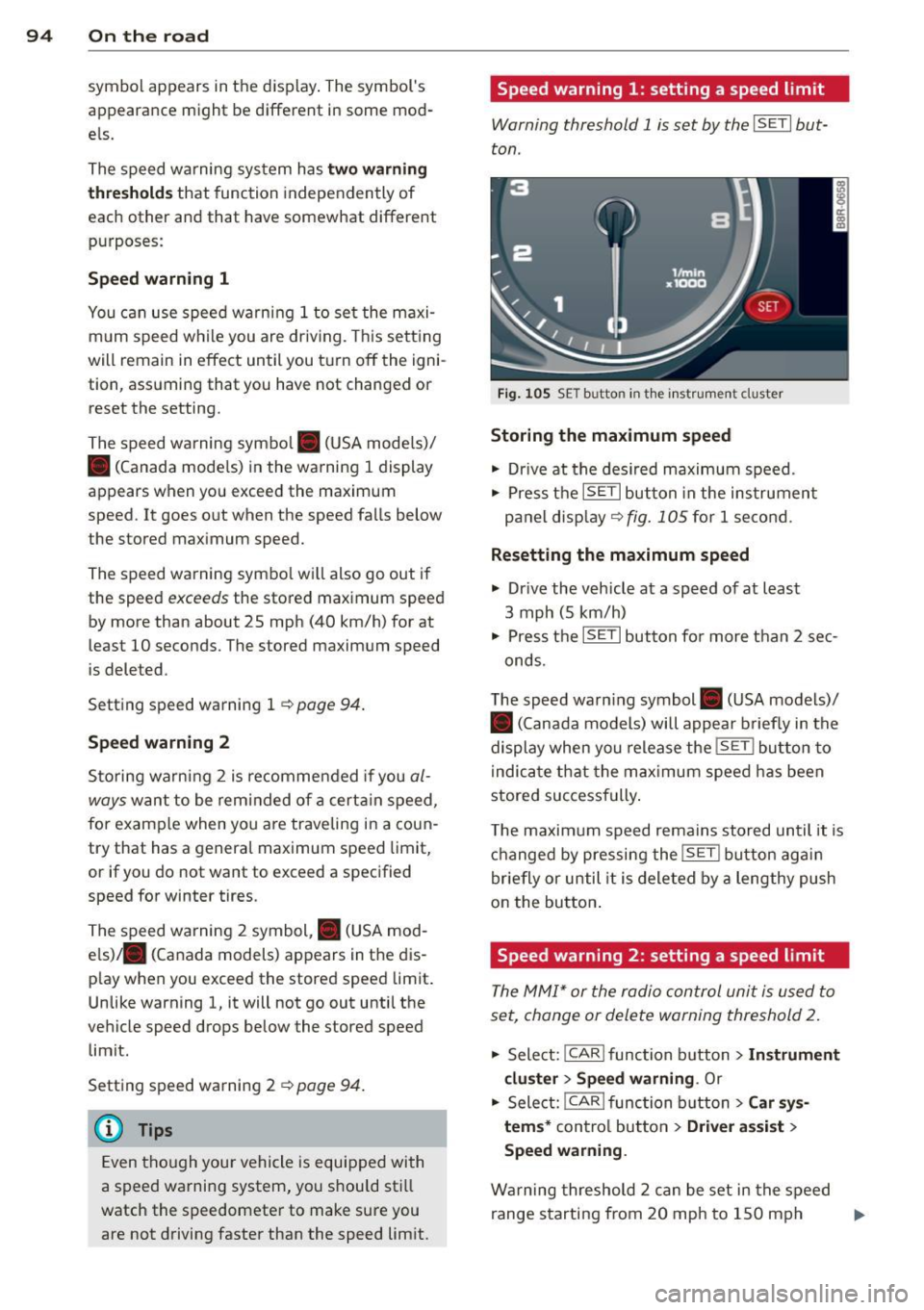
Fig. 1 05 SE T butto n in th e instrumen t cl uster
Storing the maximum speed
• Dr ive at the desired maximum speed .
• Press the
ISETI button in the instrumen t
panel display ~
fig. 105 for 1 second .
Resetting the maximum speed
• Drive the vehicle at a speed of at least
3 mph (5 km/h)
• Press the
ISET I button for more than 2 sec-
onds.
T he speed warn ing symbol . (USA models)/
• (Canada models) will appear briefly in the
display when you release the
!SE T! button to
i ndica te that the max imum speed has been
stored successfully .
T he maximum speed remains stored until it is
changed by pressing the
!S ET ! bu tton again
briefly or until it is deleted by a lengthy push
on the button .
Speed warning 2: setting a speed limit
The MM!* or the radio control unit is used to
set, change or delete warning threshold
2.
• Select: !CAR lfunction b utton> In strument
cluster> Speed warning .
Or
.. Select: !CAR ! f unction button> Car sys·
tems*
control button > Driver assist >
Speed warning .
Warning threshold 2 can be set in the speed
range starting from 20 mph to 150 mph ..,.
Page 97 of 316
(30 km/h to 240 km/h). Settings can each be
adjusted in intervals of
5 mph (10 km/h).
Cruise control
Switching on
The cruise control system makes it possible to
drive at a constant speed starting at 20 mph
(30 km/h) .
0
f
®t
0
Fig. 106 Contro l lever with push -button
Fig. 107 Di sp lay: Selected speed
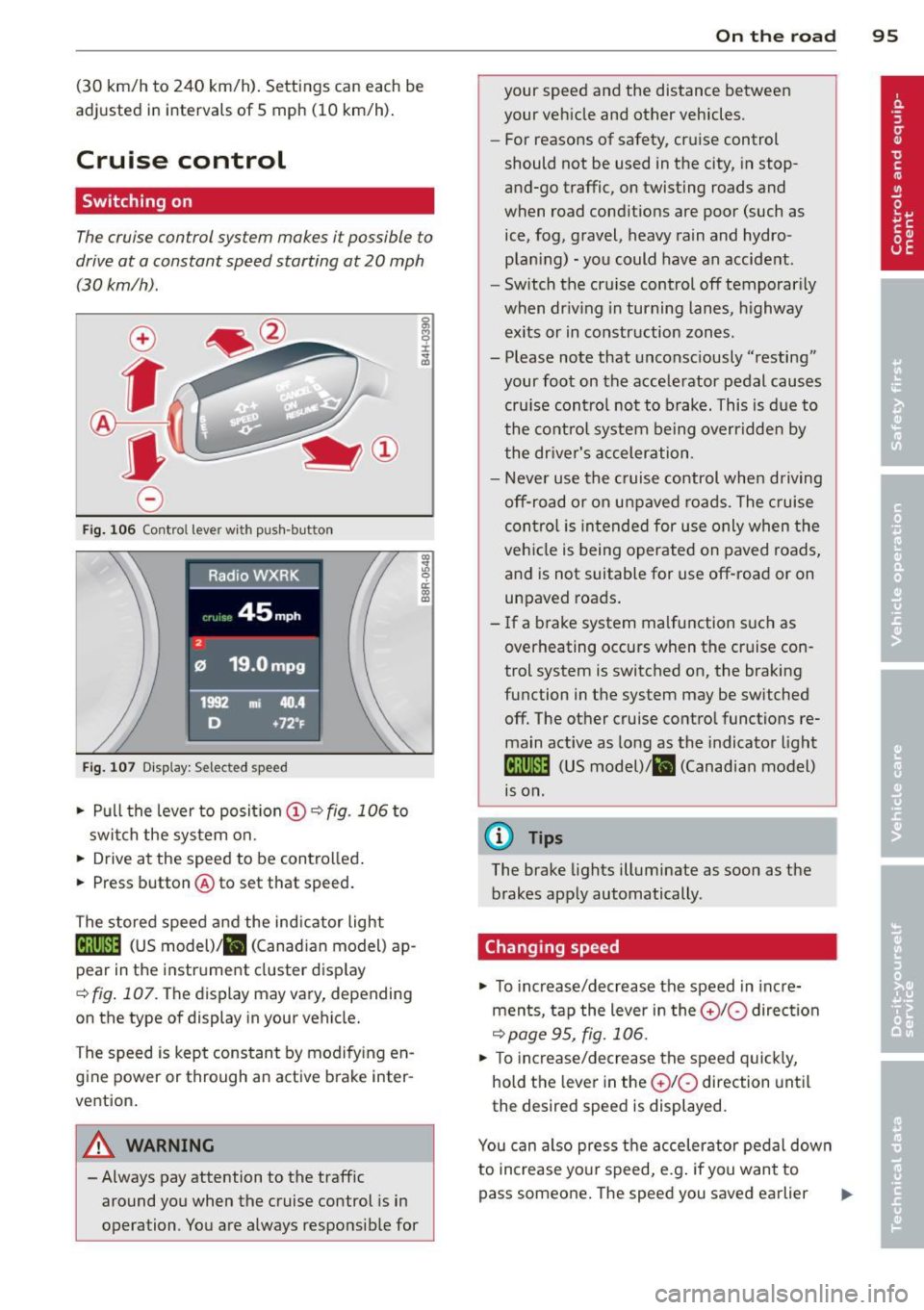
.. Pull the lever to posit ion (!) ~ fig. 106 to
switch the system on .
.. Drive at the speed to be controlled .
.. Press button @to set that speed.
The stored speed and the ind icator light
Bll!lm (US model)/ il (Canad ian model) ap
pear in the instrument cluster display
<=>fig. 107. The display may vary, depending
on the type of display in your vehicle.
The speed is kept constant by modifying en
gine power or through an active brake inter
vention.
A WARNING
- Always pay attention to the traffic around you when the cruise control is in
operation . You are always responsible for
c:o ;:g 0 ci: c:o al
On th e road 95
your speed and the distance between
your vehicle and other vehicles.
- For reasons of safety, cruise control
should not be used in the city, in stop
and-go traffic, on twisting roads and
when road conditions are poor (such as
ice, fog, gravel, heavy rain and hydro
plan ing) -you could have an accident.
- Switch the cruise control off temporarily
when dr iv ing in turning lanes, highway
exits or in construction zones.
- Please note that unconsciously "resting"
your foot on the accelerator pedal causes
cru ise contro l not to brake. This is due to
the control system being overridden by
the driver's acceleration.
- Never use the cruise control when driving
off-road or on unpaved roads. The cruise
con tro l is intended for use only when the
vehicle is being operated on paved roads,
and is not suitable for use off-road or on
unpaved roads.
- If a brake system malfunction such as
overheating occurs when the cruise con
trol system is switched on, the braking
function in the system may be switched off. The other cruise control functions re
main active as long as the indicator light
IR;\1)~14 (US model)/ fil (Canadian model)
1s on .
(D Tips
The brake lights illuminate as soon as the
brakes apply automatically .
Changing speed
.. To increase/decrease the speed in incre
ments, tap the lever in the
010 direction
~pa ge 95, fig. 106.
.. To increase/decrease the speed quickly,
hold the lever in the
010 direction until
the desired speed is displayed.
You can also press the accelerator pedal down
to increase your speed, e.g . if you want to
pass someone. The speed you saved earlier
Page 98 of 316
96 On the road
will resume as soon as you let off o f the
accelerator peda l.
I f , however, yo u exceed you r saved speed by
5 mph (10 km/h) for longer than 5 min utes,
the cruise cont ro l will be turned off tempo ra
rily. The green symbol in the display turns
white, the saved speed is retained.
Pre-selecting speed
You con pre-select your desired speed while
the vehicle is not moving .
.,. Turn on the ignition .
... Pull lever into position
(D c> page 95,
fig . 106 .
... Press the lever in the 0 or 0 direction to
increase or decrease your speed .
... Let go of the lever to save that speed.
This function makes it possible, for example, to save the speed yo u want before driving on
the hig hway . Once on the highway, activate
the cruise contro l by pulling the lever towa rd
(D .
Switching off
Temporary deactivation
... Step on the brake pedal, or
... Press the lever into pos ition @ (not clicked
i nto place)
r:::;, page 95, fig. 106, or
... Drive for longer tha n 5 minutes at more
t h an 5 mph (10 km/h) above the s to red
speed.
Switching off completely
... Press leve r into position @(clicked into
pla ce), o r
... Swi tch the ignition off.
The speed yo u saved w ill be re tained if the
cru ise control has bee n sw itched off tempora
r ily. To resume t he saved speed, le t up on the
b rake an d pull the lever to pos ition
(D .
The saved speed will be e rased after turn ing
the ign ition off.
A WARNING
You shou ld only resume the saved speed if
i t is not too high for ex isting traffic cond i
tions. Othe rwise you r isk an acc ident .
Page 99 of 316
Hybrid
Hybrid drive
Introduction
Applies to vehicles: with hybri d dr ive
General information
The hybrid drive is a combined drive concept
that automat ically switches between combus
tion engine and e lectric dr ive types or com
b ines them.
All work on h igh voltage systems is intended
only for high voltage technicians and may only
be performed by authorized service facilities
in accordance with Audi regulations.
The high voltage system is composed of the
following h igh voltage components : the high
voltage battery, the power electronics, the
e lectric motor, the high voltage A/C compres
sor and the orange high voltage wiring.
High voltage battery
The high voltage battery is located in the lug
gage compartment underneath the cargo
floor. You do not need to perform any mainte
nance work on the high voltage battery . Addi
tional information about the high voltage bat
tery can be found under
r=> page 105.
The high voltage battery serv ice plug is a lso
found underneath an orange cover under the
cargo floor. The service plug is provided on ly
for use by service personnel and must not be
removed by others who are not trained to use
it .
A WARNING
The voltage in the high voltage system is
life-threatening. Touching a damaged high
voltage component can result in a fatal
electric shock. The components in the high
voltage system are marked with a warn ing
label which warns against the high volt
age.
- Never perform work on orange high volt
age cables or on high voltage compo
nents . On ly authorized repair facilities
Hybr id 97
that are certified may perform work on
the high voltage system.
- Never open or remove the service plug
cover in the center of the cargo floor.
- Never damage, alter or remove the or
ange high voltage cable or disconnect it
from the high voltage system.
- Audi regulations must be followed dur
ing all work performed on the high volt
age system and high voltage compo nents.
A WARNING
While in electric drive mode, the vehicle
produces considerably less idling, driving
and operat ing noise than when the com
bustion engine is running. This may make
it difficult or impossible for others such as
pedestrians and children to hear and no
tice the vehicle when it is in electrical drive
mode. This can lead to co llisions and inju
ries, for examp le in low traffic areas, when
maneuvering or when driving in reverse.
A WARNING
-
-
Never leave the vehicle unattended while
in the drive ready mode. The vehicle could
begin moving if the accelerator pedal is
pressed, even if the combustion engine is
switched off . This may cause collisions and
severe or fata l injuries. When the vehicle
enters drive ready mode, the status mes
sage
ybr I P cl, appears briefly in the in
strument cluster disp lay and the needle in
the power meter points to
READY
r=> page98 .
-When exiting the vehicle, make sure the
selector lever is in the P position, the ig
nition is switched off and the hybrid sys
tem is deactivated .
(D Note
-The high voltage system can be damaged
if the vehicle underbody comes into con
tact with the ground . Immediate ly drive
your vehicle to an authorized repair fa cility and have it inspected.
Page 101 of 316
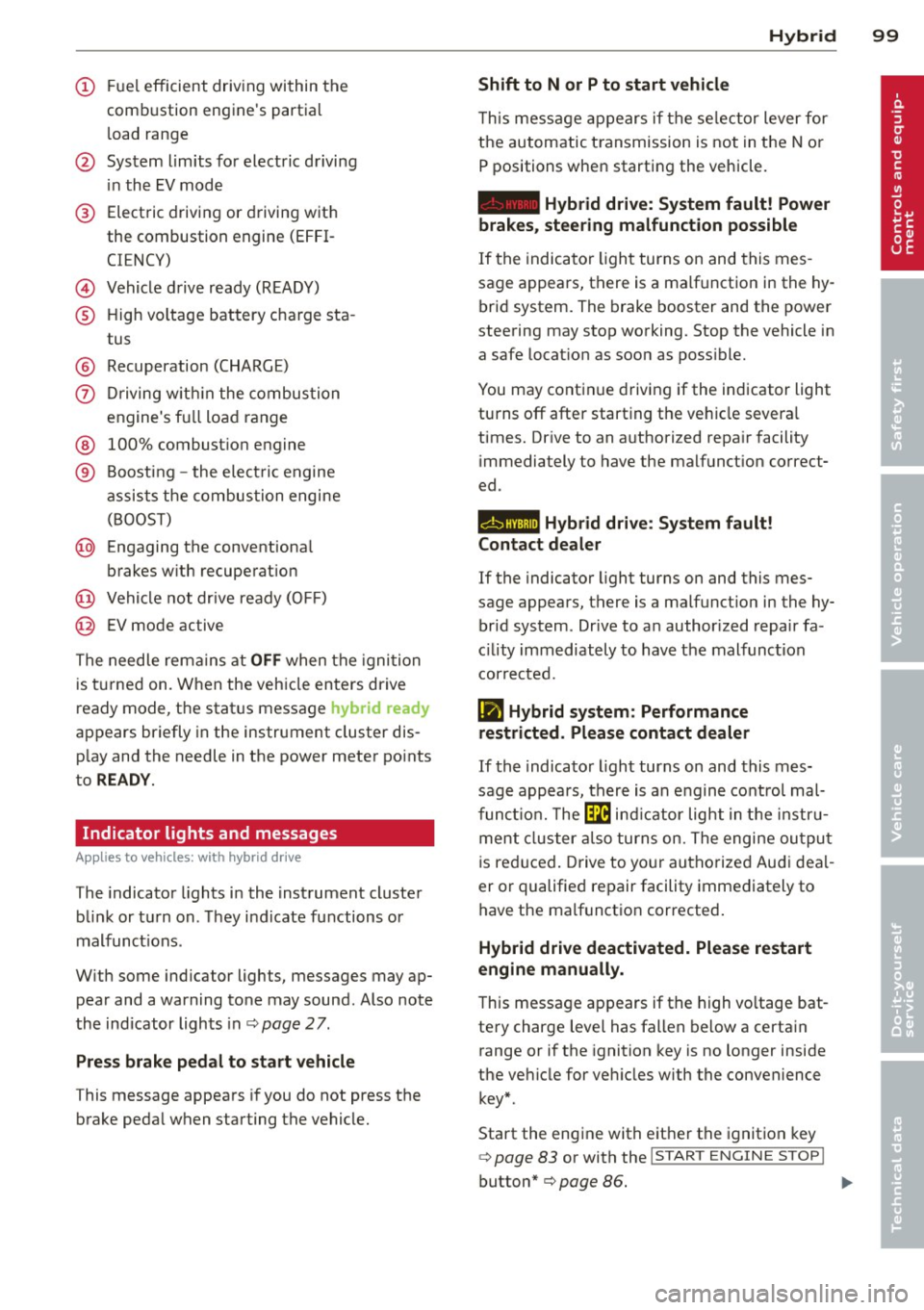
(!) Fuel efficient driv ing within the
comb ustion engine's partia l
l oad range
@ System limits fo r electric d riving
i n the EV mode
® Elect ric driving or d riving w it h
the combustion engine (EFFI -
CI ENCY)
© Vehicle d rive ready (READY)
® H igh vo ltage bat tery c ha rge sta -
tus
® Recuperation (CHARGE)
0 Dr iving w it hi n the combus tion
engine's fu ll loa d range
® 100% combust io n engine
® Boost ing -the elect ric e ngine
assists the combus tion engine
( B OOST)
@ Engaging the conventiona l
brakes w ith recuperat ion
@ Vehicle not drive ready ( OFF)
@ EV mode active
The needle rema ins at
OFF when the igni tion
is tur ned on. W hen the veh icle en ters drive
ready mode, t he stat us message
hybrid ready
ap pears briefly in the instrument cluster dis
p lay and the needle in the power meter po ints
to
READY .
Indicator lights and messages
Applies to vehicles: with hybrid drive
The indicator lights in the instrument cluste r
b link or t urn on . Th ey i ndicate fu nctions o r
malfunct ions .
W ith some ind icator lights, messages may ap
pear and a warning tone may sound. Also note
the indicator lights in c::,;,
pag e 27.
Press brake pedal to start vehicle
This message appea rs if you do not press the
brake peda l when starting the vehicle.
Hybrid 99
Shift to N or P to start vehicle
T his mess age appears if the se lector lever for
the automatic t ransmission is not in t he N or
P positions when starting the vehicle.
- Hybrid drive: System fault! Power
brakes, steering malfunction possible
I f the indica tor ligh t turns on and this mes
sage a ppears, t here is a ma lf u nction in the hy
bri d system. The brake booster and the power
steering may stop working. Stop the vehicle i n
a safe l ocat io n as soo n as poss ible.
You may cont in ue dr iving if the indicator light
turns
off afte r start ing the ve hicle severa l
times. Dr ive to an a uthorized repa ir facility
immediately to have the malfunct ion correct
ed .
EHithjj,j Hybrid drive : Sy stem fault!
Contact dealer
If the indicator light turns on and this mes
sage appears , there is a malfunct ion in the hy
br id system . Drive to a n author ized repair fa
c ili ty immediat ely to hav e th e m alfunc tion
corrected.
Ill Hybrid system: Performance
restricted. Please contact dealer
If th e i ndica to r light turns on and this mes
sag e appea rs, there is an engine contro l ma l
f unct io n .
The @B indi cator light in t he instr u
m ent cluster also tur ns on. The engine ou tput
i s re duced. Drive to yo ur autho rize d Au di dea l
er or qualifie d repair facility immediately to
have the malfunct io n corrected .
Hybrid drive deactivated. Please restart
engine manually.
Th is message ap pears if the high vo ltage bat
te ry charge leve l has fallen below a certa in
range or if the ignition key is no longer inside
the ve hicle for ve hicles with the convenience
key *.
Start the eng ine with e it h er the ignitio n key
¢page 83 or with the !STAR T EN GINE STOPI
button* c::> page 86.
Page 109 of 316
Audi adaptive cruise control and braking guard 107
Audi adaptive cruise
control and braking
guard
Introduction
App lies to vehicles: with Audi adaptive cruise control
The adaptive cruise control system assists the
driver by regu lating vehicle speed and helping
to maintain a set distance to the vehicle
ahead, within the limits of the system . If the
system detects a moving vehicle up ahead,
adaptive cruise control can brake and then ac
celerate your vehicle . Th is he lps to make driv
ing more comfortable on long highway
stretches.
The braking guard system can warn you about
an impending collision and initiate braking
maneuvers
c::;, page 113.
Adaptive cruise control and braking guard
have technical limitations that you must
know, so please read this section carefully, un
derstand how the system works and use them properly at all times.
General information
General information
Applies to vehicles: with Audi adaptive cruise control
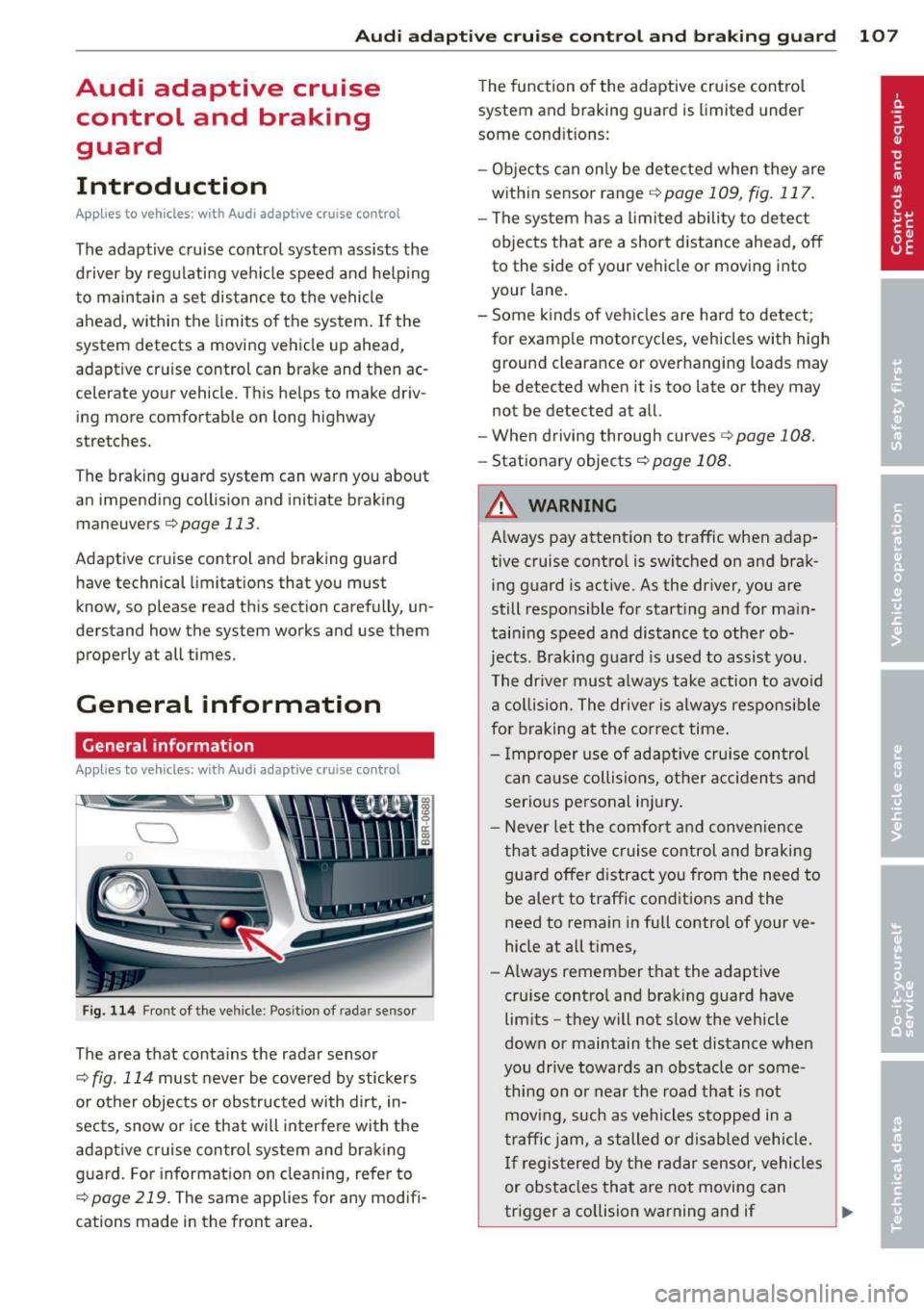
Fig. 114 Front of the vehicle: Position of radar sensor
The area that contains the radar sensor
c::;, fig. 114 must never be covered by stickers
or other objects or obstructed with dirt, in
sects, snow or ice that will interfere with the
adaptive cruise control system and braking
guard. For information on cleaning, refer to
c::;, page 219. The same applies for any modifi
cations made in the front area . The
function of the adaptive cruise control
system and braking guard is limited under
some cond itions:
- Objects can only be detected when they are
within sensor range
.:!>page 109 , fig. 117.
-The system has a limited ability to detect
objects that are a short distance ahead, off
to the side of your vehicle or moving into
your lane.
- Some kinds of vehicles are hard to detect;
for examp le motorcycles, vehicles with high
ground clearance or overhanging loads may
be detected when it is too late or they may
not be detected at all.
- When driving through curves
c::;, page 108.
-Stationary objects c::;, page 108.
A WARNING
-Always pay attention to traffic when adap-
tive cruise control is switched on and brak ing guard is active. As the dr iver, you are
still respons ible for start ing and for main
tain ing speed and distance to other ob
jects. Braking guard is used to assist you .
The driver must always take action to avoid
a collision. The driver is always responsible
for braking at the correct time.
- Improper use of adaptive cruise con trol
can cause collisions, other accidents and
serious personal injury .
- Never let the comfort and convenience
that adaptive cruise control and braking
guard offer d istract you from the need to
be alert to traffic conditions and the
need to remain in fullcontrolofyourve
hicle at all times,
- Always remember that the adaptive
cru ise contro l and braking guard have
limits -they will not slow the vehicle
down or maintain the set distance when
you drive towards an obstacle or some
thing on or near the road that is not
moving, such as vehicles stopped in a
traffic jam, a stalled or disabled vehicle.
If registered by the radar sensor, vehicles
or obstacles that are not moving can
trigger a collision warning and if .,.
Page 110 of 316
108 Audi adaptive cruise control and braking guard
confirmed by the video camera, an acute
collision warning.
- For safety reasons, do not use adaptive
cruise control when driving on roads with
many curves, when the road surface is in
poor condition and/or in bad weather
(such as ice, fog, gravel, heavy rain and
hydroplan ing). Using the system under
these conditions could result in a colli
sion.
- Switch adaptive cruise control off tempo
rar ily when driv ing in turning lanes, on
expressway exits or in construc tion
zones. This prevents the vehicle from ac
celerating to the set speed when in these
situations.
- Th e adaptive cruise control system w ill
not brake by itse lf if you put your foot on
the accelerator pedal. Doing so can over
ride the speed and distance regulation.
- When approaching stationary objects
such as stopped traffic, adaptive cruise
control will not respond and braking
guard w ill have limited function.
- The adaptive cr uise control system and
braking guard do not react to people, an
ima ls, objects crossing the road or on
coming objects .
- The function of the radar sensor can be
affected by reflective objects such as
guard rails, the entrance to a tunnel,
heavy rain or ice.
- Never follow a vehicle so closely that you cannot stop your vehicle safely. The
adaptive cruise control cannot slow or
brake the vehicle safely when you follow
ano ther vehicle too closely . Always re
member that the automatic braking
function cannot bring the vehicle to a sudden or emergency stop under these
conditions.
- To prevent unintended operation, always
switch adaptive cruise control off when it
is not being used.
QJ Note
The sensor can be disp laced by impacts o r
damage to the bumper, whee l housing and underbody.
That could affect the adaptive
cruise control system and braking guard. Have yo ur authorized Aud i dea ler or a u
thorized Audi Service Facility check their
function.
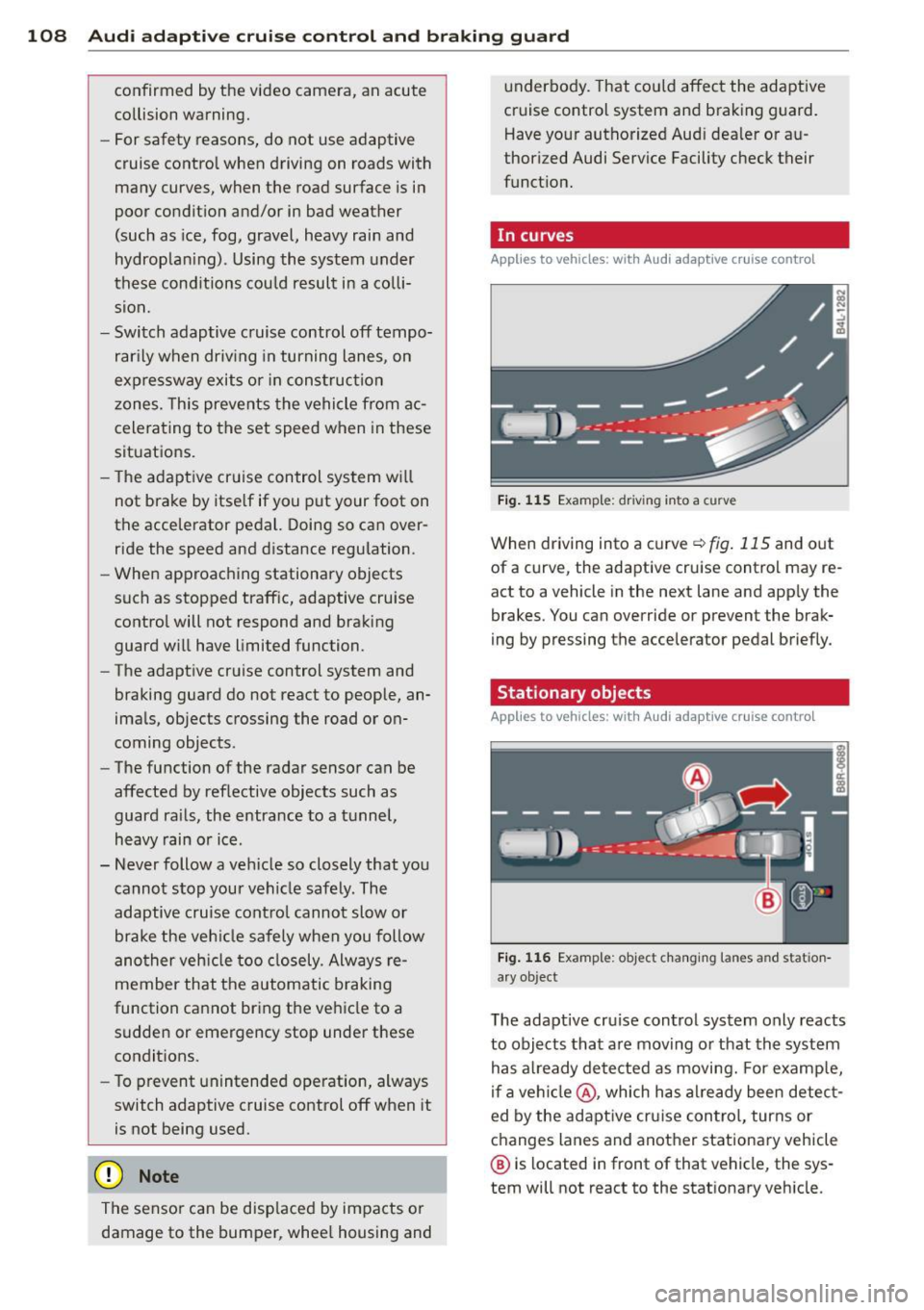
In curves
Applies to vehicles: with Audi adaptive cruise contro l
Fig. 115 Examp le: driv ing into a curve
When driving into a curve ¢fig . 115 and out
of a curve, the adaptive cruise control may re
act to a vehicle in the next lane and app ly the
brakes. You can override or prevent the brak
ing by pressing the accelerator pedal briefly.
' Stationary objects
Applies to vehicles: with Aud i adapt ive cru ise contro l
Fig. 116 Example: object changing lanes and station
a ry object
T he adaptive cru ise control system only reacts
to objects that are moving or that the system
has a lready detected as moving. For examp le,
if a vehi cle@ , which has al ready been detect
ed by the adaptive cruise control, turns or
changes lanes and another stationary vehicle
® is located in front of that vehicle, the sys
tem will not react to the stat ionary veh icle.
Page 112 of 316
110 Audi adaptive cruise control and braking guard
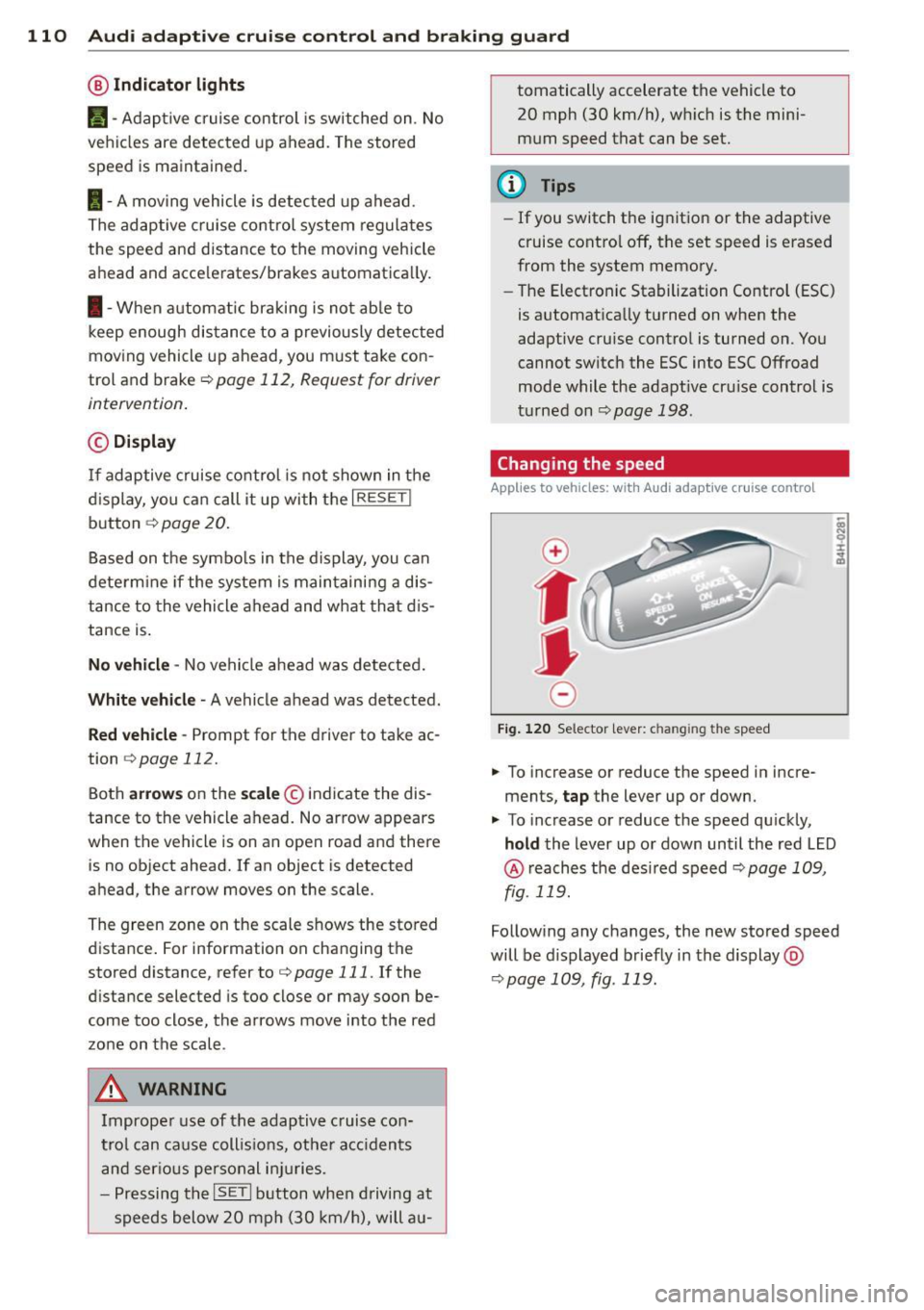
@ Indicator lights
r• 1 -A dap tive crui se control is switched on . No
ve hicl es are detected up ahead. The stored
speed is ma intained.
I -A mov ing vehicle is detec ted up ahe ad.
T he ad aptive cruise co ntro l sys tem regulates
the spee d and d istance to the moving vehicle
a head and acce le rates/brakes automat ica lly.
I -W hen a utoma tic br aking is no t ab le to
keep enough distance to a previously detec ted
moving vehicle up ahead, you m ust ta ke co n
trol and brake <=:>
page 112, Request for driver
intervention .
© Display
If ad aptive cruise co ntr ol is n ot shown in the
d ispl ay, you c an call it up with the
I RESET !
button ¢ page 20.
Based on the symbo ls in the display, you can
dete rm ine if the system is main taini ng a dis
tance to the vehicle ahead and w hat tha t di s
tance is .
No vehicle -No vehicle a head wa s de te cted.
White vehicle -A vehicle ahead was detected.
Red vehicle -Prompt for the driver to take ac
tion
<=:> page 112.
Both arrow s on the sc ale © indicate the dis
tance to the vehicle ahead. No ar row appears
when t he vehicle is on an open road and there
is no object ahead. If an object is detected
a head, the arrow moves on the scale.
The green zone on the scale s hows the sto red
distance . For information on changing the
stored distance, refer to <=:>
page 111. If the
d istance selected is too close or may soon be
come too close, the arrows move into the red
zo ne on the scale .
A WARNING
Improper use of the adaptiv e cruis e con
trol can ca use c oll is io ns, ot he r acc iden ts
a n d s eriou s pers onal i njuries.
- P re ss ing th e
ISETI button when driving at
sp eeds below 20 mp h (30 km/h), will a u- tomatically accelerate the vehicle to
20 mph (30 km/h), w hich is the mini
m um speed that can be set.
(D Tips
- If you switch t he ig nitio n or the adaptive
cruise contro l off, t he set speed is e rased
from the system memory.
- Th e Electronic Stabilization Control (ESC)
is a utomat ica lly turned on when the
adaptive cru ise contro l is turned on. You
cannot switc h the ESC into ESC Offroad
mode w hile the adapt ive cr uise c ontrol is
t ur ne d on
<=:> pag e 198 .
Changing the speed
Applies to veh icles: w ith Audi adaptive cruise co ntro l
0
f
• 0
Fig. 120 Selec tor lever: c han gin g the speed
.,. To increase or reduce the speed in incre
ments,
tap the lever up or down .
.,. To increase or reduce the speed qu ickly,
hold the Lever up o r down un til the red L ED
@ reaches t he des ired speed <=:> page 1 09,
fig . 119.
Follow ing any changes, the new sto red speed
will be d isplayed briefly in the display @
<=:>page 109, fig . 119.
Page 113 of 316
Audi adaptive cruise control and braking guard 111
Interrupting cruise control
Applies to vehicles: with Audi adaptive cruise control
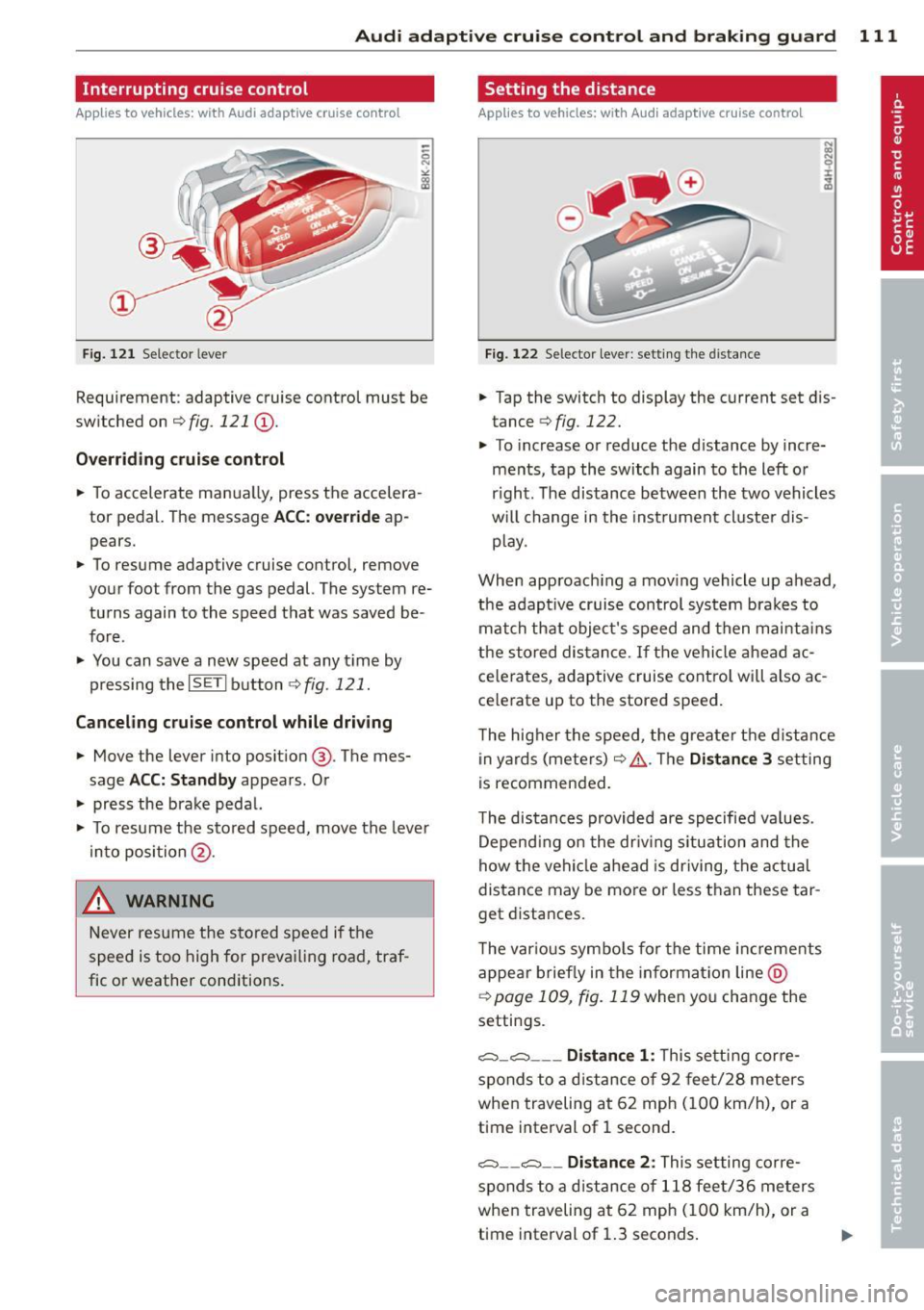
Fig. 121 Selector lever
Requirement: adaptive cruise control must be
switched on
¢fig. 121 (D .
Overriding cruise control
• To accelerate manually, press the accelera
tor pedal. The message
ACC: override ap
pears.
• To resume adaptive cruise control, remove
your foot from the gas pedal. The system re
turns again to the speed that was saved be
fore.
• You can save a new speed at any t ime by
pressing thelSETI button
¢fig. 121.
Canceling cruise control while driving
• Move the lever into position @. The mes
sage
ACC: Standby appears. Or
• press the brake pedal.
• To resume the stored speed, move the lever
into position @.
_& WARNING
Never resume the stored speed if the
speed is too high for prevailing road, traf
fic or weather conditions.
Setting the distance
App lies to vehicles: wit h Aud i adapt ive cr uise contro l
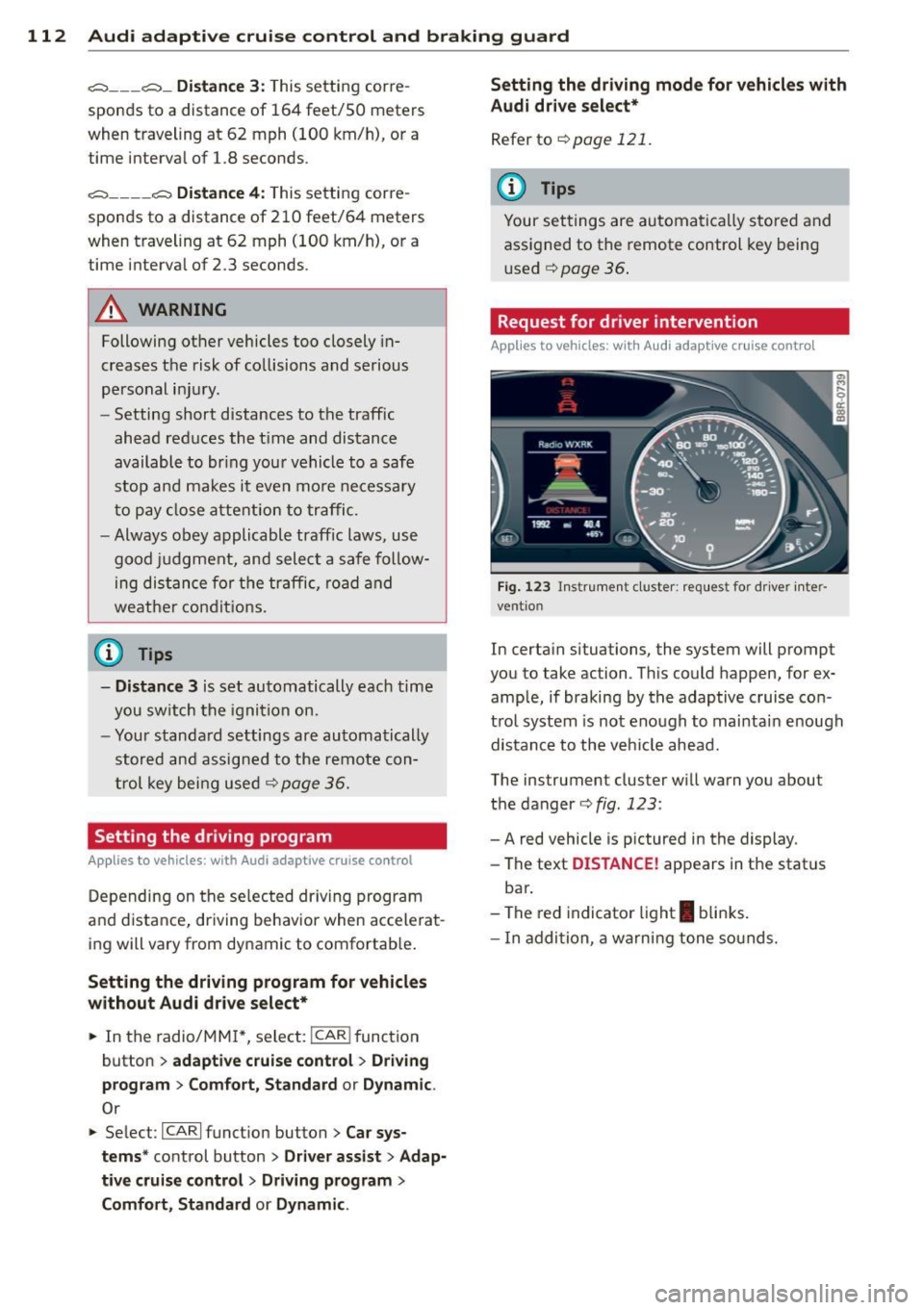
Fig. 122 Selector lever: setting the distance
• Tap the switch to display the current set dis
tance
¢ fig. 122.
• To increase or reduce the distance by incre
ments, tap the switch again to the left or
r ight. The distance between the two vehicles
w ill c hange in the instrument cluster dis
p lay .
When approach ing a moving vehicle up ahead,
the adapt ive cruise control system brakes to
match that object's speed and then mainta ins
the stored distance. If the vehicle ahead ac
ce lerates, adaptive cruise contro l will also ac
celerate up to the stored speed.
T he higher the speed, the greater the distance
in yards (meters) ¢& .The
Distance 3 setting
is recommended.
T he distances provided are specified va lues .
Depend ing on the driv ing s ituation and the
how the vehicle ahead is driving, the actual
distance may be more or less than these tar
get distances.
T he var ious symbols for the time increments
appear briefly in the informat ion line @
¢page 109 , fig. 119 when you change the
settings.
c:::::,_c:::::, ___ Distance 1: This setting corre-
sponds to a distance of 92 feet/28 meters
when traveling at 62 mph (100 km/h), or a
time interval of 1 second.
c:::::, __ c:::::, __ Distance 2 : This setting corre
sponds to a distance of 118 feet/36 meters
when traveling at 62 mph (100 km/h), or a
time interval of 1.3 seconds.
Page 114 of 316
112 Audi adaptive cruise control and braking guard
<:::::> ___ <:::::>_ Distance 3: This setting cor re-
sponds to a d istance of 164 feet/SO meters
when traveling at 62 mph (100 km/h), or a
time interval of 1.8 second s.
<:::::> ____ <:::::> Distance 4: This setting cor re-
sponds to a d istance of 210 feet/64 meters
when traveling at 62 mph (100 km/h), or a
time interva l of 2 .3 seconds .
A WARNING
Following other vehicles too closely in
creases the risk of collisions and serious
personal injury.
- Setting short distances to the traffic
ahead reduces the t ime and distance
available to br ing your vehicle to a safe
stop and makes it even more necessary
to pay close attention to traffic.
- Always obey applicable traffic laws, use
good judgment, and select a safe follow
ing distance for the traffic, road and
weather conditions.
(0 Tips
- Distance 3
is set automatically each time
you sw itch the ignition on.
- Your standa rd settings are automatically
stored and assigned to the remote con
trol key being used
c:::> page 36.
Setting the driving program
Applies to vehicles: with Audi adaptive cruise control
Depending on the selected dr iving program
and distance, driving behavior when accelerat
ing will vary from dynamic to comfortable.
Setting the driving program for vehicles
without Audi drive select*
• In the radio/MMI*, select: !CAR !function
button
> adaptive cruise control > Driving
program
> Comfort, Standard or Dynamic .
Or
• Select : ICARI function button>
Car sys
tems *
control button > Driver assist> Adap
tive cruise control> Driving program
>
Comfort, Standard or Dynamic. Setting the driving mode for vehicles with
Audi drive
select*
Refer to c:::> page 121.
(D Tips
Your settings are automatical ly stored and
assigned to the remote control key being
used
c:::> page 36 .
· Request for driver intervention
Applies to vehicles: with Audi adaptive cruise contro l
Fig. 123 Inst rumen t cl uster: r eque st for dr ive r in te r
ve ntion
In certain situations, the system will prompt
you to take ac tion . This could happen, for ex
ample, if braking by the adaptive cruise con
trol system is not enough to mai ntai n enough
distance to the vehicle ahead.
The ins trumen t cluster will warn you abou t
the danger
c:::> fig. 123 :
-A red vehicle is p ictured in the display.
- The text
DISTANCE! appears in the stat us
bar .
- The red indicator light
I blinks.
- In addition, a warning tone sounds.