wheel AUDI Q5 2013 Owners Manual
[x] Cancel search | Manufacturer: AUDI, Model Year: 2013, Model line: Q5, Model: AUDI Q5 2013Pages: 316, PDF Size: 78.89 MB
Page 5 of 316
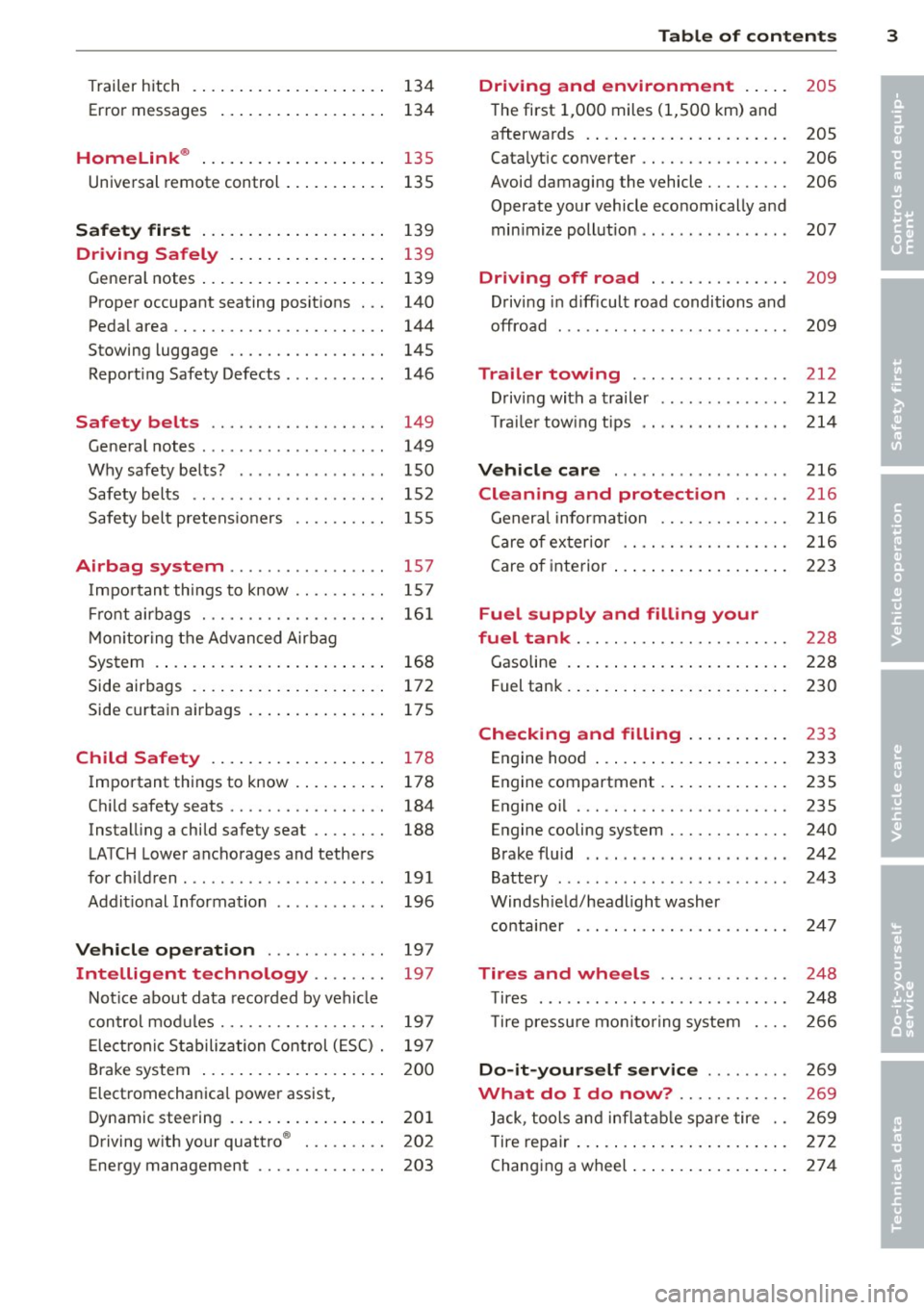
Trailer hitch . ..... .... ... .. .. .. . .
Error messages
Homelink ® ... .. .... ... .. .. .. . .
Universal remote control ... .. .. .. . . 134
134
135
135
S afet y fir st . . . . . . . . . . . . . . . . . . . . 139
Dri ving Safely . . . . . . . . . . . . . . . . . 139
Gene ral notes ..... .... ... .. .. .. . .
Proper occupant seating posit ions . . .
Pedal area .. .. ............. .. .. . .
Stowing luggage ................ .
Report ing Safety Defects .......... .
Safety belts .................. .
General notes ................... .
Why safety belts? ............... .
Safety belts ..... .. ... ... .. .. .. . .
Safety bel t pretens ioners ......... .
Airbag sy stem .......... ...... .
Important things to know ......... .
Fr ont airbags ............ .... .. . .
M on itoring the A dvanced Airbag
System .... .. ... .. ..... ... .. .. . .
Side airbags . ... ...... ... .. .. .. . .
Side curtain airbags .... ... .. .. .. . .
Child Safety .. .. .... ... .. .. .. . .
Important things to know . ... .. .. . .
Ch ild safety seats ................ .
Instal ling a child safety seat .. .. .. . .
LATC H Lower anchorages and tethers
for chi ldren .... .. .. ... ... .. .. .. . .
Addit ional Information 139
140
144
145
146
149 149
150
152
155
157
157
16 1
168
172
175
178
178
184
188
191
196
Vehicle operation . . . . . . . . . . . . . 197
Intelligent technology . . . . . . . . 197
Not ice about data recorded by vehi cle
con trol mod ules . . . . . . . . . . . . . . . . . . 197
E lect ronic S tabiliz ation Control ( ESC) . 19 7
Brake system . . . . . . . . . . . . . . . . . . . . 200
Elect romechanical power assist,
Dynamic stee ring . . . . . . . . . . . . . . . . . 201
Driving w ith your quattro ® . . . . . . . . . 202
Energy management . . . . . . . . . . . . . . 203
Table of contents 3
Driving and environment . . . . .
205
The first 1,000 miles (1,500 km) and
afterwa rds . . . . . . . . . . . . . . . . . . . . . . 205
Catalytic converter . . . . . . . . . . . . . . . . 206
Avoid damaging the vehicle . . . . . . . . . 206
Operate your vehicle economically and
min imize pollut ion . . . . . . . . . . . . . . . . 207
Driving off road . . . . . . . . . . . . . . . 209
Drivi ng in difficult road conditions and
offroad . . . . . . . . . . . . . . . . . . . . . . . . . 209
Trailer towing . . . . . . . . . . . . . . . . . 212
D riving with a trailer . . . . . . . . . . . . . . 212
T rai le rtow ingtips ... .. .. ..... .... 214
Vehicle care . . . . . . . . . . . . . . . . . . . 216
Cleaning and protection . . . . . . 216
General infor mation . . . . . . . . . . . . . . 216
Care of ex ter ior . . . . . . . . . . . . . . . . . . 216
Care of interior . . . . . . . . . . . . . . . . . . . 223
Fuel supply and filling your
fuel tank . . . . . . . . . . . . . . . . . . . . . . .
228
Gasoline . . . . . . . . . . . . . . . . . . . . . . . . 228
F uel tank. . . . . . . . . . . . . . . . . . . . . . . . 230
Checking and filling . . . . . . . . . . . 233
Engine hood . . . . . . . . . . . . . . . . . . . . . 233
Engine compartment . . . . . . . . . . . . . . 235
Engine oil . . . . . . . . . . . . . . . . . . . . . . . 235
Engine cooling system . . . . . . . . . . . . . 240
Brake fluid . . . . . . . . . . . . . . . . . . . . . . 242
Battery . . . . . . . . . . . . . . . . . . . . . . . . . 243
Windsh ield/headlight washer
containe r . . . . . . . . . . . . . . . . . . . . . . . 24 7
Tires and wheels . . . . . . . . . . . . . . 248
T ires . . . . . . . . . . . . . . . . . . . . . . . . . . . 248
T ire pressu re mo nitoring system 266
Do-it-your self service . . . . . . . . . 269
What do I do now? . . . . . . . . . . . . 269
Jack , tools and inflatab le sp are tire . . 269
T ire repa ir . . . . . . . . . . . . . . . . . . . . . . . 272
Changing a wheel ... . .. .. ..... ... . 274
•
•
Page 11 of 316
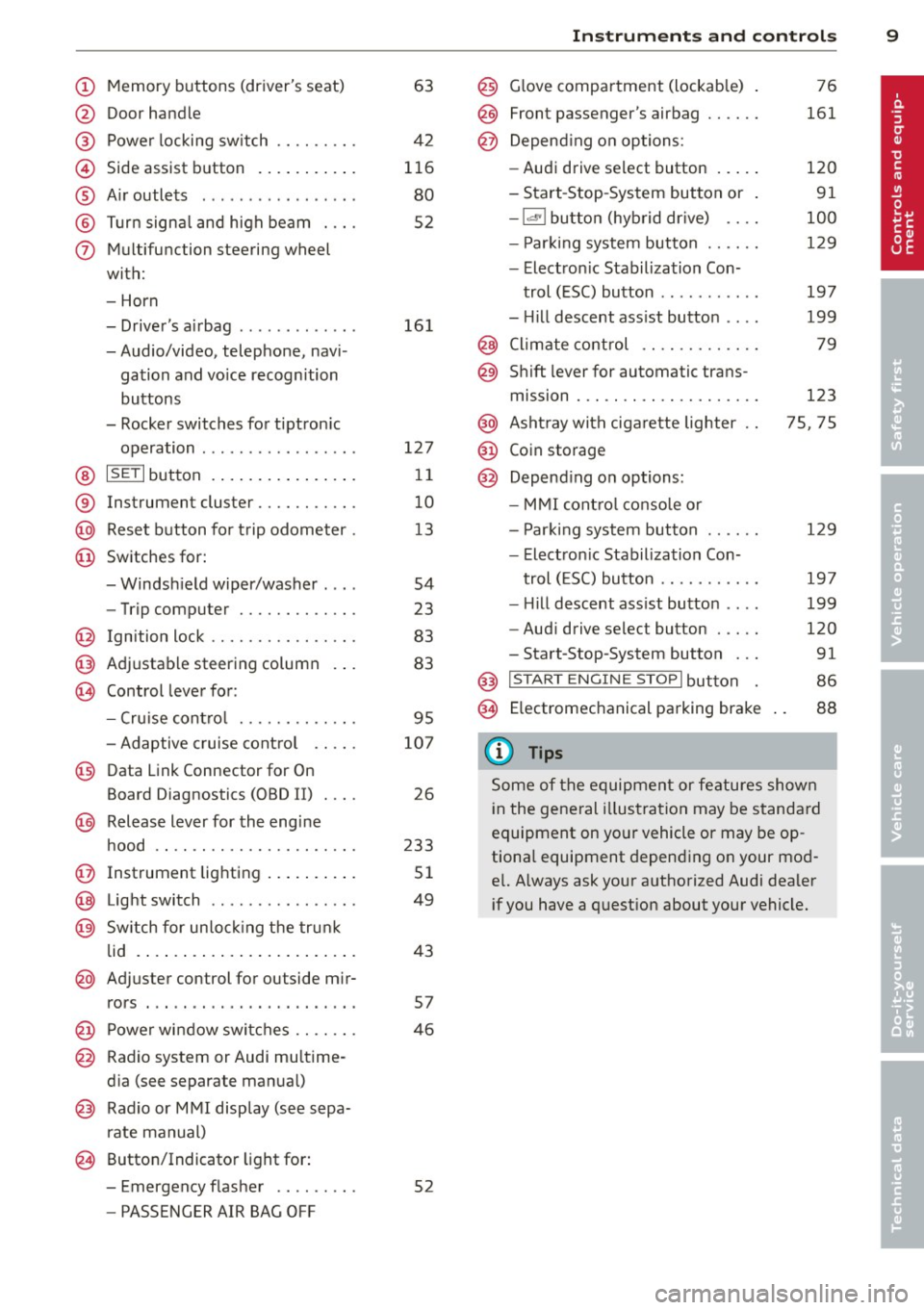
(!) Memory buttons (driver's seat)
@ Door handle
@ Power locking switch ........ .
© Side assist button ....... ... .
® A ir outlets .... .. ... ... .. .. .
@ Tu rn signa l and high beam . .. .
(j) Multifunction steering wheel
with:
- Horn
- Driver's airbag ............ .
- Audio/video, telephone, navi-
gation and vo ice recognition
buttons
- Rocker switches for tiptron ic
operation ................ .
@ ISETI button ... ..... ... ... . .
® Instrument cluster .......... .
@ Reset button for trip odometer .
@ Switches for:
- Windsh ield wiper/washer . .. .
- Trip computer ............ .
@ Ign ition lock ............... .
@ Adjustable steering column
€3J Control lever for:
- Cru ise contro l ........ .. .. .
- Adaptive cruise contro l .. .. .
@ Data Link Connector for On
Board Diagnostics (OBD II) . .. .
@ Release lever for the engine
hood .. .. .... ............. .
@ Instrument lighting .. ... .. .. .
@ Light switch ... .. ... ... .. .. .
@ Sw itch for un loc king the trunk
lid .... .. .. .... .. .... ... .. .
@ Adjuster control for outside mir-
63
42
116
80
52
16 1
127 11
10
1 3
54
23
83
83
95
107
26
233
51
49
43
rors . . . . . . . . . . . . . . . . . . . . . . . 57
@ Power wi ndow switches . . . . . . . 46
@ Radio system or Audi mu ltime-
d ia (see separate manual)
@ Radio or M MI display (see sepa
rate manual)
@ Button/Indicator light for:
- Emergency flasher . . . . . . . . . 52
- PASSENGER AIR BAG OFF
Instrument s and control s 9
@) Glove compartment (lockab le)
@
@
Front passenger's airbag ..... .
Depend ing o n options:
- Audi drive select button
- Start -Stop-System button or
- 1.cl •I butto n (hybrid drive) ... .
- Par king system button ..... .
- Electron ic Stabilization Con-
trol (ESC) button .......... .
- Hill descent ass ist button ... .
@ Climate control .... ........ .
@ Shift lever for automatic trans-
mission . .. .. .. .... ........ .
@ Asht ray with ciga rette lighter
@ Coin storage
@ Depend ing on options:
- MMI cont ro l conso le or
- Park ing system button ..... .
- Electron ic Stabilization Con-
trol ( ESC) button .......... .
- Hill descent ass ist button ... .
- Aud i drive select button .... .
-Start-Stop-System button .. .
@) I S T ART ENGI NE STOPI button
§) Electromechanical parking brake
{!) Tips
76
161
120
91
100
129
197
199
79
123
75, 75
129
19 7
199
120
91
86
88
Some of the equipment or features shown
in the general illustration may be standa rd
equipment on yo ur vehicle or may be op
tiona l equipment depending o n your mod
e l. Always ask your authorized Audi dealer
i f you have a quest ion about your vehicle.
Page 19 of 316
Instruments and warning/indicator lights 17
An improperly closed fuel filler cap may also
cause the MIL light to illuminate
c::> page231.
F or mo re in forma tion
c::> page 26.
!§:D High beam
The II warning/indicator light illuminates
when the high beams are on o r whe n you use
the head light flasher. For mo re in format ion
about us ing the high beams, see
c:> page 52 .
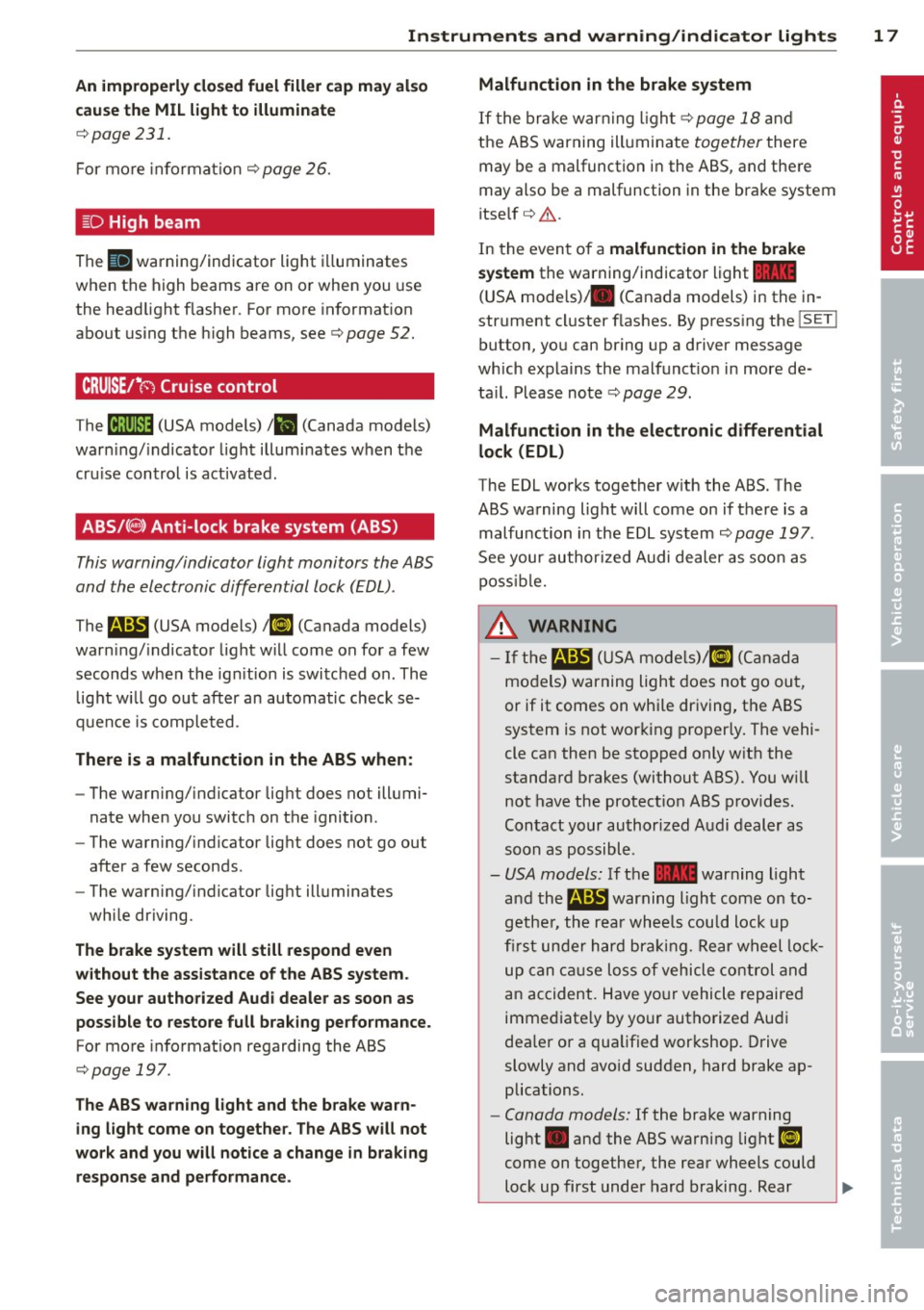
CRUISE/"(-) Cruise control
The M;\1)~14 (USA models) Iii (Canada models)
war ning/ indica to r li ght illum inates when the
cru ise contro l is act ivated.
ABS/( @) Anti-lock brake system (ABS)
This warning/indicator light monitors the ABS
and th e electronic differ ential lock (EDL).
The
E (USA models) I ii] (Canada models)
warn ing/ indicato r light w ill come on for a few
seconds when the ig nition is swi tc h ed o n. The
light w ill go ou t aft er an au tomatic check se
qu enc e is co mple ted .
There is a malfunction in the ABS when :
-The warni ng/ indicator lig ht d oes not ill umi
nate whe n you switc h on the ignition .
- The warning/ indicator lig ht d oes not go out
after a few seconds .
- The warning/ ind icator lig ht ill uminates
wh ile driving.
The brake system will still respond even
without the assistance of the ABS system.
See your authorized Audi dealer as soon as
possible to restore full braking performance.
For more informat io n regarding the ABS
c:> page 19 7.
The ABS warn ing light and the brake warn
ing light come on together. The ABS will not
work and you will notice a change in braking
re sponse and performance . Malfunction in the brake system
If t
he bra ke w arn in g ligh t c::> page 18 and
t he A BS warning ill uminate together there
may be a malfunction in the ABS, and the re
may also be a malfunction in the brake system
i tse lf
c:> A .
In the even t of a malfunction in the brake
system
the warning/ind icator light 1111
( U SA mode ls)/ . (Canada models) in the in
strument cl uster flashes. By press ing the
jsET I
button , yo u can br ing up a d river message
which expla ins the malfunct io n in more de
t a il. Please no te
c:> pag e 29.
Malfunction in the electronic differential
lock (EDL)
The EDL works together w ith the ABS . The
ABS wa rning lig ht w ill come on if there is a
malfu nction in the EDL sys tem
c:> page 197 .
See your author ized Audi dealer as soo n as
p oss ibl e.
_&. WARNING
- If the li!I (USA m ode ls)/ [I] (Canada
mo dels) warning light does not go ou t,
or if it comes on whi le dr iving , th e ABS
system is not wor king pro per ly . The vehi
cle can then be sto pped on ly w it h the
standa rd b rakes (with out ABS). You w ill
not have the protect io n ABS p rov ides .
C ontact your au thorized A udi dealer as
s oon as p ossibl e.
- USA models: If the
1111 warning light
an d th e
m:SJ war ning light come on to
g eth er, the rear wheel s co u ld loc k up
first under h ard br akin g. Rear w heel lock
u p ca n caus e loss of vehicle control and
a n accident . H ave yo ur vehicle re pa ire d
imme diate ly by yo ur authorize d Au di
dea le r o r a qua lified wor kshop . Drive
slowly and avo id sudden, hard brake ap
plications .
- Canada models: If the brake warning
light . and the ABS warning li ght
ii]
come on togethe r, the rear wheels could
l o ck up first und er hard braking. R ear
-
Page 20 of 316
18 Instrum ent s and w arn ing /indic ato r light s
wheel lock- up can cause loss of vehicle
control and an acc ident. Have your vehi
cle repaired immediately by your author
ized Audi dea ler or a qualified workshop.
Drive slowly and avo id sudden, hard
brake applicat ions .
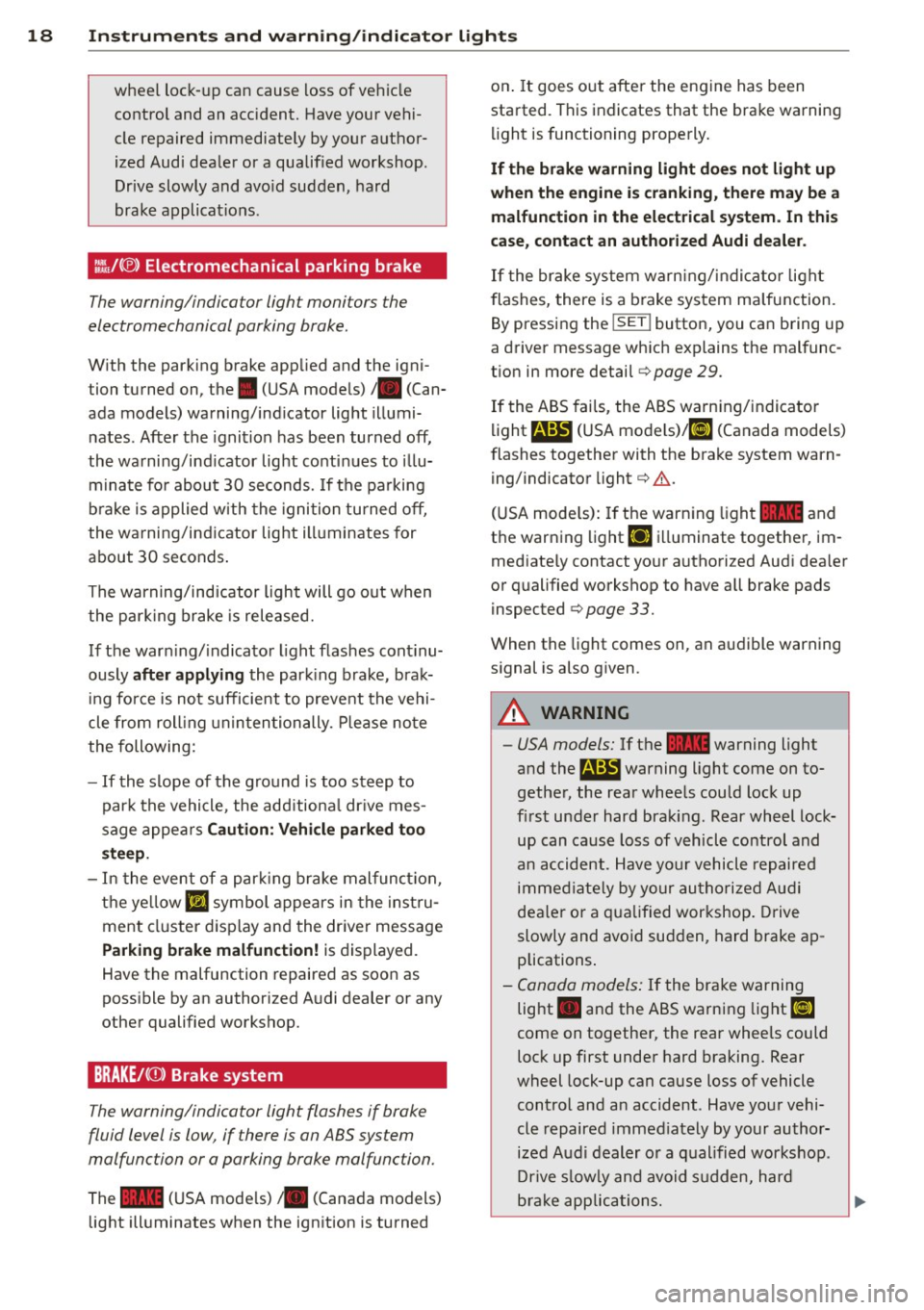
1:1.\.f(®) Electromechanical parking brake
The warning/indicator light monitors the
electromechanical parking brake.
W ith the parking brake app lied and the igni
tion turned on, the. (USA models)/ . (Can
ada models) warning/ind icator light illumi
nates . After the ignition has been turned off,
the warning/ind icator light continues to i llu
minate for about 30 seconds. If the parking
b rake is applied with the ignition turned off,
the warning/ind icator light illuminates for
about 30 seconds .
The warning/indicator light will go out when
the park ing brake is released.
If the war ning/ indicator light flas hes cont i nu
ously
after appl ying the park ing b rake, brak
ing fo rce is not sufficient to preve nt the vehi
cle from roll ing uninten tionally. Please no te
the following:
- If the slope of the g round is too steep to
par k the vehicle , the add itiona l dr ive mes
sage appea rs
Caution: Vehicl e parked to o
steep.
- In the event of a par king brake malfunct ion,
the ye llow
Ill symbol appears in the inst ru
ment cluster d isplay and the dr iver message
Parking b rake malfunction! is displayed.
Have the malfunction repaired as soon as
possible by an authorized A udi dealer or any
other qualified workshop.
BRAKEl< CD> Brake system
The warning/indicator light flashes if brake
fluid level is low, if there is an ABS system
malfunction or a parking brake malfunction.
The .. (USA mode ls) • (Canada models)
light ill uminates when the ign ition is turned on
. It goes out afte r the engine has been
started. This indicates that the brake warning
li ght is functioning properly.
If the br ake w arning light do es not light up
when the engine i s cranking , there ma y be a
malfunction in the elect rical sy stem . In thi s
ca se , conta ct an authorized Audi dealer .
If the brake sys tem warn ing/in dicator light
flashes, there is a b rake system ma lfunction.
By pressing the
! SET ! button, you can bring up
a driver message wh ich explains the malfunc
t ion in more detail
c> page 29.
If the ABS fai ls, the ABS warning/indicator
li ght
r4:B (USA models)/ 11] (Canada models)
flashes together with the brake system warn
ing/indicator light
c> &. .
(USA mode ls): If the warning light .. and
the warning light
Ei] ill uminate together, im
med iate ly contact your authorized Aud i dea ler
or qualified workshop to have all brake pads
inspected
c> page 33.
When the light comes on, an audible warning
s ignal is also given .
&_ WARNING
--= =
-USA models: If the .. warning light
and the
a warning light come on to
gether, the rear whee ls could lock up
fi rst under hard braking. Rear wheel lock
up can cause loss of vehicl e co ntrol and
an ac cident . Have yo ur vehicle repaired
immed iate ly by yo ur au thori zed Aud i
dealer o r a q ua lified workshop. Drive
slowly and avoid sud den, hard brake ap
plications .
-Canada models: If the brake warning
light . and the ABS warn ing light
[iJ
come on together, the rear wheels could
lock up first under hard braking. Rear
wheel lock-up can cause loss of vehicle
control and an accident . Have your vehi
cle repaired immed iately by your author
ized Audi dealer or a qualified workshop .
Dr ive s low ly and avoid s udden, hard
b rake applications.
~
Page 31 of 316
warning goes out after about 5 seconds, but it
can be brought up at any time by pressing the
ISETI button again.
Usu ally, you can still drive to the nex t dea ler
ship. Turn off all but the most necessary elec
trica l consumers, since these drain the vehi
cle's battery.
@ Note
If the . warning symbo l (coolant system
malfunction) also lights up on the instru
ment panel during the trip¢
page 30,
then you have to stop immediately and
turn off the eng ine. The coolant pump is
not working anymore -danger of damage
to the eng ine!
BRAKE/( (j)) Brake system malfunction
A malfunction in the brake system must be
repaired as soon as possible .
If the warn ing /indicator light ~ (USA
models)/ . (Canada mode ls) in the instru
ment cluster flashes, there is a brake system
malfunct ion . A dr iver message appears as
well to explain the malfunction in mo re de
tail. The d rive r warning goes out after about 5
seconds, b ut i t can be brought up at any time
by pressing the
I SE T! button aga in .
Stop vehicle and check brake fluid l evel
~ Stop the vehicle.
~ Check the brak e fluid leve l¢ page 242.
~ Seek professiona l assistance if necessa ry.
Warning! Fault in brake system. Contact
workshop
~ Drive carefu lly to the nearest authorized
Audi dealer or other qualified workshop and
have the malfunct ion correc ted ¢
&-
Par king brake system fault! See owner's
manual
~ If t his symbol appears when t he ve hicle is
stationary or afte r the ign ition is turned on,
chec k to see if the parking bra ke can be re
l eased. Drive to an authorized Audi dealer or
other qualified workshop as soon as possi-
Dri ver information di spla y 29
ble and have the malfunction cor rected . If
the parki ng brake cannot be opened, then
take it to an expert at an authorized Audi
dea ler.
~ If the symbo l appears while you are driving,
it is possible that the traction co ntrol o r the
emerge ncy brake has malfunctioned .
It is
possible that th e parking b rake cannot be
app lied.
It is also possible t hat the parking
b ra ke cannot be re le ased after i t has been
app lied . D rive to an authorized Aud i dea ler
or ot her qualified workshop to have t he mal
function corrected.
If t he ABS system malfu nctions, the ABS
warning/indicator light illumina tes together
with the brake system ma lfunction wa rning/
indicator light ¢.& .
A WARNING
-A lways observe the warn ings in
¢ page 226, Engine compartment, be
fore opening the hood and check ing the
bra ke fluid.
- Driving with low brake fluid is a safety
hazard . Stop the car a nd get professiona l
assistance .
-USA models: If th e ~ warning light
a nd the
B warning light come on to
gethe r, the rear whee ls cou ld lock up
fi rst under hard bra king. Rear wheel lock
up can ca use loss of vehicle co ntrol and
an ac cident. Have yo ur vehicle rep aire d
immediate ly by yo ur authorize d Au di
dea ler o r a qua lified wor kshop. Drive
slowly and avo id sudden, hard brake ap
plications.
- Canada models: If the brake warning
light . and the ABS warning light
El]
come on together, the rear wheels could
lock up first under hard braking. Rear
wheel lock-up can cause loss of vehicle
control and an acc ident. Have yo ur vehi
cle repaired immed iately by your author
i z ed A udi dealer o r a q ual ified wor kshop.
Drive s low ly and avoid s udden, hard
brake applications .
Page 54 of 316
52 Clear vision
(40 km/h) when a certain steering wheel an
gle is reached or when a turn signal is activat
ed. The area to the side of the vehicle is illu
minated better when turning .
Emergency flashers
The emergency flashers makes other moto
rists aware that you or your vehicle are in an
emergency situation.
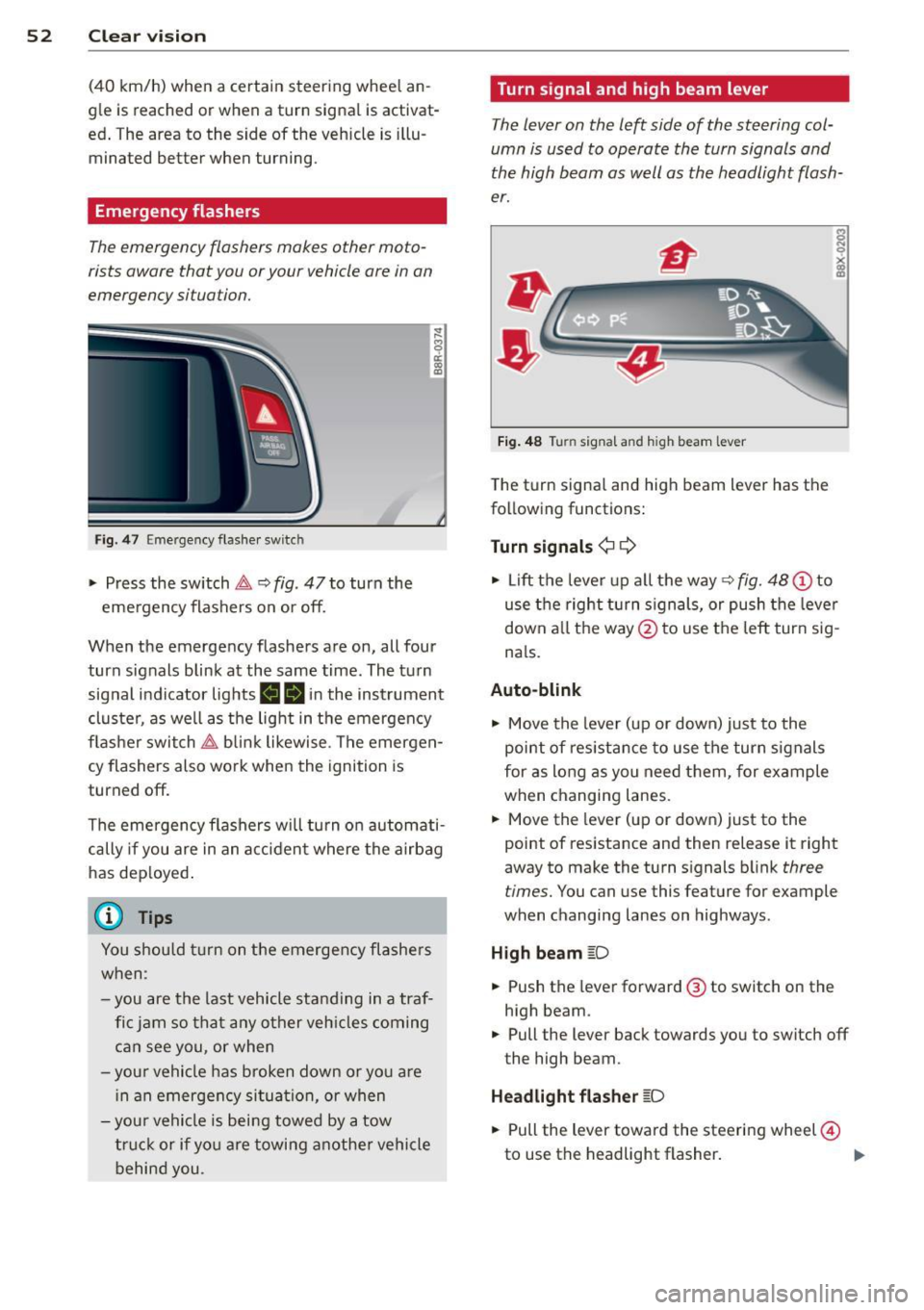
Fig . 4 7 Emer gency flasher switc h
"" Press the switch &-, ¢ fig. 47 to turn the
emergency flashers on or off.
~
9 a: (X) a:,
When the emergency flashers are on, all four
turn signals blink at the same time. The turn signal indicator lights
BB in the instrument
cluster, as well as the light in the emergency
flasher switch &-, blink likewise . The emergen
cy flashers also work when the ignition is
turned off.
The emergency flashers will turn on automati
cally if you are in an accident where the airbag
has deployed.
@ Tips
You should turn on the emergency flashers
when :
-you are the last vehicle standing in a traf
fic jam so that any other vehicles coming
can see you, or when
-your vehicle has broken down or you are
in an emergency situation, or when
-your vehicle is being towed by a tow
truck or if you are towing another vehicle
behind you. Turn signal and high beam lever
The
lever on the left side of the steering col
umn is used to operate the turn signals and
the high beam as well as the headlight flash
er.
Fig. 48 Turn signal and high beam lever
The turn signal and high beam lever has the
following functions:
Turn signals¢ ¢
s
"" '? X co a,
"" Lift the lever up all the way c:> fig. 48 (!) to
use the right turn signals, or push the lever
down all the way@ to use the left turn sig
n a ls.
Auto-blink .,. Move the lever (up or down) just to the
point of resistance to use the turn signals
for as long as you need them, for example
when changing lanes .
.,. Move the lever (up or down) just to the
point of resistance and then release it right
away to make the turn signals blink
three
times.
You can use this feature for example
when changing lanes on highways .
High beam
[D
"" Push the lever forward ® to switch on the
high beam .
.,. Pull the lever back towards you to switch off
the high beam.
Headlight flasher
[D
.. Pull the lever toward the steering wheel@
to use the headlight flasher.
IJJ>
Page 63 of 316
Seats and storage
General recommen
dations
Why is your seat adjustment so important?
The safety belts and the airbag system can
only provide maximum protection if the front
seats are correctly adjusted.
There are various ways of adjusting the front
seats to provide safe and comfortable support
for the driver and the front passenger. Adjust
your seat properly so that :
- you can easily and quick ly reach all the
switches and controls in the instrument
panel
- your body is properly supported thus reduc ing physical stress and fatigue
- the safety belts and airbag system can offe r
maximum protection
¢ page 157.
In the following sections, you will see exactly
how you can best adjust your seats .
There are special regulations and instructions
for installing a child safety seat on the front passenger's seat. Always follow the informa
tion regard ing child safety provided in
¢ page 178, Child Safety.
A WARNING
Incorrect seating position of the driver and
all other passengers can result in serious
personal injury.
- Always keep your feet on the f loor when
the vehicle is in motion -never p ut your
feet on top of the instrument panel, out
of the w indow or on top of the seat cush
ion. Th is applies especially to the passen
gers . If your seating position is incorrect,
you increase the r isk of injury in the case
of sudden braking or an acc ident. If the
airbag inflates and the seating position
is incorrect, this could result in persona l
injury or even death.
- It is important for bo th the driver and
front passenger to keep a distance of a t
Seat s an d sto rage 61
least 10 inches (25 cm) between them
selves and the steering wheel and/or in
strument panel. If you're s itting any
closer than th is, the airbag system can
not protect you properly. In addition, the
front seats and head restraints must be
adjusted to your body height so that t hey
can give you maximum protect ion.
- Always try to keep as much distance as
possible between yourself and the s teer
ing wheel o r instrument pane l.
- Do not adjust the driver's or front pas
senger's seat whi le the vehicle is moving.
Your sea t may move unexpected ly, caus
ing sudden loss of vehicle cont rol and
personal injury . If you adjust yo ur seat
while the veh icle is moving, yo u are out
of posit ion.
Driver's seat
The correct seat position is important for safe
and relaxed driving.
We recommend that you adjus t the dr iver's
seat in the fo llowing manner:
.,. Adjust t he seat in fore and aft direction so
that you can easily push the peda ls to the
floor wh ile keeping your knees s lightly bent
i:::> A in Why is your seat adjustment so im
portant? on page 61.
.,. Adjust the seatback so that when you sit
w ith your back against the seatback, you can
still grasp the top of the steering wheel.
.,. Adjust the head restraint so the upper edge
is as even as possible with the top of your head . If that is not poss ible , try to adjust
the head res traint so that it is as close to
this pos ition as possib le
i:::> page 65.
A WARNING
Never place any objects in the dr iver's foot
well. An object could get into the pedal
area and interfere with pedal funct ion . In
case of sudden braking or an acc ident, you
wo uld not be able to brake or accelerate.
Page 83 of 316
![AUDI Q5 2013 Owners Manual [i] Adjusting seat heating*
Pressing the button switches the seat heating
on at the highest setting ( leve l 3) . The LEDs
indicate the temperature level. To reduce the
temperature,](/img/6/57637/w960_57637-82.png "AUDI Q5 2013 Owners Manual [i] Adjusting seat heating*
Pressing the button switches the seat heating
on at the highest setting ( leve l 3) . The LEDs
indicate the temperature level. To reduce the
temperature,")
[i] Adjusting seat heating*
Pressing the button switches the seat heating
on at the highest setting ( leve l 3) . The LEDs
indicate the temperature level. To reduce the
temperature, press the button again. To
switch the seat heating off, press the button
repeatedly until the LED turns off .
After 10 minutes, the seat heating automati
cally switches from leve l 3 to leve l 2.
lil Adjusting seat ventilation*
Pr ess ing the button switches the seat venti la
tion on at the highest setting (level 3). The
LE Ds indicate the ventilation leve l. To reduce
the ventilation leve l, press the button again.
To switch the seat ventilat ion off, press the
button repeatedly until the LED turns off.
I.., FRONT I Switch the defroster on/off
The windshield and side windows are defrost
ed or cleared of condensation as quickly as possib le. The maximum amo unt of air flows
mainly from the vents below the windshield.
Recirculation mode switches off . The tempera
ture is controlled automat ically.
The
IAU TOI button switches the defroster off.
IClil REAR I Switching rear window heater
on/off
The rear window heater only operates when
the engine is running.
It switches off auto
matica lly after a few minutes, depend ing on
the outside temperature.
To prevent the rear window heater from
switching off automatically, press and hold
the
lllii) REAR I button for more than 2 seconds.
This remains stored unt il the ignition is
switched off.
Air vents
You can open and close the center and rear air
vents using the thumbwheels . The levers ad
just the direction of the airflow from the vents.
You can adjust the air temperature in the rear by turning the thumbwheel toward the red
Warm and cold 81
side to make it warmer or toward the blue
side to make it cooler .
A WARNING
-Do not use the recircu lation for extended
periods of time. The windows could fog
up since no fresh a ir can enter the vehi
cle . If the windows fog up, press the air
recirculation button aga in immed iately
to switch off the air recirculation func
tion or select defrost.
- Individuals with reduced sensitivity to
pa in or temperature could develop burns
when using the seat heating* funct ion.
To reduce the risk of injury, these individ
uals shou ld not use seat heating.
(D Note
To avoid damage to the heating elements*
in the seats, do not kneel on the seats or
place heavy loads on a small area of the
seat.
(D Tips
The seat heating* only works when the
seat detects body weight on it. Placing ob
jects on the seat could create enough
weight to switch seat heating on .
Setup
The basic climate control settings can be ad
justed in the radio or MMI*.
.,. Select: I CAR I function button> A/C control
but ton. Or
.,. Select:
I CAR I function button > Car sys-
tems*
control button > AC.
Automatic recirculation
When switched on, automatic recirculation
controls the recirculation mode automatically.
If the windows fog up, press the lqj> FRON T I
button.
Synchronization
When synchronization is switched on, the
same settings are applied to both the driver
liJ>,
Page 85 of 316
On the road
Steering
Manually adjustable steering wheel
The height and reach of the s teering wheel
can be adjusted .
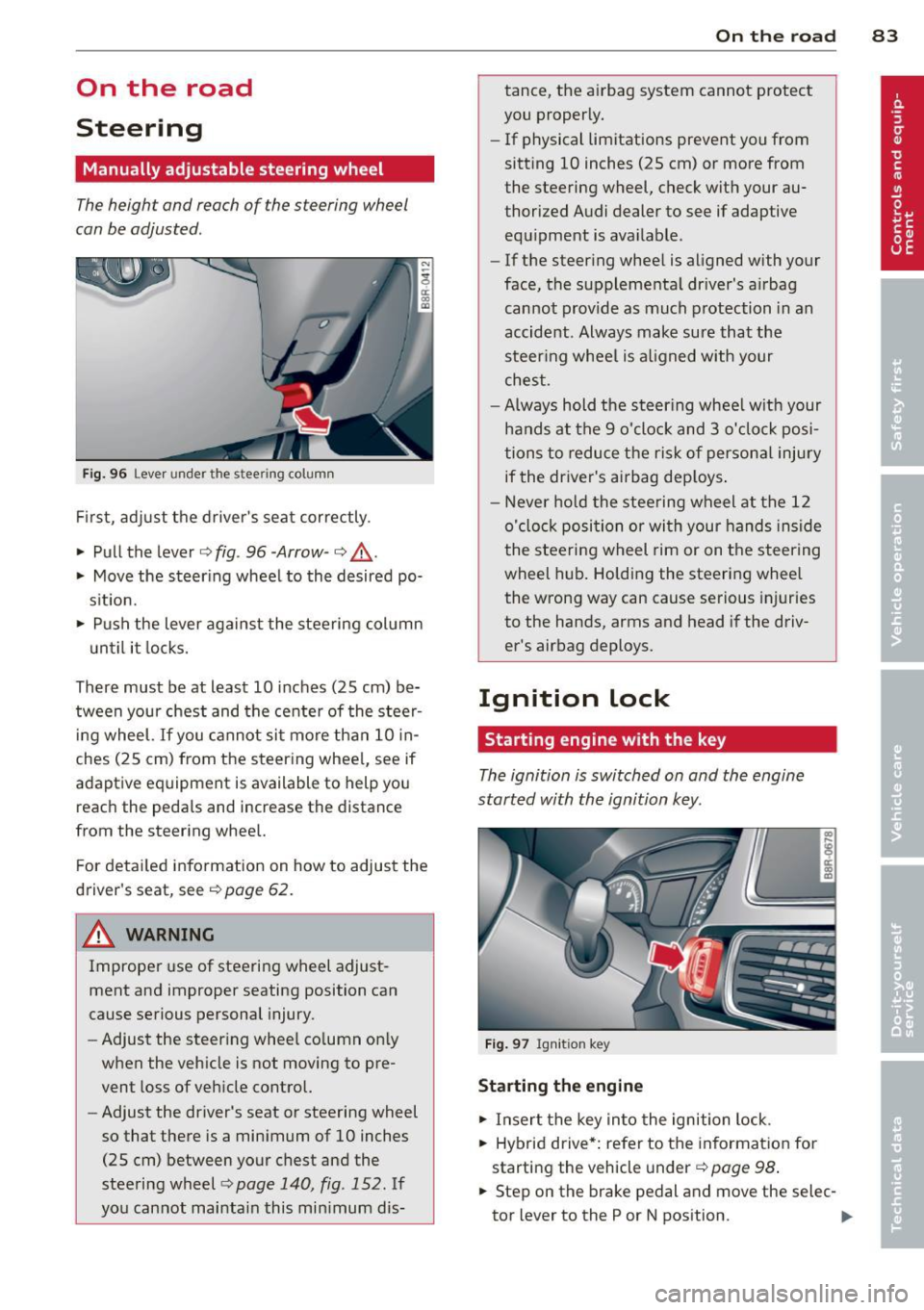
Fig. 96 Lever under the stee ring column
First, adjust the driver 's seat correctly.
• Pull the lever
i:> fig . 96 -Arrow -i=> .&_.
• Move the steering wheel to the desired po
s it ion.
• Push the lever against the steering col umn
u ntil it locks.
There must be at least 10 inches (25 cm) be
tween your chest and the center of the stee~
ing wheel.
If you cannot sit more than 10 in
ches (25 cm) from the steering wheel, see if
adaptive equipment is available to help you
reach the peda ls and increase the distance
from the steering wheel.
F or detailed information on how to adjust the
driver's seat, see
i:> page 62.
& WARNING
Improper use of steering wheel adjust
ment and improper seating position can
cause serious personal injury .
- Adjust the steering whee l co lumn on ly
when the vehicle is not moving to pre
vent loss of vehicle control.
- Adjust the driver's seat or steering wheel
so that there is a minimum of 10 inches
(25 cm) between your chest and the
steering wheel
c> page 140 , fig . 152. If
you cannot maintain this min imum dis-
On th e road 83
tance, the airbag system cannot protect
you properly.
- If physical limitations prevent you from
sitting 10 inches (25 cm) or more from
the steering wheel, check with your au
thorized Audi dealer to see if adaptive equipment is available .
- If the steering wheel is aligned with your
face, the supplementa l driver's a irbag
cannot provide as much protection in an
accident . Always make sure that the
steer ing whee l is a ligned with your
chest .
- Always hold the steer ing whee l w ith your
hands at the 9 o'clock and 3 o'clock posi
tions to reduce the risk of persona l injury
if the driver's airbag dep loys .
- Never hold the stee ring wheel at the 12
o'clock position or wi th your hands inside
the stee rin g wheel rim or on the steering
wheel hub. Holding the steering wheel
the wrong way can cause serious injuries
to the hands, arms and head if the driv
er's airbag deploys.
Ignition lock
Starting engine with the key
The ignition is switched on and the engine
started with the ignition key.
Fig . 97 Igni tion key
St arting th e engine
• Insert the key into the ignition lock.
• Hybrid drive*: refer to the information for
starting the vehicle under
i=> page 98 .
• Step on the brake pedal and move the selec-
tor lever to the P or N position. ..,_
Page 91 of 316
Your vehicle is equipped with an electrome
chanica l parking brake . The parking brake is
des igned to prevent the vehicle from ro lling
un intent ionally and replaces the hand brake.
I n addition to the norma l functions of a tradi
tional hand brake, the electromechanica l
parking brake provides various convenience
and safety functions.
When start ing f rom re st
- T he integral starting assist helps you when
driving by automatically releasing the park
ing brake ¢
page 90, Starting from rest.
-When starting on inclines, the starting as
sist prevents the vehicle from unintentional
l y rolling back. The braking force of the
parking brake is not released until sufficient
driv ing force has been built up at the
wheels .
Emergenc y bra ke function
An emergency brake ensures that the vehicle
can be slowed down even if the
normal brakes
fa il¢
page 90, £mergency braking.
Ind icator light s
-If the parking brake is closed w ith the igni
tion
s witched on the indicator lights come
on . (USA models)/ . (Canada models) in
the instrument cluster and the sw itch.
- If the parking brake is closed with the igni
tion
switched off the indicator lights come
on . (USA models)/ . (Canada mode ls) in
the instrument cluster and the switch for
about 20 seconds.
A WARNING
If a drive range is engaged with the veh icle
stat ionary and the engine runni ng, you
must in no instance accelerate care lessly.
Otherw ise the vehicle will start to move
immediate ly- risk of an accident.
W Note
If the symbo l. in the display or the ind i
cato r light .. (USA models) . (Cana
da mode ls) in the instrument cluster flash-
On th e ro ad 89
es, there is a ma lf u nction in the brake sys
tem . By pressing the
ISETI button, you can
bring up a dr iver message which explains
the malfunct ion in more detai l. If the driv
er message
Pa rking brake s ystem fault!
See owner 's manual
appears, there is an
ope rat ing malfunction in the parking brake
which yo u should have repaired immedi
ate ly by an autho rized Aud i dea le r o r other
q ualified wor ks hop ¢
page 29.
(D Tips
-Yo u can app ly the parking brake at any
t ime -even with the ig nition turned off.
T he ign it io n m ust be tu rned on in o rder
to release the parking brake .
- Occasional noises when the pa rking
brake is app lied and released are no rmal
and are no t a cause for conce rn.
- Whe n the vehicle is pa rked, the park ing
brake goes through a sel f-test cycle at
regu lar interva ls. Any associated noises
are normal.
Parking
Parking
.,. Stop the vehicle with the foot brake .
.,. Pull the switch to apply the parking brake.
.,. Move the selector lever to P .
.,. Turn the engine off¢.&_.
In addit ion on incline s and grades
.,. Turn the steering wheel so that yo ur vehicle
wi ll roll against the curb in case it should
start to move.
A WARNING
--When you leave your vehicle -even if on-
ly briefly -always remove the ignition
key. Th is applies pa rticularly when chil
dren remain in the vehicle. Otherwise the
children could sta rt the eng ine, release
the par king brake or operate electrical
equ ipment (e.g. power windows). There
is the risk of an acc ident.