display AUDI Q5 2014 User Guide
[x] Cancel search | Manufacturer: AUDI, Model Year: 2014, Model line: Q5, Model: AUDI Q5 2014Pages: 316, PDF Size: 78.41 MB
Page 26 of 316
24 Driver in formation d isplay
nozzle ii indicates the efficiency program*
¢page 25.
Single-t rip memory (Trip computer 1 )
The single-t rip memo ry sto res the trip infor
mat ion from the time the ignition is turned o n
until it is tu rned off . If the trip is contin ued
w ithin 2 hours from the time the ignition was
turned off, the new data will be included in
the calcu lation of the current trip informa
tion. If the trip is interrupted for
more than 2
hour s
the memory is reset automatically.
Total -tr ip m emory (Trip compu ter 2 )
Unlike the sing le-trip memory, the tota l-trip
memory is not reset automatically. This per
mits you to evaluate your driving data for the
entire period between manual resets.
Effici ency prog ram*
The efficiency p rogram can help yo u to use
l ess fuel ¢
page 25 .
Operation
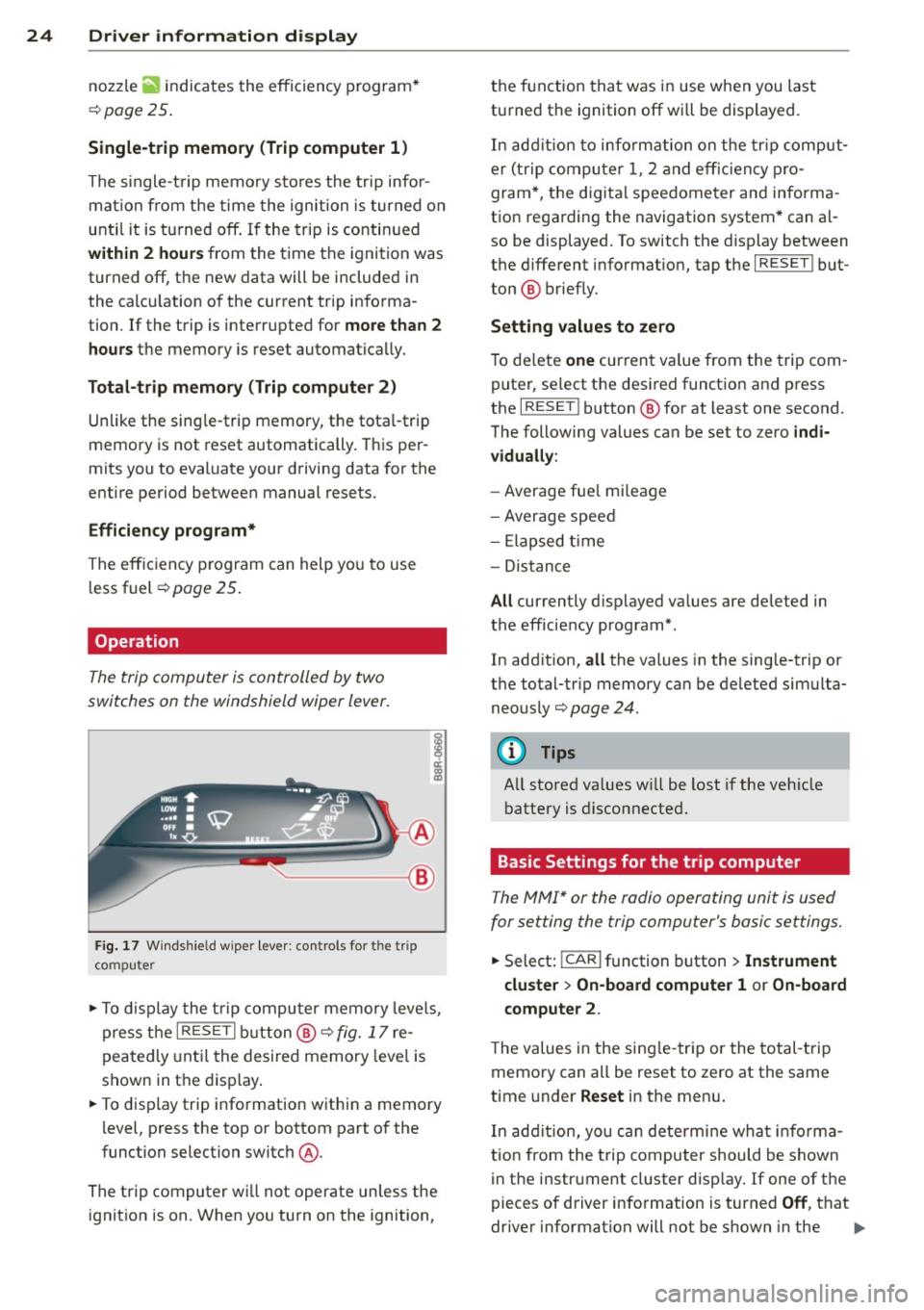
The trip computer is controlled by two
switches on the windshield wiper lever.
~
--- ®
Fig. 17 Windshie ld wipe r leve r: controls fo r th e trip
co mp ute r
.,. To d isplay the t rip computer memory leve ls,
press the
I RESE T I button ®¢ fig. 17 re
peatedly unt il the desired memory leve l is
shown in the d isp lay .
... To d isp lay trip information within a memory
level, press the top or bottom part of the
function selection switch
@ .
The trip computer w ill not operate unless the
ignition is on. When you turn on the ignition, the function that was in use when you last
turned the ignition off wi
ll be displayed .
In add ition to info rm ation on the trip comput
er (trip computer 1, 2 and eff ic iency p ro
gram*, the d igital speedometer and informa
tion regarding the navigation system * can a l
so be displayed. To switch the d isp lay between
the d ifferent informat ion, tap the
I RESE T I but
ton ® briefly.
Sett ing values to ze ro
To de lete one current va lue from the trip com
puter, se lect the desired functio n and press
the
I RESET I button ® for at least one second.
The following values can be set to zero
indi
v iduall y:
-Average fue l mi leage
- Average speed
- Elapsed t ime
- Distance
All currently d isplayed va lues are deleted in
the efficie ncy program*.
In add ition,
all the values in the sing le-trip or
the total-tr ip memory can be de leted sim ulta
neously ¢
page 24.
(!) Tips
All stored va lues w ill be lost if the veh icle
battery is disconnected.
Basic Settings for the trip computer
The MMI* or the radio operating unit is used
for setting the trip computer's basic settings.
.,. Select: !CARI function button> In strument
cluster > On-board computer
1 or On-board
c omputer
2 .
The values in the sing le -tr ip or the total-t rip
memory can all be reset to zero at the same
time under
Reset in the menu .
In add ition, yo u can de termi ne wha t informa
tion from the t rip computer should be shown
in the instrument cluster disp lay . If one of the
pieces of driver information is turned
Off , that
drive r information will not be shown in the ..,.
Page 27 of 316
display . The information will continue to be
calculated by the trip computer and can be
turned back
On at any time.
@ Tips
- This function is not avai lab le on all
vehicles.
- The driving information in the efficiency
program * is a lso reset to zero w ith the
single-trip memory .
Efficiency program
Description
Applies to vehicles: with efficiency program
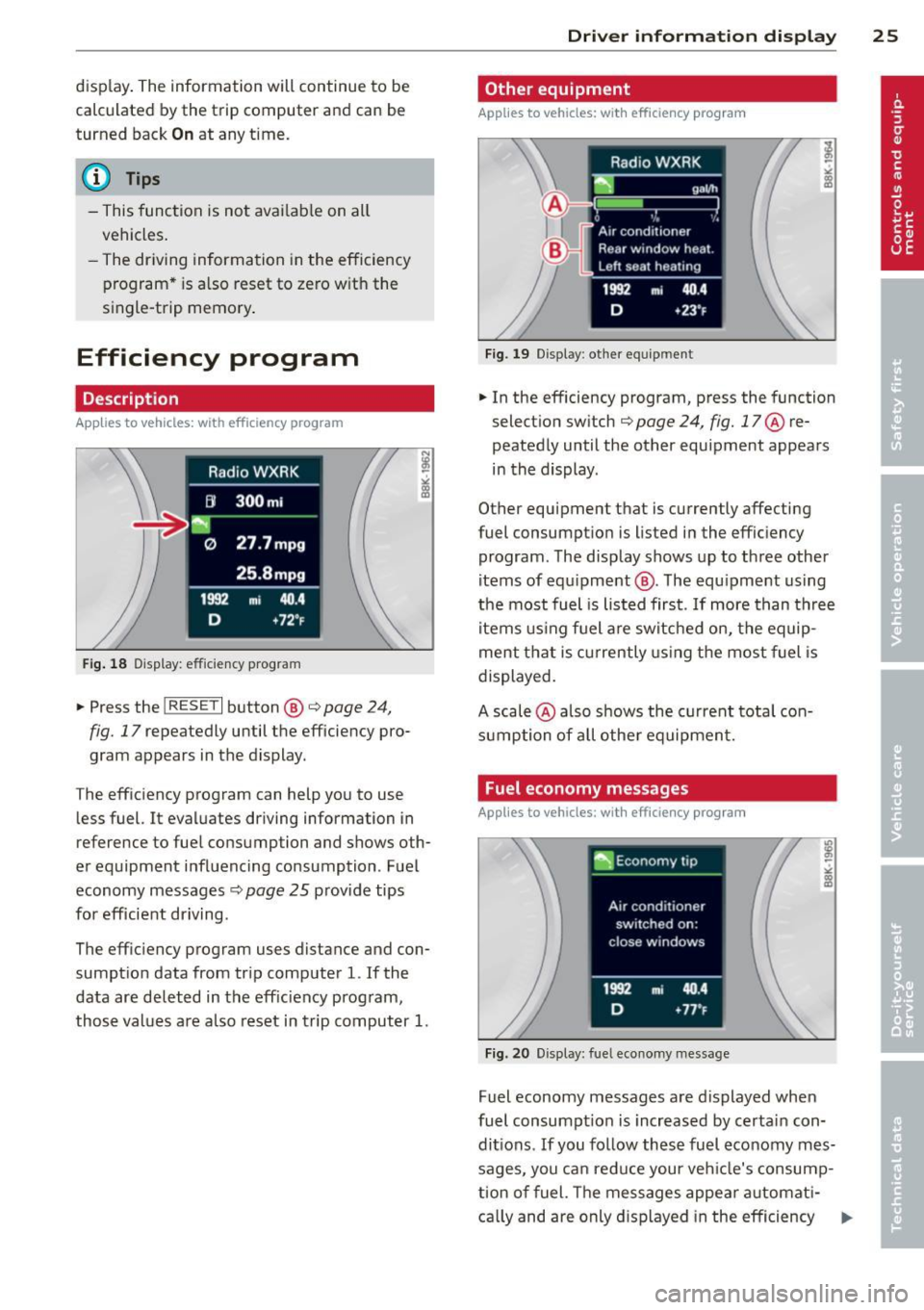
Fig . 1 8 Display: efficiency program
.. Press the I RESET I button ®¢ page 24,
fig. 17 repeatedly until the efficiency pro
gram appears in the display.
The efficiency program can help you to use less fuel. It eval uates driving information in
reference to fuel consumption and shows oth
er equipment i nfluencing consumption . Fuel
economy messages
¢ page 25 provide tips
for efficient driving .
The eff ic iency program uses distance and con
sumpt ion data from trip computer
l. If the
data are de leted in the eff iciency program,
those val ues are a lso reset in trip computer
1.
Dri ver inform ation di spl ay 25
Other equipment
Applies to veh icles: w ith efficiency program
F ig. 19 D isplay : other equip ment
.. In the efficiency program, press the function
select io n sw itch ¢
page 24, fig. 17@ re
peatedly until the other equipment appears
in the display.
Other equipment that is currently affecting
fuel consumpt io n is listed in the efficiency
program. The display shows up to three other
items of equ ipment @. The equ ipment using
the most fuel is listed first .
If more than three
items us ing fuel a re switched on, t he equip
ment t hat is c urrently usin g the most fuel is
displayed .
A scale @ also shows the c urrent tota l con
sumption of all othe r equipmen t.
Fuel economy messages
Applies to veh icles: with efficiency program
Fig. 20 Display: fue l economy message
Fuel economy messages are displayed when
fuel consumpt ion is increased by certain con
di tions .
If you fo llow these fuel economy mes
sages, you ca n reduce your veh icle's consump
t ion of fuel. The messages appea r automat i-
ca lly and are only d isplayed in the efficiency ..,.
Page 28 of 316
26 Driver information d isplay
program. The fuel economy messages turn off
automatically after a certain per iod of t ime .
.,. To turn a fue l economy message off immedi
ately after it appears, press the
!RESE T I but
ton ¢
page 24, fig. 17 @, or
.,. Press the funct ion selection switch
¢ page 24 , fig. 17@.
(D Tips
-Once you have turned a fuel economy
message off, it will only appear again af
ter you turn the ignition on again.
- The fuel economy messages are not dis
played in every instance, but rather in in
tervals over a period of time.
On-Board Diagnostic
system (OBD)
Malfunction Indicator Lamp (MIL)
T he Malfunction Indicator Lamp (MIL) ¢4 in
the instrument cluster¢
page 14, fig. 8 is
part o f the On-Board Diagnostic (OBD II) sys
tem.
T he warning/indicator light illuminates when
the ignition is switched on and goes out after
the engine starts and the idle has stabilized .
T his indicates that the MIL is working proper
ly .
If the light does not go out after the engine
is started, or illuminates while you are driv
ing, a malfunction may exist in the engine sys
tem. If the light illuminates, the catalytic con
verter could be damaged.
Continue driving
with reduced power (avoid
ing sustained high speeds and/or rapid accel
erat ions) and have the condition corrected .
Contact your authorized Audi dealer.
If the light illuminates, the electronic speed limiter may also be malfunctioning. For more
information ¢
page 2 7, Electronic speed
limiter .
An improperly closed fuel filler cap may also
cause the MIL light to illuminate (only
vehicles with gasoline engine)
¢ page 226 .
On-Board Diagnostics
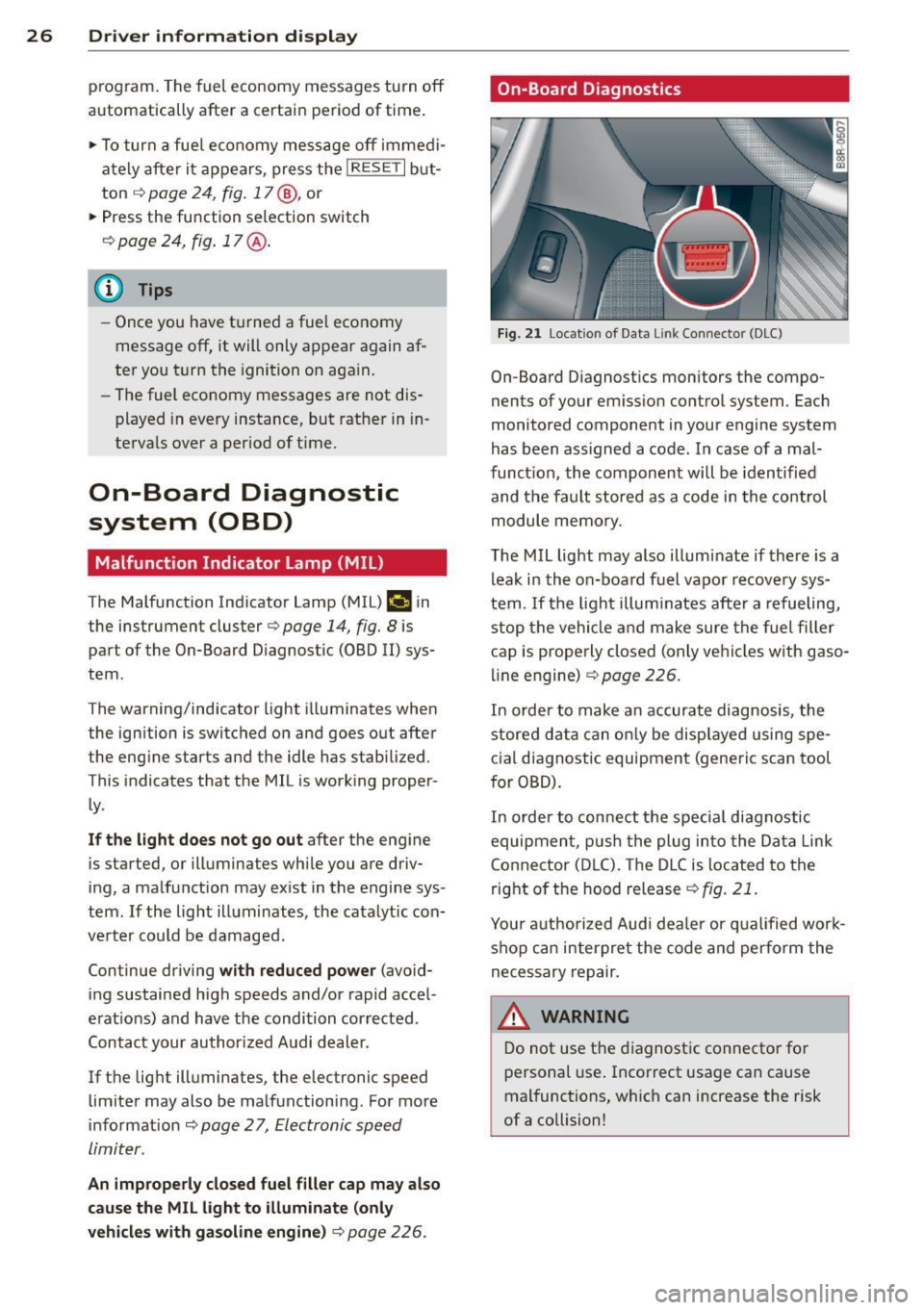
Fig. 21 Location of Data Li nk Conn ecto r (DLC)
On-Board D iagnostics monitors the compo
nents of your emission control system . Each
monitored component in your engine system
has been ass igned a code . In case of a mal
function, the component will be identified
and the fault stored as a code in the control
module memory.
The MIL light may also illuminate if there is a
leak in the on-board fuel vapor recovery sys
tem .
If the light illuminates after a refueling,
stop the vehicle and make sure the fuel filler
cap is properly closed (only vehicles with gaso
line engine) ¢
page 226.
In order to make an accurate diagnosis, the
stored data can only be displayed using spe
cial diagnostic equipment (generic scan tool
for OBD).
In order to connect the special diagnostic
equipment, push the plug into the Data Link
Connector (DLC). The DLC is located to the
right of the hood release
¢fig. 21.
Your authorized Audi deale r or qualified work
shop can interpret the code and perform the
necessary repair.
.&_ WARNING ~ -
Do not use the diagnostic connector for
personal use. Incorrect usage can cause
malfunctions, which can increase the risk
of a collision!
Page 29 of 316
Electronic speed
limiter
Your vehicle may be factory equipped with
tires that are rated for a maximum speed of
130 mph (210 km/h) . This is less than the
maximum speed of your vehicle . To reduce the
risk of sudden tire failure and loss of control if
the vehicle is ope rated at excessive speeds,
your vehicle also has an elect ronic speed limit
er. The electronic speed limiter prevents your
ve hicl e from going faster than the tire speed
rating. For more information
c::> page 258.
If the engine control unit receives faulty vehi
cle road speed signals, the Malfunction Ind i
cator Lamp (MIU¢• will illuminate .
If this
occurs, contact the nearest authorized Audi
dea ler for assistance.
SQS
Your vehicle's top speed is e lectronically limit
ed to 155 mph (250 km/h).
If the engine control unit receives faulty vehi
cle road speed signals, the Malfunction Indi
cator Lamp
(MIL) ¢..fi will illuminate . If this
occurs, contact the nearest authorized Audi
dealer for assistance .
_& WARNING
-
Always observe the posted speed limits
and adjust your speed to suit prevailing
road, traffic and weather conditions. Never
drive your vehicle faster than the maxi
mum speed rating of the tires installed.
Auto Check Control
Introduction
The Auto-Check control monitors the function
of certain vehicle features and components. It
simply makes sure these features and compo
nents are working properly. The Auto-Check
control works as long as the ignition is on, as
well as whenever the vehicle is driven .
If a component is ma lfunctioning or if the
need for an urgent repair has been detected,
Driver information display 2 7
this will appear in the instrument cluster dis
play. You will also hear an audible warning
tone . The displays are color coded in either
red or yellow depending on their level of prior
ity.
A red symbol means Danger , a yellow symbo l
indicates
Warning. In certain situat ions, in
formation message for the driver appear in
addition to the red and yellow symbols.
Note about automatic transmission
The Auto -Check Control wi ll automatically
perform a test each time you switch on the ig
nition. With the selector lever in P or N, the
following message appears in the d isplay:
When stationary apply brake pedal while se
lecting gear
When you select a diffe ren t gear (for exam
ple: R, D, etc.), the message w ill disappear
and the Auto-Check function is displayed.
If there is a malfunct ion, then the malfunc
tion message will appear about 15 seconds af
te r you start the vehicle . At the same time you
will hear a warning tone.
Driver information messages
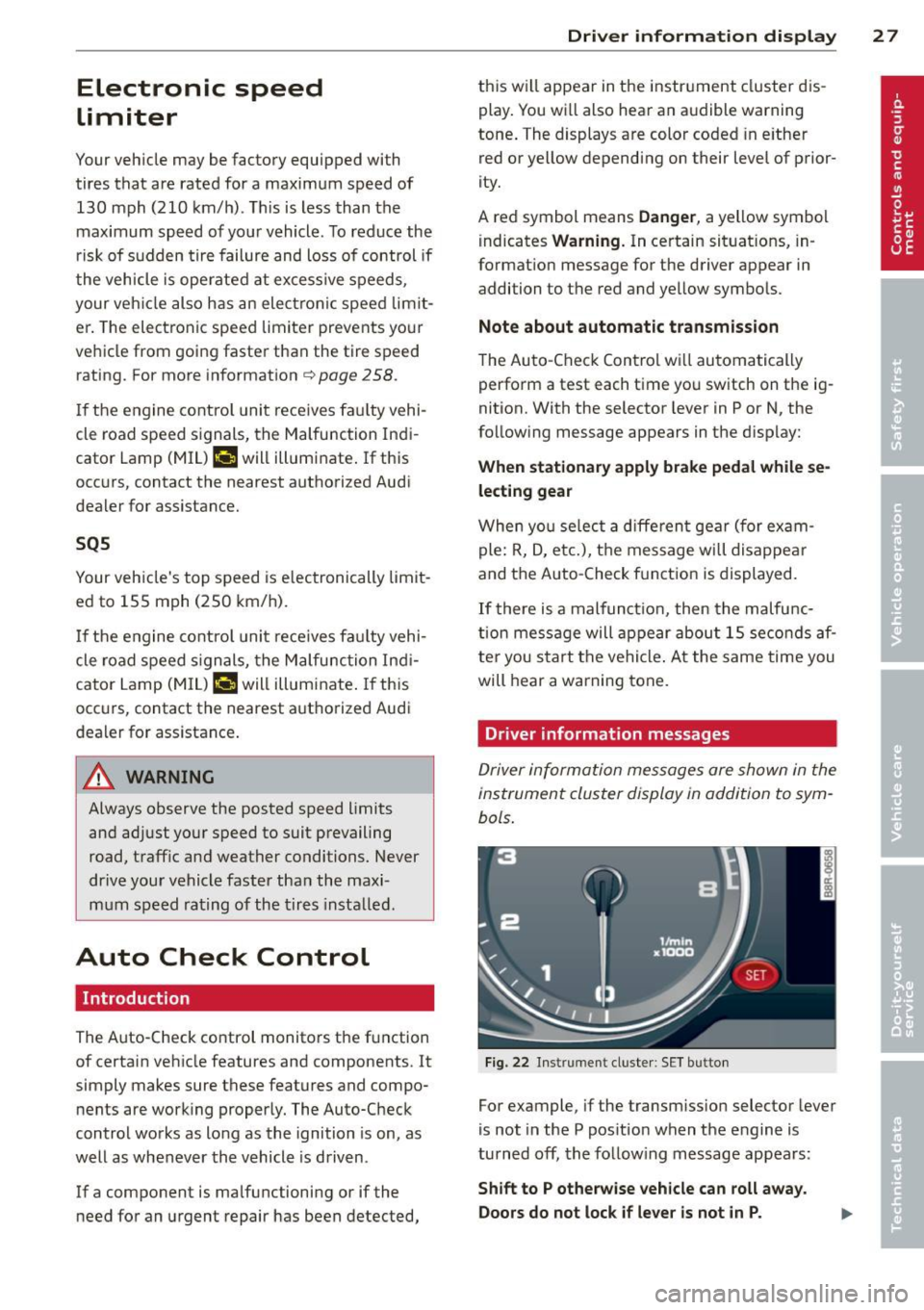
Driver information messages are shown in the
instrument cluster display in addition to sym
bols.
Fig. 22 Instrument cluster: SET button
For example, if the transmiss ion selector lever
is not in the P position when the engine is
turned
off, the following message appears :
Shift to P otherwise vehicle can roll away.
Doors do not lock if lever is not in P.
Page 30 of 316
28 Driver information d isplay
The ignition key can on ly be removed with the
selector in this position. This and other mes
sages are brought up if a function cannot be
carried out.
Driver messages and red symbols
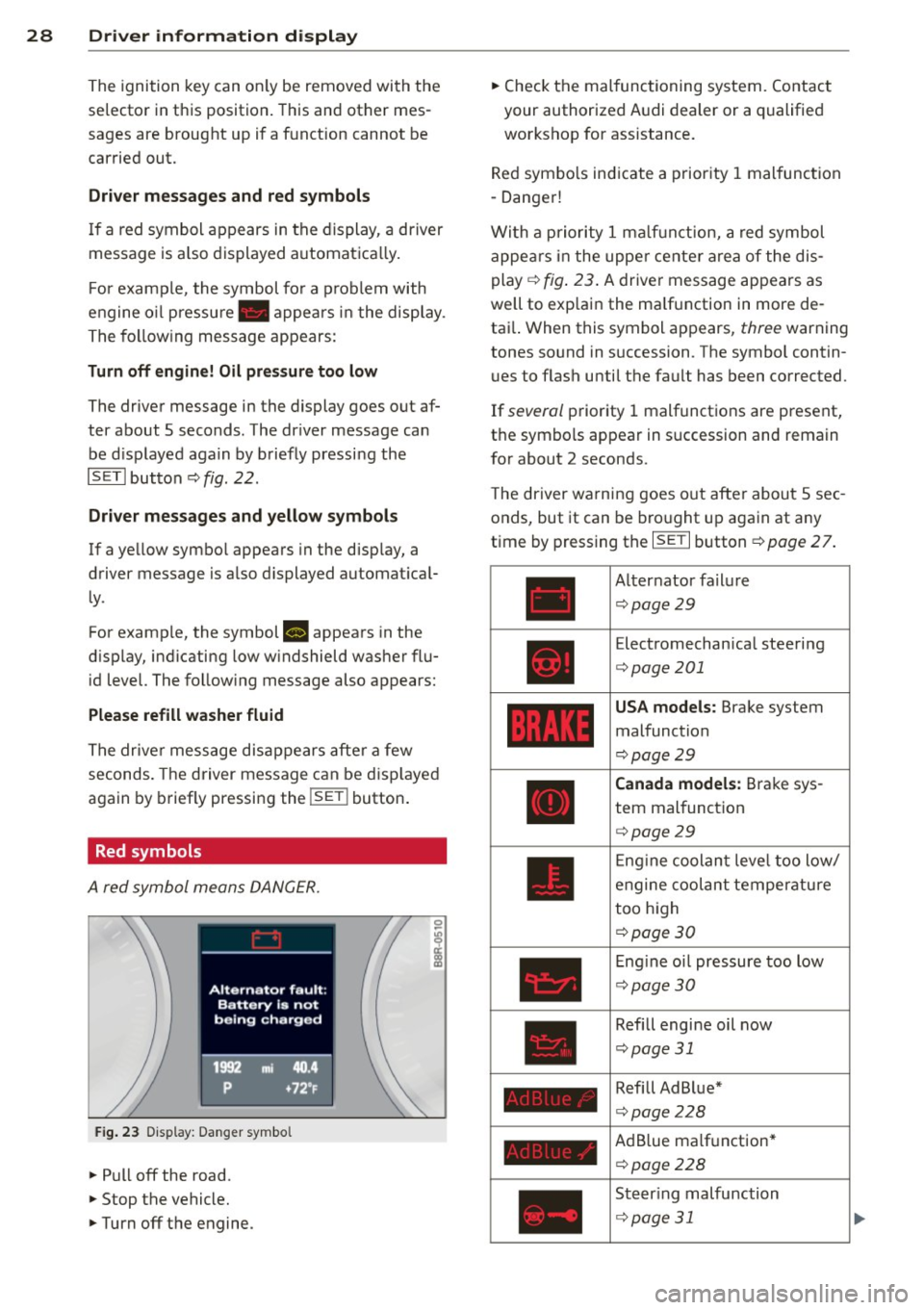
If a red symbol appears in the display, a driver
message is a lso displayed automatica lly.
F or example, the symbol fo r a problem with
engine o il pressu re . appea rs in the display .
The following message appears :
Turn off engine! Oil pre ssure too low
The driver message in the display goes out af
ter about
5 seconds. The dr iver message can
be d isplayed again by briefly pressing the
ISETlbutton
c::> fig. 22 .
Driver messages and yellow symbols
If a yellow symbol appears in the display, a
driver message is also displayed automat ical
ly .
For examp le, the symbol
B appears in the
d isplay, ind icating low w indshield washer flu
id level. The follow ing message also appears:
Please refill washer fluid
The driver message disappears after a few
seconds. The driver message can be disp layed
again by briefly pressing the !SE T! button .
Red symbols
A red symbol means DANGER.
Fig . 23 D isplay: Danger symbo l
.. Pull off the road.
.. Stop the vehicle.
.. Turn off the engine. ..
Check the malfunctioning system. Contact
your authorized Audi dealer or a qualified
workshop for assistance.
Red symbo ls ind icate a priority 1 malfunction
- Danger!
With a priority
1 malfunction, a red symbol
appea rs in the upper center area of the dis
play
c::> fig . 23 . A driver message appears as
well to exp lain the ma lfunction in more de
tai l. When this symbol appears,
three warning
tones sound in succession . The symbol contin
ues to flash until the fault has been corrected.
If
several priority 1 malfunctions are present,
the symbols appear in succession and remain
for about
2 seconds .
T he driver warning goes out after about
5 sec
onds, but it can be brought up again at any
time by pressing the I SET I button
c} page 2 7.
Alter nator failure
c::> page29
Electromechan ical steering
c::> page 201
USA models: Brake system
malfunction
c::> page29
Canada models: Brake sys
tem malfunction
c::> page29
En gin e coolant level too low/
engine coolant temperature
too high
c::> page 30
Engine oil pressure too low
c::> page 30
Refill engine oil now
c::> page 31
Refill Ad Blue*
c::> page 228
AdB lue ma lf unc tion*
c::> page 228
Steering malfunction
c::> page 31
Page 33 of 316
service without delay. Do not wait until
the red oil pressure warning. starts
to flash before you respond to the low
oil level wa rning
l!I. By then, your en
gine may already have suffered serious
damage.
~ .. Fill engine oil now
WARNING: Pleas e add oil immediately
If the . symbol lights up, then the oil has to
be replenished r ight now ¢
page 236 .
@-Steering malfunction
If there is a malfunction in the electronic
steering column lock, the steering cannot be
unlocked.
If the . symbol in the display blinks, there
i s a malfunction in the electronic steering col
umn lock . A driver message appears as well to
explain the malfunction in mo re deta il. The
d river war ning goes out after abou t 5 sec
onds, but it ca n be b roug ht up at a ny time by
pr ess ing the
ISE TI bu tton aga in .
Steering defective! Do not drive vehicle! .. Contact your nearest a uthorized Audi dea ler .
.. Do not tow your vehicle .
A WARNING
-
Your vehicle mus t not be t owed in the
eve nt of a malfun ct ion in the electron ic
steeri ng colu mn lock because it can not b e
s t eered due to the l ocked s tee ring. If i t is
t owed w ith the stee ring loc ke d , t here i s
t he risk of an accident.
© -Ignition lock malfunction
A malfunction in the ignition lo ck mus t be re
paired immediately.
If th e . symbol in the d isp lay blinks, there
i s a ma lfunction in the electronic ignit io n l ock.
A dr iver message a ppears a s well to exp la in
t he m alfu nction in more det ail. Th e d rive r
warn ing goes ou t after abou t 5 seconds, bu t it
Driver information display 31
can be b rou ght up a t any time by p ress ing the
ISETI bu tton again .
Ignition lock defective. Contact dealer!
.. Do not turn t he e ngine off .
.. Dr ive immedia tely to a n author ized Audi
de aler to have t he mal fun ct io n co rrected.
If there is a malfunct ion in the elect ro ni c ig ni
t ion loc k, the igni tion ca nnot b e tu rned o ff.
D rive imm ed iate ly to an au tho rized se rv ice fa
cili ty to have the cause of the malfunc tion co r
re cte d.
On vehicles wi th Conven ienc e key*, the eng ine
s h ould not b e switched off using t he S tart/
St op butt on bec au se th e e ngine canno t be
s ta rt ed ag ain afte r th e ign iti on ha s been
swi tc h ed off.
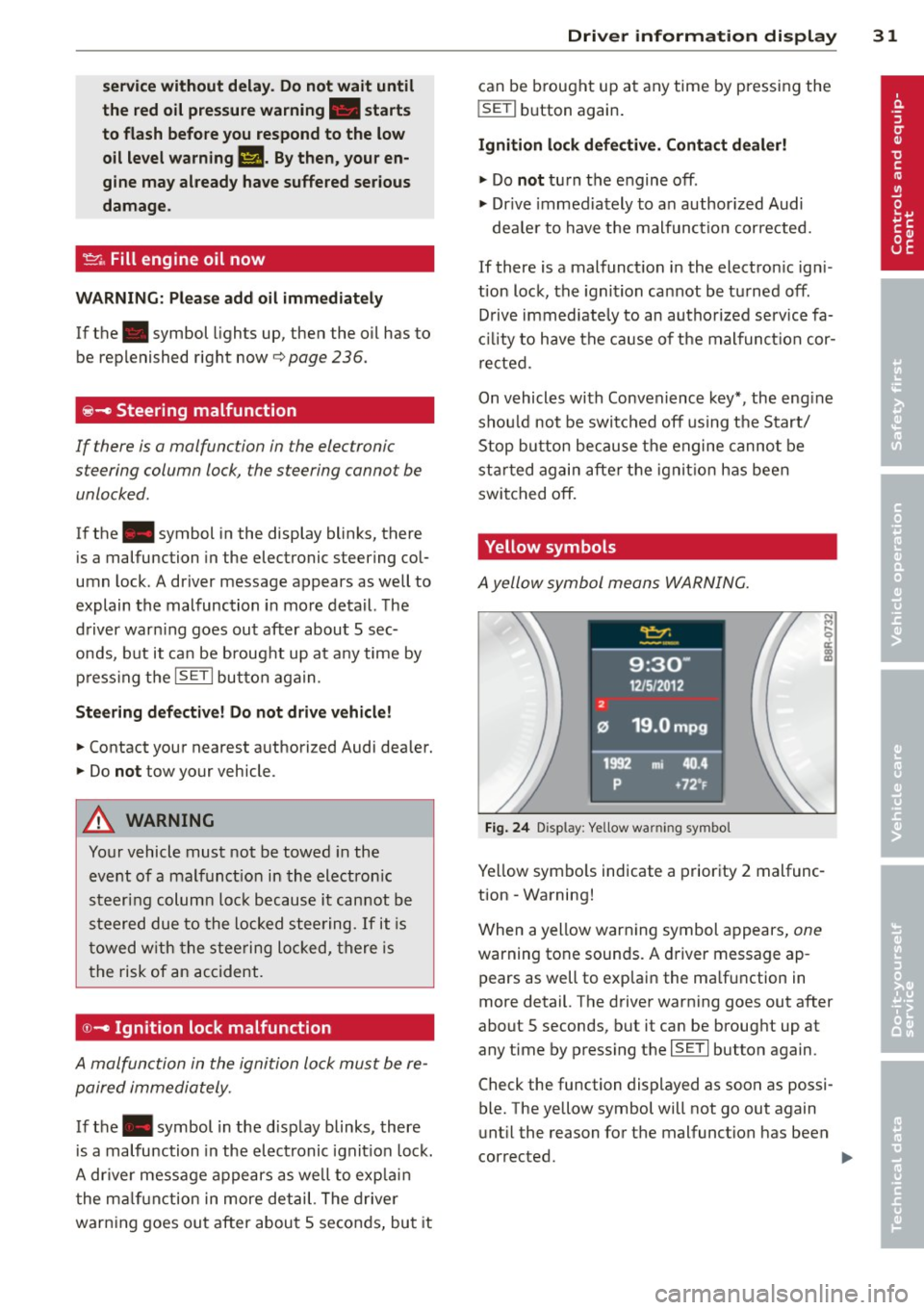
Yellow symbols
A yell ow sym bol means WAR NING .
Fig. 24 Display : Yellow wa rning symbo l
Yellow sym bols indicate a prior ity 2 mal func
tion - Wa rning!
W hen a yellow war ning symbol a ppe ars,
one
warning tone soun ds. A dr iver message ap
pears as well to exp lai n the ma lf un ction in
m ore detail. T he dr iver warning goes ou t after
about S seconds, but it ca n be broug ht up at
any time by p ress ing t he
ISE TI button again .
Check the function dis played as soo n as possi
ble. The yellow symbol will not go out again
u nt il the reason fo r th e malfunction has been
cor rected.
Page 35 of 316
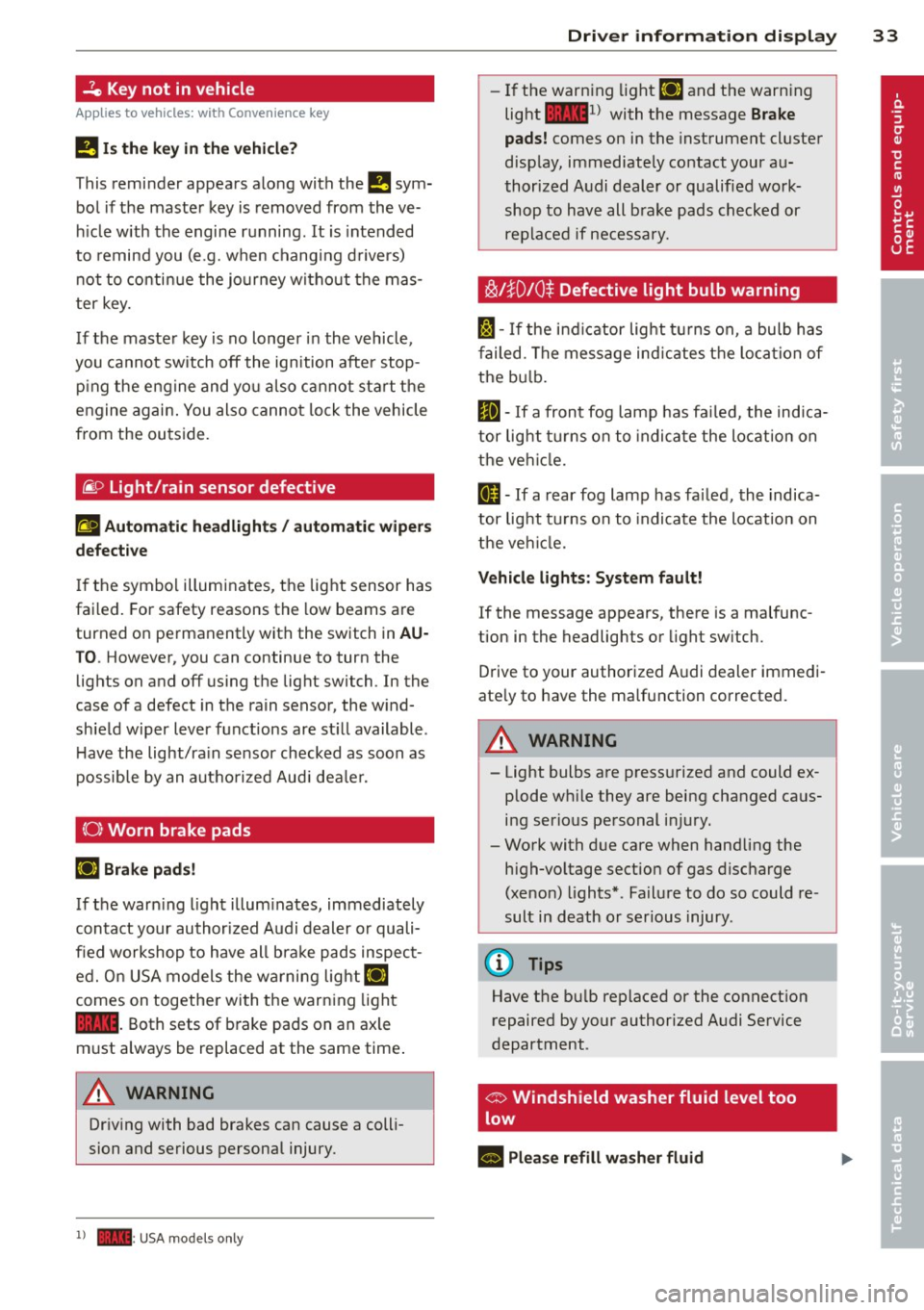
-Ze Key not in vehicle
Applies to vehicles: with Convenience key
l!I Is the key in the vehicle?
This reminder appears along with the l!I sym
bol if the master key is removed from the ve
hicle with the engine running. It is intended
to remind you (e.g. when changing drivers)
not to continue the journey without the mas
ter key.
If the master key is no longer in the vehicle,
you cannot switch off the ignition after stop
p in g the engine and you also cannot start the
engine again . You also cannot lock the vehicle
from the outside.
@9 Light/rain sensor defective
El Automatic headlights / automatic wipers
defective
If the symbol illuminates, the light sensor has
failed. For safety reasons the low beams are
turned on permanently with the switch in
AU
T O . However, you can continue to turn the
lights on and off using the lig ht switch. In the
case of a defect in the rain sensor, the w ind
shield w iper lever functions are st ill available.
H ave the light/ra in sensor checked as soon as
possible by an autho rized Aud i deale r.
(0) Worn brake pads
li1 Brake pads!
If the warn ing light illuminates, immediately
contact your authorized Audi dealer or quali
fied workshop to have all bra ke pads inspect
ed. O n USA models the warning
light lil
comes on together with the warning light
1111. Both sets of brake pads on an axle
must always be replaced at the same time .
A WARNING
Driving with bad brakes can cause a colli
sion and serious personal injury.
1) - : USA mod els only
-
Driver information display 33
-If the warning light li1 and the warning
light
llll1l with the message Brake
pads!
comes on in the instrument cluster
disp lay, immediately contact your au
thorized Audi dealer or qualified work
shop to have all brake pads checked or
replaced if necessary.
~!}010$ Defective light bulb warning
f:;:1-If the indicat or light turns on, a bulb has
fa iled. The message indicates the location of
the bulb.
II-If a front fog lamp has failed, the indica
tor light tu rns on to indica te the locat ion on
the vehicle.
0 -If a rear fog lamp has failed, the indica
tor light turns on to indicate the location on
the vehicl e.
Vehicle lights: System fault!
If the message appears, there is a malfunc
tion in the headlights or light switch.
Drive to your authorized A udi dealer immedi
ate ly to have the malfunction corrected.
A WARNING
- Light bulbs are press urized and could ex
plode wh ile they are being changed caus
ing serious personal injury.
- Work with due care when handling the
high-voltage section of gas discharge
(xenon) lights*. Failure to do so could re
sult in death or serious injury .
(D Tips
Have the bu lb replaced or the connect ion
repaired by your authorized Audi Service
department .
c> Windshield washer fluid level too
low
- Please refill washer fluid
Page 36 of 316
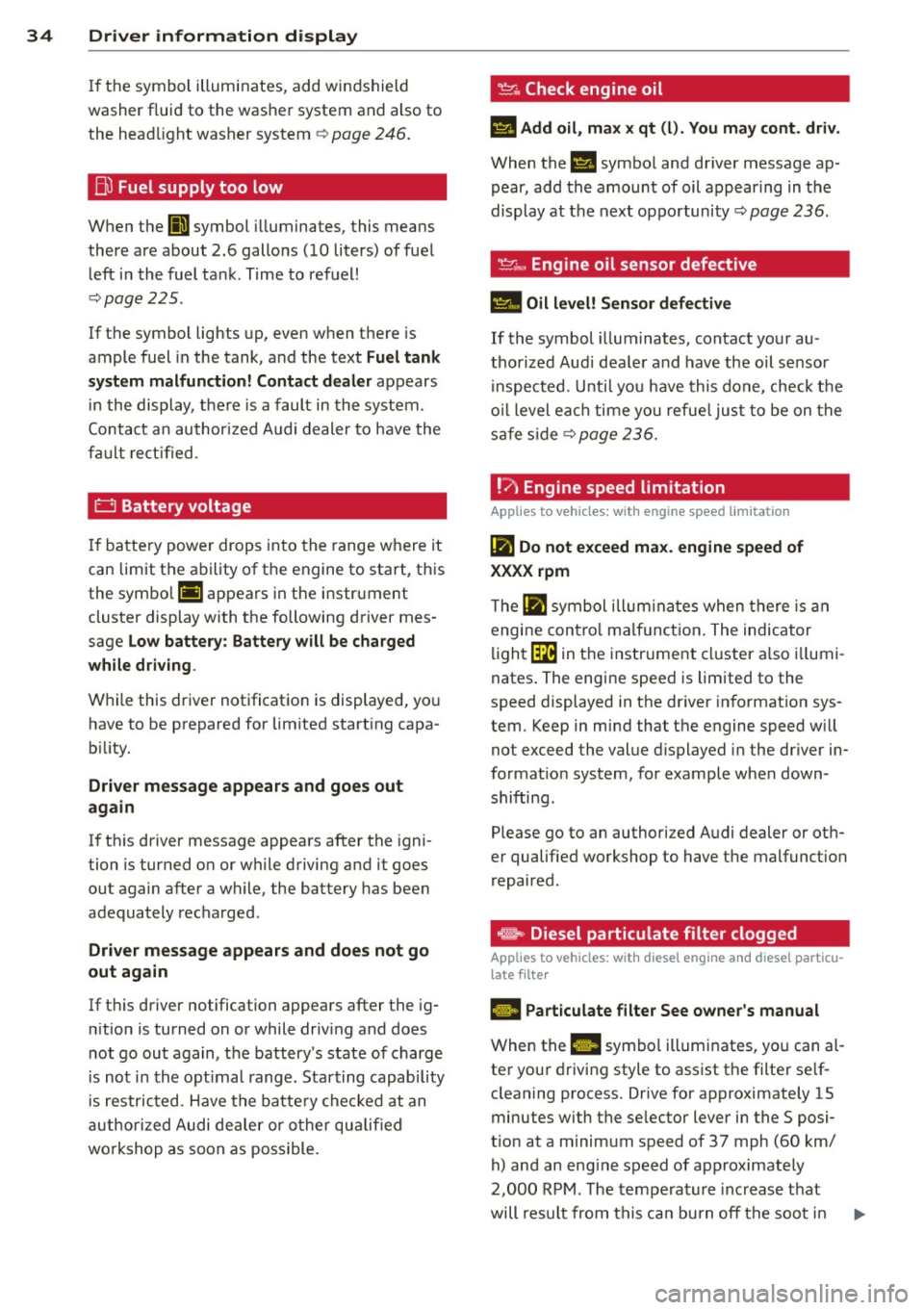
34 Driver information display
If the symbol illuminates, add windshield
washer f luid to the washer system and also to
the head light washer system¢
page 246.
Bo Fuel supply too low
When the (11 symbol illuminates, this means
there are about 2.6 gallons
(10 liters) of fuel
left in the fuel tank . Time to refuel!
¢page 225 .
If the symbol lights up, even when there is
ample fuel in the tank , and the text
Fuel tank
system malfunction! Contact dealer
appears
in the display, there is a fault in the system .
Contact an authorized Audi dealer to have the
fa ult rectified.
0 Battery voltage
If battery power drops into the range where it
can limit the ability of the engine to start, this
the symbol (•) appears in the instrument
cluster display with the following driver mes
sage
Low battery: Battery will be charged
while driving .
While this driver notification is displayed, yo u
have to be prepared for lim ited starting capa
b ili ty.
Driver message appears and goes out
again
If this driver message appears after the igni
tion is turned on or while driving and it goes
out again after a while, the battery has been
adequately recharged.
Driver message appears and does not go
out again
If th is driver notification appears after the ig
n ition is turned on or while driv ing and does
not go out again, the battery's state of charge
i s not in the optimal range. Starting capability
is restricted . Have the battery checked at an
authorized Audi dealer or other qualified
workshop as soon as possible .
~ Check engine oil
El Add oil, max x qt (l). You may cont. driv.
When the II symbo l and driver message ap
pear, add the amount of oil appearing in t he
display at the next opportunity ¢
page 236.
If the symbol illuminates, contact your au
thorized Audi dea ler and have the oil sensor
in spected. Until you have this done, check the
oil level each time you refuel just to be on the
safe side
¢ page 236.
!?) Engine speed limitation
Appl ies to vehicles : wi th engine speed limitatio n
II! Do not exceed max. engine speed of
XXXX rpm
T he Ill symbol illuminates when there is an
engine contro l malfunct ion. The indicator
light~ in the instrument cluster also illumi
nates . The engine speed is limited to the
speed displayed in the driver information sys
tem. Keep in mind that the engine speed w ill
not exceed the value displayed in the driver in
formation system, for example when down
shifting.
Please go to an authorized Audi dealer or oth
er qualified workshop to have the malfunct ion
repaired.
~ Diesel particulate filter clogged
App lies to vehicles: wit h diese l eng ine a nd diese l particu
late filte r
B Particulate filter See owner's manual
When the Ill symbo l illum inates, you can al
ter your driving style to assist the filter se lf
cleaning process. Drive for approximately 15
minutes with the se lector lever in the S posi
t ion at a minimum speed of 37 mph
(60 km/
h) and an engine speed of approximately
2,000 RPM. The temperature increase that
will result from this ca n burn off the soot in
IJJ,,,
Page 37 of 316
the filter . T he symbol wi ll switch off when the
cleaning is successfu l. After a succ essful
clean ing, there is no need to br ing the car to
an author iz ed deale r or qualif ied workshop
because this is par t of normal vehicle opera
tion .
If the symbo l
II does not switch off, see
your author iz ed dealer or other qualif ied
workshop to have the prob lem corrected.
F or mo re information on the diesel particu
l ate filter, refer to
¢ page 206.
A WARNING
Always adapt yo ur speed to the current
weather, road and traffic condit ions. You
should never disobey traffic laws in order
t o follow driv ing recommendations .
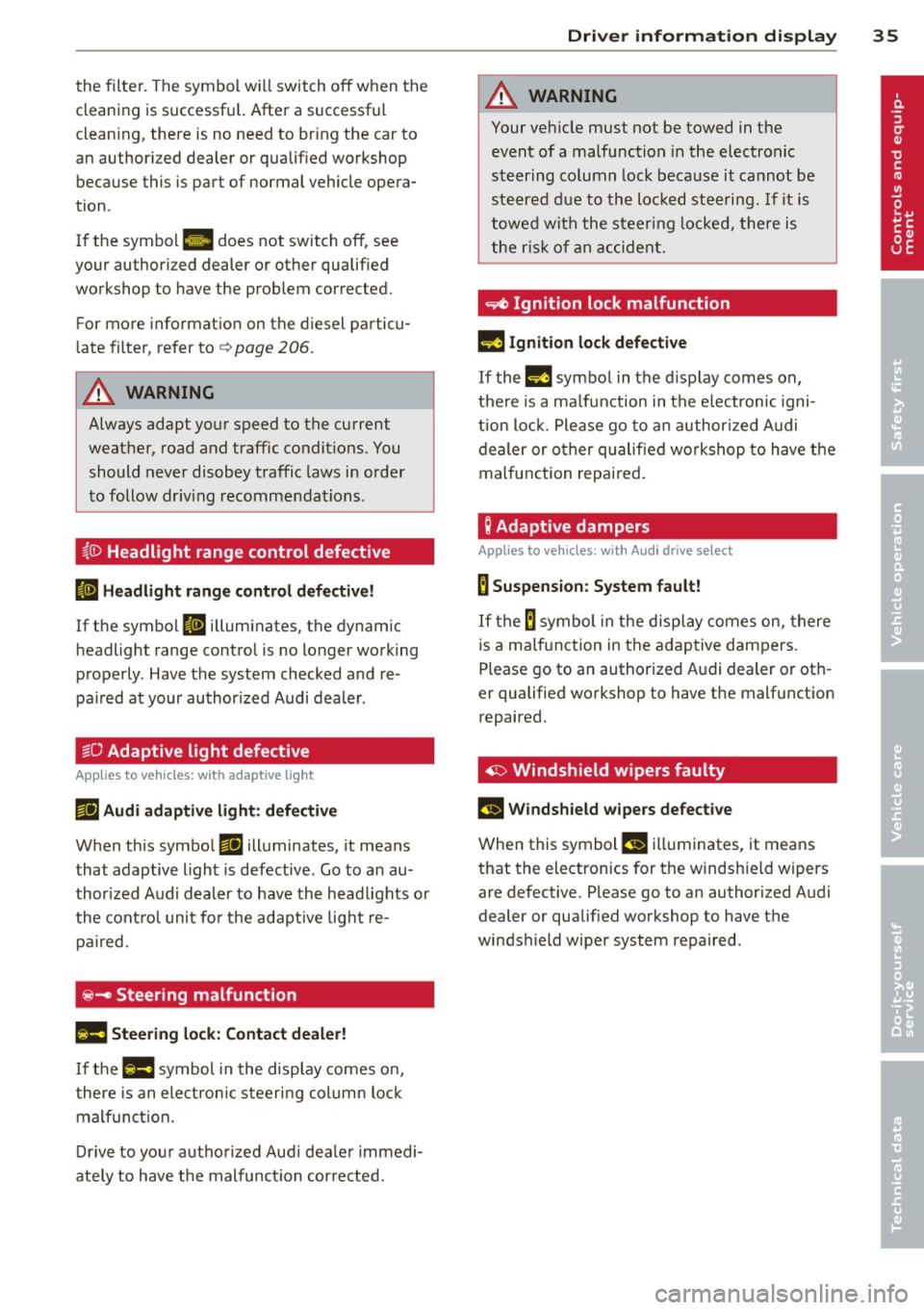
(0 Headlight range control defective
II Headlight range control d efective!
-
If the symbol II illum inates, the dynam ic
h eadlight range control is no longer working
properly . Have the system checked and re
pa ired at your author ized Audi dealer .
§0 Adaptive light defective
Applies to vehicles: with adaptive light
rJII Audi adaptive light: defective
When t his symbo l rJII illuminates, it means
that adaptive light is defective . Go to a n au
thor ized Audi deal er to have the headlights o r
the cont rol uni t fo r the adapt ive lig ht re
pair ed.
@-Steering malfunction
Ila Steering lock: Contact dealer!
If the l!Jla symbol in the display comes on,
the re is an electron ic s teeri ng col umn loc k
mal funct ion.
D rive to you r autho rized Aud i dea le r immedi
ately to have t he mal function cor re cted.
Dri ver information di spla y 35
A WARNING
-
Your veh icle must not be towed in the
event of a malfunction in the electronic
st eering column lock because it cannot be
steered due to the loc ked steeri ng. If it is
towed wit h the steering lo cke d, there is
the r is k of an accident.
~ Ignition lock malfunction
II! Ig nition lo ck defe ctive
If the m symbo l in the d isplay comes on,
t h ere is a ma lfunction in the e lectronic igni
ti on loc k. P lease go to a n author ized A udi
dealer or o ther qualified workshop to have the
malfunction repaired .
g Adaptive dampers
Applies to vehicles: with Audi drive select
B Suspension: System fault!
If the B symbol in the disp lay comes on, there
is a ma lfunction in the adaptive dampe rs.
Please go to an authorized A udi dealer or ot h
er qualified wo rkshop to have the malfunctio n
repaired.
~ Windshield wipers faulty
£-..$ 111/indshield wipers defective
When this symbol £!I ill uminates, it means
that the electronics for th e windsh ie ld wipers
are defective . Please go to an authorized A udi
dealer or qualified wo rkshop to have the
winds hield wiper system repaired .
Page 53 of 316
Canada models : The function cannot be
turned off.
It is activated a utomatica lly each
time the ignition is switched on.
Travel mod e (Canada models)*
The headlight beam is asymmetrical. This pro
vides stronge r illum ination on the s ide of the
road on which you are driving . If you are driv
ing in a co untry that drives on the opposite
side of the road from your own country, this
will cause glare for oncoming drivers. To pre
vent glare:
- Trave l mode must be selected in vehicles
with Xenon headlights*.
- In vehicles with halogen headlights, certain
areas of the head light lenses must be cov
ered with waterproof adhesive covers that
prevent light from passing through. For
more information, please see your author
ized Audi dealer or author ized repair facility .
@ Tips
When travel mode* is activated, a d isp lay
in the drive r information system ind icates
this each time you switch the ignit io n on .
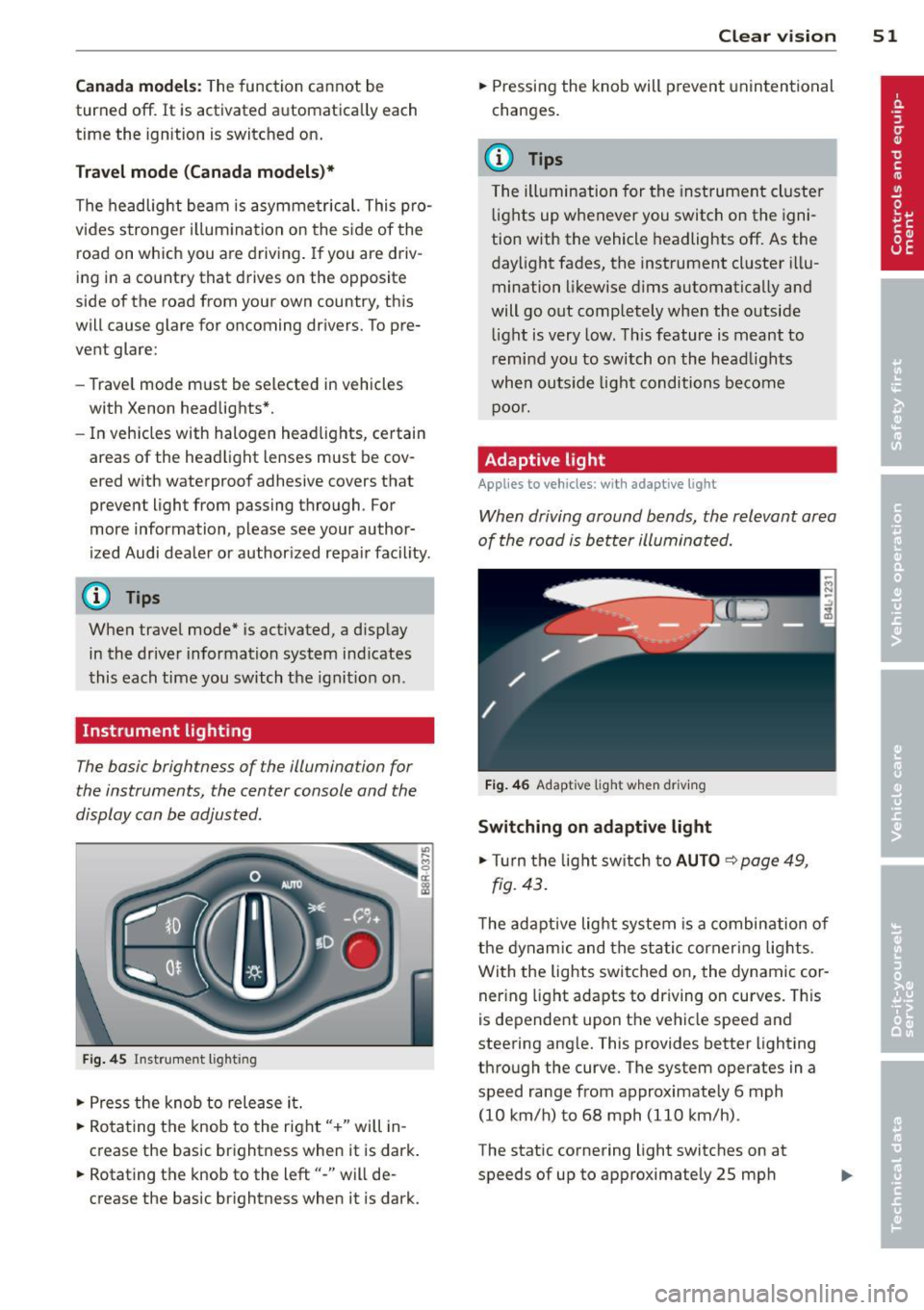
Instrument lighting
The basic brightness of the illumination for
the instruments, the center console and the
display can be adjusted .
Fig. 45 Inst rume nt lighting
.. Press the knob to release it.
.. Ro ta ting t he knob to the right" +" will in
crease the basic brightness when it is dark .
.. Rotating the knob to the left"-" will de
crease the basic br ightness when it is dark. Clear vi
sion 51
.. Pressing the knob will p revent unintentional
changes.
(D Tips
T he ill umination for the inst rument cluster
lights up w henever you switch on the igni
tion with the vehicle headlights off. As the
day light fades, the instrument cluster i llu
mination likewise dims automatically and
will go out completely when the outside light is very low. This feature is meant to
r emind you to switch on the head lights
whe n outs ide light conditions become
p oor .
Adaptive light
Applies to vehicles: wi th adaptive light
Wh en driving around bends, the relevant area
of the road is be tter illuminated.
Fi g. 4 6 Adapt ive light w hen driv ing
Switching on adapt ive light
.. Tu rn the light sw itch to AUTO ~ page 49,
fig. 43 .
The adaptive lig ht system is a combin ation o f
the dynam ic and the static corneri ng lights.
Wi th the lights switched on, the dynamic cor
ner ing light adapts to driving on curves. This
is dependent upon t he vehicle speed and
steering ang le. This provides better lighting
through the curve. The system operates in a
speed range from approximate ly 6 mph
(10 km/h) to 68 mph (110 km/h) .
The static cornering light switches on at
speeds of up to approximately 25 mph