display AUDI Q5 2014 Owner's Manual
[x] Cancel search | Manufacturer: AUDI, Model Year: 2014, Model line: Q5, Model: AUDI Q5 2014Pages: 316, PDF Size: 78.41 MB
Page 61 of 316
Digital compass
Activating or deactivating the compass
Applies to vehicles: with digital compass
The direction is displayed on the interior rear
view mirror.
Fi g. 59 Ins ide rear view mirror: digita l compass acti
vate d
.,.. To activate or deactivate, hold the® button
down until the red disp lay appears or disap
pears.
The digital compass only works with the igni
tion turned on. The directions are displayed as
in itia ls:
N (North), NE (Northeast), E (East),
SE (Southeast), S (South), SW (Southwest),
W (West), NW (Northwest).
(D Tips
To avo id inaccurate directions, do not al
low any remote controls, electrical sys
tems, or metal parts close to the mirror. Clear vision 59
Setting the magnetic deflection zone
Applies to vehicles: with digital compass
The correct
magnetic deflection zone must be
set in order to display the directions correctly.
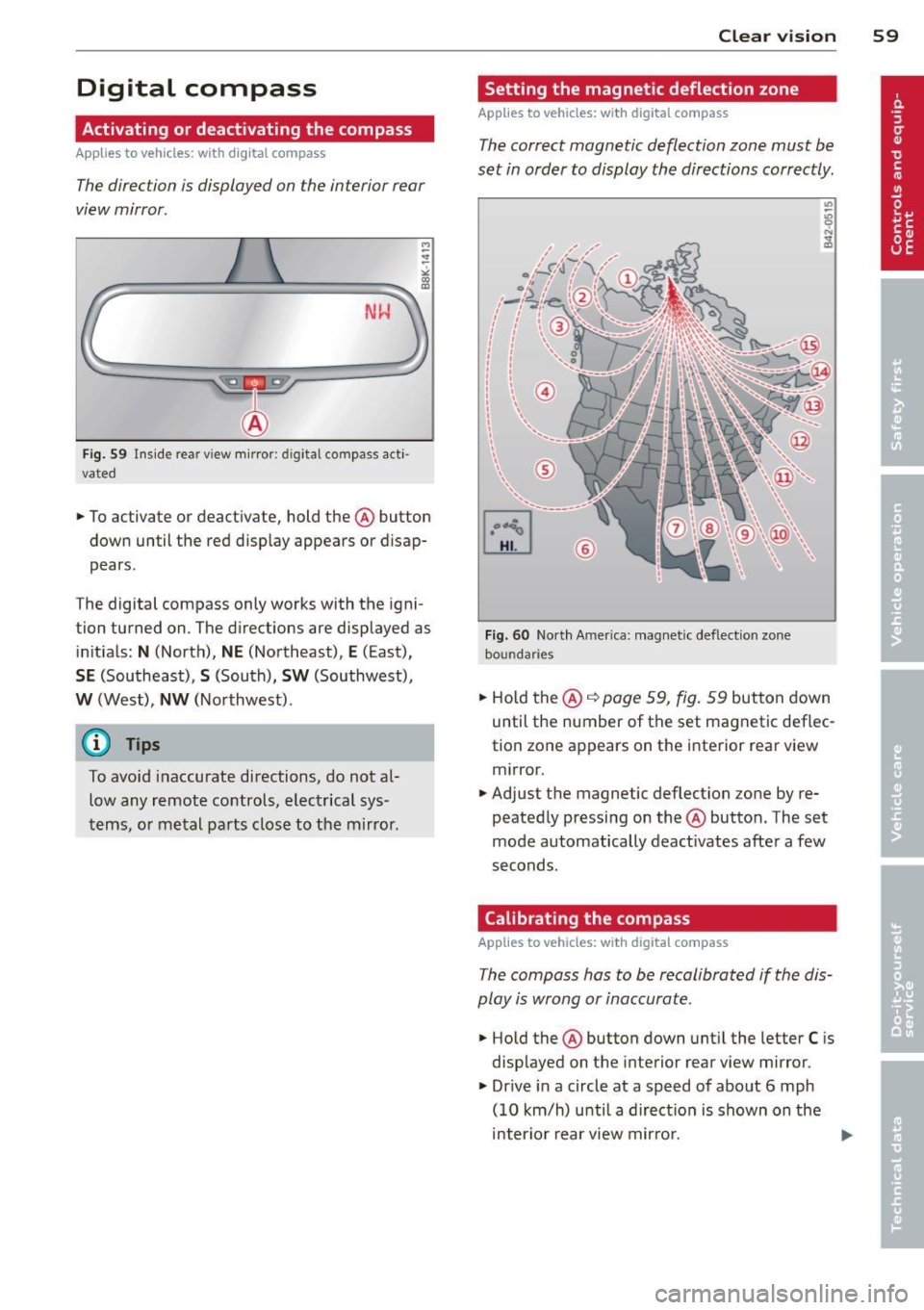
Fi g. 60 North America: magnetic deflection zone
boundaries
.,.. Ho ld the ® q page 59, fig. 59 button down
until the number of the set magnetic deflec
tion zone appears on the interior rear view mirror.
.,.. Adjust the magnetic deflection zone by re
peatedly pressing on the ® button. The set
mode automatically deact ivates after a few
seconds.
Calibrating the compass
Applies to vehicles: with digital compass
The compass has to be recalibrated if the dis
play is wrong or inaccurate .
.,.. Hold the ® button down un til the letter C is
disp layed on the interior rear view mirror .
.,.. Dr ive in a circle at a speed of about 6 mph
(10 km/h) unti l a direction is shown on the
interior rear view mirror.
Page 76 of 316
7 4 Seats and storage
Climatized cupholders
Appl ies to vehicles: wit h clim atized beverage holders
The driver side beverage holder can keep your
beverage warm or cold.
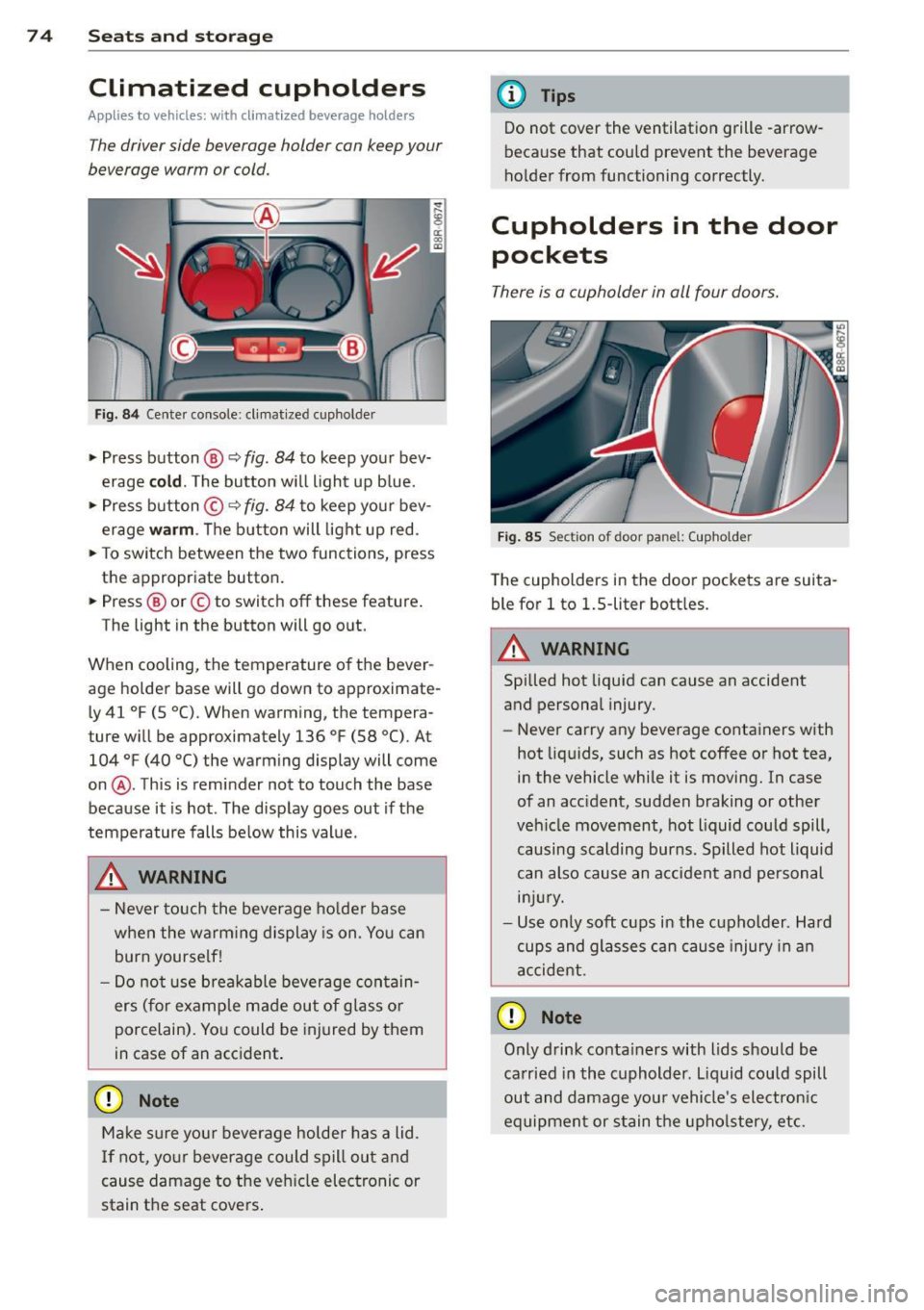
Fi g. 8 4 Center console: cl imat ized cup holder
.,. Press button @ q fig. 84 to keep your bev
erage
cold . The button w ill light up b lue .
.,. Press button ©
q fig. 84 to keep you r bev
erage
warm . The button will light up red .
.,. To sw itch between the two functions, press
the appropriate button.
.,. Press @ or© to switch
off these feature .
The light in the button will go o ut.
When cooling, the temperature of the bever
age holde r base will go down to approximate·
L y 41
°F (5 °C). When warming, the tempera
ture w ill be approximately 136
°F (58 °(). At
104
°F (40 °() the warm ing display will come
on @. This is reminder not to touch the base
because it is hot . The disp lay goes out if the
temperature falls be low this value.
_& WARNING
- Never to uch the beverage ho lde r base
when the warm ing display is on. Yo u can
burn yourse lf!
- Do not use breakable beverage con tain
ers (for example made out of glass o r
porcelain). Yo u could be injured by them
in case of an acc ident.
(D Note
Ma ke sure you r beverage holder has a lid.
I f not, yo ur beverage could spill out and
cause damage to t he ve hicle elec tronic or
stain t he seat cove rs .
-
(D Tips
Do not cover the ventilation grille -arrow
because that could prevent the beverage
ho lder from functioning correctly.
Cupholders in the door
pockets
There is a cupholder in all four doors.
F ig . 85 Section of door pa nel : (upholde r
The cupholders in the doo r pockets are suita
ble for
l to 1.5-liter bott les .
.&_ WARNING
-==
Spilled hot liquid can cause an accident
and personal injury.
-
-Never carry any beverage containers with
hot liq uids, such as hot
coffee or hot tea,
in the vehicle while it is moving. In case
of an acc ident, sudden braking or othe r
veh icle movement, hot liquid could spill,
causing scalding burns. Spilled hot liquid
can also cause an a ccident and pe rsonal
in jur y.
- Use on ly soft cups in the cupholder . Hard
cups and glasses can cause injury in a n
accident.
0 Note
Only drink conta iners with lids should be
ca rried in the cuphold er. L iquid could spill
out and damage you r vehicle's electron ic
equipment or stain the upho lstery, etc.
Page 79 of 316
To close glove compartment
• Push the g love compartment lid upward un-
ti l the lock engages.
There are holders for a pen and a pad of paper in the glove compartment lid.
On the right side in the glove compartment is
a holder with the key body into which the
emergency key must be cl ipped to be able to
start the vehicle .
A WARNING
To reduce the risk of personal injury in an
accident or sudden stop, a lways keep the
glove compartment closed whi le driving.
Cooling box in glove compartment
The cooling box works only when the air-con
ditioning is in cooling mode.
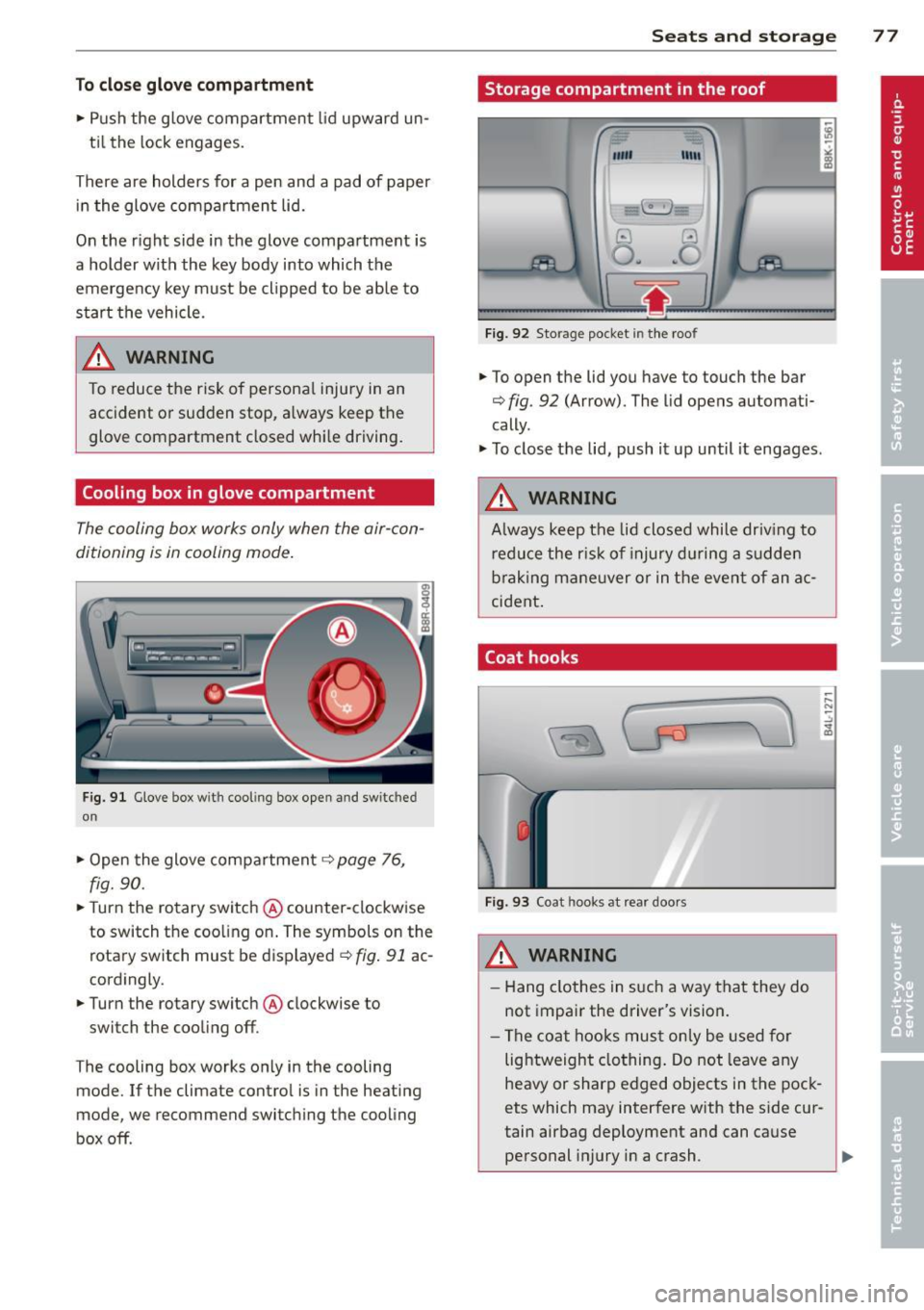
Fig. 91 Glove box w ith cool ing box open and switc hed
on
" Open the glove compartment c::> page 76,
fig. 90.
"T urn the rotary switch @ counter-clockwise
to switch the coo ling on. The symbols on the
rotary switch must be displayed
c::> fig. 91 ac
cordingly .
• Turn the rotary switch @ clockwise to
switch the cooling off .
T he cooling box works only in the cooling
mode. If the climate contro l is in the heating
mode, we recommend switching the cooling
box off .
Seats and storage 77
Storage compartment in the roof
""'
11111
Fig. 92 Storage pocket in the roof
.. To open the lid you have to touch the bar
c::> fig . 92 (Arrow). The lid opens automati
cally .
" To close the lid, push it up until it engages .
A WARNING
Always keep the lid closed while driv ing to
reduce the risk of injury during a sudden
braking maneuver or in the event of an ac
cident .
Coat hooks
Fig. 93 Coat hooks at rear doors
_& WARNING
- Hang clothes in such a way that they do
not impair the driver's vision.
- The coat hooks must only be used for
lightweight clothing. Do not leave any
heavy or sharp edged objects in the pock
ets which may interfere with the side cur
tain airbag deployment and can cause personal injury in a crash .
Page 82 of 316
80 Warm and cold
Operation
We recommend pressing the IAUTOI button and setting the temperature to 72 °F (22 °C) .
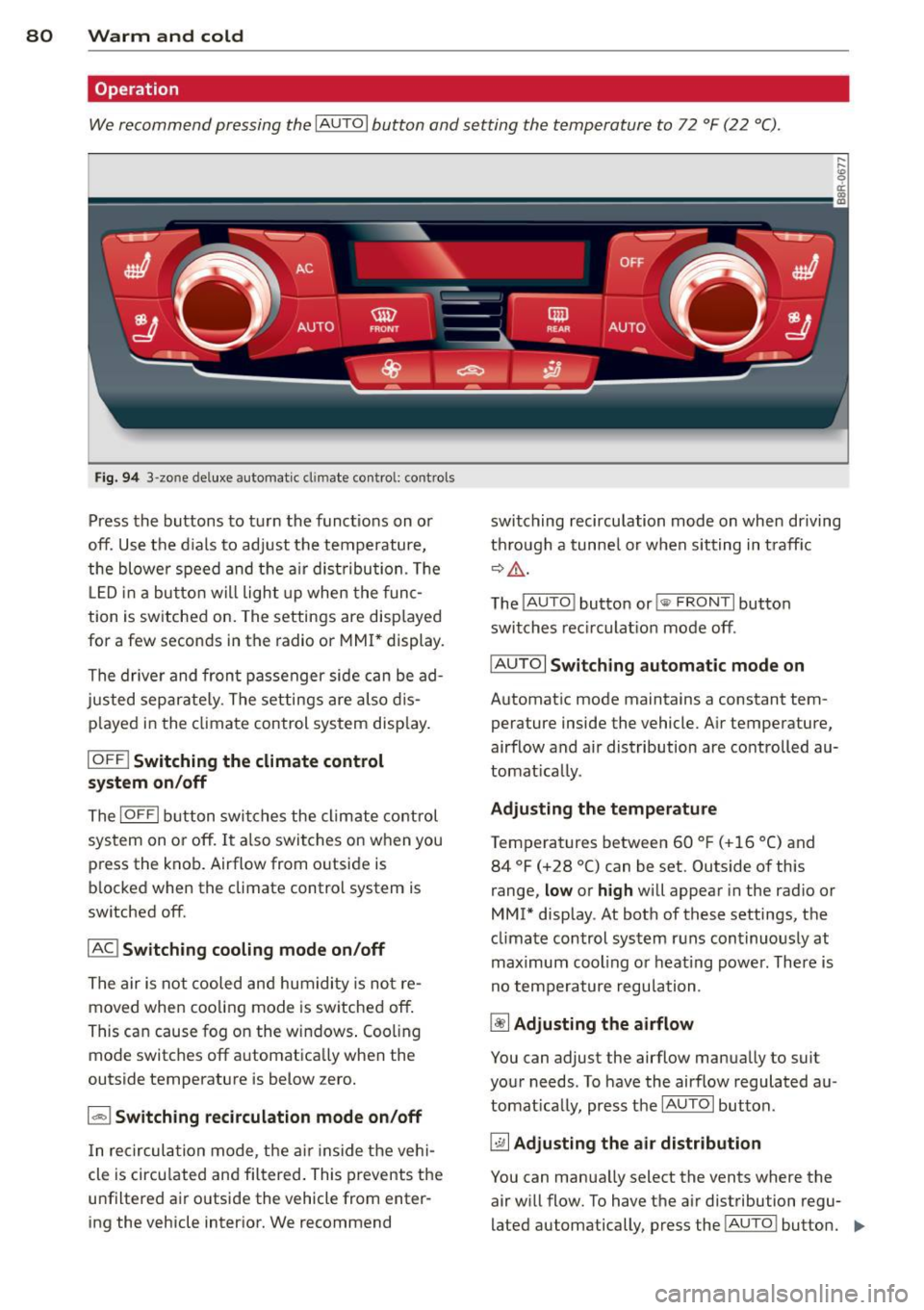
Fig. 94 3 -zo ne de luxe automat ic cl imate contro l: controls
Press the buttons to turn the functions on or
off. Use the d ials to adjust the temperature,
the blower speed and the air dist ribution . Th e
L ED in a button wi ll light up when the func
tion is switched on. The settings are disp layed
for a few seconds in the radio or MMI* display.
The driver and front passenger side can be ad
justed separately. The settings are also dis
p layed in the climate control system disp lay.
IOFF I Switching the climate control
system on/off
The IOFFI button switches the climate control
sys tem on or off. It also switches on when you
press the knob. Airflow from o utside is
b locked when the climate control system is
switched off.
IAC ! Switching cooling mode on/off
The air is not cooled and humidity is not re
moved when cooling mode is switched off.
This can cause fog on the windows . Cooling
mode switches off a utomatica lly when the
outside temperature is below zero.
1 - 1 Switching recirculation mode on/off
In recirculation mode, the air inside the vehi
cle is circu lated and filtered . This prevents the
u nfiltered air outside the vehicle from enter
ing the vehicle interior. We recommend switching
recirculation mode on when driving
th rough a tunnel or when sitting in traff ic
~&. -
The IAU TO I button or!@ FR ONT I button
switches recirculation mode off.
IAU TOI
Switching automatic mode on
Automatic mode maintains a constant tem
perature inside the vehicle. Air temperature,
airflow and air distribution are controlled au
tomatically.
Adjusting the temperature
Temperatures between 60 °F (+16 °C) and 84 °F (+28 °C) can be set. Outside of this
range,
low or high will appear in the radio or
MMI* display . At both of these settings, the
climate control system runs continuously at
maximum cooling o r heating power. There is
no temperature regulation .
~ Adjusting the airflow
You can adjust the airflow manually to suit
your needs . To have the airflow regulated au
tomatically, press the IAUTOI button .
~ Adjusting the air distribution
You can manua lly select the vents where the
air will flow. To have the a ir distribution regu
lated automatically, press the !AU TO ! button.
IIJ,,
Page 91 of 316
-When starting on inclines, the starting as
sist prevents the vehicle from unintentional
ly rolling back. The braking force of the
parking brake is not released until sufficient
driv ing force has been built up at the
wheels .
Emergency brake function
An emergency brake ensures that the vehicle
can be slowed down even if the
normal brakes
fa il
c::> page 90, Emergency braking.
Indicator light s
-If the parking brake is closed with the igni
tion
s witched on the indicator lights come
on . (USA mode ls)/ . (Canada mode ls) in
the instrument cluster and the switch.
- If the parking brake is closed with the igni
tion
s witched off the indicator lights come
on . (USA mode ls)/ . (Canada mode ls) in
the instrument cluster and the switch for
about 20 seconds.
A WARNING
If a drive range is engaged with the veh icle
stat iona ry and the engine running, you
must in no instance accele rate ca re lessly.
Otherw ise the vehicle will sta rt to move
immediately -risk of an accident .
(D Note
If the symbo l. in the display or the ind i
cato r light .. (USA models) . (Cana
da mode ls) in the instrument clus ter flash
es, the re is a malfunction in the brake sys
tem . By pressing the
ISETI button, you can
bring up a driver message which explains
the malfunction in more detail.
If the driv
er message
Parking brake system fault!
See owner's manua l
appears, there is an
operating malfunction in the park ing brake
which you should have repaired immedi ately by an author ized Audi dealer or other
qua lified workshop
c::> page 29.
@ Tips
- You can apply the pa rking brake at any
time -even w ith the ignition switched
'
On th e ro ad 89
off. The ignition must be turned on and
the brake pedal must be pressed in order
to release the parking b rake .
- Occasional noises w hen the parking
brake is app lied and released are normal
and are not a cause for concern.
- When the vehicle is pa rked, the parking
brake goes through a self -test cycle at
regu lar inte rva ls. Any associated noises
are normal.
Parking
"' Press the brake pedal to stop the veh icle.
"' Pull the sw itch
c::> page 88, fig. 100 to set
the parking b rake.
"' Move the selector lever to P.
"' Tu rn the engine off
c::> ,&. .
"'When on inclines or decl ines, turn the steer
ing wheel so that the vehicle will roll into
the cu rb if it begins to move.
A WARNING
-When you leave your vehicle -even if on
ly briefly- always remove the ignition
key. T his app lies particularly whe n chil
dren remain in the vehicle. Otherwise the
children could start the eng ine, release
the par king brake or operate elect rical
eq uipment (e.g. power w indows). The re
is the risk of an acc ident.
- When the veh icle is locked, no one -par
ticularly not children should rema in in
the vehicle. Locked doors make it more difficult for emergency workers to get in
to the vehicle -putting lives at risk.
Starting from rest
The starting assist function ensures that the
parking brake is released automatically upon
starting .
Stopping and applying parking brake
"' Pull the sw itch to app ly the parking b rake. .,.
Page 94 of 316
92 On the road
Shift from D/S to P quickly to prevent the en
gin e from starting unintentionally when shift
ing through R.
You can dete rm ine fo r yoursel f if the eng ine
will stop or not by reducing o r increasing the
amo unt of force you use to press th e brake
pedal. For example, if you only lightly press
on the brake pedal in stop-and and -go traffic
o r when turning , the engine will not switch off
when the vehicle is stationary . As soon as you
press the brake down harder , the eng ine will
switch off.
(D Tips
- Press the brake pedal during a stop
phase to keep the vehicle from rolling .
- The ign ition will turn off if you press the
I S TART ENGINE STOP I* button dur ing a
stop phase .
- The image in the display is slightly differ
ent in some mode ls .
General information
App lies to vehicles: with Start -Stop -System
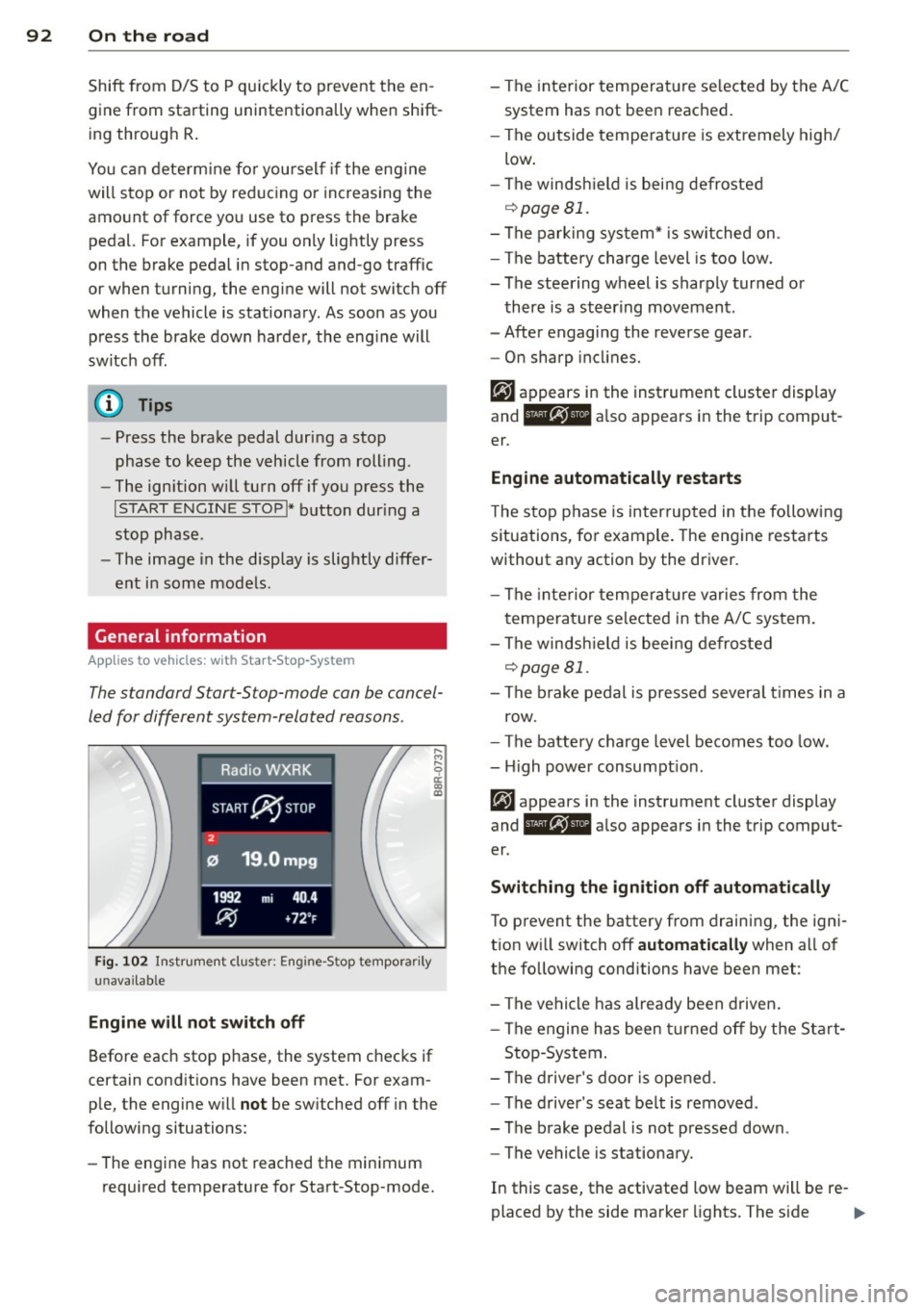
The standard S tar t-S top-mode can be cancel
led for different system -related reasons .
Fig. 1 02 Ins trument clust er: E ngin e-S top tempo rari ly
una va ilabl e
Engine w ill not switch off
Before each stop phase, the system checks if
ce rt a in cond itions have been met. For exam
ple, the engine w ill
not be sw itched off in the
following situations:
- The engine has not reached the min imum
required temperatu re for Start -Stop-mode. - The interior temperat
ure se lected by the A/C
system has not bee n reached.
- The outside tempe rature is extremely high/
low .
- The winds hield is being defroste d
o::::>pageBl.
-The parking sys tem* is switched on .
- The battery charge level is too low.
- The steering wheel is sharply turned or
there is a steer ing movement .
- After engaging the reverse gear .
- On sharp incl ine s.
er .
Eng ine automat ically r estarts
T he stop phase is interrupted in the follow ing
situations, fo r example . The engine restarts
without any action by the driver.
- The interior temperat ure varies from the
temperature se lected in the A/C system .
- The winds hield is bee ing defrosted
o::::> page 81.
- The b rake pedal is pressed severa l times in a
row.
- The battery charge level becomes too low .
- High power consumpt ion.
er .
Switching the ign ition off automatically
To p revent the battery from draining, the ign i
t ion w ill switch off
automatic ally when all of
the following conditions have been met :
- The vehicle has already been d riven .
- The engine has been turned off by the Sta rt-
Stop -System .
- The d river 's doo r is opened .
- The d river 's seat belt is removed .
- The brake pedal is not pressed down .
- The vehicle is stationary.
In this case, the activated low beam will be re-
placed by the side marker lights. The s ide ..,.
Page 95 of 316
marker lights will switch off after approxi
mately 30 minutes or when you lock the vehi
cle.
If the Start-Stop-System has not turned off
the engine or if you have switched the Start
Stop-System off manually, the ignition will
not be automatically switched off and the en
g ine will continue to run
i::> &. .
A WARNING
Never allow the engine to run in confined
spaces -danger of asphyxiation .
@ Tips
If you shift into the D/S or N positions af
ter shift ing into reverse, the vehicle must
be driven faster than 6 mph (10 km/h) in
order for the engine to switch off again .
Switching the Start-Stop-System on/off
manually
Applies to vehicles: with Start-Stop-System
If you do not wish to use the system, you can
switch it off manually.
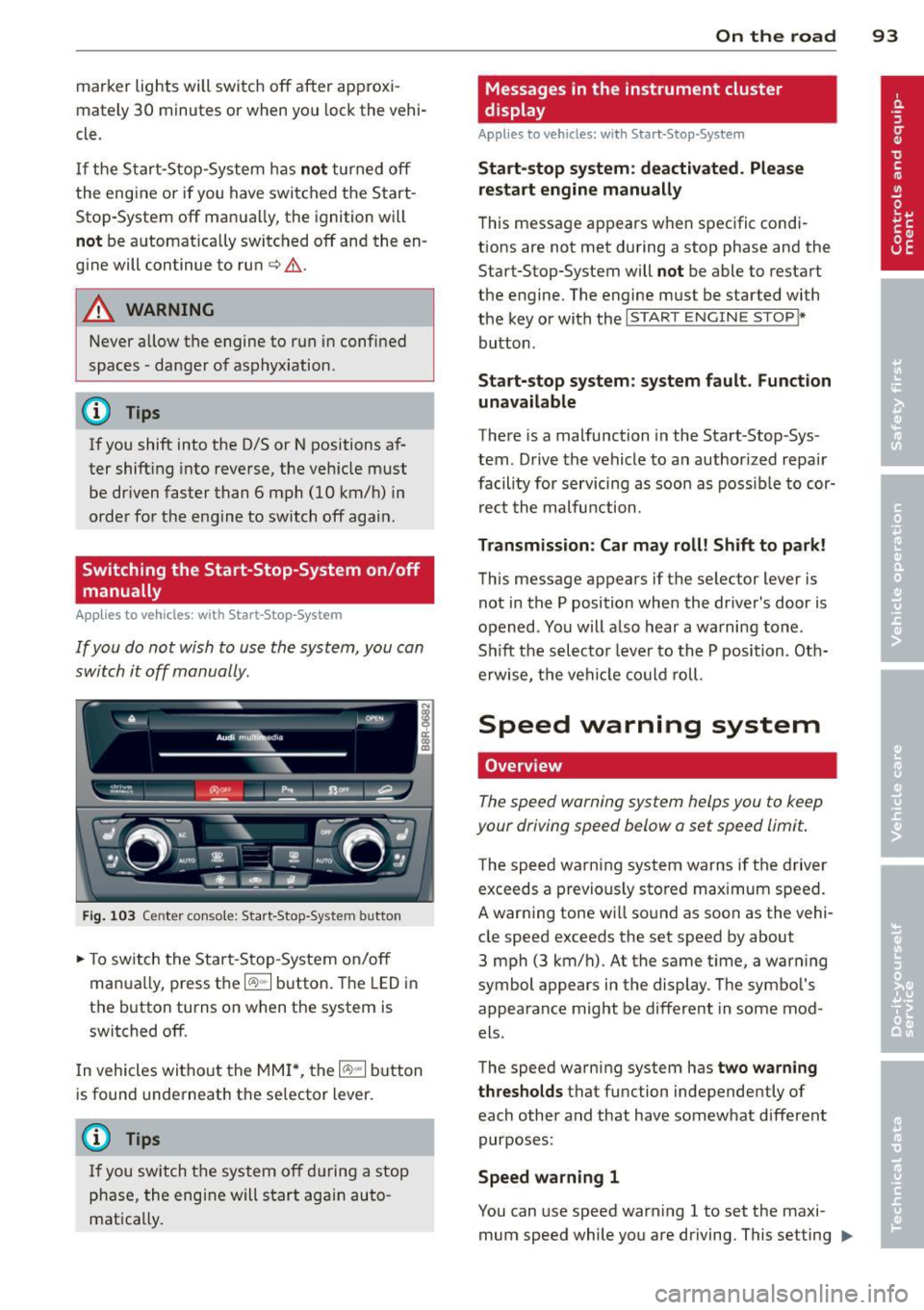
Fig. 103 Ce nter con sole : Star t-Stop-Sy stem butto n
.. To switch the Start -Stop-System on/off
manua lly, press the
1/A) "'I button. The LED in
the button turns on when the system is
switched off.
In vehicles witho ut the MMI *, the
1/A) "'I b utton
is found underneath the se lector lever.
(D Tips
If you switch the system off during a stop
phase, the engine will start again auto
matically.
On the road 93
Messages in the instrument cluster
display
Appl ies to vehicles: with Start-Stop-System
Start-stop system: deactivated. Please
restart engine manually
This message appears when specific condi
tions are not met during a stop phase and the
Start-Stop-System will
not be able to restart
the engine. The engine mus t be started with
the key or with the
I START ENGIN E STOP !*
button .
Start-stop system: system fault. Function
unavailable
There is a malfunction in the Start -Stop -Sys
tem . Drive the vehicle to an author ized repair
facility for servicing as soon as possible to cor
rect the malfunction .
Transmission: Car may roll! Shift to park!
This message appears if the selector lever is
not in the P position when the driver 's door is
opened . You will also hear a warning tone.
Sh ift the selector lever to the P position. Oth
erwise, the vehicle could roll.
Speed warning system
Overview
The speed warning system helps you to keep
your driving speed below a set speed limit.
T he speed warning system warns if the driver
exceeds a previous ly stored maximum speed.
A warning tone will sound as soon as the vehi
cle speed exceeds the set speed by about
3 mph (3 km/h) . At the same time, a warning
symbol appears in the display . The symbol 's
appearance might be different in some mod
els .
The speed warning system has
two warning
thresholds
tha t function independen tly of
each other and that have somewhat different
purposes :
Speed warning 1
You can use speed warning 1 to set the m axi
mum speed while you are driving . This setting ..,.
Page 96 of 316
94 On the road
will remain in effect until you turn off the igni
tion, assuming that you have not changed or reset the setting .
The speed warning symbol. (USA models)/
• (Canada mode ls) in the warning 1 display
appears when you exceed the maximum
speed. It goes out when the speed falls below
the stored maximum speed.
The speed warning symbol wi ll also go out i f
the speed exceeds the stored maximum speed
by more than about
25 mph (40 km/h) for at
least
10 seconds. The stored maximum speed
is deleted.
Setting speed warning
1 9 page 94.
Speed warn ing 2
Sto ring warning 2 is recomme nded if you al
ways
want to be reminded of a certa in speed,
for example when yo u are traveling i n a cou n
try that has a general maximum speed limit,
or if you do not want to exceed a specified
speed for winter tires.
The speed warning
2 symbol ,. (USA mod
e ls)/ . (Canada models) appears in the dis
p lay when you exceed the stored speed limit.
Unlike warning
1, it will not go out until the
vehicle speed drops below the stored speed limit.
Setting speed warning
2 9 page 94.
(D Tips
Even tho ugh your vehicle is equipped with
a speed warning system, you shou ld still
watch the speedomete r to make sure you
are not driving faster than the speed lim it.
Speed warning 1: setting a speed limit
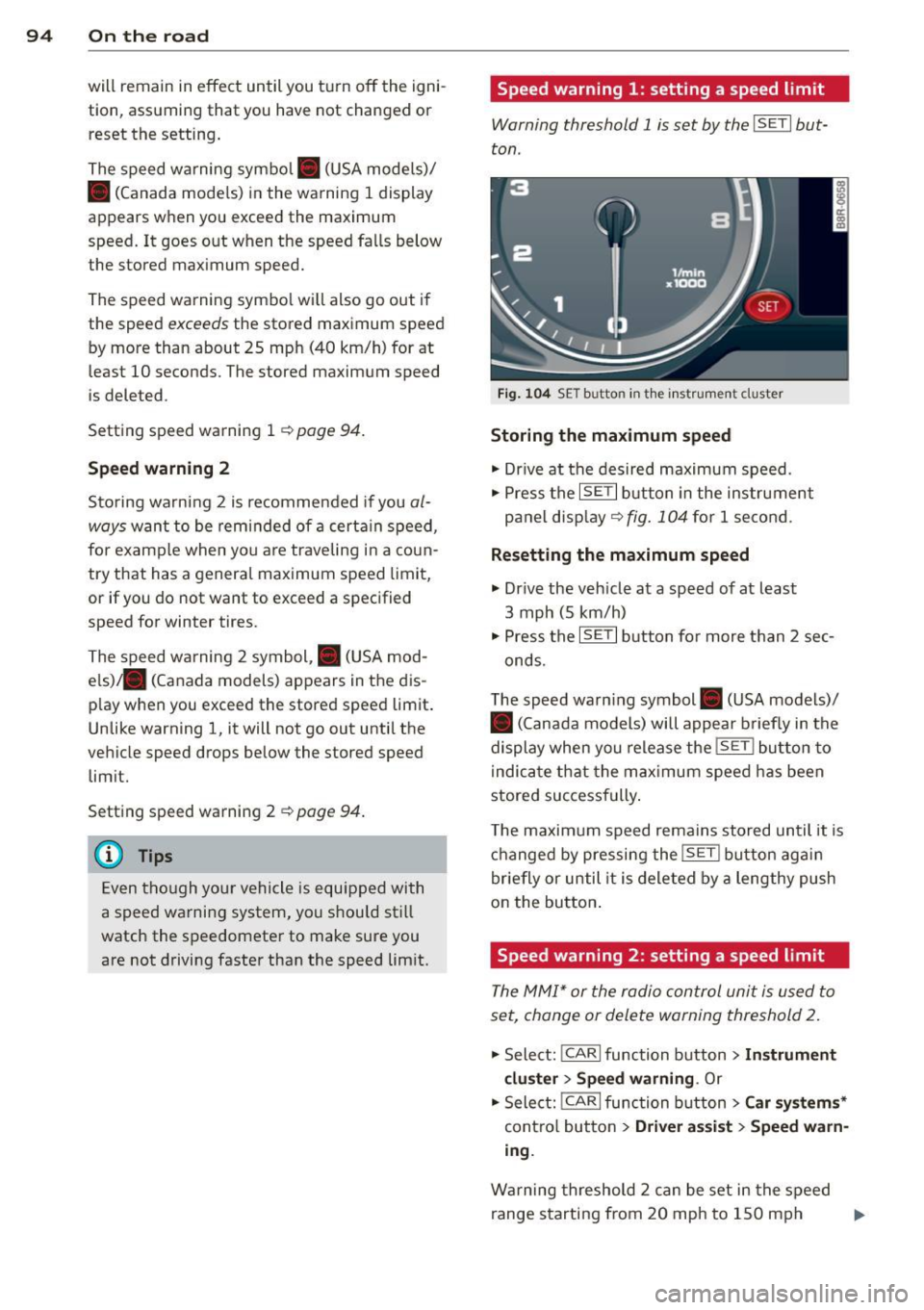
Warning threshold 1 is set by the I SET I but
ton .
Fig . 1 04 SET butto n in th e ins trume nt cluster
Storing the maximum speed
• Drive at the desired maximum speed.
• Press the
ISE TI b utton in the instrument
panel display ~
fig. 104 for 1 second .
Resett ing the m aximum spe ed
• Drive the vehicle at a speed of at least
3 mph (5 km/h)
• Press the
IS ET I button for more than 2 sec-
onds.
T he speed warn ing symbol . (USA models)/
• (Canada models) will appear b riefly in the
display when you release the
! SE T! bu tton to
i ndica te that the max imum speed has been
stored successfully .
T he maximum speed remains stored until it is
changed by pressing the
! SE T! bu tton aga in
briefly or until it is deleted by a lengthy push
on the button .
Speed warning 2: setting a speed limit
The MM!* or the radio control unit is used to
set, change or delete warning threshold 2.
• Select: !CARlfunction button>
In strum ent
cl us te r > Spee d warning .
Or
.. Select: !CAR I function button> C ar sys te m s*
contro l button > Dri ver a ssist > Speed w arn
i n g .
Warning threshold 2 can be set in the speed
range starting from
20 mph to 150 mph ..,.
Page 97 of 316
(30 km/h to 240 km/h). Settings can each be
adjusted in intervals of
5 mph (10 km/h) .
Cruise control
Switching on
The cruise control sys tem makes it possible to
drive at a constant speed starting at 20 mph
(30 km/h) .
0
f
®t
0
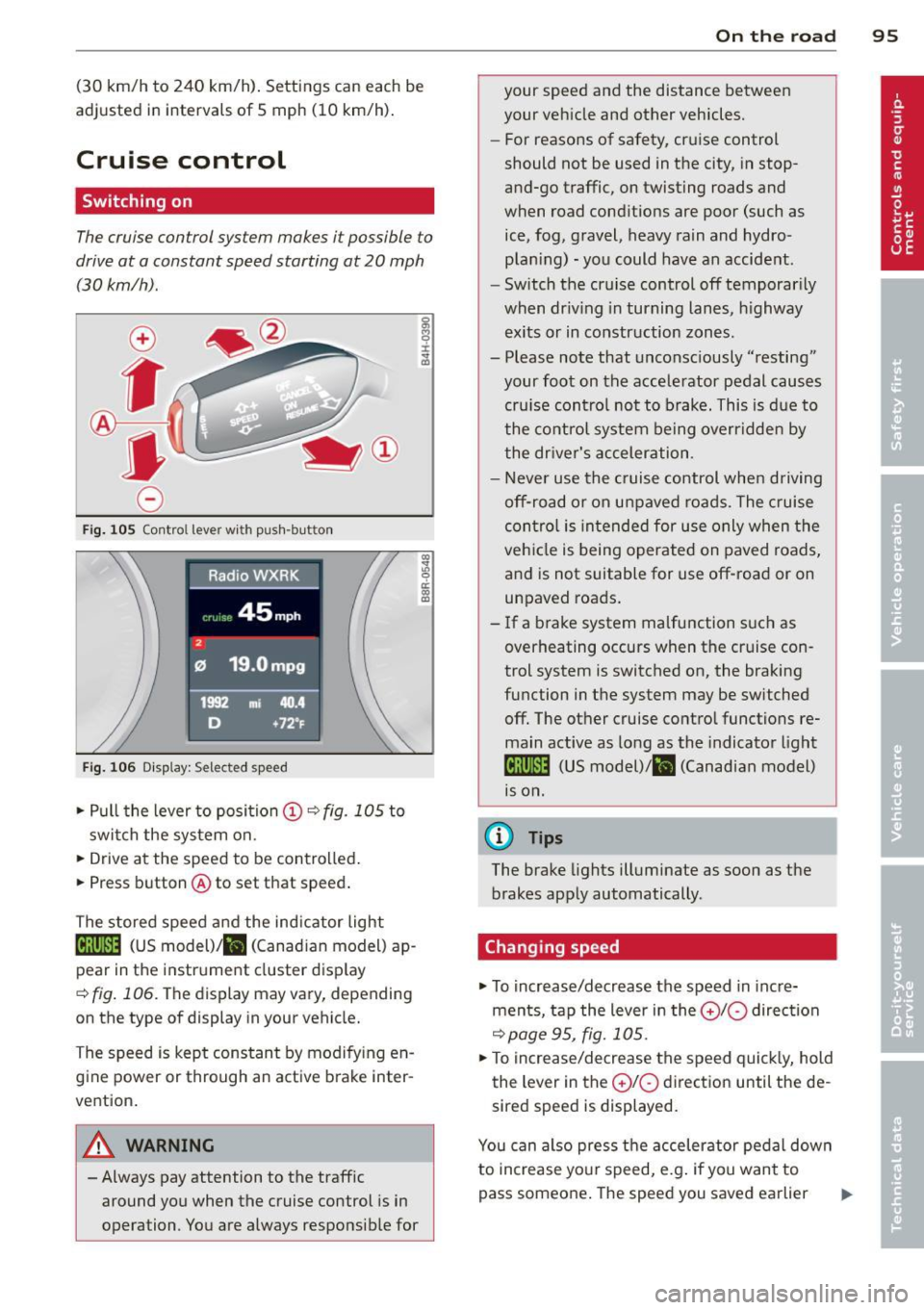
Fig. 10S Contro l lever wi th push -bu tton
Fig. 106 Di splay: Selec ted speed
.. Pull the lever to position (D c:? fig . 105 to
switch the system on .
.. Drive at the speed to be contro lled.
.. Press button @to set that speed .
The stored speed and the ind icator light
Bll!lm (US model)/ il (Canad ian model) ap
pear in the instrument cluster disp lay
<=> fig . 106. The display may vary, depending
on the type of display in your vehicle.
The speed is kept constant by modify ing en
gine power or through an active brake inter
vention.
A WARNING
- Always pay attention to the traffic around you when the cruise control is in
operation . You are always responsible for
c:o ;:g 0 ci: c:o al
On th e road 95
your speed and the distance between
your vehicle and other vehicles.
- For reasons of safety, cruise control
should not be used in the city, in stop
and-go traffic, on twisting roads and
when road conditions are poor (such as
ice, fog, gravel, heavy rain and hydro
plan ing) - you could have an accident.
- Switch the cruise control off temporarily
when dr iv ing in turning lanes, h ighway
exits or in construction zones .
- Please note that unconsciously "resting" your foot on the accelerator pedal causes cru ise contro l not to brake. This is due to
the control system be ing overridden by
the driver's acceleration.
- Never use the cruise control when driving off-road or on unpaved roads. The c ruise
con tro l is intended for use only when the
vehicle is being operated on paved roads,
and is not suitable for use off-road or on
unpaved roads.
- If a brake system malfunction such as overheating occurs when the cruise con
trol system is switched on, the braking
function in the system may be switched off. The other cruise control functions remain active as long as the indicator light
IR;\1 )~14 (US model)/ fil (Canadian model)
1s on .
(D Tips
The brake lights illuminate as soon as the
brakes apply automatically .
Changing speed
.. To increase/decrease the speed in incre
ments, tap the lever in the
0 10 direction
<=> page 95, fig. 105 .
.. To increase/decrease the speed quickly, hold
the lever in the
0 10 direction until the de
sired speed is displayed.
You can also press the accelerator pedal down
to increase your speed, e.g . if you want to
pass someone. The speed you saved earlier
Page 98 of 316
96 On the road
will resume as soon as you let off o f the
accelerator peda l.
I f , however, yo u exceed you r saved speed by
5 mph (10 km/h) for longer than 5 min utes,
the cruise cont ro l will be turned off tempo ra
rily. The green symbol in the display turns
white, the saved speed is retained.
Pre-selecting speed
You con pre-select your desired speed while
the vehicle is not moving .
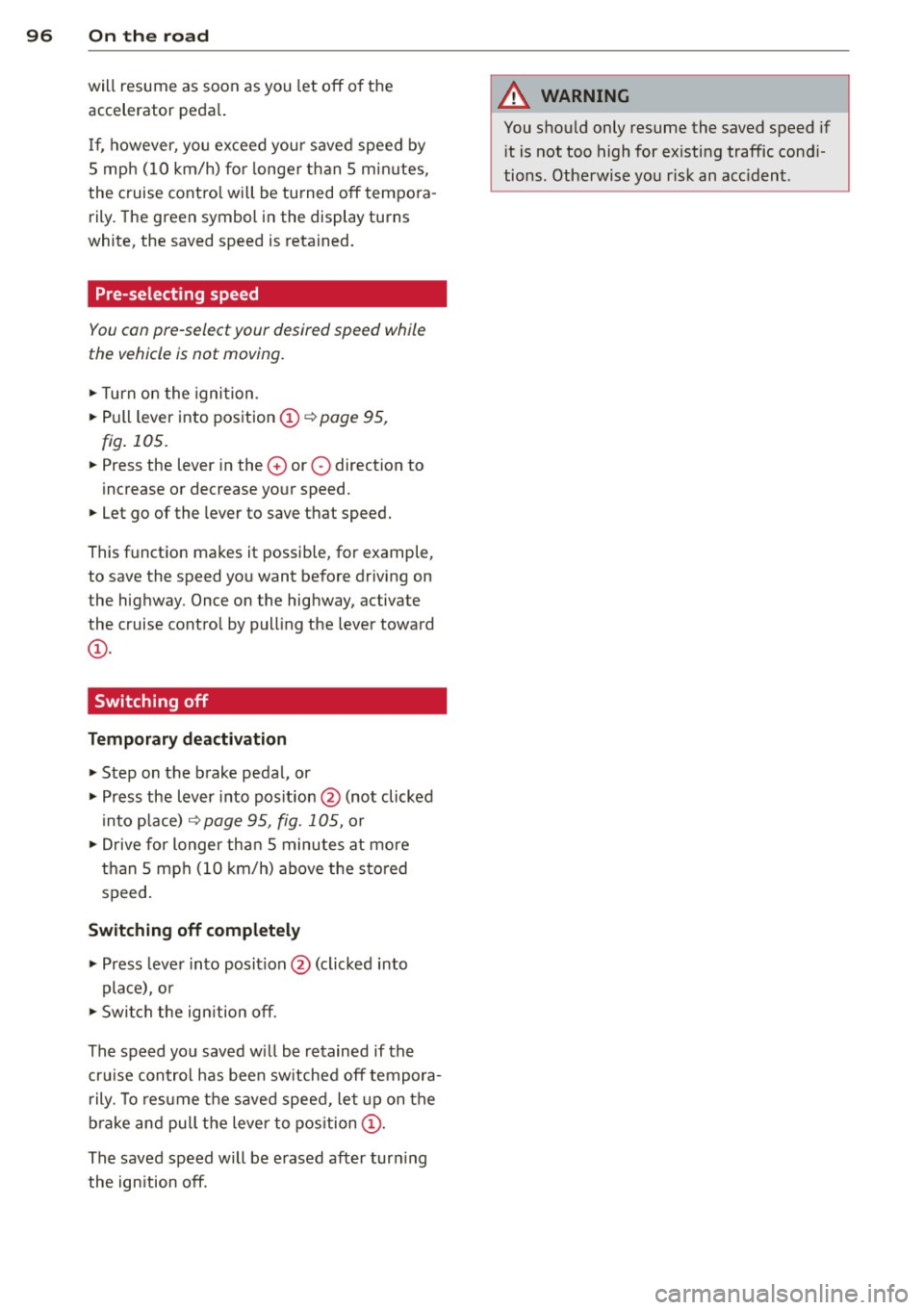
.,. Turn on the igni tion .
... Pull lever into position@¢
page 95,
fig . 105 .
... Press the lever in the 0 or O direction to
increase or decrease your speed .
... Let go of the lever to save that speed.
This function makes it possible, for example, to save the speed yo u want before driving on
the hig hway . Once on the highway, activate
the cruise control by pulling the lever toward
@ .
Switching off
Temp orary deactivation
... Step on the brake pedal, or
... Press the lever into pos ition @ (not clicked
i nto place)
r:::;, page 95, fig. 105, or
.,. Drive for longer than 5 minutes at more
than 5 mph (10 km/h) above the s to red
speed.
Switching off compl etel y
... Press lever into position @(clicked into
place), o r
... Switch the ign ition off.
The speed you saved w ill be retained if the
cru ise control has bee n sw itched off tempora
r ily. To resume the saved speed, let up on the
b rake and pull the lever to position @.
The saved speed will be erased after turn ing
the ign ition off.
A WARNING
You shou ld only resume the saved speed if
i t is not too high for ex isting traffic cond i
tions. Otherwise you r isk an acc ident .