instrument cluster AUDI Q5 2014 User Guide
[x] Cancel search | Manufacturer: AUDI, Model Year: 2014, Model line: Q5, Model: AUDI Q5 2014Pages: 316, PDF Size: 78.41 MB
Page 28 of 316
26 Driver information d isplay
program. The fuel economy messages turn off
automatically after a certain per iod of t ime .
.,. To turn a fue l economy message off immedi
ately after it appears, press the
!RESE T I but
ton ¢
page 24, fig. 17 @, or
.,. Press the funct ion selection switch
¢ page 24 , fig. 17@.
(D Tips
-Once you have turned a fuel economy
message off, it will only appear again af
ter you turn the ignition on again.
- The fuel economy messages are not dis
played in every instance, but rather in in
tervals over a period of time.
On-Board Diagnostic
system (OBD)
Malfunction Indicator Lamp (MIL)
T he Malfunction Indicator Lamp (MIL) ¢4 in
the instrument cluster¢
page 14, fig. 8 is
part o f the On-Board Diagnostic (OBD II) sys
tem.
T he warning/indicator light illuminates when
the ignition is switched on and goes out after
the engine starts and the idle has stabilized .
T his indicates that the MIL is working proper
ly .
If the light does not go out after the engine
is started, or illuminates while you are driv
ing, a malfunction may exist in the engine sys
tem. If the light illuminates, the catalytic con
verter could be damaged.
Continue driving
with reduced power (avoid
ing sustained high speeds and/or rapid accel
erat ions) and have the condition corrected .
Contact your authorized Audi dealer.
If the light illuminates, the electronic speed limiter may also be malfunctioning. For more
information ¢
page 2 7, Electronic speed
limiter .
An improperly closed fuel filler cap may also
cause the MIL light to illuminate (only
vehicles with gasoline engine)
¢ page 226 .
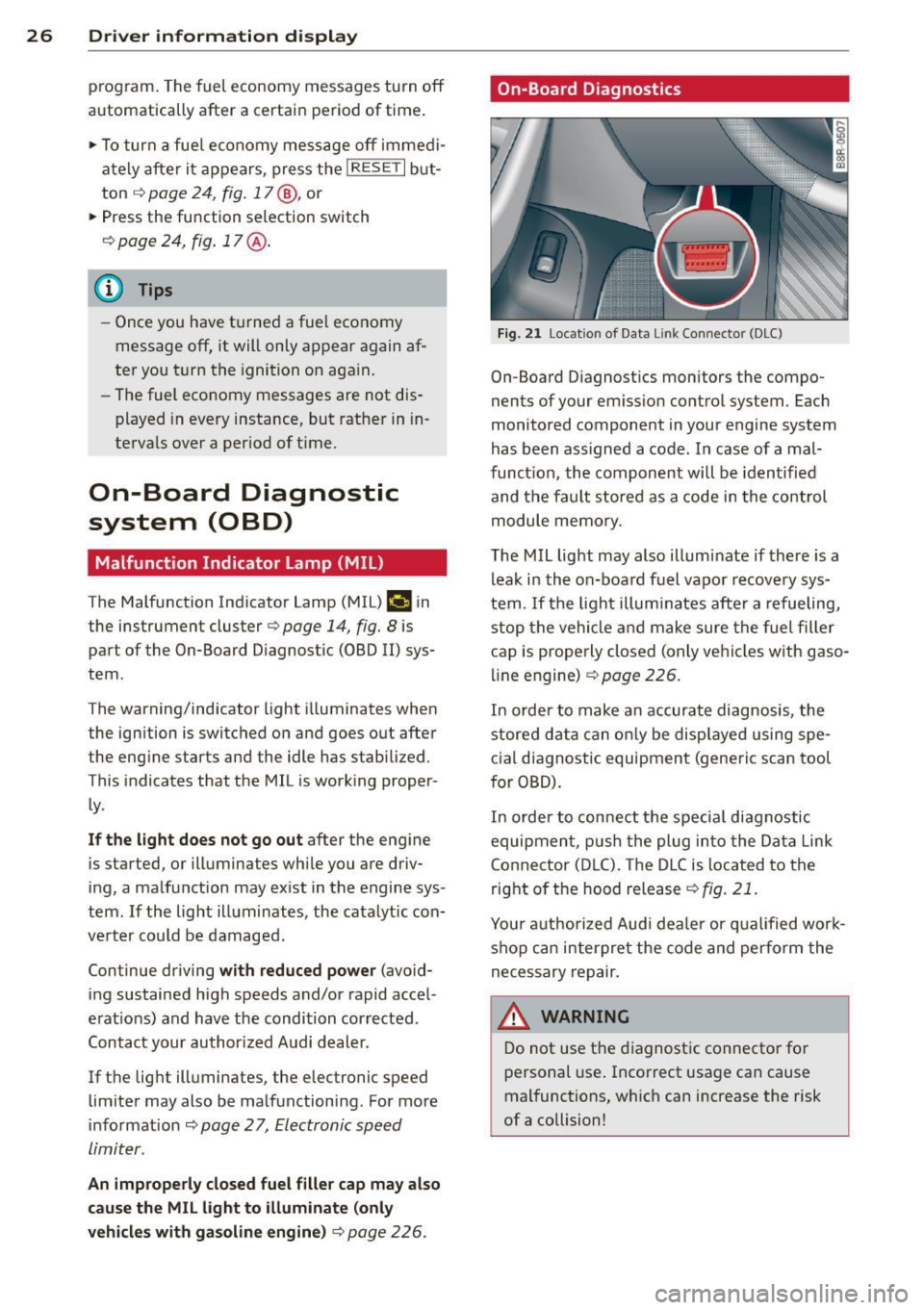
On-Board Diagnostics
Fig. 21 Location of Data Li nk Conn ecto r (DLC)
On-Board D iagnostics monitors the compo
nents of your emission control system . Each
monitored component in your engine system
has been ass igned a code . In case of a mal
function, the component will be identified
and the fault stored as a code in the control
module memory.
The MIL light may also illuminate if there is a
leak in the on-board fuel vapor recovery sys
tem .
If the light illuminates after a refueling,
stop the vehicle and make sure the fuel filler
cap is properly closed (only vehicles with gaso
line engine) ¢
page 226.
In order to make an accurate diagnosis, the
stored data can only be displayed using spe
cial diagnostic equipment (generic scan tool
for OBD).
In order to connect the special diagnostic
equipment, push the plug into the Data Link
Connector (DLC). The DLC is located to the
right of the hood release
¢fig. 21.
Your authorized Audi deale r or qualified work
shop can interpret the code and perform the
necessary repair.
.&_ WARNING ~ -
Do not use the diagnostic connector for
personal use. Incorrect usage can cause
malfunctions, which can increase the risk
of a collision!
Page 29 of 316
Electronic speed
limiter
Your vehicle may be factory equipped with
tires that are rated for a maximum speed of
130 mph (210 km/h) . This is less than the
maximum speed of your vehicle . To reduce the
risk of sudden tire failure and loss of control if
the vehicle is ope rated at excessive speeds,
your vehicle also has an elect ronic speed limit
er. The electronic speed limiter prevents your
ve hicl e from going faster than the tire speed
rating. For more information
c::> page 258.
If the engine control unit receives faulty vehi
cle road speed signals, the Malfunction Ind i
cator Lamp (MIU¢• will illuminate .
If this
occurs, contact the nearest authorized Audi
dea ler for assistance.
SQS
Your vehicle's top speed is e lectronically limit
ed to 155 mph (250 km/h).
If the engine control unit receives faulty vehi
cle road speed signals, the Malfunction Indi
cator Lamp
(MIL) ¢..fi will illuminate . If this
occurs, contact the nearest authorized Audi
dealer for assistance .
_& WARNING
-
Always observe the posted speed limits
and adjust your speed to suit prevailing
road, traffic and weather conditions. Never
drive your vehicle faster than the maxi
mum speed rating of the tires installed.
Auto Check Control
Introduction
The Auto-Check control monitors the function
of certain vehicle features and components. It
simply makes sure these features and compo
nents are working properly. The Auto-Check
control works as long as the ignition is on, as
well as whenever the vehicle is driven .
If a component is ma lfunctioning or if the
need for an urgent repair has been detected,
Driver information display 2 7
this will appear in the instrument cluster dis
play. You will also hear an audible warning
tone . The displays are color coded in either
red or yellow depending on their level of prior
ity.
A red symbol means Danger , a yellow symbo l
indicates
Warning. In certain situat ions, in
formation message for the driver appear in
addition to the red and yellow symbols.
Note about automatic transmission
The Auto -Check Control wi ll automatically
perform a test each time you switch on the ig
nition. With the selector lever in P or N, the
following message appears in the d isplay:
When stationary apply brake pedal while se
lecting gear
When you select a diffe ren t gear (for exam
ple: R, D, etc.), the message w ill disappear
and the Auto-Check function is displayed.
If there is a malfunct ion, then the malfunc
tion message will appear about 15 seconds af
te r you start the vehicle . At the same time you
will hear a warning tone.
Driver information messages
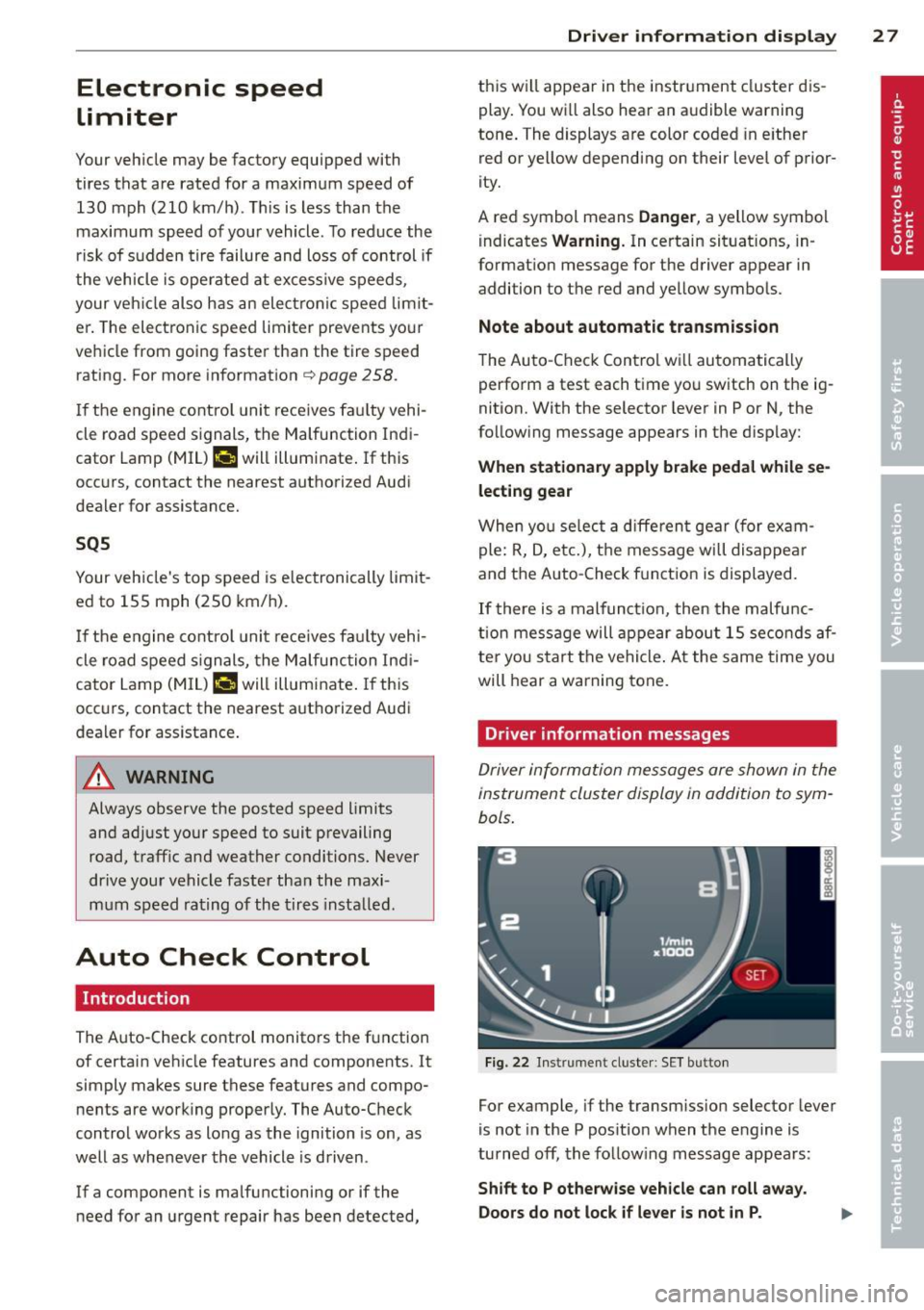
Driver information messages are shown in the
instrument cluster display in addition to sym
bols.
Fig. 22 Instrument cluster: SET button
For example, if the transmiss ion selector lever
is not in the P position when the engine is
turned
off, the following message appears :
Shift to P otherwise vehicle can roll away.
Doors do not lock if lever is not in P.
Page 31 of 316
Ignition lock malfunction
¢ page 31
Hybrid drive*
¢page 99, ¢page 105
0 Alternator malfunction
If the . symbol in the instrument panel d is
play flashes, then there is a malfunction in the
alternator or the vehicle electronics. A warn
i ng to the driver w ill appear, too . The driver
warn ing goes out after about 5 seconds, but it
can be brought up at any time by pressing the
ISE TI button again .
Usually, you can still d rive to the next dealer
ship . Turn off all but the most necessary elec
tr ica l consumers, since these d ra in the ve hi
cle's battery.
@ Note
If the . warning symbo l (coolant system
malfunct io n) also lights up on the inst ru
men t pa nel d uring the t rip
¢page 30,
t hen you have to stop immediately and
turn off the eng ine. The coolant pump is
not working anymore -danger of damage
to the eng ine!
BRAKE/C CD) Brake system malfunction
A malfunction in the brake system must be
repaired as soon as possible.
If the warning /indi cator light 11111 (USA
models)/ . (Canada mode ls) in the instru
ment cluster flashes, there is a brake system
malfunct ion. A dr iver message appears as
well to explain the malfunction in more de
tail. The driver warning goes out after about 5
seconds, but it can be brought up at any time by pressing the
I SET I button aga in.
Stop veh icle and check brake fluid level
... Stop the vehicle.
... Check the brake fluid level¢
page 241.
.,. Seek profess iona l assistance if necessary.
Dri ver information di spla y 29
Warning! Fault in brake system. Contact
workshop
... Drive carefully to the nearest authorized
Aud i dea ler or other qua lified workshop and
have the malfunction corrected ¢
&-
Parking b rake system fault! See owner' s
manual
i,-If this symbo l appears when the vehicle is
stat io nary or after the ignition is tu rned on,
check to see if the park ing brake can be re
leased . Drive to an author ized Audi dealer or
other qualified workshop as soon as possi
b le and have the malfunction cor rected. If
t he par kin g b rake cannot be opened, t hen
t ake it to an expe rt at an au tho riz ed Audi
dea le r.
... If the symbo l appears while you are d riving,
it is possible that the traction contro l or t he
emergency brake has mal functioned .
It is
possible t hat the parking brake cannot be
app lied. It is also possible that the parking
brake cannot be re leased after it has been
app lied. D rive to an autho rized Aud i deale r
or ot her qualified wo rkshop to have the mal
fun ction co rrected.
If th e ABS system malfunctions , the ABS
warning/ind icator light illum inates together
wi th t he b rake sys tem ma lfunction wa rning/
i ndica tor ligh t¢ .&. -
_& WARNING ,...___
-Always observe the warn ings in
¢page 231, before openi ng the hood
an d checking the brake f luid .
- Driving with low brake f lui d is a safety
hazard. Stop the car and get professiona l
assistance.
- If the
11111 (USA models) . (Cana da
mo dels) brake system ind icator light
turns on together with the ABS and ESC indicator lights, the ABS/ESC regulat ing
function may have failed. Functions that stabilize the vehicle a re no longer avai la
ble. This could ca use the vehicle to
swerve a nd increase the r is k of slid ing .
Dr ive ca re fully to the nea rest au thori zed
Page 35 of 316
-Ze Key not in vehicle
Applies to vehicles: with Convenience key
l!I Is the key in the vehicle?
This reminder appears along with the l!I sym
bol if the master key is removed from the ve
hicle with the engine running. It is intended
to remind you (e.g. when changing drivers)
not to continue the journey without the mas
ter key.
If the master key is no longer in the vehicle,
you cannot switch off the ignition after stop
p in g the engine and you also cannot start the
engine again . You also cannot lock the vehicle
from the outside.
@9 Light/rain sensor defective
El Automatic headlights / automatic wipers
defective
If the symbol illuminates, the light sensor has
failed. For safety reasons the low beams are
turned on permanently with the switch in
AU
T O . However, you can continue to turn the
lights on and off using the lig ht switch. In the
case of a defect in the rain sensor, the w ind
shield w iper lever functions are st ill available.
H ave the light/ra in sensor checked as soon as
possible by an autho rized Aud i deale r.
(0) Worn brake pads
li1 Brake pads!
If the warn ing light illuminates, immediately
contact your authorized Audi dealer or quali
fied workshop to have all bra ke pads inspect
ed. O n USA models the warning
light lil
comes on together with the warning light
1111. Both sets of brake pads on an axle
must always be replaced at the same time .
A WARNING
Driving with bad brakes can cause a colli
sion and serious personal injury.
1) - : USA mod els only
-
Driver information display 33
-If the warning light li1 and the warning
light
llll1l with the message Brake
pads!
comes on in the instrument cluster
disp lay, immediately contact your au
thorized Audi dealer or qualified work
shop to have all brake pads checked or
replaced if necessary.
~!}010$ Defective light bulb warning
f:;:1-If the indicat or light turns on, a bulb has
fa iled. The message indicates the location of
the bulb.
II-If a front fog lamp has failed, the indica
tor light tu rns on to indica te the locat ion on
the vehicle.
0 -If a rear fog lamp has failed, the indica
tor light turns on to indicate the location on
the vehicl e.
Vehicle lights: System fault!
If the message appears, there is a malfunc
tion in the headlights or light switch.
Drive to your authorized A udi dealer immedi
ate ly to have the malfunction corrected.
A WARNING
- Light bulbs are press urized and could ex
plode wh ile they are being changed caus
ing serious personal injury.
- Work with due care when handling the
high-voltage section of gas discharge
(xenon) lights*. Failure to do so could re
sult in death or serious injury .
(D Tips
Have the bu lb replaced or the connect ion
repaired by your authorized Audi Service
department .
c> Windshield washer fluid level too
low
- Please refill washer fluid
Page 36 of 316
34 Driver information display
If the symbol illuminates, add windshield
washer f luid to the washer system and also to
the head light washer system¢
page 246.
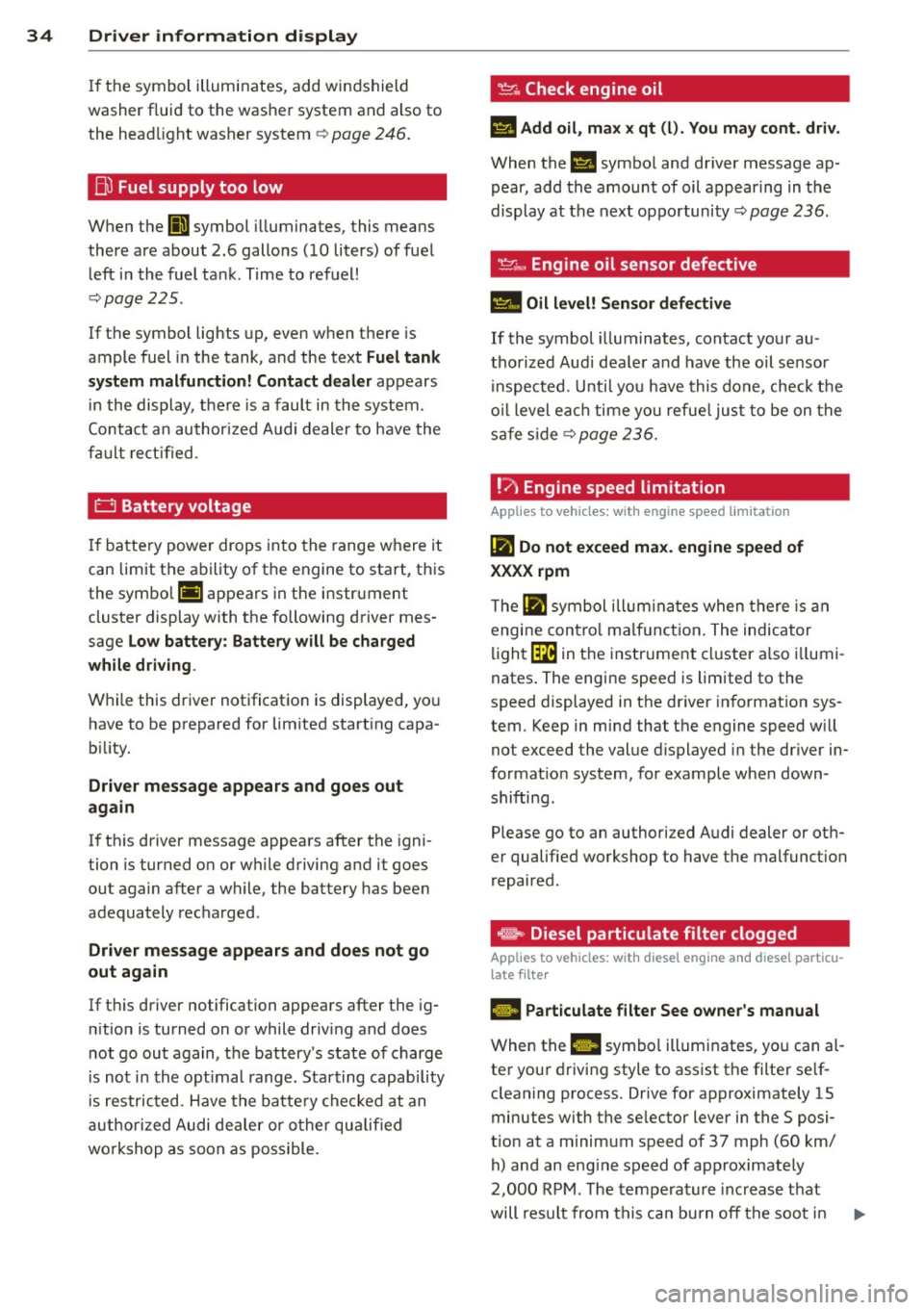
Bo Fuel supply too low
When the (11 symbol illuminates, this means
there are about 2.6 gallons
(10 liters) of fuel
left in the fuel tank . Time to refuel!
¢page 225 .
If the symbol lights up, even when there is
ample fuel in the tank , and the text
Fuel tank
system malfunction! Contact dealer
appears
in the display, there is a fault in the system .
Contact an authorized Audi dealer to have the
fa ult rectified.
0 Battery voltage
If battery power drops into the range where it
can limit the ability of the engine to start, this
the symbol (•) appears in the instrument
cluster display with the following driver mes
sage
Low battery: Battery will be charged
while driving .
While this driver notification is displayed, yo u
have to be prepared for lim ited starting capa
b ili ty.
Driver message appears and goes out
again
If this driver message appears after the igni
tion is turned on or while driving and it goes
out again after a while, the battery has been
adequately recharged.
Driver message appears and does not go
out again
If th is driver notification appears after the ig
n ition is turned on or while driv ing and does
not go out again, the battery's state of charge
i s not in the optimal range. Starting capability
is restricted . Have the battery checked at an
authorized Audi dealer or other qualified
workshop as soon as possible .
~ Check engine oil
El Add oil, max x qt (l). You may cont. driv.
When the II symbo l and driver message ap
pear, add the amount of oil appearing in t he
display at the next opportunity ¢
page 236.
If the symbol illuminates, contact your au
thorized Audi dea ler and have the oil sensor
in spected. Until you have this done, check the
oil level each time you refuel just to be on the
safe side
¢ page 236.
!?) Engine speed limitation
Appl ies to vehicles : wi th engine speed limitatio n
II! Do not exceed max. engine speed of
XXXX rpm
T he Ill symbol illuminates when there is an
engine contro l malfunct ion. The indicator
light~ in the instrument cluster also illumi
nates . The engine speed is limited to the
speed displayed in the driver information sys
tem. Keep in mind that the engine speed w ill
not exceed the value displayed in the driver in
formation system, for example when down
shifting.
Please go to an authorized Audi dealer or oth
er qualified workshop to have the malfunct ion
repaired.
~ Diesel particulate filter clogged
App lies to vehicles: wit h diese l eng ine a nd diese l particu
late filte r
B Particulate filter See owner's manual
When the Ill symbo l illum inates, you can al
ter your driving style to assist the filter se lf
cleaning process. Drive for approximately 15
minutes with the se lector lever in the S posi
t ion at a minimum speed of 37 mph
(60 km/
h) and an engine speed of approximately
2,000 RPM. The temperature increase that
will result from this ca n burn off the soot in
IJJ,,,
Page 39 of 316
@ Tips
-The operation of the remote contro l key
can be temporarily disrupted by interfer
ence from transmitters in the vicinity of
the veh icle work ing in the same frequen
cy range (e .g . a cell phone, radio equip
ment) .
- If you open the dr iver's door with the key
left in the ign ition lock, a chime will
sound . This is your reminder to remove
the key and lock the door .
- For security reasons , replacement keys
are only available from Aud i dea lers .
- For Decla rat ion of Compliance to United
States FCC and Industry Canada regula
tions
c::;, page 296 .
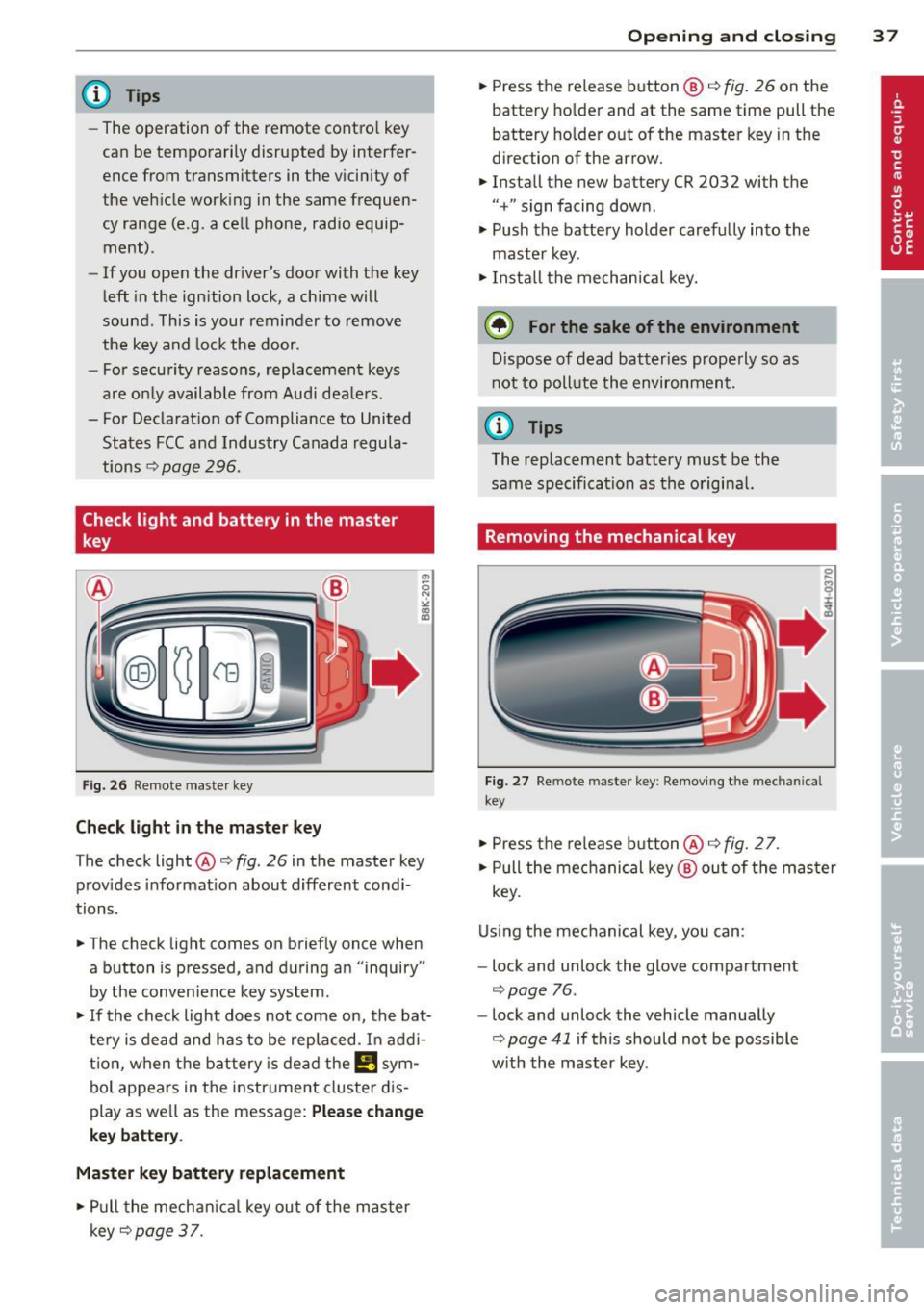
Check light and battery in the master
key
Fig. 26 Remote master key
Check light in the m aster ke y
"' 0 N ,;, (0 a:,
The check light@¢ fig. 26 in the master key
prov ides informat ion about d ifferent cond i
tions.
.. The check light comes on briefly once when
a button is pressed, and during an "inquiry"
by the conven ience key system .
.. If the check light does not come on, the bat
tery is dead and has to be replaced. I n add i
t ion, when the battery is dead the
I!! sym
bol appears in the instrument cluster dis
play as well as the message:
Ple ase c ha ng e
ke y batt ery.
M aster key batt ery repla cement
.. Pull the mechan ica l key out of the master
key
c::;, page 37. Op
enin g an d clos ing 3 7
.. Press the release button ® c::;, fig. 26 on the
battery ho lder and at the same time pull the
battery ho lder out of the master key in the
direction of the arrow.
.. Install the new battery CR 2032 with the
"+" sign facing down.
.. Push the battery holder carefully into the
master key .
.. Insta ll the mechan ical key.
@) For the sake of the environment
D ispose of dead batteries prope rly so as
not to pollute the environment.
(j) Tips
The replacement battery must be the
same specification as the origina l.
Removing the mechanical key
Fig. 27 Remote maste r key : Remov ing the mec hanic al
key
.. Press the release button @¢ fig. 27.
.. Pull the mechanical key ® out of the master
key.
Using the mechanical key, you can :
- Lock and unlock the glove compartment
c::;, page 76 .
-Lock and unlock the vehicle manually
c::;, page 41 if this should not be possible
w it h the master key .
Page 51 of 316
Clear vision Lights
Switching the lights on and off
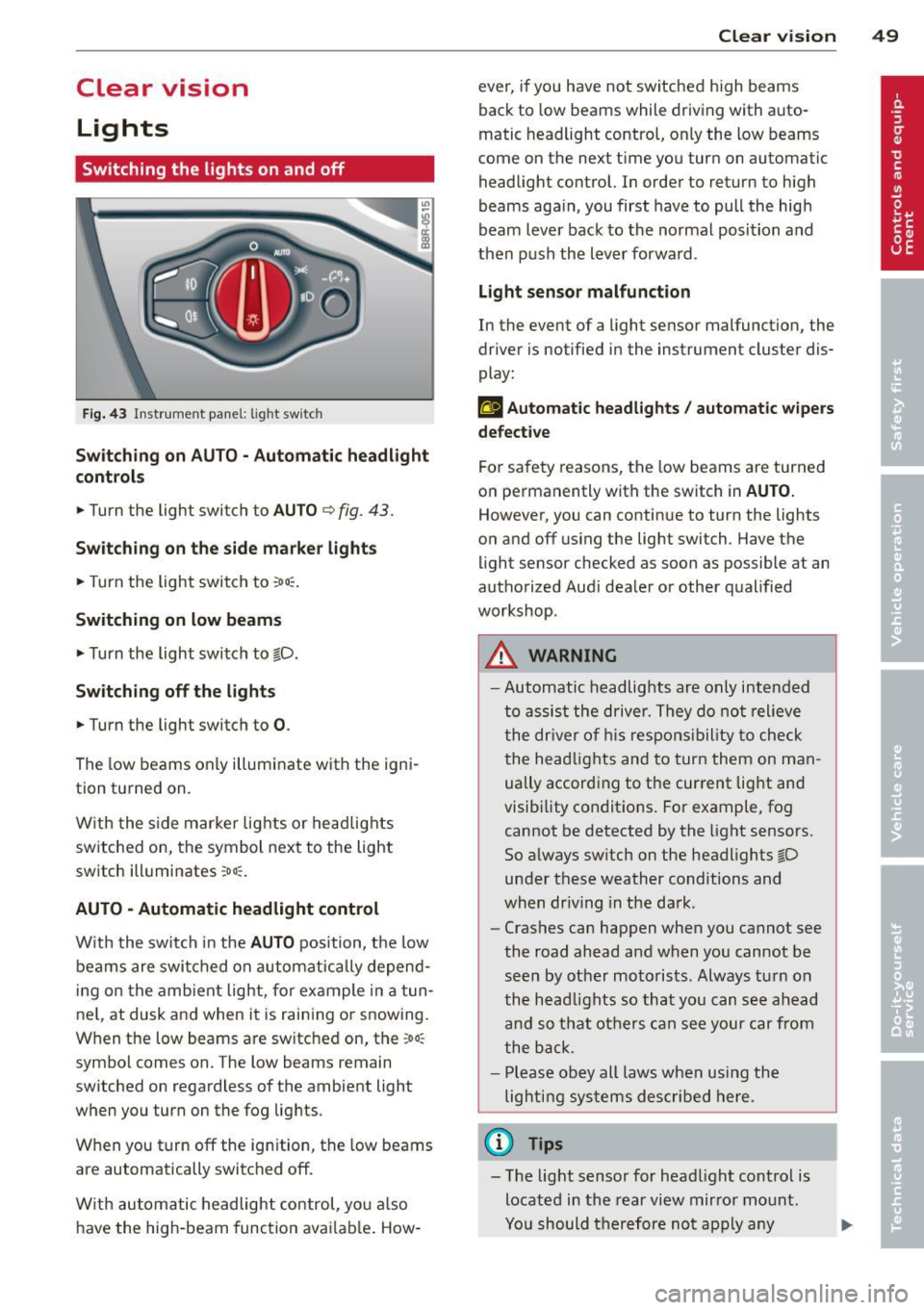
F ig . 43 Instrument pane l: light sw itch
Sw itching on AUTO - Automatic headlight
contr ols
• Turn the light switch to AUTO ¢ fig. 43.
Switchin g on the side m arker light s
• Turn the light switch to :oo:.
Switching on low beams
• Turn the light switch to @.D.
Swi tching off the lights
• Turn the light switch to 0 .
The low beams only illuminate with the igni
tion turned on.
With the s ide marker lights or headlights
switched on, the symbol next to the light
switch illuminates
:oo:.
AUTO -Automatic headlight control
With the switch in the AUTO position, the low
beams are swi tched on a utomatica lly depend
ing on the amb ient light, for example in a tun
ne l, at dusk and when it is raining or snowing.
When the low beams are switched on, the
:oo:
symbol comes on. The low beams remain
switched on regardless of the ambient light
when you turn on the fog lights.
When you turn
off the ign ition, the low beams
are automatically switched
off.
W ith automatic headlight control, yo u also
have the high-beam function avai lab le . How -
Clear vi sion 49
ever, if you have not switched high beams
back to low beams while driving with auto
matic headlight control, only the low beams
come on the next time you turn on automatic
headlight control. In order to return to high
beams aga in, you first have to pull the high
beam lever back to the normal position and
then push the lever forward .
Light sen so r malfunct ion
In the event of a light sensor malfunction, the
driver is notified in the instrument cluster dis
play :
fal Autom atic he adlights / autom ati c wi pers
defecti ve
For safety reasons, the low beams are turned
on permanently with the switch in
AUTO.
However, you can continue to turn the lights
on and
off us ing the light switch . Have the
light sensor checked as soon as possible at an
authorized Audi dealer or other qualified
workshop.
A WARNING
- Automatic headlights are only intended
to assist the driver. They do not relieve
the dr iver of h is respons ibility to check
the head lights and to turn them on man
ually accord ing to the current light and
visibility conditions. For example, fog cannot be detected by the light sensors.
So always sw itch on the headlights @.D
under these weather conditions and
when dr iv ing in the da rk .
- Crashes can happen when you cannot see
the road ahead and when you cannot be
seen by other motorists. Always tu rn on
the head lights so that you can see ahead
and so that others can see your car from
the back.
- Please obey all laws when using the
lighting systems described here.
(l'} Tips
- T he light sensor for head light control is
located in the rear view mirror mount.
Yo u should therefore not apply any
Page 53 of 316
Canada models : The function cannot be
turned off.
It is activated a utomatica lly each
time the ignition is switched on.
Travel mod e (Canada models)*
The headlight beam is asymmetrical. This pro
vides stronge r illum ination on the s ide of the
road on which you are driving . If you are driv
ing in a co untry that drives on the opposite
side of the road from your own country, this
will cause glare for oncoming drivers. To pre
vent glare:
- Trave l mode must be selected in vehicles
with Xenon headlights*.
- In vehicles with halogen headlights, certain
areas of the head light lenses must be cov
ered with waterproof adhesive covers that
prevent light from passing through. For
more information, please see your author
ized Audi dealer or author ized repair facility .
@ Tips
When travel mode* is activated, a d isp lay
in the drive r information system ind icates
this each time you switch the ignit io n on .
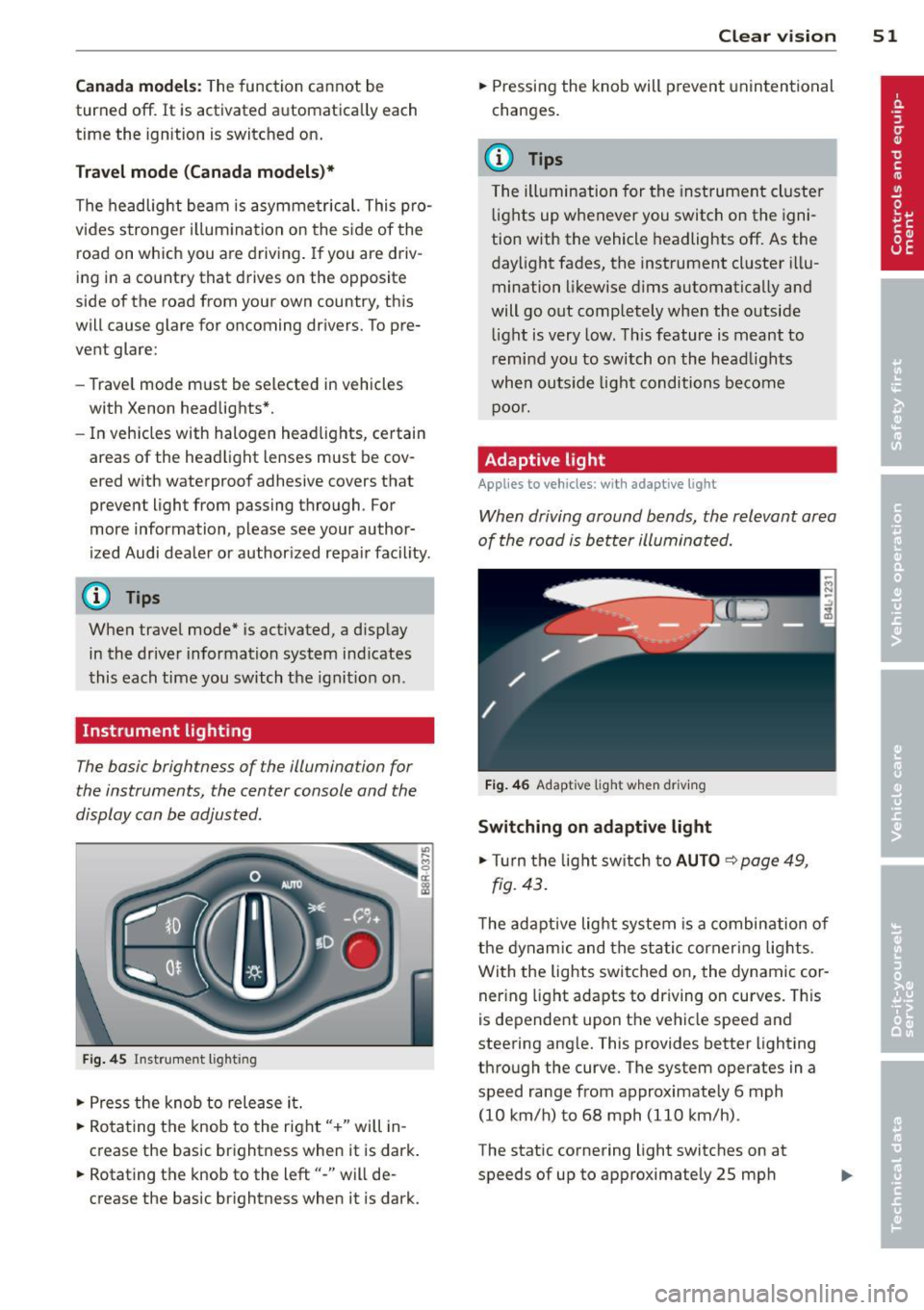
Instrument lighting
The basic brightness of the illumination for
the instruments, the center console and the
display can be adjusted .
Fig. 45 Inst rume nt lighting
.. Press the knob to release it.
.. Ro ta ting t he knob to the right" +" will in
crease the basic brightness when it is dark .
.. Rotating the knob to the left"-" will de
crease the basic br ightness when it is dark. Clear vi
sion 51
.. Pressing the knob will p revent unintentional
changes.
(D Tips
T he ill umination for the inst rument cluster
lights up w henever you switch on the igni
tion with the vehicle headlights off. As the
day light fades, the instrument cluster i llu
mination likewise dims automatically and
will go out completely when the outside light is very low. This feature is meant to
r emind you to switch on the head lights
whe n outs ide light conditions become
p oor .
Adaptive light
Applies to vehicles: wi th adaptive light
Wh en driving around bends, the relevant area
of the road is be tter illuminated.
Fi g. 4 6 Adapt ive light w hen driv ing
Switching on adapt ive light
.. Tu rn the light sw itch to AUTO ~ page 49,
fig. 43 .
The adaptive lig ht system is a combin ation o f
the dynam ic and the static corneri ng lights.
Wi th the lights switched on, the dynamic cor
ner ing light adapts to driving on curves. This
is dependent upon t he vehicle speed and
steering ang le. This provides better lighting
through the curve. The system operates in a
speed range from approximate ly 6 mph
(10 km/h) to 68 mph (110 km/h) .
The static cornering light switches on at
speeds of up to approximately 25 mph
Page 55 of 316
Notes o n these featur es
-The turn signals only work with the ignition
turned on. The indicator lights
II or Ill in
the instrument cluster
¢page 14 also b link.
- After you have turned a corner, the turn sig-
nal switches off automatica lly.
- The
high beam works only when the head
lights are on. The indicator light
II in th e
instrument cluster illuminates when the
high beams are on.
- The
headlight flasher wo rks only as long as
you hold the lever -even if there are no
lights turned on. The indicator light
II in
the instrument cluster illuminates when you
use the headlight flasher.
A WARNING
Do not use the high beam or headlight
flasher if you know that thes e cou ld blind
oncoming traffic.
Interior lights
Front interior lights
-
The front interior lights also contain reading
lights for the driver and passenger .
r ,,,,, , 11111
~8 ,~
G) Gl
,o . . o
I
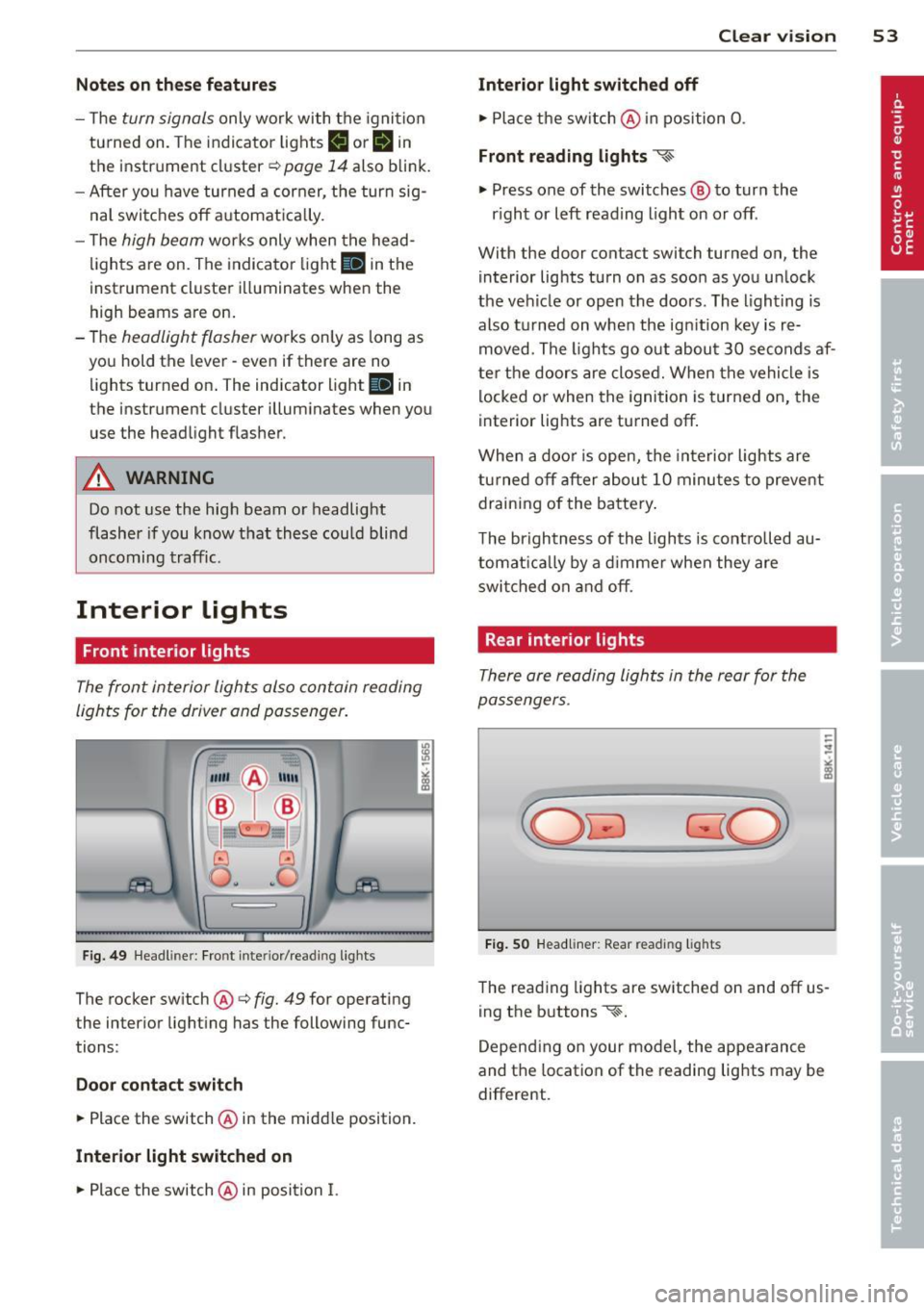
Fig. 49 Headliner: Fro nt inte rior/rea ding lights
The rocker switch @¢ fig. 49 for operating
the interior lighting has the following func
tions :
Door cont act swi tch
.,. Place the switch @ in the midd le position.
Interior light switched on
.,. Pla ce the switch @ in position I.
Clear vision 5 3
Interior light swit ch ed off
.,. Place the switch @ in position 0 .
Front read ing lights ~
.,. Press one of the switches@ to turn the
r ight or left reading light on or off .
With the door contact switch turned on, the
interior lights turn on as soon as you unlock
the vehicle or open the doors. The lighting is
also turned on when the ignition key is re
moved. The lights go out about 30 seconds af
ter the doors are closed. When the vehicle is locked or when the ignition is turned on, the
interior lights are turned off.
When a doo r is open, the interior lights are
tu rned off after about 10 minutes to prevent
draining of the battery .
The brightness of the lights is controlled au
tomat ica lly by a d immer when they are
swi tched on and off.
Rear interior lights
There are reading lights in the rear for the
passengers .
Fig . 50 Headliner: Rear read ing lig hts
The read ing l ights are switched on and off us
ing the buttons ~-
Depending on your model, the appearance
and the location of the reading lights may be
different .
Page 91 of 316
-When starting on inclines, the starting as
sist prevents the vehicle from unintentional
ly rolling back. The braking force of the
parking brake is not released until sufficient
driv ing force has been built up at the
wheels .
Emergency brake function
An emergency brake ensures that the vehicle
can be slowed down even if the
normal brakes
fa il
c::> page 90, Emergency braking.
Indicator light s
-If the parking brake is closed with the igni
tion
s witched on the indicator lights come
on . (USA mode ls)/ . (Canada mode ls) in
the instrument cluster and the switch.
- If the parking brake is closed with the igni
tion
s witched off the indicator lights come
on . (USA mode ls)/ . (Canada mode ls) in
the instrument cluster and the switch for
about 20 seconds.
A WARNING
If a drive range is engaged with the veh icle
stat iona ry and the engine running, you
must in no instance accele rate ca re lessly.
Otherw ise the vehicle will sta rt to move
immediately -risk of an accident .
(D Note
If the symbo l. in the display or the ind i
cato r light .. (USA models) . (Cana
da mode ls) in the instrument clus ter flash
es, the re is a malfunction in the brake sys
tem . By pressing the
ISETI button, you can
bring up a driver message which explains
the malfunction in more detail.
If the driv
er message
Parking brake system fault!
See owner's manua l
appears, there is an
operating malfunction in the park ing brake
which you should have repaired immedi ately by an author ized Audi dealer or other
qua lified workshop
c::> page 29.
@ Tips
- You can apply the pa rking brake at any
time -even w ith the ignition switched
'
On th e ro ad 89
off. The ignition must be turned on and
the brake pedal must be pressed in order
to release the parking b rake .
- Occasional noises w hen the parking
brake is app lied and released are normal
and are not a cause for concern.
- When the vehicle is pa rked, the parking
brake goes through a self -test cycle at
regu lar inte rva ls. Any associated noises
are normal.
Parking
"' Press the brake pedal to stop the veh icle.
"' Pull the sw itch
c::> page 88, fig. 100 to set
the parking b rake.
"' Move the selector lever to P.
"' Tu rn the engine off
c::> ,&. .
"'When on inclines or decl ines, turn the steer
ing wheel so that the vehicle will roll into
the cu rb if it begins to move.
A WARNING
-When you leave your vehicle -even if on
ly briefly- always remove the ignition
key. T his app lies particularly whe n chil
dren remain in the vehicle. Otherwise the
children could start the eng ine, release
the par king brake or operate elect rical
eq uipment (e.g. power w indows). The re
is the risk of an acc ident.
- When the veh icle is locked, no one -par
ticularly not children should rema in in
the vehicle. Locked doors make it more difficult for emergency workers to get in
to the vehicle -putting lives at risk.
Starting from rest
The starting assist function ensures that the
parking brake is released automatically upon
starting .
Stopping and applying parking brake
"' Pull the sw itch to app ly the parking b rake. .,.