warning lights AUDI Q5 2014 User Guide
[x] Cancel search | Manufacturer: AUDI, Model Year: 2014, Model line: Q5, Model: AUDI Q5 2014Pages: 316, PDF Size: 78.41 MB
Page 21 of 316
Instrument s and warnin g/indic ator ligh ts 19
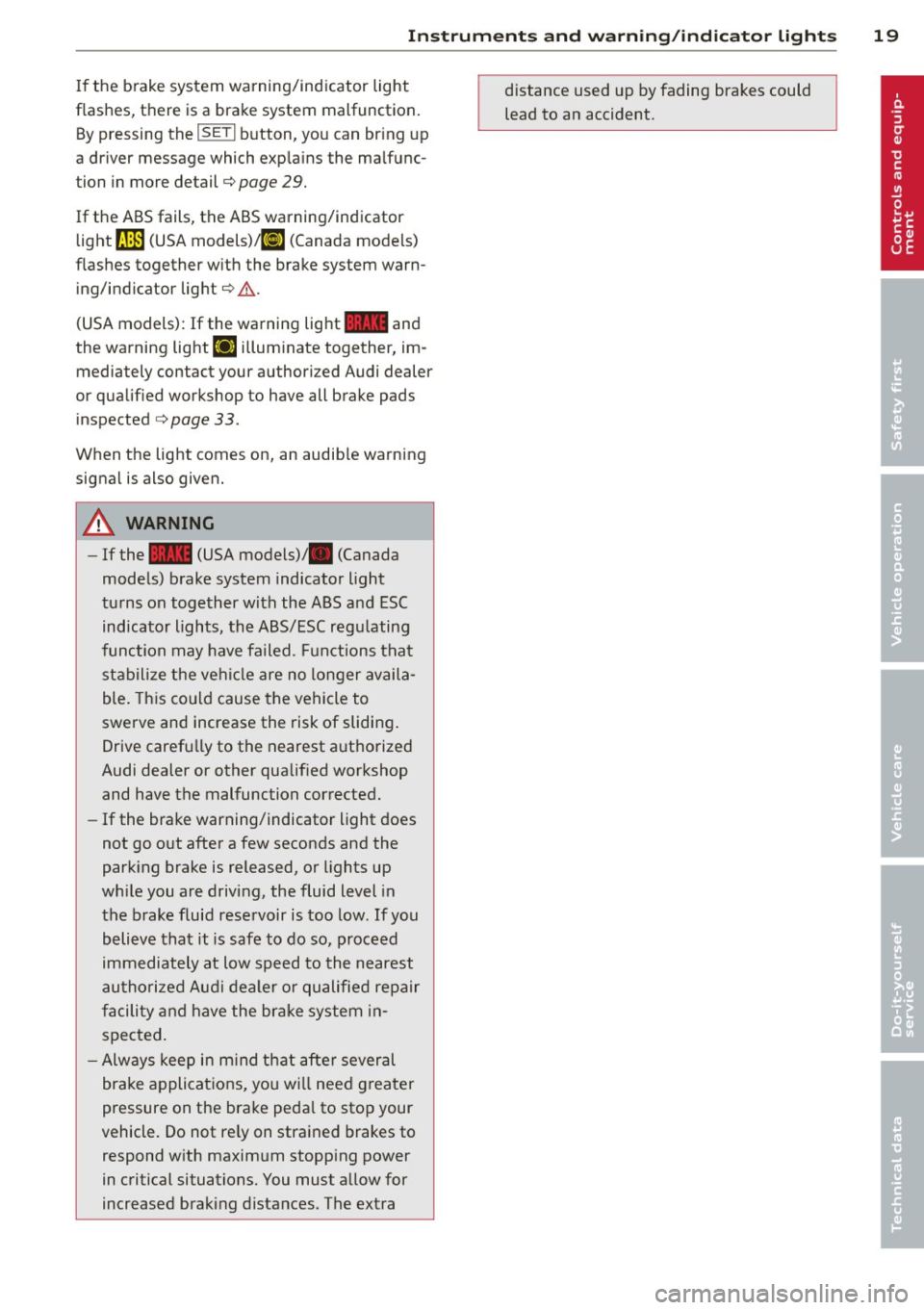
If the brake system warning/indicator light
flashes, there is a brake system malfunction. By pressing the
ISETI b utton, you can br ing up
a driver message which exp la ins the malfunc
tion in more detail¢ page
29.
If the ABS fails, the ABS warning/indicator
light
fJln (USA models) ,11J (Canada models)
flashes together w ith the brake system warn
ing/indicator light¢,& .
(USA models): If the warning light
11111 and
the warning light
EIJ i llum inate together, im
mediately contact your author iz ed Audi dealer
or qualified workshop to have all brake pads
inspected ¢ page
33 .
When the light comes on, an audib le warning
signa l is also given.
A WARNING
- If the 11111 (USA models)/ . (Canada
models) brake system indicator light
tu rns on together with the ABS and ESC
indicator lights, the ABS/ESC regu lating
function may have failed. F unctions that
stabilize the vehi cle are no longer availa
ble. Th is could cause the vehicle to
swerve and increase the risk of sliding .
Drive carefully to the nearest a uthorized
Audi dealer or other qualif ied workshop
and have the malfunction corrected.
- If the brake warning/indicator light does
not go out after a few seconds and the
parking brake is released, or lights up
wh ile you are driving, the fluid level in
the brake fluid reservoir is too low . If you
believe that it is safe to do so, proceed
immediately at low speed to the nearest
au thori zed Audi dealer o r qualified re pair
f acili ty and have the brake system in
spected.
- Always keep in m ind tha t after several
brake applicat ions, yo u will need greater
pressure on the brake peda l to sto p your
vehicle. Do not re ly on stra ined brakes to
respond w ith maxim um stopp ing power
in critical situations. You must allow for
increased braking distances. The extra distance used up by fading brakes could
lead to an accident.
Page 31 of 316
Ignition lock malfunction
¢ page 31
Hybrid drive*
¢page 99, ¢page 105
0 Alternator malfunction
If the . symbol in the instrument panel d is
play flashes, then there is a malfunction in the
alternator or the vehicle electronics. A warn
i ng to the driver w ill appear, too . The driver
warn ing goes out after about 5 seconds, but it
can be brought up at any time by pressing the
ISE TI button again .
Usually, you can still d rive to the next dealer
ship . Turn off all but the most necessary elec
tr ica l consumers, since these d ra in the ve hi
cle's battery.
@ Note
If the . warning symbo l (coolant system
malfunct io n) also lights up on the inst ru
men t pa nel d uring the t rip
¢page 30,
t hen you have to stop immediately and
turn off the eng ine. The coolant pump is
not working anymore -danger of damage
to the eng ine!
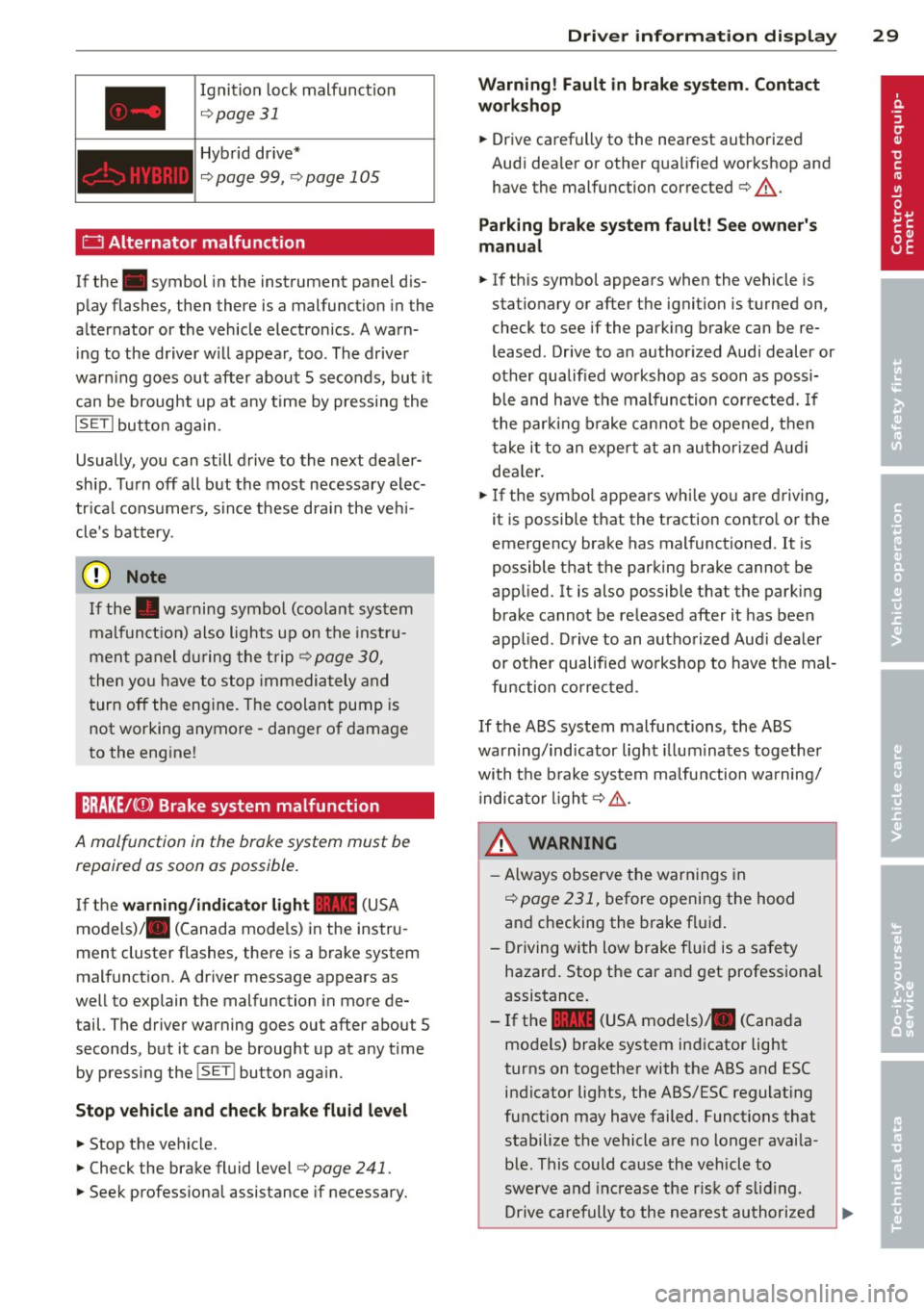
BRAKE/C CD) Brake system malfunction
A malfunction in the brake system must be
repaired as soon as possible.
If the warning /indi cator light 11111 (USA
models)/ . (Canada mode ls) in the instru
ment cluster flashes, there is a brake system
malfunct ion. A dr iver message appears as
well to explain the malfunction in more de
tail. The driver warning goes out after about 5
seconds, but it can be brought up at any time by pressing the
I SET I button aga in.
Stop veh icle and check brake fluid level
... Stop the vehicle.
... Check the brake fluid level¢
page 241.
.,. Seek profess iona l assistance if necessary.
Dri ver information di spla y 29
Warning! Fault in brake system. Contact
workshop
... Drive carefully to the nearest authorized
Aud i dea ler or other qua lified workshop and
have the malfunction corrected ¢
&-
Parking b rake system fault! See owner' s
manual
i,-If this symbo l appears when the vehicle is
stat io nary or after the ignition is tu rned on,
check to see if the park ing brake can be re
leased . Drive to an author ized Audi dealer or
other qualified workshop as soon as possi
b le and have the malfunction cor rected. If
t he par kin g b rake cannot be opened, t hen
t ake it to an expe rt at an au tho riz ed Audi
dea le r.
... If the symbo l appears while you are d riving,
it is possible that the traction contro l or t he
emergency brake has mal functioned .
It is
possible t hat the parking brake cannot be
app lied. It is also possible that the parking
brake cannot be re leased after it has been
app lied. D rive to an autho rized Aud i deale r
or ot her qualified wo rkshop to have the mal
fun ction co rrected.
If th e ABS system malfunctions , the ABS
warning/ind icator light illum inates together
wi th t he b rake sys tem ma lfunction wa rning/
i ndica tor ligh t¢ .&. -
_& WARNING ,...___
-Always observe the warn ings in
¢page 231, before openi ng the hood
an d checking the brake f luid .
- Driving with low brake f lui d is a safety
hazard. Stop the car and get professiona l
assistance.
- If the
11111 (USA models) . (Cana da
mo dels) brake system ind icator light
turns on together with the ABS and ESC indicator lights, the ABS/ESC regulat ing
function may have failed. Functions that stabilize the vehicle a re no longer avai la
ble. This could ca use the vehicle to
swerve a nd increase the r is k of slid ing .
Dr ive ca re fully to the nea rest au thori zed
Page 32 of 316
30 Driver in formation d isplay
Audi dealer or other qualified workshop
and have the malfunction corrected.
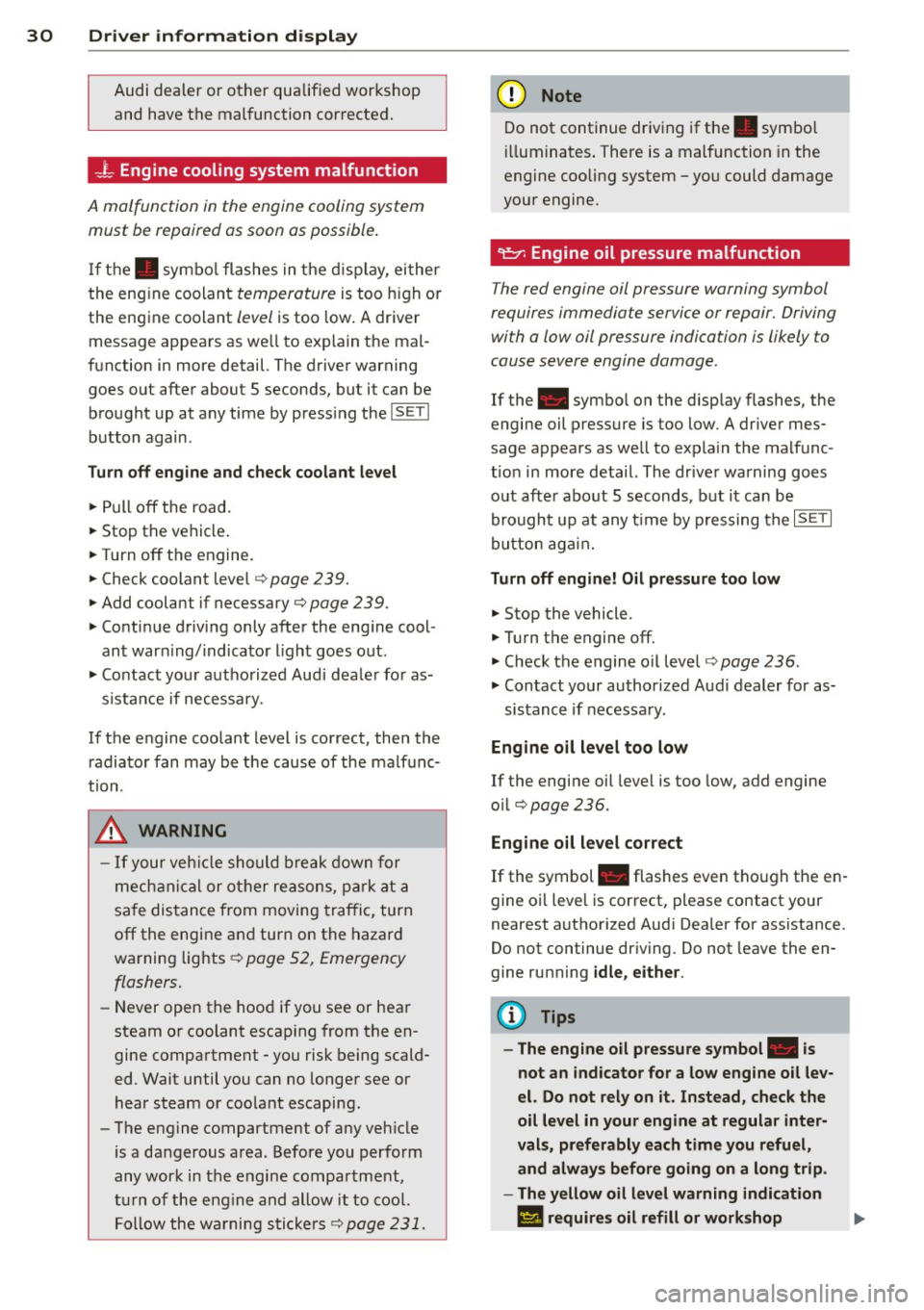
_ t Engine cooling system malfunction
A malfunct ion in the engine cooling system
must be repaired as soon as possible .
If the . symbo l flashes in the d isplay, either
the eng ine coolant
temperature is too h igh or
the engine coolant
level is too low . A driver
m essage appea rs as we ll to exp lain the mal
function in more detail. The driver warning
goes out after about 5 seconds, but it can be brought up at any time by press ing the
ISETI
button again .
Turn off engine and check coolant level
• Pull off the road.
• Stop the vehicle .
• Turnoff the engine.
• Check coolant leve l
c> page 239.
• Add coolant if necessary c> page 239 .
• Continue driving only after the eng ine cool
ant war ning/ indicato r light goes o ut.
• Co ntact you r autho rized Audi dea le r fo r as-
s istance if necessary .
If the engine coolant level is correct, then the r adiato r fan may be the cause of the malfunc
tion .
.&, WARNING
-If your veh icle should break down for
mech anic al or other re asons, park at a
sa fe dis tance from moving traffic, turn
off the engine and turn on the hazard
wa rning lights ~
page 52, Emergency
flashers.
-
- Never open the hood if you see or hea r
steam or coolant escap ing from the en
gine compartme nt -you risk being scald
ed. Wait until you can no longer see or
hear steam or coo lant escaping .
- The e ngine compartment of any ve hicle
is a da ngerous a rea . Before you perform
any wor k in the engine compartment,
t ur n of the eng in e and allow it to cool.
Follow the wa rni ng sti cke rs ~
page 231.
(D Note
Do not continue dr iv ing if the . symbo l
ill um inates . There is a mal function in the
engine cooling system -you could damage
your engine.
"l:::r. Engine oil pressure malfunction
T he red engine oil pressure warning symbol
requires immediate service or repair. Driving with a low oil pressure indication is likely to
cause severe engine damage .
If the . symbo l on the disp lay flashes, the
engi ne oil pressure is too low. A driver mes
sage appears as we ll to exp la in the malfunc
t io n in more detail. The dr iver warning goes
o ut afte r abo ut 5 seconds , but it can be
brough t up at any t ime by p ressing the
- IS- ET- I
butto n ag ain .
Turn off engine! Oil pressure too low
• Stop the vehicle.
• Turn the engine
off.
• Check the engine oil level c> page 236 .
• Contact your authorized A ud i dealer for as-
sistance if necessa ry.
Eng ine oil level too low
If the engine oil level is too low, add engine
o il
c>page 236 .
Engine oil level correct
If the symbol . flashes even tho ugh the en
gine oil leve l is correct, please contact your
nearest authori zed Aud i Dea ler for assistance.
Do not continue dr iving . Do not leave the en
gine ru nning
idle, either .
(D Tips
- The engine oil pressure symbol. is
not an indicator for a low eng ine oil lev
el. Do not rely on it. Instead, check the
oil level in your engine at regular inter
vals, preferably each time you refuel, and always before going on a long trip .
- The yellow oil level warning indication
II requires oil refill or workshop .,..
Page 33 of 316
service without delay. Do not wait until
the red oil pressure warning. starts
to flash before you respond to the low
oil level wa rning
l!I. By then, your en
gine may already have suffered serious
damage.
~ .. Fill engine oil now
WARNING: Pleas e add oil immediately
If the . symbol lights up, then the oil has to
be replenished r ight now ¢
page 236 .
@-Steering malfunction
If there is a malfunction in the electronic
steering column lock, the steering cannot be
unlocked.
If the . symbol in the display blinks, there
i s a malfunction in the electronic steering col
umn lock . A driver message appears as well to
explain the malfunction in mo re deta il. The
d river war ning goes out after abou t 5 sec
onds, but it ca n be b roug ht up at a ny time by
pr ess ing the
ISE TI bu tton aga in .
Steering defective! Do not drive vehicle! .. Contact your nearest a uthorized Audi dea ler .
.. Do not tow your vehicle .
A WARNING
-
Your vehicle mus t not be t owed in the
eve nt of a malfun ct ion in the electron ic
steeri ng colu mn lock because it can not b e
s t eered due to the l ocked s tee ring. If i t is
t owed w ith the stee ring loc ke d , t here i s
t he risk of an accident.
© -Ignition lock malfunction
A malfunction in the ignition lo ck mus t be re
paired immediately.
If th e . symbol in the d isp lay blinks, there
i s a ma lfunction in the electronic ignit io n l ock.
A dr iver message a ppears a s well to exp la in
t he m alfu nction in more det ail. Th e d rive r
warn ing goes ou t after abou t 5 seconds, bu t it
Driver information display 31
can be b rou ght up a t any time by p ress ing the
ISETI bu tton again .
Ignition lock defective. Contact dealer!
.. Do not turn t he e ngine off .
.. Dr ive immedia tely to a n author ized Audi
de aler to have t he mal fun ct io n co rrected.
If there is a malfunct ion in the elect ro ni c ig ni
t ion loc k, the igni tion ca nnot b e tu rned o ff.
D rive imm ed iate ly to an au tho rized se rv ice fa
cili ty to have the cause of the malfunc tion co r
re cte d.
On vehicles wi th Conven ienc e key*, the eng ine
s h ould not b e switched off using t he S tart/
St op butt on bec au se th e e ngine canno t be
s ta rt ed ag ain afte r th e ign iti on ha s been
swi tc h ed off.
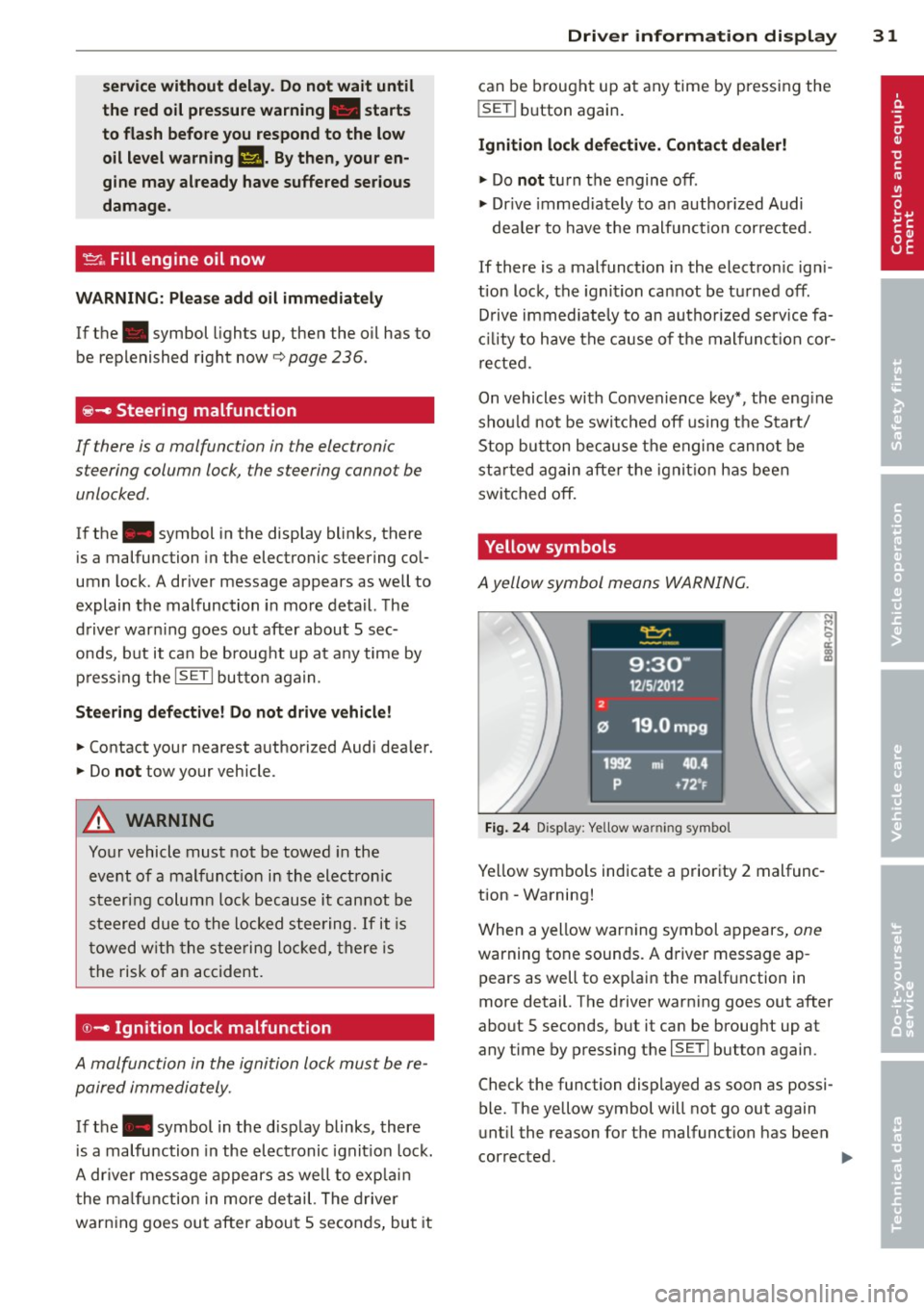
Yellow symbols
A yell ow sym bol means WAR NING .
Fig. 24 Display : Yellow wa rning symbo l
Yellow sym bols indicate a prior ity 2 mal func
tion - Wa rning!
W hen a yellow war ning symbol a ppe ars,
one
warning tone soun ds. A dr iver message ap
pears as well to exp lai n the ma lf un ction in
m ore detail. T he dr iver warning goes ou t after
about S seconds, but it ca n be broug ht up at
any time by p ress ing t he
ISE TI button again .
Check the function dis played as soo n as possi
ble. The yellow symbol will not go out again
u nt il the reason fo r th e malfunction has been
cor rected.
Page 34 of 316
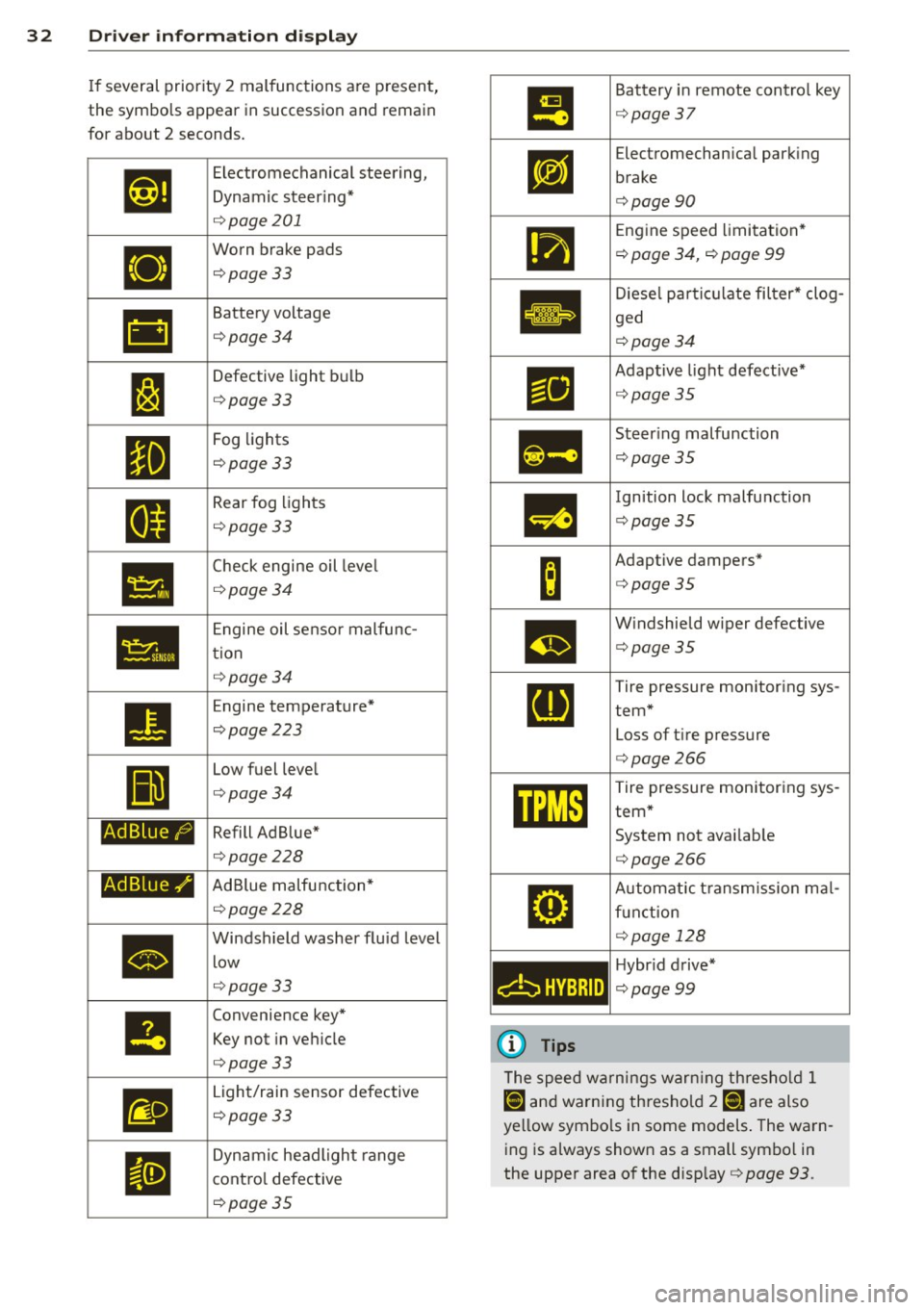
32 Driver in formation d isplay
If several priority 2 malfunctions a re present,
the symbols appear in succession and remain
for about 2 seconds.
•
•
•
Ad B lue /9
Ad Blue./'
•
Electromechanical steering,
Dynamic steer ing*
q page 201
Worn brake pads
¢page 33
Battery voltage
¢page34
Defective light bulb
¢page 33
Fog lights
¢page 33
Rear fog lights
¢ page 33
Check engine oil leve l
¢page 34
Engine oil senso r malfunc
tion
¢ page 34
Engine temperature*
¢page 223
Low fuel level
¢page 34
Refill Ad Blue*
¢page228
AdBlue malfunction*
¢page 228
Windsh ield washer flu id level
low
q page 33
Convenience key*
Key not in vehicle
¢ page 33
Light/rain sensor defective
¢ page 33
Dynamic headlight range
cont ro l defective
¢ page 35
•
m
c:bHYBRID
(D Tips
Battery in remote contro l key
¢ page 37
Electromechan ical park ing
brake
¢ page90
Engine speed limitation *
¢ page 34, ¢ page 99
Diese l partic ulate fi lter* clog
ged
¢ page34
Adaptive light defective*
¢page35
Steer ing malfunction
¢ page 35
Ignition lock malfunction
¢page35
Adaptive dampers*
¢page35
W indshield wiper defective
¢page35
Tire pressure monitoring sys
tem* Loss of tire pressure
¢ page266
Tire pressure monitoring sys
tem*
System not avai lab le
¢ page266
Automat ic t ransm ission ma l
f u nct ion
¢ page 128
Hybr id drive*
¢ page99
The speed warnings warn ing th res ho ld 1
lDl and warning thresho ld 7 [DJ ;ire also
yellow symbo ls in some models . The warn
ing is always shown as a small symbo l in
the upper area of the disp lay¢
page 93.
Page 35 of 316
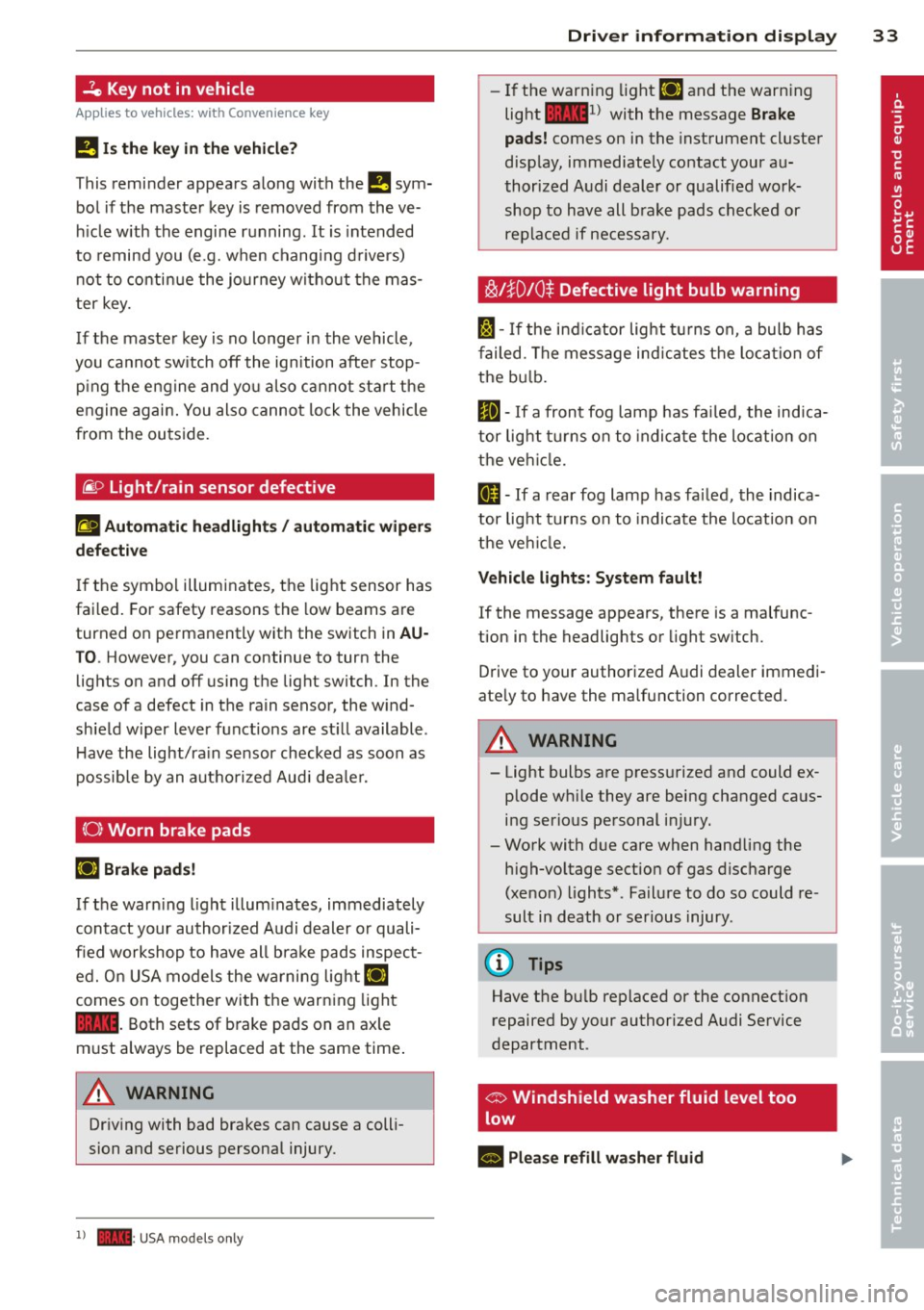
-Ze Key not in vehicle
Applies to vehicles: with Convenience key
l!I Is the key in the vehicle?
This reminder appears along with the l!I sym
bol if the master key is removed from the ve
hicle with the engine running. It is intended
to remind you (e.g. when changing drivers)
not to continue the journey without the mas
ter key.
If the master key is no longer in the vehicle,
you cannot switch off the ignition after stop
p in g the engine and you also cannot start the
engine again . You also cannot lock the vehicle
from the outside.
@9 Light/rain sensor defective
El Automatic headlights / automatic wipers
defective
If the symbol illuminates, the light sensor has
failed. For safety reasons the low beams are
turned on permanently with the switch in
AU
T O . However, you can continue to turn the
lights on and off using the lig ht switch. In the
case of a defect in the rain sensor, the w ind
shield w iper lever functions are st ill available.
H ave the light/ra in sensor checked as soon as
possible by an autho rized Aud i deale r.
(0) Worn brake pads
li1 Brake pads!
If the warn ing light illuminates, immediately
contact your authorized Audi dealer or quali
fied workshop to have all bra ke pads inspect
ed. O n USA models the warning
light lil
comes on together with the warning light
1111. Both sets of brake pads on an axle
must always be replaced at the same time .
A WARNING
Driving with bad brakes can cause a colli
sion and serious personal injury.
1) - : USA mod els only
-
Driver information display 33
-If the warning light li1 and the warning
light
llll1l with the message Brake
pads!
comes on in the instrument cluster
disp lay, immediately contact your au
thorized Audi dealer or qualified work
shop to have all brake pads checked or
replaced if necessary.
~!}010$ Defective light bulb warning
f:;:1-If the indicat or light turns on, a bulb has
fa iled. The message indicates the location of
the bulb.
II-If a front fog lamp has failed, the indica
tor light tu rns on to indica te the locat ion on
the vehicle.
0 -If a rear fog lamp has failed, the indica
tor light turns on to indicate the location on
the vehicl e.
Vehicle lights: System fault!
If the message appears, there is a malfunc
tion in the headlights or light switch.
Drive to your authorized A udi dealer immedi
ate ly to have the malfunction corrected.
A WARNING
- Light bulbs are press urized and could ex
plode wh ile they are being changed caus
ing serious personal injury.
- Work with due care when handling the
high-voltage section of gas discharge
(xenon) lights*. Failure to do so could re
sult in death or serious injury .
(D Tips
Have the bu lb replaced or the connect ion
repaired by your authorized Audi Service
department .
c> Windshield washer fluid level too
low
- Please refill washer fluid
Page 37 of 316
the filter . T he symbol wi ll switch off when the
cleaning is successfu l. After a succ essful
clean ing, there is no need to br ing the car to
an author iz ed deale r or qualif ied workshop
because this is par t of normal vehicle opera
tion .
If the symbo l
II does not switch off, see
your author iz ed dealer or other qualif ied
workshop to have the prob lem corrected.
F or mo re information on the diesel particu
l ate filter, refer to
¢ page 206.
A WARNING
Always adapt yo ur speed to the current
weather, road and traffic condit ions. You
should never disobey traffic laws in order
t o follow driv ing recommendations .
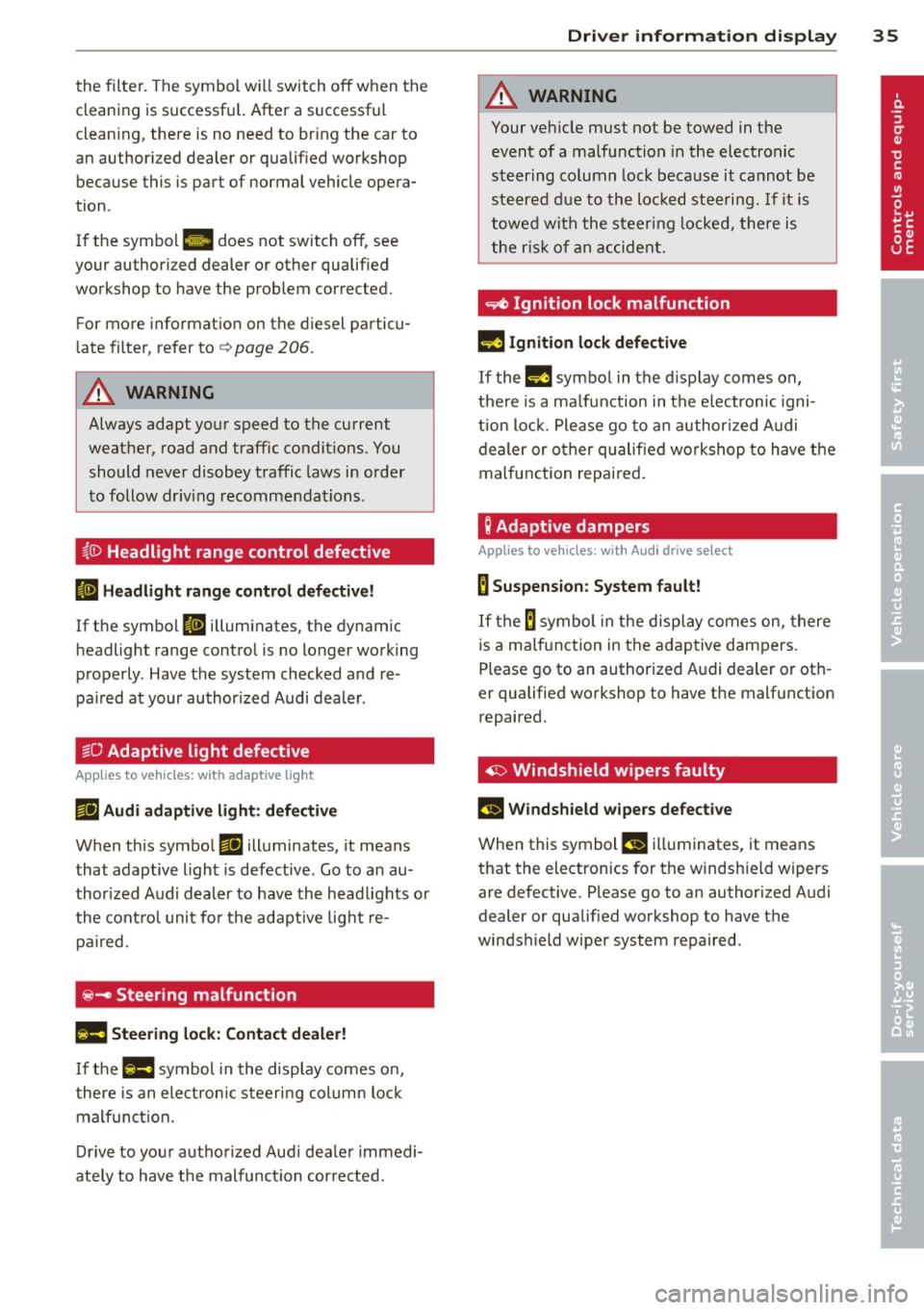
(0 Headlight range control defective
II Headlight range control d efective!
-
If the symbol II illum inates, the dynam ic
h eadlight range control is no longer working
properly . Have the system checked and re
pa ired at your author ized Audi dealer .
§0 Adaptive light defective
Applies to vehicles: with adaptive light
rJII Audi adaptive light: defective
When t his symbo l rJII illuminates, it means
that adaptive light is defective . Go to a n au
thor ized Audi deal er to have the headlights o r
the cont rol uni t fo r the adapt ive lig ht re
pair ed.
@-Steering malfunction
Ila Steering lock: Contact dealer!
If the l!Jla symbol in the display comes on,
the re is an electron ic s teeri ng col umn loc k
mal funct ion.
D rive to you r autho rized Aud i dea le r immedi
ately to have t he mal function cor re cted.
Dri ver information di spla y 35
A WARNING
-
Your veh icle must not be towed in the
event of a malfunction in the electronic
st eering column lock because it cannot be
steered due to the loc ked steeri ng. If it is
towed wit h the steering lo cke d, there is
the r is k of an accident.
~ Ignition lock malfunction
II! Ig nition lo ck defe ctive
If the m symbo l in the d isplay comes on,
t h ere is a ma lfunction in the e lectronic igni
ti on loc k. P lease go to a n author ized A udi
dealer or o ther qualified workshop to have the
malfunction repaired .
g Adaptive dampers
Applies to vehicles: with Audi drive select
B Suspension: System fault!
If the B symbol in the disp lay comes on, there
is a ma lfunction in the adaptive dampe rs.
Please go to an authorized A udi dealer or ot h
er qualified wo rkshop to have the malfunctio n
repaired.
~ Windshield wipers faulty
£-..$ 111/indshield wipers defective
When this symbol £!I ill uminates, it means
that the electronics for th e windsh ie ld wipers
are defective . Please go to an authorized A udi
dealer or qualified wo rkshop to have the
winds hield wiper system repaired .
Page 46 of 316
44 Opening and closing
Automatic rear lid/
trunk lid operation
App lies to vehicles: with automat ic rear l id/trunk lid oper ·
ation
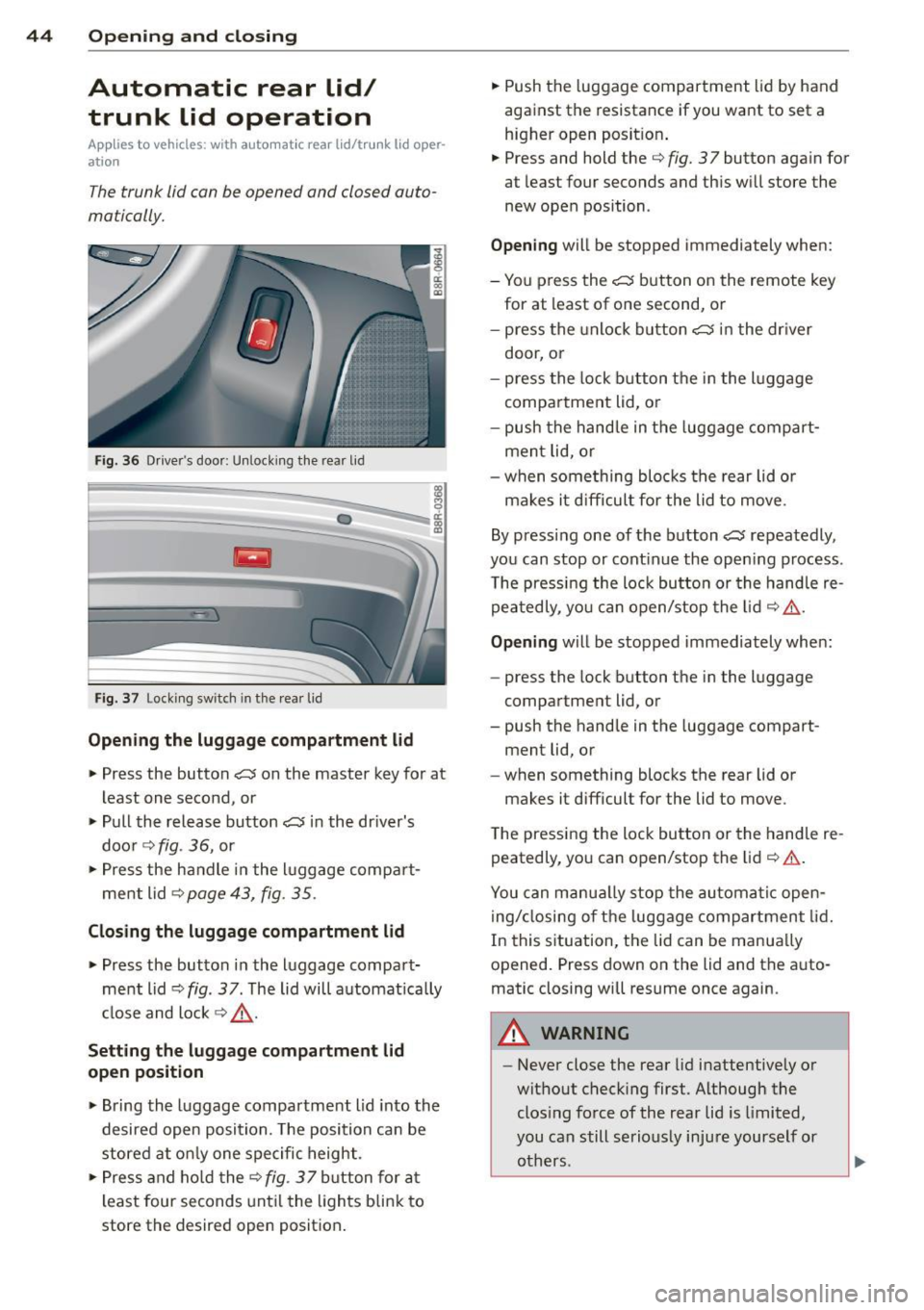
The trunk lid con be opened and closed auto
matically.
Fig. 36 Driver's doo r: Unlock ing the rear lid
Fig. 37 Locking switch in the rear lid
Opening the luggage compartment lid
.,. Press the button c::5 on the master key for at
least one second, or
.,. Pull the release button
c::5 in the dr iver's
door ~
fig. 36, or
.,. Press the handle in the lu ggage compart
ment lid~
page 43, fig . 35 .
Closing the luggage compartment lid
.,. Press the button in the luggage compart
ment lid
~ fig . 3 7 . The lid will automat ica lly
close and lock ¢.&, .
Setting the luggage compartment lid
open position
.,. Bring the luggage compartment lid into the
desired open position. The position can be
stored at only one specific height.
.,. Press and ho ld the ¢
fig. 3 7 button for at
least four seconds until the lights blink to
store the desired open position. .,.
Push the luggage compartment lid by hand
against the resistance if you want to set a
higher open posit ion .
.,. Press and hold the¢
fig. 37 button again for
at least four seconds and this will store the
new open position .
Opening will be stopped immediately when:
- You press the
c::5 button on the remote key
for at least of one second, or
- press the unlock button
c::5 in the dr iver
door, or
- press the lock button the in the luggage
compartment lid, or
- push the hand le in the luggage compart
ment lid, or
- when something blocks the rear lid or
makes it d ifficul t for the lid to move.
By pressing one of the button
c::5 repeatedly ,
you can stop or continue the opening process .
The pressing the lock button or the handle re
peatedly, you can open/stop the lid ¢
,&..
Opening will be stopped immediately when:
- press the lock button the in the luggage
compartment lid, or
- push the handle in the luggage compart
ment lid, or
- when something blocks the rear lid or
makes it difficult for the lid to move .
The pressing the lock button or the handle re
peatedly, you can open/stop the lid ¢
& .
You can manua lly stop the automatic open
ing/closing of the luggage compartment lid.
In this situation, the lid can be manually
opened. Press down on the lid and the auto
matic closing will resume once again.
A WARNING
-- Never close the rear lid inattentively or
without checking first . Al though the
clos ing force of the rear lid is limited,
you can still seriously injure yourself or
others .
-
Page 48 of 316
46 Opening and clo sing
Child safety locks
Child safety locks in the rear doors
The child safety locks t prevent the rear
doors from opening from the inside .
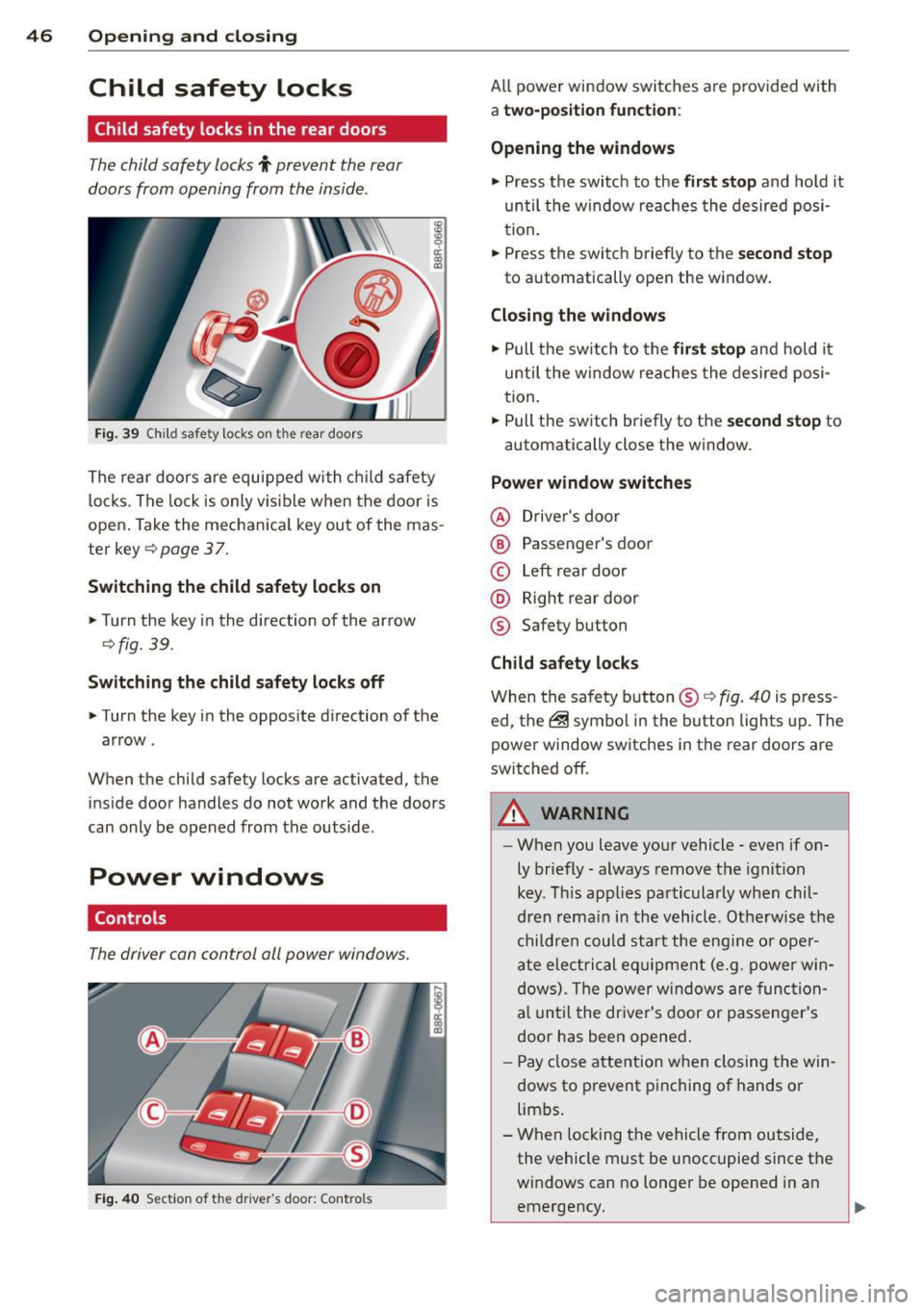
Fig. 39 Child safety locks on th e rear doors
I ti:: 00 (0
The rear doors are equipped with c hild safety
l ocks . The lock is only v is ible when the door is
open . Take the mechan ica l key out of the mas
ter key ¢
page 3 7.
Switching the child safety locks on
.,. Turn the key i n the direction of the ar row
Qfig. 39.
Switching the child safet y locks off
.. Turn the key in the opposite d irection of the
arrow .
When the child safety locks are activated, the
i n side door handles do not work and the doors
can only be opened from the outside .
Power windows
Controls
The driver can control all power windows.
Fig . 40 Sect io n of the driver's door: Controls
All power window switches are provided with
a two-position fun ction :
Opening the windows
.. Press the switc h to the fir st stop and ho ld it
until the window re aches the desired posi
tion.
.. Press the switch briefly to the
second stop
to automatically open the window .
Closing the windows
.,. Pull the sw itch to the fir st stop and hold it
until the window reaches the desired posi
tion .
.. Pull the switch briefly to the
s e cond stop to
automatically close the windo w.
Power window switches
@ Driver's door
® Passenger's door
© Left rear door
@ Right rear door
® Safety button
Child safety locks
When the safety button® Q fig. 40 is p ress
ed, the@symbo l in the button lights up. The
power window switches in the rear doors are
switched off.
A WARNING
-
-When you leave your vehicle -even if on-
ly br iefly -always remove the ignition
key . T his app lies pa rticularly when chil
dren remain i n th e vehicle . Othe rwis e the
children could start the eng ine or ope r
a te elec trical eq uipment (e.g. power win
dows) . The power w indows are func tion
al until the dr iver's door or passenge r's
door has bee n opened .
- Pay close attention when closing the win
dows to p revent pinching of hands or
lim bs.
- When locking the vehicle from outside ,
the vehicle must be unoccupied since the
windows can no longer be opened in an
emergency.
Page 51 of 316
Clear vision Lights
Switching the lights on and off
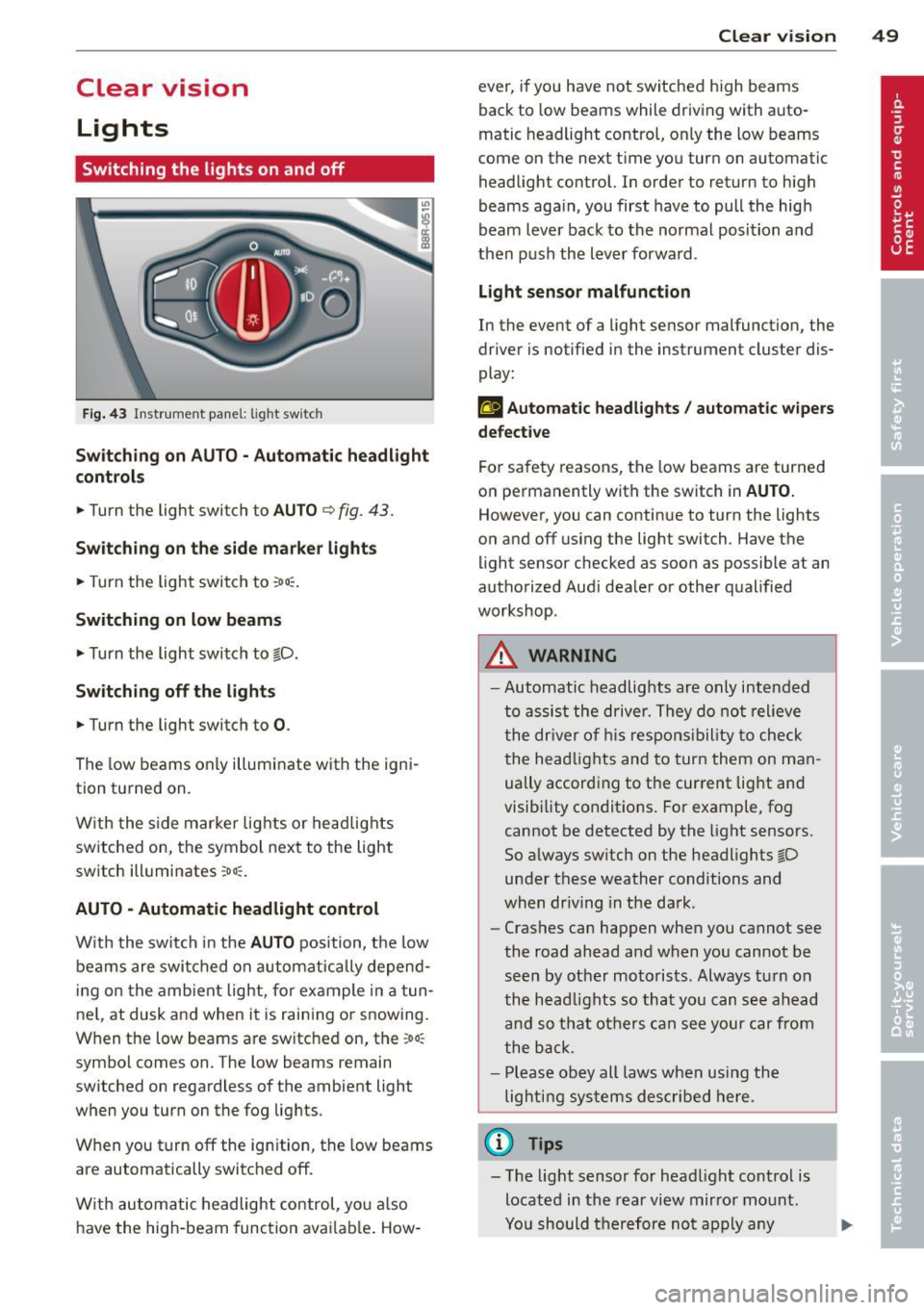
F ig . 43 Instrument pane l: light sw itch
Sw itching on AUTO - Automatic headlight
contr ols
• Turn the light switch to AUTO ¢ fig. 43.
Switchin g on the side m arker light s
• Turn the light switch to :oo:.
Switching on low beams
• Turn the light switch to @.D.
Swi tching off the lights
• Turn the light switch to 0 .
The low beams only illuminate with the igni
tion turned on.
With the s ide marker lights or headlights
switched on, the symbol next to the light
switch illuminates
:oo:.
AUTO -Automatic headlight control
With the switch in the AUTO position, the low
beams are swi tched on a utomatica lly depend
ing on the amb ient light, for example in a tun
ne l, at dusk and when it is raining or snowing.
When the low beams are switched on, the
:oo:
symbol comes on. The low beams remain
switched on regardless of the ambient light
when you turn on the fog lights.
When you turn
off the ign ition, the low beams
are automatically switched
off.
W ith automatic headlight control, yo u also
have the high-beam function avai lab le . How -
Clear vi sion 49
ever, if you have not switched high beams
back to low beams while driving with auto
matic headlight control, only the low beams
come on the next time you turn on automatic
headlight control. In order to return to high
beams aga in, you first have to pull the high
beam lever back to the normal position and
then push the lever forward .
Light sen so r malfunct ion
In the event of a light sensor malfunction, the
driver is notified in the instrument cluster dis
play :
fal Autom atic he adlights / autom ati c wi pers
defecti ve
For safety reasons, the low beams are turned
on permanently with the switch in
AUTO.
However, you can continue to turn the lights
on and
off us ing the light switch . Have the
light sensor checked as soon as possible at an
authorized Audi dealer or other qualified
workshop.
A WARNING
- Automatic headlights are only intended
to assist the driver. They do not relieve
the dr iver of h is respons ibility to check
the head lights and to turn them on man
ually accord ing to the current light and
visibility conditions. For example, fog cannot be detected by the light sensors.
So always sw itch on the headlights @.D
under these weather conditions and
when dr iv ing in the da rk .
- Crashes can happen when you cannot see
the road ahead and when you cannot be
seen by other motorists. Always tu rn on
the head lights so that you can see ahead
and so that others can see your car from
the back.
- Please obey all laws when using the
lighting systems described here.
(l'} Tips
- T he light sensor for head light control is
located in the rear view mirror mount.
Yo u should therefore not apply any