brake AUDI Q5 2014 Owner's Guide
[x] Cancel search | Manufacturer: AUDI, Model Year: 2014, Model line: Q5, Model: AUDI Q5 2014Pages: 316, PDF Size: 78.41 MB
Page 109 of 316
Audi adaptive cruise control and braking guard 107
Audi adaptive cruise
control and braking
guard
Introduction
App lies to vehicles: with Audi adaptive cruise control
The adaptive cruise control system assists the
driver by regu lating vehicle speed and helping
to maintain a set distance to the vehicle
ahead, within the limits of the system . If the
system detects a moving vehicle up ahead,
adaptive cruise control can brake and then ac
celerate your vehicle . Th is he lps to make driv
ing more comfortable on long highway
stretches.
The braking guard system can warn you about
an impending collision and initiate braking
maneuvers
c::;, page 113.
Adaptive cruise control and braking guard
have technical limitations that you must
know, so please read this section carefully, un
derstand how the system works and use them properly at all times.
General information
General information
Applies to vehicles: with Audi adaptive cruise control
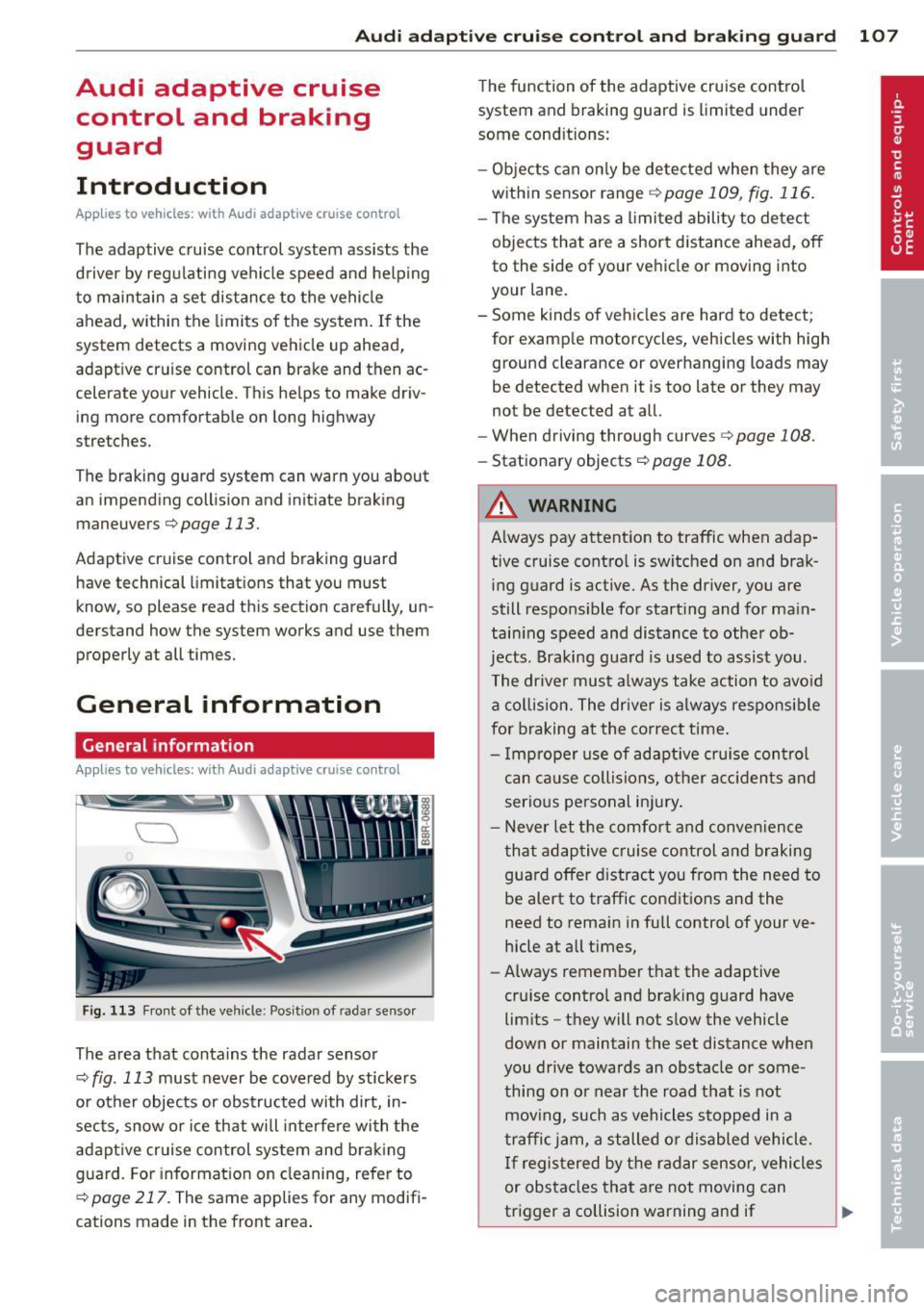
Fig. 113 Front of the vehicle: Position of radar sensor
The area that contains the radar sensor
c::;, fig. 113 must never be covered by stickers
or other objects or obstructed with dirt, in
sects, snow or ice that will interfere with the
adaptive cruise control system and braking
guard. For information on cleaning, refer to
c::;, page 217. The same applies for any modifi
cations made in the front area . The
function of the adaptive cruise control
system and braking guard is limited under
some cond itions:
- Objects can only be detected when they are
within sensor range
.:!>page 109 , fig. 116.
-The system has a limited ability to detect
objects that are a short distance ahead, off
to the side of your vehicle or moving into
your lane.
- Some kinds of vehicles are hard to detect;
for examp le motorcycles, vehicles with high
ground clearance or overhanging loads may
be detected when it is too late or they may
not be detected at all.
- When driving through curves
c::;, page 108.
-Stationary objects c::;, page 108.
A WARNING
-Always pay attention to traffic when adap-
tive cruise control is switched on and brak ing guard is active. As the dr iver, you are
still respons ible for start ing and for main
tain ing speed and distance to other ob
jects. Braking guard is used to assist you.
The driver must always take action to avoid
a collision. The driver is always responsible
for braking at the correct time.
- Improper use of adaptive cruise control
can caus e collisions, other accidents and
serious personal inj ury .
- Never let the comfort and convenience
that adap tive cruise control and braking
guard offer d istract you from the need to
be alert to traffic conditions and the
need to remain in fullcontrolofyourve
hicle at all times,
- Always remember that the adaptive
cru ise contro l and braking guard have
limits -they will not slow the vehicle
down or maintain the set distance when
you drive towards an obstacle or some
thing on or near the road that is not
moving, such as vehicles stopped in a
traffic jam, a stalled or disabled vehicle.
If registered by the radar sensor, vehicles
or obstacles that are not moving can
trigger a collision warning and if .,.
Page 110 of 316
108 Audi adaptive cruise control and braking guard
confirmed by the video camera, an acute
collision warning.
- For safety reasons, do not use adaptive
cruise control when driving on roads with
many curves, when the road surface is in
poor condition and/or in bad weather
(such as ice, fog, gravel, heavy rain and
hydroplan ing). Using the system under
these conditions could result in a colli
sion.
- Switch adaptive cruise control off tempo
rar ily when driv ing in turning lanes, on
expressway exits or in construc tion
zones. This prevents the vehicle from ac
celerating to the set speed when in these
situations.
- Th e adaptive cruise control system w ill
not brake by itse lf if you put your foot on
the accelerator pedal. Doing so can over
ride the speed and distance regulation.
- When approaching stationary objects
such as stopped traffic, adaptive cruise
control will not respond and braking
guard w ill have limited function.
- The adaptive cr uise control system and
braking guard do not react to people, an
ima ls, objects crossing the road or on
coming objects .
- The function of the radar sensor can be
affected by reflective objects such as
guard rails, the entrance to a tunnel,
heavy rain or ice.
- Never follow a vehicle so closely that you cannot stop your vehicle safely. The
adaptive cruise control cannot slow or
brake the vehicle safely when you follow
ano ther vehicle too closely . Always re
member that the automatic braking
function cannot bring the vehicle to a sudden or emergency stop under these
conditions.
- To prevent unintended operation, always
switch adaptive cruise control off when it
is not being used.
QJ Note
The sensor can be disp laced by impacts o r
damage to the bumper, whee l housing and underbody.
That could affect the adaptive
cruise control system and braking guard. Have yo ur authorized Aud i dea ler or a u
thorized Audi Service Facility check their
function.
In curves
Applies to vehicles: with Audi adaptive cruise contro l
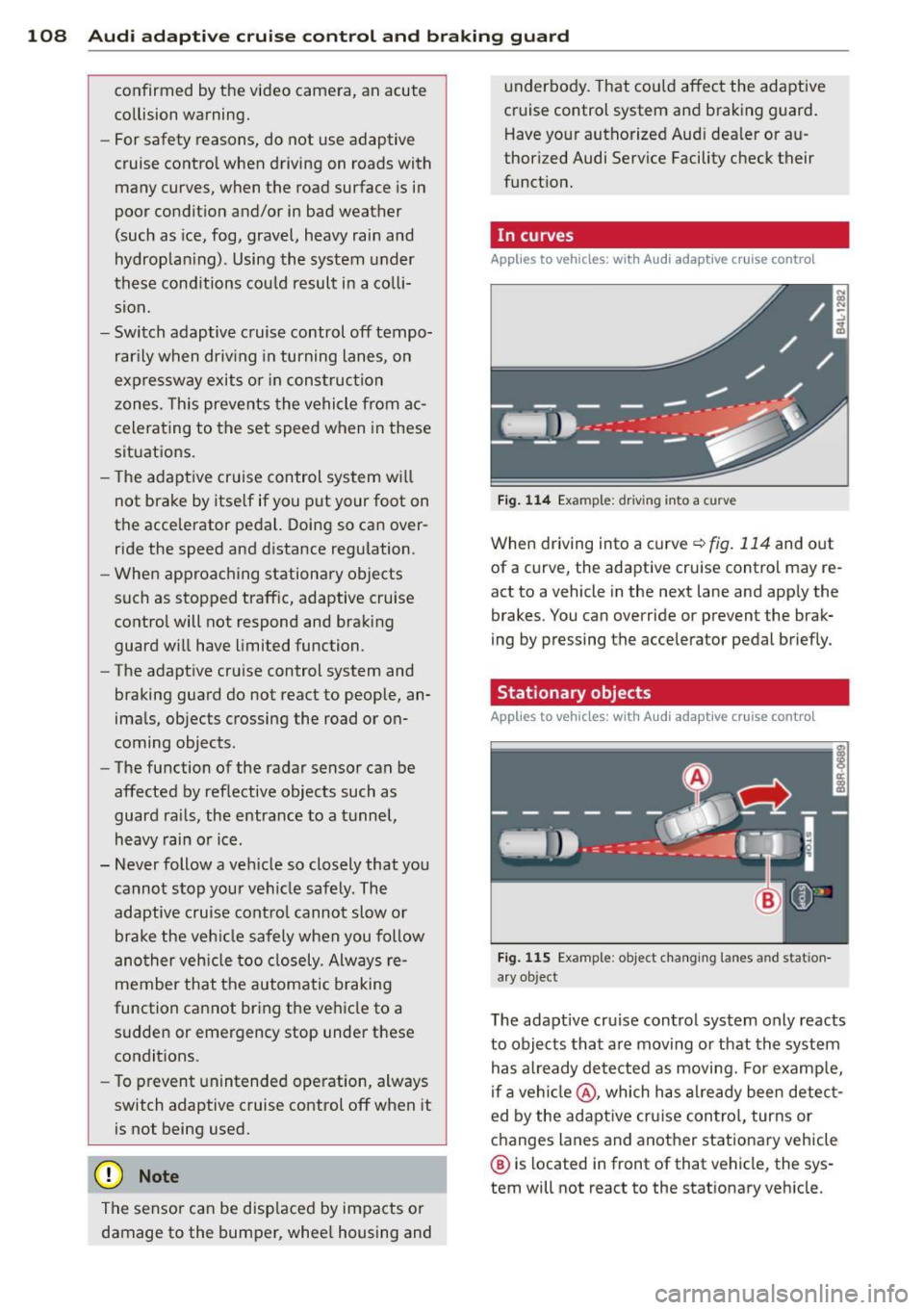
Fig. 114 Examp le: driv ing into a curve
When driving into a curve¢ fig. 114 and out
of a curve, the adaptive cruise control may re
act to a vehicle in the next lane and app ly the
brakes. You can override or prevent the brak
ing by pressing the accelerator pedal briefly.
' Stationary objects
Applies to vehicles: with Aud i adapt ive cru ise contro l
Fig. 115 Example: object changing lanes and station
a ry object
T he adaptive cru ise control system only reacts
to objects that are moving or that the system
has a lready detected as moving. For examp le,
if a vehi cle@ , which has al ready been detect
ed by the adaptive cruise control, turns or
changes lanes and another stationary vehicle
® is located in front of that vehicle, the sys
tem will not react to the stat ionary veh icle.
Page 112 of 316

110 Audi adaptive cruise control and braking guard
@ Indicator lights
r• 1-Adaptive cruise control is switched on . No
vehicles are detected up ahead. The stored
speed is maintained.
I-A moving vehicle is detected up ahead.
The adaptive cruise control system regulates
the speed and distance to the moving vehicle
ahead and accelerates/brakes automatically.
I -When automatic braking is not able to
keep enough distance to a previously detected
moving vehicle up ahead, you must take con
trol and brake<=:>
page 112, Request for driver
intervention.
© Display
If adaptive cruise control is not shown in the
display, you can call it up with the
I RESET !
button ¢ page 20.
Based on the symbols in the display, you can
determine if the system is maintaining a dis
tance to the vehicle ahead and what that dis
tance is.
No vehicle -No vehicle ahead was detected.
White vehicle -A vehicle ahead was detected.
Red vehicle -Prompt for the driver to take ac
tion
<=:> page 112.
Both arrows on the scale © indicate the dis
tance to the vehicle ahead. No arrow appears
when the vehicle is on an open road and there
is no object ahead. If an object is detected
ahead, the arrow moves on the scale.
The green zone on the scale shows the stored
distance. For information on changing the
stored distance, refer to <=:>
page 111. If the
distance selected is too close or may soon be
come too close, the arrows move into the red
zone on the scale .
A WARNING
Improper use of the adaptive cruise con
trol can cause collisions, other accidents
and serious personal injuries.
- Pressing the
ISETI button when driving at
speeds below 20 mph (30 km/h), will au- tomatically accelerate the vehicle to
20 mph (30 km/h), which is the mini
mum speed that can be set.
(D Tips
- If you switch the ignition or the adaptive
cruise control off, the set speed is erased
from the system memory.
- The Electronic Stabilization Control (ESC)
is automatically turned on when the
adaptive cruise control is turned on. You
cannot switch the ESC into offroad mode
while the adaptive cruise control is
turned on
<=:> page 198 .
Changing the speed
Applies to veh icles: w ith Audi adaptive cruise co ntro l
0
f
• 0
Fig. 119 Selector lever: ch an gin g the speed
.,. To increase or reduce the speed in incre
ments,
tap the lever up or down .
.,. To increase or reduce the speed quickly,
hold
the lever up or down until the red LED@
reaches the desired speed <=:>
page 109,
fig . 118.
Following any changes, the new stored speed
will be displayed briefly in the display @
<=:>page 109, fig . 118.
Page 113 of 316

Audi adaptive cruise control and braking guard 111
Interrupting cruise control
Applies to vehicles: with Audi adaptive cruise control
Fig. 120 Selector lever
Requirement: adaptive cruise control must be
switched on
¢ fig. 120 (D .
Overriding cruise control
• To accelerate manually, press the accelera
tor pedal. The message
ACC: override ap
pears.
• To resume adaptive cruise control, remove
your foot from the gas pedal. The system re
turns again to the speed that was saved be
fore.
• You can save a new speed at any time by
pressing thelSETI button ¢fig. 120.
Canceling cruise control while driving
• Move the lever into position @. The mes
sage
ACC: Standby appears. Or
• press the brake pedal.
• To resume the stored speed, move the lever
into position @.
_& WARNING
Never resume the stored speed if the
speed is too high for prevailing road, traf
fic or weather conditions.
Setting the distance
App lies to vehicles: wit h Aud i adapt ive cr uise contro l
Fig. 121 Selector lever: setting the distance
• Tap the switch to display the current set dis
tance ¢fig. 121.
• To increase or reduce the distance by incre
ments, tap the switch again to the left or
r ight. The distance between the two vehicles
w ill c hange in the instrument cluster dis
p lay .
When approach ing a moving vehicle up ahead,
the adapt ive cruise control system brakes to
match that object's speed and then mainta ins
the stored distance. If the vehicle ahead ac
ce lerates, adaptive cruise control will also ac
celerate up to the stored speed.
T he higher the speed, the greater the distance
in yards (meters) ¢& .The
Distance 3 setting
is recommended.
T he distances provided are specified va lues .
Depend ing on the driv ing s ituation and the
how the vehicle ahead is driving, the actual
distance may be more or less than these tar
get distances.
T he var ious symbols for the time increments
appear briefly in the informat ion line @
¢ page 109, fig . 118 when you change the
settings.
c:::::,_c:::::, ___ Distance 1: This setting corre-
sponds to a distance of 92 feet/28 meters
when traveling at 62 mph (100 km/h), or a
time interval of 1 second.
c:::::, __ c:::::, __ Distance 2 : This setting corre
sponds to a distance of 118 feet/36 meters
when traveling at 62 mph (100 km/h), or a
time interval of 1.3 seconds.
Page 115 of 316

Audi adaptive cruise control and braking guard 113
Audi braking guard
Description
Applies to vehicles: with Audi adaptive cruise control
Fig. 123 Instrument cluste r: approac h warn ing
Braking guard uses a radar sensor. It also
functions within the limits of the system
when adaptive cruise control is switched off.
What can braking guard do?
When detected in time, the system can assess
situations when a vehicle ahead brakes sud
denly or if your own vehicle is traveling at a
high speed and approaching a vehicle up
ahead that is moving more slowly . Braking
gua rd does not react if it cannot detect the
situation .
The system advises you of various situations:
- The
distance warning is given if you are too
close to the vehicle ahead for a long time. If
the vehicle ahead brakes sharply, you wi ll
not be able to avoid a collision. The indicator
light
I in the display comes on .
- The
approach warning is given when a de
tected vehicle up ahead in your lane is mov
ing much more slowly than you are or if it
brakes sharply . When this warning is given,
it may only be possible to avoid a collision
by swerving or braking sharply. The indicator
light
I and indicator in the display will warn
you about the danger
c:> fig. 123. You will al
so hear an acoustic signal.
If you do not react fast enough or do not react
at all to the situation, braking guard will inter-
ll Th is is not ava ilable in som e coun tri es.
vene by braking and the message Braking
guard: Activated
will appear.
- If a coll ision is imminent , the system will
first provide an
acute warning by briefly and
sharply applying the brakes.
- If you do not react to the acute warning,
braking guard can brake within the limits of
the system. This reduces the vehicle speed
in the event of a collision.
- At speeds under 20 mph (30 km/h), the sys
tem can initiate a complete deceleration shortly before a collision
ll.
- If the braking guard senses that you are not
braking hard enough when a collision is im
minent, it can increase the braking force .
Which functions can be controlled?
You can switch braking guard and the dis
tance/approach warning on or off in the radio/
MMI* i::!> page 114, Settings in the radio/
MMI *.
A WARNING
--==
Lack of attention can cause collisions, oth-
er accidents and serious personal injuries.
The braking guard is an assist system and
cannot prevent a collision by itself. The
driver must always intervene. The driver is
always respons ible for braking at the cor
r ect time .
- Always pay close attention to traffic,
even when the braking guard is switched
on . Be ready to intervene and be ready to
take comp lete control whenever necessa
ry. Always keep the safe and legal dis
tance between your vehicle and vehicles
up ahead.
- Braking guard works within limits and
will not respond outside the system lim
its, for examp le when approaching a
stopped vehicle or stationary obstacle (end of a traffic jam or vehicle that has
broken down in traff ic).
Page 116 of 316

114 Audi adaptive cruise control and bra king guard
- Always remember t hat t he radar sens or
fo r the b raking guard wo rks only within
defined detection and range limits that
may preve nt the proper detection of oth
er v eh icles.
- The radar senso r's fu nction and range
can be reduced by rain, s now a nd heavy
spray. Mo ving v ehicle s up a head may not
b e pr omptly dete cte d or may not be de
te cte d at al l.
- Reflective surfaces in cl udi ng c ras h ba rri
ers or t unnel ent ran ces may impair the
f unc tion of the r ad ar se nso r.
(D Tips
- You can cance l th e braking tha t is initiat
ed by the system by braking you rs e lf, by
a cce lerati ng noticeab ly o r by swerving.
- Bra king guard er ror messages
¢pag e
114.
- Keep in mi nd that braking gua rd can
brake u nexpect edly . Always secure any
ca rgo or objects that you are tr ansport
i ng to reduce the risk of d amage or in
ju ry.
Settings in the radio/MM!*
Applies to vehicles: with Audi adaptive cruise control
• Se lect : ICAR !f u nct ion button> Audi braking
guard .
Or
• Se lect : ~I C-A-R~ I funct ion button >
Car systems*
control button > Driver assist > Audi brak
ing guard .
System -
Switch bra kin g g uard On and Off .
When you sw itch the ignition on, the message
Brak ing guard: Off appears if the system is
switched off .
Early warning -The d istance and approach
warn ings in the disp lay can be switched
On /
Off .
(D Tips
-Your settings are automatica lly sto red
and ass igned to the remote control key
being used at the t imes t he settings are
made¢ page
36.
- If you restric t the E SC, the br aking gua rd
also sw itc hes itself off~ page
198.
-Switch braking guar d off when you a re
loading the vehicle onto a veh icle car rier,
train, s hip o r othe r type of t ransporta
tion. This can prevent undesired warn
ings from the braking gua rd system.
Messages
Applies to vehicles: with Aud i adaptive cruise control
Braking guard : Off
T his dr iver mess age a ppears if t he system is
tu rned off via the radio/MM I*. Ot herw ise, if
t h e system is turned off, the information ap
pears every t ime shortly after the start of the
trip.
T he driver messa ge a lso appears if the system
is not available due to a malfunct io n or if the
ESC is not switched on¢ page
198. If th is is
t h e case, the system w ill not p rov ide warnings
about a poss ible collision.
Braking guard : Activated
T h is dr iver mess age appears if sharp b rake
pressure was applie d due to a n acu te warning.
•••
Three white dots appear if a sett ing cannot be
selected w ith the operating lever . For exam
ple, this happens if you wa nt to raise/low er
the speed even thoug h there was no previous
l y saved speed.
ACC: Sensor blocked
This message appears if the sensor v iew is ob
structed, for examp le by leaves, snow, heavy
sp ray or d irt . Clean the sensor¢ page
107,
fig .
113.
ACC: Unav ailable
The driver mess age appe ars if, for ex ample,
the b rake tempera ture is too high . The adap
tive cr uise contro l is temporar ily u nava ila ble .
A chime sounds as a reminder.
ACC: Not available
Page 117 of 316

Audi adaptive cruise control and braking guard 115
The driver message appears i f there is a ma l
function. The adaptive cruise control turns off.
A chime sounds as a reminder . Have the sys
tem checked by an author ized Audi dealer or
author ized Audi Serv ice Facility.
Shift lever position!
The driver message appears if the selector lev
e r i s shifted to the N position. The adaptive
cruise control is not availab le while in this po
sition.
Stabilization control (ESC)
This message appears if the Electronic Stabili
zation Contro l (ESC) is taking action to stabi
lize the vehicle. The adapt ive cruise control
turns off. A chime sounds as a reminder.
Speed too low
This message appears if the current speed is
too low
to set or to maintain the des ired
speed.
The speed being saved must be at least
20 mph (30 km/h). The cruise control is
turned off for speeds lower than 12 mph (20 km/h) . The adapt ive cruise control re
mains turned on for speeds above 95 mph
(150 km/h) (overr ide) .
It will stabilize aga in at
95 mph (150 km/h) when the dr iver takes his
foot off of the gas pedal.
Parking brake!
The driver message appears when the park ing
brake is activated. Adaptive cru ise contro l is
turned off . A chime sounds as a reminder.
Page 125 of 316
Automatic
transmission
tiptronic
Introduction
The automatic transmission is controlled elec
tronically. The transmission upshifts or down
shifts automatically depending on which drive
program is selected. The power is transferred
by a torque converter .
When a
mode rate d riv in g s ty le is used, the
transmission selects the most econom ica l
driving mode. It w ill then change up early and
delay the downshifts to g ive better fuel econ
omy.
T he transmission switches to a sporty mode
after a k ick-down or when the driver uses a
spo rty driving sty le characterized by quick ac
celerator pedal movements, heavy accelera
tion, frequent changes in speed and traveling
at the maximum speed.
If desired, the driver can a lso select the gears
manually ( tiptronic mode ) c:> page 12 7.
Selector lever positions
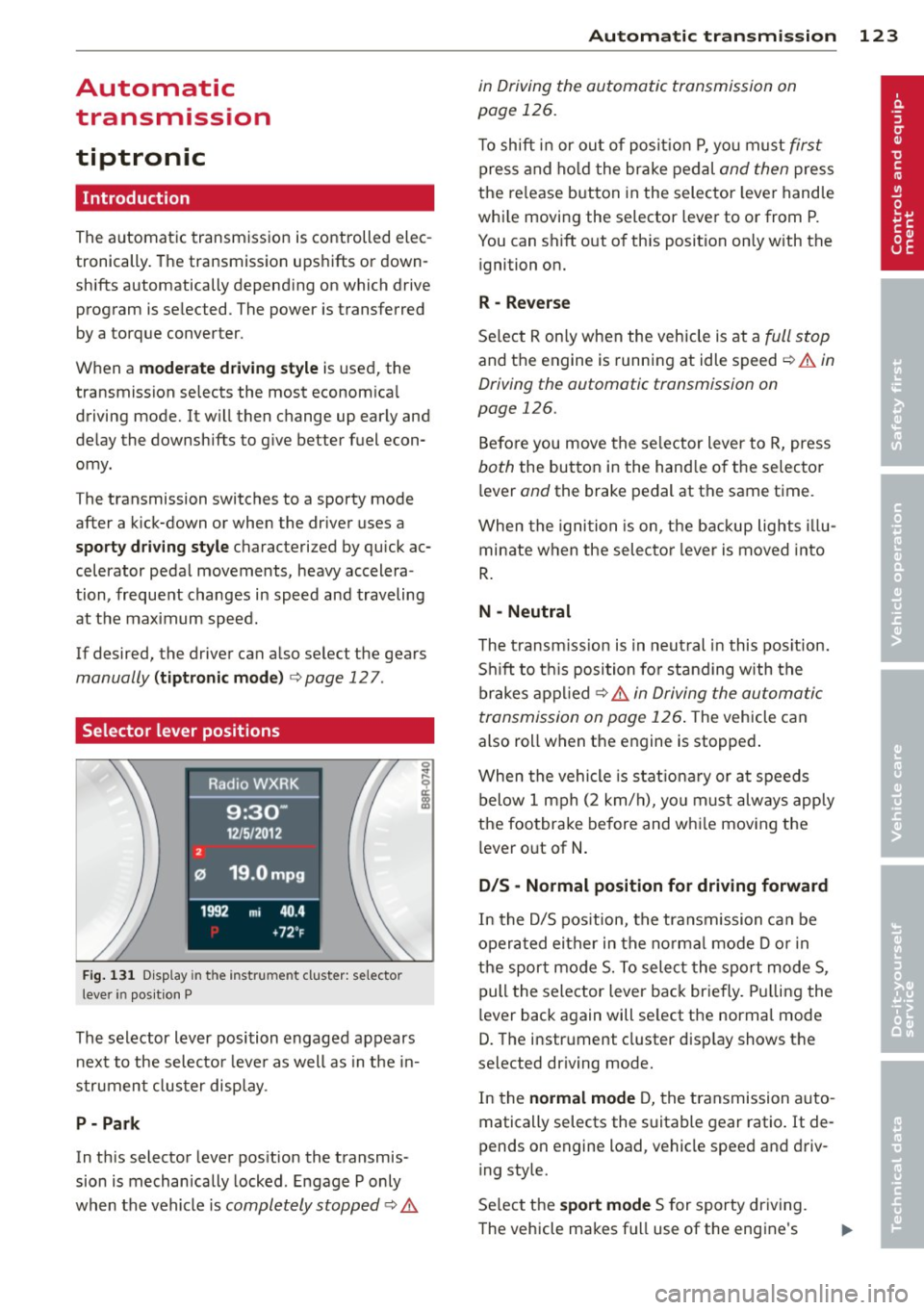
Fig . 131 D isp lay in t he i nst ru m en t cluster: selecto r
l ever in pos it ion P
The selector lever position engaged appears
next to the selecto r lever as well as in the in
strument clus ter disp lay.
P- P ark
In th is selector lever pos ition the transmis
sion is mechan ically locked . Engage P only
when the vehicle is
completely stopped c:> 11::..
Automa tic tran sm iss ion 123
in Driving the automatic transmission on
page 126.
T o shift in or out of posit io n P , yo u m ust first
press and ho ld the brake pedal and then press
the re lease button in the selector leve r handle
whi le moving the selector lever to or from P.
You can shift out of th is position only with the
ignition on.
R -Reverse
Se lect R on ly when the vehicle is at a full stop
and the engine is running at idle speed c:> 11::.. in
Driving the automatic transmission on
page 126.
Before you move the se lector lever to R, press
both the button in the hand le o f the selector
lever
and the brake pedal at the same t ime.
When the ignition is on, the backup lights illu
minate when the selecto r lever is moved into
R .
N -Neutral
The t ransm iss ion is in neut ral in this pos ition.
S hi ft to t his position fo r standing with the
brakes appl ied
c:> 11::.. in Driving the automatic
transmission on page 126 .
The vehicle can
also roll when the engine is stopped .
When the vehicle is stat iona ry or at speeds
below 1 mph (2 km/h), yo u m ust always apply
the footbrake before and whi le mov ing the
lever o ut of
N .
D/S -Normal position for driving forward
In the D/S pos ition, the transmission can be
operated either in the no rma l mode D or in
the sport mode S. To select the sport mode S,
pull the selector lever back briefly. Pulling the
lever back again will se lect the normal mode
D. The instrument cluster disp lay shows the
selected driving mode.
In the
normal mode D, the transmission auto
matically selects the s uitable gear ratio. It de
pends on engine load, vehicle speed and driv
ing style.
Se lect the
sport mode S for sporty dr iving .
The vehicle makes fu ll use of the engine's
Page 126 of 316
124 Autom atic tr an smi ssion
power . Shifting may become noticeable when
accelerat ing . Hybrid drive*: electric driving is
not possible .
When the veh icle is stationary o r at speeds
below 1 mph (2 km/h), you must always apply
the foot brake before and while moving the lever to D/S out of N.
A WARNING
Read and follow a ll WARNINGS c:> & in
Driving the automatic transmission on
page 126 .
@ Note
-
Coasting downhi ll with the transmission in
N and the engine not r unning w ill result in
damage to the automatic transmission
and possibly the catalytic converter .
(D Tips
- On vehicles with Audi drive select*, you
can adjust the sporty sh ift characteristics
i n the
Dynamic driving mode.Swill ap
pear in the instrument cluster display in
stead of D .
- If you accidenta lly select N while driv ing,
take your foot off the acce lerator pedal
i mmediately and wait fo r the engine to
s low down to idle before se le cting D/S .
- Hybrid drive* : if the
las vl button
c:> page 100 is pressed w hile in sport
mode S, the transm issio n sw itches auto
matically to the normal mode D.
- If there is a power failure, the se lector
l ever will not move out of the P posi tio n.
The eme rgency release can be used if
this happens
q page 1 28.
Automatic Shift Lock {ASL)
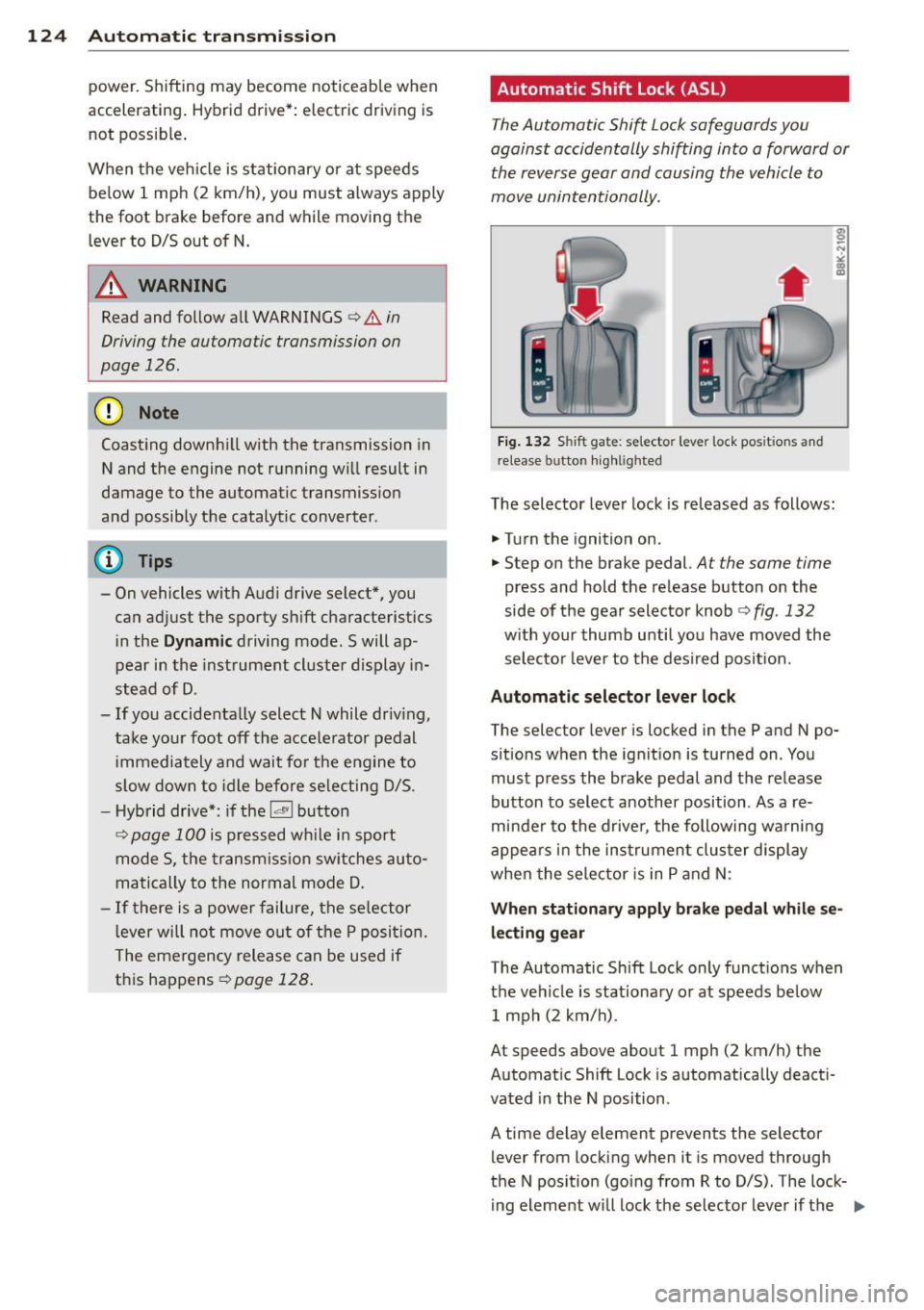
The Automatic Shift Lock safeguards you
against accidentally shifting into a forward or
the reverse gear and causing the vehicle to
move unintentionally.
Fi g. 1 32 Shift gat e: selecto r lever lock pos it io n s and
r elease button highl ig h ted
The selector lever lock is released as follows :
.... Turn the ignition on.
.,.. Step on the brake pedal.
At the same time
press and hold the re lease button on the
side of the gear selector knob
c:> fig . 132
w ith your thumb until yo u have moved the
selecto r leve r to the desi red posit ion.
Automatic selector leve r lock
The selector lever is locked in the P and N po
s itions w hen the ign ition is turned on . You
must p ress the brake pedal and t he release
button to select another position . As a re
minde r to the drive r, the following wa rni ng
appea rs in t he instrumen t clus ter di splay
when the selector is in P and N:
When stationar y apply brak e pedal while se
lecting gear
The Automatic Shift Lock only funct ions when
t h e ve hicle is stationary or at speeds be low
1 mph (2 km/h) .
At speeds above about 1 mph (2 km/h) the
Automat ic Shift Lock is automatically deact i
vated in the N position .
A time delay element prevents the selector lever from locking when it is moved through
the N pos ition (going from R to D/S) . The lock
ing element w ill lock the selector lever if t he
Ill>
Page 127 of 316
lever is left in N (Neutral) for more than ap
proximately 1 second, without the brake ped
a l being pressed.
Release button
The release button on the selector lever pre
vents the lever from being accidentally shifted
into certain positions. Pressing this button de
activates the selector lever lock. Depending
on the direction of the shift, the selector lever
locks at different positions. The positions are
highlighted in the illustration ¢
fig. 132.
Ignition key safety interlock
The key cannot be removed from the ignition
un less the se lector lever is in the P park posi
tion . When the ign ition key is removed, the
selector lever will be locked in the P position.
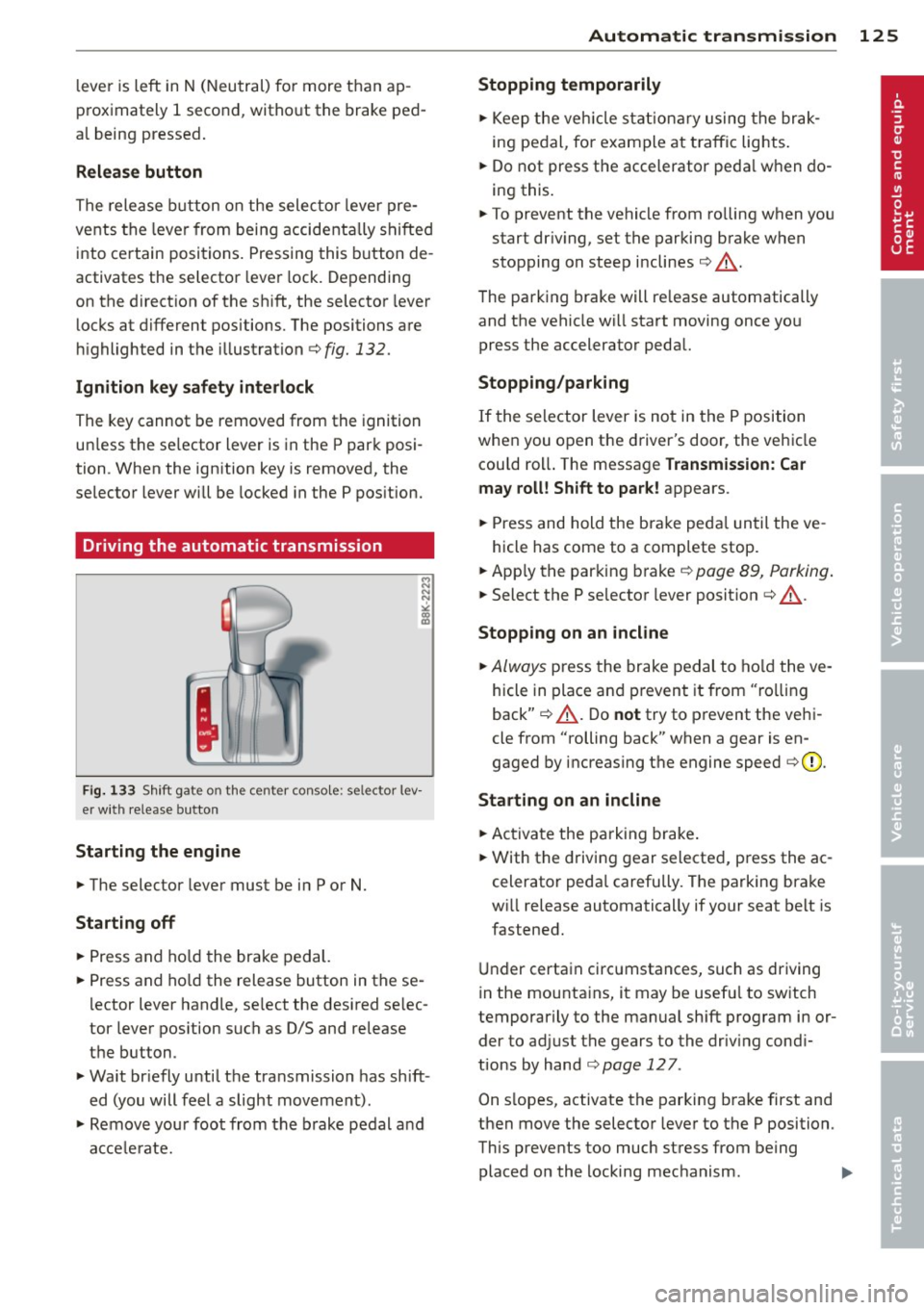
Driving the automatic transmission
Fig. 133 Shift gate on th e center conso le: se lector lev
er with release button
Starting the engine
... The selector lever must be in P or N.
Starting off
... Press and hold the brake pedal.
... Press and hold the release button in these
lector lever handle, select the desired se lec
tor lever position such as
0/5 and release
the button.
... Wait briefly until the transmission has shift
ed (you will feel a slight movement).
... Remove your foot from the brake pedal and
accelerate.
Automatic transmission 125
Stopping temporarily
... Keep the vehicle stationary using the brak
ing pedal, for example at traffic lights .
... Do not press the accelerator pedal when do
ing this.
... To prevent the vehicle from rolling when you
start dr iv ing, set the parking brake when
stopping on steep inclines¢.&_ .
The parking brake will re lease automatically
and the vehicle w ill start moving once you
press the accelerator pedal.
Stopping/parking
If the selector lever is not in the P position
when you open the driver's door, the vehicle
cou ld roll. The message
Transmission: Car
may roll! Shift to park!
appears .
... Press and hold the brake peda l until the ve -
hicle has come to a complete stop .
... App ly the parking brake¢
page 89, Parking .
... Select the P selector lever position ¢ .&_ .
Stopping on an incline
... Always press the brake pedal to hold the ve
hicle in place and prevent it from "rolling
back" ¢.&_ . Do
not try to prevent the vehi
cle from "rolling back" when a gear is en
gaged by increasing the engine speed ¢0.
Starting on an incline
... Activate the parking brake.
... With the driving gear selected, press the ac
celerator pedal carefully . The parking brake
wi ll release automatically if your seat belt is
fastened .
Under certain circumstances, such as driving
in the mounta ins, it may be usefu l to sw itch
temporarily to the manual sh ift program in or
der to adjust the gears to the driv ing cond i
tions by hand
¢ page 127 .
On s lopes, activate the parking brake first and
then move the selector lever to the P position.
This prevents too much stress from being
placed on the locking mechanism . .,,.