ignition AUDI Q5 2015 User Guide
[x] Cancel search | Manufacturer: AUDI, Model Year: 2015, Model line: Q5, Model: AUDI Q5 2015Pages: 302, PDF Size: 75.01 MB
Page 24 of 302
Drive r in formation syste m
Service interval display
The service interval display reminds you when
your next service is due.
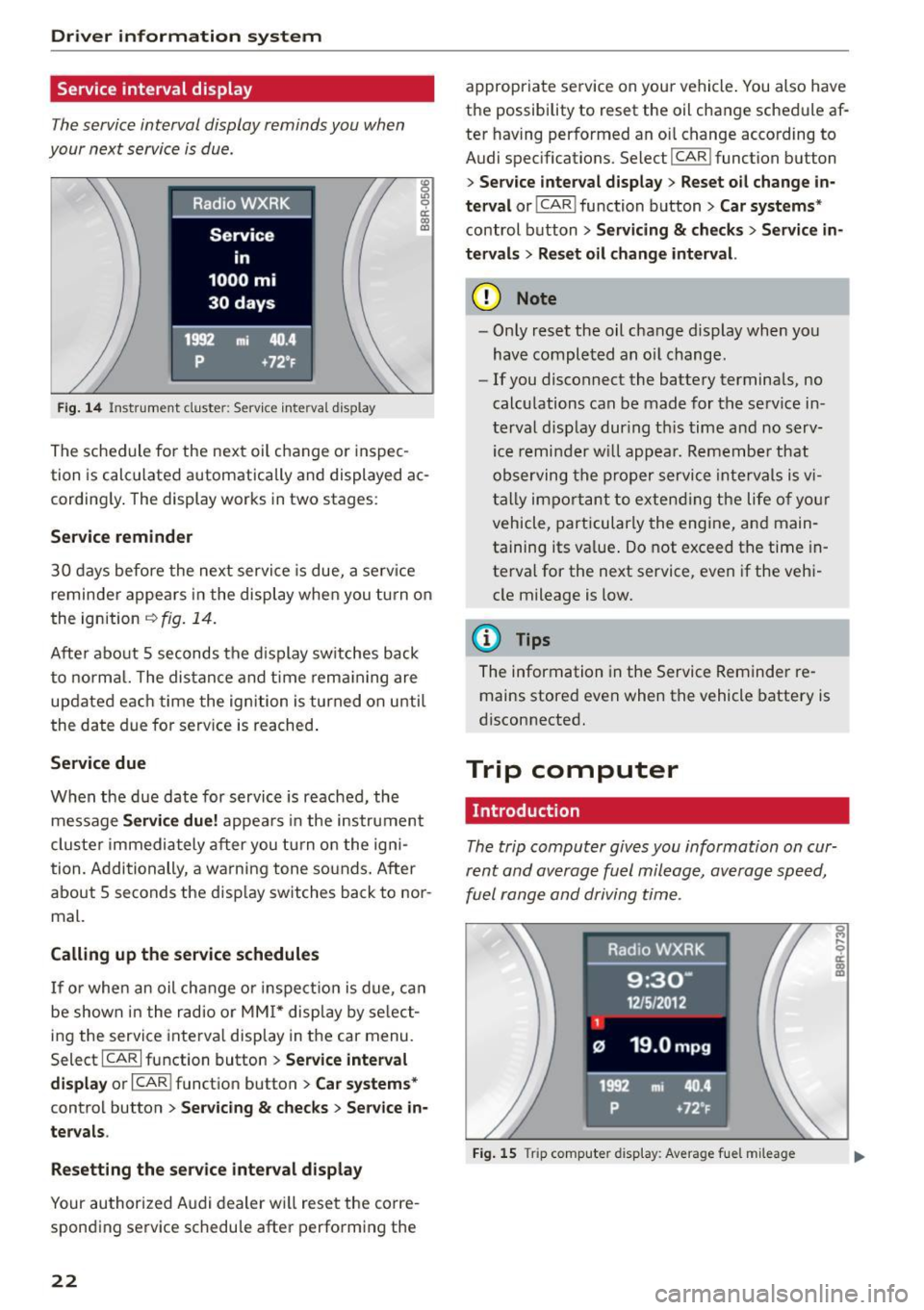
Fig . 14 Instrument cluste r: Serv ice inte rva l display
The sched ule for the next oil change or inspec
tion is calculated automatically and displayed ac cording ly . The display works in two stages :
Service remind er
30 days before the next service is due, a serv ice
reminder appea rs in the display when you tu rn on
the ignition
i=:> fig. 14.
Afte r about 5 seconds the d isplay switches back
to normal. The dis tance and time rema ining are
updated each time the ignition is turned on unti l
the date due for serv ice is reached .
Service due
When the due date for service is reached, the
message
Ser vice d ue! appears in the instrument
cluste r immediately after you tu rn on the igni
tion. Additionally, a warning tone so unds. After
about 5 seconds the disp lay switches back to nor
mal.
Calling up the service schedule s
If or when an oil change o r inspection is due, ca n
be shown in the radio or
MM I* display by se lect
ing the service interva l display in the car menu.
Select ICARI function button
> Se rvice inte rv a l
di spl ay
or I CAR I function button > C ar sys tems*
control button > Serv icin g & check s > Ser vic e in
ter val s.
Res etting the ser vice int erv al display
Your authorized Audi dealer wi ll reset the corre
sponding service schedu le after performing the
22
appropriate service on your vehicle . You also have
the possibility to reset the oil change schedule af
ter having performed an oi l change according to
Audi spec ifications. Select
I CAR I function button
> S er vice inter val di spla y> Reset o il change in
ter val
or! CAR I function button> Ca r sy ste ms *
control button > Ser vicing & check s > Service in
t e rv al s
> Reset oil change int erval.
(D Note
- Only reset the oil change display when you
have completed an oil change .
-If you disconnect the battery terminals, no
calculations can be made for the serv ice in
terval disp lay dur ing th is time and no serv
ice remi nder w ill appea r. Remember that
observing the proper service intervals is v i
tally important to extend ing the life of yo ur
vehicle, particularly the engine, and main
ta ining its value . Do not exceed the time in
terval for the next service, even if the veh i
cle mileage is low.
(D Tips
The information in the Service Reminder re mains stored even when the vehicle battery is
disconnected.
Trip computer
Introduction
The trip computer gives you information on cur
rent and average fuel mileage , average speed,
fuel range and driving time .
Fig. 15 Trip computer d isp lay: Average fue l m ileage
Page 25 of 302

M N
co
a:
co
,...., \!) 1.1'1
N 1.1'1 ,....,
The following information is continuo usly evalu
ated by the trip computer and can be displayed
seq uent ia lly in the instrument cl uster display:
Fue l range
The estimated cruising range in m iles (km) ap
pears in t he disp lay . This te lls you how fa r your
vehicle wi ll be able to travel on the current tank
of fuel and with the same driving style. The dis
p lay changes in increments of 5 mi les (10 km) .
Average fuel mileage
The average fue l economy in M PG (l/ 100 km)
since yo u last cleared the memory appears in this
disp lay . You can use this display to adjust your
driving technique to achieve a desired mileage .
Current fuel mileage
The instantaneous fuel consumption in miles per
ga llon (l/100 km) is shown in this display . Yo u
can use th is disp lay to adjust your d riving techni
q ue to achieve a desi red mileage .
F ue l consumption is reca lcula ted at interva ls of
33 yards (30 meters). This d isplay switches to
ga llons/ho ur (lite rs/hour) when the vehicle is not
moving.
Average speed
The average speed in mph (km/h) since the last
time the display was reset appears in the display.
Elapsed time
T he length of time that you have been driving
since you last reset the memory appears in this
d isp lay .
Distance
The distance that has been covered s ince the last
t ime the memory was cleared appears in the dis
p lay .
@ Tips
-Fuel consumptions (average and current),
range and speed are disp layed in metric
units on Canadian models .
- All stored va lues w ill be lost if the veh icle
battery is disconnected.
Dri ver information s ystem
Memories
The trip computer is equipped with two fully au
tomatic memories as well as an efficiency pro
gram* .
Fig. 1 6 Trip comput er dis play: m emory lev el 1
You can switch between the trip computer 1 and
2 and the effici ency program* by pressing the
I RESET I button @ c> page 24, fig. 17 .
You can tell wh ich memory leve l is cu rrently ac
t ive by the number or the sign in the display
c> fig. 16. The data from the single-trip memory
(memory level 1) is being displayed if a
D ap
pears in the display. If a fJ is shown, then the da
ta from the total-trip memory is being d isplayed
(memory level 2) . The fue l pump nozzle
iii ind i
cates the eff ic iency p rog ram *
c> page 25 .
Single-trip memory (Trip compute r 1)
The sing le-tr ip memory stores the tr ip info rma
t ion from the time the ignition is turned on until
i t is turned off . If the trip is continued
within 2
hours
from the t ime the ignition was turned off,
the new data will be included in the calcu lation of
t h e curren t trip informat io n. If the trip is inter
rupted for
more than 2 hour s the memory is re
set automatically .
Total-trip memory (Trip computer 2)
Unlike the single-tr ip memo ry, the total-trip
memo ry is not reset automat ica lly. This permits
you to eva luate yo ur dr iv ing da ta fo r the ent ire
per iod between m anual resets.
Efficiency program*
T he efficiency program ca n he lp you to use less
fuel
c> page 25 .
23
Page 26 of 302
Driver information system
Operation
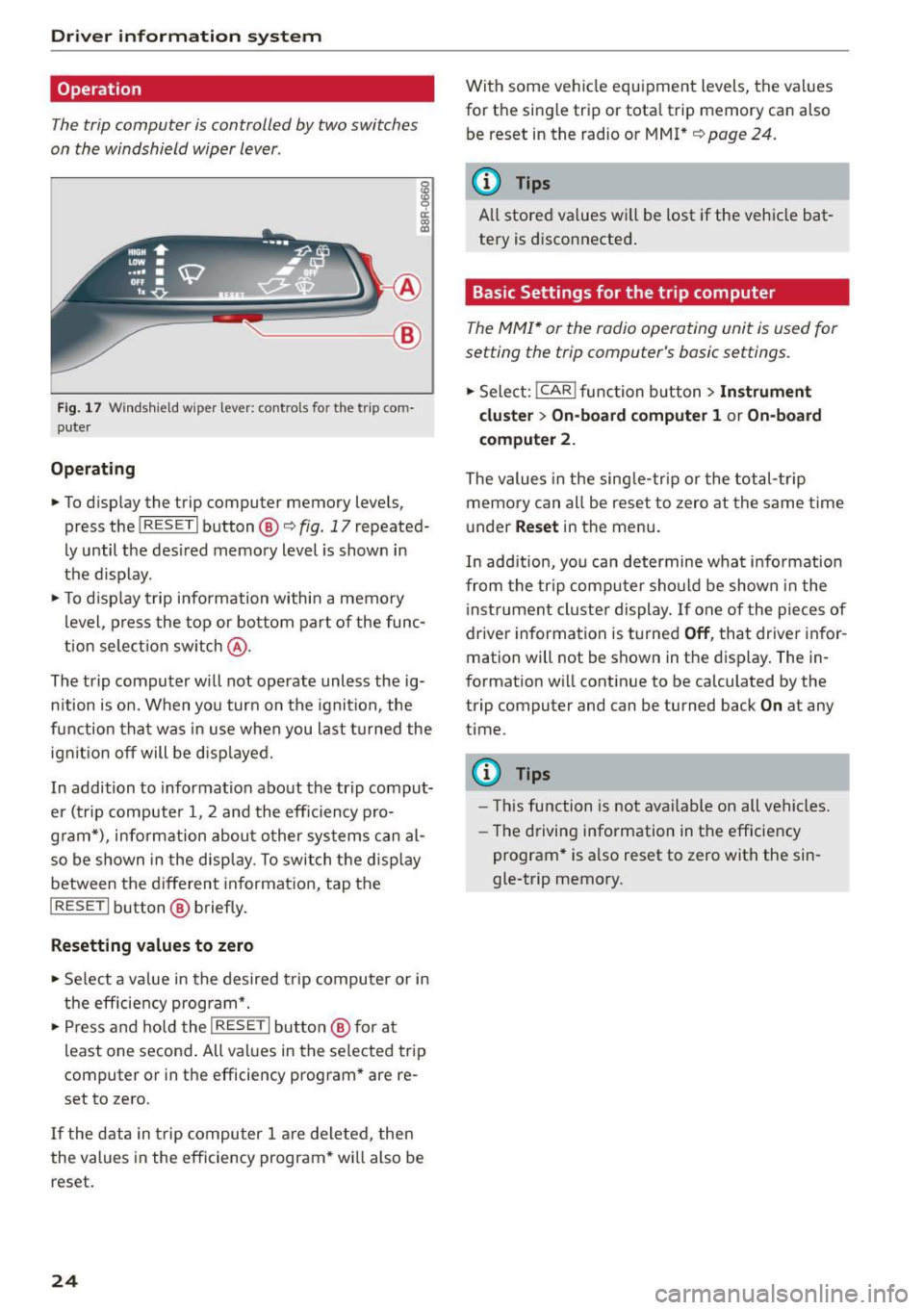
The trip computer is controlled by two switches
on the windshield wiper lever.
g
~ a: (0 a,
~-- @
Fig. 17 Windshield w iper lever: controls fo r the trip co m
puter
Operating
.. To display the trip computer memory levels,
press the
I RESET I button ®<=> fig. 17 repeated·
Ly until the desired memory level is shown in
the display.
.. To display trip information within a memory
level , press the top or bottom part of the func
tion selection switch @.
The trip computer will not operate unless the ig·
nition is on. When you turn on the ignition , the
f unc tion that was in use when you last turned the
ignit ion off will be displayed.
In addition to information about the trip comput
er (trip computer 1, 2 and the efficiency pro
g ram*), information about other systems can al
so be shown in the display. To switch the display
between the different information, tap the
I RESET I button® briefly.
Resetting values to zero
.. Select a value in the desired trip computer or in
the efficiency program* .
.,. Press and hold the
I RESE T I button @ for at
least one second. All values in the selected trip
computer or in the efficiency program* are re
set to zero .
If the data in trip computer 1 are deleted, then
the values in the efficiency program * wi ll also be
reset.
24
With some vehicle equipment levels, the values
for the single trip or tota l trip memory can also
be reset in the radio or MMI*
¢page 24.
(D Tips
All stored values wi ll be lost if the vehicle bat
tery is disconnected.
Basic Settings for the trip computer
The MMI* or the radio operating unit is used for
setting the trip computer's basic settings .
.. Select: !CAR ! function button > Instrument
cluster > On-board computer 1
or On-board
computer
2.
The values in the single-trip or the total-trip
memory can all be reset to zero at the same time
under
Reset in the menu.
In add ition, you can determine wha t infor mation
from the trip computer should be shown in the
i nst rument cluster display. If one of the pieces of
driver information is turned
Off, that driver infor
mation will not be shown in the display. The in
formation will continue to be calculated by the
trip computer and can be turned back
On at any
time .
(D Tips
-Th is function is not available on all vehicles.
- Th e driving information in the efficiency
program* is also reset to zero with the sin
gle-trip memory.
Page 27 of 302

M N
co ~ co
rl I.O
"' N
"' rl
Efficiency program
Description
Applies to vehicles: with efficiency program
Fig. 18 Display : efficiency program
" Press the I RESET I button @¢ page 24, fig. 17
repeatedly until the efficiency program appears
in the d isplay.
The efficiency program can help you to use less
fuel. It evaluates driving information in reference
to fuel consumption and shows other equipment in fluencing consumption. Fuel economy messag
es¢
page 25 provide t ips fo r eff icient driving.
The efficiency program uses distance and con
sumption data from trip computer
1. If the data
are deleted in the efficiency program, those val
ues are also reset in trip computer
1.
Other equipment
A ppl ies to vehicles: with efficiency program
Fig. 19 Display: other equ ipment
" In the efficiency program, press the function
selection switch¢
page 24, fig. 17@ repeat
edly until the other equipment appears in the
display.
Dri ver information system
Other equipment that is currently affecting fuel
consumption is listed in the efficiency program.
The display shows up to three other items of
equipment @. The equipment using the most
fuel is listed first. If more than three items using
fuel are switched on, the equipment that is cur rently using the most fuel is displayed.
A scale @also shows the current total consump
tion of all other equipment.
Fuel economy messages
Applies to vehicles: wit h efficiency program
Fig. 20 Display: fuel economy message
Fuel economy messages are displayed when fue l
consumption is increased by certain conditions. If
you follow these fuel economy messages, you can reduce your vehicle's consumption of fuel. The
messages appear automatically and are only dis
played in the efficiency program . The fuel econo
my messages turn off automatically after a cer
tain period of time.
" To turn a fuel economy message off immediate
ly after it appears, press the
I RESET ! button
¢ page 24, fig. 17@, or
" Press the func tion select io n switch ¢
page 24,
fig. 17@.
(D Tips
-Once you have turned a fuel economy mes
sage off, it will only appear again after you
turn the ignition on again.
- T he fuel economy messages are not dis
played in every instance, but rather in inter
vals over a period of time .
25
Page 28 of 302
Driver information system
On Board Diagnostic
System (OBD)
Malfunction Indicator Lamp (MIL)
The Malfunction Indicator Lamp (MIL) ¢• in the
instrument cluster
c:::> page 14, fig. 8 is part of the
On-Board Diagnostic (OBD II) system.
The warning/indicator light i lluminates when the
ignition is switched on and goes out after the en
gine starts and the idle has stabilized. This indi
cates that the MIL is working properly.
If the light does not go out after the engine is
started, or illuminates while you are driving, a
malfunction may exist in the engine system. If
the light illuminates, the catalytic converter
could be damaged.
Continue driving
with reduced power (avoiding
sustained high speeds and/or rapid acce lerations)
and have the condition corrected. Contact your
authorized Audi dealer.
I f the light illuminates, the electronic speed lim
iter may also be malfunctioning. For more infor
mation
c::> page 26, Electronic speed limiter.
An improperly closed fuel filler cap may also
cause the MIL light to illuminate (only vehicles
with gasoline engine)
c:::> page 216.
On-Board Diagnostics
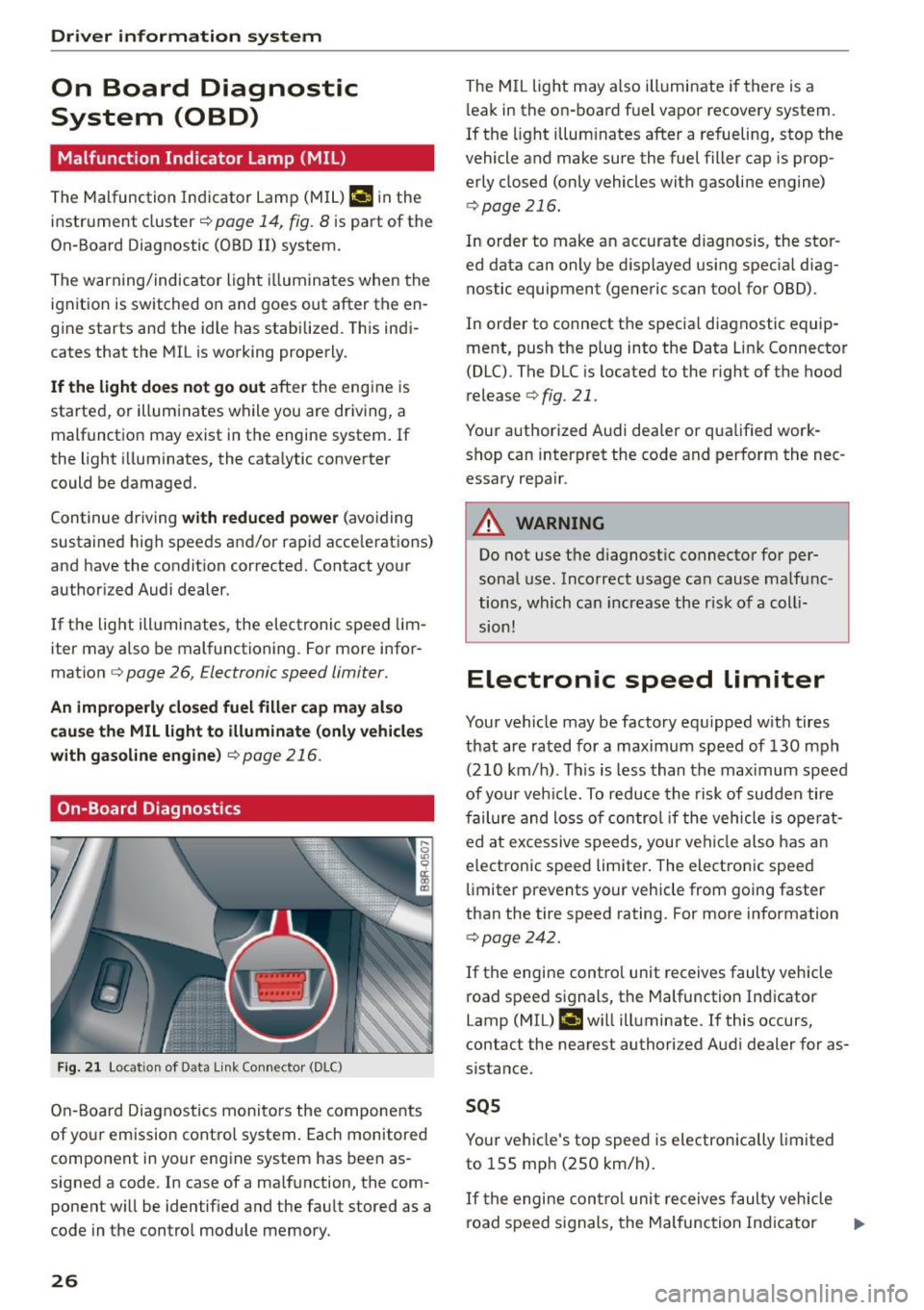
F ig . 21 Locat ion of Data link Connector (DLC)
On-Board Diagnostics monitors the components
of yo ur emission control system. Each monitored
component in your engine system has been as
signed a code . In case of a malfunction, the com
ponent will be identified and the fault stored as a
code in the control module memory.
26
The MIL light may also illuminate if there is a
l eak in the on-board fuel vapor recovery system.
If the light illuminates after a refueling, stop the
vehicle and make sure the fuel filler cap is prop
erly closed (only vehicles with gasoline engine)
c::> page 216.
In order to make an accurate diagnosis, the stor
ed data can only be displayed using specia l diag
nostic equipment (generic scan tool for OBD).
In order to connect the specia l diagnostic equip
ment, push the plug into the Data Link Connector
(DLC) . The DLC is located to the right of the hood
release
c::> fig. 21.
Your authorized Audi dealer or qualified work shop can interpret the code and perform the nec
essary repair .
A WARNING
Do not use the diagnostic connector for per
sonal use. Incorrect usage can cause malfunc
tions, which can increase the r isk of a coll i
sion!
Electronic speed limiter
Your vehicle may be factory equ ipped with tires
that are rated for a maximum speed of 130 mph
(210 km/h) . Th is is less than the max imum speed
of your veh icle. To reduce the risk of sudden tire
failure and loss of control if the vehicle is ope rat
ed at excessive speeds, your vehicle also has an
electronic speed limiter . The electronic speed
limiter prevents your vehicle from going faster
than the tire speed rating. For more information
c::> page 242.
If the engine contro l unit receives faulty vehicle
road speed signals, the Malfunction Indicator
Lamp (MIL) ¢•will illuminate. If this occurs,
contact the nearest authorized Audi dealer for as
sistance.
SQS
Your vehicle's top speed is electronically limited
to 155 mph (250 km/h).
If the engine contro l unit receives faulty vehicle
road speed s ignals, the Malfunction Ind icator ..,_
Page 29 of 302
M N
co ~ co
rl I.O
"' N
"' rl
Lamp (MIL) ¢..ffi will il luminate. If this occurs,
contact the nea rest authorized Audi dea ler for as
sistance.
.&_ WARNING
Always observe the posted speed limits and adjust your speed to suit prevailing road, traf
fic and weather cond it ions . Never drive your
vehicle faster than the maximum speed rating
of the tires installed .
Auto Check Control
Introduction
The Auto-Check control monitors the function of
certain vehicle features and components .
It sim
ply makes sure these features and components
are working properly . The Auto-Check control
works as long as the ignition is on, as well as
whenever the veh icle is driven .
-
If a component is malfunctioning or if the need
for an urgent repair has been detected, this will appear in the instrument cluster display . You w ill
also hear an audible warning tone . The displays
are color coded in either red or ye llow depending
on their level of prior ity.
A red symbol means
Danger , a yellow symbol in
dicates
Warning . In certain situations, informa
tion message for the dr iver appear in addition to
the red and yellow symbols.
Note about automatic transmission
The Auto-Check Control will automat ically per
form a test each time you switch o n the ignition .
With the selector lever in P or N, the following
message appears in the display :
When stationary apply brake pedal while select
ing gear
When you select a different gear (for example: R,
D, etc.), the message will disappear and the Au
to -Check function is d isplayed.
If there is a malfunction, then the malfunction
message will appear about 15 seconds after you
start the vehicle. At the same time you will hear a
warning tone.
Dri ver information system
Dr iver information messages
Driver information messages are shown in the in
strument cluster display in addition to symbols .
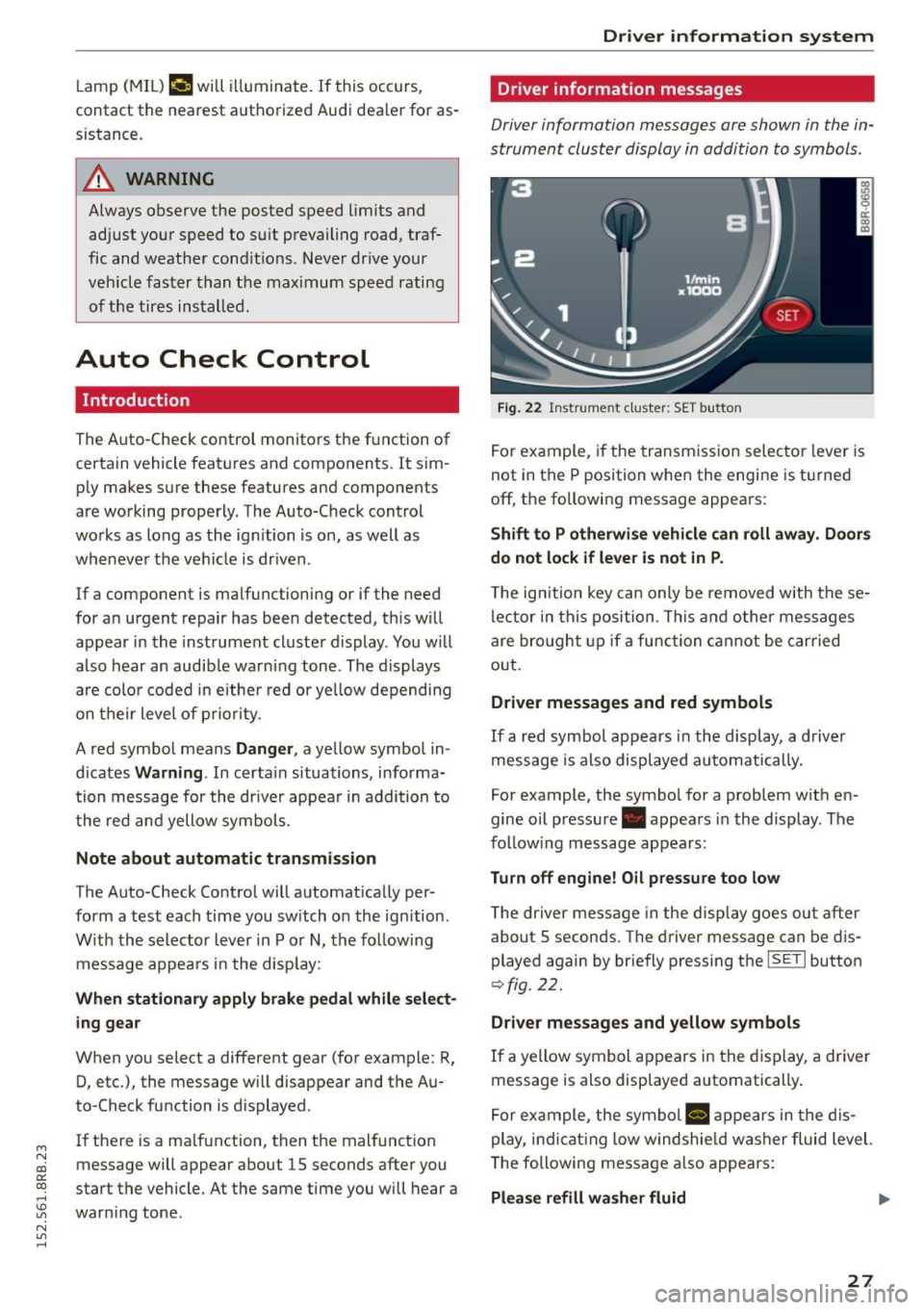
Fig. 22 Inst rume nt clust er: SET button
For example, if the transmission selector lever is
not in the P position when the engine is turned
off, the following message appears :
Shift to P otherwise vehicle can roll away. Doors
do not lock if lever is not in P .
The ign ition key can only be removed w ith these
lector in this position . This and other messages
are bro ught up if a function cannot be carried
out .
Driver messages and red symbols
If a red symbol appears in the display, a driver
message is also displayed automatically.
For example, the symbol for a problem w ith en
gine oil pressure . appears in the display . The
fo llow ing message appears:
Turn off engine! O il pressure too low
T he driver message in the display goes out after
about S seconds . The dr iver message can be dis
played again by briefly press ing the
ISETI button
9 fig . 22.
Driver messages and yellow symbols
If a yellow symbol appears in the display, a driver
message is also displayed automatically .
For example, the symbol
Ill appears in the dis
play, indicat ing low windshie ld washer fluid level.
The following message also appears :
Please refill washer fluid ..,_
27
Page 32 of 302
Driver information system
CJ) Note
Do not continue driving if the. symbo l ill u
m inates. There is a malfunct ion in the engine
cooling system -you could damage your en
gine.
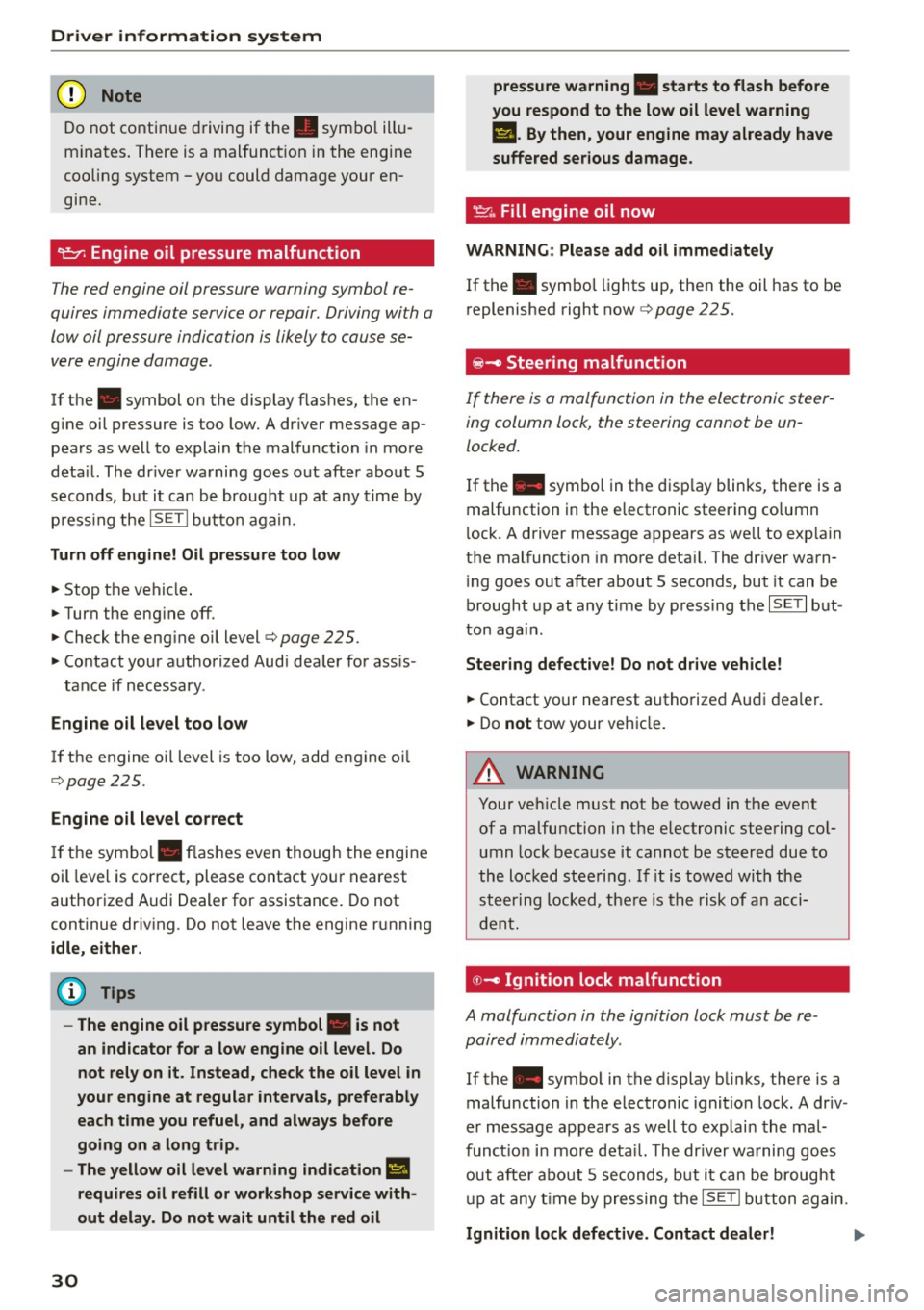
9=:;r: Engine oil pressure malfunction
The red engine oil pressure warning symbol re
quires immediate service or repair. Driving with a
low oil pressure indication is likely to cause se
vere engine damage .
If the . symbol on the display flashes, the en
g ine oil pressure is too low. A driver message ap
pears as well to explain the malfunction in more
deta il. The dr iver warning goes out after about 5
seconds, but it can be brought up at any time by
p ress ing the
ISETI but to n again.
Turn off engine! Oil pressure too low
• Stop the vehicle .
• Turn the eng ine off .
• Check the eng ine oil level
c::, page 225.
• Contact your authorized Audi dealer for ass is -
tance if necessary.
Engine oil level too low
If the engine o il level is too low, add engine oi l
c::, page 225.
Engine oil level correct
If the symbol . flashes even though the engine
oil level is correct, please contact your nearest
authorized Audi Dealer for assistance. Do not
continue driving . Do not leave the engine running
idle, either.
(D Tips
- The engine oil pressure symbol. is not
an indicator for a low engine oil level. Do
not rely on it. Instead, check the oil level in
your engine at regular intervals, preferably each time you refuel, and always before
going on a long trip.
- The yellow oil level warning indication
Ill
requires oil refill or workshop service with
out delay. Do not wait until the red oil
30
pressure warning • starts to flash before
you respond to the low oil level warning
II. By then, your engine may already have
suffered serious damage.
~ ... Fill engine oil now
WARNING: Please add oil immediately
If the . symbol lights up , then the oil has to be
replenished right now
c::, page 225.
@-Steering malfunction
If there is a malfunction in the electronic steer
ing column lock, the steering cannot be un
locked.
If the . symbol in th e disp lay blinks, there is a
malfunction in the electronic steering co lumn
l ock. A driver message appears as well to exp lain
the malfunct ion in more deta il. The dr iver warn
i ng goes out after about 5 seconds, but it can be
brought up at any time by pressing the
ISE TI but
ton again .
Steering defective! Do not drive vehicle!
• Contact your nearest authorized Audi dealer.
• Do
not tow your vehicle .
A WARNING
Your vehicle must not be towed in the event
of a malfunction in the electronic steering co l
umn lock because it cannot be steered due to
the locked steering. If it is towed with the
steering locked, there is the risk of an acci
dent.
© -Ignition lock malfunct ion
A malfunction in the ignition lock must be re
paired immediately.
If the . symbo l in the display blinks, there is a
malfunction in the electronic ignition lock. A driv
er message appears as well to explai n the mal
funct ion in more deta il. The driver warning goes
out after about 5 seconds, but it can be brought
up at any time by pressing the
ISETI button again.
Ignition lock defective. Contact dealer! ll-
Page 33 of 302
M N
co
a:
co
,...., \!) 1.1'1
N 1.1'1 ,....,
~ Do not turn the engine off.
~ Drive immediately to an authorized Audi dealer
to have the malfunction corrected .
If there is a malfunction in the e lectronic ignition
l ock, the ignition cannot be turned off . Drive im
mediately to an authorized service facility to have
the cause of the ma lfunction corrected.
On vehicles with Convenience key*, the engine
should not be switched off using the Start/Stop
button because the engine cannot be started
again after the ignition has been switched off.
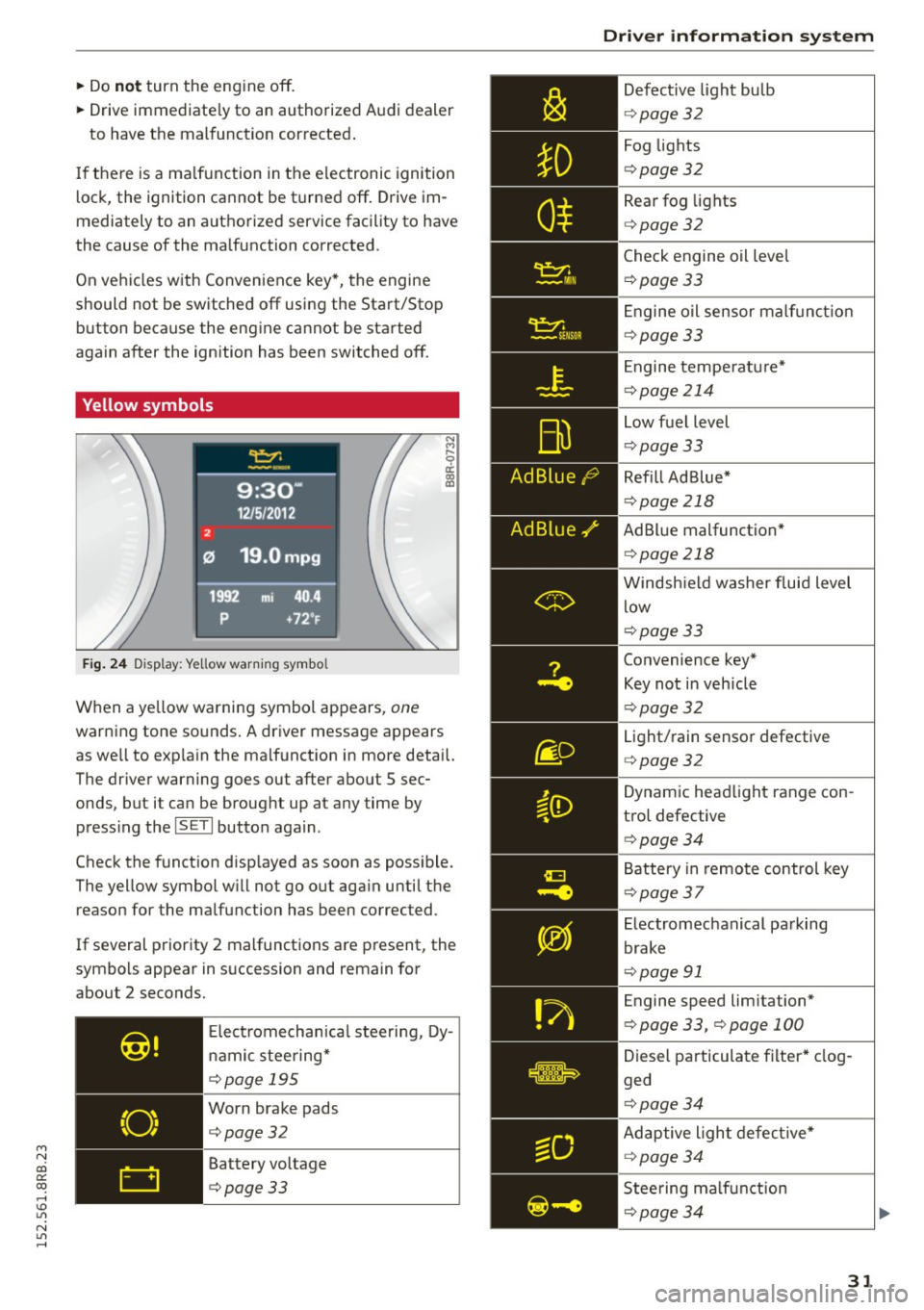
Yellow symbols
Fig. 24 Display: Ye llow warn ing symbo l
N M
9 a: a, a,
When a ye llow warning symbol appears, one
warning tone so unds . A driver message appears
as we ll to exp la in the malf unction in more detail.
The driver warning goes out after about S sec
onds, but it can be brought up at any time by press ing t he
ISETI button again.
Check the function d isp layed as soon as possible.
The yellow symbol w ill not go out aga in until the
reason for the malfunction has been corrected.
If several priority 2 malfunctions are present, the
symbols appear in succession and remain for
about 2 seconds.
Elect rom echan ica l steering, Dy
namic steering*
¢page 195
Worn brake pads
¢page32
Battery voltage
¢page33
Driver information system
Defective light bulb
¢ page 32
Fog lights
¢page 32
Rear fog lights
¢page 32
Check engine oil leve l
¢page 33
Engine oil sensor malf unc tion
¢page 33
Engine temperature*
¢page 214
Low fuel level
¢page 33
Refill Ad Blue*
¢page 218
AdBlue malfunction *
¢page 218
Windshield washer fluid level
low
¢page 33
Convenience key*
Key not in veh icle
¢ page 32
Light/rain sensor defective
¢page 32
Dynamic headlight range con
trol defective
¢ page 34
Battery in remote control key
¢page 37
Electromechanical parking
brake
¢page 91
Engine speed lim itation*
¢ page 33, ¢page 100
Diesel particulate filter* clog
ged
¢ page 34
Adaptive light defective*
¢page 34
Steering malfunction
¢page 34
31
Page 34 of 302
Driver inform ation system
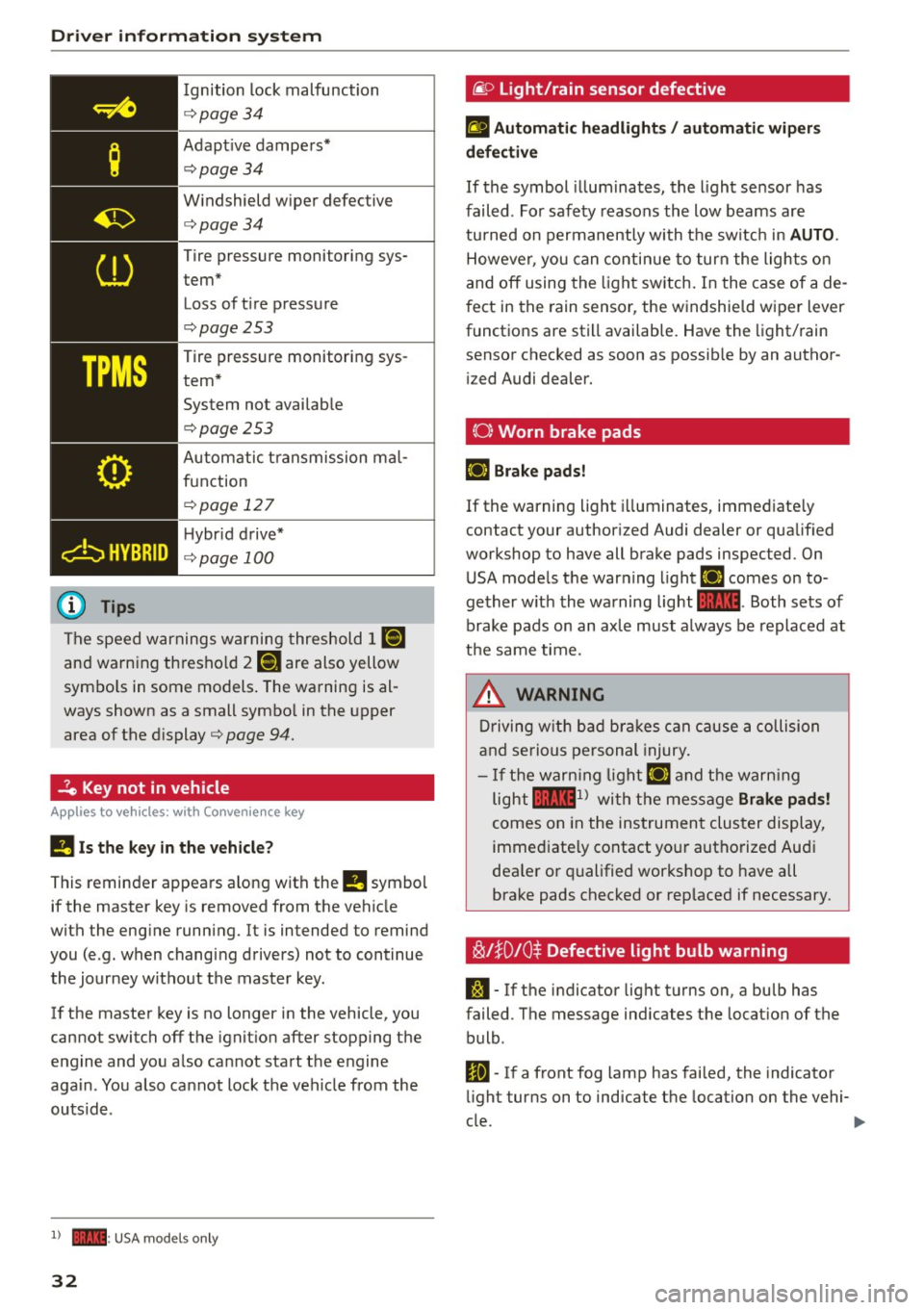
Ignition lock malfunction
<=>page 34
Adapt ive dampers*
c:> page 34
W indshield wiper defective
c:>page34
Tire pressure monitoring sys
tem*
Loss of t i re pressure
c:>page253
Tire pressure monitoring sys
tem* System not avai lab le
c:>page253
Automatic t ransmission ma l
function
c:> page 12 7
H ybr id drive*
<=> page 100
The speed warnings warning threshold J IIIIJ
and warning thresho ld 2 llH are also yellow
symbo ls in some models . The warning is al
ways shown as a small symbo l in the upper
area of the d isplay
c:> page 94.
-?e Key not in vehicle
Applies to veh icles: w ith Convenience key
II Is the key in the vehicle ?
This reminder appears along with the II symbol
if the master key is removed from the vehicle
with the eng ine running. It is intended to remind
you (e .g. when changing drivers) not to continue
the journey without the master key .
If the master key is no longer in the vehicle, you
cannot switch off the ignit ion after stopping the
e ngine and you a lso cannot start the engine
aga in . You also cannot lock the veh icle from the
outsid e.
l ) - : USA models only
32
@ Light/rain sensor defective
£1 Automati c he adlight s/ auto mati c wi per s
defective
If the symbol illum inates, the light sensor has
failed. For safety reasons the low beams are
tu rned on permanently with the sw itch in
AUTO .
However, you can contin ue to turn the lights on
and off using the light sw itch. In the case of a de
f ect in the rain sensor, the windshie ld wiper lever
functions are still available. Have the light/rain
sensor checked as soon as possib le by an author
i zed Audi dealer.
(0) Worn brake pads
E+J Brake pad s!
If the warning light i lluminates, immediate ly
contact your author ized Audi dealer or qualified
workshop to have all brake pads inspected. On
USA mode ls the warning light
E+J comes on to
gether w ith the warning light
1111 . Both sets of
brake pads on an axle must always be replaced at
t h e same time.
.&_ WARNING
Driving w ith bad bra kes can cause a collision
and serious personal injury.
- If the warn ing lig ht E+J and the warn ing
light
llll1l with the message Brake pad s!
comes on in the instrument cluster display,
immed iate ly contact yo ur authorized Aud i
dea le r or q ualified workshop to have all
brake pads checked or rep laced if necessary.
~l}D10$ Defective light bulb warning
S:1 -If the indicator light turns on, a bulb has
failed. The message indicates the location of the
bulb .
Im-If a front fog lamp has fai led, the indicator
li ght turns on to indicate the location on the vehi-
cle.
~
Page 36 of 302
Driver inform ation system
the dr iver information system . Keep in mind that
the engine speed will not exceed the va lue dis
p layed in the driver information system, for ex
ample when downshifting.
P lease go to an autho rized Audi dea le r or other
qualified workshop to have the malfunction re paired.
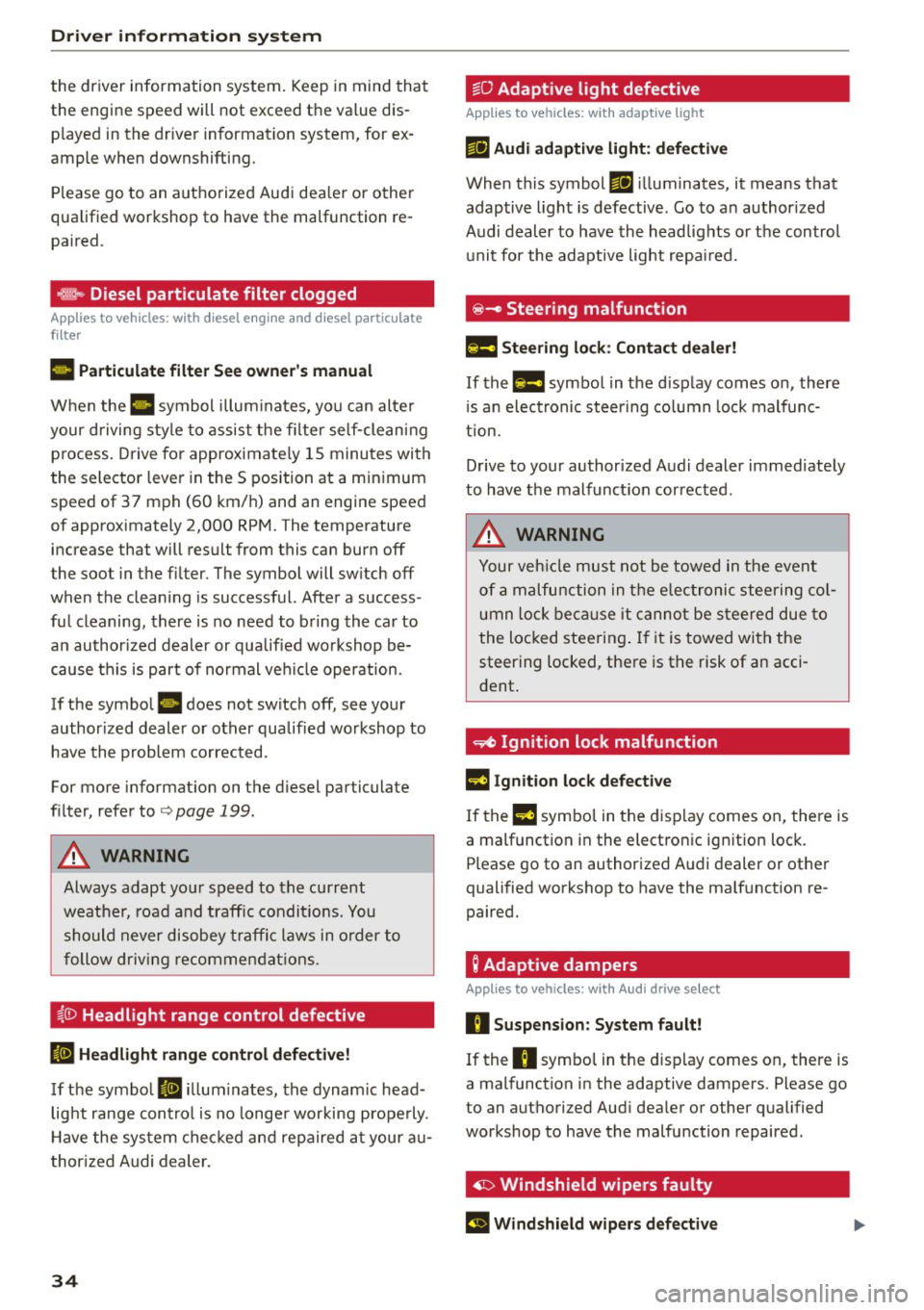
,m.. Diesel particulate filter clogged
Ap plies to veh icles: w ith diesel e ngi ne and d iesel pa rticu late
f ilt e r
II Particul ate filter Se e owne r's manu al
When the II symbol illum inates, you can alte r
your driving style to assist the fi lter self-clean ing
process . Drive for approximately 15 minu tes wi th
the selector lever in the S position at a minimum
speed of 37 mph (60 km/h) and an engine speed
of approximately 2,000 RPM. The temperature
increase that will result from this can burn off
the soot in the fi lter. The symbol will sw itch off
when the clean ing is successful. After a success
ful cleaning, there is no need to b ring the car to
an author ized deal er or qualified wo rkshop be
cause this is part of normal ve hicle operation.
If the symbo l
II does not switch off, see your
author ized dealer or other qualif ied wo rkshop to
have the problem corrected.
For more information on the d iesel particulate
fi lter, refer to
<=> page 199 .
A WARNING
Always adapt yo ur speed to the current
weather, road and traffic condit ions. You
should never disobey traffic laws in order to
follow driving recommendat ions.
~()) Headlight range control defective
II Headlight range contr ol d efec tiv e!
If the symbol II ill um inates, the dynam ic head
light range con trol is no longe r working prope rly .
H ave the system checked and repaired a t your au
thor ized Audi dealer.
34
~O Adaptive light defective
App lies to vehicles: wit h adaptive light
mil Audi adaptiv e light : defe ctiv e
When this symbol mil illuminates, it means that
adaptive light is defective. Go to an author ized
Audi dealer to have the headlig hts o r the control
unit for the adaptive light repa ired.
@ -Steering malfunction
El! Steering lock: Contact deal er!
If the El! symbol in the d isplay comes on, there
i s a n elect ronic steering co lumn lock malfunc
tion.
Drive to your authorized Audi dealer immed iately
to have the malfunct ion corrected.
A WARNING
Your veh icle must not be towed in the event
of a malfunction in the elec tronic steering co l
umn lock be ca u se it canno t be s teered due to
the locked steering . If it is towed with the
steering locked, there is the risk of an acci
dent .
~ Ignition lock malfunction
m Ignition lock defective
If the l3 symbo l in the d isplay comes on, there is
a malfunction i n the electronic ignition lock.
Please go to an authorized A udi dealer or other
qualified workshop to have the ma lf u nction re
paired.
; Adaptive dampers
App lies to vehicles: with Aud i drive se lect
R Suspension : Sy stem fault!
If the R symbo l in the disp lay comes on, there is
a mal function in the adaptive dampers. Please go
to an authorized Aud i dea ler or other qualified
workshop to have the malfunction repaired .
· ~ Windshield wipers faulty
El Windshield wipers d efective