steering AUDI Q5 2015 User Guide
[x] Cancel search | Manufacturer: AUDI, Model Year: 2015, Model line: Q5, Model: AUDI Q5 2015Pages: 302, PDF Size: 75.01 MB
Page 57 of 302
M N
co ~ co
rl I.O
"' N
"' rl
-your vehicle is being towed by a tow truck or
if you are towing another vehicle behind
you.
Turn signal and high beam lever
The lever on the le~ side of the steering column
is used to operate the turn signals and the high
beam as well as the headlight flasher.
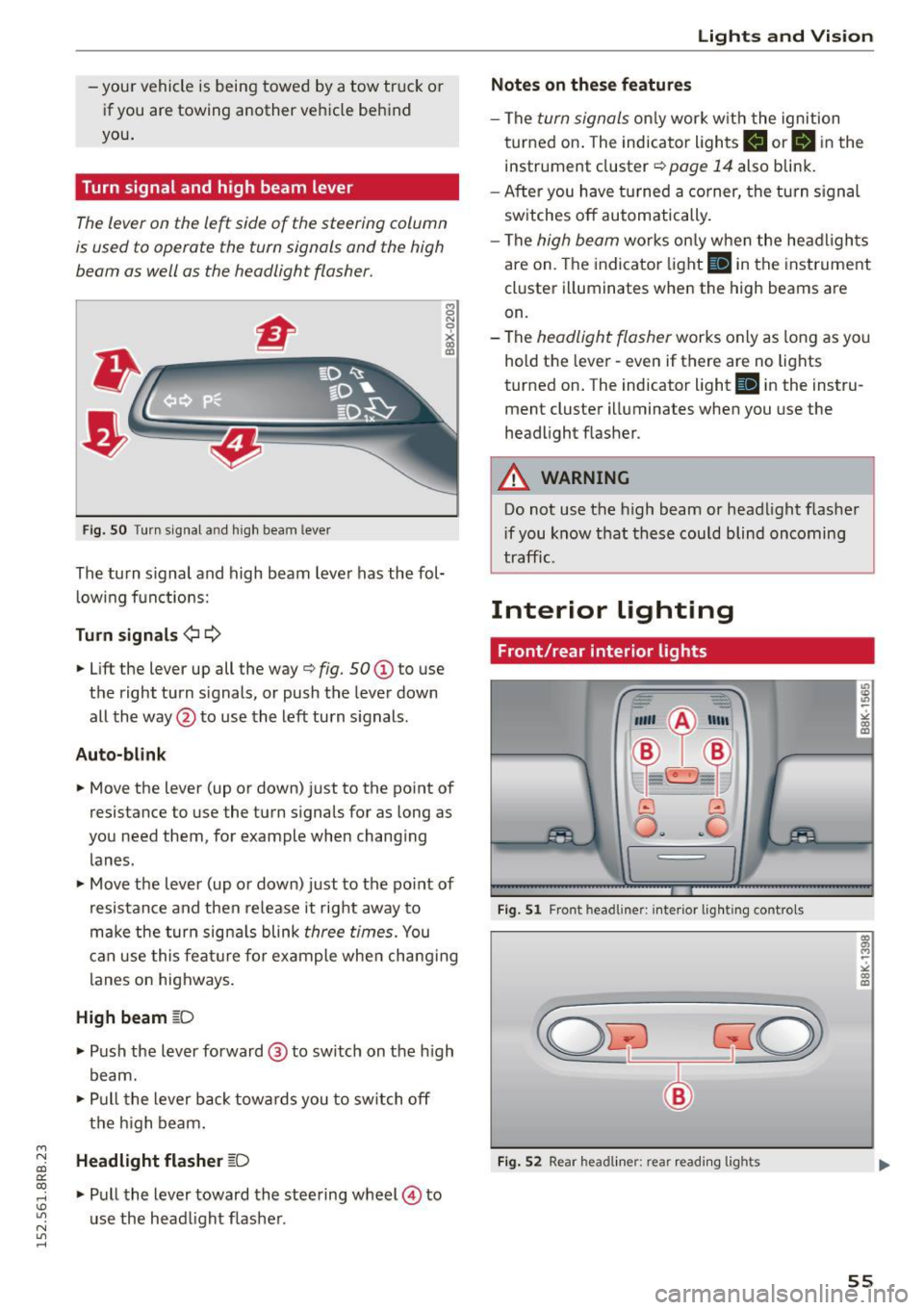
Fig. SO Turn s ignal a nd high beam lever
The turn s ignal and high beam lever has the fol·
lowing functions:
Turn signals ¢1 ¢
• Lift the lever up all the way o fig. 50 (D to use
the right turn s ignals, or push the lever down
all the way @to use the left turn signals .
Auto-blink
8 N
0
~ IXI
• Move the lever (up or down) just to the point of
resistance to use the turn signals for as long as
you need them, for example when changing
lanes.
• Move the lever (up or down) just to the point of
resistance and then release it right away to
make the turn signals blink
three times. You
can use this feature for example when changing
lanes on highways.
High beam gD
• Push the lever forward @ to switch on the high
beam.
• Pull the lever back towards you to switch off
the high beam.
Headlight flasher ~D
• Pull the lever toward the steering wheel@ to
use the head light flasher .
Lights and Vision
Notes on these features
-The turn signals only work w ith the ignition
turned on. The indicator lights
II orlll in the
instrument cluster
o page 14 also blink.
- After you have turned a corner, the turn signal
switches off automatically.
- The
high beam works only when the headlights
are on. The indicator light
SI in the instrument
cluster illuminates when the high beams are
on.
- The
headlight flasher works only as long as you
hold the lever· even if there are no lights
turned on. The indicator light
SI in the instru
ment cluster illuminates when you use the
headlight flasher .
A WARNING
-Do not use the high beam or headlight flasher
i f you know that these could blind oncoming
traffic.
Interior lighting
Front/rear interior lights
_. --=:.
I-~~
._ -- v
8 G
o .. .. c
l
Fig. Sl Front headline r: inter ior lighting controls
Fig. S2 Rear headliner : rea r read ing lig h ts
55
Page 65 of 302

M N
co
a:
co
,...., \!) 1.1'1
N 1.1'1 ,....,
Seats and storage
General information
Why is your seat adjustment so important?
The safety belts and the airbag system can only
provide maximum protection if the front seats are correctly adjusted .
There are various ways of adjusting the front
seats to provide safe and comfortable support
for the driver and the front passenger . Adjust
your seat properly so that:
- you can easily and quickly reach all the switches
and controls in the instrument panel
- your body is properly supported thus reducing
physical stress and fatigue
- the safety belts and a irbag system can offer
maximum protection
¢ page 152.
In the following sections, you will see exactly
how you can best adjust your seats.
There are special regulations and instructions for installing a child safety seat on the front pas
senger's seat . Always follow the information re
garding child safety provided in¢
page 172,
Child safety.
A WARNING
Incorrect seating position of the dr iver and all
other passengers can result in serious person
al injury.
- Always keep your feet on the floor when the
vehicle is in motion - never put your feet on
top of the instrument panel, out of the win
dow or on top of the seat cushion. This ap
plies especially to the passengers. If your
seating pos it ion is inco rrect, you increase
the risk of injury in the case of sudden brak
ing or an accident. If the airbag inflates and
the seating position is incorrect, this could
result in personal injury or even death.
- It is important for both the driver and front
passenger to keep a distance of at least
10 inches (25 cm) between themse lves and
the steering wheel and/or instrument panel. If you're sitting any closer than th is, the a ir
bag system cannot protect you properly. In
S eat s and stor age
addit ion, the front seats and head restraints
must be adjusted to your body height so
that they can give you maximum protection.
- Always try to keep as much distance as pos
sible between yourself and the steer ing
wheel or instrument panel.
- Do not adjust the driver's or front passeng er's seat while the veh icle is moving. Your
seat may move unexpectedly, causing sud
den loss of vehicle control and personal in
jury . If you adjust your seat while the vehicle
is moving, you a re out of position .
Driver's seat
The correct seat position is important for safe
and relaxed driving.
We recommend that you adjust the dr iver's seat
in the following manner:
.,. Adjust the seat in fore and aft direction so that
you can eas ily push the pedals to the floor
while keeping your knees slightly bent¢
A in
Why is your seat adjustment so important? on
page 63 .
.,. Adjust the seatback so that when you sit with
your back against the seatback , you can still
grasp the top of the steering wheel.
.,. Ad just the head rest ra int so the upper edge is
as even as possib le with the top o f your head.
If
that is not possible, try to adj ust the head re
straint so that it is as close to this position as possible ¢
page 67.
A WARNING
-~
Never place any objects in the dr iver 's foot-
well . An object could get into the pedal area
and inte rfe re with pedal funct ion . In case of
sudden braking or an acc ident, you would not
be ab le to brake or accelerate.
Front passenger's seat
Always move the front passenger seat into the
rearmost position .
To avoid contact with the a irbag while it is de
ploy ing, do not sit any closer to the instrument
Ill-
63
Page 86 of 302
Driving
Driving
Steering
Manually adjustable steering wheel
The height and reach of the steering wheel can
be adjusted .
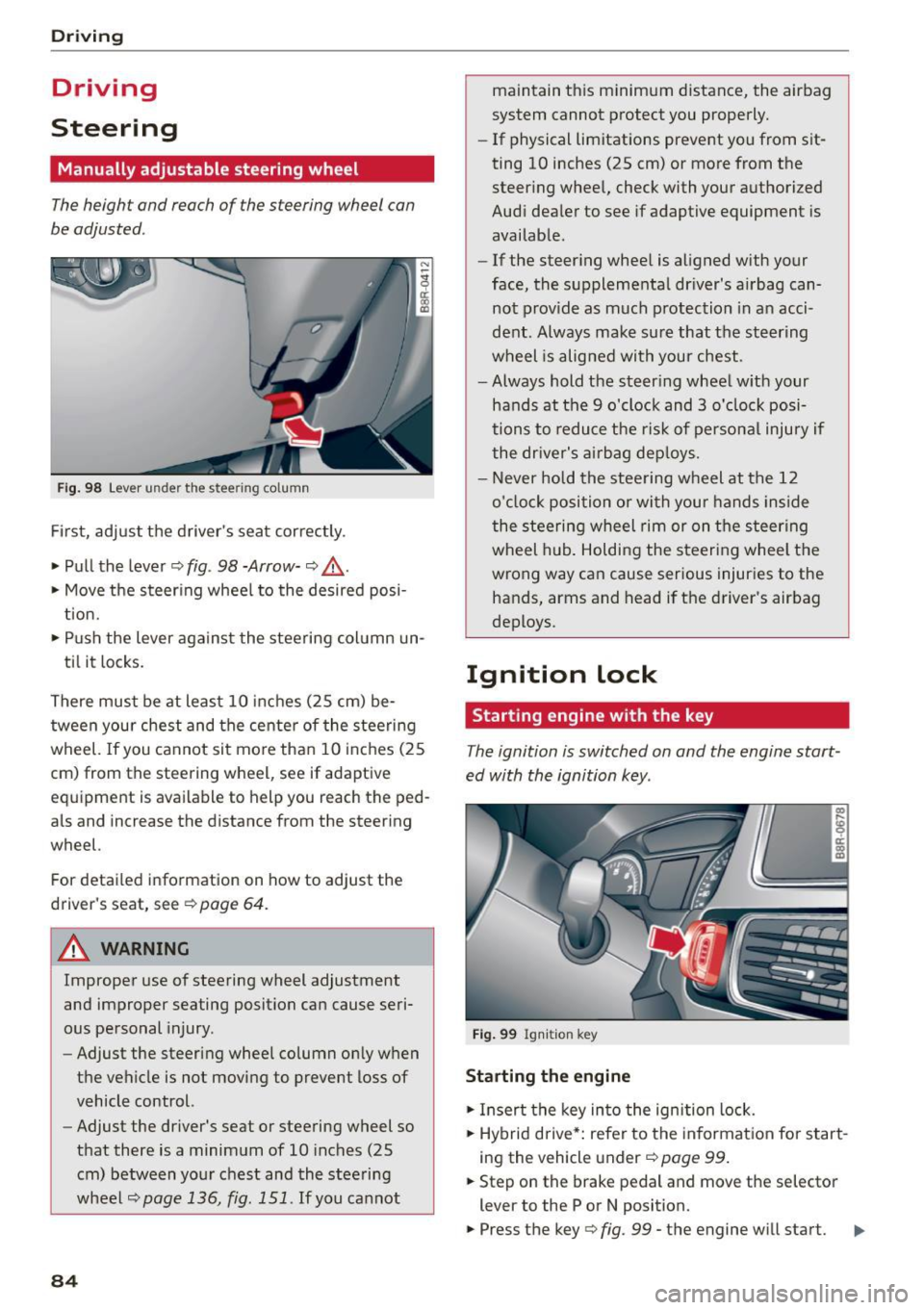
Fig. 98 Lever under the steering column
Firs t, adjust the driver 's seat cor rectly .
• Pull the lever ¢
fig. 98 -Arrow-¢ &_.
• Move the steer ing whee l to the desired posi
t ion.
• Push the lever agains t the steering col umn un-
ti l it locks.
There must be at least 10 inches (25 cm) be tween your chest and the cente r of the steering
wheel.
If you cannot sit mo re than 10 i nch es (25
cm) from the steering wheel, see if adaptive
equipment is available to help you reach the ped
als and increase the distance from the steering
wheel.
For detailed information on how to adjust the
driver 's seat, see ¢
page 64.
A WARNING
Improper use of steering wheel adjustment
and improper seating position can cause seri
ous pe rsonal injury .
- Adjust the steering wheel column on ly when
the vehicle is not moving to prevent loss of
vehicle control.
- Adjust the driver's seat or steering wheel so
that there is a minimum of 10 inches (25
cm) between your chest and the steering
wheel
¢page 136, fig. 151 . If you cannot
84
maintain this minimum distance, the airbag
system cannot p rotect you properly.
- If physical limitations prevent you from sit
ting 10 inches (25 cm) or more from the
steer ing whee l, check with your authorized
Audi dea ler to see if adaptive equipment is
availab le.
- If the steer ing whee l is aligned with your
face, the supplementa l driver 's airbag can
not prov ide as much p rotection in a n acci
dent. Always make su re that the steering
wheel is alig ned with your chest.
- Always hold the steer ing wheel w ith your
hands at the 9 o'clock and 3 o'clock posi
tions to reduce the ris k of persona l injury if
the dr iver's air bag dep loys.
- Never hold the stee ring wheel at the 12
o'cloc k position o r with your hands inside
the steering wheel rim or on t he steering
wheel hub . Holding the steeri ng whee l the
wrong way can cause serious injuries to the
hands, arms and head if the driver's airbag
deploys.
Ignition lock
Starting engine with the key
The ignition is switched on and the engine start
ed with the ignition key.
Fig . 99 Ign iti on key
Starting the engine
• Insert the key in to the ign ition lock.
• Hybrid drive *: refe r to the informat ion fo r start
i ng the veh icle under ¢
page 99 .
• Step on the brake pedal and move the selector
lever to the P or N position.
• Press the key¢
fig. 99 -the engine will start. IIJ,
Page 88 of 302
Driving
Starting the vehicle with the emergency
key
You can use the emergency key as an ignition key
in an emergency.
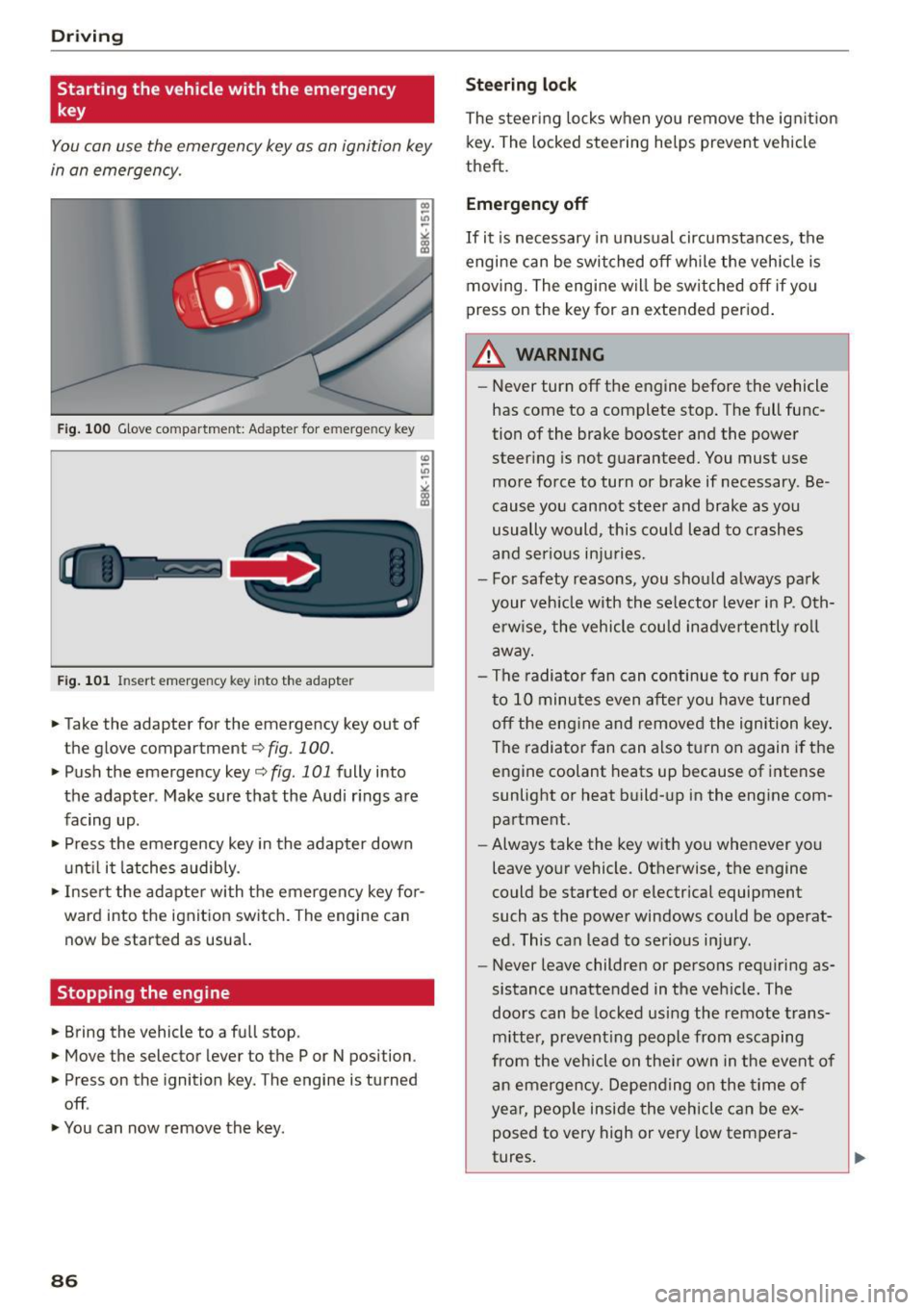
Fig. 100 Glove compartment: Adapter for e merg en cy key
Fig. 101 In sert emergency key into the adapter
... Take the adapter for the emergency key out of
the glove compartment
r:::;, fig . 100 .
.,. Push the emergency key r:::;, fig. 101 fully into
the adapter . Make sure that the Audi rings are
facing up .
.,. Press the emergency key in the adapter down
until it latches audibly.
.,. Insert the adapter with the emergency key for
ward into the ignition switch. The engine can now be started as usual.
Stopping the engine
... Bring the vehicle to a full stop.
... Move the selector lever to the P or N position .
.,. Press on the ignition key. The engine is turned
off .
.,. You can now remove the key.
86
Steering lock
The steering locks when you remove the ignition
key. The locked steering helps prevent vehicle
theft.
Emergency off
If it is necessary in unusual circumstances, the
engine can be switched off while the vehicle is
moving. The engine will be switched off if you
press on the key for an extended period.
A WARNING
- Never turn off the engine before the vehicle
has come to a complete stop. The full func
tion of the brake booster and the power
steering is not guaranteed. You must use
more force to turn or brake if necessary . Be
cause you cannot steer and brake as you
usually would, this could lead to crashes
and serious injuries.
- For safety reasons, you should always park
your vehicle with the selector lever in P. Oth erwise, the vehicle could inadvertently roll
away.
- The radiator fan can continue to run for up
to 10 minutes even after you have turned off the engine and removed the ignition key .
The radiator fan can also turn on again if the
engine coolant heats up because of intense
sunlight or heat build-up in the engine com
partment .
- Always take the key with you whenever you
leave your vehicle. Otherwise, the engine
could be started or electrical equipment
such as the power windows could be operat
ed. This can lead to serious injury.
- Never leave children or persons requiring as
sistance unattended in the vehicle. The
doors can be locked using the remote trans
mitter, preventing people from escaping
from the vehicle on their own in the event of
an emergency. Depending on the time of
year, people inside the vehicle can be ex
posed to very high or very low tempera
tures.
Page 90 of 302
Driving
-If you leave the vehicle with the ignit ion
switched on, the ignition will switc h off af
ter a certa in period of time. P lease note that
e lectr ica l equipment s uch as exterior lights
will switch off as well when that happens.
Switching engine off
A pp lies to veh icles: w ith Convenie nce key
.,. Bring your veh icle to a complete stop.
.. Move the selector lever to the P or N position .
.,. Press the
!START ENGINE STOPI button
"*page 87, fig. 102.
Stee ring lock
The steering locks when you turn the engine off
using the
!START ENGINE STOP I button and open
the dr iver's door. The locked steering helps pre
vent vehicle theft.
Emergen cy off
If necessary, the eng ine can be sw itched off with
the selector lever in the R or D/S position . The en
g ine stops if you press and hold the
I STAR T ENGINE ST OP ! button at speeds below
6 mph ( 10 km/h) a nd p ress the brake pedal.
..&, WARNING
- Never turn off the engine be fore the ve hicle
has come to a comp lete stop. The fu ll func
tion of the b rake booster and the power
stee ring is not guaranteed. Yo u must use
more force to turn or bra ke i f necessary. Be
cause you cannot steer and brake as you
usually wou ld, this could lead to crashes
and serious injur ies.
- For safety reasons, you should always park
your vehicle with the selector lever in P. Oth
erwise , the vehicle could inadver tently roll
away.
- The rad iator fan ca n continue to run for up
to 10 m inutes eve n after you have turned
off the engine a nd removed the ignition key.
T he ra diato r fan ca n also turn on aga in if the
engi ne coola nt he ats up becau se of intense
s u nligh t or heat bui ld-up in the engine com
partment.
88
- Always take the key with you whenever you
leave your vehicle. Otherwise, the engine
could be started or electrical equipment
such as the power windows could be operat
ed. This can lead to serious in jury.
- Never leave children or persons requiring as
sistance unattended in the vehicle. The
doors can be locked using the remote t rans
m itter, prevent ing people from escaping
from the vehicle on the ir own in the event of
a n emergency. Depe nding on the time o f
yea r, peop le inside the vehicle can be ex
posed to very high or very low tempera
tures .
(D Note
If the engine h as been unde r heavy lo ad for
an ex tended pe riod, hea t bu ilds up in t he en
gine compartment after the engine is switch
ed off -there is a risk of damaging the engine .
A llow the engine to run at id le for about two
minutes before switching it off.
Driver messages
Ignition is on
This message appears and a warning tone sounds i f you open the drive r's door when the ign ition is
switched on .
No key identified
This message appears when the
I START ENGI NE STO PI* button is p ressed if the re
i s no master key ins ide the ve hicle or if the sys
tem does no t re cogn ize it. For examp le, the mas
te r k ey cannot be recogn ized if it is covered by an
ob ject (e.g. a luminum brief case) wh ic h
screens
the radio sig na l. Electro nic devices such as cell
phones can a lso interfere with the radio signa l.
Press brake pedal to start engine
This message appears if yo u do not p ress the
brake pedal to start the eng ine.
Shift to N or P to start engin e
This message appears when attempt ing to start
the engine if the selector lever for the automat ic .,.
Page 95 of 302
M N
co ~ co
rl I.O
"' N
"' rl
General information
Applies to vehicles: with Start-Stop-System
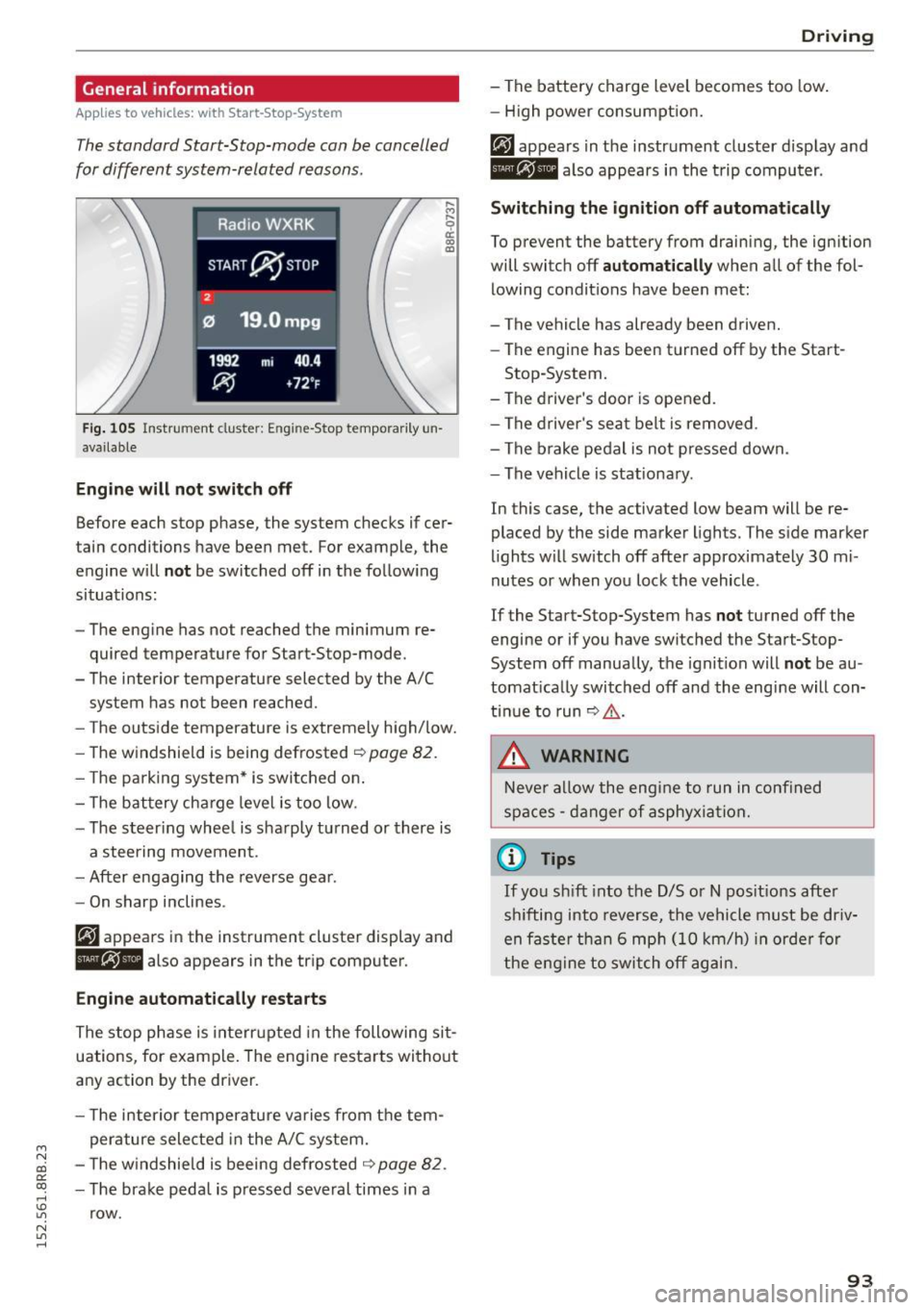
The standard Start-Stop-mode can be cancelled
for different system-related reasons.
Fig . 105 Instrument cluster: E ngin e-Stop tempo rarily un
available
Engine will not switch off
.... M
9 cc IX) ID
Before each stop phase, the system checks if cer
tain conditions have been met. For example, the
engine will
not be switched off in the following
situations:
- The engine has not reached the minimum re
quired temperature for Start-Stop-mode.
- The interior temperature selected by the A/C system has not been reached.
- The outside temperature is extremely high/low.
- The windshield is being defrosted ~
page 82.
-The park ing system* is switched on .
- The battery cha rge level is too low.
- The steer ing whee l is sharply turned or there is
a steering movement.
- After engaging the reverse gear.
Engine automatically restarts
The stop phase is interrupted in the following sit
uations, for example. The engine restarts without
any action by the driver.
- The interior temperature varies from the tem
perature selected in the A/C system.
- The windshield is beeing defrosted
~ page 82.
-The brake pedal is pressed several times in a
row.
Driving
- The battery charge level becomes too low.
Switching the ignition off automatically
To prevent the battery from draining, the ignition
will switch off
automatically when all of the fol
lowing condit ions have been met:
- The vehicle has already been driven.
- The engine has been turned off by the Start-
Stop-System.
- The driver's door is opened.
- The driver's seat belt is removed .
- The brake pedal is not pressed down.
- The vehicle is stationary .
In this case, the activated low beam will be re
placed by the side marker lights. The side marker
lights will switch off after approximately 30 mi
nutes or when you lock the vehicle .
If the Start-Stop-System has
not turned off the
engine or if you have switched the Start-Stop
System off manually, the ignition will
not be au
tomatically switched off and the engine will con
tinue to run~,&. .
A WARNING
Never allow the engine to run in confined
spaces - danger of asphyxiation.
(D Tips
-
If you shift into the D/S or N positions after
sh ifting into reverse, the vehicle must be driv
en faster than 6 mph (10 km/h) in orde r for
the engine to switch off again.
93
Page 102 of 302
Hybrid
© Vehicle drive ready (READY)
® High voltage battery charge status
® Recuperation (CHARGE)
(f) Driving within the combustion en
gine's full load range
@ 100% combust ion engine
® Boosting -the electric engine as
sists the combustion engine (BOOST)
@ Engaging the convent ional brakes
with recuperation
@ Vehicle not drive ready (OFF)
@ EV mode active
The needle remains at
OFF when the ignition is
turned on. When the vehicle enters drive ready mode, the status message
hybrid ready appears
briefly in the instrument cluster d isplay and the
needle in the power meter points to
READY .
Indicator lights and messages
Applies to vehicles: with hybrid drive
The indicator lights in the instrument cluster
b lin k or tu rn on. They i ndicate functions o r mal
functions.
W ith some ind icator lights, messages may ap
pear and a warning tone may sound. Also note
the indicator l ights in ¢
page 2 7.
Press brake pedal to start vehicle
This message appears if you do not press the
brake pedal when starting the vehicle.
Shift to N or P to start vehicle
This message appears if the selector lever for the
automatic transmission is not in the Nor P posi
tions when starting the vehicle .
-Hybrid drive: System fault! Power
brakes, steering malfunction pos sible
lfthe indicator light turns on and this message
appears, there is a malfunction in the hybrid sys
tem. The brake booster and the power steering
may stop working. Stop the vehicle in a safe loca
tion as soon as possible.
100
You may continue driving if the indicator light
turns off after starting the vehicle severa l times.
Drive to an authorized repair facility immediately
to have the malfunct ion corrected.
Q/ij:@ ,j rlybrid drive: System fault! Contact
dealer
If the indicator light turns on and this message
appears, there is a malfunct ion in the hybr id sys
tem. Drive to an authorized repair facility imme
diately to have the ma lfunction corrected.
Ill Hybrid system : Performance restricted .
Please contact dealer
If the indicator light turns on and this message
appears, there is an engine control malfunction .
The
ffa i ndicator light in the instrument cluster
also t urns on. The eng ine output is red uced . Drive
to you r autho rized Aud i deale r o r qualified repair
facility immediate ly to have the malfunction cor
rected.
Hybrid drive deactivated. Please restart
engine manually.
This message appears if the high volta ge battery
charge level has fallen be low a certain range or if
the ignition key is no longer inside the vehicle fo r
vehicles with the convenience key*.
Start the engine with e ither the ignition key
¢
page 84 or with the !S TAR T EN GINE STOPI but
ton* ¢
page 87.
Hybrid battery: Low battery charge. Battery
will be charged while driving.
This message appears if the high volta ge battery
charge level has fa llen below a certain range. If
this message turns off after a litt le while, the
high voltage battery charged enough w hile driv
i ng .
If the message does not turn off, have an autho r
ized repair facility correct the malfunct ion as
soon as possible.
EV mode is currently unavailable.
This message appears if the cond itions
¢ page 101 for enhanced elect ric driving are not
met. Try again at a later time.
Page 104 of 302
Hybrid
St art-Stop function
The combust ion engine is operated only as need
ed . Genera lly, the combustion engine turns
off
when the vehicle is stationary and the high volt
age battery powers the electrical vehicle sys
tems .
The purpose o f automatica lly shutting the com
bustion engine
off in hybrid drive mode is to save
fue l. All of the important vehicle systems, such
as steering, brakes and the A/C system, contin ue
to remain active. In some cases, systems may re
qu ire the combustion engine to continue running
when the vehicle is stationary. When driv ing in
congested traffic for long periods of t i me, the
combustion engine will cycle on when the veh icle
is stationa ry to keep the h igh voltage battery
charged .
Gliding
If the gas pedal is not pressed and the D position
is selected, the combustion engine rema ins
turned
off up to speeds of approximate ly 99 mph
(160 km/h). Dr iving conse rvative ly like this can
r educe fue l consumpt ion.
Energy recovery (recup eration )
When braking, the e lectr ic motor will act as a
generator creating electric energy that is then
s to red in the h igh voltage batte ry. This also oc
curs when the ve hicle is coas ting or dr iv ing down
hi ll. The combust ion engine is automatically
turned
off in t his case.
Tips for Driving Efficiently with your Hybrid
Applies to veh icles: w ith hybrid drive
Driving situa- Conditions
tions
- Shift into the D pos ition .
Starting from a -
Release the brake pedal.
stop -
Only press mode rate ly on the ac-
celer ator peda l.
102
The vehicle is braked with the electric motor by
applying early and even press ure to t he brakes
and us ing short pedal movements¢
page 99,
fig. 110@. By do ing th is, a large amount of the
k inet ic energy is recovered and may be stored as
electric energy in the high voltage batte ry. Dur
i ng heavy braking, the convent ional brakes are al
so act ivated
¢ page 99, fig . 110 @.
The energy recovery is shown in the MMI display
¢page 105 .
Automatic start of the combu stion engine
Various operating conditions cause the combus
tion eng ine to start a utomatica lly :
- T he high vo ltage battery charge leve l is low.
- T he temperature of the combustion engi ne is
low.
- Th e temperature of the cataly tic converte r is
low.
- T he power output needed for the A/C system is
high.
- T he veh icle speed is high .
- The vehicle acceleration is h igh .
- The incline is steep.
- High charge level for the high voltage battery
when coasting. In this case, the hig h voltage
battery cannot absorb any more ene rgy and so
the electric motor cannot s low down the veh i
cle. The combustion engine tur ns on (eng ine
brake) . In this situation the high voltage bat
tery will show a Max cha rge.
Vehicle behavior
In the D posit io n, the hybrid system adapts
to the driving s ituat ion by automatically
sw itch ing between the combust io n engine
a nd e lectr ic dr ive types or by combini ng
them.
Page 122 of 302
Audi drive select
Audi drive select
Driving settings
Introduction
Applies to veh icles: w ith Audi drive select
Drive select provides the possibility to experience
d ifferent types of vehicle settings in one vehicle.
F or instance, using the three
Comfort, Auto and
Dynamic modes, the driver can switch from a
sporty to a comfortable driving mode with the press of a button.
Addit ionally, in vehicles with MM I*, the vehicle
setup for
Individual* mode can be customized by
you. This makes it possible to combine settings
such as a sporty engine tuning with comfortable
steering .
A WARNING
-
Improper use of the drive select can cause
collisions, other accidents and serious person
al injury.
Description
Applies to veh icles: w ith Audi dr ive select
The vehicle setup in each mode depends on the
veh icle's features . However, the engine, automat
ic transmission and steering are always involved.
Engine and automatic transmission
Depending on the mode, the engine and the au
tomatic transmission respond quicker or in a
more balanced manner to accelerator pedal
movements. In the sporty dynamic mode, the au
tomatic transmission shifts at higher RPMs.
Steering
The steering adapts in terms of steering effort and steering ratios. Indirect steer ing that moves
easily, like the steering in comfort mode, is best
suited to long drives on a highway. In contrast,
dynamic mode provides sporty, direct stee ring.
The follow ing applies to vehicles with dynam ic
steer ing*: the steering ratio changes based on ve
h icle speed in order to maintain optimum steer
ing effort for the dr iver at all times. This sets the
s teer ing to be less sensitive at higher speeds in
120
order to provide improved vehicle control. At re
duced speeds, however, steering is more direct in
order to keep the steer ing effort as m inima l as
possib le when the driver is maneuvering the vehi
cle. At low and average speeds, dynamic steering
additionally provides more responsive steering
performance.
Adaptive dampers*
The adaptive dampers* use sensors to record in
formation regarding steering movements, brak ing and acceleration operations by the driver,
road surface, driving speed, and load. This makes
i t possible to adapt damp ing to the driving situa
tion virtually in real t ime . Drive select also makes
i t possible to sat isfy the desire fo r sporty suspen
s ion (Dynamic) and comfortable suspension
(Comfo rt) without giving up ba lanced tuning (Au
to).
Engine sound*
T he sound of the engine is adapted to the select
ed mode and ranges from subtle to sporty.
Adaptive cruise control*
The behavior when accelerating can be adjusted
from comfortable to sporty, depending on the
drive select mode . Adaptive cruise control a lso
r esponds to the driving behavior of the vehicle
ahead in a more conse rvative or sporty manner.
@ Tips
- In some models, the maximum vehicle
speed can only be reached in the
Auto and
Dynamic modes.
- Selecting the
Dynamic mode resu lts in spor
ty shifting characteristics. The 5 gear pos i
tion engages automatical ly.
- In vehicl es that have dynamic stee ring*, op
erating noise is heard when starting or stop
ping the engine. This does not indicate a
problem .
Page 123 of 302
M N
co ~ co
rl I.O
"' N
"' rl
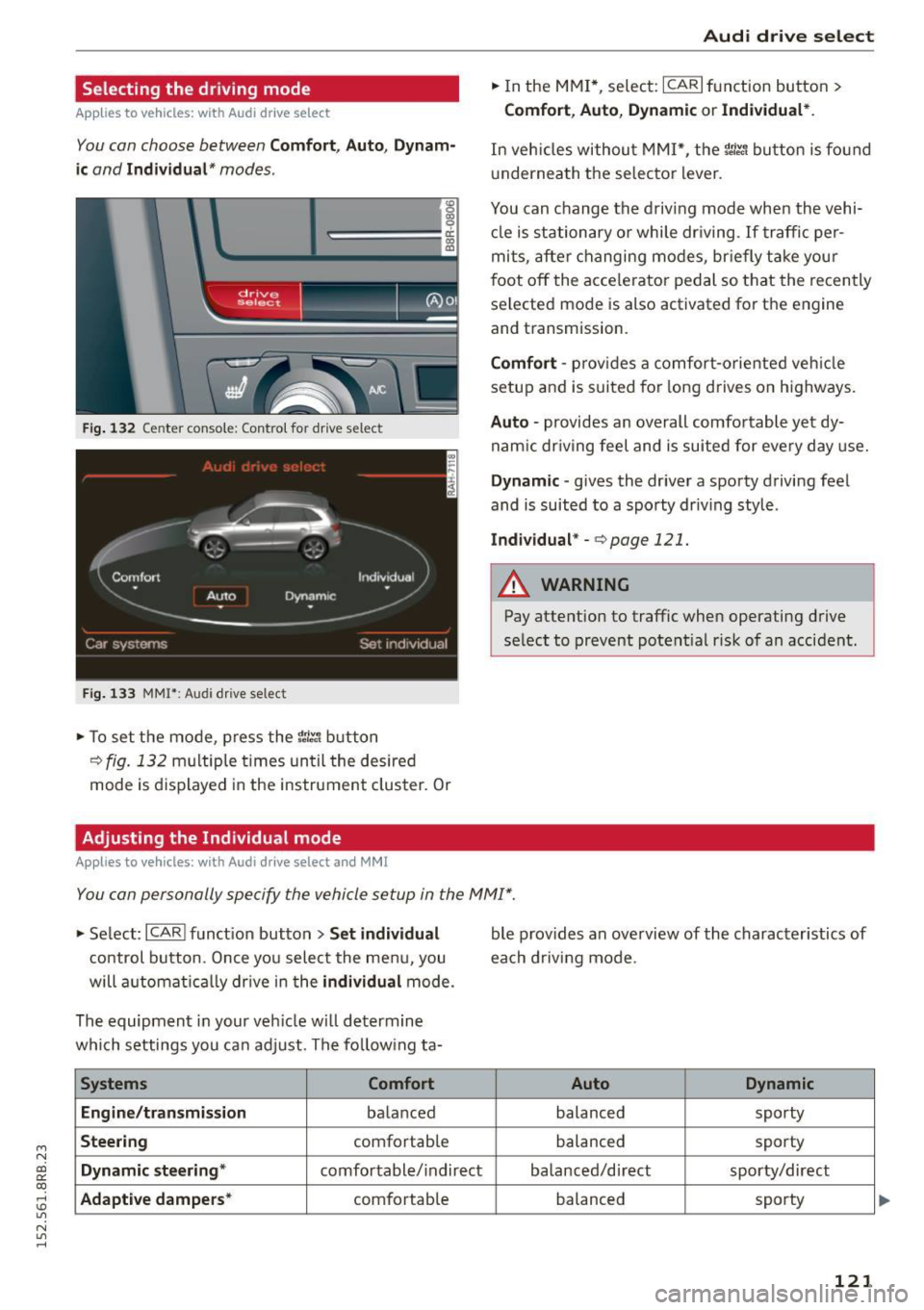
Selecting the driving mode
Applies to vehicles: with Audi drive select
You con choose between Comfort, Auto, Dynam
ic
and Individual* modes .
«>
~ 9
c:=====::::;: ~ a,
drive I I r.,. select _ - ~
Fig. 132 Center console: Contro l for drive select
Fig. 133 MMI": Audi drive select
.. To set the mode, press the r:i.r., button
c>fig. 132 multiple times until the desired
mode is displayed in the instrument cluster. Or
Adjusting the Individual mode
Applies to vehicles: with Audi drive select and M MI
Audi drive select
.. In the MMI*, select: ICARI function button>
Comfort , Auto, Dynamic or Individual* .
In veh ides without M MI*, the r~~, button is found
und ernea th the selector lever .
You can change the driving mode when the vehi cle is stationary or while driving . If traffic per
mits, after changing modes, briefly take your
foot off the accelerator pedal so that the recently
selected mode is also activated for th e engine
and transmission.
Comfort -provides a comfort-oriented vehicle
setup and is suited for long drives on highways.
Auto -provides an overall comfortable yet dy
namic driving feel and is suited for every day use.
Dynamic -gives the driver a sporty driving feel
and is suited to a spo rty driving style .
Individual* -c> page 121.
A WARNING
-Pay attention to traffic when operating drive
select to prevent potential risk of an accident.
You can personally specify the vehicle setup in the MMI" .
.. Select: I CARI function button > Set individual
control button. Once you select the menu, you
will automatically drive in the
individual mode.
The equipment in your vehicle will determine
which settings you can adjust . The following ta-
Systems Comfort
Engine/transmission
balanced
Steering comfortable
Dynamic steering * comfortable/indirect
Adaptive dampers* comfortable ble
provides an overview of the characteristics of
each driving mode.
Auto Dynamic
balanced sporty
balanced sporty
balanced/direct sporty/direct
balanced sporty
121