Display AUDI Q5 2016 Repair Manual
[x] Cancel search | Manufacturer: AUDI, Model Year: 2016, Model line: Q5, Model: AUDI Q5 2016Pages: 300, PDF Size: 75.02 MB
Page 198 of 300
Intelligent Technology
electrical energy is not being used than is being
generated and ensures an optimal state of
charge for the battery.
(D Tips
- But even energy management cannot neg ate the limits of physics . Consider that the
power and life of a battery are limited.
- If starting ability is threatened, the indica
tor light (•) appears
r=:; page 33.
What you should know
The highest priority is given to maintaining start
ing capability.
The battery is severely taxed in short-distance
driving, in city traffic and during the cold time of
year. Abundant electrical energy is required, but only a little is generated. It is also critical if the
engine is not running and electrical components
are turned on. In this instance energy is being
consumed but none is being generated.
It is in precisely these situations that you will no
tice energy management actively regulating the
distribution of energy .
Vehicle stands for an extended period
If you do not drive your vehicle over a period of
several days or weeks, electrical components are
gradually cut back or switched off. This reduces
energy consumption and maintains starting ca pability over a longer period. Some of the con
venience functions may not operate, such as the interior lights or the power seat adjustment . The
convenience functions will be available again
when you switch on the ignition and start the en
gine.
With the engine turned off
If you listen to the radio, for example, with the
engine turned off or use other MMI" functions,
the battery is being discharged .
If starting capability is jeopardized due to energy
consumption, a message appears in the radio or MMI* display . The message indicates that the
system will be switched off automat ical ly in a
196
moment. If you wish to continue using the func
tions, you have to start the engine .
With the engine running
Although electrical energy is generated when the
vehicle is being driven, the battery can become
discharged. This happens mostly when little en
ergy is being generated and a great deal con
sumed and the battery's state of charge is not
optimal.
To bring the energy balance back into equilibri
um, consumers which require especially large
amounts of energy are temporarily cut back or
switched off. Heating systems in particular re
quire a great deal of energy. If you notice, for ex
ample, that the heated seats* or the heated rear
window are not heating, they have been tempo
rarily cut back or switched off . These systems will
be available again as soon as the energy balance
has been restored.
You will also notice that engine idle speed has
been increased slightly . This is normal and not a
cause for concern. By increasing engine idle
speed the additional energy required is generat
ed and the battery is charged.
Page 213 of 300
,....,
N
co
er::
co
,....,
one direction and not back and forth.
- Never remove snow or ice from door win
dows and mirrors using warm or hot water
because this could cause cracks to form.
- To avoid damage to the rear window de
fogger, do not apply any stickers on the
heating wires on the inside of the window.
- Decorative parts/trim
- Never use chrome care or cleaning prod-
ucts.
-Paint
- To reduce the risk of scratches, the vehicle
must be free of dirt and dust before pol
ishing or waxing.
- To prevent paint damage, do not polish or
wax the vehicle in direct sunlight.
- To reduce the risk of paint damage, do not
polish away rust spots.
- Remove cosmetics and sunscreen immedi
ately- these could damage the paint.
-Displays
-To avoid scratches, do not use dry cleaning
methods on displays.
-Controls
- Make sure that no fluids enter the con-
trols, because this could cause damage.
- Safety belts
- Do not remove the safety belts to clean
them.
- Never clean safety belts or their compo
nents chemically or with corrosive fluids
or solvents and never allow sharp objects
to come into contact with the safety belts.
This could cause damage to the belt web
bing.
- If there is damage to the webbing, the
connections, the retractors or the buckles,
have them replaced by an authorized Audi
dealer or authorized Audi Service Facility.
- Textiles/artificial leather/ Alcantara
- Never treat artificial leather/ Alcantara
with leather care products, solvents, floor
polish, shoe polish, spot remove or similar
products.
- Have a specialist remove stubborn stains
to prevent damage.
Care and cleaning
-Never use steam cleaners, brushes, hard
sponges, etc. when cleaning.
- Do not turn on the seat heating* to dry the
seat.
- Objects with sharp edges such as zippers,
rivets on clothing or belts can cause dam
age to the surface.
- Open hook and loop fasteners, for exam
ple on clothing, can damage seat covers.
Make sure hook and loop fasteners are
closed.
- Natural leather
- Never treat leather with solvents, floor
polish, shoe polish, spot remover or simi
lar products.
- Objects with sharp edges such as zippers, rivets on clothing or belts can cause dam
age to the surface.
- Never use steam cleaners, brushes, hard
sponges, etc. when cleaning.
- Do not turn on the seat heating* to dry the
seat.
- To help prevent the leather from fading,
do not leave the vehicle in direct sunlight
for long periods of time. If leaving the ve
hicle parked for long periods of time, you
should cover the leather to protect it from
direct sunlight.
(D Tips
-Insects are easier to remove from paint that
has been freshly waxed.
- Regular waxing can prevent rust spots from
forming.
Placing your vehicle out
of service
If you would like to take your vehicle out of serv
ice for a longer time, contact your authorized
Audi dealer or authorized Audi Service Facility.
They will advise you of important measures, such
as corros ion protection, maintenance and stor
age procedures . Also follow the information
about the battery ¢
page 229.
211
Page 219 of 300
..... N
co
er::
co
.....
¢ fig. 192. Now you can open the fuel fi ller flap
as usual.
Selective catalytic reduction (AdBlue)
General information
Applies to vehicles: with selective catalyt ic reduction
In vehicles with se lective cata lytic reduction, a
urea solution (Ad B lue) is injected into the ex
haust system before a nitrogen ox ide catalytic
converter to reduce nitrogen emissions.
The AdBlue is carried in a separate tank in the ve
hicle. The Ad Blue usage accounts for approxi
mately 0.5% to 2.5% of the diesel fuel that is
used.
When a message about refilling the Ad B lue ap
pears in the instr ument cluster disp lay, you must
refill the Ad Blue yourself or have it refilled by an
author ized Audi dealer or author ized Audi Service
Facility
¢ page 218.
(l) Tips
-The display indicates the distance remain ing
that can be driven
¢page 217. If the AdBl
ue tank is complete ly empty, the engine w ill
not sta rt again after the ignition is sw itched
off.
- Ad Blue is req uired by law to operate this ve
hicle.
Messages in the instrument cluster display
App lies to vehicles: with selective catalyt ic reduction
The display indicates if the Ad Blue level is low or
if there is a system malfunction .
AdBlue level low
You will be informed if the AdBlue in the tank
d rops below a certa in leve l.
AdBlue f) 1500 mi (2400 km) Refill Ad Bl-
ue. See owner 's manual
This message appea rs when there is only eno ugh
Ad B lue left to drive the distan ce indi cated in the
instr ument cluster . Fil l the Ad B lue.
Fuel and R efueling
AdBlue /9 600 mi (1000 km) Refill Ad Blue!
No restart in 600 mi (1000 km )! See owner's
manual
T h is mess age appears when there is on ly enough
Ad B lue left to dr ive the distance indicated in the
instrument cluster. Fill the AdBl ue . Otherwise
t h e engine will not start again if yo u stop it once
the d istance ind icated has been driven.
Refill AdBlue! No re
start! See owner 's manual
Th is message appears when t he Ad B lue tank is
empty. Fill the AdBlue. Otherwise you wi ll not be
able to start the engine again once you stop i t.
T he Ad Blue must be refilled when the amount in
t h e tank has reache d the m inimum leve l
¢ page 218, Filling AdBlue.
Incorrect filling/system malfunct ion
A message appea rs if the Ad Blue tank was fi lled
with a flu id other tha n Ad Blue and the system
has detected tha t the tank was filled incorrectly,
o r i f the re is a system ma lfu nction.
Ad Blue,/' 600 mi (1000 km) Ad Blue:
Fault ! No restart in 600 mi (1000 km )! See
own er' s manual
This message appears when it is on ly possible to
drive the distance indicated in the instrument
cluster . Dr ive to the nea res t author ized Audi
dealer or authori zed A udi Se rvi ce Fac ility to have
the malfunc tion cor rected. Otherw ise the eng ine
will not sta rt aga in if you stop it once the dis
tance indicated has been driven .
AdBlue: Sy stem
fault . No restart! See owner 's manual
This message appears if the system has detected
that the tank was fi lled incor rect ly or that there
is a ma lf u nct ion. Drive immed iate ly to the near
e st au thor ized A udi dealer or au thori ze d Audi
Se rvice Facility to h ave the ma lf u nction correct
ed. Otherwise you wi ll not be able to start the en
gine again once yo u stop it.
217
Page 220 of 300
Fuel and R efue li ng
Filling AdBlue
Applies to veh icles: w ith selective cata ly ti c reduction
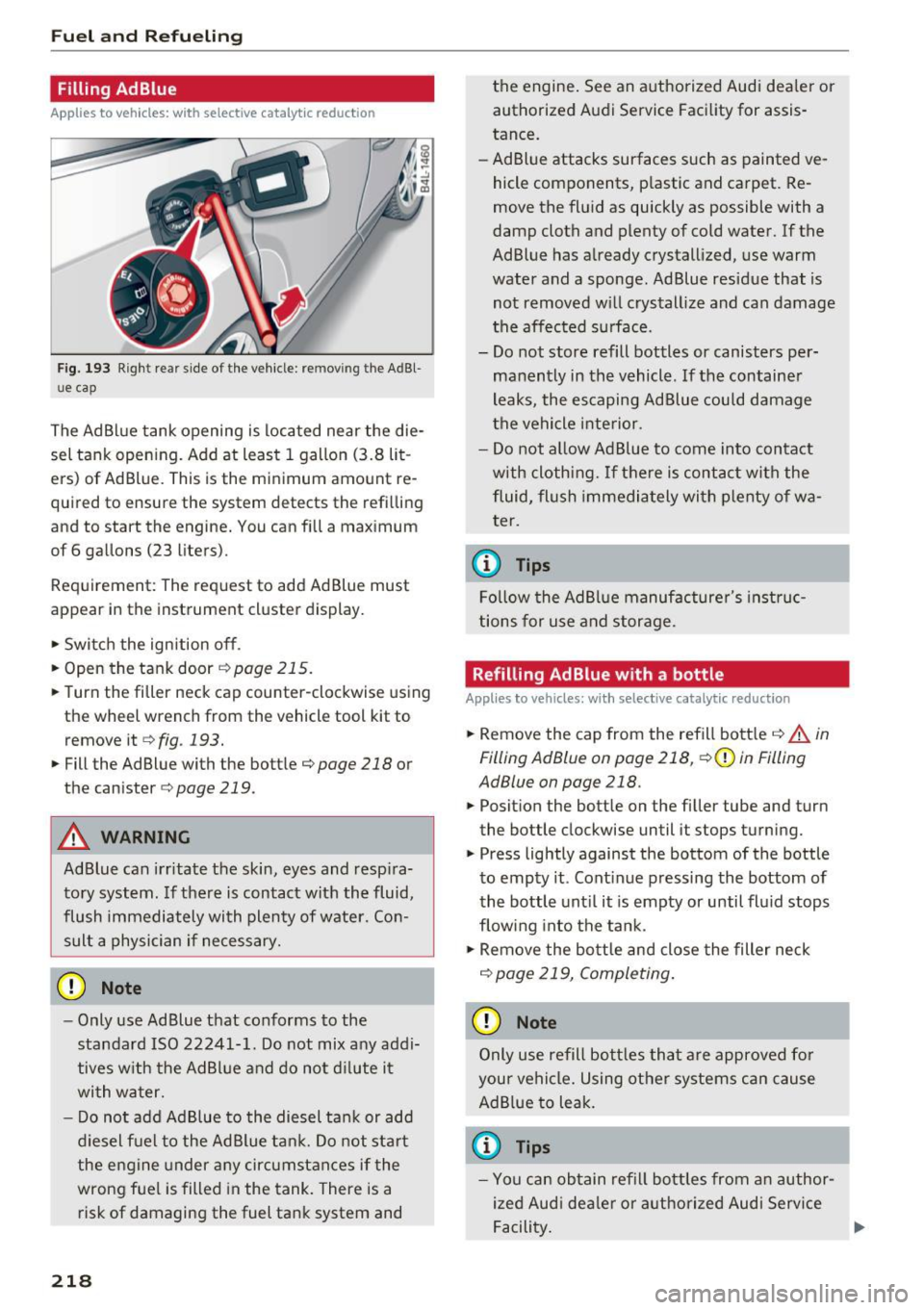
Fig. 193 Right rear side of the vehicle: removing the AdBl
ue cap
The Ad Blue tank opening is located near the die
sel tank opening. Add at least 1 gallon (3.8 lit
ers) of Ad Blue. This is the minimum amount re
quired to ensure the system detects the refilling
and to start the engine. You can fill a maximum
of 6 gallons (23 liters).
Requirement: The request to add Ad Blue must
appear in the instrument cluster display.
• Switch the ignition off.
• Open the tank door
r::!) page 215.
• Turn the filler neck cap counter-clockwise using
the wheel wrench from the vehicle tool kit to
remove it
¢ fig . 193.
• Fill the Ad Blue with the bottle¢ page 218 or
the canister ¢
page 219.
A WARNING
AdBlue can irr itate the skin, eyes and resp ira
tory system. If there is contact with the fluid,
flush immediately with plenty of water. Con sult a physician if necessary.
CD Note
- Only use Ad Blue that conforms to the
standard ISO 22241-1. Do not mix any addi
tives w ith the AdBl ue and do not d ilute it
wi th water.
- Do not add Ad Blue to the diesel ta nk or add
diesel f uel to the AdBlue tan k. Do not start
the engine under any circumstances if the
wrong fue l is filled in the tank. There is a
risk of damaging the fuel tank system and
218
the engine . See an authorized Audi dea le r or
authorized Audi Service Facility for assis
tance.
- Ad Blue attacks surfaces such as painted ve
hicle components, p lastic and carpet. Re
move the fluid as quickly as possible with a
damp cloth and plenty of cold water. If the
AdBlue has a lready crystall ized, use warm
water and a sponge. Ad Blue residue that is
not removed w ill crystall ize and can damage
t he affected s urface.
- Do not store refill bottles or canisters per
manently in the vehicle. If the container
leaks, the escaping Ad Blue could damage
the vehicle inte rior.
- Do not allow Ad Blue to come into contact
with cloth ing. If t here is contac t w ith the
fluid, flush immediately wi th plenty of wa
ter.
(0 Tips
Fo llow the AdBlue manufacture r's instruc
tions for use and storage.
Refilling Ad Blue w ith a bottle
App lies to vehicles : wi th selec tive cata lyt ic reduct ion
• Remove the cap from the refill bott le ¢ &. in
Filling AdBlue on page 218,
¢ 0 in Filling
AdBlue on page 218.
• Posit ion the bottle on the filler tube and turn
the bottle clockwise until it stops turning.
• Press lightly against the bottom of the bottle
to empty it . Cont inue pressing the bottom of
the bottle unt il it is empty or until fluid stops
flowing into the tank.
• Remove the bottle and close the filler neck
¢ page 219, Completing .
CD Note
Only use refill bott les tha t are approved for
you r vehicle. Using other systems can cause
Ad B lue to leak.
(0 Tips
- You can obtain refill bottles from an author
ized Audi dea le r or authorized Audi Service
Facility.
Page 224 of 300
Checking and Filling
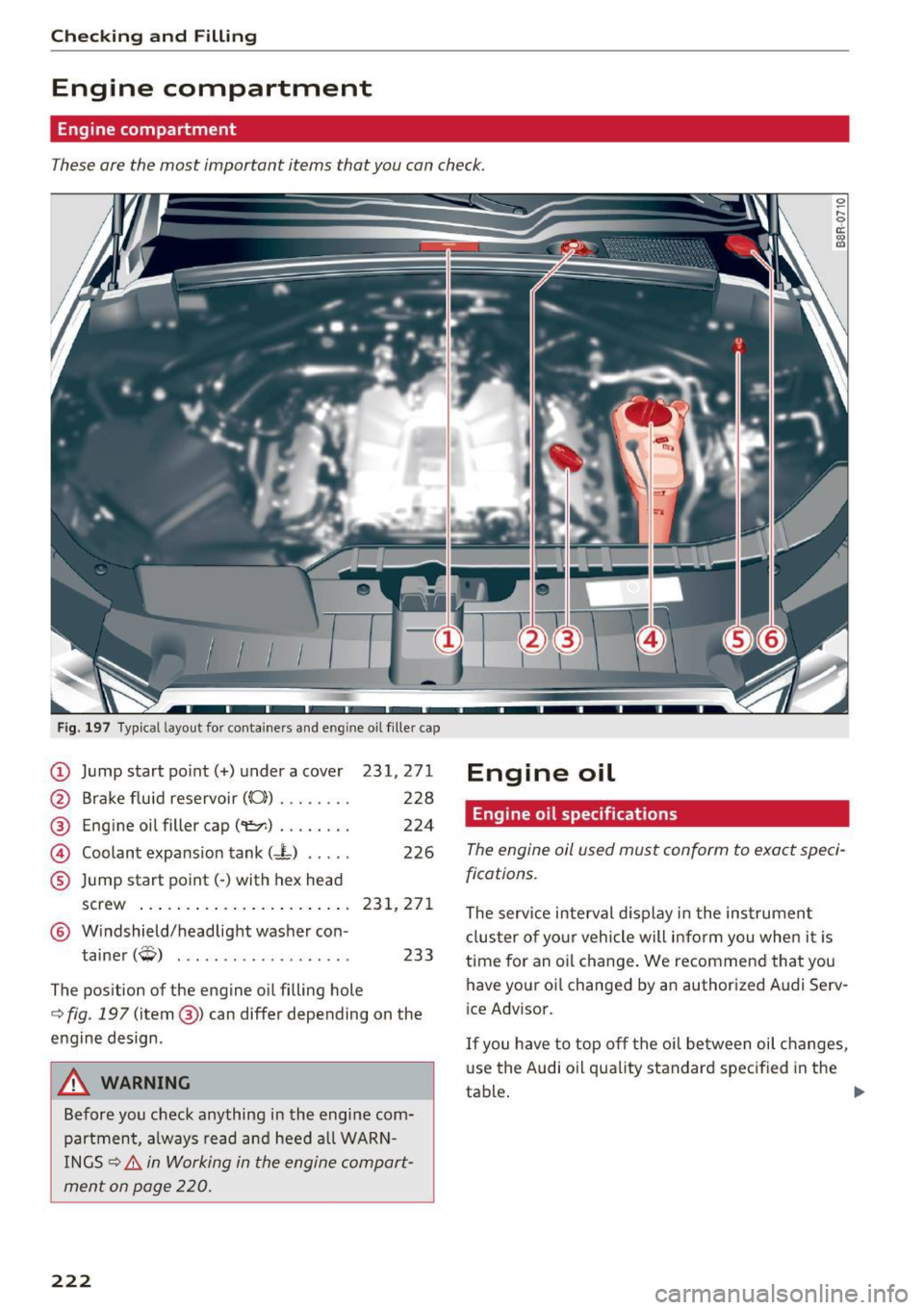
Engine compartment
Engine compartment
These are the most important items that you can check.
Fig. 197 Typical layout for con tainers and eng ine oil filler cap
® Eng ine oil filler cap ("1::7':) ........ 224
© Coolant expansion tank (- L) ..... 226
® Jump start point(-) with hex head
screw
. .. .. .... .............. 231,271
® Windshield/headlight washer con-
tainer
(Q) ................... 233
The position of the engine oil filling hole
¢ fig. 197 (item @) can differ depending on the
engine design .
A WARNING
Before you check anything in the engine com
partment, always read and heed all WARN
INGS ¢.&.
in Working in the engine compart
ment on page 220.
222
Engine oil
Engine oil specifications
~ r--0 d::
"' t0
The engine oil used must conform to exact speci
fications.
The serv ice interval display in the instrument
cluster of your vehicle will inform you when it is
time for an oi l chang e. We recommend that you
have your oi l changed by an authorized Audi Serv
i ce Advisor.
If you have to top off the oil between oil changes,
us e the Audi oil quality standard specified in the
ta ble.
~
Page 226 of 300
Checking and Filling
@ Tips
-The oil pressure warning display. is not
an indicator of the oil level. Do not rely on
i t. Instead , check the oil level in your en
gine at regular intervals, preferably each
time you refuel, and always before going
on a long trip.
- If you have the impression your engine con
sumes excessive amounts of oil, we recom
mend that you cons ult an autho rized Aud i
dealer to have the cause of your concern
properly diagnosed . Keep in mind that the
accurate measurement of oil consumption
requires great care and may take some
time. An authorized Audi dealer has instruc
tions about how to measure oil consump
tion accurately.
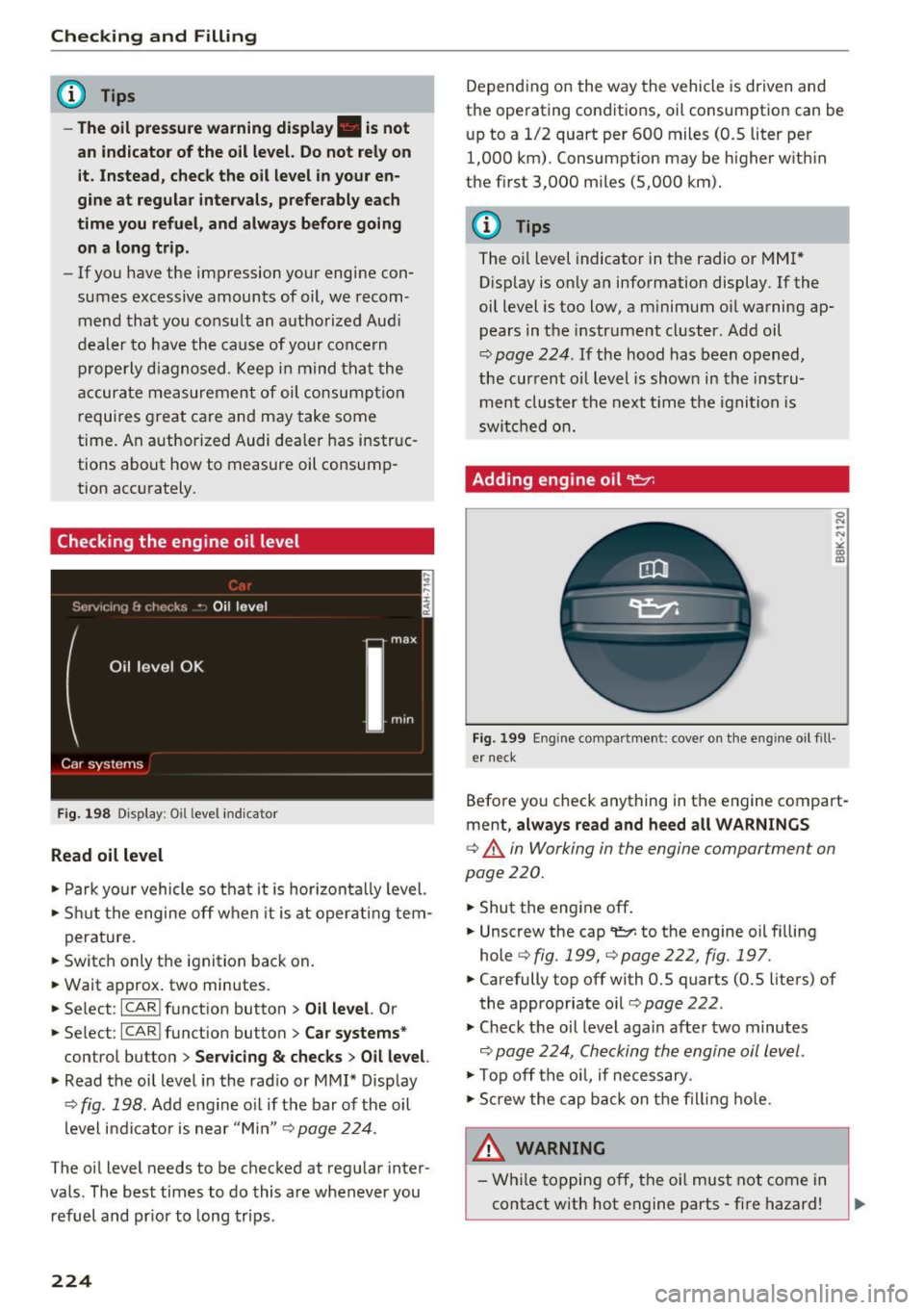
Checking the engine oil level
Fig. 198 D is play: Oil level indicator
Read oil level
• Park yo ur vehicle so that it is hor izonta lly level.
• Shut the engine off when it is at operating tem-
perature.
• Switch only the ignition back on.
• Wait approx . two minutes.
• Se lect:
ICARI function button > Oil level. Or
• Se lect:
ICARI funct ion button> Car systems *
control button > Servicing & checks > Oil level.
• Read the oil level in the radio or MMI* Display
¢
fig. 198. Add engine o il if the bar of the oil
level indicator is near "Min"
Q page 224.
The oil level needs to be checked at regular inter
vals. The best times to do this are whenever you refuel and pr ior to long trips .
224
Depending on the way the vehicle is driven and
the operating conditions, oil consumption can be
up to a 1/2 quart per 600 miles (0.5 liter per
1,000 km). Consumption may be higher w it hin
the first 3,000 miles (5,000 km).
(D Tips
The o il level indicator in the radio or MMI*
D isp lay is only an information display. If the
oil level is too low, a m inimum oil warning ap
pears in the instrument cluster. Add oil
¢
page 224. If the hood has been opened,
the current oil level is show n in the instru
ment cluster the next time the ignition is
switched on.
Adding engine oil
er neck
Before yo u check anything in the engine compart
ment,
always read and heed all WARNINGS
¢ .&. in Working in the engine compartment on
page 220.
• Shut the engine off.
• Unscrew the cap
't=r. to the engine oil f illing
hole ¢
fig. 199, ¢ page 222, fig. 197.
• Carefully top off with 0.5 quarts (0.5 liters) of
the appropriate oil¢
page 222.
• Check the oil level again after two minutes
Q page 224, Checking the engine oil level.
• Top off the oil, if necessary .
• Scr ew the cap back on the filling hole.
& WARNING
- While topping off, the oil must not come in
contact with hot engine parts - fire hazard!
Page 254 of 300
Wheels
check your tires as soon as possible, and inflate
them to the proper pressure. Driving on a signifi
cantly under-inflated tire causes the tire to overheat and can lead to tire failure. Under-inflation
also reduces fuel efficiency and tire tread life,
and may affect the vehicle's handling and stop
ping ability.
Please note that the TPMS is not a substitute for
proper tire maintenance, and it is the driver's re
sponsibility to maintain correct tire pressure,
even if under-inflation has not reached the level
to trigger illumination of the TPMS low tire pres
sure telltale.
Your vehicle has also been equipped with a TPMS malfunction indicator to indicate when the sys
tem is not operating properly. The TPMS mal
function indicator is combined with the low tire pressure telltale. When the system detects a
malfunction, the telltale will flash for approxi
mately one minute and then remain continuously
illuminated. This sequence will continue upon
subsequent vehicle start-ups as long as the mal
function exists .
When the malfunction indicator is illuminated,
the system may not be able to detect or signal low tire pressure as intended . TPMS malfunctions
may occur for a variety of reasons, including the
installation of replacement or alternate tires or
wheels on the vehicle that prevent the TPMS from functioning properly . Always check the
TPMS malfunction telltale after replacing one or
more tires or wheels on your vehicle to ensure
that the replacement or alternate tires and
wheels allow the TPMS to continue to function
properly.
252
· If the Tire Pressure Monitoring System
indicator appears
Applies to vehicles: with tire pressure monitoring system
The tire pressure indicator in the instrument
cluster informs you if the tire pressure is too low
or if there is a system malfunction.
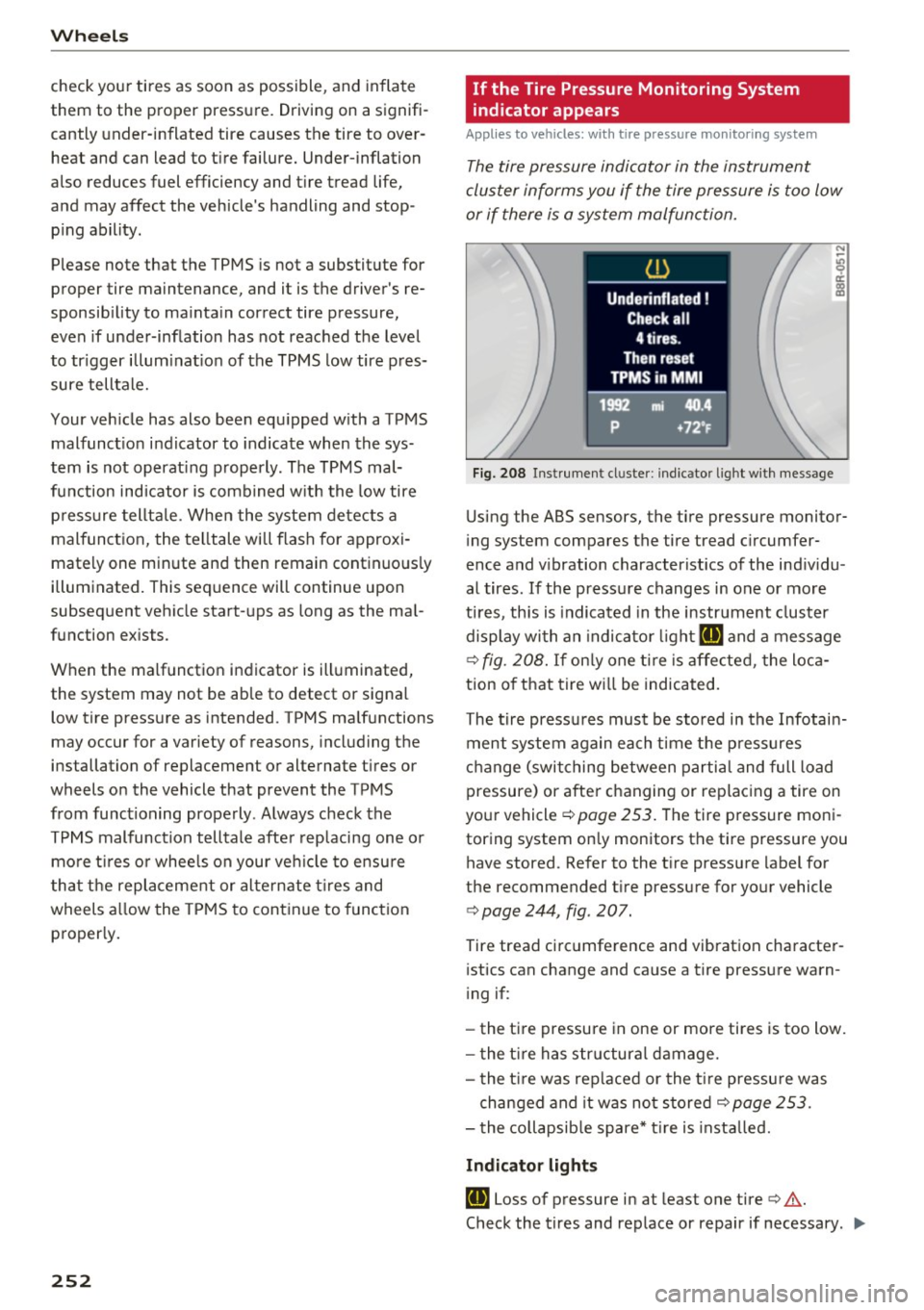
Fig. 208 Instrument cl uster: i ndic ator ligh t with message
Using the ABS sensors, the tire pressure monitor
ing system compares the tire tread circumfer
ence and vibration characteristics of the individu
al tires . If the pressure changes in one or more
tires , this is indicated in the instrument cluster
display with an indicator light
RE and a message
c>fig. 208. If only one tire is affected, the loca
tion of that tire will be indicated.
The tire pressures must be stored in the Infotain
ment system again each time the pressures
change (switching between partial and full load
pressure) or after changing or replacing a tire on
your vehicle
c> page 253. The tire pressure moni
toring system only monitors the tire pressure you have stored. Refer to the tire pressure label for
the recommended tire pressure for your vehicle
c> page 244, fig . 207.
Tire tread circumference and vibration character
istics can change and cause a tire pressure warn
ing if:
- the tire pressure in one or more tires is too low.
- the tire has structural damage.
- the tire was replaced or the tire pressure was
changed and it was not stored
c> page 253 .
-the collapsible spare* tire is installed.
Indicator lights
RE Loss of pressure in at least one tire c> &.
Check the tires and replace or repair if necessary . .,.
Page 255 of 300
,....,
N
co
er::
co
,....,
store the pressure again in the Infotainment sys
tem
¢ page 253.
mm (T ire Pressure Monitoring System) Tire
pressu re: S ys tem malfunction !. If m:m
appears
after switching the ignition on or whi le driving
and the
all indicator light in the instrument clus
ter blinks for approximate ly one minute and then
stays on, there is system malfunction. Try to
store the correct tire pressures¢
page 253. If
the ind icator light does not turn off or turns on
again after a short period of time, drive to an au
thor ized Audi dealer or authorized Audi Se rvice
F ac ility immediately to have the malfunction cor
rected .
& WARNING ,___ -
- If the tire pressure indicator appears in the
display, reduce your speed immed iate ly and
avoid any hard steering or braking maneu
vers. Stop as soon as possib le and check the
t ires and their pressure.
- The driver is responsib le for maintaining the
correct tire pressure. You must check the
t ire pressure regu larly.
- Under certa in conditions (such as a sporty
driv ing style, winter cond itions or unpaved
roads), the tire p ressure monitoring system
indicator may be delayed.
(D Tips
- The t ire pressure monitoring system can al
so stop work ing when there is an ESC mal
funct ion.
- Using snow chains may result in a system
malfunction.
- The Tire Pressure Mon itoring System in your
Audi was calibrated with "Audi Orig inal
Equ ipment tires"¢
page 241. We recom
mend that you use these tires .
Wheel s
Storing tire pressures
App lies to vehicles : wi th tire pressure monitor ing syste m
If the tire pressure changes or a tire is replaced,
it must be confirmed in the Infotainment sys
tem .
.,.. Make sure before storing t hat the t ire pressures
of all four tires meet the specified values and
are adapted to the load
¢ page 244.
.,.. Switch on the ign ition.
.,.. Select: the
I CAR ! funct io n key> Tire Press ure
Monitoring Sy stem > Store now .
Or
.,.. Sele ct: the
I CAR I funct ion but ton > Car S ys
tem s*
control b utton > Servicing & check s >
Tire pressure mon itoring > Sto re tire pre ssures
> Yes , store now .
(D Tips
Do not store the tire pressures if snow chains
are installed.
253
Page 286 of 300
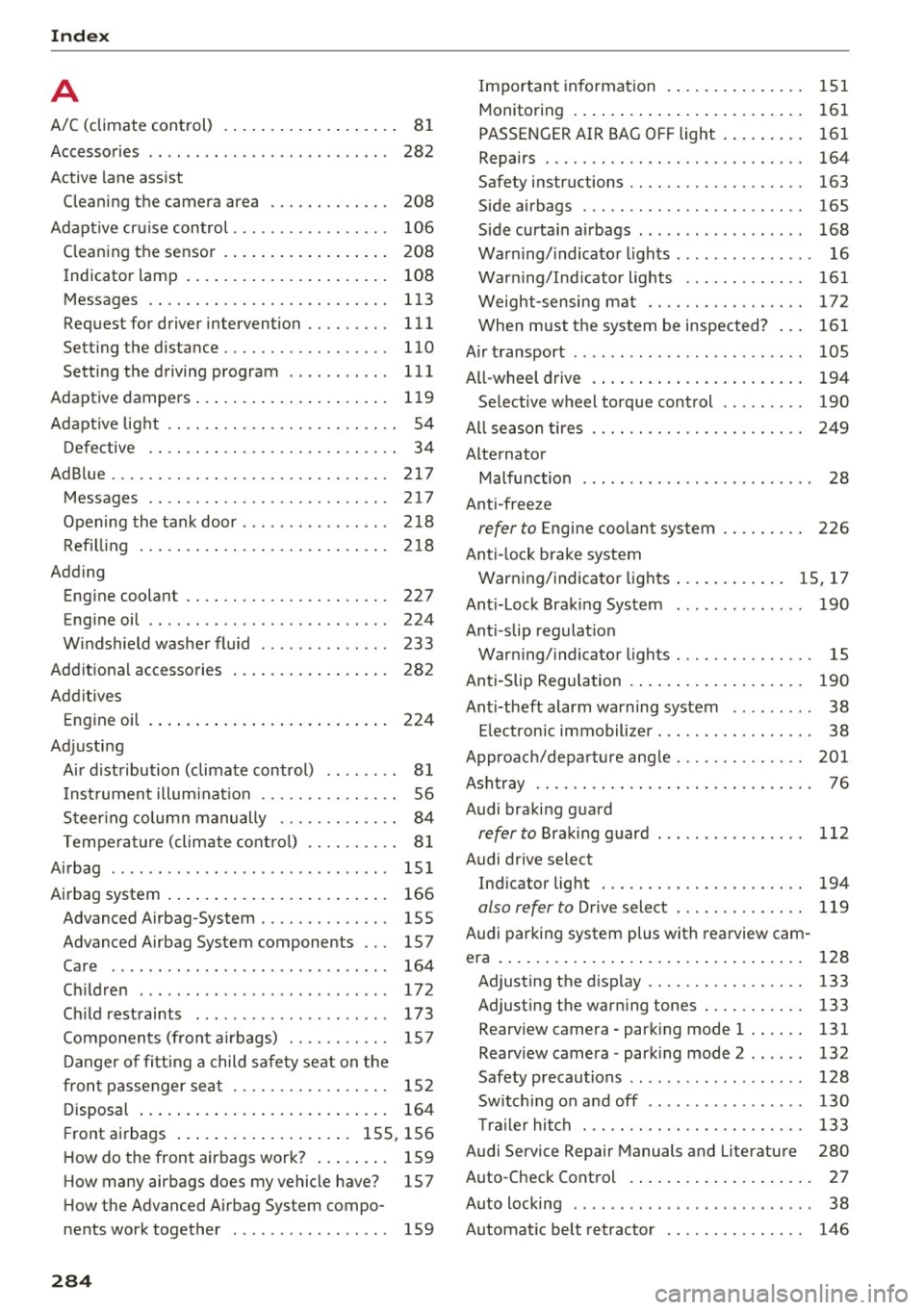
Index
A
A/C (climate control) . . . . . . . . . . . . . . . . . . . 81
Accessories . . . . . . . . . . . . . . . . . . . . . . . . . . 282
Active lane assist
Cleaning the camera area . . . . . . . . . . . . . 208
Adapt ive cruise control. . . . . . . . . . . . . . . . . 106
Cleaning the sensor . . . . . . . . . . . . . . . . . . 208
Indicator lamp . . . . . . . . . . . . . . . . . . . . . . 108
Messages . . . . . . . . . . . . . . . . . . . . . . . . . . 113
Requestfordriverintervention ........ . 111
Setting the distance............... ... 110
Setting the driving program . . . . . . . . . . . 111
Adaptive dampers..................... 119
Adapt ive light . . . . . . . . . . . . . . . . . . . . . . . . . 54
Defective . . . . . . . . . . . . . . . . . . . . . . . . . . . 34
AdBlue .... .. .. .... ........... ....... 217
Messages . . . . . . . . . . . . . . . . . . . . . . . . . . 217
Opening the tank door ... ...... .. .. .. . 218
Refilling . .. .. .... ........... .... ... 218
Adding Engine coolant . . . . . . . . . . . . . . . . . . . . . . 227
Engine oil .. .. .. .. ... ........... ... .
Windshield washer fluid . ...... .. .. .. .
Additional accessories
Addit ives
Engine oil .... .. .. .............. ... .
Adjusting 224
233
282
224
Air distribution (climate control) . . . . . . . . 81
I nstrument illum inat ion . . . . . . . . . . . . . . . 56
Steering column manually . . . . . . . . . . . . . 84
Temperature (climate control) . . . . . . . . . . 81
Airbag . . . . . . . . . . . . . . . . . . . . . . . . . . . . . . 151
Airbag system . . . . . . . . . . . . . . . . . . . . . . . . 166
Advanced Airbag-System . . . . . . . . . . . . . . 155
Advanced Airbag System components . . . 157
Care . . . . . . . . . . . . . . . . . . . . . . . . . . . . . . 164
Children . . . . . . . . . . . . . . . . . . . . . . . . . . . 172
Child restraints . . . . . . . . . . . . . . . . . . . . . 173
Components (front airbags) . . . . . . . . . . . 157
Danger of fitting a child safety seat on the
front passenger seat . . . . . . . . . . . . . . . . . 152
Disposal . . . . . . . . . . . . . . . . . . . . . . . . . . . 164
Fr ont airbags . . . . . . . . . . . . . . . . . . . 155, 156
How do the front airbags work? . . . . . . . . 159
How many airbags does my vehicle have? 157
How the Advanced Airbag System compo-
nents work together . . . . . . . . . . . . . . . . . 159
284
Important information . . . . . . . . . . . . . . . 151
Monitoring . . . . . . . . . . . . . . . . . . . . . . . . . 161
PASSENGER AIR BAG OFF light . . . . . . . . . 161
Repairs . . . . . . . . . . . . . . . . . . . . . . . . . . . . 164
Safety instructions . . . . . . . . . . . . . . . . . . . 163
Side airbags . . . . . . . . . . . . . . . . . . . . . . . . 165
Side curtain airbags . . . . . . . . . . . . . . . . . . 168
Warning/indicator lights . . . . . . . . . . . . . . . 16
Warning/Indicator lights . . . . . . . . . . . . . 161
Weight-sensing mat . . . . . . . . . . . . . . . . . 172
When must the system be inspected? . . . 161
Air transport . . . . . . . . . . . . . . . . . . . . . . . . . 105
All-wheel drive .. .... .. ............... 194
Se lective wheel torque control . . . . . . . . . 190
All season tires
Alternator 249
Malfunction . . . . . . . . . . . . . . . . . . . . . . . . . 28
Anti-freeze
refer to E ngine coolant system . . . . . . . . . 226
Anti-lock brake system
Warning/indicator lights ............ 15, 17
Anti-Lock Braking System . . . . . . . . . . . . . . 190
Anti-slip regulation
Warning/indicator lights . . . . . . . . . . . . . . . 15
Anti-Slip Regulation . . . . . . . . . . . . . . . . . . . 190
Anti-theft alarm warning system . . . . . . . . . 38
Electronic immobilizer. . . . . . . . . . . . . . . . . 38
Approach/departure angle ............ .. 201
Ashtray . . . . . . . . . . . . . . . . . . . . . . . . . . . . . . 76
Audi braking guard
refer to Braking guard 112
Audi drive select Indicator light . . . . . . . . . . . . . . . . . . . . . . 194
also refer to Drive select . . . . . . . . . . . . . . 119
Audi parking system plus with rearview cam-
era . . . . . . . . . . . . . . . . . . . . . . . . . . . . . . . . . 128
Adjusting the display . . . . . . . . . . . . . . . . . 133
Adjusting the warning tones . . . . . . . . . . . 133
Rearview camera -parking mode 1 . . . . . . 131
Rearview camera -parking mode 2 . . . . . . 132
Safety precautions . . . . . . . . . . . . . . . . . . . 128
Switching on and off . . . . . . . . . . . . . . . . . 130
Trailer hitch . . . . . . . . . . . . . . . . . . . . . . . . 133
Audi Service Repair Manuals and Literature 280
Auto -Check Control . . . . . . . . . . . . . . . . . . . . 27
Auto locking . . . . . . . . . . . . . . . . . . . . . . . . . . 38
Automatic belt retractor . . . . . . . . . . . . . . . 146
Page 288 of 300
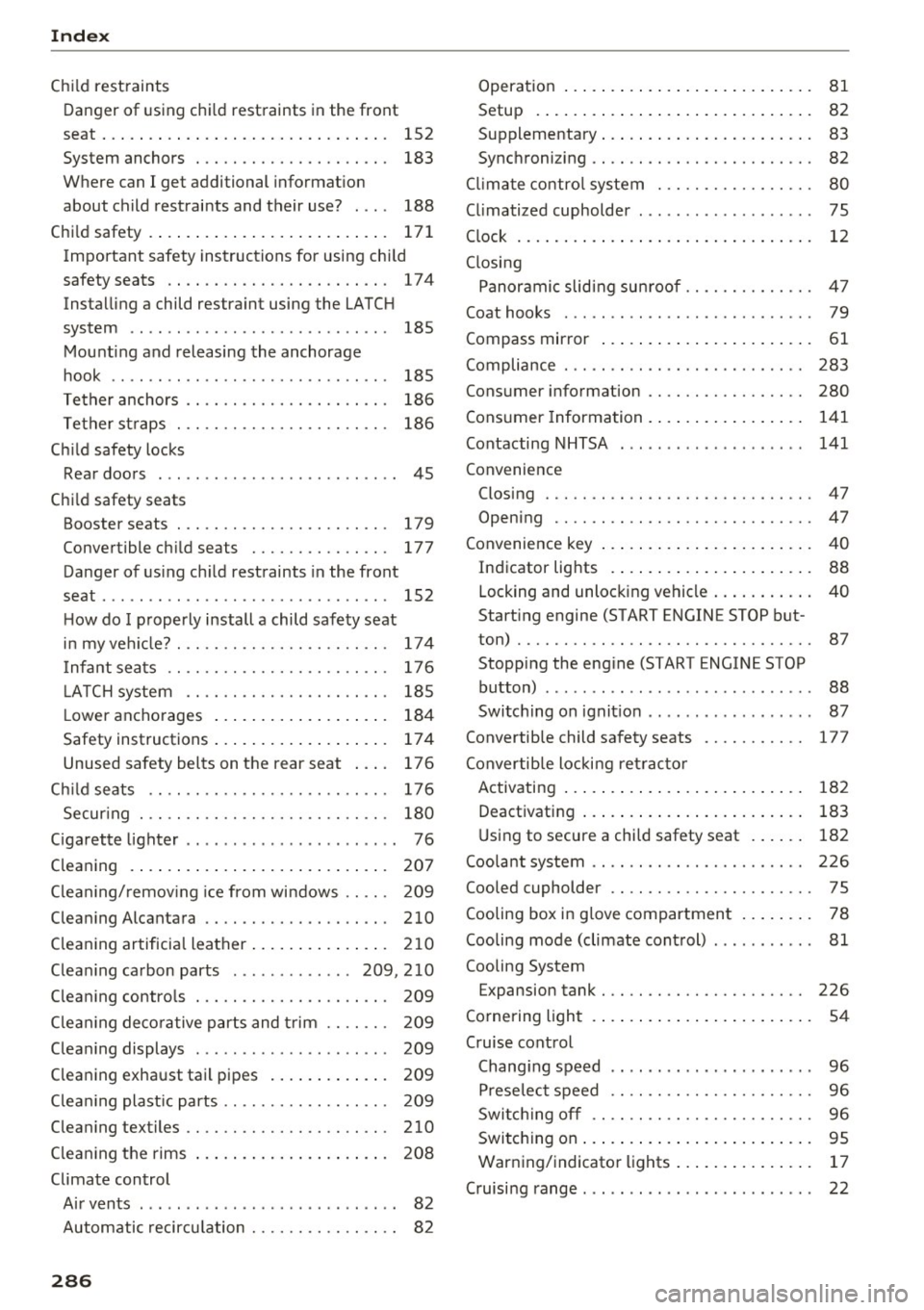
Index
Child restraints
Danger of using chi ld restraints in the front
seat ... .. .. .. .. ... ... .... ... .. .. .. . 152
System anchors . . . . . . . . . . . . . . . . . . . . . 183
Where can I get additional informat ion
about ch ild restrai nts and their use? . . . . 188
Ch ild safety . . . . . . . . . . . . . . . . . . . . . . . . . . 171
Important safety instructions for using child
safety seats . . . . . . . . . . . . . . . . . . . . . . . . 17 4
Installing a child restraint using the LATC H
system . . . . . . . . . . . . . . . . . . . . . . . . . . . . 185
Mounting and releasing the anchorage
hook . . . . . . . . . . . . . . . . . . . . . . . . . . . . . . 18S
Tether anchors . . . . . . . . . . . . . . . . . . . . . . 186
Tether st raps . . . . . . . . . . . . . . . . . . . . . . . 186
Ch ild safety locks
Rear doors . . . . . . . . . . . . . . . . . . . . . . . . . . 45
Ch ild safety seats
Booster seats . . . . . . . . . . . . . . . . . . . . . . . 179
Convertible child seats . . . . . . . . . . . . . . . 177
Da nger of us ing child restraints in the front
seat . . . . . . . . . . . . . . . . . . . . . . . . . . . . . . . 152
H ow do I properly install a child safety seat
. h' l ? in myve 1c e .... .. . .......... .. .. ... 174
I nfa nt seats . . . . . . . . . . . . . . . . . . . . . . . . 176
L A TCH system . . . . . . . . . . . . . . . . . . . . . . 185
L ower anchorages . . . . . . . . . . . . . . . . . . . 184
Safety instructions . . . . . . . . . . . . . . . . . . . 17 4
Unused safety belts on the rear seat . . . . 176
Ch ild seats . . . . . . . . . . . . . . . . . . . . . . . . . . 176
Secur ing . . . . . . . . . . . . . . . . . . . . . . . . . . . 180
Cigarette lighter . . . . . . . . . . . . . . . . . . . . . . . 76
Cleaning . . . . . . . . . . . . . . . . . . . . . . . . . . . . 207
Clea ning/ remov ing ice from windows . . . . . 209
C lean ing Alcantara ............. .... .. . 210
Clean ing artificia l leather ..... ... .. .. ... 210
C lea ning ca rbon parts .... ...... ... 209,210
Clean ing contro ls . . . . . . . . . . . . . . . . . . . . . 209
Clea ning deco rative p arts and trim . . . . . . . 209
Clea ning displays . . . . . . . . . . . . . . . . . . . . . 209
Cleaning exhaust tai l pipes . . . . . . . . . . . . . 209
Clean ing plast ic parts . . . . . . . . . . . . . . . . . . 209
Clean ing textiles . . . . . . . . . . . . . . . . . . . . . . 210
Clean ing the rims
Climate control 208
Ai r vents . . . . . . . . . . . . . . . . . . . . . . . . . . . . 82
Automatic recircu lation . . . . . . . . . . . . . . . . 8 2
286
Operat ion . . . . . . . . . . . . . . . . . . . . . . . . . . . 81
Setup . . . . . . . . . . . . . . . . . . . . . . . . . . . . . . 82
Supplementary . . . . . . . . . . . . . . . . . . . . . . . 83
Sync hroni zing . . . . . . . . . . . . . . . . . . . . . . . . 82
Cli mat e co ntro l system . . . . . . . . . . . . . . . . . 80
Cl imatized cupholder . . . . . . . . . . . . . . . . . . . 75
Clock . . . . . . . . . . . . . . . . . . . . . . . . . . . . . . . . 12
Closi ng
Panorami c slid ing su nroof . . . . . . . . . . . . . . 47
Coat hooks . . . . . . . . . . . . . . . . . . . . . . . . . . . 79
Compass mirror . . . . . . . . . . . . . . . . . . . . . . . 61
Compliance . . . . . . . . . . . . . . . . . . . . . . . . . . 283
Cons umer info rmation . . . . . . . . . . . . . . . . . 280
Cons umer Informa tion . . . . . . . . . . . . . . . . . 141
Contacting NHTSA . . . . . . . . . . . . . . . . . . . . 141
Convenience Closing . . . . . . . . . . . . . . . . . . . . . . . . . . . . . 47
Opening . . . . . . . . . . . . . . . . . . . . . . . . . . . . 47
Convenience key . . . . . . . . . . . . . . . . . . . . . . . 40
Indicator lights . . . . . . . . . . . . . . . . . . . . . . 88
Locking and unloc king vehicle . . . . . . . . . . . 40
Start ing engine (START ENGINE STOP but-
ton) . . . . . . . . . . . . . . . . . . . . . . . . . . . . . . . . 87
Stopp ing the eng ine (START ENGINE STOP
button) . . . . . . . . . . . . . . . . . . . . . . . . . . . . . 88
Switc hing on ignit io n . . . . . . . . . . . . . . . . . . 87
Convertible child safety seats . . . . . . . . . . . 177
C onvertib le locking ret racto r
Activating . . . . . . . . . . . . . . . . . . . . . . . . . . 182
Deact ivating . . . . . . . . . . . . . . . . . . . . . . . . 183
U sing to secure a child safety seat . . . . . . 182
Coo la nt system . . . . . . . . . . . . . . . . . . . . . . . 226
Coo led cupholder . . . . . . . . . . . . . . . . . . . . . . 75
Cooling box in glove compartmen t . . . . . . . . 78
Cooling mode (climate cont rol) . . . . . . . . . . . 81
Cooling System Expansion tank . . . . . . . . . . . . . . . . . . . . . . 226
Co rne ring light . . . . . . . . . . . . . . . . . . . . . . . . 54
C ruise cont rol
Changi ng speed . . . . . . . . . . . . . . . . . . . . . . 96
Preselec t speed . . . . . . . . . . . . . . . . . . . . . . 96
Swi tc hin g off . . . . . . . . . . . . . . . . . . . . . . . . 96
Switc hing on . . . . . . . . . . . . . . . . . . . . . . . . . 95
Warn ing/indicator lights . . . . . . . . . . . . . . . 17
C ruisi ng range . . . . . . . . . . . . . . . . . . . . . . . . . 22