warning light AUDI Q5 2017 User Guide
[x] Cancel search | Manufacturer: AUDI, Model Year: 2017, Model line: Q5, Model: AUDI Q5 2017Pages: 296, PDF Size: 74.43 MB
Page 18 of 296
Instruments and indicator lights
malfunction in the el ectric al sy stem. In this
case , contact an autho rized Audi deale r.
If t he b rake system war ning/ indica to r li ght flash
es, there is a b rake system mal funct ion. By press
ing the
! SE T! button, you can bring up a driver
m essage which explains the malf unction in mor e
detai l
¢pag e 25.
If the ABS fails, the ABS warning/indicator light
~ ( U SA mode ls)/ (IJ (Canada models) flashes
together with the brake system warning/indica
tor light ¢& .
(USA models): If the warn ing light
1111 and the
warn ing light
Ii] ill uminate together , immedi
ately contact your authori zed Audi dea ler or
qualified workshop to have all brake pads in
spec ted
¢ page 29 .
When the light comes on, an audib le warning sig
na l is also given .
A WARNING
-If the 1111 (USA models) . (Canada mod
els) brake system indicator light t urns on to
gether with the ABS and ESC indicator
lights, the ABS/ESC regulating function may
have failed . Functions that stab ilize the ve
hicle a re no longe r available . This could
ca use the vehicle to swerve and increase the
risk of sliding. Drive ca refully to t he nearest
autho rize d Aud i dealer or other quali fied
workshop and have the ma lfunction co rrect
ed.
- If the bra ke warn ing/indicator light does
not go out after a few seconds and the park
ing brake is released, or lights up while you
are driving, the flu id leve l in the brake fluid
reservoir is too low. If you believe that it is
safe to do so, proceed immediately at low
speed to the nearest authorized Audi dealer
o r qualified repair facility and have the
bra ke system inspected.
- Always keep in mind tha t afte r severa l brake
applications, you will need greate r pressure
o n the brake pedal to stop yo ur vehicle. Do
not rely on straine d brakes to respond w ith
maximum stopping power in criti cal situa
tions . You must allow for increased braking
16
distances. The extra distance used up by
fading brakes co uld lead to an accident .
Page 19 of 296
a,
a,
..... N r-N ..... 0 0
0:
co
Driver information
system
Introduction
General notes
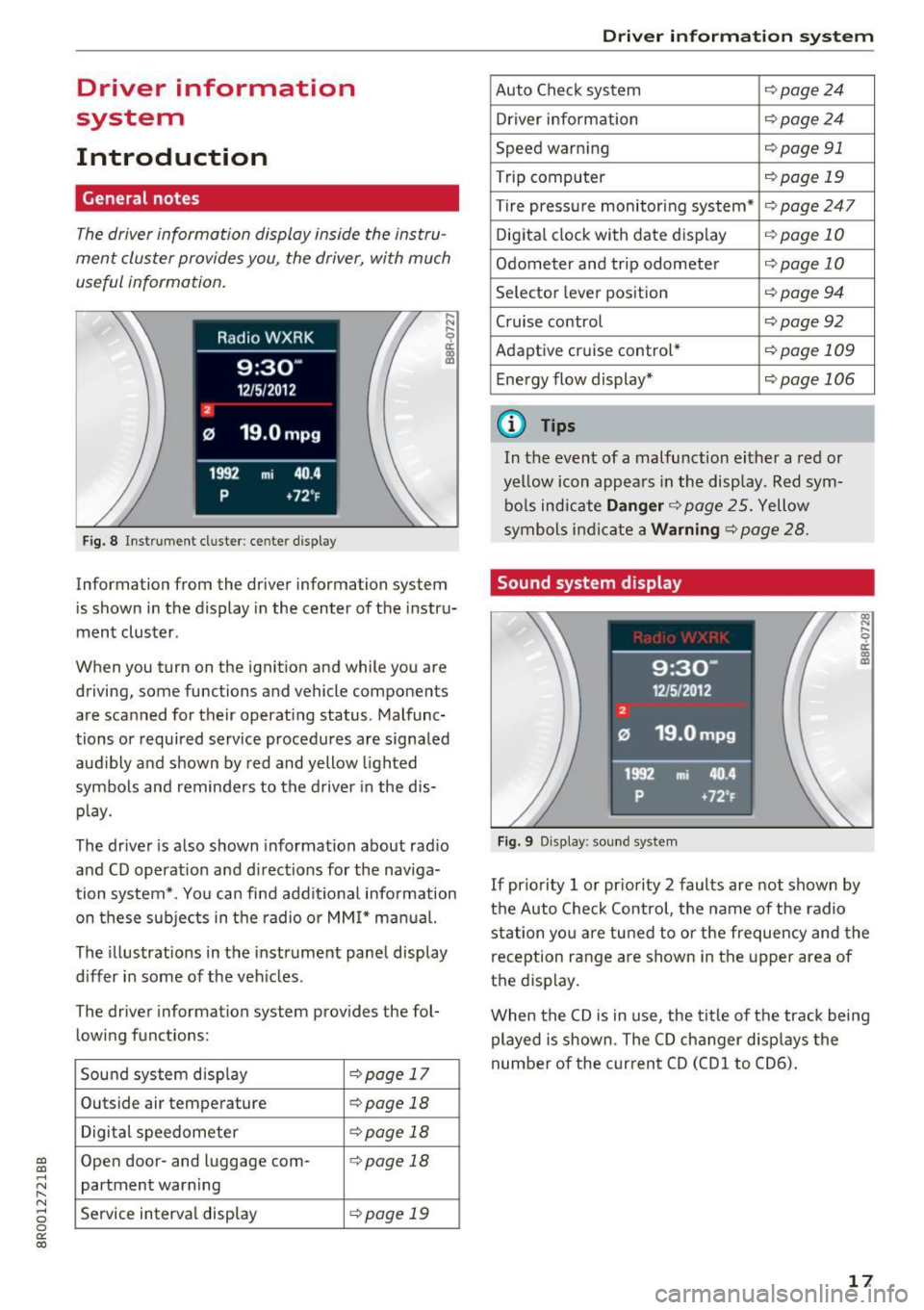
The driver information display inside the instru
ment cluster provides you , the driver, with much
useful information.
Fig. 8 Instrument cl uster : ce nt er display
Information from the driver information system
is shown in the display in the center of the instr u
ment cluster.
When you turn on the ignition and while you are
driving, some functions and vehicle components
are sca nned for their operat ing status. Malfunc
tions or required service procedures are signaled
audibly and shown by red and yellow lighted
symbols and reminders to the driver in the dis
play.
The driver is also shown information about rad io
and CD operat ion and directions for the naviga
tion system*. You can find addit ional information
on these subjects in the radio or MMI* manual.
The illustrations in the instrument panel display
differ in some of the vehicles .
The driver information system provides the fol
lowing functions:
Sound system disp lay
c:> page 17
Outside air temperature c:>page 18
Digital speedometer c:>page 18
Open door- and luggage com-c:> page 18
partment warning
Service interval display
c:> page 19
Driver in forma tion system
Auto Check system c:>page24
Driver information c:>page 24
Speed warning c:>page 91
Trip computer c:>page 19
Tire pressure monitoring system* c:>page247
Digital clock with date display c:>page 10
Odometer and trip odometer c:>page 10
Selector lever position c:> page 94
Cruise control c:>page92
Adaptive cruise control* c:>page 109
Energy flow display* c:>page 106
(D Tips
In the event of a malfunction either a red or
yellow icon appears in the display. Red sym
bols indicate
Danger c:>page 25. Yellow
symbols indicate a
Warning c:> page 28.
Sound system display
Fig. 9 Display: sou nd system
l!3 .... 0 er. m m
If priority 1 or pr iority 2 faults are not shown by
the Auto Check Control, the name of the radio
station you are tuned to or the frequency and the
reception range are shown in the upper area of
the display .
When the CD is in use , the tit le of the track being
played is shown. The CD changer disp lays the
number of the current CD (CDl to CD6).
17
Page 20 of 296
Driver i nf orm ati on sy stem
Outside temperature display
Fig. 10 D isplay : ou ts ide te m pe ratur e
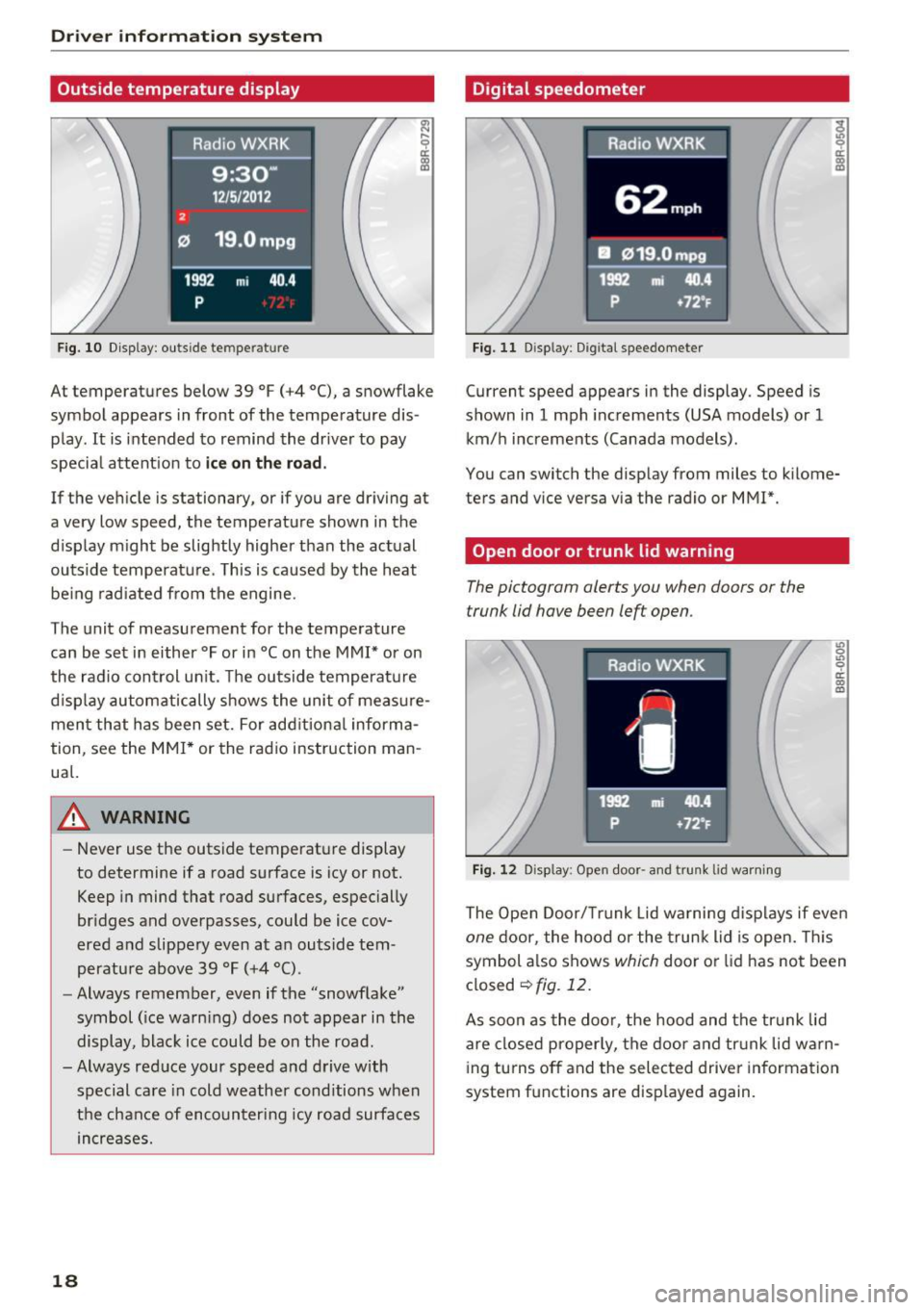
At temperatures below 39 °F (+4 °C), a snowflake
symbol appears in front of the temperature dis
p lay . It is intended to remind the driver to pay
specia l attent ion to
ic e on th e ro ad .
If the vehicle is stationary, or if you are driving at
a very low speed, the temperature shown in the
display m ight be slightly higher than the act ual
outside temperature . T his is caused by the heat
be ing rad iated from the engine.
The unit of measurement for the temperature can be set in either °For in °Con the MMI* or on
the radio control un it. The outside temperatu re
d isp lay automatically shows the unit of measure
ment that has been set. For add itional informa
tion, see the
MMI* or the rad io instruction man
ual.
A WARNING
- Never use the outside temperature display
to determine if a road surface is icy or not.
Keep in mind that road surfaces , especially
bridges and overpasses, could be ice cov
ered and slippery even at an outside tem
perature above 39 °F (+4 °C) .
- Always remember, even if the "snowflake"
symbol ( ice warn ing) does not appear in the
display, black ice could be on the road .
-Always red uce your speed and drive with
special care in cold weather cond itions when
t h e chance of encounter ing icy road surfaces
increases.
18
Digital speedometer
Fig. 11 D isp lay: D ig ital speedomete r
Current speed appears in the display . Speed is
shown in
1 mph increments (USA models) or 1
km/h i ncrements (Canada models) .
You can switch the display from miles to k ilome
ters and v ice versa via the radio or MM!*.
Open door or trunk lid warning
The pictogram alerts you when doors or the
trunk lid have been left open .
Fig . 12 D isp lay : Open door -and trunk lid warni ng
L'> 0
"' 0 ri:: m a,
The Open Door/ Tru nk Lid wa rning d isplays if even
one door, the hood or the trunk lid is open. This
symbol a lso shows
which door or lid has not been
closed
¢ fig . 12.
As soon as the doo r, the hood and the tr unk lid
are closed properly, the door and tr unk lid w arn
i ng turns off and the selected driver in formation
system f unctions are disp layed again.
Page 25 of 296
a,
a,
..... N l"N ..... 0 0
0:
co
On Board Diagnostic
System (OBD)
Malfunction Indicator lamp (MIL)
The Malfunction Indicator Lamp (MIL) ¢'4 in the
instrument cluster
¢ page 11, fig. 7 is part of the
On -Board Diagnostic (OBD II) system.
The warning/indicator light illuminates when the
ignition is switched on and goes out after the en
gine starts and the idle has stabilized . This indi
cates that the MIL is working properly .
If the light does not go out after the engine is
started, or illuminates while you are driving, a
malfunction may exist in the engine system .
If
the light illuminates, the catalytic converter
could be damaged.
Continue driving
with reduced power (avoiding
sustained high speeds and/or rapid accelera
tions) and have the condition corrected. Contact
your authori zed Audi dealer.
If the light illuminates, the electronic speed lim
iter may also be malfunctioning . For more infor
mation ¢
page 23, Electronic speed limiter.
An improperly closed fuel filler cap may also
cause the MIL light to illuminate (only vehicles
with gasoline engine)
¢page 212.
On-Board Diagnostics
Fig. 20 Locat ion of Data Link Connec tor (DLC )
On-Board Diagnostics monitors the components
of your emission control system. Each monitored
component in your engine system has been as
signed a code. In case of a malfunction, the com ponent will be identified and the fault stored as a
code in the control module memory.
Driver in forma tion system
The MIL light may also illum inate if there is a
leak in the on-board fuel vapor recovery system.
If the light illuminates after a refueling, stop the
vehicle and make sure the fuel filler cap is prop
erly closed (only vehicles with gasoline engine)
¢ page 212.
In order to make an accurate diagnosis, the stor
ed data can only be displayed using special diag
nostic equipment (generic scan tool for OBD).
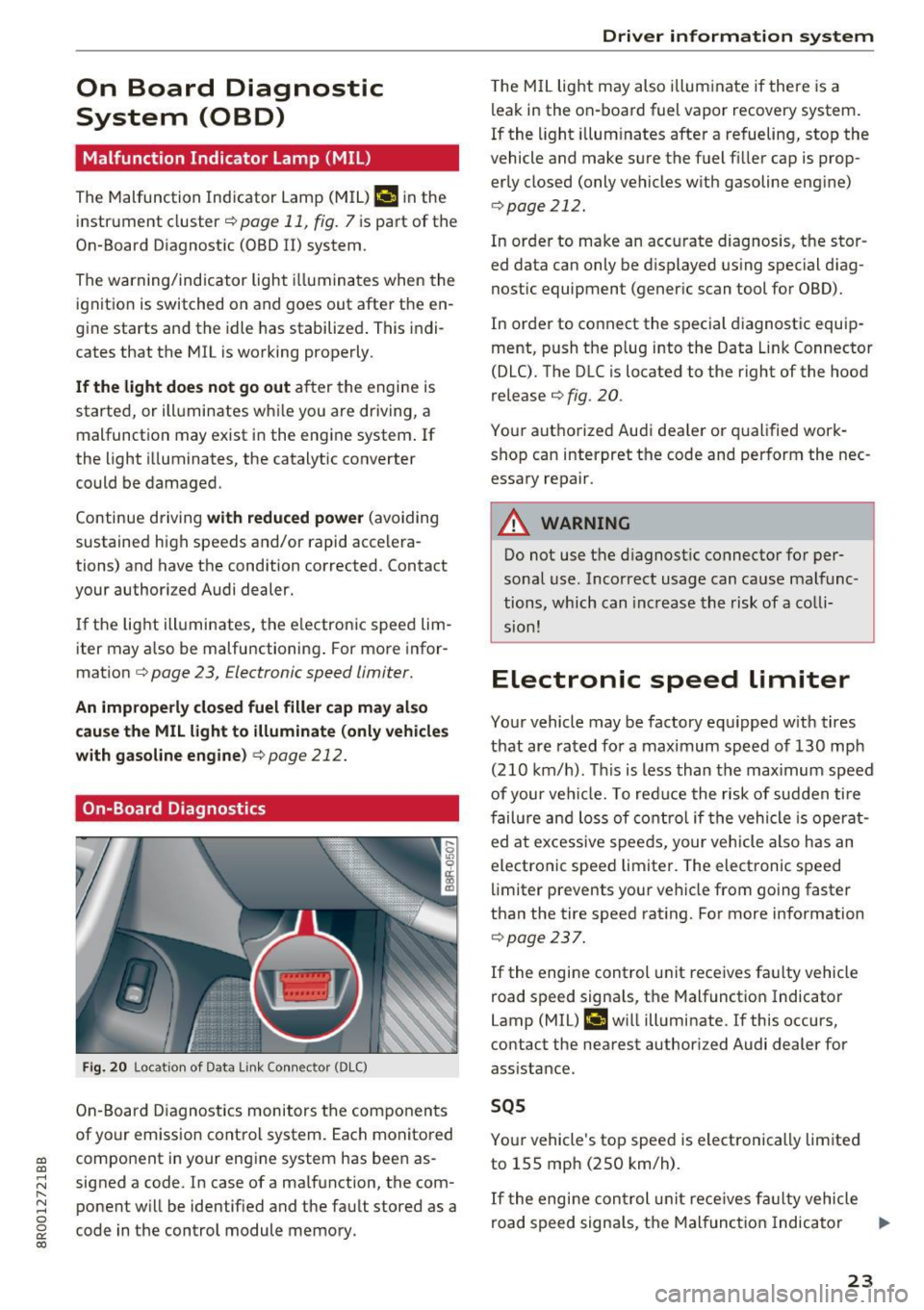
In order to connect the special diagnostic equip
ment, push the plug into the Data Link Connector
(DLC). The DLC is located to the right of the hood
release ¢
fig. 20.
Your authorized Audi dea ler or qualified work
shop can interpret the code and perform the nec
essary repair.
A WARNING
-~
Do not use the diagnostic connector for per
sonal use. Incorrect usage can cause malfunc
tions, which can increase the risk of a colli
sion!
Electronic speed limiter
Your vehicle may be factory equipped with tires
that are rated for a maximum speed of 130 mph (210 km/h). This is less than the maximum speed
of your vehicle. To reduce the risk of sudden tire
failure and loss of control if the vehicle is operat
ed at excessive speeds, your vehicle also has an
electronic speed limiter. The electronic speed
limiter prevents your vehicle from going faster
than the tire speed rating . For more information
¢ page 237.
If the engine control unit receives faulty vehicle
road speed signa ls, the Malfunction Indicator
Lamp (MIL)
¢4 will illuminate. If this occurs,
contact the nearest authori zed Audi dealer for
assistance.
SQS
Your vehicle's top speed is electronically limited
to 155 mph (250 km/h).
If the engi ne control unit receives fa ulty vehicle
road speed signals, the Malfunction Indicator
lllJ,,
23
Page 27 of 296
CD
CD
.... N ,-... N ..... 0 0 c:<: 00
The driver message disappears after a few sec
onds. The driver message can be disp layed again
by briefly pressing the
! SE T! button .
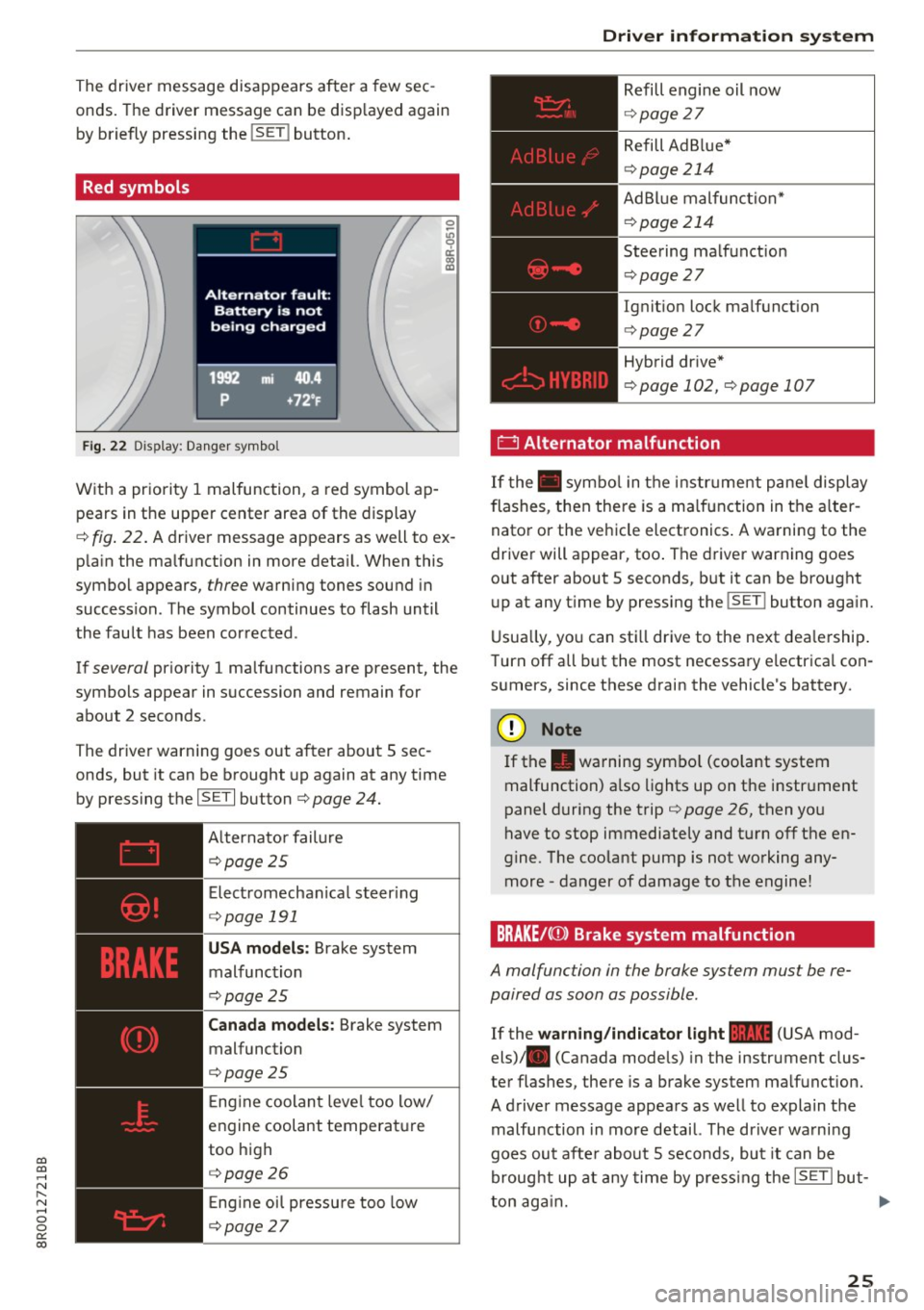
Red symbols
Fig . 22 Display: Danger symbol
With a priority 1 malfunction, a red symbol ap
pears in the upper center area of the display
0 ~
"' 9 a: CX) IX)
c:::> fig. 22 . A driver message appears as well to ex
p la in the ma lfunction in more deta il. When this
symbol appears,
three warning tones sound in
succession. The symbol continues to flash until
the fault has been corrected .
If
several pr iority 1 malfunctions are present, the
symbols appear in succession and remain for
about 2 seconds .
The driver warning goes out after about 5 sec
onds, but it can be brought up again at any time
by pressing the
ISETI button c:> page 24.
Alternator failure
c:::> page 2 5
Electromechanical steering
c:::> page 191
USA models : Brake system
malfunction
c:>page 25
Canada models: Brake system
malfunction
c:> page 25
E ng ine coolant level too low/
engine coolant temperature
too high
c:::> page 2 6
En gin e o il pressure too low
c:::> page 2 7
Driver information system
Refill engine oil now
c:::> page 2 7
Refill Ad B lue*
c:> page 214
AdBlue malfunction*
c:::> page 214
Steering malfunction
c:::> page 2 7
Ignition lock malfunction
c:> page 27
Hybrid dr ive*
c:> page 102, c:> page 107
' 0 Alternator malfunction
If the . symbo l in the instr um ent panel display
flashes, then the re is a malfunction in the alter
nator or the vehicle electronics . A warning to the
driver will appear, too . The driver warning goes
out after about 5 seconds, but it can be brought
up at any t ime by pressing the
!SET ! button aga in.
Usually, you can still drive to the next dea lership .
T urn off all but the most necessary e lectrica l con
sumers, since these drain the vehicle's battery.
(D Note
If the . warning symbo l (coolant system
malfunction) also lights up on the instrument
panel during the trip
c:> page 26, then you
have to stop immediately and turn off the en
gine. The coolant pump is not working any
more -danger of damage to the engine!
BRAKE/C(D) Brake system malfunction
A ma/function in the brake system must be re
paired as soon as possible .
If the warning/indicator light 11111 (USA mod
els) . (Canada models) in the instrument clus
ter flashes, there is a brake system malfunction.
A driver message appears as well to explain the
malfu nction in more detail. The driver wa rning
goes out after about 5 seconds, but it can be
brought up at any time by pressing the
ISETI but-
ton again. ..,.
25
Page 28 of 296
Driver information s ystem
Stop vehicle and check brake fluid level
.,. Stop the vehi cle.
.,. Check the brake f luid leve l¢
pag e 224 .
.,. Seek professional assistance if necessary.
Warning! Fault in brake system. Contact
work shop
.,. Drive carefu lly to the nearest authorized A udi
dealer or other qualified workshop and have
the malfunction corrected ¢
,&..
Parking brake system fault! See owner 's
manual
.,. If this symbol appears when the ve hicle is sta
tionary or after the ignition is turned on, check
to see if the park ing brake can be released.
Drive to an authori zed Audi dealer or other
qualified workshop as soon as poss ible and
have the malfunction corrected . If the parking
brake cannot be opened, then take it to an ex
pert at a n author ized Audi dealer.
.,. If the symbol appears while you are d riving, i t is
poss ible th at t he traction co ntro l or the emer
gency brake has malfunctioned . It is possib le
that the parking brake cannot be applied .
It is
also possible that th e parking brake cannot be
released after it has been applied. Drive to an
authori zed Aud i dea ler or other qualified work
shop to have the malfunct io n corrected.
If the ABS system malfunct ions, the ABS warn
ing/indicator light illuminates together with the
brake system malfunction warn ing/ indicator
light ¢.&. .
A WARNING
-Always observe the warnings in
¢page 217, before opening the hood and
c he ck ing the b rake fl uid .
- Driving with low brake fl uid is a safety haz
ar d. Stop the car and get professional ass is
tan ce.
- If the .. (USA models) . (Canada mod
els) brake system i ndic ator lig ht tu rns on to
ge ther wit h the ABS and ES C i ndi ca to r
ligh ts, the ABS/ ESC regula ting func tion may
have failed . Functions that stab ilize the ve
hicle a re no longe r available. This could
26
cause the vehicle to swerve and increase the
r isk of sliding. Drive caref ully to the nearest
author ized Audi dealer or other qualified
workshop and have the malfunct io n correct
ed.
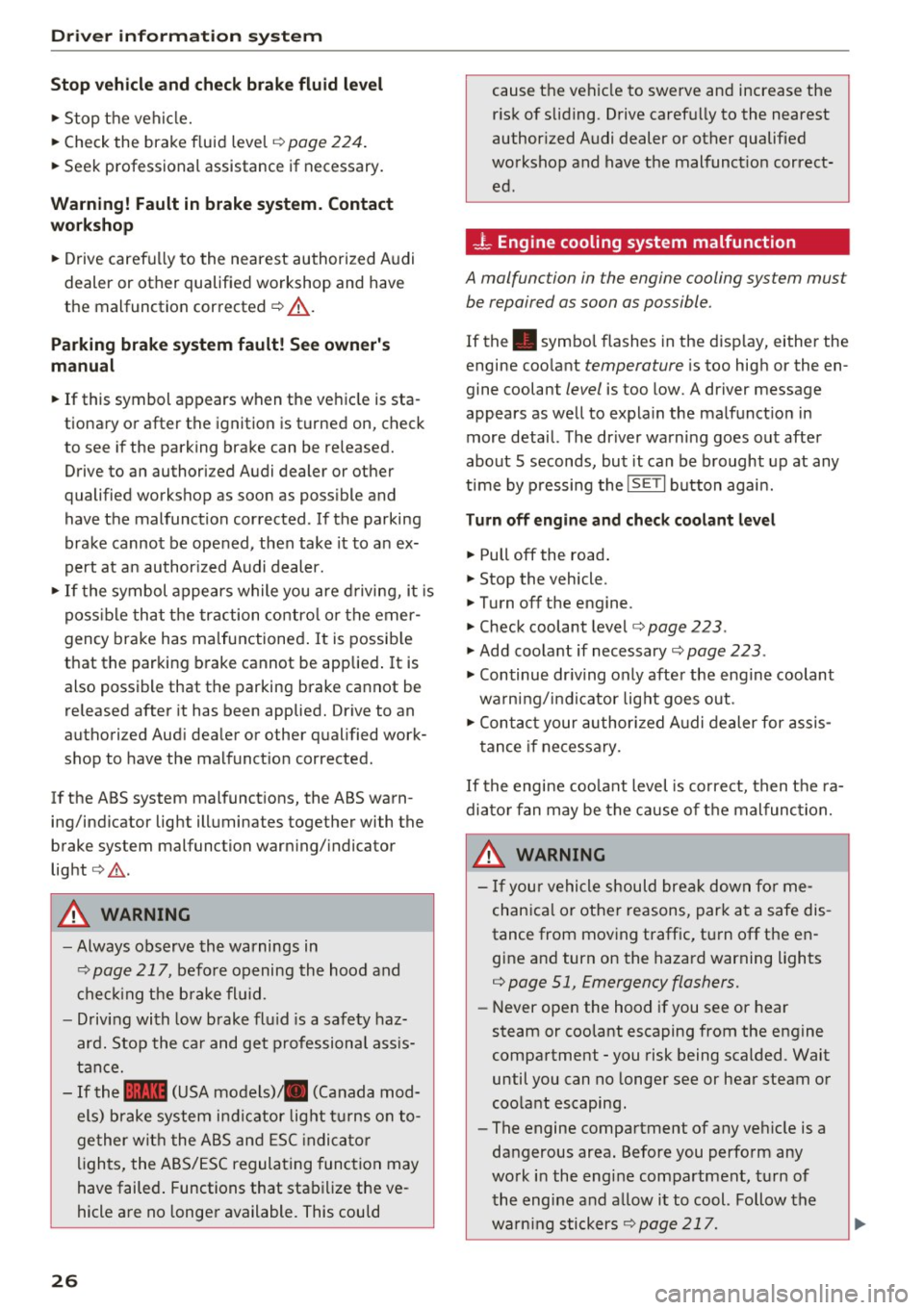
- L Engine cooling system malfunction
A malfunction in the engine cooling system mu st
be repaired as soon as possible.
If the . symbol flashes in the disp lay, either the
engine coo lant
temperature is too high or the en
gine coolant
level is too low. A driver message
appears as we ll to expla in the malfunct ion in
more detail. The dr iver warn ing goes out after
about 5 seconds, but it can be b rought up at any
time by p ressing the
IS ET I button agai n.
Turn off engine and check coolant level
.,. Pull off the road .
.,. Stop the vehicle .
.,. Turn off the engine .
.,. Check coolant level¢
page 223 .
.,. Add coolant if necessary ~ page 223.
.,. Continue dr iv ing only after the engine coolant
wa rning/i nd ic ator light goes out .
.,. Contact your authori zed A udi dealer for assis
tance if ne cessa ry.
If the engine coo lant level is correct, then t he ra
diato r fan may be the cause of t he malfunc tion.
A WARNING ~
- If you r vehicle should break down fo r me-
chan ica l or othe r reasons, park at a safe dis
tance from mov ing traffic, turn off the en
gine and turn on the hazard warning lights
¢ page 51, Emergency flashers.
- Never open the hood if you see or hear
steam or coolant escaping from the engine
compartment -you risk being scalded. Wait
until you can no longer see or hear steam or
coo lant escaping .
- The engine compartment of any veh icle is a
dangerous area. Before you perfo rm any
work i n the engine compartment, turn of
t he engine and allow i t to cool. Follow the
warn ing stickers
¢ page 217. ~
Page 29 of 296
CD
CD
.... N ,-... N .... 0 0 C<'. 00
(D Note
Do not continue d riving if the. sym bol ill u
m inates . There is a mal function in the en gine
coo ling system -you could damage your en
gi ne.
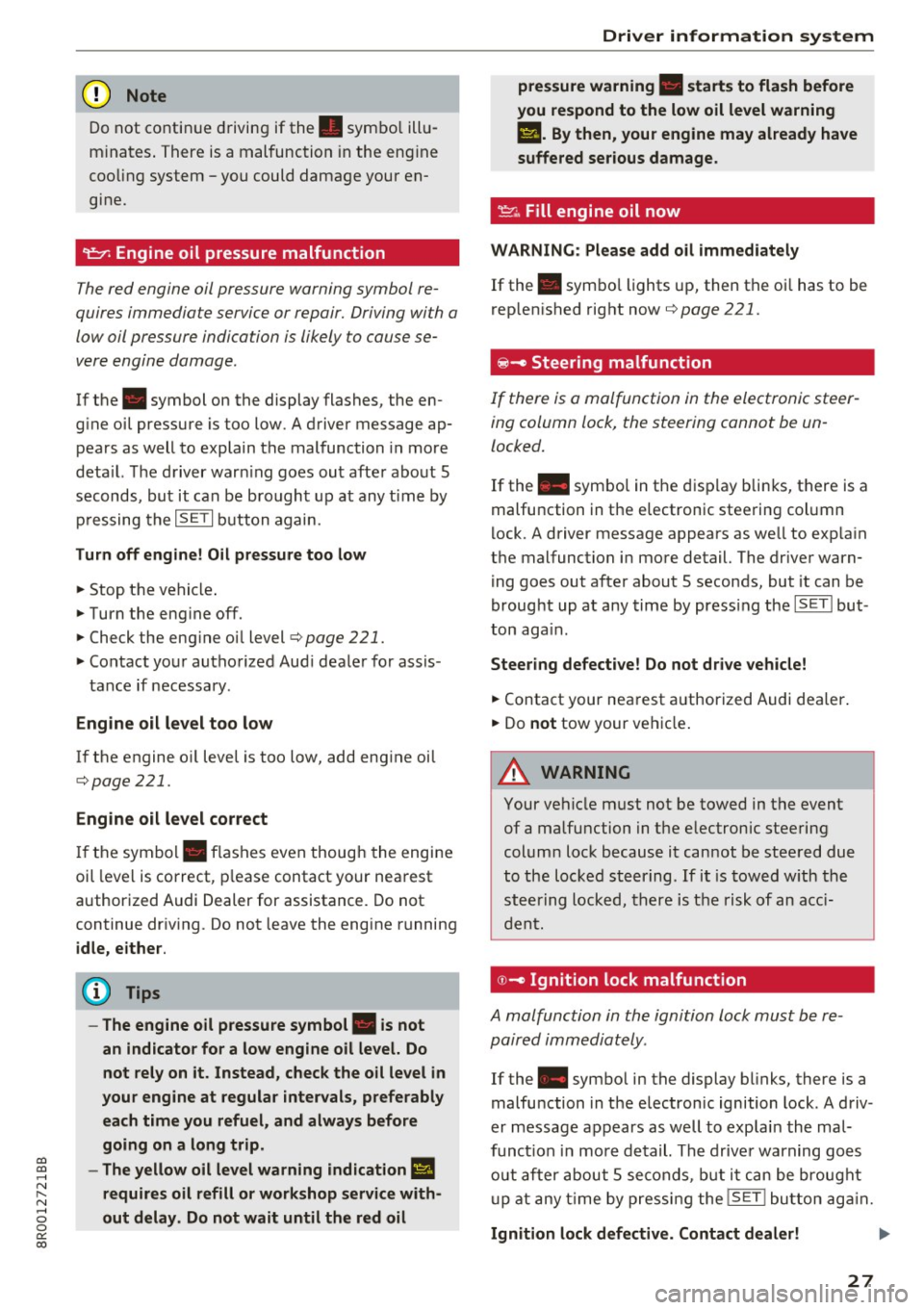
't=?: Engine oil pressure malfunction
The red engine oil pressure warning symbol re
quires immediate service or repair. Driving with a
low oil pressure indication is likely to cause se
vere engine damage .
If the . symbol on the display flashes, the en
g ine oi l pressure is too low. A d river message ap
pears as well to explain t he malfunction in mo re
deta il. Th e d river war ning goes ou t afte r abo ut 5
s econds, but it can be b ro u gh t up at any time by
p ressing the
ISET I button again.
Turn off engine! Oil pressure too low
• Stop t he ve hicle .
• Turn the eng ine
off.
• Check the eng ine oi l level ¢ page 221.
• Co ntact yo ur autho rized Aud i dea le r for assis-
tance if necessary.
Engine oil level too low
If the engine o il level is too low, add eng ine oi l
¢page 221.
Engine oil level correct
If th e sym bol. flashes even thoug h the en gin e
oil leve l is correct, p lease contact your nea rest
author ized Audi Dealer for assistance. Do not
continue dr iv ing .
Do not leave the eng ine running
idle, either .
@ Tips
- The engine oil pressure symbol. is not
an indicator for a low engine oil level. Do
not rely on it. Instead, check the oil level in
your engine at regular intervals, preferably
each time you refuel, and always before
going on a long trip.
- The yellow oil level warning indication
Ill
requires oil refill or workshop service with
out delay. Do not wait until the red oil
Driver information system
pressure warning. starts to flash before
you respond to the low oil level warning
II. By then, your engine may already have
suffered serious damage .
~ ""' Fill engine oil now
WARNING : Please add oil immediately
If the. sym bo l lights up, then t he oi l has to be
r ep le ni shed right now
¢page 221.
@-Steering malfunction
If there is a malfunction in the electronic steer
ing column lock, the steering cannot be un
locked.
If the . symbo l in the disp lay bli nks, t here is a
malfunction in t he electronic stee ring col umn
l ock. A driver message appears as we ll to exp la in
t h e malfunction i n mo re detail. The dr ive r warn
ing goes out afte r about 5 seconds , but it can be
broug ht up a t any time by press ing the
ISETI but
ton aga in.
Steering defective! Do not drive vehicle!
• Contact your nea rest a uthorized Audi dea ler .
• Do
not tow your ve hicle.
A WARNING
Your ve hicle m ust not be towed in t he event
of a ma lfunction in t he e lectron ic stee ring
col um n loc k becaus e it can not be st ee red due
to the loc ked steering . If i t is towed w ith th e
st eer ing lo cked , the re is the r isk o f an acci
d en t.
©-Ignition lock malfunction
A malfunction in the ignition lock must b e re
paired immediately .
If the . symbo l in the display b links , there is a
malfu nction in t he e lectron ic ignition lock. A d riv
er m essage a ppears as well to expla in the ma l
f unct ion in mo re det ail. The driv er warning go es
out a ft er abou t 5 se cond s, but it can b e broug ht
up at an y ti me by pressing the
!SE T! bu tt o n ag ain .
Ignition lock defective. Contact dealer! .,.
27
Page 30 of 296
Driver information s ystem
"' Do not turn the engine off .
"'Drive immediate ly to an authorized Audi dealer
to have the malfunction corrected.
If there is a malfunct ion in the electronic ignition
lock, the ignition cannot be turned
off . Drive im
mediately to an authorized service facility to have
the cause of the malfunction corrected.
O n ve hicles with Convenience key* , the eng ine
should not be switched
off using the Start/Stop
button because the engine cannot be started
again after the ignition has been switched
off.
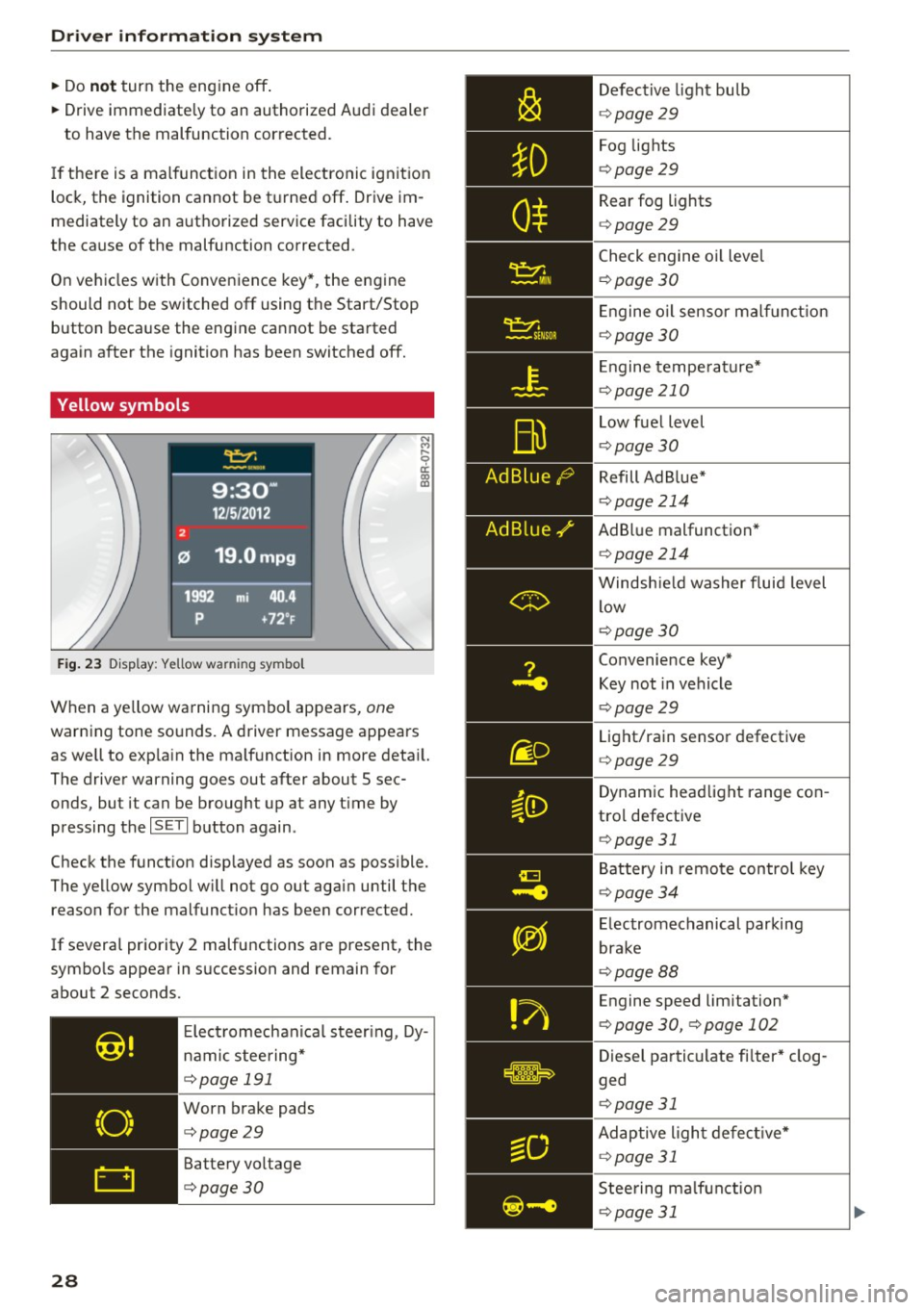
Yellow symbols
F ig . 2 3 Display : Yellow wa rning symbo l
N M
9 a: a, ID
When a ye llow warning symbol appears, one
warning tone sounds. A driver message appears
as well to exp la in the ma lfunction in more deta il.
The driver wa rning goes out after about 5 sec
onds, but it can be brough t up at any t ime by
pressing the
I S ET I button again .
Check the funct ion disp layed as soon as possible.
The yellow symbol w ill not go o ut again until the
reason for the malfunct io n has been corrected.
If several priority 2 malfunctions are present, the
symbo ls appear in succession and remain for
about 2 seconds.
28
E lect romechanica l steer ing , Dy
namic steering*
c::> poge 191
Worn brake pads
c::> poge29
Battery vo ltage
c::>poge30 Defective
light bu lb
c::> poge 29
Fog lights
c::> poge29
Rear fog lights
c::> poge29
Check engine oil leve l
¢ page 30
E ngine o il sensor ma lf u nct ion
c::> page 30
E ngine tempe ra tu re*
c::> page 210
Low fuel level
c::> page 30
Refill Ad B lue*
c::> page 214
AdBl ue malfunction *
c::> page 214
Windsh ie ld washer fluid level
low
c::> page 30
Convenience key*
Key not in vehicle
c::> page29
Light/rain sensor defective
c::> page 29
Dynam ic headlight range con
tro l defective
c::> page 31
Battery in remote control key
c::> page34
E lectromechanical parking
brake
c::> page 88
Engine speed limitation*
c::> page 30, c::>poge 102
Dies el particulate fi lter * clog
ged
c::> page 31
Adaptive ligh t defec tive *
c::> page 31
Steering ma lf u nction
c::> poge 31
Page 31 of 296
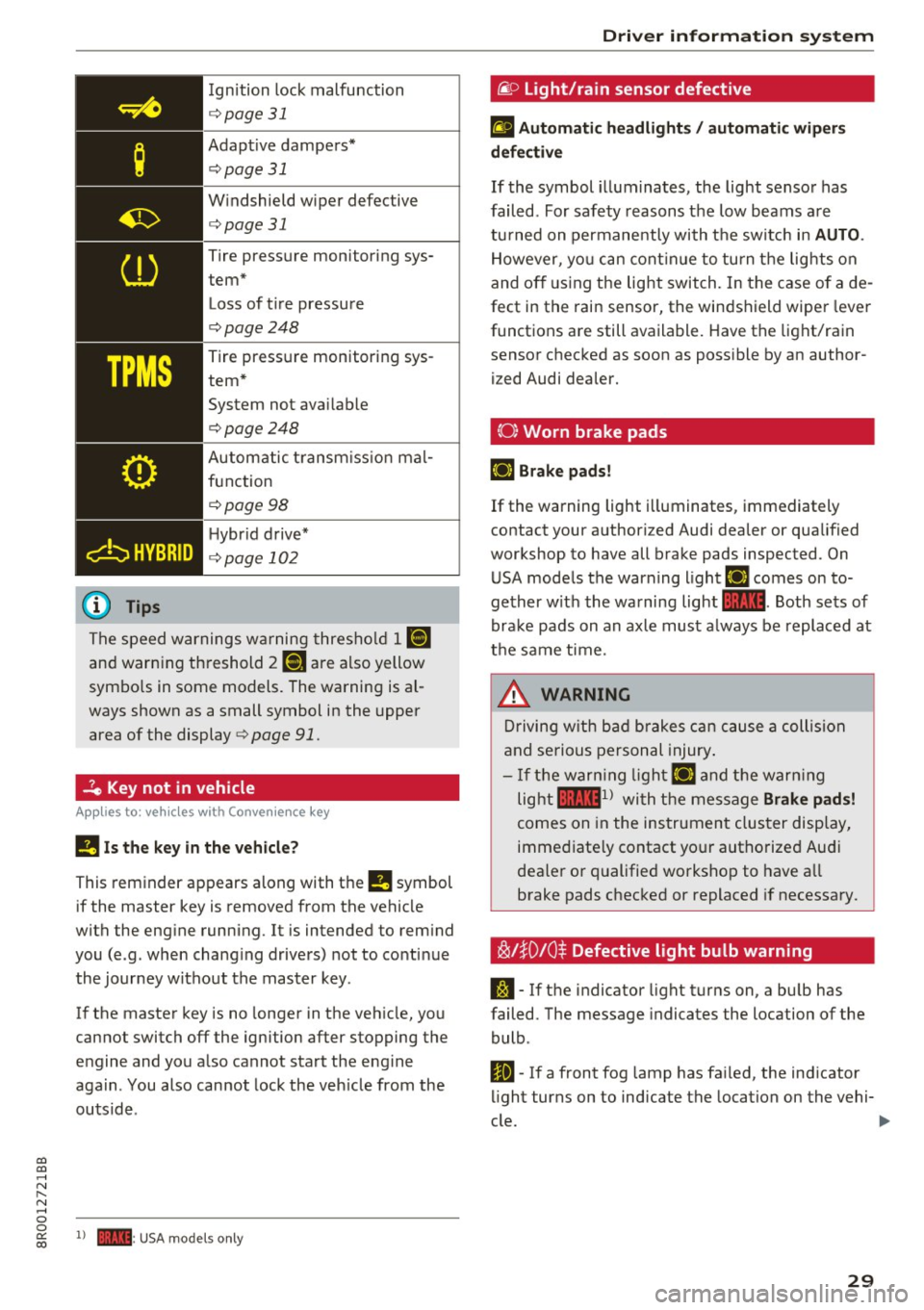
Ignition lock malfunction
¢ page 31
Adaptive dampers*
¢ page 31
Windshield wiper defective
¢ page 31
Tire pressure monitoring sys
tem*
Loss of ti re pressure
¢ page248
Tire pressure monitoring sys
tem *
System not ava ilable
¢page248
Automatic t ransm iss ion mal
function
¢ page98
Hybr id d rive*
¢ page 102
The speed warnings wa rning thresho ld 1 1aj
and warning th reshold 7 ISi are also yellow
symbo ls in some models. The warning is al
ways shown as a small symbol in the upper area of the display
¢ page 91.
-le Key not in vehicle
Appl ies to : ve hicl es with Conve nien ce key
!I Is the ke y in the v ehicle ?
This reminder appears along with the !I symbol
if the master key is removed from the vehicle
with the eng ine running . It is intended to rem ind
you (e .g . when chang ing drivers) not to conti nue
the journey without the master key.
If the master key is no longer in the veh icle, you
cannot switch off the ignition after stopping the
engine and you a lso cannot start the engine
aga in . You also cannot lock the veh icle from the
ou ts ide .
CD
CD
.... N ,-... N .... 0 0
~ 1) - : USA mod els onl y
Dri ver informa tion system
@f> Light/rain sensor defective
fl Automati c headlight s/ automati c wip ers
d efective
If the symbol illum inates , the light sensor has
failed . For safety reasons the low beams are
tu rned on permanently with the switch in
AUTO .
However, yo u can cont inue to turn t he lig hts on
and off us ing the light switch. In the case of a de
fect in the rain sensor, the windshield wipe r lever
functions are still available. Have the light/rain sensor checked as soon as poss ible by an author
i z ed Audi dealer.
{0) Worn brake pads
liJ Brake pads!
If the warning light illuminates , immediat ely
contact your authori zed Audi dealer or qualified
workshop to have all brake pads inspected . On
USA mode ls the warning light
liJ comes on to
gether w ith the warning light
1111 . Both sets of
brake pads on an axle must a lways be replaced at
the same time.
&_ WARNING
Driving w ith b ad b rakes can cause a collision
and serious personal injury .
- If the warn ing light liJ and the warn ing
light
llll1 l with the message Brake pad s!
comes on in the instrument clus ter display,
immed iate ly contact yo ur authorized Aud i
dealer o r qualified workshop to have a ll
brake pads checked or replaced if necessary .
~!}0 10$ Defective light bulb warning
J:1 -If the indicator light turns on, a bu lb has
failed. The message indicates the location of the
bulb .
II-If a front fog lamp has fa iled, the ind icator
li ght turns on to indicate the location on the vehi-
c le.
~
29
Page 32 of 296
Driver information s ystem
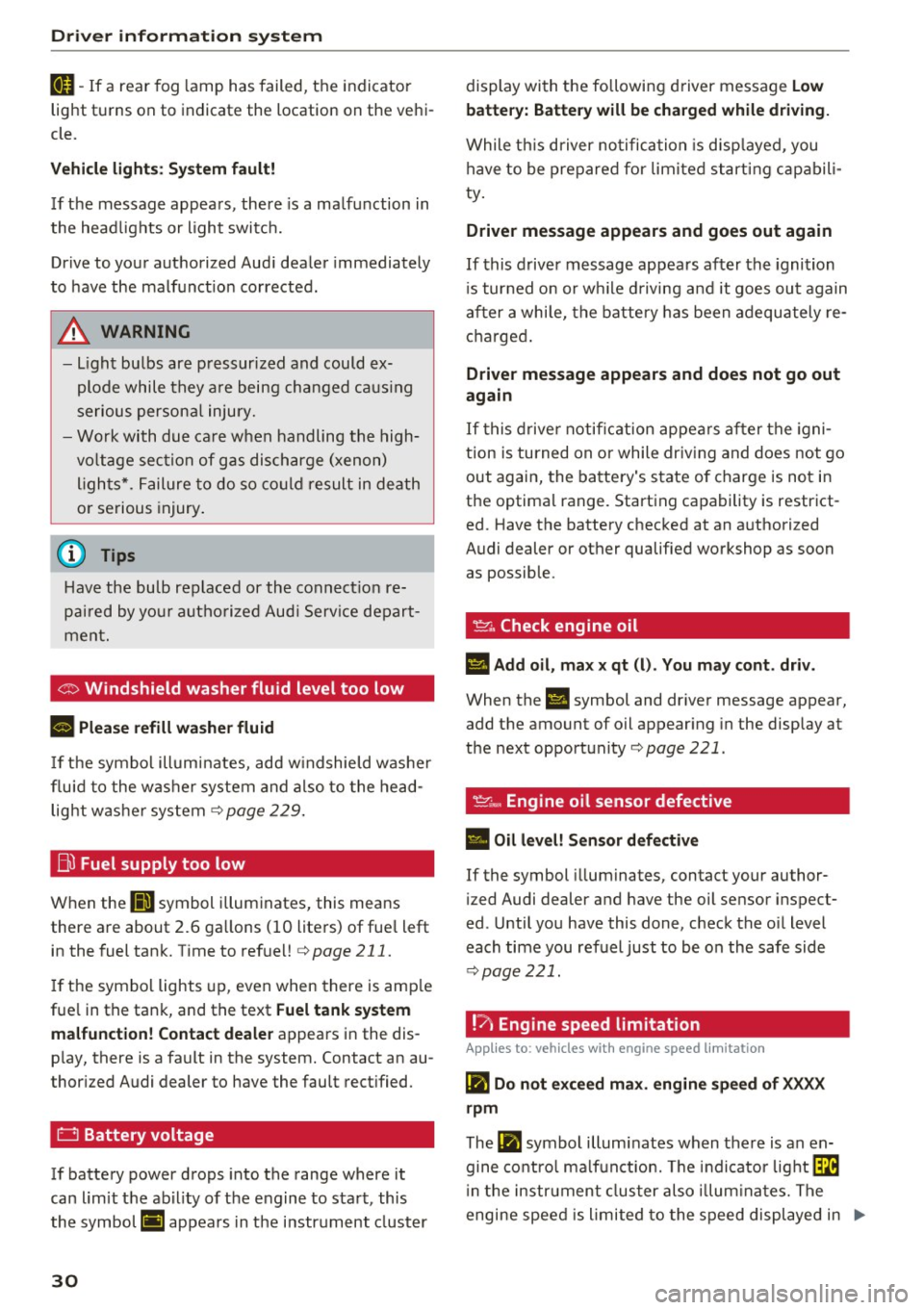
IJ-If a rear fog lamp has failed, the indicator
light turns on to ind icate the location on the vehi
cle.
Vehicle ligh ts : S ys tem f ault!
If t he message appears , there is a ma lfunction in
the head lights or light switc h.
Drive to your authorized Aud i dea ler immediately
to have the malfunct ion corrected .
A WARNING
-Light bu lbs are p ressurized and could ex
plode while they a re being changed ca us ing
serious person al injury.
-
-Work with due ca re when handling the high
vo ltage section of g as dis charge (xenon)
l igh ts *. Failure to do so could result in de ath
or serious injury .
(D Tips
Have the bu lb replaced or the connect io n re
pai red by yo ur autho rize d Aud i Serv ice depart
ment.
C> Windshield washer fluid level too low
B Plea se refill wa sher fluid
If t he symbol illumi nates, add w indshield washe r
fluid to the was her system and also to the head
light washe r system ¢
page 229.
Bl Fuel supply too low
When the (jg symbol illum inates, this means
ther e are about 2 .6 ga llons (10 liters) of fue l le ft
in the fuel tank. Time to refuel!¢
page 211.
If the symbol lights up, even when there is amp le
fue l in the tank, and the text
Fuel tank system
malfun ction! Contact dealer
appears in the dis
p lay, there is a fault in the system. Contact an au
thor ized Audi dealer to have the fault rect ified.
D Battery voltage
If ba ttery power drops into the range where it
can limit t he ab il ity of t he engine to sta rt , this
the symbol
(•j appea rs in t he i nstr ument cluster
30
display with the following driver message Low
batte ry: Batte ry will be charged while d riv ing.
While th is d river no tific ation is disp layed, you
have to be prepare d for lim ited start ing capabili
ty .
Driver message appears and goes out again
If this driver message appears after the ignition
i s tur ned on or w hile d riving and it goes ou t again
a ft er a whi le, the battery has been adequately re
c h arged .
Driver message appears and does not go out
again
I f this drive r notific ation appea rs after the igni
tion is turned on or while driv ing and does not go
out again, the battery's state of charge is not in
the optimal range. Starting capability is restrict
ed. Have the battery checked at an a uthori zed
Audi dealer or other qualified workshop as soon
as possib le.
~. Check engine oil
II Add oil , ma x x qt (l) . You may cont. driv .
When the Ill symbol and driver message appear,
add the amount of oil appear ing in the display at
the next opportunity ¢
page 221.
' ~-· Engine oil sensor defective
• Oil level! Sensor defective
If the symbol illuminates, contact your author
i z ed Audi dealer and have the oil sensor inspect
ed . Until you have this done, check the oi l level
each time you refuel just to be on the safe side
¢ page 221.
!? Engine speed limitation
Applies to: vehicles with engine speed limitation
(II Do not exceed max. engine speed of XXXX
rpm
The (II symbol illuminates when the re is an en
gine co ntro l ma lf u nct ion. The indi cator light ~
i n the instrument cluster also illum ina tes. The
engine spee d is limited to the speed displ ayed in
liJJ>