warning light AUDI Q5 2017 Owner's Manual
[x] Cancel search | Manufacturer: AUDI, Model Year: 2017, Model line: Q5, Model: AUDI Q5 2017Pages: 296, PDF Size: 74.43 MB
Page 33 of 296
the driver information system. Keep in mind that
the engine speed will not exceed the value dis
p layed in the driver information system, for ex
ample when downshifting.
Please go to an autho rized Audi dea ler o r other
qua lified workshop to have the malfunction re
pa ired .
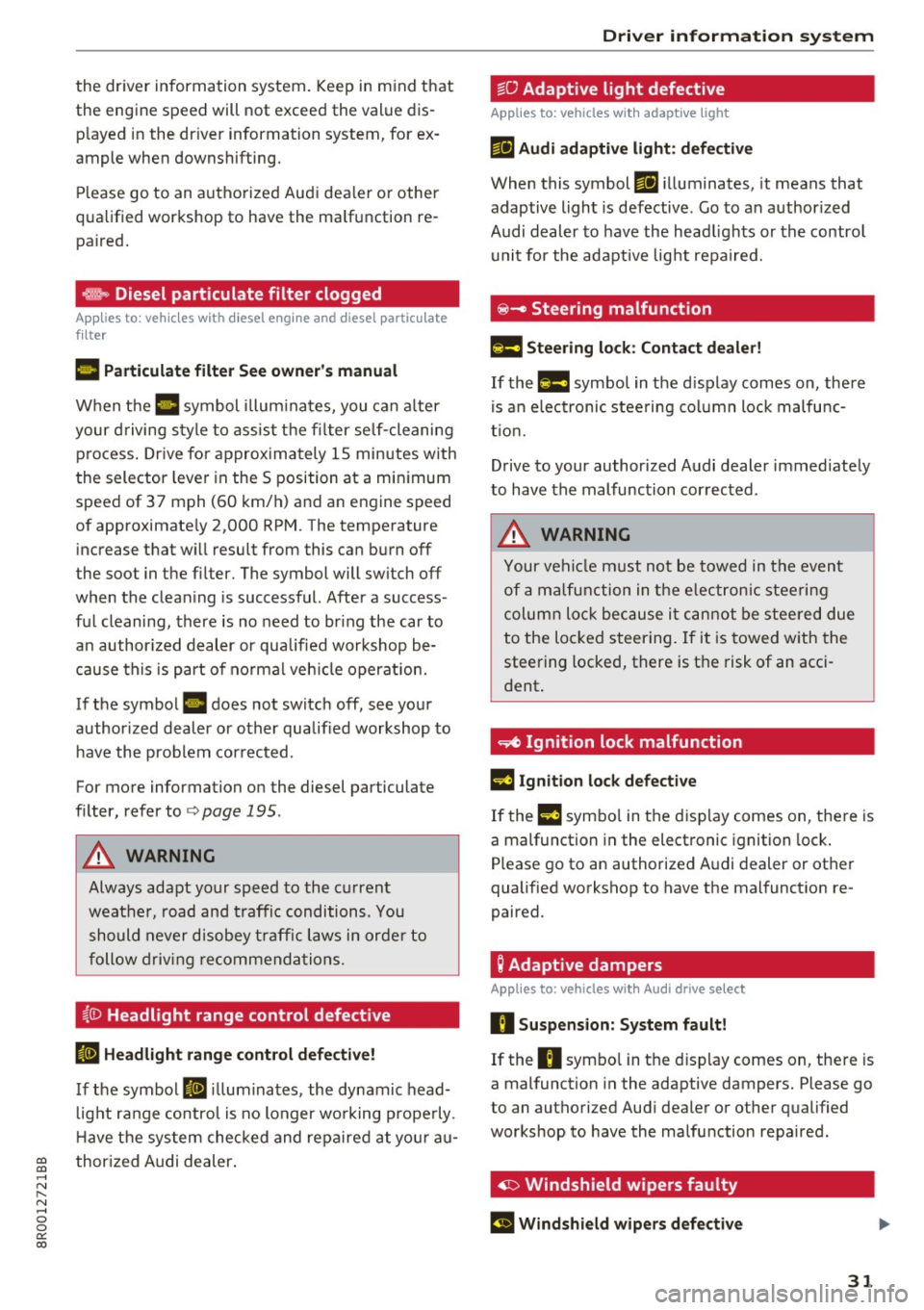
~ Diesel particulate filter clogged
Applies to: ve hicles with diesel eng ine and diesel part iculate
filter
11!1 Particul ate filt er S ee ow ner's manual
When the II symbol illum inates, you can a lter
your d riving style to assist the fi lter self-cleaning
process . Dr ive for approx imately 15 minutes with
the selector leve r in the S position at a minimum
speed of 37 mph (60 km/h) and an engine speed
of approximate ly 2,000 RPM. The temperature
increase that will result from this can burn off
the soot in the filter. The symbol will switch off
when the clean ing is successful. After a success
ful cleaning, there is no need to br ing the car to
a n author ized dealer or qualified workshop be
cause this is part of no rmal veh icle operat ion.
If the symbol
II does not switch off, see your
author ized dealer or other qualif ied workshop to
have the prob lem corrected.
For more information on the diesel particulate
filter, refer to
<=:>page 195.
A WARNING
Always adapt your speed to the current
weather, road and traffic conditions. You
should never disobey traffic laws in orde r to
follow driving recommenda tions.
{0 Headlight range control defective
II Headlight range cont rol defe cti ve !
If the symbol II ill uminates, the dynamic head
l ight range control is no longer wo rking prope rly.
H ave the sys tem checked and repaired at yo ur au-
CD thor ized Audi dealer. CD .... N ,-... N .... 0 0 c:<: 00
Dri ver informa tion system
~O Adaptive light defective
Applies to: vehicles with adaptive light
Efl Audi adapt ive light : defe ctiv e
When this symbol Efl illuminates, it means that
adaptive light is defective. Go to an authorized
Audi dealer to have the head lights or the contro l
u nit for the adapt ive lig ht repaired.
~ - Steering malfunction
El! Steering lo ck : Con tact deale r!
If the m symbol in the d isplay comes on, there
is an e lectronic stee ring column lock malfunc
t ion.
Drive to your author ized Audi dealer immed iately
to have the malfunction cor rected .
A WARNING "--
Your vehicle m ust not be towed in the event
of a malfunction in the e lectronic steering
column loc k bec ause i t cannot be stee red due
to the loc ked steering. If it is towed w ith the
steering locked, there is the risk of an acc i
dent .
~ Ignition lock malfunction
m Ignition lock defective
If the l3 symbo l in the d isplay comes on, the re is
a malfunction in the electronic ignition lock .
Please go to an authorized Audi dealer or other
qualified workshop to have the malfunction re
paired.
Q Adaptive dampers
Applies to: vehicles with Audi drive select
R Suspension: System fault!
If the R symbo l in the disp lay comes on, the re is
a malfunction in the adaptive dampers. Please go
to an authorized Audi dealer or other qualified
workshop to have the ma lfunction repaired.
~ Windshield wipers faulty
El Windshield wiper s defective
31
Page 41 of 296
a,
a,
..... N r-N ..... 0 0
0:
co
Locking and unloc king the vehicle from
inside
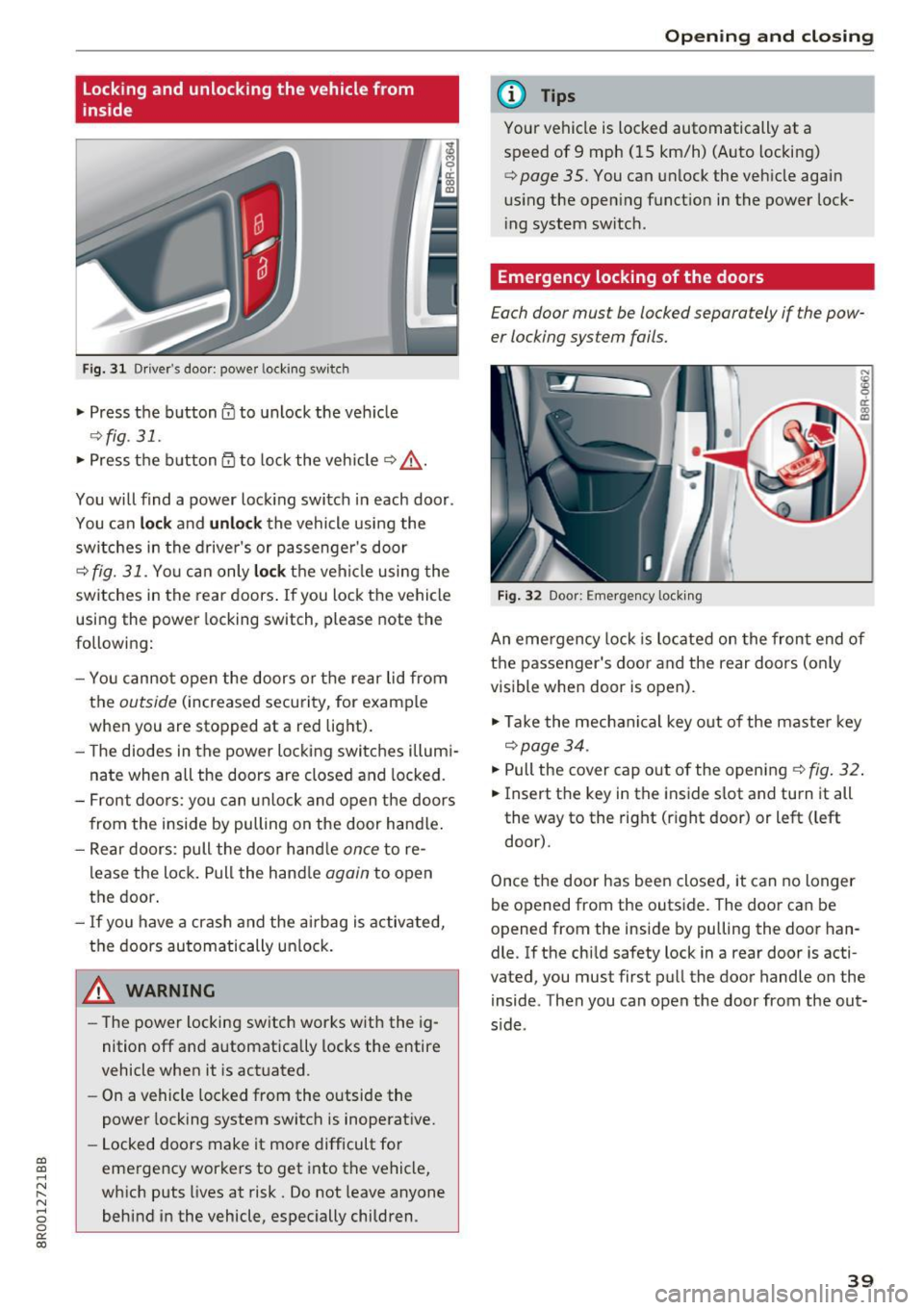
F ig. 3 1 Driver 's doo r: powe r locking sw it c h
.. Press the button@ to unlock the veh icle
9fig . 31 .
.. Press the button 53 to lock the vehicle 9 .&_ .
You will find a power lock ing switch in each door .
You can
lock and unlock the vehicle using the
sw itches in the drive r's or passenge r's door
c=;, fig. 31. Yo u can only lock th e vehicle using the
switches in the rear doors . If you lock the vehicle
using the power locking switch, please note the
following:
- You cannot open the doors or the rear lid from
the
outside (increased security, for example
when you are stopped at a red light).
- The diodes in the power locking switches illum i
nate when all the doors are closed and locked.
- Front doors: you can unlock and open the doors
from the inside by pulling on the door handle .
- Rear doors: pull the doo r hand le
once to re
lease the lock. Pull the hand le
again to open
the door.
- If you have a crash and the airbag is activated,
the doors automatically unlock.
A WARNING
-The power locking switch works with the ig
nition off and automatically locks the entire
vehicle when it is actuated .
- On a vehicle locked from the outside the
power locking system switch is inoperative.
- Locked doors make it more difficult for
emergency workers to get into the vehicle,
which puts Lives at risk. Do not leave anyone
behind in the vehicle, especially children .
Opening and closing
(D Tips
Your vehicle is locked automatically at a
speed of 9 mph (15 km/h) (Auto locking)
¢
page 35. You can unlock the vehicle again
us ing the open ing function in the power lock
i ng system switch .
Emergency locking of the doors
Each door must be locked separately if the pow
er locking sys tem fails.
Fig. 32 Door: E mergency locking
An eme rgency lock is located on the front end of
the passenger's door and the rear doors (o nly
visible when door is open).
"' Take the mechanical key out of the master key
c=;, page 34.
"'P ull the cover cap out of the opening ¢ fig. 32.
.. Insert the key in the inside slot and turn it all
the way to the right (rig ht door) or left ( left
door).
Once the door has been closed, it can no longer
be opened from the outside. The door can be
opened from the inside by pu lling the door han
dle. If the child safety lock in a rear door is acti
vated , you must first pull the door handle on the
inside . Then you can open the door from the out
s ide .
39
Page 43 of 296
Automatic rear lid/trunk lid operation
Applies to: vehicle s with automatic rear lid/tru nk lid opera
tion
The trunk lid con be opened and closed automat
ically.
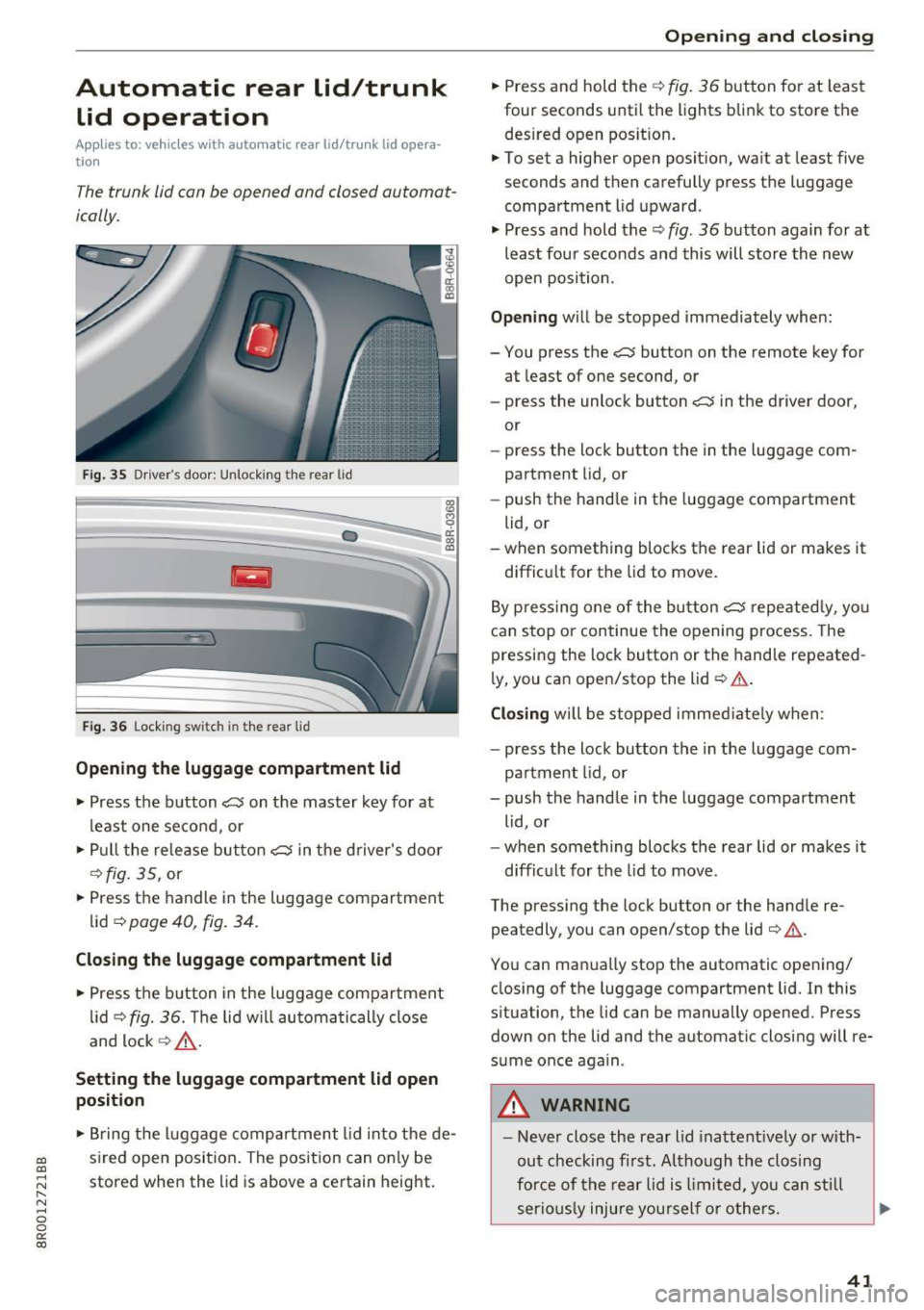
Fi g. 35 Driver's door: U nlock ing the rear lid
Fig. 36 Loc king switch in t he rea r lid
Opening the luggage compartment lid
• Press the b utton C:5 on the mas te r key for at
least one second, or
• Pull the re le ase bu tton
cs in the d river's doo r
c:>fig. 35, or
• Press the handle in the luggage compartment
lid
c:> page 40 , fig. 34.
Closing the luggage compartment lid
• Press t he b utton in the luggage compartment
lid
c:>fig. 36. T he li d w ill automa tically close
and lock
c:> ,&. .
Setting the luggage compartment lid open
position
9 0:: (X) IXl
• Br ing the l uggage compartment lid into t he de -
a:, sired open position . The pos ition can on ly be a,
~ stored when the lid is above a certain height. r-N ...... 0 0
0:
co
Open ing and closing
• Press and hold the c:> fig. 36 but ton fo r at least
four seconds until the lights blink to store the
desired open pos it ion .
• To set a higher open posit ion, wa it at least five
seconds and then carefully press the luggage
compartment lid upward .
• Press a nd hold the
c:> fig. 36 button again for at
least fou r seconds and this will store the new
open posi tion.
Opening will be stopped immediately when:
- You press the
C:5 button on the remote key for
at least of one second, or
- press the unlock button
C:5 in the driver door,
or
- press the loc k button the in the luggage com
partment lid, or
- push the hand le in th e luggage compartment
lid, or
-when something blocks the rear lid or makes it
diffic ult for the lid to move.
B y pre ssing one of the bu tton
cs repe ated ly, yo u
can stop or continue the o pening process. The
pressing the lock button or the hand le repeated
ly, you ca n ope n/stop the lid
c:> .& .
Closing will be stopped immed iate ly when :
- press the lock bu tton the in the luggage com
pa rtment lid, or
- push the handle in the luggage compartment
lid , or
- when something blocks t he rear lid or makes it
d iffic ult for the lid to move .
The pressing the lock button or the hand le re
peatedly, you can open/stop the lid
c:> .&,. .
You can man ua lly stop the automatic opening/
closing of t he luggage compartment lid. In this
s ituation, the lid can be manua lly opened. Press
down on the lid and the automatic clos ing will re
s u me once again .
_&. WARNING
-
-Never close the rear lid inattent ively or w ith-
out ch ecking fi rst. Altho ugh t he closing
for ce of the re a r lid is limi ted, you can sti ll
ser io usl y inju re you rsel f or others .
41
Page 45 of 296
a,
a,
..... N
" ('I ..... 0 0
0:
co
The rear doors are equipped with child safety locks. The lock is only visible wh en the door is
open . T ake the mechanical key out of the master
key
q page 34 .
Switching the child safety locks on
• Turn the key in the direction of the arrow
¢fig. 38.
Switching the child safety locks off
• Turn the key in the opposite direction of the ar
row .
When the child safety locks are activated, the in
side door ha ndles do not work and the doors can
only be opened from the outs ide .
Power windows
Controls
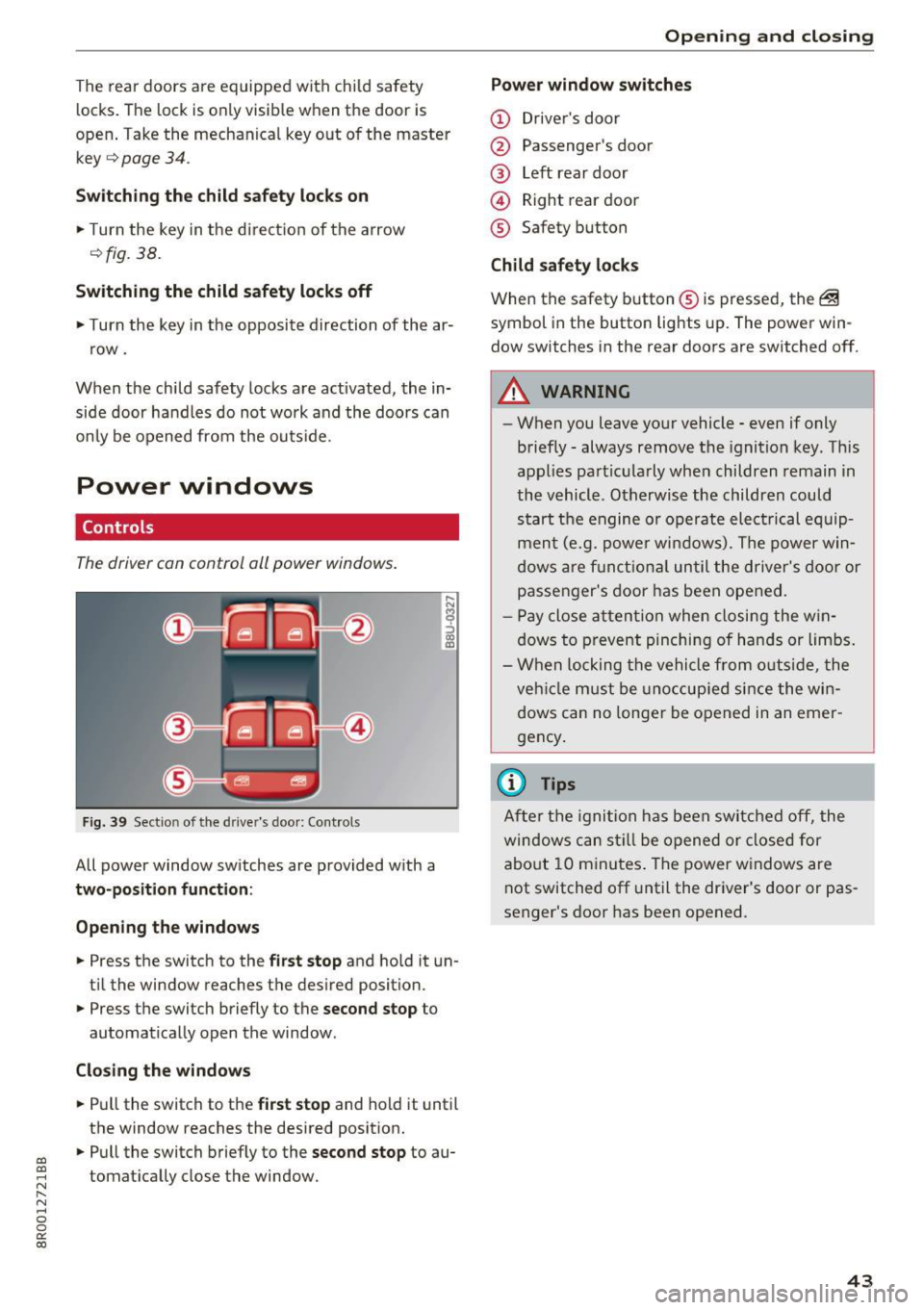
The driver can control all power windows.
Fig. 39 Sect io n of the drive r's d oor: Cont ro ls
All power window switches are provided with a
two-position function :
Opening the windows
• Press the switch to the first stop and hold it un
til the window reaches the desired position.
• Press the switch briefly to the
second stop to
automatically open the window .
Closing the windows
• Pull the switch to the first stop and hold it until
the window reaches the desired position.
• Pull the switch briefly to the
second stop to au
tomatically close the window .
Open ing and closing
Power window switches
(D Driver's door
@ Passenger's door
@ Left rear door
@ Right rear door
® Safety button
Child safety locks
When the safety button ® is pressed, the ~
symbol in the button lights up. The power win
dow switches in the rear doors are switched off.
A WARNING
-~·
- When you leave your vehicle -even if only
briefly -always remove the ignition key. This
appl ies particularly when children remain in
the vehicle . Otherwise the children could
start the engine or operate elect rical equip
ment (e.g. power windows). The power win
dows are functional until the driver's door or
passenger's door has been opened.
- Pay close attention when closing the win
dows to prevent pinching of hands or limbs .
- When locking the vehicle from outside, the
veh icle must be unoccup ied since the win
dows can no longer be opened in an emer
gency .
(0 Tips
After the ignition has been switched off, the
windows can st ill be opened or closed for
about 10 minutes . The power windows are
not switched off until the dr iver's door or pas
senger's door has been opened.
43
Page 47 of 296
Opening and closing th e sunshade
• To automat ica lly open the sunshade complete
l y, briefly press the switch@ in the desired ar
row direction .
• To stop the sunshade in an intermediate posi
tion, press the switch again, or
• Press and hold the switch in the desired arrow
direction.
• Release the switch when sunshade is at desired
pos it ion .
After the ign ition is switched off, you can still op
erate the Panoramic sliding sunroof for about 10
minutes . As soon as the driver's or passenger's
door is opened, the switch is inoperative.
The power sunshade can also be closed when the
Panoram ic sliding sunroof is open.
A WARNING
Pay careful attent ion when closing the Panor
am ic sliding sunroof -otherwise ser ious injury
could result! For this reason, always remove
the ignition key when leaving the vehicle.
@ Note
Always close your Panoramic sl iding sunroof
when leaving your vehicle . Sudden rain can
cause damage to the interior equipment of
your veh icle, particular ly the electronic equip
ment .
@ Tips
Information regarding convenience opening/
clos ing
~ page 44.
Emergency closing of the Panoramic sliding
sunroof
Applies to: veh icles with Panoramic sliding sunroof
If the Panoramic sliding sunroof detects an ob
ject in its path when it is closing, it will open
again automat ically. In this case, you can close
the roof with the power emergency closing func
tion .
a,
~ • Within five seconds after the sunroof opens au-
~ tomatically, pull the switch until the roof
8 closes . 0
0:
co
Openin g an d clos ing
Garage door opener
(Homelink)
Description
Applies to: vehicles with garage door opener (Home link)
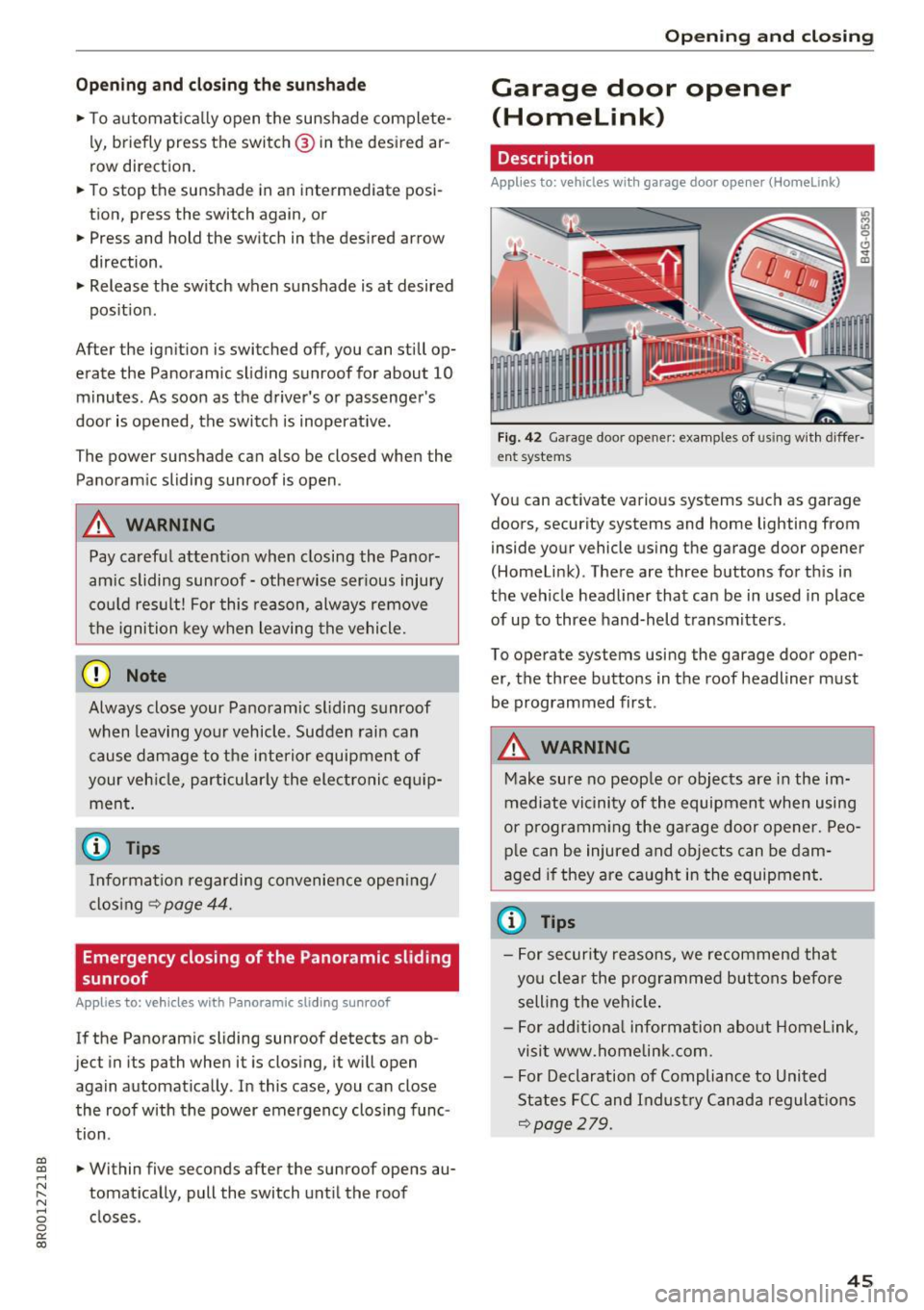
Fig. 42 Garage door opener: examples of using with differ
ent systems
You can activate various systems such as garage
doors, security systems and home lighting from
inside your vehicle using the garage door opener
(Homelink) . There are three buttons for th is in
the vehicle headliner that can be in used in place
of up to three hand-held transmitters .
To operate systems using the garage door open
er, the three buttons in the roof headliner must
be programmed first.
A WARNING
-
Make sure no peop le or objects are in the im-
mediate vicinity of the equipment when using
or p rogramm ing the ga rage door opener. Peo
p le can be injured and objects can be dam
aged if they are caught in the equipment.
(¼} Tips
- For security reasons, we recommend that
you clear the programmed buttons befo re
selling the vehicle .
- For add itiona l information about Homelink,
visit www.homelink.com.
- For Declaration of Compliance to United
States FCC and Indust ry Canada regulations
~page 279.
45
Page 51 of 296
Lights and Vision
Exterior Lighting
Switching the lights on and off
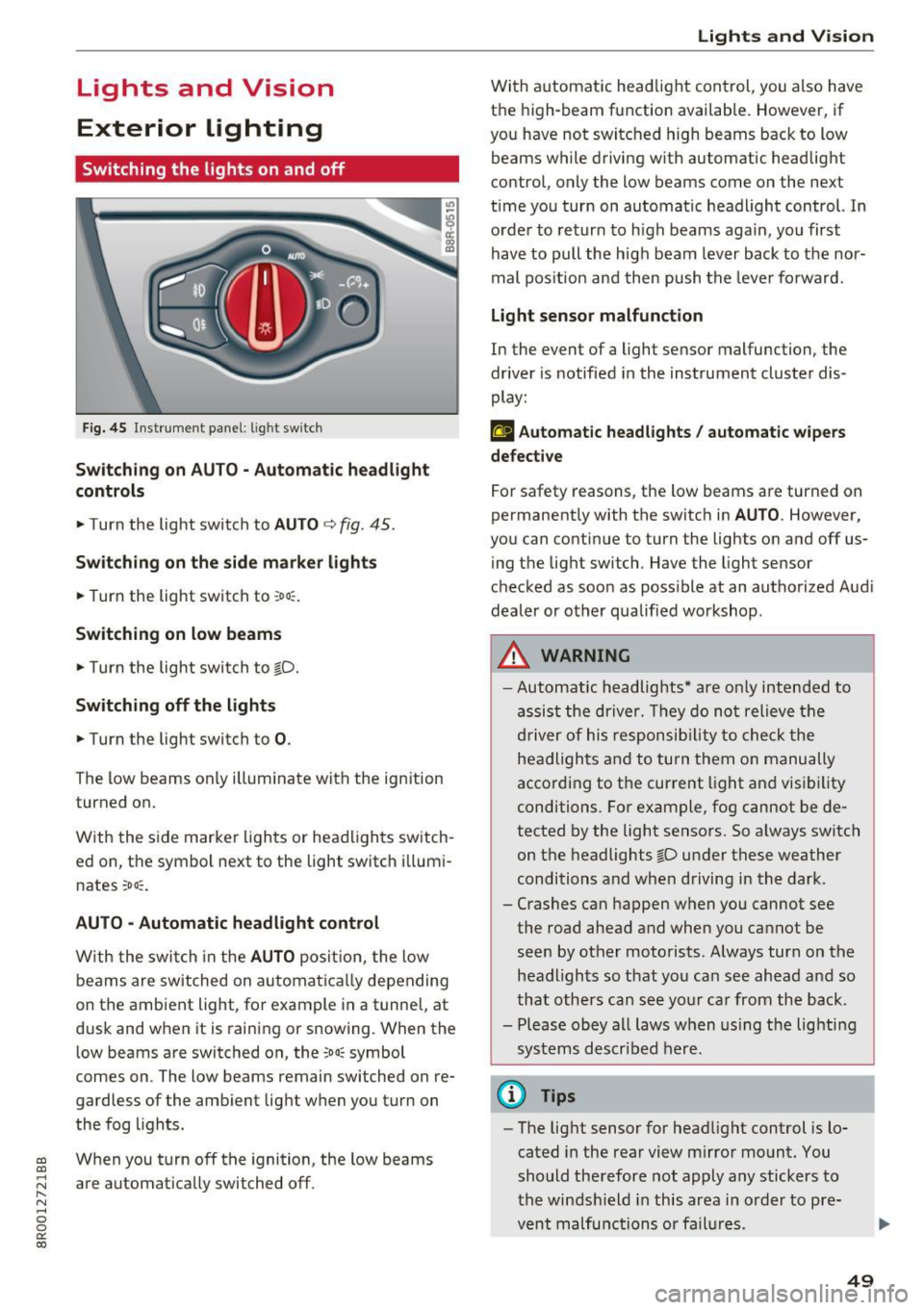
Fig. 45 Instrument panel: l ig ht sw itc h
Sw itching on AUTO - Automatic headlight
controls
• Turn the light switch to AUTO c> fig . 45 .
Switching on the side ma rker lights
• Turn the light switch to :oo:: .
Switching on low beams
• Turn the light swi tch to gD.
Switching off the lights
• Turn the light switch to 0 .
The low beams only illum inate with the ign ition
turned on.
W ith the s ide marke r lights or head ligh ts sw itch
e d on, the symbol ne xt to the light switch i llum i
nates
:oo ::.
AUTO • Automatic headlight control
W ith the swi tch in the AUTO posi tion, the low
beams are switched on a utomat ica lly depending
on the ambient light, for example in a tunnel, at
d usk and when it is raining or snowing . When the
l ow beams are switched on, the
:oo: symbol
comes on . The low beams remain switched on re
ga rdless of the amb ient lig ht when you turn on
the fog l ights.
~ W hen you turn off t he ignition, the low beams
~ are automat ically switched off . r-N ...... 0 0
0:
co
Lights and V ision
Wi th a utomat ic head light con trol, you also h ave
t h e high-beam function available. However, if
yo u have not switched high beams back to low
beams while d riving with automatic headlight
contro l, only the low beams come on the next
t ime you turn on automa tic headl ight control. In
o rder to retur n to h igh beams agai n, you first
have to pull the hig h beam lever back to the nor
mal pos ition an d then push the leve r fo rward.
Light sensor malfunction
In the event of a light sensor malfunction, the
drive r is notified in the ins trument cluster dis
play:
t!;I Automatic headlights / automatic w ipers
defective
For safety reasons, the low beams are turned on
permanent ly with the switc h in
AU TO . However,
you can continue to turn the lights on and off us
i ng t he lig ht switch . Have the light sensor
c h ec ked as soo n as poss ible at an au thorized Aud i
dealer or other qualified workshop .
A WARNING
=
-Automatic headlights * are on ly inten ded to
a ss is t t he dr iver. They do no t relieve t he
d river of his respon sib ilit y t o ch eck t he
he adli ghts a nd to turn t hem o n manu ally
accordi ng to t he current l ight and visi bili ty
conditi ons. Fo r exam ple, fo g cannot be de
tected by the light senso rs. S o always switch
on the headlights gD u nder these weather
conditions and whe n driving in the dark .
- Crashes can happen w hen you cannot see
the road ahead and when you cannot be
se en by other moto rists . A lways turn on the
hea dligh ts so t hat yo u ca n see ahea d an d so
that oth ers ca n see your ca r from th e back.
- Please obey all laws w hen us in g t he lighti ng
sys tems described here.
@ Tips
- The lig ht sensor for hea dlight control is lo
cated in the rea r view m irro r mount. You
should the refore not apply any sticke rs to
the win dsh ield in this area in or der to pre
v ent malfu nctions o r fail ures .
49
Page 54 of 296
Lights and Vision
-yo ur vehicle is being towed by a tow truck or
if you are towing another vehicle behind
you.
Turn signal and high beam lever
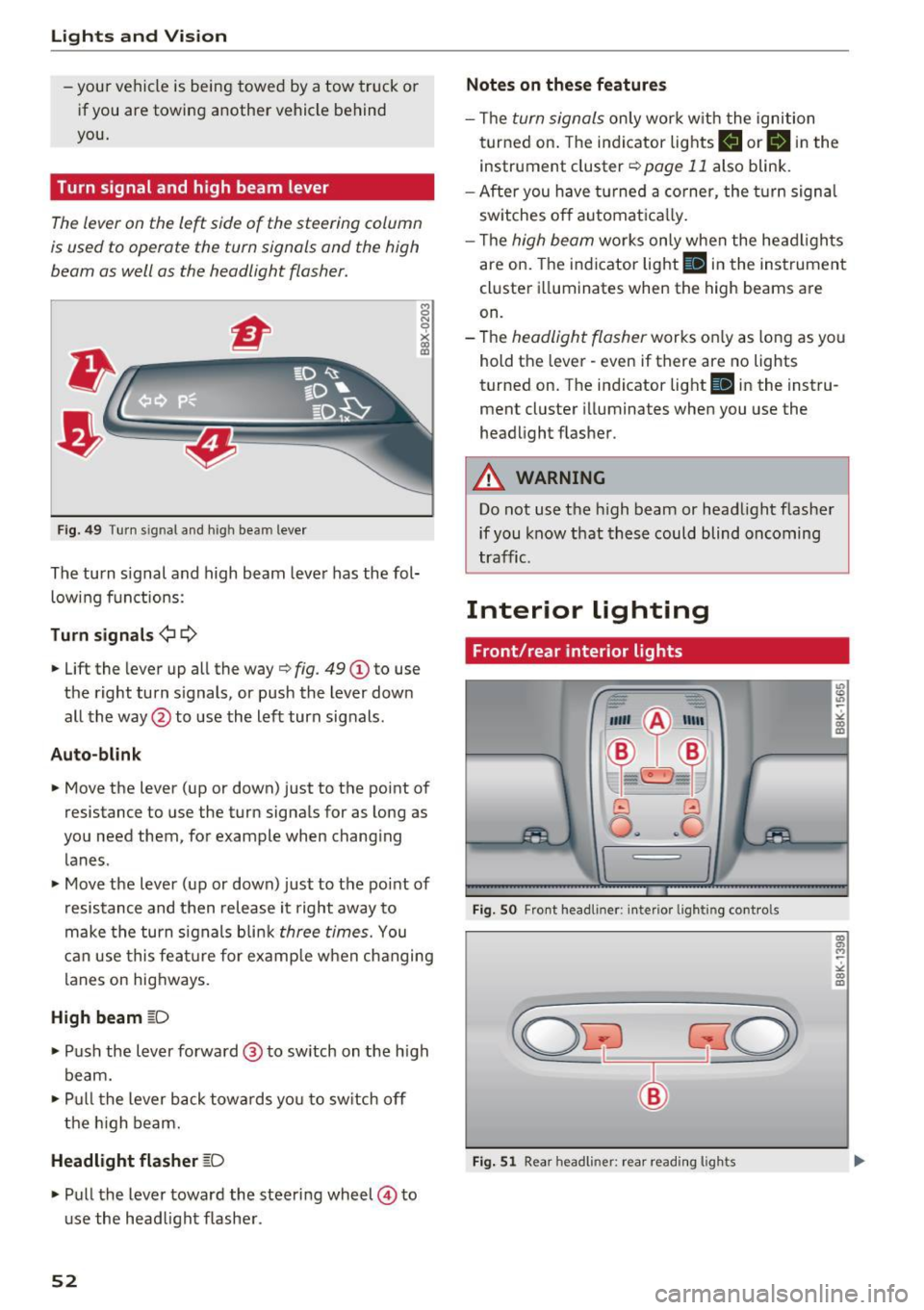
The lever on the le~ side of the steering column
is us ed to operat e the turn signals and th e high
beam as well as the headlight flasher.
F ig . 4 9 Tu rn s ig na l a n d h ig h beam leve r
The turn signal and high beam leve r has the fol
low ing f unctions :
Turn signals ¢¢
8 N 'i'
~ (0
• Lift the lever up al l the way c> fig . 49 (D to use
the right turn s ignals, or push the lever down
all the way@to use the left turn signals .
Auto-blink
• Move the lever (up or down) just to t he point of
resistance to use the turn signals for as long as
yo u need them, for example when chang ing
lanes .
• Move the lever (up or down) just to the point of
resistance and then release it right away to
make the turn signals b li nk
three times. You
can use this fea ture for example when ch anging
lanes on hig hways.
High beam ~D
• Push the l ever forward @ to sw itch on the h igh
beam.
• Pull t he lever back towa rds you to sw itch off
t he hig h beam.
Headlight flasher ~D
• Pu ll the lever toward the steering wheel © to
u se the head light f lashe r.
52
Notes on these features
- Th e turn signals on ly work w it h the ignition
t urned on. The indi cator lights
B or B in the
instrument cluster¢
page 11 also blink .
- After you have turned a co rner, the turn signa l
sw itches o ff automat ica lly.
- Th e
high beam works only when the head ligh ts
are on. The indicator light
Bl in the instrumen t
cl uster illuminates when the high beams are
on.
- The
headlight flasher works o nly as long as yo u
hold t he lever - even if there are no lights
turned on. T he indicator light
Bl in the inst ru
ment cluster illuminates when you use the
headlight flas her .
A WARNING
Do not use the h igh beam or head light flasher
if you know that these could blind oncoming
tra ffic.
Interior lighting
Front/rear interior lights
Fig. SO Fro nt headl iner: interio r li gh tin g cont ro ls
Fig. 51 Rear h eadli ner: rea r read ing ligh ts
" co (0
co a, M ~
"' co (0
Page 56 of 296
Lights and Vision
Windshield wipers
Switching the windshield w ipers on
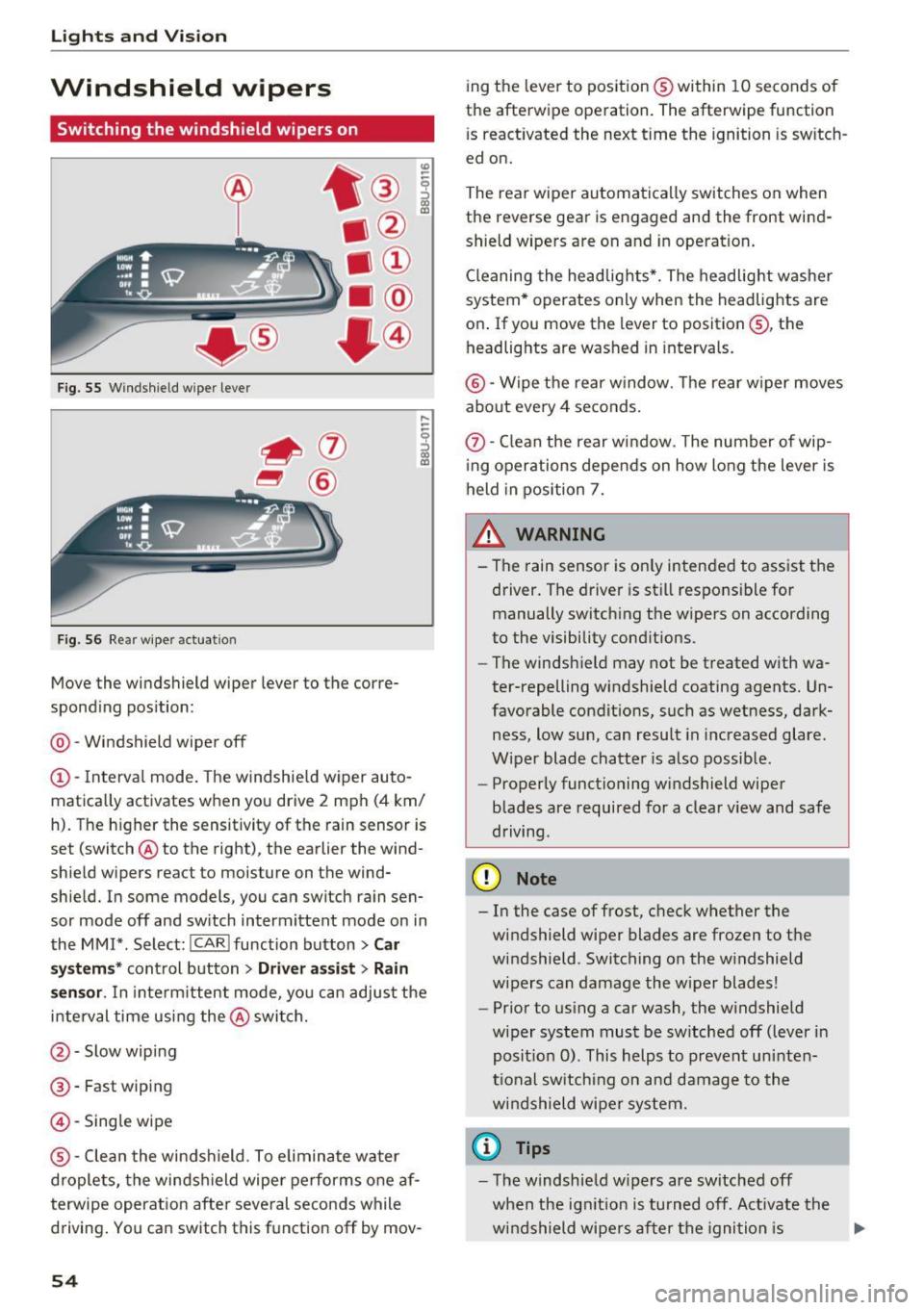
F ig. 55 W indshield wiper lever
F ig. 56 Rear w iper actuat ion
Move the windshield wiper lever to the corre
spond ing pos ition:
@ -Windshield wiper off
(D -Interval mode. The windshie ld w iper auto
matica lly activates when you drive 2 mph (4 km/
h). The h igher the sensit ivity of the rain sensor is
set (switch @to the right), the earlier the wind
shield wipers react to moisture on the wind
shie ld. In some models, you can switch rain sen
sor mode off and sw itch intermittent mode on in
the MM!* . Select:
!CARI function button> Car
s y stem s*
control button > Driver a ssi st > Rain
s en sor .
In inte rm ittent mode, yo u can adjust the
i n terval time using the @switch.
@-Slow wipi ng
@ -Fast wiping
@-Sing le wipe
® -Clean the windshield . To elimin ate water
d roplets, the winds hield wipe r performs one af
terwipe operatio n afte r seve ral seconds while
driving . You can switch this f unction off by mov -
54
ing the leve r to pos ition ® within 10 seconds of
the afterwipe ope ration. The afterwipe function
i s react ivated the next time the ignition is sw itch
ed on.
The rear wiper automatica lly switches on when
the reverse gear is engaged and the front wind
shield wipers are on and in operation .
Cl eaning the headlig hts*. The headlight was he r
system * operates only when the headlights are
on . If you move the lever to position@, the
headlights are washed in intervals.
@ -Wipe the rear w indow. The rear w iper moves
a bout every 4 se conds .
(!)-Clean the rear w indow . T he number of wip
i ng operations depe nds on how long the lever is
held in position 7.
& WARNING
- Th e rain sensor is on ly inten ded to ass ist the
driver. The driver is st ill responsi ble for
manually switch ing the wipers on according
to the visibility cond itions.
- The windsh ield may not be t reated with wa
ter-repelling windshield coating agents. Un
favorable condit ions, such as wetness, dark
ness, low sun, can resu lt in i ncreased glare.
Wiper blade chatte r is also possib le.
- Properly functioning windshield wiper
blades are required for a clea r view and safe
driving.
@ Note
- In the case of frost, c heck whether the
windshield wiper blades are frozen to the
windshield . Switching on the w indshield
w ipers can damage the w iper blades!
- Pr ior to us ing a car wash, the w indshield
wiper system must be sw itched off (lever in
posit io n 0) . This helps to preven t un inte n
ti onal sw itchi ng on and damage to the
w indshield wipe r sy stem.
(D Tips
-The windshie ld w ipers are switched off
when the ig nitio n is turned off. Activate th e
w ind shield wipe rs a fter the igni tion is .,.
Page 57 of 296
CD
CD
.... N ,-... N ..... 0 0 C<'. 00
switched back on by moving the windshield
wiper lever to any position .
- Worn or dirty windshield wiper blades result
i n streaking. This can affect the rain sensor
funct ion . Check yo ur windshield wiper
blades regularly.
- The washer fluid nozzles of the windshield
washer system are heated at low tempera
tures when the ignition is on.
- When stopping temporarily, e .g . at a traffic
light, the set speed of the windsh ield wipers
i s automatically reduced by one speed.
Cleaning windshield wiper blades
Clean the windshield wiper blades when they be
g in to leave streaks . Use a soft cloth a nd glass
cleane r to clean the w indshield wiper blades .
Front w ipe r
.. Place the windshield wiper arms in the service
pos ition. Refer to
9 page 55 .
.. Lift the wiper arm away from the front window .
Rear wiper
.. Lift the wiper arm away from the rear window.
A WARNING
Dirty windshield wiper blades can impair your
view. This can lead to accidents.
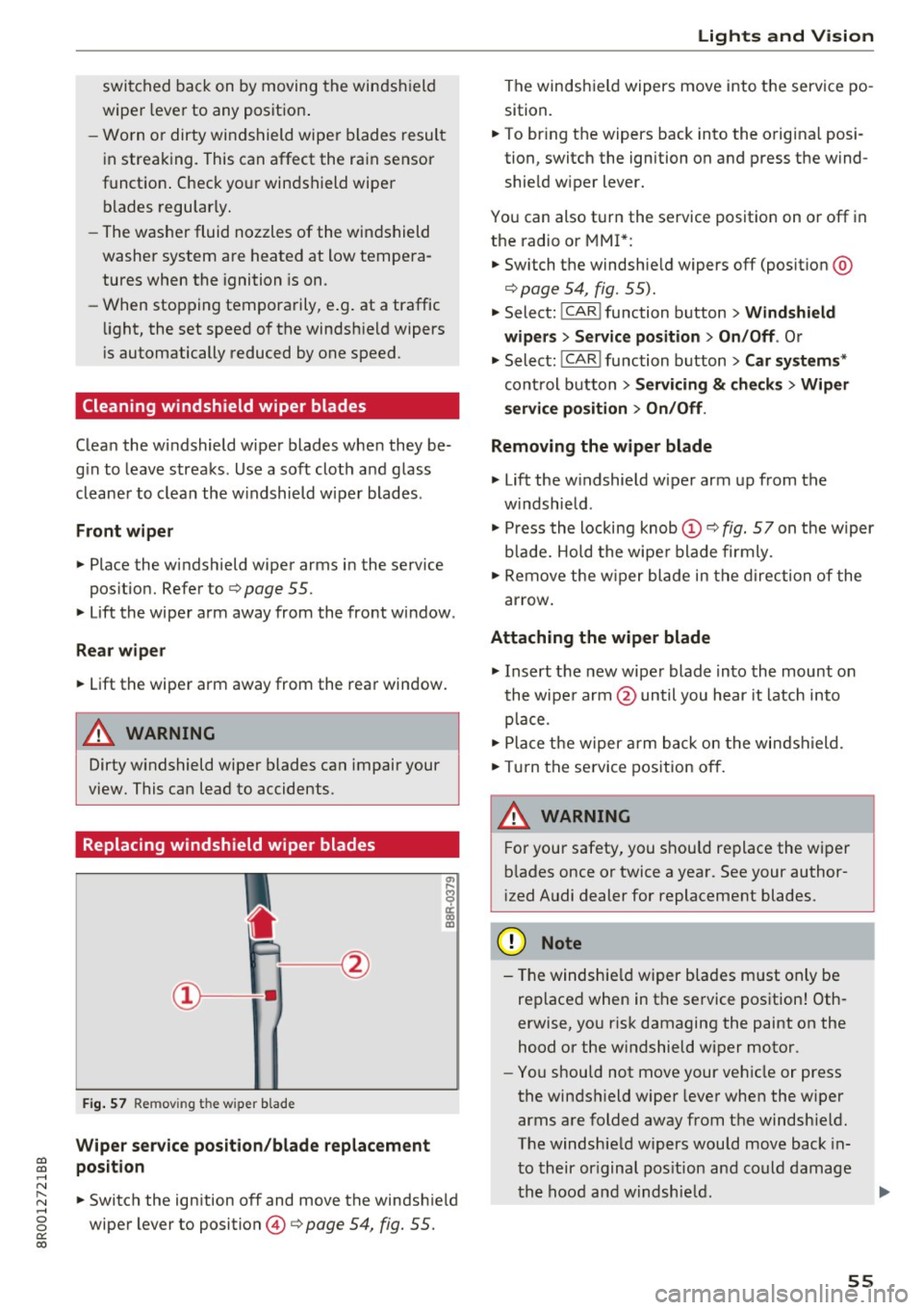
Replacing windshield wiper blades
F ig. 57 Remov ing the w ipe r blade
Wiper s ervice position /blade replac em ent
posit ion
a,
ij
a: co
"'
.. Switch the ign ition off and move the windsh ield
wiper lever to position @
9 page 54, fig. 55.
Lights and Vision
The windshield wipers move into the service po
sition .
.. To br ing the wipers back into the orig ina l posi
tion, switch the ignition on and press the wind shie ld w iper lever.
You can also turn the service position on or off in
the radio or MMI*: .. Switch the windshie ld wipers
off (posit ion @
9page 54, fig. 55).
.. Select: !CAR ! function button > Wind shield
wiper s
> Servic e po sition > On /Off . Or
.. Select:
!CAR ! function button> Car syst em s*
cont rol button > Servicing & c heck s> Wiper
s ervi ce po sition
> On /Off .
Removing the wiper blade
.,. Lift the w indshield wiper arm up from the
w indshield .
.,. Press the locking knob
(D 9 fig. 57 on the wiper
b lade. Hold the wipe r blade firmly .
.. Remove the w iper blade in the direction of the
ar row .
Attaching the wiper blade
.. Insert t he new wipe r blade into the mount on
the wipe r arm @until you hear it latch into
p lace.
.. Place t he w iper arm back on the windshield.
.. Turn the se rvice pos ition off.
A WARNING ~ -
F or your safety, you should replace the wiper
b lades once or twice a year . See your author
i zed Audi dealer for replacement blades.
(D Note
- T he windshie ld wiper blades must on ly be
replaced when in the service position! Oth
erwise, you r isk damaging the paint on the
hood or the w indshield wiper motor .
- You should not move your vehicle or press
the windsh ield wiper lever when the wiper
arms a re folded away from the windshie ld.
The windshield wipers would move back in
t o their or iginal pos ition and could damage
the hood and w indshie ld .
55
Page 58 of 296
Lights and Vision
-To help prevent damage to the wiper sys
tem, a lways loosen blades which are frozen
to the windshie ld before operating w ipers .
- To help prevent damage to wiper blades, do
not use gasoline, kerose ne, paint thinner, or
other solvents on or near the wiper blades.
- To help prevent damage to the wiper arms
or other components, do not attempt to
move the wipers by hand.
@ Tips
- Comme rcial hot waxes applied by a utomat ic
car washes affect the how eas ily the glass
surface can be cleaned.
- You can also use the service position, fo r ex
ample, if you want to protect the windsh ield
from icing by using a cover.
Replacing the rear wiper blade
F ig. 58 Rea r wiper: Remov ing the w iper b lade
Removing the wiper blade
.. Fo ld the wi ndshield wipe r arm away from the
windshield.
.. Pu ll the wiper blade and holder out of t he
mount.
Attaching the wiper blade
~ M 0 a: a, (C
.. Press t he wiper b la d e holde r in the arrow dire c
tion
c:> fig. 58 into the mount.
.. Fo ld the windshield wiper arm bac k onto the
windshield.
A WARNING
-
For safety reasons, the windshield w iper
blades sho uld be replaced once or twice each
year .
56
Mirror
Adjusting the exterior mirrors
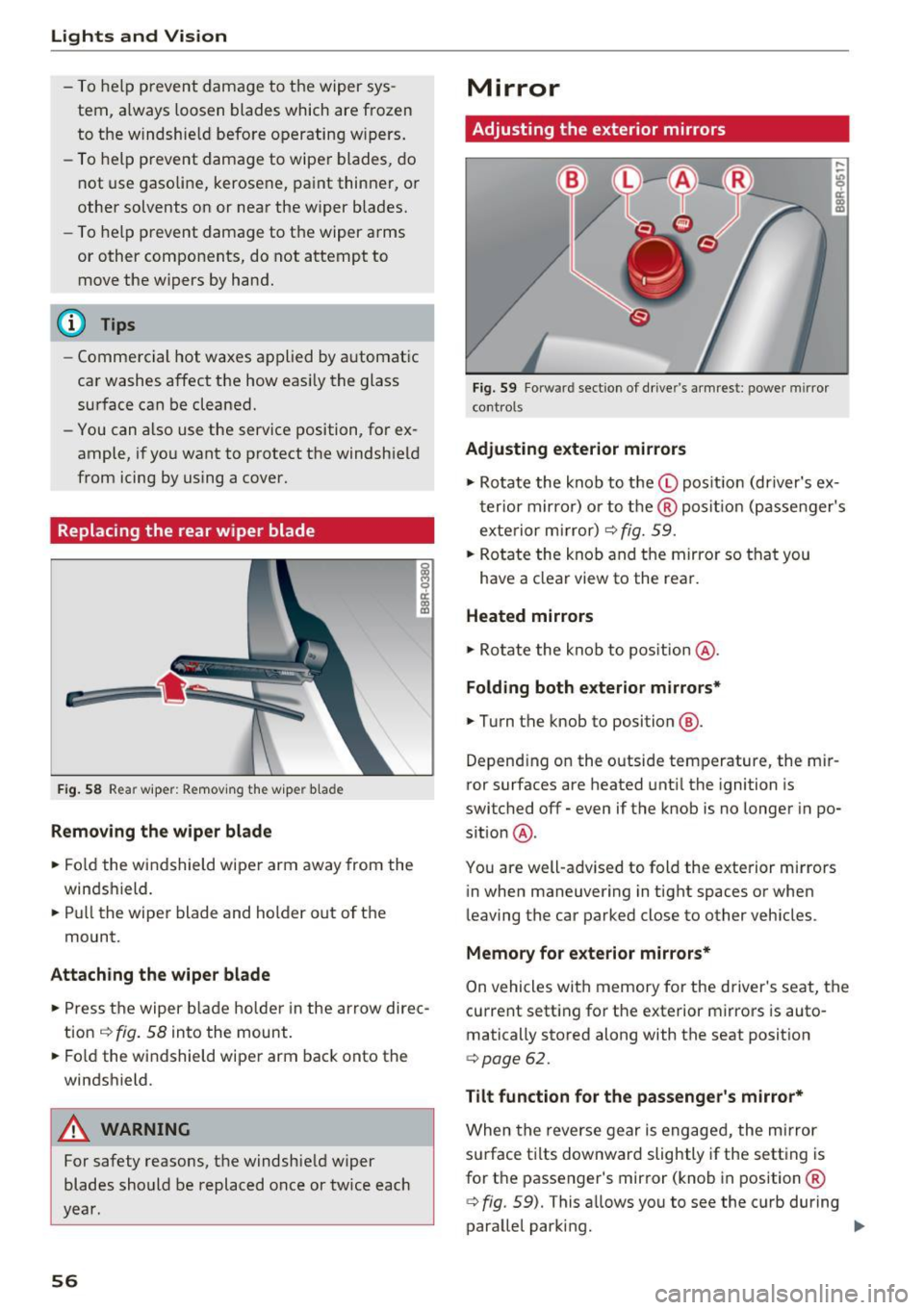
Fig. 59 Forwa rd sect ion of dr ive r's armrest : power mirror
cont rols
Adjusting exterior mirrors
,...
-"' 9 a: ::,:
• Ro tate the knob to the© pos it io n (dr iver's ex
t erior mirro r) o r to t he ® posi tion (passe nger's
exterior m irror)
c:> fig. 59.
.. Rotate the knob and the mirro r so that you
have a clear view to the rea r.
Heated mirrors
.,. Ro tate the knob to pos ition @.
Folding both exterior mirrors*
.,. Turn the knob to position @.
Depend ing o n the outside temperature, the mi r
ror surfaces are heated unt il the ignition is
switched
off -even if the knob is no longer in po
s it ion @.
You are well-adv ised to fold the exte rior m irrors
in when maneuvering in tight spaces or when
leaving the car parked close to other vehicles .
Memory for e xterior mirrors*
On vehicles with memory for the driver's seat, the
current sett ing fo r the exterior mirrors is auto
matically stored along with the seat posit ion
<=> page 62.
Tilt function for the passenger 's mirror*
When the reverse gear is engaged, the mirror
s u rface t ilts downwar d slightly if the setting is
for t he passenger's mirror (knob in position ®
c:> fig. 59). This allows you to see the curb during
parallel parking. ..,_