warning light AUDI Q5 2017 Service Manual
[x] Cancel search | Manufacturer: AUDI, Model Year: 2017, Model line: Q5, Model: AUDI Q5 2017Pages: 296, PDF Size: 74.43 MB
Page 84 of 296
Driving
"' It is possible that there will be a slight de lay
when starting the engine for diesel vehicles* in
colder temperatures. Therefore, you must hold
the brake pedal down until the eng ine starts.
The ind icator lamp
IJ i llumina tes when the en
gine is preheated .
Switching the ignit ion on /off
If you would like to switch the ign ition on with
out starting the engine, fo llow these steps:
"' Inse rt the key into the igni tion lock .
"' Press the key briefly
without press the brake
pedal.
"' To switch the ignition off, press the key aga in.
Diese l vehicles * are p reheate d while the ignition
is switched on.
W hen start ing the e ngine, major elec trical loads
are swi tched off temporarily.
You can only remove the key with the ignition
sw itched off. To do this, yo u have to press on the
key again.
I f the engine sho uld not start immed iately, the
s tarting p rocess is a utomat ica lly stopped after a
short t ime. Repeat sta rt ing procedu re .
Start-Stop-System*:
Note the information on ¢ page 88, Start/S top
system.
A WARNING
- Never allow t he engine to ru n in confined
spaces - dange r of asphyxiation .
- Never remove the ig nit ion key from the ign i
t ion loc k w hile the veh icle is moving . Other
wise, the steering lock cou ld sudde nly en
g age and you would not be able to stee r the
vehicle.
- Always ta ke the key with you w henever you
leave yo ur vehicle. Othe rw ise, the engi ne
c ould be s tar ted or ele ctrica l e qui pme nt
s u ch as the power windows cou ld be operat
ed. This can lead to se rious i njury.
- Never leave childre n or pe rsons requiring as
sistance unattended i n the vehicle. The
doors can be locked usi ng the remote trans-
82
-
m itter, p reventing peop le from escaping
from the vehicle on their own in the event of
an emergency. Depending on the time of
yea r, people ins ide the veh icle can be ex
posed to very high or very low tempera
t ures .
(D Note
Avoid h igh engine rpm, full throttle and heavy
engine loads unti l the engine has reached op
e rating temperature - otherwise you risk en
gine damage.
@ For the sake of the environment
Do not let the eng ine run wh ile parked to
warm up . Beg in d riving immed iate ly . Th is re
d uces unnecessa ry emissions .
(D Tips
-If the key cannot be removed from the igni
t ion loc k, you have to pull the mechan ical
key out of the master key in o rder to be able
to loc k the vehicle ¢
page 35.
-Some no ise afte r start ing the e ngine is nor
ma l and is no cause fo r co nce rn.
- If you leave the ve hicle w ith the ignition
switched on, the ig nitio n w ill switch off af
ter a ce rtain per io d of t ime. Please note that
ele ct rical eq uipme nt such as e xte rior lights
w ill swit ch off as we ll whe n th at happens .
Page 87 of 296
CD
CD
.... N ,-... N .... 0 0 C<'. 00
electrical equipment s uch as exterior lights
will switch off as well when that happens.
Switching engine off
A pp lies to: ve hicles with Conve nien ce key
~ Bring your vehicle to a complete stop.
~ Move the selector lever to the P or N position.
~ Press the I STAR T ENGINE ST OPI button
¢ page 84, fig. 101.
Ste ering lock
The steering locks when you turn the engine off
using the
! S TART ENGINE STOPI button and
open the dr iver's door. The locked steering helps
prevent vehicle theft.
Emer gency off
If necessary, the engine can be switched off with
the selector lever in the R or D/S position. The
engine stops if you press and ho ld the
I START ENGINE STOPI button at speeds below
6 mph (10 km/h) and press the brake pedal.
A WARNING
- Never turn off the engine before the veh icle
has come to a comp lete stop. The fu ll func
t ion of the brake booster and the power
steering is no t gua ranteed. You must use
more fo rce to turn or brake i f necessary. Be
cause you cannot steer and b rake as you
usually wou ld, this could lead to crashes
and ser ious injuries.
- For safety reasons, you should a lways park
your vehicle with the selector lever in P .
Otherwise, the vehicle could inadvertently
roll away.
- The radiator fan can continue to run for up
to 10 m inutes even after you have turned
off the engine and removed the ignition key.
The radiator fan can also turn on again if the engine coolant heats up because of intense
sunlight or heat bui ld-up in the engine com
partment.
- Always take the key with you whenever you
leave you r vehicle. Othe rw ise, the engine
c ou ld be started o r electrical equ ipme nt
D riv ing
such as the power windows could be operat
ed. This can lead to ser ious injury.
- Never leave chi ldren or persons requiring as
sistance unattended in the vehicle. The
doors can be locked using the remote trans mitter, preventing people from escaping
from the vehicle on their own in the event of
a n emergency. Depending on the time of
year, people ins ide the veh icle can be ex
posed to very high o r very low tempera
tures.
0 Note
If the engine has been under heavy load for
an extended pe riod, heat bu ilds up in the en
g ine compartment afte r the engine is switch
ed off -there is a ris k of damaging the engine.
A llow the engine to run at id le for about two
minutes before switching it off.
Driver messages
Ignition i s on
This message appears and a warning tone sounds
if you open the drive r's door when the ig nition is
swi tched on.
No k ey id ent ified
This message appears when the
I START ENGINE STOP !* button is pressed if there
is no master key inside the vehicle or if the sys
tem does not recognize it. For example, the mas
ter key cannot be recognized if it is covered by an
obje ct (e.g. al uminum brief case) which
screens
the radio s ignal. Elec tronic devices such as ce ll
phones can a lso interfere with the radio signal.
Pre ss brake p edal to start en g ine
This message appears if you do not press the
brake pedal to start the engine.
S hift to N or P to start en gine
This message appears when attempting to start
the engine if the se lector lever for the automatic
transm ission is not in the P or N position. The en
gine can on ly be started with the se lector in
these positions.
Ill-
85
Page 88 of 296
Driving
!I Is the key in the vehicle ?
This message appears in a veh icle with Conven
ience key* if the master key is removed from the
ve hicle w ith the engine r unning.
If the maste r
key is no longer in the vehicle, you cannot switch
on the ignition after stopping the engine and you
also cannot start the eng ine again. Moreover, you
cannot lock the veh icle from the outside with the
key.
Shift to P otherw ise vehicle can roll awa y. Door s
do not lo ck if le ver i s not in P.
This message appea rs fo r sa fe ty reasons a long
with a warning signal.
It appears i f the se lector
lever for the automatic transmission is not in the
P posit ion when switching off the ignition. Move
the selector lever to the P position, otherwise the
vehicle is not secured aga inst rolling away. You
also cannot lock the vehicle using the locking
button* on the door handle or using the remote
key .
Turn off ignition befo re lea ving car
This message appears if the driver's door is
opened while the ignit ion is switched on. A lways
switch off the ignition if you are leaving the vehi
cle . See also
c::> page 90.
Turn off ignition before lea ving car. Batte ry is
discha rging
This message appea rs if the d river's doo r is
opened while the ignition is sw itched on. A lways
switch off the ignition if you are leaving the vehi
cle . See also
c::> page 90.
Shift to P and turn off ignition, otherwi se vehi
cle can roll awa y
This message appea rs if the d river's door is
ope ned while t he igni tion is switched on and the
selec to r l ever is not in the P posi tion. Shift t he
selector lever in to the P position and switch off
the ignition when you exit the vehicle . Otherwise
the vehicle cou ld roll. See also¢
page 90.
Convenien ce key defective! Use ignition lock
This message appea rs if the eng ine must be
started or stopped using the ignit io n key and no t
t he !STAR T
ENGINE ST OPI* b utton .
86
Electromechanical
parking brake
Operation
The electromechanical parking brake replaces
t he hand brake.
Fig. 102 Center co nsole : Pa rk ing brake
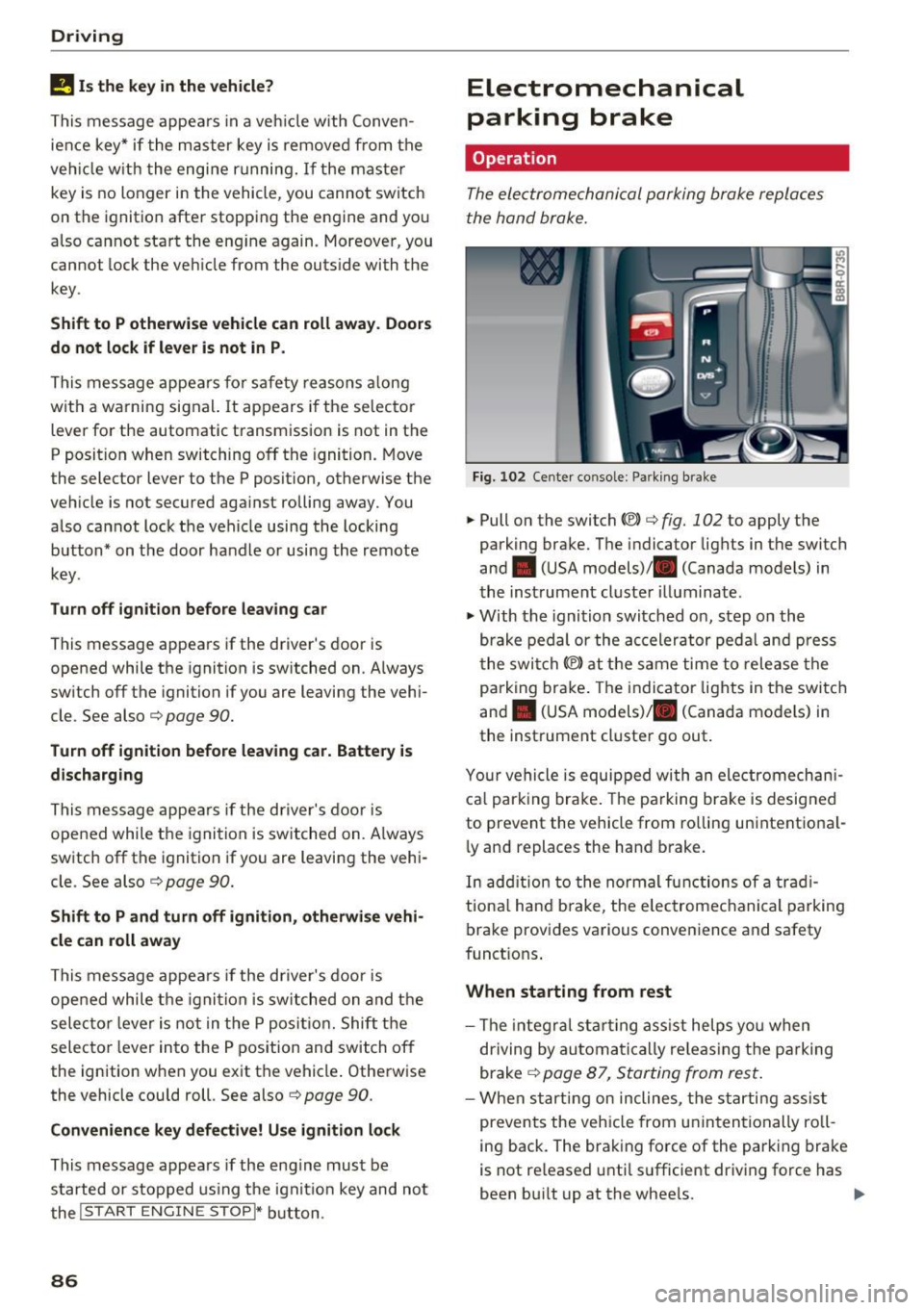
.. Pull on the switch (®) c::> fig. 102 to apply the
park ing brake. The indicator lights in the switch
and . (USA models)/ . (Canada models) in
the inst rument cluste r illuminat e.
.. With the ignition switched on, step on the
brake pedal or the ac celerator peda l and press
t he swi tch(®) at the same time to release the
p arking brake . The indicator lights in the switch
and . (USA models)/ . (Canada models) in
the instrument cluster go out .
Y our vehicle is equipped wi th an ele ctromechan i
ca l park ing brake . The parking brake is desig ned
to prevent the vehicle from ro lling unintentional
ly and replaces the hand b rake.
In add ition to the no rmal functions of a trad i
tiona l hand b rake, the e lectromechanical parking
brake provides various convenience and safety
funct ions .
When starting from rest
-The integra l st art ing ass ist helps yo u when
dr iving by automati ca lly re leas ing t he pa rking
brake
c::> page 87, Starting from rest .
-When starting on inclines, the starti ng assis t
prevents the vehicle from unintentionally ro ll
ing back. The brak ing force of the park ing brake
is not re leased unti l su fficient dr iving force has
been bu ilt up at the whee ls. ..,.
Page 89 of 296
CD
CD
.... N ,-... N .... 0 0 C<'. 00
Emergency brake function
An emergency brake ensures tha t the vehicle can
be slowed down even if the
normal brakes fai l
¢ page 88, Emergency braking.
A WARNING
If a drive range is engaged with t he vehicle
stat iona ry and the engine running, you must
in no instance accelerate care lessly . Other
w ise the vehicle will start to move immed iate
ly- risk of a n accide nt.
(D Tips
- If the parking brake is app lied with the igni
tion switched off, the indicator lights in the
switch and . (USA models)/ . (Cana-
da models) in the instrumen t cluster will go
out af ter a ce rtain per io d of t ime .
- Occasiona l noises when the park ing brake is
applied and re leased a re normal and a re not
a cause for conce rn.
- When the vehicle is parked, the park ing
brake goes th ro u gh a se lf-tes t cycle at regu
l a r i nte rva ls . Any associated noises a re no r
mal.
Parking
~ P ress the brake ped al to stop the vehicle.
~ Pull the switch c::> page 86, fig. 102 to set the
parking b rake.
~ Move the selecto r lever to P .
~ Turn the eng ine off c::> .&, .
-
~ When on incl ines or declines, turn the steering
wheel so that the veh icle w ill roll into the curb
if it beg ins to move .
A WARNING
-Whe n you leave your ve hicl e -even if onl y
br iefly- alw ays remove the ig nition key. Thi s
applies p articul arly when children rem ain i n
t h e ve hicle . Othe rwise the c hildren could
sta rt the eng ine, release t he parking brake
o r operate elect rical eq uipment (e.g. powe r
windows). There is the risk of an accident.
- When the vehicle is loc ke d , no one - part icu
larly not children shou ld remain in the vehi-
-
D riving
cle. Locked doors make it more d ifficult for
emergency wo rkers to get into the vehicle -
putting lives at r isk.
Starting from rest
The starting assist function ensures that the
parking brake is released automatically upon starting.
Stopping and applying parking brake
~ Pull the sw itch to app ly the parkin g brake.
Starting and automatically releasing the
parking brake
~ W he n you start to drive as usu a l, t he p ark ing
b rake is automa tic ally released and yo ur vehicle
beg ins to move.
When stop ping at a tr affic sig nal or sto pping in
c ity traff ic on vehicles wi th an aut omat ic t ra ns
mission, t he parking brake can be app lied . The
vehicle does not have to be held with the foot
bra ke. The pa rking brake e liminates the tendency
to c reep w ith a dr ive range engaged. As soon as
you drive off as usual, the parking brake is re leased a utomat ica lly and the vehicle starts to
move .
Starting on slopes
When starting on incl ines, the sta rting assist pre
vents the vehicle from un intent iona lly rolling
back. The b raking force of the parking brake is
not re leased unt il su ff icient dr iving force has
been buil t up at t he wheels .
(D Tips
For safety reasons, the park ing brake is re
l eased automatically on ly when t he d river's
safety be lt is engaged in t he buc kle.
Starting off with a trailer
To prevent rolling back unintentionally on an in
cline, do the following:
~ Keep the switch pulled and depress the acceler
ator . The parking brake stays applied and pre-
vents the veh icle from roll ing backward . .,,.
87
Page 90 of 296
Driving
"'You can re lease the switch once you are sure
that you are developing enough driving force at
the wheels by depressing the accelerator.
Depending on the weight of the r ig (vehi cle and
trai ler) and t he severity of the incline, you may
ro ll backwards as you start . You ca n prevent roll
ing bac kwards by holding the parking brake
sw itch pulled out and accelerating -just as you
wou ld when sta rting on a hill with a conventional
hand b rake.
Emergency braking
In the even t that the conventional brake system
fails or locks .
"'In an emergency, pull the switch and cont inue
to pull it to slow your ve hicle down with the
park ing b rake .
"' As soon as you release the switch or accelerate,
the b raking process stops .
If you pull the sw itch and hold it above a speed of
about 5 mph (8 km/h), the eme rge ncy brak ing
f u nction is ini tiated . The vehicle is braked at all
four whee ls by activating th e hydrau lic brake sys
t em. T he b rake perfo rman ce is sim ila r to making
a n emergency stop ~.&, .
In order not to activate the emergency brak ing by
mista ke, an audib le wa rn ing tone (buzz er)
sounds w hen the sw itch is p ulled . As soon as the
sw itch is rele ased, or the a cce le ra to r pedal is de
p ressed, eme rgency bra king stops.
_& WARNING
Emergency braking should only be use d in an
emergency, w hen the normal foot brake has
failed or the bra ke peda l is obstr ucted . Using
the parking b rake to perfo rm emergency
brak ing will slow your vehicle down as if you
had made a fu ll bra ke ap plication . The laws of
physics c annot be suspended even wi th E SC
a nd i ts asso ciated componen ts (AB S, AS R,
ED S). I n corne rs and when r oad or we ather
c ondi tions are bad , a f ull bra ke ap plicat ion
can ca use the vehicle to sk id or the rea r end to
break away -ris king an accident .
88 '
Driver messages in the instrument cluster
Caution: Vehicle parked too steep
This message appears when the pa rking brake is
applied on an in cl in e that exceeds about 30%.
In this case the braking power of the pa rking
brake may
not be adequate to prevent the veh i
cle from roll ing unin ten tionally.
Press b rake pedal to release parking brake
This dr iver message appears when the sw itch to
r elease the parking brake was pressed. The pa rk
i ng brake can only be released if you step on the
brake pedal and at the same time p ress the
switch or you automat ica lly re lease the par king
bra ke w ith the sta rting ass is t ~
page 87 .
f pj Parking brake malfunction!
This dr iver message appears together with the
yellow
DI symbol when there is a parki ng b rake
malfunction .
Start/Stop system
Description
Applies to: vehicles wit h Start ·Stop ·System
The Sta rt -Stop-System can he lp increase f uel
economy and reduce CO2 emissions.
I n the Start -Stop -mode, the eng ine sh uts off au
tomat ica lly when the vehicle is sto pped, such as
at a t raff ic light. The ignition remains switched
on du ring this stop phase . The eng ine will be au
tomat ically restarted when needed.
The last Start-Stop -System setting (on/off using
the b utton
l(A)~ I) will be restored when the igni
tion is turned on. The L ED in t he
l(A) ~I b utton turns
o n when the Start-Stop-System is switched off
manua lly .
Ba sic requirements for the Start-Stop mode
- The driver 's door is closed.
- The drive r's sea t b elt is latched.
- The hood is closed .
- The vehicle m ust have bee n driven fas ter than
2.5 mph (4 km/h) s ince the last s top.
- A t railer is not hitched to the vehicle . .,.
Page 91 of 296
a,
a,
..... N l"N ..... 0 0
0:
co
,&_ WARNING
-Never turn off the engine before the veh icle
has come to a complete stop . T he f ull func
tion of the brake booster and the power
steering is not guaranteed. You must use more force to turn or brake if necessary . Be
cause you cannot steer and b rake as you
us ually wou ld, this could lead to crashes
and ser ious injuries.
- To red uce the risk of injuries, make s ure that
the Start-Stop-System is turned off when
wor king in the eng ine compartment
r:::;, page 90.
(D Note
Always sw itch off the Start -Stop-System
when dr iv ing th ro ugh water
c::> page 90.
Starting/stopping the engine
Applies to: vehicles with Start-Stop -System
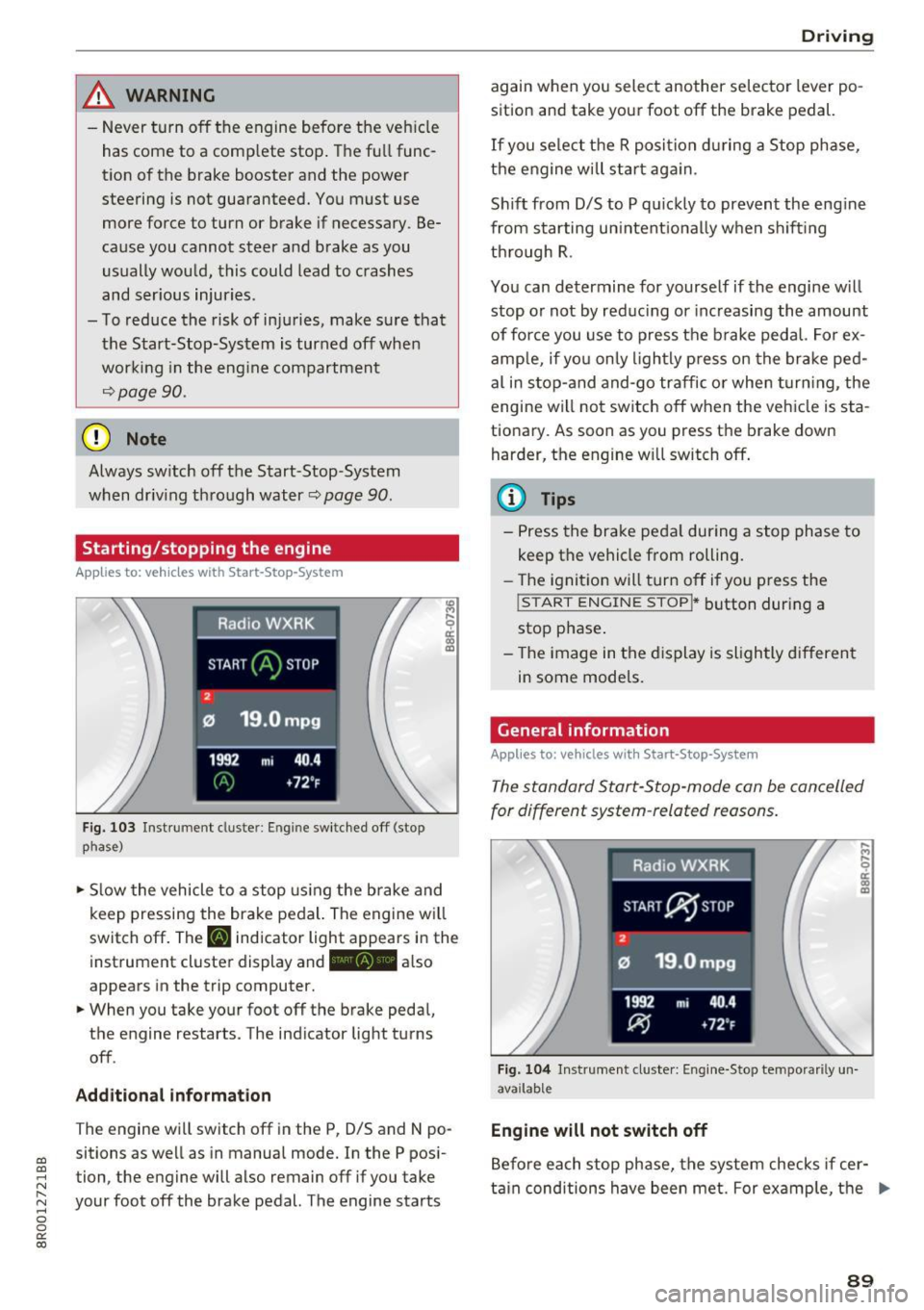
Fi g. 103 Ins tru ment clust er: Engin e sw it ched off (stop
p hase)
.,. Slow the vehicle to a stop using t he brake and
keep pressing the brake pedal. The engine w ill
switch off . The
[I] indicator light appears i n the
instrument cluste r display and
ft¼• also
appears in the tr ip computer .
.,. When you take your foot off the brake peda l,
the engine restarts. The ind icator light tu rns
off .
Additional information
The engine wi ll switch off in the P, D/S and N po
sitions as we ll as in manual mode. I n the P pos i
tion, the engine will also remain off if you take
your foot off the brake pedal. The engine starts
D rivi ng
again when you select anoth er se lector lever po
sition and take your foot off the brak e pedal.
If you se lect t he R posi tion d uring a Stop ph ase,
the engine w ill s tart ag ain.
S hi ft from D/S to P q uick ly to prevent the eng ine
from s tarting un intent ional ly when s hift ing
th rough R .
You can determine for yourse lf if the engine w ill
stop or not by red ucing or inc reasing the amount
of for ce you use to p ress the b rake pedal. Fo r ex
amp le, if yo u only ligh tly p ress on the br ake ped
al i n sto p-and and-go traffic o r whe n turni ng , the
engine wi ll not switch off when the vehicle is sta
tionary. As soon as you press th e brake down
harder, the engine w ill switch off .
(D Tips
-Press the brake peda l during a stop ph ase to
keep the vehicle from rolling.
- The ignitio n will turn off if yo u press the
! STAR T ENGINE ST OPI * button dur ing a
stop p hase .
- The image in the d is p lay is sligh tly differen t
in some models.
General information
Applies to: vehicles with Start-Stop-System
The standard S tart-Stop-mode can be can celled
for different system -related reasons .
Fig. 10 4 In str um en t cl uste r: E ng ine-Stop tem por aril y un
ava ilabl e
Engine will not switch off
Befo re each stop phase, t he system checks if cer
t ai n cond itions have been met. For ex ample, t he .,.
89
Page 92 of 296
Driving
engine will not be switched off in the following
situations:
- T he eng ine has not reached the mi nimum re·
quired temperature fo r Start-Stop-mode .
- T he inter io r temperat ure selected by the A/C
system has not been reached.
- T he outs ide temperatu re is ext remely high/low.
- The w indshield is being defrosted
c:> page 79 .
-The park ing system* is switched on.
- The battery charge leve l is too low.
- The steering wheel is sharply tu rned or there is
a steering movement.
- After engaging the reverse gear.
- On sharp inclines.
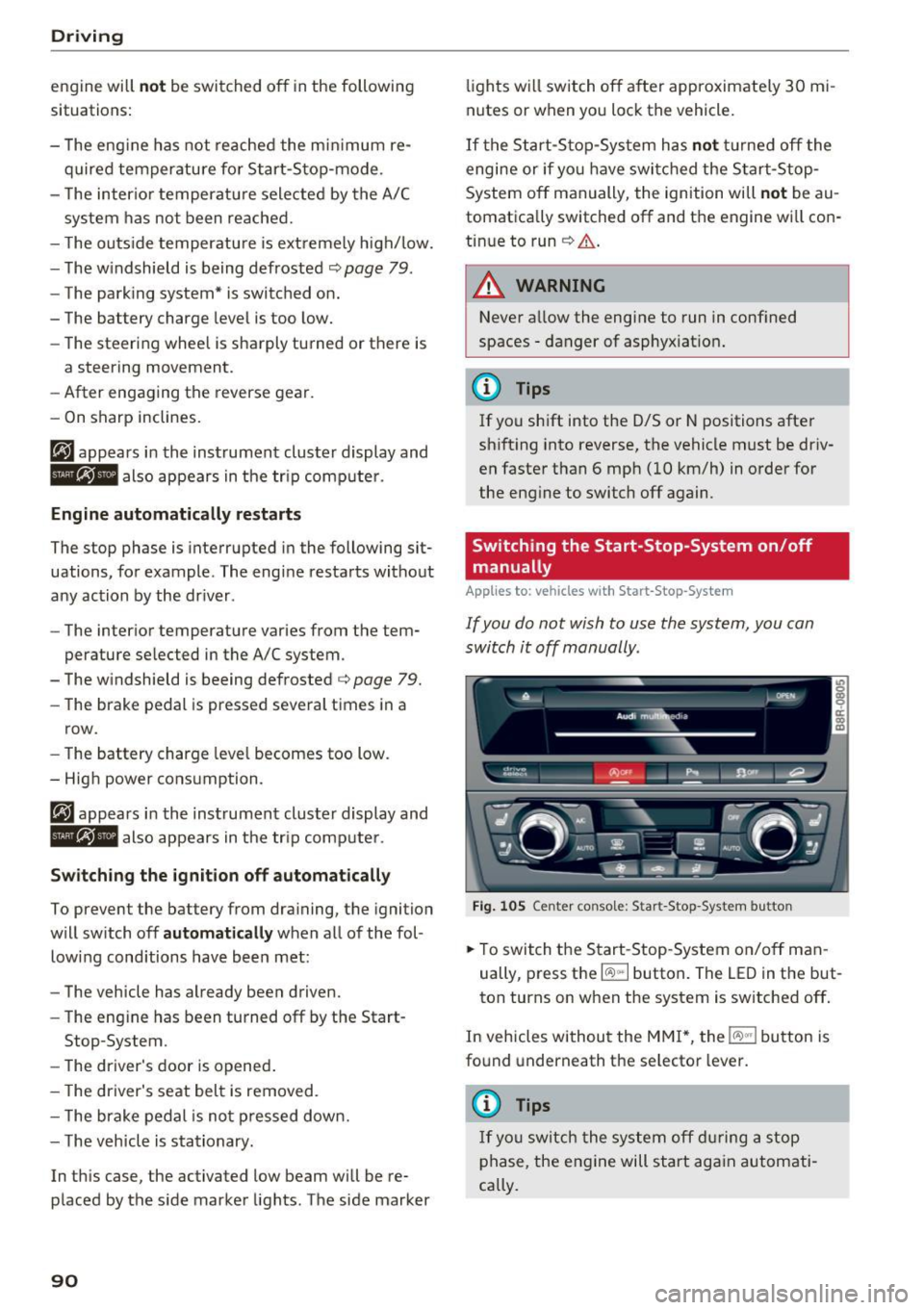
tij appea rs in the instrument cluster display and
6/i;Ff-Flf 1lso appears in the tr ip comp ute r.
Engine automatically restarts
The stop phase is interrupted in the following sit·
uations, fo r example . The engi ne restarts without
any action by the dr iver .
- The inter ior temperatu re varies from the tern·
perature se lected in the A/C system .
- The w indshield is beeing defrosted
c:> page 79.
- The brake pedal is pressed severa l times in a
row.
- The battery charge leve l becomes too low.
Switching the ignit ion off automat ically
To prevent the battery from dra ining, the ignition
will switch off
automat ically when all of the fol ·
low ing conditions have bee n met:
- The veh icle has already been driven.
- The eng ine has been turned off by the Start ·
Stop-System.
- The driver's door is opened .
- T he driver's seat bel t is removed .
- T he brake pedal is no t pressed down.
- T he veh icle is sta tionary.
In th is case, the activated low beam will be re·
p laced by the s ide marker lights . T he side marker
90
lights w ill switch off a fter approximate ly 30 mi·
nutes or when you lock the vehicle.
If t he S tart-S to p-Sy stem has not tu rne d off the
engine or if yo u have swi tched the S tar t-Stop·
System off manually, the ignition wi ll
not be au
tomatica lly switched off and t he eng ine wi ll con
tin ue to run
c:> A .
_& WARNING
Never a llow the engine to run in conf ined
spaces· danger of asphy xiat ion .
(D Tips
-
If you shift into the 0/5 or N positions after
shift ing into reverse, the vehicle must be dr iv·
en faste r than 6 mph
(10 km/h) in o rder for
the eng ine to switch off again.
Switching the Start -Stop-System on /off
manually
App lies to: vehicles with Start-Stop-System
If you do not wish to use the system, you can
switch it off manually.
F ig . 10 5 Ceri ter co nsole: S tar t-Stop -System bu tton
.. To swit ch the Start-Stop -System on/off man
ually, press t he
l(A) .. I button . The LED in the but·
ton turns on when the system is switched off .
I n vehicles withou t the MMI*, the
l(A)"'I button is
fo und underneath the se lector lever.
(D Tips
I f yo u swit ch the sy stem off dur ing a stop
p hase, the engi ne will start ag ain automati·
cally .
Page 94 of 296
Driving
Speed warning 1: setting a speed limit
Warning threshold 1 is set by the I SET I button .
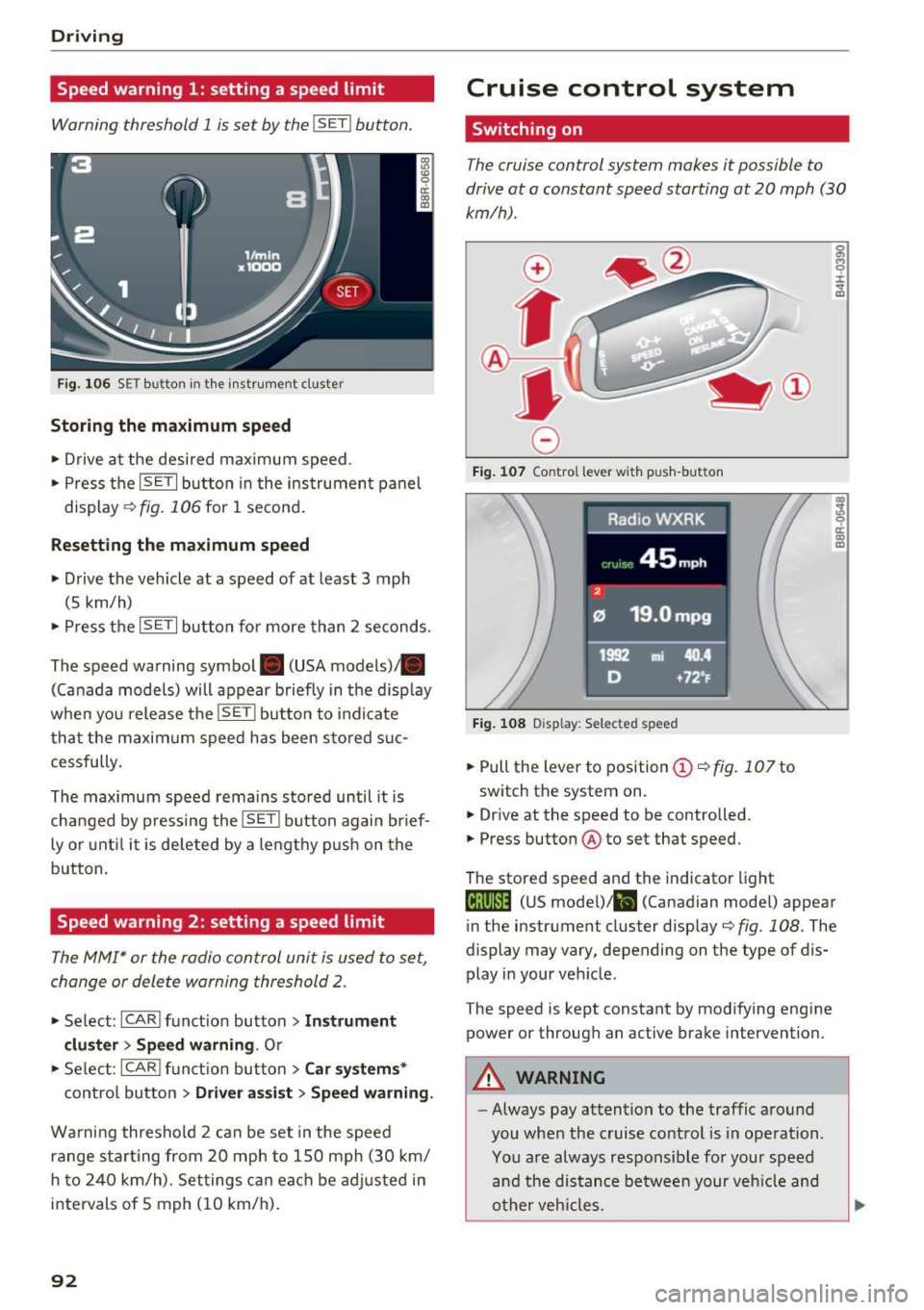
Fig. 1 06 SET button in t he ins trume nt cluster
Storing the maximum spe ed
• Drive at the desired maximum speed.
• Press the
!SE TI but ton in the ins trumen t panel
display ~fig.106for 1 second.
Resetting the maximum speed
• Drive the vehicle at a speed of at least 3 mph
(5 km/h)
• Press the
~IS-E T~I button for more than 2 seconds .
The speed warning symbol. (USA models)/ .
(Canada models) will appear briefly in the disp lay
when you release the
!SE TI butto n to indicate
that the maxim um speed has been sto red suc
cessfully.
The max imum speed remains stored until it is
changed by pressing the
I SETI button again brief
ly or unt il it is deleted by a lengthy p ush on the
button.
Speed warning 2: setting a speed limit
The MMI* or the radio control unit is used to set,
change or delete warning threshold 2 .
• Se lect : !CARI funct ion button> Ins trum ent
clu st e r > S peed warning .
Or
• Select : !CARI function button> C ar sys te m s*
contro l button > Dri ver ass ist > S peed w arnin g.
Wa rning threshold 2 can be set in the speed
range star ting from 20 mph to 150 mph (30 km/
h to 240 km/h) . Set tings can each be ad justed in
intervals of 5 mph (10 km/h).
92
Cruise control system
Switching on
The cruise control system makes it possible to
drive at a constant speed starting at
20 mph (30
km/h) .
0
f
®l
0
Fig. 10 7 Control leve r wit h pu sh-but ton
Fig . 108 Disp lay: Selected speed
• Pull the lever to position (D <=> fig . 10 7 to
switch the system on.
• Drive at the speed to be controlled.
• Press button @to set that speed .
The stored speed and the indicator light
g M 0 ±
~
Q)
~ ci: Q) m
Iij;\1)~14 (US model) !lll (Canadian mode l) appear
in the instrument cluster display
c::> fig. 108 . The
display may vary, depending on the type of dis
play in your vehicle .
The speed is kept constant by modifying engine power or through an active brake intervention.
A WARNING
- Always pay attention to the traffic around
you when the cruise control is in operation .
You are always respons ible for your speed
and the distance between your veh icle and
other veh icles .
-
Page 95 of 296
CD
CD
.... N ,-... N .... 0 0 C<'. 00
-For reasons of safety, cruise control should
not be used in the city, in stop-and-go traf
fic, on twisting roads and when road condi
tions are poor (such as ice, fog, gravel,
heavy rain and hydroplaning) -you could
have an accident.
- Switch the cruise control off temporarily
when driving in turning lanes, highway exits
or in construction zones.
- Please note that unconsciously "resting"
your foot on the accelerator pedal causes
cruise control not to brake. This is due to
the control system being overridden by the
driver's acceleration.
- Never use the cruise control when driving
off-road or on unpaved roads. The cruise
control is intended for use only when the ve
hicle is being operated on paved roads, and
is not suitable for use off-road or on un
paved roads.
- If a brake system malfunction such as over
heating occurs when the cruise control sys
tem is switched on, the braking function in
the system may be switched off. The other
cruise control functions remain active as
long as the indicator light
0;(1)~14 (US mod
el)/li,I (Canadian model) is on .
(Di Tips
The brake lights illuminate as soon as the
brakes apply automatically.
Changing speed
.,. To increase/decrease the speed in increments,
tap the lever in the
010 direction ¢ page 92,
fig. 107.
.,. To increase/decrease the speed quickly , hold
the lever in the
010 direction until the de
sired speed is displayed.
You can also press the accelerator pedal down to
increase your speed, e.g. if you want to pass
someone. The speed you saved earlier will re
sume as soon as you let off of the accelerator
pedal.
If, however, you exceed your saved speed by
S mph
(10 km/h) for longer than S minutes, the
Driving
cruise control will be turned off temporarily. The
green symbol in the display turns white, the
saved speed is retained.
Pre-selecting speed
You con pre-select your desired speed while the
vehicle is not moving.
.,. Turn on the ignition.
.,. Pull lever into position
(D ¢ page 92, fig. 107.
.,. Press the lever in the 0 or 0 direction to in-
crease or decrease your speed.
.,. Let go of the lever to save that speed .
This function makes it possible, for example, to
save the speed you want before driving on the
highway . Once on the highway, activate the
cruise control by pulling the lever toward
(D .
Switching off
Temporary deactivation
.,. Step on the brake pedal, or
.,. Press the lever into position @ (not clicked into
place) ¢
page 92, fig . 10 7, or
.,. Drive for longer than S minutes at more than
S mph (10 km/h) above the stored speed.
Switching off completely
.,. Press lever into position @ (clicked into place),
or
.,. Switch the ignition off.
The speed you saved will be retained if the cruise control has been switched off temporarily. To re
sume the saved speed, let up on the brake and
pull the lever to position
(D.
The saved speed will be erased after turning the
ignition off .
A WARNING
=
You should only resume the saved speed if it
is not too high for existing traffic conditions .
Otherwise you risk an accident.
93
Page 97 of 296
a,
a,
..... N r-N ..... 0 0
0:
co
,&_ WARNING
Read and follow all WARNINGS ¢ A in Driv
ing the automatic transmission on
page 96.
(D Note
Coas ting downhil l w it h t he t ransm iss ion in N
and the engine not runn ing will result in dam
age to the automatic transmission and possi
bly the catalyt ic converter.
(D Tips
- On vehicles with Audi drive select*, you can
adjust the sporty shift characteristics in the
Dynami c driv ing mode .Sw ill appear in the
i nstrument cl uster display instead of 0 .
- If you accidenta lly select N while driv ing ,
take your foot off the accelerator pedal im
mediately and wa it for the engine to slow
down to idle before selecting 0/S.
- Hybrid drive*: if the l<=1 •l button ¢
page 103
is pressed wh ile in sport mode S, the trans
mission switches automatically to the nor
mal mode 0 .
- If there is a power fa ilure, the selector lever
will not move o ut of the P posit ion . The
eme rgency release can be used if this hap
pens
¢ page 99 .
Automatic Shift Lock (ASL)
-
The Automatic Shift Lock safeguards you against
accidentally shifting into a forward or the re
verse gear and causing the vehicle to move unin
ten tionally.
•
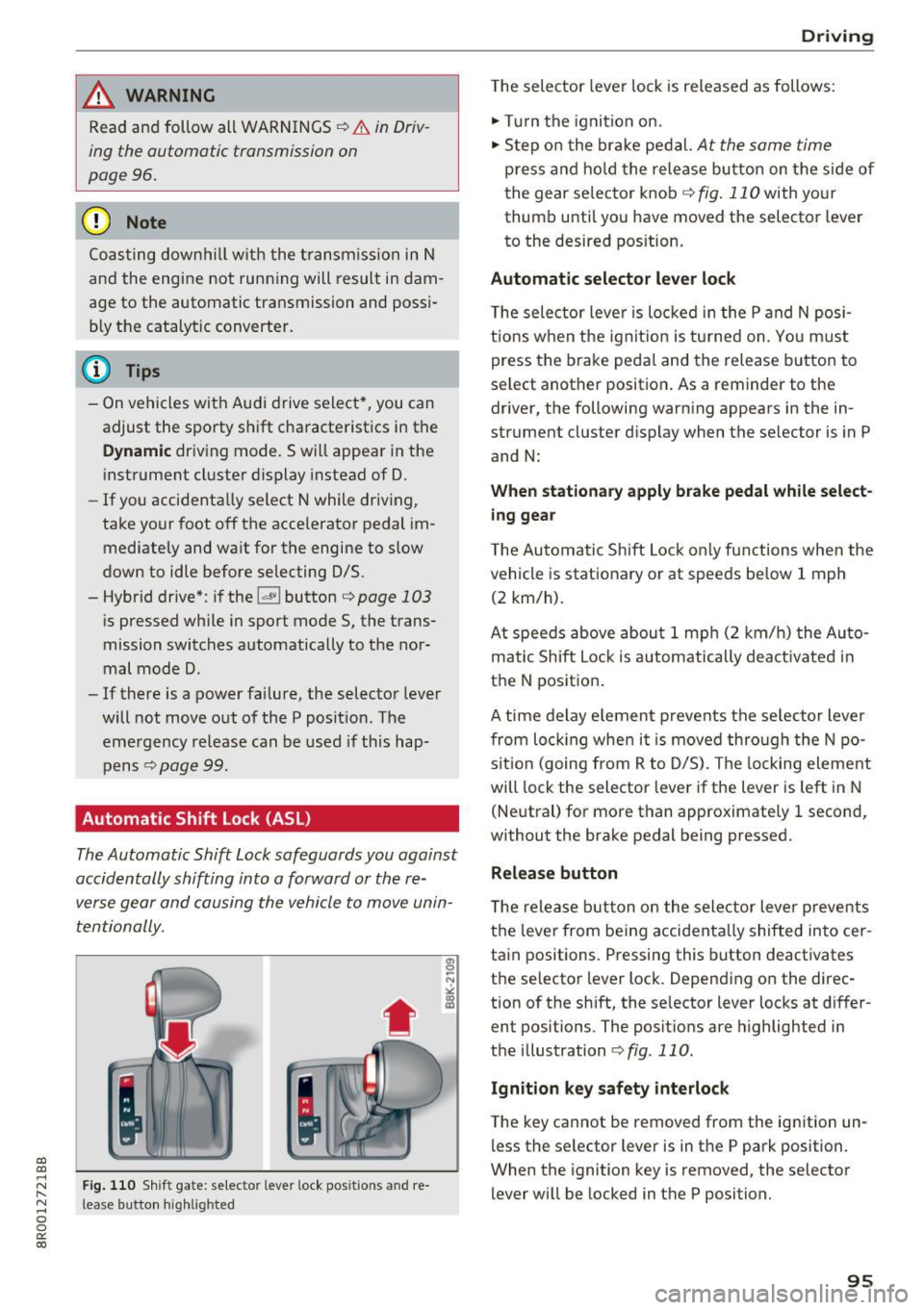
F ig. 11 0 Shift gate: se le cto r lever lock pos it io ns and re
lea se butto n highlig h ted
D rivi ng
The selector lever lock is released as follows :
" Tur n the ignition on.
" Step on t he br ake pedal.
At the same time
press a nd ho ld the release bu tton on the side of
the gear se lector knob
¢ fig . 110 with yo ur
thumb until yo u have moved the selecto r lever
to the desired pos ition.
Automatic selector lever lock
T he selec tor leve r is lo cked in t he P and N posi
t io ns w hen the ig nition is tu rned on. You m ust
press the brake peda l and the release button to
select another position . As a reminder to the
driver, the following warn ing appears in the in
strument cluster d isplay when the se lector is in P
and N:
When stationary appl y brake pedal while select
ing gear
T he Au tomatic Sh ift Lock only fu nctio ns when the
veh icle is stationary o r at spee ds be low 1 mph
(2 km/h).
At spee ds above abou t 1 mp h (2 km/h) the Au to
ma tic Sh ift Lock is autom atically deact ivated in
the N positio n.
A time de lay e lemen t prevents the se lector lever
from lo cking whe n it i s moved thro ugh the N po
s ition (going from R to D/S) . The locking element
will lock the selector leve r if the lever is left in N
(Ne utral) for more than approximately 1 second,
without the brake pedal being pressed.
Release button
T he release but ton on the selector leve r preve nts
the lever from be ing accidenta lly shifted into cer
ta in positions. Pressing this button deactivates
the se lector lever lock . Depending on the d irec
t ion of the sh ift, the se lector lever locks at d iffer
ent positions . The posit ions are highlighted in
the i llustration
¢ fig . 110.
Ignition key safety interlock
T he key cannot be removed from the ignition un
l ess the selector lever is in the P park position.
When the ignition key is removed , the selector
lever will be locked in the P position.
95