Keys AUDI Q5 2017 Owners Manual
[x] Cancel search | Manufacturer: AUDI, Model Year: 2017, Model line: Q5, Model: AUDI Q5 2017Pages: 296, PDF Size: 74.43 MB
Page 4 of 296
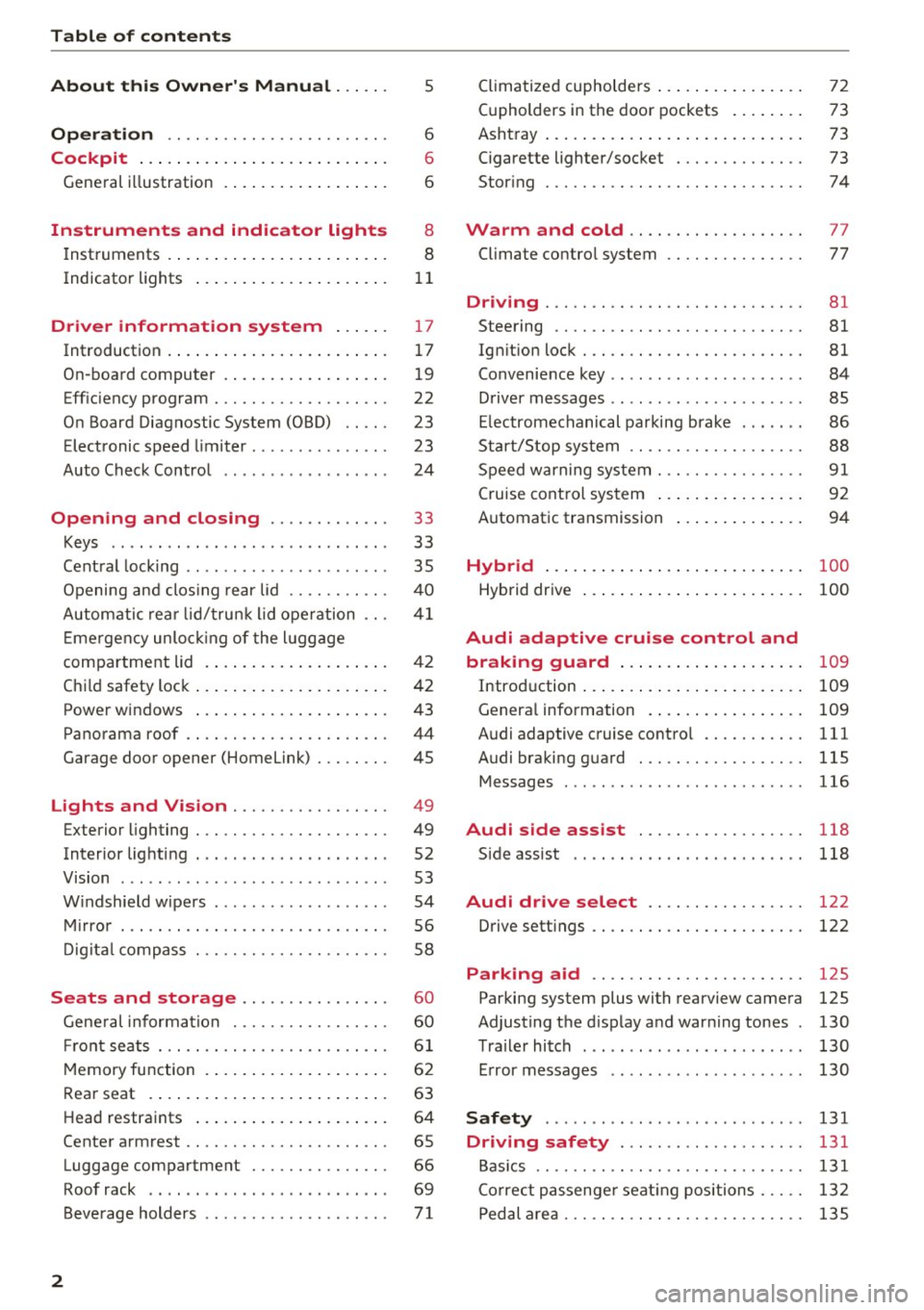
Table of contents
About this Owner's Manual. . . . . .
5
Operation . . . . . . . . . . . . . . . . . . . . . . . . 6
Cockpit . . . . . . . . . . . . . . . . . . . . . . . . . . . 6
General illustration . . . . . . . . . . . . . . . . . . 6
Instruments and indicator lights 8
Instruments . . . . . . . . . . . . . . . . . . . . . . . . 8
Indicator lights . . . . . . . . . . . . . . . . . . . . .
11
Driver information system . . . . . . 17
Introduction . . . . . . . . . . . . . . . . . . . . . . . . 17
On-board computer . . . . . . . . . . . . . . . . . . 19
Efficiency program . . . . . . . . . . . . . . . . . . . 22
On Board Diagnostic System (OBD) . . . . .
23
Electronic speed limiter. . . . . . . . . . . . . . . 23
Auto Check Control . . . . . . . . . . . . . . . . . . 24
Opening and closing . . . . . . . . . . . . . 33
Keys . . . . . . . . . . . . . . . . . . . . . . . . . . . . . .
33
Central locking . . . . . . . . . . . . . . . . . . . . . . 35
Opening and closing rear lid . . . . . . . . . . . 40
Automatic rear lid/trunk lid operation
41
Emergency unlocking of the lu ggage
compartment lid . . . . . . . . . . . . . . . . . . . . 42
Child safety lock . . . . . . . . . . . . . . . . . . . . . 42
Power windows . . . . . . . . . . . . . . . . . . . . . 43
Panorama roof . . . . . . . . . . . . . . . . . . . . . . 44
Garage door opener (Home link) . . . . . . . . 45
Lights and Vision . . . . . . . . . . . . . . . . . 49
Exterior lighting . . . . . . . . . . . . . . . . . . . . . 49
Interior lighti ng . . . . . . . . . . . . . . . . . . . . .
52
V1s1on . . . . . . . . . . . . . . . . . . . . . . . . . . . . . 53
Windshield wipers . . . . . . . . . . . . . . . . . . . 54
Mirror . . . . . . . . . . . . . . . . . . . . . . . . . . . . . 56
Digital compass . . . . . . . . . . . . . . . . . . . . .
58
Seats and storage ...... ... .. .. .. .
General informa tion .......... .... .. .
Fr ont seats . .. .... ........... .. .. .. .
Memory function ... ................ .
60
60
61
62
Rear seat . . . . . . . . . . . . . . . . . . . . . . . . . . 63
Head restraints . . . . . . . . . . . . . . . . . . . . . 64
Center armrest . . . . . . . . . . . . . . . . . . . . . . 65
Luggage compartment . . . . . . . . . . . . . . . 66
Roof rack . . . . . . . . . . . . . . . . . . . . . . . . . . 69
Beverage holders . . . . . . . . . . . . . . . . . . . .
71
2
Climatized cupholders . . . . . . . . . . . . . . . . 72
(upholders in the door pockets . . . . . . . . 73
Ashtray . . . . . . . . . . . . . . . . . . . . . . . . . . . . 73
Cigarette lighter/socket . . . . . . . . . . . . . . 73
Storing . . . . . . . . . . . . . . . . . . . . . . . . . . . . 74
Warm and cold . . . . . . . . . . . . . . . . . . . 77
Climate control system . . . . . . . . . . . . . . . 77
Dr1v1ng ..... .. .. .. .. ............... 81
Steering . . . . . . . . . . . . . . . . . . . . . . . . . . . 81
Ign ition lock . . . . . . . . . . . . . . . . . . . . . . . . 81
Convenience key . . . . . . . . . . . . . . . . . . . . . 84
Driver messages . . . . . . . . . . . . . . . . . . . . .
85
Electromechanical parking brake . . . . . . . 86
Start/Stop system . . . . . . . . . . . . . . . . . . . 88
Speed warning system . . . . . . . . . . . . . . . .
91
Cruise control system . . . . . . . . . . . . . . . . 92
Automatic transmission 94
Hybrid
............................ 100
Hybrid drive . . . . . . . . . . . . . . . . . . . . . . . . 100
Audi adaptive cruise control and
braking guard . . . . . . . . . . . . . . . . . . . .
109
Introduction . . . . . . . . . . . . . . . . . . . . . . . . 109
Genera l information . . . . . . . . . . . . . . . . . 109
Audi adaptive cruise control . . . . . . . . . . . 111
Audi braking guard . . . . . . . . . . . . . . . . . . 115
Messages . . . . . . . . . . . . . . . . . . . . . . . . . . 116
Audi side assist . . . . . . . . . . . . . . . . . . 118
S ide assist . . . . . . . . . . . . . . . . . . . . . . . . . 118
Audi drive select . . . . . . . . . . . . . . . . . 122
Drive settings . . . . . . . . . . . . . . . . . . . . . . . 122
Parking aid . . . . . . . . . . . . . . . . . . . . . . . 125
Parking system plus with rearview camera
Adjusting the display and warning tones
Trailer hitch ...... ... .............. .
Error messages 125
130
130
130
Safety . . . . . . . . . . . . . . . . . . . . . . . . . . . . 131
Driving safety . . . . . . . . . . . . . . . . . . . . 131
Basics . . . . . . . . . . . . . . . . . . . . . . . . . . . . . 131
Correct passenger seating positions . . . . . 132
Pedal area . . . . . . . . . . . . . . . . . . . . . . . . . . 135
Page 12 of 296
Instruments and indicator lights
The number of keys programmed to the vehicle is
also displayed. The display
L2 3/3 in dicates that
three keys have been programmed. This a llows
you to make sure you have received all of the keys
when you purchase a used vehicle.
For examp le, if you on ly receive two keys, you
should take those keys to your authorized Audi
dealer to have the missing key deactivated so it
cannot be used. You should also report the miss
ing key to your insurance company .
Calling up the driver information
A yellow or red symbol appears in the instrument
cluster display, usually with a driver message.
The driver message display disappears after about 5 seconds. The dr iver message can be dis
played again by briefly pressing the
ISETI button.
Setting the speed warning
By pressing the !SET ! button briefly, you can set
thresho ld
1 of the speed warning while you are
driving
c::;,page 92. By maintaining pressure on
the
! SET I button, you delete the warning thresh
old.
Digital clock with date display
Depending on the vehicle equipment level, you
may choose between the quartz clock or the
GPS
controlled clock* l!j in the radio or in the MMI* .
You can learn more about this in the MMI manual
or in the radio user's manual.
(Di Tips
-When you sw itch off the ignition or open
the driver door, the time, date, odometer
and temperature are displayed for an addi
tiona l
30 seconds.
- You can also call up the display with the
ISET I button c::;, page 9 while the ignition is
switched
off.
Fuel gauge
The fuel gauge works only when the ignition is
on.
When the needle reaches the reserve mark, the
c::;, page 30 Ii') symbol appears in the instru-
10
ment cluster display as well as the message
Please refuel. This message is meant to remind
you to
refuel.
The total tank capacity of your ve hicle is listed in
¢ page 273.
(D Note
Never run the tank completely dry! An ir regu
lar supply of fuel can cause engine misfiring
and fuel could enter into the exhaust system.
The catalytic converter could then overheat
and be damaged.
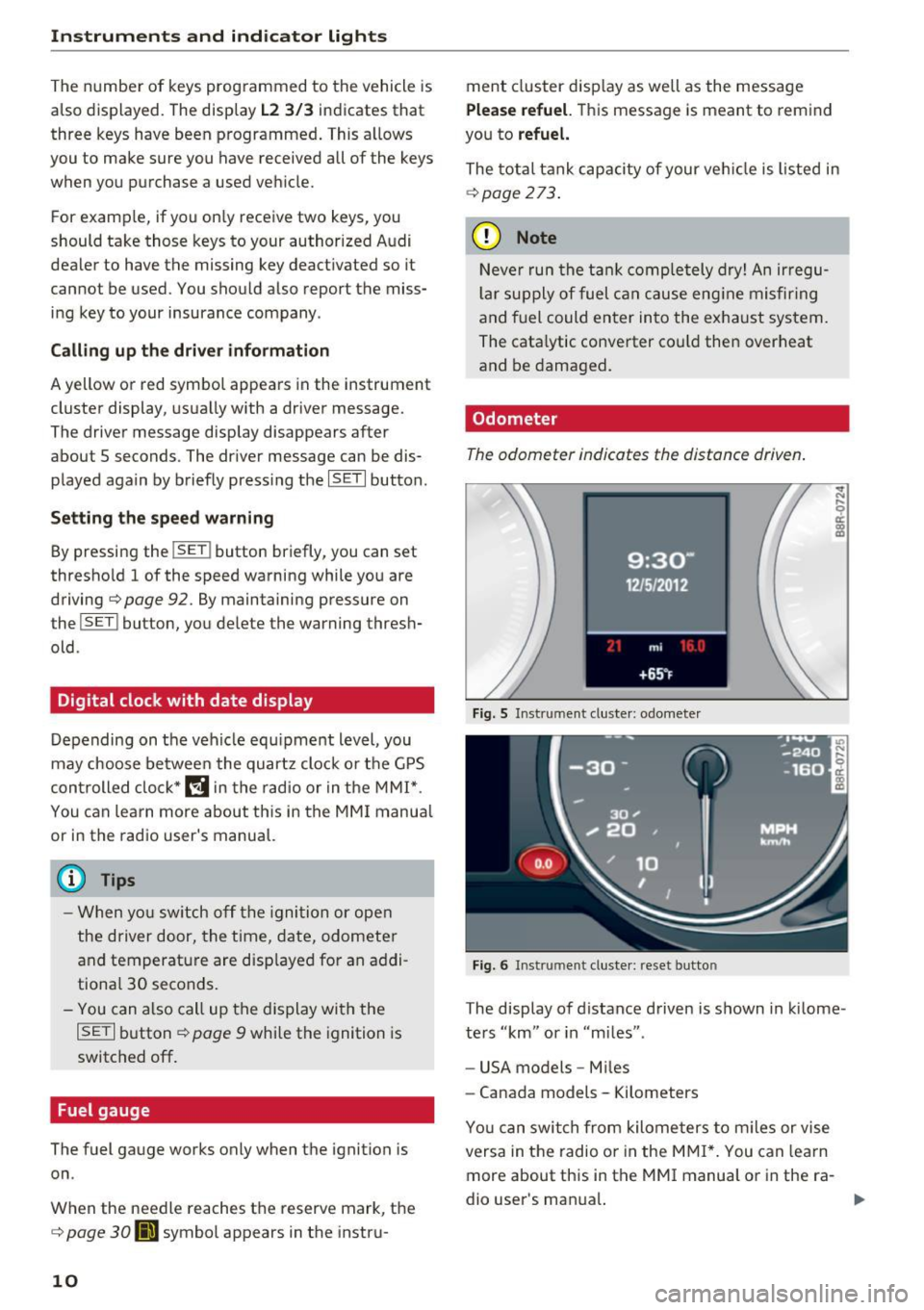
Odometer
The odometer indicates the distance driven.
Fig. 5 Instrument cluster: odometer
Fig. 6 Instrument cluster: reset button
The display of distance driven is shown in kilome
ters "km" or in "m iles".
- USA models -Miles
- Canada models - Kilometers
Yo u can switch from kilometers to miles or vise
versa in the radio o r in the MMI*. You can lea rn
more about this in the MMI manual or in the ra
dio user's man ual.
Page 35 of 296
Opening and closing Keys
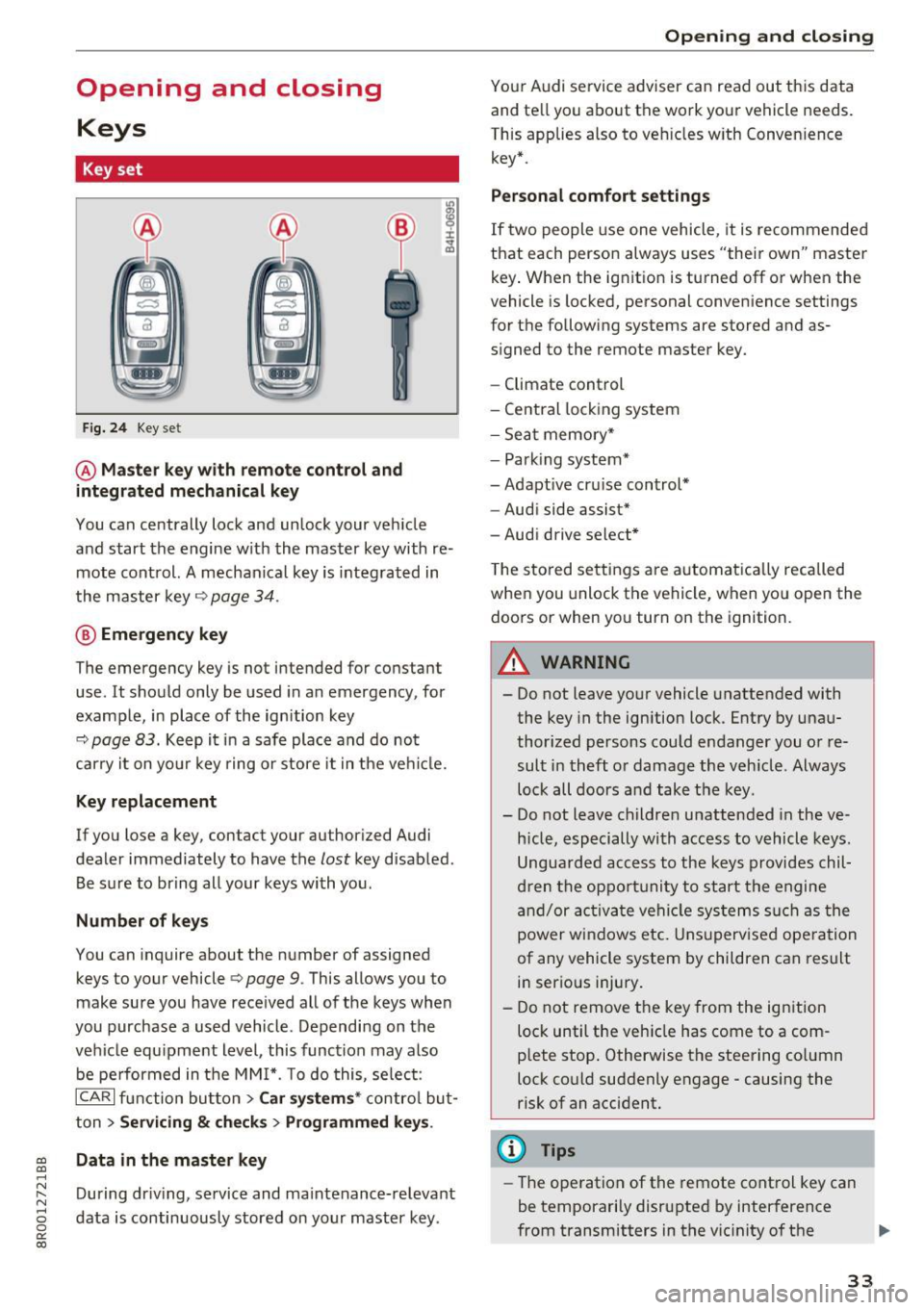
Key set
Fig. 24 Key set
@ Master key with remote control and
integrated mechanical key
You can centrally lock and unlock your vehicle
and start the engine with the master key with re mote control. A mechanical key is integrated in
the master key
q page 34.
@ Emergency key
The emergency key is not intended for constant
use . It should only be used in an emergency , for
example, in place of the ignition key
9 page 83. Keep it in a safe place and do not
carry it on your key ring or store it in the vehicle.
Key replacement
If you lose a key, con tac t your au thori zed Audi
dealer immediately to have the
lost key disabled .
Be sure to bring all your keys with you.
Number of keys
You can inquire about the number of assigned
keys to your vehicle
Q page 9. This allows you to
make sure you have received all of the keys when
you purchase a used vehicle. Depending on the
vehicle equipment level, this function may also
be performed in the MMI*. To do this, select:
ICARI function button> Car systems* control but
ton >
Servicing & checks > Programmed keys .
~ Data in the master key
.....
~ During driving, service and maintenance-relevant
8 data is continuously stored on your master key . 0
0:
co
Opening and closing
Your Audi service adviser can read out this data
and tell you about the work your veh icle needs.
This applies also to vehicles with Convenience key* .
Personal comfort settings
If two people use one vehicle, it is recommended
that each person always uses "their own" master key. When the ignition is turned off or when the
vehicle is locked, personal convenience settings
for the following systems are stored and as
signed to the remote master key.
- Climate control
- Central locking system
- Seat memory*
- Parking system*
- Adaptive cruise control*
- Audi side assist*
- Audi drive select*
The stored settings are automatically recalled
when you unlock the vehicle, when you open the
doors or when you turn on the ignition.
A WARNING
-.
- Do not leave your vehicle unattended with
the key in the ignition lock . Entry by unau
thorized persons could endanger you or re
sult in theft or damage the vehicle . Always
lock all doors and take the key .
- Do not leave children unattended in the ve
hicle, especially with access to vehicle keys.
Unguarded access to the keys provides chil
dren the opportunity to start the engine
and/or activate vehicle systems such as the
power windows etc. Unsupervised operation
of any vehicle system by children can result
in serious injury.
- Do not remove the key from the ignition
lock until the vehicle has come to a com
plete stop. Otherwise the steering column
lock could suddenly engage -causing the
risk of an accident.
¢j) Tips
-The operation of the remote control key can
be temporarily disrupted by interference
from transmitters in the vicinity of the .,.
33
Page 36 of 296
Opening and clo sin g
vehicle working in the same frequency range
(e .g . a cell phone, rad io equipment) .
- If you open the dr iver's door with the key
l eft in the ignition lock, a chime will sound .
This is your reminder to remove the key and
l ock the door.
- For security reasons, replacement keys are
on ly available from Audi dealers.
- Fo r Decla ration of Comp liance to United
States FCC and Industry Canada regu lations
c:> page 279.
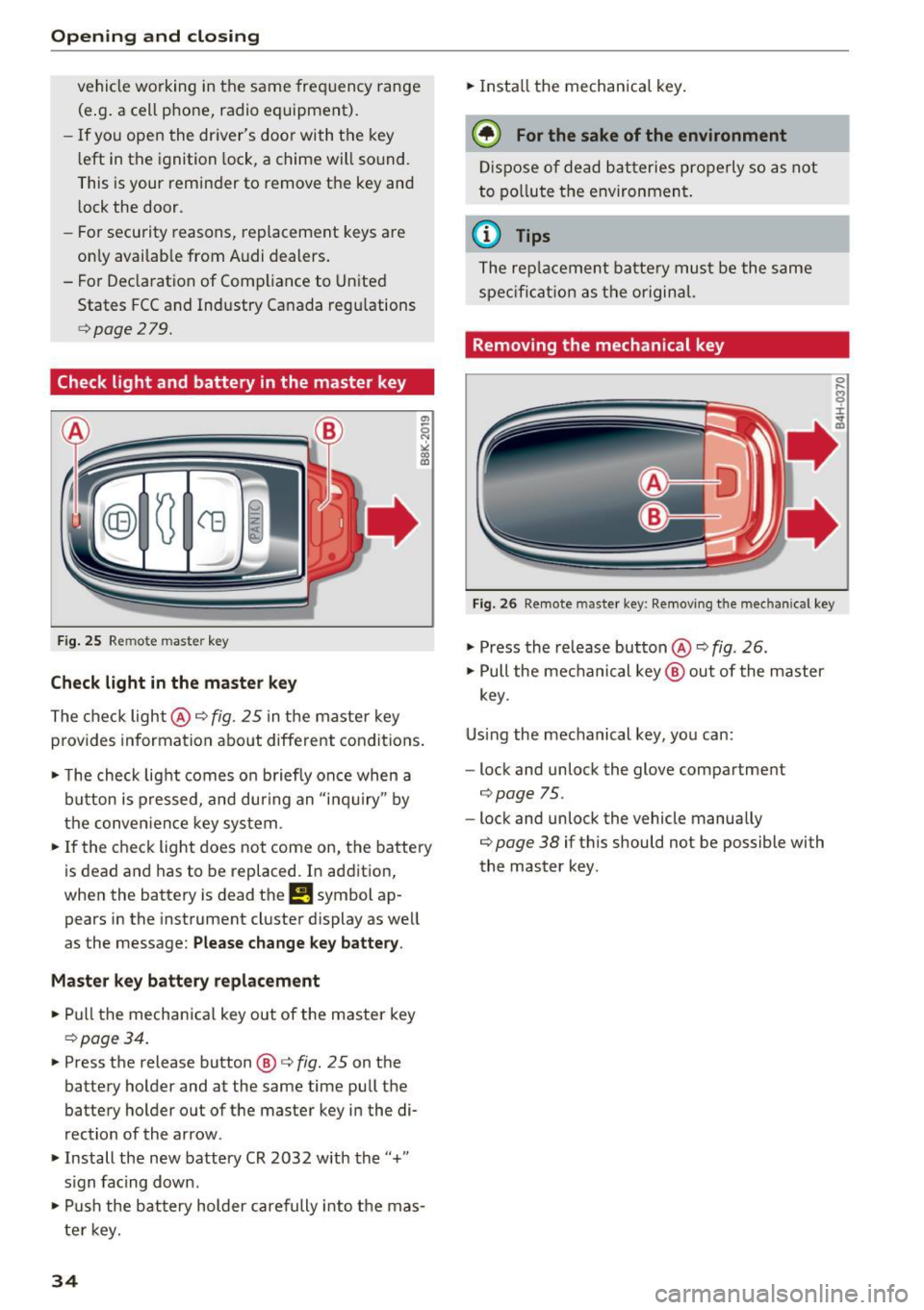
Check light and battery in the master key
Fig. 25 Rem ote mas ter key
Check light in the maste r key
The check light@c::> fig. 25 in the maste r key
provides information about different condit io ns.
• The check light comes on b riefly once when a
button is pressed, and during an "i nq ui ry" by
the conven ience key system .
• If the check light does not come on, the battery
is dead and has to be replaced. In addition,
when the batt ery is dead the
!I symbol ap
pears in the instrument cl uster display as well
as the message:
Ple ase chang e ke y batter y.
M ast er key batt ery replacement
• Pull the mechanica l key out of the master key
c::> page34.
• Press the release button @ c::> fig. 25 on the
battery holder and at the same time pull the
battery holder out of the master key in the di
rection of the arrow .
• Install the new battery CR 2032 with the "+"
s ign facing down .
• Pu sh the battery holder carefully into the mas
ter key.
34
• Install the mechanical key .
@ For the sake of the environment
Dispose of dead bat teries properly so as not
to po llute the e nvironment .
(D Tips
The replacement batte ry must be the same
spec ificat ion as the original.
Removing the mechanical key
Fig. 26 Remote master key : Remov ing t he mec hanical key
• Press the release but ton @ c:> fig. 26 .
• Pull the mechanical key @ out of the master
key .
Using the mechanical key, you can:
- lock and unlock the glove compartme nt
¢ page 75 .
-lock and unlock the vehicle manually
¢ page 38 if this should not be possible wi th
the master key .
0 .... (') 9 ::c ~ m
Page 145 of 296
a,
a,
..... N r-N ..... 0 0
0:
co
A WARNING
Not wearing safety belts or wearing them im
properly increases the risk of serious personal
injury and death . Safety belts can work only
when used correctly.
-Always fasten your safety belts correctly be fore driving off and make sure all passen
gers are correctly restrained.
- For maximum protection, safety belts must
always be positioned properly on the body .
- Never strap more than one person, includ
ing small children, into any belt .
- Never place a safety belt over a child sitting
on your lap.
- Always keep feet in the footwell in front of
the seat while the vehicle is being driven.
- Never let any person ride with their feet on
the instrument panel or sticking out the
window or on the seat .
- Never remove a safety belt while the vehicle
is moving . Doing so will increase your risk of
being injured or killed.
- Never wear belts twisted.
- Never wear belts over rigid or breakable ob-
jects in or on your clothing , such as eye
glasses, pens, keys, etc., as these may cause
injury.
- Never allow safety belts to become dam
aged by being caught in door or seat hard
ware.
- Do not wear the shoulder part of the belt
under your arm or otherwise out of position .
- Several layers of heavy clothing may inter
fere with correct positioning of belts and re
duce the overall effectiveness of the system.
- Always keep belt buckles free of anything
that may prevent the buckle from latching
securely .
- Never use comfort clips or devices that cre
ate slack in the shoulder belt . However, spe
cial clips may be required for the proper use
of some child restraint systems.
- Torn or frayed safety belts can tear, and
damaged belt hardware can break in an acci
dent. Inspect belts regularly.
If webbing,
bindings, buckles, or retractors are dam-
Safety belts
aged, have belts replaced by an authorized
Audi dealer or qualified workshop.
- Safety belts that have been worn and loaded
in an accident must be replaced with the
correct replacement safety belt by an au
thor ized Audi dealer. Replacement may be
necessary even if damage cannot be clearly
seen. Anchorages that were loaded must al
so be inspected.
- Never remove, modify, disassemble, or try to repair the safety belts yourself.
-Always keep the belts clean . Dirty belts may
not work properly and can impair the func
tion of the inertia reel~
table Interior
cleaning on page 206.
Safety belts
Fastening safety belts
Safety first -everybody buckle up!
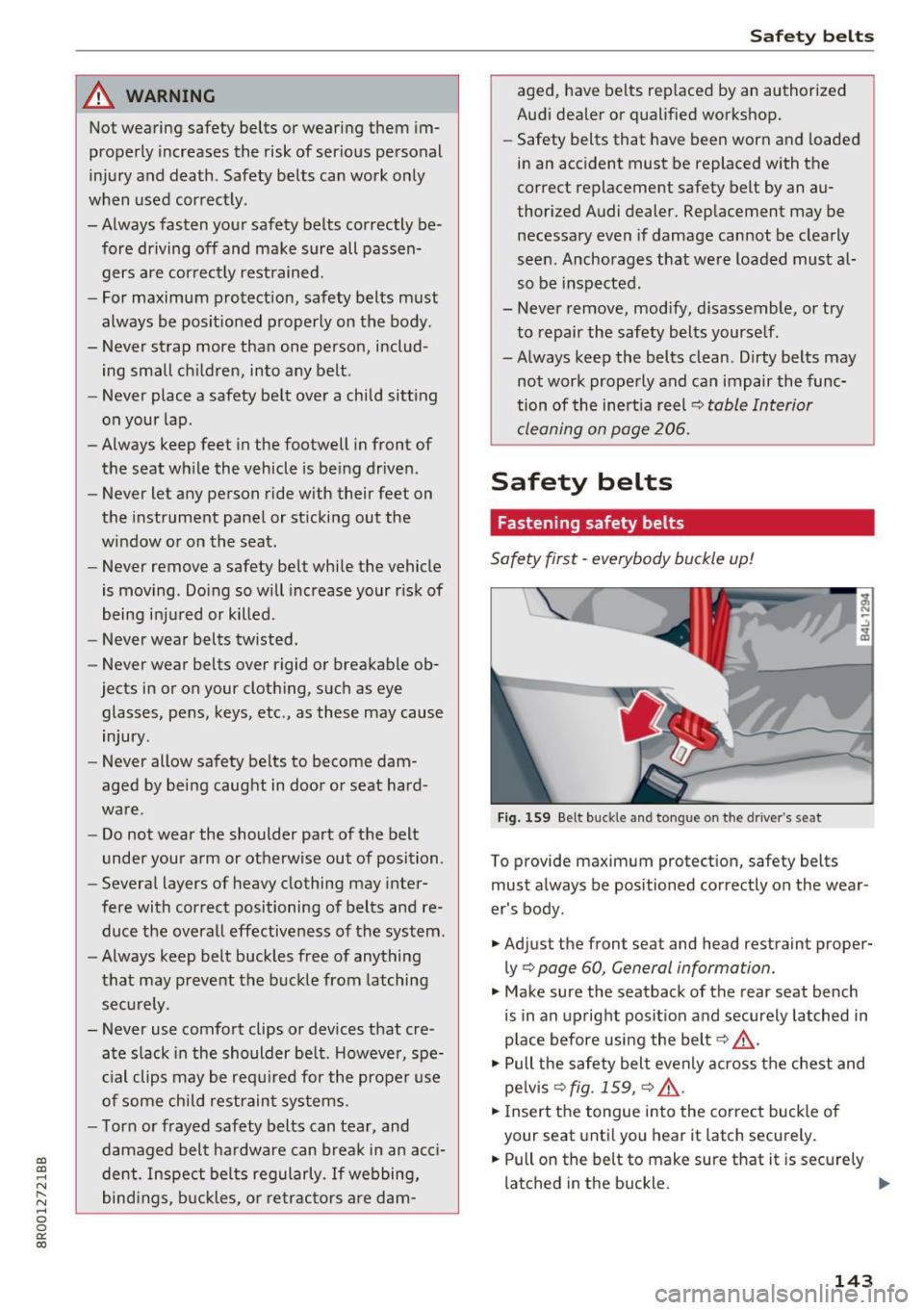
Fig. 159 Belt buckle and tongue on the driver 's seat
To provide maximum protection, safety belts
must always be positioned correctly on the wear
er's body .
.. Adjust the front seat and head restraint proper
ly¢
page 60, General information.
.. Make sure the seatback of the rear seat bench
is in an upright position and securely latched in
place before using the belt¢,&. .
.. Pull the safety belt evenly across the chest and
pelvis
¢fig. 159, ~ ,&. .
.. Ins ert the tongue into the correct buckle of
your seat until you hear it latch securely.
.. Pull on the belt to make sure that it is securely
latched in the buckle.
IIJ,,
143