brake fluid AUDI Q5 2017 Owners Manual
[x] Cancel search | Manufacturer: AUDI, Model Year: 2017, Model line: Q5, Model: AUDI Q5 2017Pages: 296, PDF Size: 74.43 MB
Page 5 of 296
CD
CD
.... N ,-... N ..... 0 0 C<'. 00
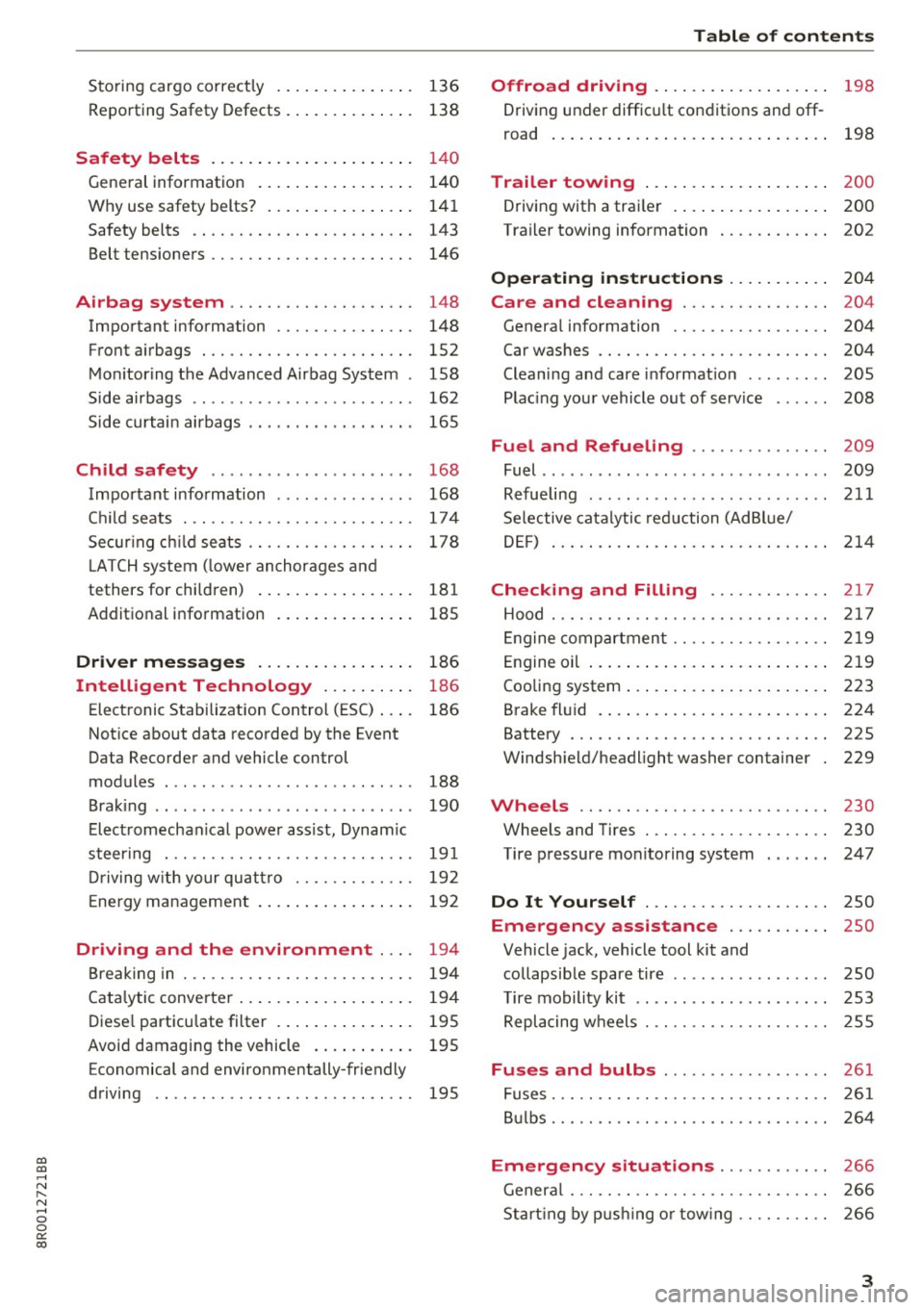
Storing cargo correctly . . . . . . . . . . . . . . . 136
R epo rting Safety Defects . . . . . . . . . . . . . . 138
Safety belts . . . . . . . . . . . . . . . . . . . . . . 14 0
General information . . . . . . . . . . . . . . . . . 140
Why use safety belts? . . . . . . . . . . . . . . . . 141
Safety belts . . . . . . . . . . . . . . . . . . . . . . . . 143
Belt tensioners . . . . . . . . . . . . . . . . . . . . . . 146
Airbag system . . . . . . . . . . . . . . . . . . . . 148
Important information . . . . . . . . . . . . . . . 148
Front airbags . . . . . . . . . . . . . . . . . . . . . . . 1S2
Monitoring the Advanced Airbag System . 158
Side airbags . . . . . . . . . . . . . . . . . . . . . . . . 162
Side curtain airbags . . . . . . . . . . . . . . . . . . 165
Child safety . . . . . . . . . . . . . . . . . . . . . . 168
Important information . . . . . . . . . . . . . . . 168
Ch ild seats . . . . . . . . . . . . . . . . . . . . . . . . . 174
S ecur ing ch ild seats . . . . . . . . . . . . . . . . . . 178
L ATCH system (lower anchorages and
tethers for chi ldren) . . . . . . . . . . . . . . . . . 181
Additional in fo rma tion
185
Driver messages . . . . . . . . . . . . . . . . . 186
Intelligent Technology . . . . . . . . . . 186
Elect ronic Stabilization Control (ESC) . . . . 186
Notice about data recorded by the Event
Data Recorder and vehicle control
modules . . . . . . . . . . . . . . . . . . . . . . . . . . . 188
B rak ing . . . . . . . . . . . . . . . . . . . . . . . . . . . . 190
E lect romechanical power assist, Dynamic
steering . . . . . . . . . . . . . . . . . . . . . . . . . . . 191
Dri ving with your quattro . . . . . . . . . . . . . 192
En erg y management . . . . . . . . . . . . . . . . . 192
Driving and the environment . . . . 194
Br eak ing in . . . . . . . . . . . . . . . . . . . . . . . . . 194
Catalytic converter . . . . . . . . . . . . . . . . . . . 194
Di ese l particulate filter . . . . . . . . . . . . . . . 195
Avoid damaging the vehicle . . . . . . . . . . . 195
Economical and environmentally-friendly
driving . . . . . . . . . . . . . . . . . . . . . . . . . . . . 195
Table of contents
Offroad driving . . . . . . . . . . . . . . . . . . .
198
Driving under difficult conditions and off-
ro ad . . . . . . . . . . . . . . . . . . . . . . . . . . . . . . 198
Trailer towing . . . . . . . . . . . . . . . . . . . . 200
Driving with a traile r . . . . . . . . . . . . . . . . . 200
Trailer towing information . . . . . . . . . . . . 202
Operating instructions . . . . . . . . . . . 204
Care and cleaning . . . . . . . . . . . . . . . . 204
Genera l information . . . . . . . . . . . . . . . . . 204
Car washes . . . . . . . . . . . . . . . . . . . . . . . . . 204
Cleaning and care information . . . . . . . . . 205
Plac ing your vehicle out of service . . . . . . 208
Fuel and Refueling . . . . . . . . . . . . . . . 209
Fuel .. .. .. .. .. .. .. ... .. ..... ... .. .. 209
Refueling ... .. .. .. .... .. ... .... .. .. 211
Selective catalytic reduct ion (Ad Blu e/
DEF) . . . . . . . . . . . . . . . . . . . . . . . . . . . . . . 214
Checking and Filling ........... .. 2 17
Hood ..... .. .. .. ................. .. 217
Eng ine compartm ent . . . . . . . . . . . . . . . . . 219
Eng ine oil . . . . . . . . . . . . . . . . . . . . . . . . . . 219
Cooling system . . . . . . . . . . . . . . . . . . . . . . 223
Brake fluid . . . . . . . . . . . . . . . . . . . . . . . . . 224
Battery . . . . . . . . . . . . . . . . . . . . . . . . . . . . 225
Windshield/headlight washer container
229
Wheels ........................... 230
Wheels and Tires . . . . . . . . . . . . . . . . . . . . 230
Tire pressure monitoring system 247
Do It Yourself . . . . . . . . . . . . . . . . . . . . 250
Emergency assistance . . . . . . . . . . . 250
Vehicle jack, vehicle tool kit and
collapsible spare tire . . . . . . . . . . . . . . . . . 250
T ire mobility kit . . . . . . . . . . . . . . . . . . . . . 253
Replacing wheels . . . . . . . . . . . . . . . . . . . . 255
Fuses and bulbs . . . . . . . . . . . . . . . . . . 261
Fuses . . . . . . . . . . . . . . . . . . . . . . . . . . . . . . 261
Bulbs . . . . . . . . . . . . . . . . . . . . . . . . . . . . . . 264
Emergency situations . . . . . . . . . . . . 266
General . . . . . . . . . . . . . . . . . . . . . . . . . . . . 266
Starting by pushing or tow ing . . . . . . . . . . 266
3
Page 17 of 296
CD
CD
.... N ,-... N ..... 0 0 C<'. 00
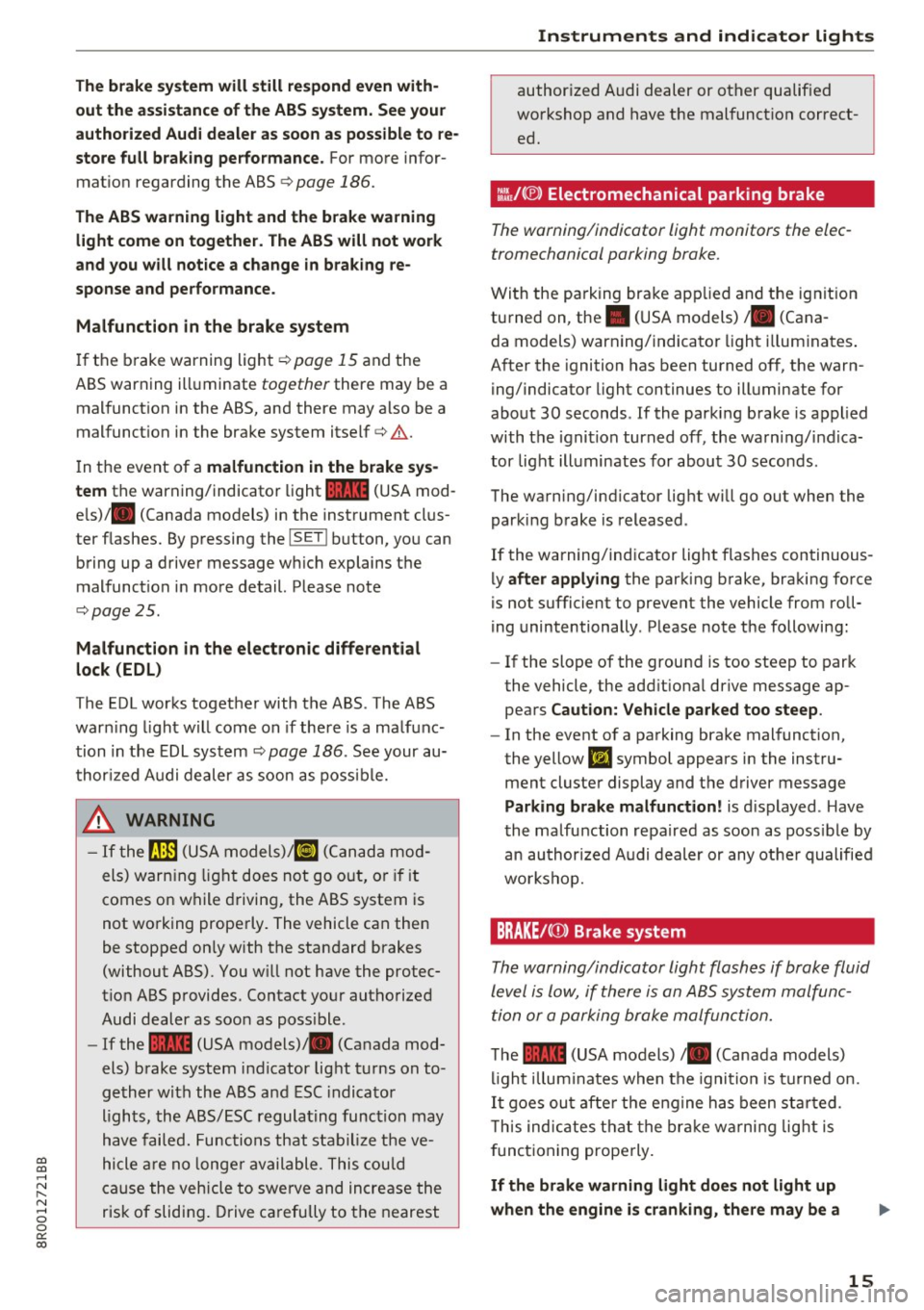
The brake system will still respond even with
out the assi stance of the ABS system. See your
authorized Audi dealer as soon as possible to re
store full braking performance.
For more infor
mat ion regarding the ABS
¢ page 186.
The ABS warning light and the brake warning
light come on together. The ABS w ill not work
and you will not ice a change in braking re
sponse and performance.
Malfunction in the brake system
I f the b rake warning light¢ page 15 and the
ABS warning ill uminate
together there may be a
mal funct ion in the ABS, and there may also be a
malfunct ion in the brake system itself
c::> .&. .
In t he event of a malfunction in the brake sys
tem
the warning/indicator light 1111 (USA mod
e ls)/ . (Canada models) in the instrument clus
ter f lashes. By p ressing the
I SE TI button, you can
bring up a drive r message w hich explains t he
malfunct io n in more detail. Please no te
c::> page 2 5.
Malfunction in the electronic differential
lock (EDL)
The EDL works togethe r with the ABS . The ABS
war ning light w ill come on if there is a ma lf u nc
tion in the EDL sys tem
c::> page 186 . See your au
t hor ized Audi dealer as soon as poss ible.
.8, WARNING
- If t he 9 (U SA m odels)/ KO'A
comes on w hile driving, the ABS sy stem is
not wo rking prope rly . The vehicle can then
be stopped on ly with the standard brakes
(without ABS). You w ill not have the protec
t io n ABS p rovides . Contact yo ur aut horized
Audi dealer as soon as poss ible .
- If the
1111 (USA models) . (Canada mod
els) b rake system indicator light t urns on to
ge ther wi th the ABS a nd ESC indica to r
ligh ts, the ABS/ ESC regula ting func tion may
h ave failed. Func tions that s tabiliz e t he ve
hicle are no lo nger av ailable . Thi s co uld
c a use the vehicle to swe rve and in crea se the
risk of sliding . Drive c arefully to t he nearest
-
Instruments and ind icator lights
author ized Audi dealer or ot her qualif ied
wo rkshop and have t he mal funct ion correct
ed .
::~/(®) Electromechanical parking brake
The warning/indicator light monitors the elec
tromechanical parking brake.
Wi th the pa rking bra ke app lied and the ig nit io n
tu rned on , the . (USA models)/ . (Cana-
da models) warning/indicator light illum inates .
A fter the ignition has been turned off, t he warn
ing/indicato r light continues to ill uminate for
abo ut 30 seconds . If the parki ng brake is applied
with the igni tion turned off, the warn ing/ indica
tor light ill uminates for about 30 secon ds.
The wa rning/i ndicator lig ht wi ll go out when the
parking brake is released .
If the warning/ind icator light flashes continuous
ly
after applying the par king b rake, bra king force
is not sufficient to prevent the vehicle from roll
ing unintentionally . P lease note the following :
- If the slope of the grou nd is too steep to park
the vehicle, the add it iona l drive message ap
pea rs
Caution: Vehicle parked too steep .
-In the event o f a pa rking brake mal function,
the yellow
liJ symbol appears in the instru
ment cluste r display and the driver message
Parking brake malfunction! is d isplayed . Have
t he malfunction repaired as soon as poss ible by
an au thor ized A udi dealer or any ot her qualified
workshop.
BRAKE /(Q) ) Brake system
Th e warning/indicator light flashes if brak e fluid
level is lo w, if there is an AB S system malfunc
tion or a p arking brake malfun ctio n.
T he 1111 (USA models) /. (Canada models)
li gh t illu min ates when t he igni tio n i s tur ned on.
It goe s ou t af te r th e e ng ine h as been st arted.
T h is ind icates t hat t he br ake w arning light is
f unct ioning properly.
If the brake warning light doe s not light up
when the engine is cranking, there may be a
15
Page 18 of 296
Instruments and indicator lights
malfunction in the el ectric al sy stem. In this
case , contact an autho rized Audi deale r.
If t he b rake system war ning/ indica to r li ght flash
es, there is a b rake system mal funct ion. By press
ing the
! SE T! button, you can bring up a driver
m essage which explains the malf unction in mor e
detai l
¢pag e 25.
If the ABS fails, the ABS warning/indicator light
~ ( U SA mode ls)/ (IJ (Canada models) flashes
together with the brake system warning/indica
tor light ¢& .
(USA models): If the warn ing light
1111 and the
warn ing light
Ii] ill uminate together , immedi
ately contact your authori zed Audi dea ler or
qualified workshop to have all brake pads in
spec ted
¢ page 29 .
When the light comes on, an audib le warning sig
na l is also given .
A WARNING
-If the 1111 (USA models) . (Canada mod
els) brake system indicator light t urns on to
gether with the ABS and ESC indicator
lights, the ABS/ESC regulating function may
have failed . Functions that stab ilize the ve
hicle a re no longe r available . This could
ca use the vehicle to swerve and increase the
risk of sliding. Drive ca refully to t he nearest
autho rize d Aud i dealer or other quali fied
workshop and have the ma lfunction co rrect
ed.
- If the bra ke warn ing/indicator light does
not go out after a few seconds and the park
ing brake is released, or lights up while you
are driving, the flu id leve l in the brake fluid
reservoir is too low. If you believe that it is
safe to do so, proceed immediately at low
speed to the nearest authorized Audi dealer
o r qualified repair facility and have the
bra ke system inspected.
- Always keep in mind tha t afte r severa l brake
applications, you will need greate r pressure
o n the brake pedal to stop yo ur vehicle. Do
not rely on straine d brakes to respond w ith
maximum stopping power in criti cal situa
tions . You must allow for increased braking
16
distances. The extra distance used up by
fading brakes co uld lead to an accident .
Page 26 of 296
Driver information system
Lamp (MIL) II will illuminate. If this occurs,
contact the nearest authorized Audi dealer for
assistance.
A WARNING
Always observe the posted speed limits and
adjust your speed to suit prevailing road, traf
fic and weather conditions. Never drive your
vehicle faster than the maximum speed rating
of the tires installed.
Auto Check Control
Introduction
The Auto-Check control monitors the function of
certa in vehicle features and components. It sim
ply makes sure these features and components
are working properly. The Auto-Check control
works as long as the ignition is on, as well as
whenever the veh icle is driven.
-
If a component is malfunctioning or if the need
for an urgent repair has been detected, this will
appear in the instrument cluster display. You will
also hear an audib le warning tone . The displays
are color coded in eit he r red or yellow depending
on their level of priority.
A red symbol means
Danger, a yellow symbol in
d icates
Warning . In certain s ituations, informa
tion message for the driver appea r in addition to
the red and yellow symbols .
Note about automatic transmission
The Auto -Check Control will automatically per
form a test each time you switch on the ignition. W ith the selector lever in P or N, the fo llowing
message appears in the display:
When stationary apply brake pedal while select
ing gear
When you select a different gear (for example: R, D, etc.), the message will disappear and the Au
to-Check function is displayed.
If there is a malfunct ion, then the malfunction
message will appear about 15 seconds after you
start the vehicle. At the same time you will hear a
warn ing tone.
24
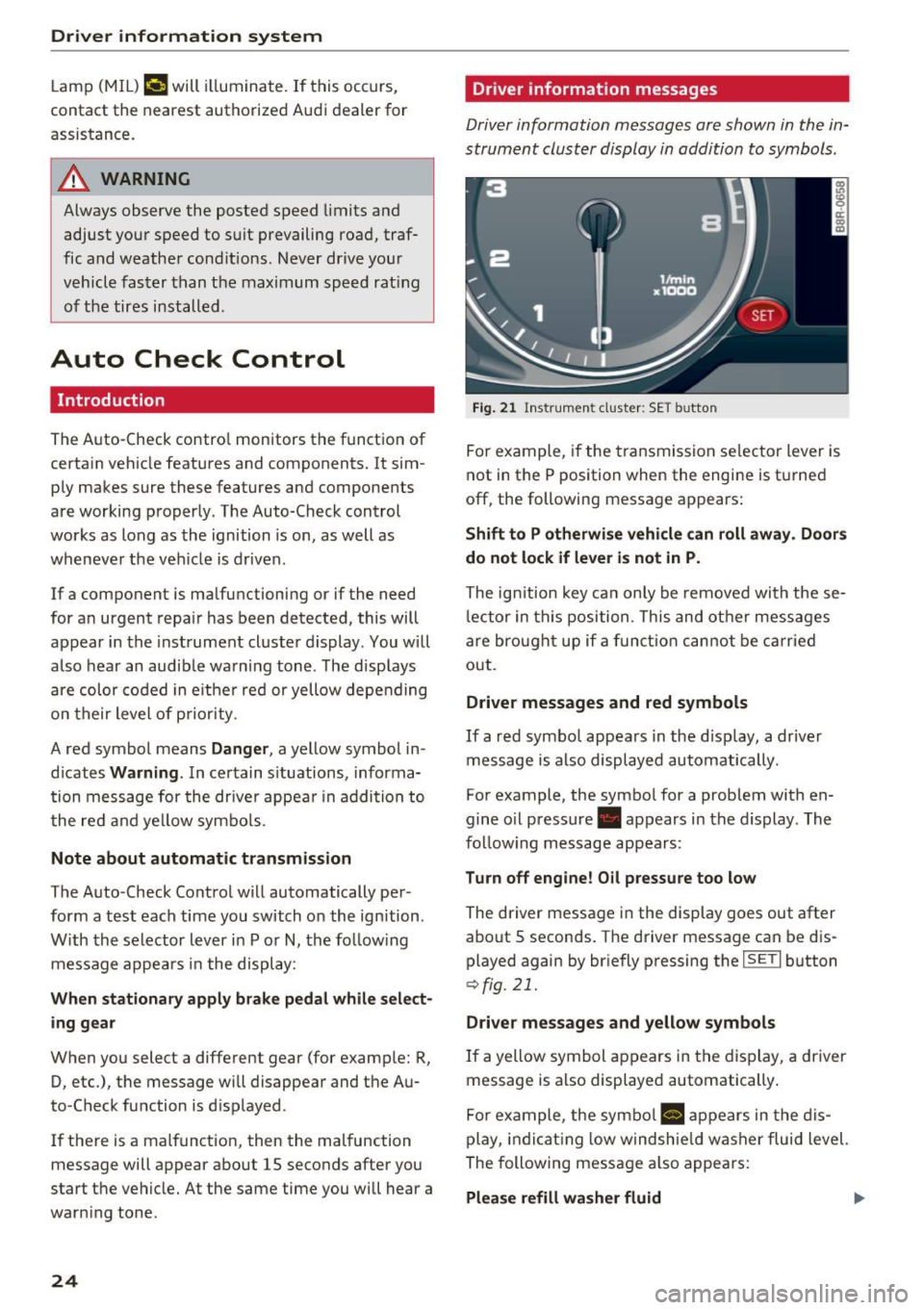
Driver information messages
Driver information messages are shown in the in
strument cluster display in addition to symbols.
Fig. 21 Instrument cluste r: SET button
For example, if the transmission selector lever is
not in the P position when the engine is tu rned
off, the following message appears:
Shift to P otherwise vehicle can roll away. Doors
do not lock if lever is not in P.
The ign ition key can only be removed with these
lector in this position. This and other messages
are brought up if a function cannot be carried
out.
Driver messages and red symbols
If a red symbol appears in the disp lay, a driver
message is also displayed automatically.
For example, the symbol for a problem with en
gine o il pressure . appears in the display. The
follow ing message appears:
Turn off engine! Oil pressure too low
The driver message in the display goes out after
about 5 seconds. The driver message can be dis played again by briefly pressing the
I SETI button
r::> fig. 21.
Driver messages and yellow symbols
If a yellow symbol appears in the display, a driver
message is also displayed automatically.
For example, the symbol
a, appears in the dis
play, indicating low windshie ld washer fluid level.
The following message also appears:
Please refill washer fluid II>-
Page 28 of 296
Driver information s ystem
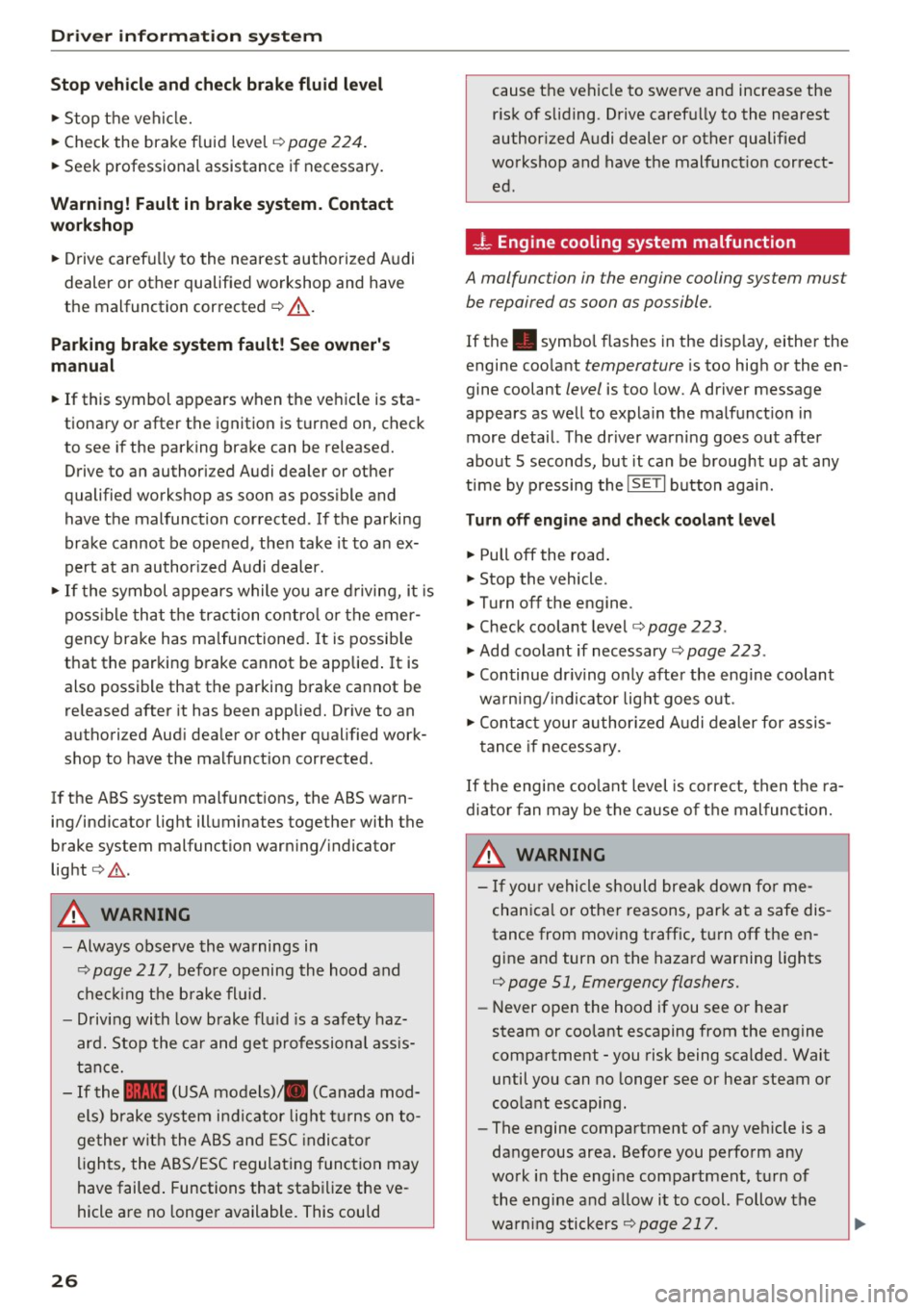
Stop vehicle and check brake fluid level
.,. Stop the vehi cle.
.,. Check the brake f luid leve l¢
pag e 224 .
.,. Seek professional assistance if necessary.
Warning! Fault in brake system. Contact
work shop
.,. Drive carefu lly to the nearest authorized A udi
dealer or other qualified workshop and have
the malfunction corrected ¢
,&..
Parking brake system fault! See owner 's
manual
.,. If this symbol appears when the ve hicle is sta
tionary or after the ignition is turned on, check
to see if the park ing brake can be released.
Drive to an authori zed Audi dealer or other
qualified workshop as soon as poss ible and
have the malfunction corrected . If the parking
brake cannot be opened, then take it to an ex
pert at a n author ized Audi dealer.
.,. If the symbol appears while you are d riving, i t is
poss ible th at t he traction co ntro l or the emer
gency brake has malfunctioned . It is possib le
that the parking brake cannot be applied .
It is
also possible that th e parking brake cannot be
released after it has been applied. Drive to an
authori zed Aud i dea ler or other qualified work
shop to have the malfunct io n corrected.
If the ABS system malfunct ions, the ABS warn
ing/indicator light illuminates together with the
brake system malfunction warn ing/ indicator
light ¢.&. .
A WARNING
-Always observe the warnings in
¢page 217, before opening the hood and
c he ck ing the b rake fl uid .
- Driving with low brake fl uid is a safety haz
ar d. Stop the car and get professional ass is
tan ce.
- If the .. (USA models) . (Canada mod
els) brake system i ndic ator lig ht tu rns on to
ge ther wit h the ABS and ES C i ndi ca to r
ligh ts, the ABS/ ESC regula ting func tion may
have failed . Functions that stab ilize the ve
hicle a re no longe r available. This could
26
cause the vehicle to swerve and increase the
r isk of sliding. Drive caref ully to the nearest
author ized Audi dealer or other qualified
workshop and have the malfunct io n correct
ed.
- L Engine cooling system malfunction
A malfunction in the engine cooling system mu st
be repaired as soon as possible.
If the . symbol flashes in the disp lay, either the
engine coo lant
temperature is too high or the en
gine coolant
level is too low. A driver message
appears as we ll to expla in the malfunct ion in
more detail. The dr iver warn ing goes out after
about 5 seconds, but it can be b rought up at any
time by p ressing the
IS ET I button agai n.
Turn off engine and check coolant level
.,. Pull off the road .
.,. Stop the vehicle .
.,. Turn off the engine .
.,. Check coolant level¢
page 223 .
.,. Add coolant if necessary ~ page 223.
.,. Continue dr iv ing only after the engine coolant
wa rning/i nd ic ator light goes out .
.,. Contact your authori zed A udi dealer for assis
tance if ne cessa ry.
If the engine coo lant level is correct, then t he ra
diato r fan may be the cause of t he malfunc tion.
A WARNING ~
- If you r vehicle should break down fo r me-
chan ica l or othe r reasons, park at a safe dis
tance from mov ing traffic, turn off the en
gine and turn on the hazard warning lights
¢ page 51, Emergency flashers.
- Never open the hood if you see or hear
steam or coolant escaping from the engine
compartment -you risk being scalded. Wait
until you can no longer see or hear steam or
coo lant escaping .
- The engine compartment of any veh icle is a
dangerous area. Before you perfo rm any
work i n the engine compartment, turn of
t he engine and allow i t to cool. Follow the
warn ing stickers
¢ page 217. ~
Page 30 of 296
Driver information s ystem
"' Do not turn the engine off .
"'Drive immediate ly to an authorized Audi dealer
to have the malfunction corrected.
If there is a malfunct ion in the electronic ignition
lock, the ignition cannot be turned
off . Drive im
mediately to an authorized service facility to have
the cause of the malfunction corrected.
O n ve hicles with Convenience key* , the eng ine
should not be switched
off using the Start/Stop
button because the engine cannot be started
again after the ignition has been switched
off.
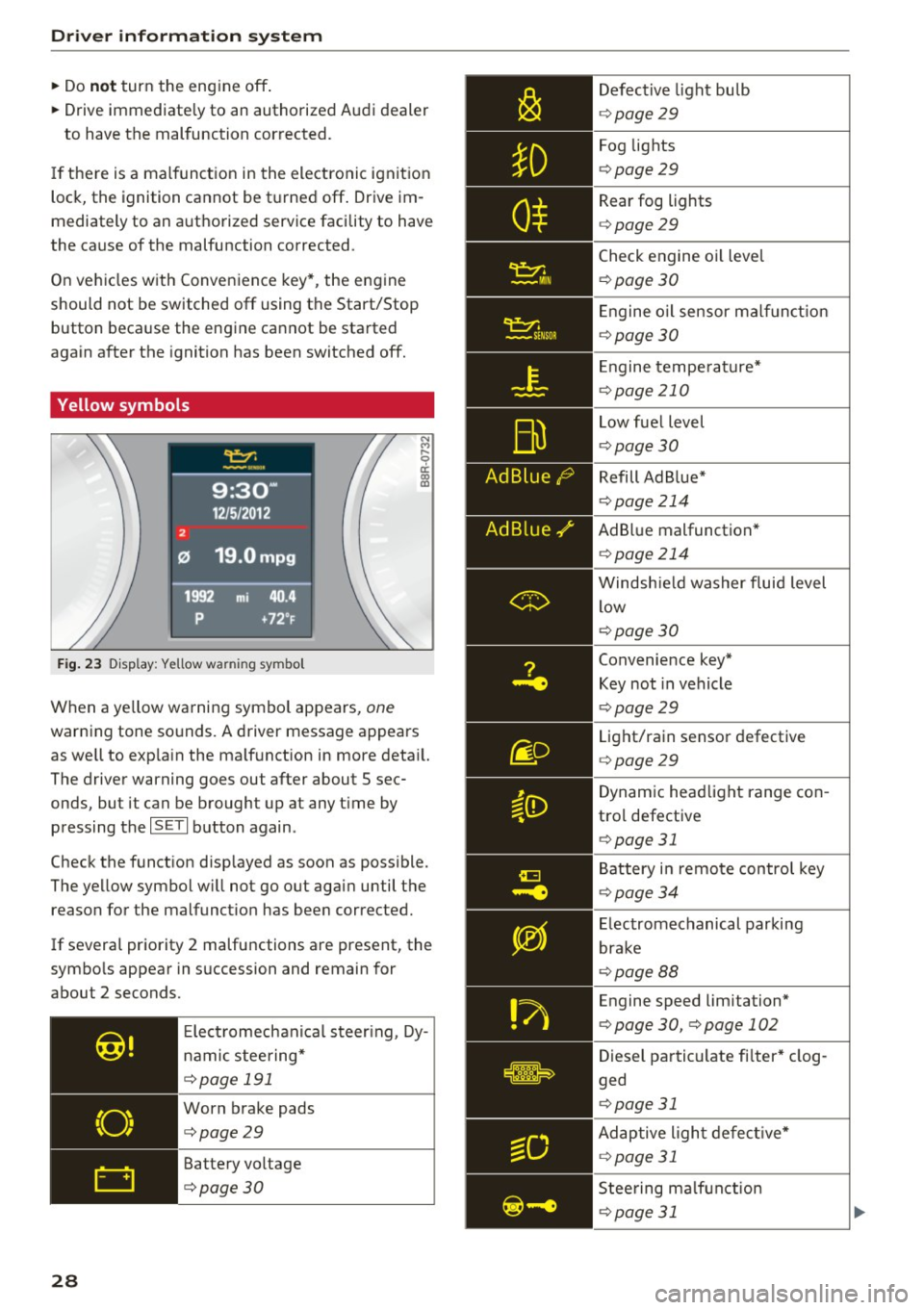
Yellow symbols
F ig . 2 3 Display : Yellow wa rning symbo l
N M
9 a: a, ID
When a ye llow warning symbol appears, one
warning tone sounds. A driver message appears
as well to exp la in the ma lfunction in more deta il.
The driver wa rning goes out after about 5 sec
onds, but it can be brough t up at any t ime by
pressing the
I S ET I button again .
Check the funct ion disp layed as soon as possible.
The yellow symbol w ill not go o ut again until the
reason for the malfunct io n has been corrected.
If several priority 2 malfunctions are present, the
symbo ls appear in succession and remain for
about 2 seconds.
28
E lect romechanica l steer ing , Dy
namic steering*
c::> poge 191
Worn brake pads
c::> poge29
Battery vo ltage
c::>poge30 Defective
light bu lb
c::> poge 29
Fog lights
c::> poge29
Rear fog lights
c::> poge29
Check engine oil leve l
¢ page 30
E ngine o il sensor ma lf u nct ion
c::> page 30
E ngine tempe ra tu re*
c::> page 210
Low fuel level
c::> page 30
Refill Ad B lue*
c::> page 214
AdBl ue malfunction *
c::> page 214
Windsh ie ld washer fluid level
low
c::> page 30
Convenience key*
Key not in vehicle
c::> page29
Light/rain sensor defective
c::> page 29
Dynam ic headlight range con
tro l defective
c::> page 31
Battery in remote control key
c::> page34
E lectromechanical parking
brake
c::> page 88
Engine speed limitation*
c::> page 30, c::>poge 102
Dies el particulate fi lter * clog
ged
c::> page 31
Adaptive ligh t defec tive *
c::> page 31
Steering ma lf u nction
c::> poge 31
Page 192 of 296
Intelligent Technology
Braking
What affects braking efficiency?
New brake pads
During the firs t 25 0 miles (400 km), new b rake
pads do not possess their full braking effect , they
have to be "broken i n" first ¢& .
Operating conditions and driving habits
The brakes on today 's automobiles a re sti ll sub
ject to wea r, depend ing la rgely on ope rating con
d itions and dr iv ing habits
c::> .&,. . On veh icles that
are either dr iven most ly in stop-and -go city traf
f ic or are driven hard, the brake pads should be
checked by your authorized Audi dea ler more of
ten than spec ified in the
Warr ant y & Ma inte
nance booklet .
Failure to have your brake pads
inspected can result in reduced brake perform
ance .
On steep slopes, you shou ld use the braking ef
fect of the eng ine. This way, you prevent unnec
essary wear on t he brake system . If you must use
your brakes , do not hold the brakes down cont in
uously . Pump the brakes at interva ls.
Oper ating noise
Noises may occur when braking depend ing on the
speed, braking force and outs ide cond itions such
as temperature and humidity .
Effect of wat er and road salt
In certain s ituations, for example after driving
through water, in heavy ra in, after overnight con
densat ion or after washing your car, the braking
effect can be reduced by moisture or ice on the brake rotors and b rake pads . The brakes must be
dried first with a few careful b rake applications.
At higher speeds and with the windshie ld wipers
turned on, the brake pads press aga inst the brake
rotors for a short amount of t ime. Th is occurs at
regular intervals w ithout the driver noticing and
provides fo r bette r brake response time under
wet conditions.
The effectiveness of the brakes can be reduced
when the vehicle is dr iven on a salt-covered road
and the brakes a re not used . Likewise , you clean
off acc umu lated salt coat ing from brake d iscs
190
and pads with a few cautious app lications of the
bra ke
c::> & .
Corrosion
There may be a tendency fo r dirt to build up on
the b rake pads and corrosion to form on the discs
if the car is not dr iven regu la rly or only for short
trips wi th little use of the brakes .
If the bra kes are not used frequent ly, o r if cor ro
s io n has formed on the discs , it is advisable to
clean off the pads and discs by b rak ing firmly a
few times from a moderately high speed
c::> & .
Faults in the brake system
If you s hou ld notice a sudden increase in brake
pedal travel, then one of the two brake circu its
may have fai led ¢
_&.
Low brake fluid level
Malfunctions can occur in the brake system if the
brake fluid level is too low . The brake fluid level
i s monitored electronically.
Brake booster
The brake booster increases the pressure that
you generate with the brake pedal. It only oper
ates wh ile the eng ine is r unning or w ith the igni
tion switched on (hybr id drive *) ¢ & .
Brake lining wear statu s
Brake lining wear may be checked by visual in
spection of the condition of the brake pads
through the openings in the wheel. If necessary,
the wheel may be removed for t his inspection
¢page 255, Replacing wheels .
A WARNING
-New brake pads do n't have the best s top
ping power and m ust be "broken-in" du ring
the initial 250 miles (400 km) . You can
compensate for this by pressing the brake pedal more firmly . This a lso applies later
when new pads are installed.
- You shou ld perform braking maneuvers for
the purpose of cleaning the brake system
only if road condit ions permit. Other road
users must not be put at risk -you may
cause an accident!
Page 200 of 296
Offroad dri ving
Offroad driving
Driving under difficult
conditions and off-road
General information
The operation of the Electronic Stabilization Con
trol (ESC) is expanded for operation away from
paved roads. In situations where slip or a differ
ential locking function is required, the offroad mode can be activated
<=> page 186. Your Audi al
so has permanent all-wheel drive in addition .
However, your Audi is not a pure offroad vehicle.
It was not built for driving under extreme condi
tions, e.g. for trips that are in the nature of an
expedition .
Drive only on roads and offroad sections which
match the design of your vehicle and your abili
ties as a driver. Never take risks!
Befo re driving offroad
-Check the eng ine oil level, tire pressure, coo l
ant level, and the fluid leve l in the windshield
washer reservoir.
- Stow luggage items and other objects in the
lu ggage compartment, and secure them
against sliding around.
After driving offroad
-After trips offroad, remove any twigs and other
foreign objects from the grill, the underbody
and the wheels. Pay specia l attention to foreign
objects (stones) which have become lodged in
the tire tread.
- Clean the body and the vehicle underside, and
inspect the vehicle for possible damage.
- Clean dirty windows, headlamp lenses, rear
lights, and license plates.
- Perform a brake check (particularly after travel
ling through water) .
A WARNING
- Drive especially attentive ly and plan ahead
in difficult road conditions and when off
road. Excessive speed or incorrect maneu
vers can cause in juries and damage to the
vehicle.
198
- Always adapt your speed and driving style to
road, offroad, traffic, and weather condi
tions. Drive especially slowly offroad when
your view is restricted.
- Please be aware that in offroad mode, par
ticularly on a smooth and slippery road, the
wheels may have an increased tendency to
spin and the vehicle may break away - dan
ger of skidding!
- Stability is limited in the offroad mode.
® For the sake of the environment
Avoid damage to the environment and re
spect nature.
(D Tips
Only drive where it is permitted and stay on
marked roads and paths.
Explanation of some technical terms
The following data refer to ideal conditions. De pending on vehicle load and ground conditions
and the env ironment, the numbers may vary. It is
the driver's responsibility to decide whether ave
hicle can overcome a specific s ituation
<=> .&. .
Gradient angle
The number of meters in alt itude gained over a
distance of 109.4 yards or 100 meters (grade)
are given as a percentage or degrees . Informa
tion about the gradient the vehicle can cl imb un
der its own power (depends in part on the road
surface and eng ine power). Maximum permitted
grade: 31
°
Ground clearance
The distance between the road surface and the lowest point of the vehicle underbody. Ground
clearance 7.9 in (200 mm)
.&, WARNING
Exceeding the stated maximum figures can
result in severe injuries or vehicle damage.
- All the information was gathered on level,
firm and non-slippery road surfaces, and un-
-
der dry weather conditions. ..,
Page 203 of 296
CD
CD
.... N ,-... N ..... 0 0 C<'. 00
Operating instructions
6" r-2
~·~
1/2"
1·1/2"
ill
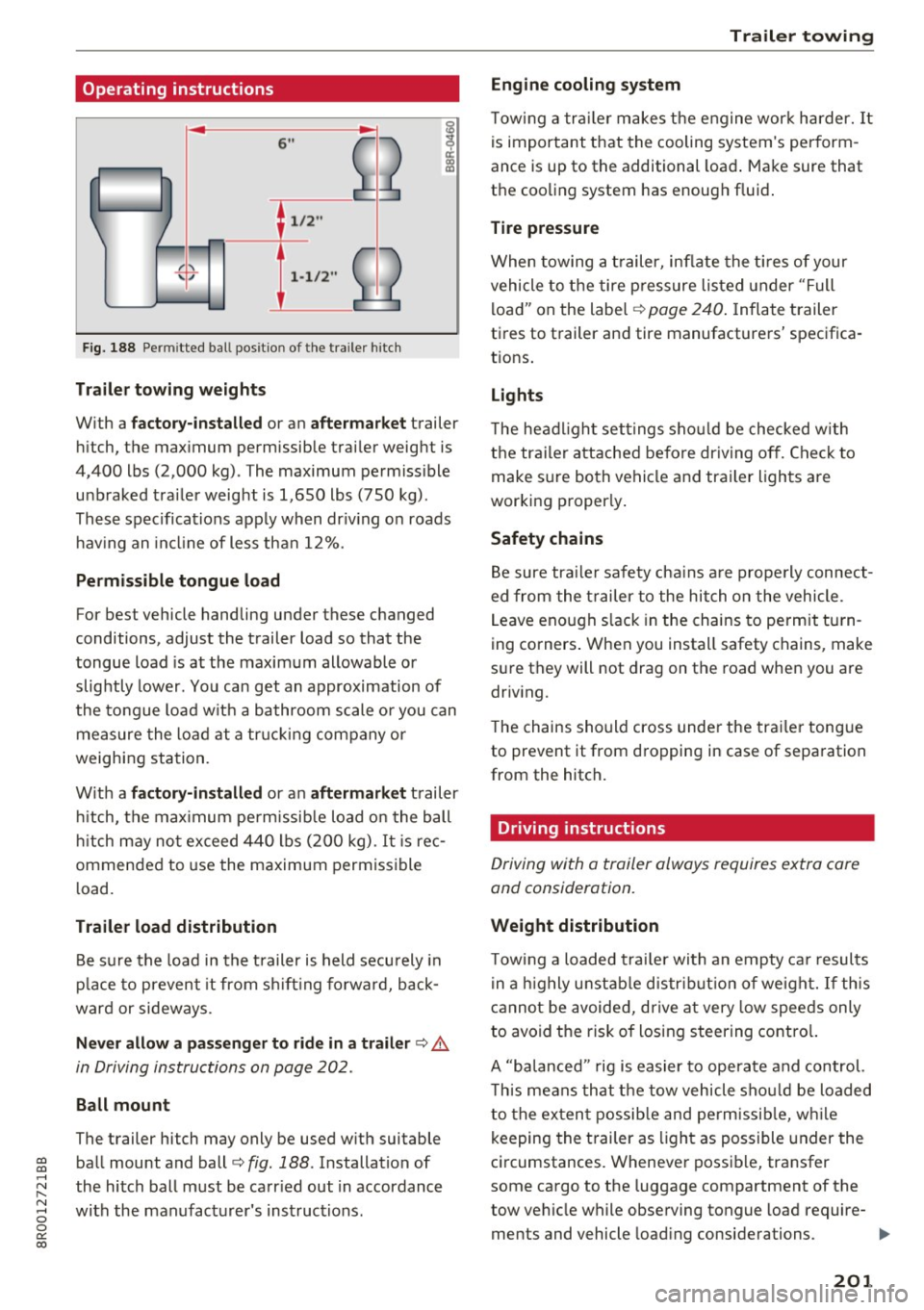
Fig. 188 Permi tted ba ll pos it io n of the trailer h itch
Trailer towing weights
With a
factory-installed or an aftermarket trailer
hitch, the maximum permissible trailer weight is
4,400 lbs (2,000 kg) . The maximum permissible
unbraked trailer weight is 1,650 lbs (750 kg).
These specifications apply when driving on roads having an incline of less than 12%.
Permissible tongue load
For best vehicle handling under these changed
conditions, adjust the trailer load so that the
tongue load is at the maximum allowable or
slightly lower. You can get an approximation of
the tongue load with a bathroom scale or you can
measure the load at a trucking company or
weighing station.
With a
factory-installed or an aftermarket trailer
hitch, the maximum permissible load on the ball
hitch may not exceed 440 lbs (200 kg) .
It is rec
ommended to use the maximum permissible
load.
Trailer load distribution Be sure the load in the trailer is held securely in
place to prevent it from shifting forward, back
ward or sideways.
Never allow a passenger to ride in a trailer ¢.&.
in Driving instructions on page 202.
Ball mount
The trailer hitch may only be used with suitable ball mount and ball¢
fig. 188 . Installation of
the hitch ball must be carried out in accordance
with the manufacturer's instructions .
Trailer towing
Engine cooling system
Towing a trailer makes the engine work harder. It
is important that the cooling system's perform
ance is up to the additional load. Make sure that
the cooling system has enough fluid.
Tire pressure
When towing a trailer, inflate the tires of your
vehicle to the tire pressure listed under "Full
load" on the label¢
page 240. Inflate trailer
tires to trailer and tire manufacturers' specifica
tions.
Lights
The headlight settings should be checked with
the trailer attached before driving off. Check to
make sure both vehicle and trailer lights are
working properly.
Safety chains
Be sure trailer safety chains are properly connect
ed from the trailer to the hitch on the vehicle .
Leave enough slack in the chains to permit turn
ing corners. When you install safety chains, make
sure they will not drag on the road when you are
driving.
The chains should cross under the trailer tongue
to prevent it from dropping in case of separation
from the hitch.
· Driving instructions
Driving with a trailer always requires extra care
and consideration.
Weight distribution
Towing a loaded trailer with an empty car results
in a highly unstable distribution of weight. If this
cannot be avoided, drive at very low speeds only
to avoid the risk of losing steering control.
A "balanced " rig is easier to operate and control.
This means that the tow vehicle should be loaded
to the extent possible and permissible, while
keeping the trailer as light as possible under the
circumstances. Whenever possible, transfer
some cargo to the luggage compartment of the
tow vehicle while observing tongue load require-
ments and vehicle loading considerations. .,.
201
Page 219 of 296
Checking and Filling Hood
Releasing the engine hood
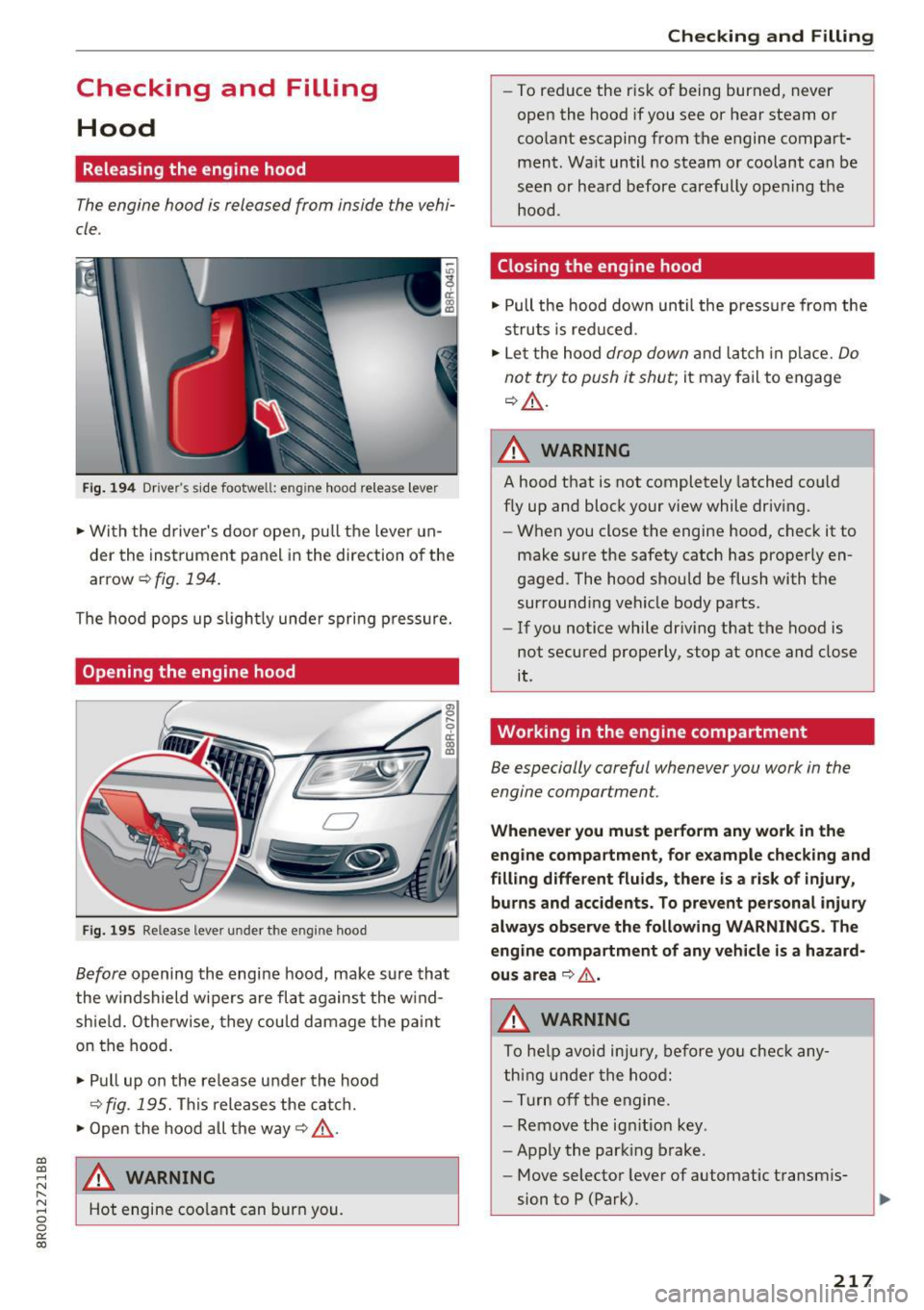
The engine hood is released from inside the vehi
cle .
Fig. 194 Drive r's side footwell: e ng ine hood re lease lever
"' Wi th the driver's door open, pu ll th e leve r un
der the instrument panel in the direction of the
arrow ¢fig.194 .
The hood pops up s light ly unde r spri ng p ressure.
Opening the engine hood
Fi g. 19 5 Release lever under t he eng ine hood
Before opening the engine hood, make sure tha t
the w indshield wipe rs are fla t against the w ind
shie ld. Otherwise, they could d amage t he paint
on the hood .
"' Pull up on the release under the hood
~fig . 195. Th is releases the cat ch.
"' Open the hood all the way¢&,, .
a,
~ ,&. WARNING
r--
~ Hot engine coo lant can burn you. 0 0
0:
co
Checking and Filling
- To reduce the r isk of being burned, never
open the hood if you see or hear steam or
coo lant escaping from the engine compart
ment. Wa it until no steam or coolant can be
seen or hea rd before carefully ope ning t he
hood.
Closing the engine hood
"' Pull the hood down until the press ure from the
s truts is red uced.
"' Le t the hood
drop down and latch in p lace. Do
not try to push it shut ;
it may fail to engage
¢ &,, .
A WARNING
- -
A hood that is not completely latched co uld
f ly up and block your view while dr iv ing.
- When you close the engine hood, c heck it to
make sure the safety catch has prope rly en
gaged . The hood should be flush with the
sur rounding vehicle body parts .
- If you notice while driv ing that the hood is
not secured prope rly , stop at once and close
it .
Working in the engine compartment
Be especially careful whenever you work in the
engine compartment.
Whenever you must pe rfo rm any work in the
eng ine compa rtment , for e xample check ing and
fill ing diffe rent fluids, the re is a ris k of injury,
burns and acciden ts. To pre vent personal injur y
always ob serve the fo llowing WARNINGS . The
eng ine compartment of any vehicle is a hazard
ou s area
~ .&, .
A WARNING
To he lp avoid injury, befo re yo u check any
t h ing u nder the hood:
- Tur n off the engine.
- Remove the ig nitio n key .
- Apply the parking brake.
-
- Move selector lever of automatic t ransm is-
sion to P (Park).
217