engine AUDI Q5 2018 User Guide
[x] Cancel search | Manufacturer: AUDI, Model Year: 2018, Model line: Q5, Model: AUDI Q5 2018Pages: 392, PDF Size: 60.56 MB
Page 27 of 392

u co ..... N r--N ..... 0 <( 0 00
1!11 Steering lock: malfunction! Please contact
Service
There is a malfunction in the elect ronic stee ring
l o ck.
Dri ve to an authorized Aud i dea ler or authorized
Audi Service Fac ility imm ediately to have the
malfunction corrected.
A WARNING
Do not tow your vehicle when there is a mal
function in the electronic steering lock
-this
increases the risk of an accident .
~ Engine start system
• Engine start system: malfunction! Please
contact Service
Do not switch the ignition off because you may
not be able to switch it on again.
Drive to an authorized Aud i dea le r or authorized
Aud i Service Facility im media tely to have the
mal function corrected.
-
l::J Engine start system: malfunction! Please
contact Service
There is a malfunction in the engine starting sys
tem .
Drive to an authori zed Aud i dea ler or authori zed
Aud i Service Facility immediately to have the
malfunction corrected.
c;:::::,Hood
• Warning! Hood is not locked. Stop vehicle
and check the lock
If the indicator light turns on and the message
appears, the hood locking mechanism is not en
gaged correctly.
Stop immediately and close the hood
c>page 315.
0/Q Air suspension
Applies to: vehicles with air suspension
• Air suspension: malfunction. Safely stop ve
hicle . Steering and ground clearance limited
Cockpit overview
Due to a system ma lf u nction, your vehicle's
ground clearance is very low at the front or rear
axle* (in veh icles with all -whee l steering) . Be
cause of this, the wheels no longer have enough
clearance to steer correctly.
See an authorized Audi dealer or authorized Audi
Service Facility for assistance.
• Air suspension: malfunction! You can con
tinue driving slowly. Speed limited to max.
3S mph (60 km/h )
The re is a malfunction that can result in restrict
ed driving stability. T he speed is limit ed to a
maximum of 35 mph (60 km/h).
Drive to an authorized Audi dealer or authorized
A udi Service Facility immediately to have the
malfunction corrected.
• Air suspension: malfunction! You may con
tinue driving slowly at max. 35 mph (60 km/h)
There is a malfunction that can result in restrict
ed driv ing stab ility .
Drive to an authorized Audi dealer or authorized
Audi Service Facility immed iate ly at a maximum
speed of 35 mph (60 km/h) to have the malfunc
t ion corrected .
• Air suspension: service mode! Vehicle can be
moved but handling may be impaired
Carefully drive to an authorized Audi dea ler or
authorized Audi Service Facility immediately to
have the service mode deactivated .
II Air suspension: malfunction! Please contact
Service
T he re is a system malfunction that can result in
restricted driving stability or red uced ground
clearance.
Drive to an authorized Audi dealer or autho rized
A udi Service Facility immediately to have the
malfunction corrected.
II Air suspension: vehicle too low. Limited
ground clearance
The ground clearance is very low due to a system
malfunction . Wait until the a ir suspension sys-
tem has restored normal ground clearance .
.,.
25
Page 28 of 392

Cockpit overv ie w
Othe rw ise, conditions such as an uneven road
surface can lead to ve hicle damage.
B Su sp ension : malfun ction! You ma y continu e
driving
There is a suspension control malfunction .
Drive to an authorized Aud i dea ler or authorized
Aud i Serv ice Facility immediately to have the
malfunct ion corrected.
f;. ![J Electronic Stabilization Control (ESC)
If the D.1 indicato r light b links wh ile driving, the
E SC or ASR (Anti-S lip Reg ulation) is actively reg u
lating.
If the
Ii) i ndicato r light turns on, the system has
sw itched the ESC off. In this case, you can switch
the ign ition off and t hen o n to switch the ESC on
aga in. The indica tor ligh t turns off when the sys
tem is func tioning fully .
I f the
II indicato r light turns on, ESC was
sw itched off using the
1.$ ,., 1 button ~ page 140.
Stabilization control (ESC/ ABS): malfun ction!
See owner' s manual
If the Ii) indicator light and the [1] (USA mod
e ls)l liJ (Canada models) ABS indicator light turn
on and the message appears, there is a malfunc
tion in the ABS or the elect ronic d ifferential lock .
This a lso ca uses the ESC to malfunct ion. The
b rakes still f unct ion w it h t heir no rma l power , but
ABS is no t active.
Dr ive to an a utho rized Aud i deale r or a uth orized
Aud i Serv ice Facility immediately to have t he
malfunct io n corrected.
(D Tips
For add it ional information on ESC and ABS,
see
~ page 140.
!f Safety systems
The E,I ind icator ligh t moni to rs t he safety sys
tems .
I f t he
E,I indicato r light turns on o r blinks, there
is a malfunction in a safety sys tem .
26
Drive to an authori zed A udi dealer or au thori zed
Audi Service Facility immediate ly to have the
malfunction corrected.
A WARNING
-
Have the safety systems inspected immedi
ately. Otherwise, there is a r isk that the sys
tems may not activate during a collision,
which increases the risk of serious inju ry or
death.
( CD ) Brake system
miJ Brake s overheating . Please shift to D
There was a heavy load on the brakes . P lace the
selector lever in the "D/S" posit ion in order to use
t h e engine brak ing effect and reduce the load on
t h e b rakes.
wt:t /{0 ) Brake pads
II (USA model s)!£tjJ (Canada mod els ) Brake
pad s: wear limit reached. You can continue dri v
ing . Please contact Service
The bra ke pads a re wor n.
Drive to an authorized Audi dealer or authorized
Audi Service Fac il ity as soon as poss ible to have
t h e malfunct ion corrected.
d::, Engine control
II Drive sy ste m : malfun ction! Please contact
Service
There is a n eng ine contro l ma lfu nction .
D rive slowly to an authorized Audi dea ler or au
thorized Audi Serv ice Facility to have the engine
checked.
! '? Engine speed limitation
Ill Maximum engine speed : XXXX rpm
The engine speed is automatically limited to the
speed displayed in the instrument cluster . This
pro tects the engine from ove rheat ing.
The eng ine speed limitat ion deactivates once the
engine is no longer in the critical temperature
IJIJ,
Page 29 of 392
u co ..... N
range and you have released the accelerator ped
a l once .
I f t he engine speed lim itation was act ivated by
an eng ine contro l m alfu nction, the
II ind icator
light also turns on. Make su re the engine speed
does not go above the speed displayed, for exam
p le when downshifting. Drive to an autho rized
Aud i dealer or authorized Aud i Serv ice Facility im
mediately to have the malfunction corrected.
--... Engine oil sensor
II Oil l evel sy stem: malfunction! Pleas e con
tact Service
The sensor to check the engine oil level has
fa iled. Drive to an authorized Aud i dealer or au
thor ized Audi Service Fac ility immed iate ly to have
the malfunct ion co rrected.
• O il le vel sensor : o il change necessary. Please
c ontact Service
F ue l has entered the engine oi l as a resu lt of fre
q uent short dr ives. Avoid high engine speeds, full
acceleration and heavy engine loads. Dr ive to an
author ized Audi dealer or author ized Audi Service
Fac il ity immediately to have the oil changed .
• Oil pressure senso r: malfunction! Plea se
contact Service
There is a malfunction in the oil pressure sensor .
Drive to an authorized Audi dea ler or a uthorized
Aud i Service Facility immediately to have the
malfunct ion corrected.
f Engine warm-up request
0 Plea se driv e to warm up eng ine
F ue l has entered the eng ine oi l, either from low
outside temperatures o r frequent short drives.
Drive unt il the engine is warm so that the fue l in
the eng ine oi l wi ll evaporate. Avoid high engine
speeds, full accelerating and heavy eng ine loads
when doing this.
Bil Tank system
I"-
~ 1111 Pl ease r efu el 0 <( 0 00
Coc kpit o ver view
If the indicato r light turns on for the first time
and the message appears, there are about 2 .1
gallons (8 liters) of fuel left in the tank .
fiD Please refuel immediately
If the indicato r light turns on the message ap
pears, the fuel ta nk is a lmost empty. Refue l the
vehicle immedia tely.
1111 Tank system: malfunction! Plea se contact
Service
There is a ma lfunction in the fuel tank system.
Drive to an authorized Audi dealer or authorized
Audi Service Facility immediate ly to have the
malfunction corrected.
(D Tips
F o r more information on f ueli ng, see
r=;, page 311 .
~ Washer fluid level
m Please add washer fluid
Fill the was her fluid for the windshie ld washer
system and the headlight washer system* when
the ignit ion is switched
off ¢ page 323 .
$ vVindshield wipers: malfunction! Please con
tact Service
The re is a ma lfunction w ith the windshield wip
ers.
Drive to an authori zed A udi dealer or authorized
Audi Service Facility immediate ly to have the
malfunction corrected.
~ Driver's door
II D riv er 's door : malfunction! Shift to P befo re
lea ving veh icle. Se e owner's manual
There is a ma lfunction in the driver's door. Se lect
the "P" selector lever posit ion to secure the vehi-
c le.
~
27
Page 32 of 392
Opening and clo sing
Opening and closing
Central locking
Description
You can lock and un lock the veh icle centrally . You
have the following options:
-Remote control key <=> page 33
-Sensors in the door hand les" <=> page 33
-Lock cylinder on the dr iver 's door <=> page 35,
or
-Interior central locking switch <=> page 34
Turn signals
The turn s ignals flas h twice when you un loc k the
ve hicl e and flash on ce when you lock the veh icle.
If th ey do not flash, then one of the doo rs, the
luggage compartment lid or the hood is not
closed complete ly.
Automatic locking (Auto Lock )
The Auto Lock f unct io n loc ks all doors and the
luggage compartment lid on ce the speed has ex
ceeded approximately 9 mph (15 km/ h).
The vehicle ca n be unlo cked if the openi ng func
t ion in the centra l loc kin g sys tem sw itch is used
or one of the door handles is pulled.
I n t he event of a crash with a irbag deployment,
the doo rs will a lso au tomat ica lly unloc k to allow
access to t he ve hicle.
Selective door unlocking
The doors and luggage compartment lid w ill lock
when they close . You can set in the Infotainment
system whether
only the dr iver's door or the en
tire ve hicle should be unlocked w hen unlocking
<=> page 35.
Unintentionally locking yourself out
Only lock your vehicle when a ll of the doors and
the luggage compa rtme nt l id a re closed and the
remote control key is not i n the vehicle. This
he lps to p revent yo u from locking yourse lf out
accide nta lly .
The follow ing cond itions prevent you from lock
i n g your remote contro l key in the vehicle:
30
-If the driver's door is open, the vehi cle cannot
be loc ked by pressing the
!'.TI button on the re
mote contro l key or by touching the locking
sensor* on a doo r.
-If the most recently used convenience key* is
detected in the luggage compartment, the lug
gage compartment lid automat ica lly unlocks
aga in after closing it.
-If the convenience key* that was last used is de
tected ins ide the veh icle, then the vehicle can
not be locked from the outside .
A WARNING
-If you leave the vehicle, sw itch the ignition
off and take the veh icle key wi th you. Th is
appl ies pa rtic ular ly when children remain in
the vehicle. Otherwise, chi ld ren cou ld start
the engine or operate e lectr ica l equipment
(such as power windows), which increases
the risk of an accident.
-No one, especially ch ild ren, should stay in
the vehicle when it is locked from the out
side, because the windows can no longer be
opened from the inside <=>
page 36. Locked
doors make it more difficu lt for emergency
wo rkers to get into the vehicle, which puts
lives at ris k.
(0 Tips
-Do not leave va luables unattended in the ve
hicle. A locked vehicle is not a safe!
-The LED in the dr iver's door rail blin ks when
you lock the vehicle. If the LED lights up for approximate ly 30 seconds after locking,
there is a malfunction in the centra l locking
system . Have the problem corrected by an
authorized Audi dealer or aut ho rized Aud i
Service Facili ty.
Page 42 of 392
Opening and closing
Luggage compartment lid emergency
release
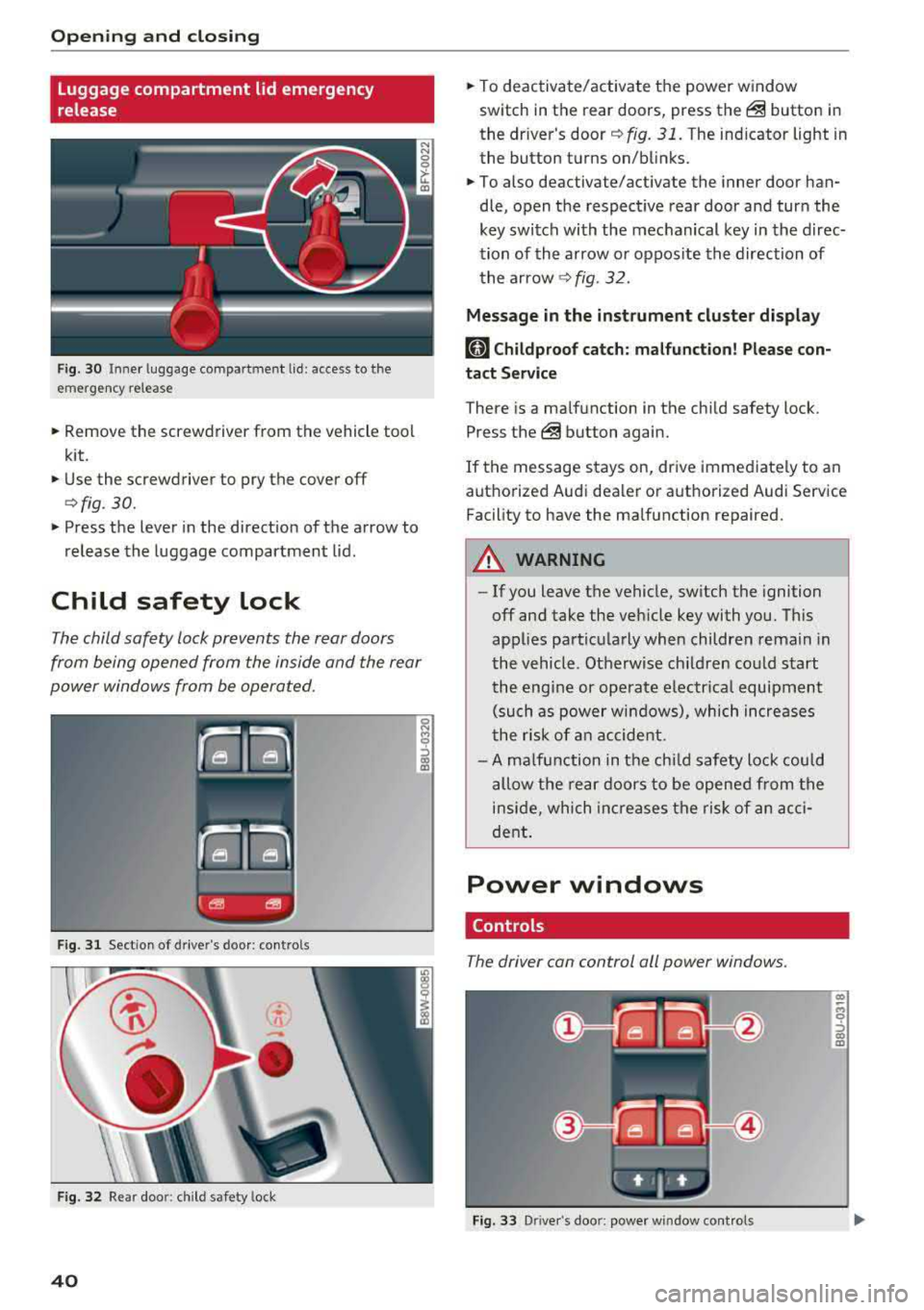
Fig. 30 Inne r luggage compartment lid : access to the
emergency release
.. Remove the screwdriver from the vehicle tool
kit.
.. Use the screwdriver to pry the cover off
<=>fig. 30.
.. Press the lever in the direct ion of the arrow to
release the luggage compartment lid .
Child safety lock
The child safety lock prevents the rear doors
from being opened from the inside and the rear
power windows from be operated.
F ig. 31 Sect ion of drive r's door: contro ls
Fig . 32 Re ar doo r: child safety lock
40
.. To deactivate/activate the power window
switch in the rear doors, press
the@ button in
the driver's
door ¢ fig. 31. The indicator light in
the button turns on/blinks .
.. To also deactivate/activate the inner door han
dle, open the respect ive rear door and turn the
key switch with the mechanical key in the direc
tion of the arrow or oppos ite the direction of
the arrow
¢fig. 32.
Message in the instrument cluster display
(81 Childproof catch: malfunction! Please con
tact Service
There is a ma lfunction in the chi ld safety lock .
Press
the @ button again .
If the message stays on, drive immediate ly to an
authorized Audi dealer or authorized Audi Service
Facility to have the malfunction repaired .
A WARNING
-- If you leave the vehicle, sw itch the ignition
off and take the veh icle key with you. This
applies particularly when children remain in
the vehicle. Otherwise ch ildren could start
the engine or operate electrical equipment
(such as power windows), which increases
the ris k of an accident.
- A malfunction in the child safety lock could
allow the rear doors to be opened from the
inside, which increases the risk of an acci
dent.
Power windows
Controls
The driver can control all power windows .
Fig. 33 Driver's doo r: power window cont rols
Cl) ~
"" 0
='> Cl) m
Page 43 of 392
u co ..... N ,..._
N ..... 0 <( 0 00
All power window switches are equipped with a
two-stage function *:
Opening and clo sing the windows
.,. T o open or close the w indow completely, p ress
the sw itc h down or p ull the sw itc h up br iefly to
the second level. The operation wi ll stop if the
switch is pressed/pu lled again.
.. To se lect a position in between opened and
closed, press/pull the switch to the first leve l
until the desired window position is reached.
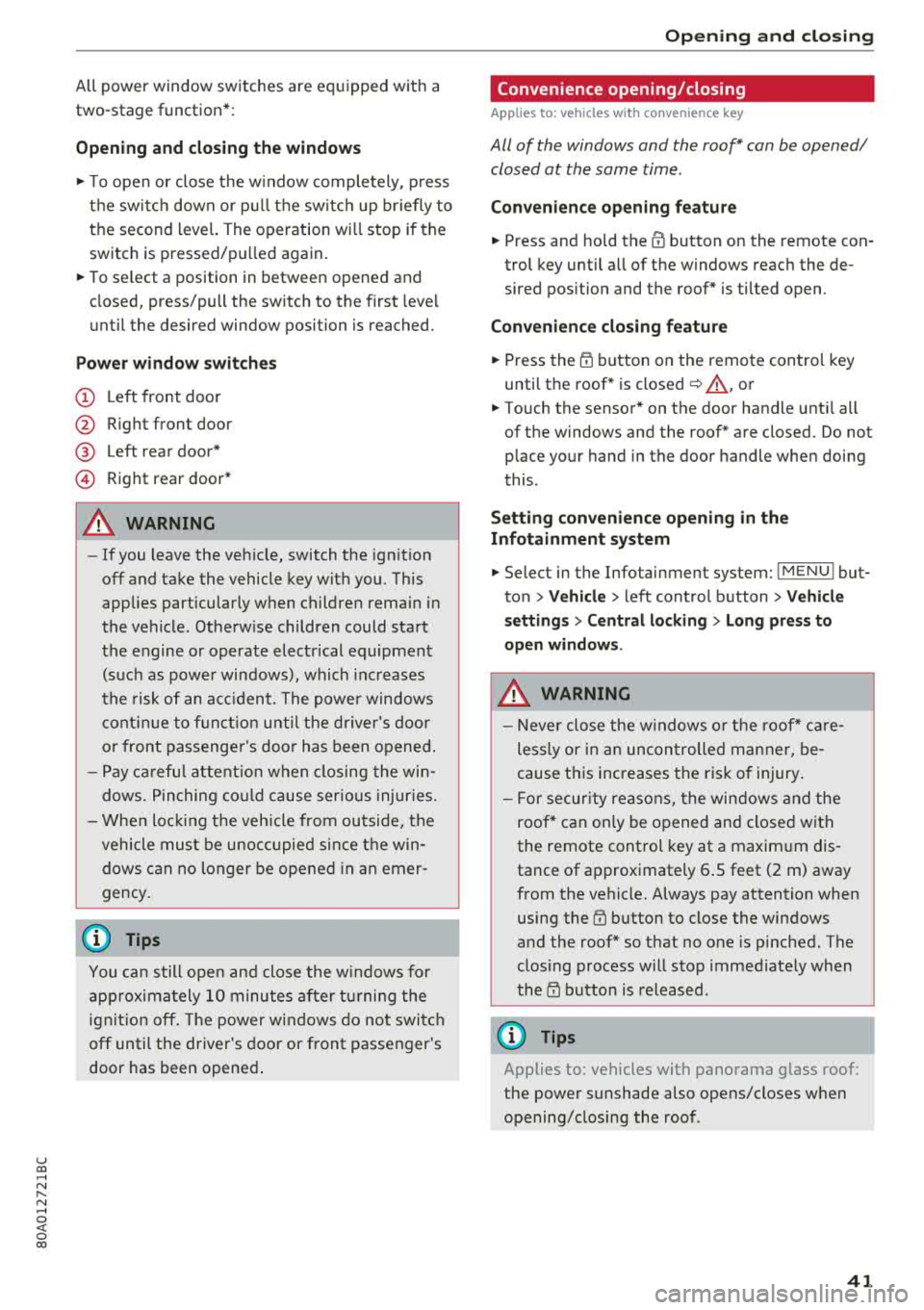
Po wer window switch es
(D Left front door
@ R ight front door
@ L eft rea r door*
© Right rear door*
A WARNING
- If you leave the veh icle, switch the ignition
off and take the vehicle key with you. This
applies particularly when children remain in
the vehicle . Otherw ise children could start
the engine or operate elect rical equipment
(such as powe r windows), which inc reases
the risk of an acc ident. The power windows
c ontin ue to f unct ion until the driver's door
or front passenge r's door has been opened .
- Pay ca reful attent ion when closing the win
dows. Pin ching co uld cause serious injur ies.
- When loc king the veh icle from outside, the
vehicle mus t be unoccupied since the win
dows can no longer be opened in an emer
gency.
(D Tips
You can still open and close the w indows for
app roxima tely 10 minutes after tu rning the
ign it ion off. The power windows do no t switch
off until the driver's door or front passenger's
door has been opene d.
Opening and cl osing
Convenience opening/closing
Applies to: vehicles with convenience key
All of the windows and the roof* con be opened/
closed at the some time .
Convenience opening f eature
.. Press and hold the @ button on the remote con
trol key until a ll of the windows reach the de
sired position and the roof* is ti lted open .
Convenience closing feature
.. Press the t'fl button on the remote control key
until the roof* is closed
~ ,&. , or
.. Touch the sensor * on the door handle unti l all
of the windows and the roof* are closed. Do not place your hand in the door handle when doing
this .
Sett ing con ven ience opening in the
Infotainment system
.. Select in the Infotainment system: I MENU ! but
ton
> V ehicle > left control button > V ehicle
s etting s
> Central locking > Long press to
open windows .
A WARNING
-Never close the w indows o r the roof* ca re
lessly or in an uncon trolled manner, be
cause this increases the risk o f injury .
- For secur ity reasons, the win dows and the
roof* c an only be opened and closed with
the remote control key at a maxim um dis
tance of approximately 6.S feet (2 m) away
from the vehicle. Always pay attention when using the
t'fl button to close the windows
and the roof * so that no one is pinched. The
clos ing process will stop immediately when
the
t'fl button is released.
(D Tips
Applies to: vehicles with panorama glass roof:
the power sunshade also opens/closes when
opening/closing the roof .
-
41
Page 71 of 392
u co ..... N r--N ..... 0 <( 0 00
Warm and cold Climate control system
Description
The climate control system warms , cools and re
moves humidity from the air in the vehicle inte ri
or. It is the most effective when the w indows and
sunroof* are closed . If there is a bu ild -up of heat
inside the ve hicle, ventilation can he lp to speed
up the cooling process.
I n all he ating mode f unct ions except for
defrost ,
the blower on ly switches to a higher speed once
the engine coolant has reached a sufficient tem
perature .
Pollutant filter
The pollutant filte r removes pollutants such as
d ust and pollen from the a ir.
Key recognition
The climate control settings are automatically
sto red and assig ned to the remote control key
that is i n use .
Warm and c old
@ For the sake of the environment
If you wo uld like to reduce fue l consumption,
switch the air conditioning off. T his w ill also
r educe em issions.
(D Tips
- To prevent interference with the heating
and cooling output and to prevent the win
dows from fogging over, the a ir intake in
fro nt of the w indshie ld must be free of ice,
snow o r leaves .
- Condensation from the coo ling system can
dr ip and form a pudd le of water under the
veh icle . Th is is norma l and does not mean
t here is a lea k.
- The e nergy management system may tem
pora rily switch off certa in functions, s uch as
the seat heati ng* o r rear window defogger .
Th ese sys tems are av ailable aga in as soon
as t he e nergy supply has been restore d.
69
Page 75 of 392
u co ..... N r--N ..... 0 <( 0 00
Driving
General information
Breaking in
A new vehicle must be broken in for the first
1,000 miles (1,500 km). Do not drive at speeds
that will exceed 2/3 of the maximum permitted
engine speed (RPM) for the first 600 miles
(1,000 km), and avoid full acceleration during
this period . You may gradually start increasing
the RPM and the speed between 600 miles
(1,000 km) and 1,000 miles (1,500 km) .
During the first hours of use, the engine has a
higher internal friction than later on when all
moving parts have settled into p lace with each
other.
How the vehicle is driven during the first 1,000
miles (1,500 km) also affects the engine quality .
Drive at moderate engine speeds after the initial
break-in per iod, part icu larly when running a cold
engine. This will reduce engine wear and improve
the m ileage .
Do not drive at too low of an engine speed (RPM).
Shift down if the engine stops running "smooth ly". Extremely high eng ine speeds are automati
cally reduced.
Reducing the risk of vehicle damage
@ Note
When driving on poor roads, by curbs and on
steep ramps, make sure that low-hang ing
components such as the spoiler and ex haust
system do not come into contact with these
or they cou ld be damaged. This especia lly ap
plies to vehicles with low ground clearance
and veh icles that are heavily loaded.
Driving through water on roads
Note the following to reduce the r isk of vehicle
damage when driv ing through water, for example
on flooded roads:
- The water must not be any higher than the bot
tom of the vehicle body .
Driving
-Do not drive faster than walking speed.
A WARNING
= -
After driving thro ugh water or m ud, the effec
tiveness of the brakes may be reduced due to
moisture on the brake rotors and brake pads.
A few careful brake applications shou ld dry
off the brakes and restore the fu ll braking ef
fect.
@ Note
- Vehicle components such as the engine, transmission, suspens ion or electrical sys-
tem can be severely damaged by driving
through water.
- Always switch the Start/Stop system* off
when driving through water
¢page 78.
(D Tips
-Determine the depth before driving through
water.
- Do not stop the vehicle, drive in reverse or
switch the engine off when driving through
water.
- Keep in mind that oncom ing vehicles may
create waves that raise the water level and
make it too deep for your vehicle to drive
through safely.
- Avoid dr iv in g through salt water, because
this can cause corrosion.
Economical and environmentally-friendly
driving
T he amount of fuel consumption, the environ
menta l impact and the wear to the engine,
brakes and tires depends most ly on your driving
sty le. With an anticipatory and economic driving
style, fuel consumption can be reduced by ap prox imately 10-15%. The following t ips will help
you conserve the environment and your money at the same time .
Anticipatory driving
A vehicle uses the most fuel when accelerating.
When you drive w ith anticipation, you do not
need to brake as often and so you accelerate less.
When poss ible, let your vehicle coast with a gear
.,.
73
Page 76 of 392

Drivin g
engaged, for examp le when you notice that the
next traffic light is red . This produces an engine
braking effect, which helps to protect the brakes
and tires and reduces the emissions and fuel con
sumpt ion to zero (fuel shut-off during decelera
tion) .
Shift effici entl y
Upshifting earlier is an effective way to save fuel.
Staying in a gear too long uses fue l unnecessari
ly .
Press down on the acce lerator peda l slowly and
avoid "kick -down".
Avoid full acceleration
You shou ld rare ly t ravel at the maximum vehicle
speed. High speeds cause a d isp ropor tionately
high increase in fuel consumption, emissions and
traffic noise . Driving more slowly saves fue l.
Reduce idling time
The Start/Stop system* helps to reduce the idling
time automatically. In vehicles witho ut the Start/
Stop system* , it is
efficient to switch the eng ine
off when stopped at rai lroad crossings and long
red lights . Stopping the engine for
30 -40 sec
onds already saves more fu el than the amount of
extra fuel needed to restart the engine.
It t akes a very long time in idle to wa rm the en
gine up to operating temperature . Wear and
emissions are especially high in the warm -up
phase. Therefore, you should begin driving im
mediately after starting the engine. Avoid high
RPMs while do ing th is .
Ha ve mainten anc e performed regularly
By having maintenance performed regu lar ly on
your veh icle, you can he lp to reduc e fuel con
sumpt ion before you even start to dr ive. The
maintenance condition of your vehicle not only
affects traffic safety and long -term value but al
so impacts fuel consumption . A poorly main
tained engine can lead to fuel consumpt ion that
is
1 0% hi gher tha n normal.
74
Avoid short trip s
The engine and exh aust clean ing system mus t
reach their optima l operating temperature to ef
fective ly reduce consumption and emissions.
A cold engine uses a d isp roportionately high
amoun t of fue l. The eng ine re aches opera ting
temperat ure and cons umption norma lizes on ly
after approximate ly 2.5 mi les (4 km) .
Check the tire pressure
To save fue l, ma ke sure the t ires are always in
flated to the correct
press ure~ page 335. The
fuel consumpt ion can increase by
5% if the pres
sure is on ly
0 .5 bar too low. Due to t he increased
rolling resistance, low tire pressures wi ll also
l ead to greater tire wear and will affect driving
behavior.
Do not drive on winter tires year -round, as this
will consume up to
10% more fue l.
Eliminat e unnecessary weight
Since eve ry po und of ext ra weight increases f uel
consump tion, a quick inspec tion of the luggage
compartment may be worth it to avoid unneces
sary weight .
When not be ing used , a roof rack sho uld be re
moved to decrease the w ind resis tance of the ve
hicle . This will save you approx imately
12% fue l
at speeds from
6 2 -75 mph (100 -120 km/h) .
Save energy
The eng ine d rives the generator, which generates
electr ic ity; the f uel consumpt ion also inc reases
wi th the demand for e lec tricity . T he refore, sw itch
electrica l eq uipment o ff when you no longe r
need it . Examples of eq uipment that uses a lot of
energy are air blowers at a high setting, the rear
window defogger and seat heating* .
@ Note
Do not leave engine idling unattended after
starting. If warning lights s houl d come on to
i ndicate improper operation, they would go
unheeded. Extended idling also produces
h eat, which could result in overheating or
other damage to the veh icle or othe r proper
ty .
Page 78 of 392
Driving
Power steering wheel position adjustment
App lies to: vehicles with power stee ring whee l adjustme nt
The steering wheel position can be adjusted elec
trically up and down and forward and back.
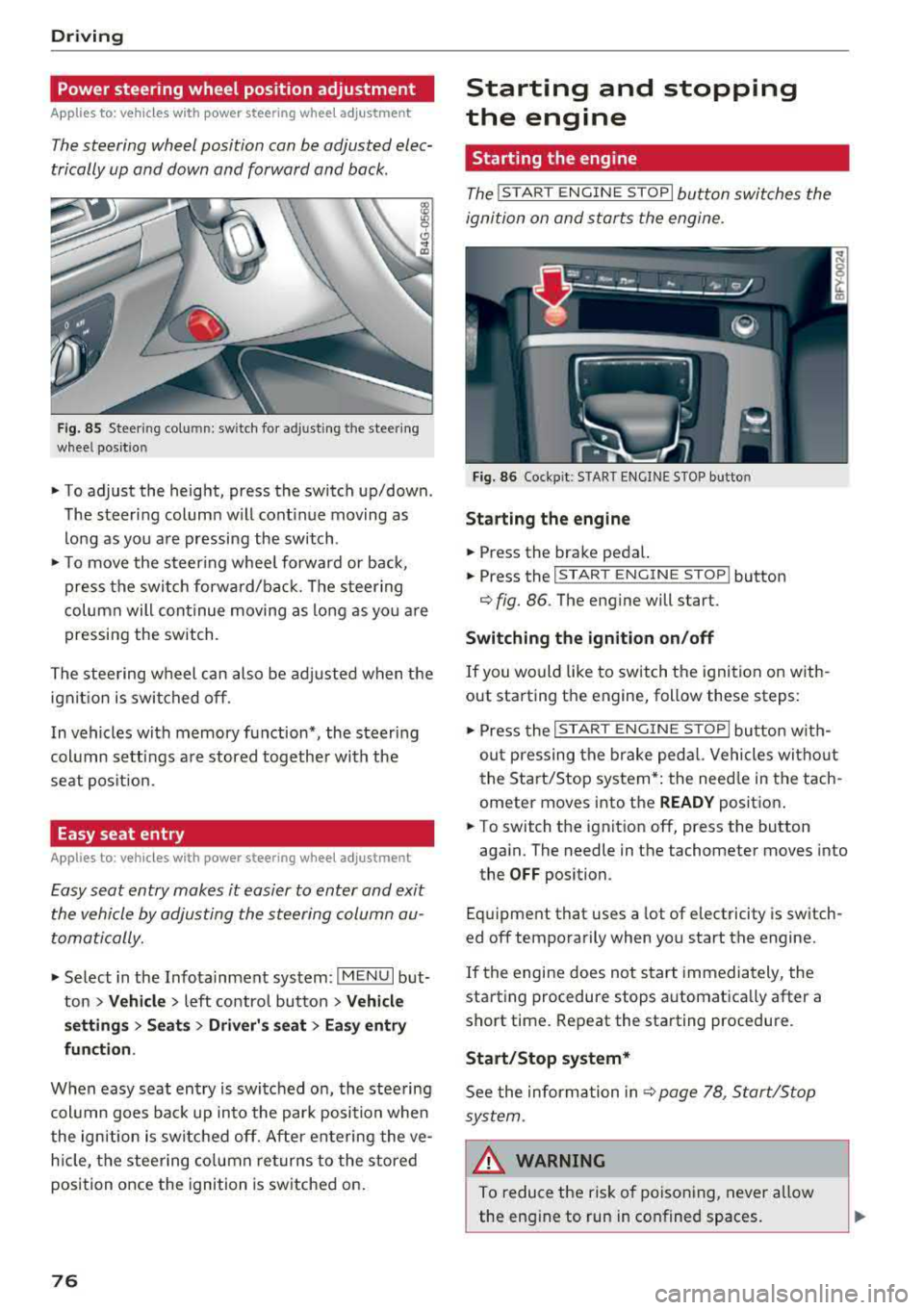
F ig. 85 Steer ing co lu m n: sw itch for ad just ing the steering
whee l pos it io n
.. To adjust the height, press the switch up/down .
The steer ing column w ill cont inue moving as
long as you are pressing the switch .
"To move the steering whee l forward or back,
press the swi tc h forward/bac k. T he steer ing
column will continue moving as long as you a re
pressing the switch .
The steering wheel can also be adjusted when the ign it io n is swit ched off .
In vehicles with memory function*, the steering
col umn sett ings a re stored together wi th the
seat pos it ion.
Easy seat entry
Applies to : vehicles with power stee ring wheel adjustme nt
Easy seat entry makes it easier to enter and exit
the vehicle by adjusting the steering column au
tomatically.
" Se lect in the Infota inment system: IMENU I but
ton
> Vehicle > left contro l button > Vehicl e
setting s > Seats > Driver 's seat > Ea sy entry
fun ction .
When easy seat entry is swi tched o n, the stee ring
col umn goes bac k up into the par k posi tion whe n
the ign ition is switched off. After ente ring the ve
h icle, the steering co lumn re turns to the stored
position once the ignition is switched on.
76
Starting and stopping
the engine
Starting the engine
The ! STAR T ENGINE ST OPI button switches the
ignition on and s tarts the engine.
Fig. 86 Coc kp it: S TART ENGINE STOP b utto n
Starting the engine
.. Press the brake pedal.
.. Press the I START ENGINE STOP ! button
¢fig. 86. The eng ine will start.
Switching the ignition on /off
If you would like to sw itch the ignition on w ith
out starting the engine, follow these steps:
" Press the I ST AR T ENGINE ST OP ! butto n w ith
out p ressing the brake ped al. Vehicles wi tho ut
the Start/Stop system* : the need le in the tach
ometer moves into the
READY posit ion .
.. To switch the ignition off, press the button
aga in. The needle in the tachometer moves into
the
OFF position.
Eq uipment that uses a lot of e lectricity is switch
ed off temporarily when you start the engine.
If the engine does not s tart immedia tely, the
starting procedure stops automatically after a
short time . Repeat the starting procedure .
Start/Stop system*
See the information in c::;, page 78, Start/Stop
sys tem .
& WARNING
To reduce the ris k of poisoning, never allow
the eng ine to run in confined spaces.
-