brake AUDI Q5 2018 Repair Manual
[x] Cancel search | Manufacturer: AUDI, Model Year: 2018, Model line: Q5, Model: AUDI Q5 2018Pages: 392, PDF Size: 60.56 MB
Page 354 of 392
Emerg enc y assis tance
~ Inflate the tire to between 29 psi (200 kPA)
and 36 psi (250 kPA) and read the pressure on
the gauge.
~ If this tire pressure is not reached, remove the
filler hose. Drive s lowly approximately 33 feet
(10 m) forward or in reverse so that the sealant
can be d istr ibuted in the tire . Pump up the t ire
again ~,&. .
_& WARNING
-Read and follow the manufacture r's safety
precautions on the compresso r and in the
instructions on the bottle of sealant.
- If a t ire pressu re of 29 ps i (200 kPA) cannot
reached after inflating for 6 minutes, then
the tire is too severely damaged . Do not
continue driving .
- If the tire cannot be repaired with the tire sealant, see an authorized Audi dealer or au
thorized Audi Service Facility for assistance .
(D Tips
Do not operate the compressor for mo re than
six minutes continuously, or it can overheat .
Once the compressor has cooled, you can con
tinue to use it .
Completing
App lies to: ve hicles w ith t ire mobility kit
~ Adhere the sticker that says "max . 50 mph
(max. 80 km/h)" that is provided w ith the t ire
mobility kit within the driver 's field of vision .
~ Stop the vehicle after driving for about 10 m i
nutes and check the tire pressure.
~ If the t ire pressure is lower tha n 19 ps i (1 30
kPA), then the t ire is too severely damaged. Do
not continue driving .
_& WARNING
Pay attention to the following after repairing
the tire:
- Do not drive faster than 50 mph (80 km/h) .
- Avoid hard acceleration, bra king sharply,
and fast cornering .
- The veh icle m ay become mo re diff icul t to
contro l.
352 -
If the tire is too severe ly damaged, see an
author ized Audi dealer or authorized Audi
Serv ice Facility for ass istance.
@) For the sake of the environment
You can give the used tire sealant bottle to an
a uthorized Audi dea ler or authorized Audi
Service Fac ility for disposal.
(D Tips
Remember to obtain a new bott le of sealant
from an authorized Audi dealer or authorized
Audi Service Fac ility after repairing a tire.
Replacing a wheel
Preparation
You must complete the preparation before
changing a tire .
~ Read and follow the important safety precau-
tions ~ page 350 .
~ Set the park ing brake .
~ Select the "P" se lector lever position.
~ When tow ing a tra ile r: d isconnect the trailer
from yo ur vehicle.
~ Switch on wheel c hange mode* in the In fotain
ment system:
! MENUI button> Vehicle > left
control button >
Ser vic e & check s > Air suspen ·
sion : wheel change .
~ Switch the ignit ion off.
The vehicle jack mode* switches off automatica l
l y at speeds above 6 mph (10 km/h).
_& WARNING
When us ing the veh icle jack* on a road with a
steep hill or offroad, you must take extra pre
cautions to prevent the vehicle from rolling .
Use suitable objects to block the front and
bac k of the wheel that is d iagonal from the
wheel with the flat t ire.
_& WARNING
You o r you r passengers could be injured while
ch anging a whee l if you do not follow these
safety pre caut ions:
Page 355 of 392
u co ..... N r-N .....
~ 0 co
-If you have a flat tire, move a safe distance off the road. Turn off the engine, turn the
emergency flashers on and use other warn
ing devices to alert other motorists.
-Make sure that passengers wait in a safe
place away from the vehicle and well away
from the road and traffic.
-To help prevent the vehicle from moving
suddenly and possibly slipping off the jack*,
always fully set the parking brake and block
the front and back of the wheel diagonally opposite the wheel being changed. When
one front wheel is lifted off the ground,
placing the Automatic Transmission in P
(Park) will
not prevent the vehicle from
moving .
-Before you change a wheel, be sure the
ground is level and firm. If necessary, use a
sturdy board under the jack*.
-Always store the vehicle tool kit, the jack*
and the replaced tire in the luggage com
partment ¢ page 2 5 7.
(D Tips
-Obey all laws.
-Before changing the wheel, you must acti-
vate the jacking mode*, so that the auto
matic controls for the air suspension* do
not make it more difficult to lift the vehicle
with the jack*
c::> page 354.
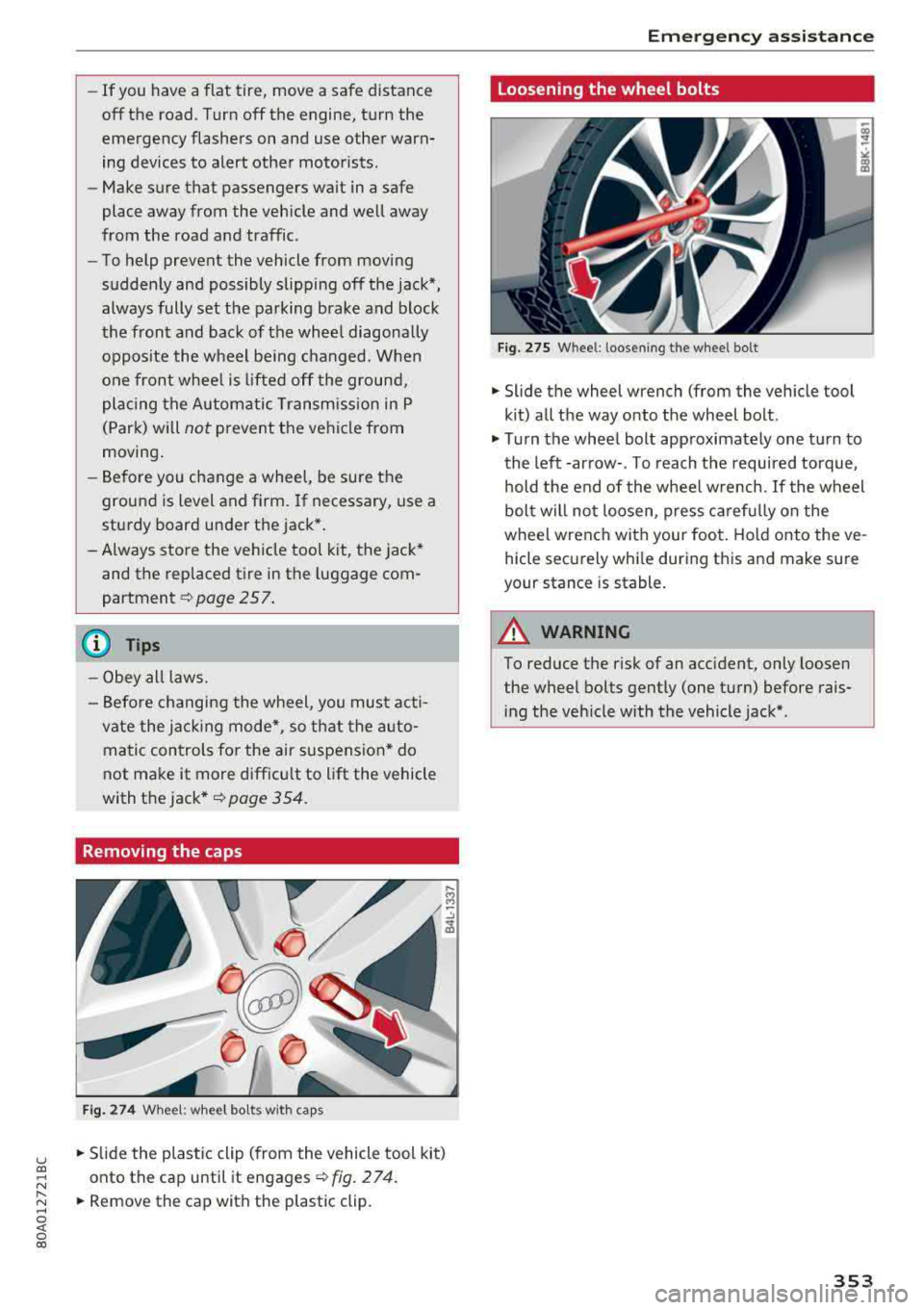
Removing the caps
Fig . 274 Wheel: wheel bolts with caps
.. Slide the plastic clip (from the vehicle tool kit)
onto the cap until it engages
¢ fig. 274.
.. Remove the cap with the plastic clip.
Emergency assistance
Loosening the wheel bolts
Fig. 275 W hee l: l oosen ing t he wheel bolt
.. Slide the wheel wrench (from the vehicle tool
kit) all the way onto the wheel bolt .
.. Turn the wheel bolt approximately one turn to
the left -arrow-. To reach the required torque,
hold the end of the wheel wrench. If the wheel
bolt will not loosen, press carefully on the
wheel wrench with your foot. Hold onto the ve
hicle securely while during this and make sure
your stance is stable.
A WARNING
--To reduce the risk of an accident, only loosen
the wheel bolts gently (one turn) before rais
ing the vehicle with the vehicle jack* .
353
Page 362 of 392
Fuses and bulb s
Fuse panel@ (brown ) Fuse panel© (blac k)
N o. E quip ment No. Equipmen t
2
Mass airflow sensor, camshaft adjust-
ment, charge air cooler pump 1 Fr ont seat heating
2 Windshie ld wipers
3 Exhaust doors, fuel injectors, radiator inlet 3 Left head light elect ronics
4 Vacuum pump , hot water p ump, particu-
late sensor, biodiesel sensor 4 Panorama glass roof
s L eft front doo r contro l modu le
5 Brake light sensor 6 Sockets
6 Engine valves, camshaft adjustment 7 Right rear door cont rol mod ule
7
Heated oxygen sensor, mass airflow sen-8 All wheel drive
sor
8
Water pump, high pressure pump, high
pressure regulator va lve
9 Hot water pump
9 R ight headlight electronics
10
Windshield washer system/headlight
washer system
1 1 Left rear door contro l module
10
Oil pressure sensor, oil temperature sen-
sor
Fu se p anel @ (blac k)
11 Clutch pedal position sensor No. Equipment
12 Engine valves
Seat ventilation, rearv iew mirror, cl imate
13 Radiator fan 1 control system, rear cl imate control sys-
14 Fuel injectors tern controls
, windsh ie ld defogger
15 Ignition coils 2 Gateway, climate control system
16 Fuel pump 3 Sound act uator/exhaust sound tuning
Fuse panel @ (red )
4 Clutch pedal posit ion sensor
5 Engine start
N o. Equipment 7 Rear USB charging port
1 Anti-theft a larm system 8 Homelink
2 Engine control module 9 Adaptive cruise control
3 Lumbar support 11 Video camera
4 Automatic transm ission selector mecha-
nism 12 Matrix LED headlight/right LED headlight
5 Horn
13 Matrix LED headlight/ left LED headlight
6 Electromechan ica l park ing brake
14 Rear window wiper
7 Gateway control module Fu se panel © (red )
8 Interior headliner lights No . Equipmen t
10 Airbag control module 1 Ignition coils
11 Electronic Stabilization Control (ESC) 5 E ng ine mount
12 Diagnostic connector, light/rain sensor 6 Automatic transmiss ion
13 Climate control system 7 I nstrument panel
1 4 Right front door control module 8 C limate control system (blower)
lS A/C compressor
10 Dynamic stee ring
11 Eng ine start
36 0
Page 367 of 392
-When connecting jumper cables, make sure
that they cannot get ca ught in any mov ing
parts in the engine compartment.
- Do not bend over the batteries - danger of
chem ica l burns!
- The battery cell lock ing screws must be
t ightened sec ure ly.
- Be fore you check anything in the e ngine
compartment, a lways read and hee d all
WAR NINGS
q page 314 .
(D Note
Impro per hook -up of jum pe r cables can r uin
the gene rato r.
- Always connect POSITI VE (+ ) to POS ITIV E
( + ), and NEGATIVE( -) to NEGAT IVE( -)
g roun d post of t he battery mana ger contro l
u nit.
- Check that a ll sc rew p lugs on t he battery
cells are screwed in firmly. I f not, t ighten
plugs prior to connecting clamp on negative
batte ry terminal.
- P lease note that the procedure fo r con nect
i ng a jumper cab le as desc ribed above ap
p lies specifica lly to the case of yo ur vehicle
being jump starte d. When you are giv ing a
ju mp s ta rt to anothe r vehicle , d o
not con
n ect the neg ative (-) cab le to the neg ative
(-) t ermin al on the di sch arged b attery @
q fig. 287 . In ste ad , securely connec t the
nega tive ( -) cab le to either a solid me tal
com ponent that is f irm ly bolted to the e n
gine block o r to the engine bloc k itself. If
the battery that is be ing cha rge d does not
vent to the outs ide, escap ing battery gas
could ignite and exp lode!
Towing with a tow truck
General hints
Your Audi requires special handling for towi ng .
The fo llow ing information is to be used by com
mercia l tow tr uck operators who know how to op-
u e rate the ir equip ment safe ly. co .....
~ - Never tow your Audi, towing will cause dam-N
~ age to the engine and transmission .
0 co
Emergency situations
-Never wrap the safety chains or winch cables
around the brake lines .
- To prevent unnecessa ry damage , your Audi
must be transported with a flatbed truck.
- To load the vehicle on to the flatbed, use the
towing loop found in the vehicle tools and at
tach to the front or rear anchorage
¢ page 365 and ¢ page 366 .
A WARNING
-A veh icle being towed is not safe for passen-
ge rs . Neve r allow anyone to ride in a vehicle
b eing towed, fo r any r eason.
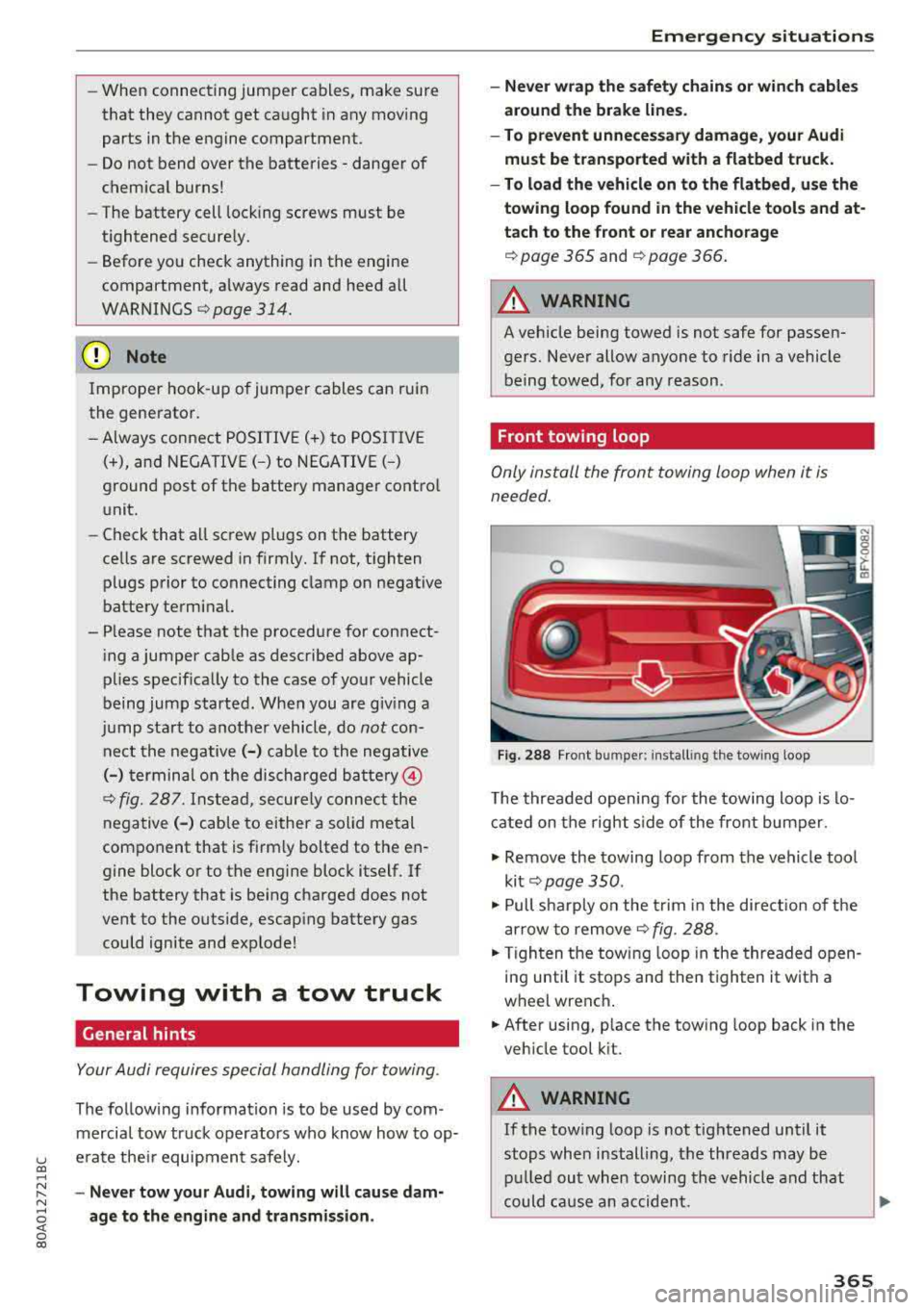
Front towing loop
Only install the front towing loop when it is
needed.
Fig . 288 Front bu mpe r: in sta lling the tow ing loop
T he threaded opening for the towing loo p is lo
cate d on t he righ t side of the front bum per.
.. Remove the towing loop from the vehicle too l
ki t
¢ pag e 350 .
.. Pull s harp ly o n the trim in the dire ct ion o f the
a rrow to remove
¢ fig . 288.
.,. T ig hten t he towi ng loop in the threade d open
in g until it stops and then tighten it with a
wheel wrenc h .
.,. After using, p lace the tow ing loop back in the
veh icle tool k it.
A WARNING
-If the tow ing loop is not tightened until it
stops whe n installing, t he threads may be
pull ed ou t wh en towing the vehicle and th at
could ca use a n accident.
365
Page 372 of 392
Technical data
Weights
= 111 11 I~ I III I I II Ill llllll 1 111 111111 111 111111 11111111
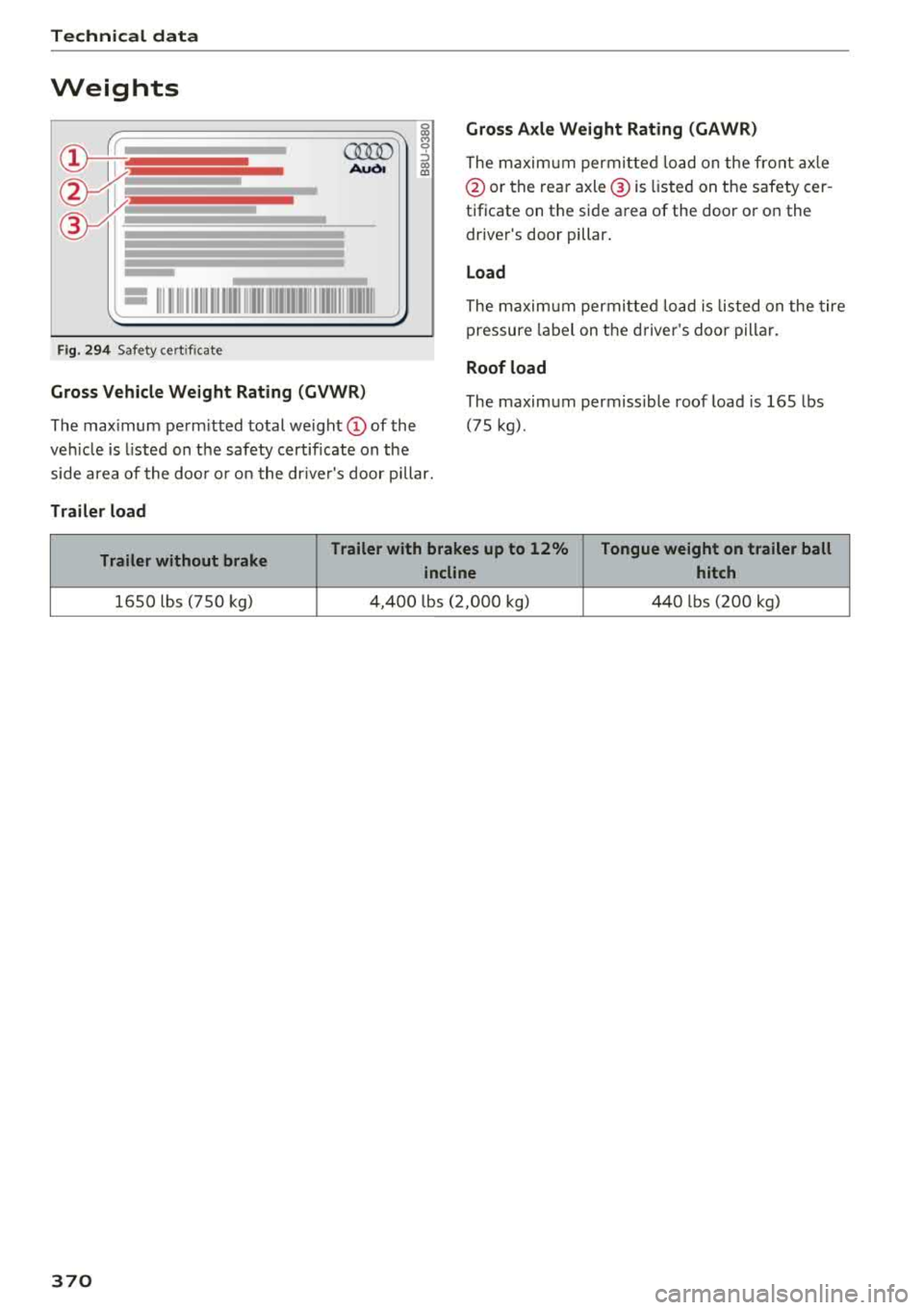
F ig . 294 Safety cert ificate
Gross Vehicle Weight Rating (GVWR )
The maximum pe rm itted total we ight (D of the
ve hicl e is listed on t he safety certificate on the
side area of the doo r or o n t he dr ive r's door p illar.
Trailer load Gross Axle Weight Rating
(GAWR)
The m axim um permi tte d l oad on the front ax le
@ or the rea r axle @ is listed on t he safety cer
tificate on t he side area of the doo r or on the
drive r's door pillar .
Load
The maxim um per mit te d loa d is lis ted on the tire
p ressure labe l on t he drive r's doo r pilla r.
Roof load
The maxim um permiss ible roof load is 165 lbs
(75 kg).
Trailer without brake Trailer with brakes up to 12% Tongue weight on trailer ball
incline hitch
1650 lbs (750 kg) 4,400 lbs ( 2,0 00 kg) 440 lbs (20 0 kg)
370
Page 375 of 392
u co ..... N ,..._
N ..... 0 <( 0 00
@ For the sake of the environment
-Changing the engine settings wi ll adversely
affect emission leve ls. Th is is detrimental to
the env ironment and increases fuel con
sumption.
- A lways observe environmenta l regu lations
when disposing of old engine o il, used brake
flu id, d irty engine coolant, spent batteries
or worn out tires.
- Undeployed airbag modules and pretension
ers might be classified as Perchlorate Mate
rial -spec ial handl ing may apply, see
www .dtsc.ca .gov/hazardouswaste/perch lo
r ate. When the vehicle or pa rts of t he re
stra int system includi ng a irbag mod ules
s af ety be lts with pretens ioners a re scrap
ped, a ll applicab le laws and regulations
must be observed. Your a uthorized Audi
dealer is fam iliar with these requirements
and we recommend that you have your dea l
er perform this service for you.
Accessories and
technical changes
Additional accessories and parts
replacement
Always consult on authorized Audi dealer before
purchasing accessories.
Audi ve hicles that are constructed with advanced
materials like Steel/Aluminum (Hybrid construc
tion), Aluminum (Aud i Space Frame), and/or Alu
minum/Carbon Fiber (Ultra Advanced Light
We ight Materials) are as unique as the ir dr ivers .
Therefo re, the ava ilability of certain parts needed
for repa ir , restorat ion, or reconstruction w ill be
rest ricted , or pa rts will be unava ilable, if the ve
hicl e is not repa ired at an a uthorized Aud i co lli
sion repair facility . This includes but is not limi t
ed to structura l parts which require specia lized
training and equipment to restore their crash
worthiness back to the original NHTSA and IIHS performance.
Your vehicle incorporates the latest safety design
features ensuring a high standard of active and passive safety.
Con sum er In form ation
This safety could be compromised by non -ap
proved changes to the vehicle. For t his reason, if
parts have to be rep laced, p lease observe the fol
lowing points when install ing additional accesso
ries:
Approved Audi accessories and genuine Audi parts are avai lab le from authorized Aud i dea lers.
T hese dea le rs a lso have t he necessa ry fa cilit ies,
tools and trained specialists to install the pa rts
and accessories proper ly .
A WARNING
--
Using the wrong spare parts or using non -ap
p roved accessories can cause damage to the
vehicle and serious personal injury.
- Use on ly accessories expressly approved by
Aud i and genuine Audi spare parts
- These parts and accessor ies have been spe
cially designed to be used on your vehicle.
- Do not use license p late brac kets in the
front area that are d ifferent from the one
installed at the factory, or add additional
li
cense plate brackets.
- Never install accessor ies such as telephone
cradles or beverage holders on airbag covers
or w ith in the airbag deployment zones. Do
ing so will increase the risk of injury if a ir
bags a re tr iggered in an accident!
- Before you check anyth ing in the eng ine
compa rtment, always read and heed all
WARN INGS
~page 314.
@ Note
- If items other than genu ine Audi spare
parts, add-on equipment and accessory
items are used or if repa ir work is not per
form ed according to specified methods, th is
c an result in seve re damage to you r vehi
cle's eng ine and body (s uch as cor rosion)
and adve rsely affec t your ve hicle's warranty.
- If emergency repa irs m ust be pe rformed
elsew here, have the vehicle ex am ined by an
authorized A udi dealer as soon as possib le .
- Th e manufac ture r ca nnot be he ld liable fo r
damage wh ic h occur s d ue to fail ure to com
ply with these stipulations.
373
Page 378 of 392
Index
Audio player Bluetooth audio player . . . . . . . . . . . . . . . 228
Wi-Fi audio player . . . . . . . . . . . . . . . . . . . 229
Aud io track . . . . . . . . . . . . . . . . . . . . . . . . . . 237
Aud i pre sense . . . . . . . . . . . . . . . . . . . . . . . 112
Messages . . . . . . . . . . . . . . . . . . . . . . . . . . 116
Sett ings . . . . . . . . . . . . . . . . . . . . . . . . . . . 116
Audi Service Repair Manuals and Literature 371
Aud i side assist . . . . . . . . . . . . . . . . . . . . . . . 120
Rear cross-traffic assist . . . . . . . . . . . . . . . 124
Audi smartphone interface . . . . . . . . . 243, 247
Audi virtua l cockpit
refer to Instrument cluster . . . . . . . . . . . . . 10
AUTO Automatic headlights . . . . . . . . . . . . . . . . . 45
Auto Lock (central locking system) . . . . . . . . 30
Automatic belt retractor . . . . . . . . . . . . . . . 264
Automatic climate control . . . . . . . . . . . . . . . 69
Operation . . . . . . . . . . . . . . . . . . . . . . . . . . . 70
Automatic climate control system Audi drive select . . . . . . . . . . . . . . . . . . . . . 125
Setup . . . . . . . . . . . . . . . . . . . . . . . . . . . . . . 72
Automatic transmission . . . . . . . . . . . . . . . . . 84
Emergency program . . . . . . . . . . . . . . . . . . 89
Hill descent control . . . . . . . . . . . . . . . . . . . 87
Kick-down . . . . . . . . . . . . . . . . . . . . . . . . . . . 88
La unch control program . . . . . . . . . . . . . . . 89
Manual shiftin g . . . . . . . . . . . . . . . . . . . . . . 88
Parking lock emergency re lease . . . . . . . . . 90
Selector lever positions . . . . . . . . . . . . . . . . 85
Automatic wipe/wash system . . . . . . . . . . . . 51
Auto Safety Hotline . . . . . . . . . . . . . . . . . . . 259
AUTO (button) Automatic climate control system . . . . . . . 71
Auxiliary heater (automatic climate control) 72
AUX input . . . . . . . . . . . . . . . . . . . . . . . . . . . 232
Average consumption . . . . . . . . . . . . . . . . . . . 16
Average speed . . . . . . . . . . . . . . . . . . . . . . . . 16
B
BACK button 147
Balance (sound) . . . . . . . . . . . . . . . . . . . . . . 249
Bass (sound) . . . . . . . . . . . . . . . . . . . . . . . . . 249
Battery Jump starting . . . . . . . . . . . . . . . . . . . . . . . 363
also refer to Vehicle battery . . . . . . . . . . . 321
376 Before
driving . . . . . . . . . . . . . . . . . . . . . . . . 252
Belt tensioners . . . . . . . . . . . . . . . . . . . . . . . 267
Blended gasoline . . . . . . . . . . . . . . . . . . . . . 310
Blower (automat ic climate control system) . 71
Bluetooth Audio player . . . . . . . . . . . . . . . . . . . . . . . . 228
Connecting a cell phone . . . . . . . . . . . . . . 17 4
Settings . . . . . . . . . . . . . . . . . . . . . . . . . . . 248
Boost...... .. .. .. .. .. ............. ... 17
Booster seats . . . . . . . . . . . . . . . . . . . . . . . . 301
Boost pressure indicator . . . . . . . . . . . . . . . . 17
Brake fluid Checking the brake fluid level . . . . . . . . . . 321
Brakes . . . . . . . . . . . . . . . . . . . . . . . . . . . . . . 142
Brake assist . . . . . . . . . . . . . . . . . . . . . . . . 140
Brake fluid . . . . . . . . . . . . . . . . . . . . . . . . . 321
E lectromechanical parking brake . . . . . . . . 80
Emergency braking function . . . . . . . . . . . . 81
New brake pads . . . . . . . . . . . . . . . . . . . . . 142
Worn brake pads . . . . . . . . . . . . . . . . . . . . . 26
Break-in security feature . . . . . . . . . . . . . . . . 36
Breaking in
New brake pads . . . . . . . . . . . . . . . . . . . . . 142
New engine . . . . . . . . . . . . . . . . . . . . . . . . . 73
New tires . . . . . . . . . . . . . . . . . . . . . . . . . . 332
Browser
refer to Media center . . . . . . . . . . . . . . . . . 235
Bulbs . . . . . . . . . . . . . . . . . . . . . . . . . . . . . . . 362
Buttons Control panel (MMI) . . . . . . . . . . . . . . . . . 148
Multifunction steering wheel . . . . . . . . 12, 15
Switching the Infotainment system display
on/off . . . . . . . . . . . . . . . . . . . . . . . . . . . . . 148
C
Cable (USB adapter/ AUX connector cable) 231
California Proposition 65 Warning . . . . . . . 315
Battery specific . . . . . . . . . . . . . . . . . . . . . 322
Call list . . . . . . . . . . . . . . . . . . . . . . . . . . . . . 177
Call options . . . . . . . . . . . . . . . . . . . . . . . . . . 185
Capacities Fuel tank. . . . . . . . . . . . . . . . . . . . . . . . . . . 369
Washer fluid reservoir . . . . . . . . . . . . . . . . 369
Cargo area
refer to Loading the luggage compart-
ment..... .... .. .. .. ............. .. 257
Page 380 of 392
Index
Convenience key
Switching the ignition on . . . . . . . . . . . . . . 76
Unlock ing/ locking . . . . . . . . . . . . . . . . . . . . 33
Conven ience opening/closi ng . . . . . . . . . . . . 4 1
Convert ible ch ild safety seats . . . . . . . . . . . 299
Convertible locking retractor
Activating . . . . . . . . . . . . . . . . . . . . . . . . . . 304
Deactivating . . . . . . . . . . . . . . . . . . . . . . . . 305
Using to secure a child safety seat . . . . . . 304
Cooled glove compa rtment . . . . . . . . . . . . . . 61
Cooling mode (automatic climate control sys-
tem) . . . . . . . . . . . . . . . . . . . . . . . . . . . . . 70, 7 1
Cooling system Adding coolant . . . . . . . . . . . . . . . . . . . . . . 320
Coolant .. .. .. .. ................ ... . 319
Coolant level check ing . . . . . . . . . . . . . . . . 320
Coolant temperature indicato r . . . . . . . . . . 11
Cross hairs 205
Cr uise contro l system . . . . . . . . . . . . . . . . . . . 95
Cup holders . . . . . . . . . . . . . . . . . . . . . . . . . . . 60
Current cons umption . . . . . . . . . . . . . . . . . . . 1 6
D
Data connection . . . . . . . . . . . . . . . . . . . . . . 194
Data protect ion . . . . . . . . . . . . . . . . . . . . . . . 195
Data recorder 145
Date . . . . . . . . . . . . . . . . . . . . . . . . . . . . . 16, 245
Date display . . . . . . . . . . . . . . . . . . . . . . . . . 245
D aytime running lights . . . . . . . . . . . . . . . . . 45
D eclarat ion of compliance . . . . . . . . . . . . . . 374
Defrost ing (windows) . . . . . . . . . . . . . . . . . . . 71
D EF ( inst rument cluste r) . . . . . . . . . . . . . . . . 12
Demo mode
refer to Presentation mode . . . . . . . . . . . . 211
Destination on the map Using the MMI touch . . . . . . . . . . . . . . . . . 205
Determin ing correc t load limit . . . . . . . . . . 339
D. 't 1 191 a compass . . . . . . . . . . . . . . . . . . . . . . . S4
Dig ita l Rights Management . . . . . . . . . . . . . 225
Dimensions . . . . . . . . . . . . . . . . . . . . . . . . . . 369
Dimming the exterior mirrors . . . . . . . . . . . . SO
D imming the rearview mirror . . . . . . . . . . . . SO
D irectory
refer to Contacts . . . . . . . . . . . . . . . . . . . . 183
378
Display . . . . . . . . . . . . . . . . . . . . . . . . . . . . . . 12
Cleaning . . . . . . . . . . . . . . . . . . . . . . . . . . . 346
Infotainment system d isp lay . . . . . . 148, 246
Instrument cluster . . . . . . . . . . . . . . . . . . . . 15
Mult ifunct ion steer ing whee l . . . . . . . . . . . 12
Versions (MMI) . . . . . . . . . . . . . . . . . . . . . . 148
Distance . . . . . . . . . . . . . . . . . . . . . . . . . . . . . 16
Doors Mechan ica lly locking . . . . . . . . . . . . . . . . . . 35
Driver informat ion system
Chang ing v iews . . . . . . . . . . . . . . . . . . . . . . 12
Energy consumers . . . . . . . . . . . . . . . . . . . . 17
Outs ide temperat ure display. . . . . . . . . . . . 10
Se rvice interva l display . . . . . . . . . . . . . . . 32 4
T rip comp ute r . . . . . . . . . . . . . . . . . . . . . . . 16
V iew 14
D river seat
refer to Seating posit ion . . . . . . . . . . . . . . 253
D rives
refer to Media . . . . . . . . . . . . . . . . . . 225, 234
Drive select
refer to Audi drive select . . . . . . . . . . . . . . 125
D rivi ng econom ica lly . . . . . . . . . . . . . . . . . . . 73
Driving offroad . . . . . . . . . . . . . . . . . . . . . . . . 82
Drivi ng on hills . . . . . . . . . . . . . . . . . . . . . . . . 83
D rivi ng safely . . . . . . . . . . . . . . . . . . . . . . . . 252
Driving through water . . . . . . . . . . . . . . . . . . 73
D rivi ng time . . . . . . . . . . . . . . . . . . . . . . . . . . 16
DVD drive (med ia drives) . . . . . . . . . . . . . . . 226
Dynamic steering . . . . . . . . . . . . . . . . . . . . . 125
Dynam ic volume
refer to Syste m volume . . . . . . . . . . . . . . . 250
E
E-ma il 181
E asy seat entry . . . . . . . . . . . . . . . . . . . . . . . . 76
E conom ica l route . . . . . . . . . . . . . . . . . . . . . 210
eco (button) . . . . . . . . . . . . . . . . . . . . . . . . . . 70
EDS . . . . . . . . . . . . . . . . . . . . . . . . . . . . . . . . 140
El ec tromechanical pa rking brake . . . . . . . . . 80
E lectromechanical steering . . . . . . . . . . . . . 144
E lectronic immobilizer . . . . . . . . . . . . . . . . . . 31
Electron ic Stab il izat ion Control
refer to ESC . . . . . . . . . . . . . . . . . . . . 140, 141
Emergency assistance . . . . . . . . . . . . . . . . . 350
E mergency b raking fu nction . . . . . . . . . . . . . 81
Page 385 of 392
u co ..... N ,..._
N ..... 0 <( 0 00
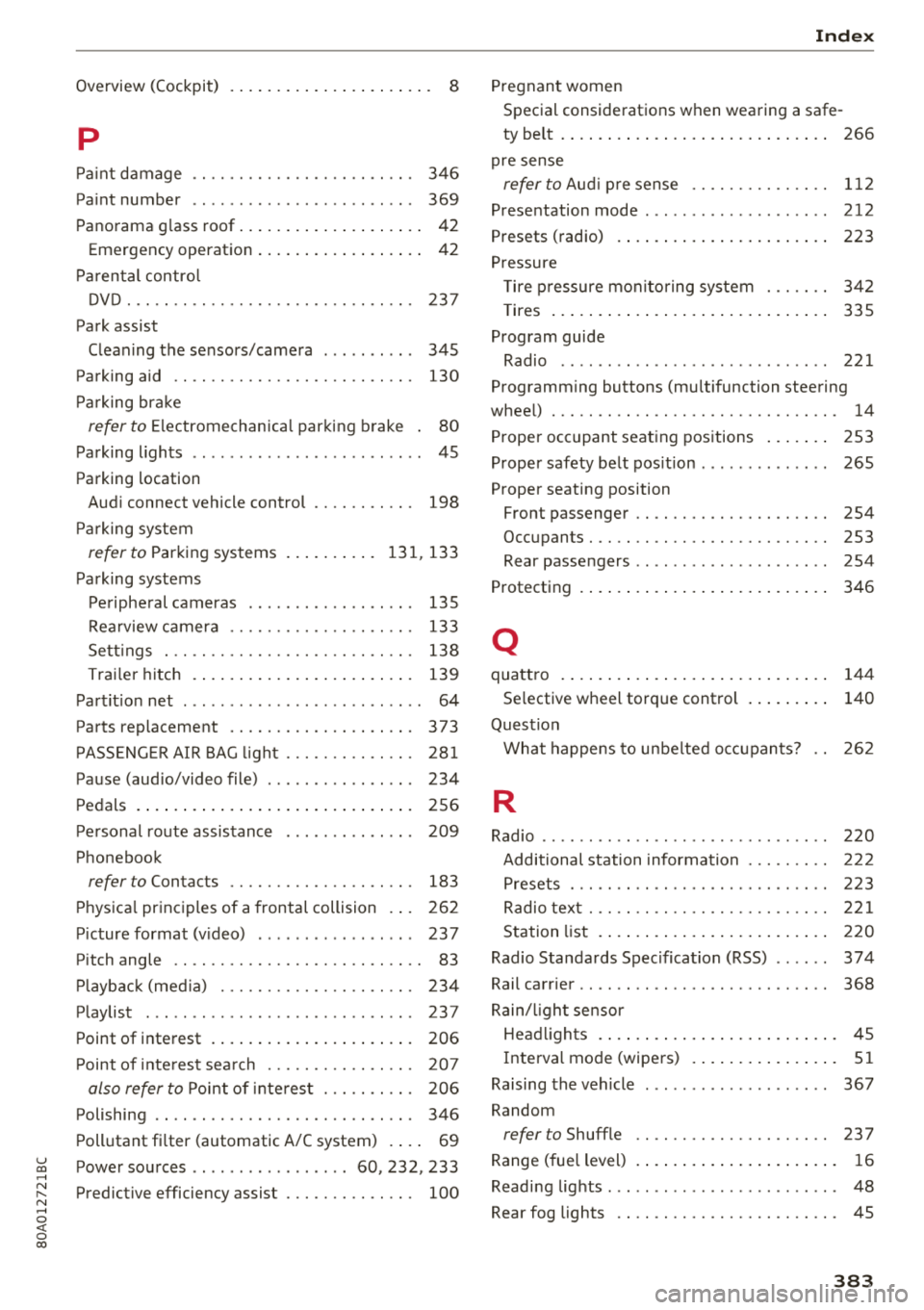
Overview (Cockpit) . . . . . . . . . . . . . . . . . . . . . . 8
p
Pai nt damage . . . . . . . . . . . . . . . . . . . . . . . . 346
Paint number . . . . . . . . . . . . . . . . . . . . . . . . 369
Panorama g lass roof. . . . . . . . . . . . . . . . . . . . 42
Emergency operation . . . . . . . . . . . . . . . . . . 42
Parental control
DVD... .. .. ................. .. .. .. . 237
Park assist
Cleaning the sensors/camera . . . . . . . . . .
345
Parking aid . . . . . . . . . . . . . . . . . . . . . . . . . . 130
Parking brake
refer to Electromechanica l parking brake . 80
Parking lights . . . . . . . . . . . . . . . . . . . . . . . . . 45
Parking location
Audi connect vehicle control
Parking system
refer to Parking systems
Parking systems
198
131,133
Peripheral cameras . . . . . . . . . . . . . . . . . . 135
Rearview camera . . . . . . . . . . . . . . . . . . . . 133
Sett ings . . . . . . . . . . . . . . . . . . . . . . . . . . . 138
Trailer h itch . . . . . . . . . . . . . . . . . . . . . . . . 139
Partition net . . . . . . . . . . . . . . . . . . . . . . . . . . 64
Parts replacement . . . . . . . . . . . . . . . . . . . . 373
PASSENGER AIR BAG light . . . . . . . . . . . . . . 281
Pause (audio/video file) . . . . . . . . . . . . . . . . 234
Pedals . . . . . . . . . . . . . . . . . . . . . . . . . . . . . . 256
Personal route assistance
Phonebook 209
refer to
Contacts . . . . . . . . . . . . . . . . . . . . 183
Physical principles of a frontal collision . . . 262
Picture format (video) . . . . . . . . . . . . . . . . . 237
Pitch angle . . . . . . . . . . . . . . . . . . . . . . . . . . . 83
Playback (media) . . . . . . . . . . . . . . . . . . . . . 234
Playlist . . . . . . . . . . . . . . . . . . . . . . . . . . . . . 23 7
Point of interest . . . . . . . . . . . . . . . . . . . . . . 206
Point of interest search . . . . . . . . . . . . . . . . 207
also refer to
Point of interest . . . . . . . . . . 206
Polishing . . . . . . . . . . . . . . . . . . . . . . . . . . . . 346
Pollutant filter (automatic A/C system) . . . . 69
Power sources .. ............... 60, 232 , 233
Predictive efficiency assist . . . . . . . . . . . . . . 100
Index
Pregnant women
Special considerations when wearing a safe-
ty belt . . . . . . . . . . . . . . . . . . . . . . . . . . . . .
266
pre sense
refer to Aud i pre sense . . . . . . . . . . . . . . . 112
Presentation mode . . . . . . . . . . . . . . . . . . . . 212
Presets (radio) . . . . . . . . . . . . . . . . . . . . . . . 223
Pressure
Tire pressure monitoring system . . . . . . .
342
T ires . . . . . . . . . . . . . . . . . . . . . . . . . . . . . . 335
Program guide
Radio . . . . . . . . . . . . . . . . . . . . . . . . . . . . .
221
Programming buttons (multifunction steering
wheel) . . . . . . . . . . . . . . . . . . . . . . . . . . . . . . .
14
Proper occupant seating positions . . . . . . . 253
Proper safety belt position . . . . . . . . . . . . . . 265
Proper seating position
Front passenger . . . . . . . . . . . . . . . . . . . . .
254
Occupants. . . . . . . . . . . . . . . . . . . . . . . . . . 253
Rear passengers . . . . . . . . . . . . . . . . . . . . . 254
Prot ecting . . . . . . . . . . . . . . . . . . . . . . . . . . . 346
Q
quattro 144
Se lective wheel torque control . . . . . . . . . 140
Question
What happens to unbelted occupants?
262
R
Radio ....... ... .. .. ................ . 220
Additional station information . . . . . . . . . 222
Presets . . . . . . . . . . . . . . . . . . . . . . . . . . . . 223
Radio text . . . . . . . . . . . . . . . . . . . . . . . . . . 221
Station list . . . . . . . . . . . . . . . . . . . . . . . . . 220
Radio Standards Specification (RSS) . . . . . . 374
Rail carrier . . . . . . . . . . . . . . . . . . . . . . . . . . . 368
Rain/l ight sensor
Headlights . . . . . . . . . . . . . . . . . . . . . . . . . .
45
Interval mode (wipers) . . . . . . . . . . . . . . . . 51
Raising the vehicle . . . . . . . . . . . . . . . . . . . . 367
Random
refer to Shuffle . . . . . . . . . . . . . . . . . . . . . 23 7
Range (fuel level) . . . . . . . . . . . . . . . . . . . . . .
16
Reading lights . . . . . . . . . . . . . . . . . . . . . . . . . 48
Rear fog lights . . . . . . . . . . . . . . . . . . . . . . . . 45
383