key AUDI Q7 2009 Owner´s Manual
[x] Cancel search | Manufacturer: AUDI, Model Year: 2009, Model line: Q7, Model: AUDI Q7 2009Pages: 426, PDF Size: 97.13 MB
Page 53 of 426
-Place the cover w ith the new battery on the key base and
press both parts together .
<£> For the sake of the environment
Dispose of dead batteries proper ly so as not to pol lute the environ
ment.
[ i ] Tips
The rep lacement battery must be the same specificat ion as the
original. •
Electronic immobilizer
The immobilizer helps to prevent unauthorized use of
your vehicle.
A computer chip inside your key automatically deact ivates the e lec
tronic immobilizer when you insert the key in the ignition lock, or on
veh ic les with Convenience key *, when the key is inside the vehicle.
When you remove the key from the ignition lock, or on vehicles with
Convenience key, when you remove the key from the vehic le, the
e lectronic immobilizer is automatica lly activated once again.
I f an unauthorized key was used, SAFE is disp layed continuously in
the odomete r disp lay field .
& WARNING
Always take the key wi th you when you leave the v ehicle. The ke y
ca n dis arm the ele ctro nic engine im mob iliz er and permit an unau
t hori zed per son to start the engine and enable operati on of the
v ehi cle sys tem s such a s pow er win dow o r Panor ami c s liding
sunroof * leading t o serious personal injury.
Controls and equip
ment
Opening and clo sing
[ i ] Tip s
• Your engine can on ly be started using the factory -equipped key.
• You may not be ab le to start your vehicle if an ignition key of a
different vehicle make is also located on your set of keys.
• For Dec laration of Compliance to Uni ted States FCC and Industry
Canada regulations~
page 404. •
Valet key function
The valet key fun ction prevents unauthorized persons
from opening the glove compartment or rear lid.
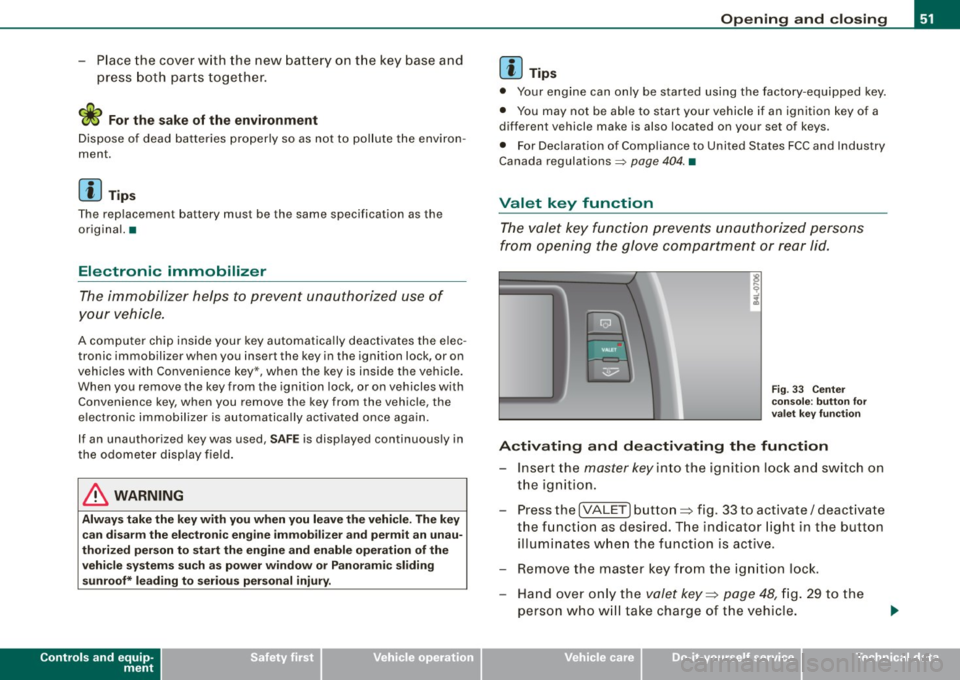
Fi g. 33 Ce nter
co nso le: butto n fo r
v ale t key f unction
Activating and dea ctivating the fun ction
- Insert the master key in to the ignition lock and switch on
the ignition.
- Press the
[VALE T] button ~ fig. 33 to activate/ deactivate
the funct ion as desired. T he indicator light in the button
illumi nates w hen the function is active.
- Remove the master key f rom the ign ition lock.
- Hand over on ly the
valet key~ page 48, fig. 29 to the
person who w ill tak e charge of the vehicle.
I • •
Page 54 of 426
Openin g a nd clo sin g
When the function is switched on, the buttons for opening the rear
lid and glove compartment have no function . However, please note
the following exceptions:
E xc epti ons
If the ignition has been switched on using the master key, you can
sti ll open the glove compartment and the rear lid.
As long as the ignition is switched off, you can still open the rear lid
using the rear lid button on the
master keyc:s. The same holds true
for using the rear lid release handle in conjunction with the Conve
nience key *.
For this reason, be sure to only hand over the
valet key to the person
who wil l take charge of your vehicle .
[ i ) Tip s
Be sure to activate the function before handing over the valet key to
someone else . T he valet key only fits the lock in the driver's door and
the ignition lock .•
Power locking system
General description
The power locking system locks or unlocks all doors and
the rear lid simultaneously.
The power locking system in your vehicle incorporates the following
functions:
• Central locking function
• Selective unlock feature=>
page 55
• Remote contro l feature=> page 49
• Convenience key * => page 67
• Anti -theft alarm system=> page 63
All the doors and the rear lid are locked by the central locking
system when you lock the vehicle. You can set whether genera lly
only the driver's door or all doors and the rear lid should be
unlocked when you open the vehicle in the MMI menu
Central
lock ing
to suit your individual desires=> page 55.
Unlocking the vehicle
You can unlock the vehicle from outside either by using the remote
control or by inse rting and turning the key in the driver's door lock .
When you
unl ock your vehicle:
• The anti -theft alarm system is deactivated briefly .
• The vehicle interior lights i lluminate for approximate ly 30
seconds.
• All turn signal lights will flash twice when the car is unlocked .
• After un lock ing the vehicle, you have 60 seconds to open a door
or the rear lid . After 60 seconds, the vehicle automatically locks and
the a nti -theft a larm system activates again.
The rear lid can be locked or unlocked either by using the remote
control
or by inserting and turning the key in the driver's door lock.
Un locking the vehicle with the remote control w ill only
unlock the
rear lid, to
open it, the lid handle needs to be pressed.
L oc kin g th e vehicle
You can lock the vehic le from outside either by using the remote
control
or by inserting and turning the key in the drivers's door lock .
When you
lo ck the vehicle :
• All doors and the rear lid are locked.
• All turn signal lights will flash once when the car is locked .
• The anti-theft alarm system is activated. The horn of the anti
theft alarm system wi ll sound and the anti -theft alarm system readi
ness light, located in the upper part of the driver's door panel , wi ll
start to blink .
• The vehicle interior lights turn off.
Page 55 of 426
Unl ocking and lo cking with Conve nien ce k ey *
On vehicles wh ich are equipped with the Co nven ienc e key* authori
zation system, the doors are unlocked
without a key by means of a
proximity sensor in the door hand le . The doors are simi lar ly locked
without a key using the locking button. Each door has a proximity
sensor and a locking button .
Autom atic lock ing
The automatic locking feature locks all the vehicle doors and the
rear lid when you drive faster than 9 mph (15 km/h). This function
can be tu rned on and off in the
MMI Central lock ing Menu
=>
page 55.
You can unlock the vehicle from the inside by :
• removing the key from the ignition switch (the vehicle will auto
matically unlock itself) or
• pressing the unlock part of the power lock switch@ or
• pul ling the door handle (twice to open the rear doors).
& WARNING
• When you lock your vehi cle from outside , nobody -especially
c hildren -should rem ain in side the vehi cle. Remember , when you
lock the vehicle from the outs ide the windows cannot b e opened
from the in side.
• Wh en you leav e the vehicle , alw ays r emove the ignition key and
t a ke it with you . This will prevent p assengers (children , for
example ) from ac cidentall y being locked in the veh icle sh ould the y
ac cident ally pre ss the power lock ing swit ch in th e front door s.
• Do not le ave child ren inside the vehicle un supervi sed. In an
emergency it would be impo ssible to open the door s from the
out side without the key.
Con tro ls and eq uip
ment
Op ening and clo sing
[ i ] Tip s
• In the event of a crash with airbag deployment all locked doors
wi ll be automatically unlocked to give access to the vehicle occu
pants from the ou tside.
• I f the power locking system should malfunction, you can lock
each door individually using the vehicle key=>
page 57.
• If the power locking system should fail, you can still open the
fue l tank flap in an emergency=>
page 329.
• You are well advised not to keep va luables inside an unattended
vehicle, visible or not . Even a properly locked vehic le cannot provide
t he security of a safe. •
Unlocking and locking the vehicle with the
remote control
How the remote control works.
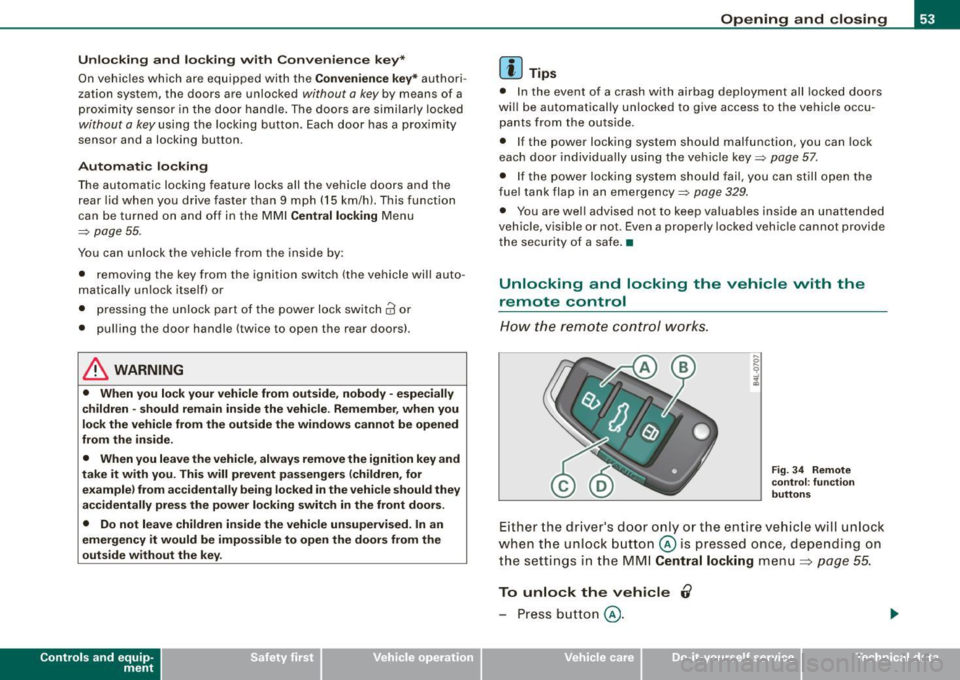
F ig . 3 4 Rem ote
c o ntr ol: fu nc tio n
b utt ons
Either the driver's door only or the entire vehic le will unlock
when the unlock button@ is pressed once, depending on
the settings in the MM I
Central locking menu=> page 55.
To unlock the vehicle 0
- Press button @.
Vehicle care I I irechnical data
Page 56 of 426
Opening and closing
- Press button @
two times within tw o secon ds to unlock
all doors and the rear lid .
To lock the vehicl e 6
Press button @ ~ & in "General description" on
page 52.
Watch that all turn signal lights flash once .
To unlock re ar lid only
C:J
- Press button @for approx im ate ly one seco nd.
PANIC Button Pu sh the red b utto n@ to act ivate the panic f unction. The
horn sounds and the turn signals flash .
- Pu sh the button @ again to deactiva te the panic f unc
t ion.
On vehicles wi th Convenience key* , the selector lever must be in the
P position , otherwise the vehicle cannot be locked .
& WARNING
Read and foll ow a ll WARNING S => & in "General de scription " on
page 52.
[ i ] Tips
• In o rder to make sure the locking function is working , you should
a lways keep your eye on the vehicle to make sure it is properly
locked .
• Do not use the remote control if you are inside the car, otherwise
you may unintentionally lock the vehic le, and then you would set off
the anti-theft alarm when you try to start the engine or open a door.
In case this happens anyhow, push the unlock button
0 .
• Use the panic function only if you are in an emergency
situation. •
Operating locks with the key
To lock and unlock the vehicle from the outside, turn the
key in the lock of the driver's door.
To unlock the vehicle
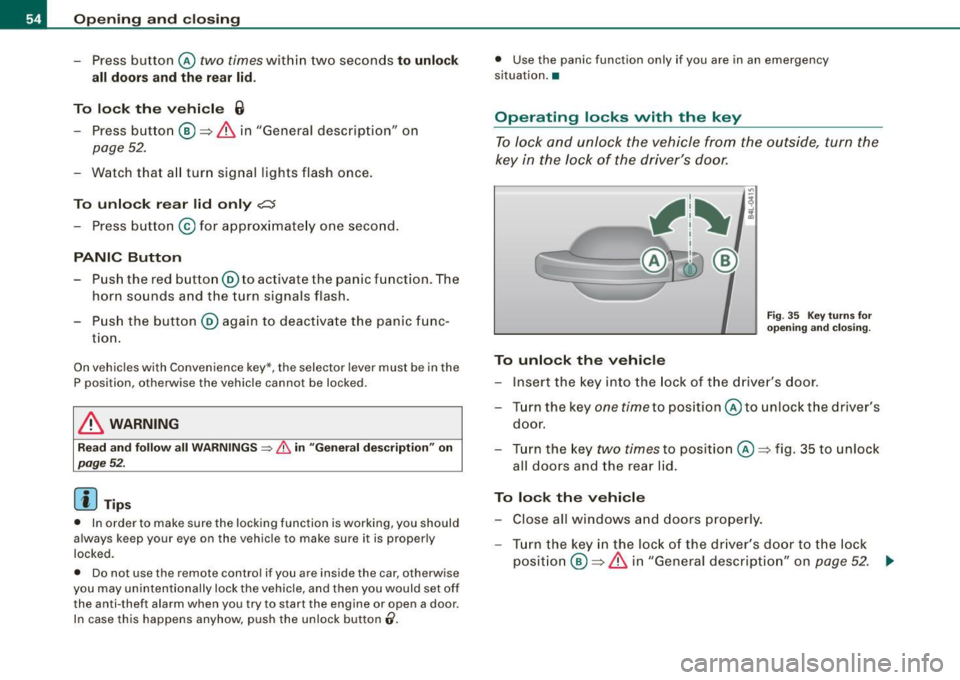
Fi g. 3 5 Key turn s for
o pening and clo sing .
-Ins ert the k ey into the lock of the drive r's door.
- T urn th e key
one time to pos iti on @ to unlock the d river's
do or.
- Tur n the key
two times to positio n @ ~fig . 35 to unlock
all doors and the rea r lid .
To lock the vehicle - Close all windows and doors properly.
- Tur n the key in the l ock of the driver's door t o th e lo ck
p o sit io n @ ~
& in "Gen eral d escri ption" on p age 52. ..,
Page 57 of 426
& WARNING
Read an d foll ow all W ARNIN GS ~ & in "Ge nera l de scription " on
page 52. •
Settings in the MMI
Selective unlock feature -the driver can determine in the
MM/ which doors are unlocked through the central
locking system.
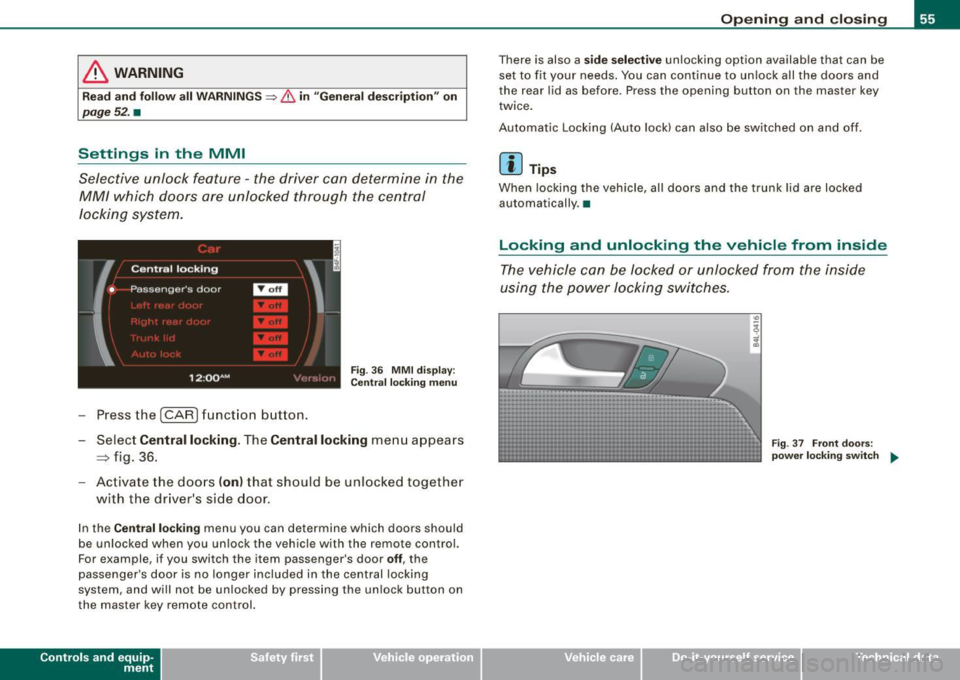
F ig . 36 MM I d isp lay :
C entr al l oc king men u
Press the I CAR I funct ion button .
Select
Centr al locking . The Central locking menu appears
~ fig. 36.
- Activate the doo rs (on } that should be unlocked together
with the driver's side door .
In the Central locki ng menu you can determine which doors should
be unlocked when you un lock the vehic le with the remote control.
For example, if you switch the item passenger's door
off , the
passenger's door is no longer included in the central locking
system, and will not be unlocked by pressing the unlock button on
the master key remo te control.
Con tro ls and eq uip
ment
Op ening and clo sing
There is also a sid e s ele cti ve unlocking option available that can be
set to fit your needs . You can continue to un lock all the doors and
the rear lid as before . Press the opening button on the master key
twice .
Automatic Locking (Auto lock) can also be switched on and off.
[ i ] Tips
When locking the vehicle, al l doors and the trunk lid are locked
automatically .•
Locking and unlocking the vehicle from inside
The vehicle can be locked or unlocked from the inside
using the power locking switches .
Vehicle care I I
Fig. 37 Front doo rs:
po wer lo ck ing s wit c h ..
irechnical data
Page 59 of 426
Emergency locking
If the central locking system fails (power supply), each
door has to be locked separately.
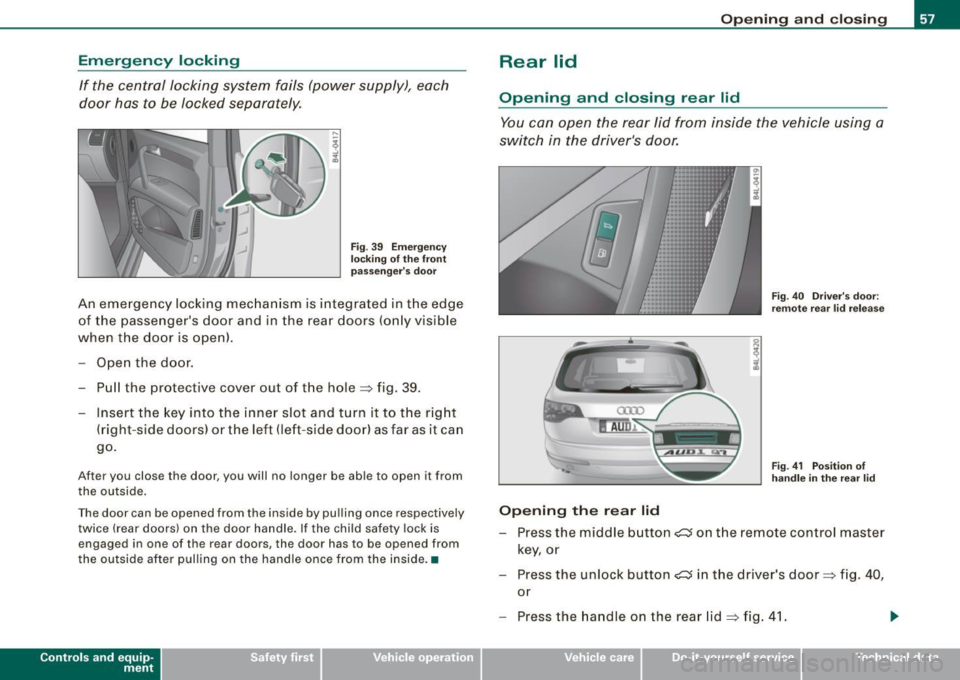
Fig. 39 Emergency
locking of the front
passenger's door
An emergency lock ing mechanism is integrated in the edge
of the passenger's door and in the rear doors (only visible
when the doo r is open).
Open the door.
- Pull the p rotective cover out of the hole ~ fig. 39 .
- Insert the key into the inner slot and turn it to the right
(right-side doors) or the left (left-side door) as far as it can
go.
After you close the door, you will no longer be able to open it from
the outside.
The door can be opened from the inside by pulling once respectively
twice (rear doors) on the door handle . If the child safety lock is
engaged in one of the rear doors, the doo r has to be opened from
the outside after pulling on the handle once from the inside .•
Con tro ls and eq uip
ment
Opening and closing
Rear lid
Opening and closing rear lid
You can open the rear lid from inside the vehicle using a
switch in the driver's door.
Opening the rear lid
Fig. 40 Driver's door:
remote rear lid release
Fig. 41 Position of
handle in the rear lid
- Press the middle button~ on the remote control master
key, or
- Press the unlock button~ in the driver's door~
fig. 40,
or
- Press the handle on the rear lid=>
fig. 41.
Vehicle care I I irechnical data
Page 60 of 426
Opening and closing
- The rear lid unlocks automatically and opens slightly .
- Lift the rear lid .
Closing the rear lid
Pull the rear lid down and allow it to drop gently . The lid
is then closed automatically=>& .
& WARNING
• After closing the rear lid, always pull up on it to make sure that
it is properly closed. Otherwise it could open suddenly when the
vehicle is moving .
• To help prevent poisonous exhaust gas from being drawn into
the vehicle, always keep the rear lid closed while driving. Never
transport objects larger than those which fit completely into the
luggage area, because then the rear lid cannot be fully closed .
• Never leave your vehicle unattended especially with the rear lid
left open. A child could crawl into the car through the luggage
compartment and pull the lid shut, becoming trapped and unable
to get out . To reduce the risk of personal injury, never let children
play in or around your vehicle. Always keep the rear lid as well as
the vehicle doors closed when not in use.
• Always ensure that no one is within range of the rear lid when
it is moving, in particular close to the hinges -fingers or hands can
be pinched.
[ i ] Tips
• If the rea r lid is open or not properly clo sed when the ignition is
turned on , th e door and r ear l id warn ing~
pag e 27 appears in th e
instrument cluster display.
• Should y ou no t be abl e to open th e re a r lid as d esc ribed , mak e
sure the valet key function is not activated~
page 51. •
App lies 10 vehic les: w ith automatic rear lid/trun k lid ope rat ion
Automatic rear lid /trunk lid operation
The trunk lid can be opened and closed automatically.
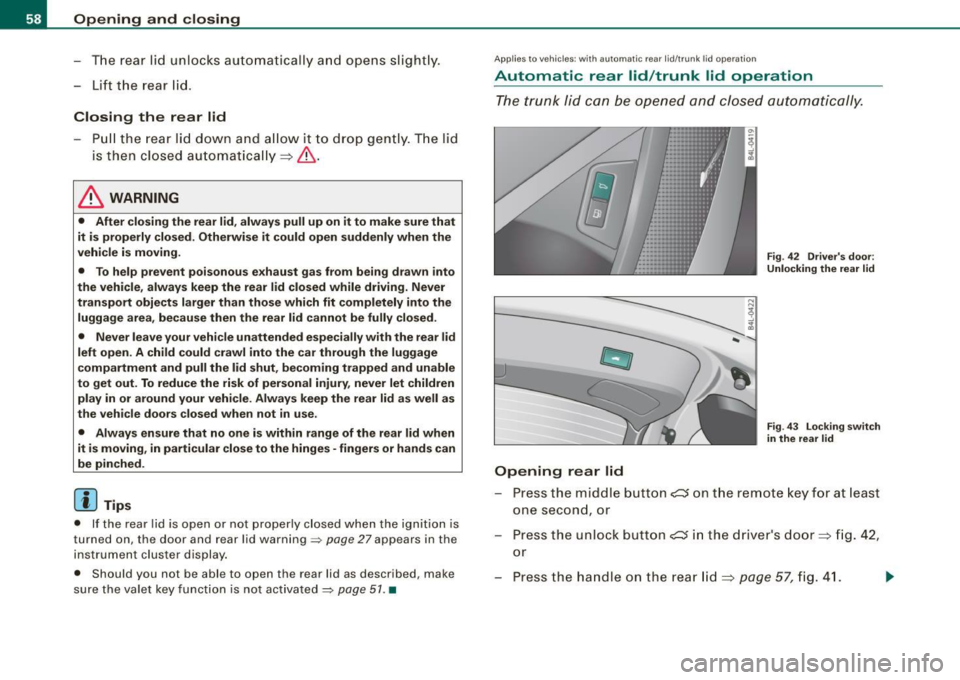
Opening rear lid
Fig. 42 Driver's door:
Unlocking the rear lid
Fig. 43 Locking switch
in the rear lid
Press the m iddle button c:s o n the remote key for at least
one second, or
- Press the unlock button
e::5 in the driver's door=> fig. 42,
or
Press t he handle on the rear lid=>
page 57, fig. 41.
Page 61 of 426
-The opening process is stopped immediately if the
middle button
,c:::J on the remote key is pressed again for
at least one second or the unlock button
,c:::J in the
driver's door is pressed again or the handle in the rear lid
is pressed again.
- Middle button in the remote key and unlock button in the
driver's door:
The opening process is continued by
pressing one of the buttons again.
- Handle in the rear lid: the rear lid is closed again by
pressing the handle again=>,& .
Closing rear lid/trunk lid
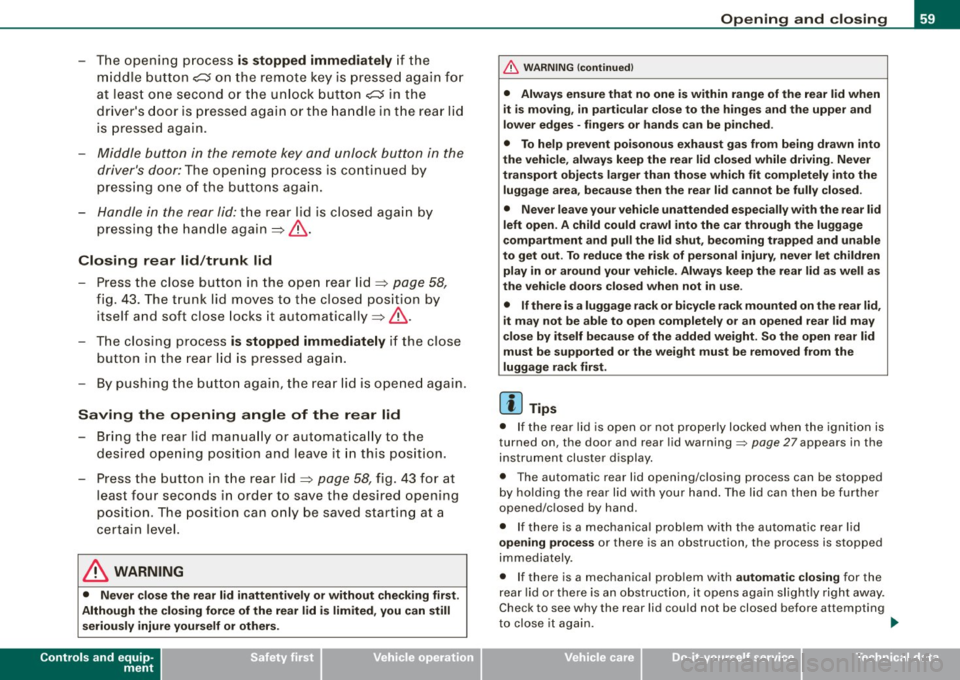
-Press the close button in the open rear lid=> page 58,
fig. 43. The trunk lid moves to the closed position by
itself and soft close locks it automatically=> ,&.
-The closing process is stopped immediately if the close
button in the rear lid is pressed again.
- By pushing the button again, the rear lid is opened again.
Saving the opening angle of the rear lid
-Bring the rear lid manually or automatically to the
desired opening position and leave it in this position.
- Press the button in the rear lid=>
page 58, fig. 43 for at
least four seconds in order to save the desired opening
position . The position can only be saved starting at a
certain level.
& WARNING
• Never close the rear lid inattentively or without checking first.
Although the closing force of the rear lid is limited, you can still
seriously injure yourself or others.
Controls and equip
ment
Opening and closing
& WARNING (continued)
• Always ensure that no one is within range of the rear lid when
it is moving, in particular close to the hinges and the upper and
lower edges -fingers or hands can be pinched.
• To help prevent poisonous exhaust gas from being drawn into
the vehicle, always keep the rear lid closed while driving. Never
transport objects larger than those which fit completely into the
luggage area, because then the rear lid cannot be fully closed.
• Never leave your vehicle unattended especially with the rear lid
left open. A child could crawl into the car through the luggage
compartment and pull the lid shut, becoming trapped and unable
to get out . To reduce the risk of personal injury, never let children
play in or around your vehicle. Always keep the rear lid as well as
the vehicle doors closed when not in use.
• If there is a luggage rack or bicycle rack mounted on the rear lid,
it may not be able to open completely or an opened rear lid may
close by itself because of the added weight. So the open rear lid
must be supported or the weight must be removed from the
luggage rack first.
[ i] Tips
• If the rear lid is open or not properly locked when the ignition is
turned on, the door and rear lid warning::::;,
page 27 appears in the
instrument cluster display.
• The automatic rear lid opening/closing process can be stopped
by holding the rear lid with your hand. The lid can then be further
opened/closed by hand.
• If there is a mechanical problem with the automatic rear lid
opening process or there is an obstruction, the process is stopped
immediately.
• If there is a mechanical problem with
automatic closing for the
rear lid or there is an obstruction, it opens again slightly right away.
Check to see why the rear lid could not be closed before attempting
to close it again. ..,_
I • •
Page 62 of 426
Opening and closing
• If the rear l id on a locked vehicle is unlocked with the middle
button
~ on the remote key, the rear lid is automatically locked
again immediately after closing . This is indicated by the turn signals
blinking.
• The following applies to vehicles equipped with the Convenience
key* feature: if the remote control key is left in the luggage compart
ment, luggage compartment will automatically unlock itself after
you lock the vehicle . This prevents you from unintentionally locking
your key in the luggage compartment.
• If the vehicle battery charge drops below a certain level , you can
still open or close the rear lid manually , however , you will need to
apply more force to close it.
• As soon as the electrical connection to the trailer so cke t is
completed on vehicles with a factory installed towing hitch, or a
trailer hitch tha t was installed later according to factory specifica
tions, the automatic rear lid function can only be operated via the
handle in the rear lid. •
Rear lid emergency unlocking
If the rear lid cannot be opened, an emergency release is
provided.
------------------! ~
:
'
Fig. 44 Section of the
luggage compartme nt:
Access to emergency
relea se
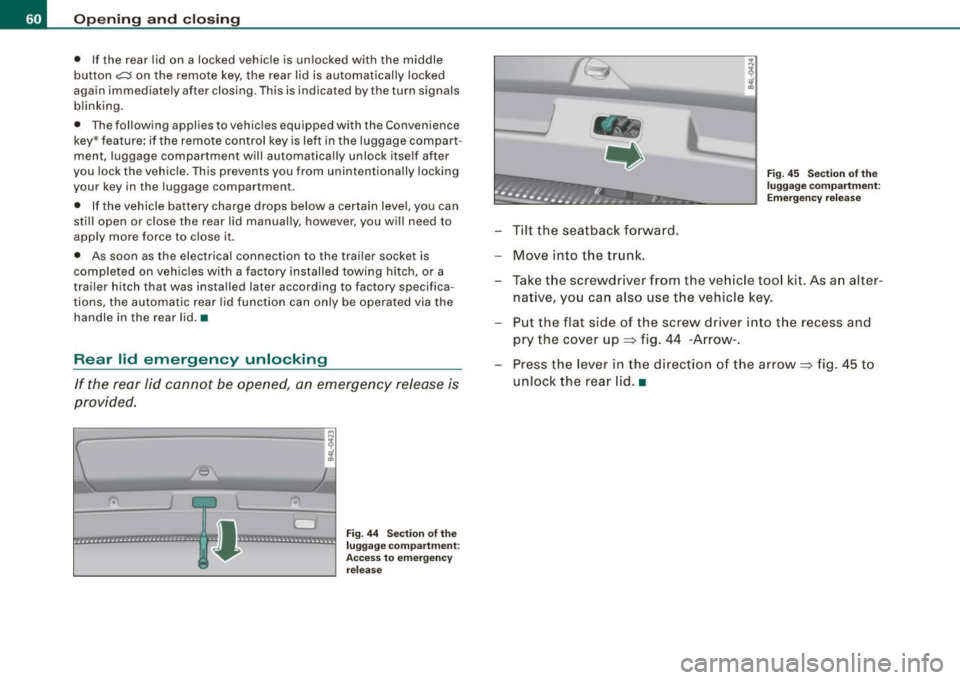
- Tilt the seatback forward.
Move into the trunk.
Fig. 45 Section of the
luggage compartme nt:
Emergency release
-Take the screwdriver from the vehicle tool kit. As an alter
native, you can also use the vehicle key.
Put the flat side of the screw driver into the recess and
pry the cover up=> fig. 44 -Arrow-.
Press the lever in the direct ion of the arrow => fig. 45 to
unlock the rear lid.•
Page 63 of 426
Child safety lock
Power child safety lock for the rear doors t
The power child safety lock prevents the rear doors from
being opened from the inside.
Fi g. 46 Sectio n fro m
dr ive r's door: co ntrols
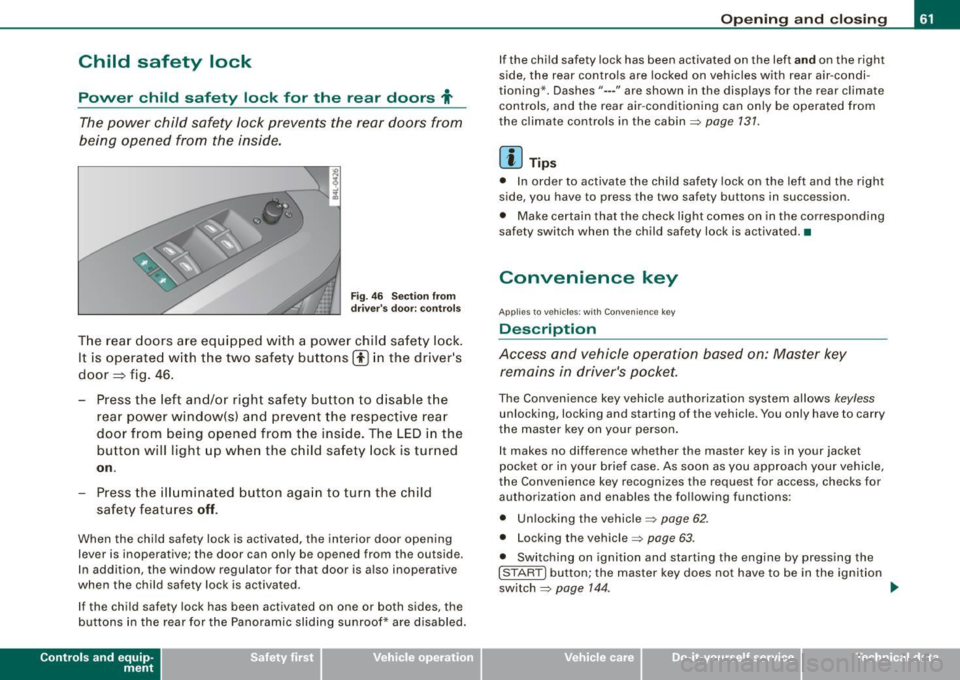
T he rear doors ar e equip ped with a power child safe ty lock .
It is operated with t he two safety buttons(!) in the driver's
door=} fig. 46.
- Press the left and/or right safety button to disable t he
rear p ower window(sl and preve nt the respective rear
door from being opened from t he inside. The LED in the
button will light up when the chi ld safety lock is tur ned
on .
- Press the ill umina ted butt on aga in t o turn the child
safety f eatures
off .
When the chi ld safe ty lock is activated, the interior door opening
lever is inoperative; the door can only be opened from the ou tside .
In addi tion, the window regulator for that door is a lso inoperative
when the child safety lock is activated.
If the child safety lock has been activated on one or both sides, the
buttons in the rear for the Panoramic slid ing sunroof* are disabled.
Con tro ls and eq uip
ment
Op ening and clo sing
If the child safety lock has been activated on the left and on the right
s ide, the rear controls are locked on vehicles with rear air -condi
tioning *. Dashes"--- " are shown in the disp lays for the rear c limate
controls, and the rear air -conditioning can only be operated fro m
the climate controls in the cabin=>
page 131.
[ i ] Tips
• In order to activate the child safety lock on the left and the rig ·h t
side, you have to press the two safety buttons in succession .
• Make certain that the check l ight comes on in the corresponding
safety switch when the child safety lock is activated. •
Convenience key
Applies to veh ic les: wit h Convenie nce key
Description
Access and vehicle operation based on: Master key remains in driver's p ocket.
The Convenience key veh icle authorization system allows keyless
unlocking, locking and starting of the vehicle . You only have to carry
t he master key on your person .
It makes no difference whether the master key is in your jacket
pocket or in you r brief case . As soon as you app roach your vehicle,
the Convenience key recognizes the request for access , checks for
authori zation and enables the following functions :
• Unlocking the vehicle=>
page 62.
• Locking th e vehicle => page 63.
• Switching on ignition and star ting the engine by pressing the
[ S TAR T] button; the master key does not have to be in the ignition
switch =>
page 144 . ~
Vehicle care I I irechnical data