warning lights AUDI Q7 2011 Owner´s Manual
[x] Cancel search | Manufacturer: AUDI, Model Year: 2011, Model line: Q7, Model: AUDI Q7 2011Pages: 392, PDF Size: 93.29 MB
Page 272 of 392

Driving off road
Driving off road
Driving in difficult road conditions
and offroad
General information
T he ope ra ti on of the Ele ctro nic Stabilization P rogr am ( ESP ) is
expanded for operation away from paved roads. In s ituations where
slip or a different ia l lock in g f unct io n is requ ired, t he ESP offroa d
mode can be activated~
page 256. Hill descent control is also avail
able in the ESP offro ad mode, wh ich a utomatically bra kes the vehicle
and thereby keeps speed consta nt when d ifferent whee l speeds are
de te cted when descend ing a hill~
page 257. Your Audi also has
permanent all-wheel drive in add ition.
However , your Audi is not a pure offroad ve hicle.
It was not bui lt for
dr iv ing un der extreme cond it ions, e.g. for t rips that ar e in th e natur e
of an exped it io n.
Drive only on road s and offroad sections which match the design of
your vehicle and your abilities as a driver. Never take risks!
Before driving offroad
• Check the eng ine oi l level, tire pressure, coolant level, and the
fluid level in the w indshiel d wa sher rese rvoir.
• Stow luggage items and other objects in the luggage compart
me nt, and sec ure t hem agains t slid ing ar ound.
After driving offroad
• After tr ips offroad, remove a ny tw igs and other foreign objects
from the gr ill, the underbody an d the whee ls. Pay special attention to
fore ign obje cts (sto nes) wh ich have be come lodge d in the tire tr ead.
• Clean the body and the vehicle unde rside, and ins pect t he vehicle
for possib le dam age. •
Clean dirty w indows, headlamp lenses, rear lights, and lic ense
plates.
• Perform a bra ke check (pa rticul arly afte r travell ing t hrough
wate r).
& WARNING
• Drive especially attentively and plan ahead in difficult road
condit ions and when offroad. E xcessive speed or incorrect maneu
vers can cau se injurie s and damage to the vehicle .
• Always adapt your speed and driving style to road, offroad,
traffic, and weather condition s. Drive especially slowl y offroad
when your view is restricted.
• Please be aware that in ESP offroad mode, particularly on a
smooth and slippery road, the wheels may have an increased
tendency to spin and the vehicle may break away - danger of skid ding!
• Stability i s limited in the ESP offroad mode.
[ i ] Tips
O nly drive where i t is permi tted and st ay on mar ke d roads an d
paths .
Explanation of some technical terms
The follow ing data refer to ideal conditions. Depending on vehicle
load and g round condi tions a nd the enviro nment, t he num bers may ...
Page 275 of 392

Trailer towing
Driving with a trailer
General information Your Audi was design ed primarily for passenger transpor
tation .
If you plan to tow a t rai ler, p lease rem emb er that the add itiona l load
wi ll affect durab ility, economy and performance.
T railer tow ing not on ly p laces mo re s tress on the vehicle, it a lso calls
for more concentrat ion from the driver.
For this reason, a lways follow the ope rating and dr iv ing instr uctions
prov ided and use common sense .
(D Note
If you are going to tow a t ra iler , you must ac tivate the tra ile r ope ra
tion mode ::::;,
page 182, "Towing a trailer". •
Technical requirements
Trailer hitch
Use a we igh t-car rying hit ch confo rm ing to the g ross tra ile r weig ht.
The hitch must be suitable for your vehicle and tra iler and must be
mou nted secure ly o n th e veh icle's chassis a t a
te chnically sound loca
tion. Use only a trailer hitch with a removab le ba ll mount. Always
check w ith the tra iler h itch manufacturer to ma ke sure tha t you are
using the correct hitch .
Do not use a bumper hitch .
The hitch must be i nstalled in such a way t hat i t does not interfe re
w ith the impact-absorbing bumper system. No mod ificat ions should
Controls and equip
ment Safety first Vehicle operation
be made to the vehicle exhaust and b
rake systems. From time to
time, check that all hitc h mounting bo lts rema in securely fastened.
Whe n you are no t towing a trai ler, remove the trailer hi tch ba ll
mount. This prevents the hitch from caus ing damage should your
vehicle be s truck from behind::::;,& .
Trailer brakes
If your trailer i s eq uipped w ith a b raking system, che ck to be s ure that
it conforms to all regulat ions.
T he tra iler hyd raulic brake system must not be directly connected to
the vehi cle's hydraul ic brake system ::::;, & .
Safety chains
Always use safety chains betwee n your vehicle and t he tra iler .
Trailer lights
Trailer lights must meet all regulat ions. Be sure to check w ith your
au thor ized A udi deale r for co rrect wi ring, switc hes, and re lays.
Mirrors
If you are unab le to see the traff ic beh ind you us ing t he regular
outside m irro rs, then you
must install extended mirro rs. It is impor
t an t th at yo u
always have cle ar vision to the re a r.
& WARNING
• If a trailer has electrical brakes please note that these brakes
are not activated by the factory-fitted control unit -ri sk of acci ·
dent!
• Afte r removing the trailer hitch, do not store it in your vehicle .
In case of sudden braking, the hitch could fly forward and injure
you or your passengers .
Vehicle care Do-it-yourself service Technical data
Page 277 of 392

pressure label is located o n the dr iver's side B-pillar. Inflate trailer
t ires to tra ile r and t ire ma nufacturers' spec ifications.
Lights
T he headl ight settings shou ld be chec ked with the tr ailer attached
before driving off. Check to make sure both vehicle and trailer lights
are wo rking properly.
Safety chains
Be sure tra ile r safety cha ins are p roperly connected from the t rai ler
to the hitch on the vehicle. Leave enough slack in the chains to perm it
tu rning corners . When you install sa fe ty ch ains, ma ke sure they will
not drag on the road when you are driving.
T he chains should cross under the trai ler tongue to prevent it from
dropping in case of separation from the h itch .
0 Note
If you are goi ng to tow a trai ler , you must activate the trai ler opera
tion mode =>
page 182, "Towing a trailer". •
Driving instructior,s
Driving with a trailer always requires e xtra care and
consideration.
To obtain the best possib le handling of ve hicle a nd trailer ,
please note the following :
- Do not tow a loaded trailer when your car itself is not
loaded.
- Be especia lly careful when pass ing other vehicles .
- Observe speed limi ts.
- Do not drive at the maximum pe rmissible speed.
Controls and equip
ment Safety first Vehicle operation
- Always apply brakes early.
- Mo
nitor the temperature gauge.
Weight distri but ion
T owing a loaded trailer with an empty car results in a highly unstable
distribution of we ight . If t his cannot be avoided , drive at very low
speeds only to avoid the risk of losing steering control.
A "balanced" rig is easier to operate and control. This means that the
tow veh icle shou ld be loaded to the extent poss ible and permissib le,
wh ile keeping the tra ile r as lig ht as poss ible unde r the ci rc u mstances.
Whe never possible, transfer some cargo to the luggage compart
me nt o f the tow vehicle while observing tongue load requirements
and vehicle loading considerations.
Speed
The higher the speed, the more d ifficult it becomes for the driver to
control the r ig . Do not dr ive at the maxim um permiss ible speed .
Reduce your speed eve n more if load, weather or w ind conditions are
unfavorable -particular ly when going downhill.
Reduce vehicle speed
immed iately if the tra ile r shows the slightest
sign of swaying.
Do not tr y to stop the s wayi ng by a ccele rating .
Observe speed lim its. In some areas, speeds for veh icles towing
trailers are lowe r than for regular veh icles .
Always apply brakes early. When driving downhi ll, shift into a lower
gear to use the engine brak ing effect to slow t he ve hicle . Use of the
brakes alone can cause them to overheat and fa il.
Coolant temperatur e
The coo lant temperature gauge=> page 10 must be observed care
fu lly. If the needle moves close to the upper end of the sca le, reduce
speed immediately and/or turn off the air conditioner.
If the coo lant temperature warning light in the instrument clus ter
starts flash ing
- F- , pull off the road, stop and let the engine idle for
about two m inutes to prevent hea t buil d-up.
Vehicle care Do-it-yourself service Technical data
Page 282 of 392

-~_C_ le_ a_n_ i_ n_ g=- a_ n_d__. p_ ro_ t_e _c_ t_ i_o _n ___________________________________________ _
Use a separate sponge for cleaning the w heels, door sills and ot her
reg ions exposed to road dirt. I n th is way, yo u w ill not scr atch the
paint w ith coarse part icles imbedded in the sponge the next t ime you
wash the car.
& WARNING
• Do not clean the under side of the chass is, fende rs, wheel
co ve rs, or other hard to reach parts without p rotecting your hands
and arm s. You m ay cut yourself on sharp -edged metal part s.
• Always read and heed all WARNINGS and other information
=;, page
278.
0 Note
• Never try to remove dirt, mud o r dust if the s urface of the vehicle
is dry . Never use a dry cloth or sponge, s ince this could scratch your
vehicle's paint or windows .
• Never was h your car in bright sunlight. Drops of water act as
m agnifying lenses and may dam age your p aint.
• When you wash yo ur car in the winter: if you rinse your vehicle w ith
a hose, be c are ful no t to aim the s tream of w ate r d ir ect ly at locks, or
at door or hatch openings - they can freeze shut.
• Never use s ponges des igned to remove inse cts, o r any ki tchen
sco uring sponges or similar prod ucts. They can damage your paint
fi ni sh .
• You shou ld remove debris (s uch as insects) from the head light
lenses o n a regu lar bas is, for examp le w hen refue ling your veh icle.
Never use a dry cloth or sponge to clean the headlights. On ly use wet
clot hs or sponges to preven t scr atches.
It is be st to use so apy water.
'00' For the sake of the environment
In the in terest of t he env ironme nt, the ve hicl e shoul d onl y be wa shed
in special wash bays. •
Washing your vehicle with a power washer
Cleaning the ex terior of your c ar with a high-pressure
po wer washer is safe as long as y ou obser ve a few sim ple
rules.
- Before using the power washer, make su re you have read
and unders tood the WA RNINGS=>
& in "General info r
ma tion" on
page 2 78.
- Always fo llow t he operat ing inst ructions fo r the powe r
washer.
- Make sure t hat the jet o n the spray hose produces a "fa n
shaped spray".
- Do
not hold the spr ay nozz le too close t o soft ma ter ials .
When cleani ng the vehicle wi th a p owe r w ashe r always follow the
operat ing instruct ions . T his applies part icu larly to the
operating
pressure
and the spraying distance. M ain tain a suffic ien t distan ce to
so ft mater ia ls such as rubber hoses and sound/vibration deaden ing
materials (particularly on the unde rside o f the engine hood). Do no t
use a jet wh ic h sprays water in a
direct stream or o ne that has a
rotating jet.
W ate r temperatu re s hou ld not ex ceed 140
°F (6 0 °().
& WARNING
Never wash tires with a jet that sprays water in a direct stream .
This could cause invisible damage to the tires and weaken them ,
even if the spray i s from a relatively long distance and for a short
time . Damaged and weakened tires can fail and c ause accidents
and personal injury .
~
Page 315 of 392

___________________________________________ C..:...._ h:....:e :....:c:..:. k.::..: i..:.. n .:..:g:!:....:: a....:. n..:.. d~ f:....:. i.:..ll :.:.i:....:n :.:g !....- __
Disconnecting the battery terminals
Some vehicle f unct ions (powe r window regula to rs, fo r ex am ple) are
lost if the batt ery t ermina ls are disconnec ted . These func tions hav e
to be re lea rne d after the battery term ina ls a re co nnecte d aga in . To
prev en t th is, t he battery should only b e disconn ecte d from th e
vehicle e lectr ica l system when absol ute ly necessary for repairs .
Vehicles not driven for long periods
If you do not drive your veh icle over a period of seve ra l days o r wee ks,
el ect rical compo nents are g radually cu t back or swi tched off . This
re duces ene rgy consumption an d maintains start in g ca pability ove r a
lo nger pe riod=>
pag e 263.
Take into consideration t hat when you unlock your vehicle, some
c onvenie nce func tions, such a s the m aster key remote function or
power seat ad justment , may not be ava ilab le. T he conven ience func
t ions wi ll be available again when you turn on the ignition and st art
t he engin e.
Winter operation
Dur ing the w inter months, batte ry capac ity tends to decrease as
t empe ra tures drop . This is beca use mo re powe r is also co nsu med
w hile starting, and the headlights, rear w indow defogger, etc ., are
used more often .
Avoid unnecessa ry power consu mptio n, part icularl y in city tra ffic o r
w hen trave ling on ly short distances . Let your author ized A udi deale r
ch eck t he capa city of the vehicle ba ttery before w inter sets in
=>
page 315. A well charged battery will not only prevent start ing
pro blems when the we ather is co ld, but wi ll a lso la st l onge r.
[ i J Tips
If you r ve hicl e is left s tandi ng for seve ral weeks at extremely low
tempe ratures, t he ve hicle battery should be removed and stored
w here it will no t free ze . T his will preven t it fr om being dam age d and
having to be replaced .•
Safety first
Working on the battery
B e es pec ially ca reful when workin g on o r nea r the
batt ery.
The battery is located un de r th e d rive r's se at . B efo re yo u
ch eck a nyth ing under the driv er's sea t,
read and heed all
WARNINGS =>& .
Always heed the safety warnings , when wo rking on the vehicle
battery or the ve hicle elect rical system to p reve nt injury .
The following WARNINGS are very important when
working on the battery:
Always heed the following WARNING SYMBOLS and safety pre
cautions when working on the battery.
@
Always wear eye protection.
Battery acid contains sulfuric acid. Always wear
gloves and eye protection.
No
- sparks
- flames
• smoking .
When a battery is charged, it produces hydrogen
gas which is explosive and could cause personal injury.
Always keep the battery well out of reach of chil
dren.
& WARNING
Whenever working on the battery or on the electrical system ,
there i s the risk of injury, accident and even fire. Read and heed
the following WARNINGS: .,_
Vehicle care Technical data
Page 356 of 392
IIJII Fuses and bulbs ..._ __________________________________________ _
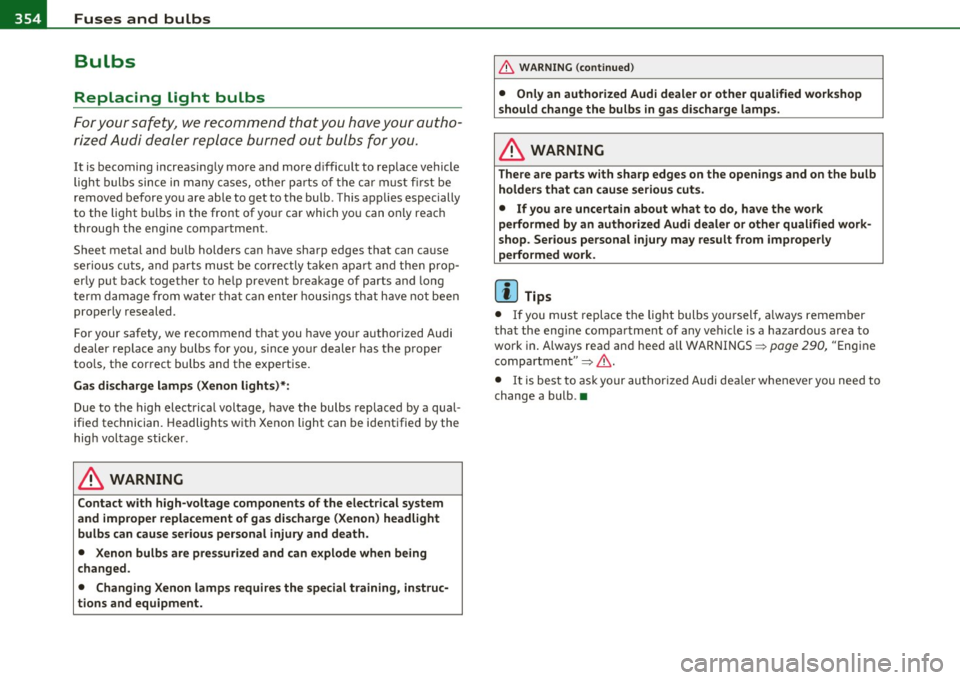
Bulbs
Replacing light bulbs
For your safety, we recommend that you have your autho
rized Audi dealer replace burned out bulbs for you.
It is becoming increasing ly more and more d ifficult to replace vehicle
light bulbs since in many cases, other parts o f the car must fi rst be
removed before you are ab le to get to the bu lb . T his applies especially
to the light b ulbs in the front of yo ur car which yo u can only reac h
through the eng ine compartment .
Sheet meta l and bulb holders can have sharp edges that can ca use
serious c uts, and parts must be corre ct ly ta ke n apa rt and the n pro p
erly put back together to he lp prevent breakage of parts and long
t erm damage from w ate r tha t can en ter housings th at have not been
properly resealed .
For your safety, we recommend that you have yo ur a uthorized Audi
dealer replace a ny bu lbs for you , since you r dealer has t he p roper
too ls, the correct bulbs and the expertise.
Ga s discharge lamp s (Xenon light s)* :
Due to the high electrical voltage, have the bulbs replaced by a qua l
ified technician. Headlights w ith Xenon light can be ident ified by the
hig h voltage sticker .
& WARNING
Contact with high- voltage components of the electrical system
and improper repla cement of gas disc harge (Xenon) headlight
bulbs can cause serious personal injury and death .
• Xenon bulb s ar e pres surized and can explode when being
changed .
• Changing Xenon lamp s requires the special training, instruc
tions and equipment.
& WARNING (c on tinued )
• Only an authorized Audi dealer or other qualified work shop
s hould change the bu lbs in gas discharge lamps .
& WARNING
There are parts with sharp edges on the openings and on the bulb
holder s that can cause serious cuts .
• If you are uncertain about what to do , have the work
performed by an authorized Audi dealer or other qualified work
shop . Serious personal injury may result from improperly
performed work .
[ i ] Tips
• If you mus t replace the lig ht bulbs yo ursel f, al ways remember
tha t the eng ine compartment of any vehicle is a hazardous area to
work in . Always rea d and heed all WARNINGS ~
page 290, "Engine
compartment"~ &,.
• It is bes t to ask your author ized Audi dea ler whe never you need to
change a bulb .•
Page 358 of 392

lffll.___E_ m_ e_r-= g:.. e_ n_c-= y'-- s_ i_t _u _a_ t_ i_ o _ n_ s ____________________________________________ _
& WARNING (continued)
• Before you check anything in the engine compartment, always
read and heed all WARNINGS ~
page 290, "Engine compart
ment".
0 Note
• Applying a higher voltage booster battery will cause expensive
damage to sensitive electronic components, such as control units,
relays, radio, etc.
• There must be no electrical contact between the vehicles as other
w ise current could already start to flow as soon as the positive(+)
terminals are connected.
[ i ] Tips
• The discharged battery must be properly connected to the
vehicle's electrical system. When jump starting or charging the
battery, never connect the negative ground cable to the battery nega
tive post because the battery manager system must be able to detect
the battery's state of charge. Always connect the negative ground
cable to the negative ground post of the battery manager control
unit. •
Use of jumper cables
fvfake sure to connect the jumper cable clamps in exactly
the order described below!
Fig. 264 Engine
compartment: Connec
tors for jumper cables
and charger
Fig. 265 Jump
starting with the
battery of another
vehicle: A -discharged
vehicle battery, B -
booster battery
The procedure described below for connecting jumper cables
is intended to provide a jump start for your vehicle.
Vehicle with discharged battery:
-Turn off lights and accessories, move lever of automatic
transmission to
N (Neutral) or P (Park) and set parking
brake.
~
Page 376 of 392
___ A_ l_. p_ h _ a_b_ e_ t_ic _a_ l_ in_ d_e _ x ____________________________________________ _
A
Accessories . .. .. ..... .... ... ..... .. 3 70
Adap tive Ai r Suspension ....... ...... 178
Cargo mode in the MM I ........ ... 183
Controls . . . . . . . . . . . . . . . . . . . . . . . . 179
Description .. .. .. .. .. .. .. .... ... 1 78
H igh leve l ... .. .. .. .. .. .... ..... 179
H ighway level .. ...... ..... .. .. .. 17 9
Inst rume nt cl uste r d is p lay ....... .. 181
Jacking mode when changin g a fl at tir e ...
182 Spe
cial d riving si tua tions ... .. .. ... 149
Status messages ...... .... .. .. .. . 147
Switching on and of f ....... .. .. .. . 139
System limi ts . ... .. .. .... .. .. .. . 149
T emporarily tu rning off ... .. .... .. 1 41
warning/indicator lights . .. .. ... .. . 145
Adaptive Light ..... ... ... ... .. .. .. .. 70
defect ive ...... ...... .... .. .. .... 40
AdBlue . .. .. ...... ....... .... .. .. . 296
Filling .. .. ... .... .... ..... .... .. 298
Messages in the instrument cluster display
297
Low level .. .. .. .. .. .. ..... ..... . 179 Add ing
No rma l level ............ .. .... . .
Segmen t disp lay .. .. .. .. .... .... .
Sett ing t he driving modes ....... . . 179
1
80
1 80
Tr ailer towi ng mo de ....... ... .. .. 1 82
Us ing switch fo r ca rgo mode .... .. . 1 83
Wa rning/ind icator lights ... .. ... ... 18
Adaptive Cr uise Co ntro l .. ..... ... .. .. 1 36
Cha ng ing speed . .. .... .. ......... 140
Dr ive r information ....... ...... . .
Drive r inte rvention prompt .. .... . . 1
44
14 8 E
ngine coolant ........... ...... . 310
E ngine oil ...... ...... .... .. .. ... 306
W indshield washer fl uid ... .. .. .. .. 316
Additiona l accessories ... ... . ... .. .. . 3 70
Additives Engine oil ....... ..... .. .. .. .. .. . 306
Adjusting Inst rument cl uste r illum ination .. .. . 13
Steeri ng col umn elect rically .. ... .. . 125
Steering col umn manually . ... .. .. . 124
Dr iv ing in tra ffic . ... ... ... .... .. .
Dr iv ing p rogram . ... .. .. ... .... . . 1
38
1 49 Adjusting front seats
............. .. .. 85
Error messages ..... .. .. .. .. .. ... 147
Open road ..... .. .. .. .. ... .... .. 138
Override ............ .... .... .. .. 138 Ai
r conditioning
See C limate contro ls ....... .. .. .. . 111
Air d istr ib ution
Request for driver to assume control Climate controls
...... ..... .... .. 115 Airbag
Warning/ind icator lights . .......... 1 7
Airbag system . .. ...... ....... .. 211, 228
Advanced Airbag System . .. ...... . 215
Adva nced Airbag System components 218
Care .. .. .............. ......... 225
Child restraints .... ....... ... .. .. 235
Chi ld ren ........ .. .. .. .. .. .... .. 23 4
Compo nents (fron t airbags) .. .. .. .. 218
D ange r of fitting a child safe ty se at on the
front passenge r seat ....... .... . 213
Disposal . ................ ... .. .. 225
Fro nt airbags .. .. ... .. . .. ... . 2 15,216
How do the fro nt airbags wo rk? ... .. 2 20
How many airb ags does my vehicle have? .
218
How the Advanced Airbag System compo- nent s work toge ther ............ 219
Importa nt things to know ... .. .. .. 21 1
Indicator light . ... .. ...... ... . ... 222
M onitoring . ... .. .. ...... ... . ... 222
PASSENGER AIR BAG OFF light .. ... 223
Repa irs ............ .. .. .. .... .. 225
Safety instruct ions .. ............. 224
Side airbags .. .. .. .. ............. 227
Side curtain airbags ............. .
We ight-sens ing mat ....... ... .. . .
W hen m ust the system be inspected?
All Wheel Drive .. .. . ... ......... .. . . 230
23
4
222
262
Save speed . .. .. .. .. .. .. ........ .
Sett ing d istance ...... .. ........ . 138
140
142
1
42
1 49 Four-zone automatic comfort air
conditioning ............... ... . Alloy wheels . . . . . . . . . . .
. . . . . . . . . . . . 28 4
1 19
All-wheel drive
Sett ing t ime interval ... ....... ... .
Sett ings .... ............. .... .. . Ai
r pollutants filter
Climate controls ................ . W
inte r tir es .. .. ... ... ... ... .... . 334
111
Page 377 of 392

Alphabetical index -________________ fWI
Alternator Auto-Check Control ..... .. .. .... ...... 32 State of charge ......... ..... .... 263
Malfunction ............. ........ . 34 Automatic belt retractor ............. 205 Voltage
......................... . 39
Ambience lighting Lighting profiles ................. . 73
Anti -freeze
See Engine coolant system ......... 308
Anti-glare inside day-night mirror . . . 79, 80
Anti -lock brake system
How the ABS system works ......... 260
Warning/indicator lights ... .. .... .. 19
Anti-S lip Regulation System (ASR)
How the system works ... .... .. .. . 258
Anti-theft systems
Anti-theft alarm system ........ .. .. 57
Electronic immobilizer ............. 45
Approach/departure angle ............ 270
Ashtray . ............. .. .. .. .. .... . 105
ASR How the Anti-Slip Regulation System works . ..... ... ... .. .. ......... 258
Asterisk What does it mean when something is
marked with an asterisk? ........... 6
Audi braking guard .................. 151
Error messages ............... ... 153
Settings ................ ..... ... 153
Status messages ................. 153
Switching on and off .............. 153
Audi Service Repair Manuals and Literature
368
AU TO mode
AC climate contro ls ...... .... .. .. . 114
Auto Safety Hotline .... .... ......... 199
Controls and equip
ment Safety first
Automatic car wash
See Washing
.................... 279
Automatic mode Four-zone automatic comfort air
conditioning ........... ...... .. 119
Automatic Sh ift Lock (ASL) ............ 165
Automatic transmission ... .. ......... 163
Automatic Shift Lock (ASL) ......... 165
Driving ......................... 163
Dynamic shift program ... .. .. ..... 166
Emergency release for selector lever . 168
Fail-safe mode ................ ... 168
Ignition key safety lock ............ 127
K ick-down .. ... .... .. .. .. ... .... 166
Manual shift program .. .. .. .. .. ... 167
Selector lever ............ ...... .. 164
Shift buttons . .. ................. 168
Steering wheel with tiptronic ® .... .. 168
Average speed ......... .. .. .......... 26
Avoid damaging the vehicle ........... 267
B
Bass box ... .. .. .... ............... 341
Battery . .. .... .. ... ....... ......... 312
Batte ry location ..... .. .. .... ..... 313
Charging ................ .. ... ... 315
Important warnings when working on the battery . .................... ... 313
Jump start ing ... ....... ....... ... 355
Low .... ........ ............. ... 263
Replacing the battery .... .. .. .. ... 316 Winter operation
................. 312
Working on the battery .. .......... 313
Before driving .. ................... . 191
Blended gasoline . .. .. ...... ....... . 291
Body cavity seal ing .................. 284
Booster seats .................... .. 241
Brake assistant . .. .................. 261
Brake booster ...................... 260
Brake fluid
Changing the b rake fluid .......... . 312
Checking the brake fluid level ....... 311
Reservoir ..... ................ .. 311
What is the correct brake fluid level? . 311
What should I do if the brake fluid warning
light comes on? . .. .... .......... 311
Brake light
Defective ... .. ................... 24
Brake system ..... .......... ...... .. 311
Anti-lock brake system ... .......... 19
Brake fluid .. .. ................ .. 311
Brake fluid spec ificat ions for refill and
replacement . .. .. ...... ....... . 312
Brake pads . ... ................ .. 265
General information ............ .. 259
How does moisture or road salt affect the brakes? . .... .. .. ..... ..... ... . 259
Ma lfunction .............. ...... .. 34
Parking brake .................... 132
Wa rning/indicator lights ... .... .. .. 20
Worn brake pads symbol ........... 39
Vehicle operation Vehicle care Do-it-yourself service Technical data
Page 379 of 392
___________________________________________ A_ l::.. p _h _a_ b_ e_t _ic _a_ l_ in_ d _ e_x __ __
Plastic and vinyl .............. ... . 282
Plast ic parts ........... .......... 286
Safety belts ..................... 289
Trim strips ...................... 281
trim strips ... ...... .. ... ........ 282
Cleaning and protection .............. 278
Climate control ........ ........ .. .. . 111
Synchroniz ing ... .. .......... .... 112
Warm and co ld .............. .... 111
Climate controls
Air conditioner on/off .......... .. . 114
Air distr ibution .................. 115
Air outlets ........ ... .. .. .. ..... 116
Air outlets (rear) ........ .... .. .. . 117
Air recirculation .............. ... . 115
AUTO (standard setting) ... ... ..... 114
Basic settings ............. .. ..... 120
Controls ..................... .. . 112
Defrosting/defogging ... .......... 115
Description ............. .. ....... 111
Energy management .............. 111
Fan .. .. ... ....... .. ... .. .. .. .. . 114
Front seat ventilat ion ... .......... 121
Heated seats, front ............ .. . 121
Key coded setting ................ 111
Recircu lation mode (automatic) ..... 120
Recommended settings ... ... .. .. . 111
Residual heat ...... ... .. .. .. ..... 113
Setting the temperature ... ... .. .. . 114
Supplementary heater .......... ... 121
Synchronization .................. 120
Turning on and off ................ 113
Using climate control economically .. 117
Clock .................... .......... 11
Controls and equip
ment Safety first
Closing
Warning/indicator lights ... .. .. .. .. 19
Panoramic sliding sunroof .......... 62
See also Adaptive Cruise Control .... 136
Coat hooks .. .................... ... 109 Cruising range
... .... ................ 26
Cold tire inflation pressure ... ......... 322 (upholder ................. 95, 104, 105
Compass mirror ..................... 83
Compliance ........................ 371
D
Consumer Information ... .. .. .. . 199, 368
Contacting NH TSA .................. 199
Convenience key ....... ....... .. .. .. . 55
Dr iver messages ................. 131
Locking vehicle .. ............. .... . 56
START button ................. ... 129 Damp
ing
See Adapt ive A ir Suspens ion ........ 178
Data .............................. 36S
Data recorder .. .. .... ............ .. 256
Date display .... .................... 11
Starting engine .. .. . .. ........... 129 Daytime running
lights ............ 67, 68
STOP button ..................... 130 Declaration of compl
iance
Switching engine off ... .. ..... .... 130 Adaptive Cru
ise Control ............ 371
Switching on ignition ........ .. ... 129 Audi side assist ................
.. 371
Unlocking vehicle .................. 56 Cell phone package
............... 371
Convertible child safety seats ....... .. 239
Convertible locking retractor
Activating .......... .. .. ......... 245
Deactivating ..................... 246
Us ing to secure a chi ld safety seat .. 243,
245 Convenience
key ................ . 371
Electronic immobilizer .... ........ 371
Homelink ® universal remote control. 371
Remote control key .. .. .. .. .. . ... . 371
def What does this mean when it appears in
Coolant system .................. ... 308 the trip odometer display?
........ . 12
Cooling box in glove compartment ... .. 108
Cooling System Defective light bulb warning ........... 24
Defrosting/defogging the windows
..... 115
Expansion tank ..... .. .. ......... 309 Defrosting/defogging windows
........ 116
Cornering light ...................... 70 Determining correct load
limit ....... .. 327
Cruise control Diesel fuel
...... ........... ... .. .. . 292
Changing speed ..... .. .. .. .... ... 134 Diesel particulate filter
.... ...... 40, 267
Presetting your speed ............. 135 Digital
clock ......... ............... 11
Switching off .................... 135
Digital compass ..................... 83
Switching on .................... 134
Digital speedometer .................. 24
Vehicle operation Vehicle care Do-it-yourself service Technical data