instrument cluster AUDI Q7 2017 Owner´s Manual
[x] Cancel search | Manufacturer: AUDI, Model Year: 2017, Model line: Q7, Model: AUDI Q7 2017Pages: 402, PDF Size: 100.39 MB
Page 114 of 402
Ass is tance sy stems
again. The distance between the two vehicles
will change in the instrument cluster disp lay.
When approach ing a veh icle driving ahead, the
adaptive cr uise control system brakes to match
that vehicle's speed and then adjusts to the set distance.
If the vehicle driving ahead accelerates,
then the adaptive cruise control will also acceler
ate up to the speed that you have set.
The higher the speed, the greater the distance
c::> ,&. . The Distan ce 3 setting is recommended .
That is equal to the general recommendation of
"half the speed shown on the speedometer".
The distances provided are specified values . De
pending on the driving situation and how the ve hicle ahead is driving, the actual distance may be
more or less than these target distances.
I f you change the time gaps, the new ly set value
appears briefly in the instrument cluster display
I ii for Di st a nc e 3. This only occurs if the Driver
ass ista nce
display is not currently shown in the
disp lay
c::> page 109, fig. 105 .
Distance 1 : this setting corresponds to a d istance
of 92 feet (28 meters) when traveling at 62 mph
(100 km/h), or a time distance of 1 second.
Di stance 2 : this setting corresponds to a d istance
of 118 feet (36 meters) when traveling at 62
mph (100 km/h), or a time distance of 1.3 sec
onds.
Di stance 3 : this setting corresponds to a d istance
of 164 feet (SO meters) when traveling at 62
mph (100 km/h), or a time distance of 1.8 sec
onds.
Di stance 4 : this setting corresponds to a d istance
of 219 feet (67 meters) when traveling at 62
mph (100 km/h), or a time distance of 2.4 sec
onds.
Di stance 5 : this setting corresponds to a d istance
of 328 feet (100 meters) when traveling at 62
mph (100 km/h), or a time distance of 3.6 sec
onds.
112
A WARNING
When setting the distance, the driver is re
sponsible for adheri ng to any applicable legal
regulations.
@ Tips
- Depending on the selected driving mode in
dr ive se lect* and the set distance, the driv
ing behav ior will vary from dynamic to com
fortab le when accelerating
c::, page 135.
- Distan ce 3 is set automatically each time
you switch the ignition on. If you would like
to set anothe r distance as the default set
t ing, you can have the
adaptive crui se con
trol menu enabled by an autho rized Aud i
deale r or author ized Audi Service Fa cility.
- Your settings are a utomat ica lly stored and
assigned to the remote con trol key be ing
used .
Driver intervention request
Applies to: vehicles with Audi adaptive cruise control
Fig . 110 Instr ument cluster: req uest for driver interven
t ion
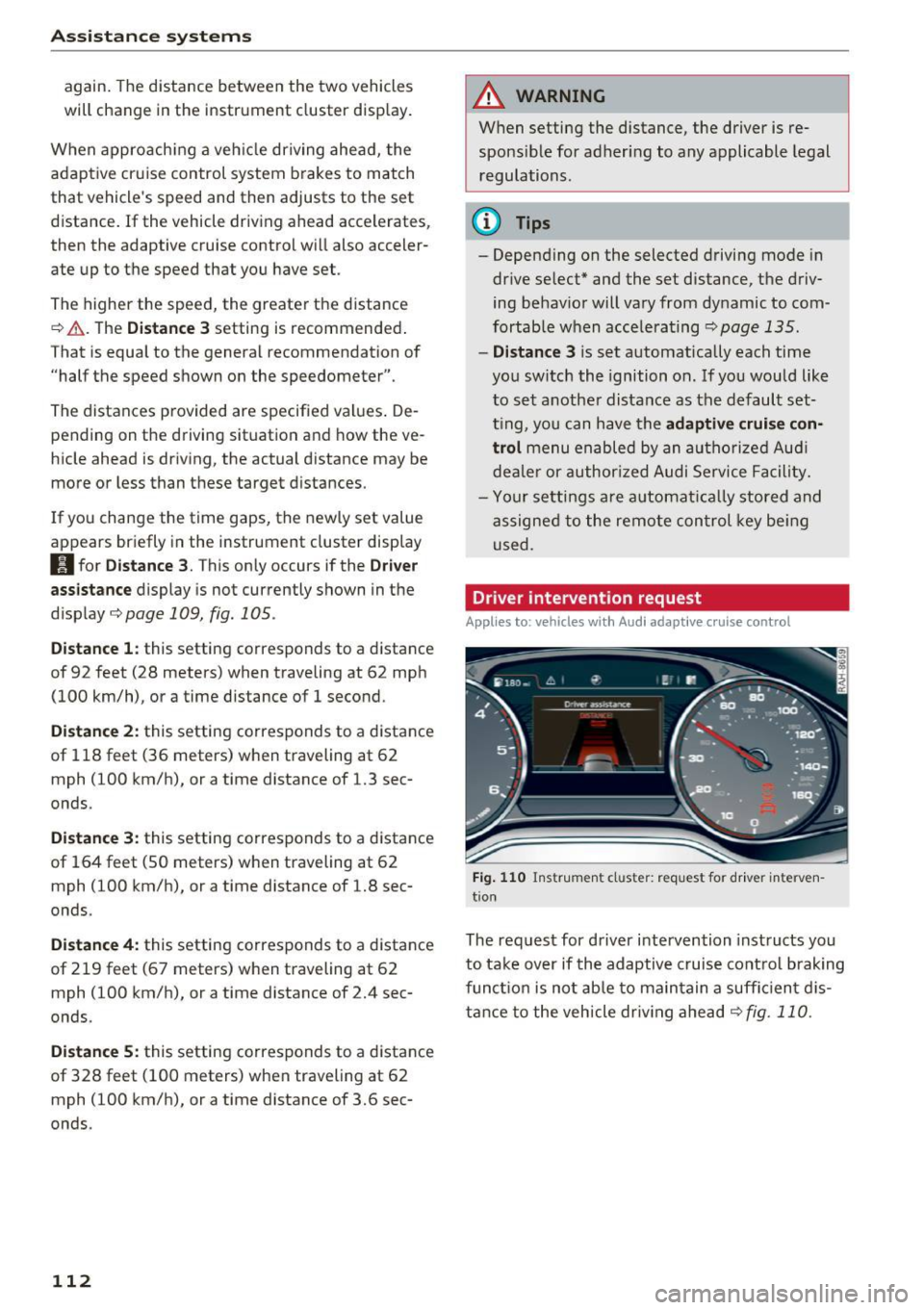
The request for driver intervention instructs you
to take over if the adaptive cruise control brak ing
funct ion is not ab le to ma in tain a suff ic ient d is
tance to the vehicle dr iv ing ahead
c::,fig. 110.
Page 115 of 402
u (0 ..... N r--. N ..... 0
0
:E
(efficiency assist)
Description
App lies to: ve hicles with Audi adaptive cruise co ntro l an d pr e·
di ctive efficiency assist
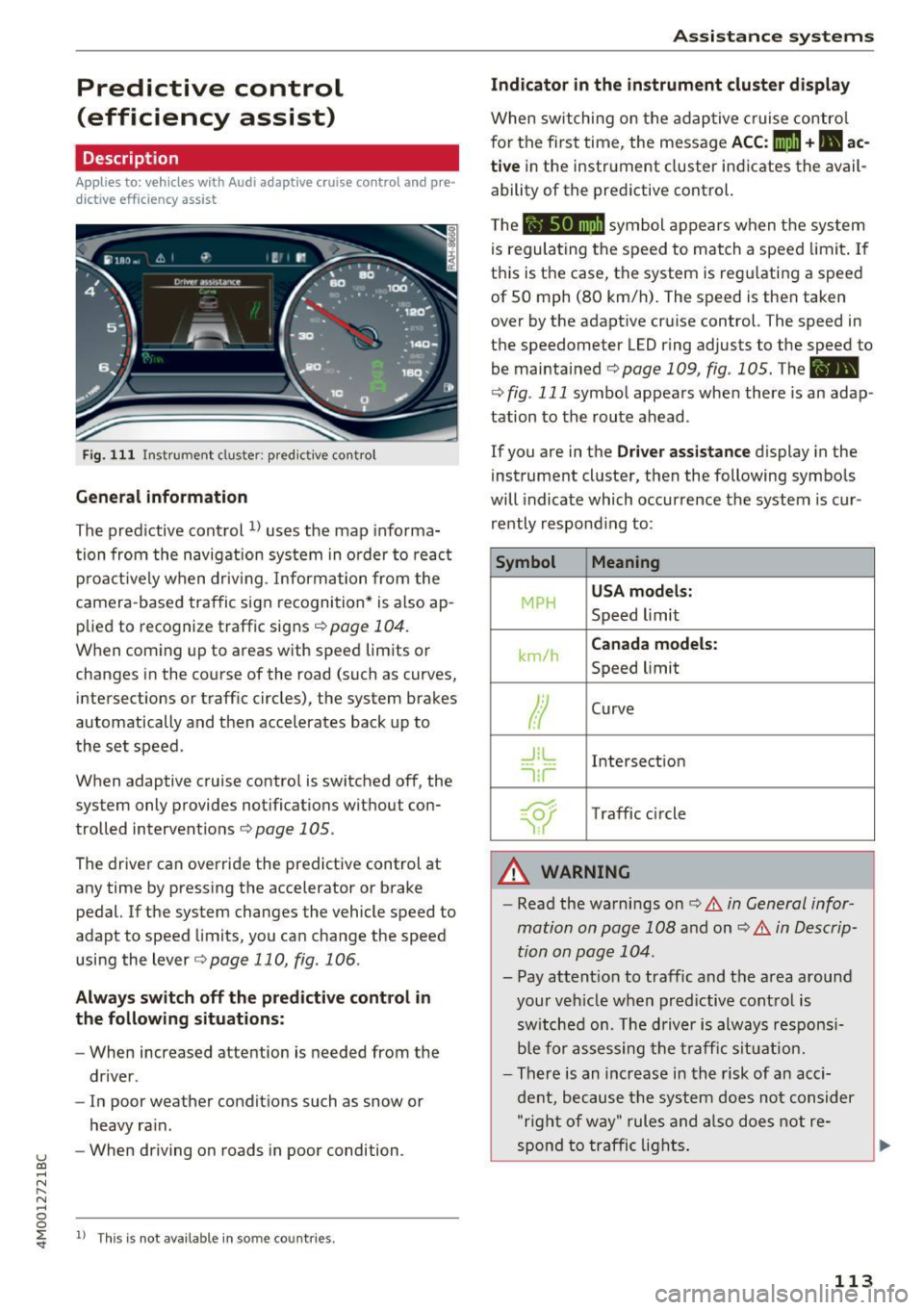
Fig. 111 Instrument cluster: pred ictive control
General information
The predictive control 1l uses the map informa
tion from the navigation system in order to react
proact ively when driv ing. Information from the
camera-based traffic sign recognition* is also ap plied to recognize traffic signs
<:!)page 104.
When coming up to areas with speed limits or
changes in the course of the road (such as curves,
intersections or traffic circles), the system brakes
automatically and then accelerates back up to
the set speed .
When adaptive cruise control is switched off, the
system only provides notifications without con
trolled interventions ¢
page 105.
The driver can override the predictive control at
any time by pressing the accelerator or brake
pedal. If the system changes the vehicle speed to
adapt to speed limits, you can change the speed
using the lever
¢ page 110, fig. 106 .
Always switch off the predictive control in
the following situations:
- When increased attention is needed from the
driver .
- In poor weather conditions such as snow or
heavy rain.
- When driving on roads in poor condition .
ll This is not ava ila ble in some co untrie s.
Assistance systems
Indicator in the instrument cluster display
When switching on the adaptive cruise contro l
for the first time, the message
ACC: 11D + B ac
tive
in the instrument cluster indicates the avail·
ability of the predictive control.
T he symbol appears when the system
is regulating the speed to match a speed limit . If
this is the case, the system is reg ulating a speed
of 50 mph (80 km/h). The speed is then taken
over by the adaptive cruise control. The speed in
the speedometer LED ring adjusts to the speed to
be maintained
¢ page 109, fig . 105. The ..
¢
fig . 111 symbo l appears when there is an adap
tation to the route ahead .
If you are in the Driver assistance display in the
instrument cluster, then the following symbols
will indicate which occurrence the system is cur
rently responding to:
Symbol Meaning
MPH USA
models:
Speed limit
km/h
Canada models:
Speed limit
Ir
Curve
_l!L
1i1
Intersection
~ ): Traffic c ircle
A WARNING
- Read the warnings on ¢.&. in General infor
mation on page 108
and on¢ .&. in Descrip
tion on page 104 .
- Pay attention to traffic and the area around
your veh icle when predictive control is
switched on. The driver is always responsi
ble for assessing the traffic situation.
- There is an increase in the risk of an acci
dent, because the system does not consider
"right of way" rules and also does not re-
spond to traffic lights. ._.
113
Page 121 of 402
u co ...... N r-... N ...... 0
0
:E: '
gerous situation as critical if a vehicle driving
ahead brakes sudden ly, if your own vehicle is ap
proaching a significantly s lower vehicle at high
speed or when there is an oncoming vehicle dur
ing a turning maneuver .
If detection is not possible, then pre sense front
does not react.
Warnings
App lies to: veh icles with Audi adaptive cruise contro l
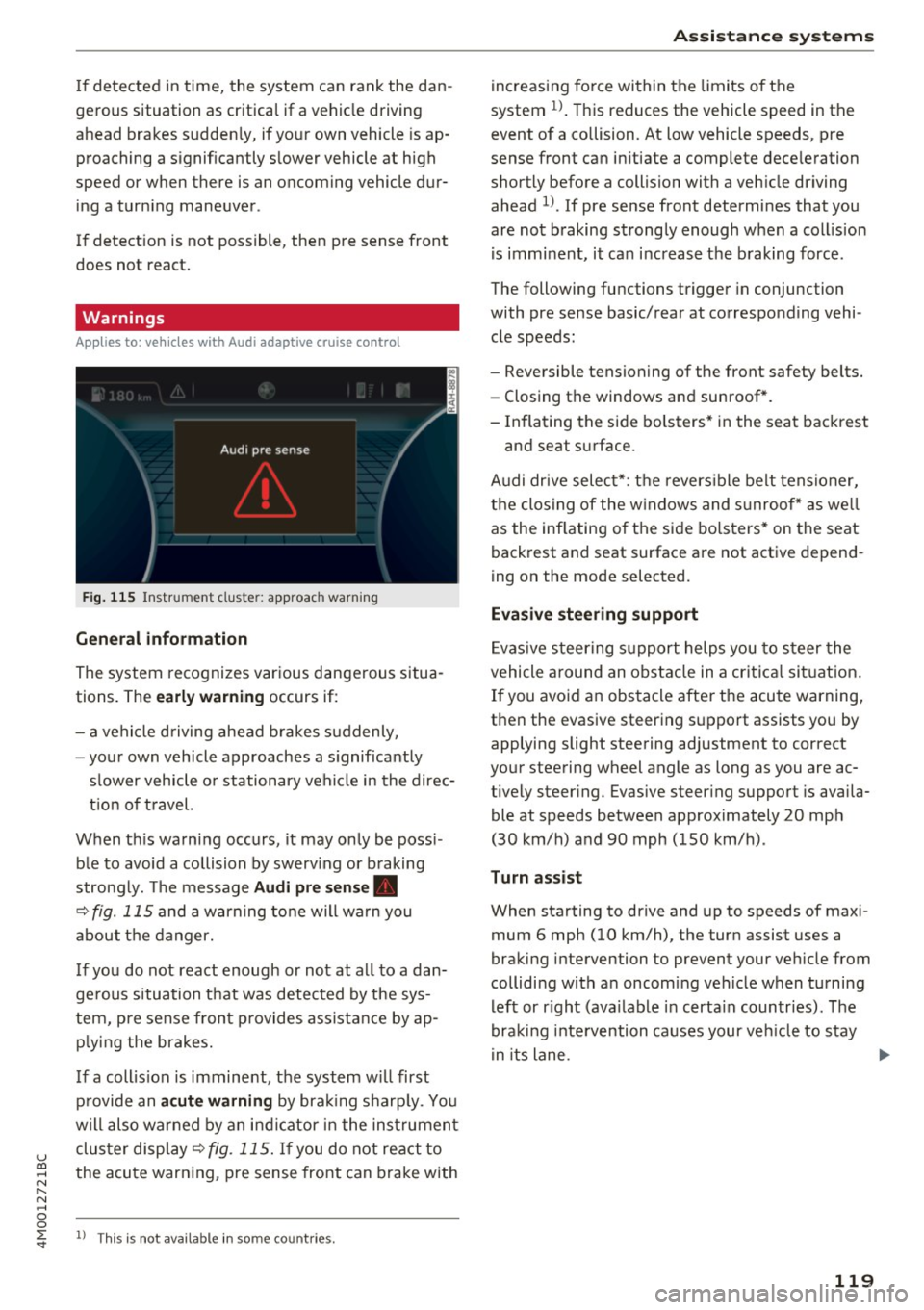
Fig. 115 In strument clus te r: approac h warning
General information
The system recognizes various dangerous situa
tions. The
early warning occurs if:
- a vehicle driving ahead brakes suddenly,
- your own vehicle approaches a s ignificantly
s lower vehicle o r stationary vehicle in the direc
tion of travel.
When this warning occurs, it may only be poss i
ble to avoid a collision by swerv ing or b raking
strong ly. Th e message
Audi pre sense .
¢ fig. 115 and a warning tone will warn you
about the danger.
If you do not react enough or not at all to a dan
ge rous situation that was detected by the sys
tem, pre sense front provides assistance by ap
p ly ing the brakes.
If a collis ion is imminent, the system w ill first
provide an
acute warning by braking sharp ly. You
will also warned by an ind icator in the instrument
cluster display¢
fig. 115. If you do not react to
the acute warning, pre sense front can brake with
l) This is not availa ble in so m e co untries.
Assistance systems
increasing force within the limits of the
system
1l . This reduces the vehicle speed in the
event of a collision. At low vehicle speeds, pre
sense front can in itiate a complete deceleration
shortly before a collision with a veh icle driving
ahead
l ). If pre sense front determines that you
are not braking strongly enough when a collis ion
is imminent, it can increase the braking force .
The following functions trigger in conjunc tion
with pre sense basic/rear at corresponding vehi
cle speeds :
- Reversible tensioning of the front safety belts. - Closing the windows and sunroof*.
- Inflating the side bolsters* in the seat backrest
and seat surface.
Audi dr ive select*: the reversible belt tensioner,
the closing of the windows and s unroof* as we ll
as the inflating of the side bolsters* on the seat
backrest and seat surface are not active depend
ing on the mode selected.
Evasive steering support
Evasiv e steering support helps you to steer the
vehicle around an obstacle in a critical situation.
If you avoid an obstacle after the acute warning,
then the evasive steering support assists you by applying slight steering adjustment to correct
your steering wheel angle as long as you are ac
t ively steer ing. Evasive steer ing support is availa
ble at speeds between approximately 20 mph
(30 km/h) and 90 mph (150 km/h) .
Turn assist
When starting to drive and up to speeds of maxi
mum 6 mph (10 km/h), the turn assist uses a
braking intervention to prevent your ve hicle from
colliding w ith an oncoming vehicle when turning
left or r ight (ava ilable in certa in countries). The
braking intervention causes your vehicle to stay
i n its lane . ..,.
119
Page 126 of 402
Ass is tance sy stems
Switching on /off
Applies to: ve hicles w ith Audi active lane assist
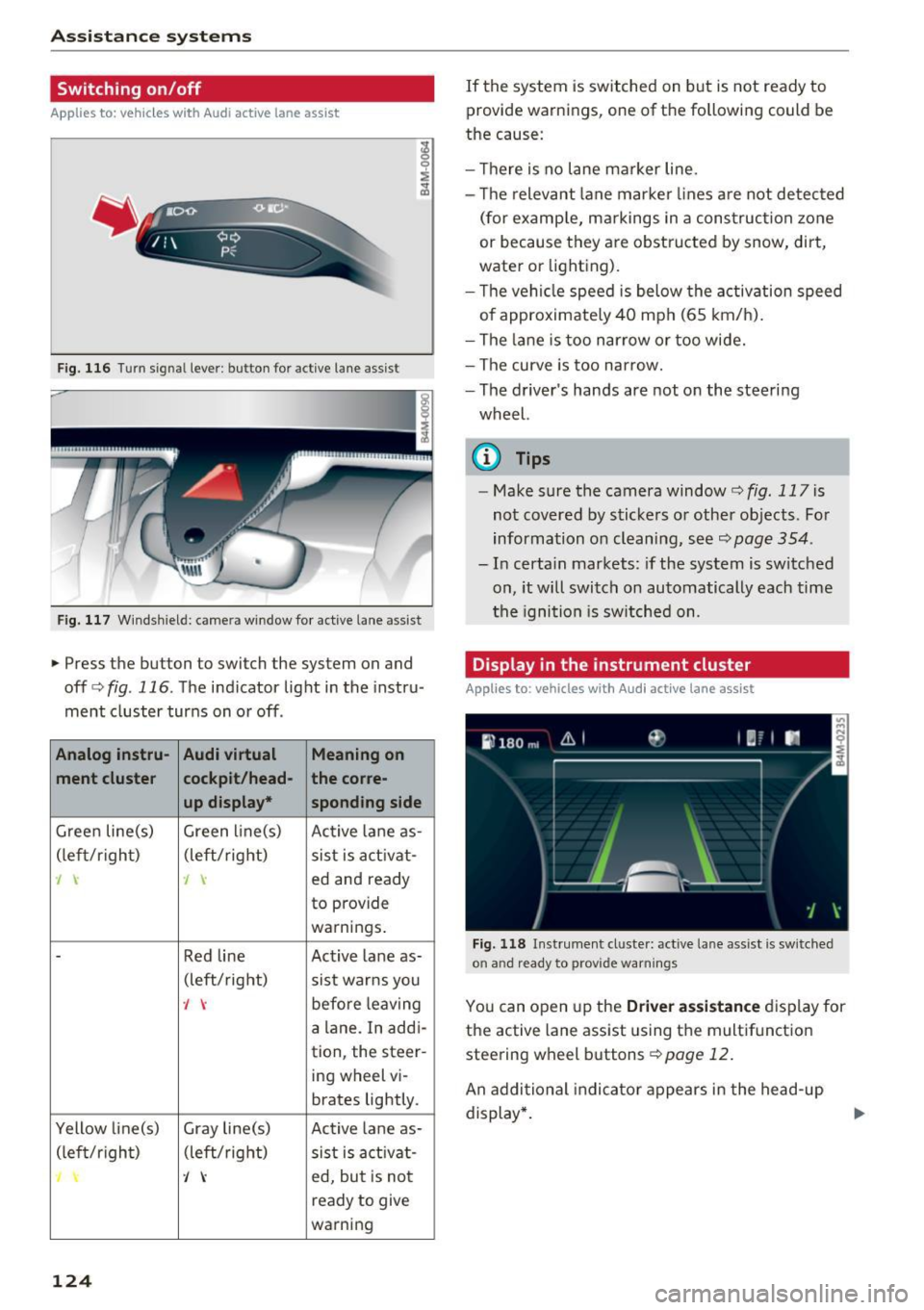
Fig. 116 Turn signa l lever : button for act ive lane assist
F ig. 117 Windsh ield: camera window for ac tive lane assist
• Press the button to switch the system on and
off<=:>fig . 116 . The indicator light in the instru
ment cluster turns on or off .
Analog instru- Audi virtual Meaning on
ment cluster cockpit/head- the co
rre -
up displa y•
spond ing side
Gree n line(s) Green li ne(s)
Active lane as-
(left/r ight) (left/right)
sist is act ivat-
J J ed and ready
to provide
warnings .
-Red line Act ive lane as-
(left/ right)
sist warns you
., before leaving
a lane. In addi-
tion, the steer-
ing wheel vi-
brates lightly.
Yellow line(s) Gray line(s) Active lane as-
(left/r ig h t) (left/right) sist is act ivat -
J ed, but is not
ready to give
warning
124
If the system is switched on but is not ready to
provide warnings, one of the following could be
the cause:
- T here is no lane marker line.
- The relevant lane marker lines a re not detected
(for examp le, ma rkings in a construction zone
or because they are obstructed by snow, dirt,
wate r or lighting).
- Th e vehi cle speed is below the activation speed
of approximately 40 mph (65 km/h).
- The lane is too nar row or too wide.
- The curve is too narrow.
- The driver's hands are not on the steering
wheel.
(0 Tips
- Make sure the camera window¢ fig. 117 is
not covered by stickers or other objects. For
information on cleaning, see~
page 354.
- In certain markets: if the system is switched
on, it will switch on automatically each time
t he ignition is sw itched on.
Display in the instrument cluster
App lies to: vehicles wit h Aud i ac tive lane ass ist
F ig. 118 Instrument cluste r: active lane assist is sw itched
on and ready to provide warnings
You can open up the D river ass is t a nce disp lay for
the active lane assist using the multifunct ion
steering wheel buttons¢
page 12.
An additional indicator appears in the head -up
display *.
Page 127 of 402
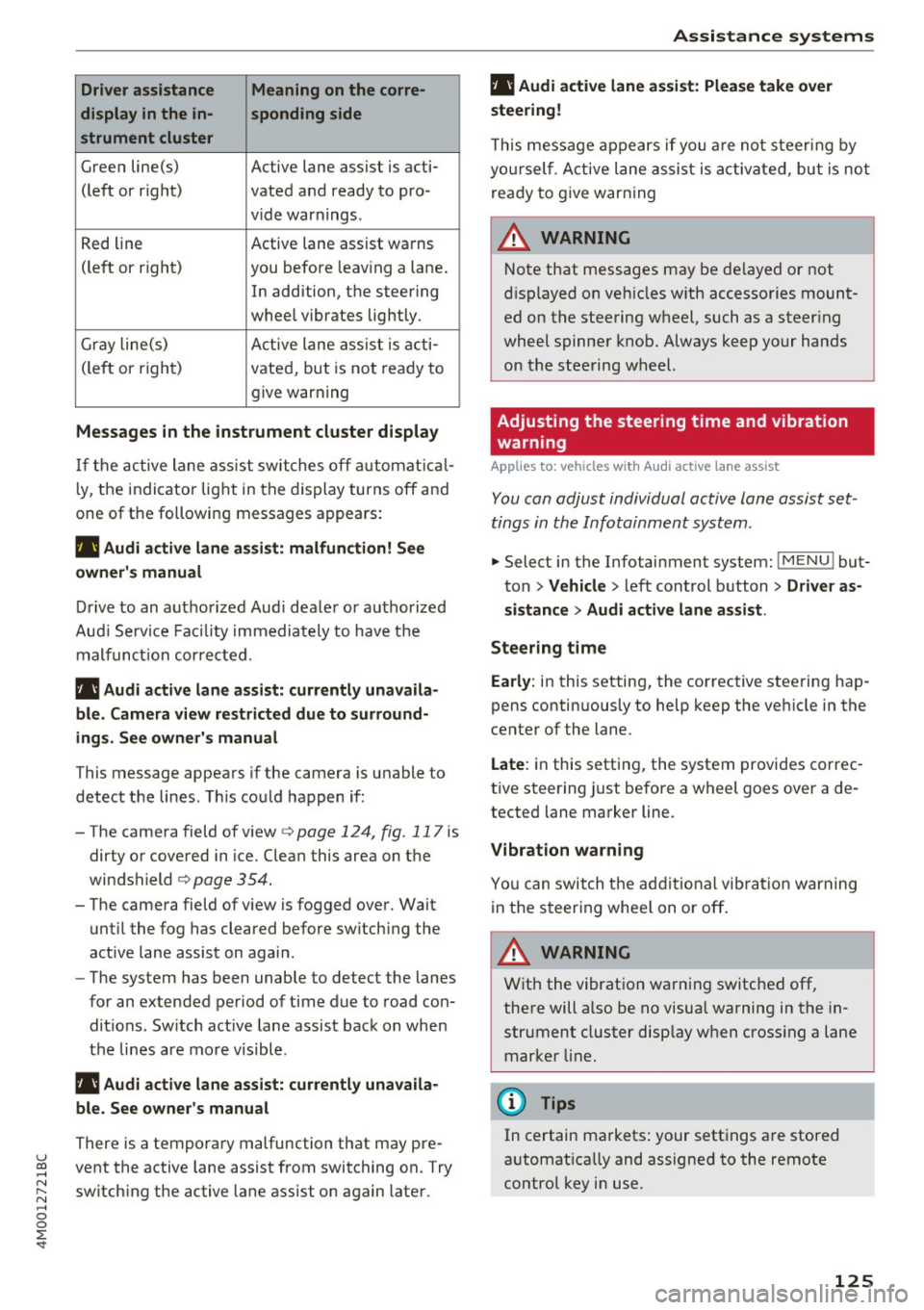
Driver assistance Meaning on the corre-
display in the in- sponding side
strument cluster
G reen line(s) Active lane assist is acti-
(left or right) vated and ready to pro -
v ide warnings .
R ed line Active lane assist warns
(le ft or right) you before leav ing a lane .
In addition, the steering
whee l vibrates lightly.
Gr ay line(s) A ctive lane ass ist is a cti -
(le ft or righ t) vate d, bu t is not rea dy to
give warning
Messages in the instrument cluster display
If t h e active lane as sist swi tches off automat ical
l y, the indicator lig ht in the dis play turns off an d
one of the followin g messages appea rs:
rl1 Audi a ctive lane assist: malfunction! See
owner's manual
Dri ve to an autho rize d Aud i dea le r o r a uthorized
Au di Serv ice Fac ility immediately to hav e th e
mal func tion cor re cte d.
rl1 Aud i active lane assist: currently unavaila
ble . Camera view restricted due to surround
ings . See owner's manual
This message appea rs if the camera is u nable to
detect t he lines . T his co uld happen if :
-The came ra field of v iew
c> page 124, fig . 117 is
dirty o r covered in ice. Clean this area on t he
windshield
c> page 354 .
- The came ra field of v iew is fogged ove r. Wait
unt il the fog has cleared before sw itching the
active lane assist on agai n.
- The system has been unable to detect the lanes
fo r an extended period of time due to road con
ditions. Sw itch act ive lane assist back on when
t h e lines are mo re visible.
rl1 Audi active lane assist: currently unavaila
ble. See owner's manual
There is a tempora ry malfunction that may pre -
u ~ vent the active lane assist from switching on. Try
N ~ switch ing the active lane assist on again later .
.... 0
0
:E: '
rl1 Audi active lane assist: Please take over
steering!
T h is m essa ge appears if yo u are not s teer ing by
yo ursel f. A ct ive lane assis t is a ctiva te d , but is no t
r e ad y to g ive warning
A WARNING
N ote that messages may be de layed or not
di sp layed o n ve hicles w ith accesso ries moun t
ed on the stee ring w heel, such as a steer ing
whee l spinne r knob . Always keep your hands
on the stee ring wheel.
Adjusting the steering time and vibration
warning
Applies to: veh icles w ith Audi active lane assist
You can adjust individual active lane assist set
tings in the Infotainment system .
-
.,. Select in the Infotainment system: I M ENU ! but
ton
> Vehicle > l eft control b utton > Driver as
sistance
> Audi active lane assist .
Steering time
Early: in this setting, the corrective stee ring hap
pens contin uously to help keep t he ve hicle in the
center of the lane.
Late : in this setting, the system provides co rrec
t ive steer ing just before a wheel goes over a de
tected lane marker line.
Vibration warning
Yo u can swit ch t he a dditiona l vib ra tion warn ing
in the s teer ing whee l on or off .
A WARNING
With the vibrat io n wa rni ng switched off,
the re will a lso be no visual warnin g in the in
str ument cluster disp lay w hen cross ing a lane
mar ker lin e.
(I} Tips
In certain ma rkets : your sett ings a re stored
a utomat ica lly and assigne d to the remote
control key i n use.
125
Page 134 of 402
Ass is tance sy stems
Highlighting detected pedestrians and wild
animals
Applies to: vehicles with night vision ass ist
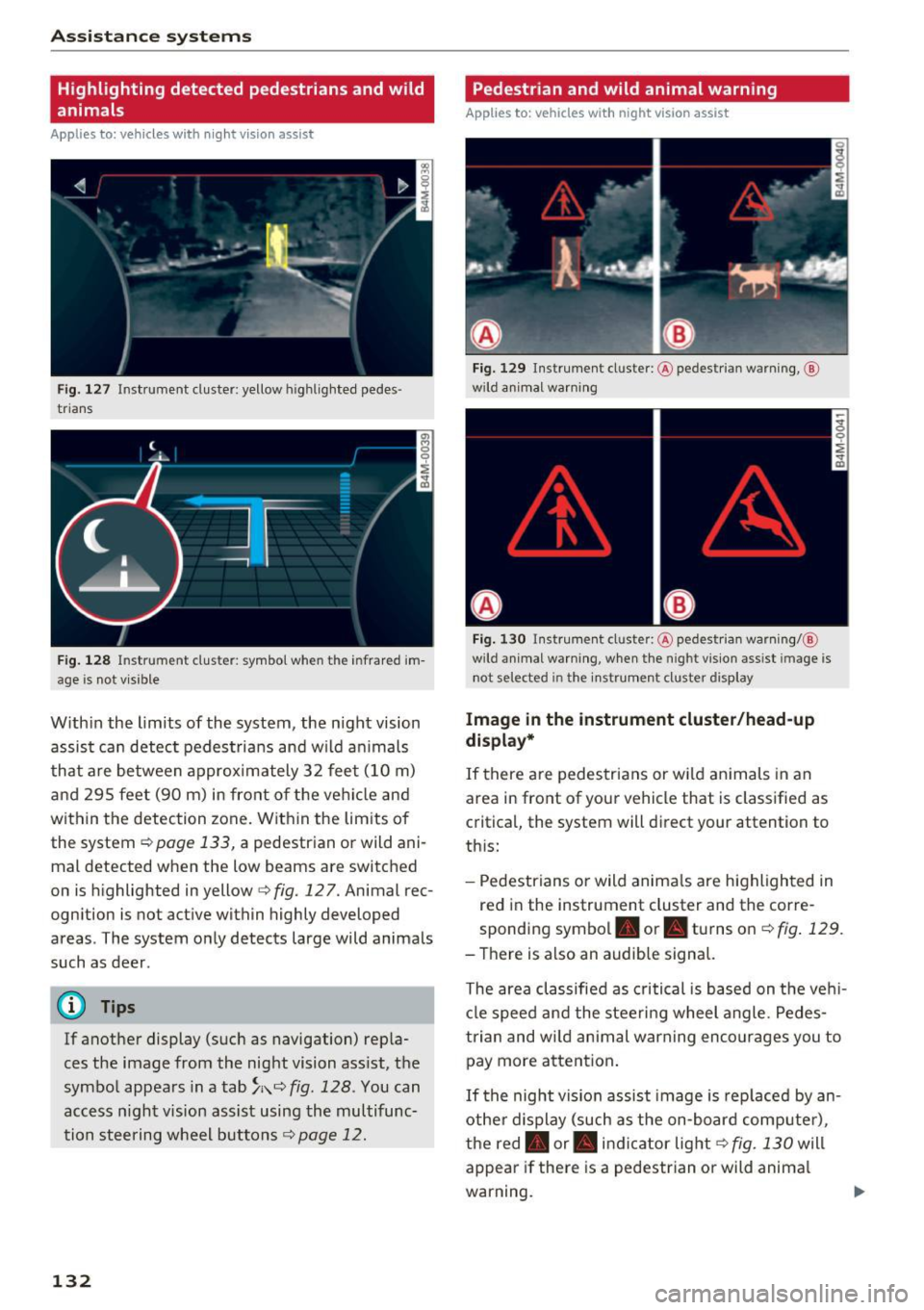
F ig. 127 Instrument cluster: yellow highl ighted pedes
trians
F ig . 128 Instrument cluster: symbol when the infrared im
age is not vi sible
With in the limits of the system, the night vision
assist can detect pedes tria ns and w ild an imals
that are between approximately 32 feet (10 m)
and 295 feet (90 m) in front of the vehicle and
within the detection zone. Within the limits of
the system
r:::;, page 133, a pedestrian or wild ani
mal detected when the low beams are switched
on is highlighted in yellow
i=> fig. 127. Animal rec
ognition is not active within highly developed
areas . The system only detects large wild animals
such as deer .
@ Tips
If another display (such as navigation) repla
ces the image from the night vision ass ist, the
symbol appears in a tab
~ i\. r:::;, fig. 128 . You can
access n ight vision assist using the multifunc
tion steering wheel buttons
r:::;, page 12.
132
Pedestrian and wild animal warning
Applies to: vehicles with night vision assist
Fig. 12 9 Instrument cl uster: @ pedest rian warning, @
wild anim al warn ing
Fi g. 130 Instr ument clus ter: @pedest ria n warning/ @
wild animal warning, when the nigh t vision ass ist im age is
not selected in the instru men t cluste r display
Image in the instrument cluster /head-up
di spl ay *
If there are pedes trians or wild an imals in an
area in front of your vehicle that is classified as
critical, the system will direct your attention to
th is:
- Pedestrians or wild anima ls are highlighted in
red in the instrument cluster and the corre
sponding symbol. or. turns on
r:::;, fig. 129 .
- There is also an audible signal.
The area classified as c ritical is based on the veh i
cle speed and the steeri ng wheel angle . Pedes
trian and wild animal warning enco urages you to
pay more attention.
If the night vision assist image is rep laced by an
othe r d isplay (such as the on-board compute r),
the red. or. in di cator light
r:::;, fig. 130 will
appear if there is a pedestrian or wild anima l
warning.
Page 135 of 402
If the head-up display* is switched on and the
night vision assist content is activated,. or.
will appear in the head-up display*.
Marking light*
To direct the driver's attention to a pedestrian,
the headlights can flash on the pedestrian three
times in a row when there is a pedestrian warn
ing.
This occurs at speeds above approximately 35 mph (60 km/h) if you are outside of illuminat
ed areas and no detected vehicles are shown. The
high beam assistant* controls the marking
light* c:>
page 49.
The marking light is not used for wild animals.
General information
App lies to: ve hicles w ith nigh t visio n ass ist
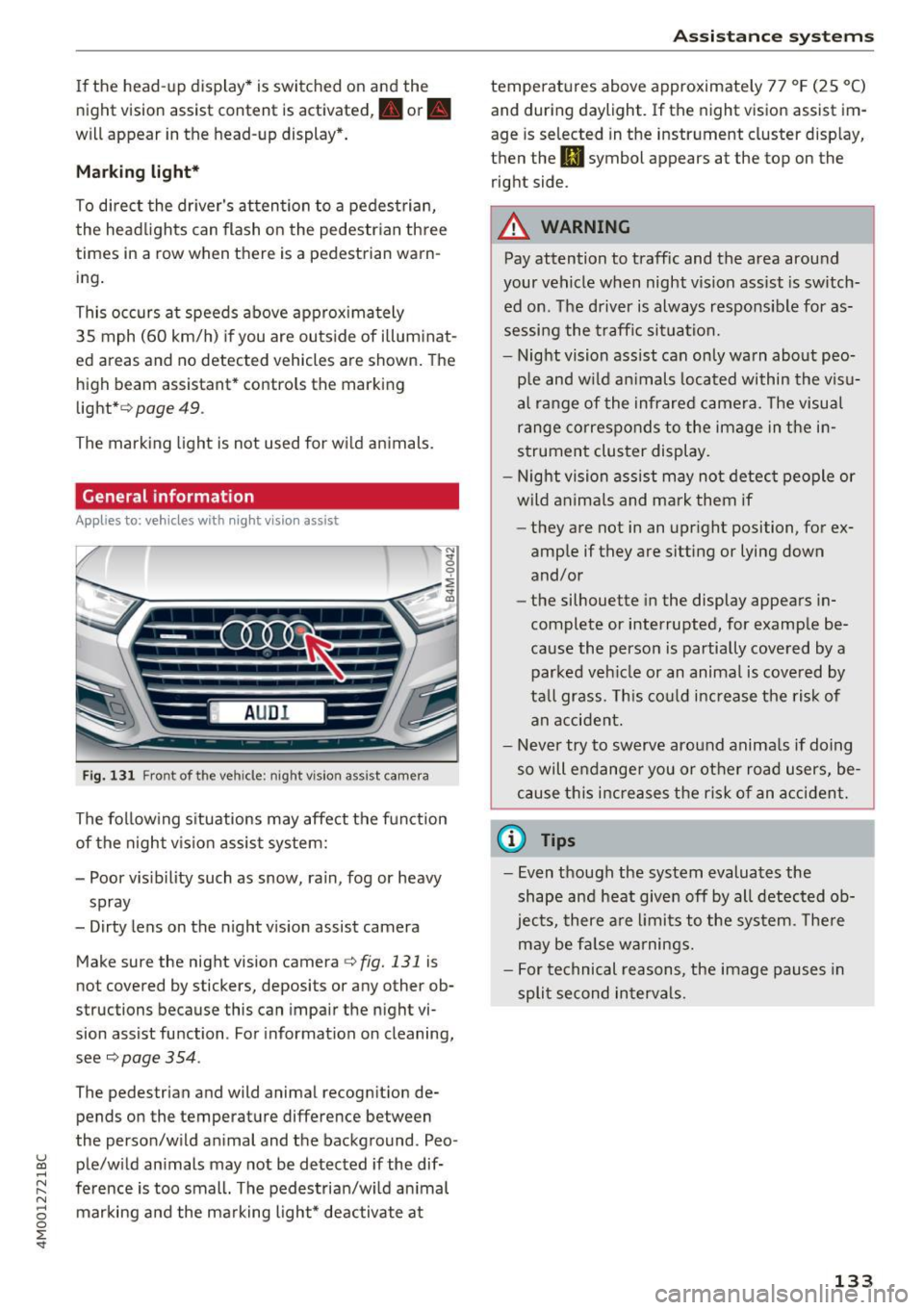
Fig. 131 Front of the ve hicle: night vision ass ist came ra
The following situations may affect the function
of the night vision assist system:
- Poor visibility such as snow, rain, fog or heavy
spray
- Dirty lens on the night vision assist camera
Make sure the night vision camera
c::> fig. 131 is
not covered by stickers, deposits or any other ob
structions because this can impair the night vi
sion assist function . For informati on on cleaning,
see
c::> page 354 .
The pedestrian and wild animal recognit ion de
pends on the temperature difference between
the person/wild anima l and the background . Pea -
~ ple/wild animals may not be detected if the dif-,.....
~ ference is too small. The pedestrian/wild animal N
8 marking and the marking light* deactivate at 0 :E
temperatures above approximately 77 °F (25 °C)
and during daylight. If the night vision assist im
age is selected in the instrument cluster display,
then the
II symbol appears at the top on the
right side.
A WARNING
-Pay attention to traffic and the area around
your vehicle when night vision assist is switch
ed on. The driver is always responsible for as
sessing the traffic situation.
- Night vision assist can only warn about peo
ple and wild animals located within the visu
al range of the infrared camera. The visual
range corresponds to the image in the in
strument cluster display.
- Night vision assist may not detect people or
wild animals and mark them if
- they are not in an upright position, for ex
ample if they are sitting or lying down
and/or
- the silhouette in the display appears in
complete or interrupted, for example be
cause the person is partially covered by a
parked vehicle or an animal is covered by
tall grass. This could increase the risk of
an accident.
- Never try to swerve around animals if doing
so will endanger you or other road users, be
cause this increases the risk of an accident.
(I) Tips
- Even though the system evaluates the
shape and heat given off by all detected ob
jects, there are limits to the system . There
may be false warnings.
- For technical reasons, the image pauses in
split second intervals.
-
133
Page 136 of 402
Ass is tance sy stems
Switching on/off
Applies to: vehicles with night vision assist
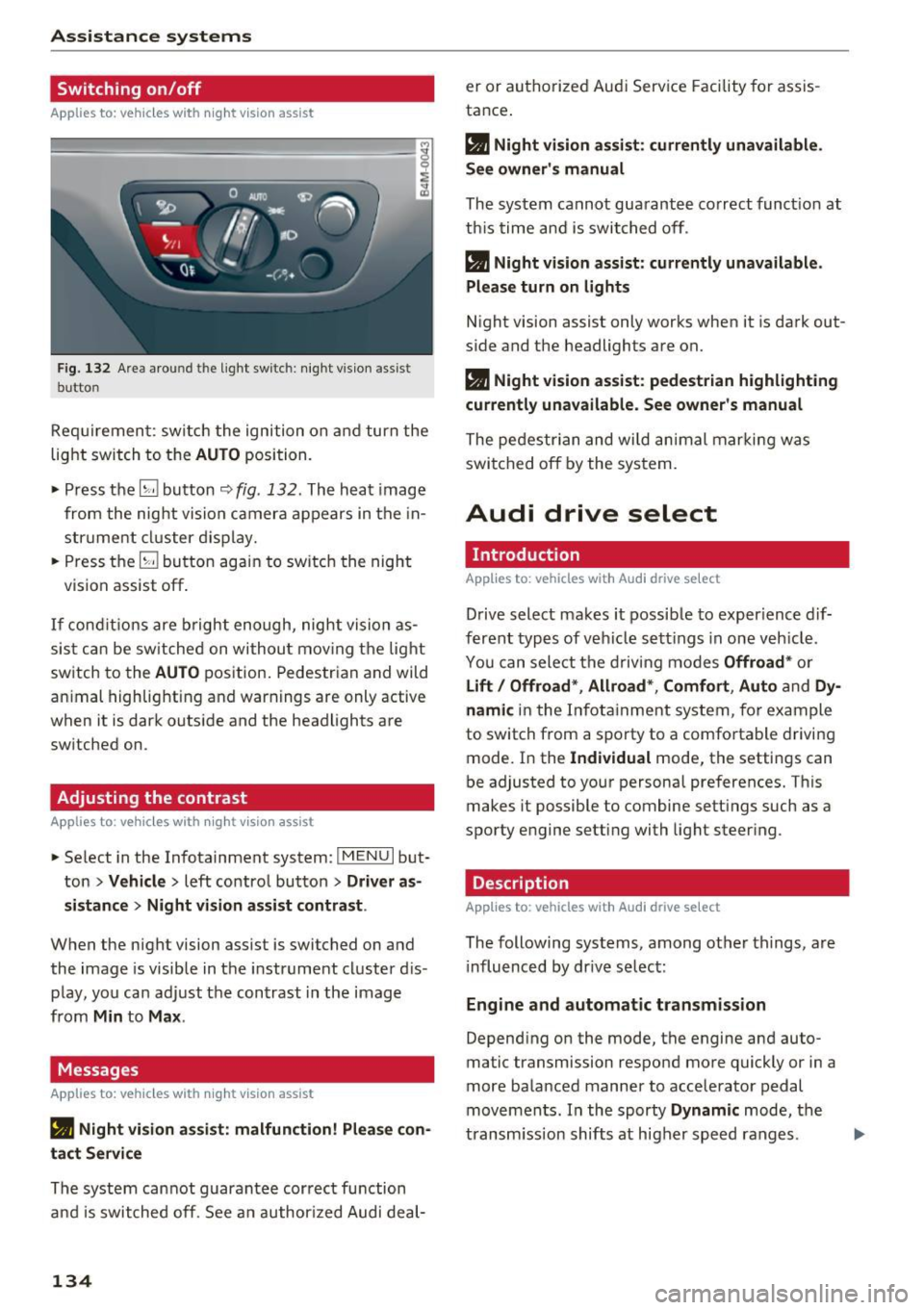
F ig. 132 Are a aro und th e light sw itc h: night vis ion assist
butto n
Requirement: sw itch the ignition on and turn the
light switch to the
AUTO position.
• Press the
[g button 9 fig . 132 . The heat image
from the nig ht vision camera appears in the in
str ume nt cluster d isplay.
• Press the
(g button again to switch the night
vision assist off .
If condit io ns are b right enough, night vision as
sis t can be sw itched on withou t mov ing the light
switch to the
AUTO position. Pedestrian and wild
an imal highlighting and warnings are only active
when it is da rk outs ide and the headlights are
sw itched on .
Adjusting the contrast
Applies to: vehicles with night vision assist
• Select in the Infotainment system: I M ENU I but
ton
> Vehicl e > left control button > Driver a s
si stance
> Nig ht vis ion as sist contra st .
When the night vision assist is switched on and
the image is visible in the instrument cluster d is
p lay, you can adjust the contrast in the image
from
Min to Ma x.
Messages
Applies to: vehicles with night vision assist
• Night vi sion a ssist : malfunction! Plea se con ·
tact S erv ic e
The system cannot guarantee correct function
and is switched off. See an author ized Audi deal-
134
er or authorized Aud i Service Facility for assis
tance .
• Night vis io n assi st: c urrently unavailable .
Se e owner's manual
The system cannot guarantee correct funct ion at
this time and is switched off .
• Night v ision ass ist : c urrently un av ail abl e.
Plea se turn on lights
N ight vision assist only works when it is dark out
side and the headlights are on.
• Night vision ass ist: pedestr ian h ighlighting
curr ent ly unavailable . See owne r's manual
The pedestr ian and wi ld animal marki ng was
switched off by the system.
Audi drive select
Introduction
App lies to: vehicles with Aud i drive se lect
Drive select makes it possib le to exper ience dif
ferent types of vehicle sett ings in one veh icle .
You can select the d riving modes
Offroad * or
Lift / Offroad *, Allroad* , Comfort , Auto and Dy ·
namic
in the Infotainment system, for example
to switch from a sporty to a comfo rtable driving
mode. In the
Individual mode, the sett ings can
be adjusted to your personal preferences. This
makes it possible to combine sett ings such as a
sporty engine setting with light steer ing .
Description
Applies to: vehicles with Audi drive select
The following systems, among other th ings, are
i nfluenced by dr ive select:
En gine and aut omatic tr ansmi ssi on
Depend ing on the mode, the engine and auto
ma tic tr ansmission respond more quickly or in a
more balanced manner to accelerator pedal
movements . In the sporty
Dynam ic mode, the
transm iss ion shifts at higher speed ranges.
Page 138 of 402
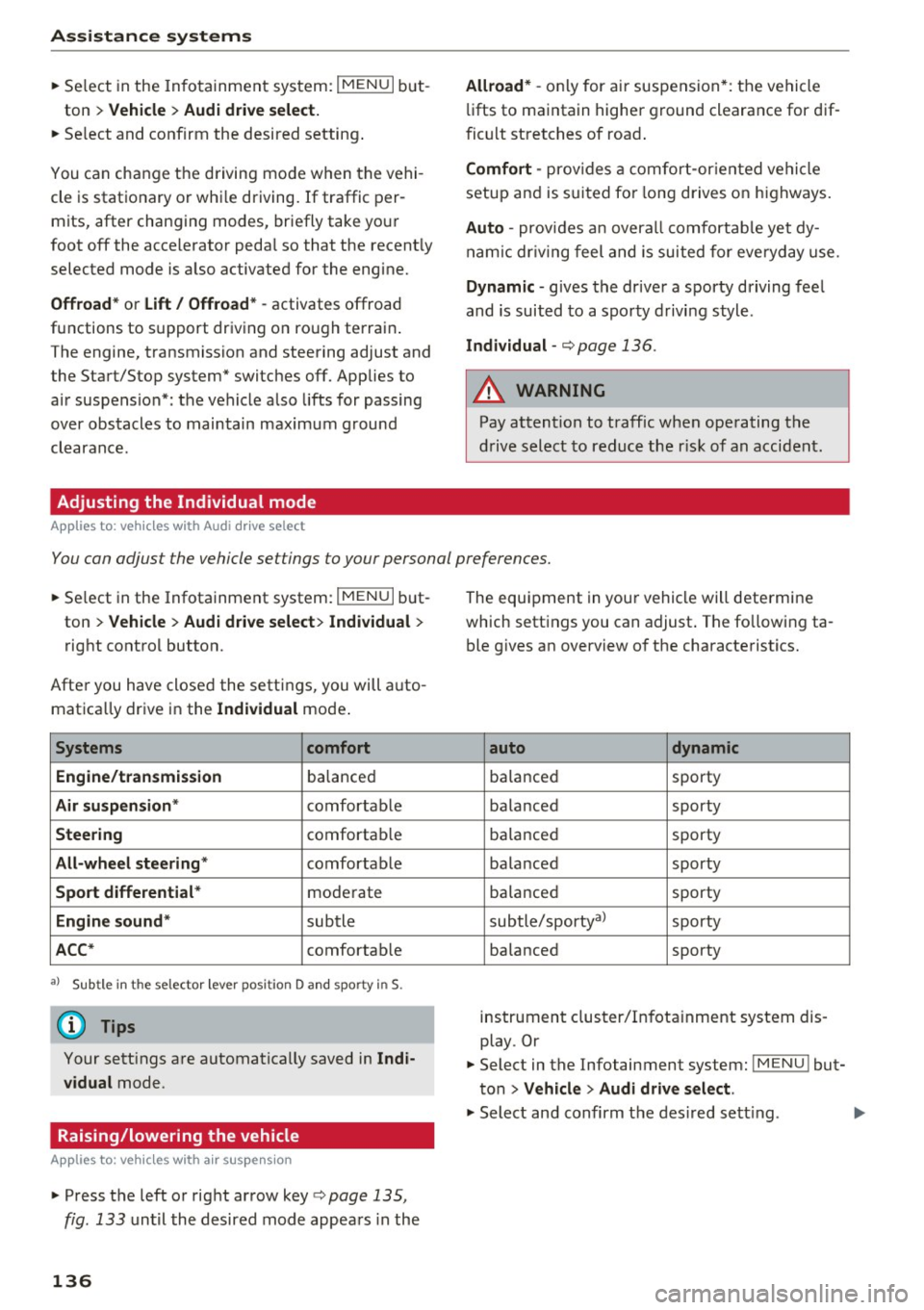
Assistance systems
"'Se lect in the In fo tainment sys tem: I MENU I but-
ton
> Vehicle > Audi dri ve select.
"' Se lect and confirm the desired setting .
You can cha nge t he d riving mode when the vehi
cle is stat ionary or whi le d riving. If traffic per
mits, after changing modes, briefly take you r
foot off the accele rator peda l so that the recent ly
selected mode is a lso activated for the eng ine.
Offroad * or Lift/ Offroad* -activates offroad
functions to s upport dr iv in g o n ro ug h terra in.
The engine, transmission and steering adjust and
the Start/Stop system* switches off. Applies to
a ir suspe nsion*: t he vehicle also lifts for passing
over obstacles to maintain maximum ground
clearance.
Adjusting the Individual mode
Applies to: veh icles w ith Audi drive select
Allroad * -on ly for air suspension *: the vehicle
li fts to maintain hi ghe r g round clearance for d if
fic ult st retc hes of roa d.
Comfort -provides a c omfor t-or ien ted ve hicle
setu p and is s uit ed fo r long drives on hi ghw ays.
Auto -provides a n overa ll comfortab le yet dy
n amic driv in g feel a nd i s s uited f or everyd ay use.
Dynamic -gives the driver a sporty driving fee l
and is suited to a spo rty d rivi ng s tyle .
Individual -c::;, page 136.
A WARNING
Pay attention to traffic whe n ope rating t he
d rive select to reduce th e ris k of an accide nt.
-
You can adjust the vehicle settings to your personal preferences.
"'Se lect in the Infotainment system: IME NUI but
ton
> Vehicle > Audi drive select > Individual >
rig ht contro l button.
After you have close d the settings, you will a uto
mat ica lly dr ive i n the
Individual mode .
Systems comfort
Engine /transmission
ba lance d
Air suspension * comfortable
Steering comforta ble
All-wheel steering * comfortable
Sport differential * moderate
Engine sound * subtle
ACC* comforta ble
al Sub tle i n th e se lecto r leve r pos it ion D a nd sporty in S.
(D Tips
Y our sett ings a re automa tica lly saved in Indi
vidual
mode.
Raising/lowering the vehicle
Applies to: veh icles w ith air suspens ion
"' Press th e left or right ar row key c::;, page 135,
fig . 133
u nti l the desired mode app ea rs in the
136
The equi pment in you r vehi cle will determine
which sett ings you can adjust . T he fo llow ing ta
ble gives a n overview o f the characte ristics .
auto dynamic
ba
la nce d sporty
ba la nced sporty
ba la nce d sporty
ba la nced sporty
ba lanced sporty
sub tle/sportyal
sporty
ba lance d sporty
instrument cluster/I nfota inment system dis
play. Or
"' Select in the Infotainment system :
IMENU! but
ton
> Vehicle > Audi drive select.
"' Select and confirm the des ired se tting.
Page 152 of 402
Intelligent Technology
_&. WARNING
You should only switch offroad mode on or
switch ESC/ ASR off if your driving abilities
and the traff ic conditions perm it. There is a
r isk of slid ing.
- The stabilization function is limited when
offroad mode is switched on. The driving
wheels co uld spin and the vehicle could
swerve , especially on slick or slippery road
surfaces.
- T here is no vehicle stab ilizat ion when ESC/
ASR are switched off .
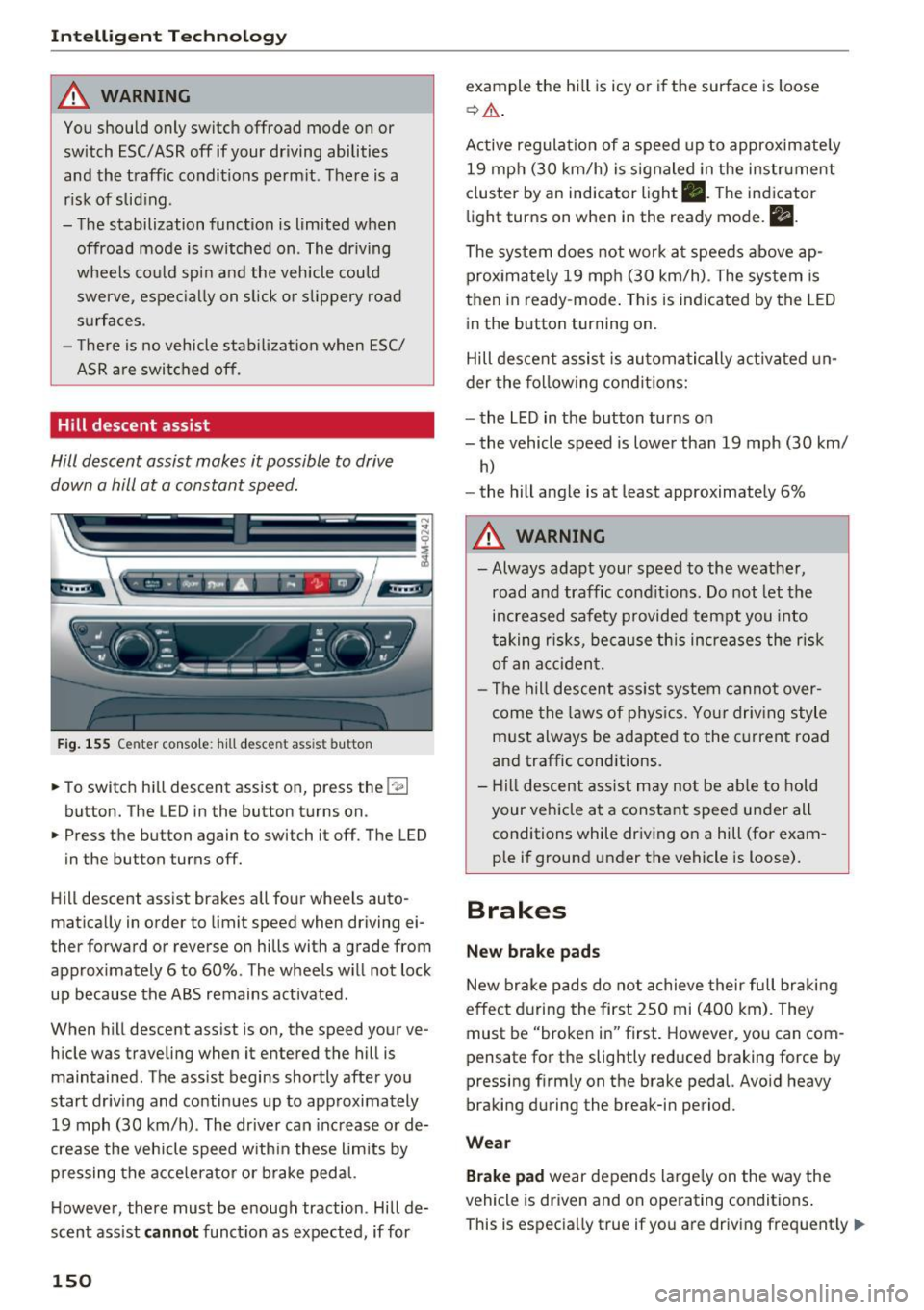
Hill descent assist
Hill descent assist makes it possible to drive
down a hill at a constant speed.
Fig. 155 Center console: hill descent ass ist button
.. To switch hill descent assist on, press the 1-
.. Press the button again to switch it off. The LED
in the button turns off.
Hill descent assist brakes all four wheels auto
matically in order to limit speed when driving ei
ther forward or reverse on hills with a grade from approximately 6 to 60%. The wheels w ill not lock
up because the ABS remains activated.
When hill descent assist is on, the speed your ve
hicle was traveling when it entered the hill is maintained. The assist begins shortly after you
start driv ing and continues up to approximately
19 mph (30 km/h). The driver can increase or de
crease the vehicle speed w ith in these limits by
pressing the accelerato r or brake pedal.
H owever, there must be enough traction. Hill de
scent assist
cannot function as expected, if for
150
example the hill is icy or if the surface is loose
~ & .
Active regulat ion of a speed up to approximately
19 mph (30 km/h) is signaled in the instrument
cluster by an indicator light •. T he indicator
light turns on when in the ready mode.
II.
The system does not work at speeds above ap
proximately 19 mph (30 km/h). The system is
then in ready-mode . This is indicated by the LED
in the button turning on.
Hill descent assist is automatically activated un
der the following conditions:
- the LED in the button turns on
- the vehicle speed is lower than 19 mph (30 km/
h)
-the hill angle is at least approximately 6%
_&. WARNING
-
- Always adapt your speed to the weather,
road and traffic conditions. Do not let the
increased safety provided tempt you into
taking risks, because this increases the risk
of an accident.
- The hill descent assist system cannot over
come the laws of phys ics. Your driving style
must always be adapted to the current road
and traffic cond itions .
- Hill descent assist may not be able to hold
your vehicle at a constant speed under all
conditions while driving on a hill (for exam
ple if ground under the vehicle is loose).
Brakes
New brake pads
New brake pads do not achieve their full braking
effect during the first 250 mi (400 km). They
must be "broken in" first. However, you can com
pensate for the slightly reduced braking force by
pressing f irmly on the brake pedal. Avo id heavy
braking during the break-in period.
Wear
Brake pad wear depends largely on the way the
vehicle is driven and on operating conditions .
This is especially true if you are driv ing frequent ly
IJ,,