phone AUDI Q7 2018 Owner´s Manual
[x] Cancel search | Manufacturer: AUDI, Model Year: 2018, Model line: Q7, Model: AUDI Q7 2018Pages: 398, PDF Size: 185.58 MB
Page 177 of 398
Cl a:, ...... N
" N ...... 0
0
::r '
settings
> Connection manager¢ page 246.
~ Se lect and confirm the desired cell phone from
the list of disp layed Bluetooth devices.
~ The MMI generates a PIN for the connect ion
setup
¢fig . 172.
~ Select and confirm Yes.
~ Enter the PIN for connecting on your ce ll
phone.
Or : whe n the PIN is displayed on your
cell phone, confirm the PIN on your cell phone
and in the MMI. The time allowed for entering
the PIN is limited to approximately 30 seconds.
~ Pay attention to any additiona l system prompts
displayed on your cell phone, for example if the
system should connect automatically in the fu
ture . Depend ing on the cell phone, you may
have to confirm downloading the directory sep
arately .
After connecting successfully
After connecting successfully, information about
the connected profiles will appear. You can a lso
change the profiles later. Select:
!MENUI button>
Settings > left control button > MMI settings >
Connection manager¢ page 246 .
In addition, the cell phone contacts are automat
ically loaded in the MMI directory. T his process
can take several minutes, depend ing on the num
ber of contacts .
You can a lso make your connected cell phone the
default phone by select ing
Set as default tele
phone
in the Connection manager¢ page 248 .
@ Note
Always follow the information found in¢@) in
Wi-Fi hotspot on page 194.
(D Tips
- Making phone calls through the MMI is only
possible using the
Handsfree Bluetooth pro
file.
- You can apply additional settings to con
nected mobile devices using the
Connection
manager ¢ page 246 .
-You can also search for the MMI in your ce ll
phone using the Bluetooth device search.
Telephone
-You only have to pair your device one time.
B lu etooth devices that are already paired
automatically connect to the MMI when the
Bluetooth funct ion is switched on, they are
w ith in range and the ignition is switched on.
The last connected cell phone is given first
pr iority.
- Authorizing the MMI connection in your cell
phone w ill make automatic connection pos
sible .
- Pay attention to any system prompts dis
played on your cell phone, for example if
the system should connect automatically in
the future. Depending on the cell phone,
yo u may also need to download the directo
ry and confirm access to your text messages
separately.
- When leaving the vehicle, the Bluetooth
connection to the cell phon e will automati
cally disconnect. Depending on your cell
phone, phone calls in progress may be auto
matically redirected from the MMI to your
cell phone and you can continue the ca ll on
your phone.
- You can obtain more information from your
cell phone service provider or from your cell
phone user gu ide. For information on using
the telephone, vis it www.aud iusa .com/
bluetooth or contact an authorized Audi
dealer or authorized Audi Service Facility.
- Applies to: veh icles without secondary
phone: Several cell p ho nes can be paired to
th e MM I, but only one cell phon e can be ac
tively connected to the MMI.
- App lies to: veh icles without seconda ry
phone: If a Bluetooth device is already con
nected to the MMI , it will be disconnected
when another device connects to the MMI.
175
Page 178 of 398
Tele phone
Operating two telephones through the
MMI
You can connect two cell phones to the MMI, for
example your business cell phone as the primary
phone and your private cell phone as the secon
dary phone . You can be reached in your vehicle
through both cell phones.
The first connected cell phone is displayed as the
primary phone in the MMI. The second cell phone
is connected as the secondary phone.
The directory from the connected pr imary p ho ne
w ill always be displayed. If you wou ld like to use
the directory from the seconda ry phone, yo u
must switch the primary and secondary p hone
¢ page 176.
Conn ecting a cell phone as the primary
phon e
Connect your ce ll phone to the MM I via Blue
tooth . The first connected cell phone is displayed
as the
P rimar y phone in the MMI.
See
~ page 17 4, Connecting a cell phone using
8/uetooth .
Connecting a cell phone as the secondary
phon e
Requirement: a cell phone must be connected to
the MMI as the primary phone.
Select:
! M ENU ! button> Telephone > right con
trol button >
Conn ect secondary tel ephon e.
See ~ page 17 4, Connecting a cell phone using
Bluetooth .
Example: you have connected your business ce ll
phone to the MMI as the primary phone and your
private cell phone as the secondary phone . To be
ab le to call contacts from your p rivate cell phone
d irecto ry , you must switch the pr ima ry and sec
onda ry phone, s ince the directory from the p ri
mary phone is a lways displayed.
Switching the primar y and secondary phone
Requ irement: a primary phone and a secondary
phone must be connected .
176
Switch primary and second. phone : select:
IMENU! button> Telephone > right contro l but
ton >
Swit ch prim ary and second. phone .
(D Tips
-Please note that on ly the directory from the
primary phone is always disp layed .
- Yo u can see if a cell phone is connected as
the primary phone or secondary p hone in
the
Connection manage r¢ page 246. Or:
the device name of the connected pr imary
phone is shown in the
Telephone menu
(such as myPhone).
- If the pr imary phone does not connect auto
matically to the MMI when the ignit ion is
switched on, for example because it is out
of the ve hicle range o r the Bluetooth func
t ion is switched off, then a p reviously pa ired
se condary p ho ne is automa ticall y connected
as the p rim ary phone.
- You can send and rece ive messages on your
pr imary phone as we ll as o n your secondary
phone
¢page 177, fig. 173 . You do not
need to sw itch your pr imary phone and sec
ondary phone for this .
- Yo u can also make you r connec ted cell
phone the defau lt phone by se lecting
Set as
default telephone
in the Connect ion man
ager ¢
page 248.
Page 179 of 398
a co ...... N r--. N ...... 0
0
:E -
Opening the telephone
Applies to: veh icles wit h telephone
Fi g. 1 73 Example: telep hone f unctions in select io n me nu
F ig . 174 Examp le: add it io nal telepho ne funct ions in selec
t ion menu
Re qui rement: a cell p hone must be co nnec ted to
t he MMI
c:::>page 174 .
"' Se lect: I MENU I but ton > Telephone > left con
t ro l button.
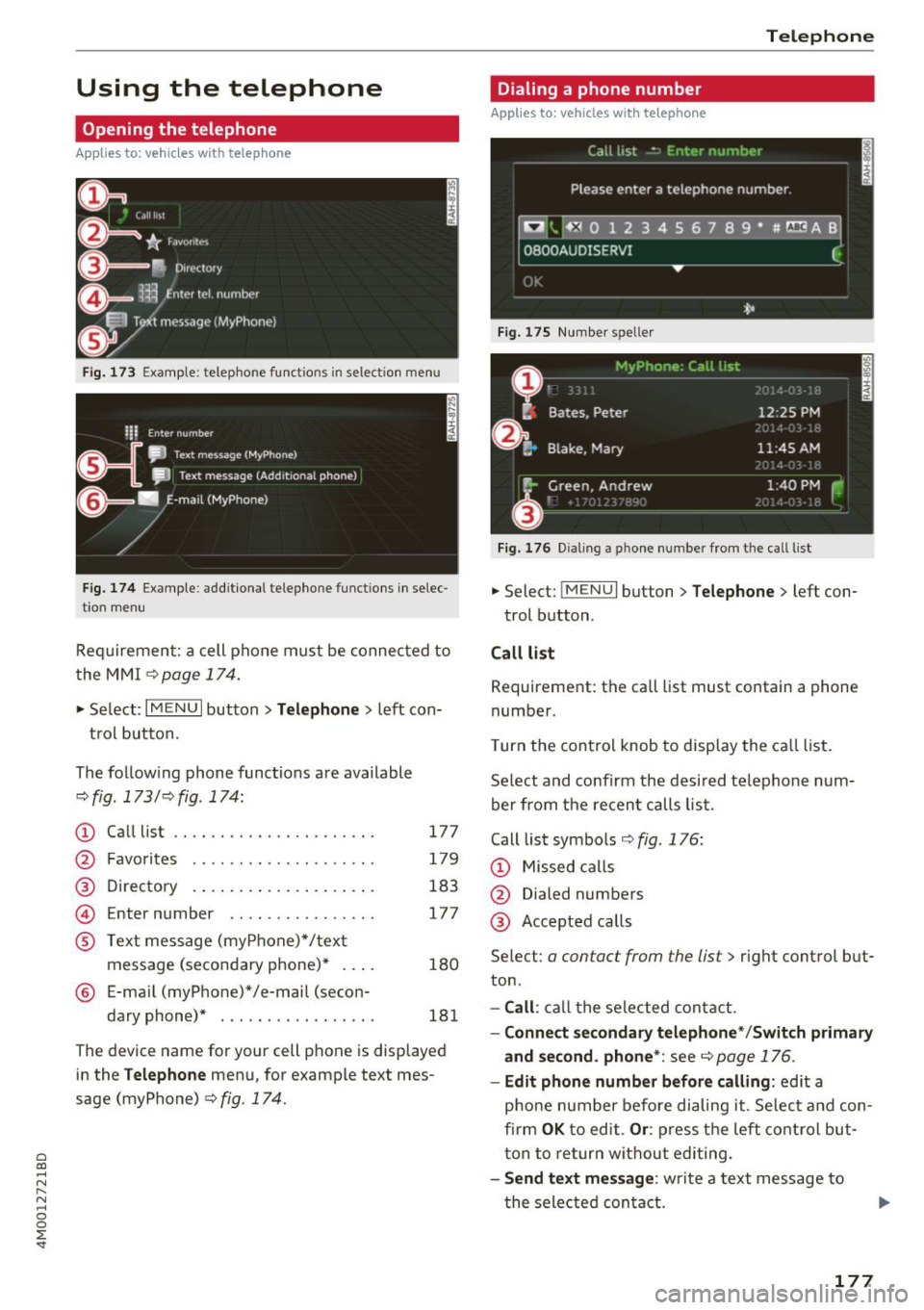
The follow ing phone functions are available
c:::> fig . 173/ c:::> fig . 174:
CD
@
Ca ll list
Fa vo rit es .... ........... .. .. .
D irectory
Enter number ........ ...... . .
@
©
® Text me ssa ge (my Phone) */ text
mes sage (seco ndary phone)* ... .
® E-ma il (myPhone)*/e-mail (secon-
dary phone)* ................ .
177
179
183 177
180
181
The device name for your cell phone is disp laye d
in the
Telephone menu, for example text mes
sage (myPhone)
¢ fig. 17 4.
Telephone
Dialing a phone number
App lies to : veh icles w it h te lep hone
Fig. 17S Numb er spelle r
Fig. 176 Dialin g a pho ne number from the c all l ist
"' Select: !ME NUI button> Telephone > left con-
t rol b utton .
Call list
Requirement: the call list must contain a phone
number.
T urn the cont rol knob to disp lay the ca ll list.
Se lect and confirm the de sir ed t ele phon e num
ber from the re cen t ca lls li st.
Call lis t symbols
¢ fig . 176:
CD Missed calls
@ Dialed numbers
@ Accepte d calls
Se lect:
a contact from the list> right control but
ton .
-Call : call th e selec ted cont act.
- Connect secondary telephone */Switch primary
and second. phone* :
see c:::> page 176 .
- Edit phone number before calling : edit a
p ho ne number befo re dialing it. Selec t and con
fi rm
OK to ed it . Or : pres s th e left con trol but
t on to re tu rn w it h out editing.
- Send text mes sage : write a text mess age to
t he sele cte d con ta ct .
177
Page 180 of 398
Telephone
- Delete call list :
select and con firm if you would
lik e to
Delete this entry or Delete all entries.
- Store as favorite :
store the selec ted cont act a s
a favo rite.
- Show contact details : see ¢ page 1 83.
-Connection manager: see ¢ page 246.
-Bluetooth settings : see ¢ page 248 .
-Online settings : see¢ page 248.
-Wi-Fi settings : see¢ page 193, Wi-Fi hotspot.
-Telephone settings : see¢ page 1 84.
Favorites
Requir em en t: a phon e numb er or c onta ct mu st
be s to re d a s a f avo rit e ¢
page 1 79.
Selec t and conf irm a favor ite in t he favo rit es list.
Directory
Req uirement: you must have at least one contact
sto red in yo ur cell phone .
Select an d confirm a phone num ber from the di
rectory ¢
page 183.
Enter number
- Entering a phone number as a sequence of
numbers :
enter th e n umber usi ng the number
s p ell er
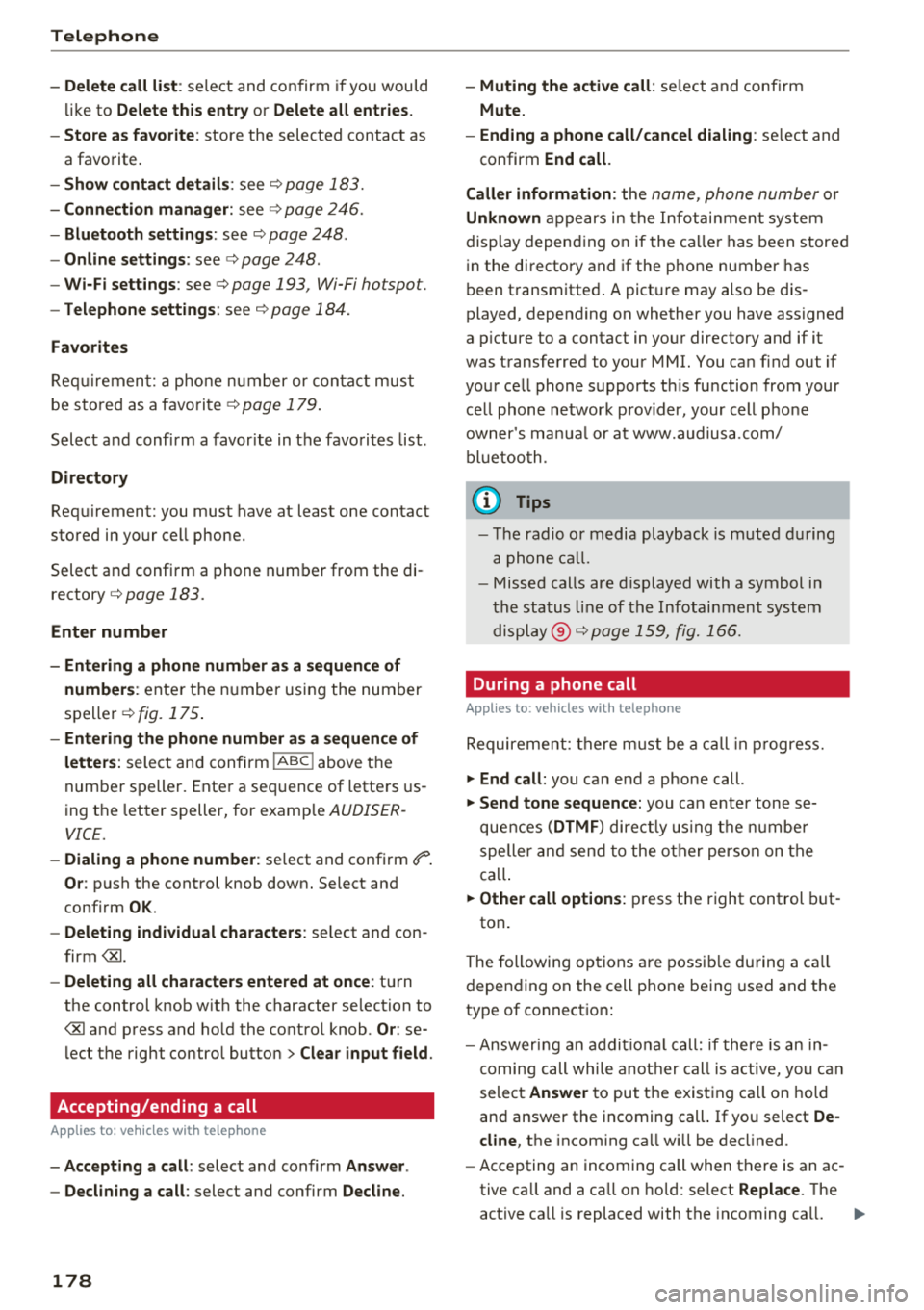
¢fig. 175.
- Entering the phone number as a sequence of
letters :
select an d con firm !ABC ! above the
num ber sp elle r. Ente r a se quence of lette rs us
ing t he letter speller, for examp le
AUDISER
VICE.
- Dialing a phone number : select and confi rm ef1" .
Or : push the cont rol knob down . Select an d
confi rm
OK.
- Deleting individual characters : select and con
f irm
t h e control knob w it h the character se lection to
> Clear input field .
Accepting/ending a call
A pp lies to: ve hicles w ith tele phone
-Accepting a call : select and confirm Answer .
- Declining a call :
select and confirm Decline.
178
-Muting the active call : select and conf irm
Mute.
- Ending a phone call/cancel dialing :
select and
confirm
End call.
Caller information :
the name, ph one number o r
Unknown app ea rs in th e Info ta inm en t syst em
d isplay depen ding o n if the ca ll er has been store d
i n the di rectory and if the p hone number has
b een t ransmitted . A pict ure may also be dis
played, depen ding on whether you have assigned
a p ictu re to a contact in yo ur directory and if it
was transfe rred to your MMI. You ca n find out if
you r ce ll phone s upports t his fu nction from your
c ell phone ne twor k prov ider, your cell p ho ne
owner 's ma nual or at www.a udiusa .co m/
bl uet ooth .
(D Tips
- The radio or media playback is m uted dur ing
a phone call.
- Missed calls ar e displ ayed wi th a symbol i n
the status line o f th e Info tai nme nt syst em
di spl ay @ ¢pa ge
159 , fig. 16 6.
During a phone call
App lies to: vehicl es wi th telepho ne
Re quire ment : th ere must b e a call in pr ogress.
~ End call: you ca n end a phone call.
~ Send tone sequence: you can e nter tone s e
que nces
(DTMF ) direct ly usin g t he nu mbe r
speller and s end t o the o ther pers on on t he
call.
~ Other call options : press the r ight control but-
ton .
T he followi ng op tions are poss ible du ring a call
d epen din g on the ce ll phone be ing used and t he
type of connect io n:
- Answer ing an add iti on al c all: if there is an in
c omin g ca ll while a not her ca ll is a ctive, you can
sele ct
Answer to put t he exist ing c all on ho ld
an d answer t he in comin g call. If you select
De
cline ,
the incom ing ca ll w ill b e de clined .
- Accepting an incomin g call when t here is an ac
tive ca ll and a ca ll on ho ld: sel ect
Replace. T he
ac tive ca ll is replaced with the incoming ca ll. .,.
Page 181 of 398
Cl a:, ...... N
" N ...... 0
0
::r '
Mut e.
- Additi onal ca ll:
se lect: F in d co ntac t > Call li st/
Di rect ory/ Fa vo rite s
> an entry from the list .
Mute: if you select and co nfirm th is function, the
other pe rson on the phone cannot hea r yo u. You
can hear the other person . To turn the micro
phone back on, se lect and confirm
Unmute.
Hold c all/Re sum e held call :
you can p lace the ex
i sting call on hold and resume it again. To re
sume the call, select and confirm the ca ll you
wo uld like to resume.
Tran sfe r call to mobile d evice* : select and con
fi rm
Tr ansfe r call t o m obile d evic e to tra nsfer
the existing call from the MM I to you r ce ll phone.
Swi tch to hand s-fr ee mod e*: Requirement: you
must have a phone call in prog ress o n your cell
phone. Select and confi rm
S wit ch t o hand s-free
mode
to t ransfer the call from your ce ll phone
back to the MM I.
Swap call : alternate betwee n two phone ca lls
while one of the c alls is on hold. Select ing
End
ca ll
will end the active phone ca ll. A p hone call on
h o ld can be resumed using the right control but
ton >
Resume.
C onne ction manag er:
see ~ page 246.
Telephone settings : see~ page 184 .
(D Tips
-To be notified of an incoming call during a
phone call, the
call waiting function in your
cell phone must be switched on when us ing
the
Hands free profile .
- You can obta in more information from your
ce ll phone serv ice prov ider or from your cell
phone use r guide.
- When leaving the vehicle, the Bl uetooth
connection to the ce ll phone w ill automat i
ca lly disconnect. Depending on you r ce ll
phone, phone calls in prog ress may be auto
matically redirected from t he M MI to your
ce ll phone and you can continue t he call on
your phone .
- The display of an incoming phone call in the Infotainment system disp lay may still be
T ele ph on e
visible for a few seconds a fte r a ca ll is an
swered/ignored depending on the ce ll
phone in use.
Making an emergency call
Applies to: vehicles with telephone
.,. Select: !MENUI button> Telephone > left con
trol button >
Enter n umber > Enter emergency
call number (for example, 911) >
OK.
A WARNING
-
- Because yo ur phone works w ith rad io sig
na ls, a connection canno t be gua ranteed un
de r all circumsta nces. Do not rely o n only
your p hone when i t comes to essential com
m unication (such as a medical emergency) .
- Always follow the inst ructions given by the
emergency pe rsonne l dur ing an emergency
call and on ly end the ca ll w hen they instruct
you to do so .
(D Tips
Emergen cy nu mbe rs a re not the s ame every
where. Find out w hich emergency n umber is
u sed in your current location.
Favorites
Applies to: vehicles with telephone
Up to 50 contacts, in addition to the voicemail
number, can be stored in any order in the favor
ites list.
.,. Select: !MENUI button> T elephone > left con-
trol button .
Storing an e xis ting phone number as a
fa vorite :
-Select and confirm Call li st/ Director y.
- Select a contact or phone n umbe r from the list.
- Select: r ight cont rol b utton >
S to re as favorit e.
-Enter a name for the favor ite or select a sug-
gestion .
- Select and confirm
Sav e.
Renaming stored fa vorite s
-Select: Fav orite s > a favorite from the list.
179
Page 182 of 398
Telephone
-Se lect t he right contro l button > Rename fa-
vorite.
Moving stored favorites
- Se lect : Favorit es > a favorite from the list .
-Select t he r ight contro l button > Move favorite .
-Se lect and confirm the location of the selected
favorite .
Deleting a stored favorite
-Se lect : Favorites > a favorit e from th e list .
-Se lect the right contro l button > Delete favor-
ite > Delete this favorite or Delete all favor
ites .
Messages
Text messages
Applies to: cell phones with Bluetooth Message Access Profile
(MAP)
Depending on the cell phone being used and the
cell phone ne twork con trac t, you can receive and
send tex t messages using the MMI.
Requirement
A cell p hone m ust be co nn ecte d t o the MMI via
Bl ue tooth MAP (Message Access Profile)
~ page 174.
.,. Se lect : I MENU I but ton> Telephone > left con
tr ol bu tton >
text message (myPhone) /text
message (secondary phone )*.
Write new text message
S elect a nd conf irm Write new text message .
- Using a template :
select and confirm the de
s ir ed temp late from the lis t.
-Writing your own text *: select and confirm Do
not use template .
Enter text us ing the M MI
touch co ntro l pad* o r the lette r sp eller .
- Ente r one o r mo re recip ients.
- Se lect and confirm
Send .
Inbox
D isp lays a ll re ce ived tex t m essages .
Sent
Displays all sent tex t messages .
180
Outbox
Disp lays all tex t message s to be sent.
Drafts
D isplays all text messages that have no t yet been
sen t and s to red text messages .
(D Tips
-Please note that you may have to activate
t he receivi ng a nd send ing of t ext m essages
dep endi ng on t he SIM card being us ed in
yo ur ce ll pho ne (for e xample, when usin g a
mult i- S IM ). You can obt ain more informa
tion fr om your c ell phone serv ice p rov ider or
from you r ce ll p hone use r guide .
- Fo r m ore inform ation o n suppo rt e d c ell
p ho nes, vi sit www .a udiu sa.co m/ blu eto oth
o r contact a n auth orized Audi dea le r or au
t h orize d Au di Service Fac ility .
- You n eed a cell phone with Mes sa g e A ccess
Profi le that also s upports the sen ding func
t ion to be a ble to se nd text messa ges
throug h the MMI.
Message options
Applies to: cell phones with Bluetooth Message Access Profile
(MAP)
.,. Select: IT ELI bu tton > left contro l butto n > text
message (myPhone) /text message (secondary
phone) * > Inbo x/Sent /Outbox
> r ight control
bu tton.
The followi ng options may be avai la b le depend
i ng on the selected menu .
Storing a text message as a template
Ten tex t mess age temp lates are s to red in t he
M MI. Y ou can s ave up to ten ad dition al tem
p lates .
- Create a text message.
- Select an d confirm
Store template.
Resume last text message
The last ed ited text message can be resumed .
Reply*
A reply can be sen t for t he se lec ted mess age in
t h e
Inbox.
Page 183 of 398
Cl a:, ...... N
" N ...... 0
0
::r '
The selec ted text mess age can be fo rwarde d to a
d iff eren t rec ipient.
Send again*
The se lected text message can be rese nt.
Delete this text message*
The se lected text message can be deleted .
Read out1
)
You c an have the MMI read an open text mes
sage .
Text messaging settings*
To disp lay when a new text message is received,
e nable the
Text me ssage notifications . New tex t
messages a re in dica ted w it h an enve lope
1:0 in
the In fota inment system display status line .
Connection manager
See ¢ page 246 .
Wi-Fi settings
See ¢page 193.
Telephone settings
See ¢page 184.
0) Tips
M ess ages th at a re de le ted in t he MMI ar e al so
de le ted i n the ce ll p hone au to mat ic ally.
E-mail*
Applies to: cell phones with Bluetooth Message Access Profile
(MAP)
Depending on the type of cell phone being used,
you can receive and send e-mails through the
MMI .
Requirement: a cell phone must be connected to
the M MI via B luetoot h MAP ( Message Access Pro
fi le)
¢page 174. You can find ou t in your cell
phone owner's manua l if yo ur cell phone sup
ports this f unct io n.
ll Not avai lab le in all la nguage s.
Telephone
.. Sele ct: I ME NUI bu tton> Telephone > left con
trol button >
e-mail (myPhone )/e-mail (secon
dary phone )* .
Write new e-mail
S e lect a nd co nfirm Write new e-mail.
- Using a template :
select and confirm the de
sired t emplate from the list .
-Writing your own text* : select and confirm Do
not use template .
Enter text using the MMI
t o uch con trol pad* or t he let ter spe ller.
- En ter one o r more rec ip ients .
- Select and confirm
Send .
Inbox
All rece ived e-mails a re displayed .
Sent
All sent e- mails a re displayed.
Outbox
All e -ma ils that will be sent a re displayed.
Drafts
A ll saved e -ma ils that have no t b een sen t yet are
displayed .
(LlJ) Note
Alw ays fo llow the inform ation f oun d in ¢(!} in
W i-F i ho tspot on page 194.
(D Tips
- Fo r mo re info rmation on sup po rt e d c ell
p hones, vi sit www.a udius a.co m/ blu etoo th
o r contac t an auth ori ze d Aud i de aler or a u
t h orize d Au di Serv ice Fac ility.
- To ensure th at you r sent e -m ail s are re
c eived , co nne ct your ce ll phone to the Wi- Fi
h ots pot* in the vehicle so t hat the e -ma il
app on yo ur cell ph one cont inues to have In
ter net access . If you are still not receivin g e
ma ils even though yo u have a successf ul
co nnec tion , then co ntact yo ur e-ma il s ervice
prov ider o r yo ur cell phon e se rv ic e prov id er.
181
Page 184 of 398
Telephone
Message options
Applies to: cell phones with Bluetooth Message Access Profile
(MAP)
"' Select : IMENUI button> Telephone > left con
trol button >
e-mail (myPhone)/e-mail (secon
dary phone)* > Inbox /Sent /Outbox
> right
contro l button.
The follow ing options may be available depend
ing on the selected menu .
Store as template
Ten e-mail templates are stored in the MMI. You
can save up to ten addit ional templates.
- Create an e-mai l.
- Select and confirm
Store template.
Resume last edited e-mail
The last e-mail in progress can be resumed .
Reply*
A reply can be sent for the selected e -mail in the
In box .
Reply to all*
A reply can be sent for the selected e -mail in the
Inbox and it will be sent to all of the entered re
cipients.
Forward
The selected e-ma il can be forwarded to a differ
ent rec ipient.
Delete this message*
The selected e-ma il can be deleted .
Read out1
)
You can have the MMI read an open e-mail.
E-mail settings*
To disp lay when a new e-mail is received, act ivate
t he
E-mail notifications . New e-ma ils are indicat
ed wit h an enve lope 121 in the Infotainment sys
tem disp lay status line.
1> N ot availa ble in all l an guage s.
182
Connection manager
See¢ page 246.
Wi-Fi settings
See¢ page 193.
Telephone settings
See ¢page 184.
(D Tips
- Messages that are deleted in the MMI are
also automatically deleted in the connected
cell phone .
- You cannot read any messages while driv
ing.
Listening to voicemail
Applies to: vehicles with telephone
"'Select: IMENU I button> Telephone > left con
trol button. Select and confirm
Call list /Direc
tory /Fav orites > Voicemail.
- Entering the voicemail number:
enter the de
s ired number. Select and confirm
OK.
- Dialing the voicemail number: select and con
firm
Voicemail.
{D Tips
- This service must be set up and activated in
advance by the cell phone service provider.
You can obtain more information from your
cell phone service provider .
- Th e voicemai l number depends on the cell
phone service provider .
Page 185 of 398
a co ...... N r--. N ...... 0
0
:E '
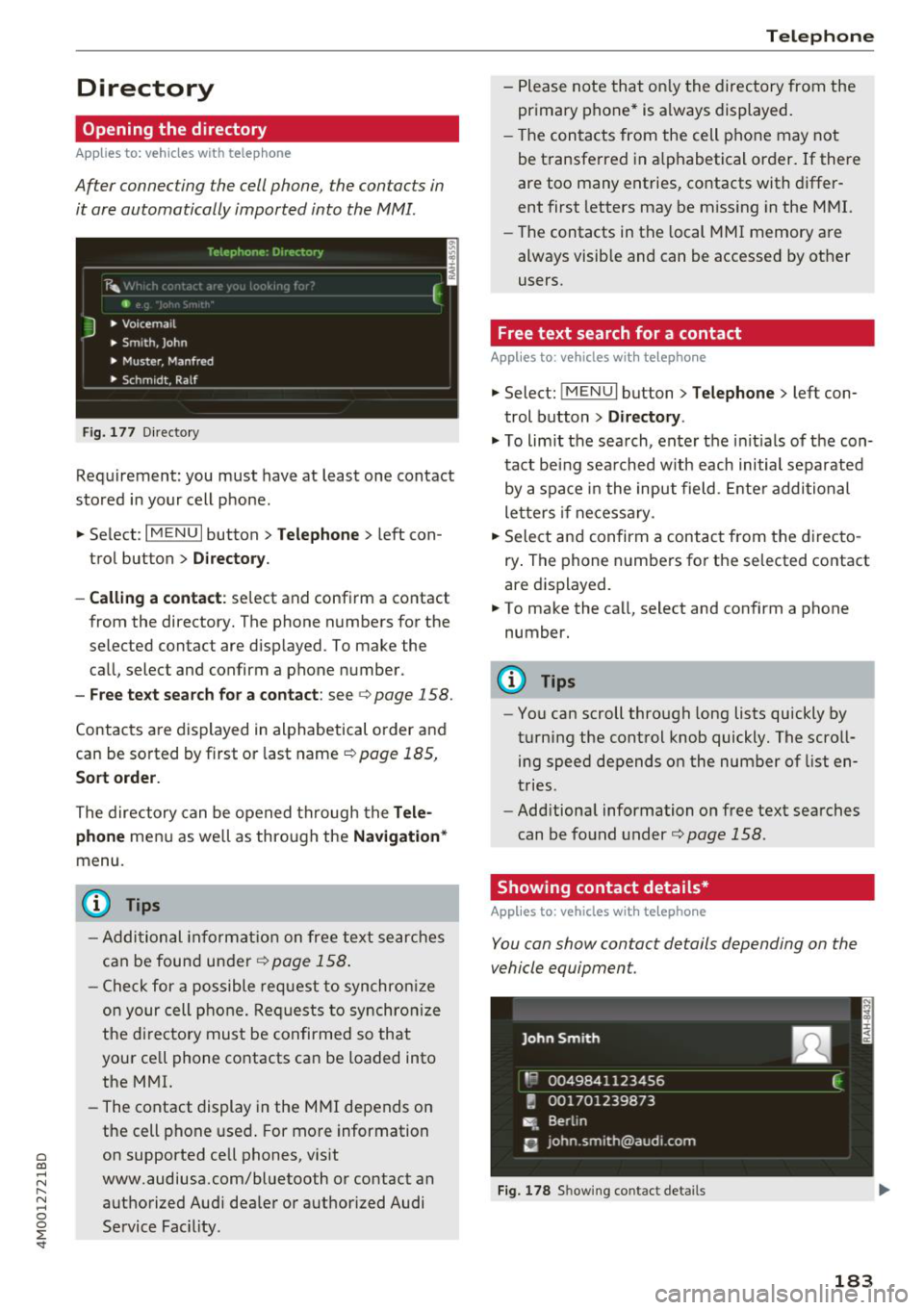
Opening the directory
Applies to: veh icles with telephone
After connecting the cell phone, the contacts in
it are automatically imported into the MMI.
__________ T_e_,e_p_h_o_n_e_· _o_,_,e_,_,_o_,_Y _________ ,
' E 41>
J • Voicema il
• Smith, John
• Muster, Manfred
• Schm idt, Ralf
Fig . 177 Di recto ry
Requirement: you must have at least one contact
stored in your cell phone.
... Select :
IM ENU I button > Telephone > left con
trol button >
D irecto ry.
- Calling a contact :
select and confirm a contact
from the directory. The phone numbers for the
selected contact are displayed. To make the
call, select and confirm a phone number.
-Free text search for a contact: see c;, page 158.
Contacts are displayed in alphabetical order and
can be sorted by first or last name
c:> page 185,
Sort order.
The directory can be opened through the Tele
phone
menu as well as through the Navigation *
menu.
(D Tips
- Additional information on free text searches
can be found under
r::;, page 158.
- Check for a possible request to synchronize
on your cell phone. Requests to synchronize
the di rectory must be confirmed so that
your ce ll phone contacts can be loaded into
the MMI.
- The contact display in the MMI depends on
the cell phone used. For more information
on supported cell phones, visit
www.audiusa.com/bluetooth or contact an
authorized Audi dealer or authorized Audi
Service Fac ility .
Telephone
-Please note that only the directory from the
primary phone* is always displayed.
- The contacts from the cell phone may not
be transferred in alphabetical order. If there
are too many entries, contacts with differ
ent first letters may be missing in the MMI.
- The contacts in the local MMI memory are
always visible and can be accessed by other
users.
Free text search for a contact
Applies to : vehicles with telepho ne
... Select: IMENUI button> Telephone> left con
trol button >
Directory .
.,. To limit the search, enter the initials of the con
tact being sea rched w ith each initial separated
by a space in the input field . Enter additional
letters if necessary .
... Select and confirm a contact from the directo
ry . The phone numbers for the selected contact
are displayed.
... To make the call, select and confirm a phone
number.
(D Tips
- You can scroll through long lists quickly by
turning the control knob quickly. The scroll ing speed depends on the number of list en
tries.
- Additional information on free text searches
can be found under
c:> page 158.
Showing contact details*
Applies to: vehicles wit h telepho ne
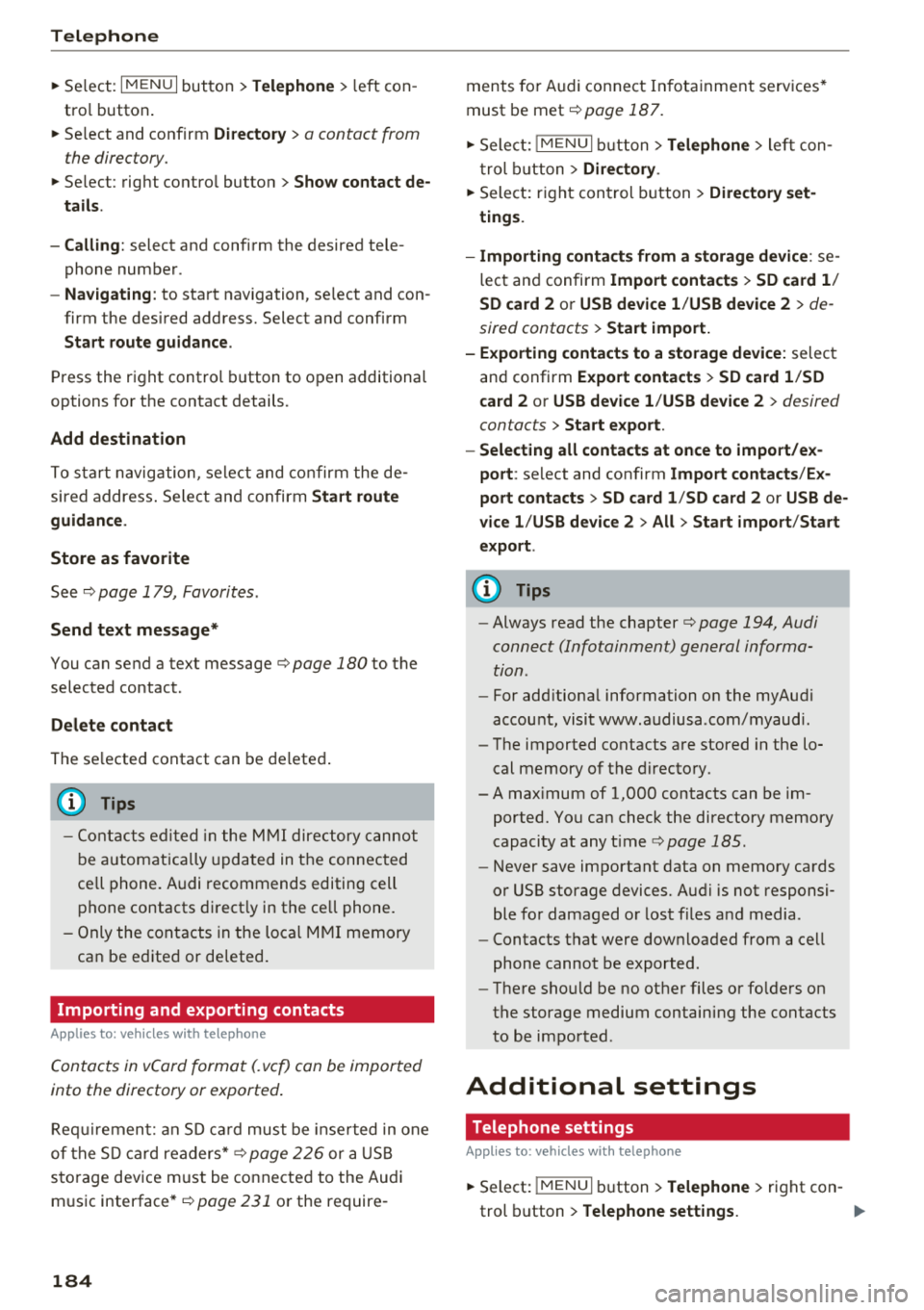
You can show contact details depending on the
vehicle equipment.
Fig. 178 Showing contact details
183
Page 186 of 398
Telephone
~ Select: I M ENUI button> Telephone > left con
tro l button .
~ Select and confirm Directory > a contact from
the directory.
~ Se lect : rig ht contro l butto n > Show contact de·
tails .
- Calling:
select and confirm the desired tele
phone numbe r.
- Navigating : to start navigation, se lect and con
firm the desi red address. Select and confirm
Start route guidance .
Press the r ight cont rol button to o pen additional
options fo r th e contact details.
Add destination
To st art na vigatio n, se le ct and co nf irm the de
sired ad dress . Se le ct and confirm
Start route
guidance .
Store as favorite
S ee ¢ page 1 79, Favorites .
Send text message*
You can send a text message¢ page 180 to the
selected contact .
Delete contact
The selected contact can be delete d.
(D Tips
- Contacts edit ed in th e MMI d irecto ry cannot
b e autom atic all y up dat ed in t he connec ted
ce ll p hone. Audi recommends editing cell
ph one contacts direct ly in t he ce ll phone .
- On ly the co nt acts in the lo ca l MM I memory
ca n be e dite d or de leted .
Importing and exporting contacts
App lies to: ve hicles w ith telep hone
Con tacts in vCard forma t (. vcf) can be impo rted
into the directory or e xported .
Requir em en t: an S D car d m us t b e in se rted in o ne
of the S D card readers *¢
page 22 6 or a USB
s to rage dev ice m ust be connecte d to the Audi
m usic interface *¢
page 231 or the require -
184 ments
fo r Audi connect In fota inme nt serv ices*
must be met
¢ page 187.
~ Sele ct: !ME NUI butto n> Telephone > le ft co n
t rol butt on >
Directory .
~ Select: r ight con trol button> Directory set
tings.
- Importing contacts from a storage device :
se
le ct and con fir m
Import contacts > SD card 1 /
SD card 2 or USB device 1 /USB device 2
> de
sired contacts
> Start import.
- Exporting contacts to a storage device:
selec t
an d confirm
Export contacts > SD card 1 /SD
card 2 or USB device 1 /USB device 2
> desired
contacts
> Start export .
- Selecting all contacts at once to import/ex
port :
select and confirm Import contacts /Ex
port contacts > SD card 1 /SD card 2 or USB de·
vice 1 /USB device 2 > All > Start import /Start
export .
(D Tips
-Always read the chapter¢ page 194, Audi
connect (Infotainment) gen eral informa
tion.
- Fo r add itiona l information o n the myAu di
accou nt, visi t www .a udiusa .com/myaud i.
- Th e imported contacts a re stored in the lo
cal memory of t he dire ctory.
- A ma ximum of 1, 000 contacts can be im
p orted. Yo u ca n check t he directory memory
capaci ty at any t ime
¢pag e 185.
- Never save important data on memory ca rds
o r U SB storage devices. Audi is not responsi
b le fo r damaged o r los t fil es a nd media.
- Contacts t hat were dow nloa ded from a ce ll
p hon e cannot be e xpo rted.
- Th ere s houl d be no ot her f iles or fo lders on
t h e st ora ge m ediu m co ntain ing th e contacts
to be importe d.
Additional settings
Telephone settings
App lies to: vehicles wit h telepho ne
~ S elect: IME NUI button> Telephone > righ t co n-
trol button >
Telephone settings. .,,.